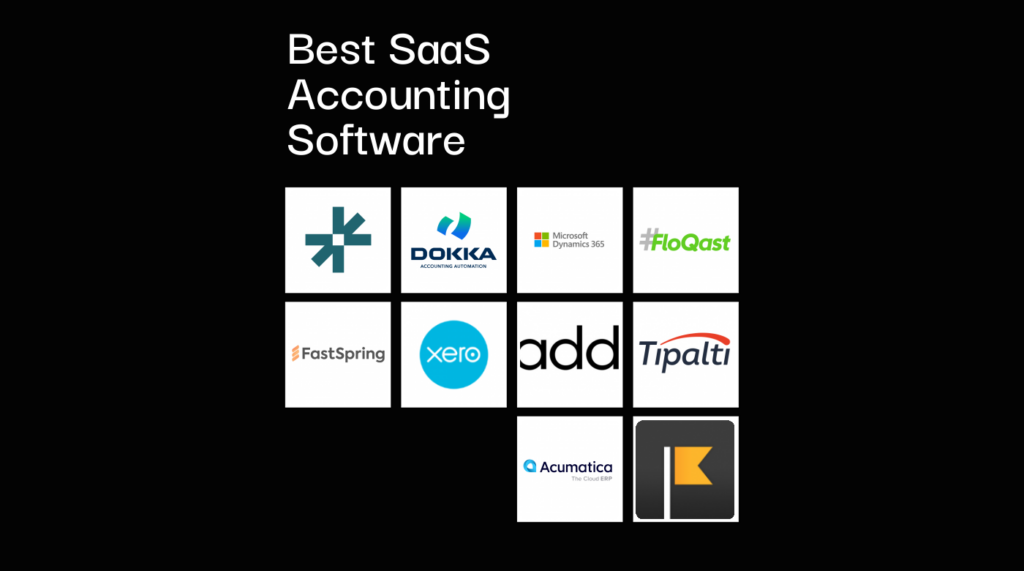
Gestionar las finanzas de una empresa SaaS no es fácil: facturación recurrente, reconocimiento de ingresos, ingresos diferidos, métricas de cancelación; todo se acumula rápidamente. Ahí es donde el software de contabilidad SaaS resulta útil. Pero, con tantas herramientas disponibles, elegir la que realmente se adapte a tu flujo de trabajo no es sencillo.
Como responsable de control financiero en el sector SaaS, sé lo importante que es contar con un software que gestione la facturación de suscripciones, se integre con tu CRM y ofrezca informes claros y listos para auditorías.
Con esto en mente, he probado y analizado los principales software de contabilidad SaaS para ayudarte a encontrar las herramientas que pueden agilizar las operaciones. Si estás listo para mejorar tu conjunto de herramientas, esto te ayudará a conseguirlo.
Por qué confiar en nuestras recomendaciones de software
6,700+
Reviews
20
Industry experts
16+
Evaluation factors
14
Years
Nuestras reseñas reflejan nuestro criterio independiente, no un discurso de ventas. Descubra cómo mantenemos la transparencia.
Para esta guía, evaluamos las herramientas mediante pruebas prácticas e investigación independiente, puntuando las herramientas según nuestros criterios de selección.
Nuestras reseñas reflejan nuestro criterio editorial humano, no un discurso de ventas.
Tabla comparativa de software de contabilidad SaaS
Esta tabla comparativa resume los detalles de precios de mis principales selecciones de software de contabilidad SaaS:
| Tool | Best For | Trial Info | Price | ||
|---|---|---|---|---|---|
| 1 | Mejor para contabilidad impulsada por IA | Demostración gratuita disponible | Precio a consultar | Website | |
| 2 | Mejor para la automatización documental y de cuentas por pagar con IA | Demo gratuita disponible | Precio a consultar | Website | |
| 3 | Ideal para soluciones empresariales | Prueba gratuita de 30 días disponible | Desde $65/usuario/mes (facturado anualmente) | Website | |
| 4 | Mejor para el comercio digital | Prueba gratuita + demostración gratuita disponible | Precios bajo solicitud | Website | |
| 5 | Ideal para la colaboración de equipos contables | Demostración gratuita disponible | Precios a consultar | Website | |
| 6 | Ideal para pequeñas empresas | Prueba gratuita de 30 días disponible | Desde $2.50/mes | Website | |
| 7 | Ideal para facturación SaaS | Demo gratuita disponible | 5% + $0.5 por transacción | Website | |
| 8 | Ideal para pagos globales | Demo gratuita disponible | Desde $99/mes | Website | |
| 9 | Ideal para la integración de ERP en la nube | Demostración gratuita disponible | Precio a consultar | Website | |
| 10 | La mejor opción para contabilidad sencilla | Prueba gratuita de 14 días disponible | Desde $30/mes | Website |


Análisis del mejor software de contabilidad SaaS
A continuación encontrarás mis resúmenes detallados de los mejores software de contabilidad SaaS que llegaron a mi lista. Mis análisis ofrecen una visión exhaustiva de las funciones principales, ventajas y \u0026 desventajas, integraciones y casos de uso ideales de cada herramienta para ayudarte a encontrar la mejor opción para ti.
 Mejor para contabilidad impulsada por IA
- Demostración gratuita disponible
- Precio a consultar
Visit WebsiteCustomer Rating:4.9/5
DualEntry ofrece una vista de panel en tiempo real de los ingresos, el flujo de caja y el rendimiento. DualEntry es una plataforma ERP nativa de IA diseñada para gestionar operaciones financieras complejas en empresas en crecimiento. Ofrece un sistema unificado para administrar procesos contables, desde el libro mayor hasta el reconocimiento de ingresos.
Por qué elegí DualEntry: Sus herramientas impulsadas por IA manejan tareas como la conciliación bancaria, categorización de transacciones y detección de anomalías, permitiendo que tu equipo se enfoque en actividades estratégicas. La plataforma también admite la importación masiva de transacciones y ofrece flujos de trabajo personalizables para adaptarse a las necesidades de tu negocio. También me gustan las capacidades de consolidación multi-entidad de DualEntry, que te permiten gestionar varias subsidiarias, monedas y requisitos de cumplimiento dentro de un solo sistema.
Funciones destacadas e integraciones:
Las funciones incluyen un reconocimiento de ingresos potenciado por IA que asegura el cumplimiento con estándares como ASC 606 e IFRS 15. El módulo de facturación por suscripción de la plataforma automatiza la facturación recurrente y rastrea los ingresos diferidos, reduciendo errores y mejorando los informes financieros. Adicionalmente, las herramientas de gestión de cierre de DualEntry ofrecen listas de verificación en tiempo real, bloqueo de periodos y conciliaciones automáticas para agilizar el proceso de cierre de fin de mes.
Integraciones incluyen BambooHR, Bill.com, Brex, Deel, Google SSO, Gusto, HubSpot, Ramp, Rippling, Salesforce, Stripe Billing y Stripe Invoicing.
Pros and Cons
Pros:
- El reconocimiento automático de ingresos asegura el cumplimiento de estándares
- Admite operaciones multi-entidad y multi-moneda
- Las funciones avanzadas de IA ayudan con tareas contables complejas
Cons:
- No hay opción de probar el sistema antes de comprar
- La migración inicial de datos puede ser compleja dependiendo de los sistemas existentes
Learn more about DualEntry: Mejor para la automatización documental y de cuentas por pagar con IA
- Demo gratuita disponible
- Precio a consultar
Visit WebsiteCustomer Rating:4.8/5
El panel de DOKKA mostrando el procesamiento automatizado de facturas y la extracción de datos. DOKKA es un software en la nube para la gestión de cuentas por pagar y documentos, diseñado para optimizar el proceso de contabilidad. Está dirigido a despachos contables, prácticas de contabilidad y departamentos financieros internos que buscan eliminar la entrada manual de datos. Al aprovechar la tecnología de OCR impulsada por IA, la plataforma resuelve el desafío de procesar grandes volúmenes de facturas, recibos y documentos financieros con una precisión superior.
¿Para Quién es Mejor DOKKA?
Es ideal para pequeñas y medianas empresas y despachos contables que procesan grandes cantidades de documentación financiera y necesitan una sincronización sencilla con su libro mayor.
Por Qué Elegí DOKKA
Seleccioné este software por su increíblemente alta tasa de precisión en la extracción de datos y sus intuitivas capacidades de organización de documentos. Se destacó durante mi evaluación como el mejor para la automatización documental y de cuentas por pagar impulsada por IA. La herramienta conecta eficazmente los documentos financieros originales con los asientos contables, ahorrando a los equipos de finanzas innumerables horas cada mes.
Características Clave de DOKKA
- Extracción de datos mediante OCR con IA: Captura y digitaliza automáticamente la información de facturas, cuentas y recibos con precisión, minimizando la entrada manual de datos.
- Gestión inteligente de documentos: Ofrece un archivador digital centralizado y fácilmente buscable donde toda la documentación financiera se almacena de forma segura y se recupera fácilmente.
- Flujos de trabajo de aprobación automatizados: Permite la ruta de aprobación de facturas totalmente personalizable, asegurando que todos los gastos sean revisados por los responsables antes del pago.
- Integraciones contables fluidas: Se sincroniza a la perfección con las principales plataformas contables como QuickBooks, Xero y Sage para enviar los datos directamente a tus cuentas.
Integraciones de DOKKA
Las integraciones incluyen Xero, QuickBooks Online, NetSuite, SAP Business One, Acumatica y Priority Software.
Pros and Cons
Pros:
- Rastro de auditoría fiable para cumplimiento
- Interfaz intuitiva de arrastrar y soltar
- Reconocimiento de múltiples idiomas
Cons:
- La respuesta del soporte al cliente puede ser lenta
- La interfaz puede parecer algo anticuada a veces
Learn more about DOKKA: Ideal para soluciones empresariales
- Prueba gratuita de 30 días disponible
- Desde $65/usuario/mes (facturado anualmente)
Visit WebsiteCustomer Rating:4.6/5
Microsoft Dynamics 365 integra finanzas, ERP y análisis impulsados por IA. Microsoft Dynamics 365 es una solución de planificación de recursos empresariales (ERP) y gestión de relaciones con clientes (CRM) diseñada para grandes empresas. Ofrece herramientas para la gestión financiera, ventas y servicio al cliente, ayudando a que las operaciones empresariales sean más eficientes.
Por qué elegí Microsoft Dynamics 365: Microsoft Dynamics 365 está hecho para soluciones empresariales, ofreciendo amplias capacidades para gestionar operaciones comerciales complejas. El software incluye funciones avanzadas de gestión financiera, permitiendo a tu equipo manejar datos financieros a gran escala. También proporciona potentes herramientas de CRM para mejorar el compromiso con los clientes. Con Microsoft Dynamics 365, puedes aprovechar sus opciones de implementación flexible, ya sea en las instalaciones o en la nube.
Características e integraciones destacadas:
Características incluyen perspectivas impulsadas por IA que ayudan en la toma de decisiones y una interfaz unificada que integra las funcionalidades ERP y CRM. La plataforma también ofrece paneles personalizables, lo que te permite adaptar la experiencia de usuario a los flujos de trabajo de tu equipo.
Las integraciones incluyen LinkedIn, Power BI, Microsoft Teams, SharePoint, Outlook, Azure, OneDrive, Yammer, Office 365 y Power Apps.
Pros and Cons
Pros:
- Funciones avanzadas de CRM
- Opciones de implementación flexibles
- Amplias capacidades empresariales
Cons:
- Dependencia del ecosistema de Microsoft
- Curva de aprendizaje pronunciada
Learn more about Microsoft Dynamics 365: Mejor para el comercio digital
- Prueba gratuita + demostración gratuita disponible
- Precios bajo solicitud
Visit WebsiteCustomer Rating:4.5/5
FastSpring gestiona suscripciones globales, pagos y cumplimiento tributario. FastSpring es una plataforma de comercio electrónico diseñada para empresas que venden productos digitales. Sirve a compañías de software y creadores de contenido digital proporcionando herramientas para pagos globales, suscripciones y gestión de impuestos.
Por qué elegí FastSpring: FastSpring está específicamente desarrollada para el comercio digital, ofreciendo una solución avanzada para gestionar ventas en línea. La plataforma proporciona procesamiento de pagos globales, permitiendo que su empresa alcance clientes en todo el mundo. Su función de gestión de suscripciones también le ayuda a manejar fácilmente la facturación recurrente. Además, el software incluye gestión de impuestos incorporada, asegurando el cumplimiento de regulaciones fiscales internacionales.
Características destacadas e integraciones:
Características incluyen experiencias personalizables de pago que mejoran las interacciones con los clientes y análisis detallados que le ayudan a seguir el rendimiento de las ventas. La plataforma también ofrece herramientas de prevención de fraude, asegurando transacciones seguras para su negocio.
Integraciones incluyen Shopify, WooCommerce, WordPress, BigCommerce, Zapier, Salesforce, HubSpot, QuickBooks, Xero y Mailchimp.
Pros and Cons
Pros:
- Gestión de impuestos incorporada
- Gestión eficaz de suscripciones
- Admite procesamiento de pagos globales
Cons:
- Complejo para empresas nuevas en el comercio electrónico
- Requiere conocimientos técnicos para su configuración
Learn more about FastSpring: Ideal para la colaboración de equipos contables
- Demostración gratuita disponible
- Precios a consultar
Visit WebsiteCustomer Rating:4.6/5
FloQast mejora el cierre financiero con automatización y conocimientos impulsados por IA. FloQast es un software de gestión de cierre financiero diseñado para que los equipos de contabilidad agilicen sus procesos de cierre. Ayuda a los equipos a colaborar de manera más efectiva, asegurando precisión y eficiencia en los informes financieros.
Por qué elegí FloQast: FloQast es ideal para equipos de contabilidad que necesitan mejorar la colaboración. El software proporciona actualizaciones en tiempo real y paneles de control, lo que permite que su equipo esté alineado en las actividades de cierre. Además, su función de lista de verificación ayuda a garantizar que todas las tareas se completen a tiempo, reduciendo el riesgo de errores. También puede automatizar conciliaciones, ahorrando tiempo y mejorando la precisión de sus datos financieros.
Características e integraciones destacadas:
Características incluyen cierres automáticos que ayudan a verificar los saldos de cuentas, y un repositorio centralizado de documentos para almacenar y gestionar sus documentos financieros. El software también ofrece notas de revisión, permitiendo que su equipo se comunique directamente dentro de la plataforma.
Integraciones incluyen Oracle, Sage Intacct, QuickBooks, Xero, Microsoft Dynamics, SAP, BlackLine, Workiva y ADP.
Pros and Cons
Pros:
- Funcionalidad de notas de revisión integrada
- Gestión centralizada de documentos
- Funcionalidades de conciliación automatizada
Cons:
- Opciones de personalización limitadas
- La configuración inicial puede ser compleja
Learn more about FloQast: 6Ideal para pequeñas empresas
Xero
- Prueba gratuita de 30 días disponible
- Desde $2.50/mes
Visit WebsiteCustomer Rating:4.4/5
Xero simplifica la contabilidad con automatización en la nube y seguimiento en tiempo real. Xero es un software de contabilidad basado en la nube diseñado para que las pequeñas empresas gestionen sus finanzas de manera eficaz. Se encarga de tareas como la facturación, la nómina y la conciliación bancaria, lo que lo convierte en una herramienta versátil para gestionar las operaciones financieras diarias.
Por qué elegí Xero: Xero está diseñado específicamente para pequeñas empresas, ofreciendo características fáciles de usar que simplifican las tareas contables. El software proporciona actualizaciones de flujo de caja en tiempo real, lo cual es importante para los propietarios de pequeñas empresas. También incluye una función de facturación totalmente personalizable, que te permite crear facturas profesionales sin esfuerzo.
Funciones destacadas e integraciones:
Funciones incluyen seguimiento de gastos que te ayuda a controlar tus gastos, gestión de inventario para llevar un registro de los niveles de stock e informes financieros para obtener información sobre el rendimiento de tu negocio. Estas funciones trabajan conjuntamente para proporcionar una visión avanzada de la salud financiera.
Integraciones incluyen PayPal, Stripe, Square, Shopify, HubSpot, Vend, Gusto, Expensify, Bill.com y Salesforce.
Pros and Cons
Pros:
- Informes financieros completos
- Opciones de facturación personalizables
- Actualizaciones de flujo de caja en tiempo real
Cons:
- Configuración compleja para nuevos usuarios
- Problemas ocasionales de sincronización
Learn more about Xero: Ideal para facturación SaaS
- Demo gratuita disponible
- 5% + $0.5 por transacción
Visit WebsiteCustomer Rating:4.6/5
Paddle gestiona pagos globales, impuestos y cumplimiento para empresas SaaS. Paddle es una plataforma de gestión de facturación y suscripciones para empresas SaaS que les permite gestionar sus operaciones de ventas y facturación. Ayuda a las empresas a manejar pagos, facturación y renovaciones de suscripciones de manera eficiente.
Por qué elegí Paddle: Paddle está diseñada específicamente para la facturación SaaS, ofreciendo una plataforma unificada para gestionar suscripciones y pagos a nivel global. Ofrece herramientas para el cumplimiento fiscal, asegurando que tu equipo cumpla con las regulaciones fiscales internacionales. El proceso de pago de la plataforma también es personalizable, lo que te permite crear una buena experiencia para tus clientes. Además, Paddle ofrece análisis y reportes detallados para ayudarte a comprender tus flujos de ingresos.
Características destacadas e integraciones:
Características incluyen protección contra fraude para garantizar transacciones seguras y un modelo de precios que admite múltiples monedas para ventas globales. La plataforma también ofrece herramientas de recuperación de ingresos para ayudar a reducir la deserción y aumentar la retención de clientes.
Integraciones incluyen Salesforce, QuickBooks, Xero, HubSpot, Slack, Mailchimp, Stripe, Shopify, WooCommerce y Zapier.
Pros and Cons
Pros:
- Protección eficaz contra fraude
- Análisis detallados de ingresos
- Admite múltiples monedas
Cons:
- Requiere integración con sistemas existentes
- Personalización limitada para pequeñas empresas
Learn more about Paddle:

Tipalti automatiza los pagos globales con funciones integradas de impuestos sobre ventas y cumplimiento. Tipalti es una plataforma de automatización financiera que atiende a empresas que necesitan capacidades de pago global eficientes. Sirve a industrias como comercio electrónico, salud y juegos, ayudando a gestionar cuentas por pagar, compras y gastos de empleados.
Por qué elegí Tipalti: Tipalti sobresale en la gestión de pagos globales, ofreciendo más de 50 métodos de pago en 120 monedas diferentes y en 196 países. La plataforma incluye funciones impulsadas por IA para gestionar el cumplimiento y la detección de fraudes, lo cual es vital para las transacciones internacionales. Además, su capacidad de integrarse con varios ERP asegura una gestión fluida del flujo de trabajo para tu equipo, lo que la hace ideal para empresas con necesidades complejas de pagos internacionales.
Funciones destacadas e integraciones:
Funciones incluyen controles de cumplimiento impulsados por IA, gestión de pagos globales y detección de fraudes. La plataforma también ofrece flujos de aprobación de pagos personalizados para ajustarse a los procesos de tu empresa.
Integraciones incluyen QuickBooks, Xero, Sage, Microsoft Dynamics, SAP, Oracle, Blackbaud e Intacct.
Pros and Cons
Pros:
- Capacidades de detección de fraude
- Cumplimiento impulsado por IA
- Flujos de pago personalizados
Cons:
- Limitado a operaciones financieras
- Curva de aprendizaje para nuevos usuarios
Learn more about Tipalti: Ideal para la integración de ERP en la nube
- Demostración gratuita disponible
- Precio a consultar
Visit WebsiteCustomer Rating:4.4/5
Acumatica ofrece un ERP escalable con amplias capacidades financieras y contables. Acumatica es una solución ERP basada en la nube dirigida a empresas que necesitan una planificación avanzada de recursos y gestión financiera. Atiende a industrias como manufactura, distribución y comercio minorista, proporcionando herramientas para contabilidad, CRM y gestión de proyectos.
Por qué elegí Acumatica: Acumatica está diseñada para la integración de ERP en la nube, lo que te permite gestionar los procesos de tu empresa en una plataforma unificada. El software ofrece opciones de implementación flexibles, permitiéndote elegir entre la nube o localmente, mientras que su función de contabilidad de proyectos te ayuda a supervisar los costos y la rentabilidad de los proyectos de forma eficiente. Con Acumatica, también puedes beneficiarte de informes financieros detallados y paneles de control adaptados a las necesidades de tu negocio.
Características destacadas e integraciones:
Características incluyen gestión avanzada de inventarios, que te ayuda a optimizar los niveles de stock, y un módulo de gestión de relaciones con clientes que te permite administrar prospectos e interacciones con los clientes. El sistema también proporciona automatización de flujos de trabajo para los procesos de tu negocio.
Integraciones incluyen Salesforce, Avalara, HubSpot, Magento, Shopify, BigCommerce, Docusign, Microsoft Dynamics CRM, Power BI y Smartsheet.
Pros and Cons
Pros:
- Funciones de automatización de flujos de trabajo
- Gestión avanzada de inventarios
- Paneles financieros detallados
Cons:
- Personalización limitada para pequeñas empresas
- Requiere capacitación para nuevos usuarios
Learn more about Acumatica: 10La mejor opción para contabilidad sencilla
Kashoo
- Prueba gratuita de 14 días disponible
- Desde $30/mes
Visit WebsiteCustomer Rating:4.5/5
Kashoo ofrece contabilidad simple y automatizada con informes listos para impuestos. Kashoo es un sistema de contabilidad en línea diseñado para pequeñas empresas y autónomos que necesitan soluciones sencillas de contabilidad. Ayuda con la facturación, el seguimiento de gastos y los informes financieros, proporcionando herramientas esenciales para gestionar las finanzas de tu negocio.
Por qué elegí Kashoo: Kashoo ofrece funciones simples de contabilidad ideales para pequeñas empresas y autónomos. El software proporciona conciliación bancaria automática, ahorrando tiempo al hacer coincidir las transacciones con tus estados financieros. Además, su facturación sencilla te permite crear y enviar facturas rápidamente, mientras que sus datos en tiempo real pueden ayudarte a tomar decisiones informadas sin complejidad.
Características destacadas e integraciones:
Características incluyen soporte multimoneda que te permite gestionar fácilmente transacciones internacionales y una función de captura de recibos para almacenar y organizar digitalmente tus gastos. El software también ofrece seguimiento de proyectos, lo que te ayuda a monitorear los aspectos financieros de tus proyectos.
Integraciones incluyen Stripe, PayPal, Square, FreshBooks, Zoho CRM, HubSpot, Expensify, WooCommerce, Shopify y Zapier.
Pros and Cons
Pros:
- Seguimiento eficaz de proyectos
- Soporte multimoneda
- Conciliación bancaria automática
Cons:
- Se requiere ingreso de datos manual
- Características avanzadas limitadas
Learn more about Kashoo:
Otros software de contabilidad SaaS
Estas son algunas opciones adicionales de software de contabilidad SaaS que no llegaron a mi lista, pero que aún merece la pena conocer:
- 11Sage IntacctMejor para empresas medianas
- 12PuzzleIdeal para prever la disponibilidad de efectivo
- 13Wave FinancialMejor para autónomos
- 14PatriotIdeal para la gestión de nómina
- 15NumericIdeal para información basada en datos
- 16UpflowIdeal para la gestión de cuentas por cobrar
Cómo Evalúo el Software de Contabilidad SaaS
Evalúo cada herramienta en dos niveles: si gestiona el trabajo principal—conciliación de cuentas, generación de estados financieros, gestión de cuentas por pagar/cobrar—y qué la distingue para equipos específicos.
Funcionalidad Principal (Requisitos Básicos para Esta Lista)
Al seleccionar herramientas para mi lista, califico cada una en una escala de 0 (no ofrece la funcionalidad) a 5 (sobresale en esta área) para cada funcionalidad principal que se detalla a continuación. Luego, calculo la puntuación total de la herramienta como un porcentaje. Cada herramienta debe alcanzar una puntuación total mínima del 75% para ser considerada para su inclusión.
- Libro Mayor y Plan de Cuentas: Compruebo si la plataforma admite contabilidad de doble entrada con un plan de cuentas personalizable, incluyendo asientos contables, clases de cuentas y categorías de seguimiento.
- Gestión de Cuentas por Pagar y Cobrar: La facturación, el pago de facturas y el seguimiento de pagos deben cubrir flujos de trabajo reales—facturas recurrentes, créditos de proveedores, informes de antigüedad y conexiones con pasarelas de pago.
- Conexiones Bancarias y Conciliación: Busco conexiones bancarias en tiempo real, reglas de categorización automática y emparejamiento guiado que reduzcan las horas que de otro modo pasarías conciliando al cierre de mes.
- Informes Financieros: Toda herramienta debe generar al menos una cuenta de resultados, balance general y estado de flujos de efectivo, con la capacidad de filtrar por periodo, departamento o clase.
- Acceso en la Nube para Múltiples Usuarios: Tu contable, controller y contador externo deberían poder trabajar en el mismo entorno con permisos basados en roles y datos en tiempo real.
- Soporte Fiscal y de Cumplimiento: Evalúo cómo maneja cada plataforma el impuesto sobre ventas, IVA o GST—cálculo automático de tasas, generación de reportes de impuestos y registros exportables para la temporada de declaración.
Una vez que tengo una lista de herramientas que cumplen estos criterios, considero qué distingue a cada plataforma.
Factores Diferenciadores (Qué Distingue a los Proveedores)
Así es como comparo y contrasto diferentes proveedores:
Características Destacadas
La consolidación multiempresa es importante cuando gestionas más de una filial o divisa—busco plataformas que manejen eliminaciones entre compañías y reportes consolidados de forma nativa. La categorización de transacciones basada en IA es otro diferenciador, especialmente para equipos que procesan grandes volúmenes donde la codificación manual retrasa los cierres. También evalúo el API y el ecosistema de integraciones de cada herramienta, ya que la mayoría de los equipos financieros dependen de nóminas conectadas, CRM y herramientas de gastos para mantener el flujo de datos sin importaciones manuales.
Más Allá de las Características
La escalabilidad es clave—compruebo si la plataforma puede crecer contigo desde una sola entidad hasta varias unidades de negocio sin obligarte a migrar a otro producto. El cumplimiento y la seguridad también pesan mucho; busco certificación SOC 2, controles de acceso basados en roles y registros de auditoría que satisfagan a auditores externos. El soporte en la implementación completa mi evaluación, especialmente las herramientas de migración de datos y la incorporación guiada, ya que cambiar de sistema contable a mitad de ciclo es una de las maniobras más arriesgadas para un equipo financiero.
Cómo elegir un software de contabilidad SaaS
Es fácil perderse entre largas listas de funciones y estructuras de precios complejas. Para ayudarte a mantener la atención mientras avanzas en tu proceso particular de selección de software, aquí tienes una lista de factores que debes tener en cuenta:
| Factor | Qué debes tener en cuenta |
| Escalabilidad | Asegúrate de que el software pueda crecer junto con tu modelo de negocio. Busca soluciones que admitan un aumento de las transacciones y los usuarios sin una ralentización significativa. |
| Integraciones | Comprueba si el software se integra con tus herramientas contables actuales, como plataformas de CRM o comercio electrónico, para agilizar las operaciones y evitar silos de datos. |
| Personalización | Evalúa hasta qué punto puedes adaptar el software a tus procesos. Los informes y paneles personalizados pueden mejorar la facilidad de uso para tu equipo. |
| Facilidad de uso | Busca interfaces intuitivas y una navegación sencilla. Tu equipo debería poder empezar a utilizarlo rápidamente sin una formación extensa. |
| Presupuesto | Ten en cuenta tanto los costes iniciales como los gastos a largo plazo. Busca modelos de precios transparentes y asegúrate de que las funciones justifiquen el coste. |
| Medidas de seguridad | Verifica las medidas de seguridad del software, como el cifrado de datos y los controles de acceso, para proteger la información financiera confidencial. |
| Asistencia | Asegúrate de contar con una sólida asistencia al cliente a través de varios canales, como chat, correo electrónico y teléfono, especialmente si prevés necesitar ayuda durante la configuración. |
| Capacidades de generación de informes | Comprueba si el software ofrece herramientas completas de generación de informes que proporcionen información sobre la salud financiera y ayuden en la toma de decisiones. |
Tendencias del software de contabilidad SaaS
En mi investigación, recopilé innumerables actualizaciones de productos, comunicados de prensa y registros de lanzamientos de diferentes proveedores de software de contabilidad SaaS. Estas son algunas de las tendencias emergentes que estoy siguiendo de cerca:
- Información basada en IA: La IA se utiliza para proporcionar información en tiempo real y análisis predictivos, ayudando a las empresas a tomar decisiones fundamentadas. Algunos proveedores están incorporando IA para detectar anomalías y predecir las tendencias del flujo de caja, lo que ofrece una ventaja competitiva.
- Integración de blockchain: La tecnología blockchain está ganando popularidad por su potencial para mejorar la seguridad y la transparencia de las transacciones financieras. Los proveedores están explorando su uso para crear registros de auditoría inmutables y compartir datos de forma segura.
- Colaboración en tiempo real: Cada vez más plataformas ofrecen funciones que permiten a varios usuarios colaborar simultáneamente en datos financieros. Esta tendencia, especialmente visible en el software de contabilidad en línea, facilita que los equipos remotos trabajen juntos de manera eficaz, proporcionando actualizaciones en tiempo real y reduciendo los errores.
- Informes de sostenibilidad: Con un enfoque cada vez mayor en la sostenibilidad, algunas soluciones de software ahora incluyen herramientas para realizar un seguimiento del impacto medioambiental e informar sobre él. Esta tendencia ayuda a las empresas a cumplir los requisitos normativos y los objetivos de responsabilidad social corporativa.
- Visualización de datos mejorada: Los proveedores están mejorando las herramientas de visualización de datos para ayudar a los usuarios a interpretar fácilmente datos financieros complejos. Funciones como los paneles interactivos y los gráficos personalizables se están convirtiendo en elementos estándar, lo que hace que el análisis financiero sea más accesible.
¿Qué es el software de contabilidad SaaS?
El software de contabilidad SaaS es un software de gestión financiera basado en la nube que ayuda a las empresas a realizar un seguimiento de los ingresos, los gastos y la salud financiera general. Los contables, los encargados de llevar los libros contables y los propietarios de empresas suelen utilizar estas herramientas para gestionar transacciones, generar informes y garantizar el cumplimiento.
Estas soluciones suelen incluir funciones clave como la contabilidad automatizada, la facturación y la conciliación bancaria para ayudar a reducir el trabajo manual, mejorar la precisión y mantener los datos financieros actualizados. En general, el software de contabilidad SaaS facilita a las empresas la gestión de las tareas contables sin depender de sistemas complejos instalados localmente.
Funciones
Estas son las funciones principales que debería tener cualquier buen software de contabilidad SaaS:
- Colaboración en tiempo real: Permite que varios usuarios trabajen simultáneamente con datos financieros, mejorando la eficiencia del equipo y reduciendo los errores.
- Información basada en IA: Proporciona análisis predictivos y detección de anomalías, ayudando a los usuarios a tomar decisiones financieras fundamentadas.
- Integración de blockchain: Mejora la seguridad y la transparencia de las transacciones, ofreciendo registros de auditoría inmutables y un intercambio seguro de datos.
- Informes de sostenibilidad: Realiza un seguimiento del impacto medioambiental e informa sobre él, en consonancia con los requisitos normativos y los objetivos de responsabilidad social corporativa.
- Visualización de datos mejorada: Ofrece paneles interactivos y gráficos personalizables, lo que facilita la interpretación de datos financieros complejos. Esto también resulta beneficioso si tienes varias ubicaciones empresariales y necesitas acceder a todos tus datos de distintas empresas.
- Compatibilidad con varias divisas: Gestiona transacciones internacionales, lo que permite a las empresas más grandes operar fácilmente con varias divisas.
- Facturación automatizada: Simplifica el proceso de facturación, ahorrando tiempo y reduciendo los errores de introducción manual.
- Paneles personalizables: Permite a los usuarios adaptar su interfaz para ajustarla a flujos de trabajo específicos, mejorando la usabilidad y la accesibilidad.
- Herramientas de prevención del fraude: Garantiza transacciones seguras y protege a las empresas frente a actividades fraudulentas.
- Gestión de suscripciones: Gestiona de manera eficiente la facturación recurrente y las renovaciones, lo que resulta ideal para las empresas que ofrecen servicios basados en suscripciones.
Ventajas
La implementación de un software de contabilidad SaaS proporciona varias ventajas para tu equipo y tu empresa. Estas son algunas de las que puedes esperar:
- Colaboración mejorada: Las funciones de colaboración en tiempo real permiten que tu equipo trabaje conjuntamente de forma eficiente, reduciendo los errores y acelerando los procesos.
- Toma de decisiones informada: Los análisis basados en IA y la visualización de datos mejorada proporcionan la información necesaria para tomar decisiones financieras acertadas.
- Alcance global: La compatibilidad con múltiples divisas y el procesamiento de pagos internacionales ayudan a tu empresa a operar sin problemas en distintos países.
- Ahorro de tiempo: La facturación automatizada y la gestión de suscripciones reducen las tareas manuales y liberan tiempo para actividades más importantes.
- Seguridad y cumplimiento normativo: La integración de cadena de bloques y las herramientas de prevención del fraude garantizan transacciones seguras y ayudan a mantener el cumplimiento de los requisitos normativos.
- Personalización: Los paneles personalizables permiten adaptar el software a tus flujos de trabajo específicos, mejorando la experiencia del usuario.
- Responsabilidad medioambiental: Las funciones de elaboración de informes de sostenibilidad permiten a tu empresa realizar un seguimiento del impacto medioambiental e informar sobre él, en consonancia con los objetivos de responsabilidad social corporativa.
Costes y precios
Para seleccionar un software de contabilidad SaaS es necesario comprender los distintos modelos de precios y planes disponibles. Los costes varían en función de las funciones, el tamaño del equipo, los complementos y otros factores. La tabla siguiente resume los planes habituales, sus precios medios y las funciones que suelen incluir las soluciones de software de contabilidad SaaS:
Tabla comparativa de planes de software de contabilidad SaaS
| Tipo de plan | Precio medio | Funciones habituales |
| Plan gratuito | $0 | Facturación básica, seguimiento de gastos e informes limitados. |
| Plan personal | $5-$25/usuario/mes | Facturación mejorada, análisis básicos y compatibilidad con múltiples divisas. |
| Plan empresarial | $30-$75/usuario/mes | Informes avanzados, funciones de automatización e integración con aplicaciones de terceros. |
| Plan para empresas | $100-$200/usuario/mes | Paneles personalizables, funciones de seguridad avanzadas y asistencia al cliente especializada. |
Preguntas frecuentes
Aquí encontrarás respuestas a algunas preguntas habituales sobre el software de contabilidad SaaS:
¿Cuál es la política contable para SaaS?
Las empresas SaaS suelen elegir entre los métodos de contabilidad de caja y de devengo. La principal diferencia radica en el momento en que se registra el ingreso por ventas. La contabilidad de caja lo registra cuando se recibe el efectivo, mientras que la contabilidad de devengo lo registra cuando se genera, lo que proporciona una imagen financiera más precisa.
¿Cuál es el método de contabilidad SaaS?
La contabilidad SaaS consiste en registrar, analizar e interpretar los datos financieros de las empresas SaaS. Estas empresas suelen utilizar software de contabilidad basado en la nube para gestionar el proceso, garantizando una gestión eficiente de las transacciones financieras y los informes.
¿Cuáles son los retos más habituales de contabilidad y elaboración de informes para las empresas SaaS?
Las empresas SaaS se enfrentan a retos como el reconocimiento de ingresos y los ingresos diferidos, que requieren una gestión cuidadosa para garantizar la precisión. La pérdida de clientes y los costes de adquisición también plantean dificultades y afectan a la planificación y las previsiones financieras.
¿Cómo gestiona el software de contabilidad SaaS las transacciones multidivisa?
El software de contabilidad SaaS suele incluir compatibilidad con múltiples divisas, lo que permite a las empresas gestionar transacciones en distintas monedas. Esta función convierte automáticamente las divisas, garantiza la precisión de los registros financieros y simplifica las operaciones internacionales.
¿Puede el software de contabilidad SaaS integrarse con otras herramientas empresariales?
Sí, la mayoría de los programas de contabilidad SaaS pueden integrarse con otras herramientas empresariales, como sistemas CRM, procesadores de pagos y plataformas de comercio electrónico. Estas integraciones agilizan las operaciones, reducen la introducción manual de datos y mejoran la eficiencia general de la empresa.