

Håndtering av utgifter kan være en hodepine for enhver økonomidirektør. Du må holde styr på kvitteringer, følge med på kostnader og sørge for etterlevelse. Programvare for utgiftsrapporter er her for å hjelpe deg, slik at det blir enklere å håndtere økonomien og frigjøre tid til mer strategiske oppgaver.
Jeg har testet og vurdert de beste verktøyene for utgiftsrapporter på markedet. Målet mitt er å gi en objektiv gjennomgang av hvordan disse løsningene kan løse utfordringene dine. Jeg tar for meg viktige funksjoner, priser og de spesifikke behovene hvert verktøy dekker.
I denne artikkelen finner du innsikt tilpasset behovene dine og teamets behov. La oss se nærmere på de beste alternativene for å hjelpe deg med å håndtere utgifter effektivt.
Hvorfor du kan stole på våre programvareanbefalinger
6,700+
Reviews
20
Industry experts
16+
Evaluation factors
14
Years
Teamet vårt har testet og anmeldt programvare siden 2012. Vi er selv økonomiledere, så vi vet hvor vanskelig og hvor viktig det er å velge riktig programvare.
I denne guiden har vi vurdert verktøyene gjennom praktisk testing og uavhengig research og gitt dem poeng ut fra våre utvelgelseskriterier.
Anmeldelsene våre bygger på vår egen redaksjonelle vurdering. De er ikke et salgsargument.
Sammenligningstabell for programvare for utgiftsrapporter
Tabellen nedenfor sammenligner prisopplysninger for mine beste utvalgte programvareløsninger for utgiftsrapporter.
| Tool | Best For | Trial Info | Price | ||
|---|---|---|---|---|---|
| 1 | Best for global teams | Free demo available | From $29/user/month | Website | |
| 2 | Best real-time reporting | Free demo available | From $11.99/user/month (billed annually) | Website | |
| 3 | Best seamless approval workflows | Free demo available | Pricing upon request | Website | |
| 4 | Best for built-in spending policies | Free plan + free demo available | From $15/user/month | Website | |
| 5 | Best for monitoring and managing budgets | Free demo available | Pricing upon request | Website | |
| 6 | Best expense management in Europe | Free trial available | From £9.5/month | Website | |
| 7 | Best for simplifying travel expense tracking | Free plan available | Pricing upon request | Website | |
| 8 | Best always free option | Free to use | Website | ||
| 9 | Best for hassle-free expense management | 14-day free trial | From $3/user/month (billed annually) | Website | |
| 10 | Best for startups and small businesses | Free plan available | From $12/user/month | Website |


Anmeldelser av den beste programvaren for utgiftsrapporter
Nedenfor finner du mine detaljerte sammendrag av den beste programvaren for utgiftsrapporter som kom med på kortlisten. Anmeldelsene mine gir en detaljert gjennomgang av de viktigste funksjonene, fordelene & ulempene, integrasjonene og ideelle bruksområdene for hvert verktøy, slik at du kan finne det beste alternativet for deg.


Deel's expense management dashboard lets users generate reports and track, approve, and manage expenses. Deel is an all-in-one HR platform designed to help businesses hire, manage, and pay employees and contractors worldwide. It offers tools to handle global payroll, compliance, and HR tasks, making international workforce management more straightforward.
Why I picked Deel: Deel's expense management system allows you to create customized expense categories, enabling precise tracking and control over various expense types. This customization ensures that your team's expenditures align with your company's policies and reporting needs. Additionally, Deel provides a mileage expense calculator, which estimates travel costs based on trip distance and predefined reimbursement rates. For businesses operating globally, Deel offers the ability to set up expense policies tailored to different countries or entities.
Standout features & integrations:
Features include expense approval workflows and per diem expense calculations, allowing employees to claim daily allowances for business trips easily. Additionally, the platform provides analytics dashboards that offer insights into expense trends and patterns, aiding in financial planning and decision-making.
Integrations include Expensify, QuickBooks, Google Workspace, Slack, JIRA, HubSpot, BambooHR, Workday, Xero, Salesforce, Microsoft Teams, Zendesk, and Jira Software Cloud.
Pros and Cons
Pros:
- Simplifies global hiring and payments
- Offers diverse payment options
- Customizable expense policies
Cons:
- No option for corporate spending cards
- Occasional delays in payment processing
Learn more about Deel Payroll: Best real-time reporting
- Free demo available
- From $11.99/user/month (billed annually)
Visit WebsiteCustomer Rating:4.6/5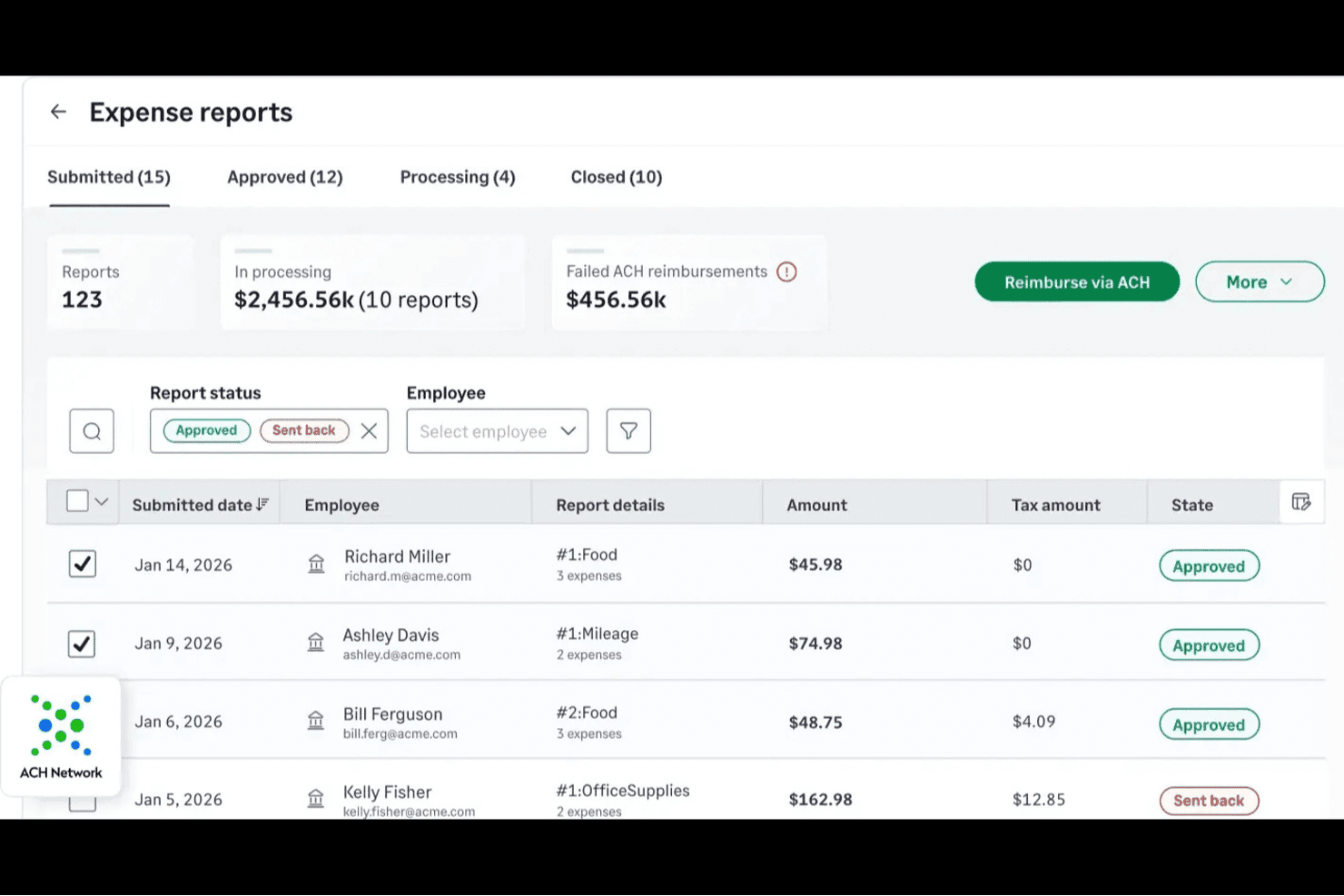
Sage Expense Management (formerly Fyle) is an expense management platform that connects to your existing Visa, Mastercard, and Amex corporate cards to handle receipt capture, real-time policy enforcement, multi-level approval routing, card reconciliation, and accounting sync.
Who Is Sage Expense Management Best For?
Finance and AP teams at mid-sized companies who need live visibility into card spend and want reconciliation handled automatically will get the most out of Sage Expense Management.
Why I Picked Sage Expense Management (formerly Fyle)
I picked Sage Expense Management as one of the best because it gives finance teams a live view of card spend the moment a transaction happens. When an employee swipes their Visa or Mastercard, the platform triggers a text prompt for a receipt and matches it to the transaction automatically, so reconciliation happens in near real time rather than at month-end. I also love that the AI Copilot lets you query spend breakdowns, approval turnaround times, and policy violations in plain language, putting reporting insights a question away.
Sage Expense Management Key Features
- Multi-level approval routing: Route expenses through single or multi-stage approval chains based on department, project, or policy violations, with on-the-fly approver additions.
- Smart GPS mileage tracking: Log business trips using Google Maps distance calculation, with support for vehicle-specific rates, recurring trips, commute deductions, and policy limits.
- Soft and critical policy rules: Set expense rules that either flag a submission for review or block it entirely, across categories like amount, payment mode, expense age, and currency.
- Active-user billing: Pay only for employees who create at least one expense or have a connected card transaction in a given month, keeping costs tied to actual usage.
Sage Expense Management Integrations
Sage Expense Management offers native integrations with QuickBooks Online, Xero, Sage Intacct, Sage 300 Construction and Real Estate, and Sage 50 in beta. Business plans include API access for custom integrations.
Pros and Cons
Pros:
- Mileage tracking supports commute deductions
- Policy rules flag spend before submission
- Real-time card alerts speed receipt matching
Cons:
- Email receipt syncing can fail
- OCR misreads can create duplicate expenses
Learn more about Sage Expense Management (formerly Fyle): Best seamless approval workflows
- Free demo available
- Pricing upon request
Visit WebsiteCustomer Rating:4.8/5
In Airbase, Finance teams can see all pending requests and reports at a glance. Airbase is a financial services solution that offers expense management, accounts payable automation, corporate cards, and guided procurement. Their customers are primarily mid-market technology companies, although they also serve many in the financial services and automotive industries.
Why I picked Airbase: Most expense software allows you to designate individuals to approve expenses, but Airbase stands out because it has multilayered approval workflows that consider department, expense category, location, and more. This saves a ton of time and confusion at matrixed organizations. You can also make the rules as complex as you like.
Standout features & integrations:
Features include automated reimbursement for approved expenses, with expenses paid out each night. And along with spending limits, I liked how Airbase lets you set expiration dates on company cards to control subscription renewals. The drawback comes when dealing with semi-regular vendors who you use more than once but not every month.
Integrations include NetSuite, Sage, Quickbooks, Xero, American Express, Jira, Slack, Okta, BambooHR, and Rippling.
Pros and Cons
Pros:
- Mileage tracking
- Email and Slack integrations
- Approval groups for speed
Cons:
- Too complex for small businesses
- Cards are either “one-time” or ”recurring”
 4Best for built-in spending policies
Ramp
- Free plan + free demo available
- From $15/user/month
Visit WebsiteCustomer Rating:4.8/5
Ramp provides an automated accounting dashboard that categorizes transactions, syncs expenses, and flags missing memos for review. Ramp is a versatile platform that offers expense report software designed to help you manage business finances more efficiently. By automating routine tasks and providing real-time insights, Ramp helps you focus on what truly matters for your business.
Why I Picked Ramp: I picked Ramp for its advanced AI automation that reduces manual work, freeing up time for more strategic decisions. Its customizable corporate cards come with built-in spending policies to help control team expenses and ensure compliance. Ramp also eases financial operations with automated expense submissions, eliminating the need to chase receipts, and an efficient accounts payable feature that speeds up bill processing.
Standout features & integrations:
Features include accounting automation, which speeds up your monthly financial closes and enhances accuracy, reducing the risk of errors. The platform also supports global operations by allowing payments to 195 countries in over 40 currencies, making it a good fit for businesses with international dealings. Another feature is its ability to process reimbursements quickly, ensuring your team gets their money back fast, which is crucial for maintaining morale and productivity.
Integrations include NetSuite, Sage, Xero, QuickBooks, Microsoft Dynamics Business Central, Acumatica, Uber, Lyft, Okta, Google, Rippling, and Gmail.
Pros and Cons
Pros:
- Automated expense reporting and receipt matching
- Ability to issue multiple virtual cards with customizable controls
- Comprehensive reporting features
Cons:
- Could offer more advanced accounting features
- Mostly focuses on accounts payable and spend management
 Best for monitoring and managing budgets
- Free demo available
- Pricing upon request
Visit WebsiteCustomer Rating:4.7/5
Finance uses the Payments tab in Spendesk to approve reimbursements. Spendesk is a spend management and budget tracking tool that offers company cards, invoicing, and accounting automation. It aims to give finance teams overall spend visibility while allowing functional teams to do their jobs without red tape.
Why I picked Spendesk: I like that Spendesk takes a two-pronged approach to expense management. They give finance teams the power of the purse, enabling them to monitor and manage overall spending. But they also let teams access and manage their individual budgets.
Standout features & integrations:
Features include budget overviews that allow approvers to make informed decisions based on what has already been spent and earmarked. I also like that Spendesk automatically accounts for transactions in your real-time budget, which means no surprise spending.
Integrations include Slack, NetSuite, and Xero.
Pros and Cons
Pros:
- Ease of use
- Easy subscription management
- Quickly issue virtual cards
Cons:
- Spendesk cards not universally accepted
- Limited integrations
Learn more about Spendesk: 6Best expense management in Europe
Pleo
- Free trial available
- From £9.5/month
Visit WebsiteCustomer Rating:4.8/5
Administrators can use Pleo to monitor team spending or individual expenses. Pleo is a European spending solution that handles expense management, invoices, and reimbursements. Businesses can automate expense reporting by issuing Pleo cards and get real-time notifications when they are used.
Why I picked Pleo: Based in Denmark, Pleo was created with the unique expense management challenges of Europe in mind, making it perfect for European companies or companies that do business in Europe. This means quick and easy currency conversion, value-added tax calculation, and international compliance standards.
Standout features & integrations:
Features include vendor cards, which let your team manage recurring payments and set spending limits with ease. Pleo overdraft also helps you maintain cash flow by offering interest-free overdrafts for timely payments. Plus, the VAT split feature simplifies managing multiple VAT rates, saving your team time on manual reviews.
Integrations include NetSuite, Xero, QuickBooks, Slack, Microsoft Teams, DropBox, Sage, Google Workspace, Microsoft 365, and Zapier.
Pros and Cons
Pros:
- Auto-attached receipts
- Card limits by month or transaction size
- Easy to onboard and implement
Cons:
- Card limits aren’t transparent to users
- Difficult to dispute charges
Learn more about Pleo: Best for simplifying travel expense tracking
- Free plan available
- Pricing upon request
Visit WebsiteCustomer Rating:4.7/5
Along with expense management, Navan is also a tool for planning and booking trips. Recently, TripActions rebranded as Navan and combined their travel planning and expense management tools into one system. The mobile app, instead of being a partially functional supplement, offers full access to Navan’s features.
Why I picked Navan: Travel is one of the top reasons for expense reporting, and I picked Navan because it sets itself apart by allowing you to search and book flights and hotel rooms within the app. This means you never have to transfer data from those expenses to Navan. Of course, you can also log meals and other expenses, but Navan streams booking and reporting travel expenses into one process.
Standout features & integrations:
Features include real-time inventory management, giving your team instant access to a wide range of travel options with competitive rates. AI-powered personalization tailors search results based on individual preferences, making travel arrangements more intuitive for your team. Additionally, automated expense reconciliation simplifies tracking and categorization of expenses, reducing manual input and errors for your organization.
Integrations include Slack, Salesforce, SAP Concur, Microsoft Outlook, Google Workspace, TripAdvisor, Uber, Lyft, Airbnb, and American Express.
Pros and Cons
Pros:
- Links to rewards programs
- Rate comparisons
- Book flights and rooms from app
Cons:
- Doesn’t display all flight options
- Limited roles and permissions
Learn more about Navan:

Along with expense reports, Divvy allows you to create and monitor budgets. Founded in 2016 and acquired by BILL in 2021, Divvy is an expense management and corporate credit card solution primarily for small businesses. They are able to offer the software for free to users because they collect a fee from the merchant. Consequently, they incentivize the use of Divvy cards over reimbursements.
Why I picked Divvy: With business software, “free” usually means that the tool still charges transaction fees. However, Divvy’s merchant fee model makes it truly free to the businesses that use it, which is why I’m impressed by it. This is how small organizations can move expense management out of spreadsheets without breaking the bank.
Standout features & integrations:
Features include budget management tools that allow you to set spending limits and track expenses, providing your team with real-time insights into financial data. You can also use the virtual cards feature to manage and control spending more effectively, reducing the need for physical cards. Additionally, the software offers detailed reporting capabilities, helping you analyze spending patterns and make informed financial decisions.
Integrations include QuickBooks Online, Xero, NetSuite, TravelPerk, Open Dental Software, QuickBooks Online Advanced, ZenBusiness, Headset, and Bill.com.
Pros and Cons
Pros:
- Physical and virtual cards
- User-friendly app
- Quickly edit credit lines and budgets
Cons:
- Slow reimbursement process
- Inconsistent notifications
Learn more about Divvy: Best for hassle-free expense management
- 14-day free trial
- From $3/user/month (billed annually)
Visit WebsiteCustomer Rating:4.3/5
Zoho Expense proactively notifies you when there’s an issue with your expense report. Zoho is a company that makes a wide range of business tools, beginning with their customer relationship management (CRM) system. They work primarily with small businesses in the IT and software industries and even offer a free plan for up to three users and 20 receipts per month.
Why I picked Zoho Expense: For Zoho users who want a simple way to add expense management to their toolset, Zoho Expense is, in my opinion, a natural choice. Plus, if you’re already using Zoho Books for accounting, the direct integration can save a ton of time and effort.
Standout features & integrations:
Features include effortless expense reporting that automates receipt tracking and enables quick expense creation. Your team can take advantage of customizable approval processes to streamline the way expenses, trips, and purchase requests are managed. Additionally, you have the tools for budget management to help create and monitor spending against defined limits, ensuring efficient oversight of your company's finances.
Integrations include Zoho Books, QuickBooks, Xero, Slack, Dropbox, Google Drive, OneDrive, Microsoft Teams, Uber for Business, and Lyft.
Pros and Cons
Pros:
- IRS-compliant travel logs
- Policy compliance management
- Automated reminders
Cons:
- Premium support is an add-on
- Lack of reporting customization
Learn more about Zoho Expense: 10Best for startups and small businesses
Brex
- Free plan available
- From $12/user/month
Visit WebsiteCustomer Rating:4.5/5
In Brex, supervisors have an inbox where they can approve unresolved expenses. Brex is a technology company that offers a suite of financial management and service tools, including travel management, pill payment, financial forecasting, corporate credit cards, and expense management. It’s most popular among software and IT services organizations.
Why I picked Brex: Brex provides an advanced financial management toolset for startups and enables small businesses to implement corporate cards without impacting founder credit. Combined with the sophisticated admin control, I think it’s a good choice for companies that want to start their expense management on the right foot.
Standout features & integrations:
Features include automatic expense classification that simplifies how you manage your team's expenses. Real-time data synchronization with ERPs ensures that your financial data is always up-to-date, allowing you to make informed decisions quickly. Additionally, Brex supports seamless onboarding and offboarding of employees through HRIS connections, making it easier to manage personnel changes.
Integrations include NetSuite, QuickBooks, Workday, WhatsApp, Coupa, Xero, Gusto, Slack, Zapier, and Navan.
Pros and Cons
Pros:
- Detailed admin control
- Auto-enforced spending policies
- Auto-approval of designated expenses
Cons:
- Less functionality in mobile app
- Lacks travel management
Annen programvare for utgiftsrapporter
Her er noen andre alternativer for programvare for utgiftsrapporter som er verdt å vurdere, men som ikke kom med på listen:
- 11AirwallexBest for end-to-end expense management
- 12XledgerBest for multi-entity expense management
- 13PuzzleBest for AI-powered expense accuracy
- 14ExpensifyBest for companies with broad financial needs
- 15SAP ConcurBest for global enterprises
- 16SlashBest for cashback rewards
- 17Emburse Certify ExpenseBest for project accounting
- 18Rippling SpendBest for automated expense management
- 19Doxis SpendControlBest for customizable reporting dashboards
- 20DualEntryBest for reducing manual reconciliation tasks
- 21PaycomBest all-in-one HR and expense management
- 22PaylocityBest comprehensive HR solution
- 23PerkBest for mileage tracking
- 24WebexpensesBest for European mid-market businesses
- 25RydooBest for international compliance
How I Evaluate Expense Report Software
I evaluate each tool in two layers: the baseline criteria a tool must clear—like OCR receipt capture, approval routing, and ERP sync—and the differentiators that set the strongest options apart.
Core Functionality (Table Stakes For This List)
When I'm selecting tools for my list, I rank each one on a scale from 0 (does not offer the functionality) to 5 (excels in this area) for each core functionality listed below. Then, I calculate the tool's total score into a percentage. Each tool needs to achieve a minimum total score of 65% to be considered for inclusion.
- Expense Report Creation: I check whether employees can create, itemize, and submit reports from both desktop and mobile—for example, a field rep logging meals and mileage from their phone.
- Receipt Capture & OCR: Each tool's OCR accuracy matters here, especially how well it auto-extracts vendor names, dates, and totals from photographed or forwarded receipts.
- Approval Workflows: I look for configurable multi-level routing, like sending a report to a direct manager first, then to finance when it crosses a certain spend threshold.
- Policy Enforcement & Flagging: The best tools let you codify rules—per diem caps, category restrictions, duplicate detection—and flag violations before a report reaches an approver.
- Reimbursement Processing: I evaluate whether the platform supports direct reimbursement via ACH or payroll sync, rather than forcing teams to export data and process payments manually.
- Accounting & ERP Integration: Native connectors to platforms like QuickBooks, Xero, NetSuite, or SAP are what I look for, including GL code mapping and dimensional tagging.
Once I have a list of tools that meet this criteria, I consider what sets each platform apart.
Differentiating Factors (What Sets Vendors Apart)
Here's how I compare and contrast different vendors:
Standout Features
AI-powered audit tools that auto-flag duplicates and outliers across every submitted report save hours of manual review. I also look for native corporate card issuance, which lets finance teams set spend controls upfront and match transactions to reports automatically. Travel booking integration is another differentiator—when an employee books a flight and the itinerary flows directly into their expense report, it cuts manual data entry and improves policy compliance before spend even happens.
Beyond Features
Compliance and audit readiness matter—I check whether a tool offers compliant digital receipt storage and supports VAT/GST reclaim for teams operating across multiple jurisdictions. The integration ecosystem is equally important, especially direct card feeds from major issuers and native ERP connectors that sync GL codes without manual mapping. I also evaluate pricing transparency, since hidden fees for reimbursements or premium support can quietly erode the ROI a platform promises.
Slik velger du programvare for utgiftsrapporter
Det kan fort ta mange timer å sammenligne programvare for utgiftsrapporter. Lange lister over funksjoner og uklare priser distraherer fra det som betyr noe: etterlevelse, nøyaktighet og smidige arbeidsflyter. Jeg har laget en rask sjekkliste som hjelper deg med å fokusere på det viktigste og velge riktig nettbasert løsning for utgiftsrapportering med trygghet.
| Faktor | Hva bør vurderes |
|---|---|
| FaktorSkalerbarhet | Hva bør vurderesVil verktøyet vokse med virksomheten din? Vurder om det kan håndtere økt volum etter hvert som selskapet ekspanderer. Se etter løsninger med fleksible prisnivåer som kan tilpasses vekst uten å sprenge budsjettet. |
| FaktorIntegrasjoner | Hva bør vurderesKan det kobles til de eksisterende systemene dine? Sørg for at det integreres med regnskaps- og HR-programvaren din for å unngå manuell dataregistrering og redusere feil. |
| FaktorTilpasningsmuligheter | Hva bør vurderesKan du tilpasse det til arbeidsflytene dine? Kontroller om programvaren lar deg tilpasse felt, rapporter og godkjenningsprosesser slik at de dekker teamets spesifikke behov. |
| FaktorBrukervennlighet | Hva bør vurderesEr det brukervennlig for alle? Se etter intuitive grensesnitt som krever minimalt med opplæring, slik at teamet raskt kan begynne å bruke det uten frustrasjon. |
| FaktorImplementering og innføring | Hva bør vurderesHvor lang tid vil det ta å komme i gang? Vurder tiden og ressursene som kreves for oppsettet, inkludert tilgjengelig opplæringsmateriell eller støtte fra leverandøren. |
| FaktorKostnad | Hva bør vurderesHvordan samsvarer prisene med budsjettet ditt? Vurder de totale eierkostnadene, inkludert lisenser, support og eventuelle skjulte gebyrer, for å sikre at løsningen passer innenfor de økonomiske rammene dine. |
| FaktorSikkerhetstiltak | Hva bør vurderesHvordan beskytter det dataene dine? Kontroller at programvaren overholder sikkerhetsstandarder og tilbyr funksjoner som kryptering og rollebasert tilgang for å beskytte sensitiv informasjon. |
| FaktorOverholdelseskrav | Hva bør vurderesOppfyller det bransjestandardene? Sørg for at programvaren overholder relevante forskrifter og standarder, som GDPR eller SOX, for å unngå juridiske problemer og opprettholde tilliten hos interessentene. |
Hva er programvare for utgiftsrapporter?
Programvare for utgiftsrapporter er et verktøy som hjelper virksomheter med å spore og administrere ansattes utgifter. Den brukes vanligvis av økonomiteam, regnskapsførere og ledere, og skaper verdi ved å forenkle registreringen av utgifter og sikre overholdelse av virksomhetens retningslinjer. Automatisert registrering av utgifter, kvittostyring og integrasjonsmuligheter bidrar til å redusere manuelt arbeid, forbedre nøyaktigheten og spare tid. Alt i alt gjør disse verktøyene det enklere og mer effektivt for virksomheter å administrere utgifter.
Funksjoner
Jeg vet hvor avgjørende nøyaktighet og overholdelse er når man velger programvare for utgiftsrapporter. Når du sammenligner løsninger, bør du se etter verktøy som automatiserer arbeidsflyter, sikrer dataintegritet og forenkler godkjenninger. Andre viktige funksjoner du bør se etter, omfatter:
- Tids- og utgiftssporing: Gjør det mulig for brukere å spore utgifter og tid brukt på oppgaver, noe som er avgjørende for nøyaktig budsjettering og fakturering.
- Automatiserte godkjenningsflyter: Effektiviserer prosessen for godkjenning av utgifter ved å konfigurere automatiserte arbeidsflyter som varsler riktig personell om godkjenninger.
- Registrering av kvitteringer: Lar brukere registrere og laste opp kvitteringer direkte i programvaren, slik at alle utgifter dokumenteres og er lett tilgjengelige.
- Integrasjon med regnskapsprogramvare: Sikrer sømløs dataoverføring mellom programvaren for utgiftsrapporter og regnskapssystemene dine, og reduserer manuell dataregistrering.
- Kilometersporing: Tilbyr verktøy for nøyaktig sporing og rapportering av kjøregodtgjørelse, noe som er avgjørende for ansatte som reiser ofte.
- Overholdelse av retningslinjer: Kontrollerer automatisk innsendte utgifter mot virksomhetens retningslinjer for å sikre overholdelse og flagge eventuelle avvik.
- Støtte for flere valutaer: Forenkler utgiftsrapportering for internasjonale transaksjoner ved å støtte flere valutaer og valutakurser.
- Mobiltilgang: Tilbyr mobilapplikasjoner som gjør det mulig for ansatte å sende inn utgifter og registrere kvitteringer mens de er på farten.
- Rapportering i sanntid: Genererer sanntidsrapporter om utgifter, slik at ledere effektivt kan overvåke og kontrollere budsjetter.
- Tilpassbare kategorier: Lar brukere opprette og tilpasse utgiftskategorier etter virksomhetens unike behov.
Fordeler
Implementering av programvare for utgiftsrapporter gir flere fordeler for teamet og virksomheten din. Her er noen av fordelene du kan se frem til:
- Redusert administrativ byrde: Automatisering av utgiftsrapportering reduserer tiden ansatte bruker på manuelle oppgaver, slik at de kan fokusere på viktigere arbeid.
- Forbedret nøyaktighet: Automatisert dataregistrering og kvitteringsfangst minimerer menneskelige feil og sikrer mer nøyaktige økonomiske poster.
- Raskere refusjon: Effektive godkjenningsprosesser og automatiserte arbeidsflyter fremskynder refusjonstiden og holder de ansatte fornøyde.
- Bedre utgiftsoppfølging: Sporing av utgifter i sanntid bidrar til å holde budsjettene på rett spor og gir innsikt i utgiftsmønstre.
- Forbedret regelverksetterlevelse: Innebygd håndheving av retningslinjer sikrer at alle utgiftskrav følger selskapets retningslinjer og regulatoriske krav.
- Enklere revisjon: Sentralisert lagring av kvitteringer og utgiftsrapporter forenkler revisjonsprosessen og gjør det enklere å spore og verifisere utgifter.
- Kostnadsbesparelser: Ved å identifisere og eliminere unødvendige utgifter kan virksomheter oppnå betydelige kostnadsbesparelser.
Kostnader og priser
Prisene for programvare for utgiftsrapporter kan variere basert på antall brukere, tilleggsfunksjoner og mer. Her er en oversikt over spesifikke kostnader og generelle prisintervaller, slik at du trygt kan sammenligne alternativer. Dette hjelper deg med å vurdere verdien, sikre regelverksetterlevelse og velge en løsning som effektiviserer arbeidsflyten uten uventede kostnader.
Prissammenligningstabell for programvare for utgiftsrapporter
| Plantype | Gjennomsnittspris | Vanlige funksjoner |
|---|---|---|
| PlantypeGratisplan | Gjennomsnittspris$0 | Vanlige funksjonerGrunnleggende utgiftssporing, begrensede integrasjoner og grunnleggende brukerstøtte. |
| PlantypePrivatplan | Gjennomsnittspris$5-$15 per bruker/måned | Vanlige funksjonerAvansert utgiftssporing, mobiltilgang, kvitteringsfangst og brukerstøtte via e-post. |
| PlantypeForretningsplan | Gjennomsnittspris$20-$50 per bruker/måned | Vanlige funksjonerStøtte for flere brukere, forbedret rapportering, godkjenningsarbeidsflyter og integrasjoner. |
| PlantypePlan for store virksomheter | Gjennomsnittspris$50-$100+ per bruker/måned | Vanlige funksjonerTilpassbare funksjoner, dedikert kundeansvarlig, avansert analyse og API. |
Vanlige spørsmål om programvare for utgiftsrapporter
Her er noen svar på vanlige spørsmål om programvare for utgiftsrapporter:
Kan programvare for utgiftsrapporter bidra til overholdelse av skatteregler og revisjonsberedskap?
Ja, programvare for utgiftsrapporter støtter overholdelse av skatteregler og revisjonsberedskap ved å lagre digitale kvitteringer, spore kjørelengde eller daggodtgjørelser og automatisk kategorisere utgifter i henhold til skattereglene. Rapporter samler fradragsberettigede og ikke-fradragsberettigede utgifter, mens omfattende revisjonsspor gjør det enkelt å verifisere krav.rnrnDette forenkler ikke bare skatteforberedelsene for regnskapsførere i små bedrifter, men sikrer også at du er klar til å fremlegge fullstendige oppføringer under en revisjon.
Hvordan kan programvare for utgiftsrapporter redusere svindel eller dupliserte krav?
Programvare for utgiftsrapporter bidrar til å redusere svindel og dupliserte krav ved å automatisere kontroller av retningslinjer, sammenligne kvitteringer med transaksjoner og flagge tvilsomme utgifter. Den sporer innsendingshistorikk, bruker regler til å oppdage uvanlige mønstre og krever støttedokumentasjon.rnrnDisse kontrollene gjør det mulig for økonomiteam og regnskapsførere i små bedrifter å oppdage feil og bevisst feilrapportering raskt, samtidig som de gir revisjonsspor som gjør undersøkelser og regelverksetterlevelse langt enklere.
Hvordan fungerer automatiserte godkjenningsarbeidsflyter i moderne verktøy for utgiftsrapporter?
Moderne verktøy for utgiftsrapporter lar deg angi tilpassede godkjenningsbaner – for eksempel ved å sende store utgifter til ledere eller avdelingssjefer. Godkjennere mottar varsler umiddelbart, kan gå gjennom innsendinger hvor som helst fra, og systemet logger alle beslutninger og kommentarer.rnrnDette reduserer behandlingsforsinkelser, øker etterlevelsen av retningslinjer og støtter regnskapsførere ved å gi et tydelig revisjonsspor. Godkjenningsprosessene kan tilpasses behovene i små bedrifter eller skaleres til hele virksomheten.