

Den beste programvaren for leverandørreskontro hjelper CFO-er i selskaper med høy vekst med å effektivisere fakturabehandlingen, få kontroll over kostnadene og skalere driften – uten å øke bemanningen. Hvis teamet ditt drukner i godkjenninger og e-posttråder, er det på tide å oppgradere.
De siste årene har jeg testet økonomiverktøy som er utviklet for å fjerne friksjon fra arbeidsflyter på administrasjonsnivå. Verktøyene for leverandørreskontro på denne listen skiller seg ut fordi de automatiserer tidkrevende oppgaver, reduserer risikoen for svindel og enkelt integreres med systemene du allerede bruker. De er raske å implementere og fleksible nok til å støtte selskapets vekstplaner.
Enten du driver slankt eller planlegger neste kapitalinnhenting, vil denne listen hjelpe deg med å finne en løsning for leverandørreskontro som sparer tid, gir bedre oversikt og øker effekten av økonomiteamet ditt.
Hvorfor du kan stole på våre programvareanbefalinger
6,700+
Reviews
20
Industry experts
16+
Evaluation factors
14
Years
Teamet vårt har testet og anmeldt programvare siden 2012. Vi er selv økonomiledere, så vi vet hvor vanskelig og hvor viktig det er å velge riktig programvare.
I denne guiden har vi vurdert verktøyene gjennom praktisk testing og uavhengig research og gitt dem poeng ut fra våre utvelgelseskriterier.
Anmeldelsene våre bygger på vår egen redaksjonelle vurdering. De er ikke et salgsargument.
Sammenligningstabell for programvare for leverandørreskontro
Tabellen nedenfor sammenligner prisdetaljer for mine beste utvalgte programmer for leverandørreskontro.
| Tool | Best For | Trial Info | Price | ||
|---|---|---|---|---|---|
| 1 | Best for AP fraud detection | Free demo available | Pricing upon request | Website | |
| 2 | Best for diverse payout methods | Free plan available | Pricing upon request | Website | |
| 3 | Best for flexible payments and approval workflows | Free plan available; 90-day free trial | From $25/month | Website | |
| 4 | Best for automating bill entry | 21-day free trial available | From $99/month | Website | |
| 5 | Best for spend management | Not available | Pricing upon request | Website | |
| 6 | Best for AI-driven invoice automation | Free demo available | Pricing upon request | Website | |
| 7 | Best for customizable AP workflow automation | Free trial available + free demo | Pricing upon request | Website | |
| 8 | Best for automated expense management | Free plan available; 30-day free trial | From $15/user/month | Website | |
| 9 | Best for small businesses | Not available | From $27/month | Website | |
| 10 | Best for automation | Free demo available | From $99/month | Website |


Anmeldelser av den beste programvaren for leverandørreskontro
Nedenfor går jeg nærmere inn på detaljene for hvert av alternativene mine for programvare for leverandørreskontro. For hvert alternativ får du en rask gjennomgang av de viktigste funksjonene, hva det kan integreres med, prisinformasjon (når tilgjengelig) samt noen fordeler og ulemper som hjelper deg med å sammenligne.

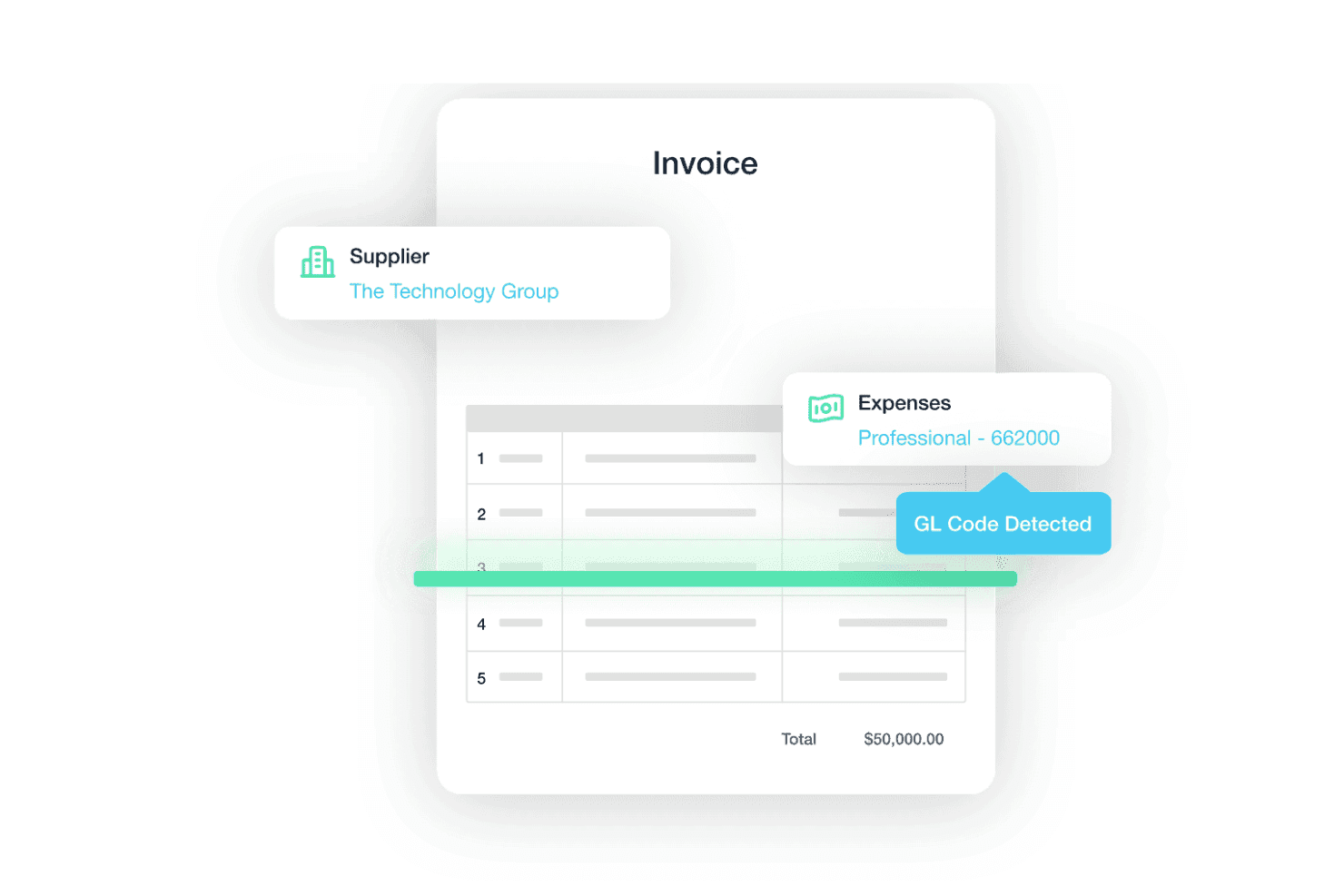
Traild uses AI to extract supplier details, expense categories, and GL codes from invoices, helping reduce manual AP processing. Traild is an accounts payable platform that layers AI-powered invoice processing, configurable approval workflows, multi-rail payment execution, and fraud detection directly within major ERP environments.
Who Is Traild Best For?
Traild is a strong fit for mid-market finance teams running ERP systems like Acumatica, NetSuite, or SAP Business One who need AP automation with serious fraud controls built in.
Why I Picked Traild
I picked Traild as one of the best because its fraud detection goes well beyond a simple duplicate check. The platform builds a behavioral fingerprint of your normal invoice and payment patterns, then flags anomalies like altered bank details, phantom vendors, or modified payment terms in real time. I also like how Vendor Verification runs as a continuous background check, catching compromised supplier accounts before a payment batch ever clears.
Traild Key Features
- AI-powered invoice capture and coding: Traild uses machine learning to extract and code header and line-item data from invoices received by email or upload.
- Error and fraud detection: Always-on anomaly detection continuously monitors invoices for unusual behaviour, identifying potential errors or fraud before payments are processed.
- Vendor verification: Built-in supplier verification helps validate vendors and detect compromised payment details before funds are released.
- Unified approval workflows: Configurable approval routing presents invoice details alongside fraud insights to support informed approvals.
Traild Integrations
Traild offers native integrations with Acumatica, NetSuite, SAP Business One, Syspro, IFS, MYOB, and Xero.
Pros and Cons
Pros:
- Multi-currency payments in 150+ countries
- Bi-directional sync with multiple ERPs
- AI-powered fraud and anomaly detection tools
Cons:
- Smaller set of integrations
- Advanced fraud capabilities may require configuration
Learn more about Traild: Best for diverse payout methods
- Free plan available
- Pricing upon request
Visit WebsiteCustomer Rating:4.5/5
Payouts' dashboard facilitates the management of pending invoices, allowing users to keep track of outstanding payments and manage cash flow effectively. For those navigating the complexities of accounts payable, Payouts.com provides a platform designed to simplify global financial operations. Tailored for high-growth businesses and industries that rely on precise vendor management, it automates invoice processing and enhances payment accuracy. With support for diverse transaction methods like fiat and cryptocurrencies, Payouts.com helps you reduce manual errors and gain real-time financial insights, fostering stronger supplier relationships and better cash flow management.
Why I Picked Payouts
I chose Payouts because it excels in offering diverse payout methods that cater to the modern needs of accounts payable processes. This platform supports both fiat and cryptocurrency transactions, simplifying global transfers across 150+ countries, which is ideal for businesses dealing with international vendors. The ability to use virtual and prepaid cards adds flexibility, allowing you to manage global expenses without traditional banking constraints. Additionally, the integration of eWallets and gift cards ensures seamless payouts, providing you with a comprehensive solution to manage diverse payment requirements efficiently.
Payouts Key Features
In addition to its diverse payout methods, Payouts offers several other features that enhance your accounts payable operations:
- Automated Invoice Processing: This feature uses OCR technology to extract data from various invoice formats, streamlining data entry and reducing manual work.
- Streamlined Approvals: With customizable approval workflows and mobile app access, this feature ensures timely invoice approvals, keeping your processes efficient.
- Automatic Invoice Matching: By matching invoices to purchase orders and receipts, this feature minimizes manual reconciliation efforts, enhancing accuracy.
- Collaborative Vendor Portal: This feature allows vendors to submit invoices and check payment statuses, improving communication and transparency in vendor relationships.
Payouts Integrations
Native integrations with Payouts include Global Smart Payouts, Vendor Relationship Suite, AP Automation, AI Payout Automation, Dynamic Tax Engine, Flexible Payout Methods, Crypto Pay-Ins, Global Payment Acceptance, Virtual and Prepaid Cards, and eWallets.
Pros and Cons
Pros:
- Supports scaling operations
- Multiple payout methods
- Comprehensive automation of accounts payable processes
Cons:
- May require time to fully customize
- Potential challenges integrating with existing systems
Learn more about Payouts: Best for flexible payments and approval workflows
- Free plan available; 90-day free trial
- From $25/month
Visit WebsiteCustomer Rating:4.2/5
Melio lets you manage your invoices and payments to help organize the accounts payable process. For small business owners looking to simplify their accounts payable processes, Melio offers a user-friendly platform that integrates seamlessly with systems like QuickBooks and Xero. You can manage bills and vendors with ease, using features such as free ACH bank transfers and online payment scheduling. Melio allows you to enhance your financial operations and cash flow management without the burden of monthly fees.
Why I Picked Melio
I picked Melio for its standout ability to offer flexible payment options and efficient approval workflows, crucial for optimizing accounts payable processes. With features like customizable approval workflows, you can involve team members or accountants in the payment process, ensuring secure and streamlined operations. Melio's platform allows you to manage payments with various methods, including free ACH transfers, making it a versatile tool for businesses. These capabilities support better cash flow management and provide a straightforward solution for handling your financial operations.
Melio Key Features
In addition to flexible payment options and approval workflows, Melio offers a range of features that enhance its utility as an Accounts Payable Software.
- Bill Capture: You can upload and manage your bills effortlessly by simply snapping a photo or forwarding an email, which are then automatically organized in the system.
- Vendor Management: This feature allows you to keep track of all your vendors and their payment preferences in one place, making it easier to manage relationships.
- Payment Scheduling: Schedule payments in advance to ensure that your bills are paid on time without any manual intervention.
- Two-Way Sync with Accounting Software: Melio offers real-time sync with popular accounting software like QuickBooks, ensuring that your financial records are always up-to-date and accurate.
Melio Integrations
Integrations include QuickBooks Online, QuickBooks Desktop, and Xero. Native integrations are not currently listed by Melio beyond these options.
Pros and Cons
Pros:
- ACH bank transfers are completely free to send
- Users can schedule and automate payments
- Offers deferred payment options
Cons:
- International payments can only be made in USD
- Could offer more integrations
 Best for automating bill entry
- 21-day free trial available
- From $99/month
Visit WebsiteCustomer Rating:4.9/5
A digital invoice from MakersHub displaying itemized purchase details, payment terms, and total amount due. For those of you navigating the complexities of accounts payable within industries such as construction and manufacturing, MakersHub offers a tailored solution that transforms your workflow. This innovative software automates invoice capture and processing, reducing the need for manual data entry while enhancing accuracy. By integrating seamlessly with platforms like QuickBooks, MakersHub allows your team to focus on strategic tasks rather than tedious paperwork, ultimately saving time and improving vendor relationships.
Why I Picked MakersHub
I picked MakersHub for its exceptional capability in automating bill entry, which is a critical factor for those managing accounts payable. The software's Smart Data Capture feature eliminates the need for manual data entry by accurately capturing over 39 data fields from various bill formats. Additionally, the integration with QuickBooks ensures seamless synchronization and efficient payment processing. These features not only save time but also enhance accuracy, making MakersHub an invaluable tool for industries like construction and manufacturing where managing complex workflows is crucial.
MakersHub Key Features
In addition to its standout capability in automating bill entry, MakersHub offers a suite of features that enhance your accounts payable operations.
- Approval Flows: Facilitates the review and authorization of payables within a secure and dedicated hub.
- MakersHub Pay: Provides flexible payment options without requiring vendor account sign-ups, offering full control over your payment processes.
- Centralized Bills & Receipts Inbox: Offers a dedicated space for processing documents efficiently, enhancing organization and accessibility.
- Auto-Mapping Rules: Ensures correct coding for expenses and items with a one-time configuration, reducing errors in financial reporting.
MakersHub Integrations
Integrations include Sage Intacct and QuickBooks.
Pros and Cons
Pros:
- Automation of bills and payments
- Multi-layered approval process
- Integration with QuickBooks
Cons:
- Certain features are limited to higher-tier plans
- Steep learning curve for new users
Learn more about MakersHub:

Procurify is all about helping your business reduce waste. For mid-market businesses aiming to refine their financial operations, Procurify offers a solution that integrates seamlessly with existing accounting systems like QuickBooks and NetSuite. Your team can benefit from improved invoice processing and bill management, which enhances accuracy and provides valuable insights. By modernizing spend management, Procurify aids in making informed financial decisions with ease.
Why I Picked Procurify
I picked Procurify because it excels in spend management by integrating procurement and finance through its AI-driven, centralized procure-to-pay platform. This solution simplifies the procurement process and streamlines accounts payable reconciliation, allowing your team to manage spending without hassle. Key features like invoice processing and insightful analytics are designed to boost productivity and save time. Additionally, its seamless integration with various accounting software makes it a comprehensive tool for modern spend management.
Procurify Key Features
In addition to its spend management capabilities, Procurify offers several other features that can enhance your accounts payable processes:
- Automated Purchase Order Management: Streamlines the creation and tracking of purchase orders, ensuring all orders are accurately documented and easily accessible.
- Vendor Management: Provides tools to manage vendor relationships and performance, offering insights into vendor reliability and pricing.
- Expense Reporting: Simplifies the submission and approval of expense reports, allowing for quick reimbursement and accurate tracking of expenditures.
- Real-Time Reporting and Analytics: Offers dashboards and reports that provide visibility into spending patterns and financial performance, helping you make informed decisions.
Procurify Integrations
Integrations include QuickBooks Online, QuickBooks Desktop, NetSuite, Sage Intacct, and Microsoft Dynamics 365.
Pros and Cons
Pros:
- Real-time, customizable dashboards
- No hidden fees
- Custom workflows and approval processes
Cons:
- Limited integration options
- No free trial
Learn more about Procurify: Best for AI-driven invoice automation
- Free demo available
- Pricing upon request
Visit WebsiteCustomer Rating:4.8/5
DOKKA's automated invoice processing feature streamlines and automates the extraction and organization of invoice data. For finance professionals seeking to simplify their accounts payable processes, DOKKA offers an AI-powered solution that integrates smoothly with existing ERP systems. It caters to CFOs and accounts payable managers by automating invoice processing and reducing manual tasks. This allows your team to prioritize strategic financial management over routine paperwork.
Why I Picked DOKKA
I picked DOKKA for its AI-driven invoice automation, which addresses the core challenges of accounts payable management. DOKKA's platform automates the entire invoice processing workflow, from capture to approvals, significantly reducing manual intervention. Its rapid invoice processing and automated approval workflows integrate directly with existing ERP systems, eliminating the need for double data entry. These features provide a centralized workspace for managing invoices and approvals, making it an ideal choice for finance teams aiming to improve their operations.
DOKKA Key Features
In addition to its standout AI-driven invoice automation, DOKKA offers several other features that enhance the accounts payable process:
- Google-Style Document Search: Quickly locate invoices, comments, or approval histories with powerful indexing and keyword searches.
- Automated Purchase Order Matching: Reconcile purchase orders with invoices accurately, minimizing payment errors and visualizing discrepancies.
- Line Item Extraction: Extract detailed information from invoices into journal entries, improving processing speed and record accuracy.
- Multi-Level Approval Workflows: Set up complex approval processes to ensure compliance and control over financial transactions.
DOKKA Integrations
Integrations include NetSuite, SAP Business One, QuickBooks, Xero, Acumatica, Microsoft Dynamics 365, Sage Intacct, FreshBooks, MYOB, and Oracle Financials.
Pros and Cons
Pros:
- Offers enhanced collaboration features
- Provides customizable workflows
- Highly accurate data extraction
Cons:
- Price may be too high for small businesses
- Steep initial learning curve
Learn more about DOKKA: Best for customizable AP workflow automation
- Free trial available + free demo
- Pricing upon request
Visit WebsiteCustomer Rating:4.9/5
Nanonets lets you upload, review, and approve invoices all in one place. For businesses aiming to simplify their accounts payable processes, Nanonets presents an intelligent automation platform tailored to streamline financial operations. Utilizing advanced AI, Nanonets manages documents such as invoices and receipts, automating workflows while integrating with your existing ERP and accounting tools. This platform is ideal for industries focused on optimizing financial management, reducing manual tasks, and enhancing data accuracy, ultimately saving time and resources.
Why I Picked Nanonets
I picked Nanonets for its unique ability to offer customizable Accounts Payable workflow automation, a feature that stands out in the crowded AP software market. By enabling users to tailor workflows using natural language and integrate seamlessly with existing systems, Nanonets addresses the need for personalized automation in financial operations. The platform's AI-driven document processing ensures high accuracy in data extraction from invoices and receipts, which significantly reduces manual entry and errors. This customization capability allows businesses to optimize their AP processes, saving time and improving overall efficiency.
Nanonets Key Features
In addition to its customizable workflow automation, Nanonets offers several other features that enhance its utility as an Accounts Payable Software.
- AI Document Extraction: This feature employs sophisticated AI models to accurately capture and convert data from documents such as invoices and receipts, ensuring precision in data handling.
- Automated Email Workflows: By automating email processes, Nanonets facilitates seamless communication and document transfer, reducing the time spent on manual email management.
- Financial Reconciliation: Nanonets supports automated financial reconciliation, allowing you to match transactions and resolve discrepancies without manual intervention.
- Detailed Data Analysis and Reporting: This feature enables the generation of comprehensive reports and analyses, providing insights into financial operations and aiding in strategic decision-making.
Nanonets Integrations
Integrations include QuickBooks, Salesforce, Xero, Sage, NetSuite, Yardi, Google Drive, SharePoint, Notion, Gmail, Airtable, Dropbox, Microsoft D365, Google Sheets, and Zapier.
Pros and Cons
Pros:
- Real-time tracking of invoices
- Customizable approval workflows
- Accurate data extraction from invoices
Cons:
- Initial setup can take time
- Occasional processing delays for large documents
Learn more about TrailHQ: 8Best for automated expense management
Ramp
- Free plan available; 30-day free trial
- From $15/user/month
Visit WebsiteCustomer Rating:4.8/5
Ramp provides an automated accounting dashboard that categorizes transactions, syncs expenses, and flags missing memos for review. For those looking to enhance financial operations, Ramp offers an AI-driven Accounts Payable Software that simplifies the bill payment process. It's ideal for finance teams aiming to manage invoices, approvals, and payments with precision, while reducing costs through its free tier with no processing fees for ACH and check payments. By integrating with existing accounting systems and providing features like fraud detection and customizable approval workflows, Ramp addresses challenges in accounts payable management, making it a compelling choice for companies focusing on their financial workflows.
Why I Picked Ramp
I picked Ramp because it stands out in the realm of Accounts Payable Software with its automated expense management capabilities that directly address the need for efficiency and accuracy. Ramp's AI-powered invoice processing, which employs OCR technology, significantly reduces manual data entry and accelerates the handling of invoices. Additionally, its approval orchestration automatically routes bills to appropriate approvers, expediting decision-making and minimizing delays. These features, combined with payment automation that supports multiple methods and identifies cashback opportunities, make Ramp an excellent choice for finance teams looking to streamline their accounts payable processes.
Ramp Key Features
In addition to its automated expense management capabilities, Ramp offers a range of features that enhance its utility as an Accounts Payable Software.
- Real-Time Spend Tracking: This feature allows you to monitor expenses as they occur, providing immediate insight into your financial activities.
- Customizable Spending Controls: You can set specific limits and restrictions on transactions to ensure compliance and prevent overspending.
- Vendor Management Tools: These tools help you organize and manage vendor information and payments, streamlining your interactions with suppliers.
- Detailed Reporting and Analytics: With comprehensive reports, you can analyze spending patterns and make informed financial decisions based on data.
Ramp Integrations
Integrations include Xero, QuickBooks, Netsuite, Sage, Slack, Dropbox, Google Workspace, Microsoft 365, Stripe, and Salesforce. An API is also available for custom integrations.
Pros and Cons
Pros:
- Automated expense reporting and receipt matching
- Ability to issue multiple virtual cards with customizable controls
- Comprehensive reporting features
Cons:
- Could offer more advanced accounting features
- Mostly focuses on accounts payable and spend management


Xero doesn’t include every feature, but it’s enough for small businesses to get started. For those looking to simplify financial operations, Xero offers a solution tailored for small businesses. Its Accounts Payable Software features automated bill entry and approval workflows, helping you manage payments and maintain cash flow clarity. With a user-friendly interface and integration capabilities, Xero reduces manual errors and enhances financial oversight.
Why I Picked Xero
I picked Xero for its ability to automate accounts payable processes, making it an ideal choice for small businesses. Features like automated data capture and digital workflows help reduce manual tracking errors and late payments. The software's ability to decrease processing costs significantly, from roughly $12.88 to $2.78 per invoice, translates into substantial monthly savings. Additionally, Xero's integration with third-party tools enhances its functionality, allowing for a tailored fit to your business needs.
Xero Key Features
In addition to its automation capabilities, Xero offers a variety of features to enhance your accounts payable process:
- 3-Way Matching: Automates the comparison of purchase orders, invoices, and delivery receipts to maintain accurate financial records.
- Automated Workflows: Streamlines approval processes by reducing manual tasks and syncing data directly with Xero.
- Expense Categorization: Ensures expenses are accurately and consistently categorized, with seamless integration back into the Xero platform.
- AI-Powered Automation: Utilizes advanced technology to automate invoice processing and document management, minimizing manual data entry.
Xero Integrations
Integrations include Hubdoc, Syft, Stripe, Xero Inventory Plus, Shopify integration by Xero, Xero Practice Manager, HubSpot CRM integration, Xero Analytics Plus, GoCardless, and ApprovalMax.
Pros and Cons
Pros:
- Inexpensive
- Scalable for growing businesses
- Makes bank reconciliation easy to understand
Cons:
- Cheapest plan has a limit of 20 invoices and five bills per month
- No annual billing option
Learn more about Xero:

Tipalti can help you set up rules for complex automation. For businesses seeking a solution to simplify their payables process, Tipalti offers an Accounts Payable Software that stands out with its automation capabilities. It caters to various industries by providing global payment options, self-service supplier management, and automated tax compliance, all of which reduce manual workloads. By integrating with accounting systems like Oracle NetSuite and QuickBooks, Tipalti ensures accuracy and control over financial operations, making it an ideal choice for organizations aiming to streamline their accounts payable processes.
Why I Picked Tipalti
I picked Tipalti for its standout automation capabilities that address the complexities of accounts payable processes. With its AI-driven invoice management, you can automate invoice approvals and reduce manual errors, freeing up your team to focus on strategic tasks. The platform's global payment solutions simplify transactions across 200+ countries, ensuring compliance and security in every transaction. Additionally, the self-service supplier management feature allows for efficient onboarding and communication, enhancing supplier relationships and providing you with real-time insights into your cash flow.
Tipalti Key Features
In addition to its exceptional automation capabilities, Tipalti offers a range of features that enhance the accounts payable process:
- Global Payments: Facilitates quick and accurate transactions in over 120 currencies, supporting international business operations.
- Tax Compliance: Automates the capture and validation of supplier tax IDs and forms, ensuring adherence to regulatory requirements.
- Payment Reconciliation: Seamlessly integrates with ERP systems to provide accurate and real-time financial data, enhancing transparency and control.
- PO Matching: Employs 2-way and 3-way matching to verify purchase orders against invoices, reducing discrepancies and preventing fraud.
Tipalti Integrations
Integrations include Oracle NetSuite, Intuit QuickBooks, Sage, Microsoft Dynamics 365, Acumatica, Xero, SAP Business One, SAP S/4HANA, BlackLine, and Bill.com.
Pros and Cons
Pros:
- Reduces risk of errors, fraud, and compliance issues
- Provides real-time visibility into your payment performance
- Supplier portal lets vendors update their own info, saves you time
Cons:
- Payment processing delays can impact cash flow management
- Occasional syncing issues reported by multiple users
Learn more about Tipalti:
Annen programvare for leverandørreskontro
Her er noen andre alternativer for programvare for leverandørreskontro som ikke helt kom med på listen min, men som kan være verdt å undersøke.
- 11Zoho BooksBest for vendor management
- 12AvidXchangeBest for integrations
- 13Sage IntacctBest for nonprofits
- 14CentimeBest all-in-one solution
- 15QuickBooks EnterpriseBest for payroll functions
- 16SAP ConcurBest for travel and expense management
- 17Rippling SpendBest for reimbursing employees
- 18PrecoroBest for automated three-way matching
- 19Doxis SpendControlBest for advanced OCR technology
- 20BILLBest for international payments
- 21DualEntryBest for growing businesses
- 22MineralTreeBest for time-saving
- 23SAP AribaBest spend management features
- 24CoupaBest for tracking features and managing purchase orders
- 25Microsoft Dynamics 365Best for modular, prebuilt applications and features
- 26AirbaseBest corporate credit card program features
- 27LightyearBest for bookkeeping teams
- 28BaswareBest for procurement teams
Relatert økonomiprogramvare
Hvis du fortsatt ikke har funnet det du leter etter her, kan du se nærmere på disse verktøyene som er nært knyttet til programvare for leverandørreskontro, og som vi har testet og vurdert.
- Regnskapsprogramvare
- Faktureringsprogramvare
- ERP-programvare
- POS-systemer
- Programvare for økonomirapportering
- Prognoseprogramvare
- Tjenester for brukerstedskontoer
- Programvare for utleggsrapporter
How I Evaluate Accounts Payable Software
I look at AP tools in two layers: the baseline capabilities—like whether an invoice can move from email to payment without manual rekeying—and the differentiators that distinguish the best options.
Core Functionality (Table Stakes For This List)
When I'm selecting tools for my list, I rank each one on a scale from 0 (does not offer the functionality) to 5 (excels in this area) for each core functionality listed below. Then, I calculate the tool's total score into a percentage. Each tool needs to achieve a minimum total score of 75% to be considered for inclusion.
- Invoice Capture & OCR: I check whether the tool can ingest invoices from email, upload, or EDI and extract header and line-item data accurately enough to reduce manual keying.
- Approval Workflows: Configurable routing matters here—I look for multi-step approvals with role-based rules, threshold triggers, and delegation so invoices reach the right approver.
- Vendor Payment Execution: I evaluate which payment methods the platform supports natively, such as ACH, check, wire, or virtual card, and whether batch runs can be triggered in-app.
- ERP & Accounting Integration: A good AP tool syncs GL codes, bills, and payment data bi-directionally with systems like QuickBooks, NetSuite, Sage, or Xero without manual re-entry.
- PO & Invoice Matching: I look for automated 2-way or 3-way matching that flags discrepancies against purchase orders and receipts before an invoice moves to approval.
- Vendor Management & Compliance: The platform should maintain a vendor master that handles onboarding, tax form collection (W-9/W-8), and year-end reporting like 1099 preparation.
Once I have a list of tools that meet this criteria, I consider what sets each platform apart.
Differentiating Factors (What Sets Vendors Apart)
Here's how I compare and contrast different vendors:
Standout Features
AI-powered GL coding is a big differentiator—I look for tools that learn from past invoice patterns and auto-suggest accounts and cost centers, which saves AP teams hours during month-end. Multi-entity and multi-currency support matters for organizations managing subsidiaries across regions, so I check whether a platform handles intercompany allocations natively. I also evaluate virtual card rebate programs, which can turn your AP function from a pure cost center into a source of cashback revenue.
Beyond Features
Security and compliance posture is a major consideration—I check for SOC 1 and SOC 2 Type II certifications, SOX-ready audit trails, and fraud controls like duplicate invoice detection and bank account verification. Pricing transparency also shapes my evaluation, especially whether a vendor charges per user, per invoice, or per transaction, and whether payment rail fees are clearly disclosed. I also consider scalability, since a platform that works for a 50-person company processing a few hundred invoices monthly may not suit a multi-entity operation handling thousands.
Slik velger du programvare for leverandørreskontro
For å hjelpe deg med å holde kursen når du velger riktig programvare, får du her en kort liste over ting det er verdt å ha i bakhodet:
| Faktor | Hva du bør vurdere |
|---|---|
| FaktorSkalerbarhet | Hva du bør vurdereVil programvaren vokse i takt med teamets behov? |
| FaktorIntegrasjoner | Hva du bør vurdereKan den integreres med de nåværende systemene dine (f.eks. ERP-systemer eller CRM-systemer)? |
| FaktorTilpasningsmuligheter | Hva du bør vurdereKan du tilpasse programvaren til arbeidsflyten din? |
| FaktorBrukervennlighet | Hva du bør vurdereEr programvaren brukervennlig for teamet ditt? |
| FaktorBudsjett | Hva du bør vurdereHolder den seg innenfor de økonomiske rammene dine? |
| FaktorSikkerhetstiltak | Hva du bør vurdereOppfyller den sikkerhetskravene dine? |
| FaktorKundestøtte | Hva du bør vurdereFinnes det pålitelig støtte når du trenger hjelp? |
| FaktorRapporteringsfunksjoner | Hva du bør vurdereTilbyr den analysene du trenger? |
Trender innen programvare for leverandørgjeld
Da jeg undersøkte ulike verktøy for leverandørgjeld, gikk jeg gjennom mengder av produktoppdateringer, pressemeldinger og funksjonslogger fra alle slags leverandører. Her er noen trender som virkelig skilte seg ut, og som det er verdt å følge med på:
- KI-drevet innsikt: KI brukes til å gi dypere innsikt i utgiftsmønstre og forutsi behov for kontantstrøm. Det hjelper virksomheter med å ta informerte beslutninger ved å analysere store datamengder raskt. Dette er spesielt nyttig for små virksomheter og oppstartsbedrifter som fokuserer på vekstutvikling.
- Dynamisk diskontering: Denne trenden gjør det mulig for virksomheter å forhandle frem bedre vilkår med leverandører ved å tilby rabatter ved tidlig betaling. Det gagner både kjøpere og leverandører ved å forbedre likviditetsstyringen. Enkelte plattformer tilbyr funksjoner for dynamisk diskontering for å optimalisere leverandørforholdene.
- Blokkjede-baserte smartkontrakter: Smartkontrakter automatiserer gjennomføringen av avtaler og sikrer at alle kontraktsvilkår oppfylles uten manuell inngripen. Dette reduserer forsinkelser og forbedrer kontraktenes nøyaktighet. Noen få leverandører undersøker hvordan smartkontrakter kan brukes til å forbedre prosessene for kontraktsstyring.
- Sporing av bærekraft: Sporing av miljøpåvirkning blir stadig viktigere ettersom selskaper tar sikte på grønnere drift. Enkelte løsninger for leverandørgjeld tilbyr bærekraftsmålinger som hjelper selskaper med å overvåke og redusere karbonavtrykket sitt. Jeg vil ikke si at dette er så viktig (ennå) fra et samsvarsperspektiv, men det føles godt å jobbe med dette området av virksomheten din.
Hva er programvare for leverandørgjeld?
Programvare for leverandørgjeld er et verktøy som automatiserer fakturabehandling, betalingsgodkjenninger og leverandørstyring for å sikre punktlige og nøyaktige transaksjoner med mindre manuelt arbeid. Økonomiteam bruker den til å redusere feil, forhindre svindel og få bedre oversikt over kontantstrømmen.
Disse systemene integreres vanligvis med regnskapsplattformer, tilbyr arbeidsflyter for godkjenning og støtter betalinger i flere valutaer. For selskaper i rask vekst gjør dette det enklere å skalere økonomidriften uten å øke antallet ansatte.
Funksjoner i programvare for leverandørgjeld
Når du velger programvare for leverandørgjeld, bør du se etter verktøy som effektiviserer fakturahåndteringen, styrker internkontrollen og gir bedre oversikt gjennom hele arbeidsflyten for leverandørgjelden. Viktige funksjoner omfatter:
- Automatisert fakturabehandling: Solide plattformer for leverandørgjeld registrerer, videresender og validerer fakturaer automatisk, noe som reduserer manuell dataregistrering og minimerer feil. Dette gjør godkjenningene raskere og sørger for at leverandørgjeldsprosessen fungerer smidig.
- AI-drevet innsikt: Mange moderne verktøy tilbyr innebygd analyse som hjelper deg med å forutse behov for kontantstrøm, identifisere utgiftsmønstre og ta bedre økonomiske beslutninger. Resultatet er en tydeligere oversikt over forpliktelser og mer strategisk planlegging av betalingstidspunkt.
- Blokkjede-sikkerhet: Enkelte systemer for leverandørgjeld bruker blokkjedeteknologi til å opprette manipulasjonssikre transaksjonsregistre. Dette gir økt åpenhet og beskytter mot svindel ved å sikre at alle endringer loggføres på en trygg måte.
- Dynamiske rabatter: Med funksjoner for dynamiske rabatter kan du dra nytte av rabatter ved tidlig betaling eller forhandle frem fleksible vilkår med leverandører. Dette er en effektiv måte å forbedre likviditetsstyringen og styrke leverandørforholdene på.
- Smarte kontrakter: Funksjoner for smarte kontrakter automatiserer håndhevingen av avtalte vilkår – som betalingsutløsere eller leveringsbekreftelser – uten manuelle kontroller. Dette bidrar til å redusere administrativt arbeid og sikrer overholdelse av kontraktsvilkårene.
- Bærekraftssporing: Hvis organisasjonen din prioriterer ESG-mål, kan programvare for leverandørgjeld med sporing av karbonavtrykk hjelpe deg med å følge med på leverandørenes bærekraftsindikatorer og ta miljøbevisste beslutninger om utgifter.
- Leverandørstyring: Sentraliserte leverandørprofiler, betalingsvilkår og kommunikasjonsverktøy gjør det enklere å opprettholde ryddige registre, registrere leverandører effektivt og bygge sterkere relasjoner.
- Rapportering og analyse: Omfattende oversikter og tilpassbare rapporter gir økonomidirektører innsikt i forpliktelser, alderssammendrag, flaskehalser i godkjenningen og utgiftstrender, og støtter bedre kontroll og planlegging.
- Støtte for flere valutaer: For organisasjoner som opererer globalt, forenkler støtte for flere valutaer betalinger på tvers av landegrenser og gjør det enklere å håndtere svingninger i valutakurser.
- Tilgang via mobilapp: Mobilvennlige verktøy for leverandørgjeld lar ledere gå gjennom fakturaer, godkjenne betalinger og få tilgang til viktig økonomisk informasjon hvor som helst, slik at arbeidsflyten opprettholdes også utenfor kontoret.
Vanlige AI-funksjoner i programvare for leverandørgjeld
I tillegg til kjernefunksjoner for leverandørgjeld inkluderer mange plattformer for leverandørgjeld nå AI-drevne funksjoner som:
- Automatisert datafangst: AI leser og henter ut fakturadetaljer – som leverandørnavn, beløp og linjeelementer – med høy nøyaktighet. Dette eliminerer manuell inntasting og fremskynder behandlingen.
- Intelligent godkjenningsruting: AI lærer godkjenningsmønstre og sender automatisk fakturaer til de riktige personene. Den kan også oppdage avvik og merke fakturaer for ekstra kontroll når noe virker uvanlig.
- Prediktiv betalingsplanlegging: AI-modeller beregner det optimale betalingstidspunktet basert på kontantstrøm, historisk leverandøratferd og muligheter for rabatter. Dette bidrar til å maksimere arbeidskapitalen og minimere forsinkelsesgebyrer eller tapte rabatter.
- Avviks- og svindeloppdagelse: Maskinlæring overvåker transaksjoner for uvanlig aktivitet – som duplikatfakturaer, uventede endringer eller mistenkelige leverandører – slik at du kan oppdage problemer før de påvirker resultatet.
- Automatisert leverandørregistrering: AI fremskynder registreringen av leverandører ved å kontrollere dokumentasjon, fylle ut leverandørprofiler automatisk og validere data mot eksterne kilder for å redusere oppsettfeil.
Fordeler med programvare for leverandørgjeld
Programvare for leverandørgjeld revolusjonerer kanskje ikke virksomheten din, men den vil definitivt redusere hodebryet. Her er noen fordeler du kan se frem til:
- Bedre nøyaktighet: Automatisert fakturabehandling reduserer manuelle feil og sikrer mer nøyaktige økonomiske registre.
- Økt sikkerhet: Blokkjedeteknologi gir en sikker og transparent måte å håndtere transaksjoner på, og beskytter sensitive data.
- Bedre likviditetsstyring: Funksjoner for dynamiske rabatter bidrar til å forhandle frem gunstige betalingsvilkår og optimalisere kontantstrømmen.
- Tidsbesparelser: AI-drevet innsikt og smarte kontrakter automatiserer rutineoppgaver og frigjør tid til mer strategiske aktiviteter.
- Miljøvennlig drift: Bærekraftssporing støtter miljømål ved å overvåke og redusere selskapets karbonavtrykk.
- Global rekkevidde: Støtte for flere valutaer muliggjør smidige internasjonale transaksjoner og utvider forretningsmulighetene.
- Bedre beslutningsgrunnlag: Omfattende rapportering og analyse gir verdifull innsikt for strategisk planlegging og økonomisk kontroll.
Kostnader og priser for programvare for leverandørgjeld
Tabellen nedenfor gir deg en grov idé om hva du kan forvente å betale – og hva du får tilbake – for hver type programvare for leverandørgjeld. Se på den som en rask veiledning som kan hjelpe deg med å sammenligne alternativene dine.
Sammenligningstabell for programvare for leverandørgjeld
| Plantype | Gjennomsnittspris | Vanlige funksjoner |
|---|---|---|
| PlantypeGratisplan | Gjennomsnittspris$0 | Vanlige funksjonerGrunnleggende fakturabehandling, leverandøradministrasjon og kundestøtte via e-post. |
| PlantypePersonlig plan | Gjennomsnittspris$10-$30/bruker/måned | Vanlige funksjonerAvansert fakturabehandling, grunnleggende rapportering og begrensede integrasjoner. |
| PlantypeBedriftsplan | Gjennomsnittspris$50-$100/bruker/måned | Vanlige funksjonerAutomatiserte arbeidsflyter, forbedret rapportering, støtte for flere valutaer og kundestøtte. |
| PlantypePlan for store bedrifter | Gjennomsnittspris$150-$300/bruker/måned | Vanlige funksjonerTilpassbare funksjoner, AI-drevet analyse, førsteklasses kundestøtte og samsvarsadministrasjon. |
Vanlige spørsmål om programvare for leverandørgjeld
Her er noen svar på vanlige spørsmål om programvare for leverandørgjeld:
Hva bruker programvare for leverandørgjeld til å hente inn data?
De fleste programmer for leverandørgjeld bruker optisk tegngjenkjenning (OCR) og maskinlæring til å hente ut data fra fakturaer og kvitteringer. Denne automatiseringen eliminerer manuell registrering, sparer tid og reduserer menneskelige feil i arbeidsflyten for leverandørgjeld.
Hvordan kan programvare for leverandørgjeld bidra til å forhindre svindel?
Den beste programvaren for automatisering av leverandørgjeld bidrar til å forhindre svindel ved å bruke leverandørverifisering, godkjenningsflyter og revisjonsspor. Den flagger mistenkelige transaksjoner og begrenser betalinger til godkjente leverandører. Dette gir deg bedre kontroll og større åpenhet.
Kan programvare for leverandørgjeld integreres med det eksisterende regnskapssystemet mitt?
Ja, den beste programvaren for leverandørgjeld kan integreres med populære regnskapssystemer som QuickBooks eller Xero. Dette lar deg synkronisere data automatisk, unngå dobbeltregistrering og holde regnskapsopplysningene korrekte.
Hvordan begynner jeg å automatisere prosessen for leverandørgjeld?
Følg disse trinnene for å begynne å automatisere prosessen for leverandørgjeld:
- Kartlegg den nåværende prosessen for leverandørgjeld
- Definer hvem som må kontrollere eller godkjenne fakturaer
- Fastsett tydelige regler for betalingstidspunkt og unntak.
Se til slutt etter programvare som lar deg tilpasse disse arbeidsflytene, og som tilbyr integrasjon med de eksisterende regnskapsverktøyene dine.
Hvilke vanlige feil bør jeg unngå når jeg implementerer programvare for leverandørgjeld?
Ikke forhast oppsettet eller hopp over opplæringen. Sørg for å involvere teamet ditt i implementeringen, rydd opp i gamle data før migreringen, og test arbeidsflytene før full utrulling. Dette hjelper deg med å unngå avbrudd eller samsvarsproblemer.
Hvordan kan jeg sikre at programvare for leverandørgjeld oppfyller selskapets behov for revisjon og samsvar?
Kontroller om programvaren tilbyr et detaljert revisjonsspor, registrerer alle godkjenninger og støtter sikker lagring av dokumenter. Sørg for at den overholder relevante bestemmelser som SOX eller GDPR dersom dette er nødvendig i bransjen din.
Hva er beste praksis for overgangen fra manuelle til automatiserte systemer for leverandørgjeld?
Begynn med å digitalisere papirfakturaene og avklare den eksisterende prosessen for leverandørgjeld. Kommuniser også endringene tydelig til teamet ditt, sett opp grundig opplæring og kjør systemene parallelt en kort periode. Dette kan hjelpe deg med å oppdage problemer før du går over til full automatisering.
Hvordan forbedrer programvare for leverandørgjeld effektiviteten?
Programvare for automatisering av leverandørgjeld fremskynder fakturabehandlingen, reduserer manuelle feil og automatiserer repetitive oppgaver. Med slik programvare bruker du mindre tid på å følge opp godkjenninger, får bedre oversikt og avslutter regnskapet raskere.