

Uma alternativa sólida ao Workday oferece funcionalidades fiáveis de RH, processamento salarial e gestão da força de trabalho que correspondem ou superam o que espera de uma plataforma líder de gestão do capital humano. Se procura opções para além do Workday, é provável que esteja a conciliar necessidades complexas de conformidade, prioridades empresariais em evolução e a exigência de relatórios precisos e atempados.
A alternativa certa pode ajudar a sua equipa a gerir o processamento salarial global, automatizar fluxos de trabalho de RH e apoiar a tomada de decisões estratégicas — sem perturbar as suas operações. Nesta lista, encontrará alternativas ao Workday que respondem a estes desafios e lhe dão a flexibilidade necessária para escolher uma solução adequada aos requisitos únicos da sua organização.
O que é o Workday?
O Workday é uma plataforma de gestão do capital humano baseada na nuvem que ajuda as organizações a gerir RH, processamento salarial, talento e planeamento da força de trabalho num único sistema. É amplamente utilizado pelas empresas para centralizar os dados dos colaboradores, automatizar os processos de RH e apoiar a conformidade com os regulamentos globais. O Workday é conhecido pela sua abordagem unificada, permitindo que as equipas de RH e finanças acedam a informações em tempo real e simplifiquem as operações essenciais relacionadas com as pessoas em várias localizações.
Tabela de comparação de alternativas ao Workday
Esta tabela de comparação resume os detalhes de preços das minhas principais seleções de alternativas ao Workday:
Score legend (out of 5)
- Excellent4.5–5
- Good4–4.4
- Average3–3.9
- Below average2–2.9
- Poor1–1.9
Sorted by: Default
| Tool | Starting Price | Website | |||||||
|---|---|---|---|---|---|---|---|---|---|
Best with employee self-service options | 2.8 out of 5 | 3 | 4 | 3 | 3 | 2 | 2 | Pricing upon request Free demo available | Book Demo |
Best for payroll and talent integration | 3.3 out of 5 | 4 | 4 | 4 | 3 | 2 | 3 | $20/user/month Free demo available | Website |
Best for real-time data processing | 3.5 out of 5 | 4 | 4 | 4 | 3 | 2 | 4 | Pricing upon request Free demo available | Website |
Best for multi-country payroll support | 3.3 out of 5 | 3 | 4 | 3 | 3 | 3 | 4 | Pricing upon request Free demo available | Website |
Best for global workforce management | Not rated | 3 | 4 | Not rated | 3 | 2 | 4 | Pricing upon request Not available | Website |
Best with advanced analytics tools | 3.3 out of 5 | 3 | 4 | 3 | 3 | 3 | 4 | $15/user/month Free demo available | Website |
Best for small business usability | 3.2 out of 5 | 3 | 4 | 3 | 3 | 2 | 4 | $10/user/month Free demo available | Website |
Best for learning and development features | Not rated | 2 | 2 | 2 | 3 | Not rated | 4 | Pricing upon request Free demo available | Website |
Best for project-based organizations | 3.5 out of 5 | 3 | 4 | 3 | 3 | 4 | 4 | Pricing upon request Free demo available | Website |
Best for unified HR and IT management | 3.2 out of 5 | 3 | 3 | 3 | 4 | 2 | 4 | $8/user/month 14-day free trial + free demo available | Website |


Why Trust Our Software Recommendations
6,700+
Reviews
20
Industry experts
16+
Evaluation factors
14
Years
Our team has been testing and reviewing software since 2012. As finance leaders ourselves, we know how difficult—and important—it is to choose the right software.
For this guide, we evaluated tools using hands-on testing and independent research, scoring tools using our selection criteria.
Our reviews reflect our human editorial judgment, not a sales pitch.
Avaliações de alternativas ao Workday
Seguem-se os meus resumos detalhados das melhores alternativas ao Workday que entraram na minha lista restrita. As minhas avaliações apresentam uma análise detalhada das funcionalidades, dos melhores casos de utilização e das integrações de cada plataforma, para o ajudar a encontrar a melhor opção para si.
 Best with employee self-service options
- Free demo available
- Pricing upon request
Visit WebsiteCustomer Rating:4.3/5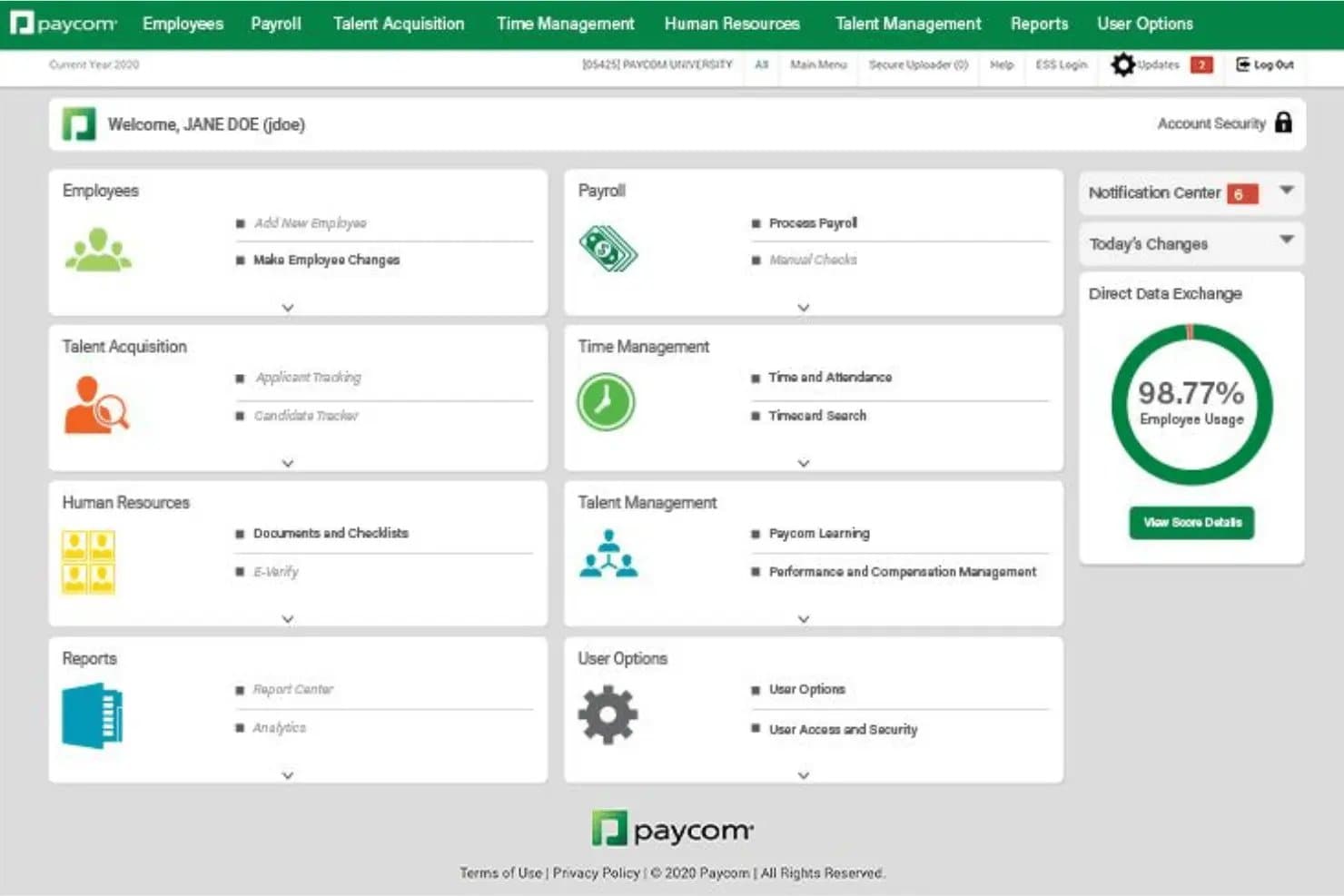
Paycom's admin dashboard, with module tiles for payroll, time, HR, and talent management. Paycom is a single-database HCM and payroll platform that suits HR and payroll teams looking to consolidate workforce management, automate payroll processing, and give employees direct access to their own HR data.
Who Is Paycom Best For?
Paycom is a strong fit for HR and payroll teams that want employees to take a more active role in managing their own HR data.
Why I Picked Paycom
I picked Paycom as one of the best because its employee self-service capabilities are genuinely built into the payroll workflow, not bolted on. Beti, its automated payroll tool, identifies errors and notifies employees so they can correct pay-impacting data before the payroll run finalizes. I also appreciate Employee Self-Service, which lets staff update personal information, check pay stubs, and manage time-off balances directly, reducing the volume of routine HR requests your team has to field.
Paycom Key Features
- GL Concierge: Generates mapped general-ledger reports from payroll data for direct import into your accounting software, with configurable mapping, file layouts, and multi-EIN report consolidation.
- Report Center: Delivers customizable reports and dashboards across payroll, benefits, compliance, and HR data, with scheduled Push Reporting to authorized recipients.
- Payroll Tax Management: Collects, remits, and files quarterly federal and state payroll taxes on your behalf, including Forms 941 and 940.
- Global HCM: Supports workforce management across 185+ countries and territories, with native payroll processing in Canada, Ireland, Mexico, and the United Kingdom.
Paycom Integrations
Paycom doesn't have any native integrations. GL Concierge exports mapped payroll data for import into accounting software, but Paycom has no documented public API or bidirectional ERP sync.
Pros and Cons
Pros:
- HR and payroll share one employee database
- Beti flags pay errors for employee correction
- Employees manage HR and payroll details themselves
Cons:
- Setup can demand substantial time and effort
- Report filters can be hard to find
Learn more about Paycom: Best for payroll and talent integration
- Free demo available
- From $20/user/month
Visit WebsiteCustomer Rating:4.3/5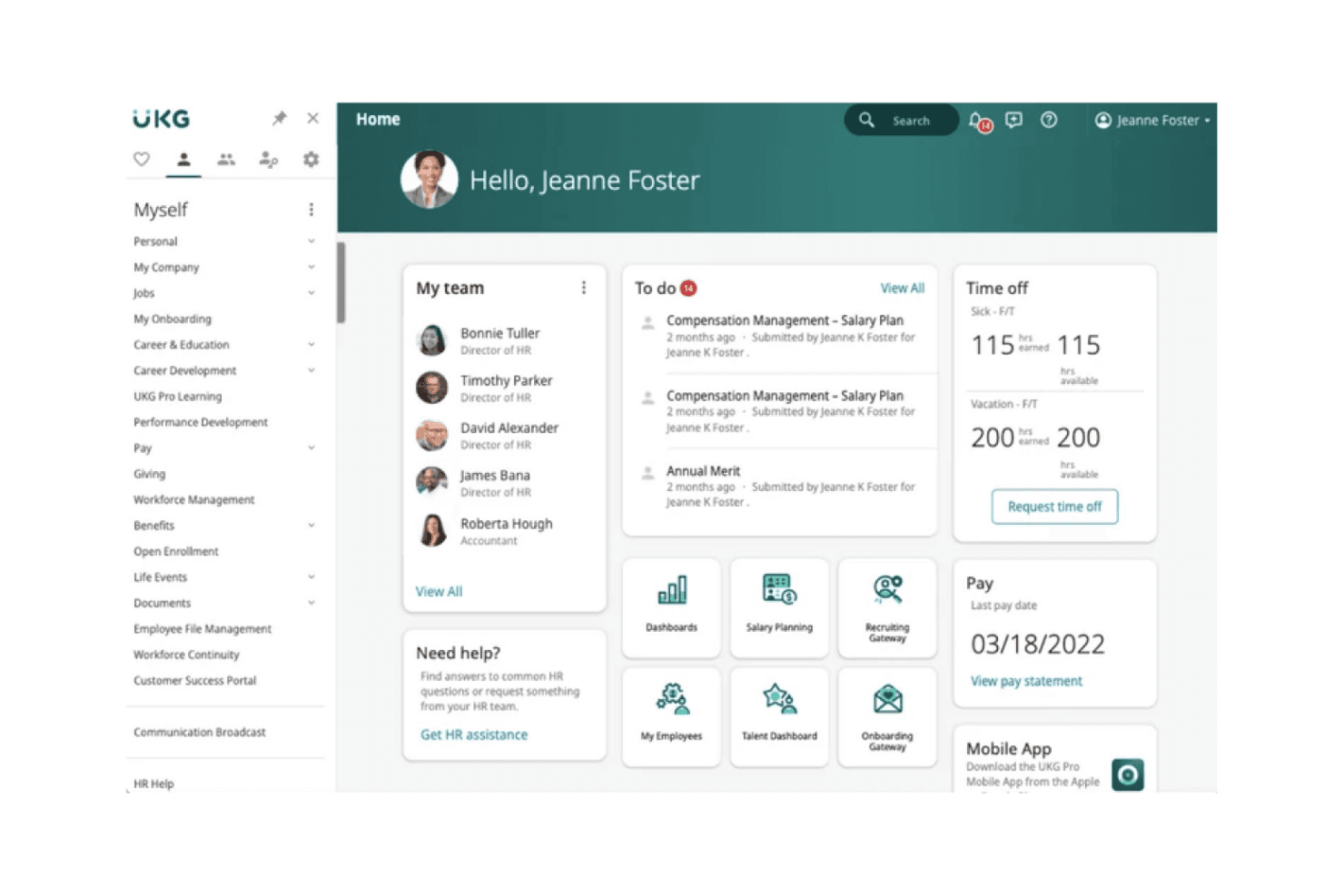
The UKG Pro home dashboard showing team, to-do items, time off balances, and pay information. UKG Pro is an enterprise HCM platform that unifies HR, payroll, talent management, and workforce operations for large, complex organizations that need reliable payroll processing and global compliance support in one place.
Who Is UKG Pro Best For?
UKG Pro is a strong fit for large enterprises that need payroll, HR, and talent management running on a single platform across multiple entities or countries.
Why I Picked UKG Pro
I picked UKG Pro because payroll and talent management working on the same employee record is genuinely rare at the enterprise level. When someone gets promoted, their compensation changes, time rules, and onboarding tasks all update in one place through People Center, with pre-run payroll validation catching gaps before they become errors. Bryte AI adds a layer I appreciate too, flagging pay variances and surfacing succession risks so you're not discovering problems after the fact.
UKG Pro Key Features
- Global payroll via One View: UKG One View consolidates payroll processing across 160+ countries and payments in 120+ currencies, with real-time validation across your in-country providers.
- Benefits administration: Tools cover plan comparisons, Smart Forms, passive enrollment, life-event support, court-order coverage, and COBRA administration in one place.
- Low-code workflow automation with UKG Compose: Build and automate HR workflows personalized by region, role, or department, with integration and human approval steps built in.
- Role-based HR knowledge base: Employees access self-service HR information tailored to their specific role, location, and profile through UKG Pro's HR service delivery module.
UKG Pro Integrations
UKG Pro has a documented marketplace integration with Microsoft Entra ID for account synchronization, SSO, and MFA. Its SOAP- and REST-based APIs and webhooks support custom integrations; no total integration count is published.
Pros and Cons
Pros:
- Dataviews help teams track workforce KPIs
- Multi-country payroll supports complex enterprise workforces
- Payroll updates flow from unified employee records
Cons:
- Users report glitches disrupting payroll and timekeeping
- Custom reports can be difficult and inaccurate
Learn more about UKG Pro: Best for real-time data processing
- Free demo available
- Pricing upon request
Visit WebsiteCustomer Rating:4.2/5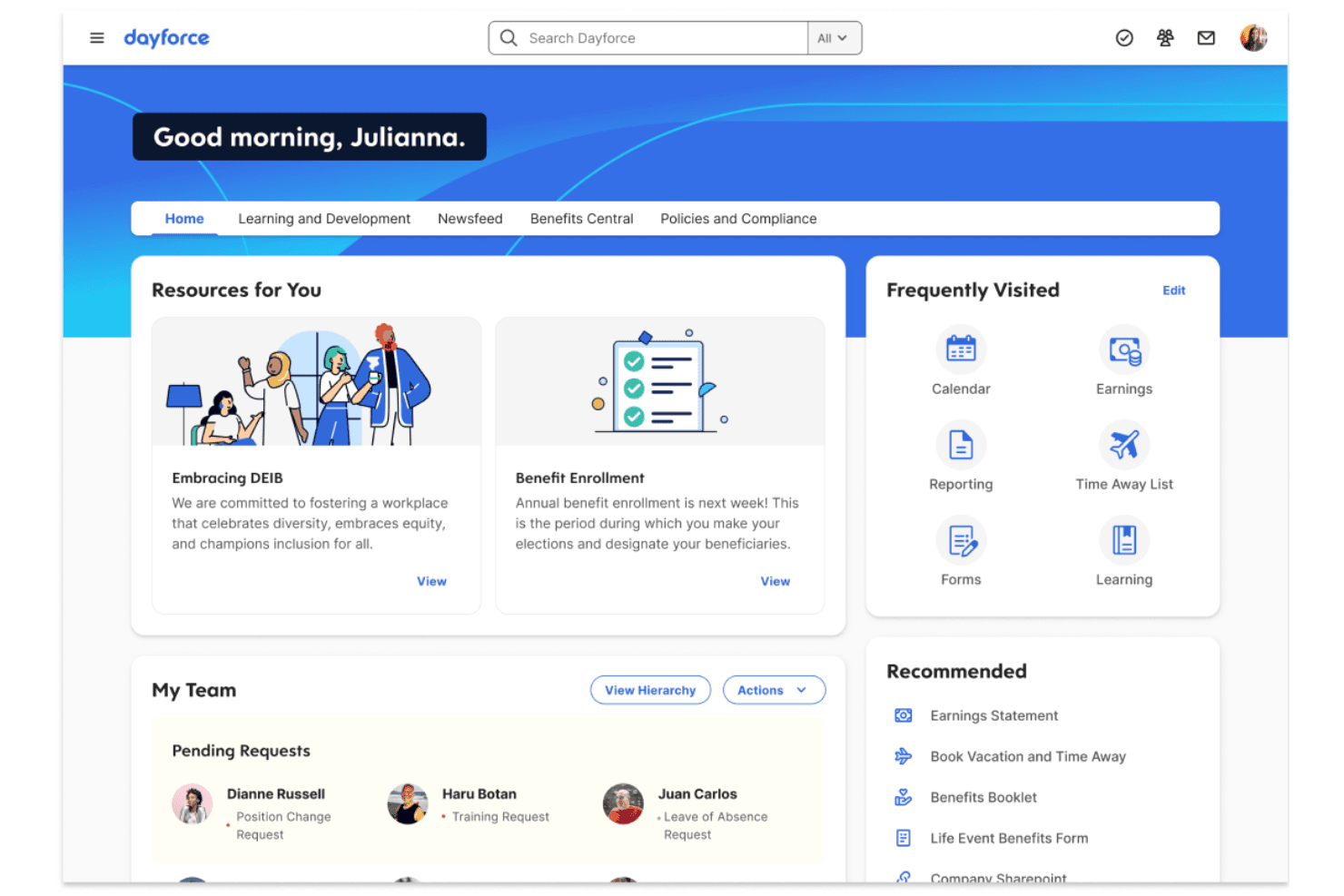
The Dayforce home dashboard, with quick links, team pending requests and recommended actions for employees. Dayforce is a unified HCM platform that brings HR, payroll, time, and talent into a single system, making it a strong fit for mid-to-large organizations that need global payroll coverage, workforce compliance support, and tighter alignment between people data and financial reporting.
Who Is Dayforce Best For?
Dayforce is a strong fit for mid-to-large organizations managing complex, multi-location workforces that need HR, payroll, and time data unified in a single system.
Why I Picked Dayforce
I picked Dayforce as one of the best because its continuous payroll calculation engine processes pay in real time as time is captured, so your numbers are always current rather than finalized at run time. I especially appreciate how a single employee record updates across HR, payroll, time, and benefits simultaneously, which means a compensation change doesn't sit in a queue waiting to sync. Its People Analytics dashboards surface workforce KPIs the moment underlying data changes, giving you a live view instead of a lagging snapshot.
Dayforce Key Features
- Global payroll coverage: Dayforce delivers payroll across more than 200 countries and territories, with localized expertise, a configurable rules engine, and compliance professionals.
- Managed Payroll Services: Dayforce can take over payroll operations entirely, handling processing and compliance on your organization's behalf.
- Employee self-service portal: Employees can view schedules and earnings, request time off, enroll in benefits, and update personal details directly in the platform or mobile app.
- Integration Studio: A low-code environment for building, monitoring, and managing inbound and outbound integrations using pre-built connectors or custom configurations.
Dayforce Integrations
Dayforce supports integrations with Workday, Active Directory, Microsoft Entra ID, and Okta, plus 650+ benefits-carrier feeds and identity provisioning for 1,000+ applications. Open APIs, OData, and event services support custom connections.
Pros and Cons
Pros:
- Global payroll supports complex, multi-country workforces
- One employee record connects HR, payroll, and time
- Real-time payroll calculations keep pay data current
Cons:
- Users report slow, inconsistent support responses
- Advanced report building can be difficult
Learn more about Dayforce: 4Best for multi-country payroll support
ADP
- Free demo available
- Pricing upon request
Visit WebsiteCustomer Rating:4.1/5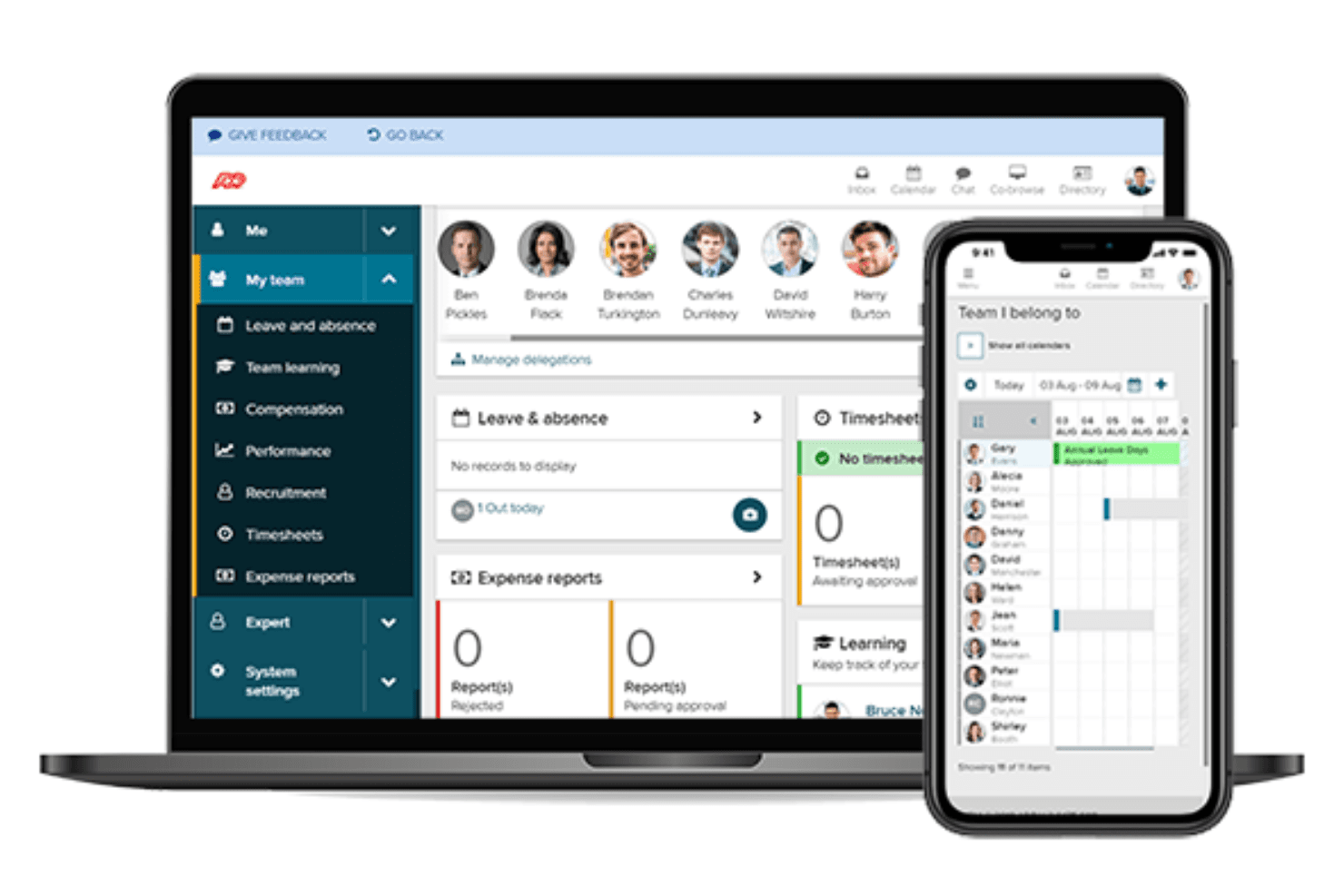
ADP's team dashboard tracks leave, timesheets and expense reports, with a mobile team calendar view. ADP Workforce Now is a bilingual, AI-powered HCM platform that brings payroll, HR, benefits, and time management together—making it a strong fit for payroll managers and HR teams handling cross-border Canada/U.S. workforces who need automated tax filing and compliance support in one place.
Who Is ADP Workforce Now Best For?
ADP Workforce Now is a strong fit for payroll managers and HR teams running cross-border Canada/U.S. workforces who need automated tax filing and compliance built into one platform.
Why I Picked ADP Workforce Now
I picked ADP Workforce Now as one of the best because it's one of the few platforms that genuinely handles cross-border Canada/U.S. payroll in a single system, with automated tax filing across provinces and borders built in. I appreciate that it runs payroll for both Canadian and U.S. employees simultaneously, applying the correct federal, provincial, and state tax rules without manual intervention. It also includes bilingual French-language support across the platform to help employers meet Bill 96 requirements in Quebec.
ADP Workforce Now Key Features
- Employee self-service portal: Employees can access pay statements, tax documents, benefits details, and time-off requests directly from a customizable portal.
- Error-detection alerts: The payroll dashboard flags discrepancies before processing, letting payroll managers catch and correct issues before they affect a pay run.
- Benefits administration: Supports mobile enrollment, open-enrollment management, carrier connections, dependent tracking, and ACA services within the same platform.
- Learning management system: Gives employees access to 70,000+ compliance and development courses, with custom content upload, curated playlists, and course-tracking dashboards.
ADP Integrations
ADP Workforce Now connects to hundreds of business applications, including QuickBooks, Sage, Xero, Workday, SAP, and Acumatica, plus Marketplace integrations such as Absorb and ClearCompany. APIs support custom integrations, but access requires an ADP developer agreement and customer-built middleware.
Pros and Cons
Pros:
- Employee self-service reduces routine payroll queries
- Centralizes payroll, benefits, and workforce records
- Automates Canada-U.S. payroll tax filing
Cons:
- Custom payroll reports take several steps
- Support waits can delay payroll issue resolution
 Best for global workforce management
- Not available
- Pricing upon request
Visit WebsiteCustomer Rating:3.8/5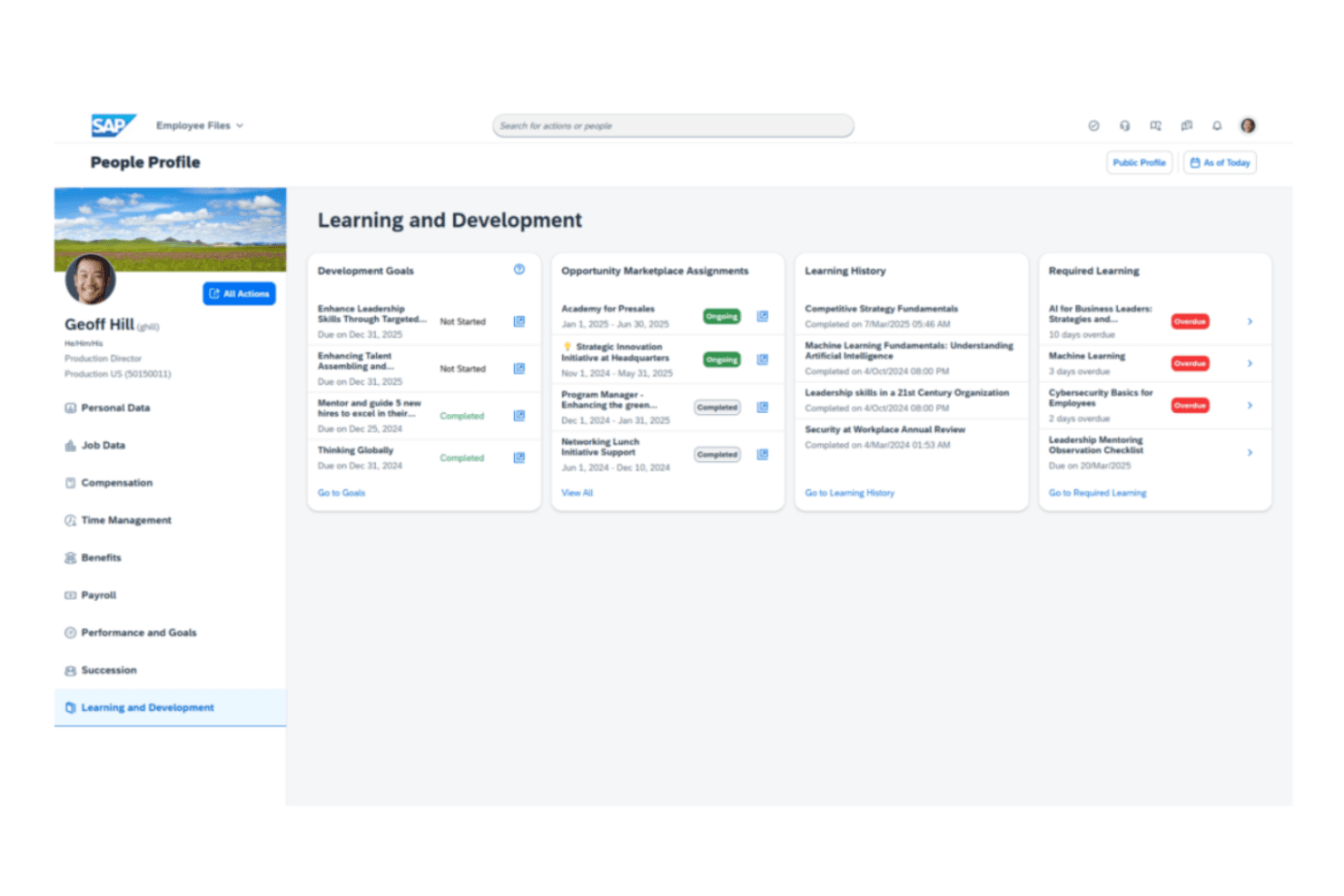
SAP SuccessFactors People Profile showing an employee's development goals, learning history, and required learning. SAP SuccessFactors HCM is an enterprise-grade HR platform from SAP that centralizes people data, global payroll, and talent management for large organizations operating across multiple countries and regulatory environments.
Who Is SAP SuccessFactors Best For?
SAP SuccessFactors HCM is a strong fit for large enterprises managing HR and payroll across multiple countries, especially those already running SAP infrastructure.
Why I Picked SAP SuccessFactors
SAP SuccessFactors earns its spot on my shortlist because no other platform I've evaluated matches its depth for managing HR and payroll across 100+ countries with built-in legal and regulatory updates already baked in. I appreciate that the Base package centralizes people data, compensation planning, and performance management in one place, while the Premium tier layers in predictive analytics so my team can anticipate workforce shifts before they become problems. If you're running payroll across Germany, Brazil, and Singapore simultaneously, SuccessFactors handles the localization without requiring a patchwork of local vendors.
SAP SuccessFactors Key Features
- Joule AI assistant: Provides conversational AI access to HR data, document summaries, and context-grounded SAP interactions at no extra cost on the Base package.
- Cross-suite Story Reports: Runs live transactional reporting with drill-down across the full SuccessFactors HCM suite, including role-based access and scheduled report delivery.
- Configurable approval workflows: Lets administrators define approval steps, approvers, and notification recipients for HR processes through a workflow foundation object.
- 300+ partner app integrations: Connects to external platforms via REST, OData v2/v4, and SOAP APIs.
SAP SuccessFactors Integrations
SAP SuccessFactors offers 300+ partner app integrations, including native SmartRecruiters connectivity and integration with SAP S/4HANA. REST, OData v2/v4, and SOAP APIs support custom integrations.
Pros and Cons
Pros:
- Automates routine leave approvals and HR workflows
- Centralizes employee records, goals, and performance
- Supports payroll across more than 100 countries
Cons:
- Setup and data migration require careful planning
- Custom reports can take time to build
Learn more about SAP SuccessFactors: Best with advanced analytics tools
- Free demo available
- From $15/user/month
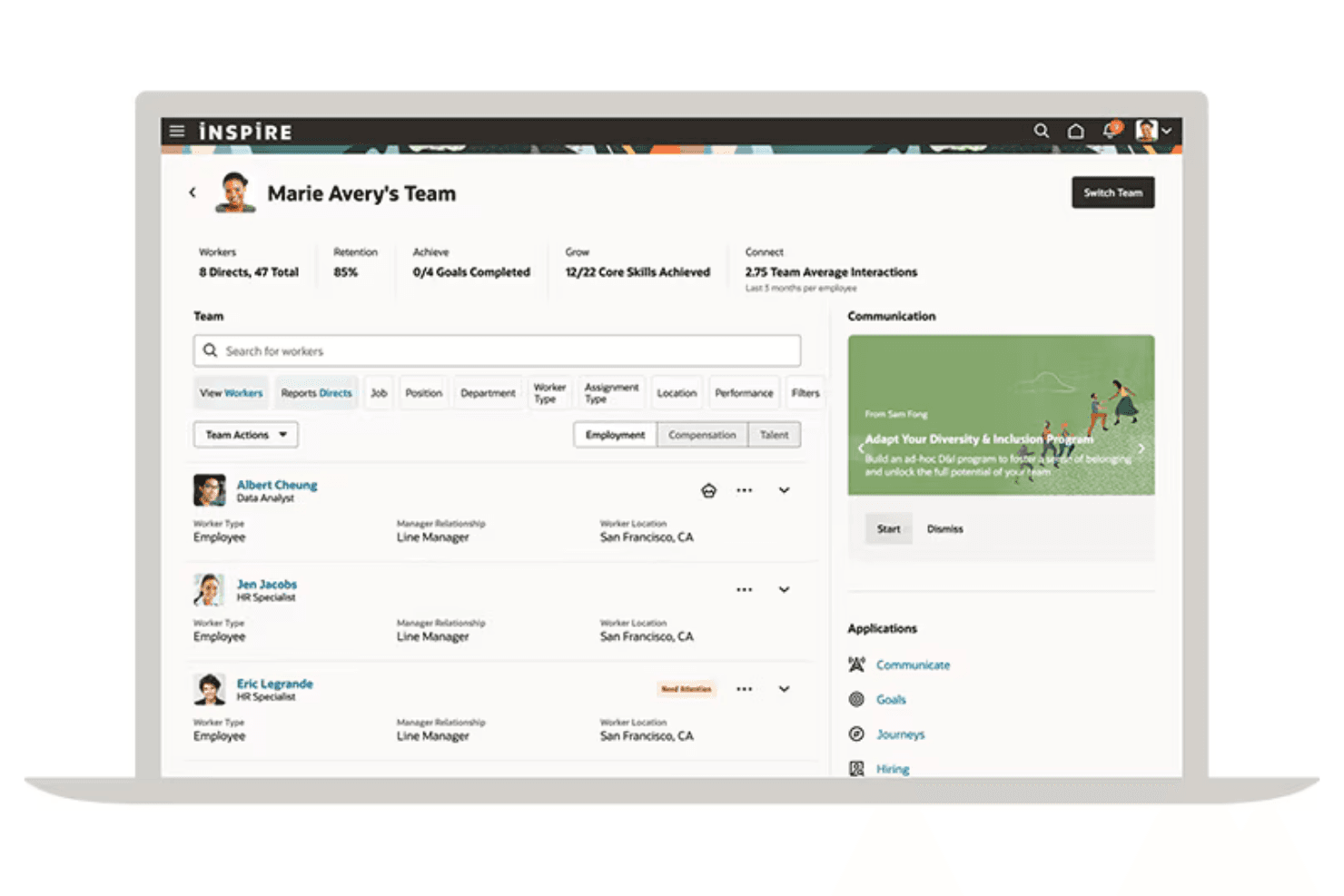
Oracle Cloud HCM's manager view showing team metrics, worker lists, and quick access to HR applications. Oracle Cloud HCM is an enterprise HR and payroll platform built for large, global organizations that need a single system to manage workforce data, payroll across 60+ countries, talent management, and compliance obligations across 200+ jurisdictions.
Who Is Oracle Cloud HCM Best For?
Oracle Cloud HCM is a strong fit for large, global enterprises with complex, multi-country payroll needs and HR teams that want deep analytics built into a single platform.
Why I Picked Oracle Cloud HCM
Oracle Cloud HCM earns its spot on my shortlist because of how deeply analytics are woven into the platform itself. I particularly like that HCM Analytics surfaces workforce insights alongside payroll costing data, so you can trace labor spend from individual pay runs all the way through Subledger Accounting to the General Ledger. The Workforce Modeling and Predictions module also lets you run headcount scenarios before committing any changes to the system of record, which I find genuinely useful when supporting budget reviews.
Oracle Cloud HCM Key Features
- Global payroll processing: Native localized payroll runs in 60+ countries, with partner interfaces extending payroll support to 160+ countries.
- HCM Data Loader: Bulk-loads employee records, historical data, and date-effective objects via delimited files or spreadsheets for migrations and ongoing maintenance.
- Payroll encumbrance processing: Estimates future payroll costs, reserves them against budgets in Subledger Accounting, and liquidates them against actuals once payroll runs.
- AI Agent Studio: Lets you build, deploy, and manage custom AI agents across HCM workflows without writing code.
Oracle Cloud HCM Integrations
Oracle Cloud HCM integrates with ADP Global Payroll, ADP Workforce Now, Dayforce aPay, Neeyamo, Ramco, LinkedIn, Indeed, Slack, Microsoft Teams, Skillsoft, and Coursera. REST APIs support custom integrations with cloud and on-premises systems.
Pros and Cons
Pros:
- Global HR and payroll serve distributed workforces
- Payroll costing supports budget encumbrances
- Strong workforce reporting supports planning decisions
Cons:
- Complex implementation can burden smaller teams
- Analytics exports cap large workforce datasets
Learn more about Oracle Cloud HCM:
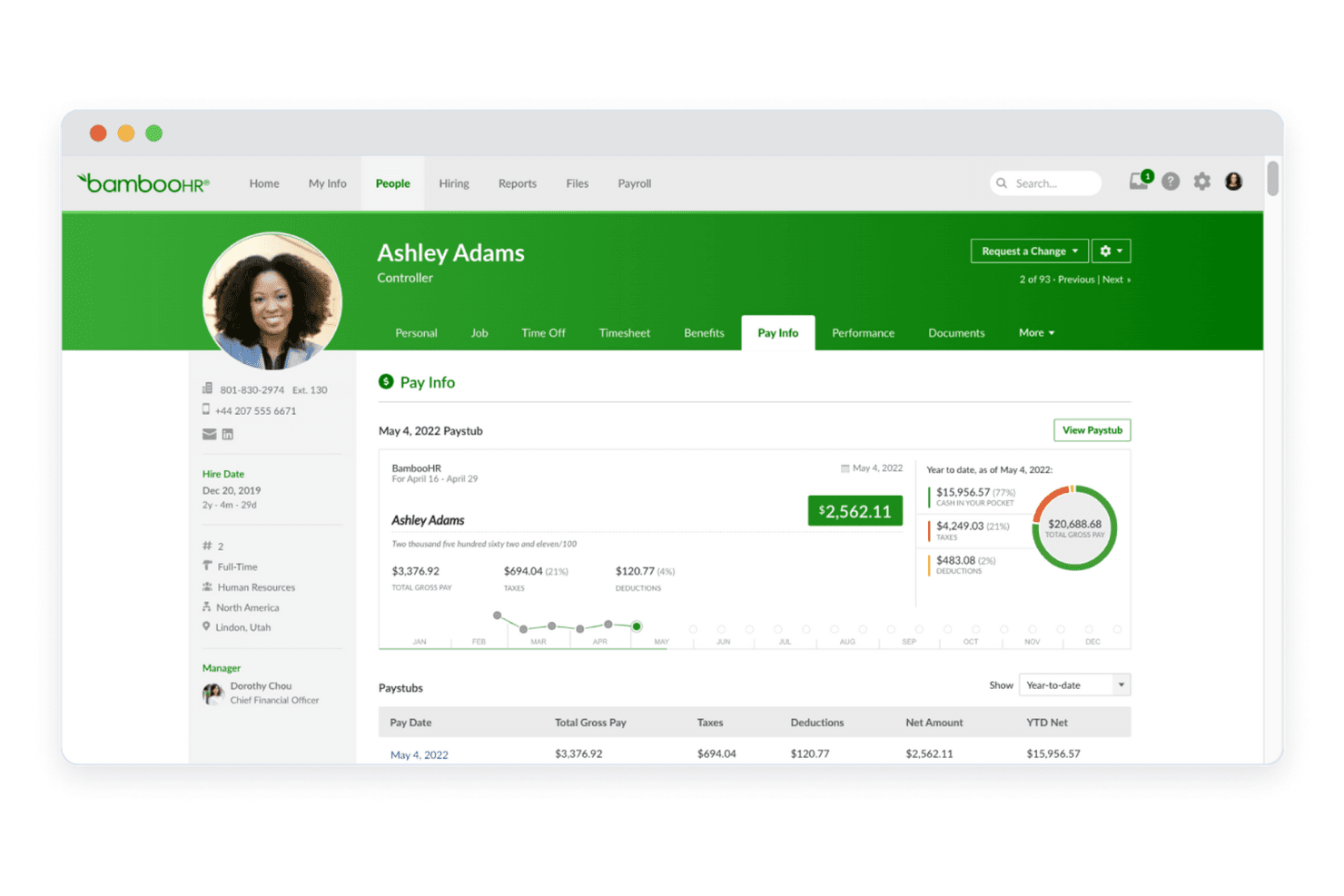
BambooHR employee profile showing pay info, paystub details, and year-to-date earnings breakdown. BambooHR is an HR platform built for small and mid-sized businesses that want to move away from complex enterprise systems like Workday without losing core HR, payroll, and benefits capabilities.
Who Is BambooHR Best For?
BambooHR is a strong fit for small and mid-sized businesses that want an intuitive HR and payroll platform without the complexity of an enterprise system.
Why I Picked BambooHR
I picked BambooHR as one of the best Workday alternatives because it strips away enterprise complexity without sacrificing the HR and payroll depth that growing teams actually need. I appreciate how native payroll handles direct deposit, multi-rate processing, and US tax filing in one place, while the AI Payroll Assistant compares each run against the previous one and flags anomalies before you approve. Onboarding checklists, e-signatures, and automated workflows are genuinely well thought out for teams that don't have a dedicated HRIS admin to manage everything.
BambooHR Key Features
- 360-degree review cycles: Create custom or pre-built performance review cycles that collect self, manager, peer, and skip-level feedback in one place.
- Compliance training library: Access a course library ranging from one course on Core to 300+ on Elite, covering harassment prevention, data privacy, workplace safety, and more.
- Global Employment via Remote: Hire international employees through an embedded Employer of Record service that handles local taxes, benefits, and contract management.
- Benefits enrollment and carrier connections: Let employees select medical, dental, vision, and retirement benefits directly in BambooHR, with elections synced to connected benefit carriers automatically.
BambooHR Integrations
BambooHR offers 150+ marketplace integrations, including QuickBooks Online, Xero, NetSuite, and Sage Intacct. Its RESTful API supports custom connections for synchronizing company data and automating internal processes.
Pros and Cons
Pros:
- Onboarding checklists keep paperwork organized
- Payroll anomaly flags catch unusual changes
- Simple HR workflows suit smaller teams
Cons:
- Global payroll coverage remains limited
- Payroll accounting reports arrive after payout
Learn more about BambooHR: Best for learning and development features
- Free demo available
- Pricing upon request
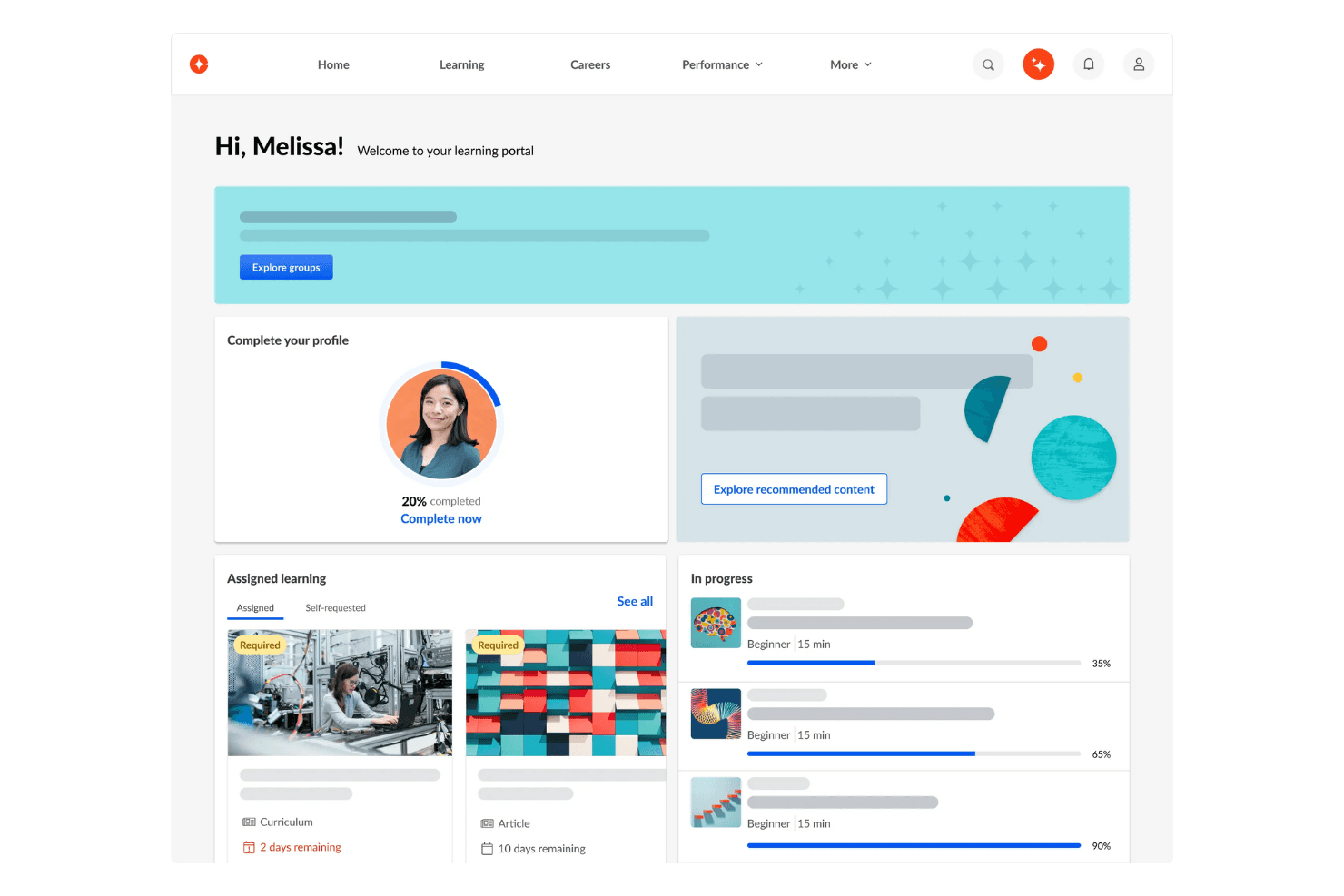
The Cornerstone learning portal home page, with assigned courses, profile completion, and progress tracking for learners. Cornerstone is an AI-powered human capital management platform that brings together hiring, performance, succession, and workforce data—making it a fit for HR-focused organizations that want to centralize talent operations in one place.
Who Is Cornerstone Best For?
Cornerstone is a strong fit for HR teams at mid-to-large organizations that want to manage talent, learning, and workforce development in one place.
Why I Picked Cornerstone
I picked Cornerstone as one of the best because its learning and development features go well beyond a standard LMS. I particularly like how it aligns personalized learning paths directly with performance goals and succession planning, so a manager grooming a potential successor can assign targeted skill-building and track readiness in one place. Its Role Readiness Academies take that further by structuring development around specific job profiles rather than generic content libraries.
Cornerstone Key Features
- AI-driven recruitment: Automates candidate sourcing and evaluation, letting you assess internal and external candidates side by side from application through signed offer.
- Talent marketplace: Connects employees to open internal roles, projects, and mentorships based on their current skills and career interests.
- Compensation management: Brings salary, bonus targets, and pay structures into one view, with support for multiple currencies across locations.
- View Data analytics: Combines performance, succession, and compensation data into filterable organization-, division-, and employee-level dashboards.
Cornerstone Integrations
Cornerstone offers 200+ integrations, including Salesforce, AWS, Slack, LinkedIn, and Microsoft 365 Copilot. It also supports APIs, webhooks, and scheduled Edge Import feeds for custom connectivity and workforce-data transfers.
Pros and Cons
Pros:
- Compliance-course tracking supports regulated teams
- HR, performance, and succession data together
- Learning paths connect development to succession
Cons:
- Organizational reports can take time to retrieve
- No payroll processing or financial management
Learn more about Cornerstone:
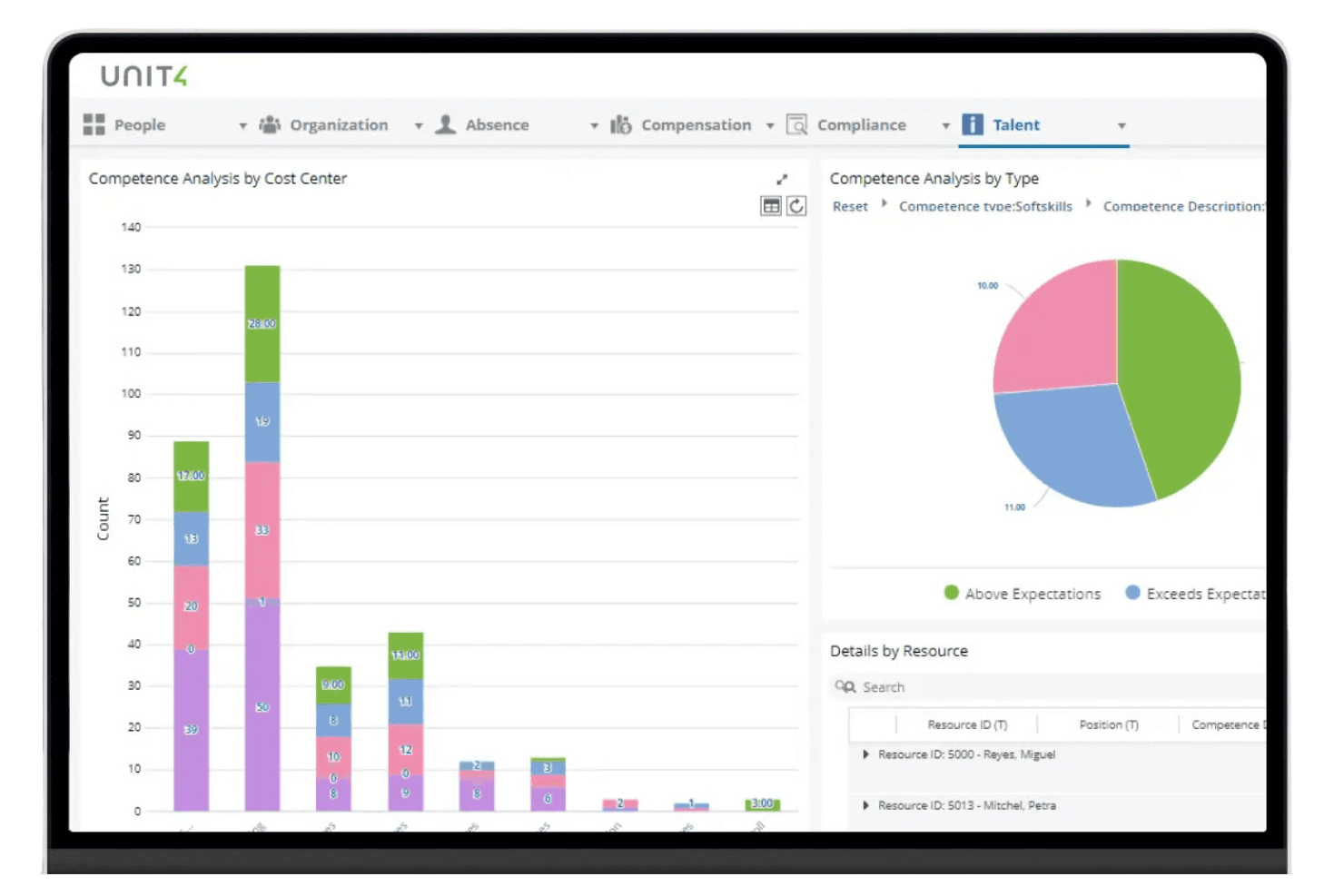
Unit4 Talent module showing competence analysis by cost center and skill type. Unit4 ERPx is a cloud ERP built for service-based organizations—think higher education, public sector, and professional services—that need finance, HR, payroll, and project accounting connected in a single system.
Who Is Unit4 Best For?
Unit4 ERPx is a strong fit for service-based organizations—like universities, public sector agencies, and professional services firms—that need project accounting tightly connected to HR and finance.
Why I Picked Unit4
I picked Unit4 as one of the best because it's purpose-built for organizations where projects are the business, not just a side function. I love how project accounting sits natively alongside HR and finance, so a university or professional services firm can track budget-versus-actual by project, allocate payroll costs to specific cost centers, and post those results directly to the general ledger without any manual bridging. The shared employee record also means resource planning pulls directly from live HR data, so staffing a project reflects real availability and skills.
Unit4 Key Features
- Native payroll processing: ERPx handles payroll natively in six countries—U.S., Canada, UK, Sweden, Norway, and Australia—with integrated local providers for additional regions.
- Commitment accounting: ERPx checks fund availability before approving requisitions, purchase orders, and expenses, tracking reserved versus spent funds in real time.
- Financial Information eXperience (FIX): A supplementary reporting layer that lets you drill from aggregated financial figures down to individual transaction data, with ad-hoc analysis and standard industry-model reports.
- Employee self-service portal: A mobile-friendly portal where employees can view payslips, request leave, submit expenses, and update personal information without HR involvement.
Unit4 ERPx Integrations
Unit4 ERPx has native integrations with Microsoft Entra ID, Okta, PEPPOL eInvoicing, and Microsoft Teams. Marketplace integrations include Avalara, Vertex, Trintech, and Docebo, while public APIs support custom integrations.
Pros and Cons
Pros:
- Project staffing reflects live employee data
- Payroll allocations post directly to ledgers
- Project costs connect directly to finance
Cons:
- Users report slow, dated navigation
- Advanced reports often need technical support
Learn more about Unit4: 10Best for unified HR and IT management
Rippling
- 14-day free trial + free demo available
- From $8/user/month (billed annually)
Visit WebsiteCustomer Rating:4.9/5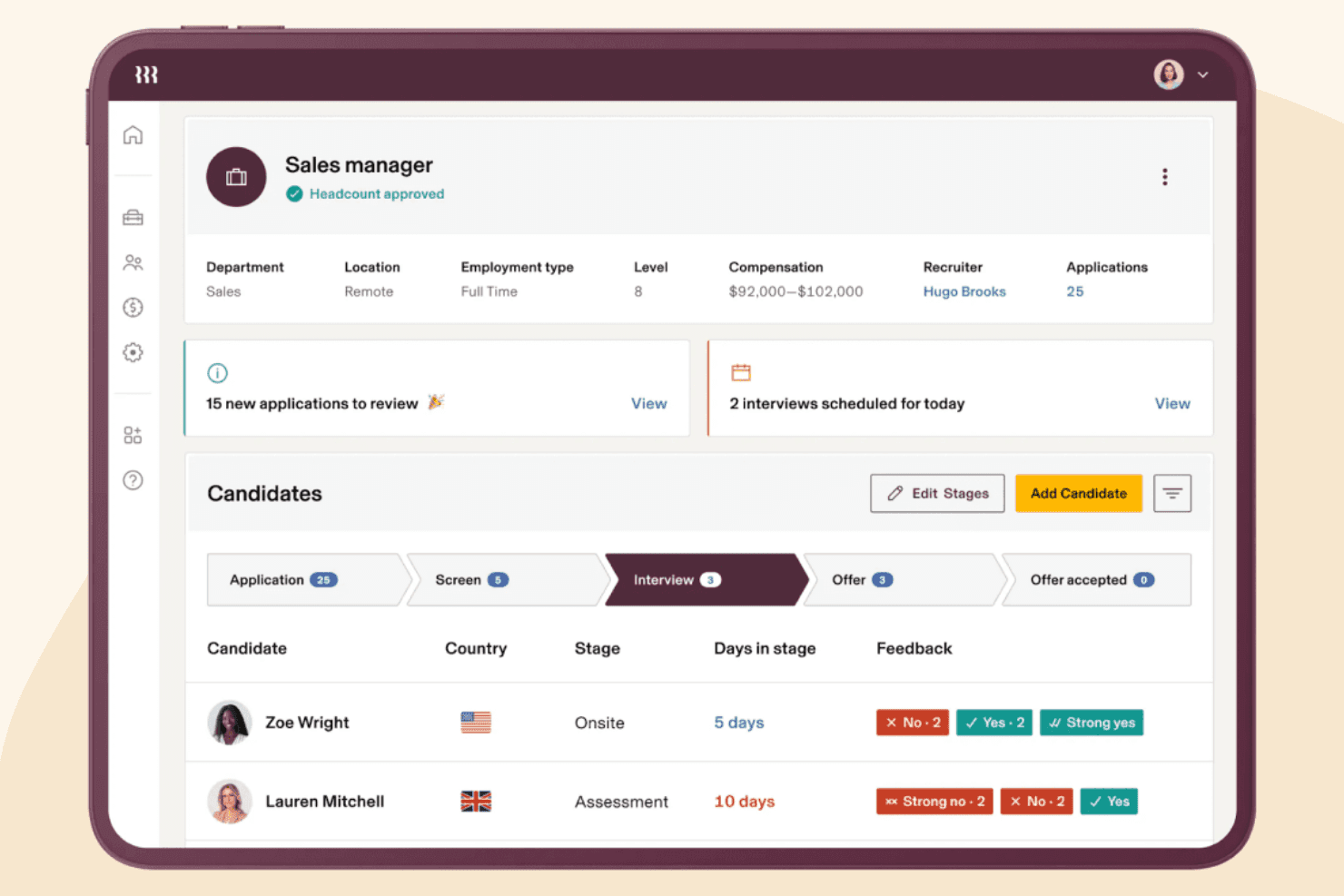
Rippling's recruiting dashboard tracks a sales manager role's candidates through each hiring stage. Rippling HCM is an AI-native human capital management platform that unifies HR, benefits, payroll connections, and workforce compliance in one place—making it a strong fit for HR and IT teams that want to manage the full employee lifecycle without juggling multiple disconnected systems.
Who Is Rippling Best For?
Rippling HCM is a strong fit for HR and IT teams that want to manage onboarding, compliance, and app provisioning from a single platform.
Why I Picked Rippling
I picked Rippling as one of the best because it genuinely unifies HR and IT management in a way most HCM platforms don't attempt. When a new hire joins, Rippling can simultaneously trigger offer letters, device shipping, and app provisioning from a single workflow. I also appreciate how Automation Studio lets you build cross-system triggers using live employee data, so a role change in HR automatically cascades to access permissions without manual intervention.
Rippling Key Features
- Global HRIS: Manages employee records for both domestic and international workforces across 180+ countries on a single platform.
- Benefits administration: Syncs benefits enrollment, deductions, and payroll data automatically, with built-in ACA tracking, COBRA automation, and open enrollment support.
- Role-based policies: Builds dynamic employee groups from attributes like location, level, or department, then applies access and compliance policies to those groups automatically.
- Custom reporting and dashboards: Lets you build editable, shareable reports with filters, drilldowns, and role-based permissions controlling who sees what data.
Rippling Integrations
Rippling lists 600+ out-of-the-box integrations, including marketplace integrations for Google Workspace, Microsoft 365, Slack, Zendesk, and Notion. It also offers a REST API and webhooks, with users reporting connections to NetSuite and QuickBooks.
Pros and Cons
Pros:
- Global employee records include compliance alerts
- Employee changes can trigger access updates
- HR-to-device onboarding runs in one workflow
Cons:
- Specialized international payroll needs require alternatives
- Manual ledger reconciliation frustrates finance teams
Outras alternativas ao Workday
Eis algumas alternativas adicionais ao Workday que não entraram na minha lista restrita, mas que vale a pena conhecer:
- 11PaylocityBest for mid-sized business automation
- 12PaycorBest for simplified onboarding workflows
- 13Paychex FlexBest for scalable payroll and HR services
- 14Sage IntacctBest for financial reporting integration
- 15QuickBooks PayrollBest for integration with accounting workflows
- 16Deel PayrollBest for managing global payroll compliance
- 17RemoteBest for hiring international contractors
- 18InforBest for industry-specific workforce solutions
- 19GustoBest for small business payroll automation
- 20Dynamics 365 Human ResourcesBest with Microsoft ecosystem compatibility
How I Evaluate Workday Alternatives
I look for Workday's baseline first—GL, AP/AR, consolidations, close, FP&A—because an alternative must handle your month-end without gaps. Then I evaluate the differentiators that set one vendor apart from another for your team.
Core Functionality (Table Stakes For This List)
When I'm selecting tools for my list, I rank each one on a scale from 0 (does not offer the functionality) to 5 (excels in this area) for each core functionality listed below. Then, I calculate the tool's total score into a percentage. Each tool needs to achieve a minimum total score of 75% to be considered for inclusion.
- General Ledger & Core Accounting: I check whether the GL supports multi-dimensional chart of accounts structures, automated journal entries, and segment-level reporting that controllers rely on during close.
- AP & AR Automation: I look for automated invoice capture, configurable approval chains, and integrated payment processing—not just basic bill entry that still requires manual coding.
- Financial Reporting & Analytics: The platform should let finance leaders build custom reports, drill down from a P&L line item to the underlying transactions, and schedule recurring report delivery.
- Multi-Entity & Multi-Currency Support: I evaluate how the platform handles intercompany eliminations, FX revaluation, and consolidations across subsidiaries without relying on offline spreadsheets.
- Budgeting, Planning & Forecasting: FP&A managers need driver-based planning and scenario modeling tied to actuals, so I look for tools that go beyond static budget-vs.-actual comparisons.
- Financial Close Management: I consider how the platform orchestrates reconciliations, accruals, and close task assignments—especially whether it provides a clear audit trail for external reviewers.
Once I have a list of tools that meet the criteria, I consider what sets each platform apart.
Differentiating Factors (What Sets Vendors Apart)
Here's how I compare and contrast different vendors:
Standout Features
Revenue recognition automation matters a lot if your team handles subscription or multi-element contracts—I check whether the platform natively supports ASC 606 and IFRS 15 without bolt-on tools. Embedded AI is another separator, especially for anomaly detection in the GL and predictive cash flow forecasting that cuts down manual review cycles. For multinational finance teams, built-in tax and compliance localization covering VAT, GST, and country-specific statutory reporting can eliminate the need for separate tax engines entirely.
Beyond Features
Implementation time and total cost of ownership carry a lot of weight—especially for mid-market CFOs moving off Workday, where a 12-month rollout may be exactly what they're trying to avoid. I also evaluate company size and industry fit, since a platform built for enterprise manufacturing will feel very different from one tuned for a SaaS startup scaling through its first multi-entity consolidation. Compliance readiness rounds out my assessment. I check for SOC 1/SOC 2 attestation and SOX-grade audit trails that external auditors can rely on.
Por que procurar uma alternativa ao Workday?
Embora o Workday seja uma boa escolha de plataforma de gestão do capital humano, existem vários motivos pelos quais alguns utilizadores procuram soluções alternativas. Poderá estar à procura de uma alternativa ao Workday porque…
- Precisa de preços ou condições contratuais mais flexíveis
- A sua organização é mais pequena do que a base típica de clientes do Workday
- Pretende funcionalidades mais aprofundadas e específicas do setor
- Necessita de prazos de implementação mais rápidos
- Precisa de um melhor apoio à conformidade do processamento salarial global
- Prefere uma interface de utilizador mais simples e menos complexa
Se alguma destas situações lhe é familiar, veio ao lugar certo. A minha lista inclui várias opções de plataformas de RH mais adequadas para equipas que enfrentam estes desafios com o Workday e procuram soluções alternativas.
Principais funcionalidades do Workday
Eis algumas das principais funcionalidades do Workday, para o ajudar a comparar e avaliar o que as soluções alternativas oferecem:
- Gestão central de RH dos registos dos colaboradores e das estruturas organizacionais
- Processamento global de salários e ferramentas de conformidade
- Análise avançada da força de trabalho e elaboração de relatórios
- Aquisição de talento e sistema de acompanhamento de candidatos
- Módulos de gestão do desempenho e dos objetivos
- Administração de benefícios e fluxos de trabalho de inscrição aberta
- Sistema de gestão da aprendizagem para o desenvolvimento dos colaboradores
- Registo de tempos e gestão de ausências
- Planeamento da remuneração e comparação com referências de mercado
- Acesso móvel para colaboradores e gestores