

Cel mai bun software pentru conturi de plătit îi ajută pe directorii financiari ai companiilor cu o creștere rapidă să eficientizeze procesarea facturilor, să controleze cheltuielile și să își extindă operațiunile — fără să mărească numărul de angajați. Dacă echipa ta este îngropată în aprobări și conversații pe e-mail, este timpul să faci un upgrade.
În ultimii ani, am testat instrumente financiare concepute pentru a elimina blocajele din fluxurile de lucru administrative. Instrumentele pentru conturi de plătit din această listă se remarcă deoarece automatizează sarcinile consumatoare de timp, reduc riscul de fraudă și se integrează ușor cu sistemele pe care le folosești deja. Sunt rapide de implementat și suficient de flexibile pentru a susține traiectoria de creștere a companiei tale.
Indiferent dacă lucrezi cu o echipă restrânsă sau planifici următoarea rundă de finanțare, această listă te va ajuta să găsești o soluție pentru conturi de plătit care economisește timp, sporește vizibilitatea și extinde impactul echipei tale financiare.
Why Trust Our Software Recommendations
6,700+
Reviews
20
Industry experts
16+
Evaluation factors
14
Years
Our team has been testing and reviewing software since 2012. As finance leaders ourselves, we know how difficult—and important—it is to choose the right software.
For this guide, we evaluated tools using hands-on testing and independent research, scoring tools using our selection criteria.
Our reviews reflect our human editorial judgment, not a sales pitch.
Tabel comparativ pentru software-ul de conturi de plătit
Tabelul de mai jos compară detaliile de preț pentru selecțiile mele de top de software pentru conturi de plătit.
Sorted by: Default
| Tool | Starting Price | Website | |
|---|---|---|---|
Best for flexible payments and approval workflows | 4.2 out of 5 | $25/month Free plan available; 90-day free trial | Website |
Best for AP fraud detection | Not rated | Pricing upon request Free demo available | Website |
Best for diverse payout methods | 4.5 out of 5 | Pricing upon request Free plan + free demo available | Website |
Best for automating bill entry | 4.9 out of 5 | $99/month 21-day free trial available | Website |
Best for spend management | 4.6 out of 5 | Pricing upon request Not available | Website |
Best for AI-driven invoice automation | 4.8 out of 5 | Pricing upon request Free demo available | Website |
Best for customizable AP workflow automation | 4.9 out of 5 | Pricing upon request Free trial available + free demo | Website |
Best for automated expense management | 4.8 out of 5 | $15/user/month Free plan available; 30-day free trial | Website |
Best for small businesses | 4.4 out of 5 | $27/month 1-month free trial available | Website |
Best for automation | 4.5 out of 5 | $99/month Free demo available | Website |


Recenzii despre cel mai bun software pentru conturi de plătit
Mai jos, analizez mai detaliat fiecare dintre opțiunile mele de software pentru conturi de plătit. Pentru fiecare dintre ele, vei găsi o prezentare rapidă a funcțiilor principale, a integrărilor disponibile și a informațiilor despre prețuri (atunci când sunt disponibile), precum și câteva avantaje și dezavantaje care te vor ajuta să le compari.
 Best for flexible payments and approval workflows
- Free plan available; 90-day free trial
- From $25/month
Visit WebsiteCustomer Rating:4.2/5
Melio lets you manage your invoices and payments to help organize the accounts payable process. For small business owners looking to simplify their accounts payable processes, Melio offers a user-friendly platform that integrates seamlessly with systems like QuickBooks and Xero. You can manage bills and vendors with ease, using features such as free ACH bank transfers and online payment scheduling. Melio allows you to enhance your financial operations and cash flow management without the burden of monthly fees.
Why I Picked Melio
I picked Melio for its standout ability to offer flexible payment options and efficient approval workflows, crucial for optimizing accounts payable processes. With features like customizable approval workflows, you can involve team members or accountants in the payment process, ensuring secure and streamlined operations. Melio's platform allows you to manage payments with various methods, including free ACH transfers, making it a versatile tool for businesses. These capabilities support better cash flow management and provide a straightforward solution for handling your financial operations.
Melio Key Features
In addition to flexible payment options and approval workflows, Melio offers a range of features that enhance its utility as an Accounts Payable Software.
- Bill Capture: You can upload and manage your bills effortlessly by simply snapping a photo or forwarding an email, which are then automatically organized in the system.
- Vendor Management: This feature allows you to keep track of all your vendors and their payment preferences in one place, making it easier to manage relationships.
- Payment Scheduling: Schedule payments in advance to ensure that your bills are paid on time without any manual intervention.
- Two-Way Sync with Accounting Software: Melio offers real-time sync with popular accounting software like QuickBooks, ensuring that your financial records are always up-to-date and accurate.
Melio Integrations
Integrations include QuickBooks Online, QuickBooks Desktop, and Xero. Native integrations are not currently listed by Melio beyond these options.
Pros and Cons
Pros:
- ACH bank transfers are completely free to send
- Users can schedule and automate payments
- Offers deferred payment options
Cons:
- International payments can only be made in USD
- Could offer more integrations

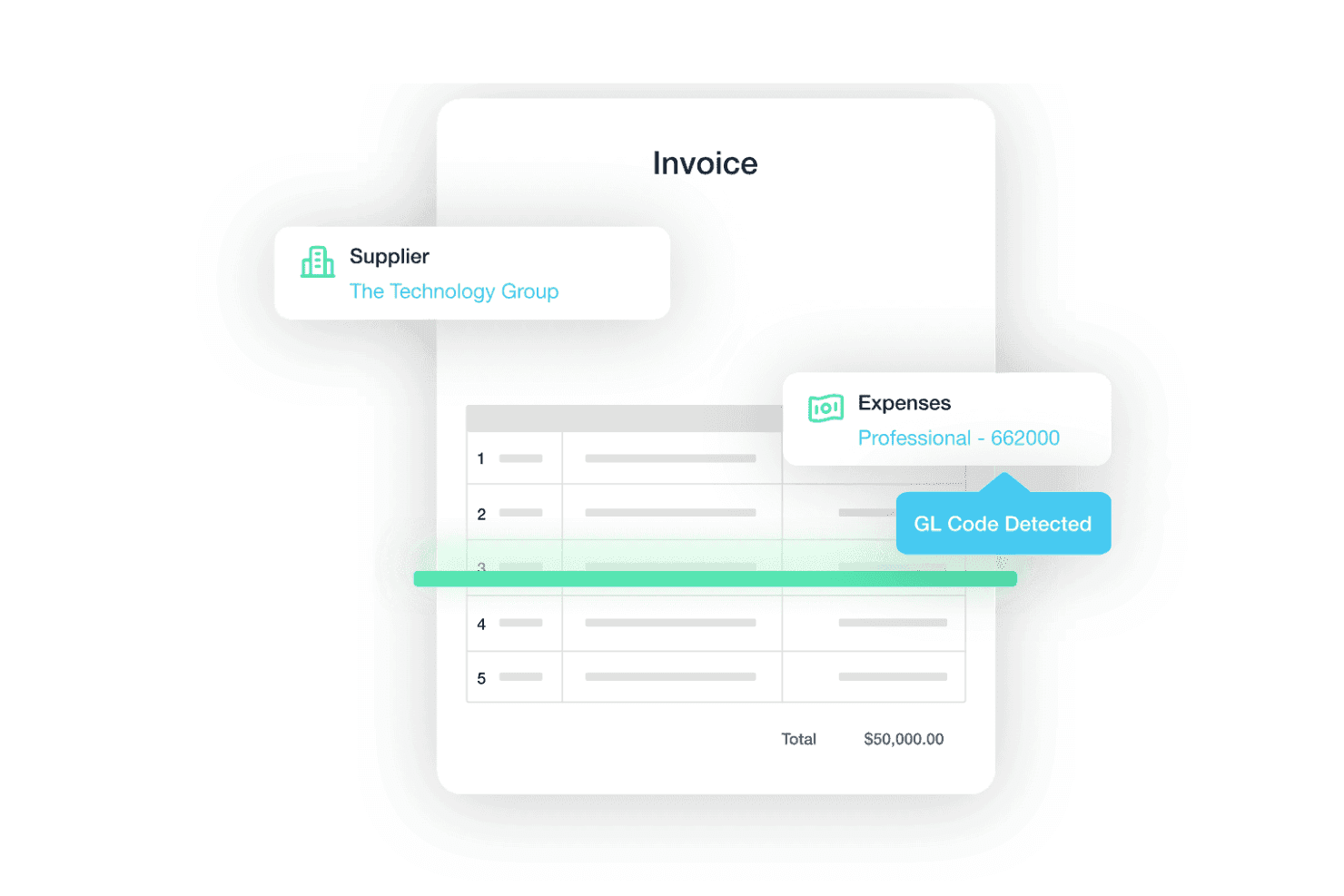
Traild uses AI to extract supplier details, expense categories, and GL codes from invoices, helping reduce manual AP processing. Traild is an accounts payable platform that layers AI-powered invoice processing, configurable approval workflows, multi-rail payment execution, and fraud detection directly within major ERP environments.
Who Is Traild Best For?
Traild is a strong fit for mid-market finance teams running ERP systems like Acumatica, NetSuite, or SAP Business One who need AP automation with serious fraud controls built in.
Why I Picked Traild
I picked Traild as one of the best because its fraud detection goes well beyond a simple duplicate check. The platform builds a behavioral fingerprint of your normal invoice and payment patterns, then flags anomalies like altered bank details, phantom vendors, or modified payment terms in real time. I also like how Vendor Verification runs as a continuous background check, catching compromised supplier accounts before a payment batch ever clears.
Traild Key Features
- AI-powered invoice capture and coding: Traild uses machine learning to extract and code header and line-item data from invoices received by email or upload.
- Error and fraud detection: Always-on anomaly detection continuously monitors invoices for unusual behaviour, identifying potential errors or fraud before payments are processed.
- Vendor verification: Built-in supplier verification helps validate vendors and detect compromised payment details before funds are released.
- Unified approval workflows: Configurable approval routing presents invoice details alongside fraud insights to support informed approvals.
Traild Integrations
Traild offers native integrations with Acumatica, NetSuite, SAP Business One, Syspro, IFS, MYOB, and Xero.
Pros and Cons
Pros:
- Multi-currency payments in 150+ countries
- Bi-directional sync with multiple ERPs
- AI-powered fraud and anomaly detection tools
Cons:
- Smaller set of integrations
- Advanced fraud capabilities may require configuration
Learn more about Traild: Best for diverse payout methods
- Free plan + free demo available
- Pricing upon request
Visit WebsiteCustomer Rating:4.5/5
Payouts' dashboard facilitates the management of pending invoices, allowing users to keep track of outstanding payments and manage cash flow effectively. For those navigating the complexities of accounts payable, Payouts.com provides a platform designed to simplify global financial operations. Tailored for high-growth businesses and industries that rely on precise vendor management, it automates invoice processing and enhances payment accuracy. With support for diverse transaction methods like fiat and cryptocurrencies, Payouts.com helps you reduce manual errors and gain real-time financial insights, fostering stronger supplier relationships and better cash flow management.
Why I Picked Payouts
I chose Payouts because it excels in offering diverse payout methods that cater to the modern needs of accounts payable processes. This platform supports both fiat and cryptocurrency transactions, simplifying global transfers across 150+ countries, which is ideal for businesses dealing with international vendors. The ability to use virtual and prepaid cards adds flexibility, allowing you to manage global expenses without traditional banking constraints. Additionally, the integration of eWallets and gift cards ensures seamless payouts, providing you with a comprehensive solution to manage diverse payment requirements efficiently.
Payouts Key Features
In addition to its diverse payout methods, Payouts offers several other features that enhance your accounts payable operations:
- Automated Invoice Processing: This feature uses OCR technology to extract data from various invoice formats, streamlining data entry and reducing manual work.
- Streamlined Approvals: With customizable approval workflows and mobile app access, this feature ensures timely invoice approvals, keeping your processes efficient.
- Automatic Invoice Matching: By matching invoices to purchase orders and receipts, this feature minimizes manual reconciliation efforts, enhancing accuracy.
- Collaborative Vendor Portal: This feature allows vendors to submit invoices and check payment statuses, improving communication and transparency in vendor relationships.
Payouts Integrations
Native integrations with Payouts include Global Smart Payouts, Vendor Relationship Suite, AP Automation, AI Payout Automation, Dynamic Tax Engine, Flexible Payout Methods, Crypto Pay-Ins, Global Payment Acceptance, Virtual and Prepaid Cards, and eWallets.
Pros and Cons
Pros:
- Supports scaling operations
- Multiple payout methods
- Comprehensive automation of accounts payable processes
Cons:
- May require time to fully customize
- Potential challenges integrating with existing systems
Learn more about Payouts: Best for automating bill entry
- 21-day free trial available
- From $99/month
Visit WebsiteCustomer Rating:4.9/5
A digital invoice from MakersHub displaying itemized purchase details, payment terms, and total amount due. For those of you navigating the complexities of accounts payable within industries such as construction and manufacturing, MakersHub offers a tailored solution that transforms your workflow. This innovative software automates invoice capture and processing, reducing the need for manual data entry while enhancing accuracy. By integrating seamlessly with platforms like QuickBooks, MakersHub allows your team to focus on strategic tasks rather than tedious paperwork, ultimately saving time and improving vendor relationships.
Why I Picked MakersHub
I picked MakersHub for its exceptional capability in automating bill entry, which is a critical factor for those managing accounts payable. The software's Smart Data Capture feature eliminates the need for manual data entry by accurately capturing over 39 data fields from various bill formats. Additionally, the integration with QuickBooks ensures seamless synchronization and efficient payment processing. These features not only save time but also enhance accuracy, making MakersHub an invaluable tool for industries like construction and manufacturing where managing complex workflows is crucial.
MakersHub Key Features
In addition to its standout capability in automating bill entry, MakersHub offers a suite of features that enhance your accounts payable operations.
- Approval Flows: Facilitates the review and authorization of payables within a secure and dedicated hub.
- MakersHub Pay: Provides flexible payment options without requiring vendor account sign-ups, offering full control over your payment processes.
- Centralized Bills & Receipts Inbox: Offers a dedicated space for processing documents efficiently, enhancing organization and accessibility.
- Auto-Mapping Rules: Ensures correct coding for expenses and items with a one-time configuration, reducing errors in financial reporting.
MakersHub Integrations
Integrations include Sage Intacct and QuickBooks.
Pros and Cons
Pros:
- Automation of bills and payments
- Multi-layered approval process
- Integration with QuickBooks
Cons:
- Certain features are limited to higher-tier plans
- Steep learning curve for new users
Learn more about MakersHub:

Procurify is all about helping your business reduce waste. For mid-market businesses aiming to refine their financial operations, Procurify offers a solution that integrates seamlessly with existing accounting systems like QuickBooks and NetSuite. Your team can benefit from improved invoice processing and bill management, which enhances accuracy and provides valuable insights. By modernizing spend management, Procurify aids in making informed financial decisions with ease.
Why I Picked Procurify
I picked Procurify because it excels in spend management by integrating procurement and finance through its AI-driven, centralized procure-to-pay platform. This solution simplifies the procurement process and streamlines accounts payable reconciliation, allowing your team to manage spending without hassle. Key features like invoice processing and insightful analytics are designed to boost productivity and save time. Additionally, its seamless integration with various accounting software makes it a comprehensive tool for modern spend management.
Procurify Key Features
In addition to its spend management capabilities, Procurify offers several other features that can enhance your accounts payable processes:
- Automated Purchase Order Management: Streamlines the creation and tracking of purchase orders, ensuring all orders are accurately documented and easily accessible.
- Vendor Management: Provides tools to manage vendor relationships and performance, offering insights into vendor reliability and pricing.
- Expense Reporting: Simplifies the submission and approval of expense reports, allowing for quick reimbursement and accurate tracking of expenditures.
- Real-Time Reporting and Analytics: Offers dashboards and reports that provide visibility into spending patterns and financial performance, helping you make informed decisions.
Procurify Integrations
Integrations include QuickBooks Online, QuickBooks Desktop, NetSuite, Sage Intacct, and Microsoft Dynamics 365.
Pros and Cons
Pros:
- Real-time, customizable dashboards
- No hidden fees
- Custom workflows and approval processes
Cons:
- Limited integration options
- No free trial
Learn more about Procurify: Best for AI-driven invoice automation
- Free demo available
- Pricing upon request
Visit WebsiteCustomer Rating:4.8/5
DOKKA's automated invoice processing feature streamlines and automates the extraction and organization of invoice data. For finance professionals seeking to simplify their accounts payable processes, DOKKA offers an AI-powered solution that integrates smoothly with existing ERP systems. It caters to CFOs and accounts payable managers by automating invoice processing and reducing manual tasks. This allows your team to prioritize strategic financial management over routine paperwork.
Why I Picked DOKKA
I picked DOKKA for its AI-driven invoice automation, which addresses the core challenges of accounts payable management. DOKKA's platform automates the entire invoice processing workflow, from capture to approvals, significantly reducing manual intervention. Its rapid invoice processing and automated approval workflows integrate directly with existing ERP systems, eliminating the need for double data entry. These features provide a centralized workspace for managing invoices and approvals, making it an ideal choice for finance teams aiming to improve their operations.
DOKKA Key Features
In addition to its standout AI-driven invoice automation, DOKKA offers several other features that enhance the accounts payable process:
- Google-Style Document Search: Quickly locate invoices, comments, or approval histories with powerful indexing and keyword searches.
- Automated Purchase Order Matching: Reconcile purchase orders with invoices accurately, minimizing payment errors and visualizing discrepancies.
- Line Item Extraction: Extract detailed information from invoices into journal entries, improving processing speed and record accuracy.
- Multi-Level Approval Workflows: Set up complex approval processes to ensure compliance and control over financial transactions.
DOKKA Integrations
Integrations include NetSuite, SAP Business One, QuickBooks, Xero, Acumatica, Microsoft Dynamics 365, Sage Intacct, FreshBooks, MYOB, and Oracle Financials.
Pros and Cons
Pros:
- Offers enhanced collaboration features
- Provides customizable workflows
- Highly accurate data extraction
Cons:
- Price may be too high for small businesses
- Steep initial learning curve
Learn more about DOKKA: Best for customizable AP workflow automation
- Free trial available + free demo
- Pricing upon request
Visit WebsiteCustomer Rating:4.9/5
Nanonets lets you upload, review, and approve invoices all in one place. For businesses aiming to simplify their accounts payable processes, Nanonets presents an intelligent automation platform tailored to streamline financial operations. Utilizing advanced AI, Nanonets manages documents such as invoices and receipts, automating workflows while integrating with your existing ERP and accounting tools. This platform is ideal for industries focused on optimizing financial management, reducing manual tasks, and enhancing data accuracy, ultimately saving time and resources.
Why I Picked Nanonets
I picked Nanonets for its unique ability to offer customizable Accounts Payable workflow automation, a feature that stands out in the crowded AP software market. By enabling users to tailor workflows using natural language and integrate seamlessly with existing systems, Nanonets addresses the need for personalized automation in financial operations. The platform's AI-driven document processing ensures high accuracy in data extraction from invoices and receipts, which significantly reduces manual entry and errors. This customization capability allows businesses to optimize their AP processes, saving time and improving overall efficiency.
Nanonets Key Features
In addition to its customizable workflow automation, Nanonets offers several other features that enhance its utility as an Accounts Payable Software.
- AI Document Extraction: This feature employs sophisticated AI models to accurately capture and convert data from documents such as invoices and receipts, ensuring precision in data handling.
- Automated Email Workflows: By automating email processes, Nanonets facilitates seamless communication and document transfer, reducing the time spent on manual email management.
- Financial Reconciliation: Nanonets supports automated financial reconciliation, allowing you to match transactions and resolve discrepancies without manual intervention.
- Detailed Data Analysis and Reporting: This feature enables the generation of comprehensive reports and analyses, providing insights into financial operations and aiding in strategic decision-making.
Nanonets Integrations
Integrations include QuickBooks, Salesforce, Xero, Sage, NetSuite, Yardi, Google Drive, SharePoint, Notion, Gmail, Airtable, Dropbox, Microsoft D365, Google Sheets, and Zapier.
Pros and Cons
Pros:
- Real-time tracking of invoices
- Customizable approval workflows
- Accurate data extraction from invoices
Cons:
- Initial setup can take time
- Occasional processing delays for large documents
Learn more about TrailHQ: 8Best for automated expense management
Ramp
- Free plan available; 30-day free trial
- From $15/user/month
Visit WebsiteCustomer Rating:4.8/5
Ramp provides an automated accounting dashboard that categorizes transactions, syncs expenses, and flags missing memos for review. For those looking to enhance financial operations, Ramp offers an AI-driven Accounts Payable Software that simplifies the bill payment process. It's ideal for finance teams aiming to manage invoices, approvals, and payments with precision, while reducing costs through its free tier with no processing fees for ACH and check payments. By integrating with existing accounting systems and providing features like fraud detection and customizable approval workflows, Ramp addresses challenges in accounts payable management, making it a compelling choice for companies focusing on their financial workflows.
Why I Picked Ramp
I picked Ramp because it stands out in the realm of Accounts Payable Software with its automated expense management capabilities that directly address the need for efficiency and accuracy. Ramp's AI-powered invoice processing, which employs OCR technology, significantly reduces manual data entry and accelerates the handling of invoices. Additionally, its approval orchestration automatically routes bills to appropriate approvers, expediting decision-making and minimizing delays. These features, combined with payment automation that supports multiple methods and identifies cashback opportunities, make Ramp an excellent choice for finance teams looking to streamline their accounts payable processes.
Ramp Key Features
In addition to its automated expense management capabilities, Ramp offers a range of features that enhance its utility as an Accounts Payable Software.
- Real-Time Spend Tracking: This feature allows you to monitor expenses as they occur, providing immediate insight into your financial activities.
- Customizable Spending Controls: You can set specific limits and restrictions on transactions to ensure compliance and prevent overspending.
- Vendor Management Tools: These tools help you organize and manage vendor information and payments, streamlining your interactions with suppliers.
- Detailed Reporting and Analytics: With comprehensive reports, you can analyze spending patterns and make informed financial decisions based on data.
Ramp Integrations
Integrations include Xero, QuickBooks, Netsuite, Sage, Slack, Dropbox, Google Workspace, Microsoft 365, Stripe, and Salesforce. An API is also available for custom integrations.
Pros and Cons
Pros:
- Automated expense reporting and receipt matching
- Ability to issue multiple virtual cards with customizable controls
- Comprehensive reporting features
Cons:
- Could offer more advanced accounting features
- Mostly focuses on accounts payable and spend management
 9Best for small businesses
Xero
- 1-month free trial available
- From $27/month
Visit WebsiteCustomer Rating:4.4/5
Xero doesn’t include every feature, but it’s enough for small businesses to get started. For those looking to simplify financial operations, Xero offers a solution tailored for small businesses. Its Accounts Payable Software features automated bill entry and approval workflows, helping you manage payments and maintain cash flow clarity. With a user-friendly interface and integration capabilities, Xero reduces manual errors and enhances financial oversight.
Why I Picked Xero
I picked Xero for its ability to automate accounts payable processes, making it an ideal choice for small businesses. Features like automated data capture and digital workflows help reduce manual tracking errors and late payments. The software's ability to decrease processing costs significantly, from roughly $12.88 to $2.78 per invoice, translates into substantial monthly savings. Additionally, Xero's integration with third-party tools enhances its functionality, allowing for a tailored fit to your business needs.
Xero Key Features
In addition to its automation capabilities, Xero offers a variety of features to enhance your accounts payable process:
- 3-Way Matching: Automates the comparison of purchase orders, invoices, and delivery receipts to maintain accurate financial records.
- Automated Workflows: Streamlines approval processes by reducing manual tasks and syncing data directly with Xero.
- Expense Categorization: Ensures expenses are accurately and consistently categorized, with seamless integration back into the Xero platform.
- AI-Powered Automation: Utilizes advanced technology to automate invoice processing and document management, minimizing manual data entry.
Xero Integrations
Integrations include Hubdoc, Syft, Stripe, Xero Inventory Plus, Shopify integration by Xero, Xero Practice Manager, HubSpot CRM integration, Xero Analytics Plus, GoCardless, and ApprovalMax.
Pros and Cons
Pros:
- Inexpensive
- Scalable for growing businesses
- Makes bank reconciliation easy to understand
Cons:
- Cheapest plan has a limit of 20 invoices and five bills per month
- No annual billing option
Learn more about Xero:

Tipalti can help you set up rules for complex automation. For businesses seeking a solution to simplify their payables process, Tipalti offers an Accounts Payable Software that stands out with its automation capabilities. It caters to various industries by providing global payment options, self-service supplier management, and automated tax compliance, all of which reduce manual workloads. By integrating with accounting systems like Oracle NetSuite and QuickBooks, Tipalti ensures accuracy and control over financial operations, making it an ideal choice for organizations aiming to streamline their accounts payable processes.
Why I Picked Tipalti
I picked Tipalti for its standout automation capabilities that address the complexities of accounts payable processes. With its AI-driven invoice management, you can automate invoice approvals and reduce manual errors, freeing up your team to focus on strategic tasks. The platform's global payment solutions simplify transactions across 200+ countries, ensuring compliance and security in every transaction. Additionally, the self-service supplier management feature allows for efficient onboarding and communication, enhancing supplier relationships and providing you with real-time insights into your cash flow.
Tipalti Key Features
In addition to its exceptional automation capabilities, Tipalti offers a range of features that enhance the accounts payable process:
- Global Payments: Facilitates quick and accurate transactions in over 120 currencies, supporting international business operations.
- Tax Compliance: Automates the capture and validation of supplier tax IDs and forms, ensuring adherence to regulatory requirements.
- Payment Reconciliation: Seamlessly integrates with ERP systems to provide accurate and real-time financial data, enhancing transparency and control.
- PO Matching: Employs 2-way and 3-way matching to verify purchase orders against invoices, reducing discrepancies and preventing fraud.
Tipalti Integrations
Integrations include Oracle NetSuite, Intuit QuickBooks, Sage, Microsoft Dynamics 365, Acumatica, Xero, SAP Business One, SAP S/4HANA, BlackLine, and Bill.com.
Pros and Cons
Pros:
- Reduces risk of errors, fraud, and compliance issues
- Provides real-time visibility into your payment performance
- Supplier portal lets vendors update their own info, saves you time
Cons:
- Payment processing delays can impact cash flow management
- Occasional syncing issues reported by multiple users
Learn more about Tipalti:
Alte opțiuni de software pentru conturi de plătit
Iată câteva alte opțiuni de software pentru conturi de plătit care nu au intrat în lista mea, dar care merită analizate.
- 11Zoho BooksBest for vendor management
- 12AvidXchangeBest for integrations
- 13Sage IntacctBest for nonprofits
- 14CentimeBest all-in-one solution
- 15QuickBooks EnterpriseBest for payroll functions
- 16SAP ConcurBest for travel and expense management
- 17Rippling SpendBest for reimbursing employees
- 18PrecoroBest for automated three-way matching
- 19Doxis SpendControlBest for advanced OCR technology
- 20BILLBest for international payments
- 21DualEntryBest for growing businesses
- 22MineralTreeBest for time-saving
- 23SAP AribaBest spend management features
- 24CoupaBest for tracking features and managing purchase orders
- 25Microsoft Dynamics 365Best for modular, prebuilt applications and features
- 26AirbaseBest corporate credit card program features
- 27LightyearBest for bookkeeping teams
- 28BaswareBest for procurement teams
Software financiar conex
Dacă încă nu ai găsit aici ceea ce cauți, consultă aceste instrumente strâns legate de software-ul pentru conturi de plătit, pe care le-am testat și evaluat.
- Software de contabilitate
- Software de facturare
- Software ERP
- Sisteme POS
- Software de raportare financiară
- Software de prognoză
- Servicii pentru conturi de comerciant
- Software pentru rapoarte de cheltuieli
How I Evaluate Accounts Payable Software
I look at AP tools in two layers: the baseline capabilities—like whether an invoice can move from email to payment without manual rekeying—and the differentiators that distinguish the best options.
Core Functionality (Table Stakes For This List)
When I'm selecting tools for my list, I rank each one on a scale from 0 (does not offer the functionality) to 5 (excels in this area) for each core functionality listed below. Then, I calculate the tool's total score into a percentage. Each tool needs to achieve a minimum total score of 75% to be considered for inclusion.
- Invoice Capture & OCR: I check whether the tool can ingest invoices from email, upload, or EDI and extract header and line-item data accurately enough to reduce manual keying.
- Approval Workflows: Configurable routing matters here—I look for multi-step approvals with role-based rules, threshold triggers, and delegation so invoices reach the right approver.
- Vendor Payment Execution: I evaluate which payment methods the platform supports natively, such as ACH, check, wire, or virtual card, and whether batch runs can be triggered in-app.
- ERP & Accounting Integration: A good AP tool syncs GL codes, bills, and payment data bi-directionally with systems like QuickBooks, NetSuite, Sage, or Xero without manual re-entry.
- PO & Invoice Matching: I look for automated 2-way or 3-way matching that flags discrepancies against purchase orders and receipts before an invoice moves to approval.
- Vendor Management & Compliance: The platform should maintain a vendor master that handles onboarding, tax form collection (W-9/W-8), and year-end reporting like 1099 preparation.
Once I have a list of tools that meet this criteria, I consider what sets each platform apart.
Differentiating Factors (What Sets Vendors Apart)
Here's how I compare and contrast different vendors:
Standout Features
AI-powered GL coding is a big differentiator—I look for tools that learn from past invoice patterns and auto-suggest accounts and cost centers, which saves AP teams hours during month-end. Multi-entity and multi-currency support matters for organizations managing subsidiaries across regions, so I check whether a platform handles intercompany allocations natively. I also evaluate virtual card rebate programs, which can turn your AP function from a pure cost center into a source of cashback revenue.
Beyond Features
Security and compliance posture is a major consideration—I check for SOC 1 and SOC 2 Type II certifications, SOX-ready audit trails, and fraud controls like duplicate invoice detection and bank account verification. Pricing transparency also shapes my evaluation, especially whether a vendor charges per user, per invoice, or per transaction, and whether payment rail fees are clearly disclosed. I also consider scalability, since a platform that works for a 50-person company processing a few hundred invoices monthly may not suit a multi-entity operation handling thousands.
Cum să alegi software-ul pentru conturi de plătit
Pentru a te ajuta să rămâi pe drumul cel bun atunci când alegi software-ul potrivit, iată o listă scurtă cu aspectele care merită avute în vedere:
| Factor | Aspecte de luat în considerare |
|---|---|
| FactorScalabilitate | Aspecte de luat în considerareSe va dezvolta software-ul odată cu nevoile echipei tale? |
| FactorIntegrări | Aspecte de luat în considerareSe integrează cu sistemele tale actuale (adică sisteme ERP sau CRM-uri)? |
| FactorPosibilitate de personalizare | Aspecte de luat în considerarePoți adapta software-ul la fluxul tău de lucru? |
| FactorUșurință în utilizare | Aspecte de luat în considerareEste software-ul ușor de folosit pentru echipa ta? |
| FactorBuget | Aspecte de luat în considerareSe încadrează în limitele tale financiare? |
| FactorMăsuri de securitate | Aspecte de luat în considerareÎndeplinește cerințele tale de securitate? |
| FactorAsistență pentru clienți | Aspecte de luat în considerareExistă asistență de încredere atunci când ai nevoie de ajutor? |
| FactorFuncții de raportare | Aspecte de luat în considerareOferă analizele de care ai nevoie? |
Tendințe în software-ul pentru conturi de plătit
În timp ce analizam diferite instrumente pentru conturi de plătit, am parcurs numeroase actualizări de produse, comunicate de presă și jurnale de funcții de la tot felul de furnizori. Iată câteva tendințe care s-au remarcat cu adevărat și pe care merită să le urmărești:
- Perspective bazate pe inteligență artificială: Inteligența artificială este utilizată pentru a oferi perspective mai profunde asupra tiparelor de cheltuieli și pentru a anticipa nevoile de flux de numerar. Aceasta ajută companiile să ia decizii informate prin analizarea rapidă a unor volume mari de date. Acest lucru este deosebit de util pentru întreprinderile mici și startupurile axate pe traiectoria de creștere.
- Reduceri dinamice: Această tendință permite companiilor să negocieze condiții mai bune cu furnizorii, oferind reduceri pentru plata anticipată. Ea aduce beneficii atât cumpărătorilor, cât și furnizorilor, prin îmbunătățirea gestionării numerarului. Unele platforme oferă funcții de reducere dinamică pentru a optimiza relațiile cu furnizorii.
- Contracte inteligente bazate pe blockchain: Contractele inteligente automatizează executarea acordurilor, asigurând îndeplinirea tuturor condițiilor contractuale fără intervenție manuală. Acest lucru reduce întârzierile și sporește acuratețea contractelor. Câțiva furnizori explorează utilizarea contractelor inteligente pentru a îmbunătăți procesele de gestionare a contractelor.
- Monitorizarea sustenabilității: Monitorizarea impactului asupra mediului devine tot mai importantă, pe măsură ce companiile urmăresc operațiuni mai ecologice. Unele soluții pentru conturi de plătit oferă indicatori de sustenabilitate pentru a ajuta companiile să își monitorizeze și să își reducă amprenta de carbon. Deși nu aș spune că acest lucru este atât de important (încă) din perspectiva conformității, cu siguranță este plăcut să lucrezi la acest aspect al afacerii tale.
Ce este software-ul pentru conturi de plătit?
Software-ul pentru conturi de plătit este un instrument care automatizează procesarea facturilor, aprobarea plăților și gestionarea furnizorilor, pentru tranzacții efectuate la timp și cu acuratețe, necesitând mai puțină muncă manuală. Echipele financiare îl folosesc pentru a reduce erorile, a preveni fraudele și a îmbunătăți vizibilitatea asupra fluxului de numerar.
Aceste sisteme se integrează de obicei cu platformele de contabilitate, oferă fluxuri de aprobare și acceptă plăți în mai multe valute. Pentru companiile aflate în dezvoltare rapidă, acestea facilitează extinderea operațiunilor financiare fără creșterea numărului de angajați.
Funcțiile software-ului pentru conturi de plătit
Atunci când alegeți un software pentru conturi de plătit, căutați instrumente care simplifică gestionarea facturilor, consolidează controalele interne și îmbunătățesc vizibilitatea asupra întregului flux de lucru al plăților. Funcțiile esențiale includ:
- Procesarea automatizată a facturilor: Platformele solide pentru conturi de plătit capturează, direcționează și validează automat facturile, reducând introducerea manuală a datelor și minimizând erorile. Acest lucru accelerează aprobările și menține ciclul plăților în desfășurare fără probleme.
- Perspective bazate pe inteligență artificială: Multe instrumente moderne oferă analize integrate pentru a vă ajuta să anticipați nevoile de flux de numerar, să identificați tiparele de cheltuieli și să luați decizii financiare mai bune. Rezultatul este o imagine mai clară a datoriilor și o programare mai strategică a plăților.
- Securitate bazată pe blockchain: Unele sisteme pentru conturi de plătit integrează tehnologia blockchain pentru a crea înregistrări ale tranzacțiilor care nu pot fi modificate. Acest lucru sporește transparența și oferă protecție împotriva fraudelor, asigurând înregistrarea securizată a fiecărei modificări.
- Reduceri dinamice: Cu ajutorul funcțiilor de reducere dinamică, puteți beneficia de reduceri pentru plata anticipată sau puteți negocia condiții flexibile cu furnizorii. Este o modalitate eficientă de a îmbunătăți gestionarea numerarului și de a consolida parteneriatele cu furnizorii.
- Contracte inteligente: Funcțiile contractelor inteligente automatizează aplicarea condițiilor convenite—precum declanșatoarele de plată sau confirmările livrării—fără verificări manuale. Acest lucru contribuie la reducerea activității administrative și asigură respectarea condițiilor contractuale.
- Monitorizarea sustenabilității: Dacă organizația dumneavoastră acordă prioritate obiectivelor ESG, software-ul pentru conturi de plătit cu monitorizarea amprentei de carbon vă poate ajuta să urmăriți indicatorii de sustenabilitate ai furnizorilor și să luați decizii de cheltuieli informate din punct de vedere ecologic.
- Gestionarea furnizorilor: Profilurile centralizate ale furnizorilor, condițiile de plată și instrumentele de comunicare facilitează păstrarea unor evidențe corecte, integrarea eficientă a furnizorilor și construirea unor relații mai solide.
- Raportare și analiză: Tablourile de bord complete și rapoartele personalizabile le oferă directorilor financiari informații despre datorii, situații privind vechimea soldurilor, blocajele din procesul de aprobare și tendințele cheltuielilor, sprijinind o supraveghere și o planificare mai bune.
- Suport pentru mai multe valute: Pentru organizațiile care operează la nivel global, funcțiile pentru mai multe valute simplifică plățile transfrontaliere și vă ajută să gestionați cu ușurință fluctuațiile cursului de schimb.
- Acces prin aplicația mobilă: Instrumentele pentru conturi de plătit optimizate pentru dispozitive mobile le permit managerilor să verifice facturi, să aprobe plăți și să acceseze informații financiare importante de oriunde, asigurând continuitatea fluxului de lucru chiar și în afara biroului.
Funcții AI comune ale software-ului pentru conturi de plătit
Pe lângă funcțiile de bază pentru conturi de plătit, multe platforme pentru conturi de plătit includ acum funcții bazate pe inteligență artificială, precum:
- Capturarea automatizată a datelor: Inteligența artificială citește și extrage detaliile facturilor—precum numele furnizorilor, sumele și elementele individuale—cu un grad ridicat de acuratețe. Acest lucru elimină introducerea manuală și accelerează procesarea.
- Direcționarea inteligentă a aprobărilor: Inteligența artificială învață tiparele de aprobare și direcționează automat facturile către persoanele responsabile potrivite. Poate chiar detecta anomalii și marca facturile pentru verificări suplimentare atunci când ceva pare neobișnuit.
- Programarea predictivă a plăților: Modelele de inteligență artificială estimează momentul optim pentru plată pe baza fluxului de numerar, a comportamentului istoric al furnizorilor și a oportunităților de reducere. Acest lucru ajută la maximizarea capitalului circulant și la minimizarea penalităților de întârziere sau a reducerilor ratate.
- Detectarea anomaliilor și a fraudelor: Învățarea automată monitorizează tranzacțiile pentru a identifica activități neobișnuite—precum facturi duplicate, modificări neașteptate sau furnizori suspecți—astfel încât să puteți detecta problemele înainte ca acestea să vă afecteze rezultatul financiar.
- Integrarea automatizată a furnizorilor: Inteligența artificială accelerează integrarea furnizorilor prin verificarea documentației, completarea automată a profilurilor furnizorilor și validarea datelor în raport cu surse externe, pentru a reduce erorile de configurare.
Beneficiile software-ului pentru conturi de plătit
Este posibil ca software-ul pentru conturi de plătit să nu vă revoluționeze afacerea, dar cu siguranță vă va reduce bătăile de cap. Iată câteva beneficii pe care le puteți aștepta:
- Acuratețe îmbunătățită: Procesarea automatizată a facturilor reduce erorile manuale și asigură evidențe financiare mai exacte.
- Securitate sporită: Tehnologia blockchain oferă o modalitate sigură și transparentă de gestionare a tranzacțiilor, protejând datele sensibile.
- Gestionare mai bună a numerarului: Funcțiile de discountare dinamică ajută la negocierea unor condiții de plată favorabile, optimizând fluxul de numerar.
- Economie de timp: Perspectivele bazate pe inteligență artificială și contractele inteligente automatizează sarcinile de rutină, economisind timp pentru activități mai strategice.
- Operațiuni ecologice: Monitorizarea sustenabilității sprijină obiectivele de mediu prin urmărirea și reducerea amprentei de carbon a companiei.
- Acoperire globală: Suportul pentru mai multe valute permite tranzacții internaționale fără probleme, extinzând oportunitățile de afaceri.
- Luarea deciziilor în cunoștință de cauză: Rapoartele și analizele cuprinzătoare oferă informații valoroase pentru planificarea strategică și supravegherea financiară.
Costurile și prețurile software-ului pentru conturi de plătit
Tabelul de mai jos vă oferă o idee aproximativă despre cât vă puteți aștepta să plătiți și ce veți primi în schimb pentru fiecare tip de software pentru conturi de plătit. Considerați-l un ghid rapid care vă ajută să comparați opțiunile.
Tabel comparativ al planurilor pentru software-ul de conturi de plătit
| Tipul planului | Preț mediu | Funcții comune |
|---|---|---|
| Tipul planuluiPlan gratuit | Preț mediu$0 | Funcții comuneProcesarea de bază a facturilor, gestionarea furnizorilor și asistență prin e-mail. |
| Tipul planuluiPlan personal | Preț mediu$10-$30/utilizator/lună | Funcții comuneProcesarea avansată a facturilor, raportare de bază și integrări limitate. |
| Tipul planuluiPlan pentru afaceri | Preț mediu$50-$100/utilizator/lună | Funcții comuneFluxuri de lucru automatizate, raportare îmbunătățită, suport pentru mai multe valute și asistență pentru clienți. |
| Tipul planuluiPlan pentru întreprinderi | Preț mediu$150-$300/utilizator/lună | Funcții comuneFuncții personalizabile, analize bazate pe inteligență artificială, asistență premium și gestionarea conformității. |
Întrebări frecvente despre software-ul pentru conturi de plătit
Iată câteva răspunsuri la întrebările frecvente despre software-ul pentru conturi de plătit:
Ce utilizează software-ul pentru conturi de plătit pentru a captura datele?
Majoritatea soluțiilor software pentru conturi de plătit utilizează recunoașterea optică a caracterelor (OCR) și învățarea automată pentru a extrage date din facturi și chitanțe. Această automatizare elimină introducerea manuală a datelor, economisindu-vă timp și reducând erorile umane din fluxul de lucru pentru conturi de plătit.
Cum poate software-ul pentru conturi de plătit să contribuie la prevenirea fraudei?
Cele mai bune soluții software de automatizare a conturilor de plătit contribuie la prevenirea fraudei prin verificarea furnizorilor, fluxuri de aprobare și piste de audit. Acestea semnalează tranzacțiile suspecte și restricționează plățile către furnizorii autorizați. Astfel, beneficiați de un control mai strict și de o transparență sporită.
Se poate integra software-ul pentru conturi de plătit cu sistemul meu de contabilitate existent?
Da, cele mai bune soluții software pentru conturi de plătit se integrează cu sisteme de contabilitate populare, precum QuickBooks sau Xero. Acest lucru vă permite să sincronizați automat datele, să evitați introducerea duplicată a datelor și să păstrați acuratețea evidențelor financiare.
Cum încep să-mi automatizez procesul pentru conturi de plătit?
Pentru a începe automatizarea procesului pentru conturi de plătit, urmați acești pași:
- Cartografiați procesul actual pentru conturi de plătit
- Stabiliți cine trebuie să verifice sau să aprobe facturile
- Stabiliți reguli clare pentru momentul plății și excepții.
În cele din urmă, căutați un software care vă permite să personalizați aceste fluxuri de lucru și oferă integrare cu instrumentele de contabilitate pe care le utilizați în prezent.
Ce greșeli frecvente ar trebui să evit atunci când implementez software pentru conturi de plătit?
Nu grăbiți configurarea și nu săriți peste instruire. Asigurați-vă că implicați echipa în implementare, curățați datele vechi înainte de migrare și testați fluxurile de lucru înainte de implementarea completă. Astfel, veți evita întreruperile sau problemele de conformitate.
Cum mă pot asigura că software-ul pentru conturi de plătit răspunde nevoilor companiei mele în materie de audit și conformitate?
Verificați dacă software-ul oferă o pistă de audit detaliată, înregistrează toate aprobările și acceptă stocarea securizată a documentelor. Asigurați-vă că respectă reglementările relevante, precum SOX sau GDPR, dacă acestea sunt necesare pentru domeniul dumneavoastră de activitate.
Care sunt cele mai bune practici pentru trecerea de la sisteme manuale la sisteme automatizate pentru conturi de plătit?
Începeți prin digitizarea facturilor pe hârtie și clarificarea procesului existent pentru conturi de plătit. De asemenea, comunicați clar schimbările echipei, organizați instruiri amănunțite și utilizați sistemele în paralel pentru o perioadă scurtă. Astfel, puteți identifica problemele înainte de automatizarea completă.
Cum îmbunătățește software-ul pentru conturi de plătit eficiența?
Software-ul de automatizare a conturilor de plătit accelerează procesarea facturilor, reduce erorile manuale și automatizează sarcinile repetitive. Cu ajutorul acestuia, veți petrece mai puțin timp urmărind aprobările, veți avea o supraveghere mai bună și vă veți închide registrele contabile mai rapid.