

Running the finances of a media or newspaper company can be tough. As a CFO, you're juggling budget constraints, complex financial reporting, and the need for real-time data. Media and newspaper accounting software can help ease these challenges by offering tailored solutions for your industry’s specific needs.
As a financial controller, I understand how selecting the right software can significantly improve your team's efficiency and financial accuracy. That’s why I’ve done the legwork to provide you with an unbiased review of the top picks in the market.
In this article, I'll guide you through each option, highlighting features that can make a difference in your daily operations. Whether you're looking to simplify billing or enhance reporting, there's a solution waiting for you.
Why Trust Our Software Recommendations
6,700+
Reviews
20
Industry experts
16+
Evaluation factors
14
Years
Our team has been testing and reviewing software since 2012. As finance leaders ourselves, we know how difficult—and important—it is to choose the right software.
For this guide, we evaluated tools using hands-on testing and independent research, scoring tools using our selection criteria.
Our reviews reflect our human editorial judgment, not a sales pitch.
Media and Newspaper Accounting Software Comparison Table
This comparison table summarizes pricing details for my top media and newspaper accounting software selections:
| Tool | Best For | Trial Info | Price | ||
|---|---|---|---|---|---|
| 1 | Best for modular ERP across media operations | Free trial available | Free plan available | Website | |
| 2 | Best for Salesforce-native multi-entity accounting | Free demo available | Pricing upon request | Website | |
| 3 | Best for multinational subscription accounting | Free demo available | Pricing upon request | Website | |
| 4 | Best for newspaper ad order-to-cash billing | Free demo available | Pricing upon request | Website | |
| 5 | Best for multi-entity publisher consolidation | Free demo available | Pricing upon request | Website | |
| 6 | Best for multi-entity financial compliance | Free demo available | From £1,200/month | Website | |
| 7 | Best for ad-to-cash billing across print and digital | Free demo available | Pricing upon request | Website | |
| 8 | Best for publisher rights and royalty accounting | Free demo available | Pricing upon request | Website | |
| 9 | Best for multi-entity media group reporting | Free demo available | Pricing upon request | Website | |
| 10 | Best for ad agency media billing workflows | Free demo available | Pricing upon request | Website |


Best Media and Newspaper Accounting Software Reviews
Below are my detailed summaries of the best media and newspaper accounting software that made it onto my shortlist. My reviews offer an in-depth look at the key features, pros & cons, integrations, and ideal use cases of each tool to help you find the best one for you.
 Best for modular ERP across media operations
- Free trial available
- Free plan available
Visit WebsiteCustomer Rating:4.2/5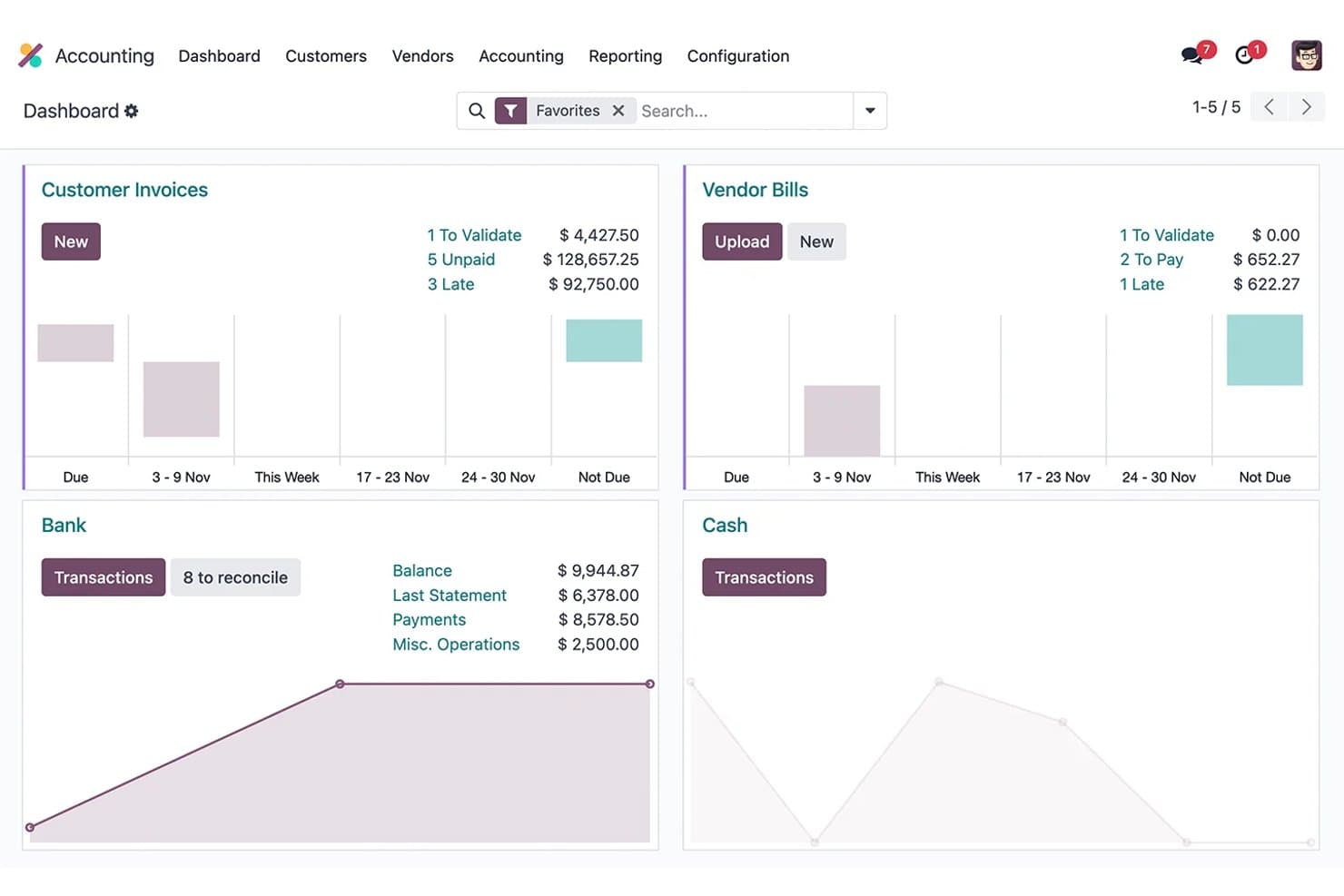
Odoo Accounting tracks invoices, vendor bills, and bank reconciliation. My Evaluation Score
- Media Systems Integration
- 3/5
- Segmented Financial Reporting
- 4/5
- Advertising Revenue Management
- 2/5
- Subscription Revenue Accounting
- 5/5
- Multi-Entity & Publication Accounting
- 4/5
- Media Payables & Contributor Accounting
- 3/5
Odoo Accounting is a modular ERP accounting platform that brings together general ledger, subscription billing, deferred revenue, multi-entity consolidation, and analytic reporting within a broader suite of 80+ natively integrated business apps.
Who Is Odoo Accounting Best For?
Odoo Accounting fits growing media companies that want one integrated platform for subscriptions, CRM, HR, and accounting instead of managing several disconnected tools.
Why I Picked Odoo Accounting
I've included Odoo Accounting in my top picks because it's the only option on this list that brings accounting, CRM, subscriptions, and HR into one connected platform without forcing you to stitch together separate tools. I particularly like its dedicated Subscriptions module, which handles recurring billing and automatically feeds deferred revenue schedules directly into the general ledger. Its multi-dimensional analytic accounting also lets you track revenue and costs across publications, channels, or departments without custom workarounds.
Odoo Accounting Key Features
- AI-powered vendor bill capture: Automatically digitizes vendor invoices using OCR with a 98% recognition rate, reducing manual data entry for AP teams.
- 1099 report wizard: Generates 1099-NEC and 1099-MISC reports with CSV export for US-based freelancer and contributor payments directly within the accounting module.
- Analytic distribution models: Automatically allocates costs and revenues across departments, channels, or publications based on configurable rules tied to account prefix or product category.
- Smart bank reconciliation: Matches bank transactions to journal entries automatically, resolving roughly 95% of transactions without manual intervention.
Odoo Accounting Integrations
Odoo Accounting has native integrations across 80+ Odoo apps, including Odoo CRM, Subscriptions, Sales, eCommerce, Purchase, and HR, plus Stripe, PayPal, Adyen, and Avalara AvaTax. It supports REST, JSON-RPC, and XML-RPC APIs, with marketplace integrations but no prebuilt advertising or circulation connectors.
Pros and Cons
Pros:
- Analytic accounting tracks publication or channel performance
- Multi-company consolidation supports complex media groups
- Subscription revenue and deferred revenue features excel
Cons:
- No native connectors to circulation systems
- No built-in advertising billing or workflows
Learn more about Odoo Accounting: Best for Salesforce-native multi-entity accounting
- Free demo available
- Pricing upon request
Visit WebsiteCustomer Rating:4/5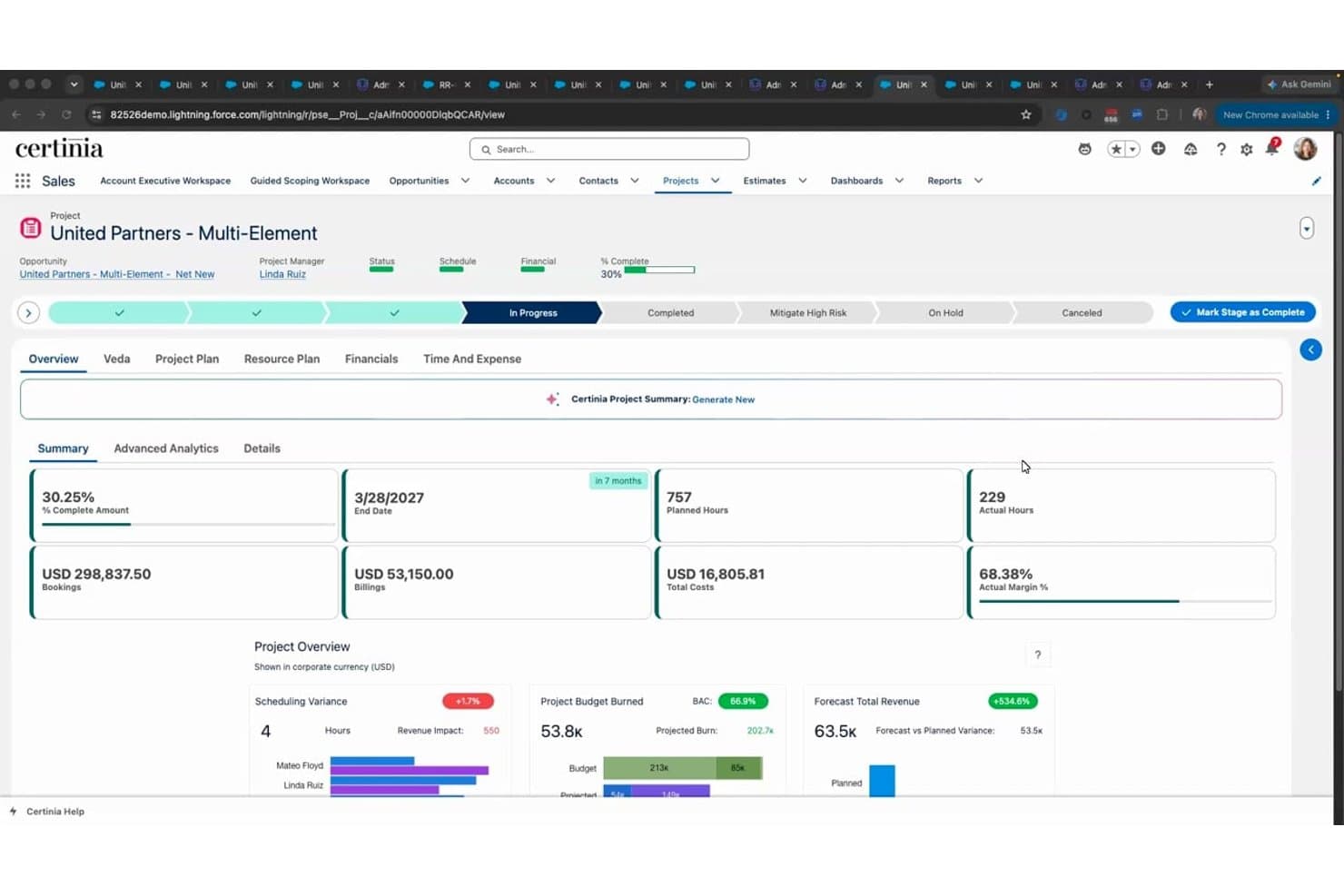
Certinia tracks project financials, margins, and burn rates in real time. My Evaluation Score
- Media Systems Integration
- 3/5
- Segmented Financial Reporting
- 4/5
- Advertising Revenue Management
- 2/5
- Subscription Revenue Accounting
- 4/5
- Multi-Entity & Publication Accounting
- 5/5
- Media Payables & Contributor Accounting
- 2/5
Certinia is a Salesforce-native accounting and financial management platform that covers multi-entity general ledger, subscription billing, revenue recognition, accounts payable, procurement, and FP&A.
Who Is Certinia Best For?
Certinia is a strong fit for multi-title media holding companies already running Salesforce that need enterprise-grade multi-entity accounting, ASC 606 revenue recognition, and subscription billing in one platform.
Why I Picked Certinia
I've included Certinia in my top picks because it's the strongest option for multi-title media holding companies already running Salesforce that need enterprise-grade multi-entity accounting. Its "multi-everything" GL handles multi-company, multi-currency, and multi-chart-of-accounts operations with automated intercompany eliminations in one ledger. I also like its ASC 606 revenue recognition engine, which automates deferred revenue schedules across subscription and bundled contract arrangements common in media.
Certinia Key Features
- Subscription and usage-based billing: Manages recurring billing across multiple pricing models and frequencies, with automated invoicing and deferred revenue tracking.
- FP&A with multi-scenario modelling: Supports top-down and bottom-up budgeting with real-time CRM data, enabling revenue forecasting up to 12 months ahead.
- Dimensional GL reporting: Configurable chart of accounts with custom dimensions lets you slice financial data by entity, department, or any reporting segment.
- 1099 vendor reporting: Flags vendor accounts as federally reportable and generates 1099-NEC and 1099-MISC reports for freelancer and contractor payments.
Certinia Integrations
Certinia is built natively on Salesforce and supports REST and SOAP APIs for custom connections. Documented partner integrations include MuleSoft, Celigo, Jitterbit, Avalara, AvidXchange, and Plaid, though no prebuilt ad-server or circulation-platform connectors are listed.
Pros and Cons
Pros:
- Native Salesforce integration with shared data model
- Automated ASC 606 revenue recognition included
- Multi-entity accounting for media holding companies
Cons:
- Lacks prebuilt publisher KPI dashboards
- No native advertising revenue management tools
Learn more about Certinia: Best for multinational subscription accounting
- Free demo available
- Pricing upon request
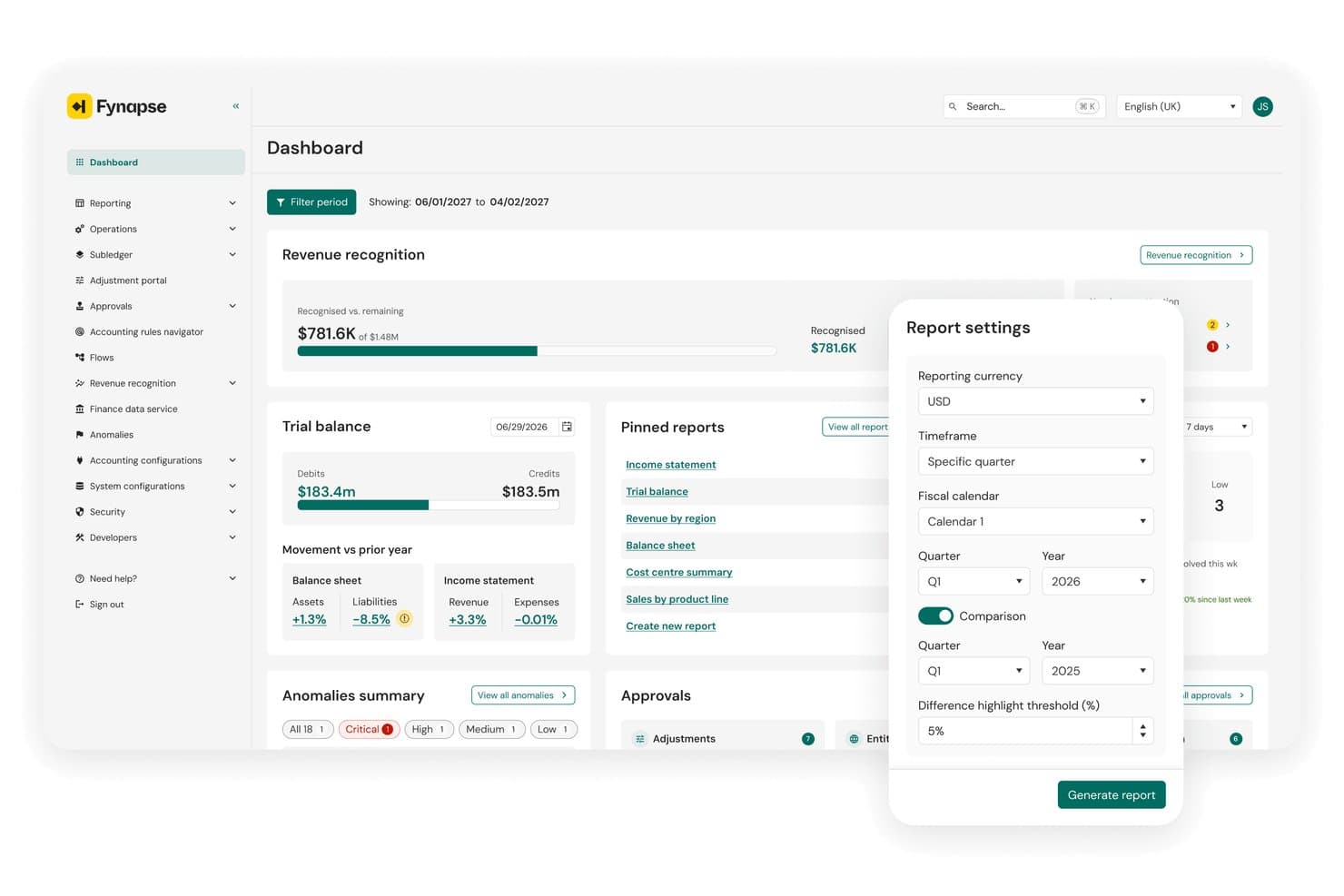
Aptitude lets users generate comparison reports by quarter and fiscal calendar. My Evaluation Score
- Media Systems Integration
- 3/5
- Segmented Financial Reporting
- 4/5
- Advertising Revenue Management
- 2/5
- Subscription Revenue Accounting
- 5/5
- Multi-Entity & Publication Accounting
- 5/5
- Media Payables & Contributor Accounting
- 2/5
Aptitude is an enterprise finance platform that combines subscription lifecycle management, automated revenue recognition, and multi-entity accounting for media and publishing organizations.
Who Is Aptitude Best For?
Aptitude fits multinational media holding companies that need to consolidate financials across multiple titles, entities, and currencies under a single, compliance-ready platform.
Why I Picked Aptitude
I picked Aptitude as one of the best because its Fynapse platform handles true multi-GAAP, multi-entity accounting across currencies from a single source, which is exactly what a holding company managing titles like Berliner Zeitung or dmg media's portfolio actually needs. Its eSuite and RevStream combination automates deferred revenue schedules and ASC 606/IFRS 15 compliance for print and digital subscriptions without manual intervention. I also rate its zero-day close capability highly, since real-time P&L across entities removes the consolidation bottleneck that typically defines month-end for multinational media finance teams.
Aptitude Key Features
- Subscriber lifecycle management: eSuite handles acquisition, billing, retry logic, subscription holidays, and churn tools for print, digital, and hybrid subscription bundles from a single platform.
- No-code offer configuration: Commercial teams can launch new subscription products, promotions, and pricing tiers without IT involvement.
- Standalone selling price (SSP) engine: RevStream automates transaction price allocation across multi-element contracts to support accurate revenue recognition.
- Finance-owned chart of accounts: Fynapse lets finance teams modify their chart of accounts and accounting rules directly, without IT dependency.
Aptitude Integrations
Aptitude has documented integrations with SAP S/4HANA, Oracle Fusion Cloud, Microsoft Dynamics 365, NetSuite, BDL, Forward Publishing, and Livingdocs, plus a Brightcove Marketplace integration. Open REST APIs support custom connections.
Pros and Cons
Pros:
- No-code launch of new subscription products
- Automates ASC 606 and IFRS 15 compliance
- Real-time P&L across multiple entities
Cons:
- No royalty or contributor payment engine
- No native advertising order system integration
Learn more about Aptitude: Best for newspaper ad order-to-cash billing
- Free demo available
- Pricing upon request
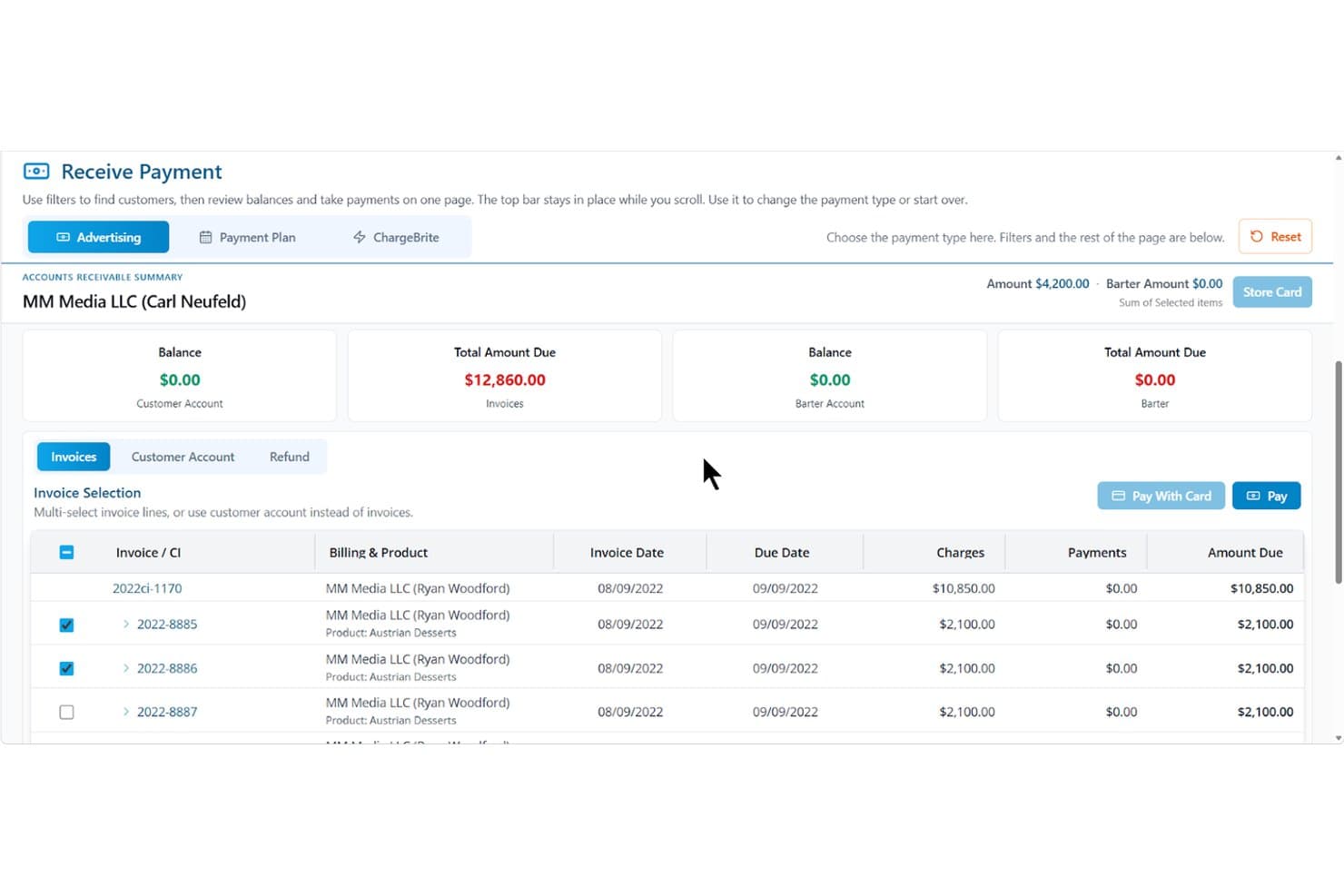
The Newspaper Manager streamlines invoice payments and billing in one view. My Evaluation Score
- Media Systems Integration
- 5/5
- Segmented Financial Reporting
- 3/5
- Advertising Revenue Management
- 5/5
- Subscription Revenue Accounting
- 3/5
- Multi-Entity & Publication Accounting
- 2/5
- Media Payables & Contributor Accounting
- 1/5
The Newspaper Manager is a cloud-based publishing CRM and billing platform built specifically for newspaper and media publishers, covering ad order management, subscription billing, accounts receivable, and reporting across print, digital, and bundled media channels.
Who Is The Newspaper Manager Best For?
The Newspaper Manager is a strong fit for advertising billing managers and circulation teams at newspaper publishers who need a dedicated platform to manage the full ad order-to-cash cycle.
Why I Picked The Newspaper Manager
I picked The Newspaper Manager because it's the only tool on my list built exclusively around the newspaper ad order-to-cash cycle. From the moment a proposal is created, it moves through contracts, insertion orders, and invoicing without leaving the platform. I especially like the two-way Google Ad Manager sync, which reconciles digital impression data directly against billing records, so there's no manual cross-referencing when closing out a digital campaign.
The Newspaper Manager Key Features
- Multi-currency billing: Issue proposals, insertion orders, invoices, and statements in multiple currencies, with payment gateways assignable by rate card.
- Flex Reports: Build custom reports by combining any data points and custom fields into configurable views accessible to specific users or your whole team.
- Subscription renewal automation: Configure renewal workflows tied to order renewal dates, including one-click renewals, dunning sequences, and win-back campaigns.
- Rate card management: Set up word, line, flat, inch, and modular size rates to automate pricing across print and digital ad orders.
The Newspaper Manager Integrations
The Newspaper Manager integrates with QuickBooks, Xero, Sage, Epicor, Microsoft Dynamics GP, and Google Ad Manager for accounting, billing, and digital ad reconciliation. It also connects with Stripe, Authorize.net, CardConnect, and Plug'NPay, with API-based flows available for custom exchange.
Pros and Cons
Pros:
- Automated subscription renewal and dunning tools
- Google Ad Manager sync for digital billing
- Ad order-to-cash workflow built for publishers
Cons:
- Limited multi-entity or cross-edition consolidation
- No native general ledger or accounts payable
Learn more about The Newspaper Manager: Best for multi-entity publisher consolidation
- Free demo available
- Pricing upon request
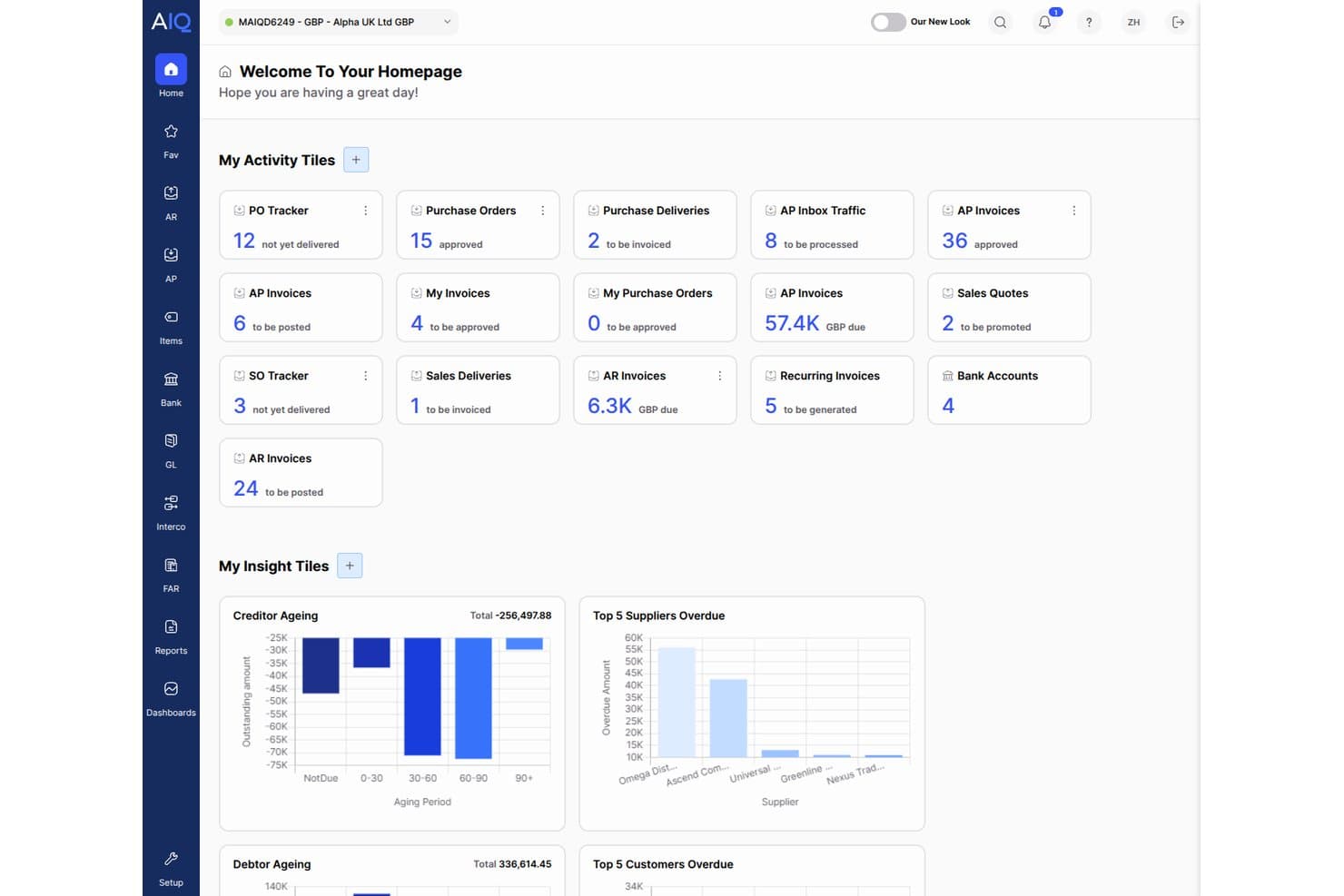
AccountsIQ centralizes financial activity with real-time dashboard tiles. My Evaluation Score
- Media Systems Integration
- 3/5
- Segmented Financial Reporting
- 4/5
- Advertising Revenue Management
- 3/5
- Subscription Revenue Accounting
- 2/5
- Multi-Entity & Publication Accounting
- 5/5
- Media Payables & Contributor Accounting
- 3/5
AccountsIQ is a cloud-native group accounting platform that handles multi-entity consolidation, dimensional GL reporting, accounts payable automation, and recurring invoicing across complex publishing and media group structures.
Who Is AccountsIQ Best For?
AccountsIQ is a strong fit for mid-market media groups and multi-title publishers that need to consolidate financials across multiple entities without the cost and complexity of a full ERP.
Why I Picked AccountsIQ
AccountsIQ earns its spot on my shortlist because of how well it handles multi-entity consolidation for media groups managing several publications under one roof. I'm particularly impressed by its one-click consolidation across up to 300 entities, with automated intercompany eliminations and multi-currency FX translation built in. The New Statesman Media Group runs 17 entities through it, with Salesforce feeding ad invoices directly into the ledger, which shows how a real publishing group actually uses it.
AccountsIQ Key Features
- Multi-dimensional GL coding: Assign up to six analysis dimensions per entity—such as publication, channel, or revenue stream—to segment financials without bloating your chart of accounts.
- Recurring sales invoice automation: Generate invoices on weekly, monthly, or custom schedules to support subscription billing workflows across multiple titles.
- Open REST API: Connect advertising booking systems, CRM platforms, or circulation tools to AccountsIQ for automated invoice creation and AR management.
- Power BI OData connector: Pull live financial data directly into Power BI dashboards to build custom media reporting beyond the 250+ prebuilt reports.
AccountsIQ Integrations
AccountsIQ offers 100+ marketplace integrations, including Salesforce, Stripe, GoCardless, Chaser, Power BI, Shopify, and WooCommerce. Its open REST API supports custom connections to advertising booking systems, while the Excel Add-In provides live financial data.
Pros and Cons
Pros:
- Proven in media with real publisher case studies
- Granular financial reporting by publication or revenue stream
- Multi-entity consolidation handles publisher group structures
Cons:
- No native ad server or circulation platform connectors
- No automated deferred revenue or subscription recognition
Learn more about AccountsIQ: Best for multi-entity financial compliance
- Free demo available
- From £1,200/month
Visit WebsiteCustomer Rating:4.3/5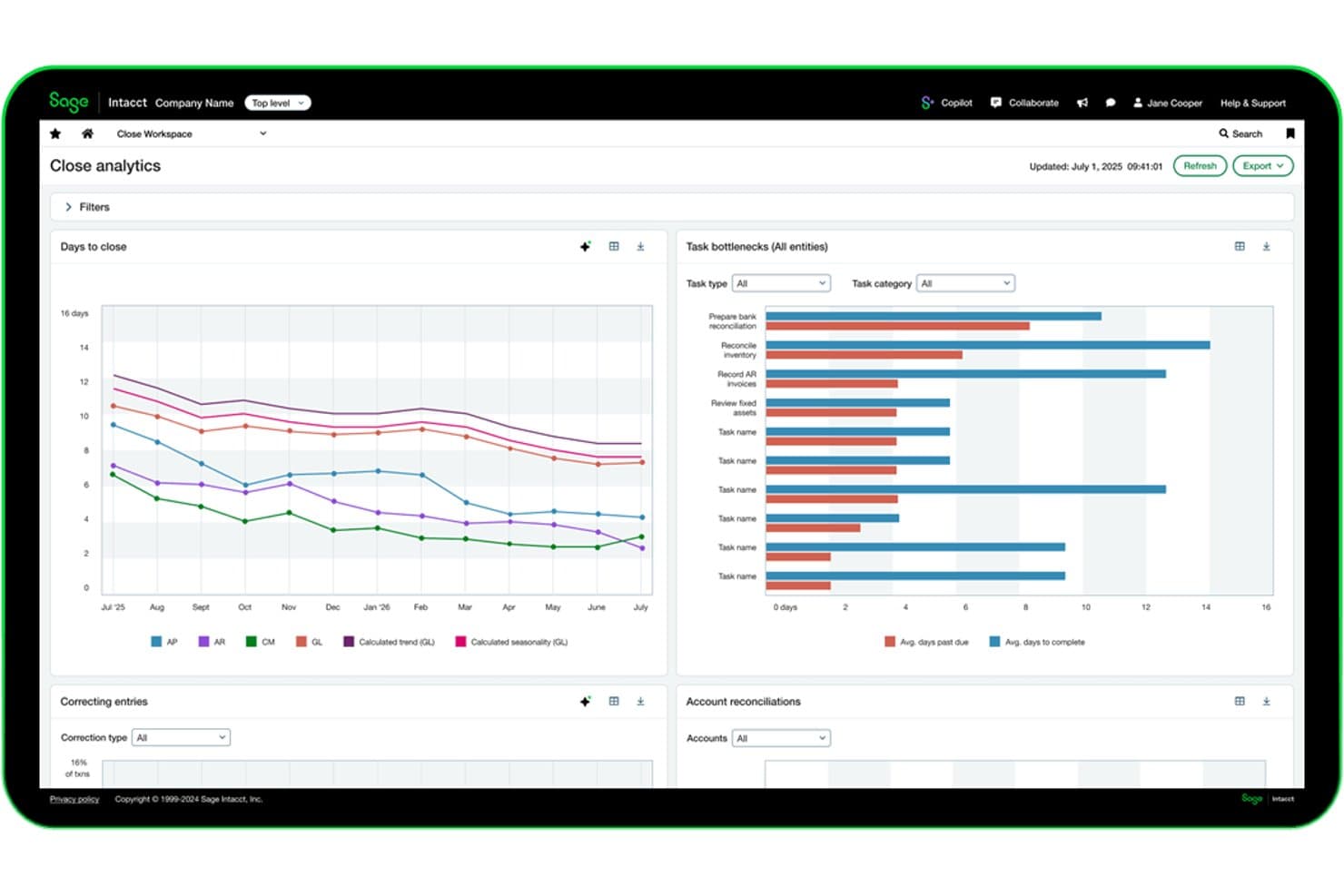
Sage Intacct tracks close cycle bottlenecks and reconciliations in real time. My Evaluation Score
- Media Systems Integration
- 3/5
- Segmented Financial Reporting
- 5/5
- Advertising Revenue Management
- 2/5
- Subscription Revenue Accounting
- 5/5
- Multi-Entity & Publication Accounting
- 5/5
- Media Payables & Contributor Accounting
- 3/5
Sage Intacct is a cloud financial management platform built for multi-entity organizations, offering a multi-dimensional general ledger, subscription billing, automated revenue recognition, and consolidated reporting across entities, currencies, and dimensions.
Who Is Sage Intacct Best For?
Sage Intacct is a strong fit for media holding companies and multi-title publishers that need audit-grade financial controls and consolidated reporting across entities.
Why I Picked Sage Intacct
Sage Intacct earns its spot on my shortlist because no other mid-market platform handles multi-entity consolidation at the scale media holding companies actually need. I'm talking about consolidating hundreds of entities in minutes, with automated intercompany eliminations running across currencies and hierarchies simultaneously. Its multi-dimensional GL lets you tag every transaction across titles, platforms, and geographies, so you can pull a publication-level P&L without maintaining a bloated chart of accounts. Add native ASC 606 and IFRS 15 revenue recognition for subscription billing, and you have audit-grade financial compliance built in, not bolted on.
Sage Intacct Key Features
- Subscription billing module: Supports recurring, usage-based, tiered, milestone, and hybrid billing models with automated deferred revenue schedules for subscription publishers.
- ASC 606 and IFRS 15 revenue recognition: Native compliance built in collaboration with FASB, covering multi-element contracts and complex bundled billing arrangements.
- 1099-NEC and 1099-MISC generation: Automates tax form preparation for US-based freelancer and vendor payments, with third-party e-filing integrations available.
- Finance Intelligence Agent: Lets finance teams query financial data using natural language, reducing manual reporting work during close cycles.
Sage Intacct Integrations
Sage Intacct has 350+ marketplace integrations, including Tipalti, Workato, and DataBlend, plus a native Salesforce integration. REST and XML/SOAP APIs support custom connections, but no media-specific ad, circulation, or publishing CRM connectors are documented.
Pros and Cons
Pros:
- Dimensional GL enables segmented publication P&Ls
- Automated ASC 606 and IFRS 15 compliance
- Multi-entity consolidation across publications and brands
Cons:
- Media system integrations require custom development
- No native ad or circulation workflows
Learn more about Sage Intacct: Best for ad-to-cash billing across print and digital
- Free demo available
- Pricing upon request
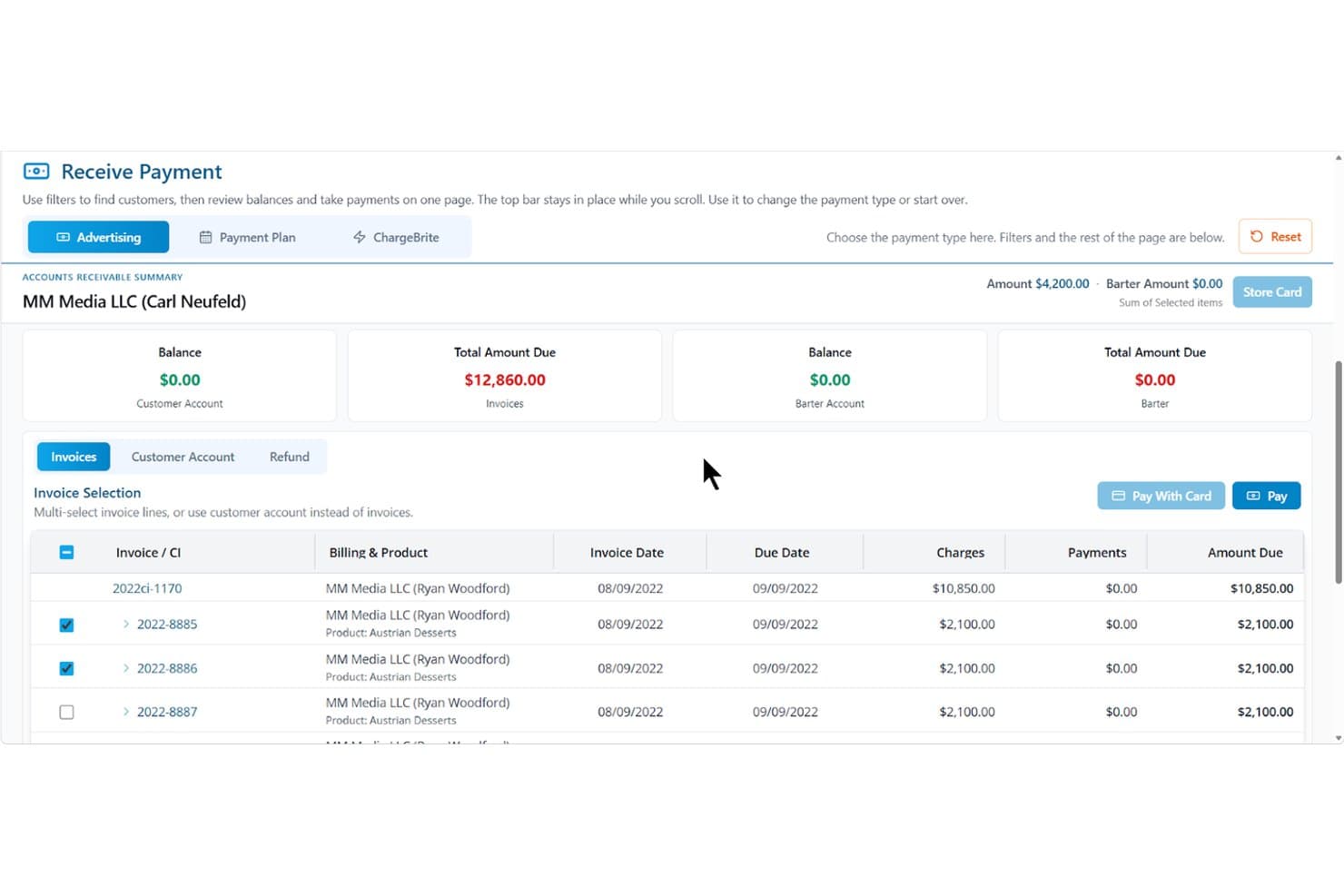
The Magazine Manager streamlines invoice payments and accounts receivable tracking. My Evaluation Score
- Media Systems Integration
- 4/5
- Segmented Financial Reporting
- 4/5
- Advertising Revenue Management
- 5/5
- Subscription Revenue Accounting
- 4/5
- Multi-Entity & Publication Accounting
- 3/5
- Media Payables & Contributor Accounting
- 1/5
The Magazine Manager is a publishing-focused revenue management platform that covers ad order management, subscription billing, accounts receivable, and financial reporting for print and digital media operations.
Who Is The Magazine Manager Best For?
The Magazine Manager fits small-to-mid-size magazine publishers whose revenue runs through ad sales and subscriptions—and who need those two billing streams managed in one place.
Why I Picked The Magazine Manager
I picked The Magazine Manager because it's the only tool on my list built specifically around ad-to-cash billing, covering the full cycle from insertion order to invoice to payment collection across both print and digital channels. I especially like how multi-issue ad contracts auto-generate invoices on scheduled run dates, and how the Google Ad Manager two-way sync reconciles billed amounts against actual delivered impressions without any manual re-keying. ChargeBrite, the native subscription billing engine, keeps subscription AR in the same system as ad AR, so nothing falls through the cracks at month-end.
The Magazine Manager Key Features
- Client payment portal: Advertisers can view invoices, upload ad creative, and pay electronically at any time through a secure self-serve portal.
- Sales rep performance tracking: Monitors calls logged, proposals sent, deals closed, and revenue generated against quota targets.
- Issue profitability analysis: Breaks down production costs, ad-to-editorial ratios, and planned vs. actual costs for each print or digital issue.
- Role-based access controls: Restricts data visibility and editing permissions by user role to support segregation of duties across your finance team.
The Magazine Manager Integrations
The Magazine Manager offers 21+ integrations, including QuickBooks, Xero, Sage, Microsoft Dynamics GP, Google Ad Manager, and Stripe. Its REST API supports custom connections to BI tools and data warehouses.
Pros and Cons
Pros:
- Pre-built publishing reports for revenue analysis
- Native subscription billing with unified AR
- Built for ad order-to-cash workflows
Cons:
- Not a true general ledger system
- No native payables or contributor accounting
Learn more about The Magazine Manager: Best for publisher rights and royalty accounting
- Free demo available
- Pricing upon request
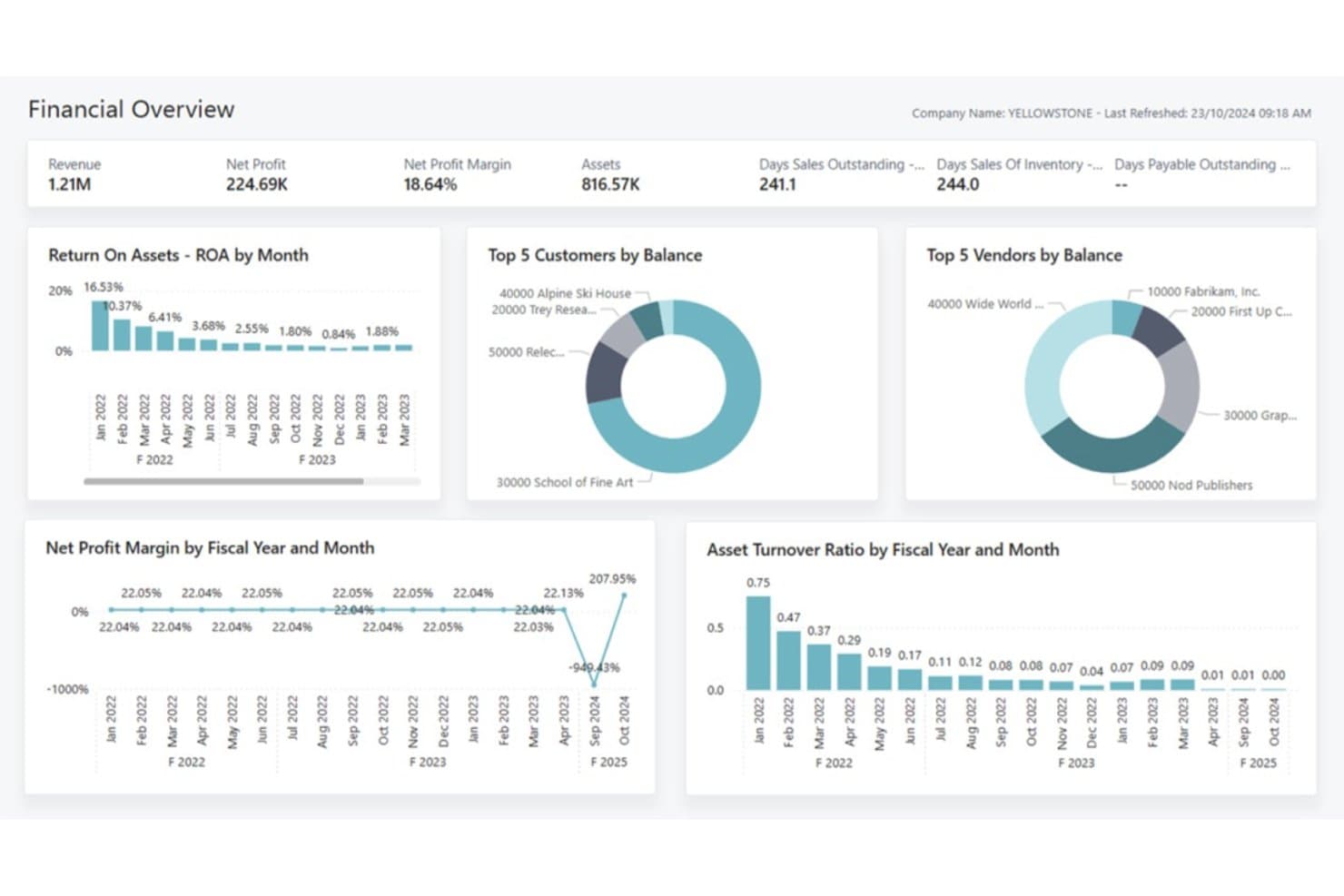
knk Software provides a financial overview dashboard for publishers. My Evaluation Score
- Media Systems Integration
- 4/5
- Segmented Financial Reporting
- 4/5
- Advertising Revenue Management
- 3/5
- Subscription Revenue Accounting
- 5/5
- Multi-Entity & Publication Accounting
- 4/5
- Media Payables & Contributor Accounting
- 4/5
knk Software is a publishing-specific ERP built on Microsoft Dynamics 365 Business Central that covers subscription billing, rights and royalty accounting, multi-entity financial consolidation, and advertising campaign management for media and publishing organizations.
Who Is knk Software Best For?
knk Software is a strong fit for multi-title magazine, academic, and specialty publishers that need publishing-specific financial management built on a familiar Microsoft platform.
Why I Picked knk Software
I picked knk Software as one of the best because its rights and royalty engine goes deeper than anything else I've seen in a publishing ERP. It tracks royalties at the chapter and article level, handles multi-currency and multi-territory splits, and automates royalty statements with full auditability tied directly to the GL. I also like that it manages advances, accruals, and reversals in the same system, so there's no reconciliation gap between what authors are owed and what's posted to the books.
knk Software Key Features
- Multi-entity financial consolidation: Automatically consolidates financial statements across subsidiaries and imprints, with intercompany accounting built into the Business Central foundation.
- Subscription lifecycle management: Handles trials, renewals, cancellations, churn forecasting, and deferred revenue posting across print, digital, and hybrid bundle contracts.
- Cost center and cost unit accounting: Tracks profitability continuously at the individual publication, product, or channel level within the general ledger.
- knk Integration Platform (KIP): A no-code interface layer that connects Business Central to external applications via configurable file formats, scheduled imports, and custom field mapping.
knk Software Integrations
knk Software offers native integrations across the Microsoft ecosystem, including Dynamics 365 Business Central, Power BI, Microsoft 365, SharePoint, and Dynamics 365 CRM. Its knk Integration Platform connects external applications through scheduled imports, exports, field mapping, and configurable file formats, including Adobe InDesign, WordPress, and Drupal.
Pros and Cons
Pros:
- Automates subscription lifecycle and deferred revenue
- Built on Microsoft Dynamics 365 platform
- Tracks royalties to chapter and article level
Cons:
- Limited newspaper publisher case studies available
- Lacks native newspaper circulation integrations
Learn more about knk Software: Best for multi-entity media group reporting
- Free demo available
- Pricing upon request
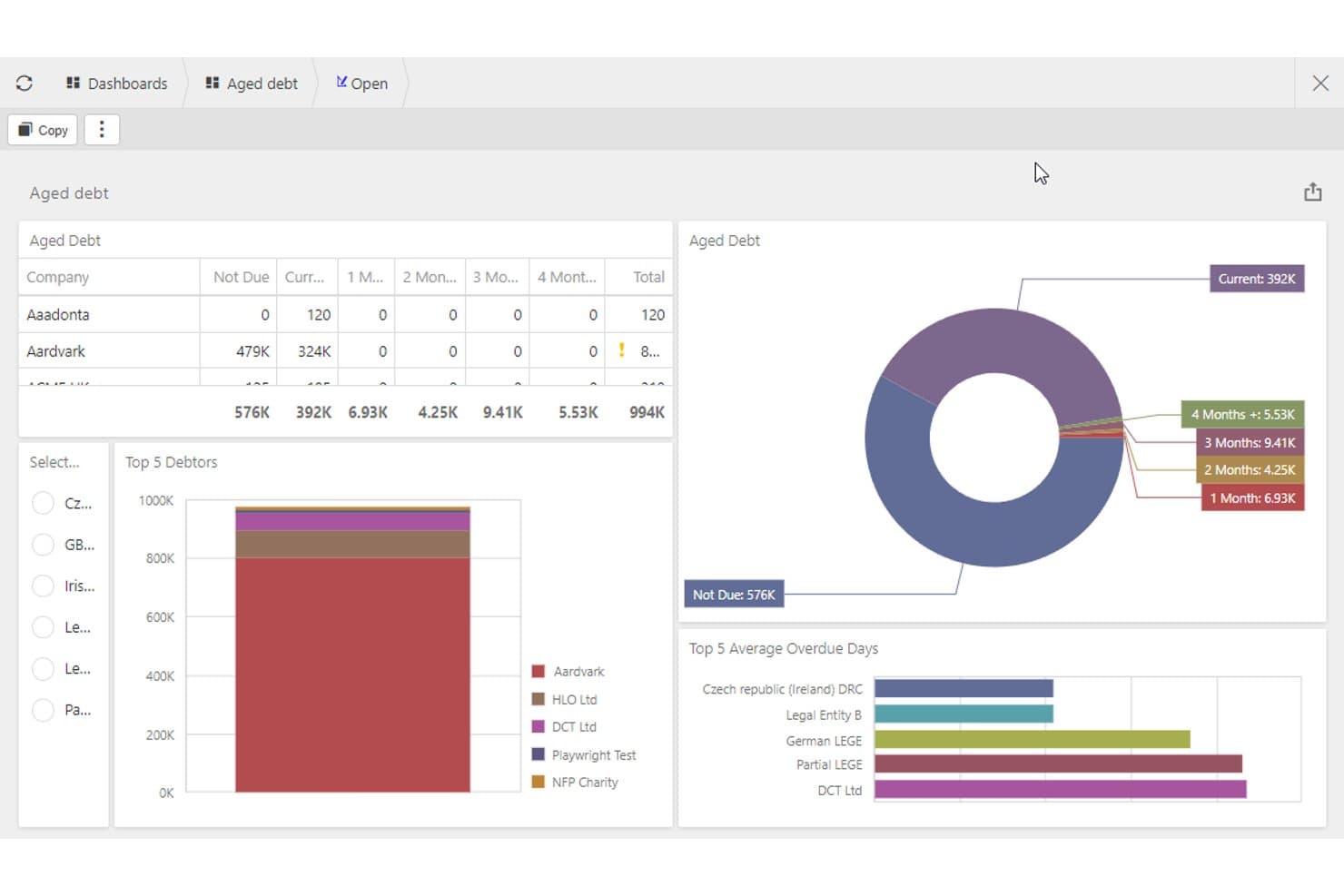
iplicit tracks aged debt and top debtors for media finance teams. My Evaluation Score
- Media Systems Integration
- 3/5
- Segmented Financial Reporting
- 4/5
- Advertising Revenue Management
- 2/5
- Subscription Revenue Accounting
- 4/5
- Multi-Entity & Publication Accounting
- 5/5
- Media Payables & Contributor Accounting
- 3/5
iplicit is a cloud accounting platform built for mid-market, multi-entity organizations that combines group consolidation, automated revenue recognition, unlimited accounting dimensions, and project-level cost tracking across unlimited legal entities.
Who Is iplicit Best For?
iplicit is a strong fit for mid-market media holding companies and multi-title publishers that need real-time group consolidation across multiple legal entities.
Why I Picked iplicit
I picked iplicit as one of the best because its multi-entity consolidation is genuinely built for media holding companies running multiple titles under one group. Real-time consolidated reporting with automated intercompany eliminations means a group controller can close the books across every legal entity without chasing spreadsheets. I also like the unlimited accounting dimensions, which let you slice P&L by publication, channel, or project without bloating your chart of accounts.
iplicit Key Features
- Automated revenue recognition: Deferred revenue is applied from the point of data entry, automating monthly revenue spreading and journal postings without manual intervention.
- Project and sub-project accounting: Costs and revenue can be tracked at the individual title, campaign, or content vertical level using granular project hierarchies.
- Live multi-currency consolidation: XE-integrated exchange rate feeds update consolidated group accounts in real time across all currencies and legal entities.
- Open REST API: A fully documented API covers all major financial objects—from sales invoices to batch payments—enabling custom connections to ad, circulation, and subscription systems.
iplicit Integrations
iplicit offers 10 documented native integrations, including Microsoft Excel, Microsoft Power BI, Salesforce, IRIS Payroll Professional, Lightyear, XE, Unleashed, Cin7, IMP Software, and SBS Financial Planner. It also supports custom connections through its REST API, as well as Besyncly and Zapier.
Pros and Cons
Pros:
- Unlimited custom dimensions for reporting
- Automated deferred revenue recognition workflows
- Real-time multi-entity group consolidation
Cons:
- No pre-built media system integrations
- No native advertising billing features
Learn more about iplicit: Best for ad agency media billing workflows
- Free demo available
- Pricing upon request
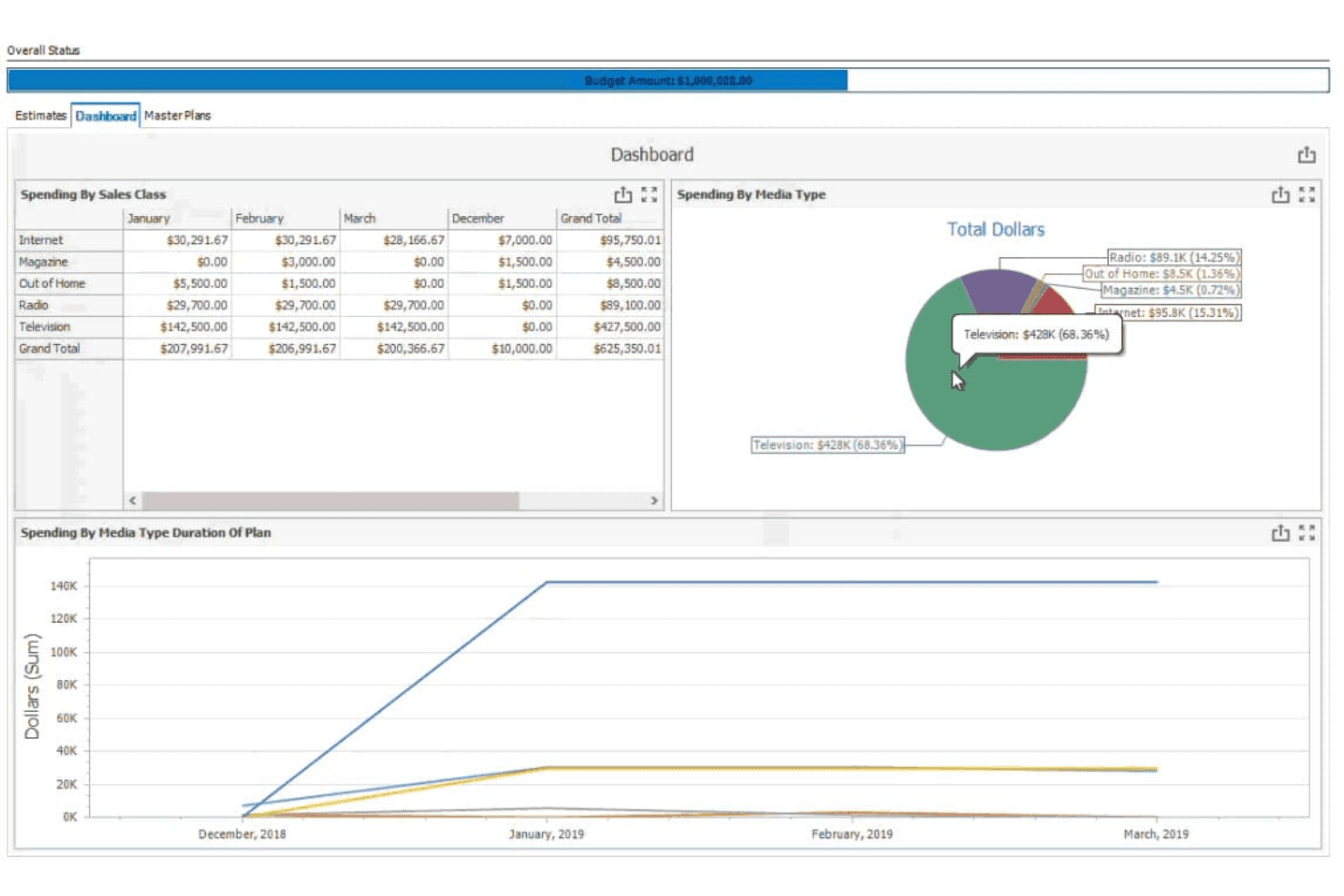
Advantage Media offers accounting solutions for media companies' financial tasks. My Evaluation Score
- Media Systems Integration
- 4/5
- Segmented Financial Reporting
- 4/5
- Advertising Revenue Management
- 5/5
- Subscription Revenue Accounting
- 1/5
- Multi-Entity & Publication Accounting
- 3/5
- Media Payables & Contributor Accounting
- 3/5
Advantage Media is an advertising agency ERP that covers media billing, multi-channel order-to-cash, makegood management, and accounts payable within a single platform built specifically for agency and media-buying workflows.
Who Is Advantage Media Best For?
Advantage Media is a strong fit for advertising agencies and in-house media buying teams that need end-to-end billing and reconciliation across broadcast, digital, print, and out-of-home channels.
Why I Picked Advantage Media
I picked Advantage Media because no other tool on this list handles ad agency media billing with this level of specificity. Its Billing Command Center consolidates every billable across broadcast, digital, print, and out-of-home in one place, while the Billing Rate Hierarchy automates the correct billing logic by client, division, or office. I also love the built-in makegood management, where vendors submit proposals through a portal, and approvals automatically update schedules and send revised orders.
Advantage Media Key Features
- 4A's invoice matching: Imports and matches broadcast media invoices in the 4A's standard format, using financial and detail criteria like rate, time, schedule, and ad number.
- Media liability tracking: Automatically accrues and tracks media liability across all active orders in real time.
- Self-service report writer: A built-in dashboard and report editor lets users build custom GAAP-compliant financial reports with full drill-down to source transactions.
- AdvantagePay digital payments: Integrates with Edenred Pay and AvidXchange to automate supplier payments across a network of 70,000+ media vendors.
Advantage Media Integrations
Documented integrations include QuickBooks Online, Strata/StrataConnect, COREMedia, Google DV360, Simpli.fi, Avalara AvaTax, Edenred Pay, AvidXchange, TSYS, Nielsen, Comscore, and Eastlan.
Pros and Cons
Pros:
- Automated 4A's invoice import and matching
- Handles agency commissions and makegood management
- Specializes in multi-channel ad billing workflows
Cons:
- Lacks contributor royalty and syndication tools
- No subscription or circulation revenue features
Learn more about Simpli.fi Advantage:
Other Media and Newspaper Accounting Software
Here are some additional media and newspaper accounting software options that didn’t make it onto my shortlist, but are still worth checking out:
- 11DualEntryBest for ASC 606 subscription revenue at scale
- 12Zoho BooksBest for automated accounting workflows
- 13ChargebeeBest for digital subscription revenue recognition
- 14WorkamajigBest for agency media buying and commission billing
- 15AccountScoutBest for subscription billing across print and digital
- 16SmartPublisherBest for newspaper ad billing management
- 17NetSuite for Media & PublishersBest for ERP-scale multi-title media consolidation
- 18KlopotekBest for book publisher royalty contract accounting
Related Reviews
How I Evaluate Media and Newspaper Accounting Software
I split my evaluation into baseline criteria every tool must meet—like deferred revenue and multi-entity reporting—and differentiators like ad system integrations and agency commission handling.
Core Functionality (Table Stakes For This List)
When I'm selecting tools for my list, I rank each one on a scale from 0 (does not offer the functionality) to 5 (excels in this area) for each core functionality listed below. I then calculate the tool's total score into a percentage, using 55% as a benchmark to help assess its overall fit for the list.
- Advertising Revenue Management: I look for how well each tool handles campaign-based billing, multi-channel invoicing, and AR workflows—whether natively or through ad-system integrations.
- Subscription Revenue Accounting: I evaluate support for deferred revenue schedules, recurring billing, and credits or refunds tied to subscriber lifecycle events like cancellations and plan changes.
- Multi-Entity & Publication Accounting: I check whether a tool can consolidate financials across multiple titles or imprints—not just store them separately, but actually produce unified reporting.
- Segmented Financial Reporting: How configurable is the GL? I look for the ability to slice P&Ls by publication, channel, or department without needing custom workarounds every reporting cycle.
- Media Payables & Contributor Accounting: I consider how each platform handles payments to freelancers, contributors, and syndication partners—including any support for contract-based or royalty-style payment structures.
- Media Systems Integration: I evaluate whether a tool connects meaningfully with advertising, circulation, or subscription platforms—looking for real data exchange, not just manual file imports.
Once I have a list of tools that meet the criteria, I consider what sets each platform apart.
Differentiating Factors (What Sets Vendors Apart)
Here's how I compare and contrast different vendors:
Standout Features
Ad traffic system sync is where I focus first—I look for bidirectional connectors to platforms like Google Ad Manager or Operative that move insertion orders and delivered impressions directly into AR. I also evaluate agency commission automation, particularly how a tool handles net-vs-gross invoicing and sequential liability rules without manual workarounds. For publishers managing freelancers and syndication partners, I check whether a rights and royalty engine can calculate tiered rates and generate contributor statements tied to actual contract terms.
Beyond Features
Publishing industry fit matters more than most buyers expect. I look for vendors with a real book of newspaper or magazine clients—not just generic SMB references—and check whether they participate in groups like the News Media Alliance or INMA. Compliance depth is another area I dig into: ASC 606 and IFRS 15 support for bundled ad and subscription contracts, SOC 1 and SOC 2 Type II attestations, and high-volume 1099 handling are non-negotiable for PE-backed or publicly traded publishers. I also consider whether the GL architecture can scale across dozens of entities without exploding the chart of accounts.
How to Choose Media and Newspaper Accounting Software
It’s easy to get bogged down in long feature lists and complex pricing structures. To help you stay focused as you work through your unique software selection process, here’s a checklist of factors to keep in mind:
| Factor | What to Consider |
| Scalability | Ensure the software can grow with your business, handling increased data and user needs. |
| Integrations | Check if it integrates with your existing tools, ad management solutions, and other billing software. |
| Customizability | Look for software that lets you tailor features to match your team's specific workflows. |
| Ease of Use | Choose a user-friendly interface that your team can quickly configure and adapt to without extensive training. |
| Budget | Evaluate the total cost of ownership, including hidden fees or additional user charges. |
| Security Safeguards | Verify the software offers strong data protection and compliance with industry standards. |
| Support | Consider the availability of customer support and training resources to assist your team. |
| Reporting Features | Make sure it provides detailed financial reports that meet your media business's needs. |
Trends in Media and Newspaper Accounting Software
In my research, I sourced countless product updates, press releases, and release logs from different media and newspaper accounting software vendors. Here are some of the emerging trends I’m keeping an eye on:
- AI-Driven Insights: More vendors are integrating AI to deliver actionable insights. This helps users make better financial decisions by analyzing patterns and predicting trends. Some tools even now offer AI-powered forecasting to help businesses plan their finances more accurately.
- Blockchain for Transparency: Currently, blockchain is being adopted to increase transaction transparency and security. This is especially useful for tracking advertising revenues and ensuring accurate royalty payments.
- Personalized Dashboards: Customizable dashboards are becoming more popular in recent years, allowing users to tailor their financial views. These types of dashboards help teams focus on what's most important to their operations. Overall, they’re particularly useful for teams needing to monitor specific metrics regularly.
- Sustainability Tracking: Some vendors are adding features that track the environmental impact of financial operations. This trend is driven by companies wanting to align their finances with sustainability goals.
- Remote Collaboration Tools: With more teams working remotely, tools that support collaboration are emerging. These features allow teams to work together on financial tasks from different locations, improving productivity and communication.
What Is Media and Newspaper Accounting Software?
Media and newspaper accounting software is designed to manage the financial aspects of media and publishing businesses. These tools are typically used by accountants, financial analysts, and managers in media companies who need to handle billing, revenue tracking, and financial reporting.
These solutions generally include key features like automated billing, subscription management, and real-time analytics to help users with accuracy, efficiency, and decision-making. Overall, media and newspaper accounting software (whether on-premise or cloud-based) provides essential support for managing finances in a complex industry, helping users stay organized and informed.
Features
Here are the core features any great media and newspaper accounting software should have:
- Automated Billing: Streamlines invoicing processes by automatically generating and sending invoices, saving time and reducing errors.
- Subscription Management: Manages recurring billing cycles and subscriber accounts, ensuring consistent revenue flow and profitability.
- Real-Time Analytics: Provides up-to-date insights into financial data, helping teams make informed decisions quickly.
- Customizable Dashboards: Allows users to tailor their view of financial metrics, focusing on the most relevant information for their operations.
- Ad Revenue Tracking: Monitors advertising income to ensure accurate financial reporting and revenue allocation.
- Compliance Reporting: Offers tools to help businesses adhere to financial regulations and standards, reducing compliance risks.
- Role-Based Access Controls: Ensures that only authorized personnel can access sensitive financial information, enhancing security.
- Project Time Tracking: Tracks time spent on projects to ensure accurate billing and resource allocation.
- Multi-Currency Support: Handles transactions in different currencies, making it essential for businesses or nonprofits operating globally.
- Sustainability Tracking: Measures the environmental impact of financial operations, supporting companies' sustainability goals.
Benefits
Implementing media and newspaper accounting software provides several benefits for your team and your business. Here are a few you can look forward to:
- Increased Efficiency: Automated billing and subscription management save time and reduce manual errors, allowing your team to focus on more strategic tasks.
- Improved Financial Insights: Real-time analytics and customizable dashboards offer up-to-date financial data, helping you make informed decisions quickly.
- Enhanced Security: Role-based access controls protect sensitive financial information, ensuring that only authorized users can access it.
- Better Compliance: Compliance reporting tools help your business adhere to financial regulations, minimizing risks of non-compliance.
- Global Reach: Multi-currency support allows you to handle international transactions easily, expanding your business's global operations.
- Sustainability Focus: Sustainability tracking features help you monitor and reduce your business's environmental impact, aligning with corporate social responsibility goals.
- Accurate Billing: Project time tracking ensures that billing is precise, improving client satisfaction and revenue accuracy.
Costs and Pricing
Selecting media and newspaper accounting software requires an understanding of the various pricing models and plans available. Costs vary based on features, team size, add-ons, and more. The table below summarizes common plans, their average prices, and typical features included in media and newspaper accounting software solutions:
Plan Comparison Table for Media and Newspaper Accounting Software
| Plan Type | Average Price | Common Features |
| Free Plan | $0 | Basic invoicing, limited reporting, and community support. |
| Personal Plan | $5-$25/user/month | Automated billing, subscription management, and email support. |
| Business Plan | $30-$60/user/month | Real-time analytics, multi-currency support, and priority support. |
| Enterprise Plan | $75-$150/user/month | Customizable dashboards, compliance reporting, and dedicated account management. |
FAQs
Here are some answers to common questions about media and newspaper accounting software:
Can media accounting software handle multiple currencies?
Yes, many media accounting software solutions offer multi-currency support. This feature is essential for businesses operating internationally, as it allows you to manage transactions in various currencies without manual conversion. Check if the software updates exchange rates automatically for the most accurate reporting.
How important is cloud integration for media accounting software?
Cloud integration is crucial as it allows your team to access financial data from anywhere, facilitating remote work and collaboration. It also ensures data is backed up securely and updated in real-time. Choose software that offers robust cloud capabilities to enhance productivity.
What kind of reports can I generate with media accounting software?
You can generate a wide range of reports, from financial statements to ad revenue analytics and subscription summaries. These reports provide insights into your business’s financial health, helping you make informed decisions. Ensure the software offers customizable reporting to meet your specific needs.
How secure is media accounting software?
Security is a top priority, with many solutions offering features like role-based access controls and data encryption. These measures protect sensitive financial information from unauthorized access. Review the security features of each software to ensure it meets your company’s standards.
What support options are available for media accounting software?
Most vendors offer various support options, including online help centers, email support, and live chat. Some provide dedicated account managers for personalized assistance. Evaluate the support services included in the pricing plan to ensure you get the help you need when you need it.