


BILL vs. Expensify: Comparison and Expert Reviews for 2026



Choosing between BILL and Expensify can feel like a headache when you’re trying to keep your business running smoothly. If you’re dealing with slow reimbursements, confusing approvals, or just too much manual work, you’re not alone. Both options promise to simplify your expense and overall financial management software workflow, but each brings unique strengths and quirks.
In this article, you’ll get a straightforward comparison of BILL and Expensify—including pros and cons, use cases, pricing info, security features, and usability tips—so you can decide which tool fits your goals best.
BILL vs. Expensify: An Overview
Expensify


Why Trust Our Software Recommendations
Our team has been testing and reviewing software since 2012. As finance leaders ourselves, we know how difficult—and important—it is to choose the right software.
For this guide, we evaluated tools using hands-on testing and independent research, scoring tools using our selection criteria.
Our reviews reflect our human editorial judgment, not a sales pitch.
BILL vs. Expensify Pricing Comparison
| BILL | Expensify | |
|---|---|---|
| Free Trial | Free plan + free demo available | Not available |
| Pricing | From$49/user/month | From $5/user/month |
BILL vs. Expensify Pricing & Hidden Costs
BILL uses tiered per-user pricing for its AP/AR platform, with additional transaction-based fees for ACH payments, checks, card payments, and international transfers. However, BILL also offers a separate Spend & Expense product with no per-user software fees, including corporate cards, budgeting, reimbursements, and spend controls. Expensify uses per-user pricing as well, though its structure varies between the simpler Collect plan and the more conditional Control plan, where pricing can depend on annual commitments and Expensify Card usage.
In both cases, costs can rise as your company adds users, increases payment volume, or adopts more advanced automation and integrations. I’d recommend looking beyond the base subscription price and evaluating which workflows matter most to your finance team.
BILL vs. Expensify Feature Comparison
BILL and Expensify both help finance teams automate approvals, expense tracking, reimbursements, receipt capture, and accounting synchronization. Each platform supports customizable approval workflows, corporate card management, and integrations with major accounting systems like QuickBooks, NetSuite, Xero, and Sage Intacct. They also both use AI-driven automation to reduce manual data entry and improve visibility into company spending.
The biggest differences come down to workflow depth and end-user experience. BILL stands out with built-in operational spend management, AP and AR automation, vendor onboarding and 1099 management, and broader payment operations that include ACH, checks, virtual cards, and international payments in one platform. Expensify is more differentiated around employee spend management, offering a highly polished mobile experience, integrated travel booking, flexible receipt submission options, and Concierge AI built directly into expense workflows.
| BILL | Expensify | |
|---|---|---|
| 2-Factor Authentication | ||
| API | ||
| Dashboard | ||
| Data Export | ||
| Data Import | ||
| Data Visualization | ||
| Expense Tracking | ||
| External Integrations | ||
| Multi-User | ||
| Notifications | ||
| Payroll |
BILL vs. Expensify Integrations
| Integration | BILL | Expensify |
|---|---|---|
| QuickBooks Online | ✅ | ✅ |
| Xero | ✅ | ✅ |
| NetSuite | ✅ | ✅ |
| Sage Intacct | ✅ | ✅ |
| Microsoft Dynamics 365 | ✅ | ✅ |
| Gusto | ✅ | ✅ |
| Uber | ❌ | ✅ |
| Slack | ✅ | ❌ |
| API | ✅ | ✅ |
| Zapier | ❌ | ❌ |
Both BILL and Expensify integrate with major accounting platforms like QuickBooks Online, Xero, NetSuite, Sage Intacct, Microsoft Dynamics 365, and Gusto, giving finance teams solid coverage for core accounting and payroll workflows. BILL tends to focus more heavily on ERP, AP/AR, banking, and financial operations integrations, while Expensify offers a broader ecosystem around travel, HR, rideshare, and employee expense workflows through integrations with tools like Uber, Lyft, Workday, and Navan. Both platforms also provide API access for custom integrations, though neither appears to offer a native Zapier integration based on the current product materials.
BILL vs. Expensify Security, Compliance & Reliability
| Factor | BILL | Expensify |
|---|---|---|
| Data Encryption | Encrypts customer data at rest and uses TLS protection during data transfer. | Uses HTTPS/TLS encryption, encrypted internal traffic, and strict access controls. |
| Regulatory Compliance | Annual SOC 1 Type II and SOC 2 Type II audits plus PCI-compliant payment protections. | SOC 1 Type II, SOC 2 Type II, PCI DSS 4.0.1, GDPR, and CCPA compliance resources. |
| User Access Controls | Supports role-based permissions and mandatory MFA for sensitive admin workflows. | Supports role-based permissions, SAML SSO, domain controls, and enforced two-factor authentication. |
| Infrastructure & Reliability | Uses redundant secure data centers and AWS-based backup infrastructure for resiliency. | Public trust center and status page with documented uptime and operational transparency. |
| Fraud & Payment Protection | Includes advanced pay protections, duplicate detection, audit trails, and in-house payment processing. | Uses AI-powered policy checks, automated expense flagging, and transaction-level monitoring. |
Both BILL and Expensify provide strong security, compliance, and fraud protection capabilities, including SOC audits, encryption, role-based permissions, and payment safeguards. BILL stands out more for AP/AR security controls and payment protection features, while Expensify differentiates itself with a highly transparent Trust Center, broader published compliance documentation, and stronger identity management features like SAML SSO and domain-level controls.
BILL vs. Expensify Ease of Use
| Factor | BILL | Expensify |
|---|---|---|
| User Interface | Clean, finance-focused interface built around AP, AR, and payment workflows. | Modern, intuitive interface designed for fast expense submission and approvals. |
| Mobile Experience | Mobile app supports approvals, payments, and expense management on the go. | Mobile-first experience makes receipt capture and reimbursements especially easy. |
| Setup & Onboarding | Straightforward for SMBs, though ERP syncs and advanced workflows require more setup. | Easy employee onboarding, but admin setup becomes more involved with rules and integrations. |
| Support Resources | Offers onboarding sessions, live chat, phone support, webinars, and help documentation. | Provides Concierge AI, live chat, setup specialists, webinars, and guided onboarding resources. |
| Customization | Strong workflow customization, approval routing, and multi-entity financial controls. | Flexible expense policies and approval rules, though less finance-operations depth than BILL. |
Expensify generally feels easier for employees and mobile users thanks to its highly intuitive expense submission experience and streamlined interface. Since BILL offers a more finance-centric interface built around approvals, payments, AP/AR workflows, and operational controls, I think it does a stronger job balancing usability with deeper financial management capabilities (though the added flexibility can make setup and administration more involved for complex organizations).
BILL vs Expensify: Pros & Cons
BILL
- Built for finance and accounting teams managing AP, AR, spend controls, and payment operations at scale.
- Combines approvals, payments, invoicing, expense management, and corporate cards in one centralized financial workflow.
- Strong accounting integrations streamline AP and AR financial workflows.
- ERP syncs sometimes require manual troubleshooting or cleanup.
- Reporting customization feels limited for complex organizational requirements.
- Transaction and international payment fees can be higher than others.
Expensify
- Excellent mobile experience for fast receipt capture and reimbursements.
- Flexible expense automation with strong travel and card integrations.
- Concierge AI simplifies approvals, submissions, and expense management workflows.
- Chat-first support may frustrate teams wanting direct phone assistance.
- Collect plan charges for inactive users added to workspaces.
- Reporting customization feels limited for highly complex finance organizations.
Best Use Cases for BILL and Expensify
BILL
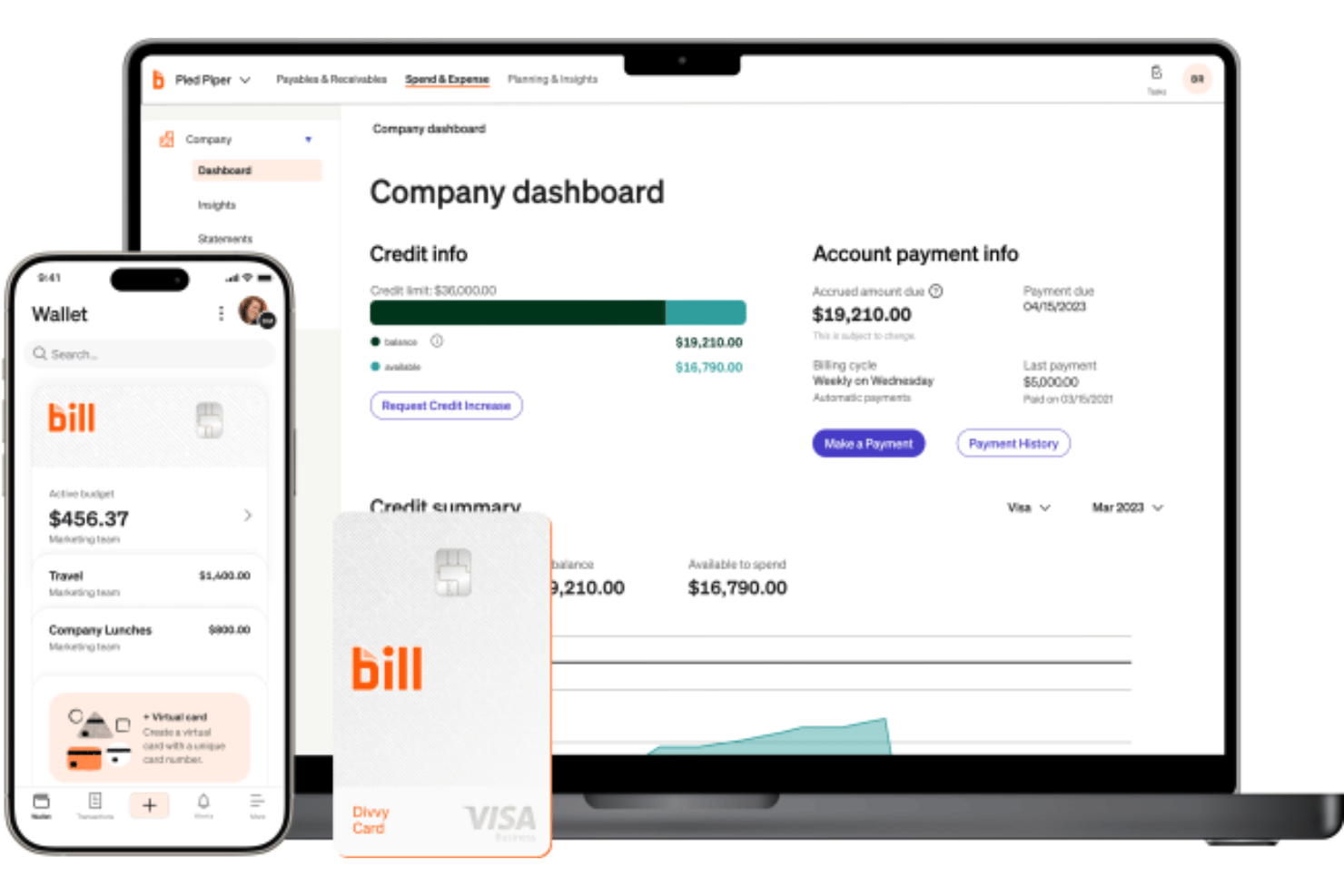
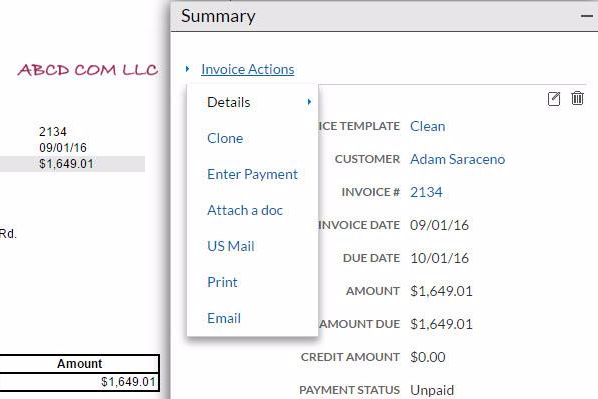
- Midsize Businesses BILL’s automation and approval workflows help growing companies scale financial operations without adopting a full ERP system.
- Accounting & Finance Teams Deep accounting integrations and centralized workflows simplify reconciliations, approvals, and month-end financial management.
- Nonprofits Audit trails, approval controls, and digital payment workflows support stronger financial accountability and compliance oversight.
- Multi-Entity Organizations Centralized controls and shared workflows help finance teams manage subsidiaries, locations, or multiple business units more efficiently.
- Professional Service Firms Recurring vendor payments, invoice management, and streamlined approvals help service-based businesses reduce administrative overhead.
- Businesses with Complex Approval Workflows Custom approval routing and role-based permissions improve oversight for organizations with layered financial approval structures.
Expensify
- Small Businesses Expensify's simple setup and ease of use make it perfect for small businesses without a dedicated IT staff.
- Professional Services Firms Consultants and service-based teams benefit from Expensify’s travel integrations, expense approvals, and client expense tracking capabilities.
- Travel-Heavy Organizations Companies with frequent flights, hotels, rideshare, and business travel can streamline bookings, receipt matching, and reimbursements in one platform.
- Startups Growing startups benefit from Expensify’s fast employee adoption, flexible approvals, and scalable expense workflows as spending increases.
- Remote Teams Remote teams appreciate Expensify's mobile app for on-the-go expense management and tracking.
- Sales Teams Sales organizations with frequent travel and client expenses can quickly capture receipts and automate reimbursement workflows on the go.
Who Should Use BILL, and Who Should Use Expensify?
Overall, I think BILL is the right choice for finance teams that need deeper control over accounts payable, accounts receivable, vendor payments, approvals, and broader financial operations. I’d recommend it for growing SMBs, mid-market companies, multi-entity organizations, and businesses that want to centralize AP, AR, spend management, procurement, and payment workflows in one platform.
It’s especially strong for controllers, accountants, and finance leaders who need structured approval routing, audit visibility, vendor management, and accounting synchronization without adopting a full ERP system.
Expensify is the stronger choice for organizations prioritizing employee expense management, travel workflows, reimbursements, and mobile usability. I think it works best for startups, distributed teams, consulting firms, sales organizations, and companies with frequent travel or receipt-heavy workflows where ease of adoption matters most.
Its intuitive mobile app, flexible receipt capture options, integrated travel booking, and Concierge AI make it particularly appealing for businesses that want employees to submit expenses quickly with minimal training or administrative friction.
Differences Between BILL and Expensify
| BILL | Expensify | |
|---|---|---|
| AI Capabilities | Uses AI agents and embedded automation for invoice coding, vendor onboarding, AP workflows, fraud monitoring, and touchless financial operations. | Uses Concierge AI to automate receipt capture, expense categorization, policy checks, approvals, reimbursements, and chat-based expense management workflows. |
| Accounts Receivable | Includes invoicing, receivables automation, and payment collection workflows. | Limited AR functionality compared to BILL’s broader financial operations focus. |
| Core Focus | Built for AP, AR, vendor payments, and broader financial operations. | Focuses primarily on expense management, reimbursements, and travel workflows. |
| ERP & Accounting Depth | Stronger AP/AR and ERP-oriented financial workflow support (though not a replacement for ERPs). | Strong accounting integrations, but more employee-spend-focused overall. |
| Visit BILLOpens new window | Read Expensify ReviewOpens new window | |
| Mobile Experience | Mobile app supports approvals, payments, and spend management workflows. | Mobile-first design optimized for quick receipt capture and reimbursements. |
| Vendor Management | Supports vendor onboarding, W-9 collection, and 1099 management. | Primarily centered around employees, reimbursements, and expense reporting. |
| Visit BILLOpens new window | Read Expensify ReviewOpens new window |
Similarities Between BILL and Expensify
| Accounting Sync | Each integrates with major accounting systems like QuickBooks, Xero, NetSuite, and Sage Intacct. |
|---|---|
| Approval Workflows | Both support customizable approval routing and policy-based financial controls. |
| Corporate Card Support | Both platforms support company card management, virtual cards, and transaction visibility. |
| Expense Automation | Both automate receipt capture, expense coding, approvals, and reimbursement workflows to reduce manual finance tasks. |
| Visit BILLOpens new window Read Expensify ReviewOpens new window | |
| Global Financial Workflows | Both platforms support multi-currency workflows, international reimbursements or payments, accounting integrations, global policy controls, and centralized visibility for distributed teams operating across multiple countries. |
| Mobile Access | Each offers mobile apps for submitting expenses, approving transactions, and managing spend remotely. |
| Visit BILLOpens new window Read Expensify ReviewOpens new window | |