

EZO Review 2026: Pros, Cons, Features & Pricing


Tracking thousands of assets across multiple sites? Without a solid system, it’s a mess. Since 2011, EZO (previously EZOfficeInventory) has been a cloud-based inventory and asset management tool that helps organizations keep track of everything from IT equipment to construction machinery. Mid-sized businesses and Fortune 500 companies alike use it—often for very different reasons.
But should it be on your short list? In this article, you’ll learn what EZO actually does, what it costs, what users think, and where it nails it—or doesn’t. By the end, you’ll know if EZO fits, whether you’re running IT for a university, managing a construction fleet, or tracking hospital equipment.
Ezo Evaluation Summary

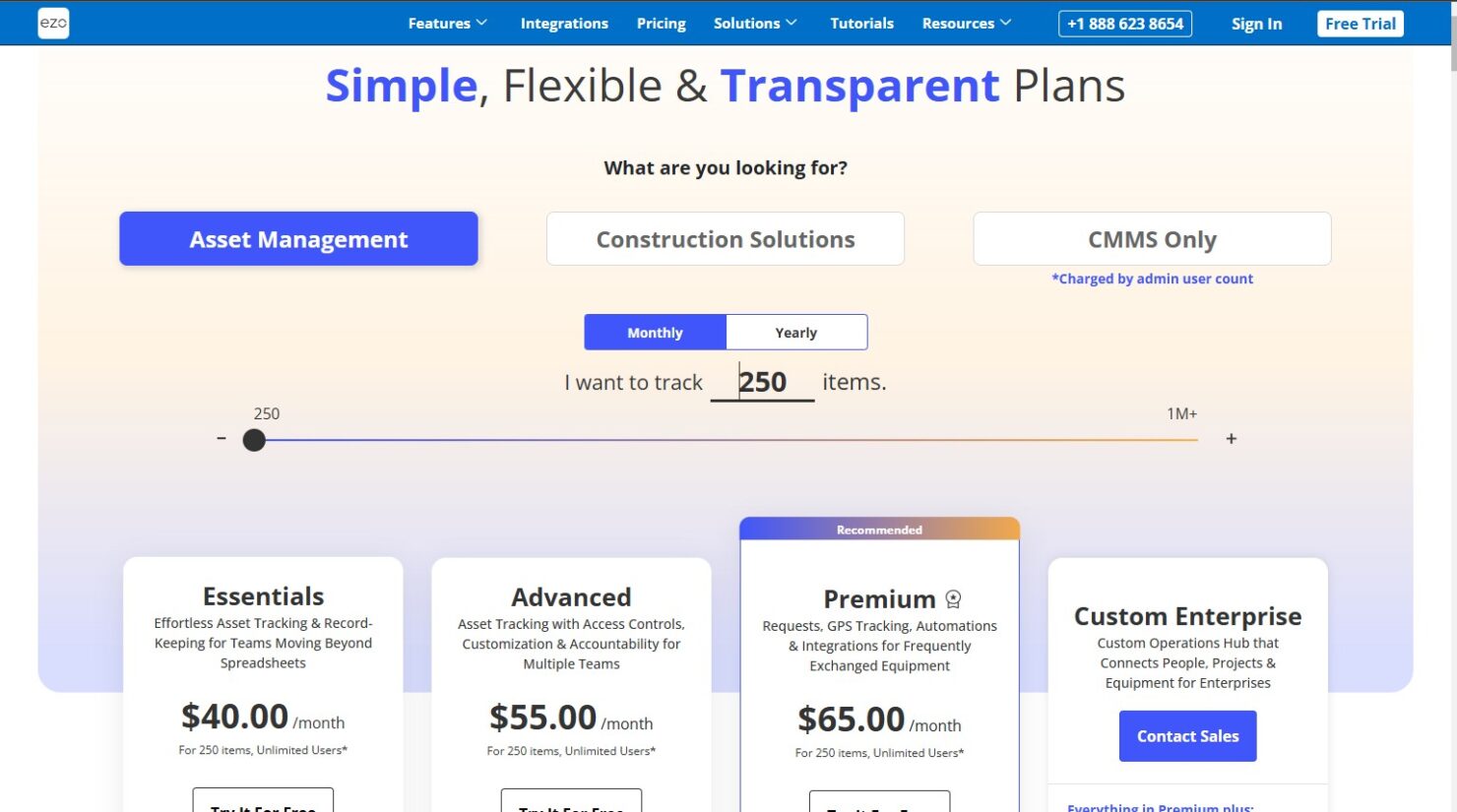
- From $35/month (billed annually)
- 15-day free trial
Why Trust Our Software Reviews
We’ve been testing and reviewing financial software since 2023. As finance specialists ourselves, we know how critical and difficult it is to make the right decision when selecting software.
We invest in deep research to help our audience make better software purchasing decisions. We’ve tested more than 2,000 tools for different finance use cases and written over 1,000 comprehensive software reviews. Learn how we stay transparent & our software review methodology.
Ezo Overview
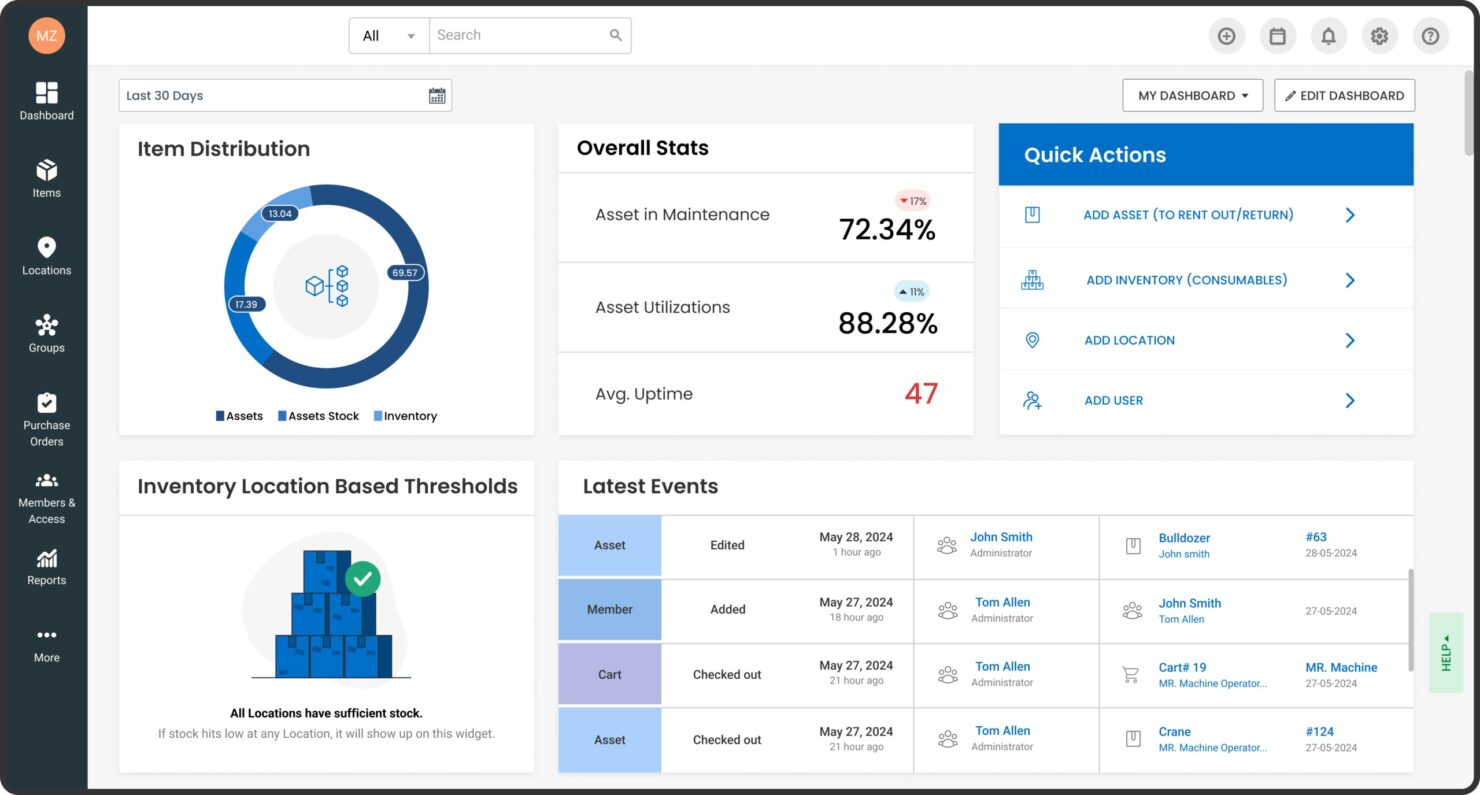
EZO lets you keep track of all your assets in one place, see where they are in real time, scan barcodes and QR codes with a mobile app, and set up automatic workflows for bookings, audits, and maintenance scheduling. You get inventory alerts, custom reports, and self-service request portals—so admins aren’t stuck babysitting every little request. EZO especially caters to IT, education, and construction teams—especially when they’re juggling laptops, equipment, or furniture across different locations.
pros
-
The EZO app’s barcode and QR code work on iOS and Android, so you can audit inventory quickly.
-
Automate approvals, bundles, and maintenance schedules so you’re not stuck managing every request manually.
-
Choose from different pre-made reports or build your own to track usage and costs.
cons
-
Custom or unlimited tiers can get expensive if you’re managing a large inventory.
-
Heavy scan volumes slow down real-time updates.
-
Non-technical admins can struggle with custom fields, labels, and API setups.
Is Ezo Right For Your Needs?
Who Would be a Good Fit for Ezo?
EZO works well for mid-sized teams tracking tools, equipment, and inventory—especially when they need quick mobile access without a custom build. It’s a natural fit for teams with field workers or shared gear—think audits, reservations, and maintenance all in one place. Self-service portals and role-based access mean ops leaders in education, healthcare, construction, and IT can manage everything themselves.
-
Education IT
Universities use EZO to check out loaner laptops and gear across departments with easy mobile tracking.
-
Healthcare Facilities
Healthcare providers manage medical equipment inventory with alerts and audits to ensure availability during patient care.
-
Construction Firms
Field teams track tools and machinery locations in real-time, preventing losses on job sites.
-
Photography Studios
Track shared cameras and lenses across teams with bundles and reservations.
-
Office Management
Monitor furniture, computers, and supplies with custom labels and low-stock purchase orders.
-
Government Agencies
Handle diverse assets like vehicles and tech with access controls and compliance reports.
Who Would be a Bad Fit for Ezo?
EZO isn’t built for enterprises chasing advanced license compliance or dedicated software asset management (SAM). It’s focused on physical and hardware tracking, so it won’t give you automated SAM depth you’d get elsewhere—and the pricing climbs fast once you scale to massive deployments. If you’re flying solo or running a lean startup, the pricing and setup time can feel like a lot—especially when a spreadsheet or free tool would do the job. If you’re in a heavily regulated industry that needs ironclad audit trails, you’ll probably want a platform built specifically for that level of scrutiny.
-
Enterprise Scale
Global corporations with tons of assets face steep custom pricing and integration limits without dedicated support.
-
Software-Only SAM
IT teams tracking licenses and SaaS need specialized SAM over EZO’s hardware focus.
-
Budget Startups
Small operations can be unwilling to accept the lowest price tier, especially without a free tier available.
-
Non-Tech Admins
Managers without IT skills can struggle with custom fields and API setup.
-
Pure Finance Teams
Accountants focused on depreciation lack EZO’s strong fixed-asset accounting integrations.
-
Blockchain Auditors
Regulated firms requiring immutable ledgers find EZO’s audit logs insufficient.
How We Test & Score Tools
We’ve spent years building, refining, and improving our software testing and scoring system. The rubric is designed to capture the nuances of software selection and what makes a tool effective, focusing on critical aspects of the decision-making process.
Below, you can see exactly how our testing and scoring works across seven criteria. It allows us to provide an unbiased evaluation of the software based on core functionality, standout features, ease of use, onboarding, customer support, integrations, customer reviews, and value for money.
Core Functionality (25% of final scoring)
The starting point of our evaluation is always the core functionality of the tool. Does it have the basic features and functions that a user would expect to see? Are any of those core features locked to higher-tiered pricing plans? At its core, we expect a tool to stand up against the baseline capabilities of its competitors.
Standout Features (25% of final scoring)
Next, we evaluate uncommon standout features that go above and beyond the core functionality typically found in tools of its kind. A high score reflects specialized or unique features that make the product faster, more efficient, or offer additional value to the user.
We also evaluate how easy it is to integrate with other tools typically found in the tech stack to expand the functionality and utility of the software. Tools offering plentiful native integrations, 3rd party connections, and API access to build custom integrations score best.
Ease of Use (10% of final scoring)
We consider how quick and easy it is to execute the tasks defined in the core functionality using the tool. High scoring software is well designed, intuitive to use, offers mobile apps, provides templates, and makes relatively complex tasks seem simple.
Onboarding (10% of final scoring)
We know how important rapid team adoption is for a new platform, so we evaluate how easy it is to learn and use a tool with minimal training. We evaluate how quickly a team member can get set up and start using the tool with no experience. High scoring solutions indicate little or no support is required.
Customer Support (10% of final scoring)
We review how quick and easy it is to get unstuck and find help by phone, live chat, or knowledge base. Tools and companies that provide real-time support score best, while chatbots score worst.
Customer Reviews (10% of final scoring)
Beyond our own testing and evaluation, we consider the net promoter score from current and past customers. We review their likelihood, given the option, to choose the tool again for the core functionality. A high scoring software reflects a high net promoter score from current or past customers.
Value for Money (10% of final scoring)
Lastly, in consideration of all the other criteria, we review the average price of entry level plans against the core features and consider the value of the other evaluation criteria. Software that delivers more, for less, will score higher.
Core Features
Real-Time Location Tracking
Know exactly where your assets are and who’s using them. Custom fields and mobile check-ins put an end to hunting through spreadsheets or playing phone tag, eliminating “missing gear” searches with instant visibility across sites.
Mobile Barcode Scanning
Scan QR codes or Barcodes right from the iOS or Android app: update records, run audits, or reserve items on the fly. Give your team exactly the view they need and replace clunky handheld scanners.
Self-Service Requests
Users can request assets or supplies through one portal, and admins handle the routing from the Fulfillment Center. Watch requests move in real time, approve faster, and cut out the back-and-forth.
Automated Workflows
Automated approvals, schedule recurring maintenance, and catch low-stock alerts before your team is scrambling. Bundle items, group assets, or build carts, then check out an entire project in one go.
Custom Reporting
Pick from the available ready-made reports on utilization, costs, and asset health, or build your own and schedule CSV exports. See what’s working, what’s draining budget, and where you’re leaving money on the table.
Role-Based Access
Set up admin and staff roles, or create custom ones that control who sees what and what actions they can take. Lock down sensitive info while giving teams the access they actually need.
Standout Features
Custody Verification Audits
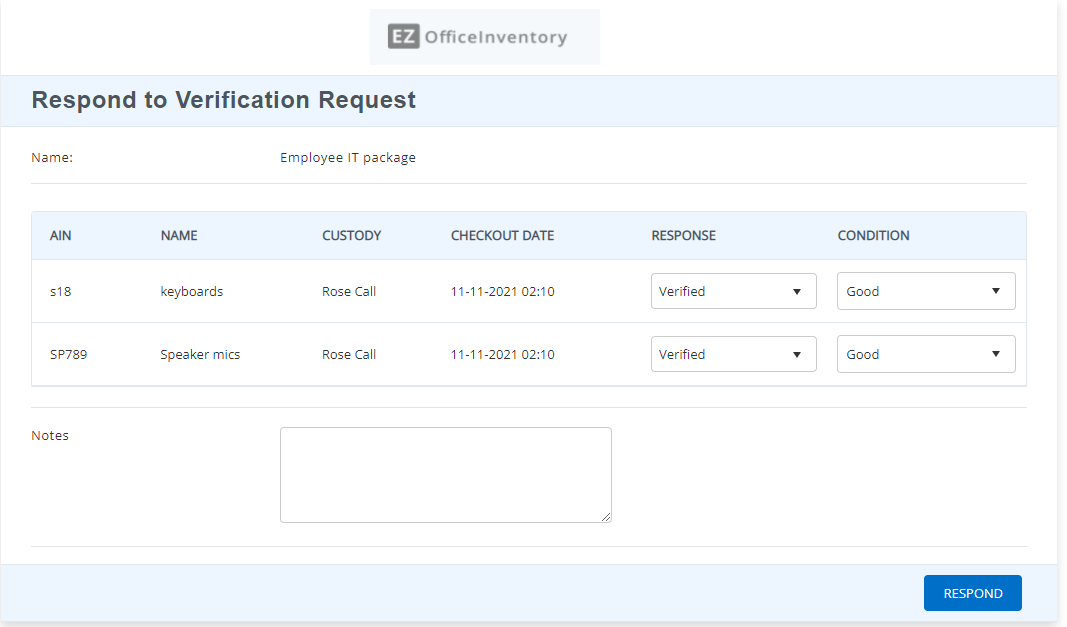
Pull out your phone or log in from your desk and ping asset custodians directly. Custodians approve what’s accurate, flag what’s off with a quick note, or handle big inventories in chunks, allowing management to stay on top of who has what—no email chains, no guessing during audits.
Managing Purchase Orders
Build POs tied to vendors, route line items to the right location, and watch stock counts refresh as shipments roll in. Employees request what they need, managers approve it, and admins keep an eye on the budget so you’re never scrambling for supplies mid-project.
Ease of Use
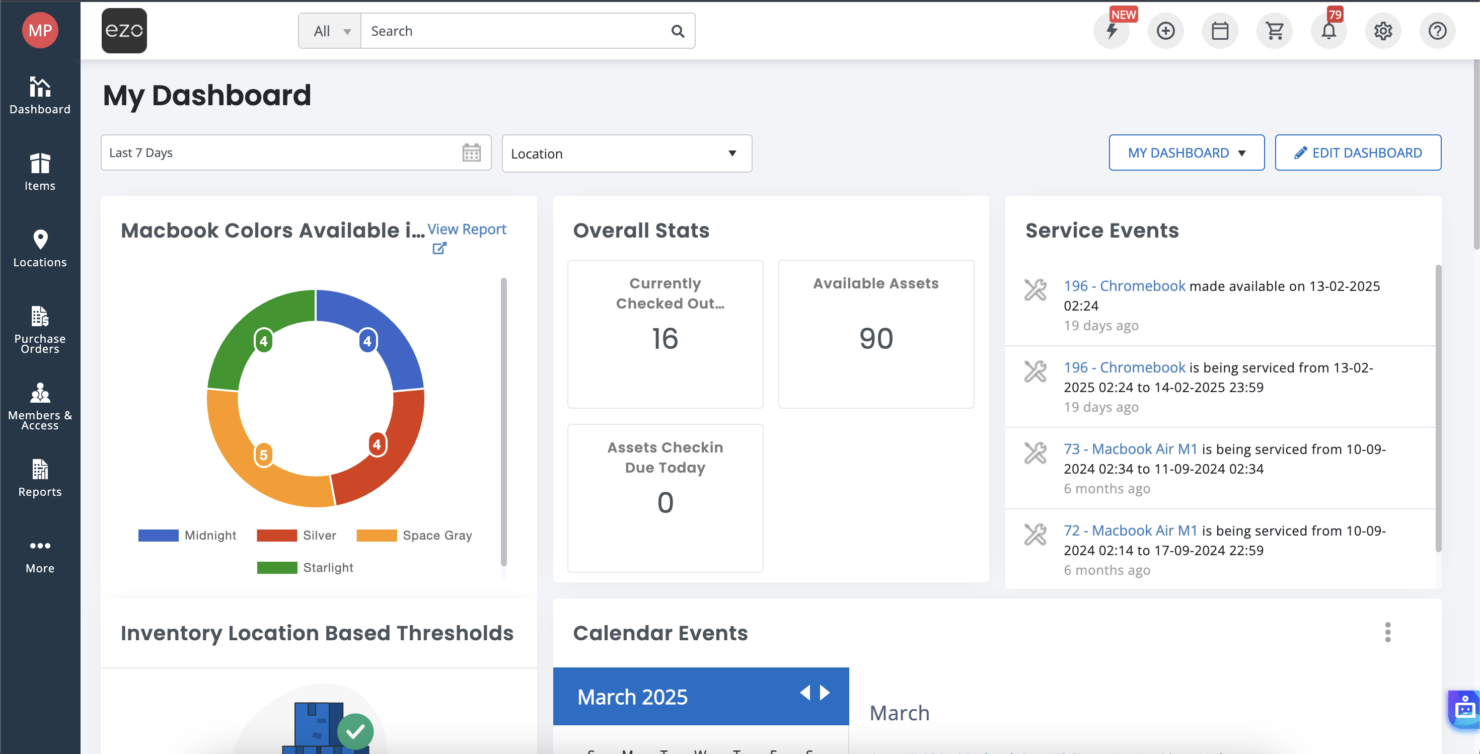
EZO’s dashboard and mobile app let you scan assets and submit requests in seconds. Role-based views keep screens uncluttered, and you can set up audits and reports without a steep learning curve. But if you want to build custom widgets or tweak APIs, you’ll need someone who knows their way around code. Most teams get up to speed in a day or two and start tracking assets right away.
Onboarding
EZO makes it easy to get started by providing a detailed Knowledge Base, a step-by-step “Getting Started” guide, and video tutorials that show you how to set up assets, add stock, and do basic tasks like checkouts. The system is easy to use, and you’ll be able to import data via CSV, set up locations, and test scans in just a few hours. From day one, webinars and responsive email support are helpful, but complex customizations might take longer. There’s formal one-on-one support, but it’s limited to premium plans, howvever the self-guided resources work well for most teams.
Customer Support
The full Knowledge Base from EZO has articles, FAQs, and how-to guides that you can use to help yourself any time, day or night. You can get quick answers to questions on anything from scans to reports. You can talk to customer support through live chat, email, or phone during business hours Monday through Friday, with customers on higher tiers receiving priority. You can also get help from other EZO customers on community forums and YouTube videos.
Integrations
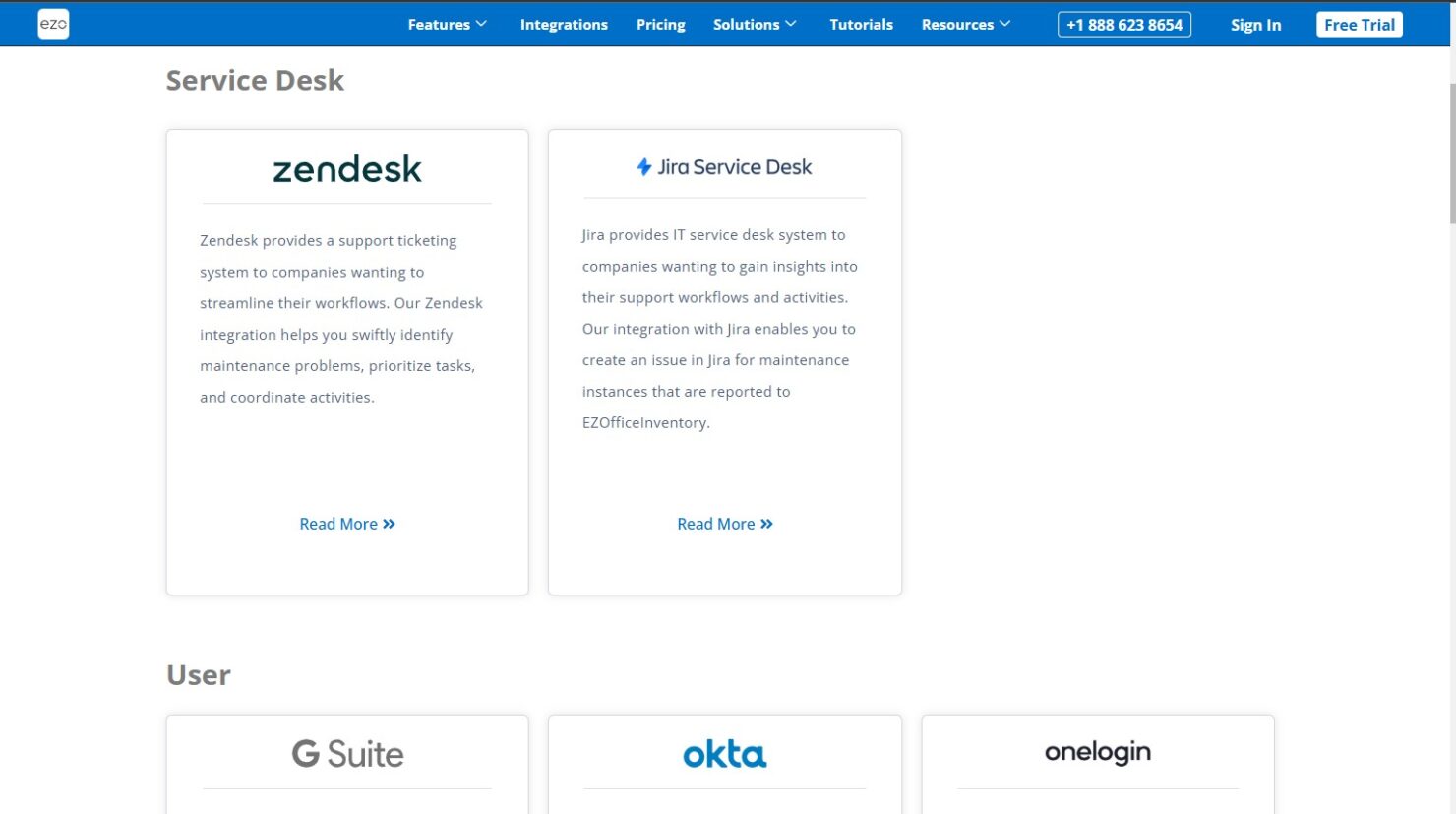
EZO connects to Zendesk, Jira, Google Workspace, Okta, OneLogin, Centrify, Ping, Dropbox, OneDrive, Topaz Signature Pad, hardware scanners, printers, and over 5,000 apps through Zapier. For custom workflows, use the API and the available documentation that walks through user syncing, asset management, workflow automation, and permissions. However, many native integrations like SSO, service desk tools, and GPS are restricted to Premium and Custom Enterprise tiers.
Value for Money
EZO delivers strong value for mid-sized teams needing mobile-first asset tracking with comprehensive automation, preventing costly losses through audits and custody verification. The platform's scalability from small departments to enterprise operations, combined with education discounts and robust reporting, makes it cost-effective versus competitors—though the lack of a free tier plan means you’ll need the 15-day trial to validate your returns. Expect professional-grade features like unlimited check-ins, API access, and SSO in higher tiers, but factor in potential custom pricing discussions for large deployments as part of your evaluation timeline.
Ezo Specs
- API
- Calendar Management
- Data Export
- Data Import
- External Integrations
- Inventory Tracking
- Multi-User
- Notifications
- Project Management
- Scheduling
- Supplier Management
- Task Scheduling/Tracking
Ezo FAQs
Is EZO suitable for asset tracking?
Does EZO support RFID scanning?
Does EZO offer a free trial?
How does item limit work?
Is there an API for custom integrations?
Can guests make reservations without logging in?
Ezo Company Overview & History
EZ Web Enterprises Inc. is a company based in Vancouver, Canada, that started in 2011. They made EZOfficeInventory to help businesses keep track of their physical inventory, like IT equipment, tools, and more. The platform now tracks millions of assets across thousands of organizations, including universities, healthcare providers, and construction crews, and supports millions of users worldwide. It was renamed EZO in 2025.
Major Milestones
- 2011: EZ Web Enterprise launches EZOfficeInventory for small-team asset tracking.
- 2015: Expands with mobile app, reservations, and integrations like Zendesk.
- 2019: Releases Getting Started guides and YouTube tutorials for easier onboarding.
- 2020: Adds custody verification and advanced audits.
- 2025: Rebrands to EZO, introduces ITAM enhancements and CMMS add-ons.