


Gravity Review: Pros, Cons, Features, and Pricing



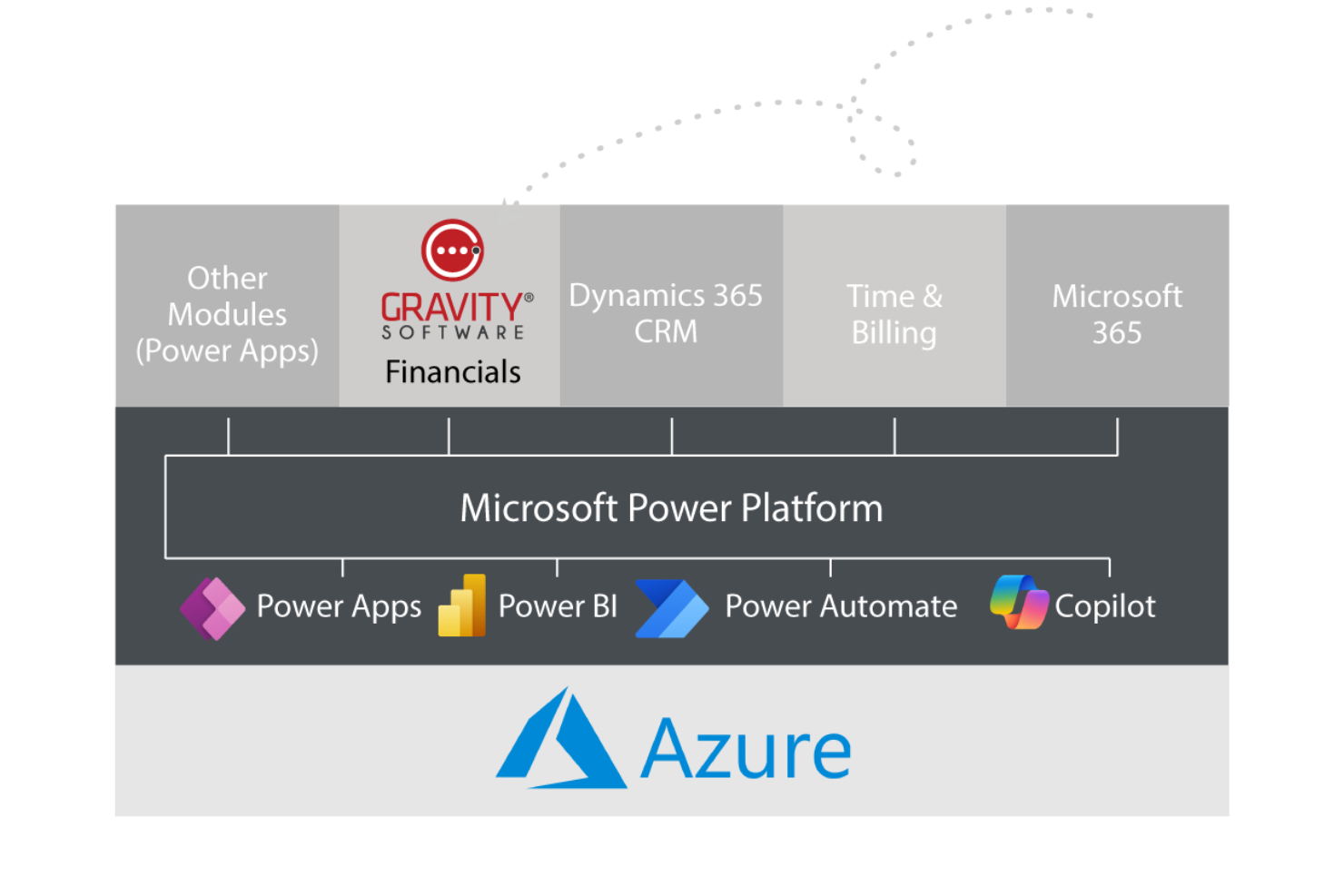
Gravity Software is an accounting software built on Microsoft's Power Platform for businesses managing financials across multiple entities. I'd mainly consider it if you've outgrown QuickBooks but want something more targeted than a full ERP rollout. It handles multi-entity consolidations, intercompany transactions, and shared reporting natively—all from a single platform.
Gravity Software Evaluation Summary

- From $210/user/month/
- Free demo available
Why Trust Our Software Recommendations
Our team has been testing and reviewing software since 2012. As finance leaders ourselves, we know how difficult—and important—it is to choose the right software.
For this guide, we evaluated tools using hands-on testing and independent research, scoring tools using our selection criteria.
Our reviews reflect our human editorial judgment, not a sales pitch.
Gravity Software Overview
Gravity, as an accounting software, offers notable strengths in handling multi-location and multi-currency transactions, which is a boon for businesses with complex accounting needs. If you have found your company has outgrown entry-level accounting software, like QuickBooks Online, Xero, and Sage Intacct, Gravity might be the solution for you.
While the interface is user-friendly, it may seem clunky to some users, especially those accustomed to more streamlined platforms. Compared to its competitors, Gravity excels in customer support, making it a reliable choice for teams that might need frequent assistance. However, its pricing might not be ideal for small businesses. If you're managing a mid-sized enterprise with diverse accounting requirements, Gravity could be a good fit.
pros
-
User-friendly interface simplifies your team's accounting tasks.
-
Customizable reports help you tailor insights to your work.
-
Reliable customer support assists you when you need it.
cons
-
Limited integrations may require extra manual work for your team.
-
Some users report occasional bugs affecting their workflow.
-
Advanced features can be hard for your team to learn initially.
Is Gravity Software Right For Your Needs?
Who Would be a Good Fit for Gravity Software?
Gravity is well-suited for small to medium-sized businesses that need a user-friendly accounting solution. If your team values customizable reporting and hands-on customer support, Gravity's features can cater to your needs. For example, if you're in retail, the interface simplifies inventory and sales tracking. It's also great for startups needing reliable financial management without complex systems.
-
Small Retail Businesses
Gravity's user-friendly interface makes it easy to manage inventory and sales.
-
Startups
You get reliable financial management and forecasting without the complexity of larger systems.
-
Freelancers
Gravity offers simple invoicing and expense tracking for your work.
-
Nonprofits
The customizable reports help you tailor insights specific to your funding and expenditure tracking.
-
Consulting Firms
You can streamline client billing and financial reporting effortlessly.
-
Educational Institutions
Gravity allows your team to manage budgets and funding efficiently.
-
Healthcare Organizations
Gravity offers cloud-based, HIPAA-compliant accounting software that efficiently manages multiple entities and locations.
Who Would be a Bad Fit for Gravity Software?
Gravity might not be ideal for large enterprises with complex accounting needs. If your team requires extensive integrations with multiple business systems, Gravity's limited integration options could slow you down. Manufacturing industries that need advanced inventory management might find Gravity lacking certain functionalities. Also, if your department relies heavily on advanced analytics, Gravity's capabilities may not meet your expectations.
-
Large Enterprises
Gravity's limited integrations can hinder your complex accounting processes.
-
Manufacturing Industries
The software lacks advanced inventory management features crucial to your operations.
-
Tech Companies
You might find Gravity's basic analytics insufficient for your data-driven decisions.
-
Financial Institutions
Your need for comprehensive financial modeling isn't well-supported by Gravity.
-
Global Corporations
The software's limited multi-currency support could complicate your international transactions.
How We Test & Score Tools
We’ve spent years building, refining, and improving our software testing and scoring system. The rubric is designed to capture the nuances of software selection and what makes a tool effective, focusing on critical aspects of the decision-making process.
Below, you can see exactly how our testing and scoring works across seven criteria. It allows us to provide an unbiased evaluation of the software based on core functionality, standout features, ease of use, onboarding, customer support, integrations, customer reviews, and value for money.
Core Functionality (25% of final scoring)
The starting point of our evaluation is always the core functionality of the tool. Does it have the basic features and functions that a user would expect to see? Are any of those core features locked to higher-tiered pricing plans? At its core, we expect a tool to stand up against the baseline capabilities of its competitors.
Standout Features (25% of final scoring)
Next, we evaluate uncommon standout features that go above and beyond the core functionality typically found in tools of its kind. A high score reflects specialized or unique features that make the product faster, more efficient, or offer additional value to the user.
We also evaluate how easy it is to integrate with other tools typically found in the tech stack to expand the functionality and utility of the software. Tools offering plentiful native integrations, 3rd party connections, and API access to build custom integrations score best.
Ease of Use (10% of final scoring)
We consider how quick and easy it is to execute the tasks defined in the core functionality using the tool. High scoring software is well designed, intuitive to use, offers mobile apps, provides templates, and makes relatively complex tasks seem simple.
Onboarding (10% of final scoring)
We know how important rapid team adoption is for a new platform, so we evaluate how easy it is to learn and use a tool with minimal training. We evaluate how quickly a team member can get set up and start using the tool with no experience. High scoring solutions indicate little or no support is required.
Customer Support (10% of final scoring)
We review how quick and easy it is to get unstuck and find help by phone, live chat, or knowledge base. Tools and companies that provide real-time support score best, while chatbots score worst.
Customer Reviews (10% of final scoring)
Beyond our own testing and evaluation, we consider the net promoter score from current and past customers. We review their likelihood, given the option, to choose the tool again for the core functionality. A high scoring software reflects a high net promoter score from current or past customers.
Value for Money (10% of final scoring)
Lastly, in consideration of all the other criteria, we review the average price of entry level plans against the core features and consider the value of the other evaluation criteria. Software that delivers more, for less, will score higher.
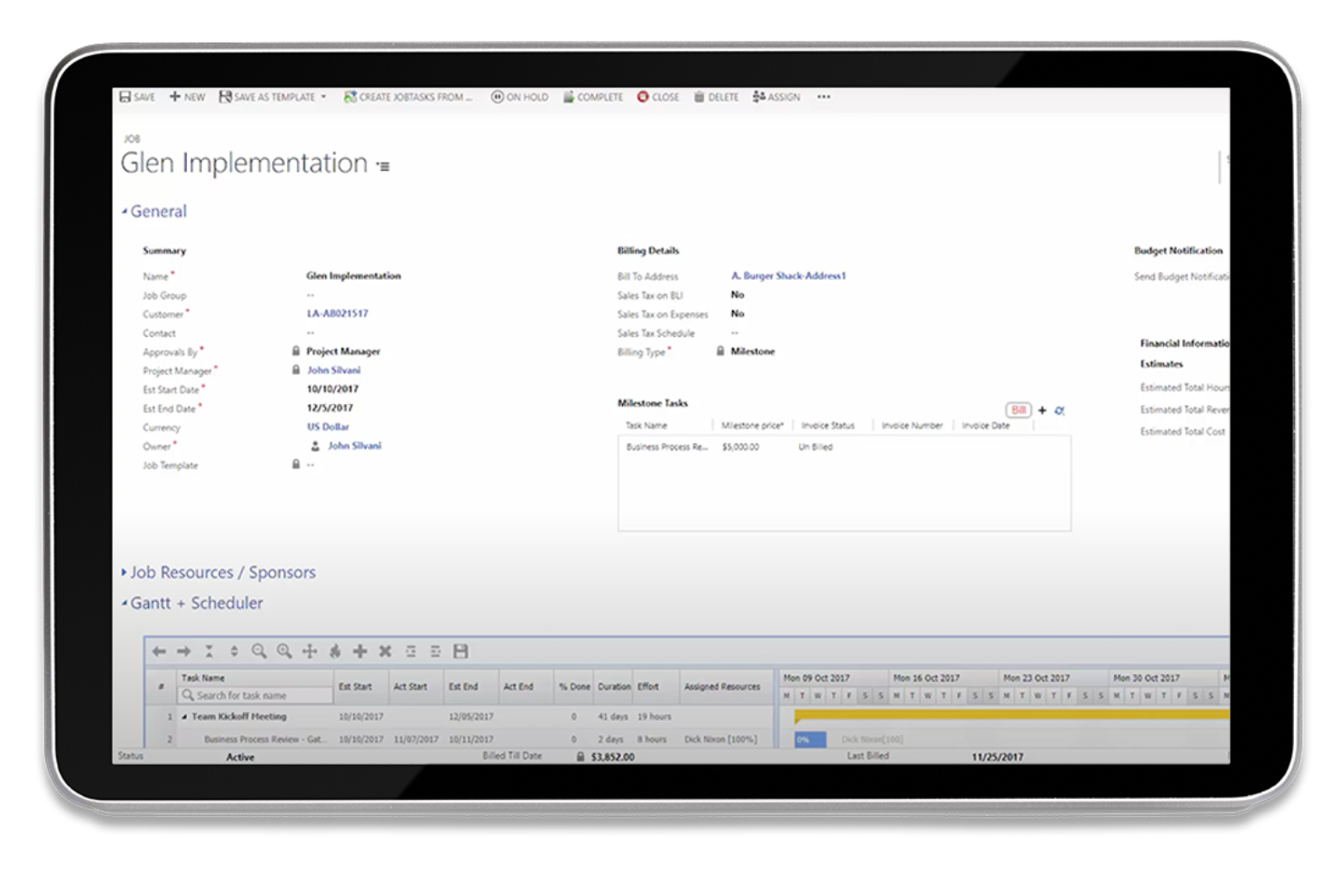
Core Features
Invoicing and Billing
Easily create and send invoices to your clients, manage receivables, and ensure you get paid on time. Your team can effortlessly track payment statuses.
Expense Tracking
Log and categorize expenses quickly to keep tabs on your spending. This feature helps you manage accounts payable and budget effectively.
Financial Reporting
Generate detailed financial reports that give you insights into your business's performance. Customize reports to meet your specific needs.
Budget Management
Set and monitor budgets to control your financial planning. You'll stay on target by tracking variances in real time.
Tax Compliance
Stay compliant with tax regulations by managing filings and deductions within the software. It simplifies your tax season preparation.
Standout Features
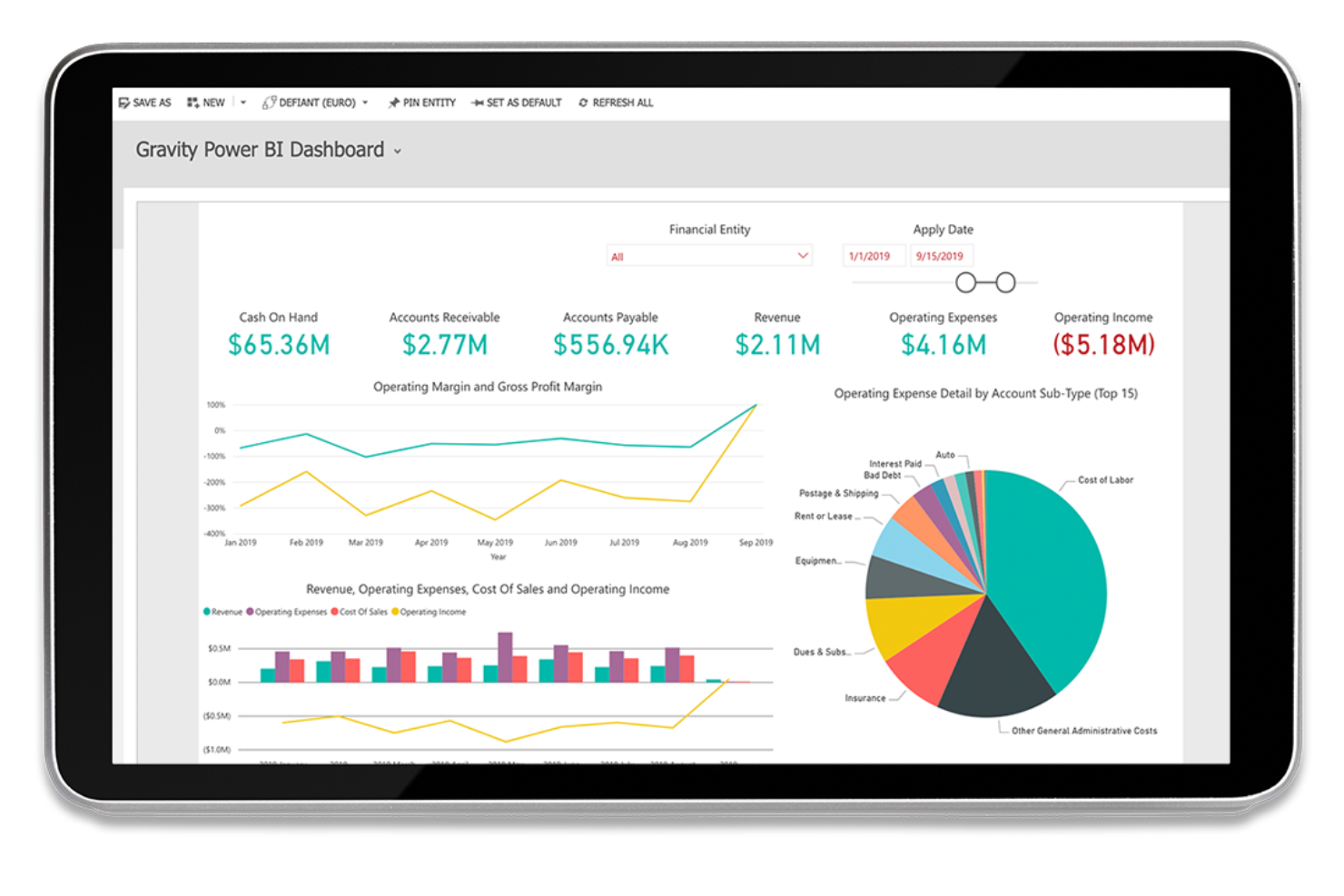
Customizable Dashboards
Tailor your dashboard to display the most relevant financial data for your work, such as bank reconciliations and cash flow reports. This feature allows you to focus on what matters most to your team.
Multi-User Access
Allow multiple team members to access and work within the software simultaneously. It fosters collaboration and ensures everyone is on the same page.
Ease of Use
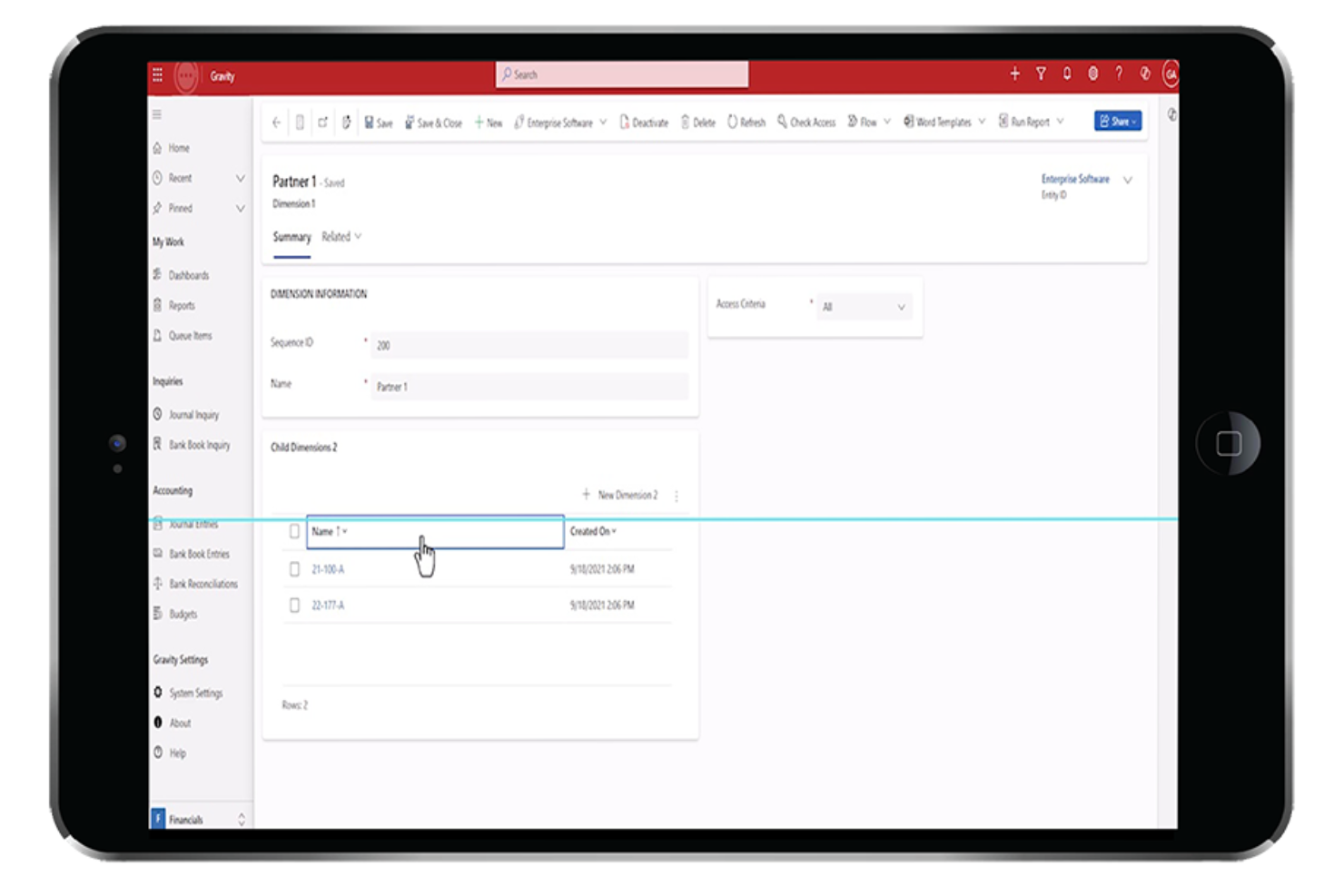
Gravity is intuitive and easy to navigate, making it accessible even if you're not tech-savvy. Its clean interface allows your team to quickly find the features they need, reducing the learning curve.
Many users appreciate how easy it is to customize reports and dashboards to their specific needs. While some advanced software features may take a bit of time to master, you'll find that the overall experience is smooth and straightforward compared to other accounting solutions.
Onboarding
Gravity offers a straightforward onboarding process that gets you up and running quickly. You'll find detailed tutorials and helpful guides that walk your team through each step, making it easy for them to adapt. The responsive customer support is there to assist if you hit any snags.
New users often praise how quickly they can see value from the software, thanks to its clear setup instructions and accessible resources. This efficient onboarding sets Gravity apart from more complicated solutions.

Customer Support
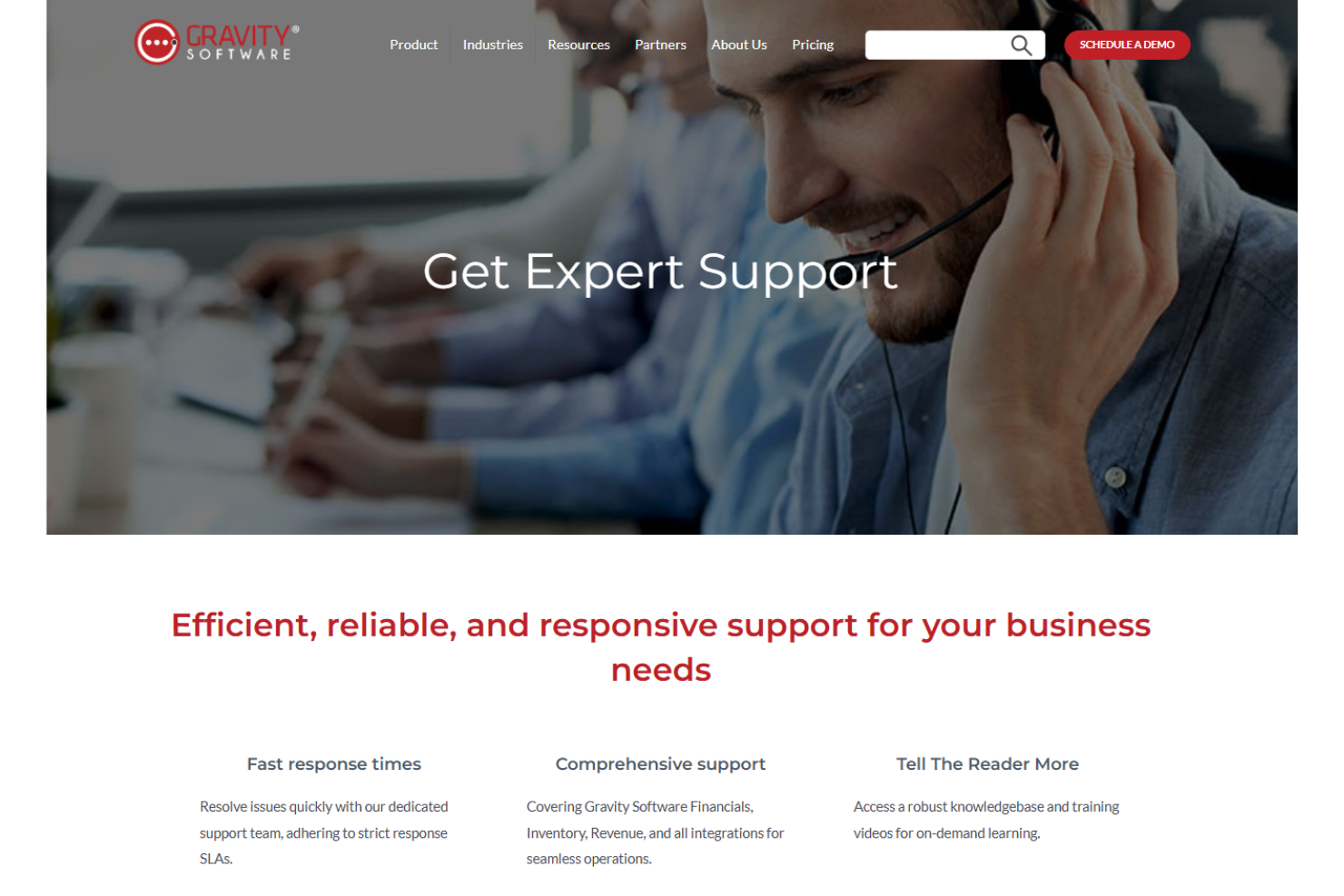
Gravity's customer support is responsive and reliable, ensuring you get the help you need promptly. Users appreciate the variety of support channels, including live chat and email, which cater to different preferences.
Your team will find the support staff knowledgeable and ready to resolve issues efficiently. Many users highlight a positive experience with support, noting quick response times and helpful guidance. This level of service provides peace of mind as you navigate the software.
Integrations
Gravity integrates with AP Payment Processing, Bank Aggregator, Business Intelligence dashboards, Check Printing, Microsoft Dynamics CRM, Salesforce CRM, and Expense Management tools. Gravity Software also provides an API and connects with third-party integration tools.
Value for Money
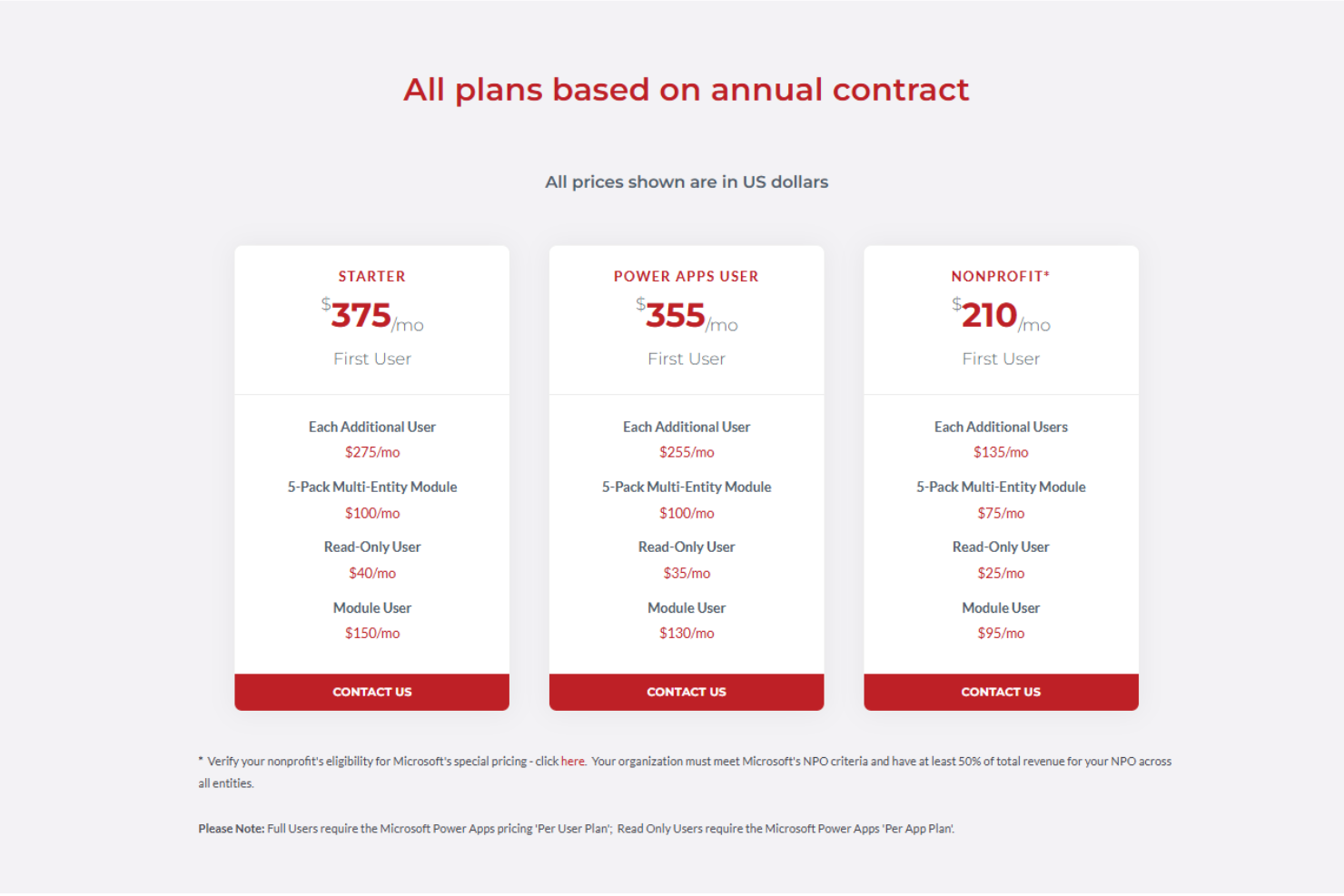
Gravity's pricing offers flexibility, with packages starting at $375/month for the Starter plan, which is suitable for new users without a Microsoft Power App license. The Existing Power Apps User package is slightly cheaper at $355/month. Nonprofits benefit from discounted rates at $210/month.
While the base cost is competitive, additional fees for advanced features such as AP automation and subscription billing can add up. A free trial or demo isn't mentioned, but exploring the software before committing could be beneficial.
- Starter: For new users; $375/month (billed annually).
- Existing Power Apps User: For users with an existing Microsoft Power App license; $355/month (billed annually).
- NonProfit: Special pricing for eligible nonprofit organizations; $210/month (billed annually).
- Requisition Management: $200/month ($150 for nonprofits).
- Revenue Recognition: $100/month ($75 for nonprofits).
- Subscription Billing: $100/month ($75 for nonprofits).
- AP Management: $20/month.
- Bank Aggregation: Free with core package.
- Check Printing: $795 one-time fee.
- Expense Management: $65/month with a $995 setup fee.
Gravity Software Specs
- 2-Factor Authentication
- Accounts Payable
- Accounts Receivable
- API
- Balance Sheet
- Billing/Invoicing
- BitCoin
- Budgeting
- Calendar Management
- Contact Management
- CRM Integration
- Customer Management
- Dashboard
- Data Export
- Data Import
- Data Visualization
- Expense Tracking
- External Integrations
- Forecasting
- General Account Ledger
- Inventory Tracking
- Multi-Currency
- Multi-User
- Notifications
- P&L
- PayPal
- Payroll
- SAP Integration
- Stripe
- Supplier Management
- Tax Management
Gravity Software FAQs
How does Gravity ensure data security and compliance?
Can Gravity handle multi-company accounting needs?
What are the reporting capabilities of Gravity?
How does Gravity support vendor payments?
Does Gravity support foreign currencies and VAT processing?
What is the typical implementation timeline for Gravity?
How does Gravity integrate with other systems?
What are the data backup and storage capabilities of Gravity?
Gravity Software Company Overview & History
Gravity Software is a cloud-based accounting and ERP solution founded by John Silvani in December 2013 in Detroit, Michigan. It is designed for small- to mid-sized businesses with complex multi-entity accounting needs. Gravity has established itself as a reliable choice for growing businesses like franchises, family offices, healthcare firms, and investment companies.
Gravity Major Milestones
- 2013: Founded in December in Detroit, Michigan
- 2019: Raised $250k in seed funding.
- 2024: Awarded the Innovation Excellence Award 2024 by The CEO View