Infor Review 2026: Pros, Cons, Features, and Pricing


Infor is an ERP software designed to help CFOs and finance teams manage complex operations, compliance, and reporting across multiple industries. With configurable modules and deep industry focus, Infor addresses the need for real-time visibility, process automation, and scalability that many finance leaders demand.
This review covers Infor’s features, use cases, pros and cons, and pricing to help you decide if it fits your organization’s financial management needs.
Infor Evaluation Summary
- Pricing upon request
- Free demo available
Why Trust Our Software Reviews
Infor Overview
When judging Infor as an ERP software, its industry-specific modules and flexible deployment options set it apart for organizations with complex, regulated operations. The interface is modern but can feel dense, and onboarding may require more support than simpler tools. Integration options are strong, but some advanced features may require additional configuration.
Infor is best for finance teams selecting a scalable ERP that can adapt to unique workflows, such as manufacturing or healthcare, rather than those seeking a plug-and-play solution.
pros
-
Industry-specific modules for manufacturing, healthcare, and more
-
Strong analytics and real-time reporting capabilities
-
Flexible cloud deployment and scalability options
cons
-
Complex setup and configuration for new users
-
Some users report slow performance with large data sets
-
Advanced features may require additional consulting fees
-

Rippling Spend
Visit WebsiteThis is an aggregated rating for this tool including ratings from Crozdesk users and ratings from other sites.4.8 -
LiveFlow
Visit WebsiteThis is an aggregated rating for this tool including ratings from Crozdesk users and ratings from other sites.4.9 -
Float Financial
Visit WebsiteThis is an aggregated rating for this tool including ratings from Crozdesk users and ratings from other sites.4.1


How We Test & Score Tools
We’ve spent years building, refining, and improving our software testing and scoring system. The rubric is designed to capture the nuances of software selection and what makes a tool effective, focusing on critical aspects of the decision-making process.
Below, you can see exactly how our testing and scoring works across seven criteria. It allows us to provide an unbiased evaluation of the software based on core functionality, standout features, ease of use, onboarding, customer support, integrations, customer reviews, and value for money.
Core Functionality (25% of final scoring)
The starting point of our evaluation is always the core functionality of the tool. Does it have the basic features and functions that a user would expect to see? Are any of those core features locked to higher-tiered pricing plans? At its core, we expect a tool to stand up against the baseline capabilities of its competitors.
Standout Features (25% of final scoring)
Next, we evaluate uncommon standout features that go above and beyond the core functionality typically found in tools of its kind. A high score reflects specialized or unique features that make the product faster, more efficient, or offer additional value to the user.
We also evaluate how easy it is to integrate with other tools typically found in the tech stack to expand the functionality and utility of the software. Tools offering plentiful native integrations, 3rd party connections, and API access to build custom integrations score best.
Ease of Use (10% of final scoring)
We consider how quick and easy it is to execute the tasks defined in the core functionality using the tool. High scoring software is well designed, intuitive to use, offers mobile apps, provides templates, and makes relatively complex tasks seem simple.
Onboarding (10% of final scoring)
We know how important rapid team adoption is for a new platform, so we evaluate how easy it is to learn and use a tool with minimal training. We evaluate how quickly a team member can get set up and start using the tool with no experience. High scoring solutions indicate little or no support is required.
Customer Support (10% of final scoring)
We review how quick and easy it is to get unstuck and find help by phone, live chat, or knowledge base. Tools and companies that provide real-time support score best, while chatbots score worst.
Customer Reviews (10% of final scoring)
Beyond our own testing and evaluation, we consider the net promoter score from current and past customers. We review their likelihood, given the option, to choose the tool again for the core functionality. A high scoring software reflects a high net promoter score from current or past customers.
Value for Money (10% of final scoring)
Lastly, in consideration of all the other criteria, we review the average price of entry level plans against the core features and consider the value of the other evaluation criteria. Software that delivers more, for less, will score higher.
Core Features
Industry-Specific Suites
Infor offers tailored modules for manufacturing, healthcare, distribution, and more. These suites address unique regulatory and operational needs for each sector.
Advanced Analytics
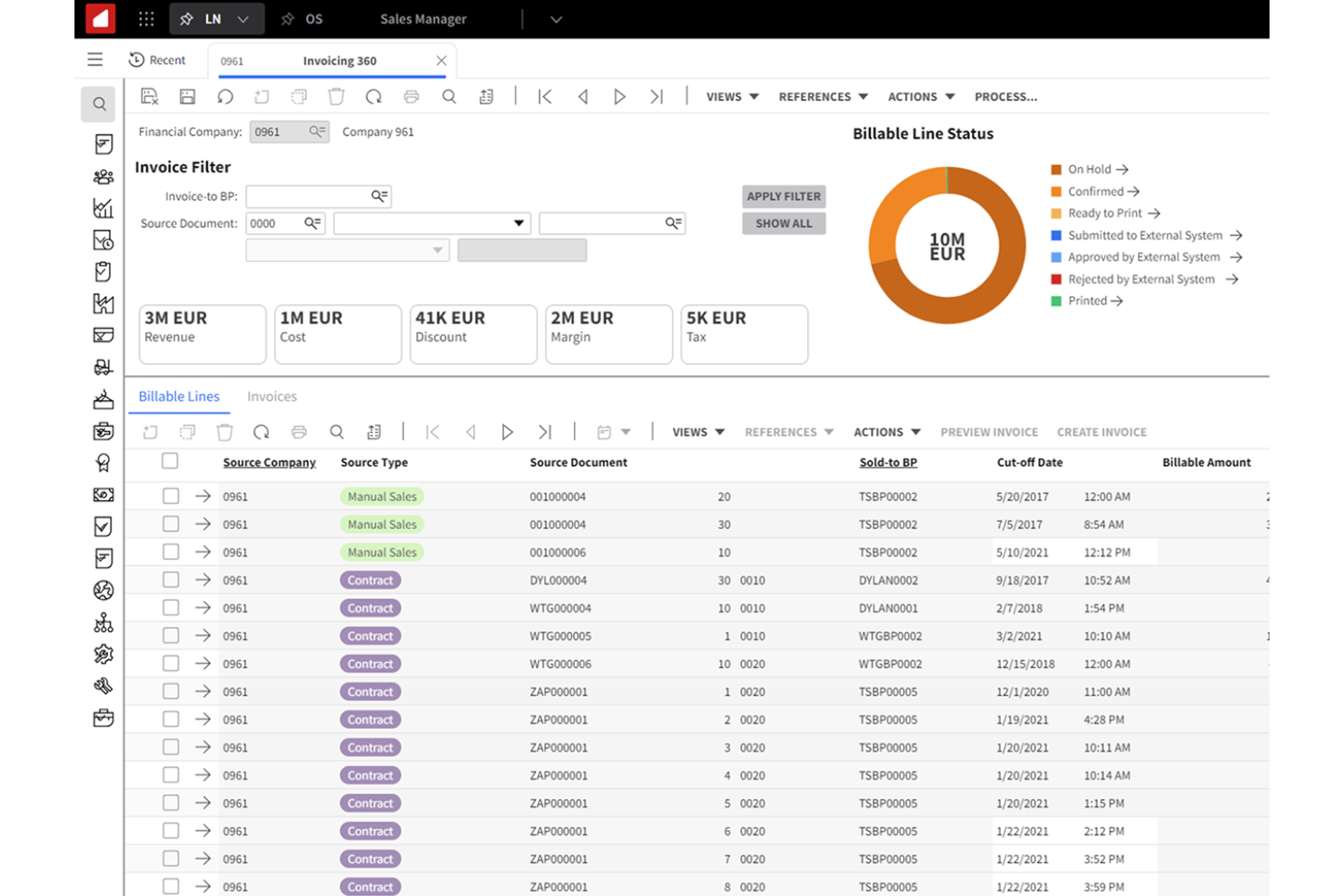
Built-in analytics provide real-time dashboards and customizable reports. Users can track KPIs and trends across finance, operations, and supply chain.
Cloud Deployment Options
Infor supports multi-tenant and single-tenant cloud hosting. This flexibility lets organizations scale resources and manage data securely.
Financial Management
Comprehensive tools cover general ledger, accounts payable, receivable, and fixed assets. Automated workflows help ensure compliance and accurate reporting.
Supply Chain Management
Users can manage procurement, inventory, and logistics from a unified platform. Real-time visibility helps optimize stock levels and order fulfillment.
Asset Management
Track, maintain, and depreciate assets across locations. Preventive maintenance scheduling reduces downtime and extends asset life.
Ease of Use
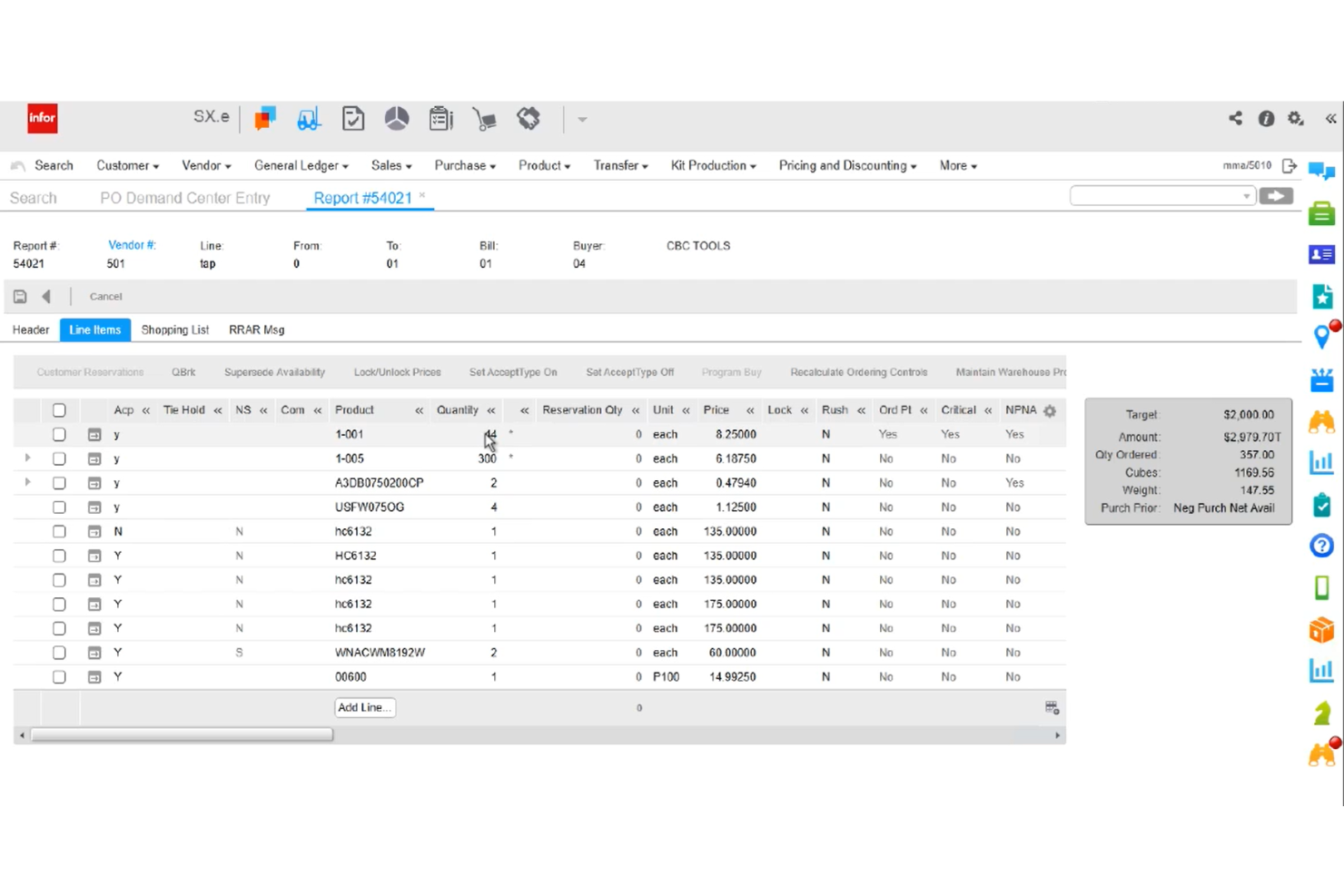
Infor offers a modern, visually organized interface, but its depth and configurability can feel overwhelming for new users or smaller teams. Many users note that navigating advanced modules and customizing workflows requires training and support.
While dashboards and reporting tools are intuitive once set up, the initial onboarding process is more involved than with simpler ERP systems. This makes Infor better suited to organizations with dedicated IT or finance resources.

Integrations
Infor integrates with Salesforce, Microsoft Office 365, Amazon Web Services, DocuSign, ADP, Avalara, IBM Cognos, Tableau, Workday, and SAP, among others.
Infor also offers a robust API and supports connections with third-party integration platforms for custom workflows.

Infor Specs
- Accounts Payable
- Accounts Receivable
- API
- Budgeting
- Calendar Management
- Compliance Tracking
- Customer Management
- Dashboard
- Data Export
- Data Import
- Data Visualization
- Expense Tracking
- External Integrations
- Financial Analysis
- Forecasting
- Inventory Tracking
- Multi-Currency
- Multi-User
- Notifications
- Order Management
- Payroll
- Project Management
- Purchase Orders
- Resource Management
- Scheduling
- Supplier Management
- Task Scheduling/Tracking
- Third-Party Plugins/Add-Ons
- Warehouse Management
- Workflow Management