
Intuit Enterprise Suite Review: Key Features, Pros, Cons, and Pricing Details



A spreadsheet is open in one tab, a financial report in another, and numbers from different entities still need to be combined before the day ends.
As your grows, managing finances across subsidiaries, forecasting performance, and keeping workflows organized can quickly become difficult without the right ERP software in place.
That’s where platforms like Intuit Enterprise Suite come in.
In this guide, I break down its features, pricing, strengths, and best use cases so you can understand how it works and decide if it fits your organization’s financial management needs.
Intuit Enterprise Suite Evaluation Summary
- Pricing upon request
- Free demo available
Why Trust Our Software Reviews
We’ve been testing and reviewing financial software since 2023. As finance specialists ourselves, we know how critical and difficult it is to make the right decision when selecting software.
We invest in deep research to help our audience make better software purchasing decisions. We’ve tested more than 2,000 tools for different finance use cases and written over 1,000 comprehensive software reviews. Learn how we stay transparent & our software review methodology.
Intuit Enterprise Suite Overview
pros
-
Multi-entity management supports complex organizational structures.
-
AI-powered forecasting and insights help businesses analyze financial data.
-
Built-in migration tools support transitions from QuickBooks Desktop and Advanced.
cons
-
The platform lacks sufficient training for new releases.
-
Features can feel overwhelming.
-
Reports take longer than expected to load.
-

Creatio CRM
Visit WebsiteThis is an aggregated rating for this tool including ratings from Crozdesk users and ratings from other sites.4.7 -
DealHub AI
Visit WebsiteThis is an aggregated rating for this tool including ratings from Crozdesk users and ratings from other sites.4.7 -
LiveFlow
Visit WebsiteThis is an aggregated rating for this tool including ratings from Crozdesk users and ratings from other sites.4.9


How We Test & Score Tools
We’ve spent years building, refining, and improving our software testing and scoring system. The rubric is designed to capture the nuances of software selection and what makes a tool effective, focusing on critical aspects of the decision-making process.
Below, you can see exactly how our testing and scoring works across seven criteria. It allows us to provide an unbiased evaluation of the software based on core functionality, standout features, ease of use, onboarding, customer support, integrations, customer reviews, and value for money.
Core Functionality (25% of final scoring)
The starting point of our evaluation is always the core functionality of the tool. Does it have the basic features and functions that a user would expect to see? Are any of those core features locked to higher-tiered pricing plans? At its core, we expect a tool to stand up against the baseline capabilities of its competitors.
Standout Features (25% of final scoring)
Next, we evaluate uncommon standout features that go above and beyond the core functionality typically found in tools of its kind. A high score reflects specialized or unique features that make the product faster, more efficient, or offer additional value to the user.
We also evaluate how easy it is to integrate with other tools typically found in the tech stack to expand the functionality and utility of the software. Tools offering plentiful native integrations, 3rd party connections, and API access to build custom integrations score best.
Ease of Use (10% of final scoring)
We consider how quick and easy it is to execute the tasks defined in the core functionality using the tool. High scoring software is well designed, intuitive to use, offers mobile apps, provides templates, and makes relatively complex tasks seem simple.
Onboarding (10% of final scoring)
We know how important rapid team adoption is for a new platform, so we evaluate how easy it is to learn and use a tool with minimal training. We evaluate how quickly a team member can get set up and start using the tool with no experience. High scoring solutions indicate little or no support is required.
Customer Support (10% of final scoring)
We review how quick and easy it is to get unstuck and find help by phone, live chat, or knowledge base. Tools and companies that provide real-time support score best, while chatbots score worst.
Customer Reviews (10% of final scoring)
Beyond our own testing and evaluation, we consider the net promoter score from current and past customers. We review their likelihood, given the option, to choose the tool again for the core functionality. A high scoring software reflects a high net promoter score from current or past customers.
Value for Money (10% of final scoring)
Lastly, in consideration of all the other criteria, we review the average price of entry level plans against the core features and consider the value of the other evaluation criteria. Software that delivers more, for less, will score higher.
Core Features
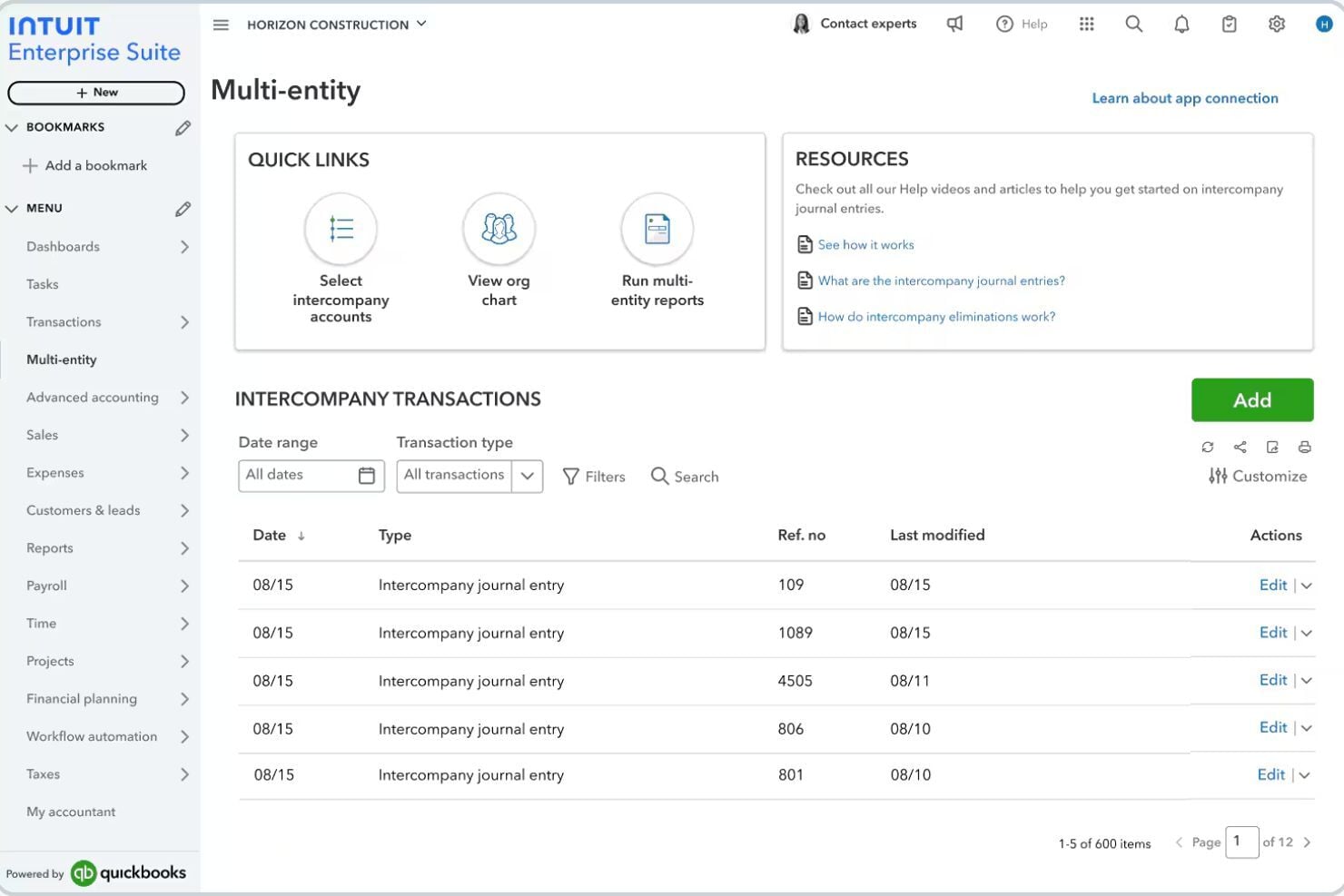
Multi-Entity Financial Management
Manage multiple subsidiaries or business units in one platform with consolidated financial reporting and cross-entity visibility.
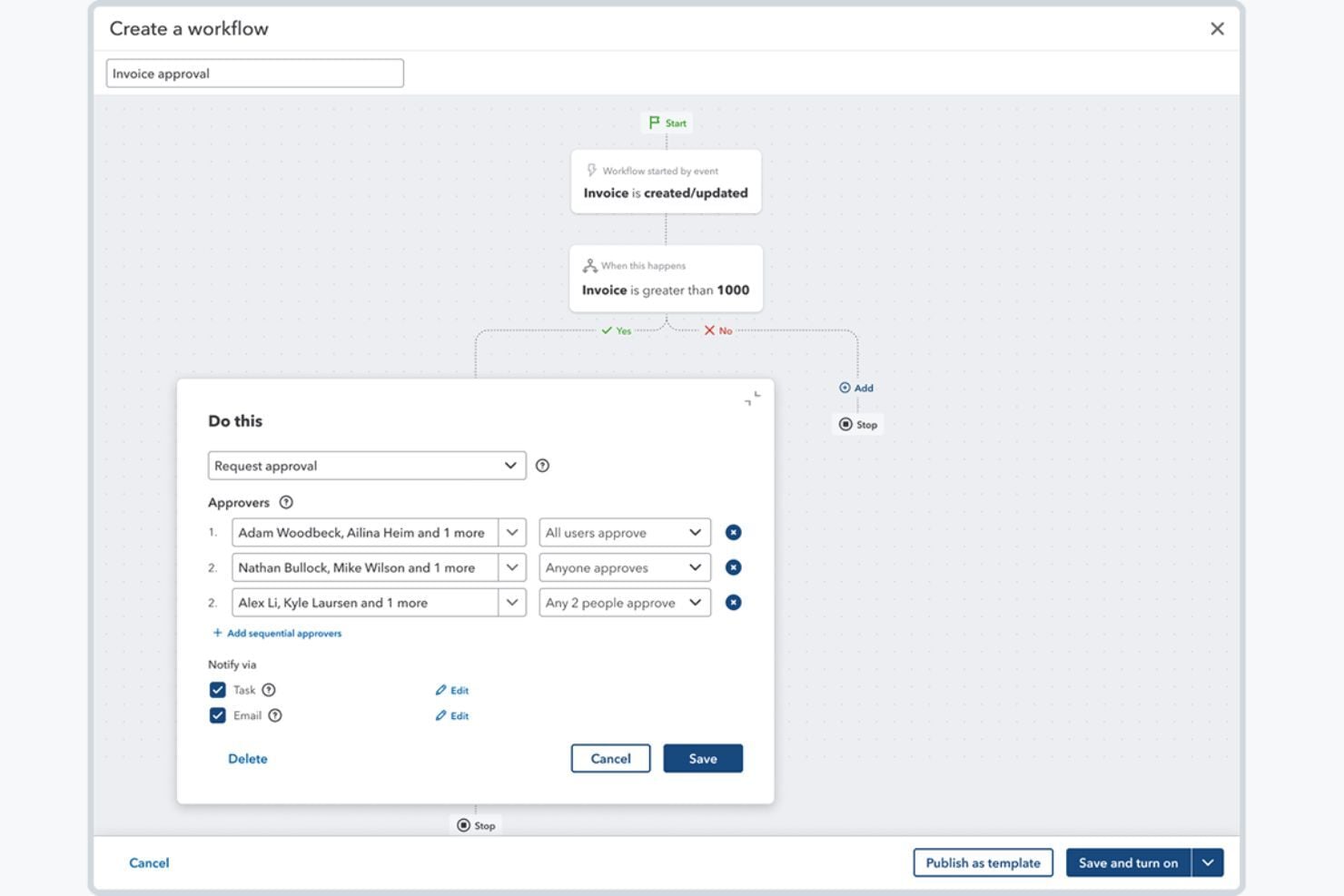
Workflow Automation
Automate financial approvals and operational workflows to reduce manual tasks and improve internal controls across your organization.
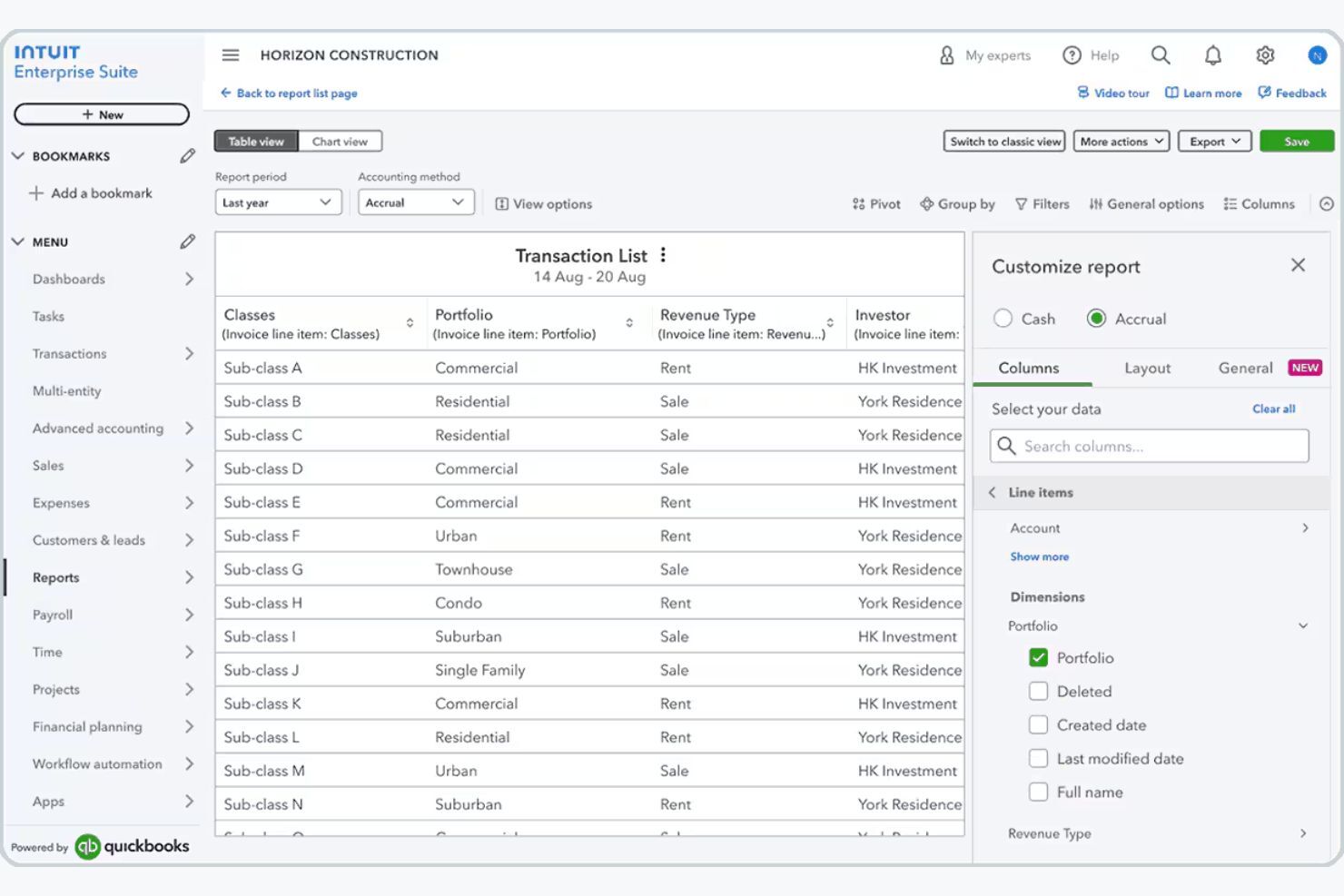
Business Intelligence and Reporting
Generate customizable financial reports, dashboards, and KPIs to monitor company performance and analyze financial data in real time.
Inventory and Order Management
Track inventory, manage sales orders, and connect operational workflows with accounting data to streamline order-to-cash processes.
Dimension Enhancements
Assign dimensions to transactions to track financial performance across departments, projects, or locations, with options for faster and bulk assignment.
Industry-Specific Business Modules
Intuit Enterprise Suite includes capabilities designed for industries like construction and professional services, helping businesses manage project budgets, proposals, and operational workflows.
Ease of Use
Intuit Enterprise Suite is generally easy to use, especially if you already use QuickBooks, since the interface follows familiar design patterns that shorten your learning curve.
You can manage accounting, payroll, reporting, and multiple entities in one cloud platform, making it easier to collaborate, access data anywhere, and reduce manual work. Most users find the interface intuitive and time-saving, though the advanced features—like multi-entity management and dimensional reporting—can feel overwhelming if you’re new to ERP accounting systems.
Integrations
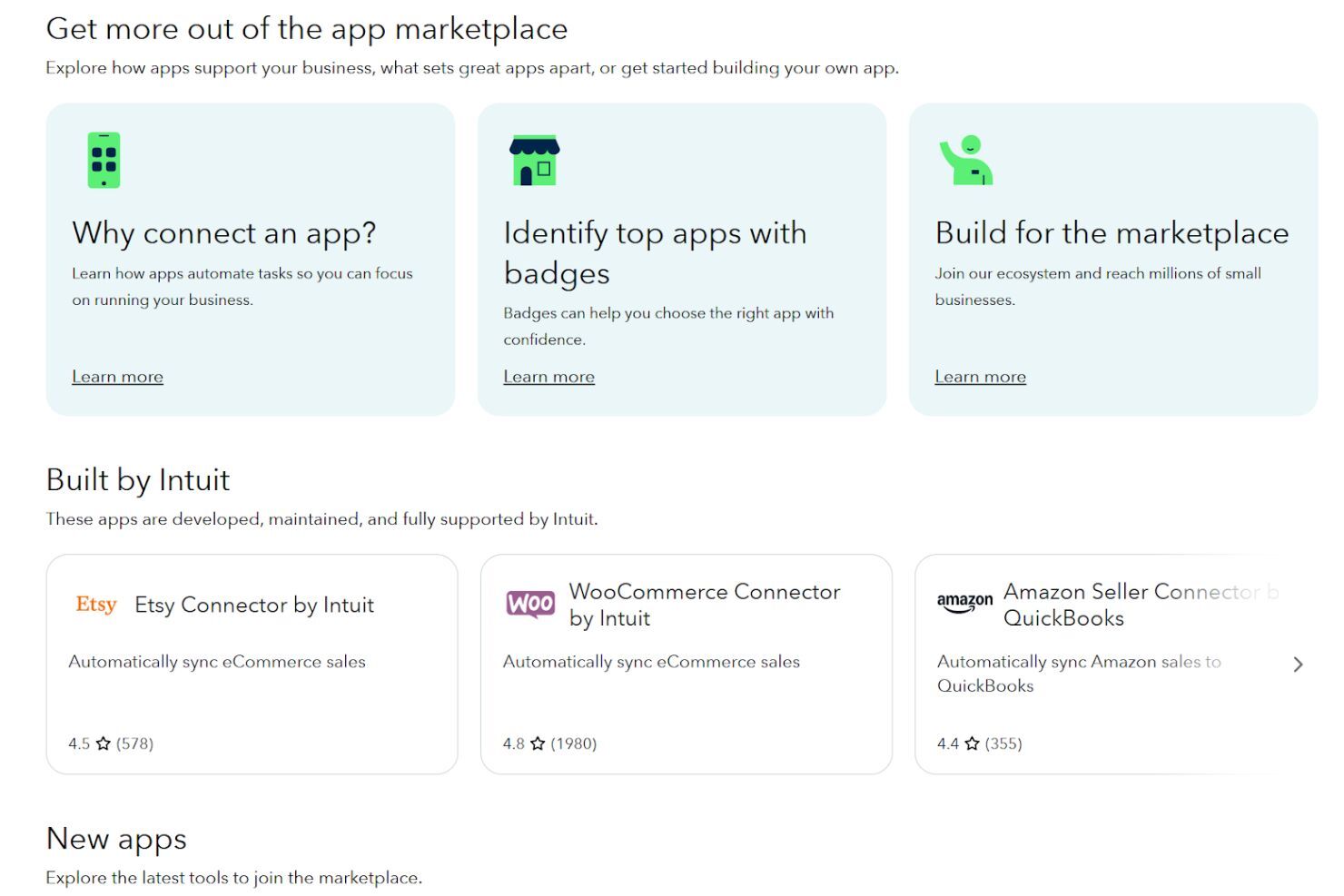
With Intuit Enterprise Suite, you can connect the platform to hundreds of third-party apps through the broader QuickBooks ecosystem. For example, you can connect Mailchimp for marketing, QuickBooks Payroll and QuickBooks Time for workforce management, and various CRM, project management, and ecommerce apps available through the QuickBooks App Store, helping you keep financial and operational data synced across systems.
If you need deeper customization, you can also use the QuickBooks Online API, which works with Intuit Enterprise Suite out of the box and lets developers build custom integrations or connect internal tools—though if you manage multiple entities, you currently need to connect integrations to each entity individually.
Intuit Enterprise Suite Specs
- Accounts Payable
- Accounts Receivable
- API
- Batch Permissions & Access
- Budgeting
- Calendar Management
- Customer Management
- Dashboard
- Data Export
- Data Import
- Data Visualization
- Expense Tracking
- External Integrations
- Forecasting
- General Account Ledger
- Inventory Tracking
- Lead Management
- Lead Scoring
- Marketing Automation
- Multi-User
- Notifications
- Password & Access Management
- Payroll
- Project Management
- Scheduling
- Supplier Management
- Tax Management
- Third-Party Plugins/Add-Ons
- Travel Management