


Intuit Enterprise Suite vs. Sage ERP: Comparison and Expert Reviews for 2026


If you’re evaluating Intuit Enterprise Suite and Sage ERP, chances are you’re already feeling the pressure of outgrowing your current systems. Maybe your financial data lives in multiple tools that don’t talk to each other, reporting takes far longer than it should, or you’re struggling to get a clear, real-time view of your business performance. As your company grows, the cracks in disconnected processes become harder to ignore.
At some point, you need more than basic accounting tools—you need ERP software that can centralize operations, automate workflows, and scale with your business. But choosing the right platform can feel overwhelming. That’s why in this article, I break down two of the big players in the ERP space: Intuit Enterprise Suite and Sage ERP. Learn how they stack up on usability, features, pricing, and support, so you can confidently decide which option will help your organization thrive.
Intuit Enterprise Suite vs. Sage ERP: An Overview
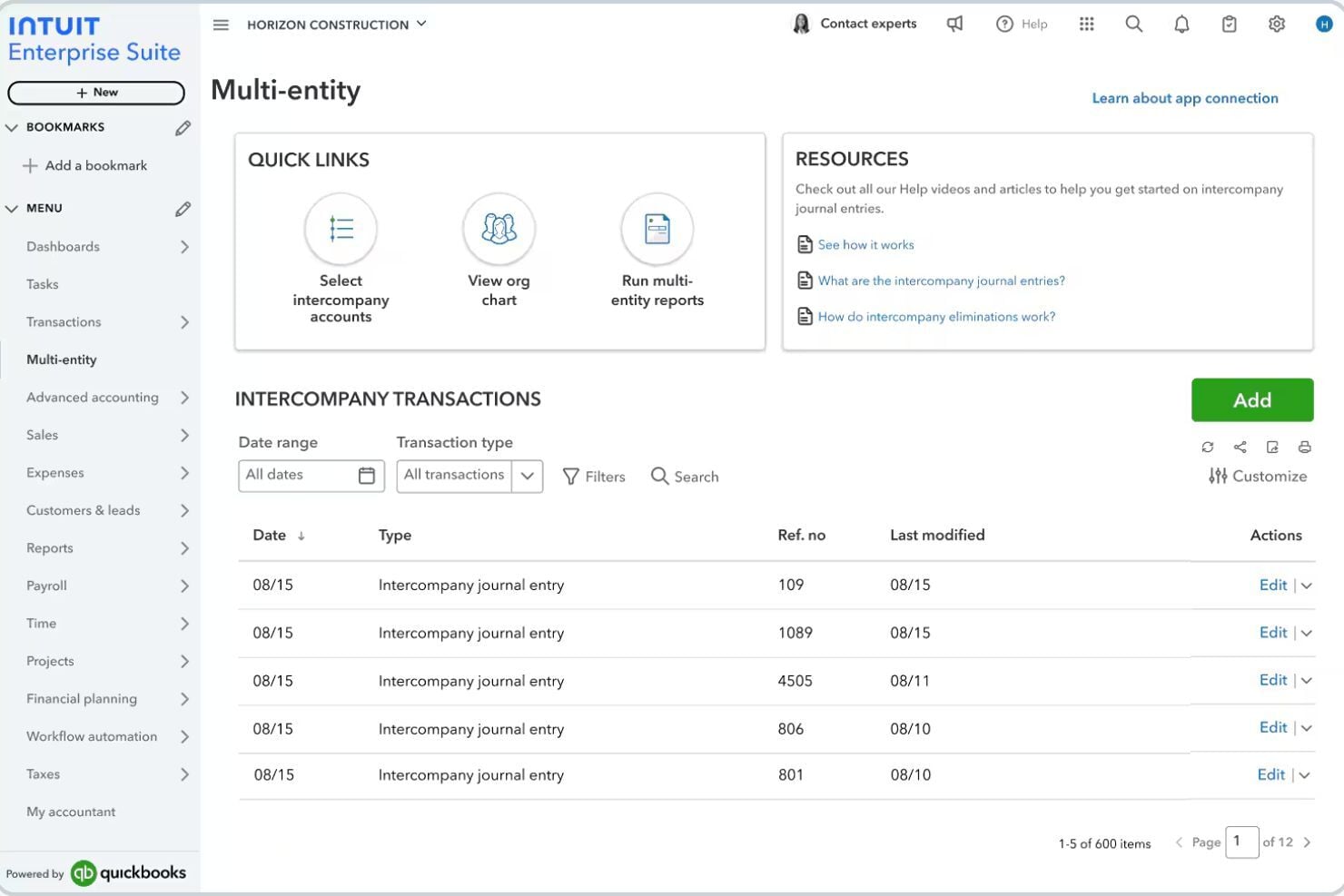
Intuit Enterprise Suite
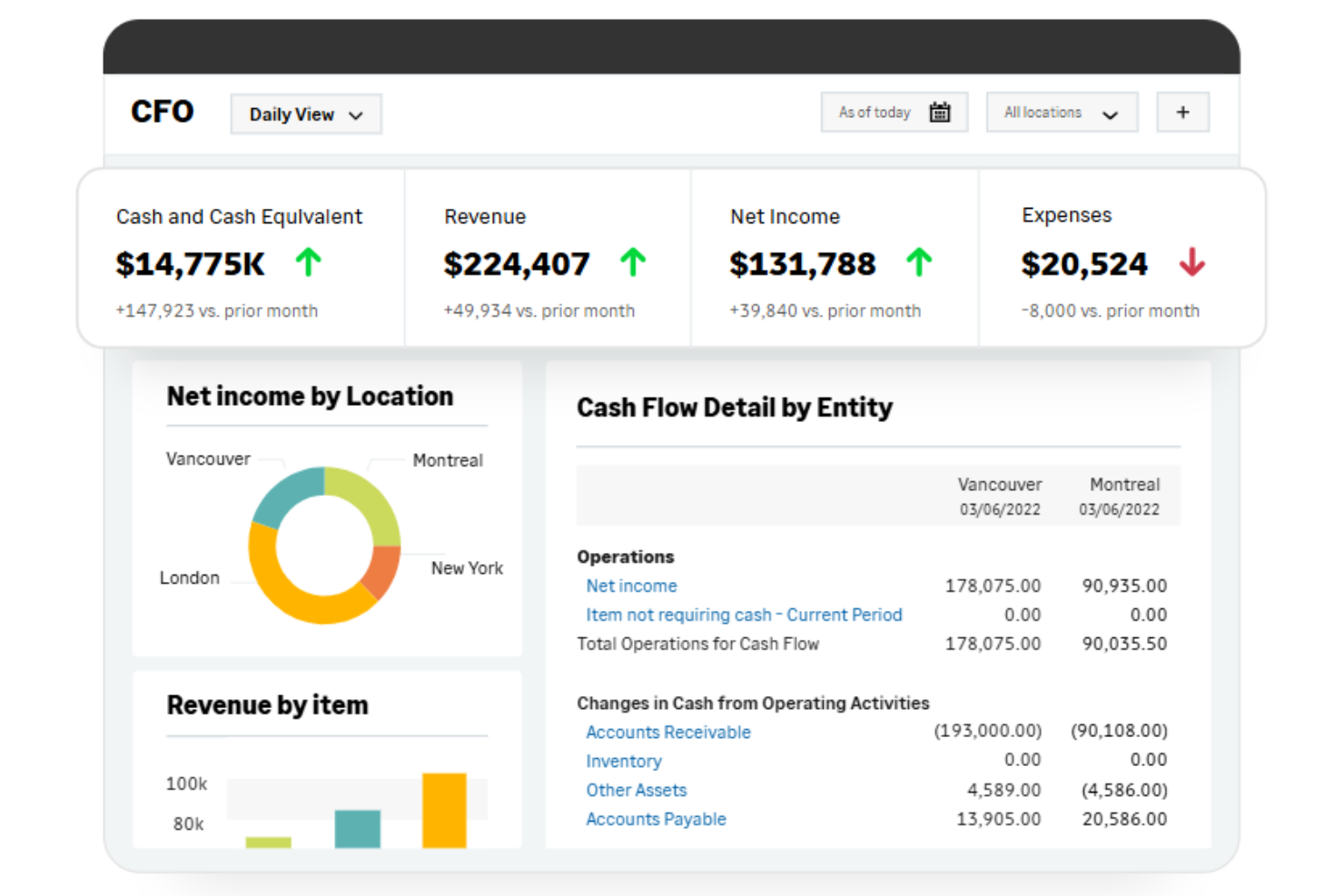
Sage ERP
Why Trust Our Software Reviews
We’ve been testing and reviewing financial software since 2023. As finance specialists ourselves, we know how critical and difficult it is to make the right decision when selecting software.
We invest in deep research to help our audience make better software purchasing decisions. We’ve tested more than 2,000 tools for different finance use cases and written over 1,000 comprehensive software reviews. Learn how we stay transparent & our software review methodology.
Intuit Enterprise Suite vs. Sage ERP Pricing Comparison
| Intuit Enterprise Suite | Sage ERP | |
|---|---|---|
| Free Trial | Free demo available | Free trial available |
| Pricing | Pricing upon request | Pricing upon request |
Intuit Enterprise Suite vs. Sage ERP Pricing & Hidden Costs
Intuit Enterprise Suite typically uses a customizable, subscription-based pricing model, with costs determined by factors like the number of users, entities, and selected features. Because the platform is configurable, pricing can vary significantly between organizations. You may also encounter additional fees for advanced modules, integrations, or premium support services.
Sage ERP is modular, with solutions such as Sage Intacct, Sage 100, and Sage X3, which generally use a quote-based pricing model that varies based on users, modules, and deployment options. While the base software cost is one part of the investment, implementation services, customization, training, and ongoing support can significantly increase the total cost of ownership—expenses that aren’t always immediately clear during early evaluations.
Intuit Enterprise Suite vs. Sage ERP Feature Comparison
Both Intuit Enterprise Suite and Sage ERP offer many of the core capabilities businesses expect from modern ERP systems. Each provides financial management features like general ledger, budgeting, and reporting, along with workflow automation and real-time analytics. They also centralize key business processes—such as accounting, purchasing, and operational data—so you can gain better visibility into performance across your organization.‘r’n’r’nOverall, Intuit Enterprise Suite stands out for strong multi-entity management and consolidated financial reporting, as well as tight integration with other Intuit tools. Sage ERP solutions, particularly platforms like Sage X3, are known for advanced inventory, manufacturing, and supply chain management, making them a stronger fit for product-based businesses.
| Intuit Enterprise Suite | Sage ERP | |
|---|---|---|
| API | ||
| Accounts Payable | ||
| Accounts Receivable | ||
| Budgeting | ||
| Calendar Management | ||
| Customer Management | ||
| Dashboard | ||
| Data Export | ||
| Data Import | ||
| Data Visualization | ||
| Expense Tracking | ||
| External Integrations | ||
| Forecasting | ||
| Inventory Tracking | ||
| Multi-User | ||
| Notifications | ||
| Payroll | ||
| Project Management | ||
| Scheduling | ||
| Supplier Management | ||
| Third-Party Plugins/Add-Ons |
Intuit Enterprise Suite vs. Sage ERP Integrations
| Integration | Intuit Enterprise Suite | Sage ERP |
| Salesforce | ✅ | ✅ |
| Shopify | ✅ | ✅ |
| Avalara | ✅ | ✅ |
| Bill.com | ✅ | ✅ |
| HubSpot | ✅ | ✅ |
| Expensify | ✅ | ✅ |
| ADP | ✅ | ✅ |
| Microsoft 365 | ✅ | ✅ |
| API | ✅ | ✅ |
| Zapier | ✅ | ✅ |
Both platforms support integrations with common business tools through APIs, connectors, and partner marketplaces. Intuit Enterprise Suite integrates with hundreds of third-party applications—including CRM, payroll, ecommerce, and project management tools—through its developer platform and partner ecosystem.
Sage ERP solutions also provide extensive integration capabilities through their marketplace and APIs. Platforms like Sage Intacct can connect with CRM, tax, payroll, and expense tools—including Salesforce, Avalara, and Expensify—while integration platforms and connectors enable connections with ecommerce and marketing systems as well.
Intuit Enterprise Suite vs. Sage ERP Security, Compliance '& Reliability
| Factor | Intuit Enterprise Suite | Sage ERP |
| Data Encryption | Uses AES-256 encryption and protects data in transit and at rest. | Uses strong encryption for secure data storage and transmission. |
| Regulatory Compliance | Supported by Intuit’s broader compliance framework, including standards such as SOC 1, SOC 2, ISO 27001, and PCI DSS across its cloud infrastructure. | Supports global compliance standards, including SOC, GDPR, and other regulatory frameworks with built-in audit logs. |
| Access Controls | Allows customizable user roles and permissions for sensitive data protection. | Offers granular user permissions and two-factor authentication for enhanced security. |
| Uptime & Reliability | High availability infrastructure with encryption and monitoring. | Delivers high availability with disaster recovery and continuous system health checks. |
Both Intuit Enterprise Suite and Sage ERP offer strong security features, including data encryption, role-based access controls, and audit logs to support compliance. Intuit emphasizes secure cloud infrastructure and built-in controls for financial transparency, while Sage ERP platforms—especially Sage Intacct—stand out for broader compliance support (such as GDPR) and high-availability cloud infrastructure with disaster recovery.
Intuit Enterprise Suite vs. Sage ERP Ease of Use
| Factor | Intuit Enterprise Suite | Sage ERP |
| User Interface | Features a clean, intuitive dashboard with easy navigation and quick access to key tasks. | Offers a customizable interface, but menus can feel dense for new users. |
| Onboarding | Provides guided setup, in-app tutorials, and fast onboarding for most teams. | Requires more training and setup time, especially for advanced modules. |
| Customization | Allows basic workflow tweaks without coding or IT support. | Supports deep customization, but setup can be complex and time-consuming. |
| Support Resources | Includes live chat, phone support, and a searchable knowledge base. | Offers extensive documentation and dedicated support, but response times may vary. |
Intuit Enterprise Suite is easier to pick up and use right away, while Sage ERP rewards users who need advanced customization and are willing to invest more time in setup. Intuit Enterprise Suite’s approachable design and quick onboarding make it ideal for teams seeking simplicity, while Sage ERP’s flexibility suits organizations with unique workflows and specialized needs.
Intuit Enterprise Suite vs Sage ERP: Pros & Cons
Intuit Enterprise Suite
- Built-in migration tools support transitions from QuickBooks Desktop and Advanced.
- AI-powered forecasting and insights help businesses analyze financial data.
- Multi-entity management supports complex organizational structures.
- Reports take longer than expected to load.
- Features can feel overwhelming.
- The platform lacks sufficient training for new releases.
Sage ERP
- Its reporting capabilities help you make informed decisions quickly.
- You can customize the software to fit your business processes.
- Reliable customer support is available when needed.
- You might find the user interface outdated compared to other software.
- You could face limited mobile functionality, affecting on-the-go access.
- Your team may initially encounter a steep learning curve.
Best Use Cases for Intuit Enterprise Suite and Sage ERP
Intuit Enterprise Suite
- Multi-Entity Businesses Companies managing multiple subsidiaries, brands, or locations that need consolidated financial visibility while maintaining separate books.
- Finance Teams Focused on Forecasting Organizations that rely on financial planning and projections to guide budgeting, expansion, and strategic decisions.
- Businesses With Structured Financial Workflows Companies with complex approval processes that want to automate financial workflows and improve internal controls.
- Growing Service Businesses Service businesses needing project profitability tracking, workforce management, and consolidated financial planning across departments benefit significantly.
- Product-Based Businesses Companies that manage inventory and sales orders and need accounting, inventory, and order workflows connected in one system.
- Construction Firms Construction companies tracking job costing, project budgets, and multi-entity structures gain stronger operational visibility.
Sage ERP
- Large Businesses Sage ERP's advanced automation and highly customizable system are ideal for enterprises with complex processes.
- Manufacturing Companies Its strong inventory management and production planning tools help manufacturing companies optimize operations and reduce waste.
- Retail Businesses Retailers can benefit from Sage ERP's point-of-sale and inventory tracking features, providing an overall view of sales and stock levels.
- Nonprofit Organizations With features for fund accounting and grant management, Sage ERP solutions support nonprofits in managing finances transparently.
- Construction Firms Construction firms can utilize its project management and job costing features for effective expense management and profitability tracking.
- Financial Departments Financial departments across various industries will find Sage ERP software's financial reporting and analysis capabilities invaluable for informed decision-making.
Who Should Use Intuit Enterprise Suite, and Who Should Use Sage ERP?
Intuit Enterprise Suite is a strong fit for growing mid-market teams that want fast setup, straightforward workflows, and easy integrations—especially multi-entity and product-based businesses. If your organization values simplicity, quick onboarding, and a predictable budget, Intuit Enterprise Suite will keep your operations running smoothly without a steep learning curve. Sage ERP, on the other hand, is best for larger businesses or global organizations with complex processes, strict compliance needs, or highly customized workflows.
Differences Between Intuit Enterprise Suite and Sage ERP
| Intuit Enterprise Suite | Sage ERP | |
|---|---|---|
| Automation | AI-powered automation for forecasting, reporting, and financial processes. | Advanced automation for finance, inventory, manufacturing, and supply chain workflows. |
| Customization | Configurable reporting, workflows, and industry dashboards using dimensions. | Highly customizable with deeper system configuration and development options. |
| Implementation Speed | Faster cloud deployment with simpler setup compared to traditional ERPs. | Implementation often longer due to customization and configuration. |
| Scalability | Designed to scale growing mid-market businesses without full ERP complexity. | Built to support complex enterprise operations across multiple departments. |
| User Interface | Modern cloud interface similar to QuickBooks, designed for ease of use. | More complex interface that may require training depending on the product. |
| Visit Intuit Enterprise SuiteOpens new window | Read Sage ERP ReviewOpens new window |
Similarities Between Intuit Enterprise Suite and Sage ERP
| Core Accounting | Both offer full general ledger, accounts payable/receivable, and bank reconciliation features, supporting accurate financial management. |
|---|---|
| Integration Options | Both integrate with CRM, payroll, ecommerce, and other business tools through APIs, connectors, and partner marketplaces. |
| Multi-Entity Support | Both systems support multi-entity accounting and consolidated financial reporting. |
| Reporting and Dashboards | Each provides customizable financial reports and dashboards, helping teams analyze performance and share insights with stakeholders. |
| Security Standards | Both use strong encryption, access controls, and audit trails to protect sensitive financial data and support compliance. |
| Visit Intuit Enterprise SuiteOpens new window Read Sage ERP ReviewOpens new window | |