


Karbon Review: Pros, Cons, Features, and Pricing



Karbon is an accounting practice management software for accounting firms that need to manage client work, team tasks, and internal communication without juggling separate tools. It brings workflows, email, and collaboration into a single workspace. I'd reach for Karbon over Jetpack Workflow if your firm needs more than basic job tracking—specifically, the built-in email integration and team-wide workflow visibility that Jetpack Workflow doesn't offer at the same depth.
Karbon Evaluation Summary

- From $59/user/month (billed annually)
- Free demo available
Why Trust Our Software Recommendations
Our team has been testing and reviewing software since 2012. As finance leaders ourselves, we know how difficult—and important—it is to choose the right software.
For this guide, we evaluated tools using hands-on testing and independent research, scoring tools using our selection criteria.
Our reviews reflect our human editorial judgment, not a sales pitch.
Karbon Overview
In my opinion, Karbon stands out as a practice management platform for larger accounting firms that require advanced workflow management, client management, and collaboration tools. While Karbon offers strong metrics, automation, and CRM capabilities, its complexity might not suit smaller teams or budget-conscious users. Compared to other accounting practice management software, Karbon excels in team collaboration, email integration, and work items visibility, but falls short in onboarding simplicity. If your team needs robust task management, checklists, client reminders, and excellent customer support, Karbon is worth considering. However, for small businesses with limited budgets, it might not be the best fit.
pros
-
You can easily manage tasks and emails in one place.
-
Your team benefits from strong collaboration features.
-
It offers powerful analytics for tracking performance.
cons
-
You might find the onboarding process a bit complex.
-
It can be overwhelming for smaller teams without practice management experience.
-
Some users report a learning curve with its features.
Is Karbon Right For Your Needs?
Who Would be a Good Fit for Karbon?
Karbon is a great fit for large accounting firms and financial departments needing detailed task management, project management, and client communication. If your team manages tax returns, bookkeeping, invoicing, and client work across multiple stakeholders, Karbon's workflow automation, email management, and CRM features help save time. Its analytics and time tracking support data-driven decision-making, making it ideal for teams that rely on accurate metrics and pricing insights. For teams managing complex projects, Karbon's collaboration tools can enhance your team's efficiency.
-
Large Accounting Firms
Karbon's workflow management, task management, and collaboration tools help your team manage complex projects efficiently.
-
Financial Departments
You benefit from real-time analytics, document management, and reporting for decision-making in your financial operations.
-
Consulting Businesses
Karbon's client portal, CRM, and email management keep client relationships organized and accessible.
-
Project Managers
Karbon's task automation and tracking features streamline your project oversight and improve delivery timelines.
-
Tax Advisory Teams
Karbon helps you manage tax returns, client reminders, due dates, and compliance workflows.
-
Audit Departments
You'll find its detailed task tracking and reporting features essential for compliance and auditing tasks.
Who Would be a Bad Fit for Karbon?
Karbon isn't ideal for small businesses, freelancers, or startups with simpler needs. Its advanced workflow automation, integrations, and customization options may overwhelm teams looking for basic to-do lists or minimal project management. If you're a solo practitioner or in a small team, the complexity and learning curve could be a hindrance. You might find it challenging to justify the cost if your operations don't require detailed analytics or extensive collaboration tools.
-
Small Startups
Karbon's complexity and cost may not suit your simple and budget-friendly needs.
-
Solo Practitioners
You may find that Karbon's workflow management features are too extensive for managing individual client tasks.
-
Non-Financial Teams
Karbon's accounting-focused tools are unlikely to align with your non-financial workflows.
-
Small Retail Businesses
Your straightforward operations may not benefit from Karbon's advanced practice management functionality.
-
Freelancers
Karbon's collaboration and task management tools may be unnecessary for solo work.
-
Budget-Conscious Teams
You might struggle to justify the investment if you're focused on cost-saving solutions.
How We Test & Score Tools
We’ve spent years building, refining, and improving our software testing and scoring system. The rubric is designed to capture the nuances of software selection and what makes a tool effective, focusing on critical aspects of the decision-making process.
Below, you can see exactly how our testing and scoring works across seven criteria. It allows us to provide an unbiased evaluation of the software based on core functionality, standout features, ease of use, onboarding, customer support, integrations, customer reviews, and value for money.
Core Functionality (25% of final scoring)
The starting point of our evaluation is always the core functionality of the tool. Does it have the basic features and functions that a user would expect to see? Are any of those core features locked to higher-tiered pricing plans? At its core, we expect a tool to stand up against the baseline capabilities of its competitors.
Standout Features (25% of final scoring)
Next, we evaluate uncommon standout features that go above and beyond the core functionality typically found in tools of its kind. A high score reflects specialized or unique features that make the product faster, more efficient, or offer additional value to the user.
We also evaluate how easy it is to integrate with other tools typically found in the tech stack to expand the functionality and utility of the software. Tools offering plentiful native integrations, 3rd party connections, and API access to build custom integrations score best.
Ease of Use (10% of final scoring)
We consider how quick and easy it is to execute the tasks defined in the core functionality using the tool. High scoring software is well designed, intuitive to use, offers mobile apps, provides templates, and makes relatively complex tasks seem simple.
Onboarding (10% of final scoring)
We know how important rapid team adoption is for a new platform, so we evaluate how easy it is to learn and use a tool with minimal training. We evaluate how quickly a team member can get set up and start using the tool with no experience. High scoring solutions indicate little or no support is required.
Customer Support (10% of final scoring)
We review how quick and easy it is to get unstuck and find help by phone, live chat, or knowledge base. Tools and companies that provide real-time support score best, while chatbots score worst.
Customer Reviews (10% of final scoring)
Beyond our own testing and evaluation, we consider the net promoter score from current and past customers. We review their likelihood, given the option, to choose the tool again for the core functionality. A high scoring software reflects a high net promoter score from current or past customers.
Value for Money (10% of final scoring)
Lastly, in consideration of all the other criteria, we review the average price of entry level plans against the core features and consider the value of the other evaluation criteria. Software that delivers more, for less, will score higher.
Core Features
Task Management
You can organize and assign tasks easily, ensuring your team stays on top of deadlines and priorities. This feature keeps everyone aligned by providing clear visibility into ongoing work.
Email Integration
Karbon lets you manage emails alongside tasks, allowing you to streamline communications. You won't need to switch between apps to stay updated.
Collaboration Tools
Your team can share information and updates in real time, enhancing communication and efficiency. This feature supports teamwork by centralizing discussions and feedback.
Performance Analytics
Track metrics, productivity, and workflow performance across your accounting practice. This allows you to gain insights into your team's performance and identify areas needing improvement.
Time Tracking
You can monitor how much time is spent on tasks, which helps in resource planning and billing. This ensures accurate time management and accountability.
Document Management
Karbon allows you to store and organize all your documents in one place, making access and retrieval simple. Your team can collaborate on files without the hassle of searching through multiple locations.

Standout Features
Automated Workflows
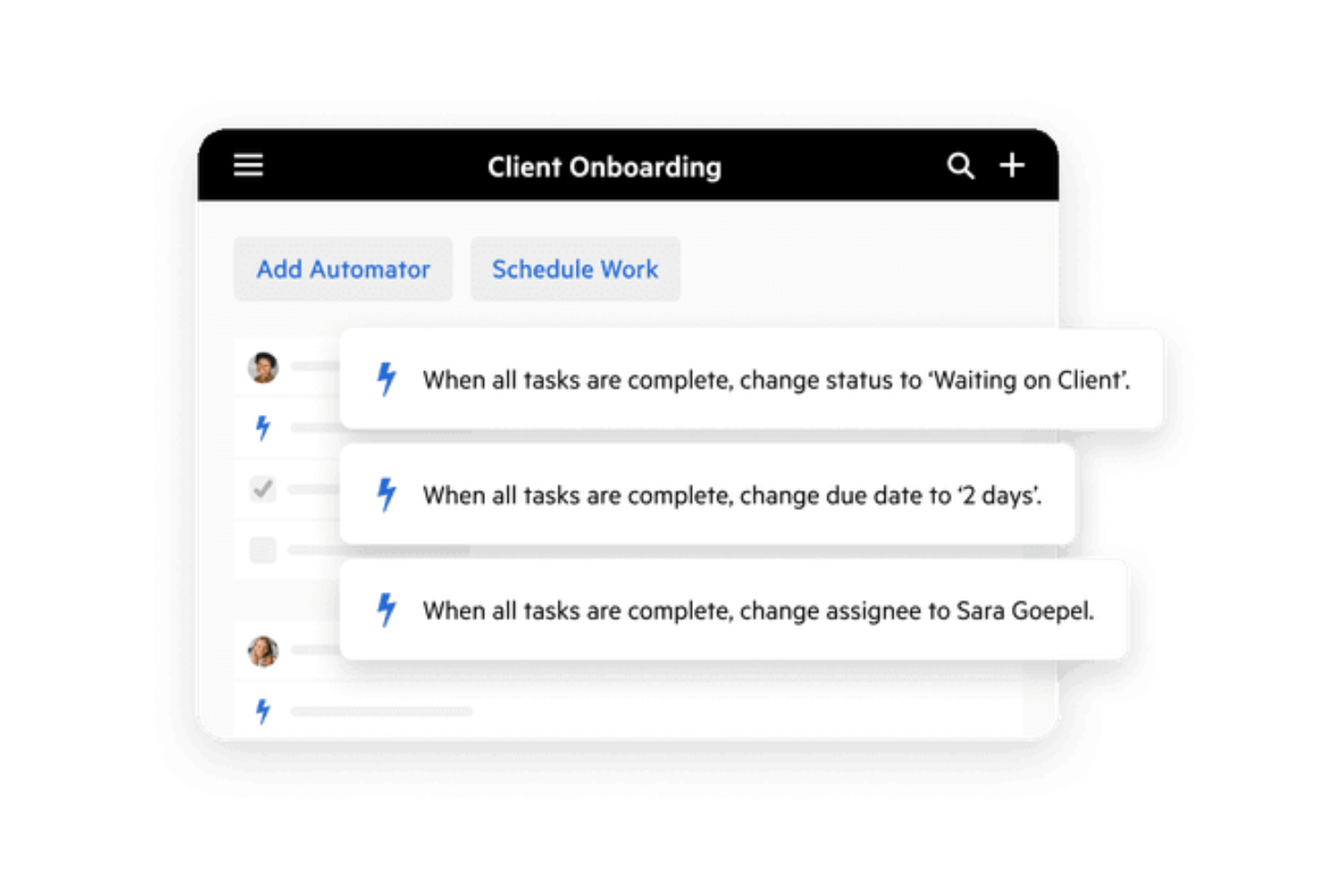
Karbon automates repetitive tasks, freeing up your team's time for more important work. This feature boosts efficiency by reducing manual errors and speeding up processes.
Client Portal
Your clients can access documents, tasks, and updates through a secure client portal, enhancing transparency and service. This feature improves client relationships by keeping them informed and engaged.
Ease of Use
Karbon offers a modern interface with strong functionality, though ease of use can vary depending on workflow complexity. Its comprehensive features require time to master, which can be challenging for smaller teams. Once mastered, the intuitive design helps streamline client work and collaboration effectively. You’ll appreciate the integration of tasks and emails in one platform. Overall, Karbon balances functionality with usability, though it's best suited for teams ready to invest time in learning.

Onboarding
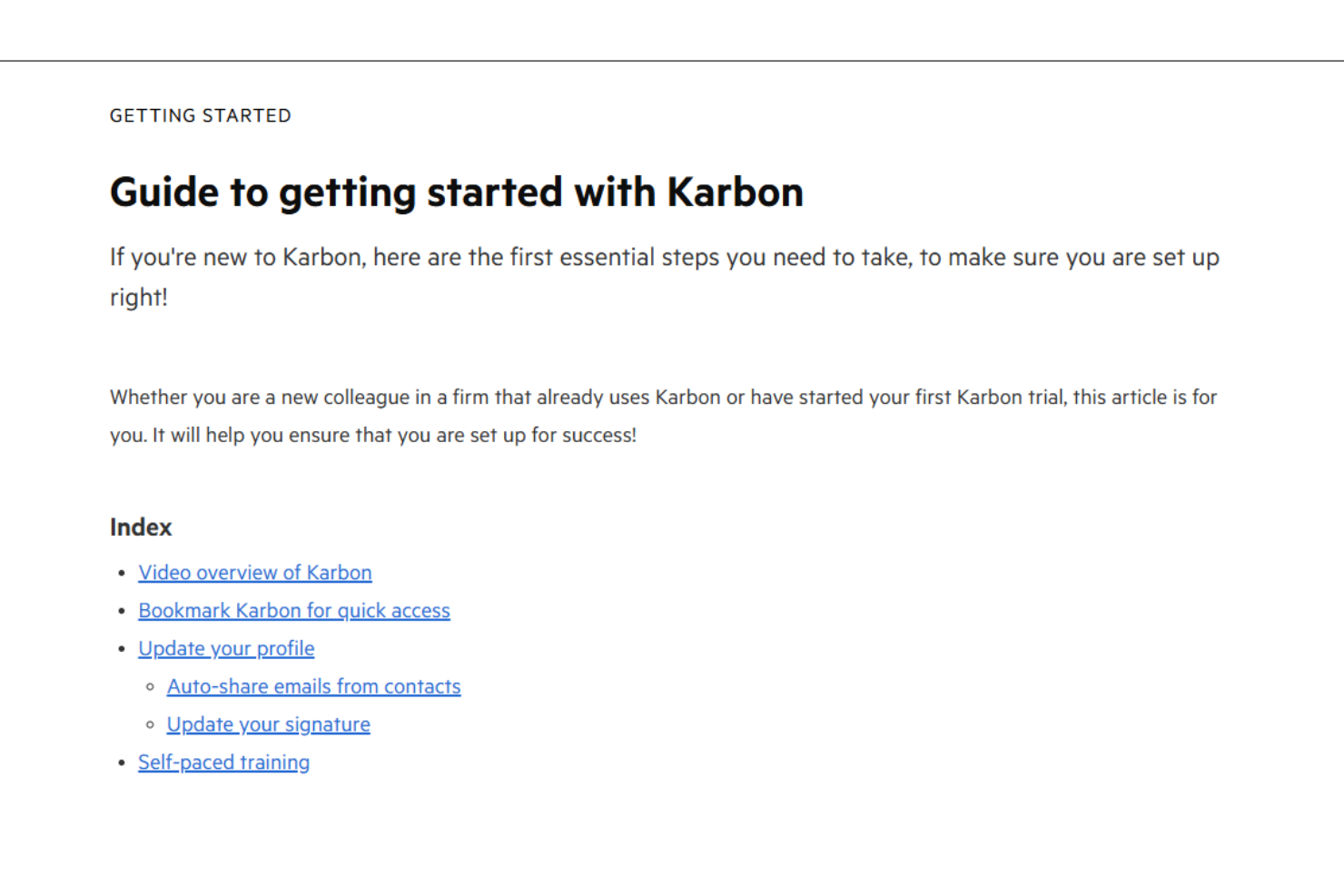
Karbon's onboarding process can be daunting for new users due to its extensive features, templates, and integrations. You'll find the initial setup requires time and patience, but resources such as tutorials and customer support are readily available. Your team may require dedicated sessions to fully understand the platform's capabilities. While customer support offers ample guidance, the time to value might take longer than expected, especially for those not used to such detailed software.
Customer Support
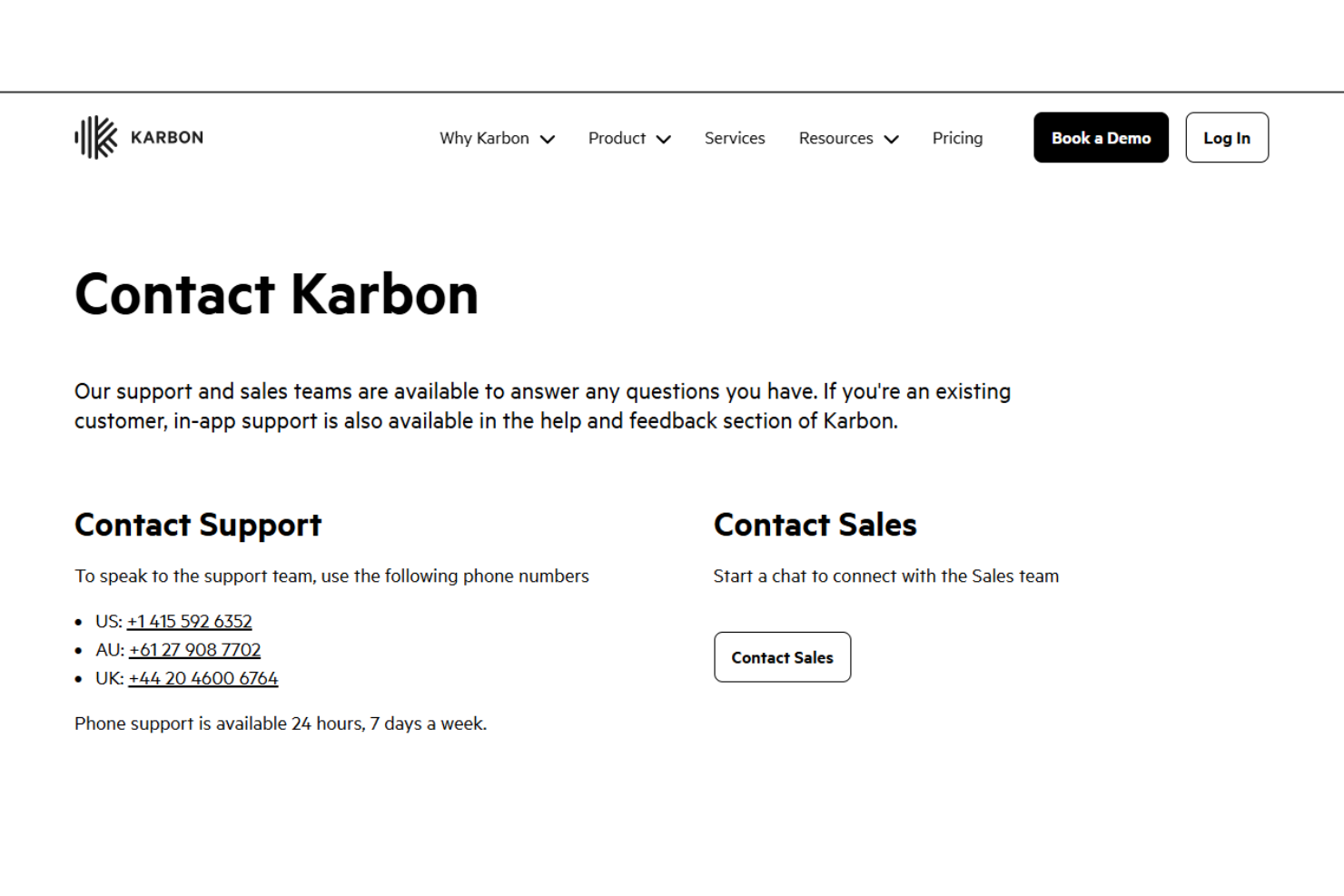
Karbon provides responsive customer support through multiple channels, ensuring your team can seek assistance whenever it's needed. The support team is efficient and knowledgeable, which is particularly valuable during onboarding and daily operations. While some users might experience delays during peak times, overall, the support team enhances your experience by providing the guidance necessary to navigate the platform's features successfully.
Integrations
Karbon integrates with Gmail, Microsoft Exchange, Office 365, QuickBooks Online, Xero, Slack, HubSpot, Dropbox, and Calendly. Karbon also offers an API for custom solutions and connects with third-party integration tools such as Zapier.

Value for Money
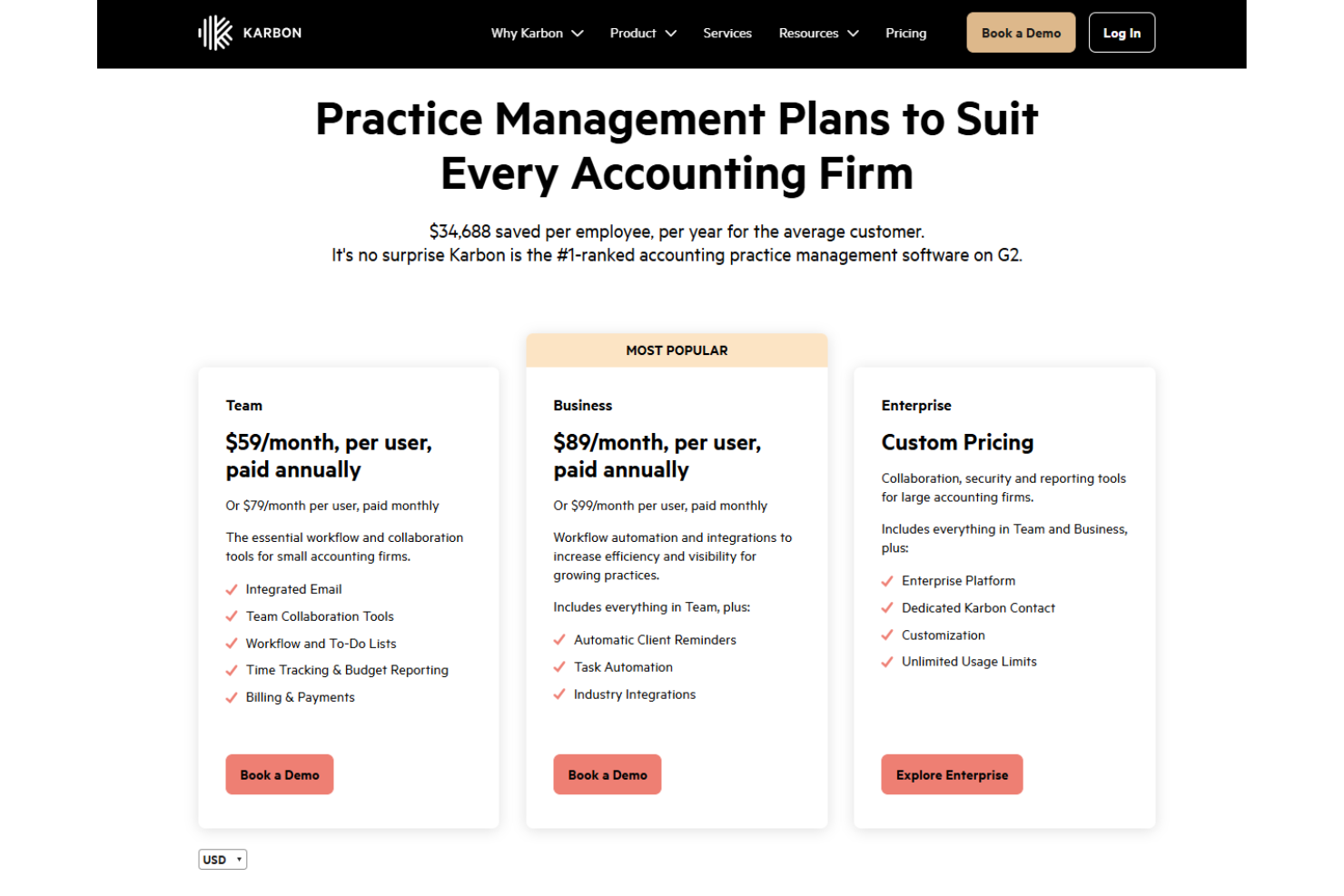
Karbon offers robust features that align well with its pricing model, making it a valuable investment for accounting firms. Its pricing plans cater to different business needs, making it suitable for both small and large teams. A free trial is available, allowing your team to evaluate its suitability before purchase.
- Team Plan: $59/month per user (billed annually) or $79/month (billed monthly); includes essential workflow tools.
- Business Plan: $89/month per user (billed annually) or $99/month (billed monthly); adds client reminders and task automation.
- Enterprise Plan: Prices available on request; includes all features from previous plans, plus dedicated support and customization.
Karbon Specs
- A/B Testing
- API
- Collaboration Support
- Custom Data Forms
- Dashboard
- Dashboards
- Data Export
- Data Import
- Developer Tools
- External Integrations
- Feedback Management
- Gantt Charts
- Google Apps Integration
- Multi-User
- Notifications
- Prioritization
- Product Catalog
- Release Management
- Reports
- Resource Management
- Review Monitoring
- Roadmapping
- Scheduling
- Task Scheduling/Tracking
Karbon FAQs
How does Karbon handle data security and compliance?
Can Karbon support remote teams effectively?
Is it easy to migrate existing data to Karbon?
How customizable is Karbon for specific workflows?
What kind of training resources does Karbon offer?
Does Karbon offer mobile access?
How does Karbon facilitate client communication?
Can Karbon scale with my growing business needs?
Karbon Company Overview & History
Karbon is a cloud-based practice management software provider headquartered in Australia. It provides services to customers in 34 countries and has employees based throughout the US, Australia, New Zealand, Canada, and the United Kingdom. Known for its strong company culture and rapid growth, Karbon enhances efficiency and collaboration in accounting firms. It doesn't own other products or affiliations but focuses on innovation in the accounting industry. Notable clients include top accounting firms worldwide.
Karbon Major Milestones
- 2014: Founded to enhance collaboration in the accounting industry.
- 2025: Recognized for excellence in practice management software and ranked #2 on G2.