

PracticePanther Review: Pros, Cons, Features and Pricing


PracticePanther is a trust accounting software designed for legal teams to manage trust accounts efficiently and ensure compliance with legal regulations. It best serves law firms and legal departments needing automated trust account reconciliation, detailed reporting, and secure client payment options. PracticePanther helps law firms manage finances effectively, ensuring compliance and simplifying financial processes.
PracticePanther addresses common pain points like compliance with regulations such as IOLTA and ABA, and simplifies financial management for legal teams. In this article, I'll cover PracticePanther's features, pros and cons, use cases, pricing, etc., so you can decide if this software aligns with your compliance and financial management needs and goals.
PracticePanther Evaluation Summary
- From $59/user/month
- 7-day free trial available
Why Trust Our Software Reviews
PracticePanther Overview
In my opinion, PracticePanther stands out as a competent trust accounting software, offering a solid mix of features and support. Its interface is user-friendly, making it accessible for teams of varying tech proficiency. Where it shines is in customer support, which users find responsive and helpful. However, the pricing might not be the best fit for smaller firms. Compared to competitors like Clio, PracticePanther offers excellent onboarding and ease of use, but it could improve by expanding its standout features. It's well-suited for medium to large legal firms that prioritize user support and smooth onboarding processes.
pros
-
You get prompt and helpful support when you need assistance.
-
The document management feature helps your team stay organized.
-
You can easily manage your tasks and deadlines with its intuitive interface.
cons
-
You may experience occasional slow performance with large data sets.
-
Your team could face a learning curve with some advanced features.
-
You might find the reporting features a bit limited for detailed analysis.
-

LiveFlow
Visit WebsiteThis is an aggregated rating for this tool including ratings from Crozdesk users and ratings from other sites.4.9 -
Float Financial
Visit WebsiteThis is an aggregated rating for this tool including ratings from Crozdesk users and ratings from other sites.4.1 -
Creatio CRM
Visit WebsiteThis is an aggregated rating for this tool including ratings from Crozdesk users and ratings from other sites.4.7


How We Test & Score Tools
We’ve spent years building, refining, and improving our software testing and scoring system. The rubric is designed to capture the nuances of software selection and what makes a tool effective, focusing on critical aspects of the decision-making process.
Below, you can see exactly how our testing and scoring works across seven criteria. It allows us to provide an unbiased evaluation of the software based on core functionality, standout features, ease of use, onboarding, customer support, integrations, customer reviews, and value for money.
Core Functionality (25% of final scoring)
The starting point of our evaluation is always the core functionality of the tool. Does it have the basic features and functions that a user would expect to see? Are any of those core features locked to higher-tiered pricing plans? At its core, we expect a tool to stand up against the baseline capabilities of its competitors.
Standout Features (25% of final scoring)
Next, we evaluate uncommon standout features that go above and beyond the core functionality typically found in tools of its kind. A high score reflects specialized or unique features that make the product faster, more efficient, or offer additional value to the user.
We also evaluate how easy it is to integrate with other tools typically found in the tech stack to expand the functionality and utility of the software. Tools offering plentiful native integrations, 3rd party connections, and API access to build custom integrations score best.
Ease of Use (10% of final scoring)
We consider how quick and easy it is to execute the tasks defined in the core functionality using the tool. High scoring software is well designed, intuitive to use, offers mobile apps, provides templates, and makes relatively complex tasks seem simple.
Onboarding (10% of final scoring)
We know how important rapid team adoption is for a new platform, so we evaluate how easy it is to learn and use a tool with minimal training. We evaluate how quickly a team member can get set up and start using the tool with no experience. High scoring solutions indicate little or no support is required.
Customer Support (10% of final scoring)
We review how quick and easy it is to get unstuck and find help by phone, live chat, or knowledge base. Tools and companies that provide real-time support score best, while chatbots score worst.
Customer Reviews (10% of final scoring)
Beyond our own testing and evaluation, we consider the net promoter score from current and past customers. We review their likelihood, given the option, to choose the tool again for the core functionality. A high scoring software reflects a high net promoter score from current or past customers.
Value for Money (10% of final scoring)
Lastly, in consideration of all the other criteria, we review the average price of entry level plans against the core features and consider the value of the other evaluation criteria. Software that delivers more, for less, will score higher.
Core Features
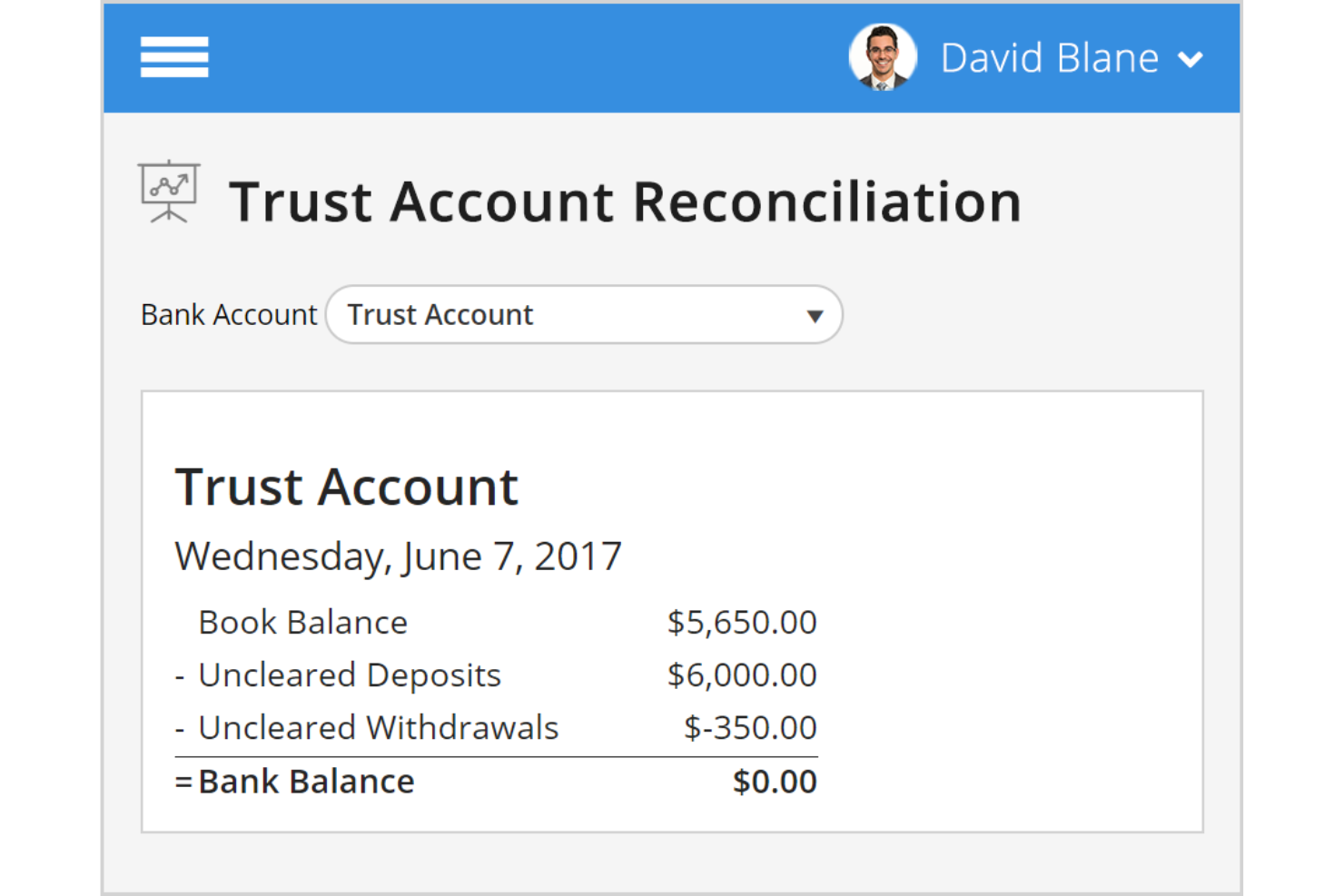
Compliance Management: PracticePanther ensures adherence to IOLTA, ABA, and state bar regulations with daily reconciliation and automatic transaction logging. This automates key compliance processes for your trust accounts.
Integrated Financial Management: The software combines billing, collections, and trust accounting, allowing seamless tracking of transactions linked to clients and matters. This integration simplifies your financial oversight.
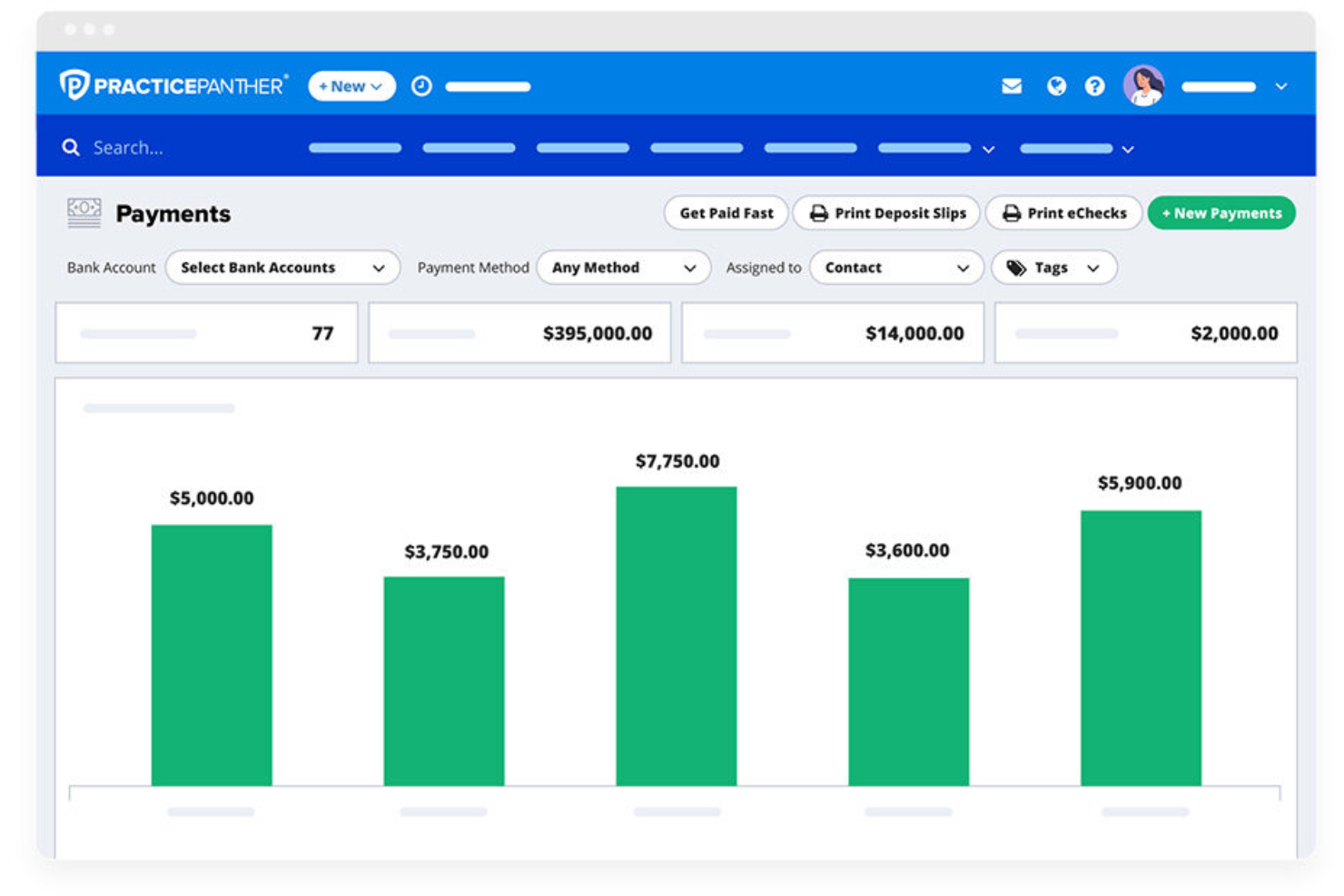
Custom Reporting: Generate customizable reports for trust accounts, facilitating easy review of financial performance. This feature helps you keep track of your firm's finances effectively.
Automated Notifications: Receive alerts for trust account balances and easily transfer funds, ensuring your team stays on top of follow up tasks and maintain financial control at all times.
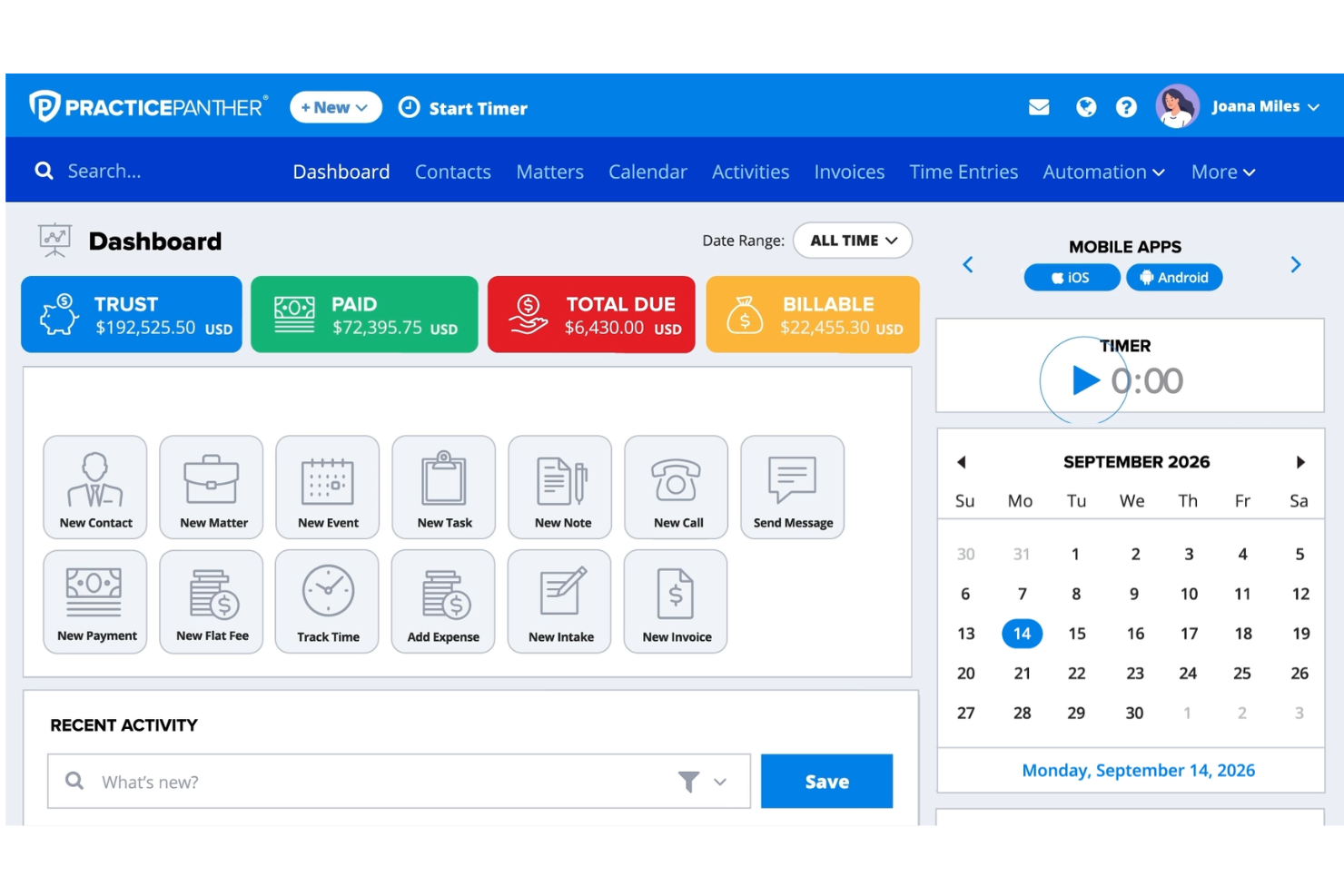
User-Friendly Interface: PracticePanther features an intuitive dashboard with real-time visibility into separate ledgers for trust and operating accounts. It makes navigation and management straightforward for your team.
Three-Way Reconciliation: Simplifies daily reconciliations to ensure accurate tracking of trust accounts, which is vital for maintaining accuracy in your financial records.
Ease of Use
PracticePanther is incredibly user-friendly for trust accounting. Its intuitive navigation, with features accessible through a simple left-side menu, makes your work straightforward. The design ensures you won't get lost, whether you're viewing top-level data or diving into project specifics. Users appreciate the seamless transition between features, which reduces frustration and boosts productivity. The software's layout and functionality are crafted to support your team efficiently, aligning well with the high ease of use rating previously given.
Integrations
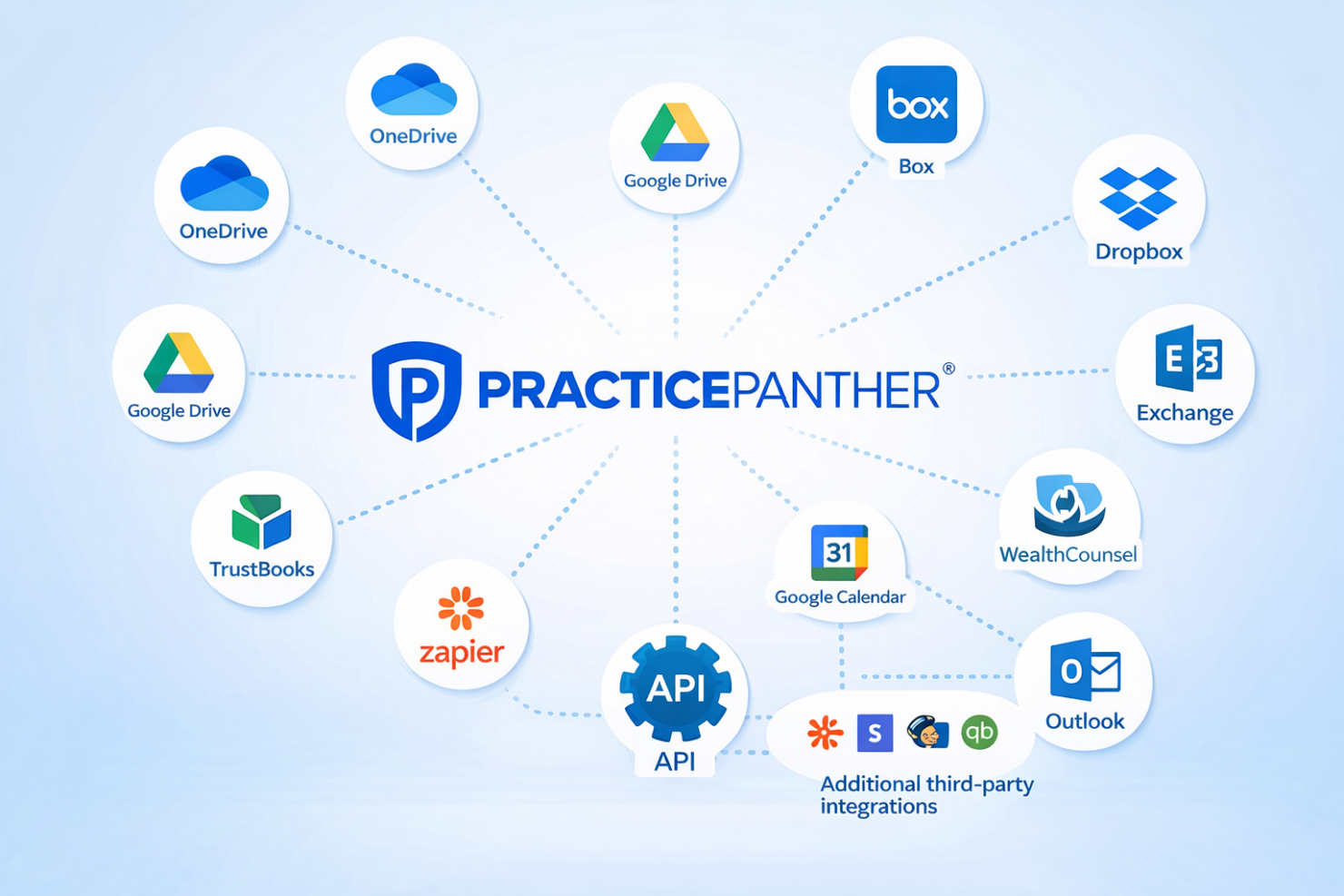
PracticePanther integrates with OneDrive, Google Drive, Box, Dropbox, TrustBooks, Microsoft Exchange, WealthCounsel, Smith.ai, Tracers, Google Calendar, and Outlook.
PracticePanther also connects with Zapier and offers an API for additional third-party integrations.
New Product Updates from PracticePanther

PracticePanther Improves Tagging and Filter Controls
PracticePanther introduces multi-select tags and typed date range inputs for filters. These updates streamline organization tasks and improve how users apply filters when reviewing data across the platform. Highlights include:
- Multi-Select Tags: Select multiple tags at once to organize matters, contacts, and transactions more quickly.
- Typed Date Range Filters: Enter date ranges manually for faster and more precise filtering.
Visit PracticePanther’s official site for more details.
 for more details.
PracticePanther Enhances AR Aging Reports
PracticePanther enhances AR Aging Reports by adding a filter to exclude pending invoices from AR aging calculations. This update provides a more accurate view of overdue balances and improves financial tracking for firms.
Visit PracticePanther’s official site for more details.

PracticePanther Introduces Billing Analysis Report
PracticePanther has rolled out a new Billing Analysis Report designed to enhance how law firms evaluate their productivity and billing efficiency. This tool offers a comprehensive breakdown of time entries and billed revenue, providing clarity on worked vs. invoiced amounts. Here are the details of the update:
- Clear Breakdown of Amounts: The report distinguishes between worked, billed, and unbilled amounts for a selected date range, providing deeper insights into billing processes.
- Revenue Flow Insight: It helps in identifying areas where revenue might be getting stuck, thus aiding in the improvement of cash flow management.
- Productivity Evaluation: By comparing worked time with actual billed time, firms can gain a better understanding of their billing efficiency and revenue trends.
Visit PracticePanther's official site for more details.
PracticePanther Specs
- 2-Factor Authentication
- API
- Approval Workflows
- Audit Trail
- Calendar Management
- Compliance Tracking
- Contract Management
- Custom Reports
- Customer Management
- Data Export
- Data Import
- Document Management
- External Integrations
- Multi-User
- NDA Management
- Notifications
- Policy Management
- Scheduling
- Workflow Management


