


QuickBooks Online vs. FreshBooks: Detailed Comparison and Expert Reviews 2026


Choosing between QuickBooks Online and FreshBooks for your next accounting software solution? If you’re struggling to decide which platform will help you close the books faster, keep your records audit-ready, and support your team’s growth, you’re not alone. This guide breaks down the real-world strengths, weaknesses, and user experiences of both tools, so you can confidently select the solution that fits your business’s needs and ambitions.
Intuit QuickBooks Online vs. FreshBooks: An Overview
Intuit QuickBooks Online
FreshBooks

Why Trust Our Software Reviews
We’ve been testing and reviewing financial software since 2023. As finance specialists ourselves, we know how critical and difficult it is to make the right decision when selecting software.
We invest in deep research to help our audience make better software purchasing decisions. We’ve tested more than 2,000 tools for different finance use cases and written over 1,000 comprehensive software reviews. Learn how we stay transparent & our software review methodology.
Intuit QuickBooks Online vs. FreshBooks Pricing Comparison
| Intuit QuickBooks Online | FreshBooks | |
|---|---|---|
| Free Trial | 30-day free trial | 30-day free trial available |
| Pricing | From $19/month (for 3 months, then $38/month) | From $6.90/month |
QuickBooks Online vs. FreshBooks Pricing & Hidden Costs
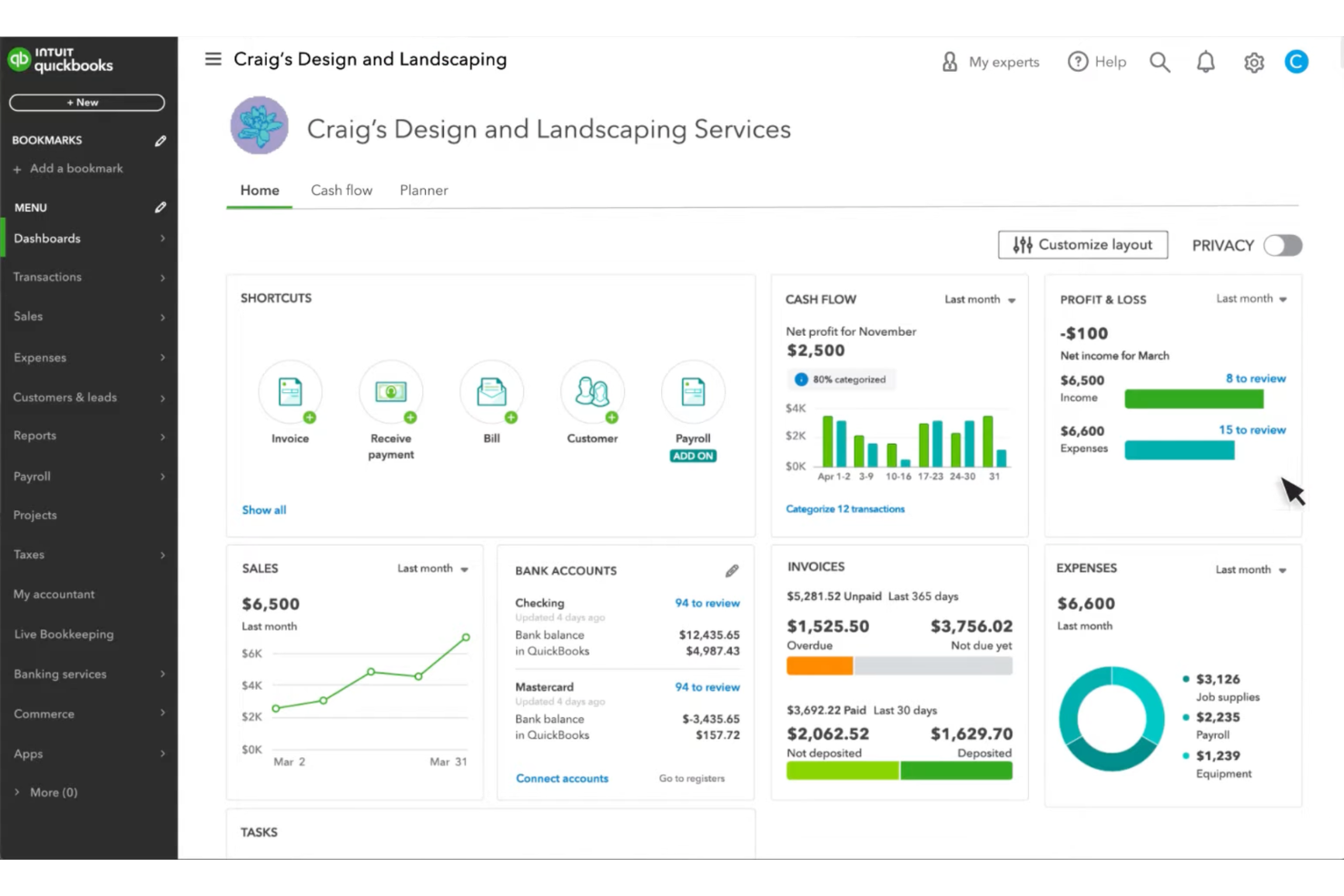
QuickBooks Online uses a tiered subscription model, with each plan unlocking more advanced features like inventory tracking, advanced reporting, and multi-user access. You may encounter extra charges for payroll, additional users, or AI capabilities. FreshBooks also offers tiered plans, but its pricing is based on the number of billable clients, and certain features—like advanced payments or team member access—come with add-on fees. Both platforms may charge for premium support or specialized features.
To choose the right pricing model, start by mapping out your current and future needs—think about how many clients you serve, how many team members need access, and which features are essential for your workflow. Review each vendor’s add-on costs and limitations, and consider how your needs might change as your business grows. Request a detailed quote or use a free trial to test how the platform fits your real-world processes before making a commitment.
Intuit QuickBooks Online vs. FreshBooks Feature Comparison
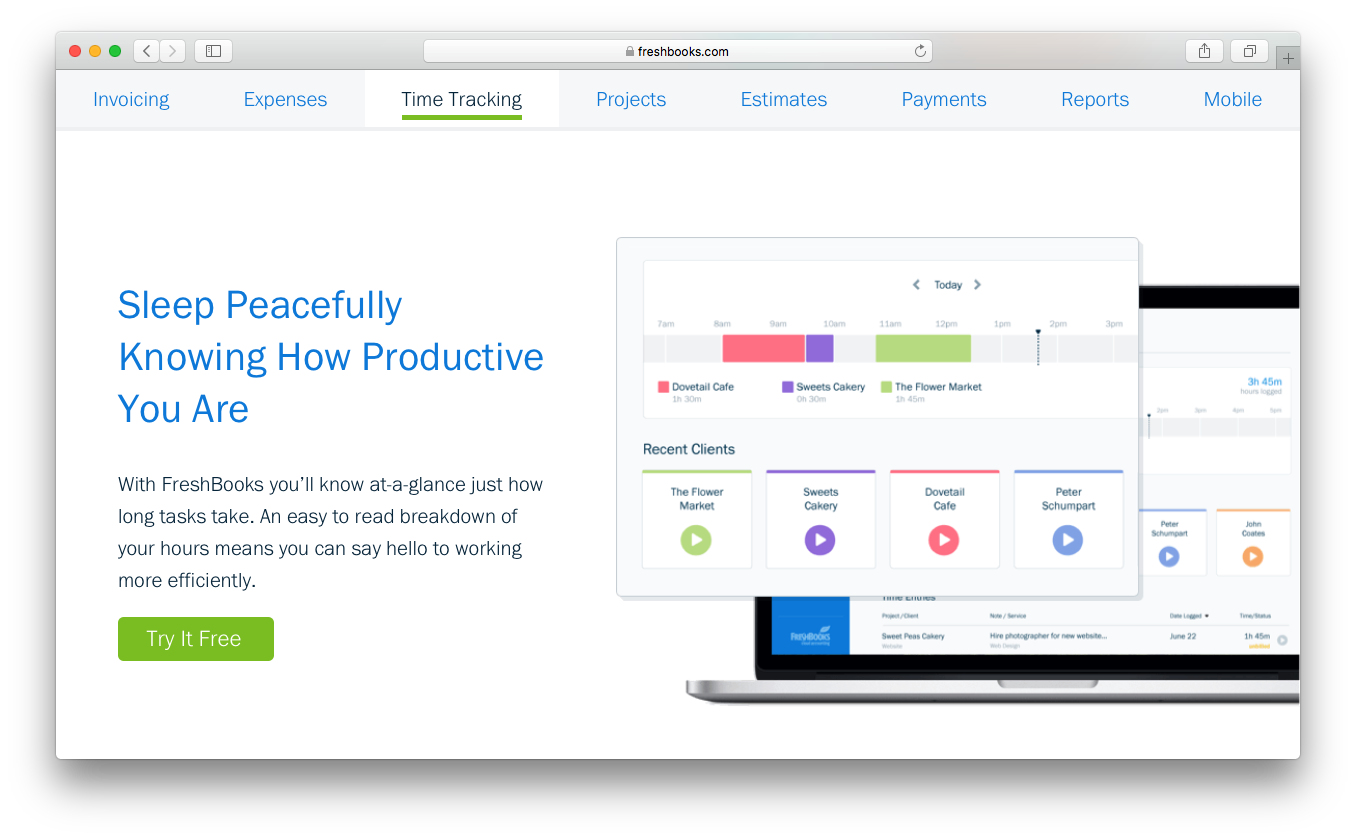
QuickBooks Online and FreshBooks are both cloud-based accounting platforms designed to help small businesses manage finances, offering overlapping core features such as invoicing, expense tracking, bank transaction syncing, and financial reporting like profit-and-loss statements. While they share these fundamentals, each platform has standout strengths. FreshBooks is known for its simplicity and service-focused tools, particularly built-in time tracking, customizable invoices, and client management features that make it ideal for freelancers and project-based businesses. QuickBooks Online, on the other hand, distinguishes itself with a more comprehensive accounting system, including advanced capabilities such as inventory tracking, automated sales tax calculations, and deeper financial reporting suited for businesses with more complex financial needs.
| Intuit QuickBooks Online | FreshBooks | |
|---|---|---|
| Billing/Invoicing | ||
| Customer Management | ||
| External Integrations | ||
| Multi-Currency | ||
| PayPal | ||
| Stripe | ||
| Tax Management |
QuickBooks Online vs. FreshBooks Integrations
| Integration | QuickBooks Online | FreshBooks |
|---|---|---|
| Shopify | ✅ | ✅ |
| PayPal | ✅ | ✅ |
| Gusto | ✅ | ✅ |
| HubSpot | ✅ | ✅ |
| Square | ✅ | ✅ |
| Expensify | ✅ | ❌ |
| Stripe | ✅ | ✅ |
| API | ✅ | ✅ |
| Zapier | ✅ | ✅ |
Both QuickBooks Online and FreshBooks let you connect your accounting data with other business tools through integrations. Each platform offers a developer API and works with Zapier, allowing you to automate workflows and connect to thousands of apps. However, QuickBooks Online generally gives you access to a larger integration marketplace, with more native connections across ecommerce, payroll, CRM, and payments.
QuickBooks Online vs. FreshBooks Security, Compliance & Reliability
| Factor | QuickBooks Online | FreshBooks |
|---|---|---|
| Data Encryption | Uses 128-bit SSL encryption for data in transit and at rest. | Uses 256-bit SSL encryption for all data transfers and storage. |
| Regulatory Compliance | Certified against major security frameworks, including PCI DSS (Payment Card Industry Data Security Standard), SOC reports (AICPA Service Organization Controls), and ISO/IEC 27001. | Provides audit logs and supports basic compliance for small businesses. |
| Data Backups | Performs automatic daily backups and stores data in multiple secure locations. | Runs daily backups and uses secure cloud storage for redundancy. |
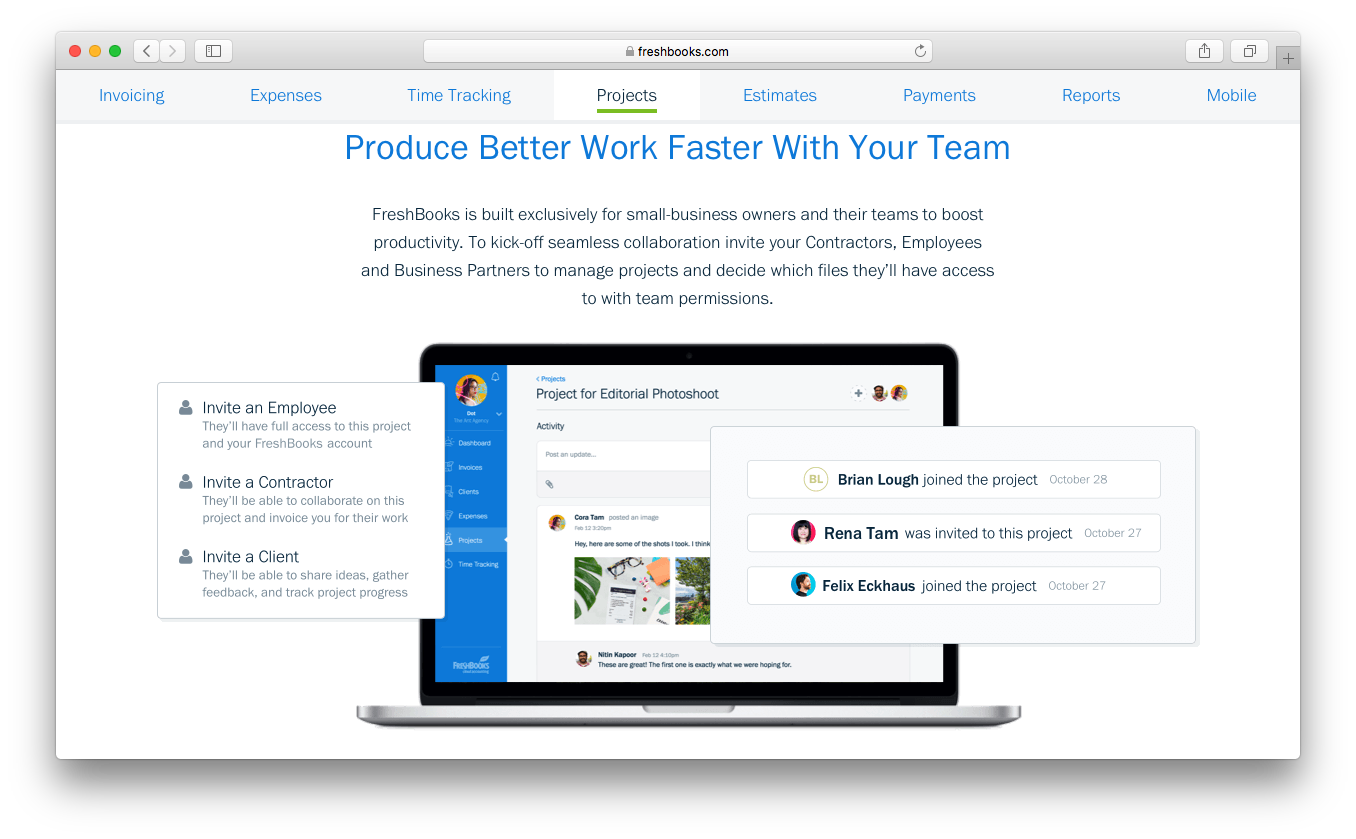
| User Access Controls | Offers customizable user roles and permissions for granular access management. | Allows role-based permissions for team members and contractors. |
| Uptime Guarantee | Maintains a high uptime with real-time status monitoring. | Delivers high uptime with proactive monitoring, but no formal SLA published. |
Both QuickBooks Online and FreshBooks provide strong security and reliability so you can confidently manage your financial data in the cloud. They use data encryption, secure data centers, and regular backups to protect your information, and both platforms follow industry standards for privacy and financial data protection.
As widely used accounting tools, they also offer high uptime and dependable performance, so you can access your books when you need them. In general, you can expect a similar level of security and reliability from both platforms, as each is built to support businesses that rely on accurate, always-available financial records.
QuickBooks Online vs. FreshBooks Ease of Use
| Factor | QuickBooks Online | FreshBooks |
|---|---|---|
| User Interface | Offers a feature-rich dashboard that can feel overwhelming for new users. | Features a clean, intuitive interface designed for quick navigation. |
| Onboarding | Provides guided setup and tutorials, but the learning curve can be steep. | Delivers a simple onboarding process with step-by-step prompts. |
| Navigation | Includes many menus and options, which can slow down task completion. | Streamlines navigation with clear menus and minimal clicks to key features. |
| Customer Support | Offers a 24/7 chat assistant and support from a human via chat or phone, Monday to Friday, within specified hours. | Provides responsive email and chat support with helpful in-app resources. |
| Mobile Experience | The mobile app is robust but mirrors the complexity of the desktop version. | The mobile app is user-friendly and optimized for quick tasks on the go. |
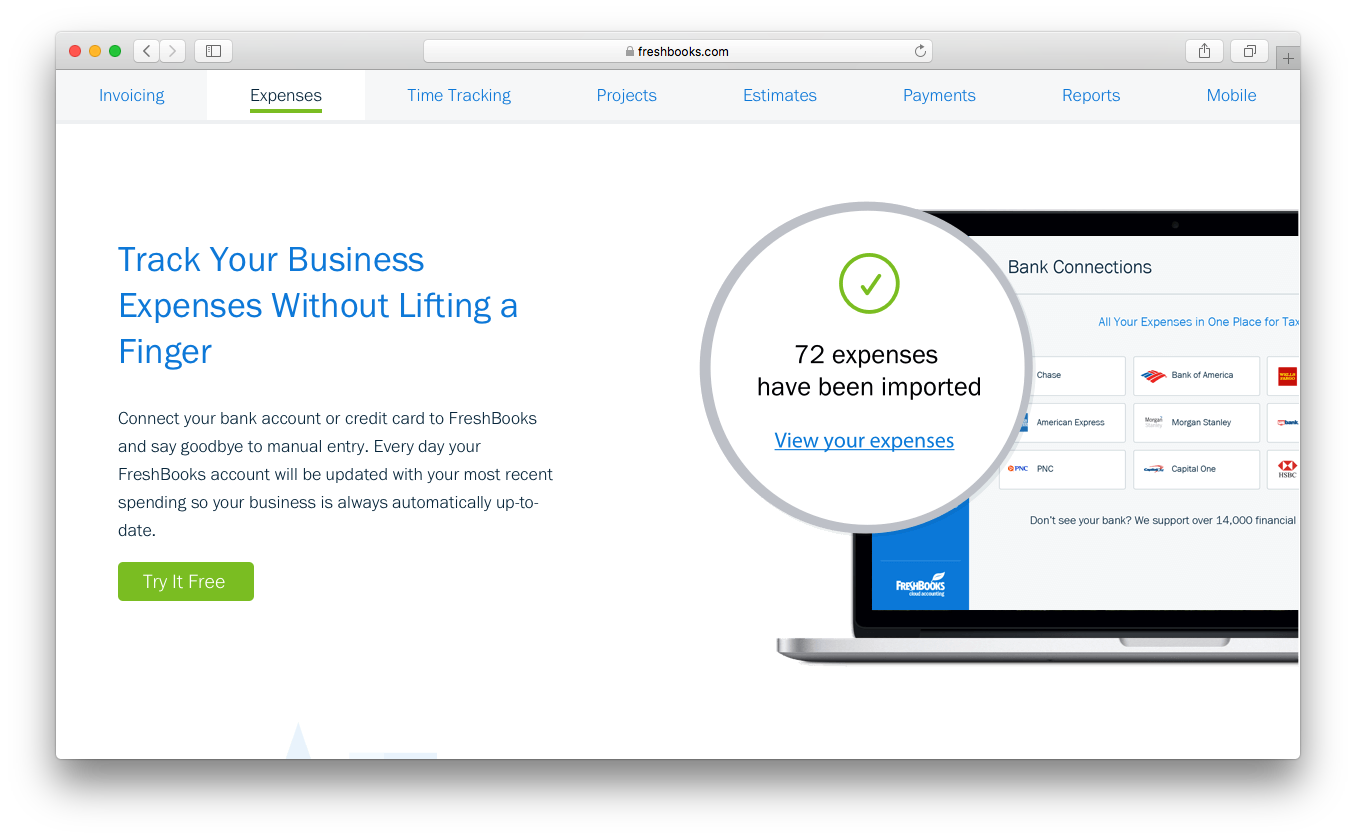
FreshBooks is generally easier to learn and use, especially if you’re new to accounting software, while QuickBooks Online offers more advanced features but comes with a steeper learning curve. QuickBooks Online is better suited for teams or growing businesses that need deeper accounting tools like advanced reporting, inventory tracking, or payroll, and are willing to spend time learning the platform. FreshBooks, by contrast, is ideal if you want a simpler system that lets you start invoicing, tracking expenses, and managing basic finances quickly.
Intuit QuickBooks Online vs FreshBooks: Pros & Cons
Intuit QuickBooks Online
- Track expenses and income in real time through bank feeds and transaction syncing.
- The interface is intuitive compared to many accounting tools.
- It provides customizable financial reports that help you analyze revenue, expenses, and cash flow.
- The mobile app offers core features, but it has fewer capabilities than the desktop browser version.
- Some users report slow or inconsistent customer support response times.
- You may encounter occasional glitches or slow performance when working with complex workflows or large data sets.
FreshBooks
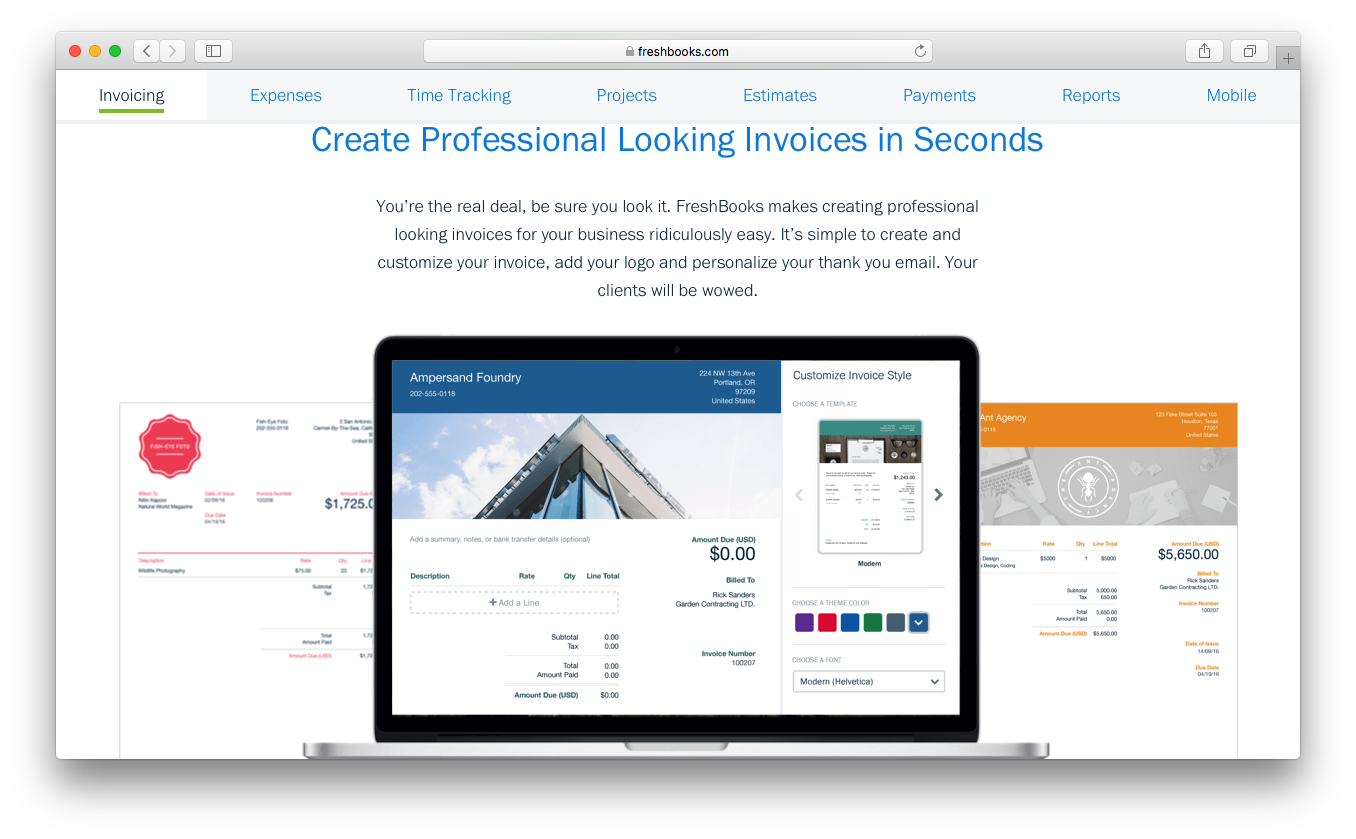
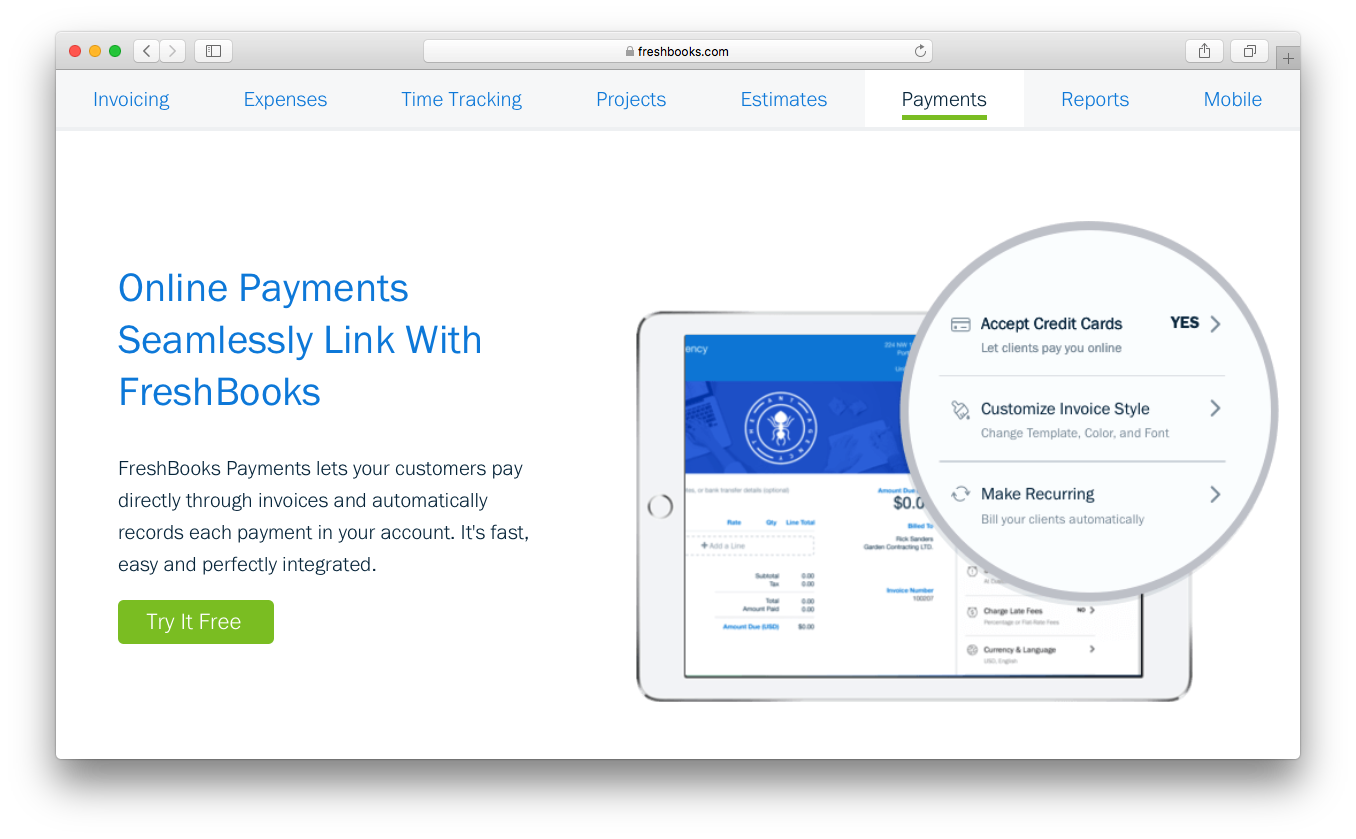
- You’ll find the invoicing feature easy to use and customize.
- Its customer support is responsive and helpful.
- The interface is intuitive, making navigation simple for your team.
- FreshBooks lacks advanced accounting features for complex needs.
- Some users find reporting options limited compared to alternatives.
- You might experience occasional syncing issues with bank accounts.
Best Use Cases for Intuit QuickBooks Online and FreshBooks
Intuit QuickBooks Online
- Wholesale Wholesale businesses can track large volumes of transactions, manage invoices for clients, and monitor cash flow through automated bank syncing.
- Nonprofits Nonprofits can use QuickBooks Online to organize donations, track expenses, and produce financial reports for transparency and compliance.
- Restaurants Restaurant owners can use QuickBooks Online to track daily revenue, manage expenses like food costs, and generate financial reports.
- Retail Retail businesses can connect QuickBooks Online to POS and ecommerce platforms to track sales, expenses, and cash flow more easily.
- Construction Construction teams benefit from expense tracking, job costing features, and the ability to monitor project-related income and costs.
- Professional Services If you run a consulting, marketing, or freelance business, QuickBooks Online helps you track billable income, send invoices, and monitor expenses in one place.
FreshBooks
- Freelancers FreshBooks's easy invoicing and expense/mileage tracking help you manage your finances efficiently.
- Small Agencies Your team will benefit from FreshBooks's user-friendly interface and responsive support.
- Consultants Use FreshBooks to streamline billing and time tracking for your consulting work.
- Graphic Designers You can customize invoices to reflect your brand's unique style and professionalism.
- Ecommerce Businesses FreshBooks simplifies cash flow for your ecommerce operations, keeping things manageable.
- Solo Entrepreneurs The software’s financial management tools, like double-entry accounting and accounts payable, let you focus on growing your business effectively.
Who Should Use QuickBooks Online, and Who Should Use FreshBooks?
QuickBooks Online is best for small to midsize businesses that need advanced accounting features such as detailed reporting, inventory tracking, payroll options, and multi-user access. It’s a strong choice for growing teams or businesses with more complex financial workflows that require deeper accounting tools and scalability.
FreshBooks is a great fit for freelancers, consultants, and small service-based businesses that want simple invoicing, built-in time tracking, and an easy-to-use interface without the complexity of full accounting software.
If your business needs advanced accounting depth and room to scale, QuickBooks Online is the stronger option. If you want to get started quickly with a minimal learning curve and straightforward client billing, FreshBooks offers a simpler and more streamlined experience.
Differences Between Intuit QuickBooks Online and FreshBooks
| Intuit QuickBooks Online | FreshBooks | |
|---|---|---|
| Inventory Management | Built-in inventory tracking on higher plans. | No native inventory tracking. |
| Pricing Model | Pricing tiers based on features, with user limits depending on the plan. | Pricing tiers are based mainly on the number of billable clients, with additional users costing extra. |
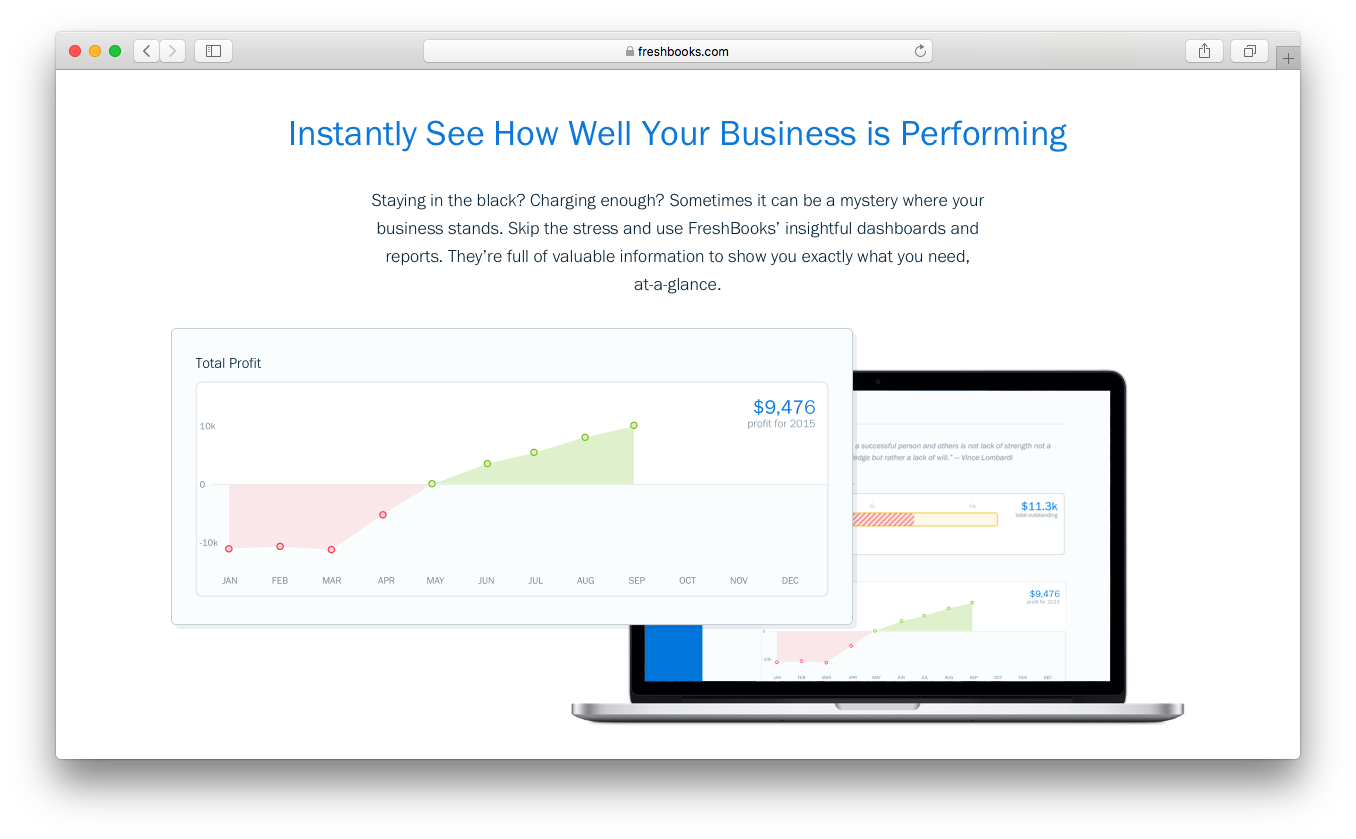
| Reporting Depth | Offers advanced financial reports and customizable dashboards. | Provides simpler reports such as profit & loss, tax summaries, and expense reports. |
| Time Tracking | Limited ot higher-tier plans. | Available on all plans. |
| User Interface | Feature-rich but more complex, with a steeper learning curve due to the depth of accounting tools. | Clean, simple interface designed for quick onboarding and non-accountants. |
| Visit Intuit QuickBooks OnlineOpens new window | Read FreshBooks ReviewOpens new window |
Similarities Between Intuit QuickBooks Online and FreshBooks
| Bank Account Integration | Both allow you to connect your bank and credit card accounts to automatically import and categorize transactions. |
|---|---|
| Cloud-Based Access | Both are fully cloud-based, letting you manage finances from anywhere with web and mobile apps. |
| Data Security | Both use strong encryption and regular backups to protect your financial data and ensure business continuity. |
| Invoicing | Both platforms let you create, send, and track invoices, accept online payments, and set up recurring billing for clients. |
| Mobile Apps | Both QuickBooks Online and FreshBooks offer mobile apps so you can send invoices, capture receipts, and manage finances on the go. |
| Visit Intuit QuickBooks OnlineOpens new window Read FreshBooks ReviewOpens new window | |