

Sage ERP Review: Pros, Cons, Features, and Pricing



Sage ERP is an accounting software built for mid-market businesses that need more than a basic bookkeeping tool but aren't ready for the complexity of SAP or Oracle. I'd consider it if your finance team is managing multi-entity reporting, inventory, and project accounting across a growing operation. Compared to SAP Business One, Sage ERP tends to be easier to configure and less demanding on IT resources, making it a more practical fit for finance teams without a dedicated ERP implementation team.
Sage ERP Evaluation Summary
- Pricing upon request
- Free trial available
Why Trust Our Software Recommendations
Our team has been testing and reviewing software since 2012. As finance leaders ourselves, we know how difficult—and important—it is to choose the right software.
For this guide, we evaluated tools using hands-on testing and independent research, scoring tools using our selection criteria.
Our reviews reflect our human editorial judgment, not a sales pitch.
Sage ERP Overview
From my perspective, Sage ERP offers a solid accounting software platform, particularly for small and mid-sized businesses. Its strength lies in its user-friendly interface and integration with other Sage software products and third-party tools. However, its customization options could be more extensive, which might limit its appeal to larger companies with complex accounting needs. Pricing is competitive, but costs can rise if you need add-on features. Sage ERP is best suited for businesses that need a reliable, straightforward accounting solution with integration capabilities.
pros
-
Reliable customer support is available when needed.
-
You can customize the software to fit your business processes.
-
Its reporting capabilities help you make informed decisions quickly.
cons
-
You might find the user interface outdated compared to other software.
-
Your team may initially encounter a steep learning curve.
-
You could face limited mobile functionality, affecting on-the-go access.
Is Sage ERP Right For Your Needs?
Who Would be a Good Fit for Sage ERP?
Sage ERP is suited for small and mid-market businesses looking for a straightforward accounting software solution. It's particularly beneficial for those interested in financial, inventory, and operations consolidation without the complexity of larger ERP systems. Its modular design allows you to select the features you need, making it cost-effective and easier to implement for teams with limited resources.
-
Large Businesses
Sage ERP's advanced automation and highly customizable system are ideal for enterprises with complex processes.
-
Manufacturing Companies
Its strong inventory management and production planning tools help manufacturing companies optimize operations and reduce waste.
-
Retail Businesses
Retailers can benefit from Sage ERP's point-of-sale and inventory tracking features, providing an overall view of sales and stock levels.
-
Nonprofit Organizations
With features for fund accounting and grant management, Sage ERP solutions support nonprofits in managing finances transparently.
-
Construction Firms
Construction firms can utilize its project management and job costing features for effective expense management and profitability tracking.
-
Financial Departments
Financial departments across various industries will find Sage ERP software's financial reporting and analysis capabilities invaluable for informed decision-making.
Who Would be a Bad Fit for Sage ERP?
If your business is just starting out, Sage ERP might not be the best choice. It's designed for larger organizations with complex processes. The system's ample features and capabilities can be overwhelming for newer teams that don't need extensive functionalities. Additionally, if your team lacks technical expertise, Sage ERP's complexity might slow down your operations rather than support them.
-
Freelancers
Freelancers typically don't need the extensive features and high costs associated with Sage ERP.
-
Retail Businesses
Retailers might find Sage ERP's focus on manufacturing and distribution irrelevant to their needs.
-
Creative Agencies
These agencies may require more flexibility and creativity-focused tools than Sage ERP offers.
-
Health Care Providers
Sage ERP lacks specialized healthcare features, making it a poor fit for this industry.
How We Test & Score Tools
We’ve spent years building, refining, and improving our software testing and scoring system. The rubric is designed to capture the nuances of software selection and what makes a tool effective, focusing on critical aspects of the decision-making process.
Below, you can see exactly how our testing and scoring works across seven criteria. It allows us to provide an unbiased evaluation of the software based on core functionality, standout features, ease of use, onboarding, customer support, integrations, customer reviews, and value for money.
Core Functionality (25% of final scoring)
The starting point of our evaluation is always the core functionality of the tool. Does it have the basic features and functions that a user would expect to see? Are any of those core features locked to higher-tiered pricing plans? At its core, we expect a tool to stand up against the baseline capabilities of its competitors.
Standout Features (25% of final scoring)
Next, we evaluate uncommon standout features that go above and beyond the core functionality typically found in tools of its kind. A high score reflects specialized or unique features that make the product faster, more efficient, or offer additional value to the user.
We also evaluate how easy it is to integrate with other tools typically found in the tech stack to expand the functionality and utility of the software. Tools offering plentiful native integrations, 3rd party connections, and API access to build custom integrations score best.
Ease of Use (10% of final scoring)
We consider how quick and easy it is to execute the tasks defined in the core functionality using the tool. High scoring software is well designed, intuitive to use, offers mobile apps, provides templates, and makes relatively complex tasks seem simple.
Onboarding (10% of final scoring)
We know how important rapid team adoption is for a new platform, so we evaluate how easy it is to learn and use a tool with minimal training. We evaluate how quickly a team member can get set up and start using the tool with no experience. High scoring solutions indicate little or no support is required.
Customer Support (10% of final scoring)
We review how quick and easy it is to get unstuck and find help by phone, live chat, or knowledge base. Tools and companies that provide real-time support score best, while chatbots score worst.
Customer Reviews (10% of final scoring)
Beyond our own testing and evaluation, we consider the net promoter score from current and past customers. We review their likelihood, given the option, to choose the tool again for the core functionality. A high scoring software reflects a high net promoter score from current or past customers.
Value for Money (10% of final scoring)
Lastly, in consideration of all the other criteria, we review the average price of entry level plans against the core features and consider the value of the other evaluation criteria. Software that delivers more, for less, will score higher.
Core Features
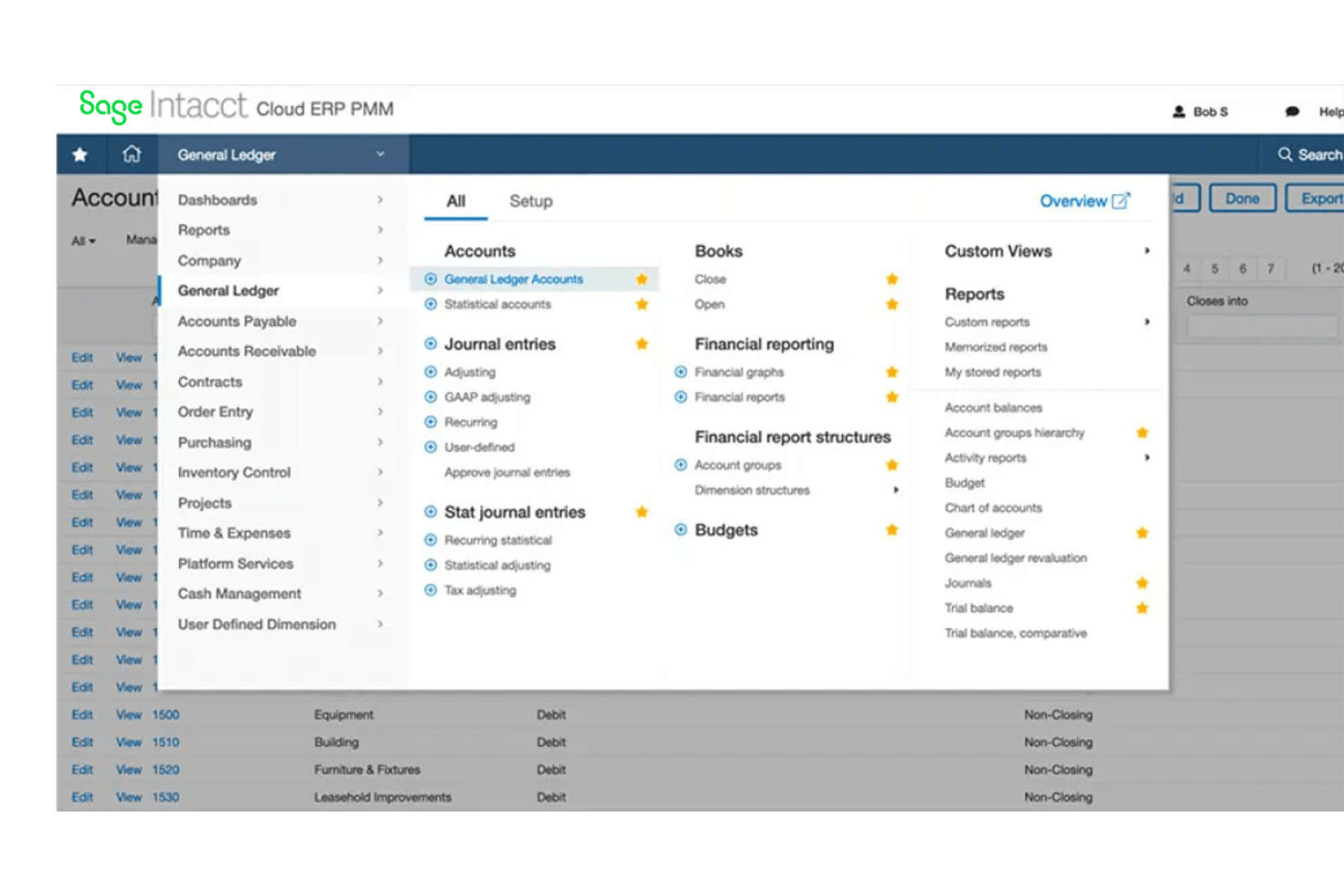
Financial Management: Sage ERP provides strong financial management tools, allowing you to handle your company's general ledger with ease. Real-time financial data helps you make informed decisions quickly.
Inventory Management: Track your inventory levels, orders, sales, and deliveries efficiently. This feature helps reduce carrying costs and improves order management.
Project Management: Manage your projects from start to finish with tools that track costs, resources, and timelines. This ensures your projects stay on budget and on schedule.
Compliance and Risk Management: Stay compliant with industry regulations and manage risks with tools that monitor and report compliance metrics. This reduces your exposure to potential fines and penalties.
Customer Relationship Management (CRM): Track customer interactions and manage sales opportunities with integrated CRM tools. This helps improve customer satisfaction and sales conversion rates.
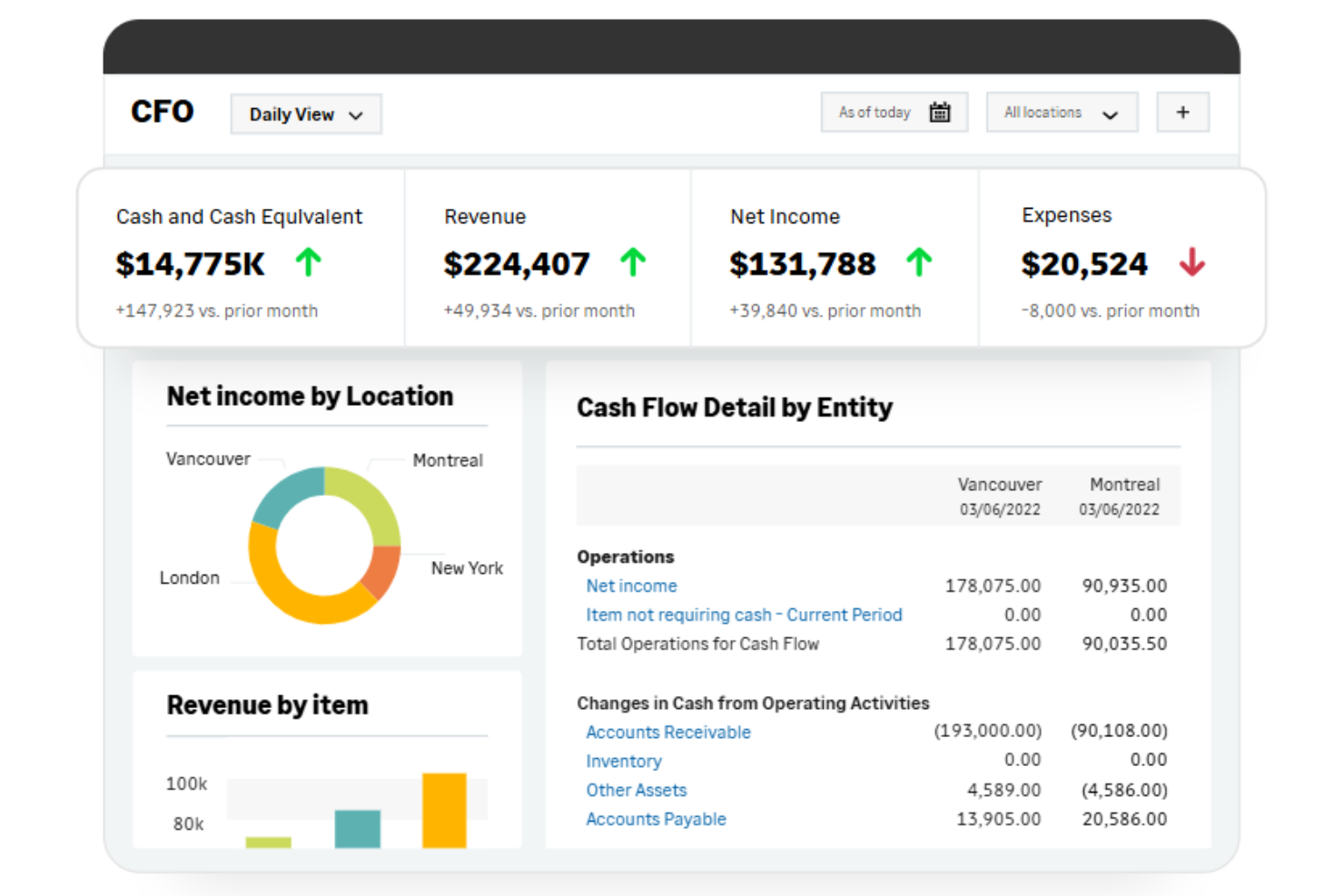
Reporting and Analytics: Generate in-depth reports and analytics to gain insights into business performance. This helps you identify trends and make strategic decisions.
Standout Features
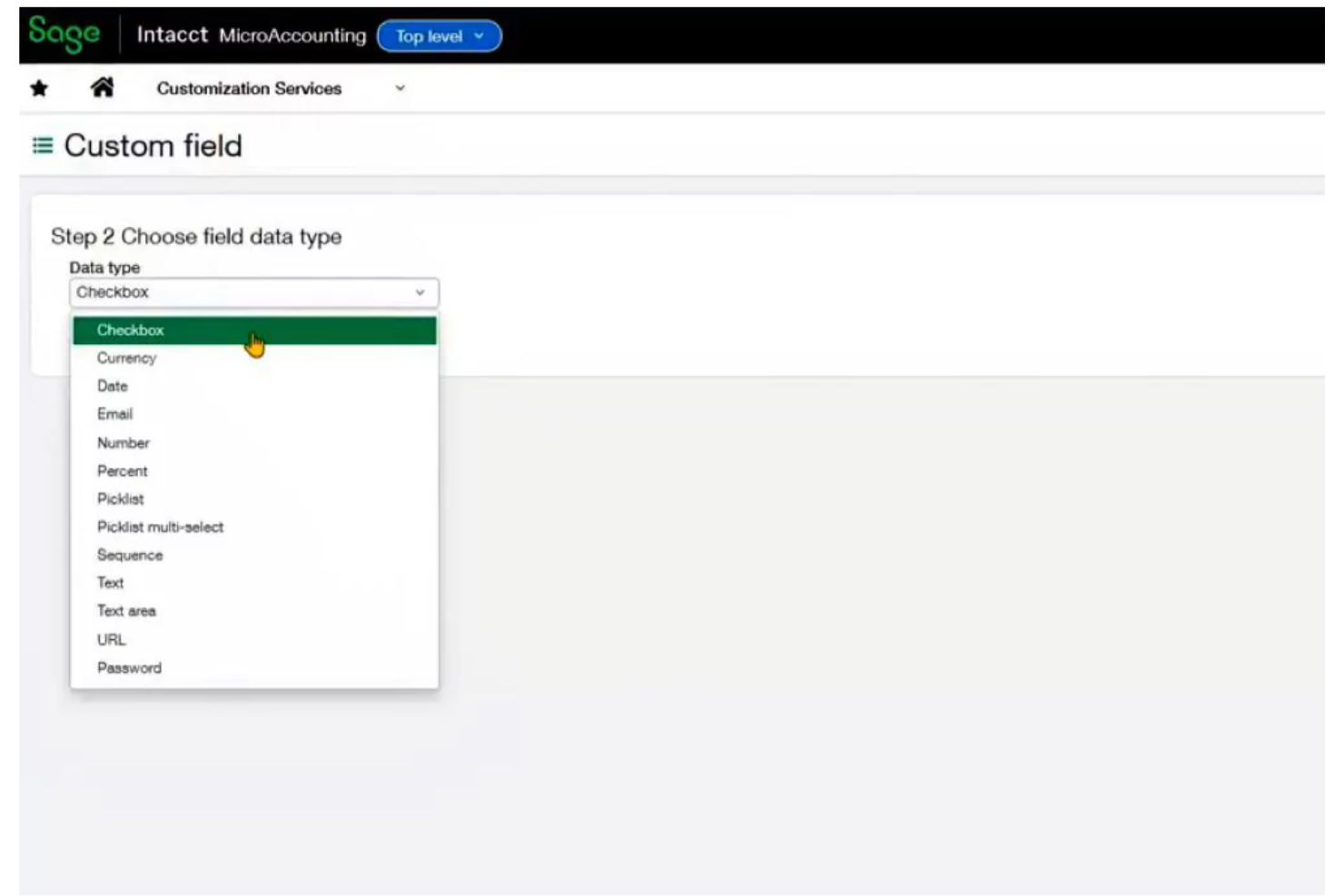
Advanced Customization: Sage's cloud ERP offers extensive customization options, allowing you to tailor workflows and reports to your business needs. This flexibility ensures that the software evolves with your business.
AI-Powered Insights: Utilize AI-driven analytics to gain predictive insights into your business operations. This feature helps you anticipate market trends and make proactive decisions.
Ease of Use
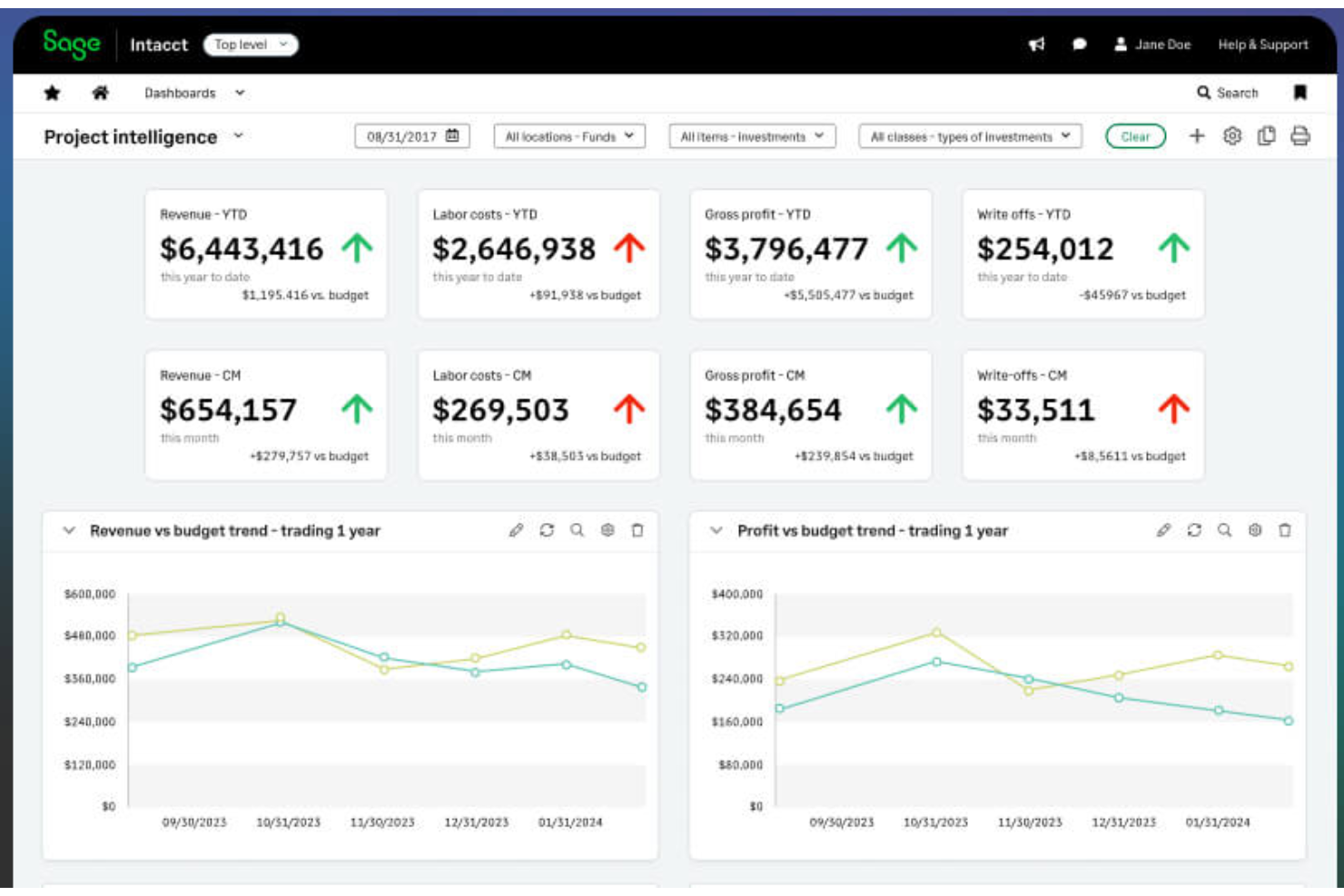
Sage ERP is generally user-friendly, especially for small and mid-sized businesses. Its intuitive dashboards and logical layout make it easy for your team to navigate and manage accounting tasks efficiently. However, some users find the extensive feature set a bit overwhelming at first. Sage ERP's modular design allows you to select functionalities, which can simplify workflows, but the lack of deep customization might limit your ability to tailor the system to specific needs.
Onboarding
User reviews appreciate Sage ERP's onboarding experience, which includes a clear guide providing step-by-step setup instructions. Support includes a dedicated customer success manager and training specialist to help you get started, though 24-hour live assistance isn't available, which might be inconvenient if you have urgent problems. Overall, the onboarding is effective, but there's room for improvement.
Customer Support
Sage ERP's customer support is dependable, offering assistance through phone, email, and a ticketing system. You'll be assigned a dedicated customer success manager and training specialist to help with onboarding and ongoing needs. However, the lack of 24-hour live support can be a downside if you require help outside of business hours. While the support is generally helpful, response times can be slower during peak periods, which might affect your team's productivity.
Integrations
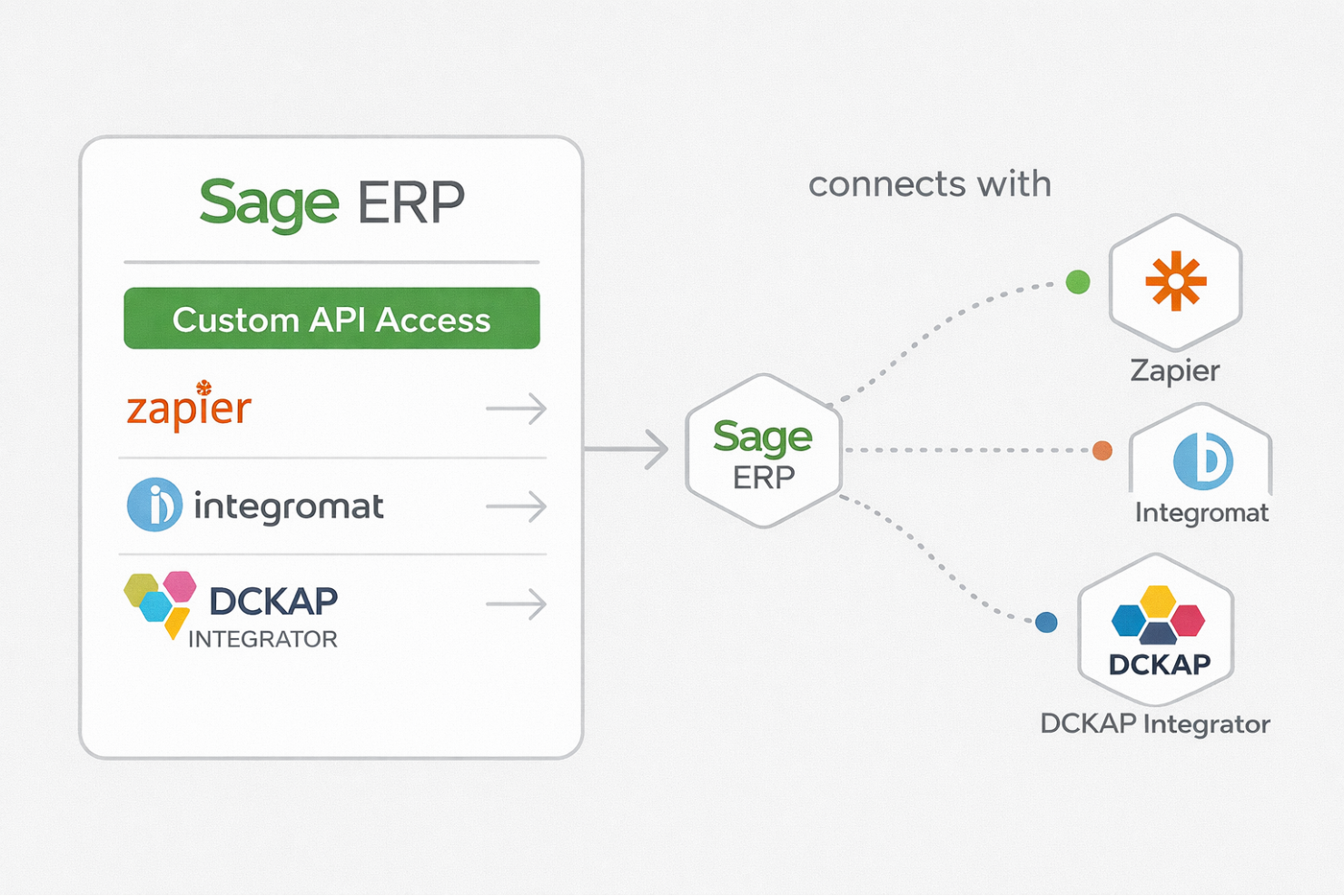
Sage ERP offers API access, allowing for custom integrations, and connects with third-party integration tools, such as a DCKAP Integrator, for increased flexibility.
Value for Money
Users perceive Sage ERP's pricing to be fair, offering an extensive suite of features that justify its cost. Users appreciate the flexibility and breadth of its functionalities, though some note that unlocking the software's full potential can be costly. A free trial is available, allowing your team to evaluate the software before committing.
No public pricing is available. Reach out to the company for pricing details.
Sage ERP Specs
- Accounts Payable
- Accounts Receivable
- API
- Budgeting
- Calendar Management
- Compliance Tracking
- Customer Management
- Dashboard
- Data Export
- Data Import
- Data Visualization
- Expense Tracking
- External Integrations
- Financial Analysis
- Forecasting
- Inventory Tracking
- Multi-Currency
- Multi-User
- Notifications
- Order Management
- Payroll
- Project Management
- Purchase Orders
- Resource Management
- Scheduling
- Supplier Management
- Task Scheduling/Tracking
- Third-Party Plugins/Add-Ons
- Warehouse Management
- Workflow Management
Sage ERP FAQs
How does Sage ERP support compliance with financial regulations?
What data security measures does Sage ERP offer?
How can Sage ERP improve financial reporting?
Can Sage ERP handle multi-currency transactions?
What kind of support does Sage ERP offer for budgeting and forecasting?
How does Sage ERP facilitate better cash flow management?
Is Sage ERP scalable for growing businesses?
How does Sage ERP support internal collaboration?
Sage ERP Company Overview & History
Sage Group, founded in 1981 in Newcastle upon Tyne, England, is a multinational enterprise software company specializing in accounting solutions. The company, which employs over 11,000 people, offers financial management tools to businesses of all sizes. Sage is publicly traded on the London Stock Exchange and reported revenues of $3.128 billion in 2024. The company is known for its acquisitions, such as Dac Software and Interact Commerce, and it serves more than six million customers globally.
Sage ERP Major Milestones
- 1981: Founded in Newcastle upon Tyne, England, focusing on accounting software.
- 1989: Went public on the London Stock Exchange.
- 1991: Acquired Dac Software, expanding its product offerings.
- 2001: Entered the CRM market by acquiring Interact Commerce.
- 2024: Launched Sage Copilot, integrating AI into its products.