

Scoro Review: Pros, Cons, Features, and Pricing Explained
Scoro stands out as an all-in-one solution, excelling in unifying project management, billing, and reporting, but may be best suited for teams seeking streamlined, customizable workflows in their ERP.

We review tools independently, and commissions help fund our testing. See our transparency policy, our methodology, or suggest a tool.
Scoro is a CFO ERP software built for professional services firms that need to connect project delivery with financial management in a single platform. I'd consider it if your team manages billable work, tracks time, and handles invoicing, but your current tools leave finance with an incomplete view of project profitability. Compared to NetSuite, Scoro is a more focused option for service-based businesses that don't need inventory or manufacturing modules but do want tighter project-to-cash visibility.
Scoro Evaluation Summary
4.5/5
- From $19.90/user/month (billed annually)
- 14-day free trial
Why Trust Our Software Recommendations
6,700+
Reviews
20
Industry experts
16+
Evaluation factors
14
Years
Our team has been testing and reviewing software since 2012. As finance leaders ourselves, we know how difficult—and important—it is to choose the right software.
For this guide, we evaluated tools using hands-on testing and independent research, scoring tools using our selection criteria.
Our reviews reflect our human editorial judgment, not a sales pitch.
Scoro Overview
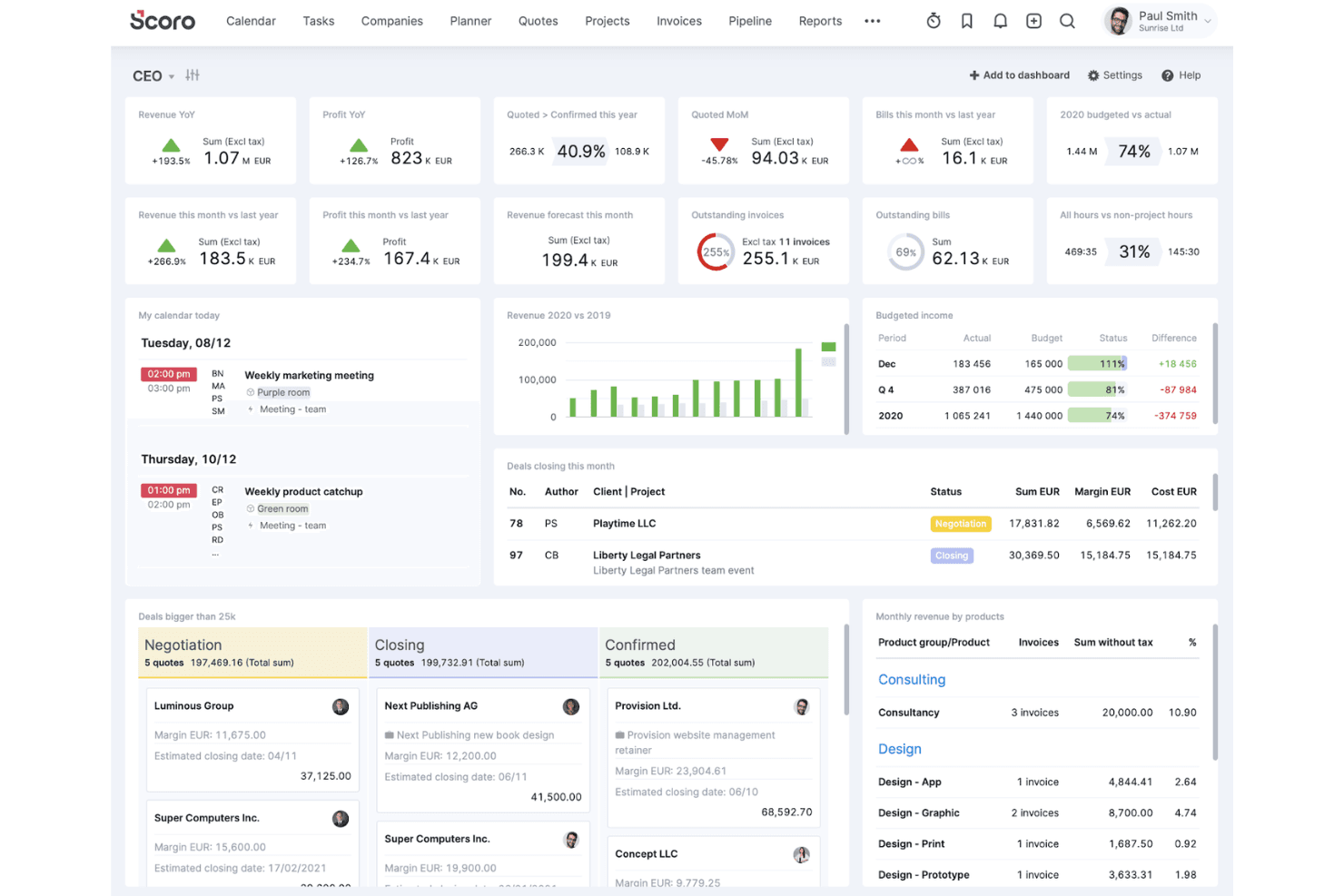
If you’re judging Scoro as an ERP software system, I think its customizable dashboards, project-to-invoice workflows, and strong reporting set it apart for service-based teams. The interface is clean and onboarding is straightforward, but pricing can climb as you add users or advanced modules. Compared to others, Scoro’s integrations and automation are flexible, though some deeper accounting features may be limited. I’d suggest using Scoro if you want a unified, user-friendly platform to manage projects, finances, and collaboration without the complex functionality of traditional ERP systems.
Pros
- Real-time project profitability and margin tracking
- Customizable dashboards for financial and operational reporting
- Strong quoting, budgeting, and invoicing features
Cons
- Advanced accounting features are limited
- Pricing increases quickly with more users or modules
- Reporting can be slow with large data sets
Is Scoro Right For Your Needs?
Who Would be a Good Fit for Scoro?
Scoro is a strong choice for service-based businesses, project-driven teams, and finance departments that need unified project, billing, and reporting tools. Its customizable dashboards, quoting, and margin tracking make it ideal for organizations that manage multiple projects and need real-time financial visibility. Scoro’s workflow automation and collaboration features also suit teams that want to reduce manual work and centralize operations.
- Marketing AgenciesScoro’s project budgeting and client invoicing features support agency workflows.
- Consulting FirmsMargin tracking and time billing help consultants manage profitability.
- Professional ServicesIntegrated quoting, project, and billing tools fit service delivery teams.
- Finance DepartmentsCustom dashboards and reporting provide real-time financial oversight.
- Mid-Sized CompaniesScoro scales well for teams needing project and financial management.
- Project Management OfficesCentralized task, resource, and cost tracking streamline project oversight.
Who Would be a Bad Fit for Scoro?
Scoro isn’t the best fit for product-centric industries, large enterprises with complex ERP needs, or teams requiring deep inventory or manufacturing modules. Its accounting features are limited compared to full-suite ERP systems, and costs can rise for larger organizations or those needing advanced modules.
- Manufacturing CompaniesScoro lacks advanced inventory and production management features.
- Large EnterprisesComplex ERP requirements may exceed Scoro’s capabilities.
- Retail BusinessesNo built-in POS or inventory management for retail operations.
- Supply Chain TeamsLimited logistics and procurement tools restrict supply chain oversight.
- Nonprofit OrganizationsFund accounting and grant management features are missing.
- Construction FirmsNo dedicated tools for job costing or field resource management.
How We Test & Score Tools
We’ve spent years building, refining, and improving our software testing and scoring system. The rubric is designed to capture the nuances of software selection and what makes a tool effective, focusing on critical aspects of the decision-making process.
Below, you can see exactly how our testing and scoring works across seven criteria. It allows us to provide an unbiased evaluation of the software based on core functionality, standout features, ease of use, onboarding, customer support, integrations, customer reviews, and value for money.
Core Functionality (25% of final scoring)
The starting point of our evaluation is always the core functionality of the tool. Does it have the basic features and functions that a user would expect to see? Are any of those core features locked to higher-tiered pricing plans? At its core, we expect a tool to stand up against the baseline capabilities of its competitors.
Standout Features (25% of final scoring)
Next, we evaluate uncommon standout features that go above and beyond the core functionality typically found in tools of its kind. A high score reflects specialized or unique features that make the product faster, more efficient, or offer additional value to the user.
We also evaluate how easy it is to integrate with other tools typically found in the tech stack to expand the functionality and utility of the software. Tools offering plentiful native integrations, 3rd party connections, and API access to build custom integrations score best.
Ease of Use (10% of final scoring)
We consider how quick and easy it is to execute the tasks defined in the core functionality using the tool. High scoring software is well designed, intuitive to use, offers mobile apps, provides templates, and makes relatively complex tasks seem simple.
Onboarding (10% of final scoring)
We know how important rapid team adoption is for a new platform, so we evaluate how easy it is to learn and use a tool with minimal training. We evaluate how quickly a team member can get set up and start using the tool with no experience. High scoring solutions indicate little or no support is required.
Customer Support (10% of final scoring)
We review how quick and easy it is to get unstuck and find help by phone, live chat, or knowledge base. Tools and companies that provide real-time support score best, while chatbots score worst.
Customer Reviews (10% of final scoring)
Beyond our own testing and evaluation, we consider the net promoter score from current and past customers. We review their likelihood, given the option, to choose the tool again for the core functionality. A high scoring software reflects a high net promoter score from current or past customers.
Value for Money (10% of final scoring)
Lastly, in consideration of all the other criteria, we review the average price of entry level plans against the core features and consider the value of the other evaluation criteria. Software that delivers more, for less, will score higher.
Core Features
Project Management Tools
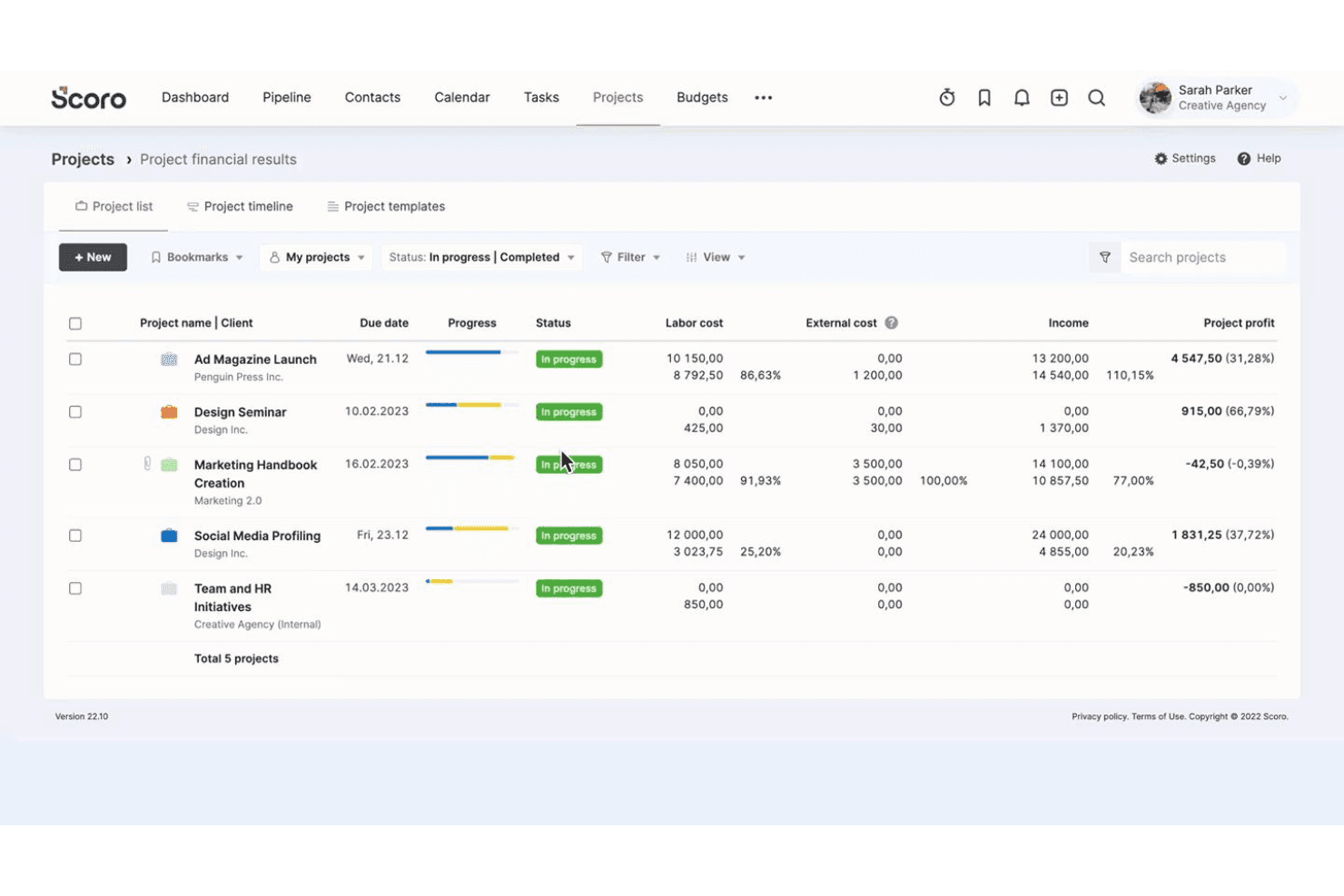
Plan, track, and oversee projects with task management, timelines, and resource allocation. Visual boards and Gantt charts help team members stay on top of deliverables.
Quoting and Invoicing
Create, send, and track quotes and invoices directly from Scoro. Automated reminders and customizable templates speed up billing cycles.
Budgeting and Cost Tracking
Set project budgets, monitor expenses, and track profitability in real time. Margin analysis tools help teams control costs and improve financial outcomes.
Custom Dashboards
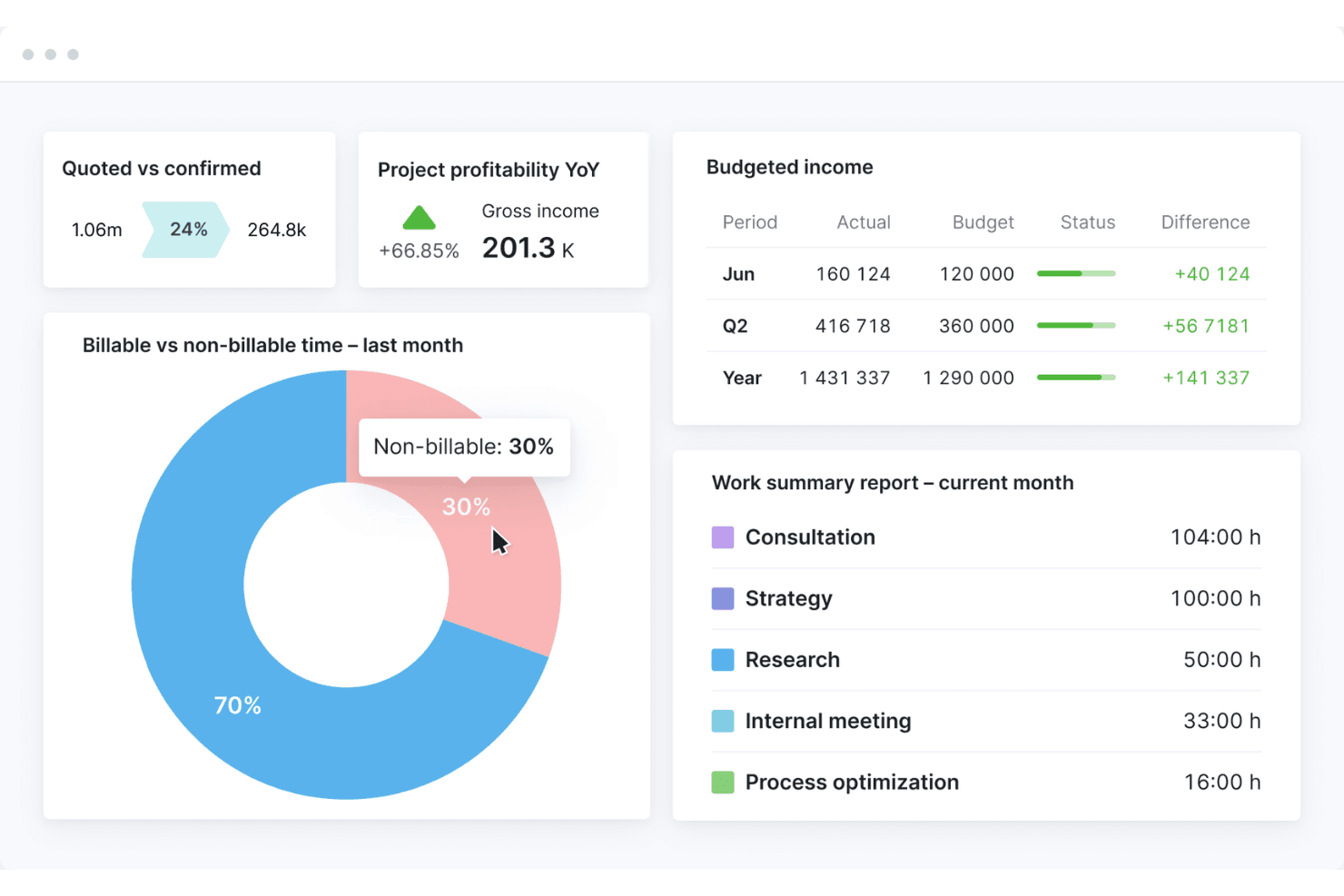
Build personalized dashboards to monitor KPIs, financials, and project status. Drag-and-drop widgets let users tailor views to their needs.
Time Tracking
Log billable and non-billable hours across projects and clients. Built-in timers and timesheets simplify accurate time reporting.
Reporting and Analytics
Generate detailed financial, operational, and project reports with a few clicks. Scheduled reports and export options support regular business reviews.
Standout Features
Automated Recurring Billing
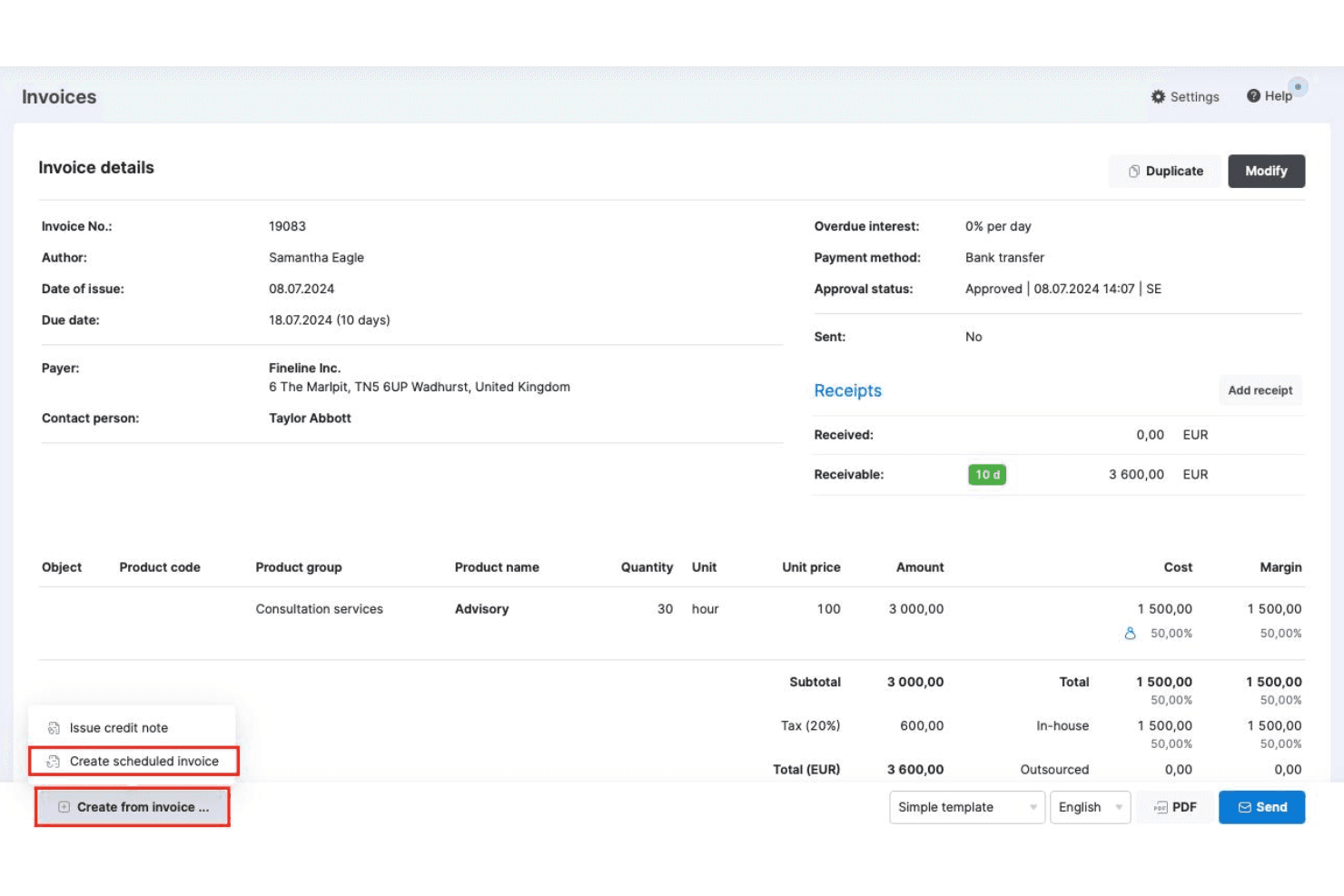
Set up recurring invoices and automate billing cycles for retainer clients or ongoing services. This reduces manual work and ensures consistent cash flow without missing deadlines.
Task Automation Rules
Create custom automation rules to trigger actions like task assignments, dependencies, or notifications based on project events. This helps teams eliminate repetitive admin work.
Ease of Use
Scoro’s user interface is clean, intuitive, and easy to navigate, especially for teams new to ERP software systems. Users often mention that onboarding is quick, with helpful guided tours and clear menu structures. Customizable dashboards and drag-and-drop tools make it simple to tailor workflows — and the mobile app ensures you can access Scoro on the go. While some advanced reporting features require setup, most users find day-to-day tasks—like work management, invoicing, and the time tracker—straightforward and make for a seamless user experience.
Onboarding
Scoro offers a guided onboarding process with step-by-step setup wizards, video tutorials, and a detailed knowledge base, which helps new users get up to speed quickly. Many users highlight responsive customer support and access to live training sessions as valuable for resolving questions early on. The platform’s structured onboarding flow and clear documentation make it easier for teams to realize value without a steep learning curve or lengthy implementation period.
Customer Support
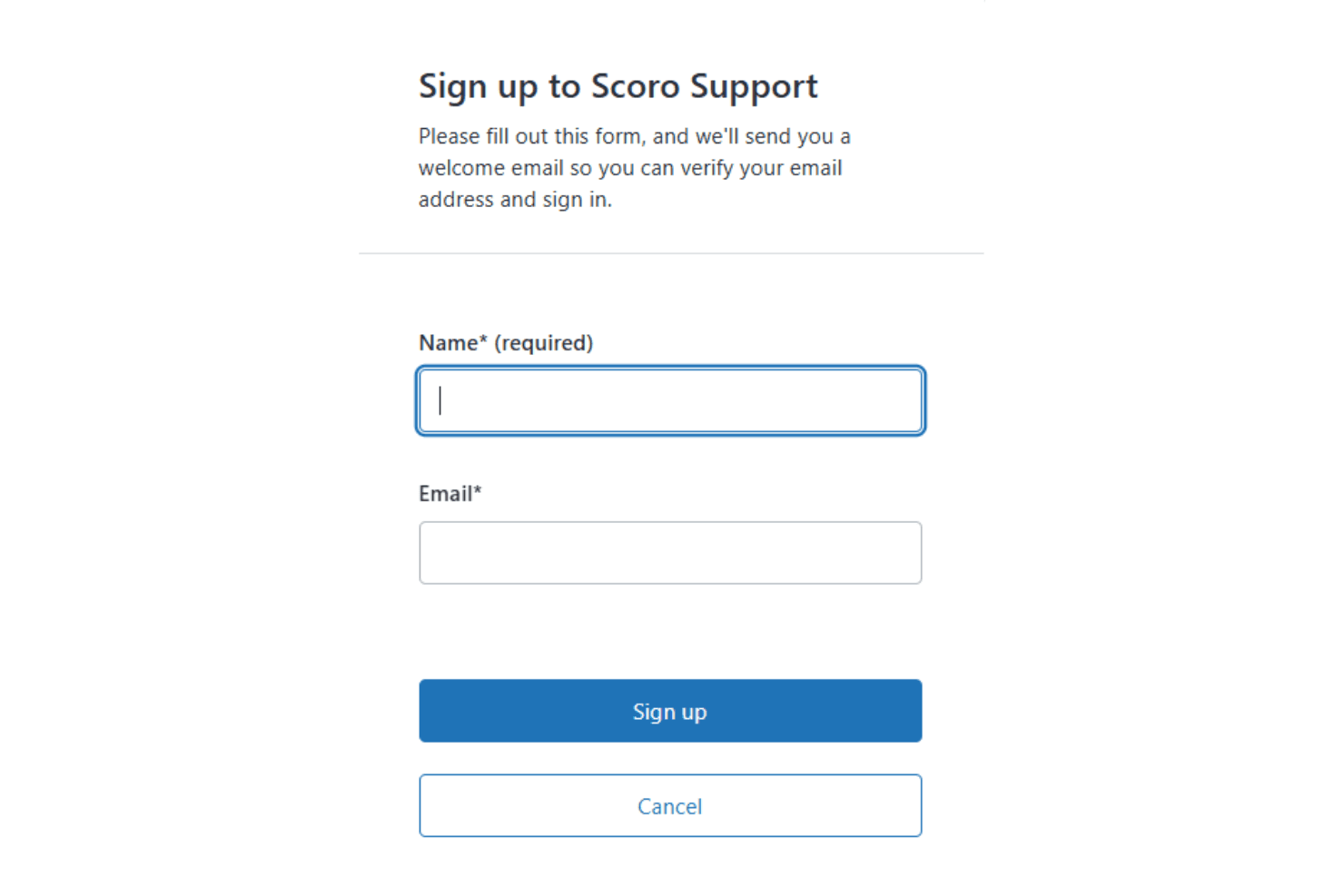
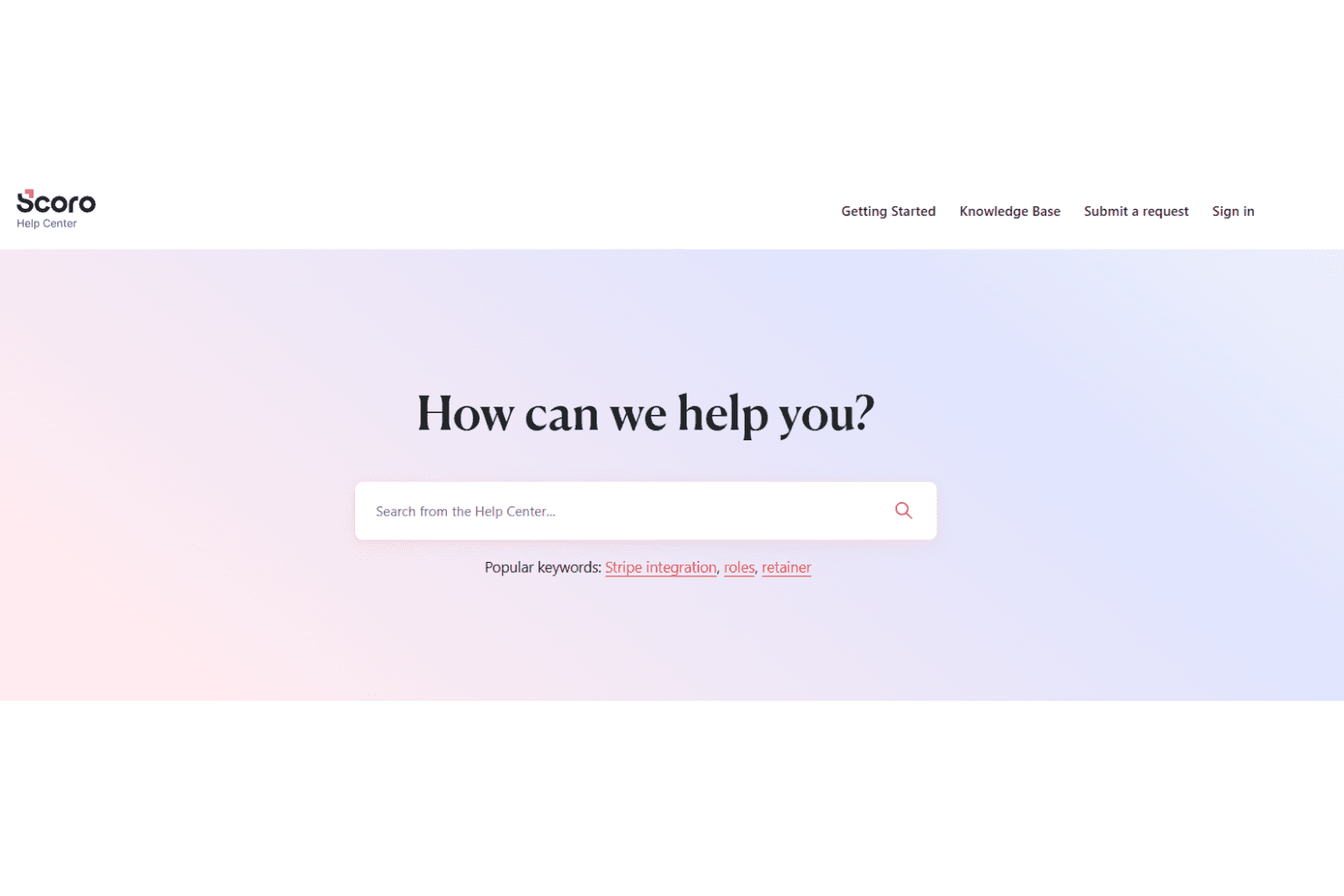
Scoro’s customer support is frequently praised for its responsiveness and knowledgeable staff, with users noting quick turnaround times on tickets and helpful guidance during setup and troubleshooting. Support is available through live chat, email, and a comprehensive help center, making it easy to find answers or connect with a real person. Many users appreciate the proactive follow-ups and personalized assistance, especially during onboarding and when configuring more advanced features.
Integrations
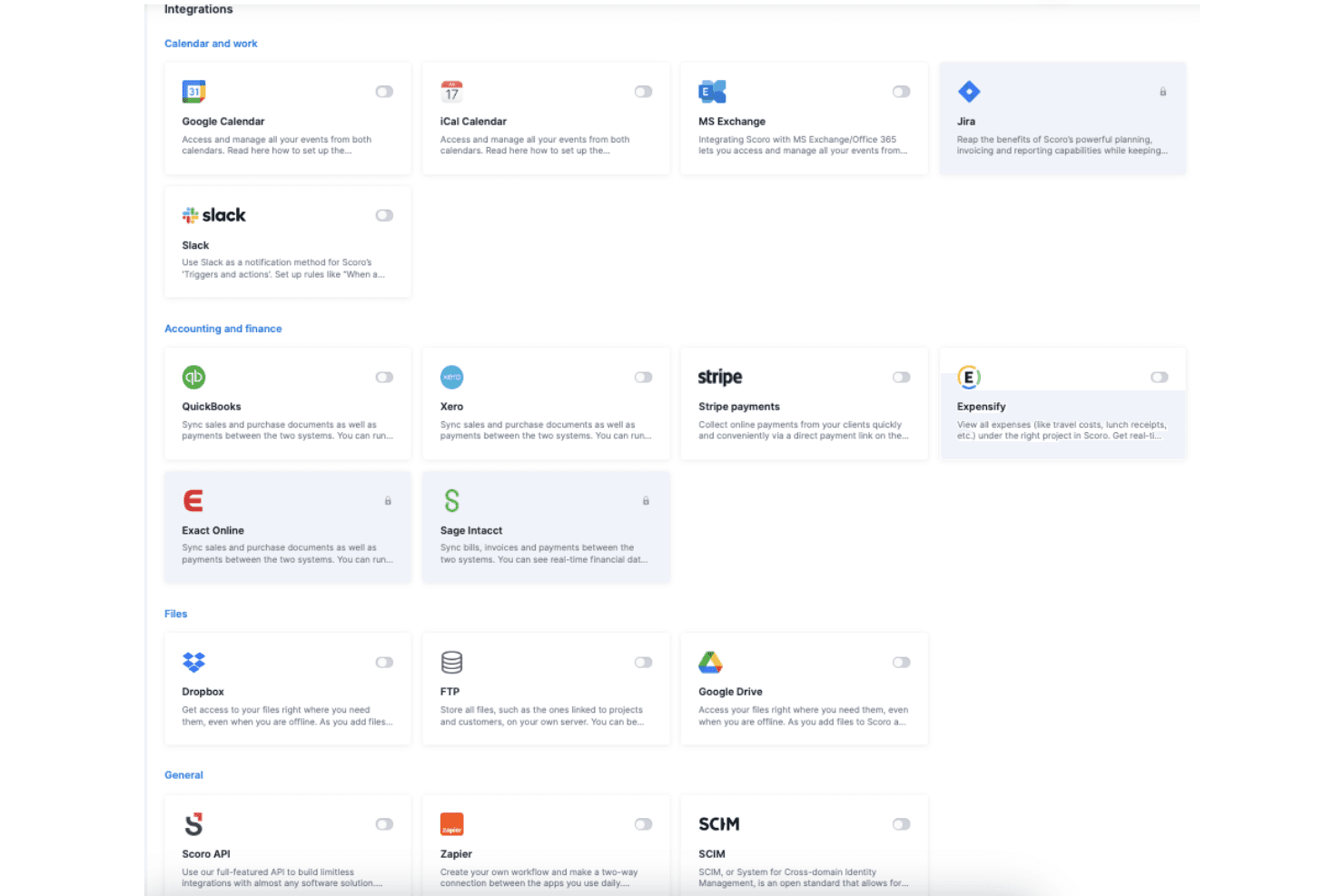
Scoro integrates with Google Calendar, Xero, QuickBooks, Zapier, Jira, Sage, and Dropbox, among others.
Scoro also offers a public API and connects with third-party integration tools for custom workflows and extended connectivity.
Value for Money
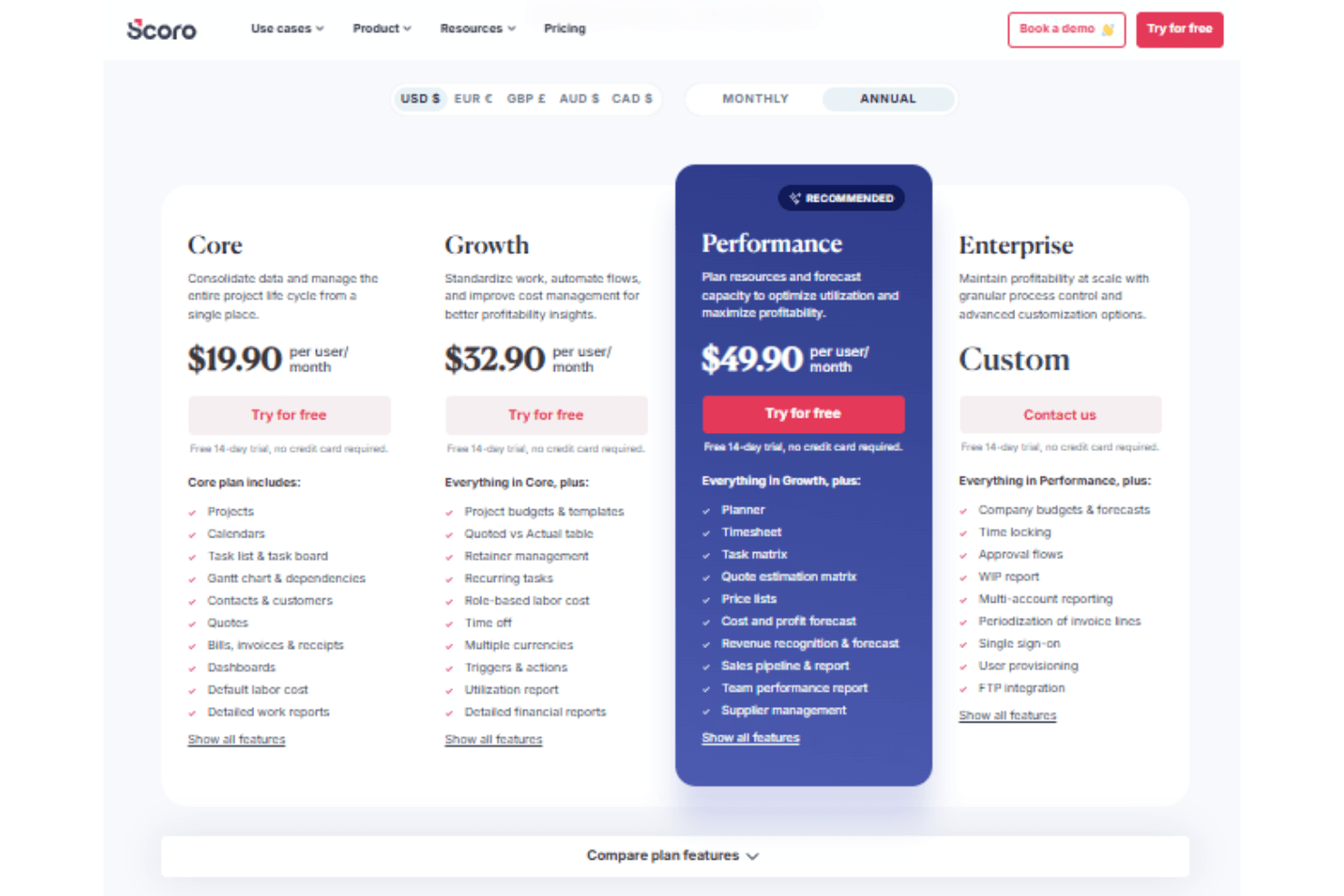
Scoro is seen as a strong investment for project-based teams that need unified project, billing, and reporting tools. Its tiered pricing structure scales with business needs, offering increasing levels of financial control, automation, and forecasting. While the platform provides transparent pricing and robust features, smaller teams may find entry-level plans limiting as complexity grows. A 14-day free trial is available to assess the software’s features before committing.
- Core: Includes project and calendar management, Gantt chart views, dashboards, and detailed work reports.
- Growth: Adds budgeting, automation, profitability tracking features, and detailed financial reports..
- Performance: Includes advanced forecasting, resource planning, and supplier management.
- Enterprise: Offers FTP integration, approval flows, SSO, and multi-account reporting.
Scoro Specs
- API: Yes
- Billing/Invoicing: Yes
- Budgeting: Yes
- CRM Integration: Yes
- Dashboards: Yes
- Data Export: Yes
- Data Import: Yes
- Document Management: Yes
- Expense Tracking: Yes
- External Integrations: Yes
- Financial Analysis: Yes
- Forecasting: Yes
- Gantt Charts: Yes
- Inventory Tracking: Yes
- Multi-Currency: Yes
- Multi-User: Yes
- Notifications: Yes
- Project Management: Yes
- Resource Management: Yes
- Scheduling: Yes
- Status Notifications: Yes
- Task Scheduling/Tracking: Yes
- Time Management: Yes
- Workflow Management: Yes
Scoro Customers
Scoro FAQs
Scoro Company Overview & History
Scoro is a professional services automation platform headquartered in London, UK, with a focus on unifying project management, resource planning, and financial tracking for consultancies, agencies, and service firms. The company is known for its modern, intuitive interface and deep financial insights, helping clients improve profitability and operational visibility. Scoro is not affiliated with other products or companies and is independently operated. Notable clients include agencies, consultancies, and IT service firms, with customer testimonials highlighting improved utilization rates and project profitability.
Scoro Major Milestones
- 2013: Scoro founded and began development of its unified PSA platform.
- 2015: Product officially launched for professional services businesses.
- 2021: Achieves ISO 27001 certification for information security management.
- 2023: Recognized for financial depth and usability in industry publications.
- 2026: Serves thousands of users globally from its London headquarters.