

Smartsheet Review: Pros, Cons, Features, and Pricing
Smartsheet stands out for its robust integration capabilities and scalability, making it ideal for complex project management needs.

We review tools independently, and commissions help fund our testing. See our transparency policy, our methodology, or suggest a tool.
Smartsheet is financial management software built around a spreadsheet-style interface that finance teams use for budgeting, project cost tracking, and financial reporting. I'd consider it if your team is outgrowing Excel but isn't ready for a dedicated FP&A platform—it gives you real-time collaboration, automated workflows, and structured data controls without the implementation complexity of tools like Adaptive Insights.
Smartsheet Evaluation Summary
4.5/5
- From $12/user/month
- 30-day free trial + free demo available
Why Trust Our Software Recommendations
6,700+
Reviews
20
Industry experts
16+
Evaluation factors
14
Years
Our team has been testing and reviewing software since 2012. As finance leaders ourselves, we know how difficult—and important—it is to choose the right software.
For this guide, we evaluated tools using hands-on testing and independent research, scoring tools using our selection criteria.
Our reviews reflect our human editorial judgment, not a sales pitch.
Smartsheet Overview
In my opinion, Smartsheet serves as a competent finance automation software, particularly for teams familiar with spreadsheet-based tools. It integrates well with Microsoft Office 365 and Google Workspace, which enhances its utility. The onboarding process can be challenging, which may extend the learning curve. While prices for more advanced plans can be high, the range of features justifies the cost for larger teams. I think it's best suited for enterprises that need robust spreadsheet capabilities and can invest time into learning the tool.
Pros
- It scales with any enterprise.
- You can automate workflows using spreadsheets and templates.
- It offers integrated proofing and approval tools for team collaboration.
Cons
- The outdated UI affects how easy it is to use.
- Onboarding is non-existent when you first get your account.
- Its interface and workflows aren’t easy to use at first.
Is Smartsheet Right For Your Needs?
Who Would be a Good Fit for Smartsheet?
Smartsheet is ideal for teams and departments that manage complex projects and need robust collaboration tools. It's particularly beneficial for project managers who enjoy the familiarity of spreadsheets but require advanced functionalities like automated workflows and real-time dashboards. If your work involves extensive project planning and tracking, Smartsheet's Gantt charts and reporting capabilities will support your needs efficiently. Its integration with major applications such as Microsoft Office 365 and Google Workspace further enhances its utility.
- Project ManagementSmartsheet supports complex project management with Gantt charts, real-time dashboards, and strong reporting features.
- Marketing TeamsMarketing teams can automate workflows and collaborate effectively with integrated proofing and approval tools.
- IT DepartmentsIT departments can use Smartsheet to manage resources and publish reports, dashboards, and calendars with ease.
- Construction FirmsYou can utilize sheet-to-sheet linking and real-time updates to track project progress, suitable for construction firms.
- Human ResourcesYou can streamline hiring processes with pre-built templates and automated workflows.
Who Would be a Bad Fit for Smartsheet?
Smartsheet isn't ideal for small businesses or teams with limited resources. Its steep learning curve and extensive features can overwhelm smaller operations. Additionally, if you're working with a tight budget, the limited storage space in Smartsheet's more affordable plans might not meet your needs.
- Small BusinessesIf your team is small, Smartsheet’s complexity might outweigh its benefits.
- Creative TeamsIf you prioritize visually appealing interfaces, Smartsheet's outdated UI might disappoint.
- Simple Task ManagementFor tasks that don’t require advanced features, Smartsheet's capabilities may be overkill.
- Non-Technical UsersIf your team struggles with technology, Smartsheet's learning curve could hinder productivity.
- Limited IT SupportWithout robust IT support, navigating Smartsheet’s setup and maintenance can be challenging.
How We Test & Score Tools
We’ve spent years building, refining, and improving our software testing and scoring system. The rubric is designed to capture the nuances of software selection and what makes a tool effective, focusing on critical aspects of the decision-making process.
Below, you can see exactly how our testing and scoring works across seven criteria. It allows us to provide an unbiased evaluation of the software based on core functionality, standout features, ease of use, onboarding, customer support, integrations, customer reviews, and value for money.
Core Functionality (25% of final scoring)
The starting point of our evaluation is always the core functionality of the tool. Does it have the basic features and functions that a user would expect to see? Are any of those core features locked to higher-tiered pricing plans? At its core, we expect a tool to stand up against the baseline capabilities of its competitors.
Standout Features (25% of final scoring)
Next, we evaluate uncommon standout features that go above and beyond the core functionality typically found in tools of its kind. A high score reflects specialized or unique features that make the product faster, more efficient, or offer additional value to the user.
We also evaluate how easy it is to integrate with other tools typically found in the tech stack to expand the functionality and utility of the software. Tools offering plentiful native integrations, 3rd party connections, and API access to build custom integrations score best.
Ease of Use (10% of final scoring)
We consider how quick and easy it is to execute the tasks defined in the core functionality using the tool. High scoring software is well designed, intuitive to use, offers mobile apps, provides templates, and makes relatively complex tasks seem simple.
Onboarding (10% of final scoring)
We know how important rapid team adoption is for a new platform, so we evaluate how easy it is to learn and use a tool with minimal training. We evaluate how quickly a team member can get set up and start using the tool with no experience. High scoring solutions indicate little or no support is required.
Customer Support (10% of final scoring)
We review how quick and easy it is to get unstuck and find help by phone, live chat, or knowledge base. Tools and companies that provide real-time support score best, while chatbots score worst.
Customer Reviews (10% of final scoring)
Beyond our own testing and evaluation, we consider the net promoter score from current and past customers. We review their likelihood, given the option, to choose the tool again for the core functionality. A high scoring software reflects a high net promoter score from current or past customers.
Value for Money (10% of final scoring)
Lastly, in consideration of all the other criteria, we review the average price of entry level plans against the core features and consider the value of the other evaluation criteria. Software that delivers more, for less, will score higher.
Core Features
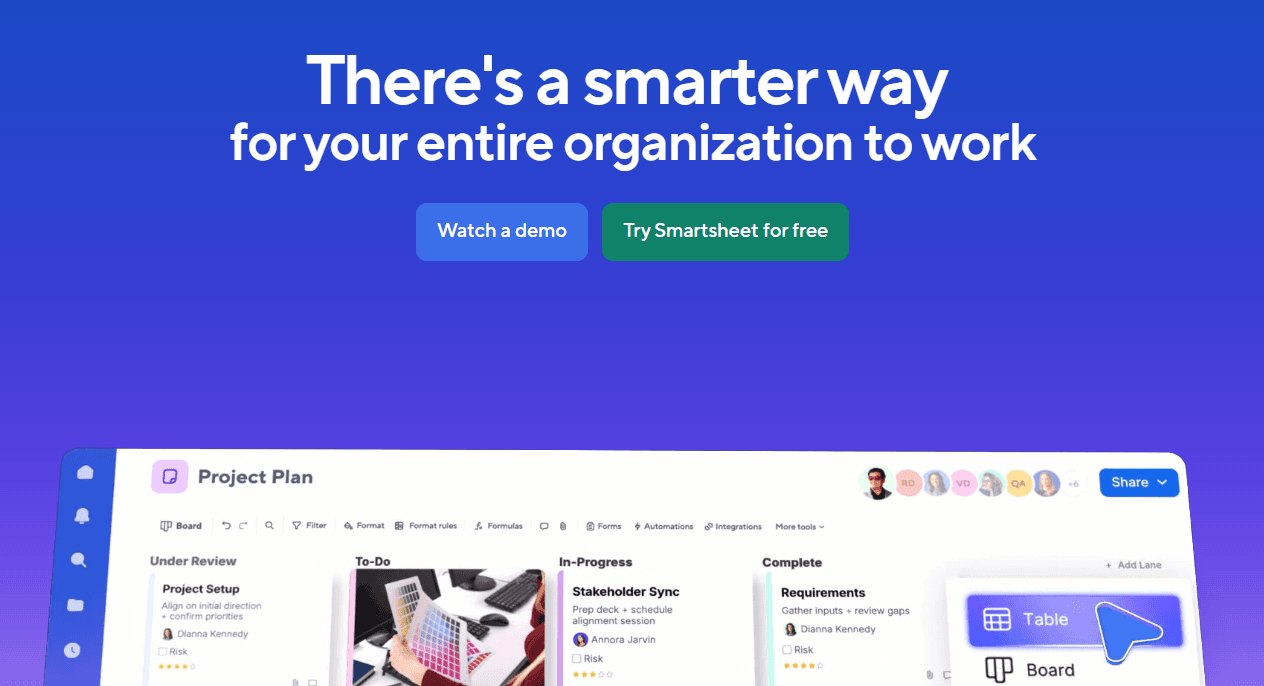
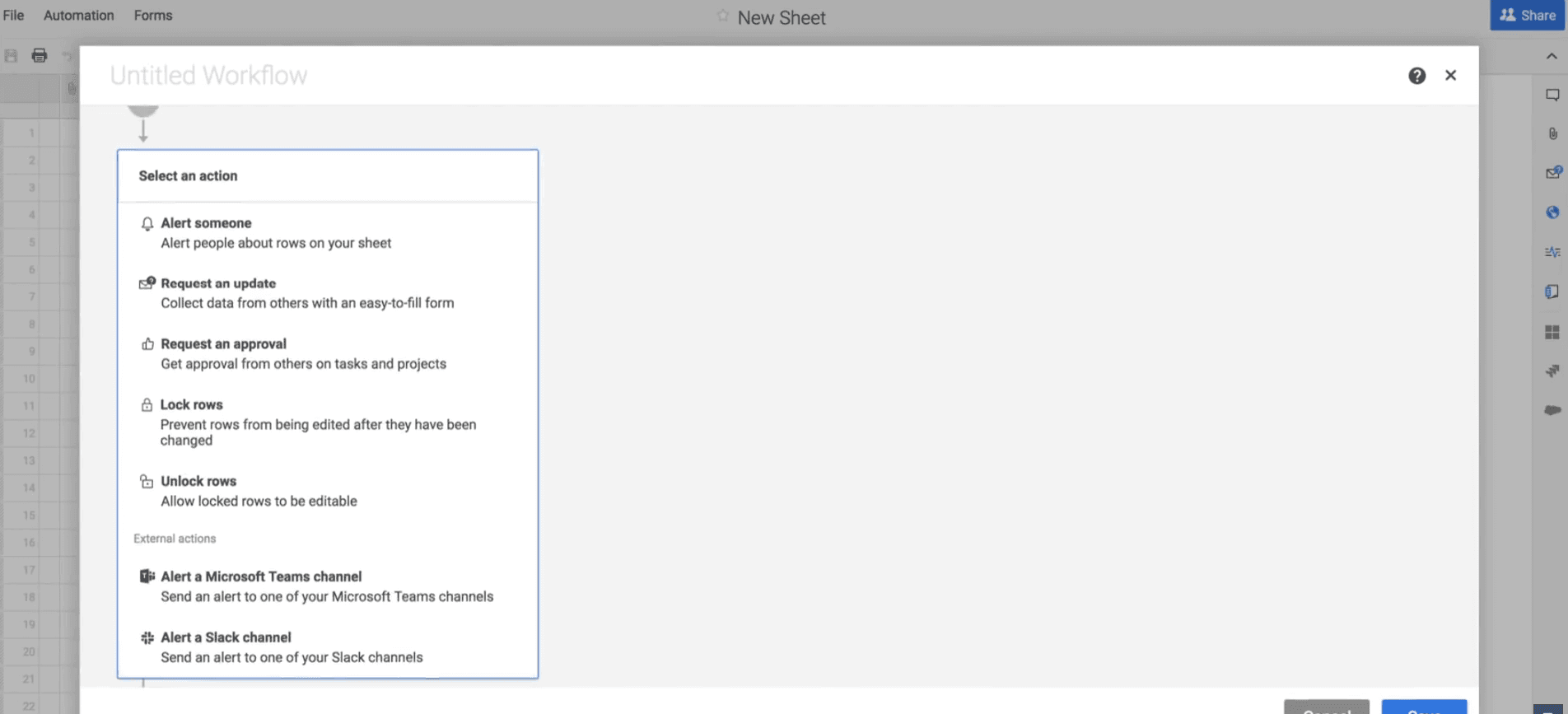
Automated Workflows: Smartsheet allows you to automate repetitive tasks, reducing the manual effort required in financial processes. This allows your team to focus on more strategic tasks by handling approvals, notifications, and updates automatically.
Real-Time Dashboards: With real-time dashboards, you can visualize financial data and trends instantly. This helps you make informed decisions quickly by displaying key metrics in an easy-to-understand format.
Comprehensive Reporting: Smartsheet’s reporting tools enable you to generate detailed financial reports with ease. You can customize these reports to focus on specific data points, ensuring that your team has the insights needed to drive business decisions.
Document Management: You can attach, manage, and convert files into proof items directly within Smartsheet. This allows you to track approvals and versions, facilitating focused conversations around financial documents.
Resource Management: You can visualize team workloads and project allocations to manage resources effectively and optimize project assignment based on availability.
Gantt Charts for Planning: You can utilize Gantt charts to plan and track financial projects and timelines. This feature assists in setting clear deadlines and dependencies, making it easier to manage complex financial tasks.
Standout Features
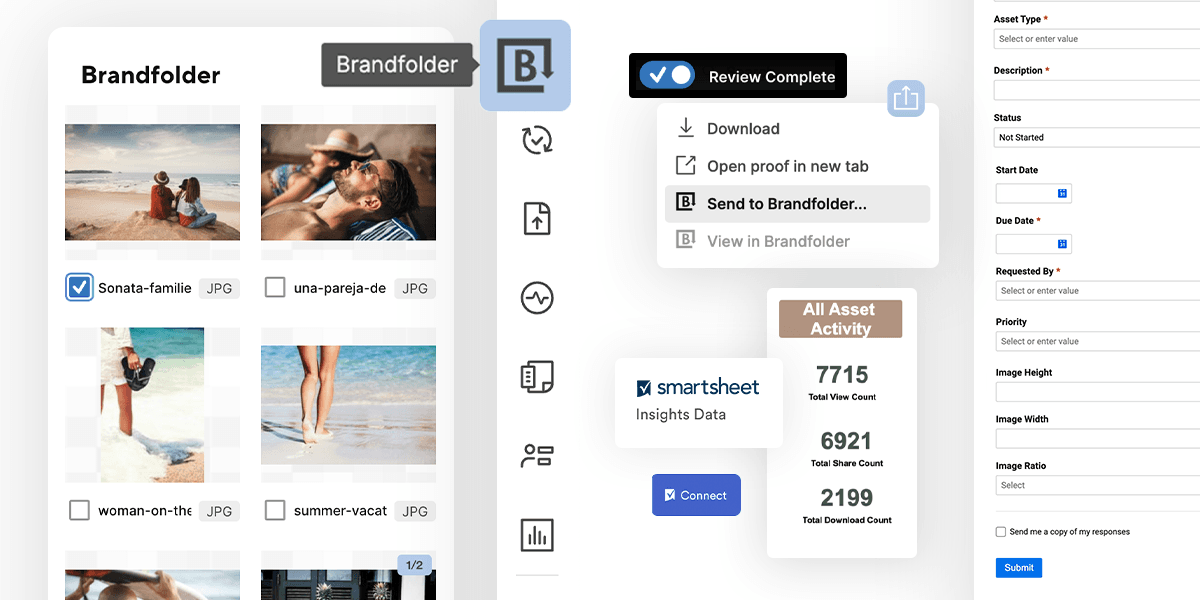
Brandfolder Integration: This digital asset management platform within Smartsheet helps you store, label, and categorize files efficiently. This is particularly valuable for companies handling large volumes of content, ensuring easy retrieval and reuse.
WorkApps: Customize your project experience by organizing documents, spreadsheets, and timelines into a single app. This feature allows your team to access only the relevant information, enhancing productivity.
Ease of Use
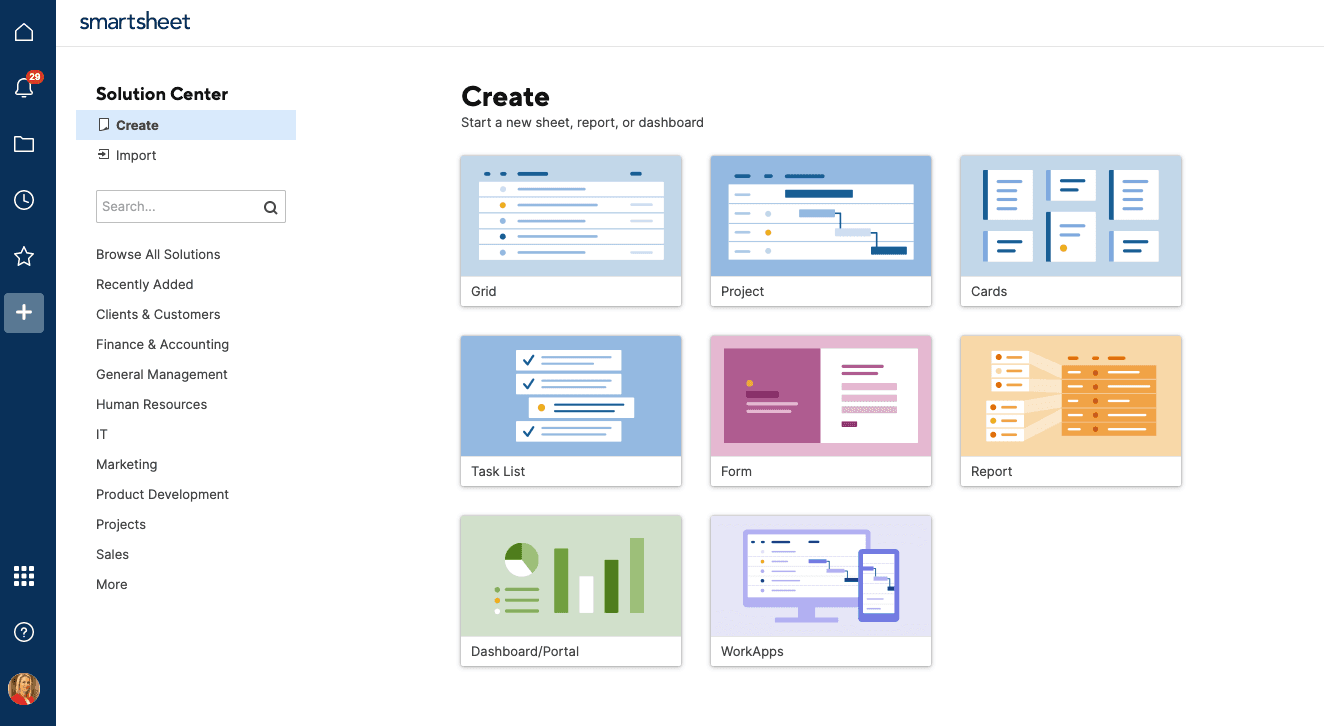
Smartsheet's UI can be hard to learn initially. The spreadsheet-like appearance requires a shift in mindset but offers powerful customization once mastered. Users often find the onboarding lacking, but if your team embraces the learning curve, you'll unlock robust automation and integration capabilities that enhance your workflows.
Onboarding
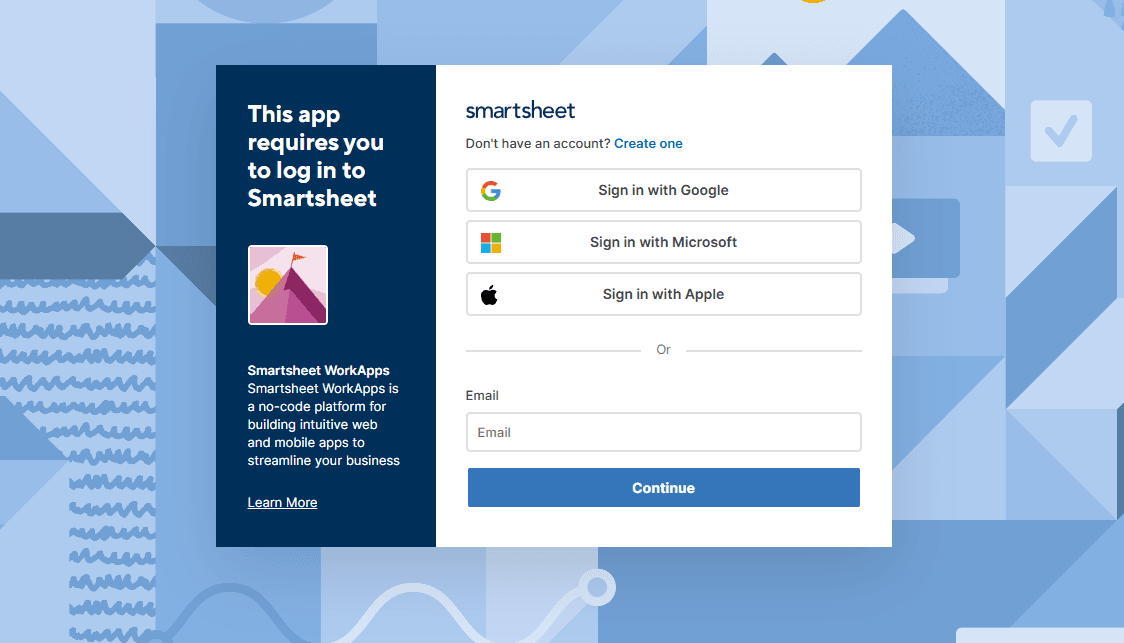
Smartsheet's onboarding experience is minimal, with no detailed guidance within the tool. Users often find themselves needing to explore Smartsheet University or other resources to learn effectively. The interface's complexity can hinder the onboarding process compared to more user-friendly Smartsheet alternatives, such as Monday.com and ClickUp. This setup may delay your team’s time to value as you navigate the learning curve independently.
Customer Support
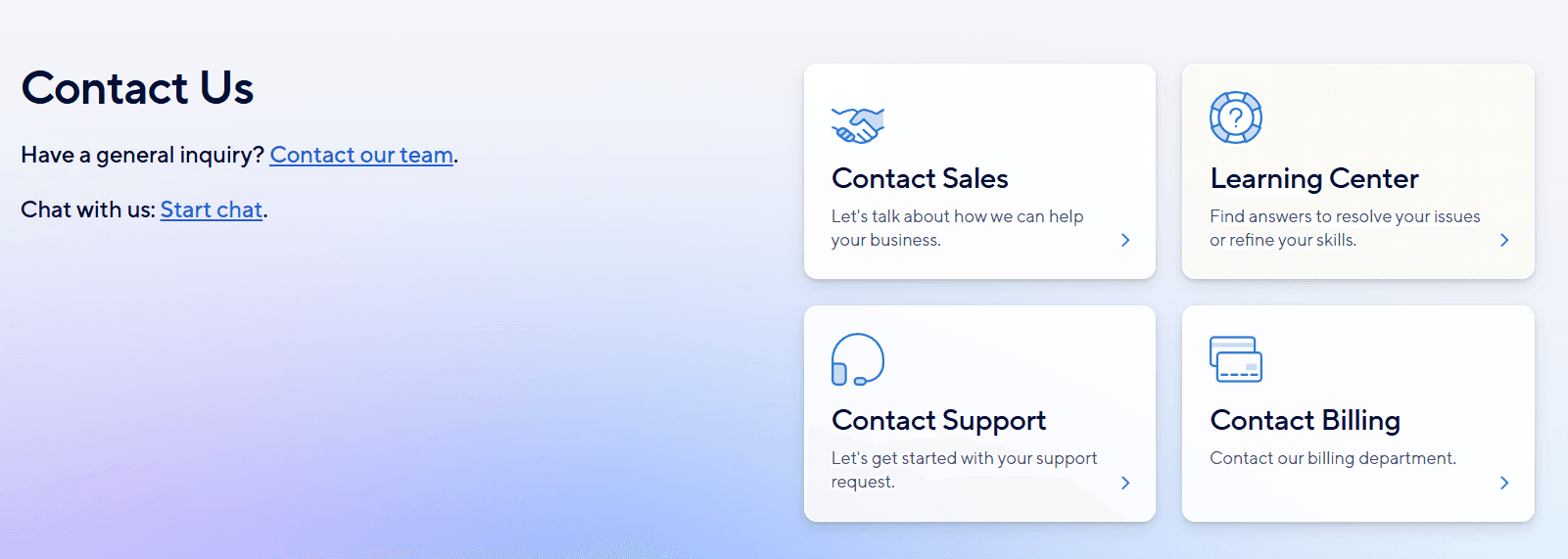
Smartsheet's customer support is average, offering a help centre with documentation and tutorials, a user community, and paid personalized coaching. Email and phone support are also available, though some users report long wait times.
Integrations
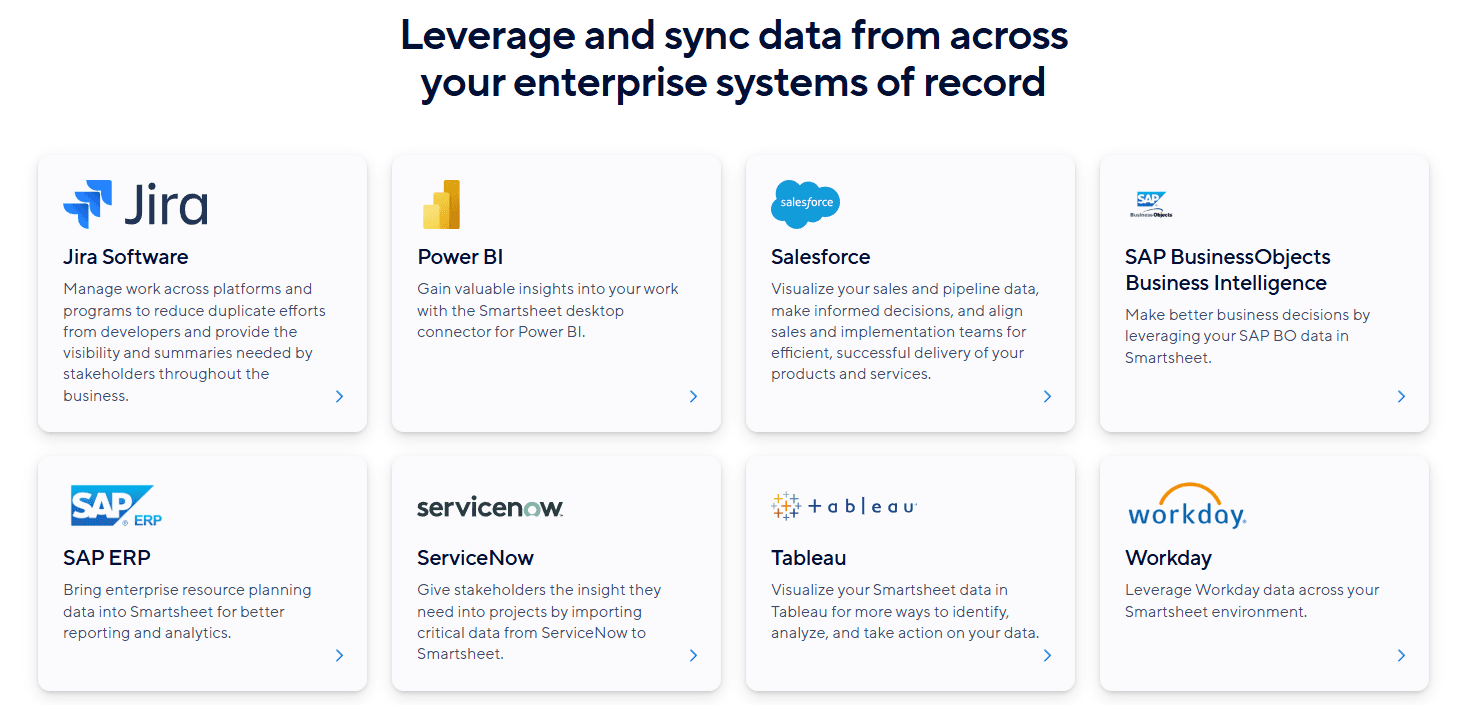
Smartsheet integrates with Microsoft Teams, Microsoft Excel, Slack, Adobe Creative Cloud, DocuSign, Power Automate, Zapier, Jira, Power BI, and Salesforce.
Smartsheet also offers an API and connects with third-party integration tools and add-ons.
Value for Money
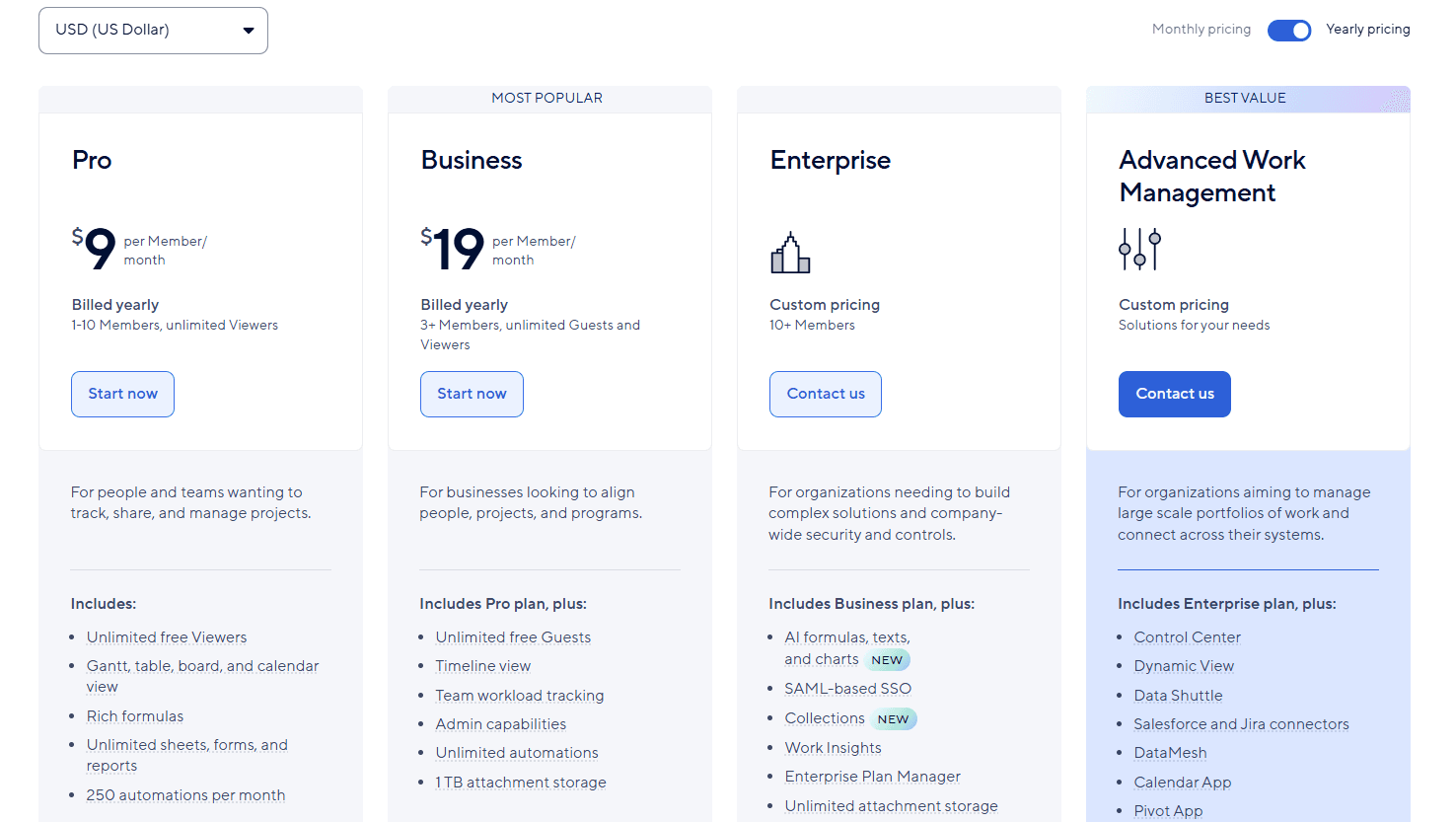
Smartsheet offers several pricing plans to suit different business needs, including a free plan for two users. While customized plans with advanced features may be more costly, Smartsheet offers good value for money. A free demo is available, so you can evaluate the software before purchasing.
- Free Plan: Offers two sheets for two users, with access to Google Workspace, Microsoft 365, and Slack integrations.
- Pro Plan: $9/member/month (billed annually); limited to 10 users and includes core features, such as unlimited sheets, forms, and reports.
- Business Plan: $19/member/month (billed annually); includes team workload tracking, a timeline view widget, and admin capabilities.
- Enterprise Plan: Custom pricing; offers directory integrations for simplified user authentication and AI capabilities.
- Advanced Work Management Plan: Custom pricing for additional features according to your needs.
Smartsheet Specs
- API: Yes
- Batch Permissions & Access: No
- Budgeting: Yes
- Calendar Management: Yes
- Collaboration Support: Yes
- Contact Management: No
- Contact Sharing: No
- Customer Management: Yes
- Dashboard: Yes
- Dashboards: Yes
- Data Export: Yes
- Data Import: Yes
- Data Visualization: Yes
- Dependency Tracking: No
- Document Sharing: No
- Expense Tracking: Yes
- External Integrations: Yes
- File Sharing: No
- Gantt Charts: Yes
- Kanban Boards: No
- Multi-User: Yes
- Notifications: Yes
- Project Management: Yes
- Resource Management: Yes
- Scheduling: Yes
- Task Scheduling/Tracking: Yes
- Third-Party Plugins/Add-Ons: Yes
- Time Management: No
- Travel Management: No
- Workflow Management: No
Smartsheet FAQs
Smartsheet Company Overview & History
Smartsheet, headquartered in Bellevue, Washington, was founded in 2005 and currently employs over 3,000 people. Known for its cloud-based platform that blends spreadsheets, databases, and project management tools, Smartsheet is trusted by over 85% of Fortune 100 companies. Blackstone and Vista Equity Partners acquired Smartsheet for $8.4 billion in 2024. The company supports integration with major applications such as Microsoft Office 365 and Google Workspace.
Smartsheet Major Milestones
- 2005: Founded by Eric Browne and Brent Frei.
- 2023: Trusted by over 85% of Fortune 100 companies.
- 2024: Acquired by Blackstone and Vista Equity Partners for $8.4 billion.