

QuickBooks Online vs. Wave: Detailed Comparison and Reviews for 2026


Managing your business finances can quickly become overwhelming. If you’re juggling invoices, tracking expenses, reconciling bank transactions, and trying to stay organized for tax season, the right accounting software can make a huge difference. Without the right tools, you might find yourself wasting hours on manual bookkeeping, worrying about cash flow, or struggling to get a clear picture of your financial health.
If you’re comparing QuickBooks Online vs. Wave, you’re likely looking for accounting software that simplifies your processes without adding unnecessary complexity. In this article, you’ll get a side-by-side look at how each tool handles core accounting tasks, where they shine, and where they might fall short, so you can confidently pick the solution that fits your business and your workflow.
QuickBooks Online vs. Wave: An Overview
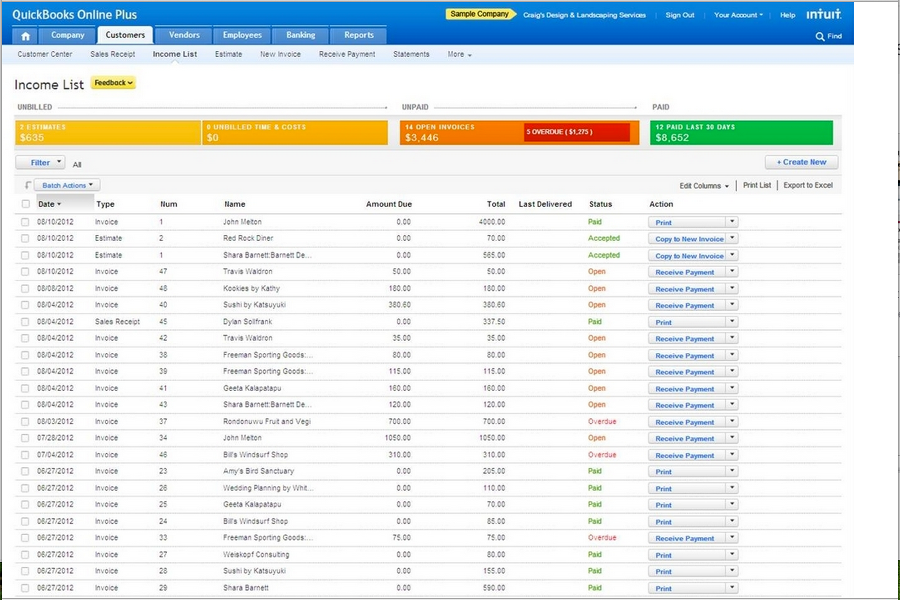
QuickBooks Online
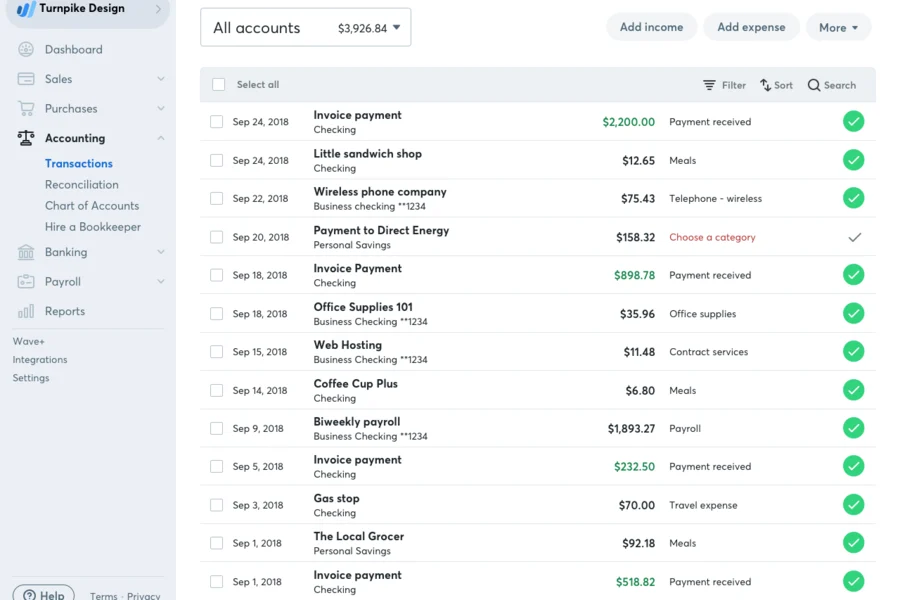
Wave
Why Trust Our Software Reviews
QuickBooks Online vs. Wave Pricing Comparison
| QuickBooks Online | Wave | |
|---|---|---|
| Free Trial | 30-day free trial + free demo available | Free plan available |
| Pricing | From $38/month | From $19/month |
QuickBooks Online vs. Wave Pricing & Hidden Costs
QuickBooks Online uses a tiered subscription model, with different plans offering varying levels of features and user access. You may encounter extra charges for payroll, advanced reporting, or adding more users. Wave, on the other hand, offers its core accounting features for free, but charges for optional services like payroll and payment processing. Both platforms can introduce additional costs if you need integrations or premium support.
To choose the right pricing model, start by mapping out your must-have features and estimating how your needs might grow over time. Look beyond the base price—factor in the cost of add-ons, support, and any integrations you rely on.
QuickBooks Online vs. Wave Feature Comparison
Both QuickBooks Online and Wave are great accounting tools for small businesses and freelancers. They share several core features, including invoicing, expense tracking, bank account integrations, and financial reporting, which help users manage everyday bookkeeping and monitor cash flow.
QuickBooks Online stands out for its more advanced capabilities, such as inventory management, project tracking, and a broad ecosystem of third-party integrations, making it well-suited for businesses that expect to scale. Wave differentiates itself by offering free core accounting software and a simpler interface, making it an appealing option for freelancers and very small businesses that need basic accounting tools without a subscription cost.
| QuickBooks Online | Wave | |
|---|---|---|
| 2-Factor Authentication | ||
| API | ||
| Accounts Payable | ||
| Accounts Receivable | ||
| Balance Sheet | ||
| Billing/Invoicing | ||
| BitCoin | ||
| Budgeting | ||
| CRM Integration | ||
| Calendar Management | ||
| Contact Management | ||
| Customer Management | ||
| Dashboard | ||
| Data Export | ||
| Data Import | ||
| Data Visualization | ||
| Expense Tracking | ||
| External Integrations | ||
| Forecasting | ||
| General Account Ledger | ||
| Inventory Tracking | ||
| Multi-Currency | ||
| Multi-User | ||
| Notifications | ||
| P&L | ||
| PayPal | ||
| Payroll | ||
| SAP Integration | ||
| Stripe | ||
| Supplier Management | ||
| Tax Management |
QuickBooks Online vs. Wave Integrations
| Integration | QuickBooks Online | Wave |
|---|---|---|
| PayPal | ✅ | ❌ |
| Shopify | ✅ | ❌ |
| Square | ✅ | ❌ |
| Gusto | ✅ | ❌ |
| HubSpot | ✅ | ❌ |
| Expensify | ✅ | ❌ |
| Stripe | ✅ | ❌ |
| Bill.com | ✅ | ❌ |
| API | ✅ | ✅ |
| Zapier | ✅ | ✅ |
QuickBooks Online offers a much broader range of direct integrations, particularly with payroll, CRM, ecommerce, and expense management tools. Wave supports fewer native integrations and typically connects to other apps through automation platforms like Zapier or Make. Since both platforms support APIs and Zapier workflows, this can help bridge some integration gaps, but QuickBooks Online is generally the better choice if your workflow relies on specialized business tools or a large app ecosystem.
QuickBooks Online vs. Wave Security, Compliance & Reliability
| Factor | QuickBooks Online | Wave |
|---|---|---|
| Data Encryption | Uses 128-bit SSL encryption for data in transit and at rest. | Uses up to 256-bit TLS encryption to secure data in transit. |
| Regulatory Compliance | Supports GAAP-based accounting workflows and includes audit logs and security certifications (e.g., SOC 2, ISO 27001) to support compliance requirements. | Follows standard accounting practices and industry security standards; does not advertise extensive compliance certifications for accounting workflows. |
| User Access Controls | Offers customizable user roles and permissions for granular access management. | Provides basic user permissions with limited customization. |
| Data Backups | Performs automatic daily backups and stores data in multiple secure locations. | Performs regular backups and uses secure cloud storage. |
| Uptime Guarantee | Maintains a high uptime for reliability. | Delivers high uptime but does not publish a formal SLA. |
If security and compliance are top priorities for your business, QuickBooks Online gives you more control and oversight. It offers role-based user permissions, audit logs, and security certifications that can help you manage access to financial data and meet stricter compliance requirements. This can be especially valuable if you work with a team, an accountant, or external stakeholders who need different levels of access.
Wave still provides reliable security for everyday use, including strong encryption and secure cloud infrastructure to protect your financial data. However, its access controls and compliance features are simpler. If you run a small business or work as a freelancer and just need dependable protection without complex user management, Wave can still meet your needs.
QuickBooks Online vs. Wave Ease of Use
| Factor | QuickBooks Online | Wave |
|---|---|---|
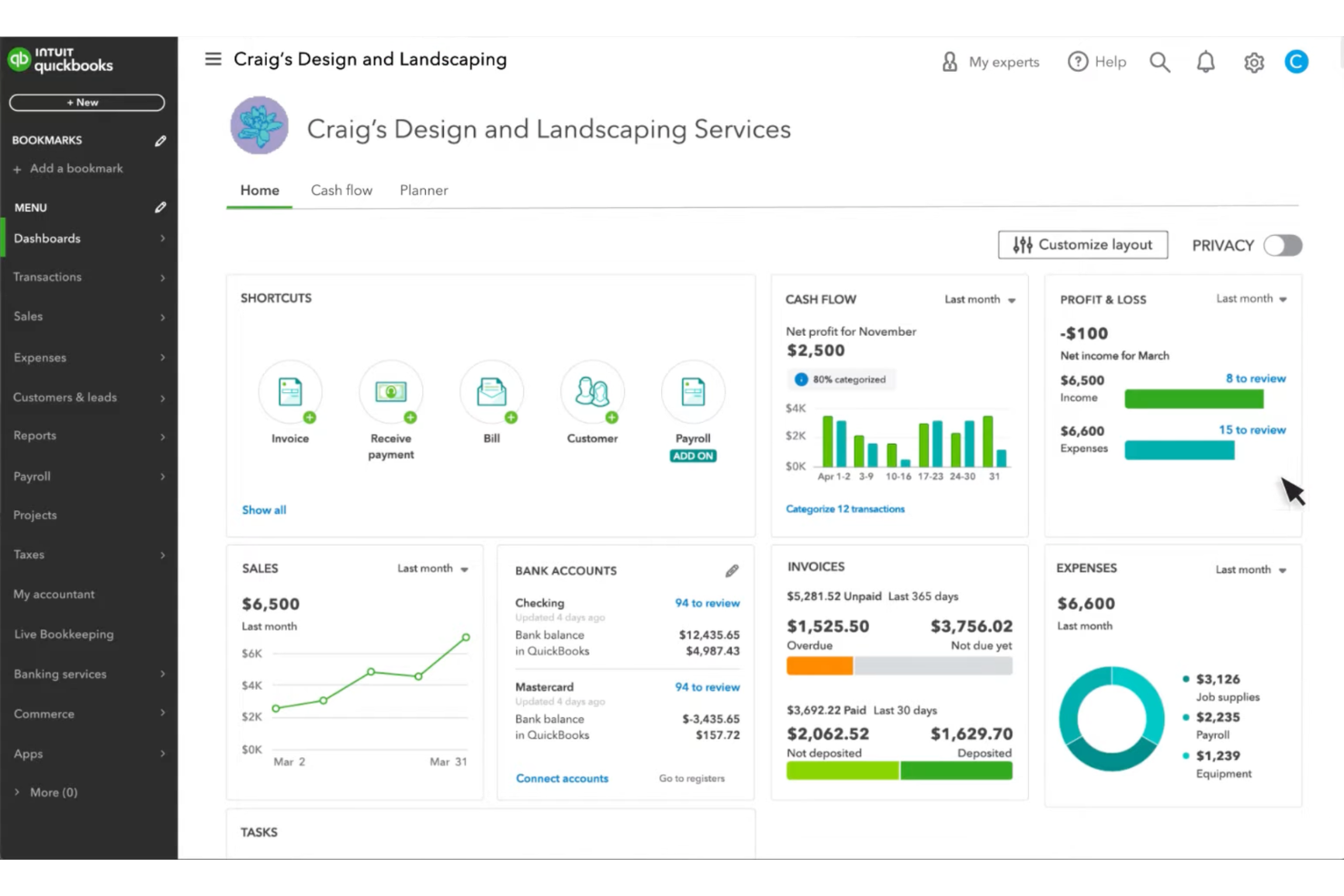
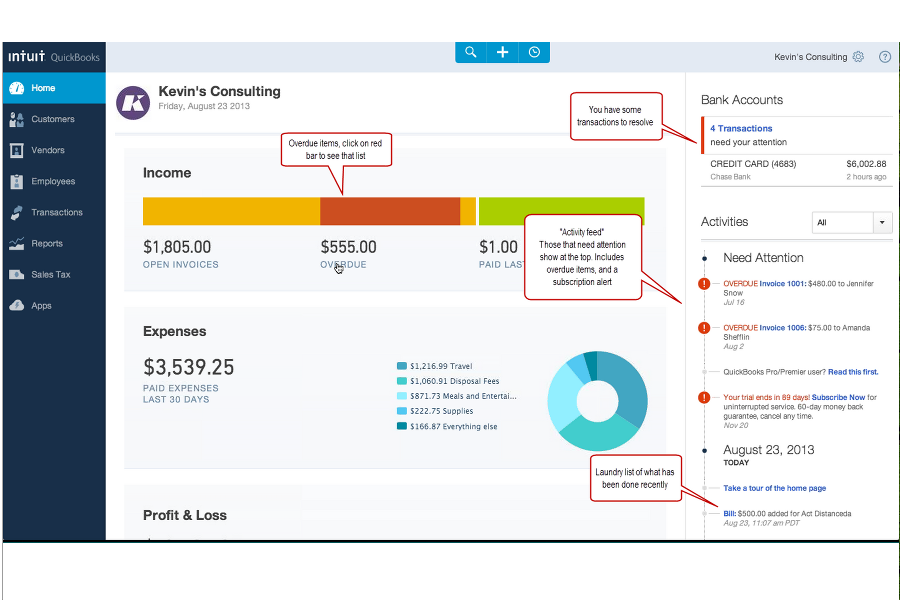
| User Interface | Offers a modern dashboard with customizable widgets and detailed menus. | Features a clean, minimal interface that’s easy to navigate. |
| Onboarding | Provides guided setup, tutorials, and in-app tips for new users. | Offers a quick, intuitive onboarding process with simple prompts. |
| Setup Process | Requires more steps to configure advanced features and integrations. | Allows for fast setup with minimal configuration needed. |
| Customer Support | Includes live chat, phone, and a searchable help center. | Offers email support and a helpful online knowledge base. |
| Mobile Experience | Delivers a robust mobile app with full feature access. | Provides a mobile app mainly for invoicing and payment tracking, with limited accounting functionality. |
Wave is generally easier to learn and use right away, thanks to its clean interface and simplified setup process. If you want to start invoicing clients and tracking basic finances quickly, you can typically get up and running in Wave with very little configuration.
QuickBooks Online has a steeper learning curve, but it offers far more depth once you get comfortable with the platform. If you’re willing to spend a bit more time setting things up, you’ll gain access to advanced reporting, integrations, and a more powerful mobile app for managing your business finances.
QuickBooks Online vs Wave: Pros & Cons
QuickBooks Online
- Track expenses and income in real time through bank feeds and transaction syncing.
- The interface is intuitive compared to many accounting tools.
- It provides customizable financial reports that help you analyze revenue, expenses, and cash flow.
- Some users report slow or inconsistent customer support response times.
- You may encounter occasional glitches or slow performance when working with complex workflows or large data sets.
- The mobile app offers core features, but it has fewer capabilities than the desktop browser version.
Wave
- You can stay on top of cash flow with simple reports.
- You can link your business bank accounts and credit cards to organize transactions.
- You can use built-in templates to quickly send invoices that are clean and professional.
- You can’t manage inventory or complex workflows, so it’s not great for growing businesses.
- You’ll encounter limits if you need advanced reporting or want more control over your books.
- Minimal help is available when something goes wrong, and the support team's responses may be slow.
Best Use Cases for QuickBooks Online and Wave
QuickBooks Online
- Wholesale Wholesale businesses can track large volumes of transactions, manage invoices for clients, and monitor cash flow through automated bank syncing.
- Nonprofits Nonprofits can use QuickBooks Online to organize donations, track expenses, and produce financial reports for transparency and compliance.
- Restaurants Restaurant owners can use QuickBooks Online to track daily revenue, manage expenses like food costs, and generate financial reports.
- Retail Retail businesses can connect QuickBooks Online to POS and ecommerce platforms to track sales, expenses, and cash flow more easily.
- Construction Construction teams benefit from expense tracking, job costing features, and the ability to monitor project-related income and costs.
- Professional Services If you run a consulting, marketing, or freelance business, QuickBooks Online helps you track billable income, send invoices, and monitor expenses in one place.
Wave
- Construction Companies Wave doesn't support job costing, which is essential for managing construction projects efficiently.
- Independent Contractors Independent contractors and solo service providers will find Wave's invoicing and expense tracking capabilities ideal for managing their business activities effectively.
- Nonprofits Wave's user-friendly interface and free core offerings make it an excellent choice for nonprofits that need basic accounting without the financial burden.
- Startups For startups with limited budgets, Wave's free version offers a comprehensive solution to efficiently manage financial tasks.
- Small Businesses If you're a small business owner, Wave provides essential accounting attributes like payroll and receipts, helping you keep track of your finances easily.
- Freelancers Wave's free invoicing and expense tracking tools are perfect for managing your freelance business finances without added costs.
Who Should Use QuickBooks Online, and Who Should Use Wave?
Overall, QuickBooks Online is a strong fit for small to midsized businesses that need advanced reporting, integrations with other business tools, and support for more complex financial workflows. It’s especially useful if you manage multiple users, inventory, or detailed financial reports, and want software that can scale as your business grows.
Wave is ideal for freelancers, solo entrepreneurs, and very small businesses that want a simple, low-cost solution for invoicing, expense tracking, and basic bookkeeping. Its streamlined interface and free core accounting tools make it easy to get started quickly. If your accounting needs are straightforward and your priority is simplicity and affordability, Wave is a practical choice.
Differences Between QuickBooks Online and Wave
| QuickBooks Online | Wave | |
|---|---|---|
| Automation | Automates bank feeds, recurring invoices, and expense tracking. | Automates invoicing and receipt scanning, but has fewer options. |
| Inventory Management | Built-in inventory tracking (in higher-tier plans). | Does not offer inventory management features. |
| Pricing Model | Subscription-based with paid add-ons for advanced features. | Core features are free, with optional paid services. |
| Reporting Features | Offers customizable, in-depth financial and management reports. | Provides basic financial reports with limited customization. |
| Read QuickBooks Online ReviewOpens new window | Read Wave ReviewOpens new window |
Similarities Between QuickBooks Online and Wave
| Bank Connections | Both connect to your bank accounts for automatic transaction imports, reducing manual data entry. |
|---|---|
| Cloud-Based Access | Both are fully cloud-based, letting you manage finances from anywhere with an internet connection. |
| Expense Tracking | Both tools allow you to record and categorize expenses so you can monitor spending and maintain organized financial records. |
| Invoicing | Each platform lets you create, send, and track professional invoices, with options for recurring billing. |
| Payment Processing | Both support online payment processing, allowing clients to pay invoices by credit card or bank transfer. |
| Read QuickBooks Online ReviewOpens new window Read Wave ReviewOpens new window | |