

Giderleri yönetmek her CFO için baş ağrısı olabilir. Makbuzlarla ilgilenmeniz, maliyetleri takip etmeniz ve uyumluluğu sağlamanız gerekir. Gider raporu yazılımları bu konuda yardımcı olarak mali durumunuzu yönetmenizi kolaylaştırır ve zamanınızı daha stratejik görevlere ayırmanızı sağlar.
Piyasadaki en iyi gider raporu araçlarını test edip inceledim. Amacım, bu çözümlerin karşılaştığınız zorlukları nasıl giderebileceğine dair tarafsız bir değerlendirme sunmak. Temel özellikleri, fiyatlandırmayı ve her aracın karşıladığı özel ihtiyaçları ele alacağım.
Bu makalede, sizin ve ekibinizin ihtiyaçlarına göre hazırlanmış bilgiler bulacaksınız. Giderleri verimli bir şekilde yönetmenize yardımcı olacak en iyi seçeneklere birlikte göz atalım.
Why Trust Our Software Recommendations
6,700+
Reviews
20
Industry experts
16+
Evaluation factors
14
Years
Our team has been testing and reviewing software since 2012. As finance leaders ourselves, we know how difficult—and important—it is to choose the right software.
For this guide, we evaluated tools using hands-on testing and independent research, scoring tools using our selection criteria.
Our reviews reflect our human editorial judgment, not a sales pitch.
Gider Raporu Yazılımı Karşılaştırma Tablosu
Aşağıdaki tabloda, en iyi gider raporu yazılımı seçimlerimdeki fiyatlandırma ayrıntıları karşılaştırılmaktadır.
Sorted by: Default
| Tool | Starting Price | Website | |
|---|---|---|---|
Best for global teams | 4.8 out of 5 | $29/user/month Free demo available | Website |
Best real-time reporting | 4.6 out of 5 | $11.99/user/month Free demo available | Website |
Best seamless approval workflows | 4.8 out of 5 | Pricing upon request Free demo available | Website |
Best for built-in spending policies | 4.8 out of 5 | $15/user/month Free plan available; 30-day free trial | Website |
Best for monitoring and managing budgets | 4.7 out of 5 | Pricing upon request Free demo available | Website |
Best expense management in Europe | 4.8 out of 5 | £8/user/month Free trial + free demo available | Website |
Best for simplifying travel expense tracking | 4.7 out of 5 | $15/user/month Free plan + Free demo available | Website |
Best for hassle-free expense management | 4.5 out of 5 | $4/user/month 14-day free trial | Website |
Best always free option | 4.6 out of 5 | Free to use | Website |
Best for startups and small businesses | 4.5 out of 5 | $12/user/month Free plan + demo available | Website |


En İyi Gider Raporu Yazılımı İncelemeleri
Aşağıda, kısa listeme giren en iyi gider raporu yazılımlarının ayrıntılı özetlerini bulabilirsiniz. İncelemelerim, sizin için en uygun aracı bulmanıza yardımcı olmak amacıyla her aracın temel özelliklerine, artılarına & eksilerine, entegrasyonlarına ve ideal kullanım alanlarına ayrıntılı bir bakış sunuyor.


Deel's expense management dashboard lets users generate reports and track, approve, and manage expenses. Deel is an all-in-one HR platform designed to help businesses hire, manage, and pay employees and contractors worldwide. It offers tools to handle global payroll, compliance, and HR tasks, making international workforce management more straightforward.
Why I picked Deel: Deel's expense management system allows you to create customized expense categories, enabling precise tracking and control over various expense types. This customization ensures that your team's expenditures align with your company's policies and reporting needs. Additionally, Deel provides a mileage expense calculator, which estimates travel costs based on trip distance and predefined reimbursement rates. For businesses operating globally, Deel offers the ability to set up expense policies tailored to different countries or entities.
Standout features & integrations:
Features include expense approval workflows and per diem expense calculations, allowing employees to claim daily allowances for business trips easily. Additionally, the platform provides analytics dashboards that offer insights into expense trends and patterns, aiding in financial planning and decision-making.
Integrations include Expensify, QuickBooks, Google Workspace, Slack, JIRA, HubSpot, BambooHR, Workday, Xero, Salesforce, Microsoft Teams, Zendesk, and Jira Software Cloud.
Pros and Cons
Pros:
- Simplifies global hiring and payments
- Offers diverse payment options
- Customizable expense policies
Cons:
- No option for corporate spending cards
- Occasional delays in payment processing
Learn more about Deel Payroll: Best real-time reporting
- Free demo available
- From $11.99/user/month (billed annually)
Visit WebsiteCustomer Rating:4.6/5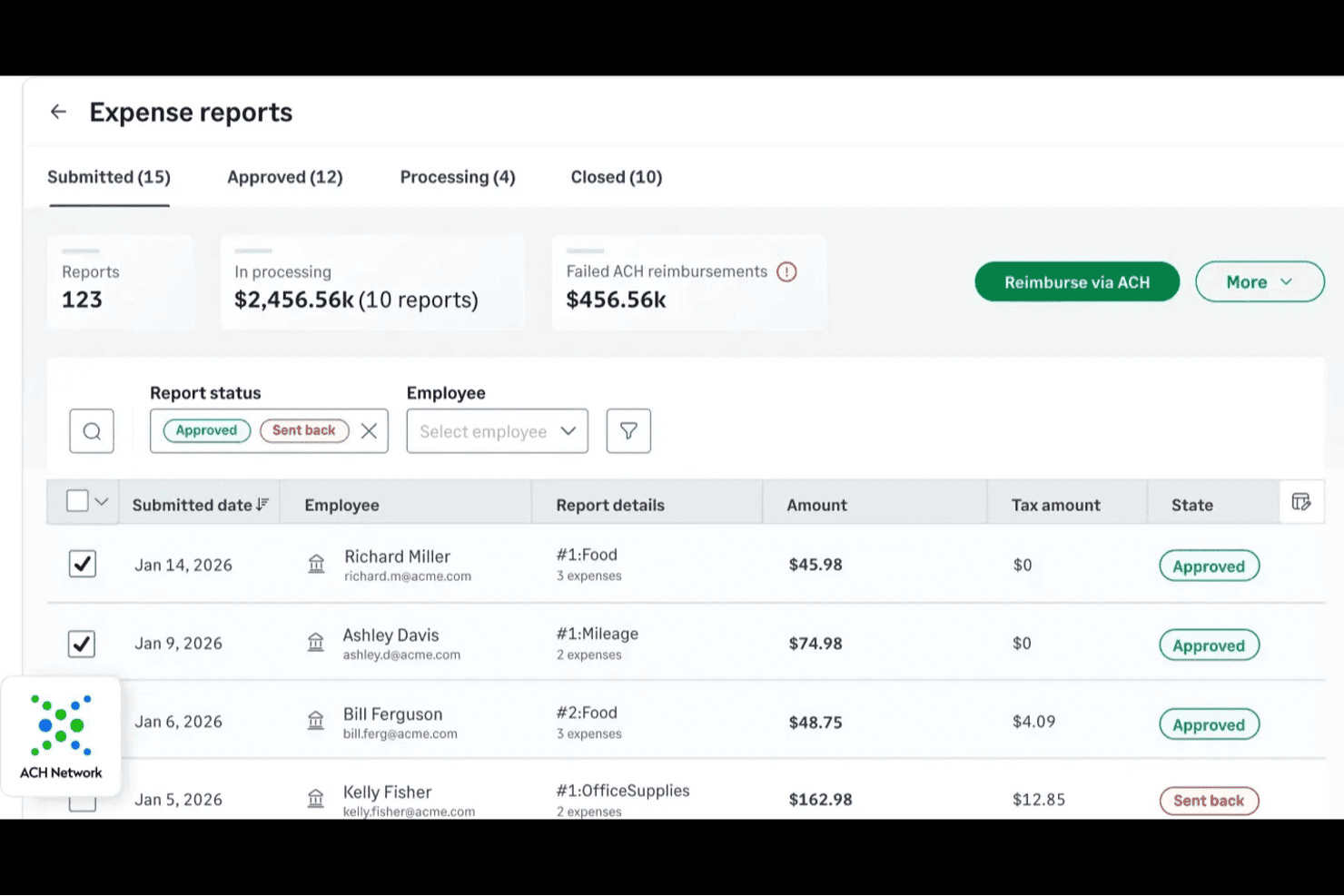
Sage Expense Management (formerly Fyle) is an expense management platform that connects to your existing Visa, Mastercard, and Amex corporate cards to handle receipt capture, real-time policy enforcement, multi-level approval routing, card reconciliation, and accounting sync.
Who Is Sage Expense Management Best For?
Finance and AP teams at mid-sized companies who need live visibility into card spend and want reconciliation handled automatically will get the most out of Sage Expense Management.
Why I Picked Sage Expense Management (formerly Fyle)
I picked Sage Expense Management as one of the best because it gives finance teams a live view of card spend the moment a transaction happens. When an employee swipes their Visa or Mastercard, the platform triggers a text prompt for a receipt and matches it to the transaction automatically, so reconciliation happens in near real time rather than at month-end. I also love that the AI Copilot lets you query spend breakdowns, approval turnaround times, and policy violations in plain language, putting reporting insights a question away.
Sage Expense Management Key Features
- Multi-level approval routing: Route expenses through single or multi-stage approval chains based on department, project, or policy violations, with on-the-fly approver additions.
- Smart GPS mileage tracking: Log business trips using Google Maps distance calculation, with support for vehicle-specific rates, recurring trips, commute deductions, and policy limits.
- Soft and critical policy rules: Set expense rules that either flag a submission for review or block it entirely, across categories like amount, payment mode, expense age, and currency.
- Active-user billing: Pay only for employees who create at least one expense or have a connected card transaction in a given month, keeping costs tied to actual usage.
Sage Expense Management Integrations
Sage Expense Management offers native integrations with QuickBooks Online, Xero, Sage Intacct, Sage 300 Construction and Real Estate, and Sage 50 in beta. Business plans include API access for custom integrations.
Pros and Cons
Pros:
- Mileage tracking supports commute deductions
- Policy rules flag spend before submission
- Real-time card alerts speed receipt matching
Cons:
- Email receipt syncing can fail
- OCR misreads can create duplicate expenses
Learn more about Sage Expense Management (formerly Fyle): Best seamless approval workflows
- Free demo available
- Pricing upon request
Visit WebsiteCustomer Rating:4.8/5
In Airbase, Finance teams can see all pending requests and reports at a glance. Airbase is a financial services solution that offers expense management, accounts payable automation, corporate cards, and guided procurement. Their customers are primarily mid-market technology companies, although they also serve many in the financial services and automotive industries.
Why I picked Airbase: Most expense software allows you to designate individuals to approve expenses, but Airbase stands out because it has multilayered approval workflows that consider department, expense category, location, and more. This saves a ton of time and confusion at matrixed organizations. You can also make the rules as complex as you like.
Standout features & integrations:
Features include automated reimbursement for approved expenses, with expenses paid out each night. And along with spending limits, I liked how Airbase lets you set expiration dates on company cards to control subscription renewals. The drawback comes when dealing with semi-regular vendors who you use more than once but not every month.
Integrations include NetSuite, Sage, Quickbooks, Xero, American Express, Jira, Slack, Okta, BambooHR, and Rippling.
Pros and Cons
Pros:
- Mileage tracking
- Email and Slack integrations
- Approval groups for speed
Cons:
- Too complex for small businesses
- Cards are either “one-time” or ”recurring”
 4Best for built-in spending policies
Ramp
- Free plan available; 30-day free trial
- From $15/user/month
Visit WebsiteCustomer Rating:4.8/5
Ramp provides an automated accounting dashboard that categorizes transactions, syncs expenses, and flags missing memos for review. Ramp is a versatile platform that offers expense report software designed to help you manage business finances more efficiently. By automating routine tasks and providing real-time insights, Ramp helps you focus on what truly matters for your business.
Why I Picked Ramp: I picked Ramp for its advanced AI automation that reduces manual work, freeing up time for more strategic decisions. Its customizable corporate cards come with built-in spending policies to help control team expenses and ensure compliance. Ramp also eases financial operations with automated expense submissions, eliminating the need to chase receipts, and an efficient accounts payable feature that speeds up bill processing.
Standout features & integrations:
Features include accounting automation, which speeds up your monthly financial closes and enhances accuracy, reducing the risk of errors. The platform also supports global operations by allowing payments to 195 countries in over 40 currencies, making it a good fit for businesses with international dealings. Another feature is its ability to process reimbursements quickly, ensuring your team gets their money back fast, which is crucial for maintaining morale and productivity.
Integrations include NetSuite, Sage, Xero, QuickBooks, Microsoft Dynamics Business Central, Acumatica, Uber, Lyft, Okta, Google, Rippling, and Gmail.
Pros and Cons
Pros:
- Automated expense reporting and receipt matching
- Ability to issue multiple virtual cards with customizable controls
- Comprehensive reporting features
Cons:
- Could offer more advanced accounting features
- Mostly focuses on accounts payable and spend management
 Best for monitoring and managing budgets
- Free demo available
- Pricing upon request
Visit WebsiteCustomer Rating:4.7/5
Finance uses the Payments tab in Spendesk to approve reimbursements. Spendesk is a spend management and budget tracking tool that offers company cards, invoicing, and accounting automation. It aims to give finance teams overall spend visibility while allowing functional teams to do their jobs without red tape.
Why I picked Spendesk: I like that Spendesk takes a two-pronged approach to expense management. They give finance teams the power of the purse, enabling them to monitor and manage overall spending. But they also let teams access and manage their individual budgets.
Standout features & integrations:
Features include budget overviews that allow approvers to make informed decisions based on what has already been spent and earmarked. I also like that Spendesk automatically accounts for transactions in your real-time budget, which means no surprise spending.
Integrations include Slack, NetSuite, and Xero.
Pros and Cons
Pros:
- Ease of use
- Easy subscription management
- Quickly issue virtual cards
Cons:
- Spendesk cards not universally accepted
- Limited integrations
Learn more about Spendesk: 6Best expense management in Europe
Pleo
- Free trial + free demo available
- From £8/user/month
Visit WebsiteCustomer Rating:4.8/5
Administrators can use Pleo to monitor team spending or individual expenses. Pleo is a European spending solution that handles expense management, invoices, and reimbursements. Businesses can automate expense reporting by issuing Pleo cards and get real-time notifications when they are used.
Why I picked Pleo: Based in Denmark, Pleo was created with the unique expense management challenges of Europe in mind, making it perfect for European companies or companies that do business in Europe. This means quick and easy currency conversion, value-added tax calculation, and international compliance standards.
Standout features & integrations:
Features include vendor cards, which let your team manage recurring payments and set spending limits with ease. Pleo overdraft also helps you maintain cash flow by offering interest-free overdrafts for timely payments. Plus, the VAT split feature simplifies managing multiple VAT rates, saving your team time on manual reviews.
Integrations include NetSuite, Xero, QuickBooks, Slack, Microsoft Teams, DropBox, Sage, Google Workspace, Microsoft 365, and Zapier.
Pros and Cons
Pros:
- Auto-attached receipts
- Card limits by month or transaction size
- Easy to onboard and implement
Cons:
- Card limits aren’t transparent to users
- Difficult to dispute charges
Learn more about Pleo: Best for simplifying travel expense tracking
- Free plan + Free demo available
- From $15/user/month
Visit WebsiteCustomer Rating:4.7/5
Along with expense management, Navan is also a tool for planning and booking trips. Recently, TripActions rebranded as Navan and combined their travel planning and expense management tools into one system. The mobile app, instead of being a partially functional supplement, offers full access to Navan’s features.
Why I picked Navan: Travel is one of the top reasons for expense reporting, and I picked Navan because it sets itself apart by allowing you to search and book flights and hotel rooms within the app. This means you never have to transfer data from those expenses to Navan. Of course, you can also log meals and other expenses, but Navan streams booking and reporting travel expenses into one process.
Standout features & integrations:
Features include real-time inventory management, giving your team instant access to a wide range of travel options with competitive rates. AI-powered personalization tailors search results based on individual preferences, making travel arrangements more intuitive for your team. Additionally, automated expense reconciliation simplifies tracking and categorization of expenses, reducing manual input and errors for your organization.
Integrations include Slack, Salesforce, SAP Concur, Microsoft Outlook, Google Workspace, TripAdvisor, Uber, Lyft, Airbnb, and American Express.
Pros and Cons
Pros:
- Links to rewards programs
- Rate comparisons
- Book flights and rooms from app
Cons:
- Doesn’t display all flight options
- Limited roles and permissions
Learn more about Navan: Best for hassle-free expense management
- 14-day free trial
- From $4/user/month
Visit WebsiteCustomer Rating:4.5/5
Zoho Expense proactively notifies you when there’s an issue with your expense report. Zoho is a company that makes a wide range of business tools, beginning with their customer relationship management (CRM) system. They work primarily with small businesses in the IT and software industries and even offer a free plan for up to three users and 20 receipts per month.
Why I picked Zoho Expense: For Zoho users who want a simple way to add expense management to their toolset, Zoho Expense is, in my opinion, a natural choice. Plus, if you’re already using Zoho Books for accounting, the direct integration can save a ton of time and effort.
Standout features & integrations:
Features include effortless expense reporting that automates receipt tracking and enables quick expense creation. Your team can take advantage of customizable approval processes to streamline the way expenses, trips, and purchase requests are managed. Additionally, you have the tools for budget management to help create and monitor spending against defined limits, ensuring efficient oversight of your company's finances.
Integrations include Zoho Books, QuickBooks, Xero, Slack, Dropbox, Google Drive, OneDrive, Microsoft Teams, Uber for Business, and Lyft.
Pros and Cons
Pros:
- IRS-compliant travel logs
- Policy compliance management
- Automated reminders
Cons:
- Premium support is an add-on
- Lack of reporting customization
Learn more about Zoho Expense:

Along with expense reports, Divvy allows you to create and monitor budgets. Founded in 2016 and acquired by BILL in 2021, Divvy is an expense management and corporate credit card solution primarily for small businesses. They are able to offer the software for free to users because they collect a fee from the merchant. Consequently, they incentivize the use of Divvy cards over reimbursements.
Why I picked Divvy: With business software, “free” usually means that the tool still charges transaction fees. However, Divvy’s merchant fee model makes it truly free to the businesses that use it, which is why I’m impressed by it. This is how small organizations can move expense management out of spreadsheets without breaking the bank.
Standout features & integrations:
Features include budget management tools that allow you to set spending limits and track expenses, providing your team with real-time insights into financial data. You can also use the virtual cards feature to manage and control spending more effectively, reducing the need for physical cards. Additionally, the software offers detailed reporting capabilities, helping you analyze spending patterns and make informed financial decisions.
Integrations include QuickBooks Online, Xero, NetSuite, TravelPerk, Open Dental Software, QuickBooks Online Advanced, ZenBusiness, Headset, and Bill.com.
Pros and Cons
Pros:
- Physical and virtual cards
- User-friendly app
- Quickly edit credit lines and budgets
Cons:
- Slow reimbursement process
- Inconsistent notifications
Learn more about Divvy: 10Best for startups and small businesses
Brex
- Free plan + demo available
- From $12/user/month
Visit WebsiteCustomer Rating:4.5/5
In Brex, supervisors have an inbox where they can approve unresolved expenses. Brex is a technology company that offers a suite of financial management and service tools, including travel management, pill payment, financial forecasting, corporate credit cards, and expense management. It’s most popular among software and IT services organizations.
Why I picked Brex: Brex provides an advanced financial management toolset for startups and enables small businesses to implement corporate cards without impacting founder credit. Combined with the sophisticated admin control, I think it’s a good choice for companies that want to start their expense management on the right foot.
Standout features & integrations:
Features include automatic expense classification that simplifies how you manage your team's expenses. Real-time data synchronization with ERPs ensures that your financial data is always up-to-date, allowing you to make informed decisions quickly. Additionally, Brex supports seamless onboarding and offboarding of employees through HRIS connections, making it easier to manage personnel changes.
Integrations include NetSuite, QuickBooks, Workday, WhatsApp, Coupa, Xero, Gusto, Slack, Zapier, and Navan.
Pros and Cons
Pros:
- Detailed admin control
- Auto-enforced spending policies
- Auto-approval of designated expenses
Cons:
- Less functionality in mobile app
- Lacks travel management
Diğer Gider Raporu Yazılımları
Listeye girmemiş ancak değerlendirmeye değer diğer gider raporu yazılımı seçenekleri şunlardır:
- 11AirwallexBest for end-to-end expense management
- 12XledgerBest for multi-entity expense management
- 13PuzzleBest for AI-powered expense accuracy
- 14ExpensifyBest for companies with broad financial needs
- 15SAP ConcurBest for global enterprises
- 16SlashBest for cashback rewards
- 17Emburse Certify ExpenseBest for project accounting
- 18Rippling SpendBest for automated expense management
- 19Doxis SpendControlBest for customizable reporting dashboards
- 20DualEntryBest for reducing manual reconciliation tasks
- 21PaycomBest all-in-one HR and expense management
- 22PaylocityBest comprehensive HR solution
- 23PerkBest for mileage tracking
- 24WebexpensesBest for European mid-market businesses
- 25RydooBest for international compliance
How I Evaluate Expense Report Software
I evaluate each tool in two layers: the baseline criteria a tool must clear—like OCR receipt capture, approval routing, and ERP sync—and the differentiators that set the strongest options apart.
Core Functionality (Table Stakes For This List)
When I'm selecting tools for my list, I rank each one on a scale from 0 (does not offer the functionality) to 5 (excels in this area) for each core functionality listed below. Then, I calculate the tool's total score into a percentage. Each tool needs to achieve a minimum total score of 65% to be considered for inclusion.
- Expense Report Creation: I check whether employees can create, itemize, and submit reports from both desktop and mobile—for example, a field rep logging meals and mileage from their phone.
- Receipt Capture & OCR: Each tool's OCR accuracy matters here, especially how well it auto-extracts vendor names, dates, and totals from photographed or forwarded receipts.
- Approval Workflows: I look for configurable multi-level routing, like sending a report to a direct manager first, then to finance when it crosses a certain spend threshold.
- Policy Enforcement & Flagging: The best tools let you codify rules—per diem caps, category restrictions, duplicate detection—and flag violations before a report reaches an approver.
- Reimbursement Processing: I evaluate whether the platform supports direct reimbursement via ACH or payroll sync, rather than forcing teams to export data and process payments manually.
- Accounting & ERP Integration: Native connectors to platforms like QuickBooks, Xero, NetSuite, or SAP are what I look for, including GL code mapping and dimensional tagging.
Once I have a list of tools that meet this criteria, I consider what sets each platform apart.
Differentiating Factors (What Sets Vendors Apart)
Here's how I compare and contrast different vendors:
Standout Features
AI-powered audit tools that auto-flag duplicates and outliers across every submitted report save hours of manual review. I also look for native corporate card issuance, which lets finance teams set spend controls upfront and match transactions to reports automatically. Travel booking integration is another differentiator—when an employee books a flight and the itinerary flows directly into their expense report, it cuts manual data entry and improves policy compliance before spend even happens.
Beyond Features
Compliance and audit readiness matter—I check whether a tool offers compliant digital receipt storage and supports VAT/GST reclaim for teams operating across multiple jurisdictions. The integration ecosystem is equally important, especially direct card feeds from major issuers and native ERP connectors that sync GL codes without manual mapping. I also evaluate pricing transparency, since hidden fees for reimbursements or premium support can quietly erode the ROI a platform promises.
Gider Raporu Yazılımı Nasıl Seçilir?
Gider raporu yazılımlarını karşılaştırmak saatlerinizi hızla tüketebilir. Uzun özellik listeleri ve belirsiz fiyatlandırmalar, önemli olan unsurlardan uzaklaştırır: uyumluluk, doğruluk ve sorunsuz iş akışları. Temel unsurlara odaklanmanıza ve doğru çevrim içi gider raporlama çözümünü güvenle seçmenize yardımcı olmak için hızlı bir kontrol listesi hazırladım.
| Faktör | Dikkat Edilmesi Gerekenler |
|---|---|
| FaktörÖlçeklenebilirlik | Dikkat Edilmesi GerekenlerAraç işletmenizle birlikte büyüyebilir mi? Şirketiniz büyüdükçe artan hacmi karşılayıp karşılayamayacağını değerlendirin. Bütçenizi zorlamadan büyümeye uyum sağlayabilecek esnek fiyatlandırma katmanlarına sahip çözümleri tercih edin. |
| FaktörEntegrasyonlar | Dikkat Edilmesi GerekenlerMevcut sistemlerinize bağlanabiliyor mu? Manuel veri girişini önlemek ve hataları azaltmak için muhasebe ve insan kaynakları yazılımlarınızla entegre olduğundan emin olun. |
| FaktörÖzelleştirilebilirlik | Dikkat Edilmesi Gerekenlerİş akışlarınıza uyacak şekilde uyarlayabilir misiniz? Yazılımın alanları, raporları ve onay süreçlerini ekibinizin özel ihtiyaçlarına göre özelleştirmenize izin verip vermediğini kontrol edin. |
| FaktörKullanım Kolaylığı | Dikkat Edilmesi GerekenlerHerkes için kullanıcı dostu mu? Ekibinizin hayal kırıklığı yaşamadan hızlı bir şekilde kullanmaya başlayabilmesi için çok az eğitim gerektiren sezgisel arayüzleri tercih edin. |
| FaktörUygulama ve işe alıştırma | Dikkat Edilmesi GerekenlerKurulup çalışır hâle gelmesi ne kadar sürecek? Mevcut eğitim materyalleri veya sağlayıcı desteği de dâhil olmak üzere kurulum için gereken zaman ve kaynakları değerlendirin. |
| FaktörMaliyet | Dikkat Edilmesi GerekenlerFiyatlandırma bütçenizle ne ölçüde uyumlu? Mali sınırlarınız içinde kaldığından emin olmak için lisans, destek ve olası gizli ücretler dâhil toplam sahip olma maliyetini değerlendirin. |
| FaktörGüvenlik Önlemleri | Dikkat Edilmesi GerekenlerVerilerinizi nasıl koruyor? Yazılımın güvenlik standartlarına uyduğunu ve hassas bilgileri korumak için şifreleme ve role dayalı erişim gibi özellikler sunduğunu doğrulayın. |
| FaktörUyumluluk gereklilikleri | Dikkat Edilmesi GerekenlerSektör standartlarını karşılıyor mu? Hukuki sorunlardan kaçınmak ve paydaşların güvenini korumak için yazılımın GDPR veya SOX gibi ilgili düzenlemelere ve standartlara uyduğundan emin olun. |
Gider Raporu Yazılımı Nedir?
Gider raporu yazılımı, işletmelerin çalışan giderlerini takip etmesine ve yönetmesine yardımcı olan bir araçtır. Genellikle finans ekipleri, muhasebeciler ve yöneticiler tarafından kullanılan bu yazılım, gider takibini kolaylaştırarak ve şirket politikalarına uyumluluğu sağlayarak değer sunar. Otomatik gider girişi, makbuz yönetimi ve entegrasyon özellikleri manuel çalışmayı azaltmaya, doğruluğu artırmaya ve zaman kazandırmaya yardımcı olur. Genel olarak bu araçlar, işletmeler için gider yönetimini daha kolay ve verimli hâle getirir.
Özellikler
Gider raporu yazılımı seçerken doğruluk ve uyumluluğun ne kadar kritik olduğunu biliyorum. Çözümleri karşılaştırırken iş akışlarını otomatikleştiren, veri bütünlüğünü sağlayan ve onayları kolaylaştıran araçları tercih edin. Dikkat etmeniz gereken diğer temel özellikler şunlardır:
- Zaman ve Gider Takibi: Kullanıcıların giderleri ve görevlere harcanan zamanı takip etmesini sağlar; bu, doğru bütçeleme ve faturalandırma için gereklidir.
- Otomatik Onay İş Akışları: Onaylar için uygun personeli bilgilendiren otomatik iş akışları oluşturarak gider onay sürecini kolaylaştırır.
- Makbuz Yakalama: Kullanıcıların makbuzları doğrudan yazılıma alıp yüklemesini sağlar; böylece tüm giderler belgelenir ve kolayca erişilebilir olur.
- Muhasebe Yazılımıyla Entegrasyon: Gider raporu yazılımınız ile muhasebe sistemleriniz arasında sorunsuz veri aktarımı sağlayarak manuel veri girişini azaltır.
- Kilometre Takibi: Kilometre giderlerini doğru şekilde takip etmek ve raporlamak için araçlar sunar; bu, sık seyahat eden çalışanlar için kritik önem taşır.
- Politikalara Uygunluk: Uygunluğu sağlamak ve tutarsızlıkları işaretlemek için gönderilen giderleri şirket politikalarına göre otomatik olarak kontrol eder.
- Çoklu Para Birimi Desteği: Birden fazla para birimini ve döviz kurunu destekleyerek uluslararası işlemler için gider raporlamasını kolaylaştırır.
- Mobil Erişilebilirlik: Çalışanların hareket hâlindeyken gider göndermesine ve makbuzları kaydetmesine olanak tanıyan mobil uygulamalar sunar.
- Gerçek Zamanlı Raporlama: Giderlerle ilgili gerçek zamanlı raporlar oluşturarak yöneticilerin bütçeleri etkili bir şekilde izlemesine ve kontrol etmesine yardımcı olur.
- Özelleştirilebilir Kategoriler: Kullanıcıların kendi benzersiz iş ihtiyaçlarına uygun gider kategorileri oluşturmasına ve özelleştirmesine olanak tanır.
Faydalar
Gider raporu yazılımını uygulamak, ekibiniz ve işletmeniz için çeşitli faydalar sağlar. Yararlanabileceğiniz birkaç fayda şunlardır:
- Azalan İdari Yük: Gider raporlamasını otomatikleştirmek, çalışanların manuel görevlere harcadığı zamanı azaltarak daha önemli işlere odaklanmalarını sağlar.
- Artan Doğruluk: Otomatik veri girişi ve makbuz yakalama, insan hatalarını en aza indirerek daha doğru finansal kayıtlar elde edilmesini sağlar.
- Daha Hızlı Geri Ödeme: Kolaylaştırılmış onay süreçleri ve otomatik iş akışları geri ödeme sürelerini kısaltarak çalışanların memnuniyetini korur.
- Daha İyi Gider Takibi: Giderlerin gerçek zamanlı takibi, bütçelerin hedeflenen düzeyde tutulmasına yardımcı olur ve harcama kalıpları hakkında içgörüler sağlar.
- Geliştirilmiş Uygunluk: Yerleşik politika uygulaması, tüm gider taleplerinin şirket politikalarına ve yasal gerekliliklere uymasını sağlar.
- Daha Kolay Denetim: Makbuzların ve gider raporlarının merkezi olarak depolanması, denetim sürecini kolaylaştırır ve giderlerin takip edilip doğrulanmasını kolaylaştırır.
- Maliyet Tasarrufu: İşletmeler, gereksiz giderleri belirleyip ortadan kaldırarak önemli ölçüde maliyet tasarrufu sağlayabilir.
Maliyetler ve Fiyatlandırma
Gider raporu yazılımının fiyatlandırması; kullanıcı sayısına, eklenti özelliklerine ve daha birçok unsura bağlı olarak değişebilir. Seçenekleri güvenle karşılaştırabilmeniz için belirli maliyetlere ve genel fiyat aralıklarına ilişkin bir özet aşağıda verilmiştir. Bu, değeri değerlendirmenize, uygunluğu sağlamanıza ve gizli sürprizler olmadan iş akışınızı kolaylaştıran bir çözüm seçmenize yardımcı olur.
Gider Raporu Yazılımı İçin Fiyat Karşılaştırma Tablosu
| Plan Türü | Ortalama Fiyat | Yaygın Özellikler |
|---|---|---|
| Plan TürüÜcretsiz Plan | Ortalama Fiyat$0 | Yaygın ÖzelliklerTemel gider takibi, sınırlı entegrasyonlar ve temel destek. |
| Plan TürüKişisel Plan | Ortalama Fiyat$5-$15/kullanıcı/ay | Yaygın ÖzelliklerGelişmiş gider takibi, mobil erişim, makbuz yakalama ve e-posta desteği. |
| Plan Türüİşletme Planı | Ortalama Fiyat$20-$50/kullanıcı/ay | Yaygın ÖzelliklerÇok kullanıcılı destek, gelişmiş raporlama, onay iş akışları ve entegrasyonlar. |
| Plan TürüKurumsal Plan | Ortalama Fiyat$50-$100+/kullanıcı/ay | Yaygın ÖzelliklerÖzelleştirilebilir özellikler, özel hesap yöneticisi, gelişmiş analizler ve API. |
Harcama Raporu Yazılımı SSS
Harcama raporu yazılımı hakkında sık sorulan bazı soruların yanıtları:
Harcama raporu yazılımı vergi mevzuatına uyuma ve denetime hazırlıklı olmaya yardımcı olabilir mi?
Evet, harcama raporu yazılımı dijital makbuzları saklayarak, kilometre veya gündelikleri izleyerek ve harcamaları vergi kurallarına göre otomatik olarak kategorilere ayırarak vergi mevzuatına uyumu ve denetime hazırlıklı olmayı destekler. Raporlar indirilebilir ve indirilemeyen harcamaları bir araya getirirken kapsamlı denetim izleri, taleplerin doğrulanmasını kolaylaştırır.rnrnBu, küçük işletme muhasebecileri için vergi hazırlığını kolaylaştırmakla kalmaz, aynı zamanda denetim sırasında eksiksiz kayıtlar sunmaya hazır olmanızı da sağlar.
Harcama raporu yazılımı sahtekarlığı veya mükerrer talepleri nasıl azaltabilir?
Harcama raporu yazılımı, politika kontrollerini otomatikleştirerek, makbuzları işlemlerle eşleştirerek ve şüpheli harcamaları işaretleyerek sahtekarlığı ve mükerrer talepleri azaltmaya yardımcı olur. Gönderim geçmişlerini izler, olağandışı kalıpları tespit etmek için kuralları kullanır ve destekleyici belgeler gerektirir.rnrnBu kontroller, finans ekiplerinin ve küçük işletme muhasebecilerinin hataları ve kasıtlı yanlış bildirimleri hızla tespit etmesini sağlar; ayrıca soruşturmaları ve mevzuata uyumu çok daha kolaylaştıran denetim izleri sunar.
Modern harcama raporu araçlarında otomatik onay iş akışları nasıl çalışır?
Modern harcama raporu araçları, büyük harcamaları yöneticilere veya departman başkanlarına yönlendirmek gibi özel onay yolları belirlemenize olanak tanır. Onaylayanlar anında uyarılar alır, gönderimleri her yerden inceleyebilir ve sistem her kararı ve yorumu kaydeder.rnrnBu, işlem gecikmelerini azaltır, politikalara uyumu artırır ve muhasebecileri açık bir denetim izi sağlayarak destekler. Onaylar küçük işletmelerin ihtiyaçlarına göre ayarlanabilir veya şirket genelinde ölçeklendirilebilir.