

10 Mejores Software de Gestión de Gastos para Pequeñas Empresas en 2026

Software de gestión de gastos para pequeñas empresas


El software de gestión de gastos puede ayudar a tu pequeña empresa a controlar, categorizar y gestionar los gastos de la compañía, para que puedas mantener el cumplimiento normativo y tomar decisiones informadas. Si estás buscando la herramienta adecuada, probablemente busques equilibrar la necesidad de informes precisos, cumplimiento de políticas y ahorro de tiempo—sin añadir complejidad a tu flujo de trabajo.
La solución adecuada te permite gestionar recibos, automatizar aprobaciones y mantener los gastos organizados, incluso cuando tu negocio crece o las regulaciones cambian. En esta lista, encontrarás opciones adaptadas a las necesidades de pequeñas empresas, con detalles sobre características, precios y lo que hace único a cada herramienta, para que puedas elegir con confianza la que mejor se adapte a tu equipo.
Por qué confiar en nuestras reseñas de software
Hemos estado probando y revisando software financiero desde 2023. Como especialistas en finanzas, sabemos lo crítico y difícil que es tomar la decisión correcta al seleccionar un software. Invertimos en una profunda investigación para ayudar a nuestra audiencia a tomar mejores decisiones de compra de software. Hemos probado más de 2,000 herramientas para diferentes casos de uso financiero y escrito más de 1,000 reseñas exhaustivas de software. Conozca cómo mantenemos la transparencia & nuestra metodología de reseña de software.
Resumen del mejor software de gestión de gastos para pequeñas empresas
Esta tabla comparativa resume los detalles de precios de mi selección de los mejores software de gestión de gastos para pequeñas empresas, para ayudarte a encontrar el que más se adapte a tu presupuesto y necesidades empresariales.
| Tool | Best For | Trial Info | Price | ||
|---|---|---|---|---|---|
| 1 | Best with integrated accounting tools | 30-day free trial | From $19/month | Website | |
| 2 | Best for customizable approval workflows | 14-day free trial + free plan + free demo available | From C$4/user/month (billed annually) | Website | |
| 3 | Best for freelancers managing expenses | 30-day free trial available | From $23/month | Website | |
| 4 | Best for rapid expense report creation | Free demo available | From $8/user/month (billed annually) | Website | |
| 5 | Best for mobile expense submissions | Free demo available | From $8.50 to $12/active user | Website | |
| 6 | Best for real-time spend visibility | Free plan + free demo available | From $49/user/month | Website | |
| 7 | Best for automated receipt scanning | 30-day free trial available | From $5/member/month | Website | |
| 8 | Best for global travel expense support | Free demo available | Pricing upon request | Website | |
| 9 | Certify automates expense reporting with approvals and analytics | Free demo available | Pricing upon request | Website | |
| 10 | Best for personal and business expense separation | Free demo available | From $5.99/month (billed annually) | Website |
-

Creatio CRM
Visit WebsiteThis is an aggregated rating for this tool including ratings from Crozdesk users and ratings from other sites.4.7 -
DealHub AI
Visit WebsiteThis is an aggregated rating for this tool including ratings from Crozdesk users and ratings from other sites.4.7 -
LiveFlow
Visit WebsiteThis is an aggregated rating for this tool including ratings from Crozdesk users and ratings from other sites.4.9


Software de gestión de gastos para pequeñas empresas
A continuación te presento mis resúmenes detallados de los softwares de gestión de gastos para pequeñas empresas que ingresaron a mi selección. Mis reseñas ofrecen una visión detallada de las características, mejores casos de uso e integraciones de cada software para ayudarte a encontrar el ideal para ti.

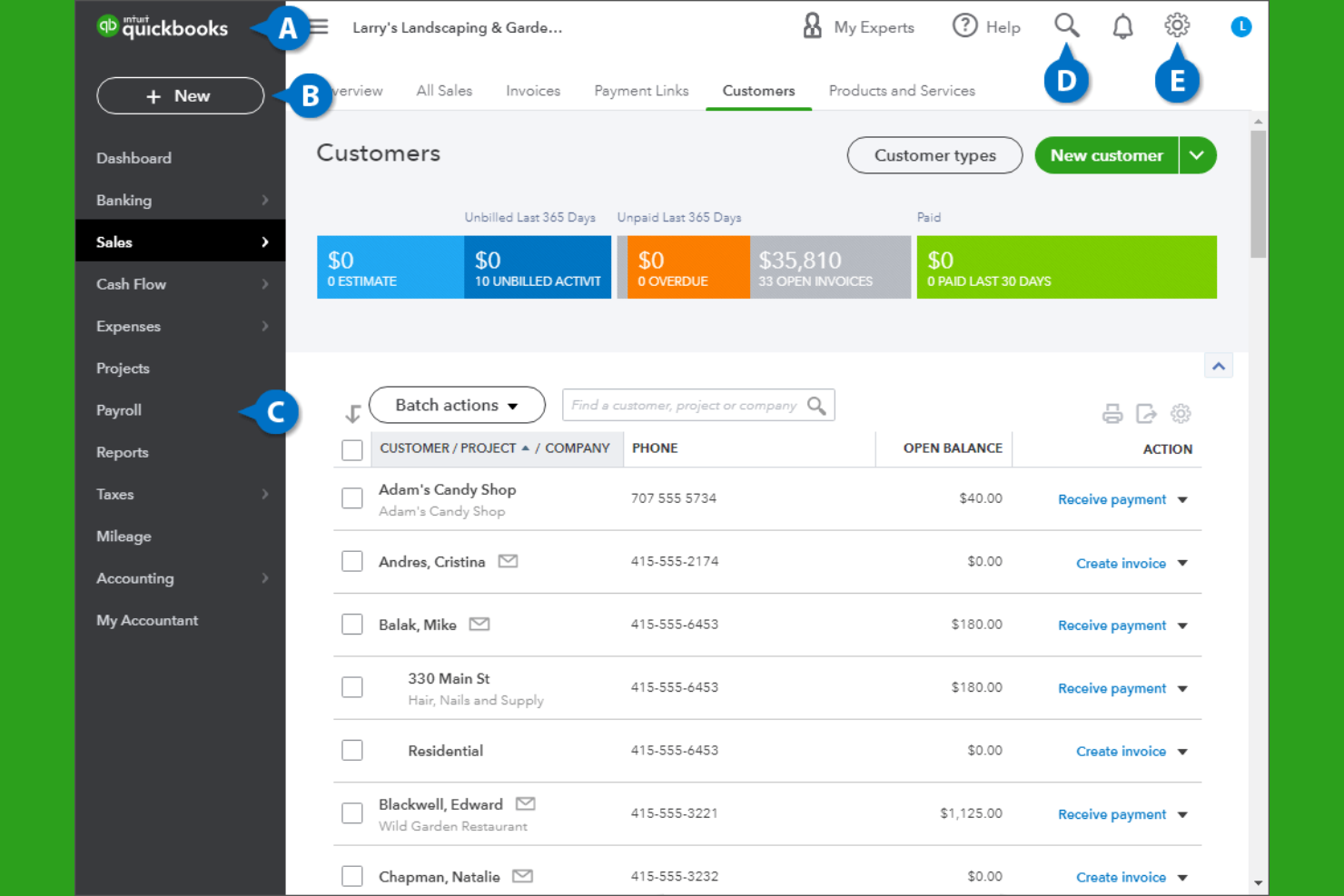
If you’re looking for expense management that connects directly with your accounting, QuickBooks is a strong choice. This platform is designed for small businesses that want to track expenses, manage invoices, and handle payroll all in one place. QuickBooks stands out for its deep integration between expense tracking and core accounting features, helping business owners keep financial data accurate and audit-ready.
Why I Picked QuickBooks
What sets QuickBooks apart is how it brings expense management and accounting together in one system. I picked QuickBooks because it automatically syncs expense data with your general ledger, reducing manual entry and the risk of errors. The platform also lets you categorize expenses, attach receipts, and reconcile transactions directly within your accounting workflow. For small businesses that want to keep their books accurate and audit-ready without juggling multiple tools, QuickBooks offers a tightly integrated solution.
QuickBooks Key Features
Some other features in QuickBooks that small businesses may find useful include:
- Payroll processing: Run payroll, calculate taxes, and manage employee payments within the platform.
- Customizable invoicing: Create, send, and track invoices with custom branding and payment options.
- Inventory tracking: Monitor inventory levels, set reorder points, and track product sales.
- Mobile app: Capture receipts, track mileage, and manage expenses on the go.
QuickBooks integrations
Integrations include Shopify, PayPal, Square, TSheets, Bill.com, HubSpot, Salesforce, Expensify, Gusto, and Receipt Bank.
Pros and Cons
Pros:
- Broad integrations help small businesses move beyond Excel and disconnected spreadsheets
- Bank feeds receipt capture and mileage tracking support cleaner records and tax prep
- Integrated accounting and expense tracking reduce manual work across one cloud-based system
Cons:
- Advanced reporting and higher-value features often require pricier plans
- Bank feed connection issues are a recurring complaint in third-party reviews

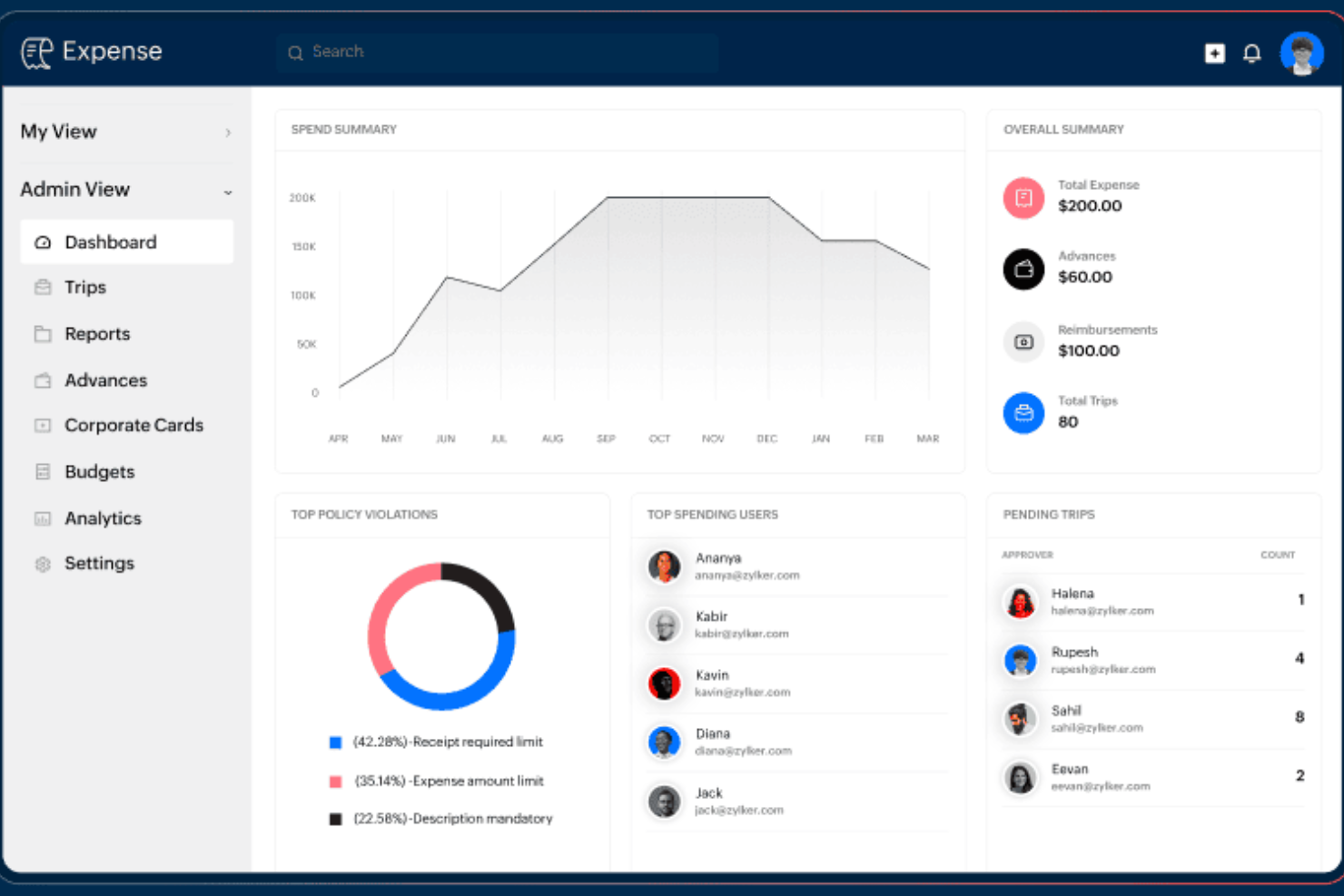
For small businesses that need flexible control over expense approvals, Zoho Expense offers a highly customizable workflow engine. Finance teams and administrators can tailor multi-level approval processes to match unique company policies or departmental needs. This helps organizations manage compliance and accountability without slowing down reimbursement cycles.
Why I Picked Zoho Expense
What drew me to Zoho Expense is its ability to let small businesses design approval workflows that fit their exact needs. You can create multi-stage approval chains, set conditional rules based on expense type or amount, and assign different approvers for different departments. I appreciate how this flexibility helps organizations enforce policy compliance without adding unnecessary steps for every user. For teams with unique or evolving approval requirements, Zoho Expense offers the kind of customization that’s hard to find elsewhere.
Zoho Expense Key Features
Some other features that make Zoho Expense a strong choice for small business expense management include:
- Corporate card reconciliation: Match card transactions with submitted expenses to simplify account balancing.
- Mileage and per diem tracking: Calculate and record travel-related expenses based on distance or daily rates.
- Multi-currency support: Submit and approve expenses in various currencies for global teams.
- Mobile receipt scanning: Capture and upload receipts directly from a smartphone or tablet.
Zoho Expense Integrations
Integrations include Zoho Books, Zoho CRM, Zoho Projects, Zoho People, QuickBooks Online, Xero, G Suite, Slack, Microsoft Teams, and Zapier.
Pros and Cons
Pros:
- Strong value for businesses wanting cloud-based expense tracking software without enterprise pricing
- User-friendly interface helps small businesses adopt the platform quickly
- Custom approval workflows and permissions are a major strength for policy-driven teams
Cons:
- Integration breadth outside the Zoho ecosystem is more limited than some rivals
- There can be a learning curve when configuring policies reports and workflows


Freelancers and solo professionals who need to keep business and personal expenses organized often turn to FreshBooks. This tool combines expense tracking with invoicing and time tracking, making it easier to manage all aspects of freelance finances in one place. FreshBooks is especially helpful for those who want to automate expense imports and simplify tax preparation.
Why I Picked FreshBooks
For freelancers who need to keep business expenses separate and organized, FreshBooks offers targeted features that make expense management straightforward. I picked FreshBooks because it automatically imports expenses from bank accounts and credit cards, reducing manual entry and helping users stay on top of their finances.
The tool also lets you attach receipts to expenses and categorize them for tax time, which is especially useful for solo professionals. With built-in invoicing and time tracking, FreshBooks gives freelancers a single platform to manage both income and expenses.
FreshBooks Key Features
Some other features in FreshBooks that freelancers may find valuable include:
- Project tracking: Monitor project budgets, expenses, and billable hours in one place.
- Client portal: Share invoices, estimates, and project updates directly with clients.
- Recurring billing: Set up automatic recurring invoices for ongoing clients or subscriptions.
- Mobile app: Capture expenses, send invoices, and track time from your phone.
FreshBooks Integrations
Integrations include Mailchimp, Zapier, HubSpot CRM, Gusto, and more.
Pros and Cons
Pros:
- Bank imports and receipt capture help organize tax deductions without relying on spreadsheets
- User-friendly interface makes expense tracking software easier for non-accountants to adopt
- Strong fit for freelancers and service businesses that want expenses invoicing and time tracking together
Cons:
- Multi-currency support and some advanced features are restricted on higher tiers
- Reporting depth is limited for more complex financial reporting needs
New Product Updates from FreshBooks

Faster Payouts and Smarter Payroll With FreshBooks
FreshBooks introduces Instant Payouts, Buy Now, Pay Later through Affirm, and smarter payment defaults to improve cash flow and payment flexibility. These updates help businesses access funds faster while giving clients more convenient ways to pay. For more information, visit FreshBooks' official site.
 .
.
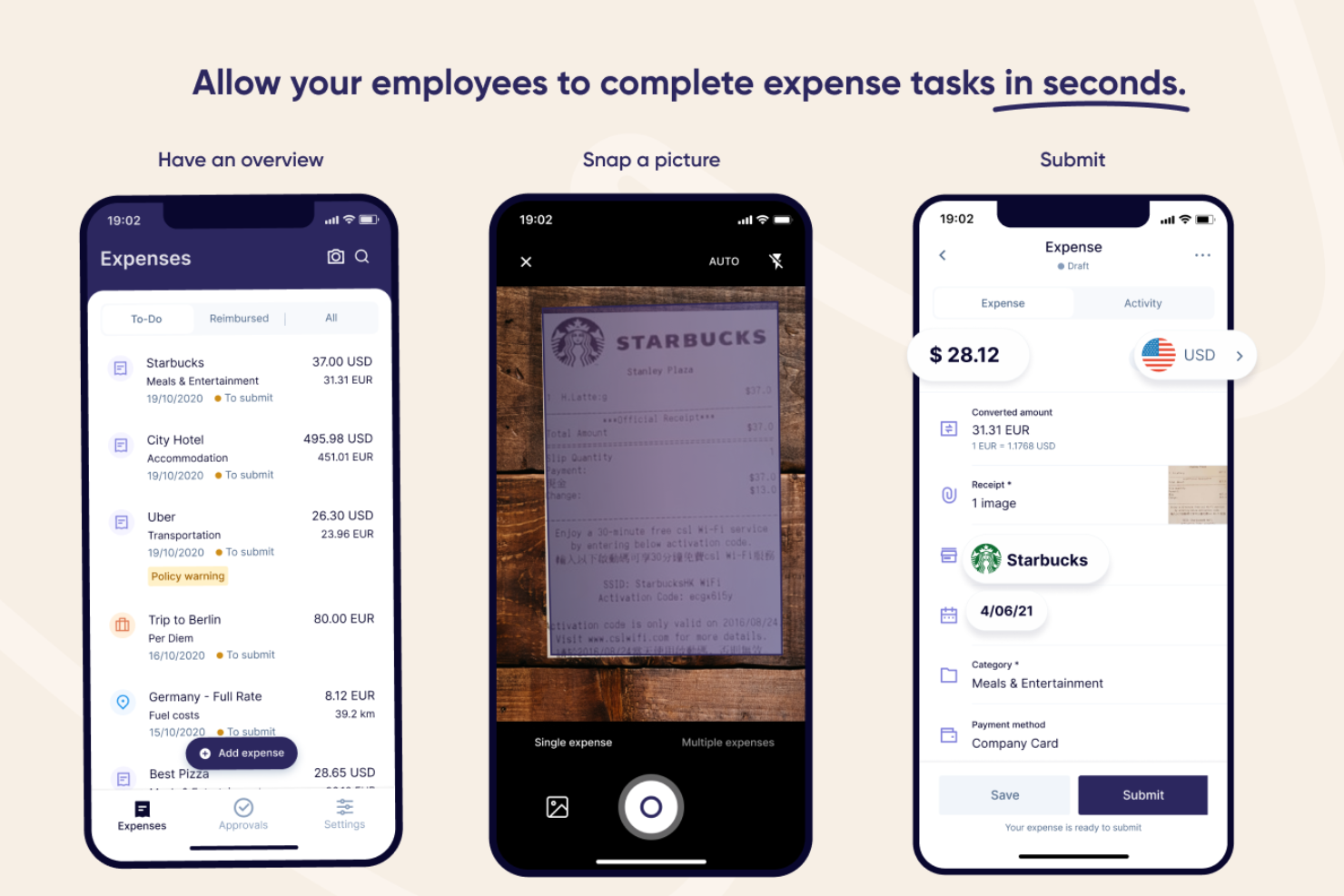
Rydoo is designed for small businesses and finance teams that need to process expense reports quickly without sacrificing accuracy. It’s especially useful for companies with frequent business travel or decentralized teams who want to capture and approve expenses on the go. With features that automate receipt capture and streamline approvals, Rydoo helps you cut down on manual entry and keep expense workflows moving fast.
Why I Picked Rydoo
When speed is a top priority for expense reporting, Rydoo offers a clear advantage. I picked it because you can snap a photo of a receipt and have the data extracted instantly, which means less time spent on manual entry.
The platform also supports real-time approvals, so managers can review and approve expenses as soon as they’re submitted. For small businesses that need to keep expense processes moving quickly, these features help reduce bottlenecks and keep reimbursements on track.
Rydoo Key Features
Some other features that make Rydoo valuable for small business expense management include:
- Mileage tracking: Users can log business travel mileage directly in the app for accurate reimbursement.
- Per diem management: The platform supports automated per diem calculations based on company policy and travel location.
- Multi-currency support: Rydoo handles expenses in multiple currencies, making it suitable for international teams.
- Policy enforcement engine: Built-in controls flag out-of-policy expenses before they reach the approval stage.
Rydoo Integrations
Integrations include SAP S/4HANA, NetSuite, QuickBooks, Xero, Sage, and Uber.
Pros and Cons
Pros:
- Per diem and multi-currency support make it more capable than basic small business expense trackers
- User-friendly mobile app helps employees submit expenses with minimal training
- Fast receipt scanning and OCR-based report creation are a clear strength
Cons:
- Some users mention app instability or sync issues when uploading multiple receipts
- Approval customization is lighter than some more complex enterprise tools

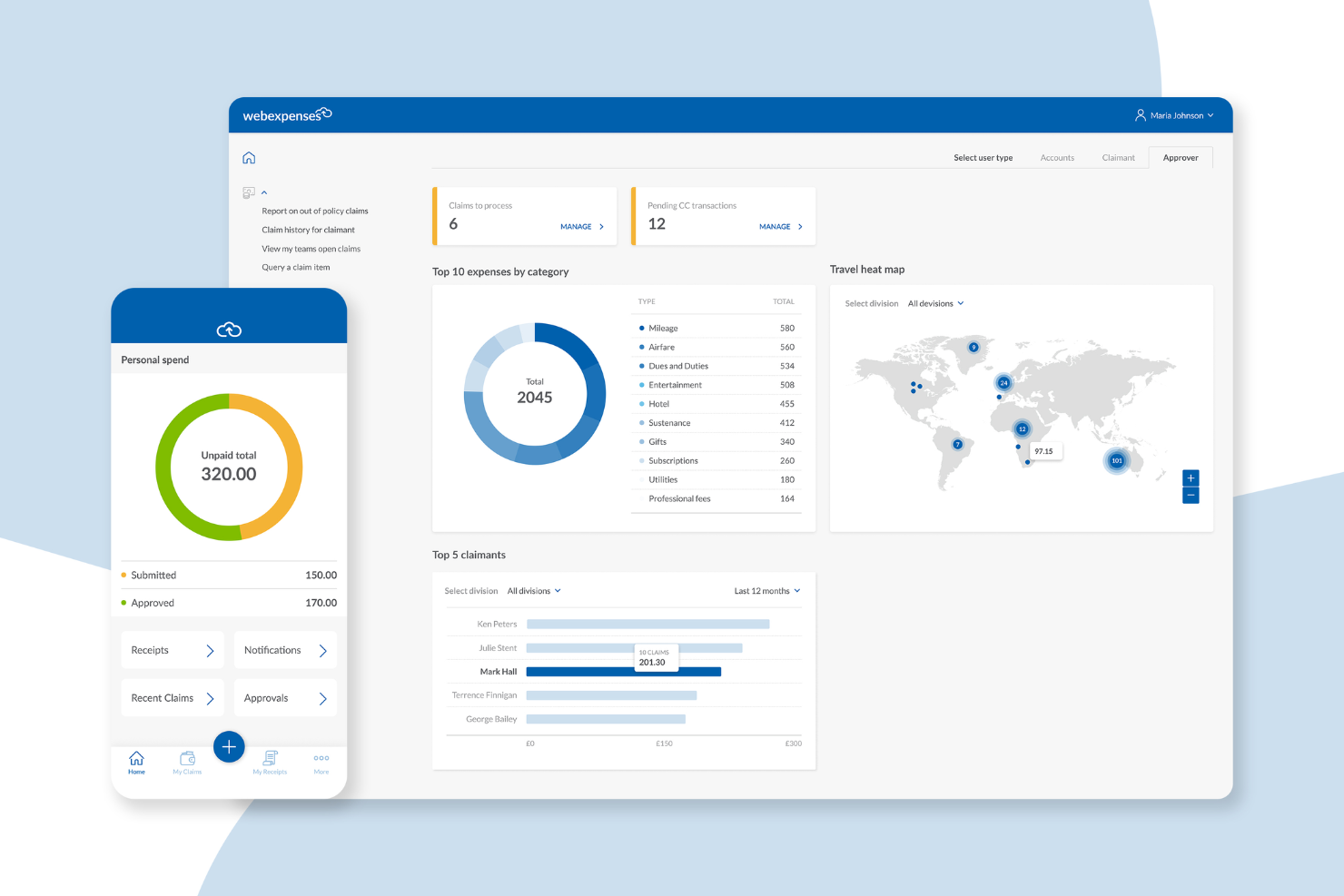
Webexpenses is designed for small businesses that want to simplify expense submissions from anywhere. Its mobile-first approach appeals to teams with frequent travelers or remote staff who need to capture and submit expenses on the go. If your business struggles with delayed or incomplete expense reports, Webexpenses helps keep everything moving with real-time mobile tools.
Why I Picked Webexpenses
What sets Webexpenses apart is its focus on mobile expense submissions, which is especially valuable for small businesses with employees who are often on the move. I picked it because the mobile app lets users snap photos of receipts, submit claims instantly, and track approval status from their phones.
The app also supports offline expense entry, so your team can log expenses even without an internet connection. For businesses that want to speed up expense reporting and reduce paperwork delays, these mobile features make Webexpenses a strong fit.
Webexpenses Key Features
In addition to its mobile-first approach, I also found these features useful for small business expense management:
- Automated policy enforcement: The system checks each claim against your company’s expense policies before approval.
- Credit card integration: Import and match business credit card transactions directly to expense claims.
- Multi-level approval workflows: Set up custom approval chains to match your organization’s structure.
- Digital audit trail: Every action on an expense claim is logged for compliance and review purposes.
Webexpenses Integrations
Integrations include NetSuite, Sage Intacct, Oracle, Microsoft Dynamics, and Amazon.
Pros and Cons
Pros:
- Highly customizable approval flows
- Automated policy checks help reduce manual expense review time
- Mobile app allows receipt capture and claim submission anywhere
Cons:
- Reporting features may lack depth for advanced analytics needs
- Can be pricey for small businesses
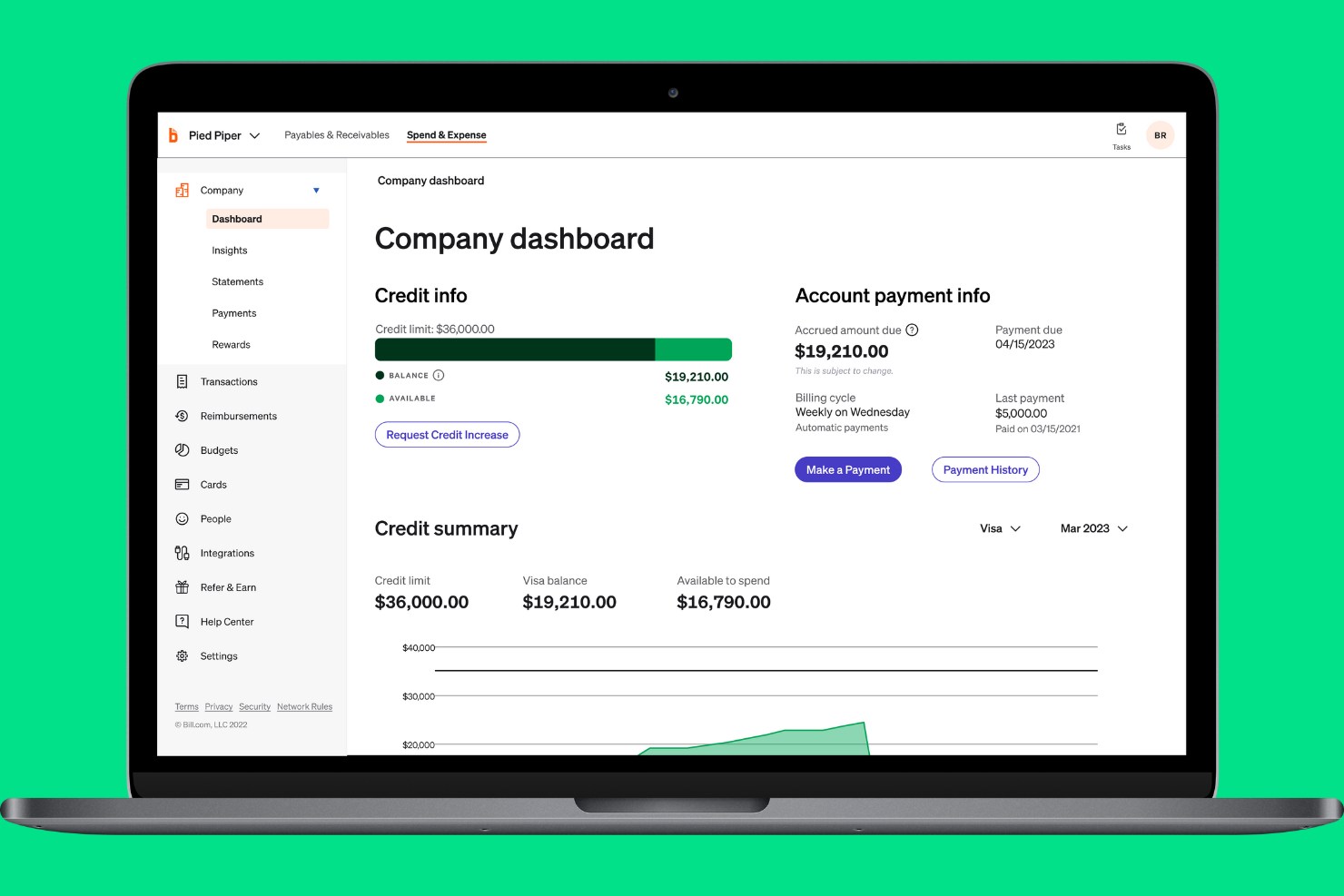
If your small business needs instant insight into company spending, BILL Spend & Expense is designed for you. The platform gives finance teams and business owners real-time visibility into every transaction as it happens. This helps you monitor budgets, spot unusual activity, and keep spending aligned with company policies.
Why I Picked BILL Spend & Expense
What stands out about BILL Spend & Expense is its focus on real-time spend visibility, which is essential for small businesses that need to keep a close eye on budgets. The platform updates transaction data instantly, so you always know where company money is going.
I like that you can set custom spend controls and get alerts for out-of-policy purchases as they happen. For teams that want to prevent overspending and react quickly to unusual activity, this level of transparency is a major advantage.
BILL Spend & Expense Key Features
Some other features that make BILL Spend & Expense useful for small business expense management include:
- Virtual and physical card issuance: Issue company cards to employees for controlled spending and easy tracking.
- Automated receipt capture: Upload and match receipts to transactions directly from a mobile device.
- Customizable approval workflows: Set up multi-level approvals to match your organization’s expense policies.
- Integration with accounting software: Sync expense data with platforms like QuickBooks and NetSuite for accurate bookkeeping.
BILL Spend & Expense Integrations
Native integrations are not currently listed by BILL Spend & Expense.
Pros and Cons
Pros:
- QuickBooks syncing is frequently cited as a practical advantage for small business accounting workflows
- Corporate cards and receipt capture reduce manual entry and speed up expense coding
- Real-time spend visibility gives finance teams stronger control over budgets and forecasting
Cons:
- Reimbursements and reporting are less polished than the card-first workflow
- Transaction sync issues still appear in user feedback

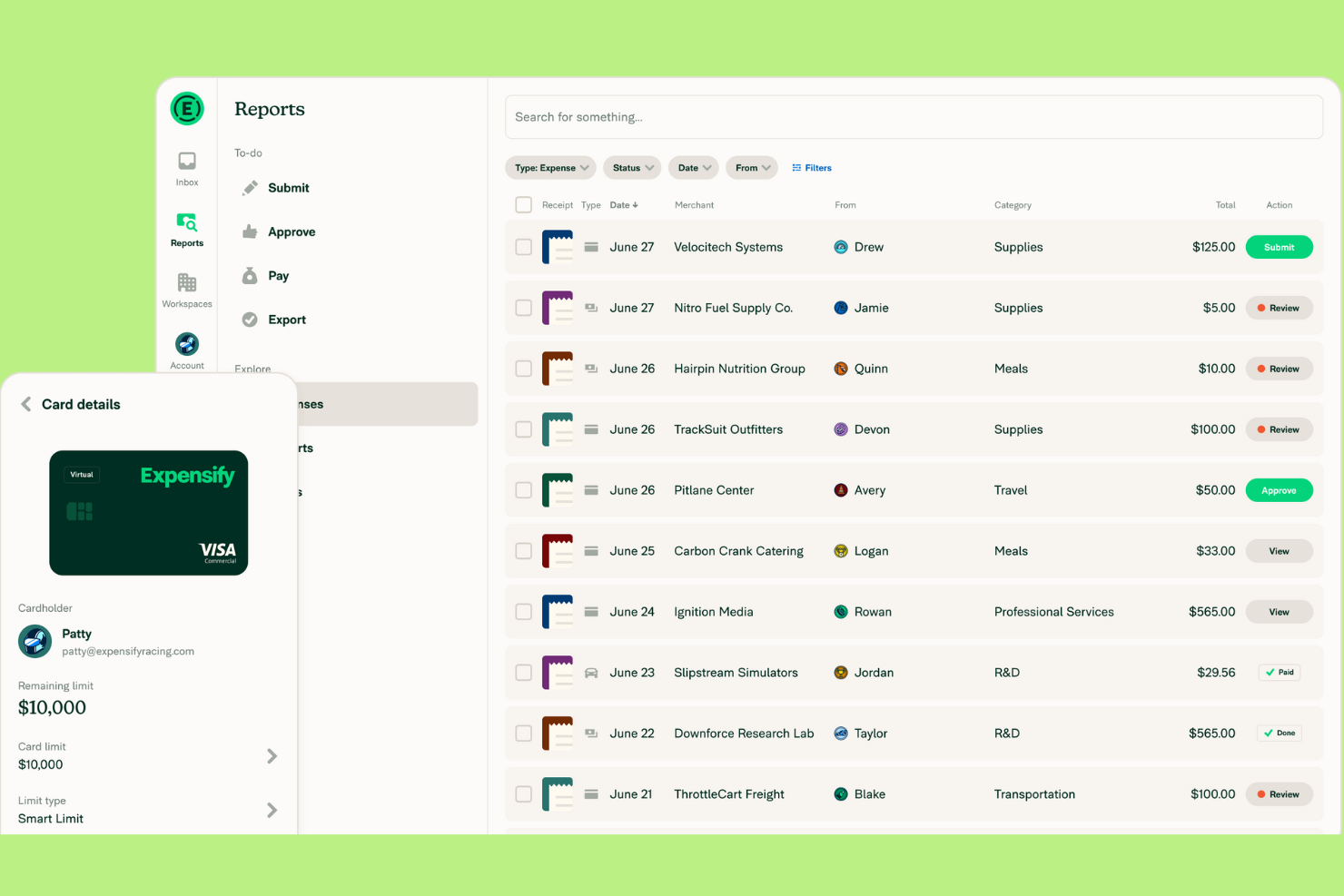
Expensify is designed for small businesses that want to automate receipt capture and simplify expense reporting. If your team spends too much time manually entering receipts or tracking down missing documentation, this tool can help. Expensify’s automated scanning and real-time expense tracking make it easier to stay organized and compliant.
Why I Picked Expensify
Expensify stands out for its automated receipt scanning, which is a major time-saver for small businesses handling frequent expense submissions. I picked this tool because its SmartScan technology lets users snap a photo of a receipt and have the details automatically extracted and categorized. This reduces manual data entry and helps prevent errors or lost receipts. Expensify also supports real-time expense tracking, so you can keep your records up to date without chasing paperwork.
Expensify Key Features
Some other features in Expensify that small businesses may find useful include:
- Corporate card reconciliation: Match expenses to card transactions automatically to simplify month-end close.
- Custom expense policy enforcement: Set up rules to flag out-of-policy expenses and require additional approvals and permissions.
- Multi-level approval workflows: Route expense reports through multiple approvers based on your organization’s structure.
- Mileage tracking: Log business travel mileage directly in the expense tracker app for accurate reimbursement.
Expensify Integrations
Integrations include QuickBooks, Xero, NetSuite, Sage Intacct, and TravelPerk.
Pros and Cons
Pros:
- Customizable approval workflows support multi-level sign-offs
- Real-time expense tracking helps maintain up-to-date records
- Automated receipt scanning reduces manual entry and lost receipts
Cons:
- Occasional scanning errors require manual correction of receipts
- Policy enforcement features may require advanced setup

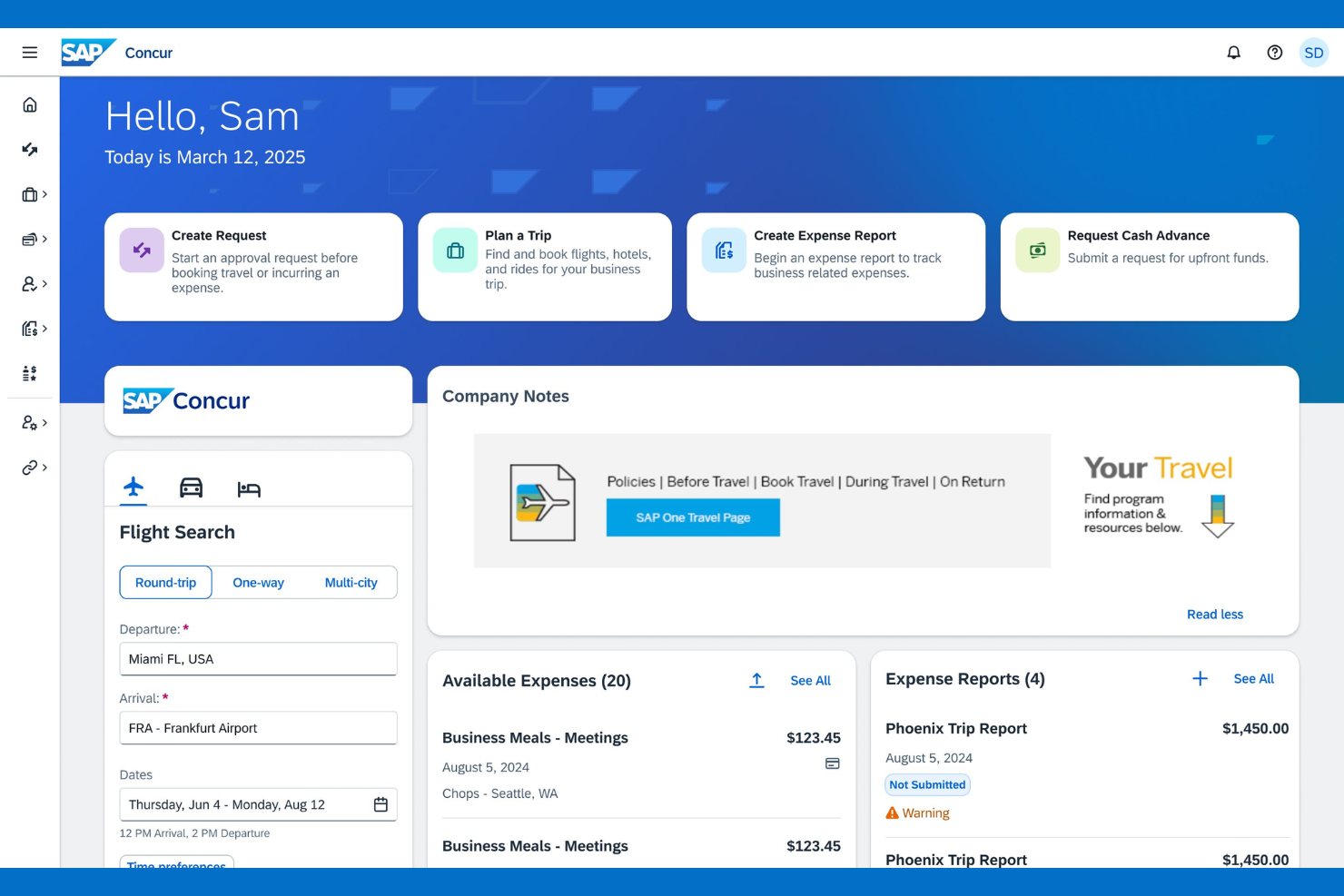
If your small business manages travel expenses across multiple countries, SAP Concur offers specialized tools for global compliance and currency handling. It’s built for finance teams that need to track, audit, and reimburse travel spend while meeting international tax and policy requirements. This makes it a strong choice for organizations with distributed teams or frequent cross-border travel.
Why I Picked SAP Concur
For small businesses that need to manage travel expenses across borders, SAP Concur stands out for its global travel expense support. I picked it because it handles multi-currency transactions and automates compliance with international tax regulations, which is a challenge for many growing companies.
The platform also lets you set travel policies that adapt to different countries, helping you control costs and reduce policy violations. If your team travels internationally or you have remote employees in multiple regions, SAP Concur’s global features are hard to match.
SAP Concur Key Features
Some other features that make SAP Concur useful for small business expense management include:
- Mobile receipt capture: Snap photos of receipts and upload them directly from your phone.
- Automated expense report creation: Generate expense reports automatically from imported card transactions and receipts.
- Mileage tracking: Log and calculate mileage for business travel using built-in GPS tools.
- Audit rules engine: Apply custom audit rules to flag out-of-policy expenses before reimbursement.
SAP Concur Integrations
Integrations include Microsoft Outlook, Salesforce, Oracle, Workday, NetSuite, ADP, Chrome River, Expensify, QuickBooks, and SAP ERP.
Pros and Cons
Pros:
- Audit trails and policy automation support stronger compliance than lighter small business tools
- Travel booking and expense reporting in one system reduce tool sprawl for distributed teams
- Best suited here for travel-heavy teams that need global expense controls and multi-currency support
Cons:
- Interface updates can disrupt established workflows for users
- Setup and configuration can be time-consuming for small businesses

Certify is designed for small businesses that need to enforce strict expense policies and reduce compliance risks. It’s especially useful for finance teams that want automated controls to flag out-of-policy spending before it becomes a problem. With Certify, you can set custom rules and approval workflows that help keep expenses aligned with company guidelines.
Why I Picked Certify
Certify stands out for its focus on policy compliance, which is a top concern for small businesses managing employee expenses. I picked Certify because it lets you build detailed policy rules that automatically flag or block out-of-policy submissions before they reach approval. The platform also supports multi-level approval workflows, so you can route expenses to the right people based on amount, department, or other criteria. For teams that need to enforce spending limits and reduce compliance headaches, Certify offers granular controls that help keep expenses in check.
Certify Key Features
In addition to its policy compliance controls, I also found these features worth noting:
- Automated receipt capture: Upload receipts using a mobile app or email, and Certify extracts the data automatically.
- Corporate card reconciliation: Match card transactions with submitted expenses to simplify reconciliation.
- Customizable reporting: Build and export detailed reports on spending by category, user, or department.
- Travel booking integration: Book business travel within the platform and link travel data to expense reports.
Certify Integrations
Integrations include SAP Concur, Oracle, NetSuite, QuickBooks, Microsoft Dynamics, Salesforce, Workday, ADP, Chrome River, and Coupa.
Pros and Cons
Pros:
- Mobile receipt capture and travel-expense linkage reduce reliance on manual spreadsheets
- Multi-level approvals and permissions suit small businesses with stricter compliance needs
- Strong policy enforcement helps finance teams control out-of-policy spending early
Cons:
- Setup of detailed policy rules and approval logic can take time
- Receipt date and amount inaccuracies can require manual edits


If you need to keep personal and business expenses clearly separated, Quicken Simplifi offers a straightforward solution. This tool is well-suited for small business owners, freelancers, or anyone managing mixed finances who wants to avoid confusion at tax time. With customizable tracking and clear categorization, it helps you stay organized and maintain accurate records for both sides of your financial life.
Why I Picked Quicken Simplifi
Unlike many expense tools that blur the line between personal and business spending, Simplifi stands out for its clear separation features. I picked it because you can create custom categories and tags to track both business and personal transactions in one dashboard. The tool also lets you generate separate reports for each, making it easier to prepare for tax season or business reviews. For small business owners who juggle both types of expenses, this level of organization helps prevent mix-ups and keeps records audit-ready.
Quicken Simplifi Key Features
Some other features that make Simplifi useful for small business expense management include:
- Automatic bank syncing: The tool connects to your bank accounts and imports transactions in real time.
- Spending plan creation: You can set up monthly or custom spending plans to monitor cash flow.
- Custom alerts: Receive notifications for large transactions, low balances, or upcoming bills.
- Goal tracking: Track progress toward savings or business investment goals within the platform.
Quicken Simplifi Integrations
Integrations include Dropbox, PayPal, and Zillow.
Pros and Cons
Pros:
- Offers customizable alerts for large or unusual business spending
- Imports transactions automatically from most major US banks
- Lets you create separate categories for business and personal expenses
Cons:
- Limited reporting options compared to business-focused expense tools
- Does not support multi-user access for team expense management
Otros software de gestión de gastos para pequeñas empresas
Aquí tienes algunas opciones adicionales de software de gestión de gastos para pequeñas empresas que no entraron en mi lista corta, pero que igualmente merecen ser consideradas:
- Ramp
For corporate card integration
- Sage Expense Management (formerly Fyle)
For multi-currency expense tracking
- Shoeboxed
For digitizing paper receipts
- Everlance
For automatic mileage tracking


Criterios de selección de software de gestión de gastos para pymes
Al seleccionar el mejor software de gestión de gastos para pequeñas empresas que incluir en esta lista, he considerado necesidades y problemas comunes de compradores, como la reducción de la entrada manual de datos y el aseguramiento del cumplimiento de políticas. También utilicé el siguiente marco para mantener mi evaluación estructurada y justa:
Funcionalidad principal (25% de la puntuación total)
Para ser considerados en esta lista, cada solución debía cubrir estos casos de uso comunes:
- Capturar y almacenar recibos digitales
- Enviar y aprobar informes de gastos
- Registrar kilometraje y gastos de viaje
- Aplicar políticas de gastos de la empresa
- Exportar datos al software de contabilidad
Características destacadas adicionales (25% de la puntuación total)
Para ayudar a acotar aún más la competencia, también busqué características únicas, tales como:
- Escaneo de recibos en tiempo real con OCR
- Cálculos automáticos de dietas
- Soporte multinacional y multimoneda
- Registro de kilometraje mediante GPS integrado
- Flujos de aprobación personalizables
Usabilidad (10% de la puntuación total)
Para evaluar la facilidad de uso de cada sistema, consideré lo siguiente:
- Interfaz de usuario simple e intuitiva
- Disponibilidad y funcionalidad de la app móvil
- Navegación clara y etiquetado de funciones
- Pasos mínimos para completar tareas frecuentes
- Accesibilidad para usuarios con diferentes necesidades
Incorporación (10% de la puntuación total)
Para evaluar la experiencia de incorporación de cada plataforma, consideré lo siguiente:
- Disponibilidad de videos de capacitación y tutoriales
- Acceso a plantillas y guías de configuración
- Recorridos interactivos por el producto para nuevos usuarios
- Chatbots dentro de la aplicación para soporte en la incorporación
- Webinars en vivo o grabados para nuevos clientes
Soporte al cliente (10% de la puntuación total)
Para evaluar los servicios de soporte al cliente de cada proveedor de software, consideré lo siguiente:
- Múltiples canales de soporte (chat, correo electrónico, teléfono)
- Tiempos de respuesta rápidos ante consultas
- Acceso a un centro de ayuda con buscador
- Disponibilidad de gestores de cuentas dedicados
- Foros de comunidad o grupos de usuarios
Relación calidad-precio (10% de la puntuación total)
Para evaluar la relación calidad-precio de cada plataforma, consideré lo siguiente:
- Estructura de precios transparente y previsible
- Características incluidas en el plan básico
- Descuentos por facturación anual o por volumen
- Sin tarifas ocultas ni cargos sorpresa
- Disponibilidad de prueba gratuita o demostración
Opiniones de clientes (10% de la puntuación total)
Para obtener una idea de la satisfacción general del cliente, tuve en cuenta lo siguiente al leer las opiniones de los usuarios:
- Comentarios positivos consistentes sobre las funciones principales
- Informes de soporte al cliente fiable
- Comentarios de los usuarios sobre la facilidad de adopción
- Opiniones sobre el rendimiento de la aplicación móvil
- Limitaciones o frustraciones señaladas con la herramienta
Cómo elegir un software de gestión de gastos para pequeñas empresas
Es fácil perderse en largas listas de funciones y estructuras de precios complejas. Para ayudarte a mantener el enfoque durante tu proceso de selección de software, aquí tienes una lista de factores a tener en cuenta:
| Factor | Qué considerar |
|---|---|
| Escalabilidad | ¿El software podrá manejar tu negocio a medida que crece, incluyendo más usuarios, mayor volumen de transacciones o nuevas ubicaciones? Evita herramientas que limiten usuarios o reportes. |
| Integraciones | ¿La herramienta se conecta de forma nativa con tus sistemas contables, de nómina y bancarios? Verifica las integraciones directas, no solo conexiones mediante API o Zapier. |
| Personalización | ¿Puedes adaptar los flujos de aprobación, categorías de gastos y reglas de política para que coincidan con los procesos de tu empresa? Los sistemas rígidos pueden obligarte a cambiar tus flujos de trabajo. |
| Facilidad de uso | ¿Tu equipo adoptará la herramienta rápidamente o requerirá formación extensa? Busca navegación clara y acceso móvil para empleados que trabajan desplazándose. |
| Implementación y puesta en marcha | ¿Cuánto tiempo tomará estar operativo? Pregunta por la migración de datos, recursos de formación y soporte durante el despliegue, especialmente si tienes un equipo de TI limitado. |
| Costo | ¿Todas las funciones necesarias están incluidas en el precio base o existen cargos adicionales? Compara precios mensuales frente a anuales y revisa los requisitos mínimos de usuarios. |
| Salvaguardas de seguridad | ¿El software ofrece cifrado, acceso por roles y trazabilidad de auditoría? Asegúrate de que cumpla con los estándares de protección de datos y cumplimiento de tu empresa. |
| Disponibilidad de soporte | ¿Qué canales de soporte se ofrecen y en qué horarios? Considera si necesitas ayuda 24/7, gestión de cuenta dedicada o recursos de autoservicio. |
¿Qué es un software de gestión de gastos para una pequeña empresa?
El software de gestión de gastos para pequeñas empresas es una herramienta digital que ayuda a las compañías a rastrear, procesar y controlar el gasto de los empleados y los gastos del negocio. Automatiza tareas como la captura de recibos, la presentación de informes de gastos y la aplicación de políticas, reduciendo el trabajo manual y los errores.
Estos sistemas ofrecen a los equipos financieros una mayor visibilidad del gasto, ayudan al cumplimiento normativo y simplifican los procesos de reembolso y contabilidad.
Características
Al seleccionar un software de gestión de gastos para una pequeña empresa, presta atención a las siguientes características clave:
- Captura de recibos: Permite a los usuarios subir fotos o escaneos de recibos, almacenándolos automáticamente con cada registro de gasto para fácil referencia y trazabilidad de auditoría.
- Creación de informes de gastos: Permite a los empleados agrupar gastos en informes, categorizar el gasto y enviarlos para revisión y aprobación del gerente.
- Aplicación de políticas: Señala o bloquea los gastos que estén fuera de las reglas de la empresa, ayudando a mantener el cumplimiento y reducir gastos no autorizados.
- Flujos de aprobación: Dirige los gastos enviados a los gerentes o al personal de finanzas adecuado para su revisión, con pasos personalizables según la estructura organizacional.
- Seguimiento de kilometraje: Permite a los empleados registrar los kilómetros de viajes de negocios, a menudo usando GPS o entrada manual, para cálculos precisos de reembolso.
- Soporte para múltiples monedas: Gestiona gastos en diferentes monedas, convirtiendo automáticamente los importes y apoyando operaciones internacionales.
- Integración con software contable: Sincroniza los datos de gastos directamente con tu sistema de contabilidad o ERP, reduciendo la entrada manual y el trabajo de conciliación.
- Gestión de dietas: Calcula asignaciones diarias para viajes según la política de la empresa y la ubicación, simplificando el cumplimiento y los reembolsos.
- Acceso mediante aplicación móvil: Proporciona a los empleados la capacidad de enviar gastos, capturar recibos y seguir sus gastos desde sus teléfonos inteligentes o tabletas.
- Trazabilidad de auditoría: Mantiene un registro detallado de todas las presentaciones, aprobaciones y cambios de gastos, ayudando a la transparencia y el cumplimiento regulatorio.
Beneficios
Implementar un software de gestión de gastos para tu pequeña empresa aporta varios beneficios para tu equipo y tu negocio. Aquí tienes algunos a los que puedes aspirar:
- Reducción de la entrada manual de datos: La captura automatizada de recibos y la creación de informes minimizan el tiempo invertido en papeleo y disminuyen el riesgo de errores.
- Mejor cumplimiento de políticas: La aplicación de políticas incorporada y los flujos de aprobación ayudan a asegurar que los gastos se alineen con las reglas de la empresa y los requisitos normativos.
- Reembolsos más rápidos: La presentación y procesamiento digital de los gastos agilizan los ciclos de aprobación y devuelven fondos a los empleados más rápidamente.
- Mayor visibilidad financiera: Las funciones de seguimiento y reporte en tiempo real brindan al equipo financiero una visión clara de los patrones de gasto y el cumplimiento de los presupuestos.
- Auditorías y administración de registros simplificadas: El almacenamiento centralizado de recibos, informes y trazabilidad de auditoría facilita la preparación de auditorías y el cumplimiento normativo.
- Mejor integración con la contabilidad: La sincronización directa con el software contable reduce la conciliación manual y agiliza los procesos de cierre de fin de mes.
- Apoyo al crecimiento empresarial: Plataformas escalables y soporte para múltiples monedas permiten que tus procesos de gestión de gastos crezcan junto con tu empresa.
Costos y Precios
Seleccionar un software de gestión de gastos para una pequeña empresa requiere comprender los diferentes modelos y planes de precios disponibles. Los costos varían según las características, el tamaño del equipo, complementos y más. La siguiente tabla resume los planes más comunes, sus precios promedio y las funciones típicas incluidas en las soluciones de software de gestión de gastos para pequeñas empresas:
Tabla comparativa de planes para software de gestión de gastos para pymes
| Tipo de Plan | Precio Promedio | Características Comunes |
|---|---|---|
| Plan Gratuito | $0 | Captura básica de recibos, informes de gastos limitados, aprobaciones manuales y soporte básico. |
| Plan Personal | $5-$10/user/month | Captura de recibos, seguimiento de kilometraje, aplicación simple de políticas, acceso móvil y soporte por correo electrónico. |
| Plan Empresarial | $10-$25/user/month | Aprobaciones automatizadas, integración con software contable, soporte multimoneda, reportes avanzados y soporte por chat. |
| Plan Corporativo | $25-$50/user/month | Flujos de trabajo personalizados, seguridad avanzada, gestor de cuenta dedicado, acceso API y soporte prioritario. |
Preguntas frecuentes sobre software de gestión de gastos para pequeñas empresas
Aquí tienes respuestas a preguntas comunes sobre software de gestión de gastos para pequeñas empresas:
¿Cómo sé si mi empresa necesita un software de gestión de gastos?
Si tu equipo dedica mucho tiempo a rastrear recibos, procesar reembolsos o gestionar informes de gastos manualmente, probablemente necesites un software de gestión de gastos. Estas herramientas ayudan a reducir errores, agilizar aprobaciones y proporcionan una mejor visibilidad del gasto de la compañía.
¿El software de gestión de gastos puede integrarse con mi sistema contable actual?
Sí, la mayoría de los software de gestión de gastos para pequeñas empresas ofrecen integraciones con plataformas contables populares. Antes de elegir una herramienta, verifica que permita sincronización directa con tu sistema actual para evitar la introducción manual de datos y asegurar registros financieros precisos.
¿Qué medidas de seguridad debo buscar en un software de gestión de gastos?
Busca software que ofrezca cifrado de datos, controles de acceso según roles y registros de auditoría. Estas características ayudan a proteger información financiera sensible y soportan el cumplimiento de las normativas de privacidad de datos aplicables a tu empresa.
¿Es posible gestionar gastos de empleados remotos o viajeros?
Sí, muchas soluciones incluyen aplicaciones móviles y acceso en la nube, permitiendo a los empleados enviar gastos, capturar recibos y registrar kilómetros desde cualquier lugar. Esta flexibilidad es especialmente útil para equipos distribuidos o quienes viajan frecuentemente por trabajo.
¿Cuánto tiempo lleva implementar un software de gestión de gastos?
El tiempo de implementación varía según el proveedor y el tamaño de la empresa, pero la mayoría de las pequeñas empresas pueden empezar en pocos días o solo un par de semanas. Busca soluciones con recursos para la incorporación como videos de capacitación, guías de configuración y soporte receptivo para agilizar el proceso.
¿Qué sigue?
Si estás investigando software de gestión de gastos para tu pequeña empresa, contacta gratis con un asesor de SoftwareSelect para recibir recomendaciones.
Solo tienes que completar un formulario y tendrás una charla breve donde profundizan en los detalles de tus necesidades. Después recibirás una lista breve de software para evaluar. Incluso te acompañarán durante todo el proceso de compra, incluidas las negociaciones de precio.