

I 10 Migliori Software di Gestione delle Spese per Piccole Imprese per il 2026

Software di gestione delle spese per piccole imprese


Un software di gestione delle spese può aiutare la tua piccola impresa a monitorare, categorizzare e controllare le spese aziendali, così potrai rimanere conforme alle normative e prendere decisioni consapevoli. Se stai cercando lo strumento giusto, probabilmente stai bilanciando la necessità di report precisi, applicazione delle politiche e risparmio di tempo—senza aggiungere complessità al tuo flusso di lavoro.
La soluzione giusta ti aiuterà a gestire le ricevute, automatizzare le approvazioni e tenere organizzate le spese, anche con la crescita dell’attività o con il cambiamento delle normative. In questo elenco troverai opzioni pensate per le esigenze delle piccole imprese, con dettagli su funzionalità, prezzi e cosa rende unico ogni strumento, così puoi scegliere con sicurezza la soluzione migliore per il tuo team.
Perché fidarsi delle nostre recensioni software
Testiamo e recensiamo software finanziari dal 2023. In quanto specialisti in ambito finanziario, sappiamo quanto sia cruciale e difficile prendere la decisione giusta nella scelta di un software. Investiamo in ricerche approfondite per aiutare il nostro pubblico a fare scelte migliori in fase di acquisto del software. Abbiamo testato oltre 2.000 strumenti per diversi casi d’uso finanziari e scritto più di 1.000 recensioni dettagliate di software. Scopri come restiamo trasparenti & la nostra metodologia delle recensioni software.
Riepilogo dei migliori software di gestione delle spese per piccole imprese
Questa tabella di confronto riassume i dettagli sui prezzi delle mie selezioni principali di software di gestione delle spese per piccole imprese, per aiutarti a trovare quella più adatta al tuo budget e alle tue esigenze aziendali.
| Tool | Best For | Trial Info | Price | ||
|---|---|---|---|---|---|
| 1 | Best with integrated accounting tools | 30-day free trial | From $19/month | Website | |
| 2 | Best for customizable approval workflows | 14-day free trial + free plan + free demo available | From C$4/user/month (billed annually) | Website | |
| 3 | Best for freelancers managing expenses | 30-day free trial available | From $23/month | Website | |
| 4 | Best for rapid expense report creation | Free demo available | From $8/user/month (billed annually) | Website | |
| 5 | Best for mobile expense submissions | Free demo available | From $8.50 to $12/active user | Website | |
| 6 | Best for real-time spend visibility | Free plan + free demo available | From $49/user/month | Website | |
| 7 | Best for automated receipt scanning | 30-day free trial available | From $5/member/month | Website | |
| 8 | Best for global travel expense support | Free demo available | Pricing upon request | Website | |
| 9 | Certify automates expense reporting with approvals and analytics | Free demo available | Pricing upon request | Website | |
| 10 | Best for personal and business expense separation | Free demo available | From $5.99/month (billed annually) | Website |
-

Creatio CRM
Visit WebsiteThis rating combines scores from multiple user review sites to reflect overall customer sentiment about the product.4.7 -
Rippling Spend
Visit WebsiteThis rating combines scores from multiple user review sites to reflect overall customer sentiment about the product.4.8 -
DealHub AI
Visit WebsiteThis rating combines scores from multiple user review sites to reflect overall customer sentiment about the product.4.7


Software di gestione delle spese per piccole imprese
Di seguito trovi i miei riassunti dettagliati dei software di gestione delle spese per piccole imprese presenti nella mia shortlist. Le mie recensioni offrono uno sguardo approfondito alle funzionalità, ai migliori casi d’uso e alle integrazioni di ciascun software per aiutarti a trovare quello più adatto a te.

Best with integrated accounting tools
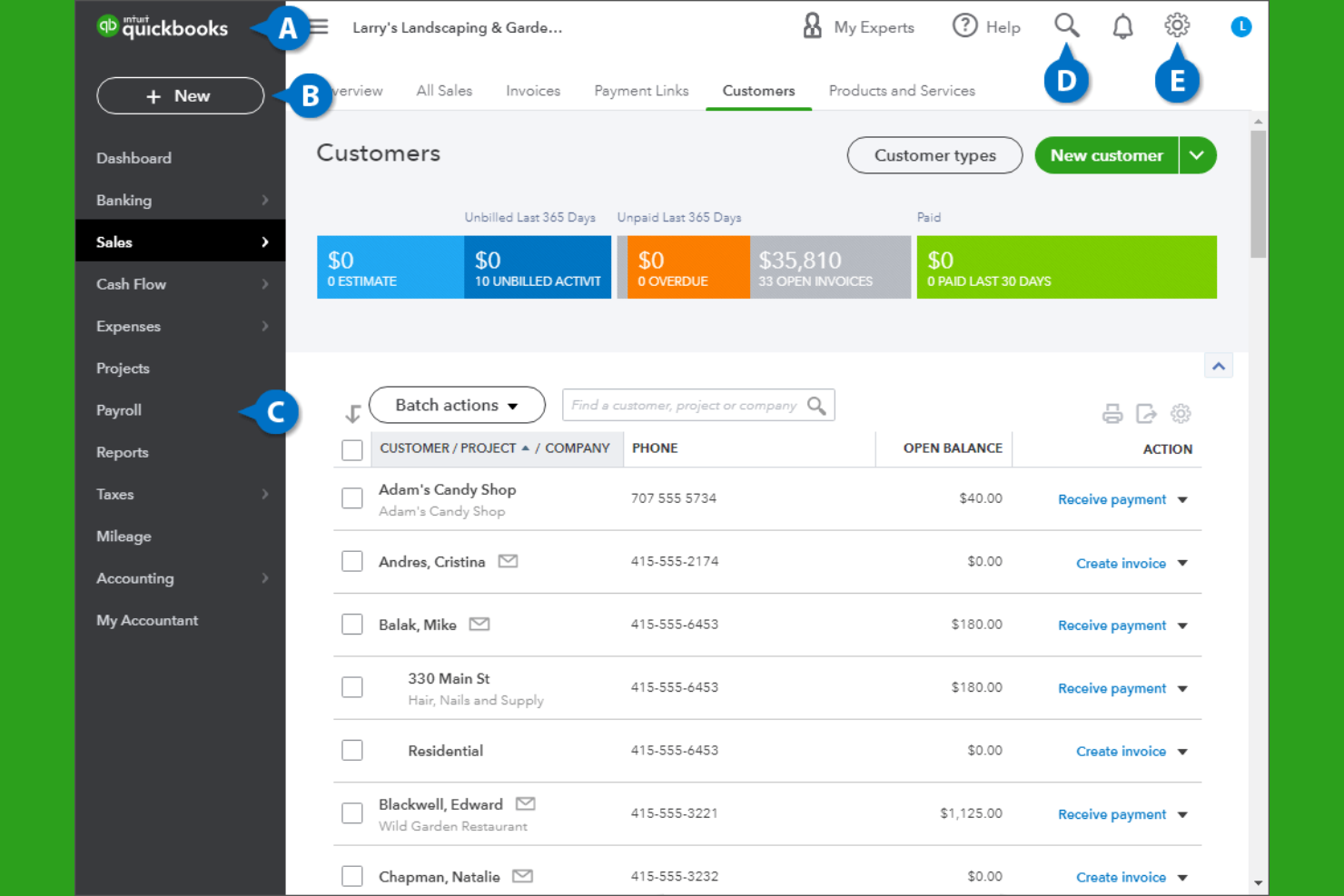
If you’re looking for expense management that connects directly with your accounting, QuickBooks is a strong choice. This platform is designed for small businesses that want to track expenses, manage invoices, and handle payroll all in one place. QuickBooks stands out for its deep integration between expense tracking and core accounting features, helping business owners keep financial data accurate and audit-ready.
Why I Picked QuickBooks
What sets QuickBooks apart is how it brings expense management and accounting together in one system. I picked QuickBooks because it automatically syncs expense data with your general ledger, reducing manual entry and the risk of errors. The platform also lets you categorize expenses, attach receipts, and reconcile transactions directly within your accounting workflow. For small businesses that want to keep their books accurate and audit-ready without juggling multiple tools, QuickBooks offers a tightly integrated solution.
QuickBooks Key Features
Some other features in QuickBooks that small businesses may find useful include:
- Payroll processing: Run payroll, calculate taxes, and manage employee payments within the platform.
- Customizable invoicing: Create, send, and track invoices with custom branding and payment options.
- Inventory tracking: Monitor inventory levels, set reorder points, and track product sales.
- Mobile app: Capture receipts, track mileage, and manage expenses on the go.
QuickBooks integrations
Integrations include Shopify, PayPal, Square, TSheets, Bill.com, HubSpot, Salesforce, Expensify, Gusto, and Receipt Bank.
Pros and Cons
Pros:
- Broad integrations help small businesses move beyond Excel and disconnected spreadsheets
- Bank feeds receipt capture and mileage tracking support cleaner records and tax prep
- Integrated accounting and expense tracking reduce manual work across one cloud-based system
Cons:
- Advanced reporting and higher-value features often require pricier plans
- Bank feed connection issues are a recurring complaint in third-party reviews

Best for customizable approval workflows
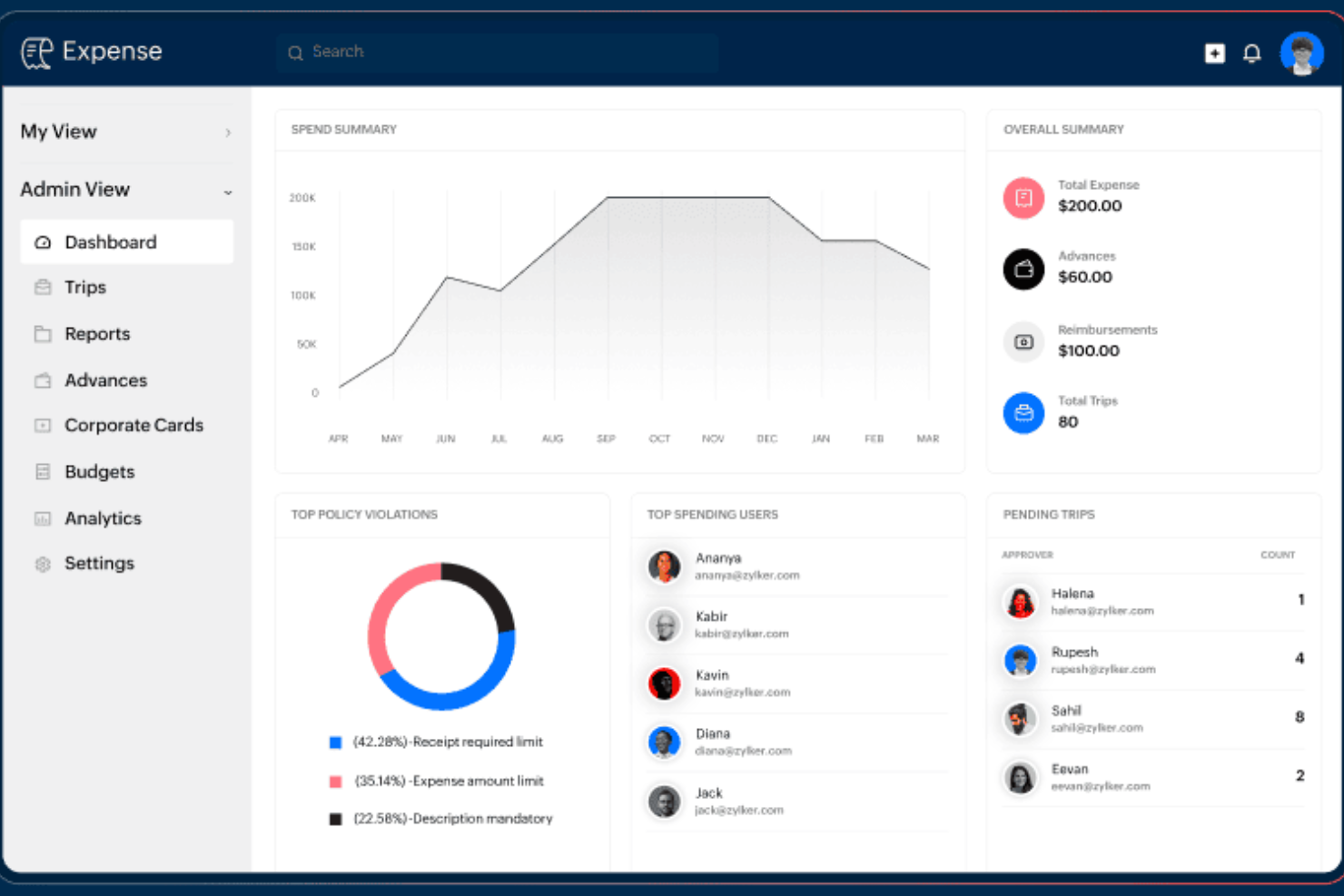
For small businesses that need flexible control over expense approvals, Zoho Expense offers a highly customizable workflow engine. Finance teams and administrators can tailor multi-level approval processes to match unique company policies or departmental needs. This helps organizations manage compliance and accountability without slowing down reimbursement cycles.
Why I Picked Zoho Expense
What drew me to Zoho Expense is its ability to let small businesses design approval workflows that fit their exact needs. You can create multi-stage approval chains, set conditional rules based on expense type or amount, and assign different approvers for different departments. I appreciate how this flexibility helps organizations enforce policy compliance without adding unnecessary steps for every user. For teams with unique or evolving approval requirements, Zoho Expense offers the kind of customization that’s hard to find elsewhere.
Zoho Expense Key Features
Some other features that make Zoho Expense a strong choice for small business expense management include:
- Corporate card reconciliation: Match card transactions with submitted expenses to simplify account balancing.
- Mileage and per diem tracking: Calculate and record travel-related expenses based on distance or daily rates.
- Multi-currency support: Submit and approve expenses in various currencies for global teams.
- Mobile receipt scanning: Capture and upload receipts directly from a smartphone or tablet.
Zoho Expense Integrations
Integrations include Zoho Books, Zoho CRM, Zoho Projects, Zoho People, QuickBooks Online, Xero, G Suite, Slack, Microsoft Teams, and Zapier.
Pros and Cons
Pros:
- Strong value for businesses wanting cloud-based expense tracking software without enterprise pricing
- User-friendly interface helps small businesses adopt the platform quickly
- Custom approval workflows and permissions are a major strength for policy-driven teams
Cons:
- Integration breadth outside the Zoho ecosystem is more limited than some rivals
- There can be a learning curve when configuring policies reports and workflows

Best for freelancers managing expenses

Freelancers and solo professionals who need to keep business and personal expenses organized often turn to FreshBooks. This tool combines expense tracking with invoicing and time tracking, making it easier to manage all aspects of freelance finances in one place. FreshBooks is especially helpful for those who want to automate expense imports and simplify tax preparation.
Why I Picked FreshBooks
For freelancers who need to keep business expenses separate and organized, FreshBooks offers targeted features that make expense management straightforward. I picked FreshBooks because it automatically imports expenses from bank accounts and credit cards, reducing manual entry and helping users stay on top of their finances.
The tool also lets you attach receipts to expenses and categorize them for tax time, which is especially useful for solo professionals. With built-in invoicing and time tracking, FreshBooks gives freelancers a single platform to manage both income and expenses.
FreshBooks Key Features
Some other features in FreshBooks that freelancers may find valuable include:
- Project tracking: Monitor project budgets, expenses, and billable hours in one place.
- Client portal: Share invoices, estimates, and project updates directly with clients.
- Recurring billing: Set up automatic recurring invoices for ongoing clients or subscriptions.
- Mobile app: Capture expenses, send invoices, and track time from your phone.
FreshBooks Integrations
Integrations include Mailchimp, Zapier, HubSpot CRM, Gusto, and more.
Pros and Cons
Pros:
- Bank imports and receipt capture help organize tax deductions without relying on spreadsheets
- User-friendly interface makes expense tracking software easier for non-accountants to adopt
- Strong fit for freelancers and service businesses that want expenses invoicing and time tracking together
Cons:
- Multi-currency support and some advanced features are restricted on higher tiers
- Reporting depth is limited for more complex financial reporting needs
New Product Updates from FreshBooks

Faster Payouts and Smarter Payroll With FreshBooks
FreshBooks introduces Instant Payouts, Buy Now, Pay Later through Affirm, and smarter payment defaults to improve cash flow and payment flexibility. These updates help businesses access funds faster while giving clients more convenient ways to pay. For more information, visit FreshBooks' official site.
 .
.
Rydoo
Best for rapid expense report creation
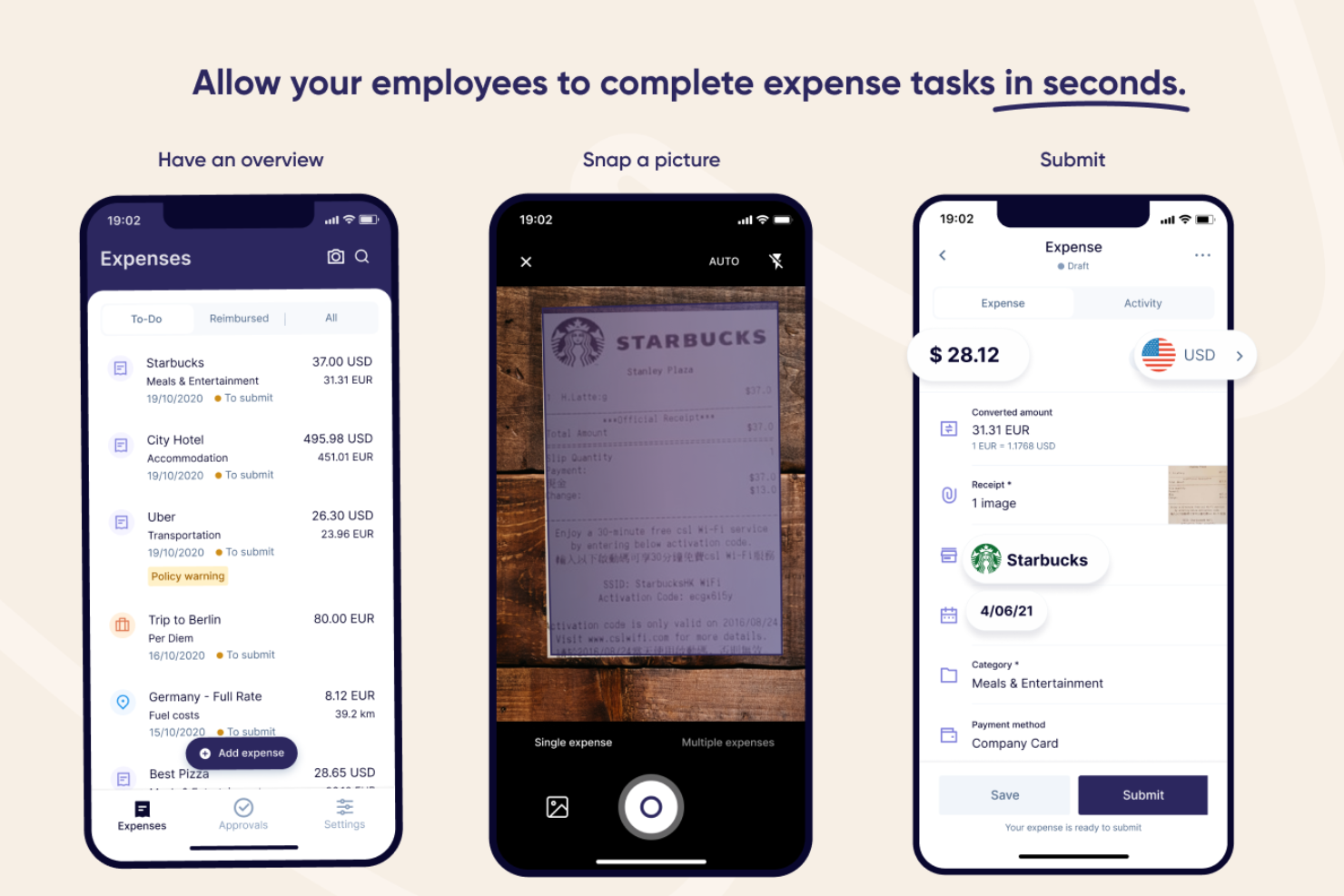
Rydoo is designed for small businesses and finance teams that need to process expense reports quickly without sacrificing accuracy. It’s especially useful for companies with frequent business travel or decentralized teams who want to capture and approve expenses on the go. With features that automate receipt capture and streamline approvals, Rydoo helps you cut down on manual entry and keep expense workflows moving fast.
Why I Picked Rydoo
When speed is a top priority for expense reporting, Rydoo offers a clear advantage. I picked it because you can snap a photo of a receipt and have the data extracted instantly, which means less time spent on manual entry.
The platform also supports real-time approvals, so managers can review and approve expenses as soon as they’re submitted. For small businesses that need to keep expense processes moving quickly, these features help reduce bottlenecks and keep reimbursements on track.
Rydoo Key Features
Some other features that make Rydoo valuable for small business expense management include:
- Mileage tracking: Users can log business travel mileage directly in the app for accurate reimbursement.
- Per diem management: The platform supports automated per diem calculations based on company policy and travel location.
- Multi-currency support: Rydoo handles expenses in multiple currencies, making it suitable for international teams.
- Policy enforcement engine: Built-in controls flag out-of-policy expenses before they reach the approval stage.
Rydoo Integrations
Integrations include SAP S/4HANA, NetSuite, QuickBooks, Xero, Sage, and Uber.
Pros and Cons
Pros:
- Per diem and multi-currency support make it more capable than basic small business expense trackers
- User-friendly mobile app helps employees submit expenses with minimal training
- Fast receipt scanning and OCR-based report creation are a clear strength
Cons:
- Some users mention app instability or sync issues when uploading multiple receipts
- Approval customization is lighter than some more complex enterprise tools

Best for mobile expense submissions
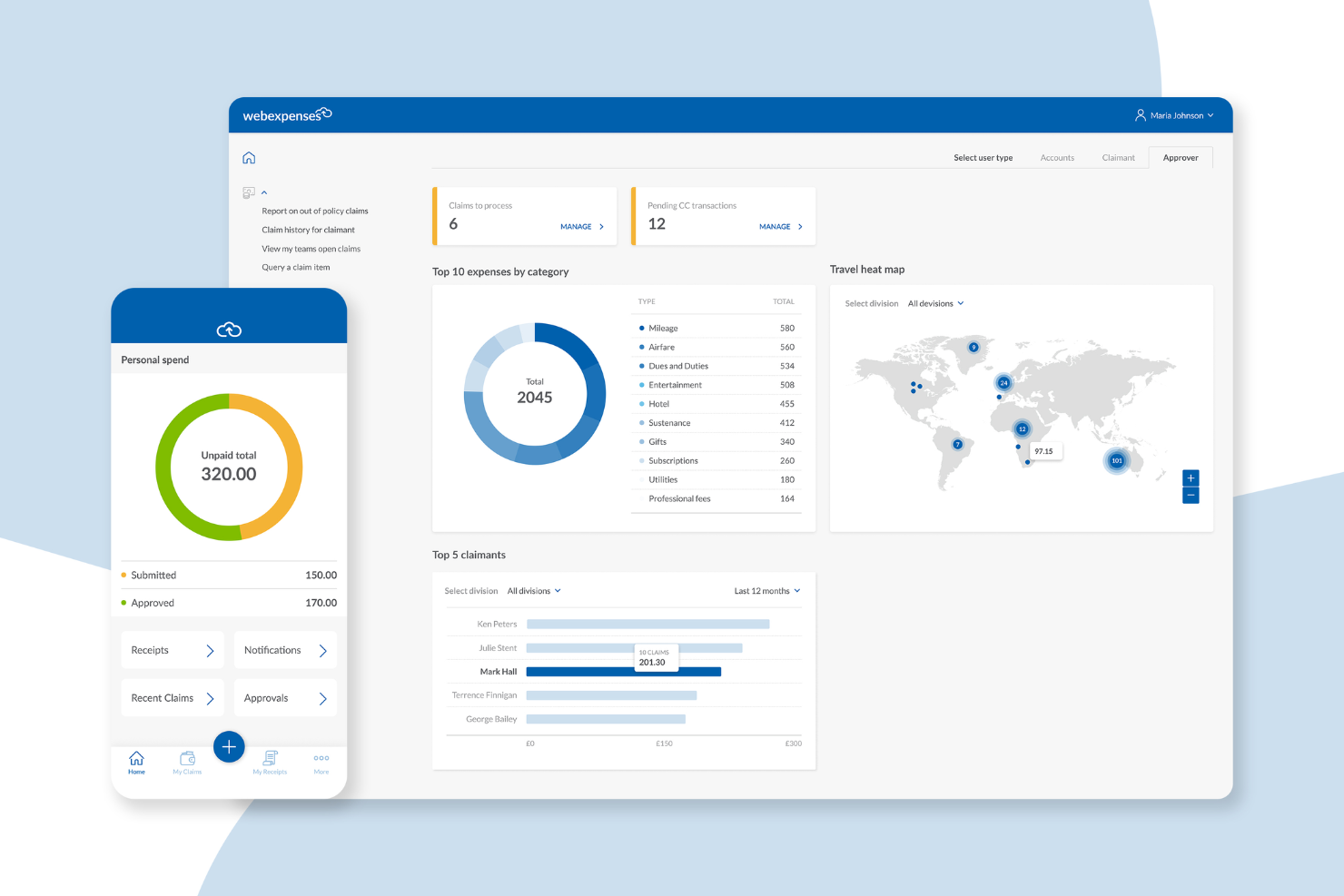
Webexpenses is designed for small businesses that want to simplify expense submissions from anywhere. Its mobile-first approach appeals to teams with frequent travelers or remote staff who need to capture and submit expenses on the go. If your business struggles with delayed or incomplete expense reports, Webexpenses helps keep everything moving with real-time mobile tools.
Why I Picked Webexpenses
What sets Webexpenses apart is its focus on mobile expense submissions, which is especially valuable for small businesses with employees who are often on the move. I picked it because the mobile app lets users snap photos of receipts, submit claims instantly, and track approval status from their phones.
The app also supports offline expense entry, so your team can log expenses even without an internet connection. For businesses that want to speed up expense reporting and reduce paperwork delays, these mobile features make Webexpenses a strong fit.
Webexpenses Key Features
In addition to its mobile-first approach, I also found these features useful for small business expense management:
- Automated policy enforcement: The system checks each claim against your company’s expense policies before approval.
- Credit card integration: Import and match business credit card transactions directly to expense claims.
- Multi-level approval workflows: Set up custom approval chains to match your organization’s structure.
- Digital audit trail: Every action on an expense claim is logged for compliance and review purposes.
Webexpenses Integrations
Integrations include NetSuite, Sage Intacct, Oracle, Microsoft Dynamics, and Amazon.
Pros and Cons
Pros:
- Highly customizable approval flows
- Automated policy checks help reduce manual expense review time
- Mobile app allows receipt capture and claim submission anywhere
Cons:
- Reporting features may lack depth for advanced analytics needs
- Can be pricey for small businesses
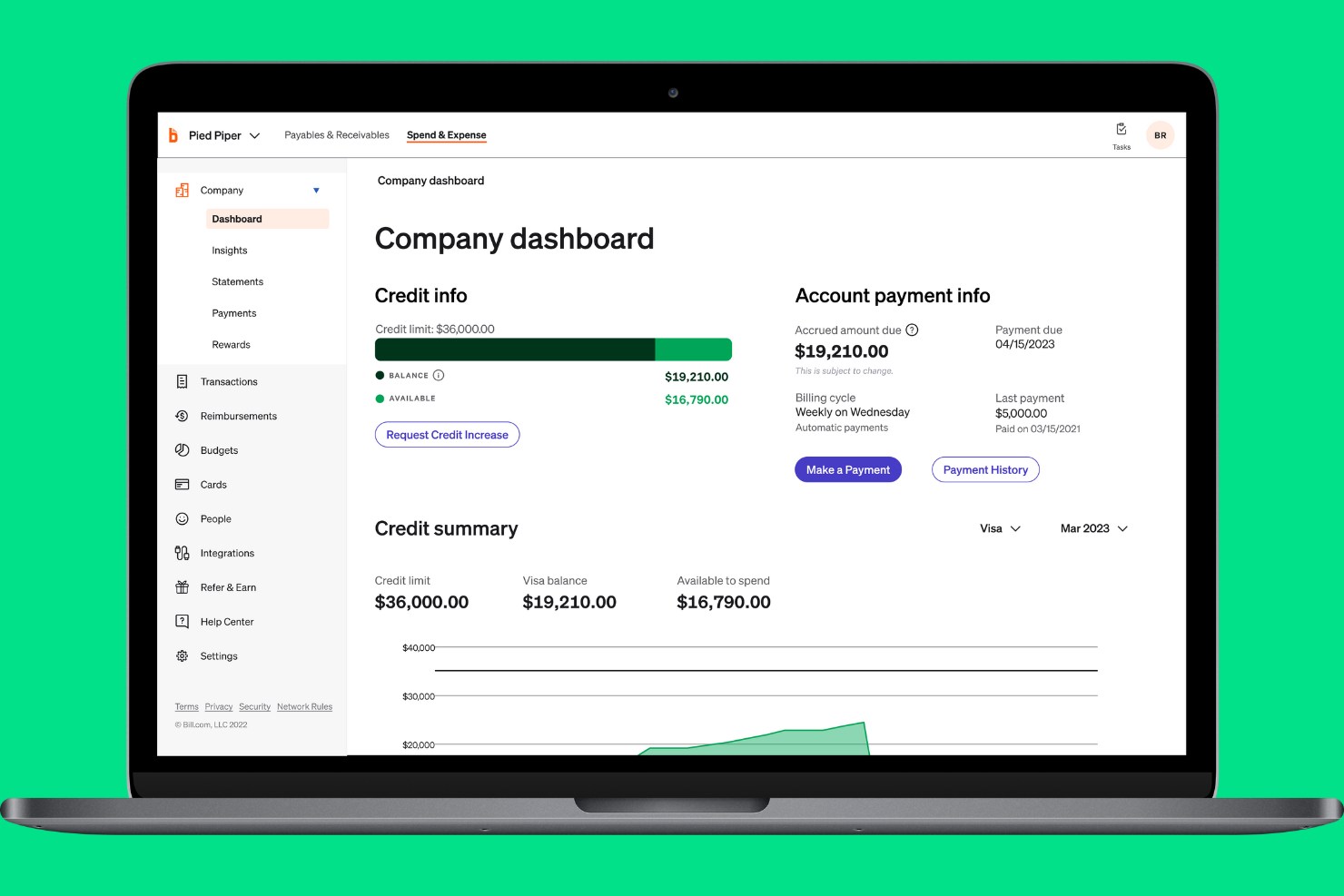
If your small business needs instant insight into company spending, BILL Spend & Expense is designed for you. The platform gives finance teams and business owners real-time visibility into every transaction as it happens. This helps you monitor budgets, spot unusual activity, and keep spending aligned with company policies.
Why I Picked BILL Spend & Expense
What stands out about BILL Spend & Expense is its focus on real-time spend visibility, which is essential for small businesses that need to keep a close eye on budgets. The platform updates transaction data instantly, so you always know where company money is going.
I like that you can set custom spend controls and get alerts for out-of-policy purchases as they happen. For teams that want to prevent overspending and react quickly to unusual activity, this level of transparency is a major advantage.
BILL Spend & Expense Key Features
Some other features that make BILL Spend & Expense useful for small business expense management include:
- Virtual and physical card issuance: Issue company cards to employees for controlled spending and easy tracking.
- Automated receipt capture: Upload and match receipts to transactions directly from a mobile device.
- Customizable approval workflows: Set up multi-level approvals to match your organization’s expense policies.
- Integration with accounting software: Sync expense data with platforms like QuickBooks and NetSuite for accurate bookkeeping.
BILL Spend & Expense Integrations
Native integrations are not currently listed by BILL Spend & Expense.
Pros and Cons
Pros:
- QuickBooks syncing is frequently cited as a practical advantage for small business accounting workflows
- Corporate cards and receipt capture reduce manual entry and speed up expense coding
- Real-time spend visibility gives finance teams stronger control over budgets and forecasting
Cons:
- Reimbursements and reporting are less polished than the card-first workflow
- Transaction sync issues still appear in user feedback

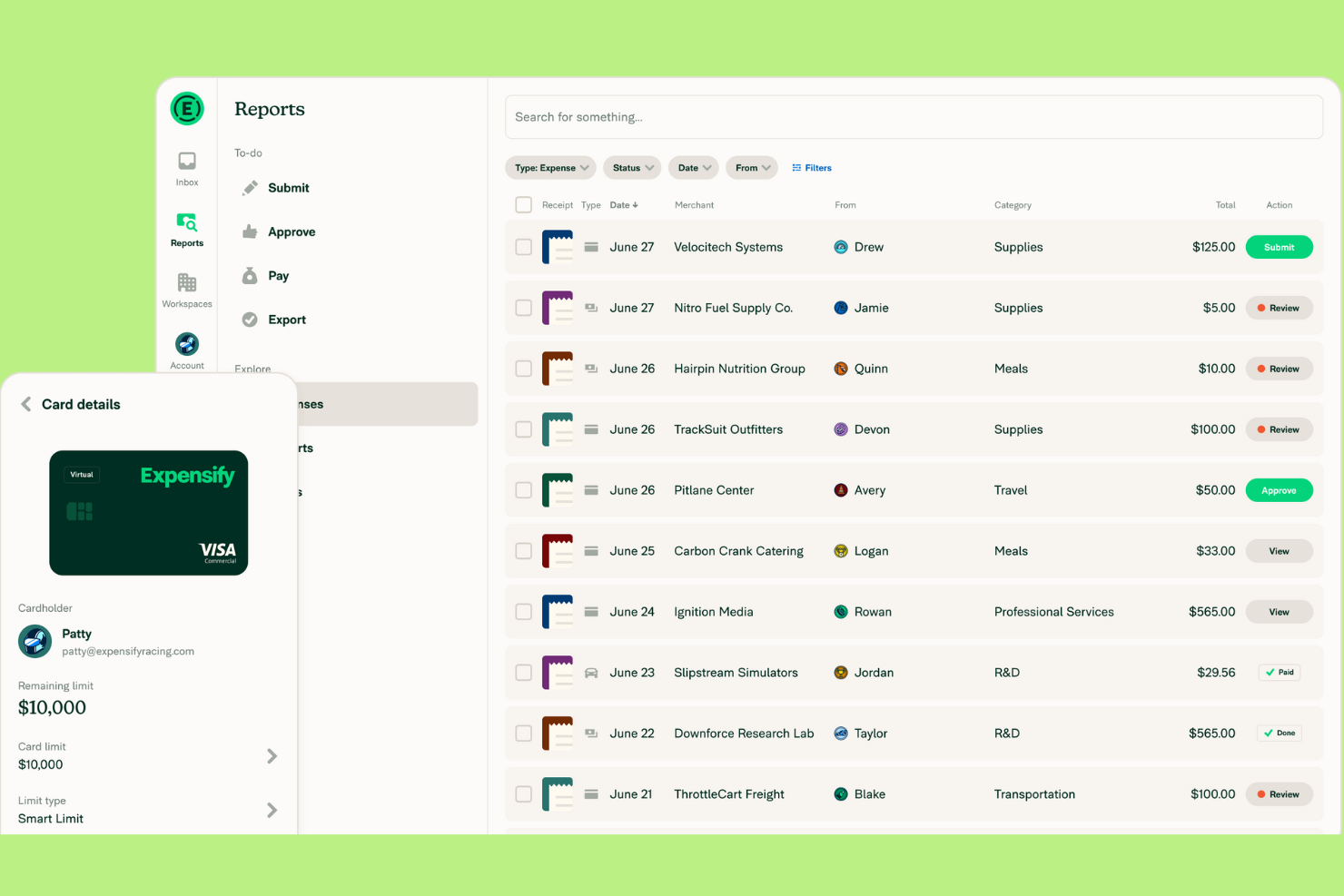
Expensify is designed for small businesses that want to automate receipt capture and simplify expense reporting. If your team spends too much time manually entering receipts or tracking down missing documentation, this tool can help. Expensify’s automated scanning and real-time expense tracking make it easier to stay organized and compliant.
Why I Picked Expensify
Expensify stands out for its automated receipt scanning, which is a major time-saver for small businesses handling frequent expense submissions. I picked this tool because its SmartScan technology lets users snap a photo of a receipt and have the details automatically extracted and categorized. This reduces manual data entry and helps prevent errors or lost receipts. Expensify also supports real-time expense tracking, so you can keep your records up to date without chasing paperwork.
Expensify Key Features
Some other features in Expensify that small businesses may find useful include:
- Corporate card reconciliation: Match expenses to card transactions automatically to simplify month-end close.
- Custom expense policy enforcement: Set up rules to flag out-of-policy expenses and require additional approvals and permissions.
- Multi-level approval workflows: Route expense reports through multiple approvers based on your organization’s structure.
- Mileage tracking: Log business travel mileage directly in the expense tracker app for accurate reimbursement.
Expensify Integrations
Integrations include QuickBooks, Xero, NetSuite, Sage Intacct, and TravelPerk.
Pros and Cons
Pros:
- Customizable approval workflows support multi-level sign-offs
- Real-time expense tracking helps maintain up-to-date records
- Automated receipt scanning reduces manual entry and lost receipts
Cons:
- Occasional scanning errors require manual correction of receipts
- Policy enforcement features may require advanced setup

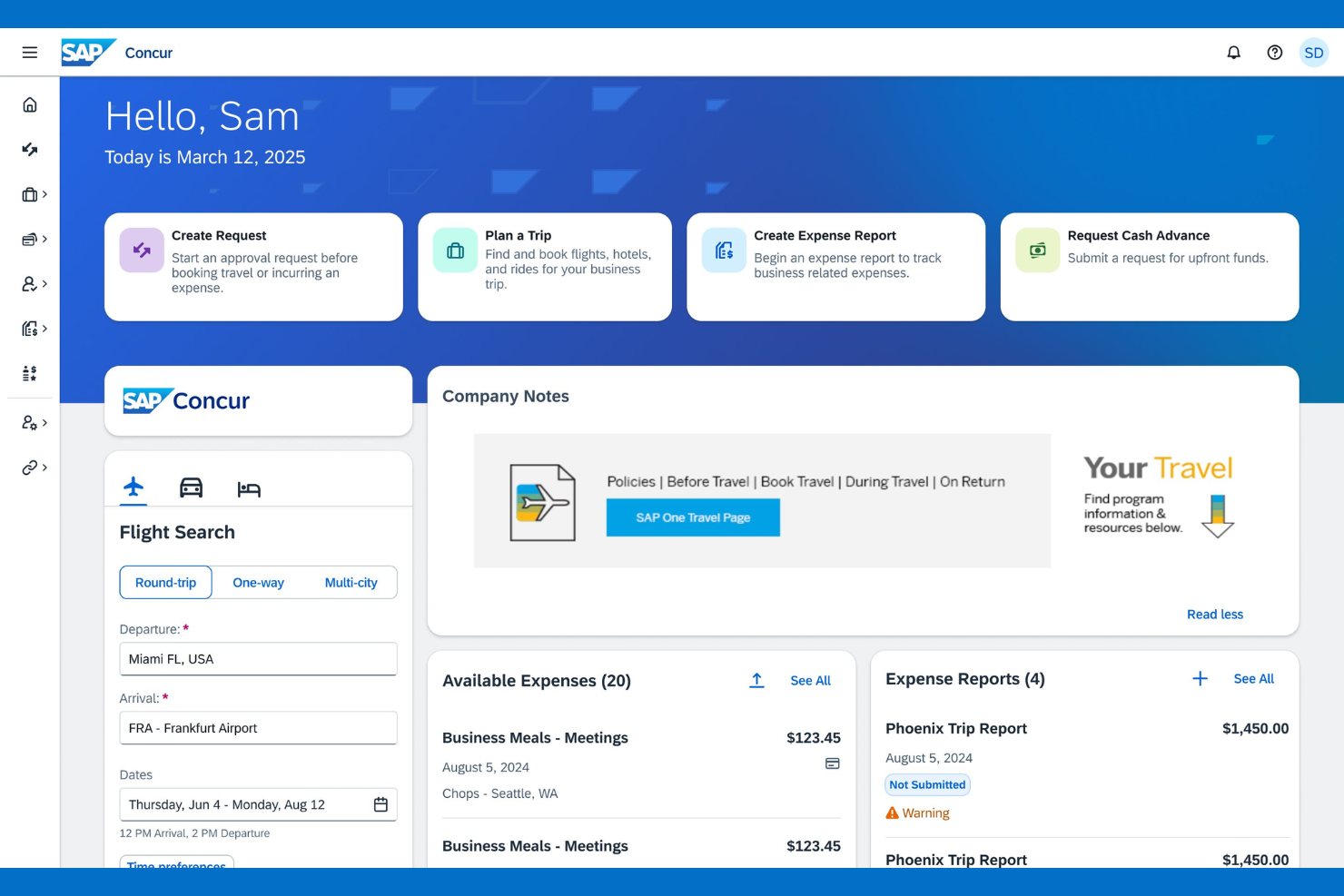
If your small business manages travel expenses across multiple countries, SAP Concur offers specialized tools for global compliance and currency handling. It’s built for finance teams that need to track, audit, and reimburse travel spend while meeting international tax and policy requirements. This makes it a strong choice for organizations with distributed teams or frequent cross-border travel.
Why I Picked SAP Concur
For small businesses that need to manage travel expenses across borders, SAP Concur stands out for its global travel expense support. I picked it because it handles multi-currency transactions and automates compliance with international tax regulations, which is a challenge for many growing companies.
The platform also lets you set travel policies that adapt to different countries, helping you control costs and reduce policy violations. If your team travels internationally or you have remote employees in multiple regions, SAP Concur’s global features are hard to match.
SAP Concur Key Features
Some other features that make SAP Concur useful for small business expense management include:
- Mobile receipt capture: Snap photos of receipts and upload them directly from your phone.
- Automated expense report creation: Generate expense reports automatically from imported card transactions and receipts.
- Mileage tracking: Log and calculate mileage for business travel using built-in GPS tools.
- Audit rules engine: Apply custom audit rules to flag out-of-policy expenses before reimbursement.
SAP Concur Integrations
Integrations include Microsoft Outlook, Salesforce, Oracle, Workday, NetSuite, ADP, Chrome River, Expensify, QuickBooks, and SAP ERP.
Pros and Cons
Pros:
- Audit trails and policy automation support stronger compliance than lighter small business tools
- Travel booking and expense reporting in one system reduce tool sprawl for distributed teams
- Best suited here for travel-heavy teams that need global expense controls and multi-currency support
Cons:
- Interface updates can disrupt established workflows for users
- Setup and configuration can be time-consuming for small businesses

Certify is designed for small businesses that need to enforce strict expense policies and reduce compliance risks. It’s especially useful for finance teams that want automated controls to flag out-of-policy spending before it becomes a problem. With Certify, you can set custom rules and approval workflows that help keep expenses aligned with company guidelines.
Why I Picked Certify
Certify stands out for its focus on policy compliance, which is a top concern for small businesses managing employee expenses. I picked Certify because it lets you build detailed policy rules that automatically flag or block out-of-policy submissions before they reach approval. The platform also supports multi-level approval workflows, so you can route expenses to the right people based on amount, department, or other criteria. For teams that need to enforce spending limits and reduce compliance headaches, Certify offers granular controls that help keep expenses in check.
Certify Key Features
In addition to its policy compliance controls, I also found these features worth noting:
- Automated receipt capture: Upload receipts using a mobile app or email, and Certify extracts the data automatically.
- Corporate card reconciliation: Match card transactions with submitted expenses to simplify reconciliation.
- Customizable reporting: Build and export detailed reports on spending by category, user, or department.
- Travel booking integration: Book business travel within the platform and link travel data to expense reports.
Certify Integrations
Integrations include SAP Concur, Oracle, NetSuite, QuickBooks, Microsoft Dynamics, Salesforce, Workday, ADP, Chrome River, and Coupa.
Pros and Cons
Pros:
- Mobile receipt capture and travel-expense linkage reduce reliance on manual spreadsheets
- Multi-level approvals and permissions suit small businesses with stricter compliance needs
- Strong policy enforcement helps finance teams control out-of-policy spending early
Cons:
- Setup of detailed policy rules and approval logic can take time
- Receipt date and amount inaccuracies can require manual edits


If you need to keep personal and business expenses clearly separated, Quicken Simplifi offers a straightforward solution. This tool is well-suited for small business owners, freelancers, or anyone managing mixed finances who wants to avoid confusion at tax time. With customizable tracking and clear categorization, it helps you stay organized and maintain accurate records for both sides of your financial life.
Why I Picked Quicken Simplifi
Unlike many expense tools that blur the line between personal and business spending, Simplifi stands out for its clear separation features. I picked it because you can create custom categories and tags to track both business and personal transactions in one dashboard. The tool also lets you generate separate reports for each, making it easier to prepare for tax season or business reviews. For small business owners who juggle both types of expenses, this level of organization helps prevent mix-ups and keeps records audit-ready.
Quicken Simplifi Key Features
Some other features that make Simplifi useful for small business expense management include:
- Automatic bank syncing: The tool connects to your bank accounts and imports transactions in real time.
- Spending plan creation: You can set up monthly or custom spending plans to monitor cash flow.
- Custom alerts: Receive notifications for large transactions, low balances, or upcoming bills.
- Goal tracking: Track progress toward savings or business investment goals within the platform.
Quicken Simplifi Integrations
Integrations include Dropbox, PayPal, and Zillow.
Pros and Cons
Pros:
- Offers customizable alerts for large or unusual business spending
- Imports transactions automatically from most major US banks
- Lets you create separate categories for business and personal expenses
Cons:
- Limited reporting options compared to business-focused expense tools
- Does not support multi-user access for team expense management
Altri software di gestione delle spese per piccole imprese
Qui ci sono alcune ulteriori opzioni di software di gestione delle spese per piccole imprese che non sono entrate nella mia shortlist, ma che vale la pena considerare:
- Ramp
For corporate card integration
- Sage Expense Management (formerly Fyle)
For multi-currency expense tracking
- Shoeboxed
For digitizing paper receipts
- Everlance
For automatic mileage tracking


Criteri di selezione per software di gestione delle spese per PMI
Nella selezione dei migliori software di gestione delle spese per piccole imprese da includere in questo elenco, ho considerato le esigenze e le criticità comuni degli acquirenti come la riduzione dell'inserimento manuale dei dati e l'assicurazione della conformità alle politiche aziendali. Ho inoltre utilizzato il seguente schema per mantenere la valutazione strutturata e imparziale:
Funzionalità principali (25% del punteggio totale)
Per essere inclusa in questa lista, ogni soluzione doveva soddisfare i seguenti casi d’uso comuni:
- Acquisizione e archiviazione di ricevute digitali
- Invio e approvazione di note spese
- Monitoraggio di kilometraggio e spese di viaggio
- Applicazione delle politiche di spesa aziendali
- Esportazione dei dati verso software di contabilità
Altre caratteristiche distintive (25% del punteggio totale)
Per restringere ulteriormente la scelta, ho cercato anche funzionalità uniche come:
- Scansione delle ricevute in tempo reale con OCR
- Calcolo automatico delle indennità giornaliere
- Gestione multivaluta e supporto internazionale
- Monitoraggio kilometrico tramite GPS integrato
- Flussi di approvazione personalizzabili
Usabilità (10% del punteggio totale)
Per valutare la facilità d’uso di ogni sistema, ho considerato i seguenti aspetti:
- Interfaccia utente semplice e intuitiva
- Disponibilità e funzionalità dell’app mobile
- Navigazione chiara e denominazione delle funzionalità
- Pochi passaggi per completare le attività comuni
- Accessibilità per utenti con esigenze diverse
Onboarding (10% del punteggio totale)
Per valutare l’esperienza di onboarding per ciascuna piattaforma, ho considerato i seguenti punti:
- Disponibilità di video formativi e tutorial
- Accesso a modelli di configurazione e guide
- Tour interattivi del prodotto per i nuovi utenti
- Chatbot in-app per il supporto all'onboarding
- Webinar dal vivo o registrati per i nuovi clienti
Supporto clienti (10% del punteggio totale)
Per valutare i servizi di assistenza clienti di ciascun fornitore di software, ho considerato i seguenti aspetti:
- Molteplici canali di supporto (chat, email, telefono)
- Tempi di risposta rapidi alle richieste
- Accesso a un centro assistenza ricercabile
- Disponibilità di account manager dedicati
- Forum della community o gruppi utenti
Rapporto qualità-prezzo (10% del punteggio totale)
Per valutare il rapporto qualità-prezzo di ciascuna piattaforma, ho considerato quanto segue:
- Struttura dei prezzi trasparente e prevedibile
- Funzionalità incluse nel piano tariffario base
- Sconti per fatturazione annuale o su grandi volumi
- Nessun costo nascosto o addebiti inattesi
- Disponibilità di prova gratuita o demo
Recensioni dei clienti (10% del punteggio totale)
Per avere un'idea della soddisfazione complessiva dei clienti, ho considerato i seguenti aspetti durante la lettura delle recensioni:
- Feedback costante e positivo sulle funzionalità principali
- Segnalazioni di assistenza clienti affidabile
- Commenti degli utenti sulla facilità di adozione
- Riscontri sulle prestazioni dell'app mobile
- Limitazioni o frustrazioni rilevate con lo strumento
Come scegliere un software di gestione spese per piccole imprese
È facile perdersi in lunghe liste di funzionalità e strutture di prezzo complesse. Per aiutarti a restare concentrato durante la selezione del tuo software, ecco una checklist di fattori da tenere presenti:
| Fattore | Cosa considerare |
|---|---|
| Scalabilità | Il software sarà in grado di gestire la tua attività in crescita, con più utenti, volumi di transazioni superiori o nuove sedi? Evita strumenti che pongono limiti a utenti o report. |
| Integrazioni | Lo strumento si collega in modo nativo a sistemi di contabilità, paghe e banca? Verifica le integrazioni dirette, non solo tramite API o soluzioni Zapier. |
| Personalizzazione | È possibile adattare i flussi di approvazione, le categorie di spesa e le regole di policy ai tuoi processi aziendali? Sistemi rigidi potrebbero obbligarti a modificare i tuoi flussi di lavoro. |
| Facilità d'uso | Il tuo team adotterà velocemente lo strumento o servirà una formazione approfondita? Cerca una navigazione intuitiva e accesso mobile per chi lavora in movimento. |
| Implementazione e onboarding | Quanto tempo serve per essere operativi? Chiedi informazioni su migrazione dati, risorse formative e supporto durante il rollout, specialmente se il tuo staff IT è limitato. |
| Costo | Tutte le funzionalità necessarie sono incluse nel prezzo base o ci sono costi aggiuntivi? Confronta prezzi mensili e annuali e verifica requisiti minimi di utenti. |
| Tutele di sicurezza | Il software offre crittografia, accesso basato sui ruoli e tracciamento degli accessi? Assicurati che rispetti gli standard di protezione dati e compliance della tua azienda. |
| Disponibilità di supporto | Quali canali di assistenza sono offerti e in quali orari? Valuta se hai bisogno di supporto 24/7, account manager dedicato o risorse self-service. |
Cos'è un software di gestione spese per una piccola impresa?
Un software di gestione spese per piccole imprese è uno strumento digitale che aiuta le aziende a monitorare, elaborare e controllare le spese dei dipendenti e le uscite aziendali. Automatizza operazioni come l'acquisizione delle ricevute, l'invio dei report spese e il rispetto delle policy, riducendo il lavoro manuale e gli errori.
Questi sistemi offrono ai team finanziari una maggiore visibilità sulla spesa, supportano la conformità normativa e semplificano i processi di rimborso e contabilità.
Funzionalità
Quando selezioni un software di gestione spese per una piccola impresa, presta attenzione alle seguenti funzionalità chiave:
- Acquisizione ricevute: Consente agli utenti di caricare foto o scansioni delle ricevute, archiviandole automaticamente con ogni voce di spesa per una facile consultazione e per garantire la tracciabilità ai fini dell’audit.
- Creazione di report spesa: Permette ai dipendenti di raggruppare le spese in report, categorizzare gli acquisti e inviarli alla revisione e approvazione da parte del responsabile.
- Applicazione delle policy: Segnala o blocca le spese che non rispettano le regole aziendali, aiutando a mantenere la conformità e ridurre le spese non autorizzate.
- Flussi di approvazione: Inoltra le spese inviate ai responsabili o al personale finanziario corretto per la revisione, con passaggi personalizzabili in base alla struttura della tua organizzazione.
- Tracciamento chilometraggio: Consente ai dipendenti di registrare i chilometri percorsi per affari, spesso tramite GPS o inserimento manuale, per calcoli di rimborso accurati.
- Supporto multi-valuta: Gestisce spese in diverse valute, convertendo automaticamente gli importi e agevolando le operazioni aziendali internazionali.
- Integrazione con software di contabilità: Sincronizza i dati delle spese direttamente con il sistema di contabilità o ERP, riducendo l’inserimento manuale e il lavoro di riconciliazione.
- Gestione diaria: Calcola le indennità giornaliere di viaggio in base alla policy aziendale e alla località, semplificando la conformità e il rimborso.
- Accesso tramite app mobile: Offre ai dipendenti la possibilità di inviare spese, acquisire ricevute e monitorare le spese da smartphone o tablet.
- Audit trail: Mantiene una registrazione dettagliata di tutte le presentazioni, approvazioni e modifiche delle spese, favorendo trasparenza e conformità normativa.
Vantaggi
L’implementazione di un software per la gestione delle spese nella tua piccola impresa offre numerosi vantaggi al tuo team e alla tua azienda. Eccone alcuni a cui puoi aspirare:
- Minore inserimento manuale dei dati: L’acquisizione automatica delle ricevute e la creazione dei report riducono il tempo dedicato alla burocrazia e il rischio di errori.
- Migliore rispetto delle policy: L’applicazione delle policy e dei flussi di approvazione integrati aiutano a garantire che la spesa sia conforme alle regole aziendali e ai requisiti normativi.
- Rimborsi più veloci: L’invio e la gestione digitale delle spese accelerano i cicli di approvazione e permettono ai dipendenti di ricevere i fondi più rapidamente.
- Maggior visibilità finanziaria: Il monitoraggio e la reportistica in tempo reale forniscono al team finanziario una visione chiara dei modelli di spesa e dell’aderenza al budget.
- Audit e archiviazione semplificati: L’archiviazione centralizzata di ricevute, report e audit trail semplifica la preparazione agli audit e la conformità.
- Integrazione potenziata con la contabilità: La sincronizzazione diretta con il software contabile riduce la riconciliazione manuale e snellisce i processi di chiusura mensile.
- Supporto alla crescita aziendale: Piattaforme scalabili e supporto multi-valuta permettono di far evolvere la gestione delle spese insieme alla crescita dell’azienda.
Costi e Prezzi
Scegliere un software di gestione delle spese per una piccola impresa richiede di conoscere i vari modelli e piani tariffari disponibili. I costi variano in base alle funzionalità, alla dimensione del team, agli add-on e altro ancora. La tabella sottostante riassume i piani più comuni, i prezzi medi e le caratteristiche tipiche incluse nelle soluzioni di software spese per piccole imprese:
Tabella comparativa dei piani per software di gestione spese per PMI
| Tipo di piano | Prezzo medio | Funzionalità comuni |
|---|---|---|
| Piano gratuito | $0 | Acquisizione ricevute di base, report di spesa limitati, approvazioni manuali e assistenza di base. |
| Piano personale | $5-$10/user/month | Acquisizione ricevute, tracciamento chilometraggio, policy di base, accesso da app mobile e assistenza email. |
| Piano business | $10-$25/user/month | Approvazioni automatiche, integrazione con contabilità, supporto multi-valuta, report avanzati e assistenza via chat. |
| Piano enterprise | $25-$50/user/month | Workflow personalizzati, sicurezza avanzata, account manager dedicato, accesso API e assistenza prioritaria. |
Domande Frequenti sul Software di Gestione Spese per Piccole Imprese
Ecco alcune risposte alle domande più comuni sul software di gestione spese per piccole imprese:
Come faccio a capire se la mia azienda ha bisogno di un software di gestione spese?
Se il tuo team dedica molto tempo al tracciamento delle ricevute, all’elaborazione dei rimborsi o alla gestione manuale dei report spese, probabilmente hai bisogno di un software di gestione spese. Questi strumenti aiutano a ridurre gli errori, velocizzare le approvazioni e offrire maggiore visibilità sulle spese aziendali.
Il software di gestione spese può integrarsi con il mio sistema di contabilità esistente?
Sì, la maggior parte dei software di gestione spese per piccole imprese offre integrazioni con le principali piattaforme di contabilità. Prima di scegliere uno strumento, assicurati che supporti la sincronizzazione diretta con il tuo sistema attuale per evitare l’inserimento manuale dei dati e garantire l’accuratezza dei registri finanziari.
Quali misure di sicurezza dovrei cercare in un software di gestione spese?
Cerca software che offrano la crittografia dei dati, controlli di accesso basati sui ruoli e tracciabilità delle operazioni. Queste funzionalità aiutano a proteggere le informazioni finanziarie sensibili e a rispettare le normative sulla privacy dei dati rilevanti per la tua azienda.
È possibile gestire le spese di dipendenti remoti o in viaggio?
Sì, molte soluzioni includono app mobili e accesso cloud, permettendo ai dipendenti di inviare spese, caricare ricevute e monitorare i chilometraggi ovunque si trovino. Questa flessibilità è particolarmente utile per team distribuiti o chi viaggia spesso per lavoro.
Quanto tempo richiede l'implementazione di un software di gestione spese?
I tempi di implementazione variano in base al fornitore e alle dimensioni dell’azienda, ma la maggior parte delle piccole imprese può iniziare in pochi giorni o al massimo in un paio di settimane. Scegli soluzioni che offrano risorse di onboarding come video tutorial, guide di configurazione e supporto reattivo per velocizzare il processo.
Cosa fare dopo:
Se stai cercando un software di gestione spese per la tua piccola impresa, collegati gratuitamente con un consulente SoftwareSelect per ricevere consigli personalizzati.
Compila un modulo e fai una rapida chiacchierata in cui si approfondiscono le tue esigenze specifiche. Riceverai quindi una lista ristretta di software da valutare. Ti supporteranno anche durante tutto il processo di acquisto, incluse le negoziazioni sui prezzi.