

Den beste revisjonsprogramvaren for leverandørreskontro hjelper team med å forbedre den økonomiske nøyaktigheten, styrke internkontrollen og overholde regelverket – uten manuelle kontroller, forsinkede godkjenninger eller feilutsatte prosesser som ofte bremser team som arbeider med leverandørreskontro. Men med så mange verktøy på markedet kan det være en reell utfordring å finne den riktige løsningen for organisasjonen din.
Med mer enn 15 års erfaring innen økonomistyring og digital programvare har jeg testet og sammenlignet de beste revisjonsløsningene for leverandørreskontro for å se hvilke som faktisk leverer. Den riktige plattformen identifiserer ikke bare feil – den effektiviserer arbeidsflyter, gir bedre oversikt og hjelper deg med å opprettholde revisjonsklare oppføringer året rundt.
For å hjelpe deg med å ta et trygt valg har jeg samlet detaljerte vurderinger av de beste tilgjengelige alternativene for revisjonsprogramvare for leverandørreskontro. Her er verktøyene som skiller seg ut når det gjelder nøyaktighet, støtte for regelverksetterlevelse og brukervennlighet.
Why Trust Our Software Recommendations
6,700+
Reviews
20
Industry experts
16+
Evaluation factors
14
Years
Our team has been testing and reviewing software since 2012. As finance leaders ourselves, we know how difficult—and important—it is to choose the right software.
For this guide, we evaluated tools using hands-on testing and independent research, scoring tools using our selection criteria.
Our reviews reflect our human editorial judgment, not a sales pitch.
Sammenligningstabell for revisjonsprogramvare for leverandørreskontro
Sammenlign prisdetaljer for mine beste utvalgte løsninger for revisjonsprogramvare for leverandørreskontro i tabellen nedenfor.
| Tool | Best For | Trial Info | Price | ||
|---|---|---|---|---|---|
| 1 | Best for AP fraud detection | Free demo available | Pricing upon request | Website | |
| 2 | Best for vendor payouts | Free plan available | Pricing upon request | Website | |
| 3 | Best for AI-powered AP automation | 21-day free trial available | From $99/month | Website | |
| 4 | Best for team collaboration | Free demo available | Pricing upon request | Website | |
| 5 | Best with customizable approval workflows | Free plan + free demo available | From $15/user/month | Website | |
| 6 | Best for budget control | Free demo available | Pricing upon request | Website | |
| 7 | Best for document management | Free demo available | From $50/user/month | Website | |
| 8 | Best for real-time tracking | Free demo available | Pricing upon request | Website | |
| 9 | Best for QuickBooks users | Free plan available | From $59/user/month | Website | |
| 10 | Best for automated multi-currency compliance | Free plan available | From $25/month | Website |


Vurderinger av den beste revisjonsprogramvaren for leverandørreskontro
Nedenfor finner du mine detaljerte sammendrag av den beste revisjonsprogramvaren for leverandørreskontro som kom med på kortlisten. I vurderingene undersøker jeg grundig hvert verktøys viktigste funksjoner, fordeler og ulemper, integrasjoner og ideelle bruksområder for å hjelpe deg med å finne det beste alternativet for deg.

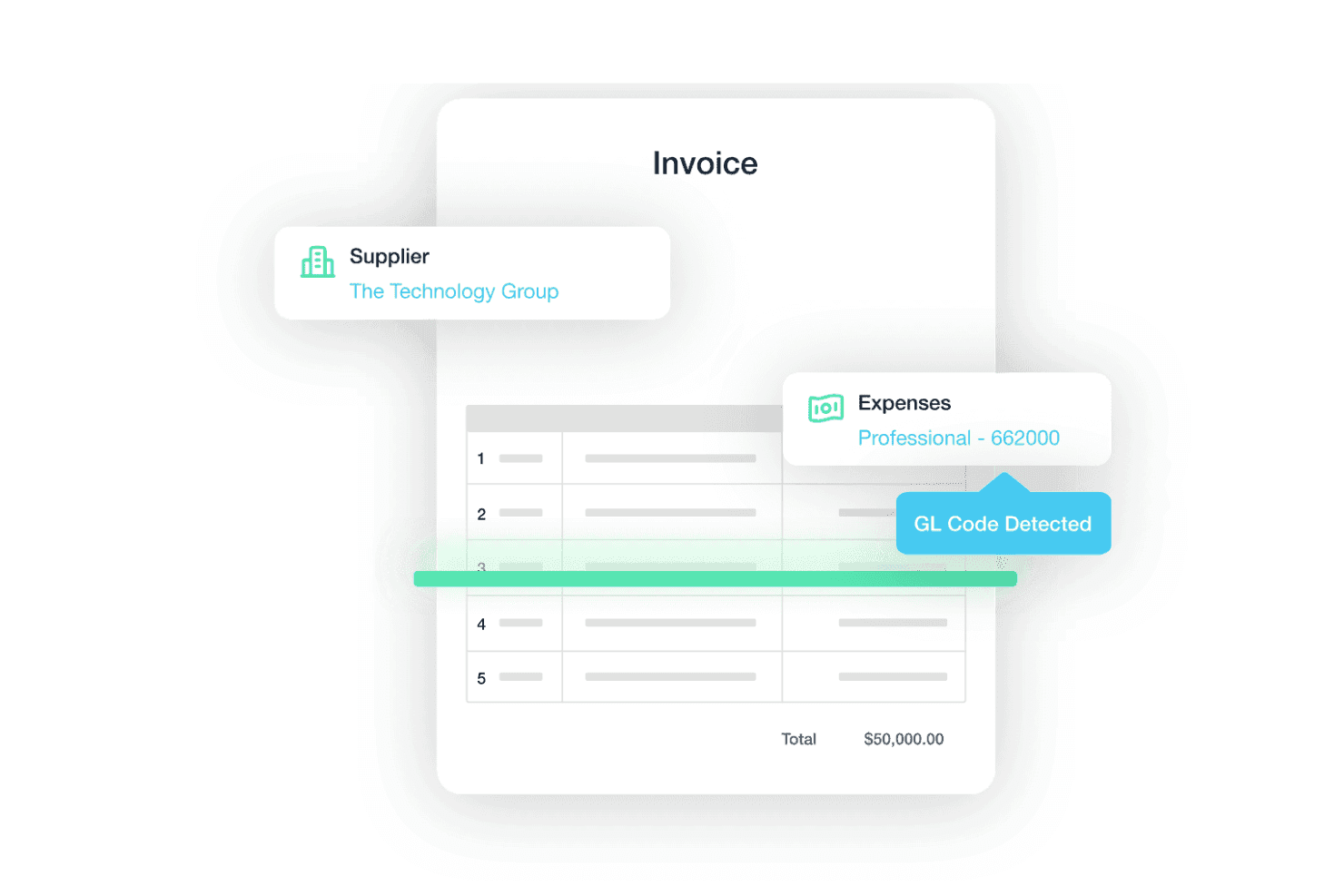
Traild uses AI to extract supplier details, expense categories, and GL codes from invoices, helping reduce manual AP processing. Traild is an AP automation platform that combines invoice processing, AI-driven error and fraud detection, vendor verification, PO matching, and approval workflows with deep, real-time integrations across major ERP and accounting systems.
Who Is Traild Best For?
Traild is a strong fit for AP managers and finance directors at mid-market companies running ERP platforms like Acumatica, Syspro, NetSuite, or SAP Business One.
Why I Picked Traild
I picked Traild as one of the best because its fraud detection runs at every stage of the AP workflow, not just at reporting. I love that it scans invoice metadata for PDF tampering and changed banking details at ingestion, before an invoice ever reaches approval. Vendor Verification adds another layer by cross-checking supplier details against behavioral data and network intelligence to flag high-risk payees in real time.
Traild Key Features
- Error and fraud detection: Always-on anomaly detection continuously monitors invoices for unusual behaviour, identifying potential errors or fraud before payments are processed.
- Vendor verification: Built-in supplier verification helps validate vendors and detect compromised payment details before funds are released.
- Unified approval workflows: Configurable approval routing presents invoice details alongside fraud insights to support informed approvals.
- Multi-level approval workflows: Routes invoices through configurable steps based on company policy and thresholds.
Traild Integrations
Traild offers native integrations with Acumatica, NetSuite, SAP Business One, Syspro, IFS, MYOB, and Xero.
Pros and Cons
Pros:
- Advanced vendor verification with network intelligence
- Automated statement reconciliation and approval workflows
- Real-time fraud detection on every invoice
Cons:
- Focused primarily on AP rather than broader finance operations
- Advanced workflows require initial setup
Learn more about Traild:

Payouts' dashboard facilitates the management of pending payouts, allowing users to keep track of outstanding payments and audit cash flow effectively. Payouts is a platform that simplifies your accounts payable processes through automation. It offers tools to handle invoice management, vendor payments, and financial reporting, making it ideal for businesses in affiliate marketing, influencer networks, and the creator economy.
Why I picked Payouts: It includes payout automation, which helps businesses simplify financial workflows with real-time insights and automated processing. This reduces the manual workload and ensures compliance with financial regulations. Additionally, its vendor management capabilities, powered by an analytics-driven vendor portal, facilitate better relationships and transaction tracking with partners. The platform also offers robust invoicing tools that integrate seamlessly into existing workflows, enhancing transparency and auditability.
Standout features & integrations:
Features include optimized global payments, enabling you to pay vendors in multiple currencies and integrate with your preferred payment methods, simplifying international transactions. It also identifies early payment discount opportunities automatically.
Integrations include Everflow, CJ Affiliate, Awin, PayPal, Venmo, Payoneer, NetSuite, Priority, Workday, Skrill, and Tune.
Pros and Cons
Pros:
- Comprehensive automation of accounts payable processes
- Multiple payout methods
- Supports scaling operations
Cons:
- Potential challenges integrating with existing systems
- May require time to fully customize
Learn more about Payouts: Best for AI-powered AP automation
- 21-day free trial available
- From $99/month
Visit WebsiteCustomer Rating:4.9/5
A digital invoice from MakersHub displaying itemized purchase details, payment terms, and total amount due. MakersHub is designed for high-volume AP companies with complex workflows, regardless of industry. It uses AI to capture bills, automate approvals, and process payments—reducing manual entry and audit risk.
Why I picked MakersHub: MakersHub automates the entire AP lifecycle, including bill capture, approval routing, and payment processing. Its AI tools minimize human error and ensure accuracy, giving finance teams a more reliable audit trail. I also like that it’s tailored for diverse industries, offering tools that meet specific vertical needs.
Additionally, the customizable features and clean interface make it easy to reduce overhead while improving financial visibility and compliance.
Standout features & integrations:
Features include AI-enhanced bill capture, customizable approval workflows, automated payments, and industry-specific solutions for various fields. Users also get access to analytics and real-time status tracking, helping reduce bottlenecks and audit delays.
Integrations include QuickBooks Online and QuickBooks Desktop.
Pros and Cons
Pros:
- Integration with QuickBooks
- Multi-layered approval process
- Automation of bills and payments
Cons:
- Steep learning curve for new users
- Certain features are limited to higher-tier plans
Learn more about MakersHub: Best for team collaboration
- Free demo available
- Pricing upon request
Visit WebsiteCustomer Rating:4.8/5
Stampli centralizes invoice communication, streamlining approvals and team collaboration. Stampli boosts team collaboration by centralizing invoice communication and approvals. With its dedicated communication hubs, it reduces email chains, streamlines issue resolution, and improves efficiency in financial workflows.
Why I picked Stampli: Stampli allows communication directly within the invoice, speeding up the review and approval processes. With customizable approval workflows, you can set specific steps. The platform also provides real-time updates and a centralized view of invoice status. Its audit trail functionality records changes, giving you control over document histories.
Standout features & integrations:
Features include in-platform communication that lets your team collaborate on invoices within Stampli. The customizable approval workflows help you control the process so every invoice moves through the proper steps.
Integrations include QuickBooks, NetSuite, Sage Intacct, Microsoft Dynamics, SAP, Oracle, Xero, FreshBooks, Zoho Books, and Intuit.
Pros and Cons
Pros:
- Real-time invoice status updates
- Customizable approval workflows
- In-platform team communication
Cons:
- Limited error correction features
- Limited reporting tools
Learn more about Stampli: 5Best with customizable approval workflows
Ramp
- Free plan + free demo available
- From $15/user/month
Visit WebsiteCustomer Rating:4.8/5
Ramp dashboard displaying transaction history, payment statuses, and financial activity tracking for audit visibility. Ramp is an accounts payable audit platform that combines automated spend controls, customizable approval workflows, transaction monitoring, and policy enforcement for finance teams.
Who Is Ramp Best For?
Ramp is a good fit for finance teams at mid-sized and enterprise companies that need advanced spend controls and audit capabilities.
Why I Picked Ramp
I picked Ramp as one of the best because I can set up highly customizable approval workflows that match our internal controls for accounts payable. My team uses Ramp to create multi-level approval chains for different spend categories, so every invoice gets routed to the right people. I like that I can tailor rules for specific departments or transaction amounts, which helps us enforce compliance without slowing down our process.
Ramp Key Features
- Real-time transaction monitoring: Track every transaction as it happens for immediate visibility into spend.
- Automated receipt matching: Upload and match receipts to transactions automatically to support audit trails.
- Policy enforcement engine: Set and enforce custom spend policies directly within the platform.
- Audit-ready reporting: Generate detailed reports with full audit trails for all accounts payable activity.
Ramp Integrations
Ramp offers native integrations with NetSuite, QuickBooks Online, Sage Intacct, Xero, Slack, Google Workspace, Microsoft 365, and Expensify. It also connects with Zapier and provides an API for custom integrations.
Pros and Cons
Pros:
- Native integrations with major accounting platforms
- Real-time spend analytics and reporting tools
- Customizable approval workflows for bill payments
Cons:
- No built-in OCR for invoice data extraction
- Limited support for complex multi-entity setups


Planergy lets AP teams monitor budget usage, approvals, and real-time spending. Planergy’s centralized system allows AP teams to monitor budget usage and approvals. It identifies and manages cost-saving opportunities and tracks spending against set budgets in real time.
Why I picked Planergy: Planergy helps monitor expenses and track real time budgets to ensure all costs align with financial goals. Customizable approval workflows let you set up purchase checkpoints and reduce unauthorized spending. You’ll also find reporting options to help you analyze spending patterns and identify savings opportunities. The audit trail feature also keeps every transaction transparent for efficient verification and monitoring.
Standout features & integrations:
Features include spend analysis that helps your team identify areas for cost savings. Customizable approval workflows let you set rules that align with your financial policies. Real-time reporting offers insights into spending patterns, aiding in budget management.
Integrations include QuickBooks, NetSuite, Microsoft Dynamics, SAP, Xero, Intuit, Sage, Oracle, FreshBooks, and Zoho Books.
Pros and Cons
Pros:
- Spend analysis reports
- Detailed audit trail logs
- Custom approval workflows
Cons:
- Limited advanced analytics features
- Limited fraud detection tools
Learn more about Planergy: Best for document management
- Free demo available
- From $50/user/month
Visit WebsiteCustomer Rating:4.5/5
Square 9 digitizes AP documents, simplifying access, compliance, and tracking. Square 8 offers document management that digitally captures, categorizes, and stores invoices and other AP documents. It simplifies accessing records and tracking document histories for compliance and auditing efforts.
Why I picked Square 9: Square 9 has automated file indexing that quickly locates specific documents, a drag-and-drop functionality for uploading and managing documents, and advanced search filters. These features allow you to pull up files based on specific data and make audits faster. Square 9 is good for businesses with extensive documentation, categorization, and retrieval needs.
Standout features & integrations:
Features include advanced document capture that lets you scan, upload, and store files. Your team can benefit from customizable workflows to ensure documents follow the right path from start to finish. Plus, with version control, you’ll have an accurate history of each document, making retrieval and compliance easier.
Integrations include Microsoft Dynamics, QuickBooks, SAP, NetSuite, Sage, Oracle, Salesforce, Xero, FreshBooks, and Intuit.
Pros and Cons
Pros:
- Document annotation tools
- Automated file categorization
- Detailed version control
Cons:
- Limited error resolution tools
- Limited compliance monitoring
Learn more about Square 9:

Lightyear provides real-time AP tracking, making invoices and payments visible. Lightyear is suitable for tracking invoices and payments in real time. It offers up-to-the-minute AP process visibility, helping companies monitor their AP cycle and control their procurement processes.
Why I picked Lightyear: Lightyear provides real-time tracking for invoices and purchase orders as they progress through the system. Its automated 3-way matching feature helps ensure accuracy by cross-verifying invoices, purchase orders, and receipts. The platform also has detailed reporting tools for insights into your spending patterns and customizable approval workflows to give you control over the process.
Standout features & integrations:
Features include automated invoice processing to speed up data entry and validation, real-time invoice tracking, and easy-to-use audit trails for compliance. The platform also supports multi-currency handling and customizable approval workflows for control and accuracy.
Integrations include Xero, QuickBooks Online, Sage, MYOB, NetSuite, Microsoft Dynamics 365, Intuit, FreshBooks, Zoho Books, and Wave.
Pros and Cons
Pros:
- Multi-language document handling
- Advanced data validation
- Built-in audit trail
Cons:
- Restricted customization options
- Limited analytics tools
Learn more about Lightyear:

Fidesic is suitable for QuickBooks, automates invoice routing, and secures payments. Fidesic is optimized for QuickBooks users. It simplifies payment processing by automating invoice routing and approvals and supports secure digital payments. It simplifies AP tasks with a user-friendly interface that enhances accuracy.
Why I picked Fidesic: Fidesic offers specialized tools that make managing accounts payable directly from QuickBooks simpler and more efficient. Your team can benefit from its invoice and payment auto-matching and detailed audit trails for tracking changes and maintaining compliance. Fidesic’s dashboard provides an overview of payables, ensuring you stay on top of your financial commitments.
Standout features & integrations:
Features include automated invoice capture that minimizes manual data entry. The approval workflows help you streamline the process of getting invoices approved quickly. Payment scheduling ensures your team can manage cash flow efficiently.
Integrations include QuickBooks, Microsoft Dynamics GP, Sage Intacct, SAP, NetSuite, Xero, FreshBooks, Zoho Books, Wave, and Intuit.
Pros and Cons
Pros:
- Detailed audit trails
- Direct integration with ERP
- Automated approval workflows
Cons:
- Limited bulk invoice processing
- No predictive insights
Learn more about Fidesic: 10Best for automated multi-currency compliance
Slash
- Free plan available
- From $25/month
Visit WebsiteCustomer Rating:5/5
Slash’s analytics dashboard visualizing weekly spend across payment methods for accurate, audit-ready financial reporting. Slash is a financial management and expense automation platform that combines banking, payments, and accounts payable auditing tools in one interface. It supports both fiat and cryptocurrency transactions, allowing finance teams to track, reconcile, and report payments across currencies with complete transparency. As an accounts payable audit solution, Slash helps you maintain compliance and accuracy in complex, multi-entity environments.
Why I picked Slash: I picked Slash because it automates key audit functions like invoice matching, reconciliation, and payment scheduling while handling both traditional and digital currencies. This dual-currency flexibility means you can maintain compliant, audit-ready records across diverse payment types. I also like that Slash offers detailed reporting and real-time analytics, helping you identify discrepancies and track every payable event for complete oversight. Its automation tools cut down on manual reconciliation, reducing human error and improving control across your financial workflows.
Slash standout features and integrations:
Features include automated invoice processing for faster reconciliation, virtual accounts for detailed transaction tracking, and compliance with SOC2 Type II and PCI standards to ensure data security. The platform also provides enhanced FDIC coverage for funds and audit-ready financial reports for transparency.
Integrations include QuickBooks, Xero, Shopify, WooCommerce, BigCommerce, Adobe Commerce (Magento), PayPal, Stripe, Square, Salesforce, and HubSpot CRM.
Pros and Cons
Pros:
- Secure, audit-ready financial reports
- Real-time transaction visibility
- Handles fiat and crypto payments
Cons:
- Crypto tools may require setup
- Limited public user reviews
Learn more about Slash:
Annen revisjonsprogramvare for leverandørreskontro
Her er noen flere alternativer for revisjonsprogramvare for leverandørreskontro som ikke kom med på kortlisten, men som likevel er verdt å undersøke.
- 11QuadientBest for cloud integration
- 12MineralTree TotalAPBest for multi-entity firms
- 13Kefron APBest for data compliance
- 14DataServBest for global reach
- 15ControlPayBest for the logistics industry
- 16SymbeoBest for large enterprises
- 17DOKKABest for mid-sized teams
- 18XeroBest for cloud accounting
- 19Sage IntacctBest for financial reporting
- 20AvidXchangeBest for automating payments
How I Evaluate Accounts Payable Audit Software
I split my evaluation into baseline criteria—like duplicate payment detection and ERP integration—and differentiating factors that separate the best AP audit tools from the rest.
Core Functionality (Table Stakes For This List)
When I'm selecting tools for my list, I rank each one on a scale from 0 (does not offer the functionality) to 5 (excels in this area) for each core functionality listed below. Then, I calculate the tool's total score into a percentage. Each tool needs to achieve a minimum total score of 65% to be considered for inclusion.
- Duplicate Payment Detection: I evaluate how well each tool catches near-duplicates and fuzzy matches—like invoices with transposed digits or slightly different vendor names for the same supplier.
- Fraud & Anomaly Detection: Each tool's ability to flag suspicious patterns matters here, from shell company indicators to unusual payment spikes that fall just below approval thresholds.
- Vendor Master File Analysis: I check whether the platform can surface ghost vendors, employee-vendor address overlaps, and duplicate supplier records with missing or invalid tax IDs.
- Continuous Transaction Monitoring: Tools that audit 100% of transactions on an ongoing basis score higher than those limited to periodic batch runs or sample-based reviews.
- ERP & AP System Integration: I look for prebuilt connectors to major platforms like SAP, Oracle, NetSuite, and Workday, plus flexible import options for less common systems.
- Audit Reporting & Recovery Workflow: Strong tools let you trace each finding back to its source transaction and move it through a dispute and recovery process with clear status tracking.
Once I have a list of tools that meet this criteria, I consider what sets each platform apart.
Differentiating Factors (What Sets Vendors Apart)
Here's how I compare and contrast different vendors:
Standout Features
Contract compliance auditing is a big differentiator—I look for tools that cross-reference invoices against negotiated pricing and rebate terms to catch overbilling. Sales and use tax recovery is another area where some platforms shine, surfacing overpaid tax that most AP teams wouldn't catch manually. I also evaluate whether a tool offers root cause analytics, which helps pinpoint why errors keep recurring so your team can fix upstream process gaps instead of just recovering money after the fact.
Beyond Features
I pay close attention to the recovery service model—some vendors offer software-only access, while others pair the platform with experienced auditors who manage the recovery process on a contingency basis. That distinction matters depending on whether your team has bandwidth to run audits in-house. Security certifications like SOC 2 Type II also carry weight, especially when you're handing over years of payment data. Finally, I evaluate time-to-value: how quickly a platform can ingest historical data and surface its first batch of actionable findings.
Slik velger du revisjonsprogramvare for leverandørreskontro
Det er lett å gå seg vill i lange funksjonslister og komplekse prismodeller. Her er en sjekkliste over faktorer du bør huske på, slik at du holder fokus når du arbeider deg gjennom den unike prosessen med å velge programvare.
| Faktor | Hva bør du vurdere? |
| Skalerbarhet | Vil programvaren vokse sammen med virksomheten din? |
| Integrasjoner | Kan den integreres med de eksisterende systemene dine (det vil si ERP-systemer og CRM-systemer)? |
| Tilpasningsmuligheter | Kan du tilpasse programvaren til behovene dine? |
| Brukervennlighet | Er programvaren intuitiv for teamet ditt? |
| Budsjett | Holder den seg innenfor de økonomiske rammene dine? |
| Sikkerhetstiltak | Blir behovene dine for databeskyttelse ivaretatt? |
Trender innen revisjonsprogramvare for leverandørreskontro
I undersøkelsen min hentet jeg inn utallige produktoppdateringer, pressemeldinger og lanseringslogger fra ulike leverandører av revisjonsprogramvare for leverandørreskontro. Her er noen av trendene som er i ferd med å vokse frem, og som jeg følger med på:
- AI-drevet analyse: Leverandører integrerer AI i programvare for automatisering av leverandørgjeld for å gi dypere innsikt i utgiftsmønstre og avvik. Dette hjelper virksomheter med å ta informerte beslutninger gjennom prediktiv analyse.
- Blokkjede for åpenhet: Noen løsninger for automatisering av leverandørgjeld bruker blokkjedeteknologi for å forbedre åpenheten og sikkerheten i transaksjoner. Denne trenden får stadig større utbredelse ettersom virksomheter ser etter mer pålitelige måter å verifisere og revidere økonomiske data på.
- Miljøvennlige initiativer: Flere løsninger for leverandørgjeld legger til funksjoner som hjelper selskaper med å redusere papirbruken og følge med på karbonavtrykket sitt. Dette samsvarer med den økende etterspørselen etter overholdelse av regelverk og bærekraftig forretningsdrift, samtidig som det gir nøyaktig dokumenthåndtering.
- Talestyrte kommandoer: Noen fremtidsrettede leverandører introduserer talekommandoer i systemene sine for leverandørgjeld. Denne trenden har som mål å forbedre brukerinteraksjonen og effektiviteten, slik at team kan håndtere oppgaver uten å bruke hendene.
- Forbedret datavisualisering: Programvare for automatisering av leverandørgjeld integrerer mer avanserte verktøy for datavisualisering. Disse verktøyene, for eksempel fakturaautomatisering, hjelper brukerne med å tolke komplekse data på en enkel måte gjennom intuitive diagrammer og grafer, slik at rapportering i avdelingen for leverandørgjeld blir tilgjengelig for alle teammedlemmer.
Hva er programvare for revisjon av leverandørgjeld?
Programvare for revisjon av leverandørgjeld er et verktøy som hjelper virksomheter med å gjennomgå, validere og optimalisere leverandørgjelden for å sikre nøyaktighet og regelverksetterlevelse. Den brukes av økonomiteam, regnskapsførere og revisorer som trenger tydelig oversikt over fakturaer, transaksjoner og betalingsprosesser. Med automatisert fakturabehandling, sanntidstilgang til økonomiske data og tilpassbare AP-arbeidsflyter effektiviserer den revisjonen og reduserer manuelle feil. Dette fører til bedre kontroll, raskere behandling og mer effektive økonomiske prosesser.
Funksjoner i programvare for revisjon av leverandørgjeld
Når du velger programvare for revisjon av leverandørgjeld, bør du se etter følgende nøkkelfunksjoner.
- Automatisert fakturabehandling: Reduserer feil ved manuell dataregistrering og fremskynder fakturagodkjenninger. Dette er spesielt nyttig hvis du driver en småbedrift eller oppstartsbedrift som prøver å skaffe kunder og bygge opp teamet ditt.
- Tilgang til data i sanntid: Gir oppdatert økonomisk informasjon som hjelper team med å ta informerte beslutninger raskt.
- Tilpassbare arbeidsflyter: Gjør det mulig for virksomheter å tilpasse prosesser etter sine spesifikke økonomiske behov og krav til regelverksetterlevelse.
- Støtte for flere valutaer: Viktig for virksomheter som håndterer internasjonale transaksjoner, for å sikre nøyaktig økonomistyring.
- Avanserte analyseverktøy: Gir innsikt i utgiftsmønstre og hjelper med å identifisere muligheter for kostnadsbesparelser.
- Sentralisert plattform: Støtter drift med flere selskaper ved å tilby ett sted for håndtering av flere forretningsenheter, noe som kan være svært nyttig under avstemmingsprosessen.
- Forbedret datavisualisering: Gjør det enklere å tolke økonomiske data ved hjelp av intuitive diagrammer og grafer.
- Sporing av regelverksetterlevelse: Sikrer at alle økonomiske prosesser overholder lokale og internasjonale bestemmelser, og reduserer risikoen for manglende regelverksetterlevelse.
- Oppdagelse av duplikatbetalinger: Forhindrer overbetalinger og gjeld ved å identifisere og fjerne dupliserte fakturaer og betalinger.
- Elektronisk fakturering: Fremskynder fakturabehandling og kundefordringer med funksjoner for elektronisk fakturering.
- Varsler om mulig svindel: Forbedrer økonomisk sikkerhet ved å oppdage og varsle om mulig transaksjonssvindel.
- Trefaktormatching: Sikrer nøyaktighet ved å bruke automatiseringsverktøy til å sammenligne innkjøpsordrer, fakturaer og kvitteringer.
- Optimalisering av betalingsrabatter: Utnytter rabatter ved tidlig betaling gjennom rettidig og effektiv fakturabehandling.
- Økonomisk prognostisering: Gir innsikt i økonomisk helse og forpliktelser ved hjelp av prognoseverktøy og sanntidsanalyse.
- Integrasjon med økonomiteamet: Forbedrer samarbeidet med funksjoner som er utviklet for kommunikasjon mellom økonomiteam.
Fordeler med programvare for revisjon av leverandørgjeld
Implementering av programvare for revisjon av leverandørgjeld gir fordeler for både teamet og virksomheten din. Her er noen av fordelene du kan se frem til.
- Økt nøyaktighet: Automatisert fakturabehandling bidrar til å redusere menneskelige feil i økonomiske data.
- Tidsbesparelser: Tilpassbare arbeidsflyter og tilgang til data i sanntid fremskynder godkjenningsprosesser og beslutningstaking.
- Kostnadseffektivitet: Avanserte analyseverktøy identifiserer områder for kostnadsbesparelser og optimaliserer økonomistyringen.
- Forbedret samsvar: Sporing av samsvar sikrer overholdelse av regelverk og minimerer risikoen for bøter.
- Forbedret åpenhet: Sentraliserte plattformer gir en tydelig oversikt over økonomiske aktiviteter på tvers av alle forretningsenheter, noe som gjør rapportering og opprettelse av hovedbok enklere.
- Miljøpåvirkning: Miljøvennlige tiltak bidrar til å redusere papirforbruket og spore virksomhetens karbonavtrykk.
- Brukerengasjement: Talestyrte kommandoer og forbedret datavisualisering gjør samhandling med økonomiske data intuitiv og effektiv.
Kostnader og priser for programvare for revisjon av leverandørgjeld
Valg av programvare for revisjon av leverandørgjeld krever forståelse av de ulike prismodellene og abonnementene som er tilgjengelige. Kostnadene varierer basert på funksjoner, teamstørrelse, tillegg og mer. Tabellen nedenfor oppsummerer standardabonnementer, gjennomsnittspriser og typiske funksjoner i programvareløsninger for revisjon av leverandørgjeld.
Sammenligningstabell for abonnementer for programvare for revisjon av leverandørgjeld
| Abonnementstype | Gjennomsnittspris | Vanlige funksjoner |
| Gratisabonnement | $0 | Grunnleggende fakturabehandling, begrenset brukerstøtte og viktige rapporteringsverktøy. |
| Personlig abonnement | $5-$25/ bruker/ måned | Automatiserte arbeidsflyter, grunnleggende analyser, håndtering av flere valutaer og brukerstøtte via e-post. |
| Forretningsabonnement | $30-$60/ bruker/ måned | Avanserte analyser, tilpassbare arbeidsflyter, forbedret sikkerhet og prioritert brukerstøtte. |
| Virksomhetsabonnement | $75-$150/ bruker/ måned | Full sporing av samsvar, dedikert kundeansvarlig, API-tilgang og omfattende integrasjonsmuligheter. |
En oversikt over abonnementstyper, kostnader og funksjoner for programvare for revisjon av leverandørgjeld.
Vanlige spørsmål om programvare for revisjon av leverandørgjeld
Her er svar på vanlige spørsmål om programvare for revisjon av leverandørgjeld.
Hvordan håndterer programvare for revisjon av leverandørgjeld duplikatfakturaer?
Programvare for revisjon av leverandørgjeld finner duplikatfakturaer ved å søke etter identiske fakturanumre, datoer og beløp, og flagger mulige duplikater for gjennomgang. Dette sparer teamet ditt for tid ved å identifisere og skille ut disse duplikatene, slik at de blir enklere å revidere. Med konfigurerbare innstillinger kan du justere søkekriteriene for å oppfylle spesifikke krav.
Kan programvare for revisjon av leverandørgjeld integreres med det nåværende ERP-systemet mitt?
Ja, de fleste programmer for revisjon av leverandørgjeld kan integreres med større ERP-systemer, slik at teamet ditt kan hente data sømløst inn på ett sted. Før du velger programvare, bør du kontrollere at den er kompatibel med ERP-systemet ditt for å unngå problemer med datamigrering. Mange leverandører tilbyr integrasjonsstøtte, så kontakt dem hvis du trenger avklaringer om kompatibilitet.
Hvilke data analyserer programvare for revisjon av leverandørgjeld?
Programvare for revisjon av leverandørgjeld analyserer ulike datapunkter, for eksempel fakturabeløp, leverandørinformasjon, betalingsbetingelser og transaksjonsdatoer. Dette hjelper teamet ditt med å identifisere trender, oppdage uregelmessigheter og kontrollere samsvar med interne og eksterne retningslinjer. Detaljerte rapporter gjør det enklere å overvåke den samlede effektiviteten i avdelingen for leverandørgjeld.
Hvordan bidrar programvare for revisjon av leverandørgjeld til å avdekke svindel?
Programvare for revisjon av leverandørgjeld avdekker svindel ved å analysere uvanlige transaksjonsmønstre, identifisere ukjente leverandører og kontrollere uregelmessig fakturaaktivitet. Varsler kan informere internkontrollen om potensielt uredelige transaksjoner i sanntid, slik at de kan følges opp umiddelbart. Regelmessige hovedbokrevisjoner gjennom denne programvaren gir økonomien din et ekstra beskyttelseslag.
Kan programvare for revisjon av leverandørgjeld redusere feil i AP-prosessen min?
Ja, programvare for revisjon av leverandørgjeld reduserer feil ved å automatisere fakturakontroll og flagge avvik i leverandørfakturaer. Dette bidrar til å redusere feil ved manuell dataregistrering og feilberegninger, og forbedrer nøyaktigheten i betalingsbehandlingen. I tillegg reduserer det tiden interessenter bruker på å rette feil, slik at de kan konsentrere seg om viktigere oppgaver.
Har programvare for revisjon av leverandørgjeld rapporteringsfunksjoner?
De fleste programmer for revisjon av AP har rapporteringsfunksjoner som gir innsikt i betalingsresultater, leverandøraktivitet og revisjonshistorikk. Tilpass disse rapportene for å fremheve bestemte nøkkeltall, slik at teamet ditt kan forstå effektiviteten i prosessen for leverandørgjeld. Rapportene kan også støtte etterlevelse og revisjonsberedskap i regnskapssystemet ditt.