

Agicap Review: Pros, Cons, Features, and Pricing
Agicap excels with its real-time cash flow forecasting, making it a standout choice for businesses needing precise financial insights.

We review tools independently, and commissions help fund our testing. See our transparency policy, our methodology, or suggest a tool.
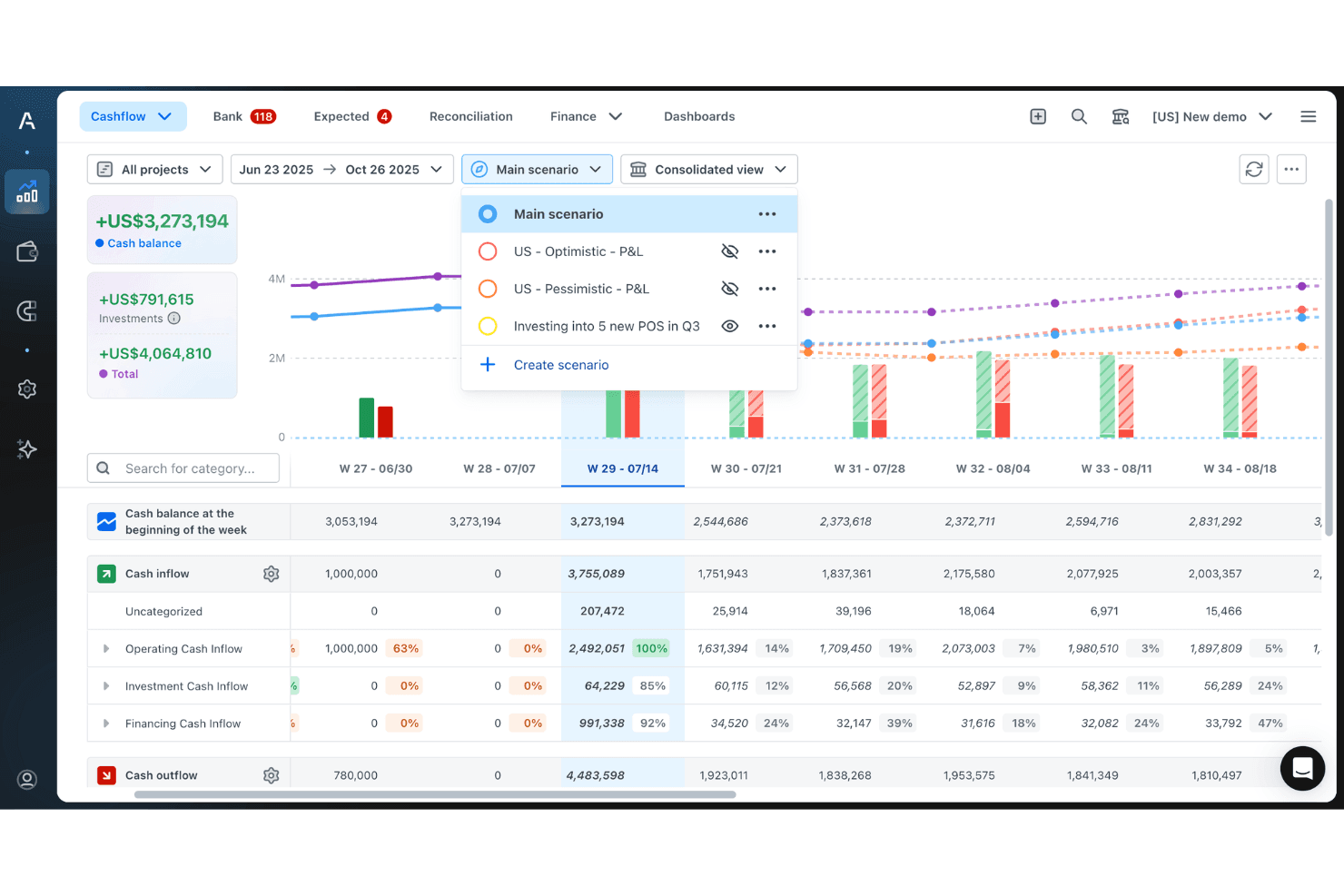
Agicap is a cashflow forecasting software for finance teams at SMEs who need real-time cash visibility across multiple bank accounts and entities. It pulls live banking data and syncs with your accounting software to keep forecasts current without manual updates. I'd consider Agicap over Float if your business needs multi-entity consolidation, scenario planning, or multi-currency support. Those are areas where Float's simplicity starts to feel limiting.
Agicap Evaluation Summary
4.4/5
- Pricing upon request
- Free demo + free trial available
Why Trust Our Software Recommendations
6,700+
Reviews
20
Industry experts
16+
Evaluation factors
14
Years
Our team has been testing and reviewing software since 2012. As finance leaders ourselves, we know how difficult—and important—it is to choose the right software.
For this guide, we evaluated tools using hands-on testing and independent research, scoring tools using our selection criteria.
Our reviews reflect our human editorial judgment, not a sales pitch.
Agicap Overview
In my opinion, Agicap is a solid option for cash flow management, especially for mid-sized businesses needing precise forecasting. Its real-time tracking and forecasting features are top-notch, making it a good fit for industries like retail and manufacturing. While its onboarding might require a bit more hand-holding, the ease of use and customer support generally make up for it. Compared to other providers, Agicap offers a good balance of functionality and pricing, though it might not be the best fit for companies seeking extensive ERP integrations. If your team values accurate cash flow insights, automated invoicing, and streamlined spend management, Agicap is worth considering.
Pros
- You get real-time cash flow tracking and forecasting.
- It's user-friendly and easy to navigate for your team.
- Agicap offers strong customer support when you need help.
Cons
- Onboarding can be challenging for new users.
- You might find limited integration options compared to other tools.
- The software could use more customization features tailored to specific needs.
Is Agicap Right For Your Needs?
Who Would be a Good Fit for Agicap?
Agicap is ideal for mid-sized businesses and finance teams in industries like retail and manufacturing. If your team needs precise cash flow forecasting and real-time tracking, Agicap’s management software and workflow automation are tailored for you. Its ease of use and strong support make it suitable for finance managers and treasury departments who value efficient decision-making. With Agicap, you can connect multiple bank accounts and keep a close eye on liquidity, making it an essential choice for those looking to improve financial insights and cash flow forecasting accuracy.
- Retail IndustryAgicap provides real-time cash flow insights that help you manage inventory, receivables, and sales fluctuations effectively.
- Manufacturing CompaniesYou can rely on Agicap’s forecasting to optimize production schedules, manage accounts payable, and streamline supplier payments smoothly.
- Finance DepartmentsYour finance team benefits from the software’s user-friendly interface and dashboard, making it easier to monitor daily cash flow and automate recurring tasks.
- Mid-Sized BusinessesAgicap is a great fit if you need a detailed cash flow analysis without the complexity of larger ERP systems.
- Treasury TeamsAgicap’s accurate tracking and scenario planning help your team make informed financial decisions.
- Financial Planning and AnalysisAgicap supports your work with precise forecasting tools and modules that enhance budgeting and planning efforts.
Who Would be a Bad Fit for Agicap?
Agicap might not suit large enterprises needing extensive integrations with complex ERP systems, as its integration options tend not to be natively connected, but instead require painstaking integrating, which can be onerous. If your team requires highly customizable modules or operates in a complex financial environment, Agicap’s straightforward approach could fall short. Additionally, startups or businesses with simple cash flow needs might find Agicap’s functionalities more than they require, making it a less cost-effective choice.
- Large EnterprisesYour need for extensive integrations and custom modules might not be met by Agicap’s API-first options.
- Tech StartupsIf you’re a startup with straightforward cash flow needs, Agicap’s advanced forecasting and automation features might be unnecessary.
- Complex Financial EnvironmentsAgicap’s simplicity could leave your operations lacking the necessary customization or detailed financial management capabilities.
- Freelancers and SolopreneursFor simple invoicing or spend management, Agicap’s robust features may be overkill.
- Non-Profit OrganizationsYou might require more tailored features for nonprofit financial management and accounting workflows than Agicap offers.
- Highly Regulated IndustriesIf you’re in a highly regulated sector, Agicap’s standard features might not cover all your compliance requirements.
How We Test & Score Tools
We’ve spent years building, refining, and improving our software testing and scoring system. The rubric is designed to capture the nuances of software selection and what makes a tool effective, focusing on critical aspects of the decision-making process.
Below, you can see exactly how our testing and scoring works across seven criteria. It allows us to provide an unbiased evaluation of the software based on core functionality, standout features, ease of use, onboarding, customer support, integrations, customer reviews, and value for money.
Core Functionality (25% of final scoring)
The starting point of our evaluation is always the core functionality of the tool. Does it have the basic features and functions that a user would expect to see? Are any of those core features locked to higher-tiered pricing plans? At its core, we expect a tool to stand up against the baseline capabilities of its competitors.
Standout Features (25% of final scoring)
Next, we evaluate uncommon standout features that go above and beyond the core functionality typically found in tools of its kind. A high score reflects specialized or unique features that make the product faster, more efficient, or offer additional value to the user.
We also evaluate how easy it is to integrate with other tools typically found in the tech stack to expand the functionality and utility of the software. Tools offering plentiful native integrations, 3rd party connections, and API access to build custom integrations score best.
Ease of Use (10% of final scoring)
We consider how quick and easy it is to execute the tasks defined in the core functionality using the tool. High scoring software is well designed, intuitive to use, offers mobile apps, provides templates, and makes relatively complex tasks seem simple.
Onboarding (10% of final scoring)
We know how important rapid team adoption is for a new platform, so we evaluate how easy it is to learn and use a tool with minimal training. We evaluate how quickly a team member can get set up and start using the tool with no experience. High scoring solutions indicate little or no support is required.
Customer Support (10% of final scoring)
We review how quick and easy it is to get unstuck and find help by phone, live chat, or knowledge base. Tools and companies that provide real-time support score best, while chatbots score worst.
Customer Reviews (10% of final scoring)
Beyond our own testing and evaluation, we consider the net promoter score from current and past customers. We review their likelihood, given the option, to choose the tool again for the core functionality. A high scoring software reflects a high net promoter score from current or past customers.
Value for Money (10% of final scoring)
Lastly, in consideration of all the other criteria, we review the average price of entry level plans against the core features and consider the value of the other evaluation criteria. Software that delivers more, for less, will score higher.
Core Features
Real-Time Cash Flow Tracking: You can monitor your cash flow as it happens, giving your team up-to-date financial insights. This feature helps finance teams react quickly to changes in liquidity.
Forecasting Tools: Agicap offers detailed cash flow forecasting capabilities that allow your team to predict cash trends and receivables. These tools help with scenario planning and decision-making.
Budget Management: You can set and manage budgets easily, ensuring your team stays on target. This functionality helps control spending and aligns with your financial goals.
Multi-Account Management: Manage multiple bank accounts in one place with secure banking connections, simplifying your cash flow management.
Customizable Dashboards: Agicap lets you tailor dashboards to display the data most relevant to your work.
Reporting and Analytics: Generate in-depth reports that provide insights into your cash flow and financial health.
Standout Features
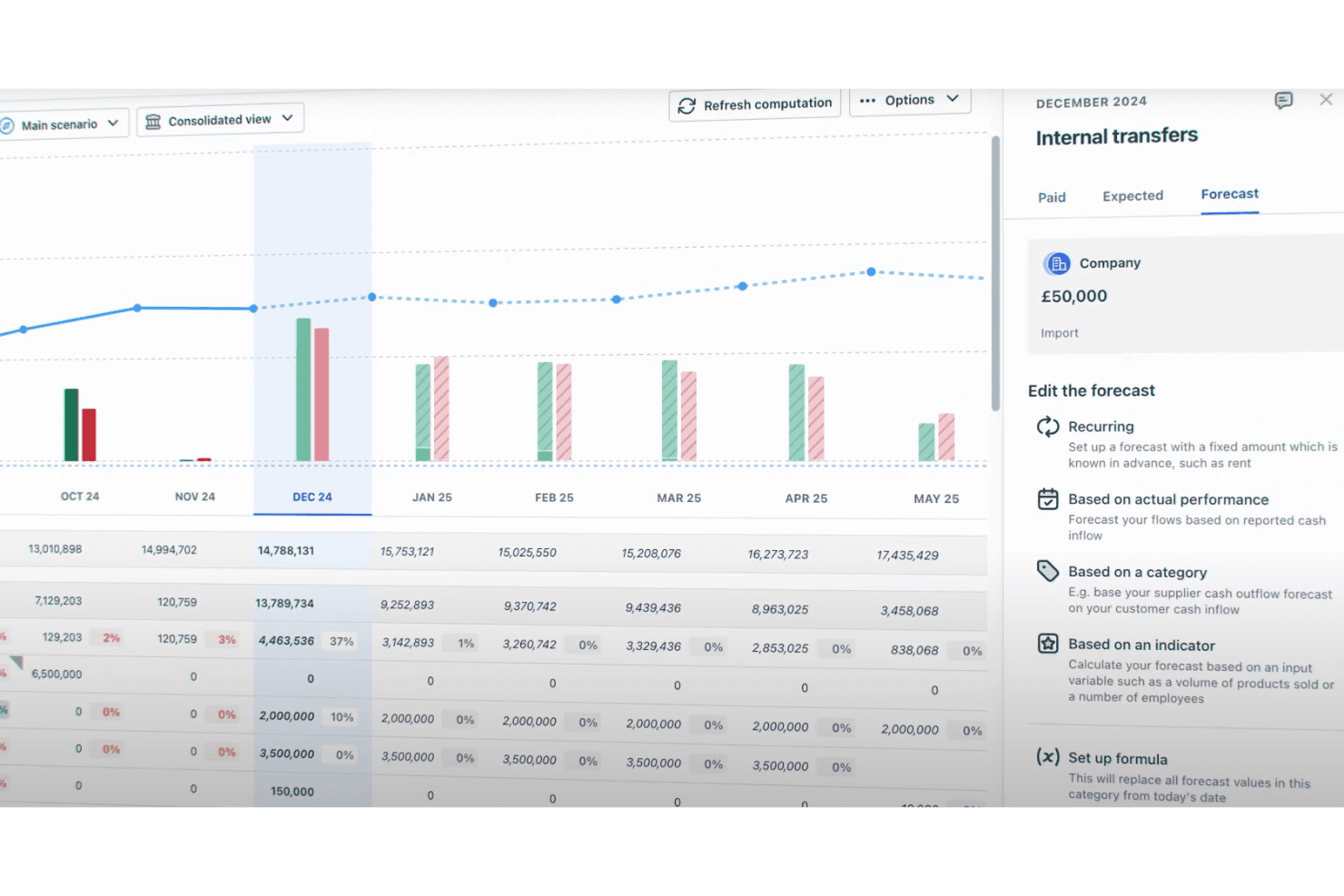
Scenario Planning: Create various financial scenarios to test different business outcomes.
User-Friendly Interface: Agicap’s intuitive interface and all-in-one workflow management simplify complex tasks like invoice management and spend management.
Ease of Use
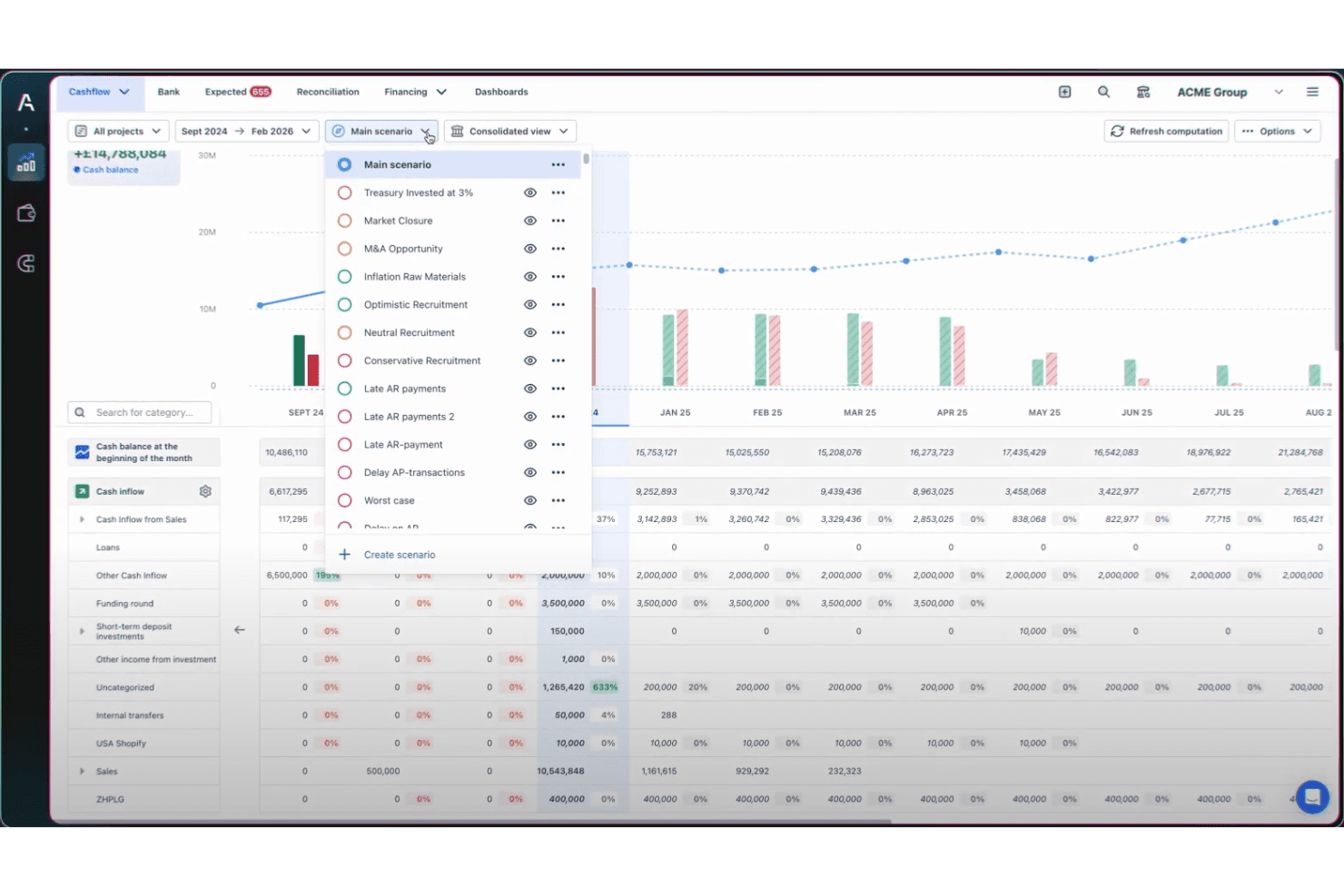
Agicap scores well in terms of user-friendliness, making it accessible to finance teams and CFOs. Its intuitive interface and dashboard design simplify forecasting, reporting, and bank account reconciliation.

Onboarding
Agicap's onboarding experience might be challenging at first, as it requires more guidance than some users expect. However, once you get past the initial setup, the available support and resources, such as tutorials and customer service, help your team get up to speed. Users often appreciate the support team’s responsiveness, which helps smooth out the onboarding process and ensures they quickly see value from the software.
Customer Support
Agicap offers solid customer support that users find reliable and helpful. The support team is known for its quick response times and effective problem-solving, which ensures that your team can resolve issues without long delays. Agicap provides multiple support channels, including email and live chat, enhancing your overall experience. Users often highlight the support team's ability to address concerns efficiently, making it a strong aspect of Agicap's service for cash flow management.
Integrations
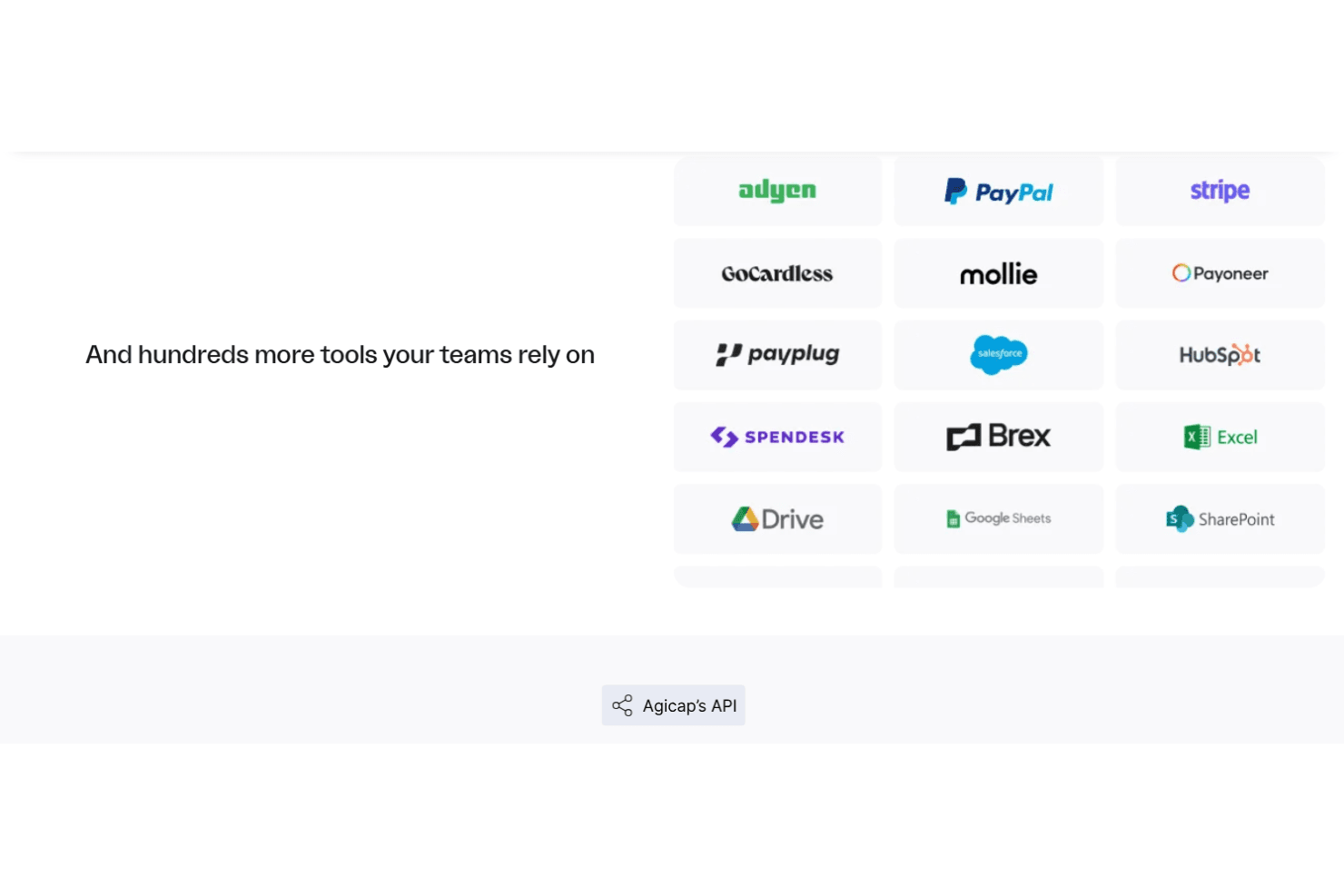
Agicap integrates with Xero, NetSuite, Infor, MS Navision, SAP B1, Sage 100, Odoo, Pennylane, and more.
As for integration with other financial software packages, Agicap indicates that it is compatible with more than 150 external packages through its API, which supports third-party integration tools, allowing users to customize their tech stack.
Value for Money
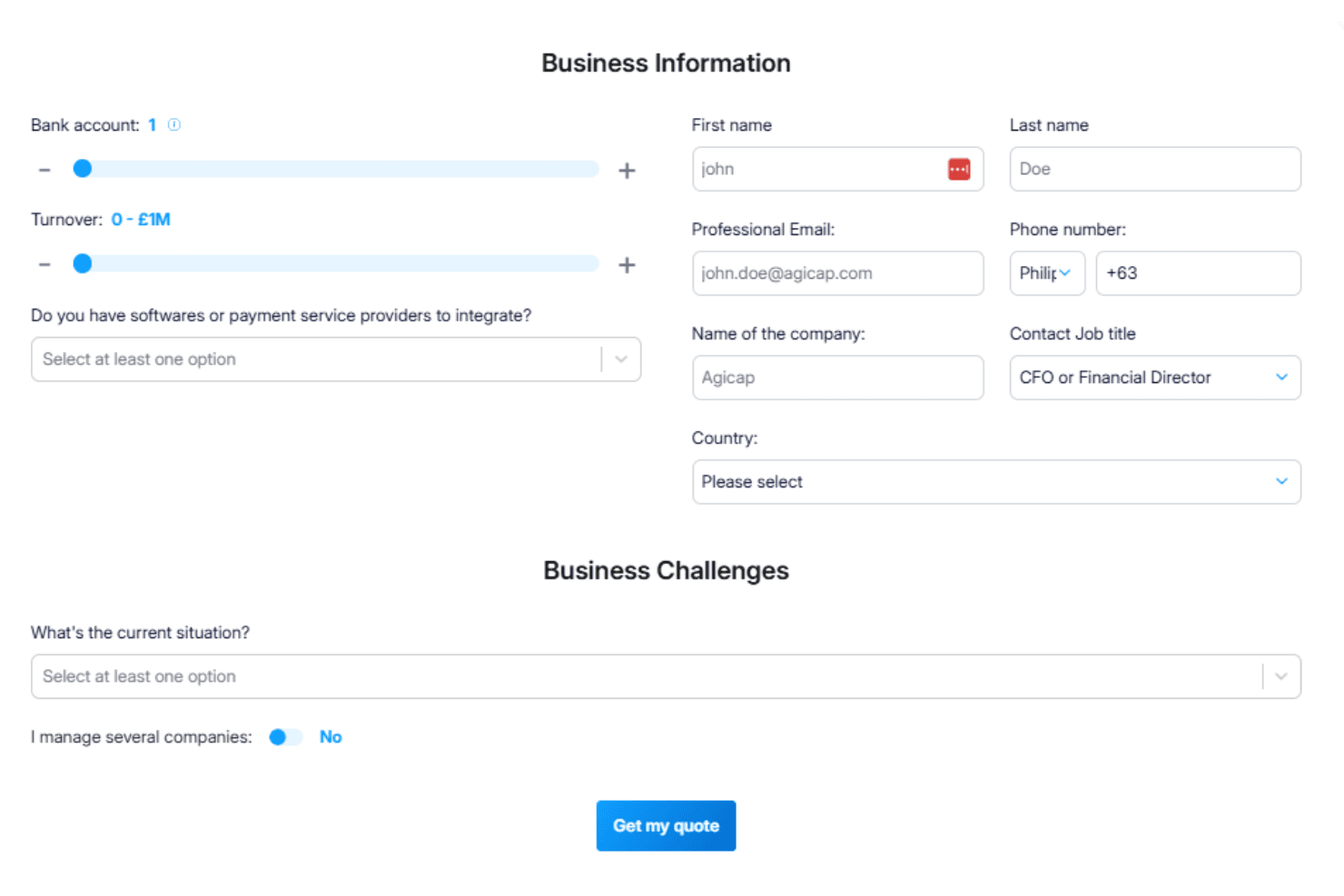
Agicap pricing offers customizable plans that cater to your business's specific needs, making it a flexible choice for cash flow management. You can tailor subscriptions based on factors like the number of bank accounts and turnover, ensuring you only pay for what you need. A free trial is available, allowing your team to assess its value before committing to a purchase. Agicap does not publicize its pricing, but invites potential customers to contact it to request a quote.
Agicap Specs
- AI Integration: No
- Analytics: Yes
- Approval Workflows: No
- Budgeting: Yes
- Comparative Reporting: No
- Custom Reports: No
- Dashboards: Yes
- Data Export: Yes
- Data Import: Yes
- Data Mining: No
- Data Visualization: Yes
- External Integrations: Yes
- Financial Analysis: No
- Historical Data Analysis: No
- Multi-Currency: Yes
- Notifications: Yes
- Process Reporting: No
- Reports: Yes
- Risk Assessment: No
- Roadmapping: No
- Scenario Planning: Yes
- Time Series Modeling: No
- Visualization: No
- Workflow Management: No
Agicap FAQs
Agicap Company Overview & History
Agicap, founded in 2016, is a fintech company headquartered in Lyon, France. It specializes in cash flow and treasury management software for small and medium-sized businesses, helping finance teams automate processes, forecast, and optimize liquidity.
As of 2025, Agicap employs over 600 people across five European offices and serves more than 8,000 clients in 11 countries. The company has raised significant funding, reaching a valuation of around $500 million. Notable investors include Partech Partners, BlackFin Capital Partners, and Greenoaks Capital. Agicap competes with other treasury and spend management providers, focusing on delivering real-time visibility, forecasting, and scenario planning.
Agicap Major Milestones
2016: Founded in Lyon, France, by Clément Mauguet, Lucas Bertola, and Sébastien Beyet.
2021: Raised $100 million in a Series B round led by Greenoaks, accelerating European expansion.
2022: Expanded operations to 11 countries with localized teams and product support.
2023: Estimated valuation of $500 million with a workforce surpassing 500 employees.
2025: Serves 8,000+ clients across Europe, positioning itself as a leading treasury management powerhouse.