

Apron Review 2026: Pros, Cons, Features and Pricing Explained
Digging into Apron’s AI-driven accounting, I reveal how it redefines streamlined finances for modern teams—plus the real-world pros, cons, and surprises beyond the marketing buzz.

We review tools independently, and commissions help fund our testing. See our transparency policy, our methodology, or suggest a tool.
Apron is an AI accounting software built around accounts payable automation. It captures invoices, routes approvals, and pays suppliers from one place. I'd consider it if your team is spending too much time chasing invoice approvals or manually processing supplier payments. Compared to Bill.com, Apron is noticeably lighter and faster to configure, making it a stronger fit for finance teams who want AP automation without the implementation overhead.
Apron Evaluation Summary

3.6/5
- From $38/month
- Free plan available + 31-day free trial
Why Trust Our Software Recommendations
6,700+
Reviews
20
Industry experts
16+
Evaluation factors
14
Years
Our team has been testing and reviewing software since 2012. As finance leaders ourselves, we know how difficult—and important—it is to choose the right software.
For this guide, we evaluated tools using hands-on testing and independent research, scoring tools using our selection criteria.
Our reviews reflect our human editorial judgment, not a sales pitch.
Apron Overview
When judging Apron as an AI accounting software, I think its straightforward interface, automated payables, and quick onboarding set it apart for growing teams. You get invoice processing and payment approvals that are easier to manage than many competitors, while the lack of highly advanced analytics or deep custom reporting can hold it back for complex enterprises.
If you’re selecting a platform for small to mid-sized businesses craving time savings, simple approval flows, and direct integrations with leading accounting tools, Apron is one I’d seriously consider.
Pros
- Automates invoice capture and categorization with AI extraction
- Streamlines bill approvals and multi-step workflows
- Provides real-time payment tracking and status updates
Cons
- Accounting integrations are currently limited to Xero and QuickBooks Online
- Supplier statement reconciliation is not currently available
- William AI is limited to eligible accounting partner tiers
Is Apron Right For Your Needs?
Who Would be a Good Fit for Apron?
Apron suits growing businesses and finance teams that need fast, accurate payables automation without heavy IT overhead. Companies with moderate to high invoice volumes, distributed supplier networks, or reliance on multiple team approvals will find Apron’s workflow-friendly tools and pay-as-you-go pricing especially valuable. I think it fits best where finance needs visibility and auditable controls but doesn’t want complex setup or enterprise maintenance.
- Small BusinessesApron’s pay-as-you-go model and simple setup help small teams eliminate manual invoice and payment hassle without technical expertise.
- Accounting FirmsBatch payment, multi-client management, and audit-ready logs let accountants process payables at scale for multiple clients in one dashboard.
- Nonprofit OrganizationsClear audit trails and spend tracking support grant reporting and compliance for mission-driven teams with limited resources.
- AP DepartmentsAutomated invoice capture, approvals, and audit logs streamline repetitive workflow for accounts payable staff and reduce entry errors.
- Service AgenciesManaging vendor payments and keeping track of multiple supplier relationships becomes faster and clearer, ideal for agencies with many contractors.
- Remote-First CompaniesSupplier self-service onboarding and automated approvals help distributed teams manage global payables efficiently with strong controls.
Who Would be a Bad Fit for Apron?
Apron isn’t ideal for massive enterprises with hyper-complex, highly customized ERP requirements or those needing deep integrations across the entire finance tech stack. Teams with very specialized accounting needs, niche industry compliance requirements, or who process mostly reimbursements instead of supplier payments also won’t get the most from Apron’s features. If you need a tool with custom analytics, deep project costing, or extensive procurement workflows, Apron’s not the best match.
- Large EnterprisesComplex businesses needing deep ERP integration and highly customized workflows will outgrow Apron’s mid-market focus.
- Manufacturing CompaniesIf you rely on inventory management, supply chain modules, or industry-specific compliance, Apron’s features fall short.
- Project-Based FirmsConsultancies and firms needing time tracking, job costing, or project-level billing don’t find these tools in Apron.
- Expense-Heavy TeamsIf most spend is expense reimbursement, rather than payables to vendors, Apron is not a full fit.
- Government AgenciesAgencies with strict regulatory requirements and advanced approval steps will need more customization than Apron provides.
- Finance Departments Needing AnalyticsTeams needing advanced financial analytics, AI forecasting, or custom reporting will find Apron’s data tools limited for deep strategic needs.
How We Test & Score Tools
We’ve spent years building, refining, and improving our software testing and scoring system. The rubric is designed to capture the nuances of software selection and what makes a tool effective, focusing on critical aspects of the decision-making process.
Below, you can see exactly how our testing and scoring works across seven criteria. It allows us to provide an unbiased evaluation of the software based on core functionality, standout features, ease of use, onboarding, customer support, integrations, customer reviews, and value for money.
Core Functionality (25% of final scoring)
The starting point of our evaluation is always the core functionality of the tool. Does it have the basic features and functions that a user would expect to see? Are any of those core features locked to higher-tiered pricing plans? At its core, we expect a tool to stand up against the baseline capabilities of its competitors.
Standout Features (25% of final scoring)
Next, we evaluate uncommon standout features that go above and beyond the core functionality typically found in tools of its kind. A high score reflects specialized or unique features that make the product faster, more efficient, or offer additional value to the user.
We also evaluate how easy it is to integrate with other tools typically found in the tech stack to expand the functionality and utility of the software. Tools offering plentiful native integrations, 3rd party connections, and API access to build custom integrations score best.
Ease of Use (10% of final scoring)
We consider how quick and easy it is to execute the tasks defined in the core functionality using the tool. High scoring software is well designed, intuitive to use, offers mobile apps, provides templates, and makes relatively complex tasks seem simple.
Onboarding (10% of final scoring)
We know how important rapid team adoption is for a new platform, so we evaluate how easy it is to learn and use a tool with minimal training. We evaluate how quickly a team member can get set up and start using the tool with no experience. High scoring solutions indicate little or no support is required.
Customer Support (10% of final scoring)
We review how quick and easy it is to get unstuck and find help by phone, live chat, or knowledge base. Tools and companies that provide real-time support score best, while chatbots score worst.
Customer Reviews (10% of final scoring)
Beyond our own testing and evaluation, we consider the net promoter score from current and past customers. We review their likelihood, given the option, to choose the tool again for the core functionality. A high scoring software reflects a high net promoter score from current or past customers.
Value for Money (10% of final scoring)
Lastly, in consideration of all the other criteria, we review the average price of entry level plans against the core features and consider the value of the other evaluation criteria. Software that delivers more, for less, will score higher.
Core Features
AI-Powered Invoice Capture
Apron scans incoming invoices and auto-extracts data fields with AI. This cuts down on manual data entry and human error.
Automated Bill Approvals
You can route invoices for approval based on custom logic and roles. Decision-makers get clear, timely prompts to keep things moving.
Payment Scheduling and Execution
Schedule payments to suppliers in a few clicks, with full visibility. Apron handles multi-step pay runs and tracks payment statuses.
Real-Time Spend Tracking
Apron updates payment and bill statuses instantly so you always know what’s outstanding. Dashboards show clear payment histories and upcoming liabilities.
Audit and Activity Logs
Every invoice, comment, and payment attempt is automatically recorded. You get a transparent audit trail for approval history and compliance needs.
Vendor Management
Store, manage, and update supplier details in one place. Apron links vendors to all related payables for easier relationship oversight.

Standout Features
Batch Payments Across Multiple Suppliers
Apron lets you pay multiple invoices from different suppliers in a single transaction. This saves time and reduces bank processing fees for finance teams.
Self-Serve Supplier Onboarding
Suppliers can submit their bank details and payment preferences directly through a secure portal. This reduces back-and-forth and keeps sensitive data out of emails.
Ease of Use
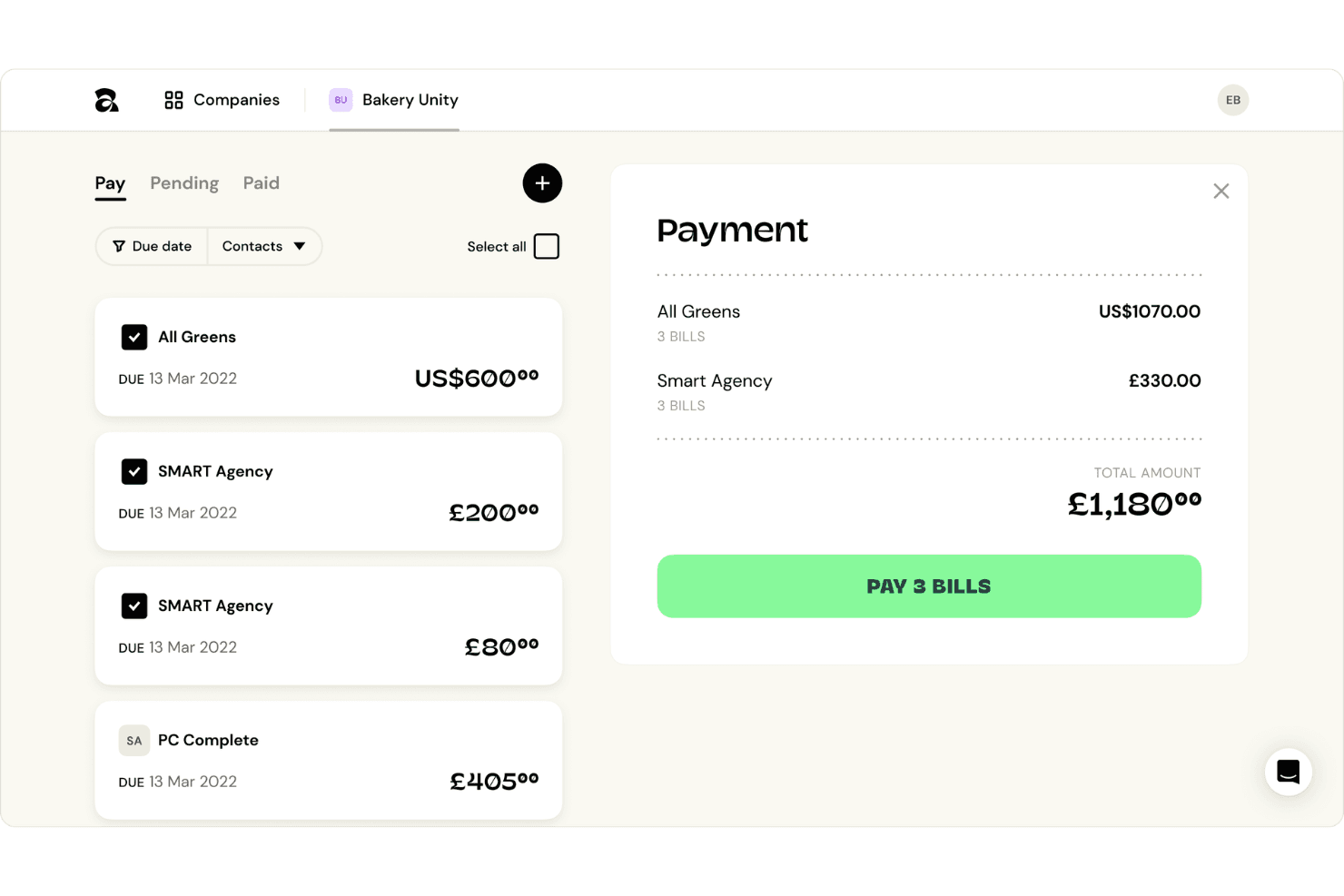
I find Apron noticeably user-friendly, with a clean dashboard and intuitive navigation that new users consistently praise in reviews. Setting up approval workflows and onboarding suppliers takes just minutes, and invoice capture is automated with almost no manual adjustment needed. Tasks like batch payment and status tracking are quick to access, letting even small finance teams handle high transaction volumes without getting slowed down by complexity.

Onboarding
Apron impresses me with its fast onboarding—users report going live in under a day, thanks to guided walkthroughs, built-in templates, and responsive live chat support. The resource center and video tutorials quickly answer common questions, so even teams new to AI accounting software reach value fast without hand-holding.
Customer Support
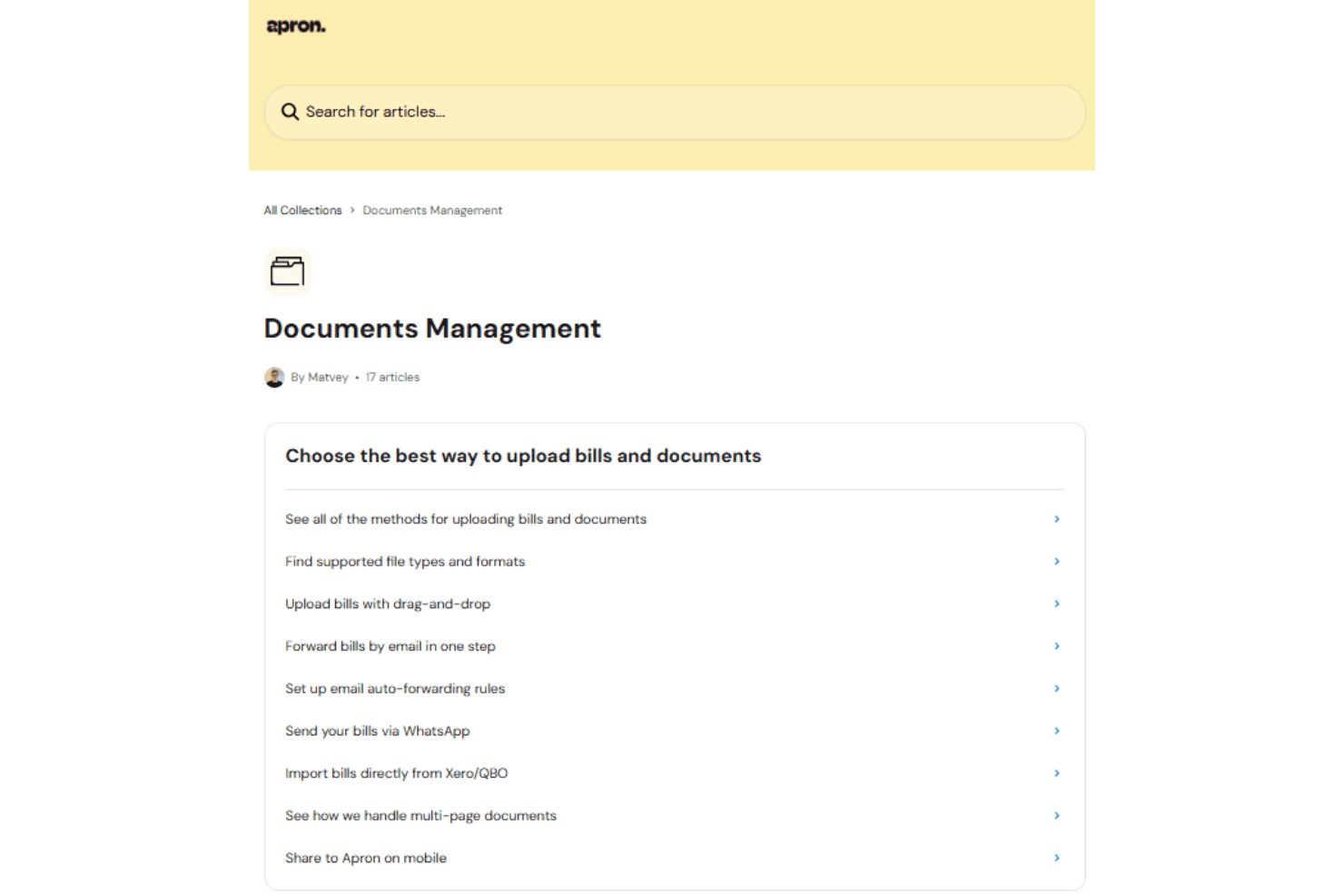
Apron’s customer support stands out for its speed and attentiveness, with users citing quick responses through live chat and helpful follow-ups on support tickets. There’s a well-organized help center, but what makes the difference is access to real human support—teams mention getting issues resolved quickly, which matters for time-sensitive pay runs and vendor questions.
Integrations
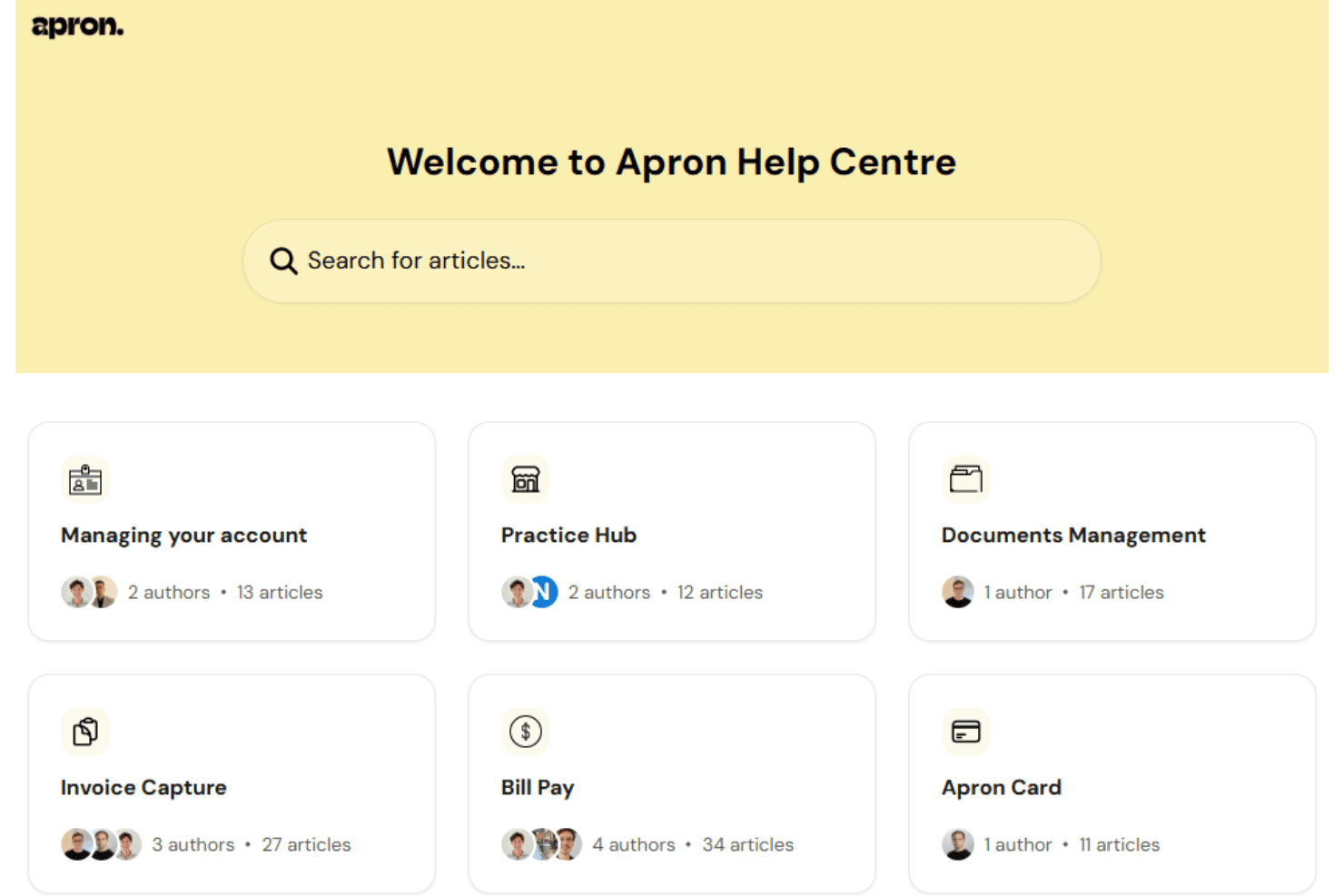
Apron integrates with Xero and QuickBooks Online, with FreeAgent support listed as coming soon. It also connects with business bank accounts and client email inboxes, but Apron does not currently document a public API or third-party integration platform for custom connections.
Value for Money
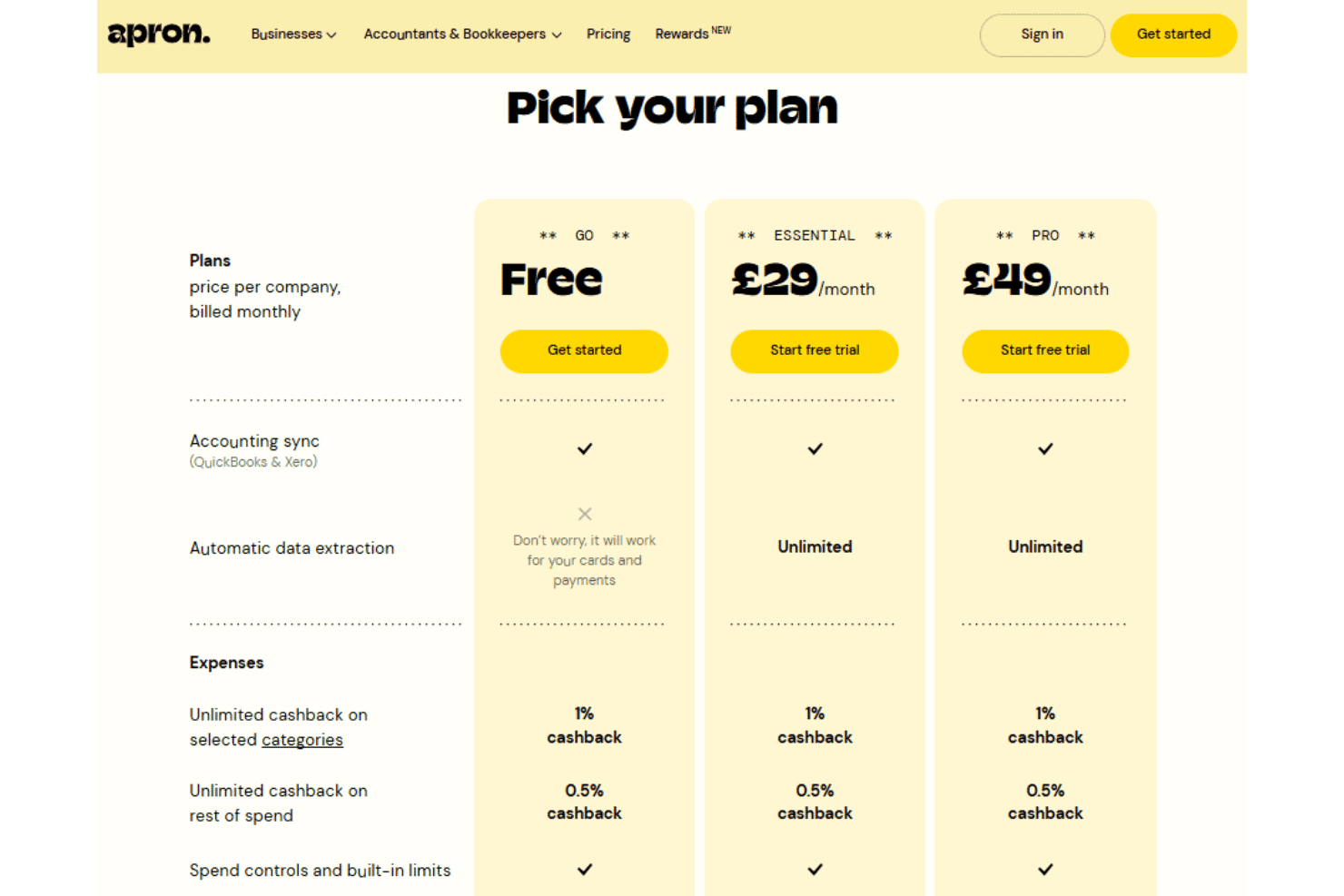
Apron offers a free plan alongside paid monthly subscriptions, with each plan including accounting sync, automatic data extraction, expenses, cashback, spend controls, cards, and payment capabilities. The main differences are the number of included domestic and supplier payments, card limits, and the transaction fees applied once those allowances are exceeded.
- Go: Includes core accounting, expense, card, and payment features, with limits of up to 10 virtual and physical cards, 50 domestic or payroll payments, and five supplier payments.
- Essential: Adds unlimited virtual and physical cards, unlimited accounting sync, and a higher allowance of 50 supplier payments while retaining 50 domestic or payroll payments.
- Pro: Includes unlimited cards and accounting sync, with increased allowances of 100 domestic or payroll payments and 100 supplier payments, plus lower excess supplier payment fees.
Apron Specs
- 2-Factor Authentication: Yes
- Accounts Payable: Yes
- Accounts Receivable: No
- API: No
- Approval Workflows: Yes
- Audit Trail: Yes
- Balance Sheet: No
- Billing/Invoicing: No
- Calendar Management: No
- Compliance Tracking: No
- Contact Management: No
- Custom Reports: No
- Customer Management: No
- Dashboard: Yes
- Data Export: Yes
- Data Import: Yes
- Data Visualization: No
- Document Management: Yes
- Expense Tracking: Yes
- External Integrations: Yes
- Fraud Detection: No
- General Account Ledger: No
- Multi-Account: Yes
- Multi-Currency: Yes
- Notifications: Yes
- Payment Gateway Integration: No
- PayPal: No
- PDF Export: No
- Purchase Orders: No
- Risk Assessment: No
- Stripe: No
- Suspicious Order Monitoring (SOM): No
- Tax Management: No
- Workflow Management: Yes
Apron FAQs
Apron Company Overview & History
Apron is a London-based fintech company that provides payment and financial management software for small and midsize businesses, accountants, and bookkeepers. Founded in 2021 by former Revolut product lead Bogdan Uzbekov, the company helps users manage invoice capture, supplier and payroll payments, expenses, business cards, and accounting synchronization. Apron is privately held and backed by investors including Index Ventures, Bessemer Venture Partners, Zinal Growth, Visionaries Club, and Build Collective.
Apron Major Milestones
- 2021: Apron was founded in London by Bogdan Uzbekov.
- 2023: The company raised a $15 million Series A led by Index Ventures, with participation from Bessemer Venture Partners and Visionaries Club.
- 2023: Apron received coverage from TechCrunch following its Series A and continued expanding its invoice processing and payment platform.
- 2024: Apron raised a $30 million Series B led by Zinal Growth, with participation from existing investors.
- 2024: The company reported that its customer base had grown more than twentyfold since its Series A.