

Avalara Review: Pros, Cons, Features, and Pricing
Avalara excels at automating tax compliance, providing your team with a reliable solution that simplifies complex tax calculations and reporting.

We review tools independently, and commissions help fund our testing. See our transparency policy, our methodology, or suggest a tool.
Avalara is tax software built for businesses that need to automate sales tax, VAT, and excise tax calculations across multiple jurisdictions. If your organization sells across state or country lines, manual compliance gets complicated fast. I'd consider Avalara over TaxJar when your tax obligations span many jurisdictions or include international VAT, since Avalara's filing coverage and compliance automation go significantly deeper than what TaxJar can handle at scale.
Avalara Evaluation Summary
4/5
- Pricing upon request
- Free demo available
Why Trust Our Software Recommendations
6,700+
Reviews
20
Industry experts
16+
Evaluation factors
14
Years
Our team has been testing and reviewing software since 2012. As finance leaders ourselves, we know how difficult—and important—it is to choose the right software.
For this guide, we evaluated tools using hands-on testing and independent research, scoring tools using our selection criteria.
Our reviews reflect our human editorial judgment, not a sales pitch.
Avalara Overview
In my opinion, Avalara is a solid choice for businesses needing reliable tax compliance solutions. It excels with its automation capabilities, making tax calculations and reporting easier. While some users find the onboarding a bit challenging, the overall ease of use and integration with other tools make up for it. Compared to others, Avalara's standout features and customer support may not be top-tier, but the software still offers good value for money. It's well-suited for e-commerce and retail businesses that handle complex tax scenarios. If your team values automation and accuracy, Avalara should be on your shortlist.
Pros
- Avalara automates complex tax calculations, saving your team time and resources.
- It provides accurate tax compliance, reducing manual errors in your work.
- Avalara simplifies reporting, making it easier for your team to manage tax obligations.
Cons
- Some users find the onboarding process challenging.
- Avalara's customer support might not meet all your expectations.
- The user interface could be more intuitive for your work.
Is Avalara Right For Your Needs?
Who Would be a Good Fit for Avalara?
Avalara is an excellent fit for e-commerce businesses and retail chains that handle complex tax scenarios. It automates tax calculations, making your work easier and more accurate. Finance departments and accounting teams benefit from its accurate compliance features, reducing manual errors. If your team struggles with time-consuming tax reporting, Avalara’s streamlined process can save businesses of all sizes time and headaches.
- E-commerce BusinessesAvalara tax and compliance automates tax calculations for multiple jurisdictions, saving your team time and reducing errors.
- Retail ChainsYour retail operations will benefit from Avalara’s accurate sales tax calculations across different locations.
- Finance DepartmentsAvalara simplifies tax compliance, making your department’s reporting more efficient and accurate.
- Accounting TeamsAccount managers can focus on more strategic tasks and reduce manual errors with Avalara’s automated tax compliance features.
- International CompaniesAvalara handles complex international tax scenarios, helping your business comply with global regulations.
- Manufacturing FirmsYour manufacturing firm can benefit from Avalara’s ability to manage product-specific tax rates and exemptions.
Who Would be a Bad Fit for Avalara?
Avalara might not be a good fit for small businesses with simple tax needs, as its robust features may be unnecessary. If your team doesn’t deal with complex tax scenarios or multiple jurisdictions, the software's capabilities could be too much. Additionally, startups with limited budgets may find the onboarding process and customer support less accommodating, making it more challenging for your team to get the most out of Avalara.
- Small BusinessesYour small business might find Avalara too complex for straightforward tax needs.
- StartupsThe onboarding process may be overwhelming for your startup with limited resources.
- FreelancersIf you’re a freelancer, you likely don’t need Avalara’s advanced tax features.
- Local RetailersYour local store might not benefit from Avalara if you only deal with single-location sales tax.
- NonprofitsNonprofits with specific tax exemptions might find Avalara’s features overly complex for their needs.
- Sole ProprietorsAs a sole proprietor, you probably don’t require Avalara’s extensive tax compliance capabilities.
How We Test & Score Tools
We’ve spent years building, refining, and improving our software testing and scoring system. The rubric is designed to capture the nuances of software selection and what makes a tool effective, focusing on critical aspects of the decision-making process.
Below, you can see exactly how our testing and scoring works across seven criteria. It allows us to provide an unbiased evaluation of the software based on core functionality, standout features, ease of use, onboarding, customer support, integrations, customer reviews, and value for money.
Core Functionality (25% of final scoring)
The starting point of our evaluation is always the core functionality of the tool. Does it have the basic features and functions that a user would expect to see? Are any of those core features locked to higher-tiered pricing plans? At its core, we expect a tool to stand up against the baseline capabilities of its competitors.
Standout Features (25% of final scoring)
Next, we evaluate uncommon standout features that go above and beyond the core functionality typically found in tools of its kind. A high score reflects specialized or unique features that make the product faster, more efficient, or offer additional value to the user.
We also evaluate how easy it is to integrate with other tools typically found in the tech stack to expand the functionality and utility of the software. Tools offering plentiful native integrations, 3rd party connections, and API access to build custom integrations score best.
Ease of Use (10% of final scoring)
We consider how quick and easy it is to execute the tasks defined in the core functionality using the tool. High scoring software is well designed, intuitive to use, offers mobile apps, provides templates, and makes relatively complex tasks seem simple.
Onboarding (10% of final scoring)
We know how important rapid team adoption is for a new platform, so we evaluate how easy it is to learn and use a tool with minimal training. We evaluate how quickly a team member can get set up and start using the tool with no experience. High scoring solutions indicate little or no support is required.
Customer Support (10% of final scoring)
We review how quick and easy it is to get unstuck and find help by phone, live chat, or knowledge base. Tools and companies that provide real-time support score best, while chatbots score worst.
Customer Reviews (10% of final scoring)
Beyond our own testing and evaluation, we consider the net promoter score from current and past customers. We review their likelihood, given the option, to choose the tool again for the core functionality. A high scoring software reflects a high net promoter score from current or past customers.
Value for Money (10% of final scoring)
Lastly, in consideration of all the other criteria, we review the average price of entry level plans against the core features and consider the value of the other evaluation criteria. Software that delivers more, for less, will score higher.
Core Features
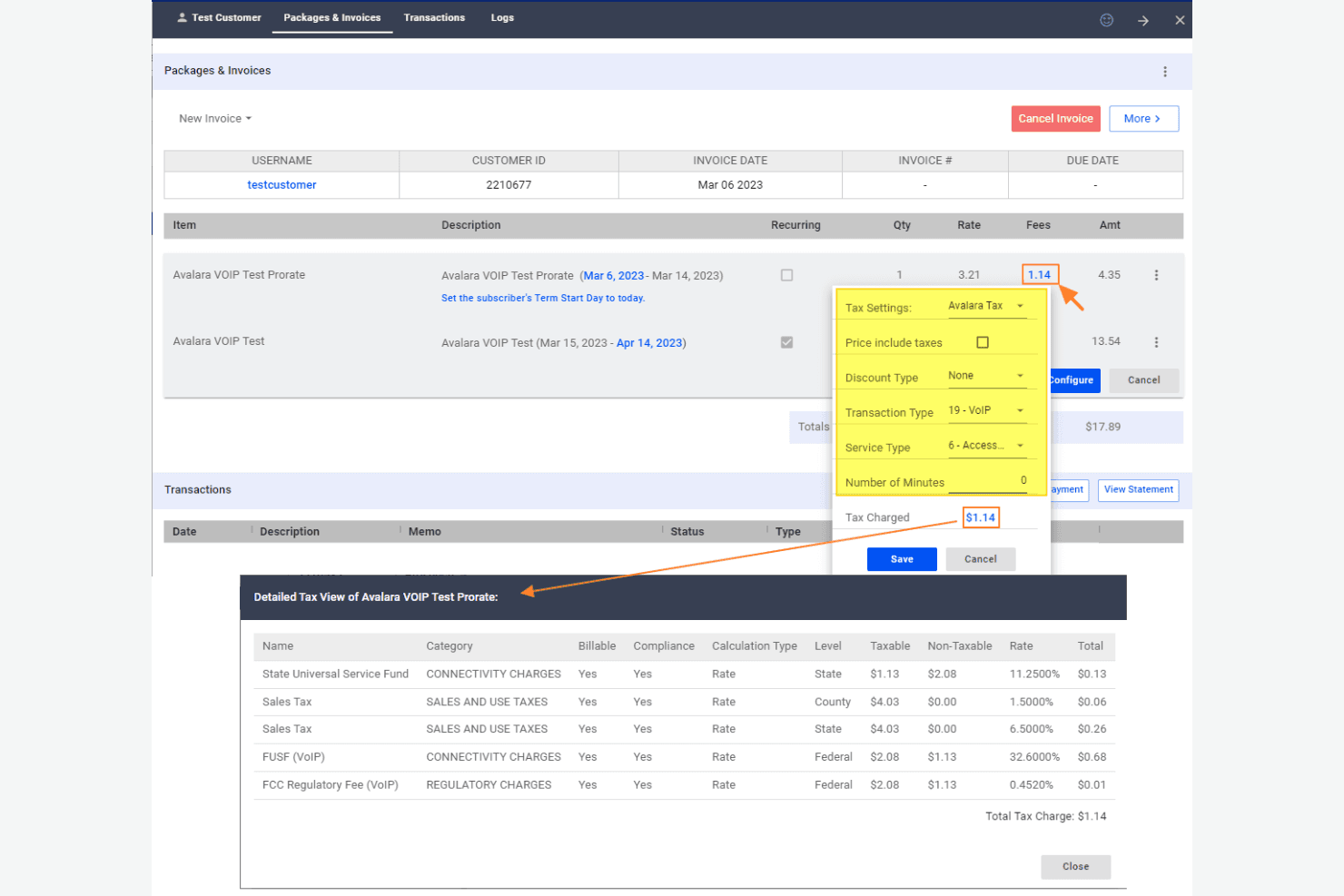
Automated Tax Calculation: Avalara automatically calculates taxes for your transactions, ensuring accuracy and saving you time on manual entries.
Tax Filing: Avalara handles your tax filing, taking care of paperwork and deadlines so your team can focus on other tasks.
Sales Tax Management: It manages sales tax rates and rules for different jurisdictions, making it easier for your business to comply.
Tax Reporting: Avalara provides detailed tax reports, offering insights into your tax obligations and supporting audits.
Exemption Certificate Management: This feature enables you to manage exemption certificates effectively, ensuring your business remains compliant and error-free.
Address Validation: Avalara verifies addresses for tax purposes, reducing errors in tax rates and saving your team from compliance issues.
Standout Features
Global Tax Compliance: Avalara supports global tax compliance, making it ideal for businesses operating in multiple countries with complex tax regulations.
Real-Time Rate Calculation: It offers real-time tax rate calculations, ensuring your team always applies the correct rate instantly during transactions.
Ease of Use
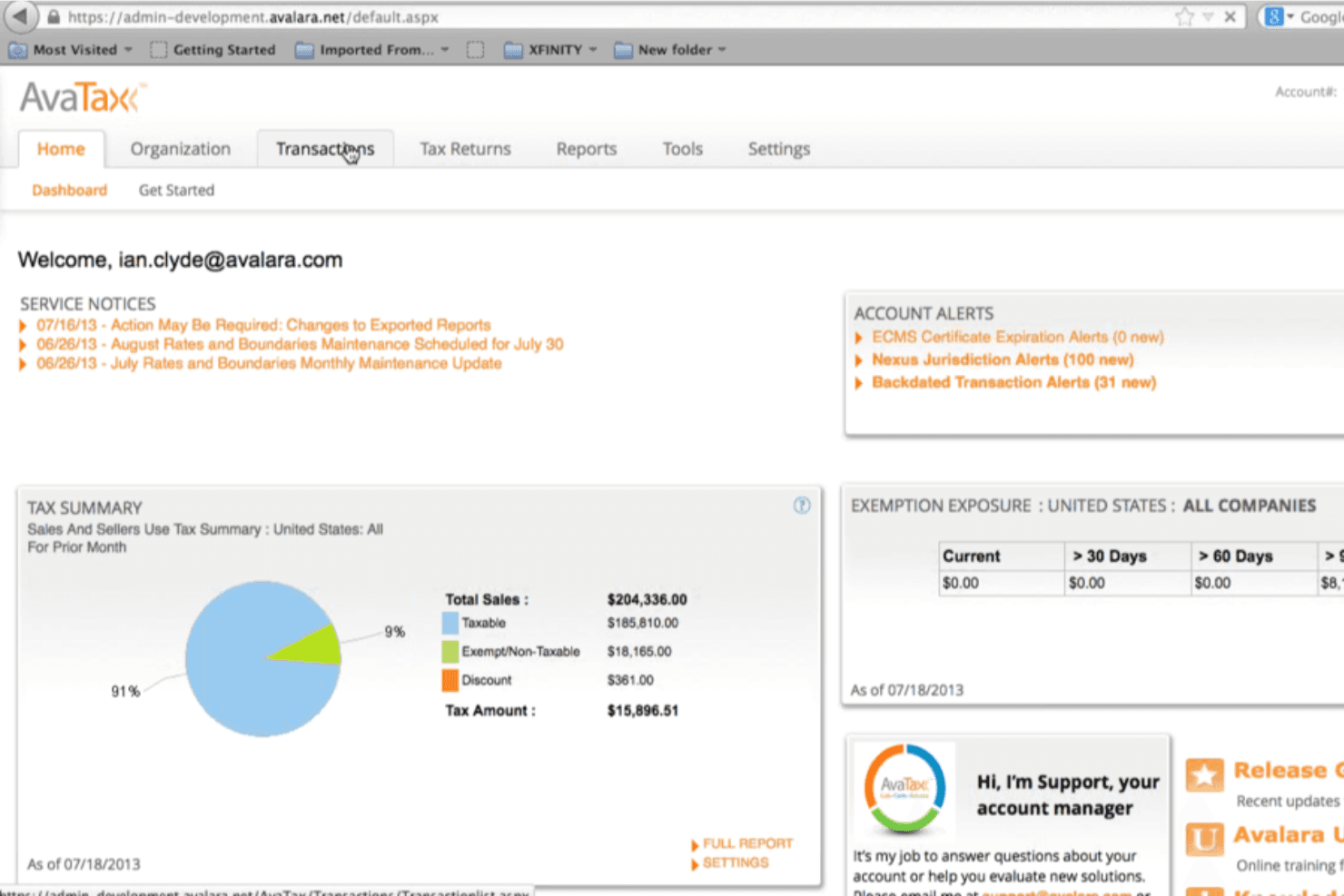
Avalara is fairly user-friendly, but there’s a learning curve that might challenge your team initially. Its interface is straightforward, but some users find navigating through complex tax scenarios a bit daunting. Once your team gets accustomed to its functionalities, managing tax compliance becomes easier and more efficient. Avalara's automated features help reduce manual work, making your day-to-day tasks more manageable. Overall, it strikes a solid balance between functionality and ease of use, although the onboarding process could be smoother.
Onboarding
Avalara's onboarding experience can be a bit challenging for new users, often requiring your team to invest time in learning its features. While the initial setup might seem complex, Avalara offers resources like online tutorials and help guides to assist you. Support is available, but some users feel that response times could be improved. Once your team navigates the onboarding phase, the software’s automation significantly eases tax compliance tasks, making the initial effort worthwhile.
Customer Support
Avalara's customer support is decent, but there’s room for improvement. Your team might find follow up times longer than expected, which can be frustrating during urgent tax issues. Avalara offers various support channels, including phone and email, but some users feel the assistance lacks depth. The available online resources and tutorials can be helpful, but direct support may not always meet your team's needs. User reviews indicate a positive overall rating, but it could be improved if the technical support team were more responsive.

Integrations
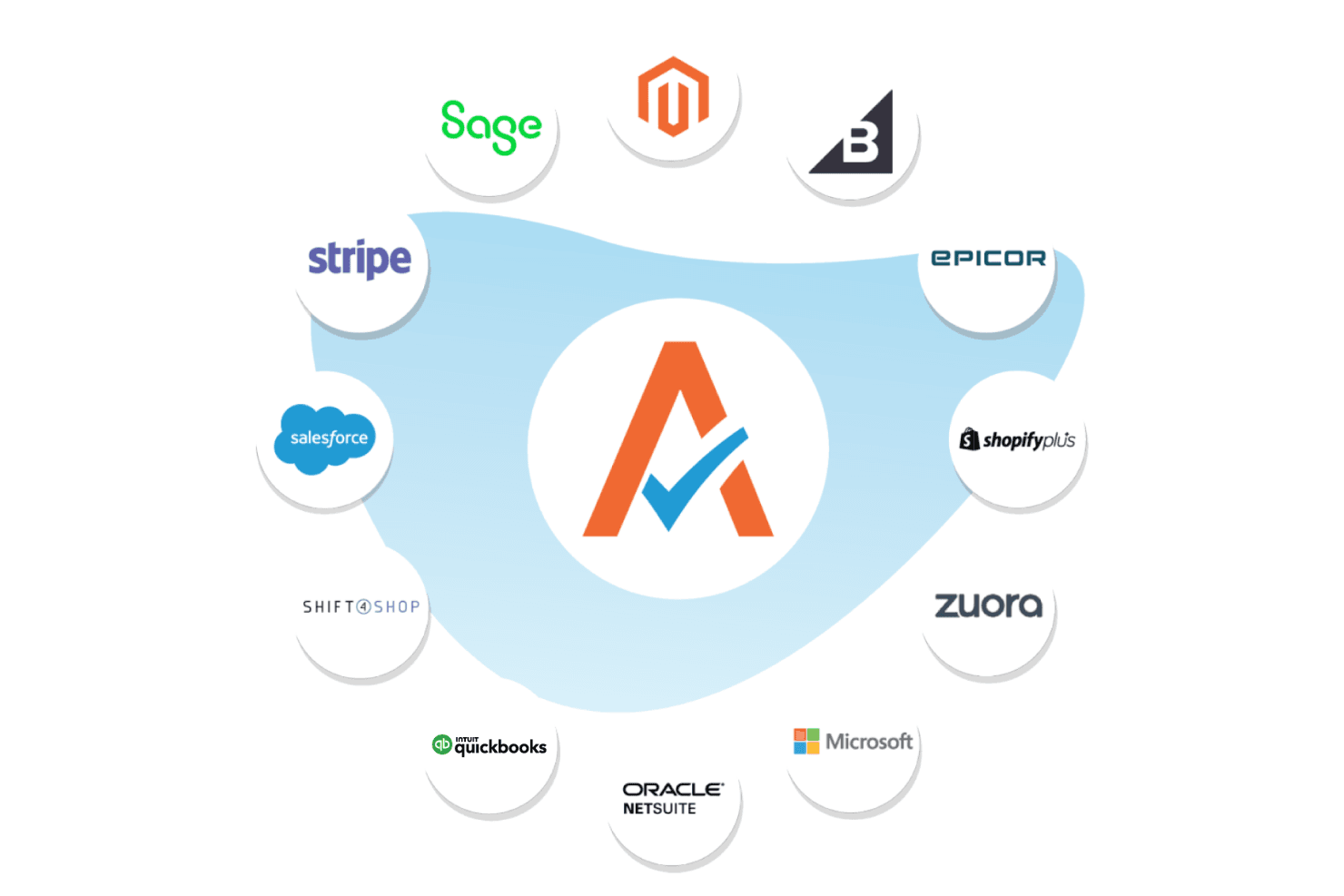
Avalara integrates with Shopify, NetSuite, SAP, QuickBooks, Sage, BigCommerce, WooCommerce, Salesforce, Zuora, Adobe Commerce, and more.
Avalara also provides an API for custom integrations and connects with 1,400 partner integrations across ERP, ecommerce, procurement, and POS platforms.
Value for Money
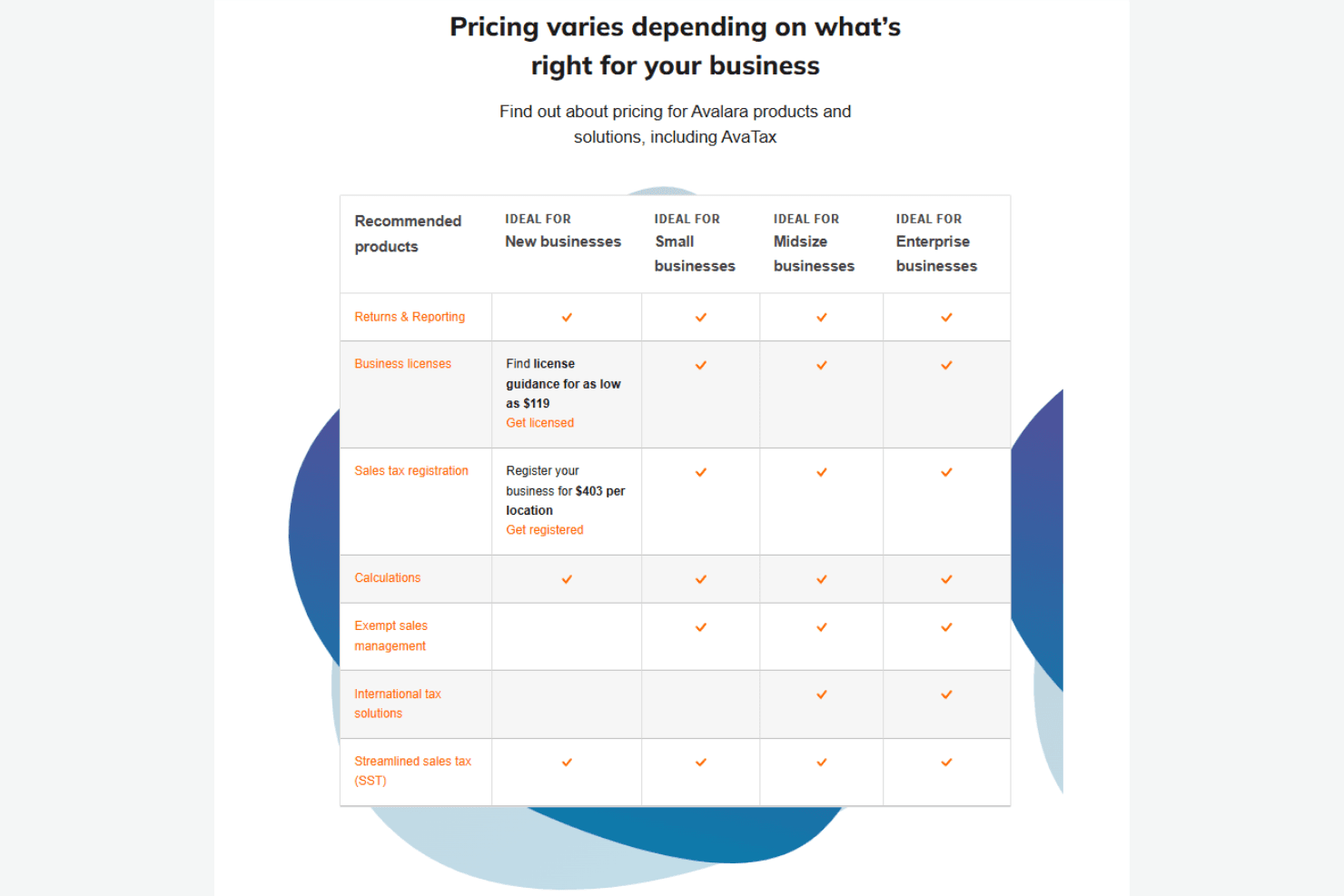
Avalara does not list public plan prices. It indicates that its pricing is usage-based and tailored to your specific needs. Avalara provides a free trial, allowing your team to evaluate the software before purchasing. You can also request a demo.
Avalara Specs
- 2-Factor Authentication: Yes
- Cloud Deployment: Yes
- Dashboard: Yes
- Data Export: Yes
- Data Import: Yes
- External Integrations: Yes
- Inventory Tracking: No
- Multi-User: Yes
- Network Device Performance Monitoring: No
- Notifications: Yes
- Password & Access Management: Yes
- Remote Access: No
Avalara FAQs
Avalara Company Overview & History
Avalara is a tax-compliance software company headquartered in Seattle, Washington, providing cloud-based solutions for automating transaction tax, such as sales and use tax, along with related compliance. The company operates 15 offices worldwide and has over 4,900 employees serving more than 43,000 customers globally. In October 2022, Avalara was acquired by Vista Equity Partners and taken private in a transaction valued at $8.4 billion. In 2023, it exceeded $1 billion in revenue as a profitable business.
Avalara Major Milestones
2004: Founded by Scott McFarlane, Rory Rawlings, and Jared Vogt.
2018: Avalara goes public with its IPO.
2022: Acquired by Vista Equity Partners for $8.4 billion.
2023: Filed more than 6 million tax returns.
2025: Filed for a US IPO to return to the public market.