
14 Best ERP Budgeting Software Solutions for 2026

ERP Budgeting Software Shortlist
Here’s my shortlist of the best ERP budgeting software:


ERP budgeting software helps your team plan, track, and manage budgets directly within your enterprise resource planning system. If you’re searching for the best ERP budgeting software, you’re likely balancing complex reporting needs, tight deadlines, and the pressure to deliver accurate forecasts that support business decisions.
The right solution can help you improve financial visibility, maintain compliance, and optimize budgets with shifting priorities—without disrupting your existing workflows. In this list, you’ll find a clear comparison of leading ERP budgeting tools for 2026, so you can confidently choose the platform that fits your organization’s financial planning requirements.
Why Trust Our Software Reviews
Best ERP Budgeting Software Summary
This comparison chart summarizes pricing details for my top ERP budgeting software selections to help you find the best one for your budget and business needs.
| Tool | Best For | Trial Info | Price | ||
|---|---|---|---|---|---|
| 1 | Best for workforce-driven budget forecasting | Free demo available | Pricing upon request | Website | |
| 2 | Best for automated forecasting tools | Free demo available | Pricing upon request | Website | |
| 3 | Best for integration with Microsoft ecosystem | 30-day free trial + free demo available | From $200/user/month (billed annually) | Website | |
| 4 | Best for real-time financial consolidation | Free demo available | From $99/user/month, plus a $999 base fee/month | Website | |
| 5 | Best with advanced scenario modeling | Free demo available | Pricing upon request | Website | |
| 6 | Best with open-source customization options | Free plan available | From $0/user/month | Website | |
| 7 | Best for public sector financial planning | Free demo available | Pricing available upon request | Website | |
| 8 | Best for non-profit and public sector needs | Free demo available | Pricing upon request | Website | |
| 9 | Best with multi-subsidiary budget management | Free demo available | Pricing available upon request | Website | |
| 10 | Best for government contract compliance | Free demo available | From $800/month | Website |
-

LiveFlow
Visit WebsiteThis is an aggregated rating for this tool including ratings from Crozdesk users and ratings from other sites.4.9 -
Float Financial
Visit WebsiteThis is an aggregated rating for this tool including ratings from Crozdesk users and ratings from other sites.4.1 -
Rippling Spend
Visit WebsiteThis is an aggregated rating for this tool including ratings from Crozdesk users and ratings from other sites.4.8


ERP Budgeting Software Reviews
Below are my detailed summaries of the best ERP budgeting software that made it onto my shortlist. My reviews offer a detailed look at the features, best use cases, and integrations of each platform to help you find the best one for you.

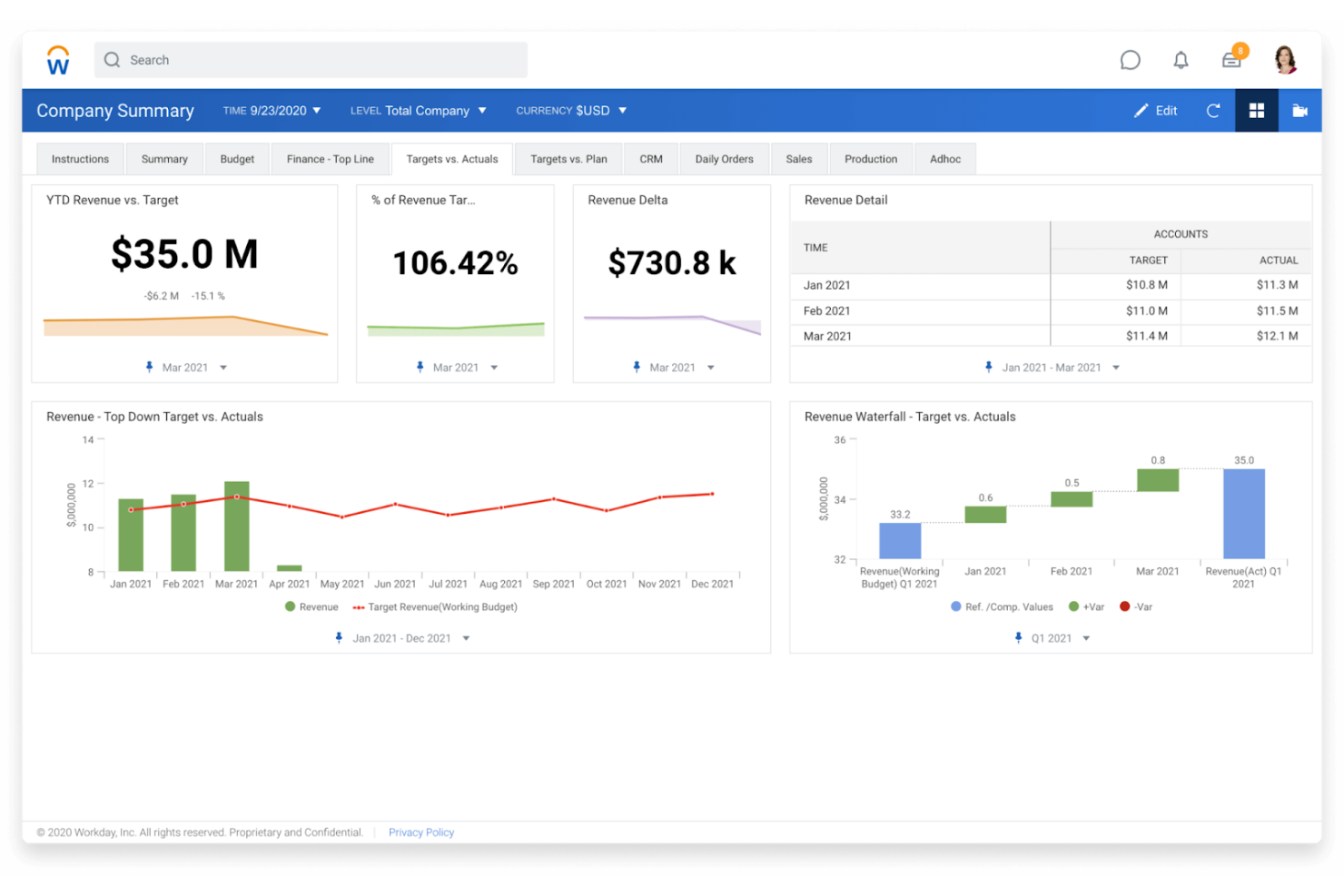
If your organization’s budgeting process is closely tied to workforce planning, Workday offers a unique approach. This ERP budgeting software is designed for HR-driven finance teams that need to connect headcount, compensation, and operational budgets in one place. It’s especially useful for business processes where labor costs are a major driver of financial forecasts and resource allocation.
Why I Picked Workday
What sets Workday apart is its focus on workforce-driven forecasting. I picked this tool because it lets you link headcount planning, compensation modeling, and operational budgets in a single workflow. Workday’s scenario planning features help finance teams model the impact of staffing changes on budgets in real time. This makes it a strong fit for organizations where labor costs and workforce planning are central to financial strategy.
Workday Key Features
In addition to its workforce-driven forecasting capabilities, Workday offers several other features for ERP budgeting:
- Automated Budget Versioning: Create and manage multiple versions of budgets for comparison and audit purposes.
- Role-Based Access Controls: Set granular permissions for budget creation, review, and approval based on user roles.
- Real-Time Analytics Dashboards: Access up-to-date financial and operational data through customizable dashboards.
- Mobile Budget Approvals: Review and approve budget requests directly from mobile devices.
Integrations
Integrations include Salesforce, Microsoft Office 365, Slack, and Kronos.
Pros and Cons
Pros:
- Unified data for HR and finance teams
- Robust what-if scenario modeling
- Powerful AI-driven rolling forecasts
Cons:
- UI can be clunky for casual users
- Support quality varies by partner

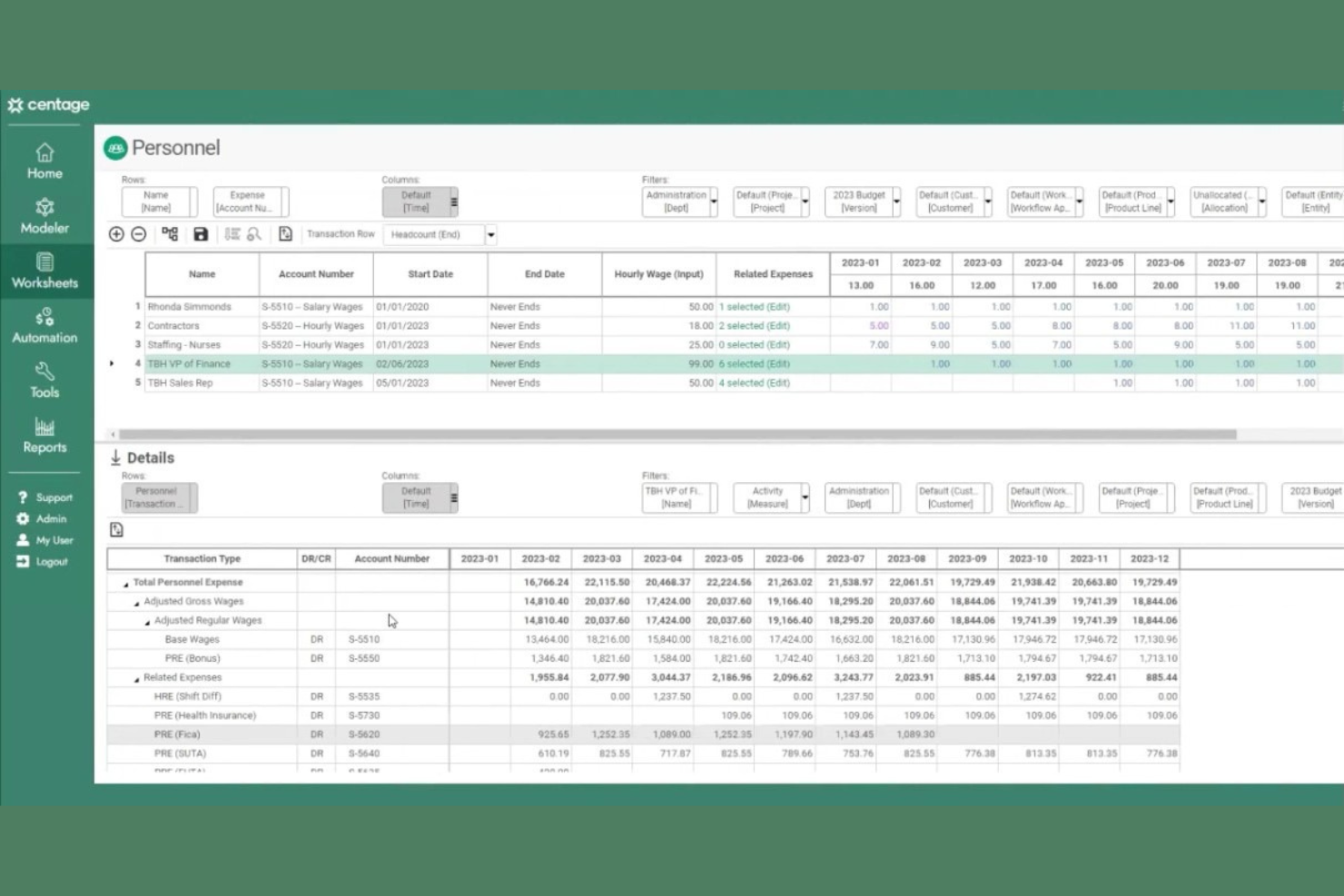
Centage is designed for finance teams that want to automate forecasting and budgeting without relying on manual spreadsheets. It’s especially useful for mid-sized businesses that need dynamic, driver-based models to keep up with changing business conditions. Centage helps you create rolling forecasts and scenario plans, so you can respond quickly to shifts in revenue, expenses, or market trends.
Why I Picked Centage
Centage stands out for its focus on automated forecasting, which is a key need for finance teams managing complex budgets. I picked Centage because it offers built-in driver-based modeling and rolling forecasts, so you can update projections as business conditions change. The platform also supports scenario planning, letting you quickly model the impact of different assumptions on your budget. These features make Centage a strong choice for organizations that want to move beyond static annual budgets and keep their financial plans responsive.
Centage Key Features
I also found several other features that make Centage valuable for ERP budgeting teams:
- GL and ERP System Integration: Connects directly with your general ledger and ERP systems for real-time data syncing.
- Customizable Financial Statements: Lets you design and generate tailored financial reports to match your organization’s needs.
- Audit Trail Tracking: Maintains a detailed log of all changes made to budgets and forecasts.
- User Permissions Management: Allows you to control access and editing rights for different users and departments.
Integrations
Integrations include Sage Intacct and QuickBooks Online.
Pros and Cons
Pros:
- Powerful what-if scenario modeling
- Synchronized P&L, balance sheet, cash flow
- Fast, driver-based budget creation
Cons:
- Data maintenance can be cumbersome
- Slow performance on complex reports

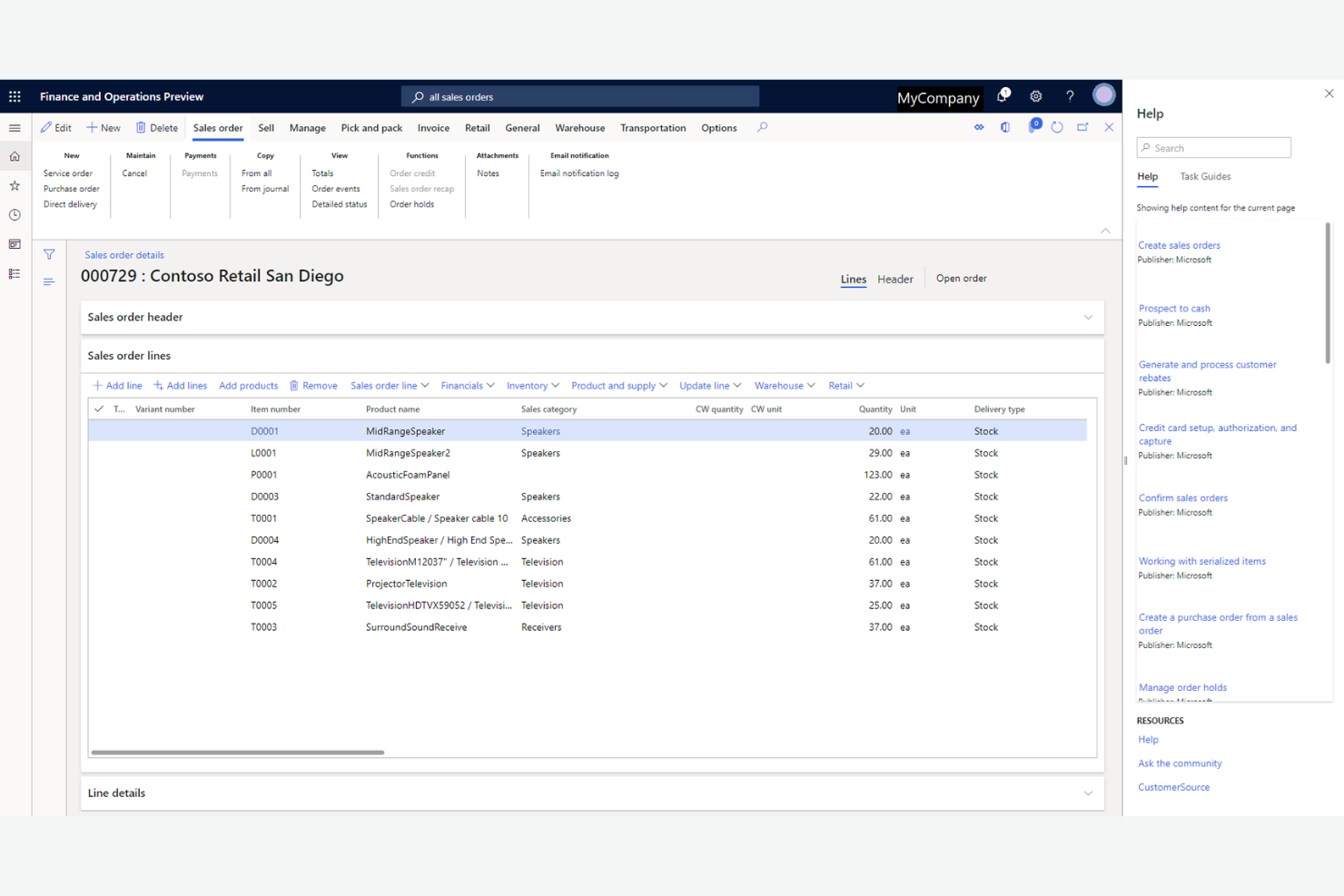
Finance teams already using Microsoft products will find Microsoft Dynamics 365 Finance especially appealing for its deep integration with the Microsoft ecosystem. This ERP budgeting solution is built for organizations that want to connect budgeting, forecasting, and reporting directly with tools like Excel, Power BI, and Teams. It’s a strong choice for businesses looking to unify financial processes and data across familiar Microsoft platforms.
Why I Picked Microsoft Dynamics 365 Finance
For organizations already invested in Microsoft tools, Microsoft Dynamics 365 Finance stands out for its integration across the Microsoft ecosystem. I picked this solution because it connects budgeting workflows directly with Excel for data entry and analysis, and with Power BI for real-time financial reporting and visualization. The platform also supports collaboration through Microsoft Teams, making it easier for finance and business stakeholders to review and adjust budgets together. These features make it a strong fit for businesses that want to centralize financial planning within their existing Microsoft environment.
Microsoft Dynamics 365 Finance Key Features
Some other features in Microsoft Dynamics 365 Finance are also worth noting:
- Budget Control Framework: Set up rules and thresholds to monitor spending against budgets in real time.
- Workflow Automation: Automate budget approval processes and notifications to streamline collaboration.
- Multi-Company Consolidation: Consolidate budgets and financial data across multiple legal entities.
- Audit Trail Tracking: Maintain a detailed record of all budget changes and approvals for compliance.
Integrations
Integrations include Microsoft Power BI, Microsoft Power Automate, Microsoft Azure, Adobe Sign, and SAP.
Pros and Cons
Pros:
- Powerful real-time Power BI analytics
- Scalable for global multi-entity firms
- Advanced driver-based planning tools
Cons:
- Slow support response times
- Interface can be clunky and fragmented

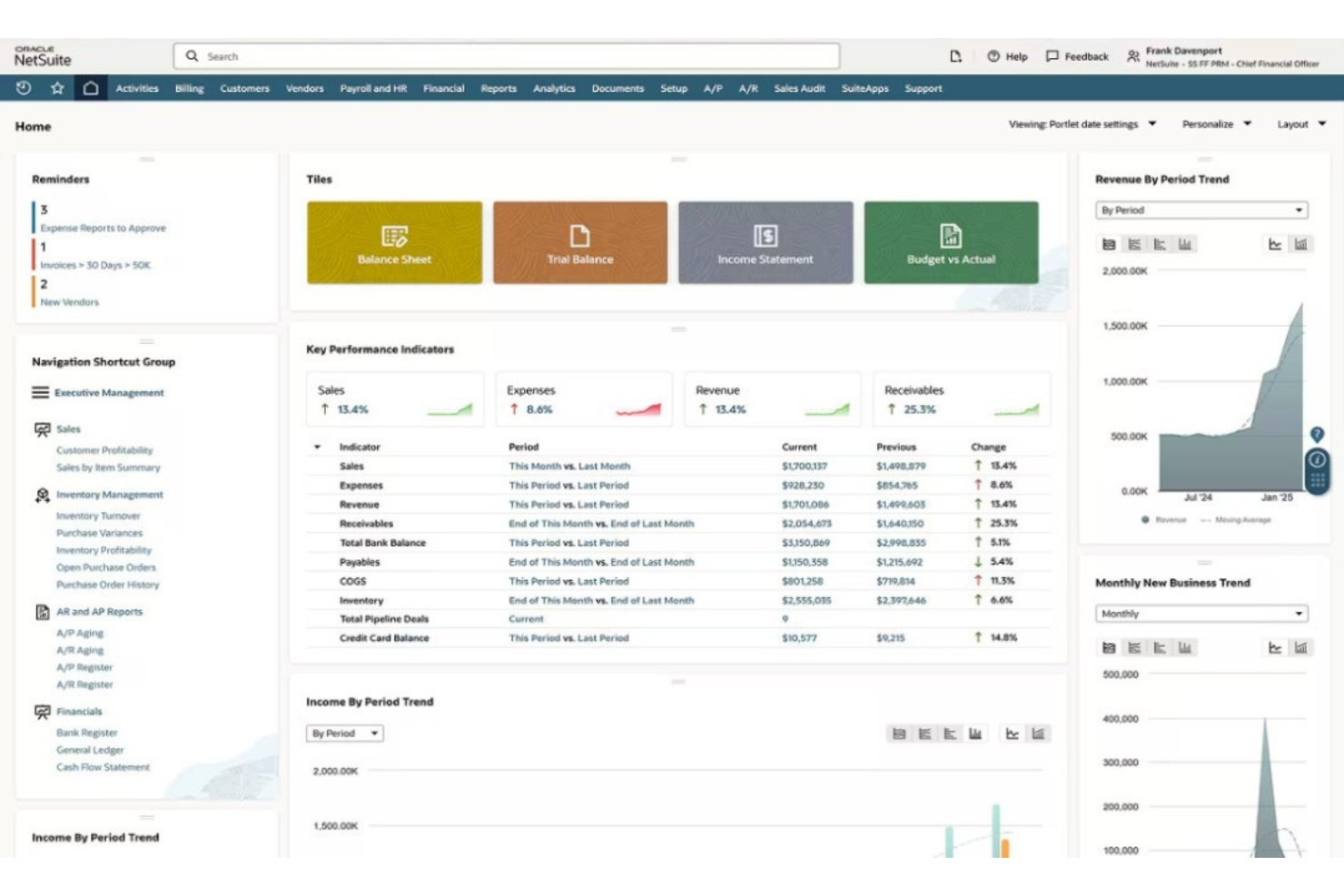
NetSuite is a strong choice for finance teams that need real-time financial consolidation across multiple entities or business units. It’s especially useful for organizations with complex structures, global operations, or frequent acquisitions. With NetSuite, you can automate consolidation, manage intercompany eliminations, and get up-to-date visibility into group financials.
Why I Picked NetSuite
NetSuite stands out for organizations that need real-time financial consolidation across multiple subsidiaries or business units. I picked NetSuite because it automates consolidation processes, including intercompany eliminations and currency conversions, which are often pain points for finance teams managing global operations. The platform’s unified ledger and real-time reporting give you immediate visibility into consolidated financials, so you can make faster, more informed decisions. These features make NetSuite a strong fit for businesses that require accurate, up-to-date group financials without manual intervention.
NetSuite Key Features
Some other features in NetSuite are also worth highlighting:
- Role-Based Dashboards: Customize dashboards for different users to display relevant financial and operational data.
- Budget vs. Actuals Tracking: Compare planned budgets to actual results in real time for better variance analysis.
- Workflow Automation: Automate approval processes and recurring financial tasks to reduce manual work.
- Multi-Currency Management: Handle transactions, reporting, and budgeting in multiple currencies across global entities.
Integrations
Integrations include Salesforce, Shopify, Amazon, Zendesk, and Expensify.
Pros and Cons
Pros:
- Powerful what-if scenario modeling
- Real-time budget vs. actual tracking
- Automates complex planning cycles
Cons:
- UI feels complex and overwhelming
- Heavy reliance on expert consultants

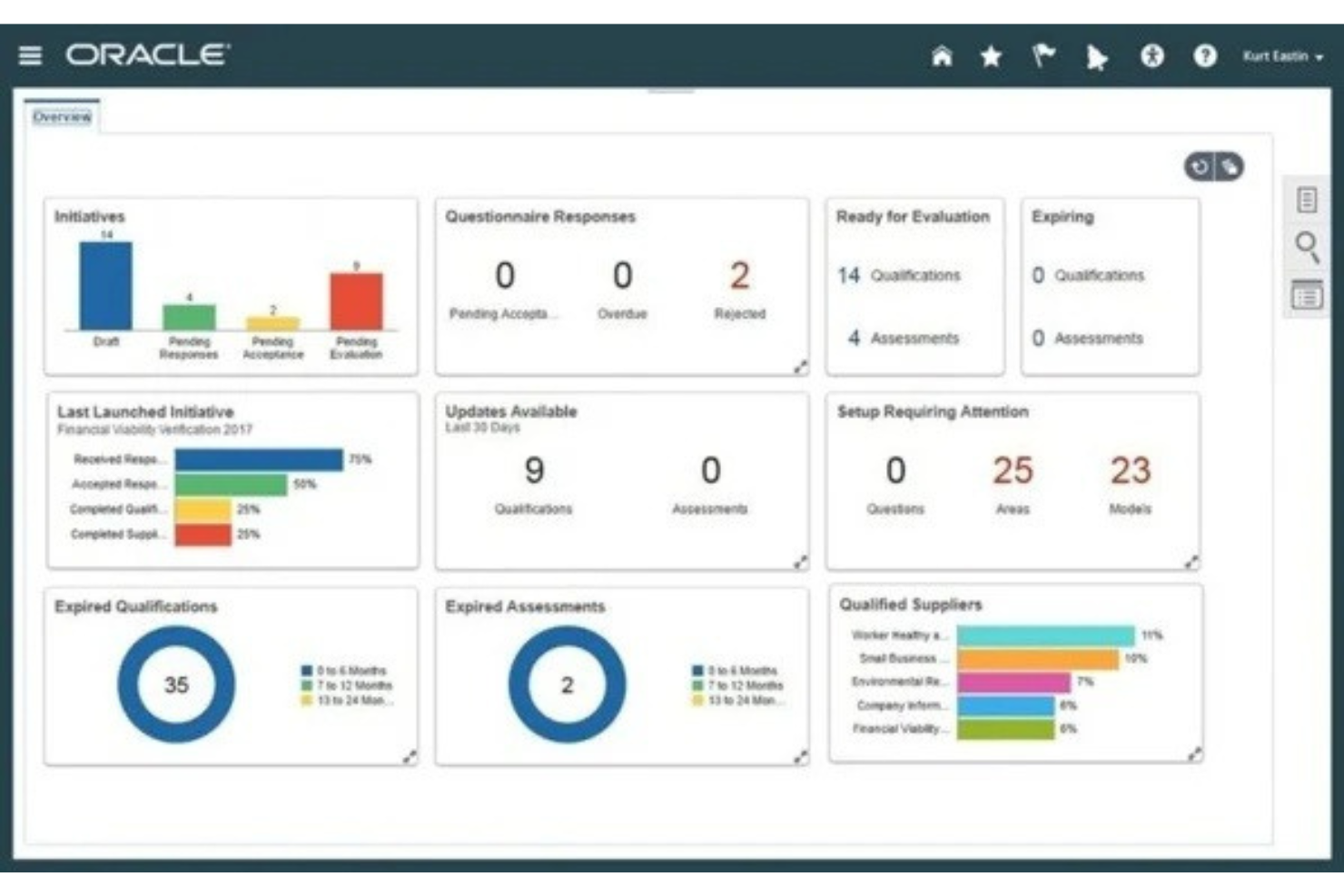
Oracle is designed for finance teams that need advanced scenario modeling and forecasting capabilities. It’s a strong fit for large enterprises or organizations with complex planning requirements and rapidly changing business drivers. With Oracle, you can build and compare multiple financial scenarios to support agile, data-driven decision-making.
Why I Picked Oracle
What sets Oracle apart is its advanced scenario modeling capabilities, which are essential for organizations facing complex planning environments. I picked Oracle because it lets you create, compare, and analyze multiple financial scenarios side by side, so you can quickly assess the impact of different business drivers or market changes. The platform’s built-in predictive analytics and driver-based planning tools help finance teams model a wide range of outcomes and make more informed budgeting decisions. These features make Oracle a strong choice for businesses that need to adapt their budgets and forecasts in real time.
Oracle Key Features
Some other features in Oracle are also worth highlighting:
- Integrated Financial Close Management: Manage period-end close tasks and reconciliations within a single platform.
- Customizable Reporting Tools: Build and share tailored financial reports using drag-and-drop functionality.
- Role-Based Access Controls: Set granular permissions for users based on department, role, or project.
- Multi-GAAP and Multi-Currency Support: Handle compliance and reporting across different accounting standards and currencies.
Integrations
Integrations include Oracle Cloud Infrastructure, Oracle Autonomous Database, Oracle Analytics Cloud, and Oracle Integration Cloud.
Pros and Cons
Pros:
- Connectivity with Excel tools
- Global compliance and security
- Powerful what-if scenario simulations
Cons:
- Implementation is long and difficult
- High licensing and maintenance costs

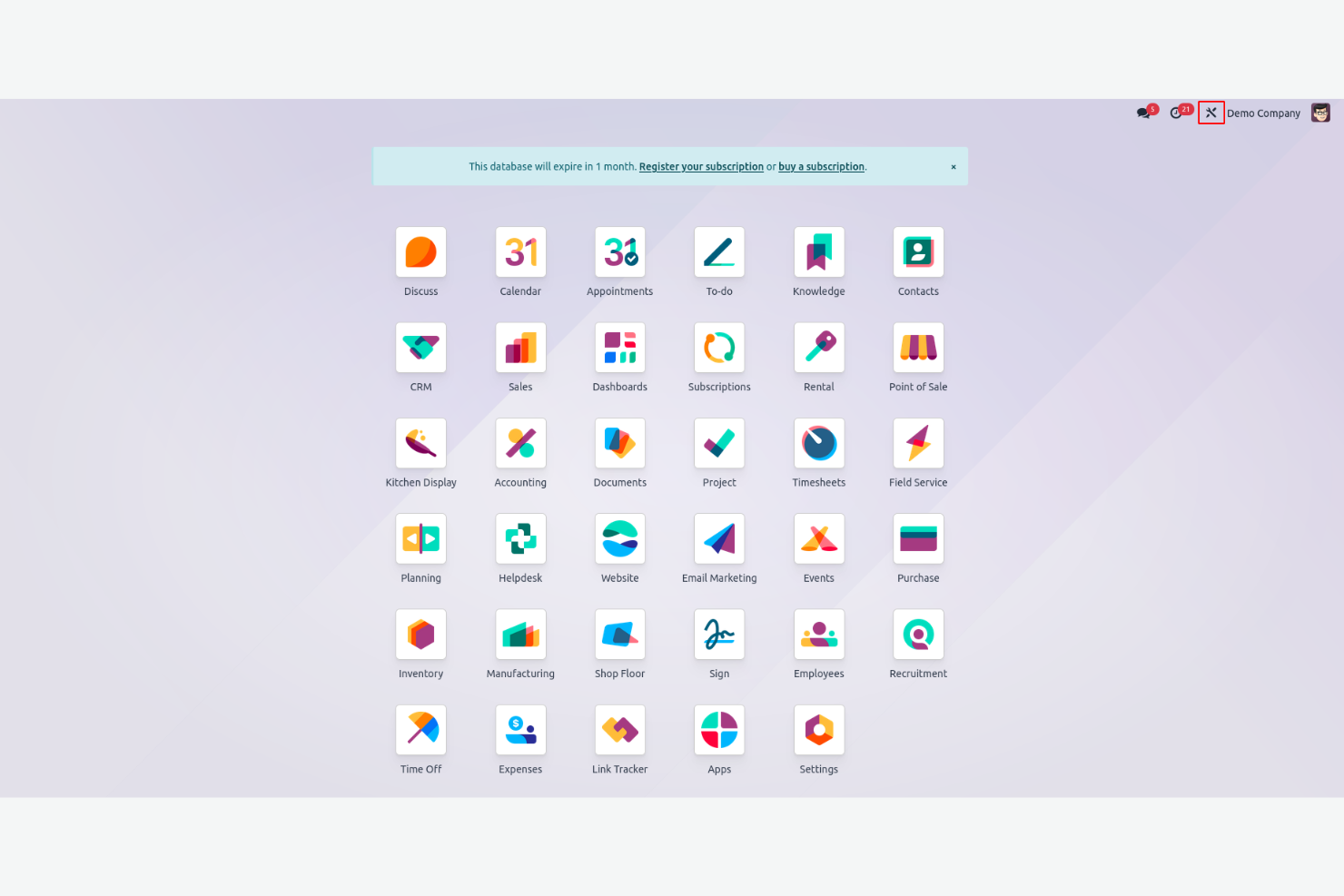
If you’re looking for ERP budgeting and accounting software with deep customization options, Odoo is worth considering. Its open-source framework appeals to finance teams and IT departments that want to tailor workflows, modules, and reporting to fit unique business needs. Odoo is especially useful for organizations that need to adapt budgeting processes as they grow or change.
Why I Picked Odoo
What sets Odoo apart for ERP budgeting is its open-source customization options, which let you shape the software around your organization’s exact needs. I picked Odoo because you can modify budgeting modules, create custom approval workflows, and build tailored financial reports without being locked into a rigid system. The platform’s modular design means you can add or remove features as your budgeting requirements evolve. This flexibility is especially valuable for teams that want to experiment with or refine their budgeting processes over time.
Odoo Key Features
In addition to its customization capabilities, I also found these features useful for ERP budgeting:
- Multi-Currency Support: Handles transactions and budgets in multiple currencies for global operations.
- Role-Based Access Controls: Lets you set permissions for different users and departments.
- Automated Bank Feeds: Syncs bank transactions directly into your budgeting and accounting modules.
- Integrated Project Management: Connects budgeting with project timelines, tasks, and resource allocation.
Odoo Integrations
Integrations include Shopify, WooCommerce, Amazon, eBay, and Microsoft Outlook.
Pros and Cons
Pros:
- Competitive pricing for mid-market firms
- User-friendly and modern interface
- Open-source flexibility for custom needs
Cons:
- High costs for custom coding and apps
- Lacks strict native budget blocking

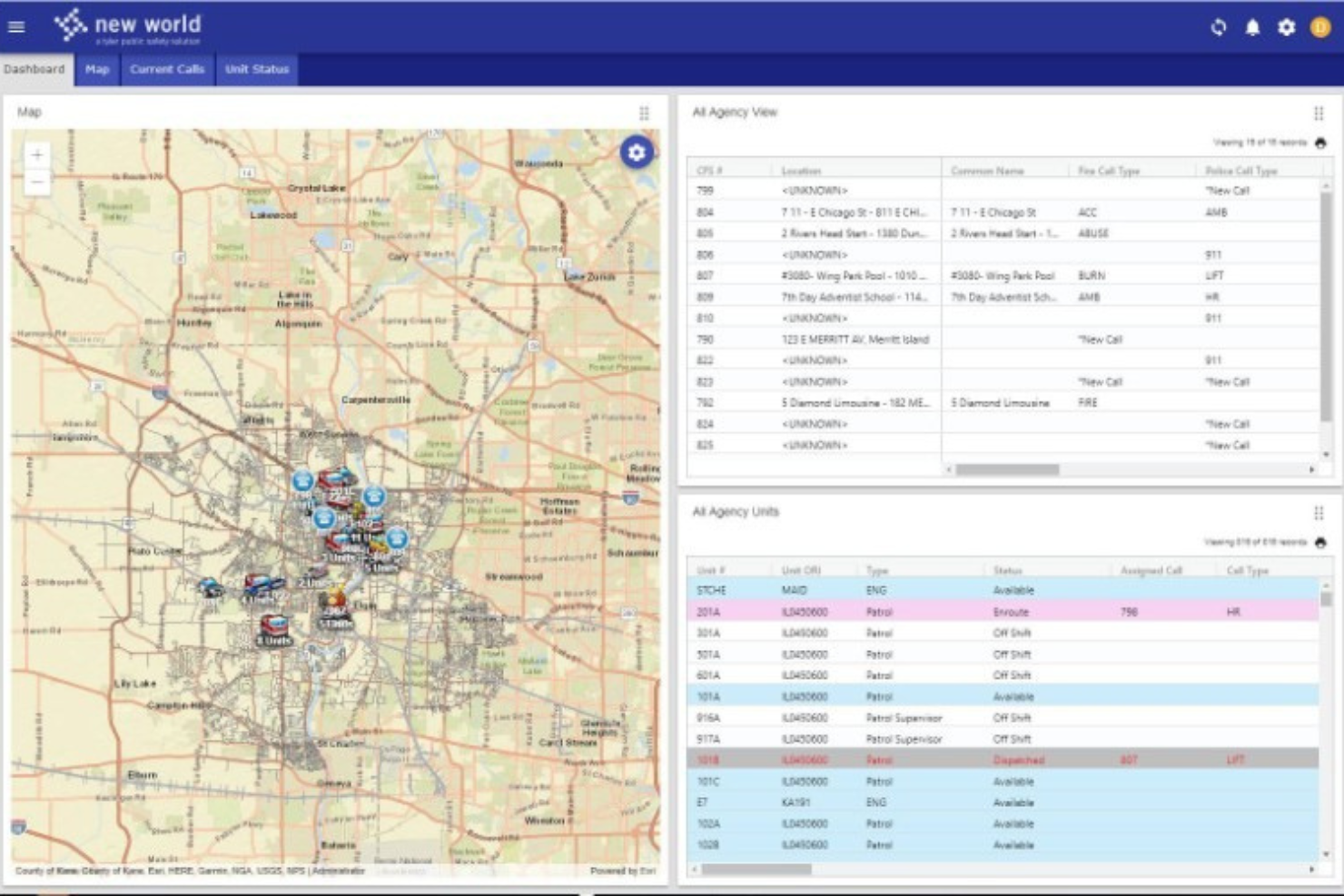
If your organization manages public sector finances, Tyler Technologies offers ERP budgeting software tailored to your needs. The platform is designed for government agencies and municipalities that require strict compliance, transparency, and detailed fund management. Tyler Technologies helps you handle complex budgeting, reporting, and planning requirements unique to the public sector.
Why I Picked Tyler Technologies
I chose Tyler Technologies for this list because it’s purpose-built for public sector financial planning. The platform supports fund accounting, grant management, and multi-year budgeting—features that are essential for government agencies and municipalities. I appreciate how Tyler Technologies addresses compliance and transparency requirements, which are often more stringent in the public sector than in private industry. Its reporting tools also help finance teams meet regulatory standards and provide clear visibility to stakeholders.
Tyler Technologies Key Features
Some other features in Tyler Technologies that support public sector budgeting include:
- Encumbrance Accounting: Track committed funds and outstanding obligations to maintain accurate budget controls.
- Workflow Automation: Automation tools to set up approval chains and notifications for budget submissions and revisions.
- Capital Project Tracking: Monitor spending and progress on capital improvement projects within your overall budget.
- Role-Based Access Controls: Assign permissions and access levels to ensure sensitive financial data is only available to authorized users.
Integrations
Native integrations are not currently listed by Tyler Technologies.
Pros and Cons
Pros:
- Provides capital project tracking
- Includes built-in compliance
- Supports detailed fund accounting
Cons:
- Interface may feel dated
- Pricing information is not transparent

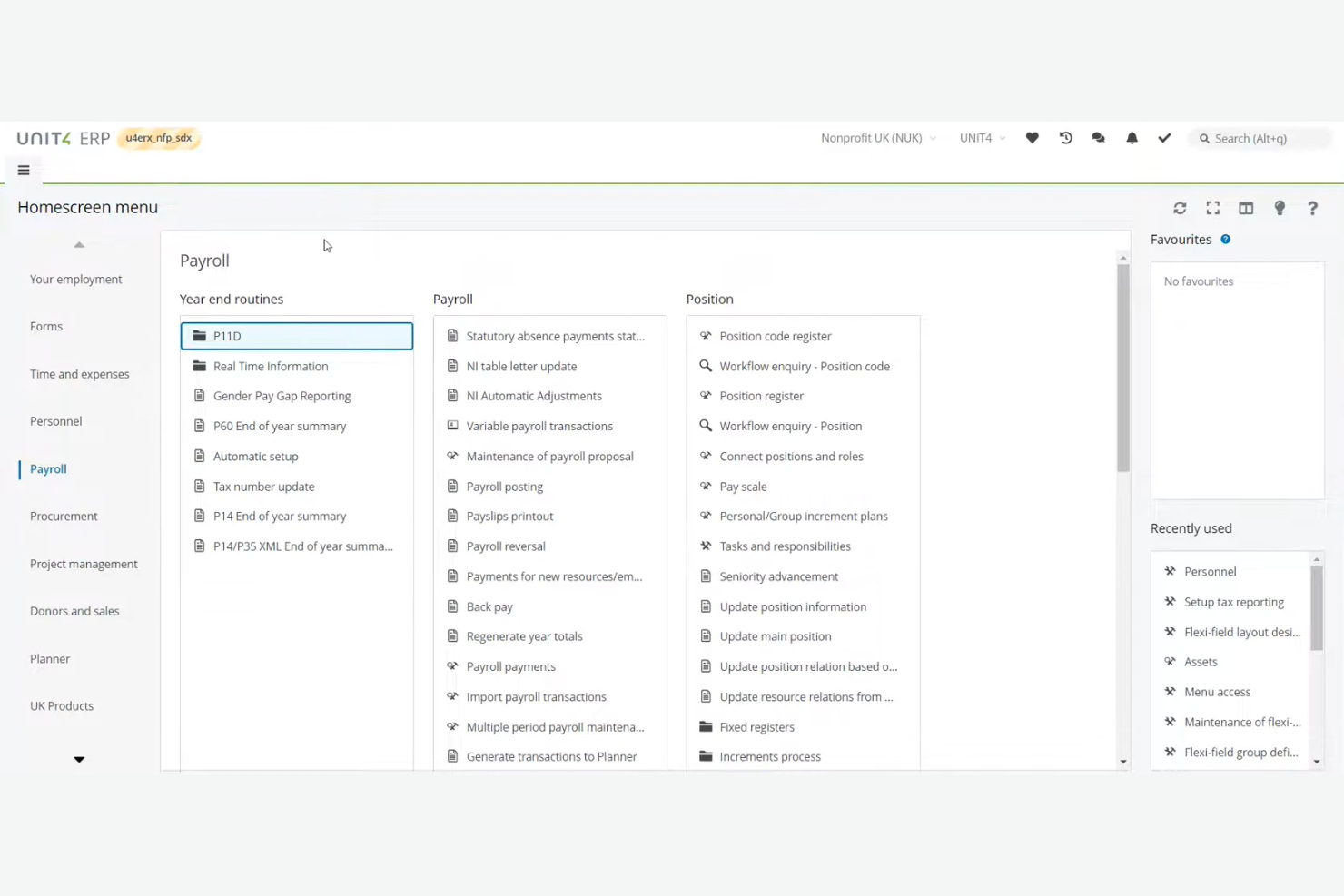
Unit4 is designed for organizations in the public sector and non-profit space that need to manage complex funding, grants, and compliance requirements. It’s especially useful for finance teams handling multi-source budgets and strict reporting obligations. With features for fund accounting and donor management, Unit4 helps you keep public and grant-funded projects on track.
Why I Picked Unit4
Unit4 stands out for organizations that need ERP budgeting software tailored to the unique demands of non-profits and the public sector. I picked Unit4 because it supports fund accounting and grant management, which are essential for tracking restricted funds and meeting donor or government requirements. The platform also offers built-in compliance tools for public sector reporting, helping finance teams stay audit-ready. These features make Unit4 a strong fit for teams juggling multiple funding sources and strict regulatory standards.
Unit4 Key Features
In addition to its strengths in fund accounting and compliance, I also found these features valuable for ERP budgeting teams:
- Workflow Automation: Automates approval processes for budgets, expenses, and procurement.
- Scenario Planning: Lets you model and compare multiple budget scenarios within the platform.
- Self-Service Reporting: Allows users to create and customize financial reports without IT support.
- Mobile Access: Provides a mobile app for on-the-go budget reviews and approvals.
Integrations
Native integrations are not currently listed by Unit4.
Pros and Cons
Pros:
- Tailored for people-centric industries
- Powerful real-time scenario planning
- Flexible no-code modeling for finance
Cons:
- Limited help and training documentation
- Web interface is less robust than desktop

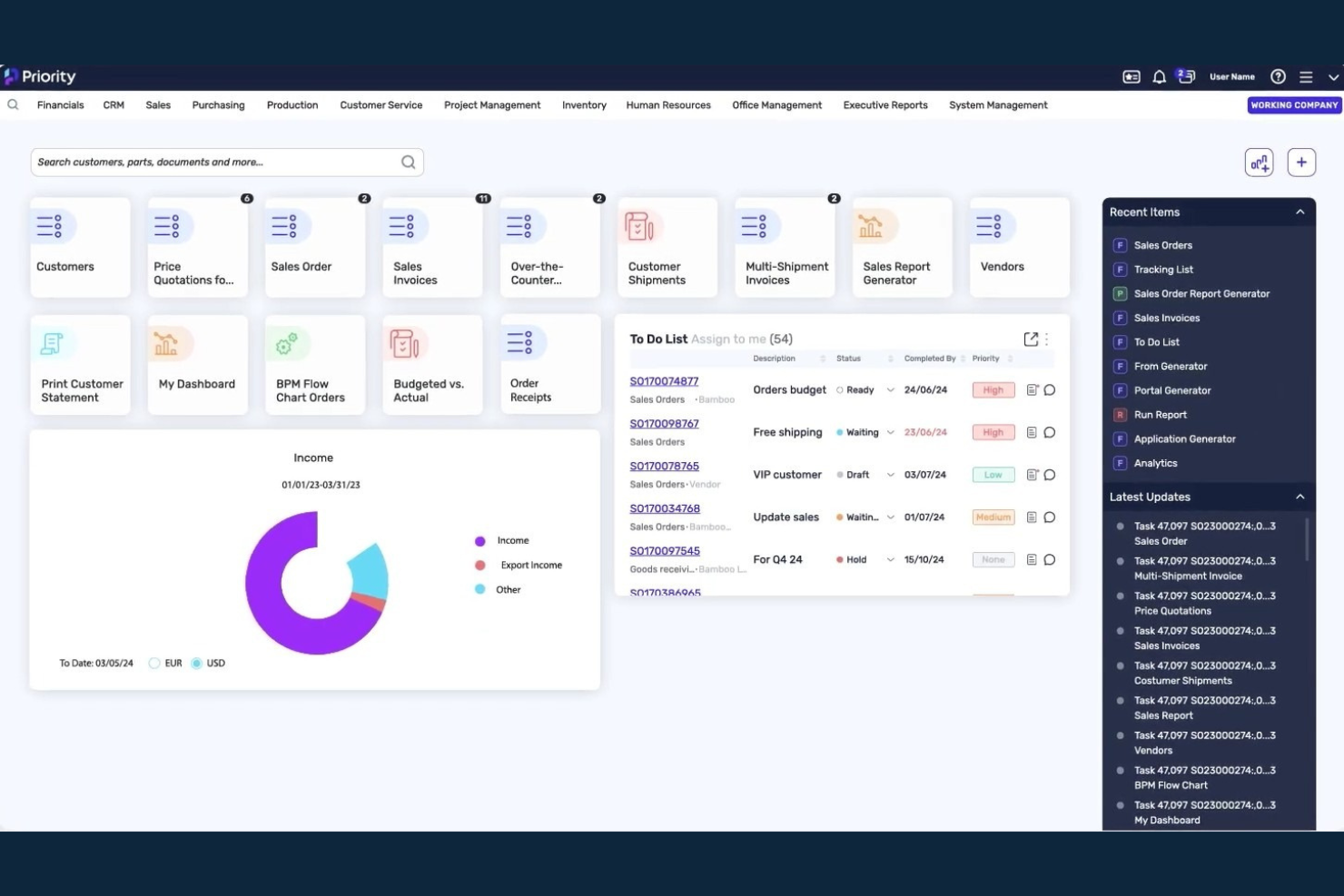
Priority Software stands out for organizations managing budgets across multiple subsidiaries or business units. This ERP solution is well-suited for finance teams in complex, multi-entity environments that need consolidated oversight and granular control. With Priority Software, you can coordinate budgeting, approvals, and reporting across diverse locations and legal entities.
Why I Picked Priority Software
What drew me to Priority Software is its strong focus on multi-subsidiary budget management. The platform lets you set up separate budgets for each subsidiary or business unit, while still providing consolidated financial views for group-level oversight. I appreciate how Priority Software supports intercompany transactions and allocations, which are essential for organizations with complex structures. Its centralized controls help finance teams maintain consistency and compliance across all entities.
Priority Software Key Features
In addition to its multi-subsidiary budgeting capabilities, Priority Software offers several other features worth noting:
- Real-Time Budget Monitoring: Track budget performance and variances as transactions are posted.
- Customizable Approval Workflows: Set up multi-level approval processes tailored to your organization’s structure.
- Drill-Down Financial Reporting: Access detailed reports with the ability to drill down into specific accounts or transactions.
- Automated Currency Conversion: Manage budgets and reporting across subsidiaries operating in different currencies.
Integrations
Native integrations are not currently listed by Priority Software.
Pros and Cons
Pros:
- Built-in audit trails
- Detailed approval workflows for budget submissions
- Real-time budget tracking
Cons:
- Custom report building requires vendor assistance
- Implementation requires significant time

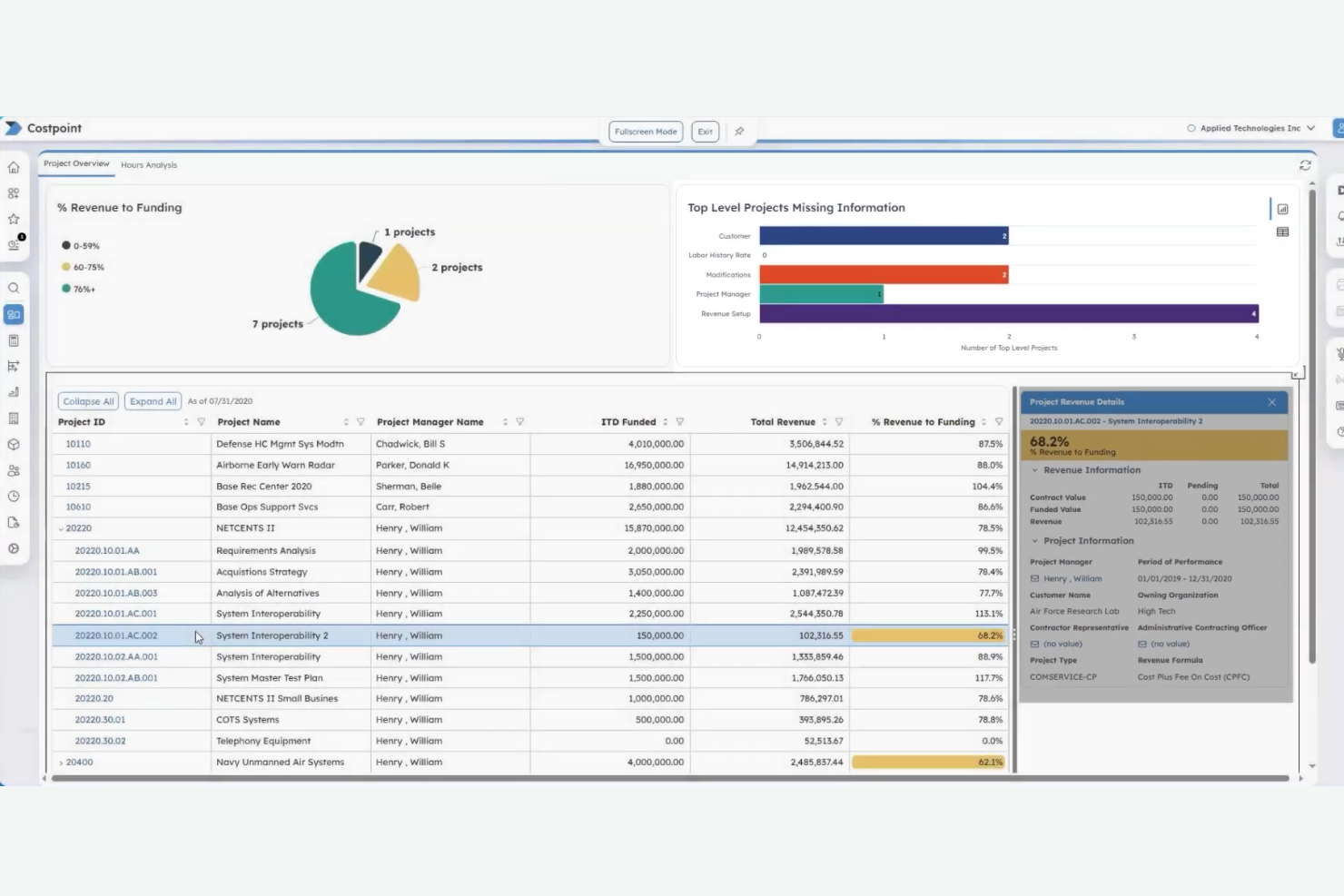
Deltek Costpoint is purpose-built for organizations managing government contracts and strict compliance requirements. It’s a strong fit for finance teams in aerospace, defense, and project-based industries that need to align budgeting with federal regulations. With features for cost allocation, audit readiness, and contract-specific reporting, Costpoint helps you stay compliant while managing complex project finances.
Why I Picked Deltek Costpoint
What sets Deltek Costpoint apart is its deep alignment with government contract compliance, which is essential for organizations working in regulated industries. I picked Costpoint because it offers built-in compliance controls and audit trails that help finance teams meet federal requirements like DCAA and FAR. The platform also provides project-based budgeting and cost allocation tools, so you can track spending at a granular level for each contract. These features make Costpoint a strong choice for businesses that need to ensure every dollar is accounted for and compliant with government standards.
Deltek Costpoint Key Features
Some other features that make Deltek Costpoint useful for ERP budgeting teams include:
- Resource Planning Module: Lets you allocate and manage resources across multiple projects and contracts.
- Time and Expense Tracking: Captures employee hours and expenses directly within the platform for accurate project costing.
- Role-Based Dashboards: Provides customizable dashboards tailored to different user roles and responsibilities.
- Automated Workflow Approvals: Supports configurable approval processes for budgets, expenses, and project changes.
Integrations
Integrations include Microsoft Teams, Microsoft Outlook, and GovConPay.
Pros and Cons
Pros:
- Powerful real-time indirect rate calcs
- Unified project and financial data
- Gold standard for DCAA/GovCon compliance
Cons:
- Slow performance with large data sets
- Complex setup requires expert consultants
Other ERP Budgeting Software
Here are some additional ERP budgeting software options that didn’t make it onto my shortlist, but are still worth checking out:
- Acumatica
With cloud-based deployment flexibility
- Abacum
For collaborative budget workflows
- IFS
For project-driven financial planning
- SAP S/4HANA
With integrated analytics dashboards


ERP Budgeting Software Selection Criteria
When selecting the best ERP budgeting software to include in this list, I considered common buyer needs and pain points like managing complex multi-department budgets and ensuring real-time financial visibility. I also used the following framework to keep my evaluation structured and fair:
Core Functionality (25% of total score)
To be considered for inclusion in this list, each solution had to fulfill these common use cases:
- Create and manage budgets for multiple departments
- Track actuals versus budget in real time
- Support multi-currency and multi-entity consolidation
- Automate approval workflows for budget changes
- Generate standard and custom financial reports
Additional Standout Features (25% of total score)
To help further narrow down the competition, I also looked for unique features, such as:
- Built-in scenario planning and forecasting tools
- AI-driven budget recommendations
- Integration with project management modules
- Customizable dashboards for different user roles
- Advanced audit trails and change logs
Usability (10% of total score) To get a sense of the usability of each system, I considered the following:
- Intuitive navigation and clear menu structure
- Modern and visually appealing interface
- Minimal clicks to complete common budgeting tasks
- Responsive design for use on multiple devices
- In-app guidance and tooltips for new users
Onboarding (10% of total score)
To evaluate the onboarding experience for each platform, I considered the following:
- Availability of step-by-step product tours
- Access to training videos and documentation
- Pre-built templates for quick setup
- Live chat or chatbot support during onboarding
- Scheduled webinars or onboarding sessions
Customer Support (10% of total score)
To assess each software provider’s customer support services, I considered the following:
- Multiple support channels including chat, email, and phone
- Fast response times for urgent issues
- Access to a searchable knowledge base
- Availability of dedicated account managers
- Community forums for peer-to-peer support
Value For Money (10% of total score)
To evaluate the value for money of each platform, I considered the following:
- Transparent and predictable pricing structure
- Flexible plans for different business sizes
- No hidden fees for essential features
- Discounts for annual or multi-year contracts
- Free trial or demo to test before buying
Customer Reviews (10% of total score)
To get a sense of overall customer satisfaction, I considered the following when reading customer reviews:
- Positive feedback on budgeting and reporting features
- Consistent praise for customer support quality
- Reports of reliable system uptime and performance
- User comments on ease of implementation
- Constructive feedback on areas for improvement
How to Choose ERP Budgeting Software
It’s easy to get bogged down in long feature lists and complex pricing structures. To help you stay focused as you work through your unique software selection process, here’s a checklist of factors to keep in mind:
| Factor | What to Consider |
|---|---|
| Scalability | Will the software handle your growth in users, entities, and data volume over the next 3-5 years? |
| Integrations | Does it connect natively to your accounting, HR, and reporting systems, or will you need workarounds? |
| Customizability | Can you adapt workflows, fields, and reports to match your budgeting process without heavy IT support? |
| Ease of use | Will finance and non-finance users be able to navigate and use the system with minimal training? |
| Implementation and onboarding | How long will it take to get up and running, and what resources will you need for data migration and user training? |
| Cost | Are all required modules and users included in the quoted price, or are there extra fees for integrations, support, or upgrades? |
| Security safeguards | Does the tool offer role-based access, audit trails, and compliance with your industry’s data standards? |
| Support availability | What support channels are offered, and are they available during your business hours or only in certain regions? |
What is ERP budgeting software?
ERP budgeting software is a specialized tool within an enterprise resource planning system that helps organizations plan, manage, and monitor their financial budgets. It centralizes budget creation, approval, and tracking, allowing finance teams to align spending with business goals. These solutions support multi-department collaboration, real-time reporting, and integration with other financial processes, making it easier to maintain control and visibility over organizational finances.
Features
When selecting ERP budgeting software, keep an eye out for the following key features:
- Budget creation and management: Lets you build, edit, and organize budgets for departments, projects, or the entire organization, with version control and historical tracking.
- Approval workflows: Automate the routing of budget proposals and changes through customizable approval chains, ensuring compliance and accountability.
- Real-time reporting: Provides up-to-date financial reports and dashboards that reflect actuals versus budget, helping teams monitor performance and spot variances quickly.
- Multi-currency support: Handles transactions and budgets in different currencies, making it easier to manage global operations and consolidate financial data.
- Role-based access controls: Restrict or grant access to sensitive budget data based on user roles, supporting data security and internal controls.
- Audit trails: Track every change made to budgets, including who made the change and when, supporting transparency and compliance requirements.
- Forecasting tools: Allow users to project future financial outcomes based on historical data and current trends, supporting proactive planning.
- Integration with financial modules: Connects seamlessly with accounting, procurement, and project management modules to ensure data consistency and reduce manual entry.
- Scenario analysis: Enables users to model different budget scenarios and assess the impact of various business decisions before finalizing budgets.
Benefits
Implementing ERP budgeting software provides several benefits for your team and your business. Here are a few you can look forward to:
- Greater financial visibility: Real-time reporting and dashboards give you a clear, up-to-date view of budget performance across departments and projects.
- Improved collaboration: Centralized budget creation and approval workflows make it easier for teams to work together and stay aligned.
- Stronger internal controls: Role-based access and audit trails help protect sensitive data and ensure compliance with internal policies.
- Faster decision-making: Scenario analysis and forecasting tools let you quickly assess the impact of changes and make informed choices.
- Simplified compliance: Automated documentation and approval processes support audit readiness and regulatory requirements.
- Reduced manual effort: Integration with other financial modules eliminates duplicate data entry and streamlines routine budgeting tasks.
- Scalability for growth: Multi-entity and multi-currency support allow your budgeting processes to expand as your organization grows.
Costs & Pricing
Selecting ERP budgeting software requires an understanding of the various pricing models and plans available. Costs vary based on features, team size, add-ons, and more. The table below summarizes common plans, their average prices, and typical features included in ERP budgeting software solutions:
Plan Comparison Table for ERP Budgeting Software
| Plan Type | Average Price | Common Features |
|---|---|---|
| Free Plan | $0 | Basic budget creation, limited reporting, single user access, and community support. |
| Personal Plan | $8.95-$200/user/month | Individual budgeting, standard reporting, limited integrations, and email support. |
| Business Plan | $300-$2000/user/month | Multi-user access, approval workflows, real-time reporting, integrations with financial modules, and audit trails. |
| Enterprise Plan | $3000+/user/month | Advanced security, multi-entity support, custom workflows, dedicated support, and advanced compliance features. |
ERP Budgeting Software FAQs
Here are some answers to common questions about ERP budgeting software:
How does ERP budgeting software support multi-entity organizations?
ERP budgeting software supports multi-entity organizations by allowing you to create, manage, and consolidate budgets across subsidiaries, departments, or business units. This helps you maintain visibility and control over finances at both the local and group level, while supporting different currencies, tax rules, and reporting requirements.
Can ERP budgeting software integrate with existing accounting systems?
Yes, most ERP budgeting software can integrate with popular accounting systems. Integration ensures that budget data, actuals, and financial transactions flow automatically between platforms, reducing manual entry and the risk of errors. Always check for native connectors or available APIs that match your current systems.
What should I consider when migrating from spreadsheets to ERP budgeting software?
When migrating from spreadsheets, consider data mapping, historical data import, and user training. Plan for a phased rollout to minimize disruption, and involve key stakeholders early to ensure the new system matches your budgeting processes. Test data accuracy and workflow alignment before going live.
How long does it take to implement ERP budgeting software?
Implementation timelines vary, but most organizations can expect a process lasting from several weeks to a few months. Factors include the complexity of your budgeting structure, data migration needs, integration requirements, and the availability of internal resources for training and testing.
Is ERP budgeting software suitable for small businesses?
Yes, many ERP budgeting software solutions offer scaled-down plans or modules suitable for small businesses. These versions provide essential budgeting, reporting, and approval features without the complexity or cost of enterprise-level systems, making them accessible for smaller teams and budgets.
What’s Next:
If you're in the process of researching ERP budgeting software, connect with a SoftwareSelect advisor for free recommendations.
You fill out a form and have a quick chat where they get into the specifics of your needs. Then you'll get a shortlist of software to review. They'll even support you through the entire buying process, including price negotiations.