
12 Best Fixed Asset Software Reviewed in 2026

Best Fixed Asset Software Shortlist
Here’s my shortlist of the best fixed asset software:


Managing fixed assets can be a real headache for CFOs. Tracking depreciation, maintaining compliance, and keeping accurate records are just a few challenges you face. Fixed asset software can make these tasks easier and more efficient.
In my experience, choosing the right software can save you time and reduce errors. I've independently tested and reviewed various options to find the best solutions for you.
In this article, I'll share my top picks and explain how each one can meet your specific needs. You'll get insights into features, pricing, and what sets each tool apart. Let's find the right fit for your team.
Why Trust Our Software Reviews
Best Fixed Asset Software Summary
This comparison chart summarizes pricing details for my top fixed asset software selections to help you find the best one for your budget and business needs.
| Tool | Best For | Trial Info | Price | ||
|---|---|---|---|---|---|
| 1 | Best for startups | 30-day free trial available | From $3.75/month | Website | |
| 2 | Best for mobile access | Free 14-day trial + free demo available | From $50/month (billed annually) | Website | |
| 3 | Best for global enterprises | Free demo available | Pricing upon request | Website | |
| 4 | Best for accounting firms | Free trial available | From $449/year | Website | |
| 5 | Best for AI-powered cloud deployment | 30-day free trial | From $8/user/month (billed annually) | Website | |
| 6 | Best for mid-to-large businesses | Free demo available | Pricing upon request | Website | |
| 7 | Best for tax compliance | Free consultation available | Pricing upon request | Website | |
| 8 | Best for RFID tracking | Free consultation available | Pricing upon request | Website | |
| 9 | Best for integration ease | Free 30-day trial available | Pricing upon request | Website | |
| 10 | Best for scalability | Free demo available | Pricing upon request | Website |
-

LiveFlow
Visit WebsiteThis is an aggregated rating for this tool including ratings from Crozdesk users and ratings from other sites.4.9 -
Float Financial
Visit WebsiteThis is an aggregated rating for this tool including ratings from Crozdesk users and ratings from other sites.4.1 -
Creatio CRM
Visit WebsiteThis is an aggregated rating for this tool including ratings from Crozdesk users and ratings from other sites.4.7


Best Fixed Asset Software Reviews
Below are my detailed summaries of the best fixed asset software that made it onto my shortlist. My reviews offer a detailed look at the key features, pros and cons, integrations, and ideal use cases of each tool to help you find the best one for you.

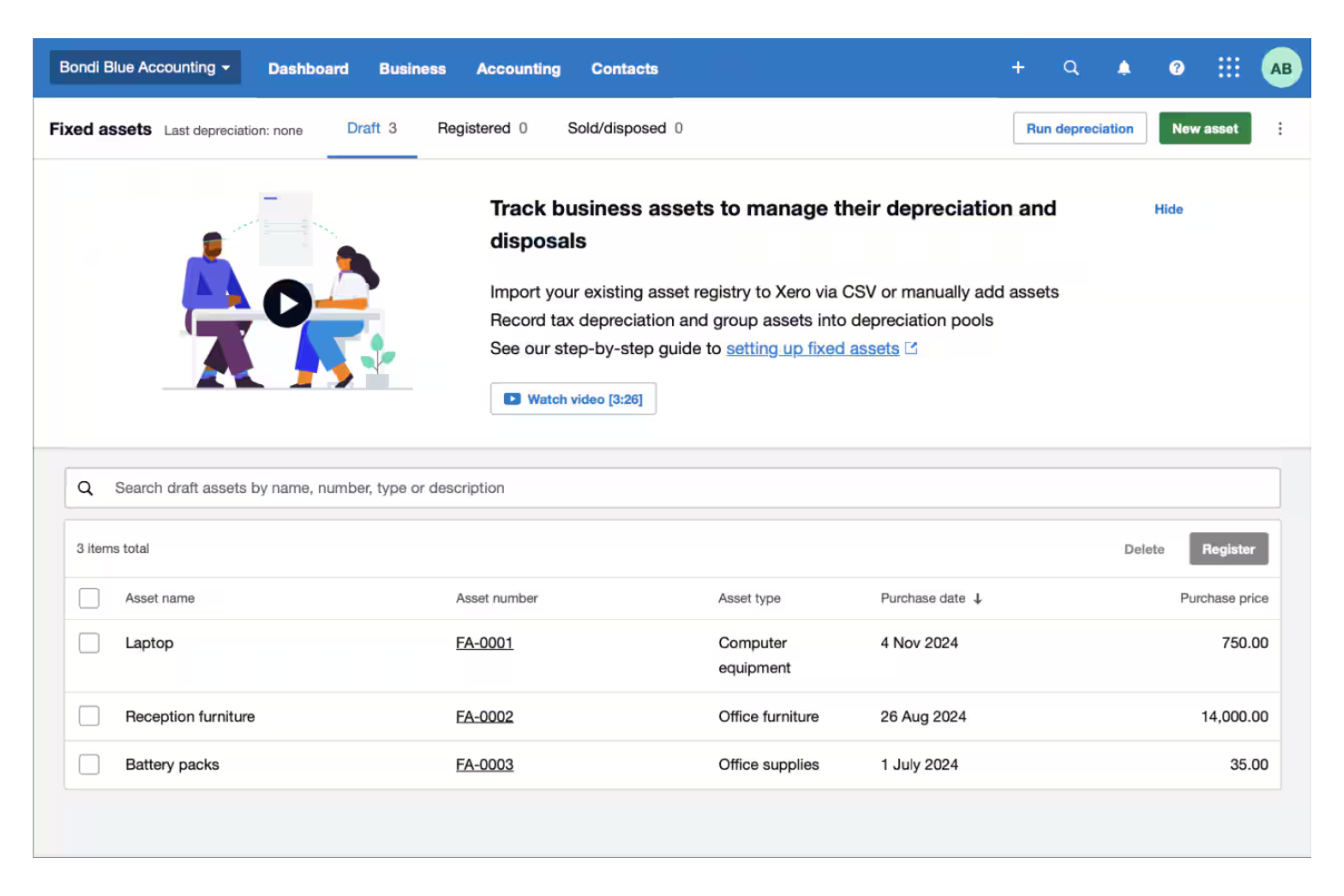
Xero is a cloud-based accounting software ideal for startups and small businesses. It offers tools for managing fixed assets, invoicing, and financial reporting, giving you control over your business finances.
Why I picked Xero: Xero's simplicity and affordability make it a great choice for startups looking to manage their finances effectively. Its fixed asset module allows you to track and depreciate assets with ease. The intuitive interface helps you and your team quickly learn and use the software. Additionally, Xero offers a range of reports to help you analyze your financial data.
Standout Features and Integrations:
Features include a straightforward fixed asset register, which helps you track assets throughout their lifecycle. You can also automate depreciation schedules to save time on calculations, record tax depreciation, and group assets into depreciation pools. The software's reporting capabilities also give you insights into asset performance and financial health, allowing you to forecast future revenue.
Integrations include Dext, Mayday, Hubdoc, Flex, PayPal, Stripe, HubSpot, Shopify, Expensify, and more.
Pros and Cons
Pros:
- Cloud-based for remote access
- Easy asset tracking and depreciation
- Simple and affordable for startups
Cons:
- 500-asset limit
- No maintenance logs
New Product Updates from Xero

Xero Unveils New Analytics Features
Xero introduces new analytics dashboards and reporting features. These updates help small businesses better understand performance, trends, and financial health at a glance. For more information, visit Xero's official site.
 .
.
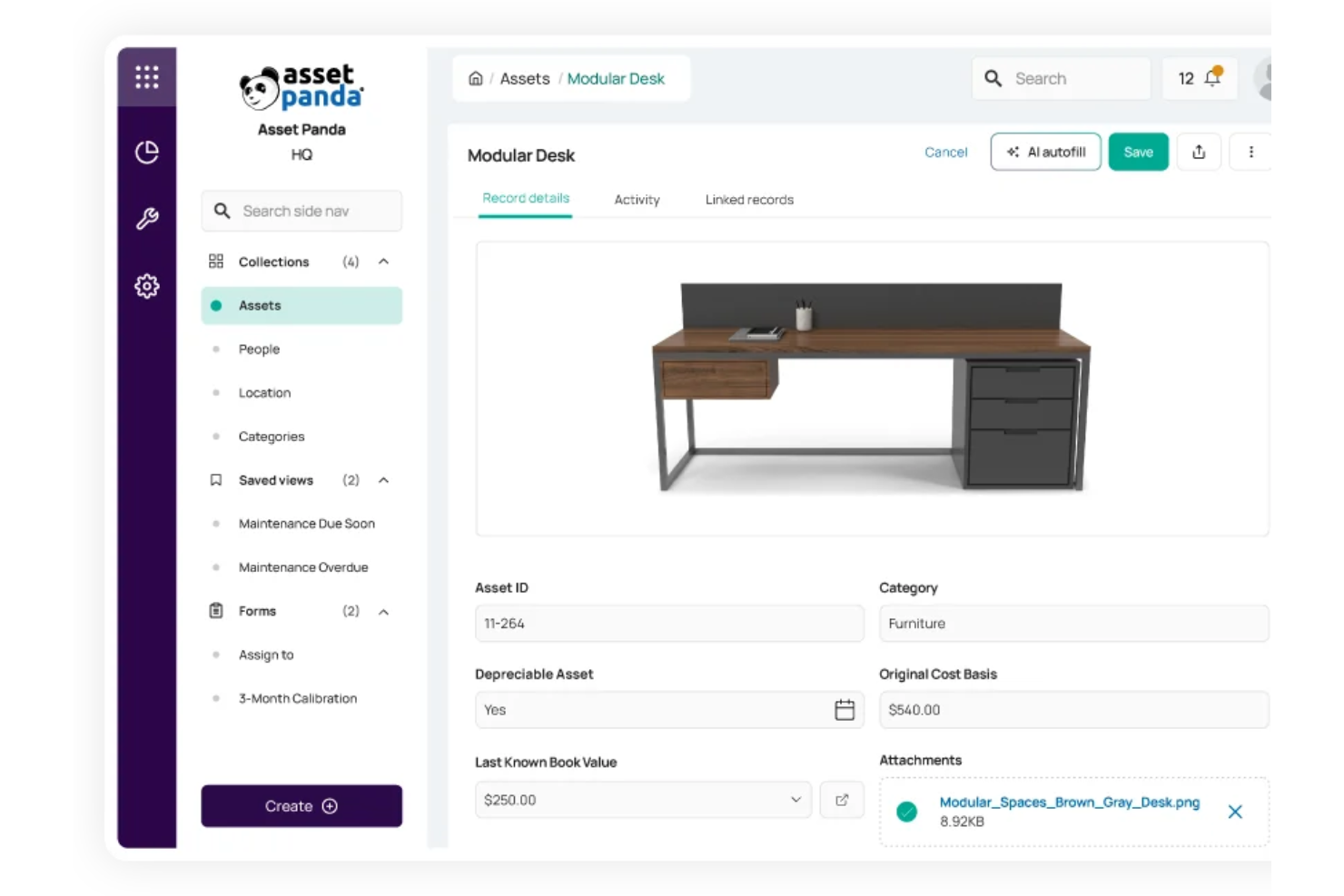
Asset Panda is a fixed asset management software designed for businesses across various industries such as construction, healthcare, and education. It offers real-time asset tracking, automated depreciation, and a centralized management system, boosting efficiency in asset management.
Why I picked Asset Panda: Asset Panda excels with its mobile access feature, allowing your team to manage assets on the go, even offline. Barcode scanning and real-time asset visibility make it especially useful for field operations. The platform's user-friendly interface promotes high adoption rates, and its automated depreciation calculations keep your financial records accurate and compliant.
Standout Features and Integrations:
Features include customizable reporting for asset utilization, maintenance alerts, and inspection checklists. You can also generate barcode labels and utilize the mobile app for offline asset management. The centralized system supports various asset types and user permissions.
Integrations include QuickBooks, Slack, Zendesk, Google Workspace, Microsoft Entra ID, Okta, Freshservice, Lenovo Warranty Expiration, ServiceNow, and more.
Pros and Cons
Pros:
- Mobile app with offline capabilities
- Automated depreciation calculations
- Asset lifecycle tracking
Cons:
- The interface can feel busy
- Performance lag

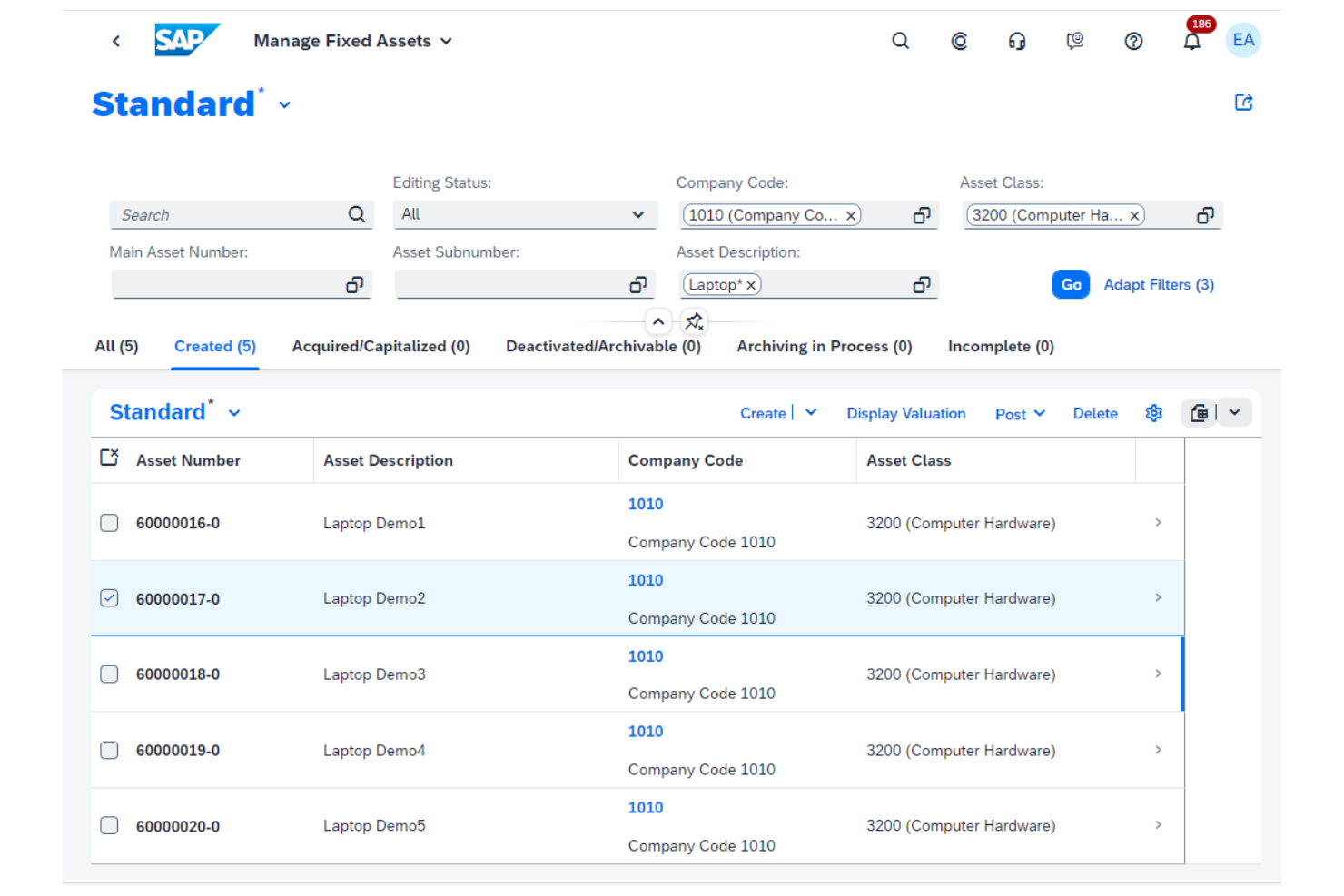
SAP S/4HANA is an ERP solution designed for large enterprises needing in-depth asset management. It handles asset lifecycle, financial reporting, and compliance, catering to the complex needs of global businesses.
Why I picked SAP S/4HANA: SAP S/4HANA's strength lies in its ability to support global enterprises with multi-currency and multi-language capabilities. Its centralized platform maintains consistency across your business operations. Advanced analytics provide detailed insights into asset performance, helping you make informed decisions. The scalability of SAP S/4HANA allows your organization to grow without limitations.
Standout Features and Integrations:
Features include real-time data processing, which keeps your asset information up to date. You can also customize workflows to match your business processes and use their many reporting tools to help you analyze data and make strategic decisions.
Integrations are not publicly listed.
Pros and Cons
Pros:
- Customizable workflows
- Global multi-language support
- Supports multi-currency transactions
Cons:
- Rigid migration rules
- Requires significant IT resources
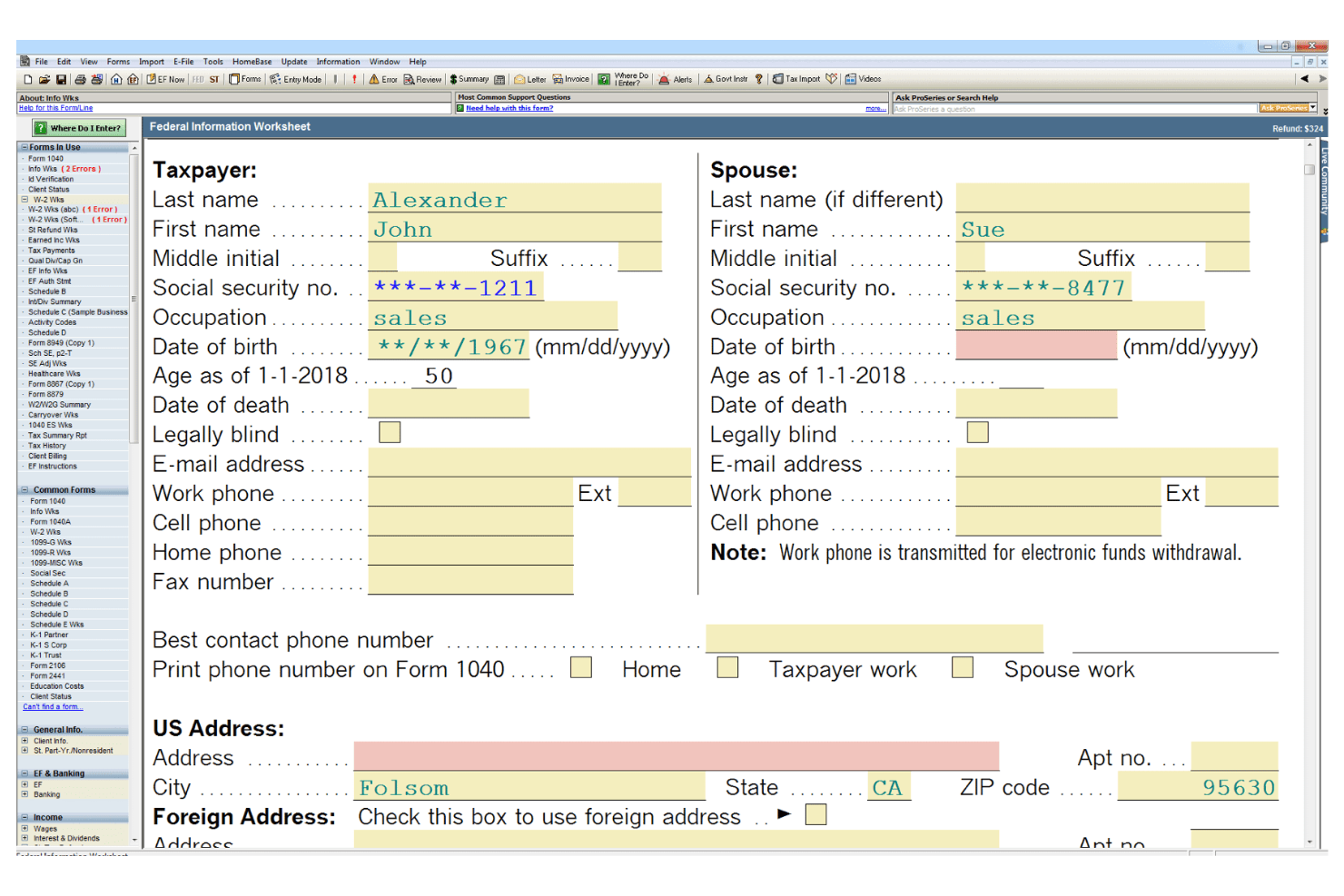
ProSeries Tax is a tax software solution designed for accounting firms and tax professionals. It simplifies tax preparation, filing, and compliance, making it easier for your team to manage client accounts efficiently.
Why I picked ProSeries Tax: ProSeries Tax is tailored specifically for accounting firms, providing features that simplify tax preparation and client management. The software includes tools for organizing client data and automating tax calculations, which saves valuable time during tax season. Its intuitive interface helps your team navigate complex tax scenarios, and the software's straightforward reporting capabilities allow you to generate detailed client reports and financial statements with ease.
Standout Features and Integrations:
Features include automated tax calculations that reduce manual errors and software that lets you manage multiple client accounts at a time. The built-in e-filing system speeds up the tax filing process, supporting timely submissions.
Integrations include QuickBooks, Microsoft Excel, Dropbox, Google Drive, Karbon, Ignition, and more.
Pros and Cons
Pros:
- Built-in e-filing system
- Thorough client reporting
- Automated tax calculations
Cons:
- Windows-only
- Not for daily operations
Best for AI-powered cloud deployment
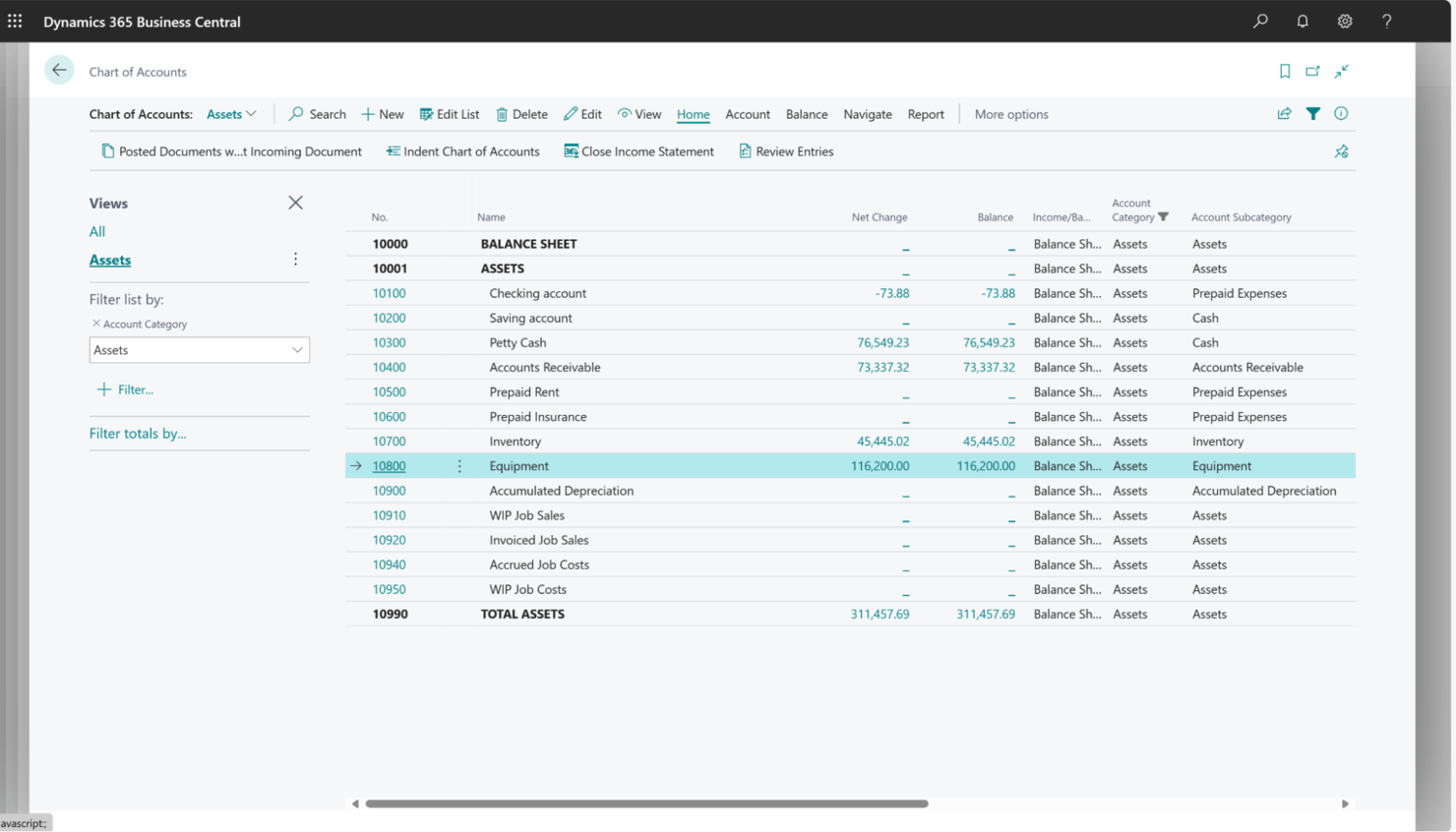
Microsoft Dynamics 365 Business Central is a cloud-based ERP solution designed for small to medium-sized businesses. It manages financials, sales, service, and operations, providing an extensive view of business processes.
Why I picked Microsoft Dynamics 365 Business Central: The tool's cloud deployment makes it accessible from anywhere, improving flexibility for your team. It offers simple integration with other Microsoft products, which is ideal if your business already uses Microsoft tools, and customizable dashboards let you tailor the system to fit your specific business needs.
Standout Features and Integrations:
Features include real-time data updates, which keep your information current across all departments. The software also offers automated workflows, reducing manual tasks for your team, and customizable dashboards provide a personalized view of your business operations.
Integrations include Microsoft Office 365, Power BI, Azure, Dataverse, Outlook, SharePoint, Dynamics 365 Marketing, Shopify, and more.
Pros and Cons
Pros:
- Automated workflows
- Easy Microsoft integration
- Accessible cloud deployment
Cons:
- Frequent cloud updates can sometimes break custom integrations
- Requires some technical knowledge
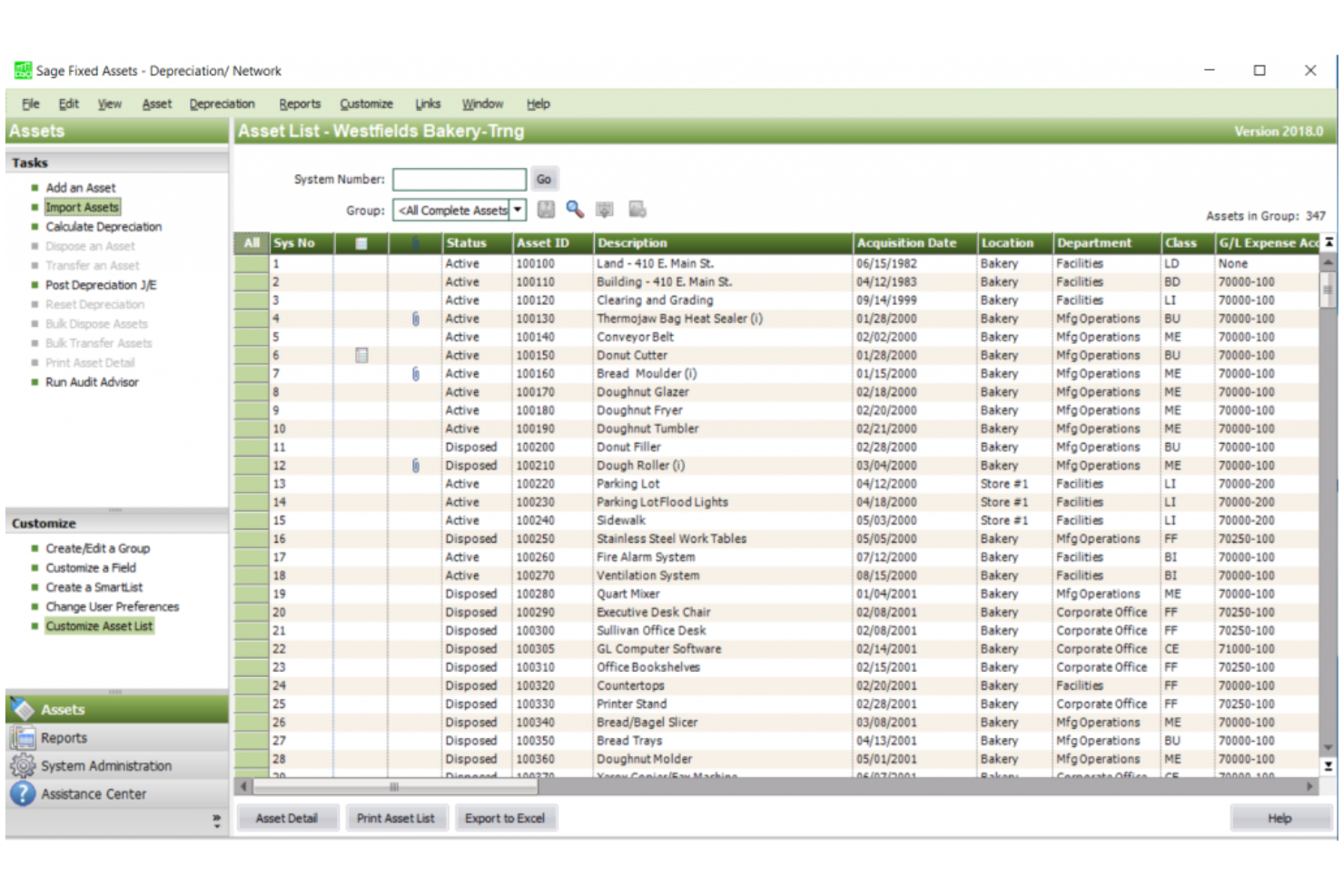
Sage Fixed Assets is a full-scale management tool built for mid-to-large companies with intricate asset inventories. It manages every stage of an asset’s life—from planning and capitalization to depreciation and final disposal—to maintain financial precision and meet regulatory standards.
Why I picked Sage Fixed Assets: Sage Fixed Assets is ideal for mid-to-large businesses managing thousands of items across multiple sites. It automates difficult depreciation schedules and creates audit-ready reports, which reduces human error. The system fits the needs of professional finance teams who require deep customization for specific industry rules or internal workflows.
Standout Features and Integrations:
Features include detailed asset tracking, which helps you monitor assets from acquisition to disposal. It offers more than 50 depreciation methods, including MACRS and straight-line formulas and tables, and you can also generate custom reports to suit your business's specific needs. The software provides audit trails to keep your records compliant and secure.
Integrations include Sage Intacct, Sage 100, Sage 300, and more.
Pros and Cons
Pros:
- Scalable for growing businesses
- Detailed asset reports
- Easy to customize
Cons:
- Limited advanced features
- Not ideal for large enterprises

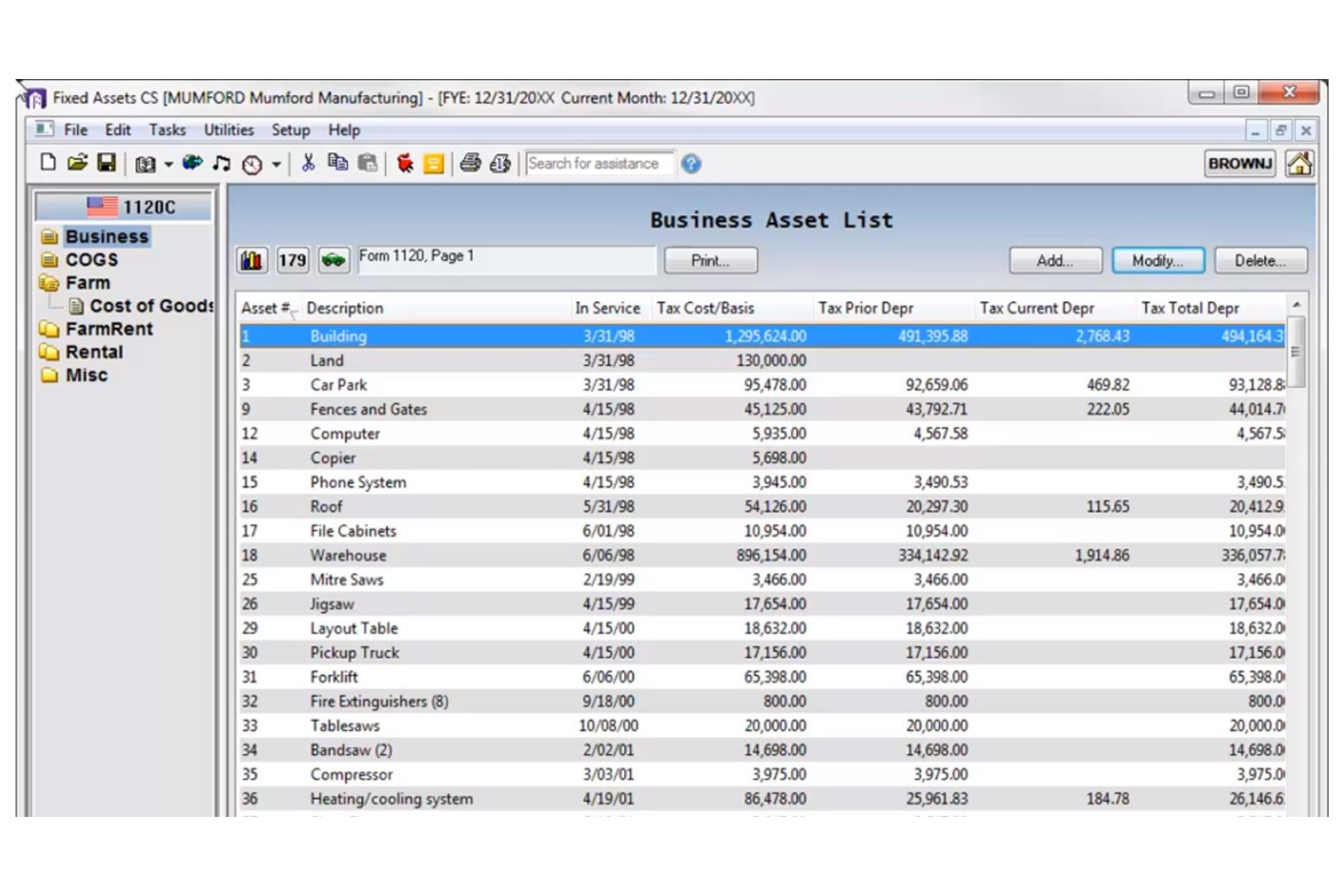
Fixed Assets CS is a fixed asset management tool tailored for CPAs, accounting professionals, and businesses requiring precise tax compliance. It manages asset depreciation, tax reporting, and compliance with ease.
Why I picked Fixed Assets CS: The tool excels in tax compliance, making it ideal for accounting firms and finance departments. It offers automated tax calculations and maintains compliance with the latest regulations, reducing your risk of errors. The software's detailed reporting features help you maintain accurate records, and its user-friendly interface means you can focus more on strategic tasks rather than manual calculations.
Standout Features and Integrations:
Features include customizable depreciation methods, detailed audit trails, and asset group reporting. You can also generate multiple reports for tax purposes, including property tax and tax returns, and track assets across various locations. The intuitive dashboard provides a clear overview of asset status and tax obligations.
Integrations include Microsoft Excel and more.
Pros and Cons
Pros:
- User-friendly interface
- Detailed audit trails
- Strong tax compliance features
Cons:
- No error warnings
- Complexity for small teams
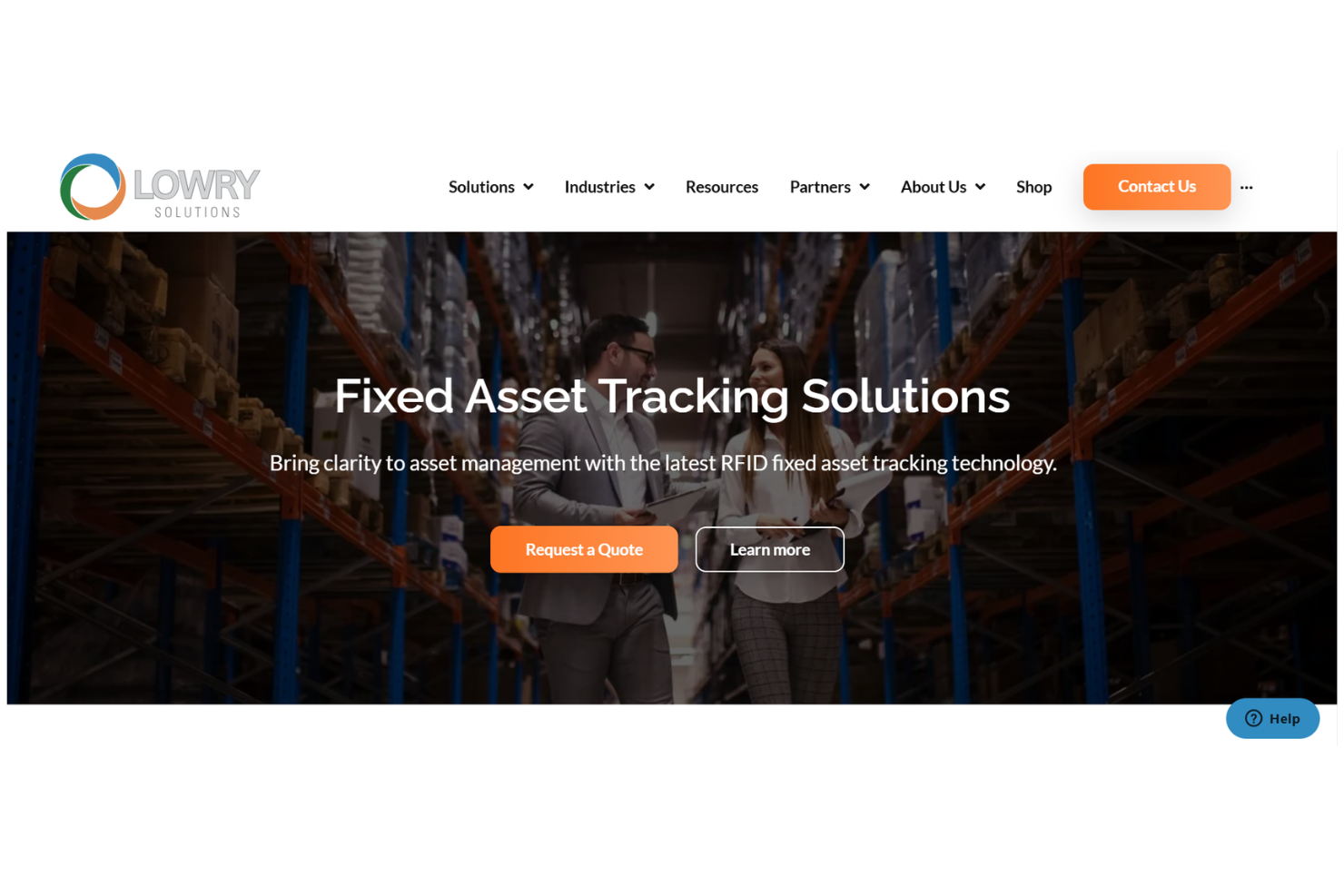
Lowry Solutions is an RFID-based fixed asset tracking solution designed for industries needing precise asset management systems. It offers real-time tracking and improves asset utilization, making it ideal for sectors like manufacturing and logistics.
Why I picked Lowry Solutions: Lowry Solutions excels with its RFID tracking capabilities, allowing your team to monitor assets in real time. It improves asset utilization, helping you get the most out of your resources. The platform’s SOC2 compliance maintains data security, which is essential for sensitive asset information. Customizable solutions make it adaptable to various industry needs.
Standout Features and Integrations:
Features include easy mapping of asset locations, efficient year-end procedures, and thorough assessments. You can customize the platform to meet specific tracking needs. The dedicated helpdesk offers continuous support to keep your operations running smoothly.
Integrations are not publicly listed.
Pros and Cons
Pros:
- SOC2 compliant for security
- Dedicated support helpdesk
- Real-time RFID tracking
Cons:
- Complex implementation
- Limited to RFID environments
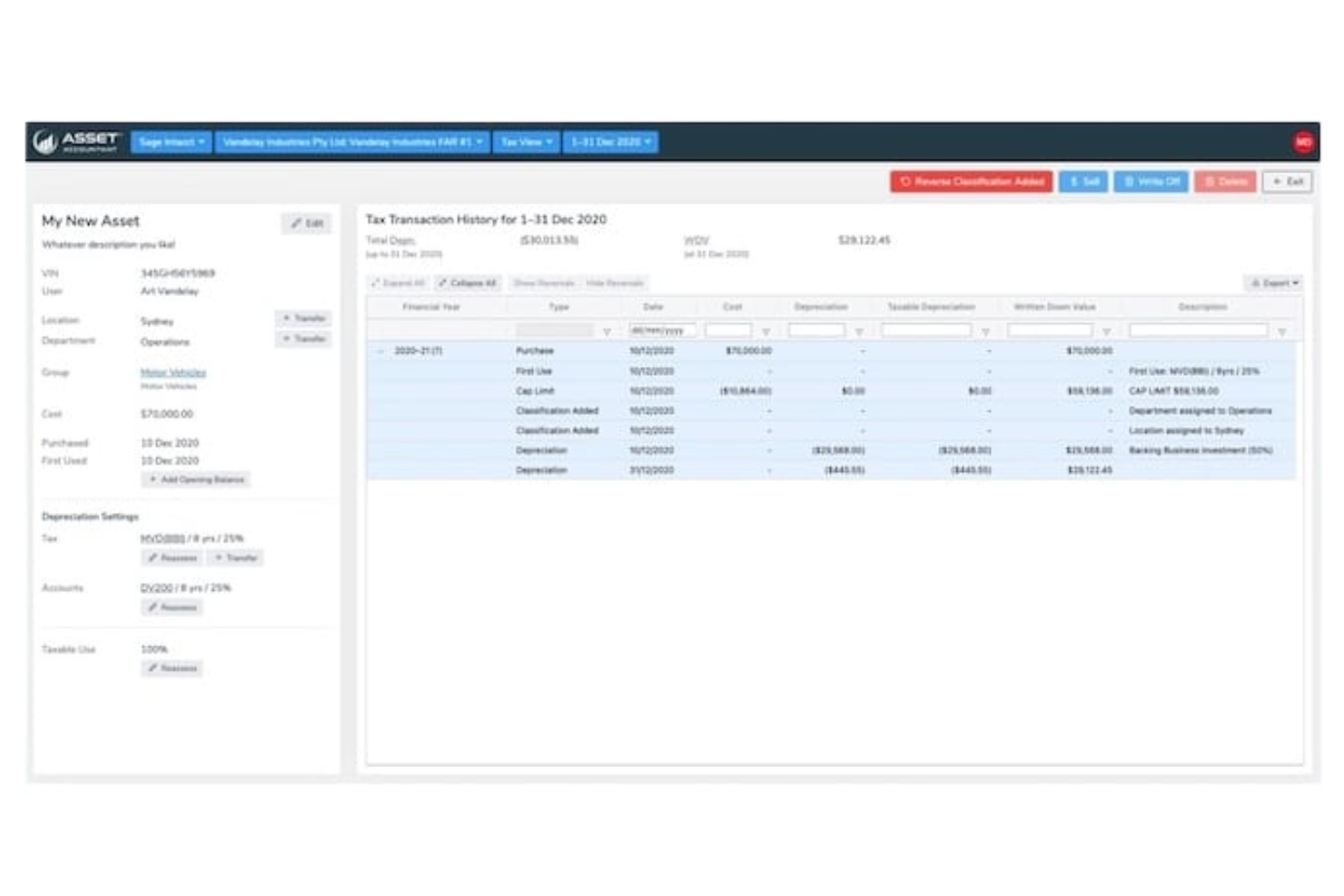
Asset Accountant is a fixed asset management tool designed for accounting professionals and businesses seeking efficient asset tracking and reporting. It simplifies the management of asset depreciation and compliance with financial regulations.
Why I picked Asset Accountant: Asset Accountant is noted for its ease of integration, making it a great choice for firms already using other financial software. Its automated depreciation calculation saves time and reduces errors in your financial reporting. The tool’s user-friendly interface helps you and your team quickly get up to speed, and its customizable reporting features let you tailor reports to meet specific business needs.
Standout Features and Integrations:
Features include easy data import from your GL or spreadsheet, automated IRS depreciation rate lookup, and automated asset revaluation, which helps keep your asset values current. You can also track asset performance over time, providing insights into asset utilization. The software offers thorough audit trails to maintain data integrity and compliance.
Integrations include Xero, QuickBooks, Microsoft 365, Sage, and more.
Pros and Cons
Pros:
- Customizable reporting options
- Automated depreciation calculations
- Easy integration with other software
Cons:
- Limited physical tracking
- Cloud-only option

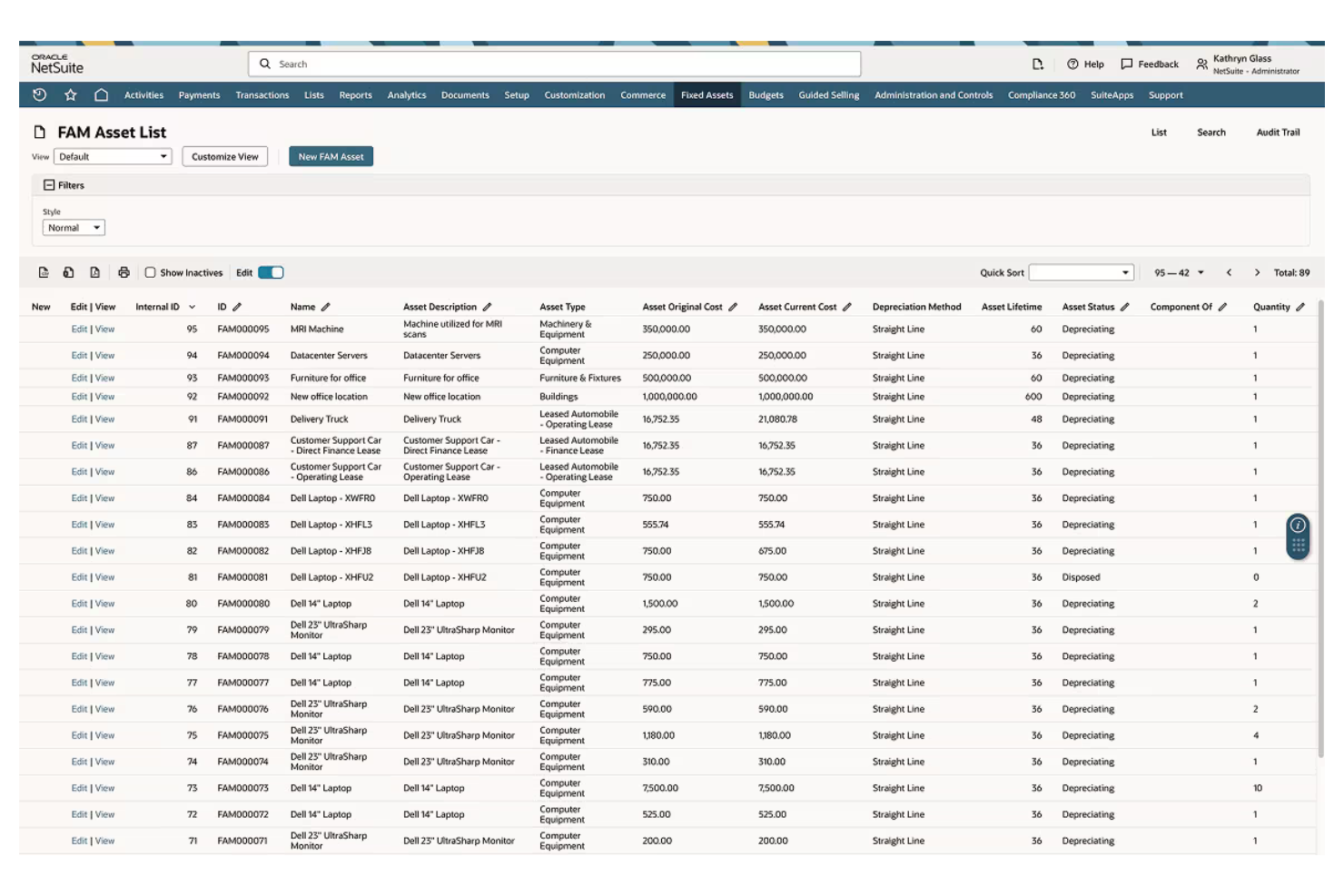
NetSuite Fixed Assets Management is an ERP solution designed for businesses of all sizes looking for scalability in asset management. It handles asset lifecycle management, financial reporting, and compliance, offering a unified view of financial operations.
Why I picked NetSuite Fixed Assets Management: The tool's scalability makes it ideal for businesses expecting growth. It supports complex asset management needs and provides real-time visibility into asset performance. Automated workflows reduce the need for spreadsheets and manual processes, freeing up your team's time for strategic tasks. The customizable dashboards let you tailor the system to your specific business requirements.
Standout Features and Integrations:
Features include real-time performance tracking, which keeps you informed about asset status. The software also offers automated asset depreciation to support accurate financial reporting, and customizable dashboards provide a personalized view of your asset data.
Integrations include QuickBooks, Sage Intacct, Microsoft, SAP, Deltek, Epicor, and more.
Pros and Cons
Pros:
- Automated workflows
- Highly scalable for growing businesses
- Real-time asset performance tracking
Cons:
- Complex implementation process
- Locked-in ecosystem
Other Fixed Asset Software
Here are some additional fixed asset software options that didn’t make it onto my shortlist, but are still worth checking out:
- Foundation Software
For the construction industry
- Yardi Fixed Assets Manager
For real estate management


Fixed Asset Software Selection Criteria
When selecting the best fixed asset software to include in this list, I considered common buyer needs and pain points like accurate depreciation tracking and regulatory compliance. I also used the following framework to keep my evaluation structured and fair:
Core Functionality (25% of total score)
To be considered for inclusion in this list, each solution had to fulfill these common use cases:
- Track asset location and status
- Calculate depreciation automatically
- Generate financial reports
- Maintain audit trails
- Verify compliance with regulations
Additional Standout Features (25% of total score)
To help further narrow down the competition, I also looked for unique features, such as:
- Integration with IoT devices
- AI-driven predictive maintenance
- Multi-currency support
- RFID tracking capabilities
- Customizable user dashboards
Usability (10% of total score)
To get a sense of the usability of each system, I considered the following:
- Intuitive interface design
- Easy navigation between features
- Minimal learning curve
- Accessibility on mobile devices
- Customization options for user preferences
Onboarding (10% of total score)
To evaluate the onboarding experience for each platform, I considered the following:
- Availability of training videos
- Interactive product tours
- Access to webinars and tutorials
- Easy-to-use guides and templates
- Onboarding support from customer service
Customer Support (10% of total score)
To assess each software provider's customer support services, I considered the following:
- Availability of live chat and phone support
- Response time to inquiries
- Access to a knowledge base or help center
- Availability of dedicated account managers
- User community forums for peer support
Value for Money (10% of total score)
To evaluate the value for money of each platform, I considered the following:
- Competitive pricing compared to the features offered
- Availability of tiered pricing plans
- Transparency in pricing structure
- Inclusion of essential features in base plans
- Discounts for annual subscriptions
Customer Reviews (10% of total score)
To get a sense of overall customer satisfaction, I considered the following when reading customer reviews:
- Frequency of positive vs. negative feedback
- Commonly mentioned strengths and weaknesses
- User satisfaction with customer support
- Reports on software reliability and uptime
- Feedback on ease of integration with other systems
How To Choose Fixed Asset Software
It's easy to get bogged down in long feature lists and complex pricing structures. To help you stay focused as you work through your unique software selection process, here's a checklist of factors to keep in mind:
| Factor | What To Consider |
|---|---|
| Scalability | Will the software grow with your business? Consider future asset volume and whether the tool can handle increased data without performance issues. |
| Integrations | Does the software connect with your existing systems? Look for first-rate data sharing with accounting, ERP, or CRM systems to avoid data silos. |
| Customizability | Can you tailor the software to fit your workflows? Check if you can add custom fields and reports to confirm that it meets your unique business needs. |
| Ease of Use | Is the interface intuitive for your team? Consider the learning curve and whether your team can quickly adapt to the new system without extensive training. |
| Implementation and Onboarding | How quickly can you implement and start using the tool? Evaluate the onboarding process, available support, and resources to support a smooth transition. |
| Cost | Does the pricing align with your budget? Compare costs across vendors, including hidden fees, and weigh them against the value offered by the software. |
| Security Safeguards | Are your assets and data protected? Assess encryption standards, access controls, and compliance with industry regulations to safeguard sensitive information. |
| Support Availability | Is help available when you need it? Consider the availability of customer support, including response times and support channels like chat, email, or phone. |
What Is Fixed Asset Software?
Fixed asset software is a tool that helps businesses manage and track their physical assets throughout their lifecycle. Accountants, finance professionals, and asset managers generally use these tools to maintain accurate depreciation and comply with regulations
Tracking, reporting, and auditing features help with maintaining asset value, optimizing usage, and supporting financial accuracy. Overall, these tools simplify asset management and elevate decision-making.
Features
When selecting fixed asset software, keep an eye out for the following key features:
- Asset tracking: Monitor the location and status of physical assets to maintain accurate inventory and availability.
- Depreciation calculation: Automate the calculation of asset depreciation, saving time and reducing errors in financial reporting.
- Reporting tools: Provide detailed financial reports and insights to support decision-making and compliance efforts.
- Audit trails: Maintain a record of all asset-related transactions to promote transparency and facilitate audits.
- Compliance management: Help maintain asset management practices that adhere to industry regulations and standards.
- Customizable dashboards: Allow users to tailor the interface to match their specific workflow and information needs.
- Integration capabilities: Connect with other business systems such as ERP and accounting software for easy data flow.
- Security safeguards: Protect sensitive asset data with encryption and access controls to prevent unauthorized access.
- Mobile access: Enable users to manage assets on the go through mobile devices, boosting flexibility and efficiency.
Benefits
Implementing fixed asset software provides several benefits for your team and your business. Here are a few you can look forward to:
- Improved accuracy: Automated depreciation calculations and tracking keep your financial records precise and up to date.
- Time savings: By automating routine tasks such as reporting and asset tracking, your team can focus on more strategic activities.
- Increased compliance: Built-in compliance management features help you adhere to industry regulations without extra effort.
- More transparency: Audit trails and detailed reports provide clear visibility into asset usage and transactions.
- Better decision-making: Real-time data and customizable dashboards offer insights that support informed business decisions.
- Cost efficiency: Optimizing asset utilization and reducing errors can lead to significant savings over time.
- Flexibility: Mobile access and integration capabilities allow your team to manage assets from anywhere, supporting business continuity.
Costs and Pricing
Selecting fixed asset software requires an understanding of the various pricing models and plans available. Costs vary based on features, team size, add-ons, and more. The table below summarizes common plans, their average prices, and typical features included in fixed asset software solutions:
Plan Comparison Table for Fixed Asset Software
| Plan Type | Average Price | Common Features |
|---|---|---|
| Free Plan | $0 | Basic asset tracking, limited reporting, and community support. |
| Personal Plan | $8-$50/user/month | Asset tracking, basic depreciation, reporting tools, and email support. |
| Business Plan | $55-$80/user/month | Advanced asset management, automated depreciation, compliance features, and phone support. |
| Enterprise Plan | $90-$200/month | Customizable dashboards, integration capabilities, advanced security, and a dedicated account manager. |
Fixed Asset Software FAQs
Here are some answers to common questions about fixed asset software:
What is the primary purpose of fixed asset software?
The primary purpose of fixed asset software is to help businesses efficiently manage and track their physical assets. It enables you to monitor asset location, calculate depreciation, and maintain compliance with financial regulations. By automating these processes, you can save time and reduce errors, which ultimately leads to better financial management and decision-making.
Can fixed asset software integrate with other systems?
Yes, most fixed asset software can integrate with other systems such as ERP, accounting, and CRM platforms. Integration supports effective data flow between systems, reducing the need for manual data entry and minimizing errors. When evaluating software, check for integration capabilities with the tools your team already uses to improve overall efficiency.
How does fixed asset software help with compliance?
Fixed asset software helps with compliance by automating regulatory requirements and maintaining accurate records. It provides audit trails and detailed reporting to help your business meet industry standards. This not only reduces the risk of non-compliance but also helps you prepare for audits more efficiently, saving you time and resources. Built-in depreciation software also maintains accuracy and compliance with accounting standards (GAAP) for CPAs
Is training required to use fixed asset software effectively?
Yes, some training is usually required, especially if the software is complex or has advanced features. Many providers offer training resources like webinars, tutorials, and user guides to help you get started. Investing time in training helps your team fully leverage the software’s capabilities, leading to better asset management and financial outcomes.
What's Next:
If you're in the process of researching fixed asset software, connect with a SoftwareSelect advisor for free recommendations.
You fill out a form and have a quick chat where they get into the specifics of your needs. Then you'll get a shortlist of software to review. They'll even support you through the entire buying process, including price negotiations.