
13 Best Fundraising Platforms Reviewed in 2026

10 Best Fundraising Platforms Shortlist
Here's my pick of the 10 best software from the 13 tools reviewed.


In today's fast-paced world, managing finances and raising funds can be a daunting task for any CFO. You're juggling multiple responsibilities, and finding efficient ways to engage donors and secure funding is important. Fundraising platforms can help lighten this load by offering tools that simplify donation processes and improve donor relationships.
I've independently tested and reviewed various software solutions to bring you an unbiased list of the best fundraising platforms on the market. My goal is to help you find the right platform that addresses your specific needs and challenges.
In this article, you'll discover my top picks, each carefully evaluated for their unique features and benefits. Let's find the perfect solution for your team.
Why Trust Our Software Reviews
Best Fundraising Platforms Summary
This comparison chart summarizes pricing details for my top fundraising platforms selections to help you find the best one for your budget and business needs.
| Tool | Best For | Trial Info | Price | ||
|---|---|---|---|---|---|
| 1 | Best for peer-to-peer campaigns | Free plan + free demo available | From $29/month | Website | |
| 2 | Best for personal fundraising | Free plan available | From 2.9% + $0.30 per transaction | Website | |
| 3 | Best for event-based fundraising | Free demo available | Pricing upon request | Website | |
| 4 | Best for free fundraising tools | Free-forever plan available | Free to use | Website | |
| 5 | Best for small nonprofits | Free plan + free demo available | From $129/month (billed annually) | Website | |
| 6 | Best for creative fundraising ideas | Free plan + free demo available | From 2.9% platform fee | Website | |
| 7 | Best for Salesforce integration | Free demo available | From $59/month (billed annually) | Website | |
| 8 | Best for donor retention insights | Free demo available | From $40/month (billed annually) | Website | |
| 9 | Best for matching gifts | Free demo available | From $999/year (billed annually) | Website | |
| 10 | Best for recurring donations | Free plan + free demo available | From $150/month | Website |
-

LiveFlow
Visit WebsiteThis is an aggregated rating for this tool including ratings from Crozdesk users and ratings from other sites.4.9 -
Float Financial
Visit WebsiteThis is an aggregated rating for this tool including ratings from Crozdesk users and ratings from other sites.4.1 -
Creatio CRM
Visit WebsiteThis is an aggregated rating for this tool including ratings from Crozdesk users and ratings from other sites.4.7


Best Fundraising Platform Reviews
Below are my detailed summaries of the best fundraising platforms that made it onto my shortlist. My reviews offer a detailed look at the key features, pros and cons, integrations, and ideal use cases of each tool to help you find the best one for you.

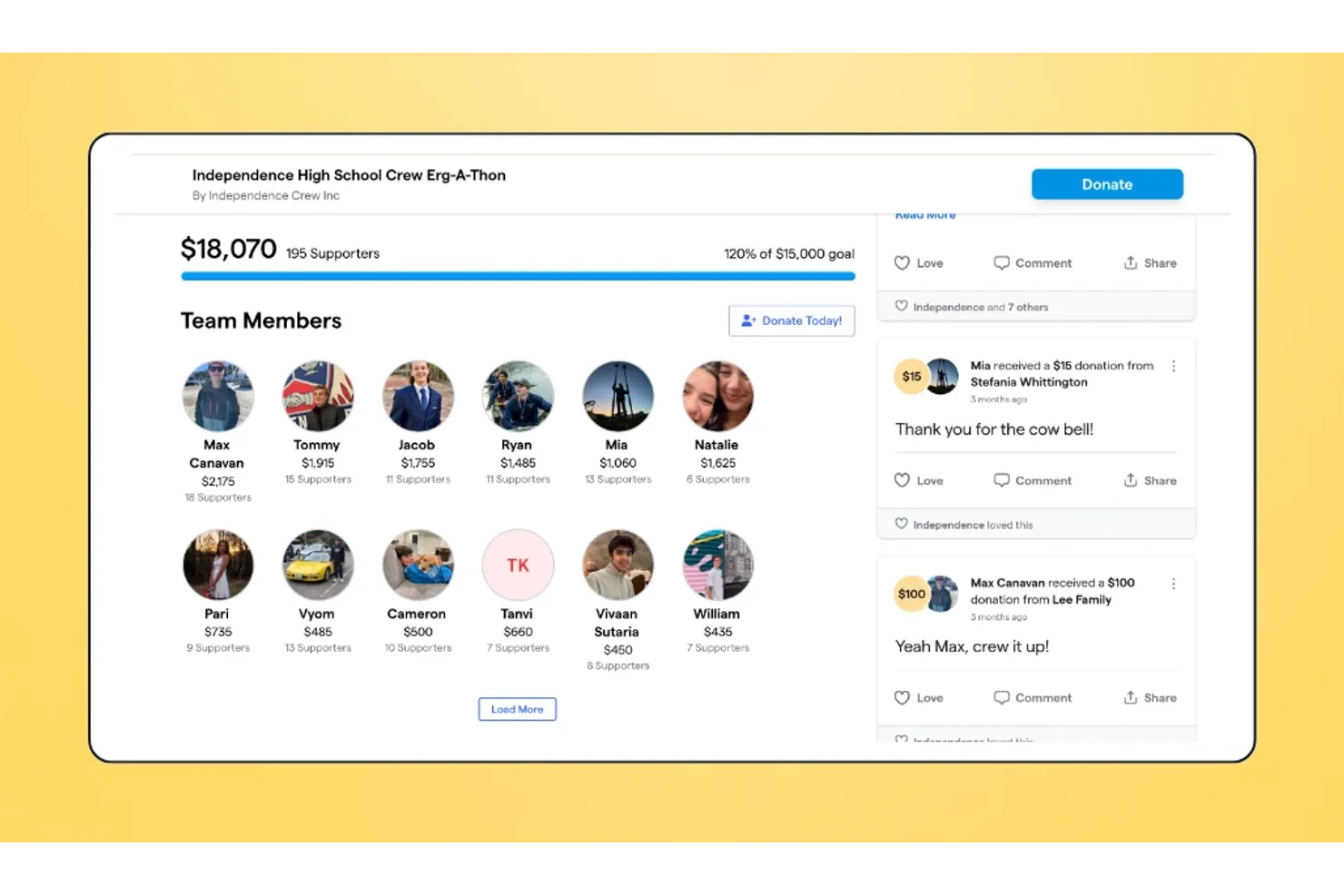
Givebutter is a fundraising platform tailored for nonprofits, schools, and individuals who want to leverage peer-to-peer campaigns to improve their fundraising efforts. It offers tools for managing donations, events, and campaigns while engaging supporters through social sharing.
Why I picked Givebutter: It excels in peer-to-peer campaigns, enabling your supporters to create and share their own fundraising pages. You can track campaign performance with real-time analytics, helping you adjust strategies as needed. The platform supports various payment methods, including credit cards, Apple Pay, and Google Pay, enhancing donor accessibility. Additionally, Givebutter provides engaging storytelling features to help you connect with your audience.
Standout Features and Integrations:
Features include customizable campaign pages that allow for personalization and brand consistency. The live supporter feed keeps your donors engaged by showing real-time contributions and messages. Givebutter also offers a variety of payment methods, making it easy for donors to contribute.
Integrations include Zapier, Google Analytics, PayPal, Stripe, Venmo, Facebook, Twitter, YouTube, and more.
Pros and Cons
Pros:
- Storytelling features
- Real-time analytics available
- Peer-to-peer campaign support
Cons:
- Ticketing tools lack depth
- Limited recurring donation support
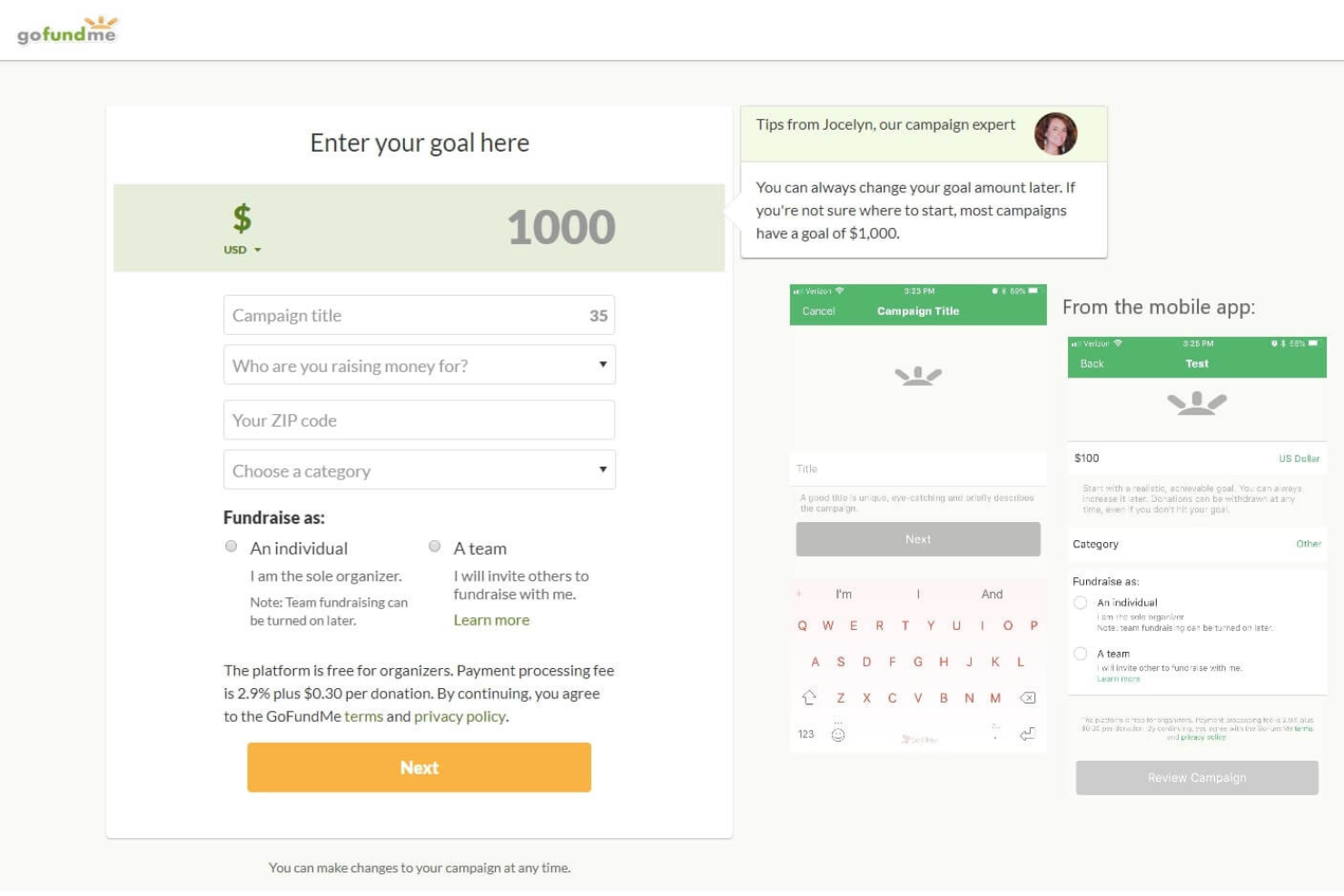
GoFundMe is a crowdfunding platform primarily for individuals and small groups raising funds for personal causes. It offers a straightforward way to create online giving campaigns and connect with a wide audience to gather support for various needs.
Why I picked GoFundMe: It's ideal for personal fundraising because it lets individuals quickly set up campaigns without technical skills. The platform provides easy social media sharing tools to help you reach potential donors. GoFundMe's user-friendly interface makes it simple to manage and update campaigns. Additionally, it provides secure payment processing so you can ensure that funds are collected and distributed safely.
Standout Features and Integrations:
Features include customizable campaign pages that allow you to tell your story and connect with donors. The platform offers tools to share your campaign on social media, maximizing your reach. GoFundMe also provides detailed analytics to track your campaign's performance and adjust your strategy as needed.
Integrations include Facebook, Mailchimp, Google Analytics, Zapier, and more.
Pros and Cons
Pros:
- Secure payment processing
- Wide audience reach
- Easy campaign setup
Cons:
- Transaction fees apply
- Limited to personal causes

OneCause is a fundraising software solution tailored for nonprofits focusing on event-based fundraising. The platform caters to organizations looking to improve their live and virtual fundraising events with helpful management tools.
Why I picked OneCause: It's ideal for event-based fundraising, providing tools for managing auctions, raffles, and ticket sales. The software makes it easy to set up and manage virtual and in-person events. Additionally, OneCause offers real-time reporting and analytics to help you track your event's success.
Standout Features and Integrations:
Features include mobile bidding, which allows donors to participate from anywhere, increasing engagement. The platform's real-time reporting offers insights into donor activity and event success, helping you make informed decisions. OneCause also supports live streaming, making it easier to host live auctions and reach a broader audience.
Integrations include Salesforce, Mailchimp, Google Analytics, and more.
Pros and Cons
Pros:
- Engages donors with mobile bidding
- Supports live and virtual events
- Extensive event management tools
Cons:
- Advanced functionality limited to certain modules
- Focused on event-based fundraising
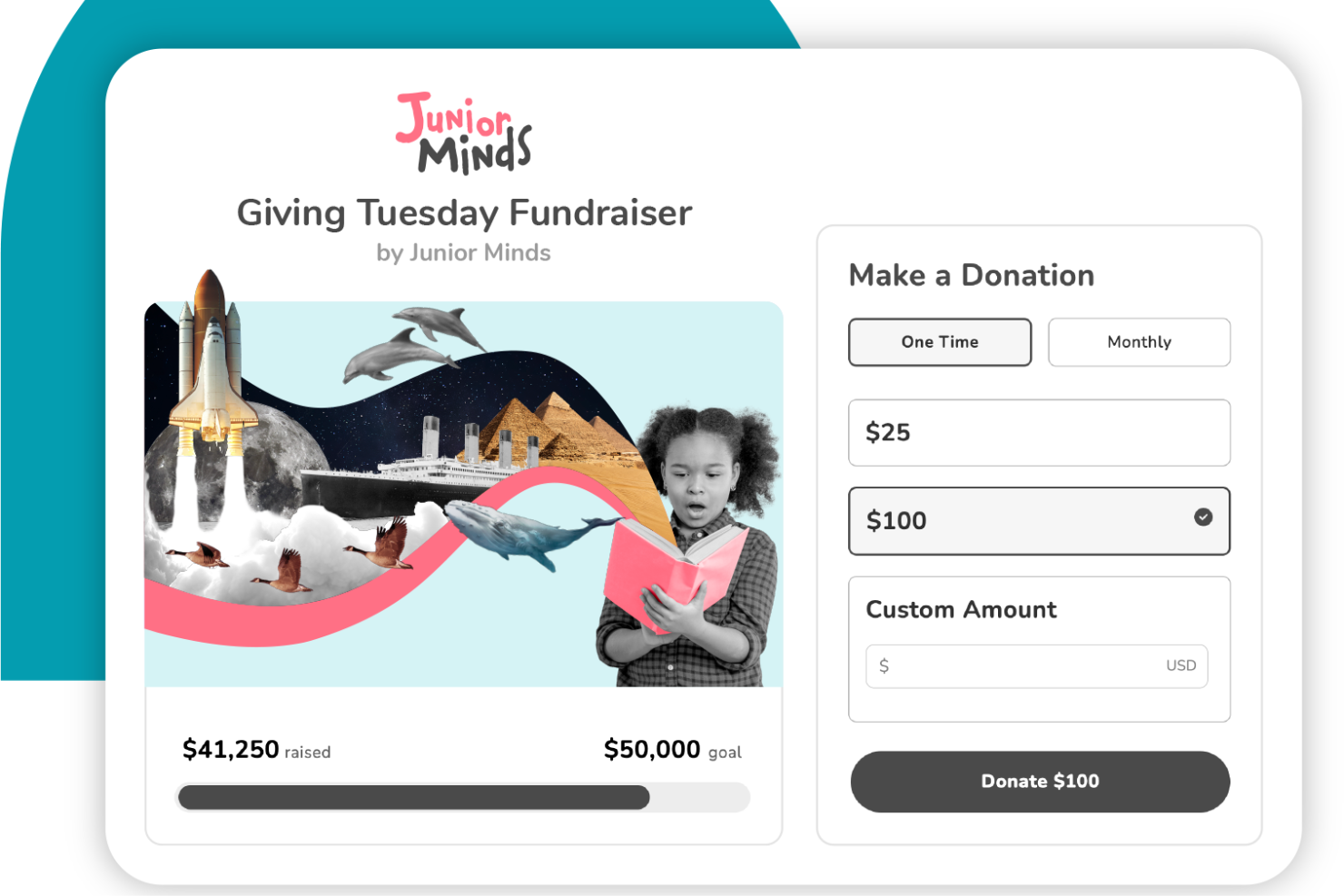
Give Lively is a fundraising platform designed for nonprofits seeking cost-effective tools for their fundraising efforts. It primarily caters to organizations seeking access to high-quality fundraising features without incurring additional costs.
Why I picked Give Lively: It offers a free platform with fundraising tools, making it an attractive option for budget-conscious nonprofits. You can access features such as customizable donation pages and text-to-donate functionality at no cost. Additionally, Give Lively provides detailed reporting to help you track and optimize your fundraising efforts.
Standout Features and Integrations:
Features include customizable donation pages that let you tailor your fundraising efforts to your brand. The text-to-donate feature enables donors to contribute via text message, expanding your reach. Give Lively also offers peer-to-peer fundraising, where supporters can set up their own fundraising sites to aid your cause.
Integrations include Salesforce, Stripe, Double the Donation, PayPal, Zapier, and more.
Pros and Cons
Pros:
- Text-to-donate functionality
- Customizable donation pages
- Supports community-driven campaigns
Cons:
- Fewer built-in CRM automation tools
- Limited advanced features
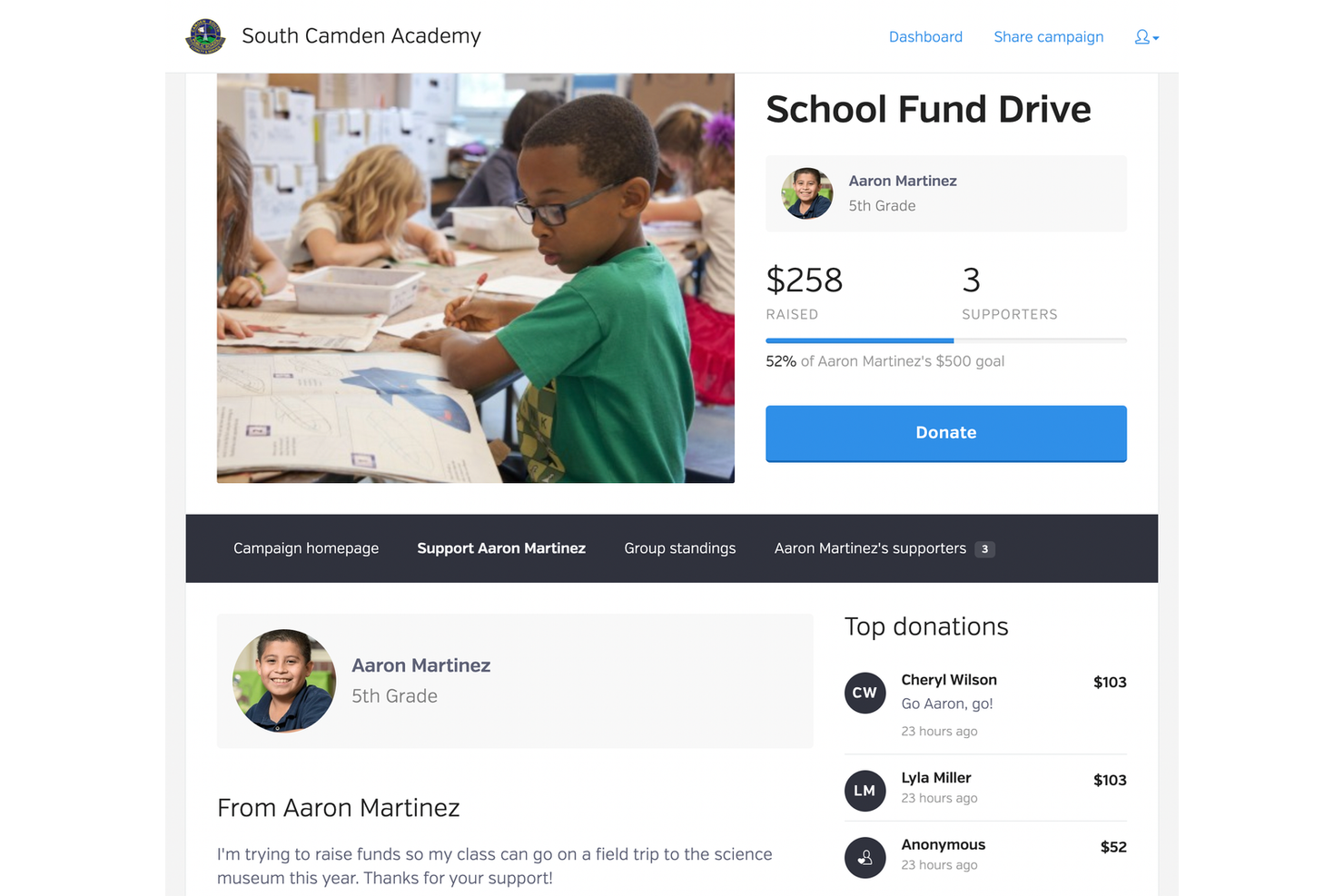
BetterWorld is a fundraising platform specifically designed for small nonprofits looking to improve their fundraising efforts without incurring high processing fees. It provides essential tools for managing donations, auctions, and events, making it a suitable choice for organizations with limited resources.
Why I picked BetterWorld: It caters to small nonprofits by offering free access to fundraising tools, providing financial relief for organizations on tight budgets. You can manage online auctions and events with its intuitive interface. The platform supports unlimited campaigns, allowing you to run multiple fundraising activities simultaneously. Additionally, BetterWorld provides detailed analytics to help you track and improve your fundraising strategies.
Standout Features and Integrations:
Features include unlimited fundraising campaigns, which allow your team to run multiple events without restrictions. The platform offers customizable auction tools, enabling you to tailor your fundraising events to suit your needs. BetterWorld also provides detailed reporting, giving you insights into your campaign performance and donor engagement.
Integrations include Google Analytics, Facebook, Salesforce, Zapier, and more.
Pros and Cons
Pros:
- Suitable for small nonprofit budgets
- Free access to essential tools
- Unlimited fundraising campaigns
Cons:
- Limited reporting and analytics
- Focused on non-profit campaigns
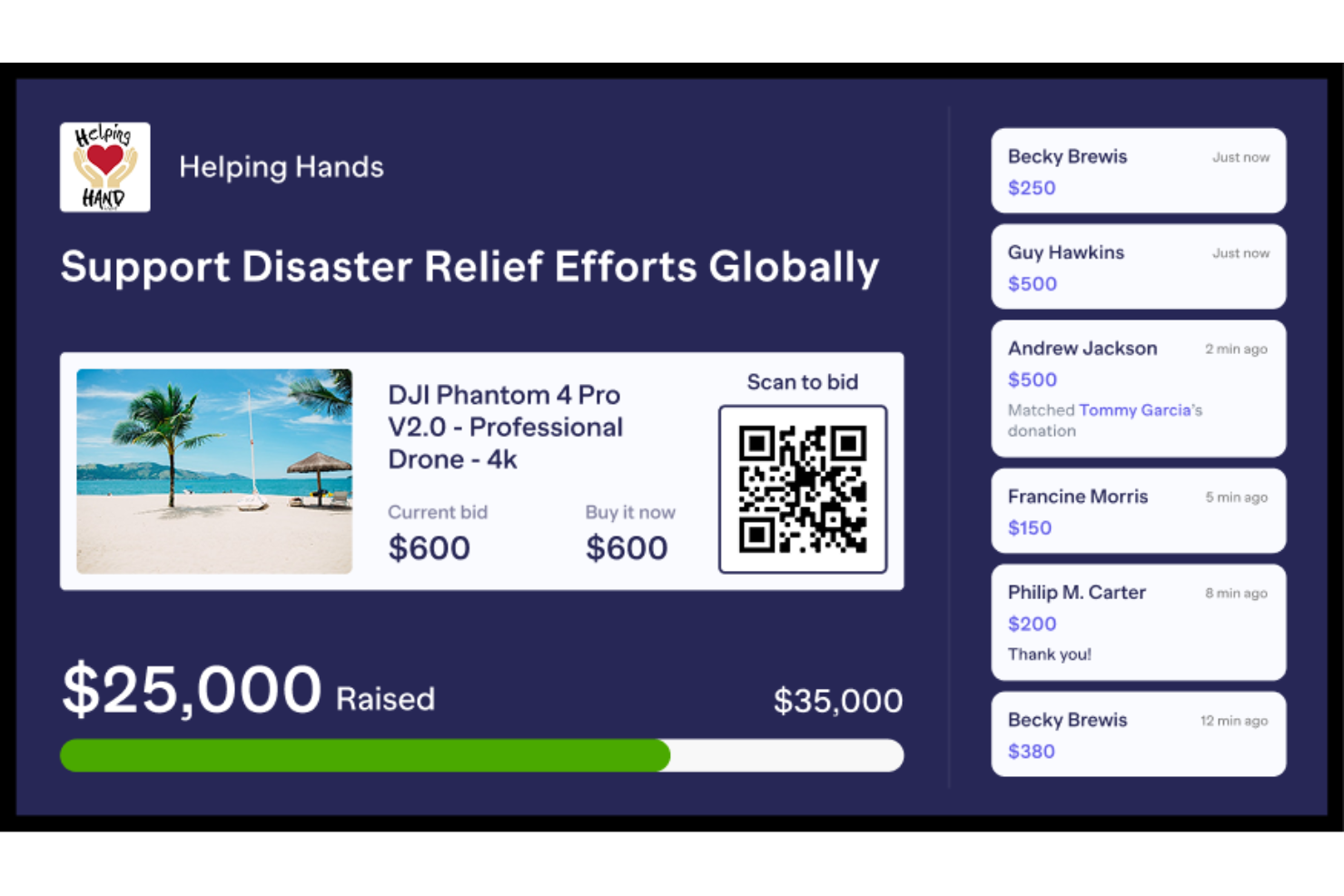
RallyUp is an online fundraising platform tailored for nonprofits, schools, and corporate entities. It offers customizable campaigns and supports various fundraising methods such as raffles, auctions, and crowdfunding.
Why I picked RallyUp: It's perfect for creative fundraising ideas, offering features such as pledge-based A-Thons and merchandise sales through storefronts. You can manage in-person events with tools for ticketing and guest check-in. The platform provides customizable templates and expert assistance for campaign creation. RallyUp also allows you to combine multiple fundraising types on a single webpage, enhancing the flexibility of how you raise money.
Standout Features and Integrations:
Features include detailed donor profiles that help personalize communication and build stronger relationships. The platform also provides instant templates for quick campaign setup, saving you time and effort. Additionally, you can leverage RallyUp's support throughout the fundraising process to maximize results.
Integrations include Salesforce, Mailchimp, Google Analytics, Facebook, Zapier, and more.
Pros and Cons
Pros:
- No contract required
- Customizable campaign templates
- Multiple fundraising options
Cons:
- Can be complex for small events
- Some features need manual setup
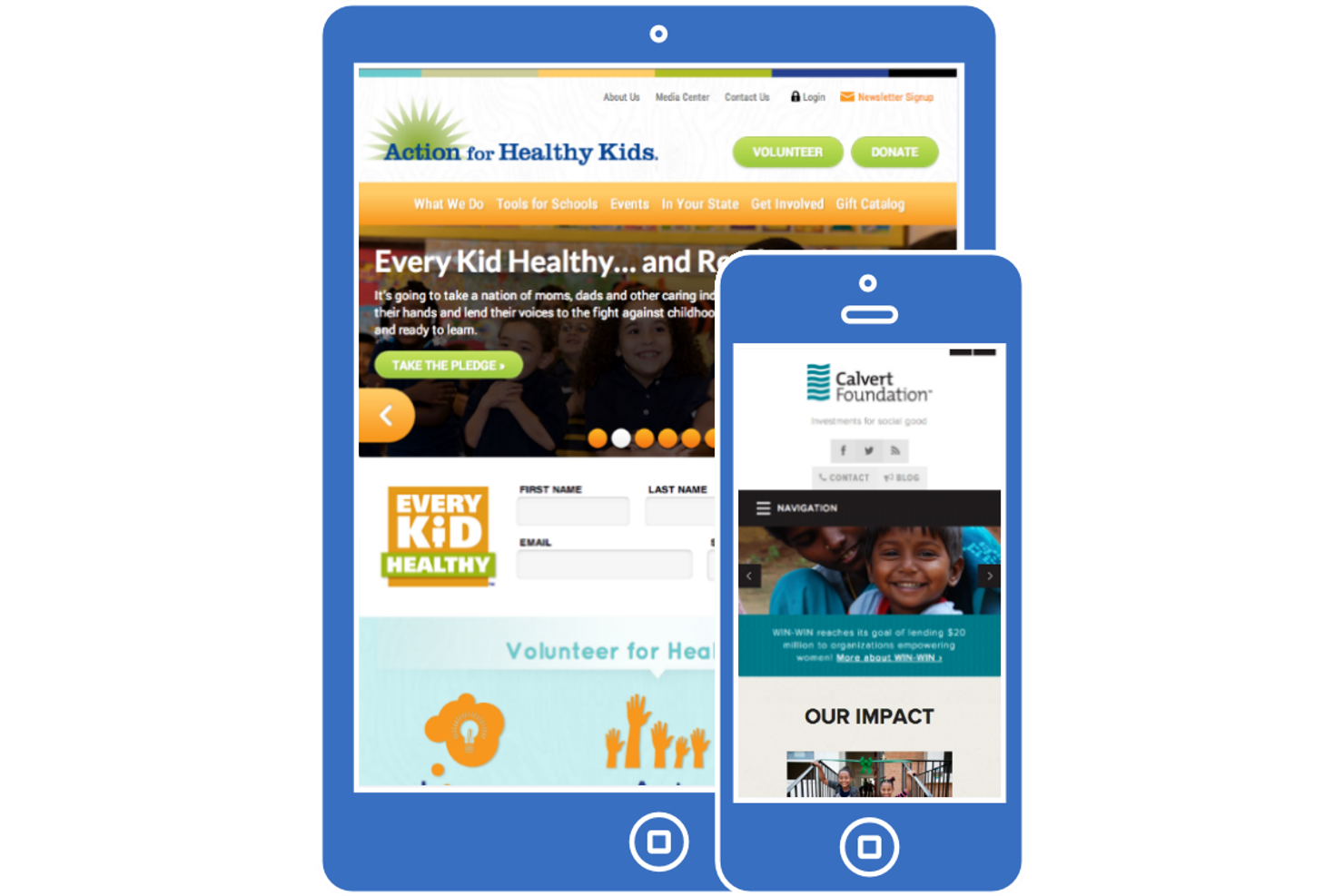
SoapBox Engage is a cloud-based platform designed for nonprofits and associations looking to manage their fundraising and engagement activities. It primarily serves organizations that want to leverage Salesforce to increase donor interactions and improve data management.
Why I picked SoapBox Engage: It's tailored for Salesforce integration, making it easy to sync donor data. The platform offers a suite of apps for managing donations, events, and memberships directly within Salesforce. You can create custom forms and pages that connect to your Salesforce data, providing a smooth experience. Additionally, SoapBox Engage provides real-time insights into donor activity, supporting your fundraising success.
Standout Features and Integrations:
Features include customizable forms that allow you to collect data tailored to your needs. The platform offers real-time reporting, giving you insights into your fundraising activities. You can also manage event registrations and memberships to improve your organization's engagement efforts.
Integrations include Salesforce, PayPal, Stripe, Microsoft Dynamics CRM, and more.
Pros and Cons
Pros:
- Supports multiple fundraising activities
- Customizable engagement tools
- Strong Salesforce integration
Cons:
- Updates are not automatic
- Requires Salesforce knowledge
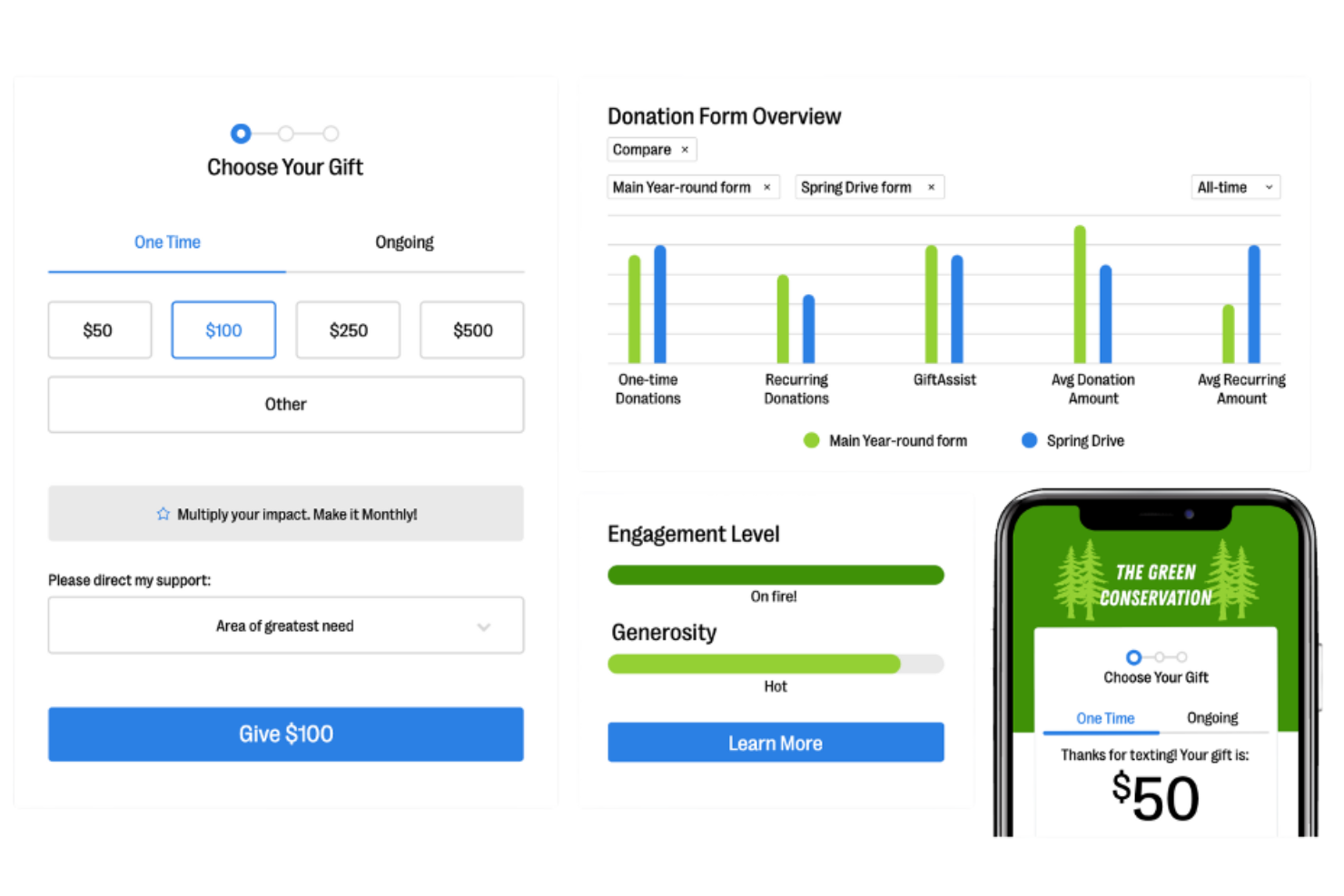
Bloomerang Fundraising is donor management software designed for nonprofits to improve donor relationships and retention. It serves organizations aiming to improve their fundraising outcomes through insightful data and relationship-building tools.
Why I picked Bloomerang Fundraising: It excels at providing donor retention insights and offers tools to track donor engagement and analyze giving patterns. With features such as donor timelines and engagement scoring, your team can better understand donor behavior. The platform's reporting tools allow you to assess the impact of your fundraising strategies. Additionally, the user-friendly dashboard presents data in an easy-to-interpret, actionable format.
Standout Features and Integrations:
Features include a donor timeline that visually represents donor interactions over time, helping you track engagement. The platform offers engagement scoring, which quantifies donor involvement and helps prioritize outreach efforts. Bloomerang Fundraising also provides reporting tools that can help you adjust your strategies.
Integrations include QuickBooks, Mailchimp, DonorSearch, Zapier, PayPal, Constant Contact, and more.
Pros and Cons
Pros:
- Engagement scoring available
- Visual donor timeline feature
- Strong focus on donor retention
Cons:
- Less flexible dashboard options
- Higher-tier plan required for advanced integrations
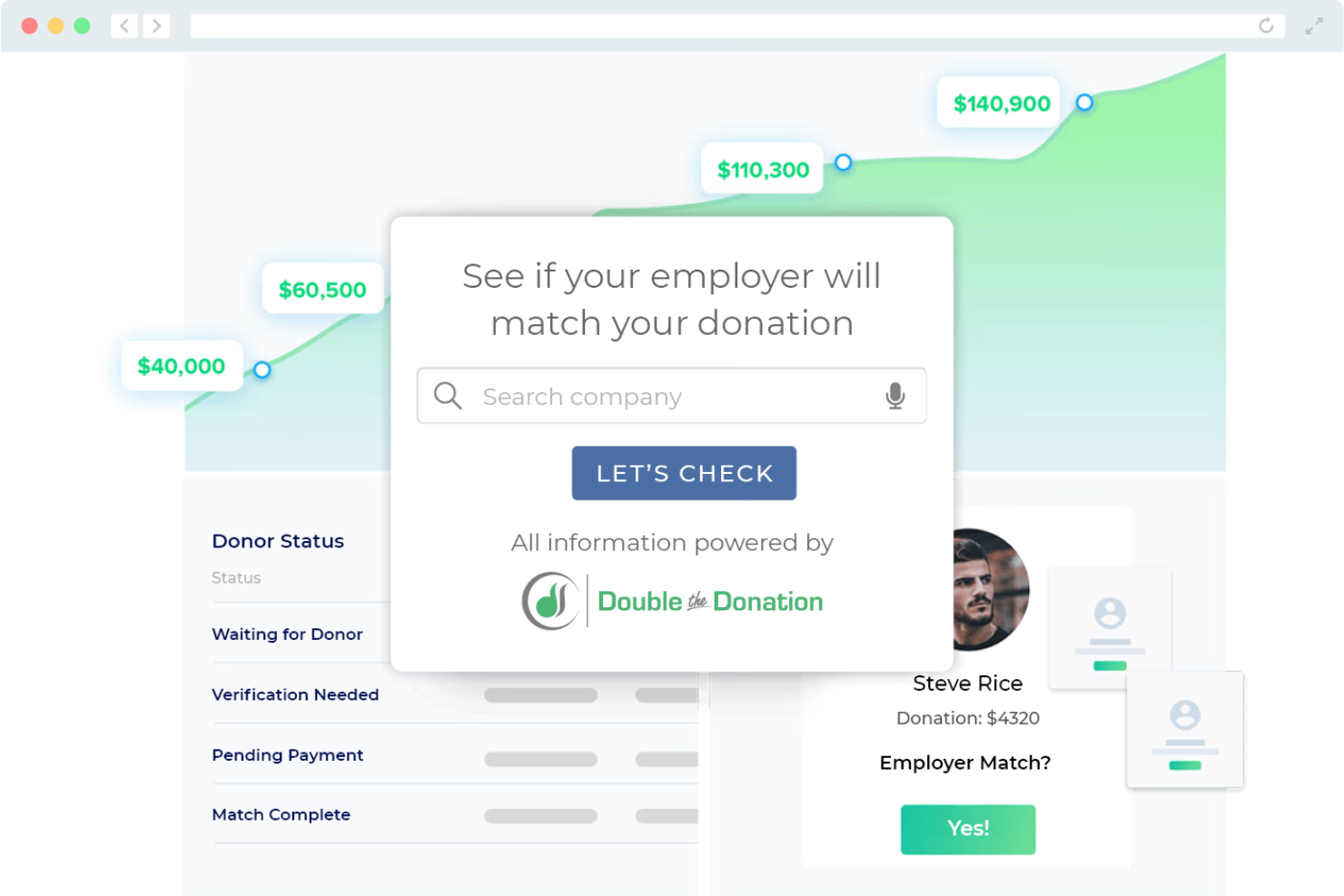
Double the Donation is a software solution that helps nonprofits maximize their fundraising potential through corporate matching gift programs. It's primarily used by organizations aiming to increase donations by leveraging company-sponsored matching gifts.
Why I picked Double the Donation: It specializes in matching gifts and provides an extensive database of companies that offer such programs. You can embed matching gift information into your donation forms to encourage donors to submit matching gift requests. The platform offers automated reminders to donors, ensuring they complete the matching process. Additionally, it provides analytics to track the success of your matching gift campaigns.
Standout Features and Integrations:
Features include a matching gift database, which helps your team identify potential corporate sponsors. The platform automates donor reminders, reducing your staff's follow-up workload. Double the Donation also offers analytics tools to measure the effectiveness of your matching gift efforts.
Integrations include Salesforce, Blackbaud, Neon CRM, DonorPerfect, Bloomerang Fundraising, Givebutter, Kindful, Funraise, and more.
Pros and Cons
Pros:
- Detailed analytics available
- Automated donor reminders
- Matching gift database
Cons:
- Requires donors to verify employer eligibility
- Focused solely on matching gift programs

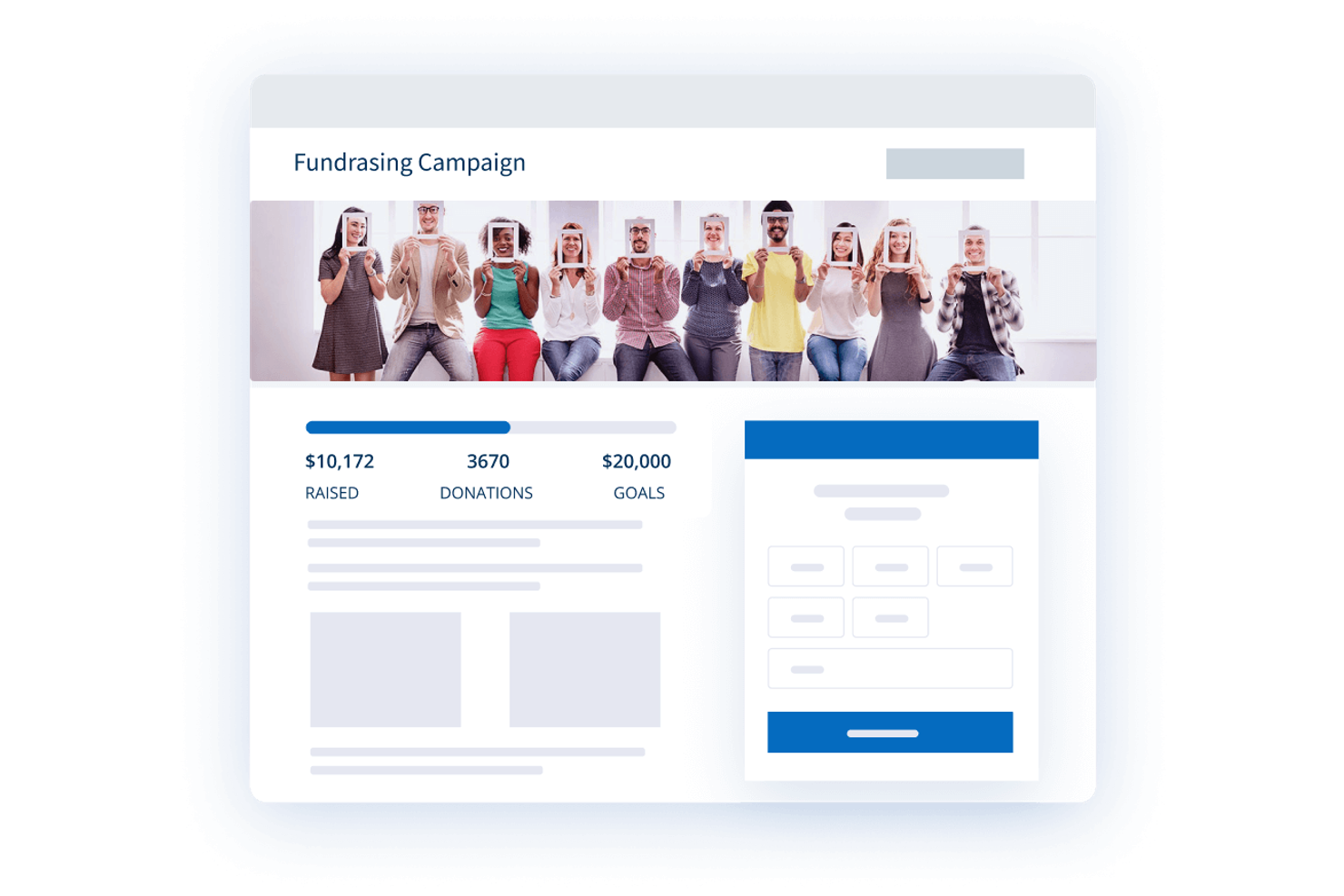
Donorbox is a fundraising solution designed for nonprofits looking to manage donations effectively. It's mainly used by small to medium-sized organizations aiming to improve their fundraising efforts and donor engagement. This tool simplifies the setup of recurring donations and the management of donor information.
Why I picked Donorbox: Nonprofits benefit from Donorbox's recurring donation feature, which lets donors contribute regularly with ease. This feature includes automated donor receipts and easy donor management, making it straightforward to track contributions. You can set fundraising goals and track progress, providing donors with transparency and motivation.
Standout Features and Integrations:
Features include customizable donation forms that integrate with your website, helping you maintain brand consistency. The platform also provides a donation goal tracker that visually shows progress, encouraging more donations. Additionally, the automated donor receipt feature saves time and ensures timely communications with donors.
Integrations include Salesforce, Mailchimp, QuickBooks, Zapier, Double the Donation, Stripe, PayPal, Google Analytics, Wix, WordPress, and more.
Pros and Cons
Pros:
- Website integration
- Automated donor receipts
- Easy to set up recurring donations
Cons:
- Transaction fees for some features
- Limited advanced reporting features
Other Fundraising Platforms
Here are some additional fundraising platforms options that didn’t make it onto my shortlist, but are still worth checking out:
- ShopRaise
For shopping-based fundraising
- 99Pledges
For walk-a-thons
- CrowdFunder
For crowdfunding campaigns


Fundraising Platform Selection Criteria
When selecting the best fundraising platforms to include in this list, I considered common buyer needs and pain points such as donor engagement and ease of use. I also used the following framework to keep my evaluation structured and fair:
Core Functionality (25% of total score)
To be considered for inclusion in this list, each solution had to fulfill these common use cases:
- Manage donation tracking
- Process online payments
- Generate fundraising reports
- Create fundraising campaigns
- Track donor interactions
Additional Standout Features (25% of total score)
To help further narrow down the competition, I also looked for unique features, such as:
- Mobile donation capabilities
- Peer-to-peer fundraising options
- Matching gift automation
- Event management tools
- Social media integration
Usability (10% of total score)
To get a sense of the usability of each system, I considered the following:
- Intuitive user interface
- Easy navigation
- Minimal learning curve
- Clear and concise instructions
- Aesthetic design
Onboarding (10% of total score)
To evaluate the onboarding experience for each platform, I considered the following:
- Availability of training videos
- Interactive product tours
- Access to templates
- Live webinars and tutorials
- Chatbot assistance
Customer Support (10% of total score)
To assess each software provider’s customer support services, I considered the following:
- 24/7 availability
- Multiple contact channels
- Response time
- Quality of support resources
- Availability of a knowledge base
Value For Money (10% of total score)
To evaluate the value for money of each platform, I considered the following:
- Competitive pricing
- Feature set versus cost
- Transparent pricing structure
- Availability of free trials
- Discounts for nonprofits
Customer Reviews (10% of total score)
To get a sense of overall customer satisfaction, I considered the following when reading customer reviews:
- Positive feedback on core features
- Commonly reported issues
- Frequency of updates
- Customer loyalty
- Overall satisfaction ratings
How To Choose a Fundraising Platform
It’s easy to get bogged down in long feature lists and complex pricing structures. To help you stay focused as you work through your unique software selection process, here’s a checklist of factors to keep in mind:
| Factor | What to Consider |
| Scalability | Can the platform grow with your organization? Consider your future needs and whether the tool can handle increased donation volumes and larger campaigns. |
| Integrations | Does the platform connect with your existing tools such as CRM or email marketing software? Check for compatibility to avoid manual data transfers and inefficiencies. |
| Customizability | How flexible is the platform in adapting to your specific needs? Look for tools that allow you to modify forms and workflows to fit your processes. |
| Ease of use | Is the platform intuitive for your team? A complicated interface can slow down operations. Test the user interface to ensure it’s straightforward and user-friendly. |
| Implementation and onboarding | How quickly can you get up and running? Evaluate the availability of training resources, product tours, and support to ensure a smooth transition. |
| Cost | Are the costs transparent and within your budget? Consider all fees, including transaction fees, and compare against the value provided to ensure it fits your budget. |
| Security safeguards | Does the platform offer strong security features to protect donor data? Look for encryption and compliance with data protection standards to secure sensitive information. |
| Support availability | What level of support does the vendor offer? Ensure there’s adequate customer service, especially if your team needs assistance during fundraising periods. |
What Are Fundraising Platforms?
Fundraising platforms are digital tools designed to help organizations manage and optimize their fundraising efforts. Nonprofit professionals, development teams, and event coordinators typically use these tools to increase donations and engage with donors. Campaign management, donation tracking, and reporting features help users organize events, understand donor behavior, and improve fundraising strategies. Overall, these tools provide a structured way to improve fundraising effectiveness and donor relationships.
Features
When selecting fundraising platforms, keep an eye out for the following key features:
- Donation tracking: Allows you to monitor contributions and donor information, helping you manage and analyze fundraising efforts effectively.
- Campaign management: Provides tools to plan, execute, and oversee fundraising campaigns, ensuring organized and successful events.
- Reporting and analytics: Offer insights into donor behavior and campaign performance, enabling data-driven decisions to improve fundraising strategies.
- Mobile donation capabilities: Enable donors to contribute via mobile devices, expanding accessibility and convenience for supporters.
- Peer-to-peer fundraising: Allows supporters to create their own fundraising pages, increasing reach and engagement within their networks.
- Customizable forms: Let you tailor donation forms to your organization's branding and data-collection needs.
- Event management tools: Facilitate the organization of fundraising events, including ticketing and guest management.
- Social media integration: Enables easy sharing of campaigns on social media platforms, broadening your reach and attracting more donors.
- Matching gift automation: Simplifies the process of securing corporate matching gifts, boosting donation potential.
- Security safeguards: Ensure the protection of donor data with encryption and compliance with data protection standards.
Benefits
Implementing fundraising platforms provides several benefits for your team and your business. Here are a few you can look forward to:
- Increased donations: By leveraging features such as QR codes and social media integration, you can reach more donors and boost contributions.
- Improved donor engagement: Tools such as customizable forms and peer-to-peer fundraising help strengthen interactions with supporters, fostering stronger relationships.
- Efficient campaign management: Features such as campaign management and event tools help organize and execute successful fundraising events.
- Data-driven insights: Reporting and analytics provide valuable information on donor behavior and campaign performance, enabling informed decision-making.
- Cost-effective fundraising: Matching gift automation and donation tracking help maximize contributions without increasing overhead costs.
- Heightened security: Security safeguards protect donor information, ensuring compliance with data protection standards and building trust with your supporters.
Costs and Pricing of Fundraising Platforms
Selecting fundraising platforms requires an understanding of the various pricing models and plans available. Costs vary based on features, team size, add-ons, and more. The table below summarizes common plans, their average prices, and typical features included in fundraising platform solutions:
Plan Comparison Table for Fundraising Platforms
| Plan Type | Average Price | Common Features |
| Free Plan | $0 | Basic donation tracking, basic reporting, and limited campaign management. |
| Personal Plan | $10-$30/user/month | Donation tracking, customizable forms, and social media integration. |
| Business Plan | $50-$100/user/month | Advanced analytics, peer-to-peer fundraising, and event management tools. |
| Enterprise Plan | $150-$300/user/month | Extensive reporting, matching gift automation, and dedicated support. |
Fundraising Platforms FAQs
Here are some answers to common questions about fundraising platforms:
What should I consider when choosing a fundraising platform?
Consider your organization’s specific needs, such as the type of fundraising you plan to do and the size of your donor base. Look for platforms that offer the features you need, such as event management, livestream, or peer-to-peer fundraising. Evaluate the ease of use and whether the platform integrates with your existing tools. Check user reviews to understand the platform’s reliability and customer support. Finally, compare pricing plans to ensure they fit your budget.
Can fundraising platforms integrate with my existing CRM system?
Yes, many fundraising platforms offer integration with popular CRM systems. This allows you to sync donor data and simplify your processes. Before choosing a platform, verify its compatibility with your CRM. Look for platforms that offer smooth data transfer and real-time updates. This integration can save time and reduce the risk of data entry errors, helping you maintain accurate donor records.
How do I ensure data security on a fundraising platform?
Ensure the platform you choose complies with data protection standards and offers good security measures. Look for features such as encryption, secure payment processing, and regular security updates. It’s important to review the platform’s privacy policy and terms of service. You might also want to ask the vendor about their data breach response plan. Keeping donor data secure builds trust and protects your organization from potential legal issues.
Is customer support important when selecting a fundraising platform?
Yes, customer support is important when selecting a fundraising platform. Reliable support ensures you can resolve any technical issues quickly, minimizing disruptions to your fundraising activities. Check the availability of support channels such as chat, phone, or email, and consider the responsiveness of the support team. Reading user reviews can also give you insight into the quality of support provided. Good customer support can make a big difference in your overall experience with the platform.
What’s Next:
If you're in the process of researching fundraising platforms, connect with a SoftwareSelect advisor for free recommendations.
You fill out a form and have a quick chat where they get into the specifics of your needs. Then you'll get a shortlist of software to review. They'll even support you through the entire buying process, including price negotiations.