
16 Best Fundraising Software Reviewed in 2026

10 Best Fundraising Software Shortlist
Here's my pick of the 10 best software from the 16 tools reviewed.


As a CFO, you're juggling a lot—balancing budgets, managing donor relationships, and ensuring compliance. Fundraising software can be a game-changer, helping you manage donations, track donor interactions, and report clear results.
I've independently tested and reviewed various fundraising software solutions to help you make informed decisions. In my experience, the right software can alleviate many of your pain points, strengthening your team's productivity and focus.
In this article, I'll share my top picks for the best fundraising software on the market. You'll find unbiased reviews that focus on features, usability, and value, tailored to meet your specific needs. Let's dive in and find the perfect solution for your organization.
Why Trust Our Software Reviews
Best Fundraising Software Summary
This comparison chart summarizes pricing details for my top fundraising software selections to help you find the best one for your budget and business needs.
| Tool | Best For | Trial Info | Price | ||
|---|---|---|---|---|---|
| 1 | Best for donor engagement insights | Free demo available | From $40/month (billed annually) | Website | |
| 2 | Best for enterprise-level nonprofits | Free demo available | Pricing upon request | Website | |
| 3 | Best for livestream fundraising | Free plan + free demo available | From $29/month | Website | |
| 4 | Best for free fundraising tools | Free-forever plan available | Free to use | Website | |
| 5 | Best for church fund accounting | Free demo + 15-day free trial available | From $79/month | Website | |
| 6 | Best for nonprofits of all sizes | Free demo available | Pricing upon request | Website | |
| 7 | Best for customizable donation forms | Free plan + free demo available | From $99/month | Website | |
| 8 | Best for integrated fundraising solutions | Free demo available | Pricing upon request | Website | |
| 9 | Best for nonprofit auctions and ticketed events | Free plan + free demo available | From $129/month (billed annually) | Website | |
| 10 | Best for AI-driven donor insights | Free demo available | Pricing upon request | Website |
-

LiveFlow
Visit WebsiteThis is an aggregated rating for this tool including ratings from Crozdesk users and ratings from other sites.4.9 -
Float Financial
Visit WebsiteThis is an aggregated rating for this tool including ratings from Crozdesk users and ratings from other sites.4.1 -
Creatio CRM
Visit WebsiteThis is an aggregated rating for this tool including ratings from Crozdesk users and ratings from other sites.4.7


Best Fundraising Software Review
Below are my detailed summaries of the best fundraising software that made it onto my shortlist. My reviews offer a detailed look at the key features, pros and cons, integrations, and ideal use cases of each tool to help you find the best one for you.

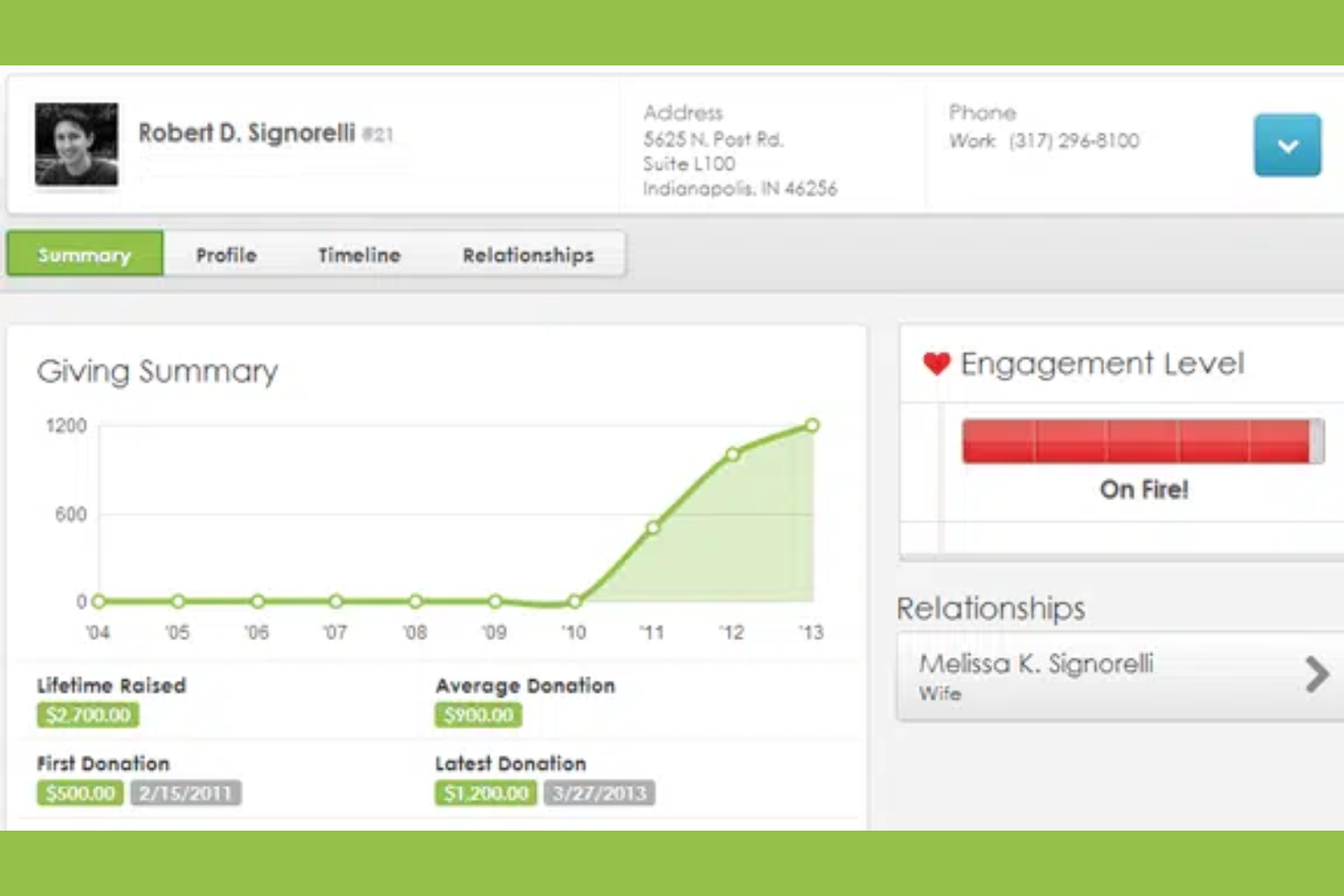
Bloomerang is a fundraising software designed to help nonprofits improve donor retention and engagement. It serves nonprofits looking to improve their donor relationships through effective communication and data-driven insights.
Why I picked Bloomerang: It focuses on helping your team gain valuable insights into donor engagement. With features such as donor retention dashboards and engagement scoring, you can track and improve relationships with your supporters. The software's intuitive interface makes it simple to analyze donor behavior and tailor your outreach strategies. Bloomerang's emphasis on engagement insights allows you to make informed decisions that enrich your fundraising efforts.
Standout Features and Integrations:
Features include a visual timeline of donor interactions, automated email campaigns to nurture relationships, and a reporting tool that highlights key performance metrics. These features make it easier to engage with donors effectively and measure the impact of your strategies.
Integrations include QuickBooks, Mailchimp, Zapier, DonorSearch, PayPal, Constant Contact, and more.
Pros and Cons
Pros:
- Insightful engagement scoring
- Built-in fundraising and donor retention tools
- Intuitive interface
Cons:
- Limited customization on some fundraising forms
- Occasional data syncing issues

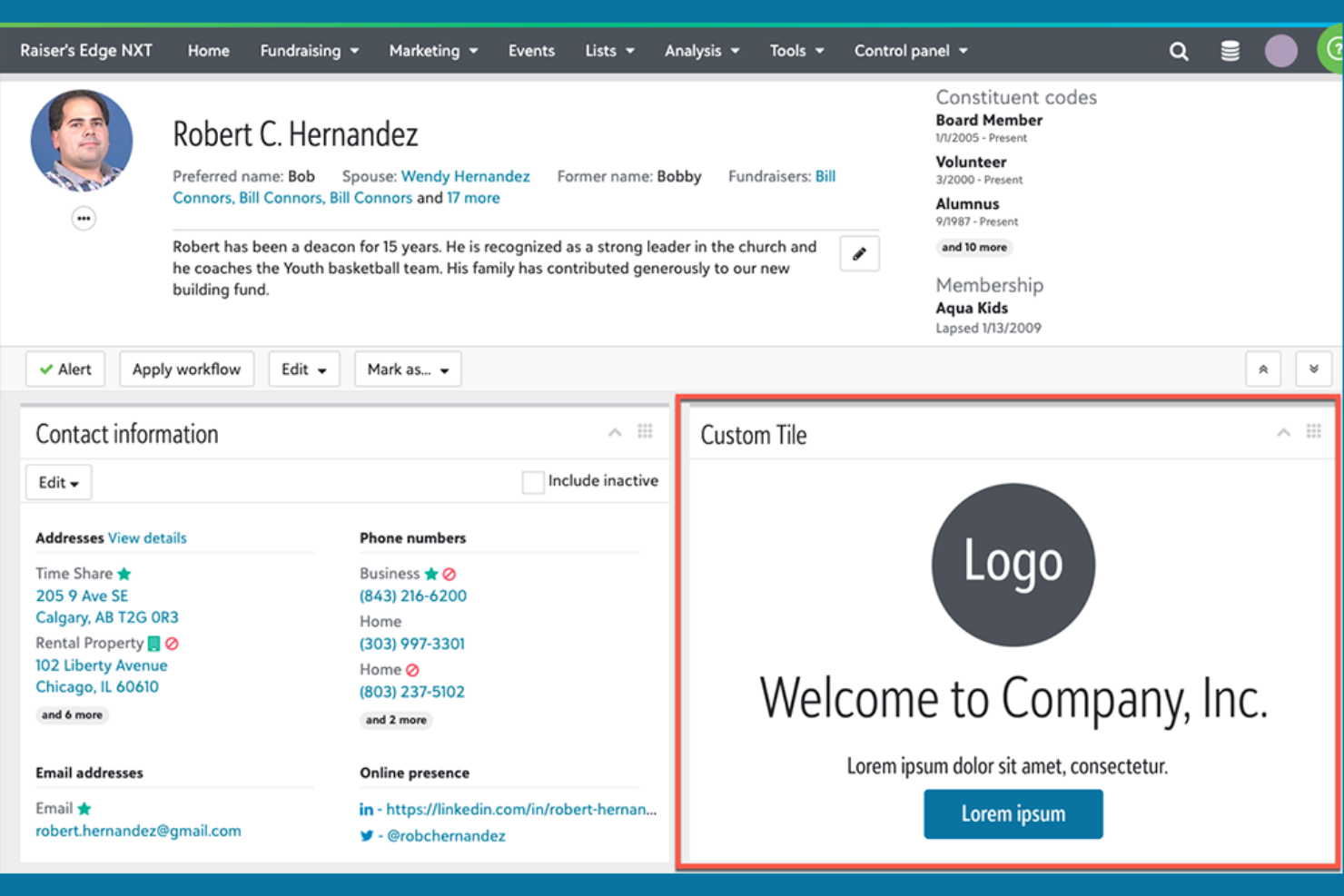
Blackbaud is a fundraising and financial management platform designed for large nonprofits and educational institutions. It offers solutions for donor management, financial reporting, and constituent engagement to help organizations increase their operational efficiency.
Why I picked Blackbaud: It caters to enterprise-level nonprofits, providing advanced tools for managing complex fundraising operations. Donor databases and detailed financial reporting help your team handle large-scale campaigns with confidence. Blackbaud's analytics tools offer insights into donor behavior, which can inform your decisions. These capabilities help you manage resources and maximize your fundraising potential.
Standout Features and Integrations:
Features include advanced analytics that provide insights into donor engagement, customizable dashboards for tracking key performance metrics, and in-depth reporting tools to support strategic planning. These features help your organization understand and optimize its fundraising efforts.
Integrations include Microsoft Dynamics and more.
Pros and Cons
Pros:
- Enterprise-level data management
- Wide-ranging reporting tools
- Cloud-based real-time fundraising dashboards
Cons:
- Higher cost for advanced features
- Steep learning curve

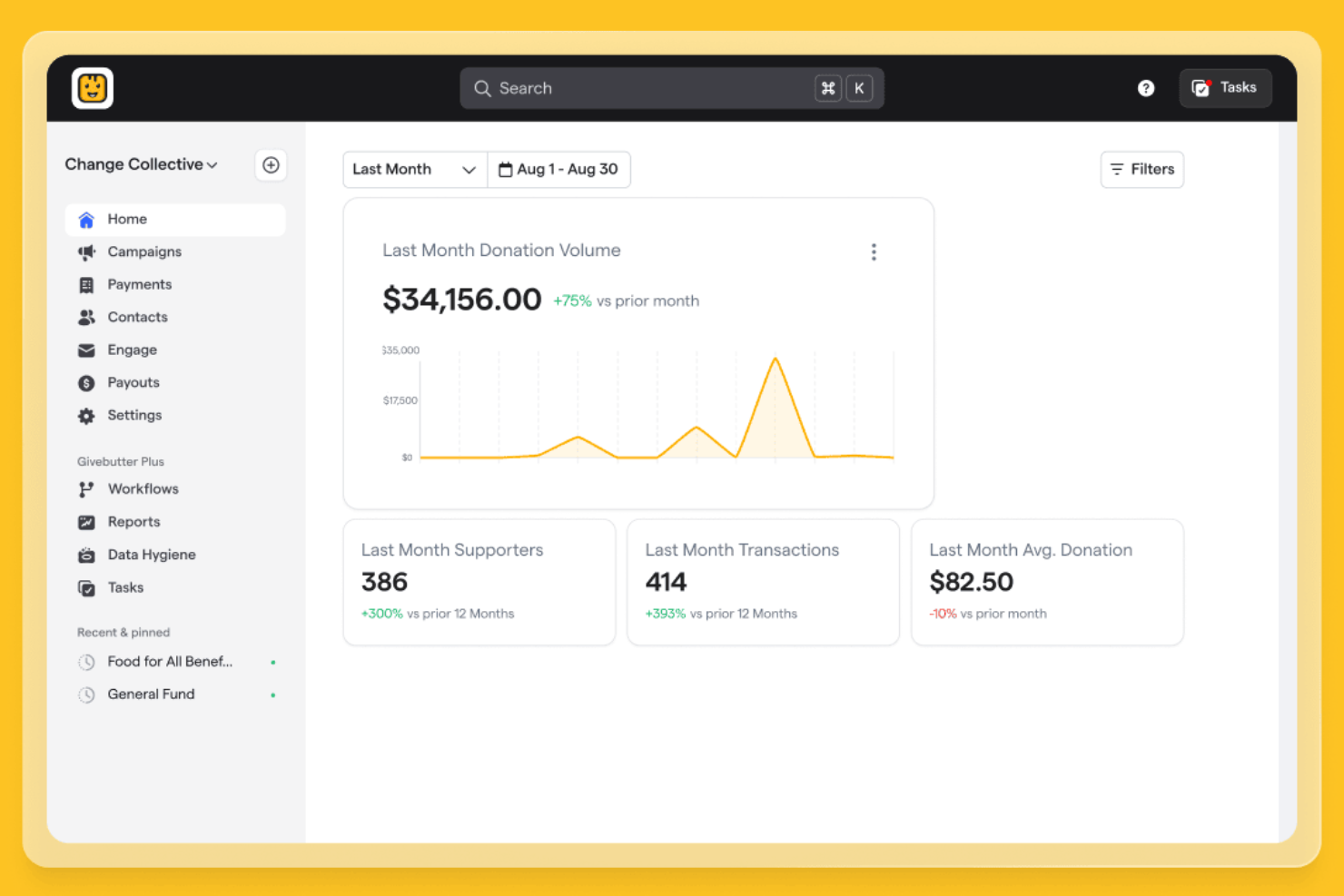
Givebutter is a fundraising platform designed for nonprofits and individuals to host livestream events and raise funds by engaging supporters through real-time interactions.
Why I picked Givebutter: It excels in providing tools for livestream fundraising, allowing your team to connect with audiences instantaneously. Features such as interactive livestreaming and donation overlays make your events engaging and dynamic. The platform also supports peer-to-peer campaigns, expanding your reach and impact. These tools help you create memorable experiences that boost donor participation and contributions.
Standout Features and Integrations:
Features include customizable event pages that reinforce your brand, donation tracking to monitor contributions, and team fundraising to encourage group participation.
Integrations include Mailchimp, Zapier, Google Analytics, PayPal, Stripe, QuickBooks Online, Facebook, Double the Donation, and more.
Pros and Cons
Pros:
- Earns interest on stored funds
- Interactive donation overlays
- Innovative live streaming tools
Cons:
- Occasional technical issues with integrations
- Advanced tools require a paid subscription
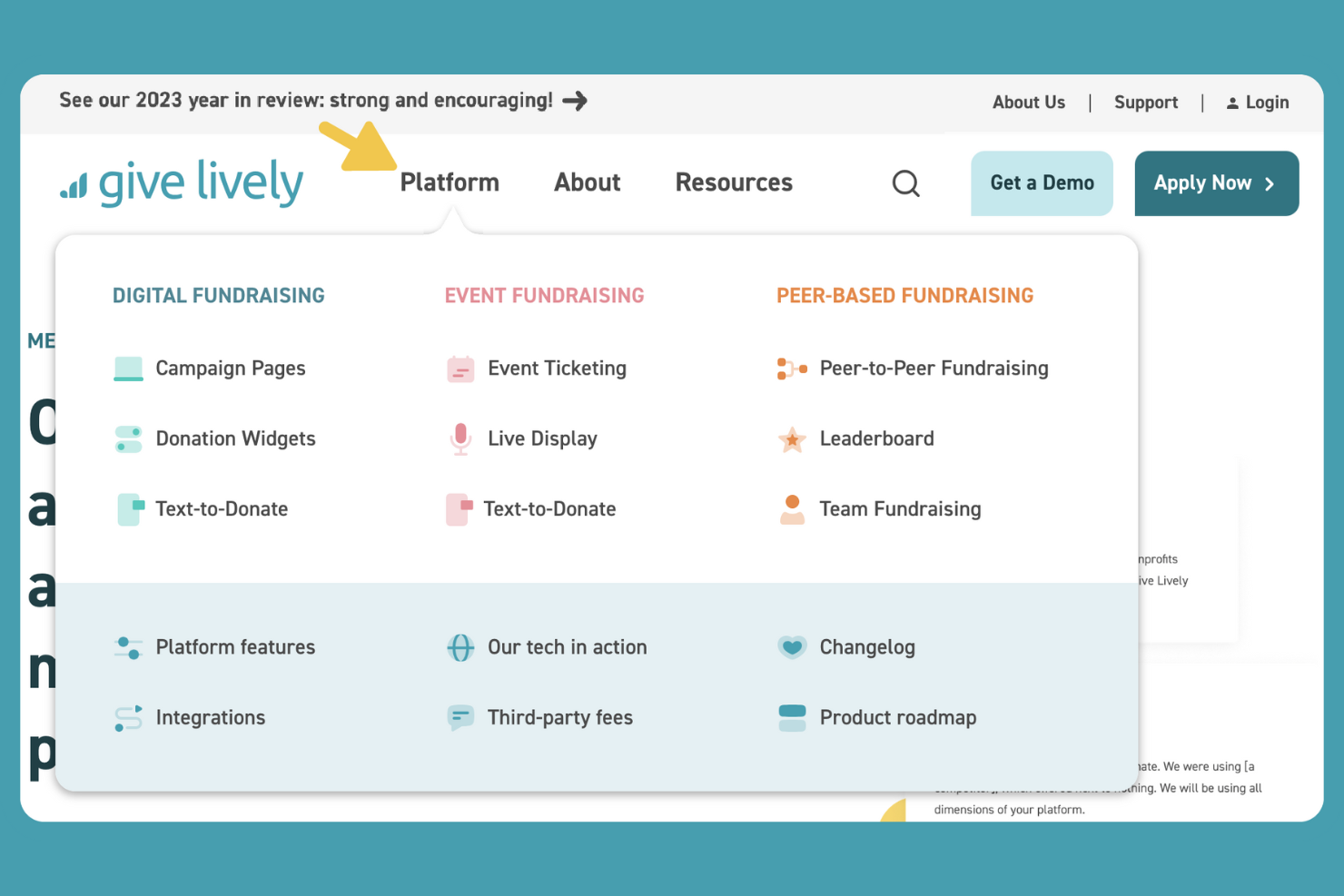
Give Lively is a fundraising platform that offers free tools for nonprofits to refine their donation processes. It serves organizations looking to maximize their fundraising efforts without incurring additional costs.
Why I picked Give Lively: It provides free access to essential fundraising tools, making it ideal for budget-conscious nonprofits. Features such as customizable fundraising page designs, donation form templates, and peer-to-peer fundraising empower your team to engage supporters. It also offers text-to-give functionality, allowing donors to contribute via mobile devices. This combination of free giving tools and innovative features helps you expand your fundraising reach.
Standout Features and Integrations:
Features include event ticketing, a simple donation widget for your website, and detailed analytics to track your fundraising performance.
Integrations include Salesforce, Double the Donation, Stripe, PayPal, Zapier, Google Pay, and more.
Pros and Cons
Pros:
- Convenient mobile text-to-donate functionality
- Mobile-friendly giving pages
- Free platform with no subscription or platform fees
Cons:
- Inconsistent customer support access
- Limited advanced analytics

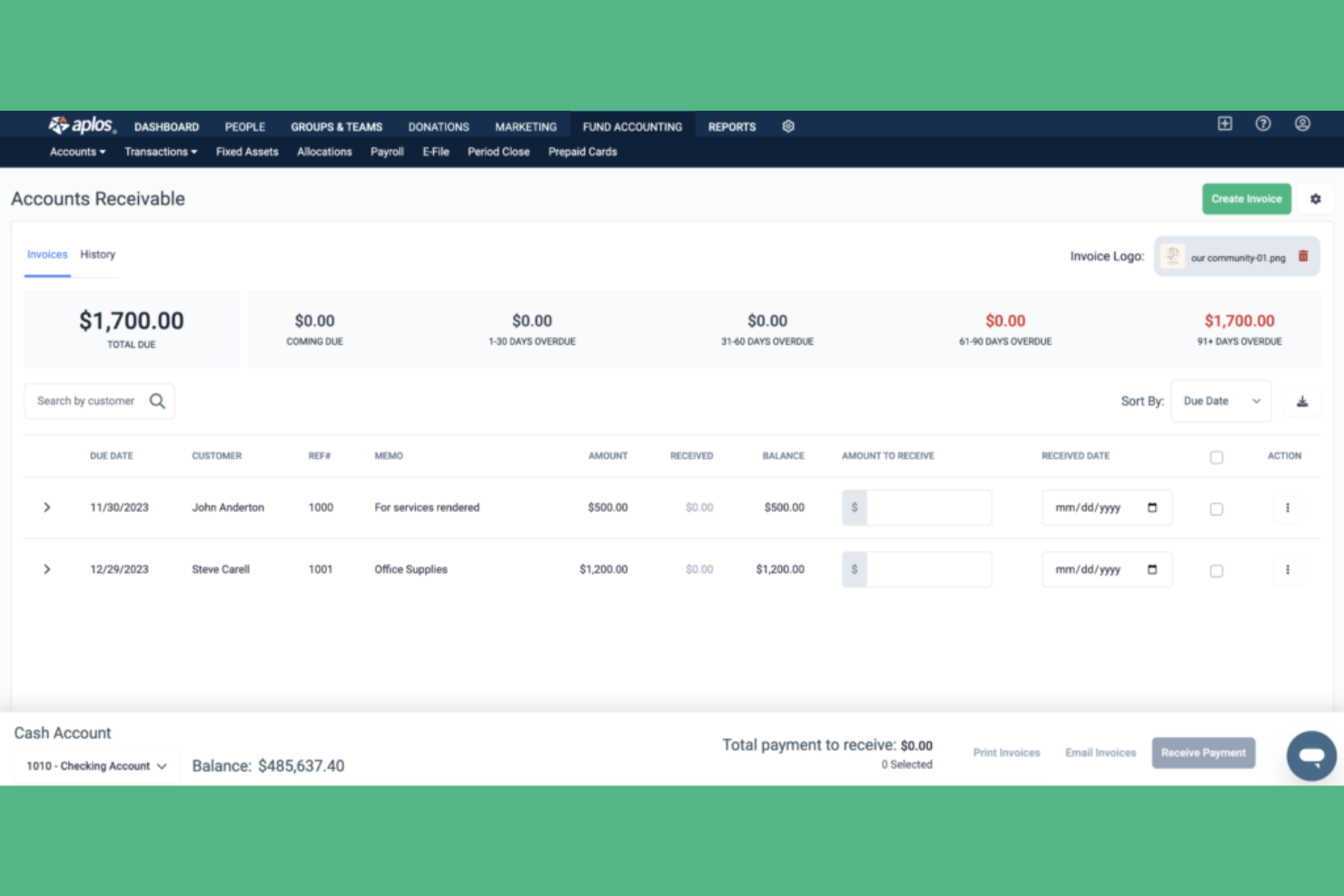
Aplos is an accounting and fundraising software tailored for churches and nonprofits to manage their financial operations. It helps organizations with fund accounting, donation tracking, and financial reporting.
Why I picked Aplos: It specializes in church fund accounting, making it ideal for faith-based organizations managing multiple funds. With features such as automated accounting entries and customizable donation forms, your team can handle finances with precision. Aplos also offers financial reporting tools that provide clear insights into fund allocations. These capabilities ensure your organization maintains transparency and accountability in its financial practices.
Standout Features and Integrations:
Features include budgeting tools that help you plan and allocate resources, customizable financial reports for in-depth analysis, and automated reminders for recurring donations, which together support your financial management and improve your reporting accuracy.
Integrations include PayPal, DonorElf, Bloomerang, Church Community Builder, Ramp, PEX, Gusto, and more.
Pros and Cons
Pros:
- Clear financial reporting
- Automated accounting entries
- Tailored for church accounting
Cons:
- Customer support may lean toward accounting
- Limited advanced fundraising features
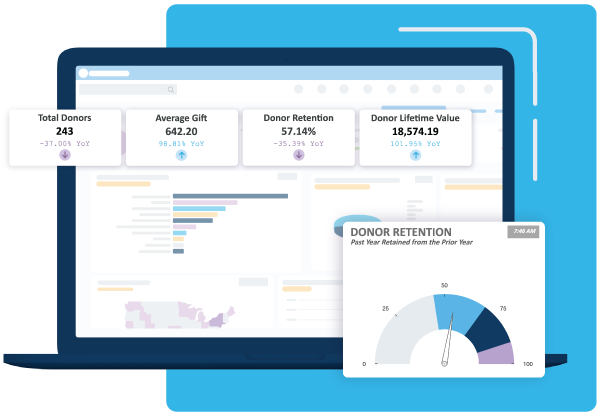
DonorPerfect is a fundraising software and nonprofit CRM designed for nonprofit organizations to manage donor relationships and fundraising activities. It serves nonprofits of all sizes, offering tools for online giving, payment processing by credit card and ACH, donation management, giving history tracking, and reporting.
Why I picked DonorPerfect: It provides scalability for growing nonprofits, offers flexibility in managing donor data, and supports fundraising goals across multiple initiatives, including major gift programs and campaigns to attract new donors. DonorPerfect's scalability allows it to grow alongside your organization, accommodating recurring giving, event registrations, and expanding donor programs. Its user-friendly interface makes it accessible for teams without extensive technical expertise and keeps the platform's fee structure transparent.
Standout Features and Integrations:
Features include customizable dashboards for tracking key metrics and success stories, automated thank-you letters to acknowledge donations, donor segmentation tools supported by prospect research, and built-in marketing tools such as direct mail integrations. These features ensure your team can maintain strong relationships with donors and optimize fundraising efforts.
Integrations include QuickBooks, Constant Contact, PayPal, Google Analytics, and more.
Pros and Cons
Pros:
- Integrates with email and accounting tools
- Customizable dashboards and analytics
- Scalable for growing nonprofits
Cons:
- Complex reporting tools that require training
- No automatic data saving

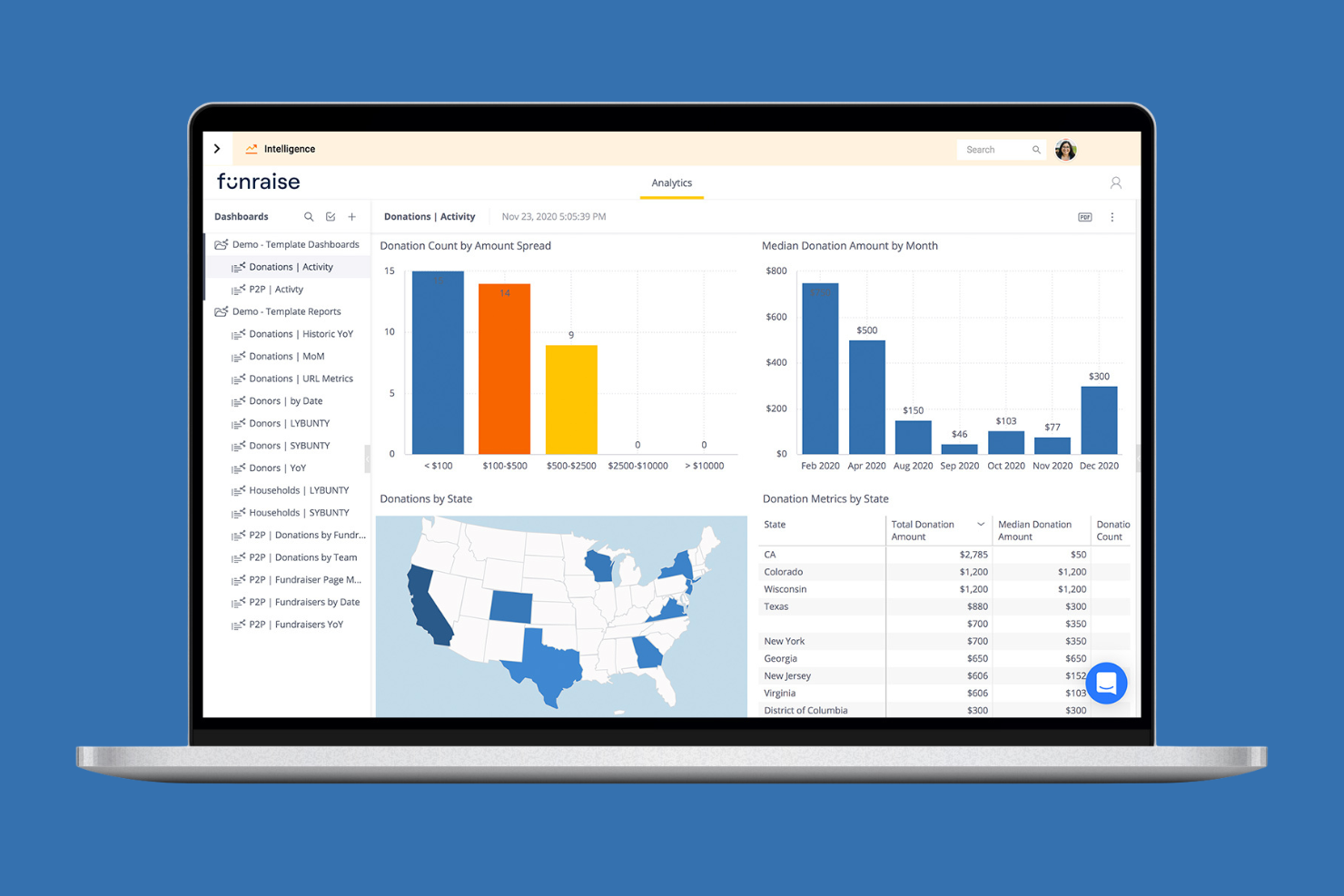
Funraise is an all-in-one fundraising platform and nonprofit software designed to help organizations manage donations and campaigns using customizable solutions.
Why I picked Funraise: This giving platform offers customizable donation forms that allow your team to tailor the donor experience. With features such as branded donation pages, mobile bidding, and flexible payment options that support credit card and ACH, you can create a flawless giving process. Funraise also provides real-time analytics to track campaign performance and donor engagement. These tools help you optimize your fundraising strategy to meet your nonprofit's unique goals.
Standout Features and Integrations:
Features include peer-to-peer fundraising options that expand your reach, automated receipts to simplify donor acknowledgment, and event management tools to organize successful fundraising events.
Integrations include Salesforce, QuickBooks Online, Mailchimp, Double the Donation, Google Maps, PayPal, Stripe, Facebook, and more.
Pros and Cons
Pros:
- Responsive support teams
- Intuitive, quick setup
- Strong peer-to-peer fundraising tools
Cons:
- Occasional difficulty logging recurring gifts
- Some limitations in donor record customization

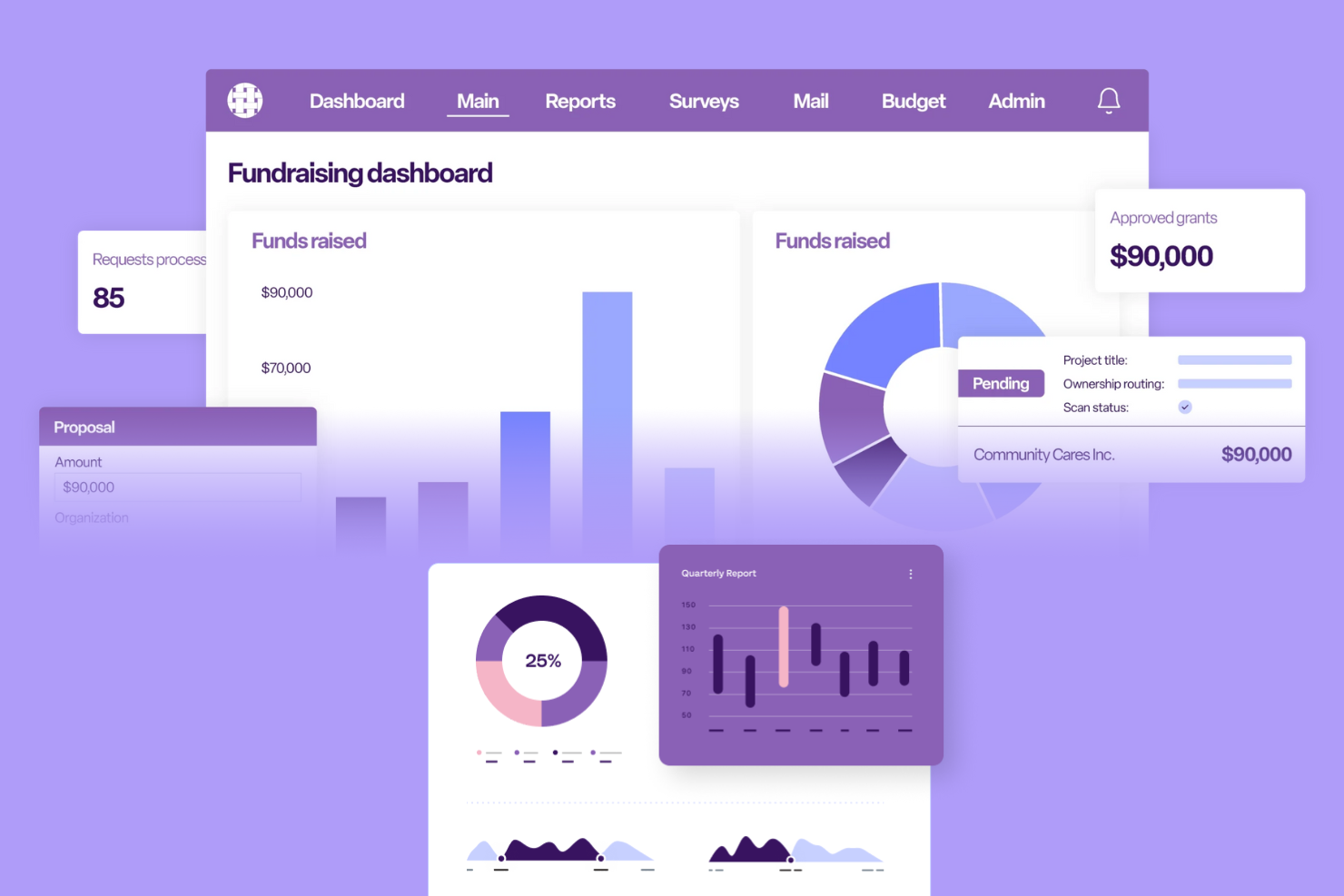
Bonterra is a fundraising software solution designed to provide nonprofits with integrated tools for managing donations, campaigns, and donor relationships. It serves organizations looking to refine their fundraising processes and increase engagement with supporters.
Why I picked Bonterra: It offers integrated fundraising solutions that help your team manage campaigns and donor relationships efficiently. With tools for managing donor data in one place and automating outreach, you can stay connected with supporters and keep them updated. These tools ensure your organization can optimize its fundraising strategies and improve donor retention.
Standout Features and Integrations:
Features include centralized donor management that consolidates all supporter information, automated communication tools to keep donors engaged, and broad analytics for tracking campaign performance.
Integrations include Salesforce, QuickBooks, PayPal, and more.
Pros and Cons
Pros:
- Automated communications and outreach features
- Centralized donor management
- Unified fundraising tools
Cons:
- Onboarding can be complex for new users
- Requires technical knowledge to configure advanced workflows

BetterWorld is a fundraising platform that focuses on hosting events and auctions for nonprofits. It caters to organizations looking to upgrade their fundraising capabilities through engaging events and auctions.
Why I picked BetterWorld: It excels in offering tools specifically designed for event fundraising. Features such as online auctions and ticketing help your team organize successful fundraising events. BetterWorld's user-friendly interface allows you to manage events and engage attendees.
Standout Features and Integrations:
Features include customizable auction pages that make it easy to display items, integrated ticketing systems to manage event attendance, and real-time bidding to enrich the auction experience.
Integrations include Salesforce, HubSpot, Blackbaud, Zapier, and more.
Pros and Cons
Pros:
- Integrated ticketing
- Real-time bidding
- Easy event management
Cons:
- Some beginners report a learning curve
- Documented mobile guest signup failures

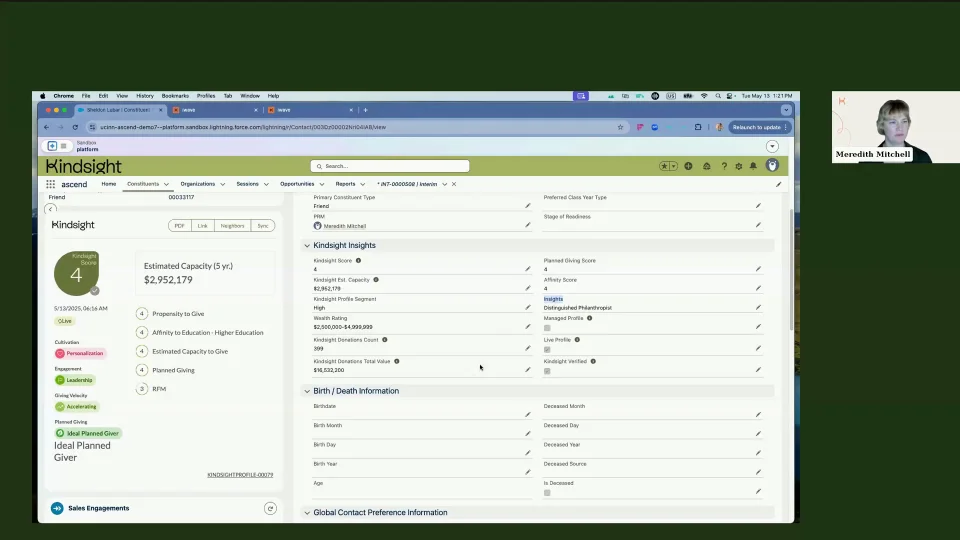
Kindsight is a fundraising intelligence platform designed to strengthen donor management and fundraising efforts for nonprofits. It primarily serves sectors such as education, health care, and the arts by providing tools for donor engagement and data visualization across both digital and in-person initiatives.
Why I picked Kindsight: It excels in visualizing donor data, offering insightful dashboards that help your team understand donor trends and behavior. With AI-driven engagement tools, you can personalize communication and build stronger relationships with your supporters. Its donor profiles centralize data management, making collaboration easier for your team. These features allow you to make informed decisions and improve your fundraising strategies while maintaining clarity on costs, including any platform fees associated with your tools.
Standout Features and Integrations:
Features include AI-driven insights that personalize donor communication, extensive donor profiles for centralized data management, and informative dashboards to identify donor needs and trends.
Integrations include Salesforce, Stripe, DonorPerfect, Double the Donation, Cybersource, and more.
Pros and Cons
Pros:
- Centralized data management
- Detailed donor profiles
- AI analytics that reveal predictive insights
Cons:
- Higher cost for premium features
- Complex setup process
Other Fundraising Software
Here are some additional fundraising software options that didn’t make it onto my shortlist, but are still worth checking out:
- GoFundMe Pro
For large-scale crowdfunding campaigns
- Infinite Giving
For nonprofit investment management
- OneCause
For virtual fundraising events
- Crowded
For embedded nonprofit banking
- Allyra
For optimized donation forms
- MonkeyPod
For online fundraising campaigns


Fundraising Software Selection Criteria
When selecting the best fundraising software to include in this list, I considered common buyer needs and pain points, such as improving donor engagement and managing donation tracking. I also used the following framework to keep my evaluation structured and fair:
Core Functionality (25% of total score)
To be considered for inclusion in this list, each solution had to fulfill these common use cases:
- Manage donor databases
- Track donations and pledges
- Generate financial reports
- Facilitate online donations
- Automate thank-you emails
Additional Standout Features (25% of total score)
To help further narrow down the competition, I also looked for unique features, such as:
- Customizable donation pages
- Peer-to-peer fundraising capabilities
- Mobile app support
- Integration with social media platforms
- Advanced analytics and insights
Usability (10% of total score)
To get a sense of the usability of each system, I considered the following:
- Intuitive user interface
- Easy navigation
- Minimal learning curve
- Customizable dashboards
- Clear and concise user documentation
Onboarding (10% of total score)
To evaluate the onboarding experience for each platform, I considered the following:
- Availability of training videos
- Interactive product tours
- Access to webinars and workshops
- Step-by-step setup guides
- Responsive customer onboarding support
Customer Support (10% of total score)
To assess each software provider's customer support services, I considered the following:
- 24/7 support availability
- Multiple support channels
- Access to a knowledge base
- Responsive live chat
- Dedicated account managers
Value for Money (10% of total score)
To evaluate the value for money of each platform, I considered the following:
- Competitive pricing
- Transparent pricing structure
- Flexible subscription plans
- No hidden fees
- Discounts for nonprofits
Customer Reviews (10% of total score)
To get a sense of overall customer satisfaction, I considered the following when reading customer reviews:
- Overall satisfaction ratings
- Feedback on reliability and performance
- Comments on ease of use
- Testimonials on customer support
- Recommendations from similar organizations
How To Choose Fundraising Software
It's easy to get bogged down in long feature lists and complex pricing structures. To help you stay focused as you work through your unique software selection process, here's a checklist of factors to keep in mind:
| Factor | What To Consider |
|---|---|
| Scalability | Will the software grow with your organization? Consider whether it can handle more donors, campaigns, or funds as you expand. Look for tools that offer scalability without requiring major upgrades or replacements. |
| Integrations | Does the software work with your existing tools? Check for compatibility with CRM systems, email marketing platforms, and accounting software to ensure continuous data flow. |
| Customizability | Can you tailor the software to your unique needs? Evaluate if you can customize workflows, reports, and donor communications to align with your processes. |
| Ease of use | Is the software intuitive for your team? Consider how efficiently staff can learn and use the tool without extensive training. Test the interface for clarity and simplicity. |
| Implementation and onboarding | How long will it take to set up? Assess the time and resources needed for onboarding. Look for tools with guided setups or support to minimize downtime. |
| Cost | Does the pricing fit your budget? Compare the cost against your projected ROI. Be wary of hidden fees or charges for additional features. |
| Security safeguards | How does the software protect donor data? Check for encryption, compliance with data protection laws, and regular security updates to ensure your information is safe. |
| Support availability | What support does the vendor offer? Ensure there's adequate support through channels like chat, phone, or email, especially if you need assistance during critical fundraising periods. |
What Is Fundraising Software?
Fundraising software is a tool that helps organizations manage and enrich their fundraising efforts. Nonprofit professionals, development teams, and fundraising coordinators generally use these tools to boost donor engagement and track donations. Features such as donor management, online donation processing, and reporting capabilities support effective fundraising strategies and relationship building. Overall, these tools provide organizations with the means to efficiently manage their fundraising activities and optimize their outreach efforts.
Features
When selecting fundraising software, keep an eye out for the following key features:
- Donor management: Organize and track donor information, enabling better relationship building and targeted communication.
- Online donation processing: Facilitate secure and easy online donations, providing convenience for donors and ensuring funds are collected efficiently.
- Reporting capabilities: Provide insights into fundraising performance through detailed reports, helping organizations make informed decisions.
- Customizable donation pages: Allow organizations to tailor donation pages to match branding and messaging, improving donor experience.
- Automated communication: Send automated thank-you emails and updates to donors, maintaining engagement and appreciation.
- Peer-to-peer fundraising: Empower supporters to create their own fundraising campaigns, expanding reach and increasing donations.
- Event management: Assist in organizing and managing fundraising events, from ticket sales to attendee tracking.
- Integration with other tools: Connect with CRM, email marketing, and accounting software, ensuring precise data flow and efficiency.
- Security safeguards: Protect donor data with encryption and compliance with data protection laws, ensuring trust and safety.
- Analytics and insights: Offer data-driven insights into donor behavior and campaign effectiveness, guiding strategic decisions.
Benefits
Implementing fundraising software provides several benefits for your team and your business. Here are a few you can look forward to:
- Improved donor relationships: By organizing donor data and automating communications, you can build stronger and more personal connections with your supporters.
- Increased efficiency: Features such as online donation processing and automated reporting save time and reduce manual work, allowing your team to focus on strategic tasks.
- Better decision-making: Access to detailed analytics and insights helps you understand fundraising performance and make informed decisions about future campaigns.
- Expanded reach: Peer-to-peer fundraising and customizable donation pages help you reach a wider audience and engage more supporters.
- Secure transactions: With security safeguards in place, you can ensure that donor data is protected, building trust with your supporters.
- Effective event management: Tools for managing events simplify the planning and execution of fundraising activities, ensuring successful and organized events.
Costs and Pricing
Selecting fundraising software requires an understanding of diverse pricing models, as costs are rarely "one size fits all." Unlike standard office software, these tools often scale based on your total donor records, annual revenue, or a percentage of funds raised. Common pricing structures include:
- Percentage-based models: Some platforms offer free access to tools but may include a small percentage fee per transaction.
- Tiered record models: Software like Bloomerang and DonorPerfect typically charge based on the number of donor profiles in your database.
- Asset-based fees: Specialized tools like Infinite Giving may scale costs based on the complexity of investment management and total assets under care.
Fundraising Software FAQs
Here are some answers to common questions about fundraising software:
Can fundraising software integrate with my existing CRM?
Yes, most fundraising software can integrate with popular CRM systems. This integration helps maintain a unified database by syncing donor information and interactions across platforms. Before purchasing, check if the software supports your current CRM. If integration isn’t straightforward, see if the vendor offers support to set it up. This connectivity can save your team time and reduce errors from manual data entry. Ensure that the software’s integration capabilities meet your organization’s data management needs.
Is it necessary to have technical skills to use fundraising software?
No, you don’t need technical skills to use most fundraising software. Many solutions are designed with user-friendly interfaces that guide you through setup and daily tasks. However, some advanced features might require a bit of learning. Look for software that provides tutorials, webinars, or customer support to assist your team. If you’re concerned about the learning curve, opt for software known for its ease of use. This ensures that all team members can contribute without technical barriers.
How secure is donor data in fundraising software?
Fundraising software typically offers strong security measures to protect donor data. Look for software that uses encryption, complies with data protection laws, and regularly updates its security protocols. Make sure the software provides access control features so you can manage who sees sensitive information. Ask vendors about their security certifications and data breach history. Protecting donor data is key to maintaining trust, so choose software that prioritizes security and transparency in its practices.
What's Next:
If you're in the process of researching fundraising software, connect with a SoftwareSelect advisor for free recommendations.
You fill out a form and have a quick chat where they get into the specifics of your needs. Then you'll get a shortlist of software to review. They'll even support you through the entire buying process, including price negotiations.