
14 Mobile Payment Apps for 2026

Mobile Payment Apps Shortlist
Here’s my shortlist of mobile payment apps:


Mobile payment apps are digital tools that let you send, receive, and manage money using your smartphone or tablet. If you’re searching for the best mobile payment apps, you’re likely looking for secure, reliable ways to handle transactions, support business operations, or simplify personal payments—without the hassle of cash or cards.
With so many options, it’s tough to know which app fits your needs, offers the right features, and keeps your data safe. This list will help you compare top mobile payment apps for 2026, so you can make informed decisions and stay ahead in a fast-changing financial landscape.
Why Trust Our Software Reviews
Best Mobile Payment Apps Summary
This comparison chart summarizes pricing details for my top mobile payment apps selections to help you find the best one for your budget and business needs.
| Tool | Best For | Trial Info | Price | ||
|---|---|---|---|---|---|
| 1 | Best for global transaction support | Free plan available | Pricing upon request | Website | |
| 2 | Best for low-cost international payments | Not available | Pricing upon request | Website | |
| 3 | Best for secure biometric authentication | Not available | Pricing upon request | Website | |
| 4 | Best for social payment tracking | No free demo or trial | Plans start at 1.9% + $0.10 per transaction | Website | |
| 5 | Best for enterprise-level payment processing | Not available | Pricing upon request | Website | |
| 6 | Best for instant peer-to-peer transfers | Free plan available | Free to use | Website | |
| 7 | Best for direct bank-to-bank transfers | Free plan available | Free to use | Website | |
| 8 | Best for real-time spending notifications | Free plan available | From £3/month | Website | |
| 9 | Best for magnetic stripe terminal compatibility | Free plan available | Free to use | Website | |
| 10 | Best for integrated point-of-sale solutions | 30-day free trial + free plan available | From $49/month | Website |
-

LiveFlow
Visit WebsiteThis is an aggregated rating for this tool including ratings from Crozdesk users and ratings from other sites.4.9 -
Float Financial
Visit WebsiteThis is an aggregated rating for this tool including ratings from Crozdesk users and ratings from other sites.4.1 -
Rippling Spend
Visit WebsiteThis is an aggregated rating for this tool including ratings from Crozdesk users and ratings from other sites.4.8


Mobile Payment Apps Reviews
Below are my detailed summaries of the mobile payment apps that made it onto my shortlist. My reviews offer a detailed look at the features, best use cases, and integrations of each platform to help you find the best one for you.

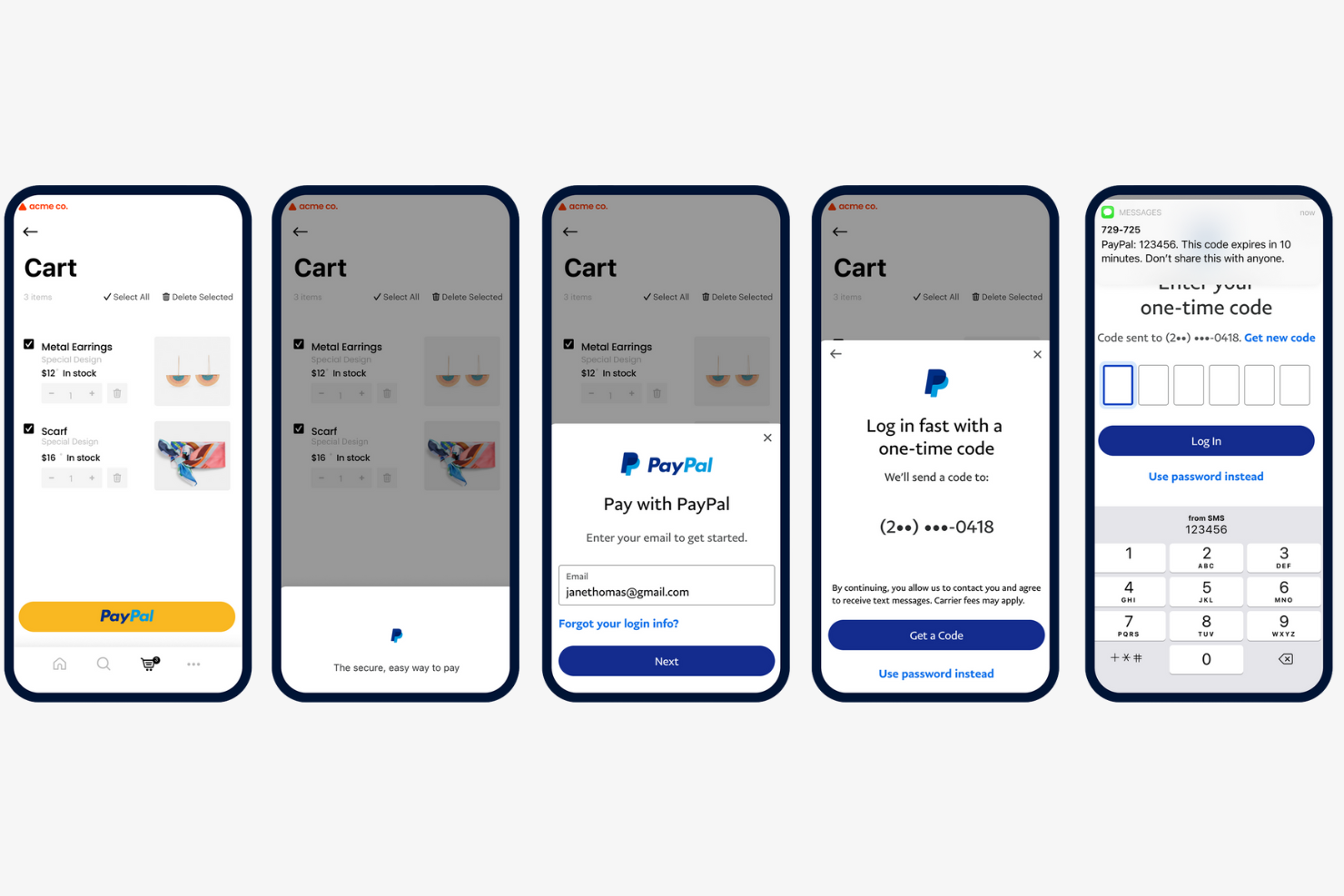
If your business needs to send or receive payments across borders, PayPal offers a trusted platform for global transactions. It’s especially useful for e-commerce sellers, freelancers, and organizations working with international clients or vendors. PayPal’s multi-currency support and buyer protection features help reduce friction and risk when handling payments worldwide.
Why I Picked PayPal
When handling payments that cross international borders, I look for tools that make global transactions simple and secure. PayPal is a strong fit because it supports payments in over 25 currencies and is available in more than 200 countries, making it easy to do business with clients and vendors worldwide. I appreciate that PayPal offers built-in buyer and seller protection, which helps reduce risk for both parties during cross-border transactions. These features make PayPal a reliable choice for businesses and professionals who need to manage international payments without added complexity.
PayPal Key Features
Some other features that make PayPal useful for mobile payments include:
- QR Code Payments: Accept in-person payments by generating and scanning QR codes.
- Recurring Payment Setup: Schedule and manage automatic recurring payments for subscriptions or services.
- PayPal.Me Links: Create personalized payment links to request money from anyone.
- Instant Transfer to Bank: Move funds instantly from your PayPal balance to a linked bank account or debit card.
PayPal Integrations
Integrations include BigCommerce, Etsy, QuickBooks, Salesforce, Paymentus, Woo, Miva, Wix, GoFundMe Pro, and Otter.
Pros and Cons
Pros:
- Integrates with major e-commerce platforms
- Offers buyer and seller protection policies
- Supports payments in over 25 currencies
Cons:
- Charges high fees for international transfers
- Holds funds for account verification

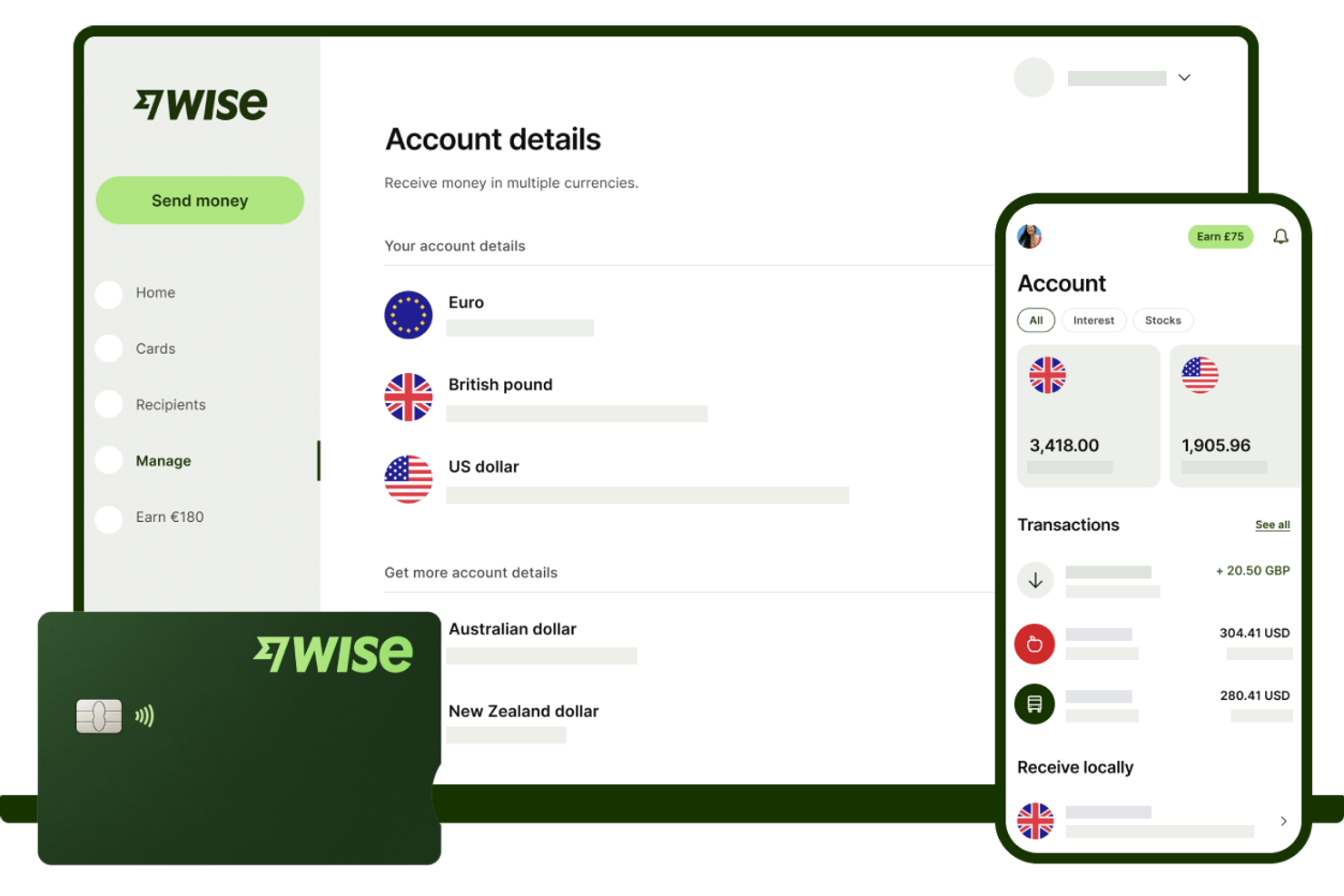
If your business needs to send or receive payments across borders without high fees, Wise is built for you. Finance teams and operations managers at startups, SMBs, and global companies use Wise to move money internationally at real exchange rates. Its transparent pricing and multi-currency account features help you avoid hidden costs and simplify global transactions.
Why I Picked Wise
What sets Wise apart from mobile payment apps is its focus on minimizing the cost of international transfers. I picked Wise because it uses real exchange rates and low, transparent fees, which is especially important for businesses making frequent cross-border payments. The multi-currency account lets you hold and pay out in dozens of currencies, reducing the need for multiple bank accounts. For finance teams managing global vendors or remote staff, Wise helps keep international payment costs predictable and easy to track.
Wise Key Features
Some other features that make Wise useful for businesses handling mobile payments include:
- Batch Payments: Send payments to multiple recipients at once using a single file upload.
- Business Debit Card: Issue physical or virtual debit cards for team spending in multiple currencies.
- Xero and QuickBooks Integration: Sync transactions directly with popular accounting software for easier reconciliation.
- User Permissions: Set different access levels for team members to control who can view, send, or approve payments.
Wise Integrations
Integrations include QuickBooks, Xero, Sage Business Cloud Accounting, Oracle NetSuite, Wave, Zoho Books, FreeAgent, Odoo, and more.
Pros and Cons
Pros:
- Mobile app allows full account management
- Batch payment feature for mass payouts
- Transparent mid-market exchange rates
Cons:
- Restricted availability of debit card
- Limited in-person payment capabilities
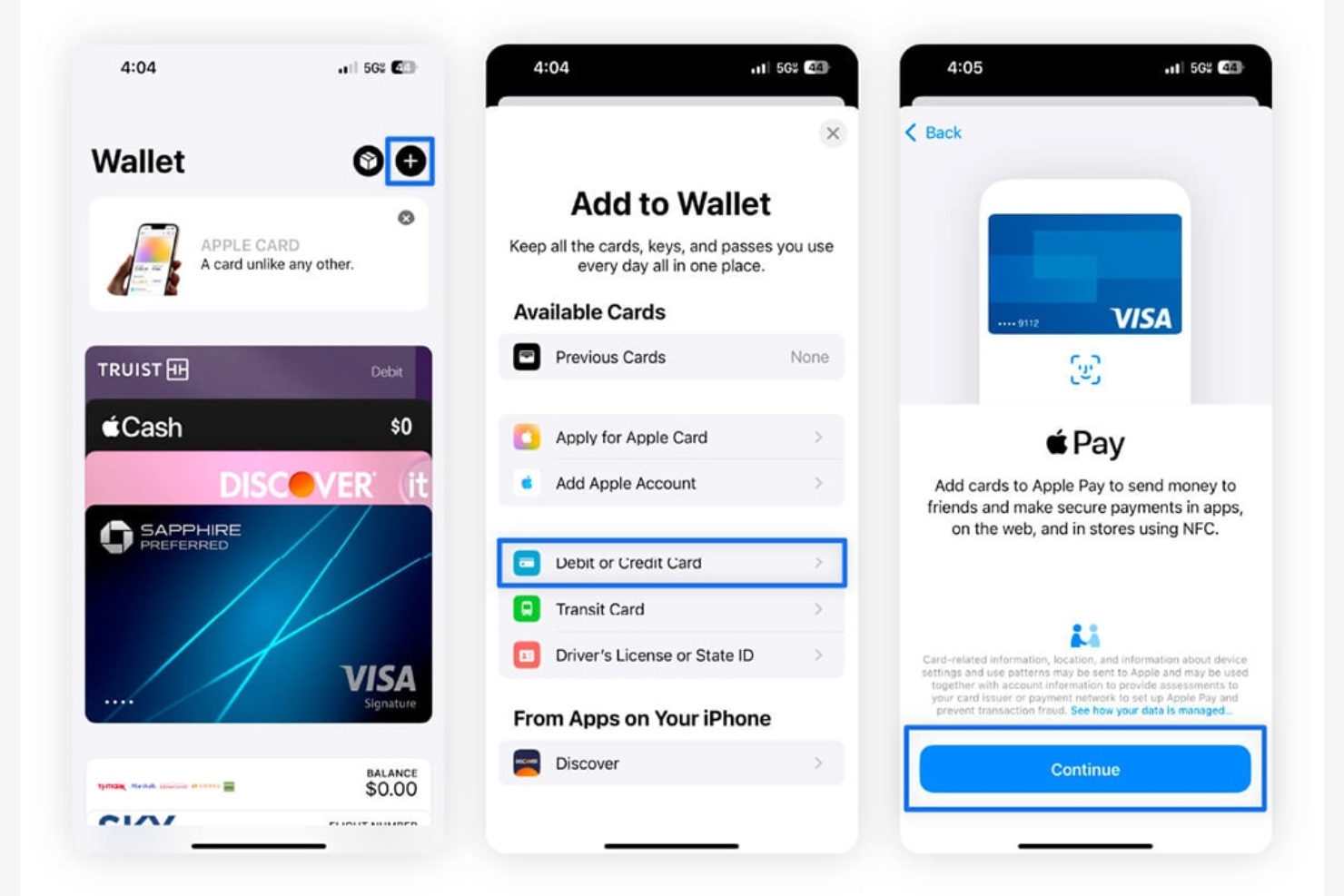
For businesses and professionals who prioritize security, Apple Pay offers a mobile payment solution built around biometric authentication. It’s especially useful for teams using iPhones or iPads, letting users authorize payments with Face ID or Touch ID. This approach helps organizations reduce fraud risk and streamline transactions without relying on physical cards.
Why I Picked Apple Pay
Security is a top concern for many businesses handling mobile payments, which is why I picked Apple Pay for its advanced biometric authentication. With Face ID and Touch ID, users can authorize payments using their unique physical traits, reducing the risk of unauthorized transactions. Apple Pay also uses device-specific numbers and dynamic security codes for each swipe or purchase, adding another layer of protection. For organizations that want to prioritize secure, cardless transactions, these features make Apple Pay a strong choice.
Apple Pay Key Features
In addition to its security-focused authentication, Apple Pay offers several other features worth noting:
- Contactless In-Store Payments: Make purchases at NFC-enabled terminals using your iPhone or Apple Watch.
- Online and In-App Purchases: Pay quickly within supported apps and websites without entering card details.
- Loyalty and Rewards Card Storage: Add and use store loyalty cards and rewards programs directly from your device.
- Peer-to-Peer Payments: Send and receive money through Apple Cash within Messages.
Apple Pay Integrations
Integrations include Apple Wallet, Apple Watch, iPhone, iPad, Mac, Safari, App Store, Apple Music, Apple TV+, iMessage, and PRESTO transit cards.
Pros and Cons
Pros:
- Real-time transaction notifications for payments
- No card details shared with merchants
- Biometric authentication with Face ID or Touch ID
Cons:
- Cannot store non-Apple transit cards
- Only available on Apple devices

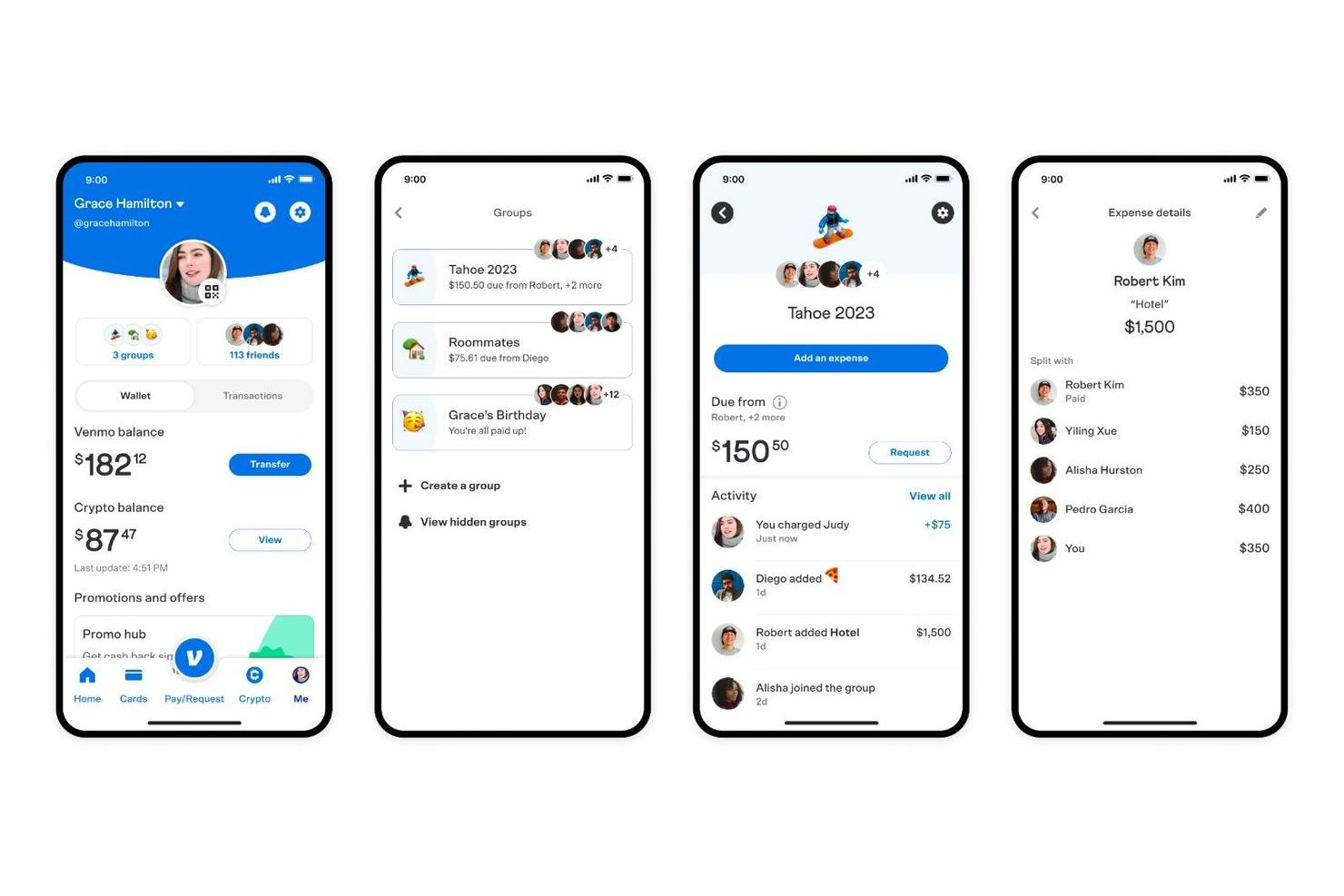
If you’re looking for a mobile payment app that makes tracking and sharing payments with others simple, Venmo is worth a look. Its social feed and payment notes make it easy for small teams, freelancers, or groups to keep tabs on shared expenses and split costs transparently. This approach helps users manage group payments and reimbursement in a way that’s visible and easy to reference later.
Why I Picked Venmo
Venmo’s social payment tracking sets it apart from other mobile payment apps. The app’s transaction feed lets users see, comment on, and keep a record of shared payments, which is especially useful for groups managing expenses together. I picked Venmo because its payment notes and public or private sharing options help users clarify the purpose of each transaction and keep everyone on the same page. For anyone who needs transparency and a simple way to track group payments, Venmo’s social features make it a strong choice.
Venmo Key Features
Some other features that make Venmo appealing for mobile payments include:
- Instant Transfer to Bank: Move funds from your Venmo balance to your bank account within minutes for a small fee.
- Venmo Debit Card: Use a physical card linked to your Venmo balance for in-store and online purchases.
- Business Profiles: Set up a dedicated profile for business transactions and accept payments from customers.
- QR Code Payments: Generate and scan QR codes to send or receive payments quickly in person.
Venmo Integrations
Integrations include PayPal, Braintree, Mastercard, Visa, Hulu, Uber, Shopify, The Bancorp Bank, Synchrony Bank, MoneyPass, and select authorized merchant apps and websites.
Pros and Cons
Pros:
- Offers business profiles for small merchants
- Supports instant transfers to bank accounts
- Social feed makes payment activity transparent
Cons:
- No buyer or seller protection for purchases
- Transaction limits on large payments
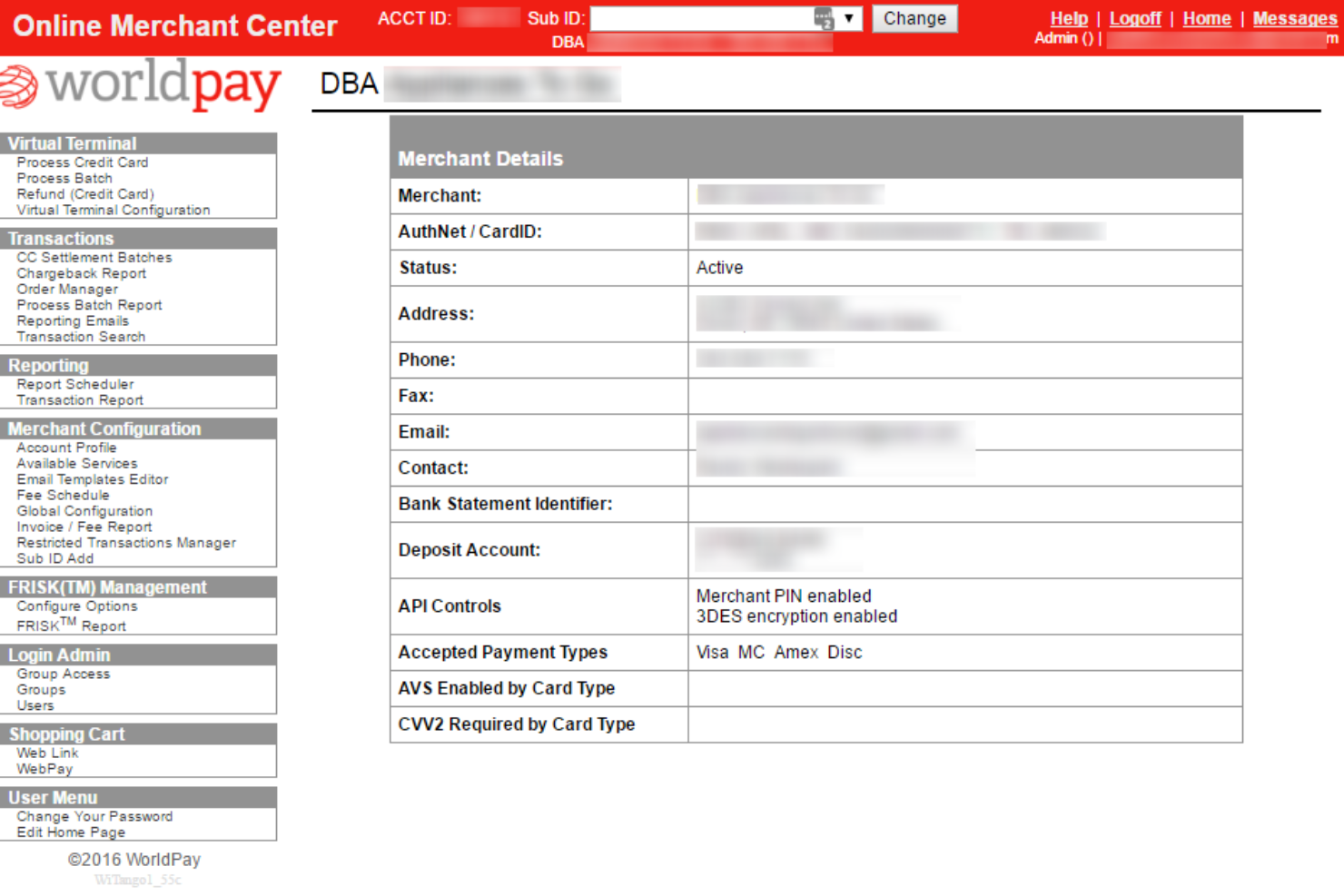
Worldpay is designed for large organizations that need to process high volumes of payments across multiple channels and geographies. Enterprise finance teams and payment operations leaders can use Worldpay as a payment system to manage complex flows, support global currencies, and maintain compliance. Its advanced fraud prevention and financial services settlement tools help businesses reduce risk and keep transactions moving smoothly at scale.
Why I Picked Worldpay
For organizations handling large-scale, complex payment needs, Worldpay stands out for its enterprise-level processing capabilities. I picked Worldpay because it supports multi-currency transactions and omnichannel payment acceptance, which are essential for businesses operating globally or across multiple sales channels. Its advanced fraud detection and risk management tools help finance teams maintain security and compliance, even as transaction volumes grow. If you need a solution that can handle high transaction loads and adapt to enterprise requirements, Worldpay is built for that scale.
Worldpay Key Features
Some other features that make Worldpay valuable for enterprise payment processing include:
- Customizable Payment Gateways: Configure payment gateways to match specific business requirements and workflows.
- Recurring Billing Support: Automate subscription and membership payments with built-in recurring billing tools.
- Detailed Transaction Reporting: Access granular transaction data and export reports for reconciliation and analysis.
- Chargeback Management Tools: Track, respond to, and manage chargebacks directly within the platform.
Worldpay Integrations
Integrations include Shopify, Sage Intacct, NMI Payments, AestheticsPro, CXT Software, HungerRush, Revaly, Juspay, Gr4vy, and more.
Pros and Cons
Pros:
- PCI DSS compliance and tokenization for security
- Advanced fraud detection tools
- Supports multi-currency and cross-border payments
Cons:
- Occasional delays in settlement of funds
- Limited support for small business use cases
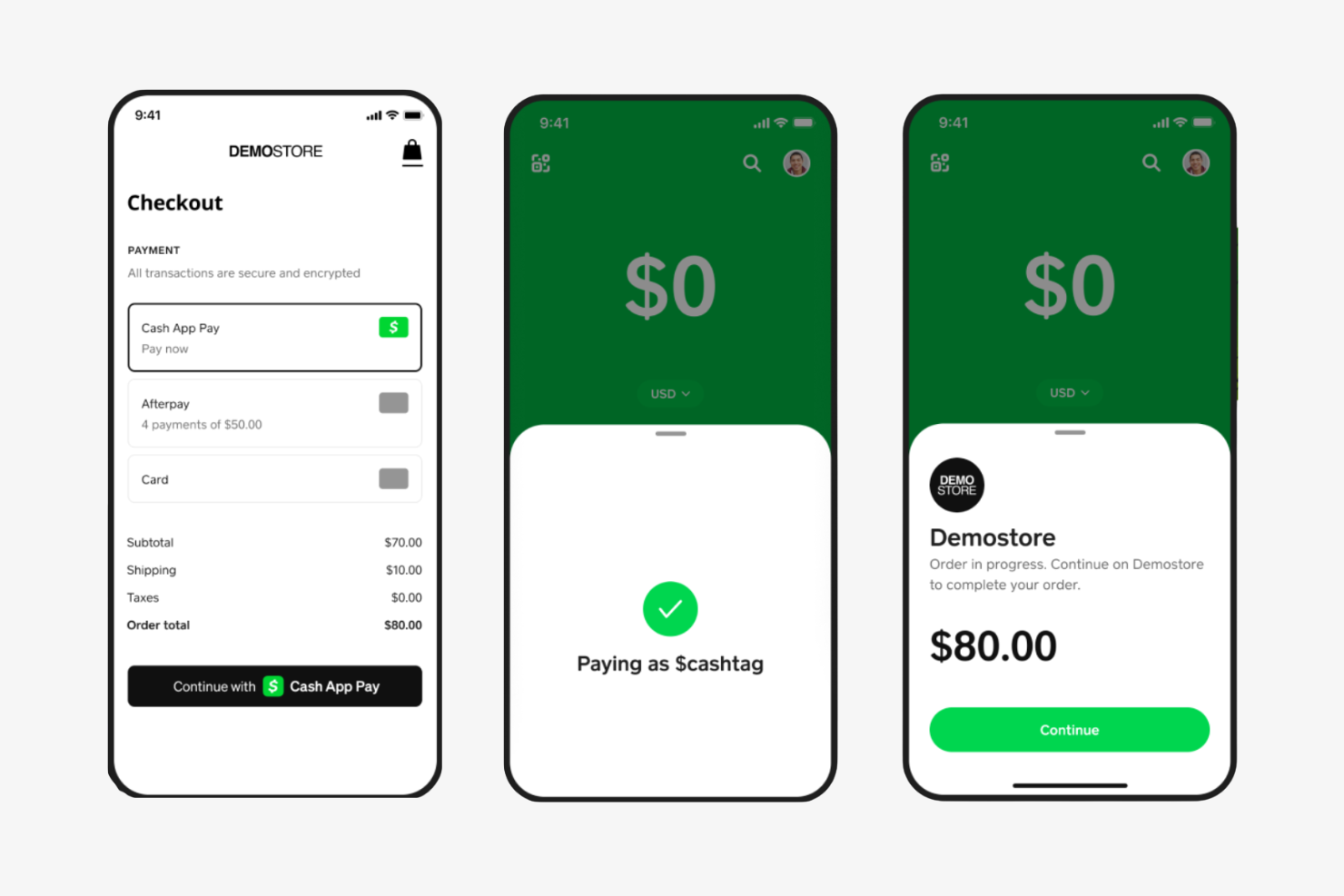
If you need a mobile wallet app that specializes in fast, direct transfers, Cash App is designed for instant peer-to-peer payments. It’s a strong fit for small businesses, freelancers, or teams that need to send or receive money quickly without waiting for bank processing times. Cash App also supports features like direct deposit and a linked debit card, making it more versatile than basic transfer apps.
Why I Picked Cash App
For anyone who needs to move money instantly between individuals, Cash App stands out for its real-time peer-to-peer transfer capabilities. I picked it because users can send and receive funds within seconds, which is especially useful for splitting expenses, paying contractors, or reimbursing colleagues on the spot. The app also lets you access transferred funds immediately with a linked debit card, so there’s no waiting for bank processing. These features make Cash App a practical choice for teams and professionals who value speed and convenience in mobile payments.
Cash App Key Features
Some other features that make Cash App appealing for mobile payments include:
- Direct Deposit Support: Receive paychecks or other deposits directly into your Cash App account.
- Bitcoin Buying and Selling: Buy, sell, and store Bitcoin within the app.
- Cash Card Integration: Use a physical or virtual debit card linked to your Cash App balance for purchases.
- Customizable Payment Links: Create unique payment links to request money from others.
Cash App Integrations
Integrations include Square, Afterpay, Shopify, WooCommerce, Adobe Commerce, Jotform, and more.
Pros and Cons
Pros:
- Allows direct deposit of paychecks
- Offers a physical Cash Card for spending
- Instant transfers between users with no delay
Cons:
- No native business invoicing features
- Limited to U.S. and U.K. users only

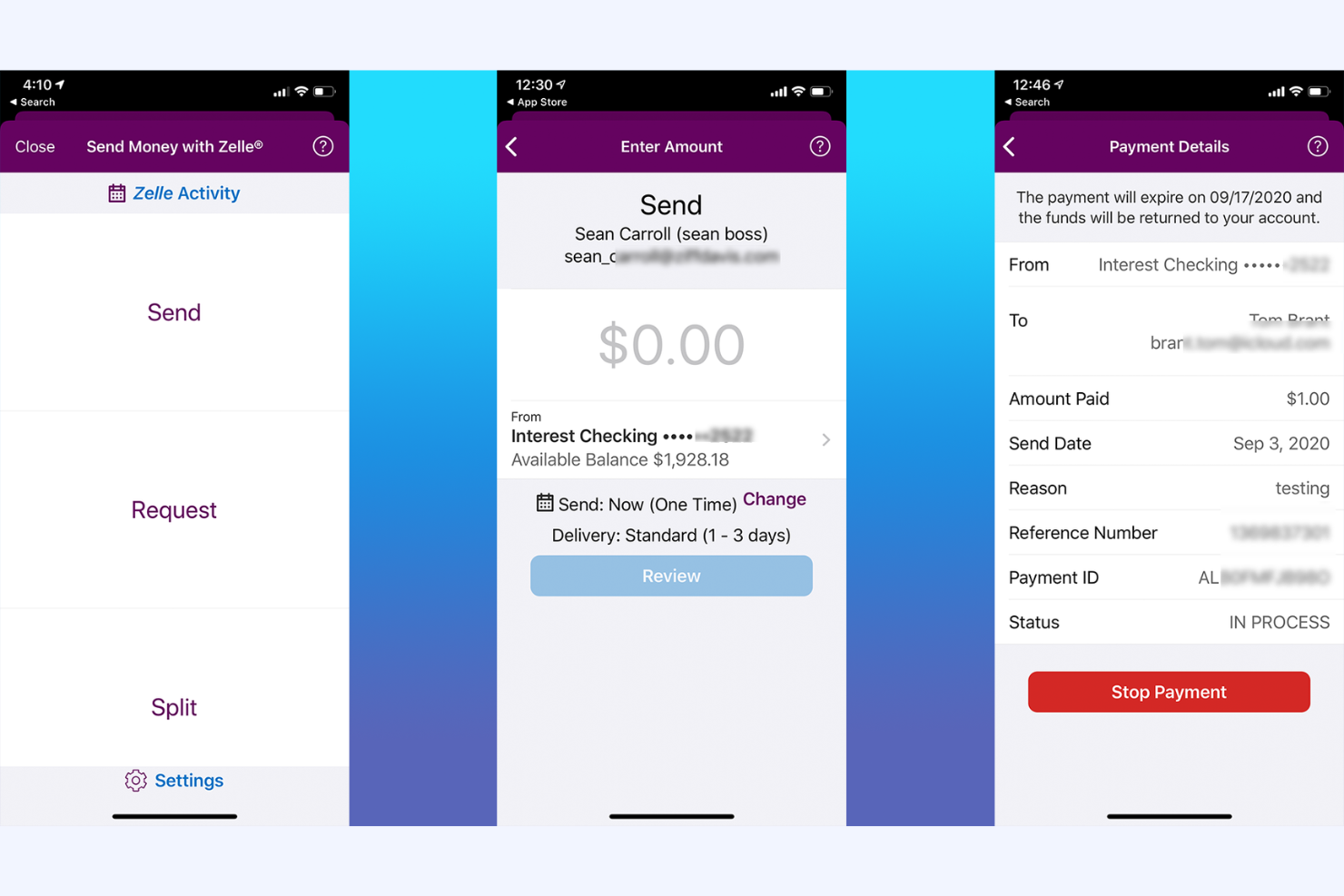
For finance teams and professionals who need to move money quickly between bank accounts, Zelle offers a direct transfer solution built into many banking apps. Its real-time payments appeal to businesses and individuals who want to avoid third-party wallets or waiting periods. Zelle is especially useful for those who prioritize speed and simplicity in sending or receiving funds directly from their bank.
Why I Picked Zelle
Zelle stands out for its ability to send money directly between bank accounts without requiring a separate wallet or holding account. I picked Zelle because its integration with major banks allows users to transfer funds in real time, often within minutes. This direct bank-to-bank approach eliminates the need for manual transfers or waiting periods, which is especially valuable for finance professionals who need immediate access to funds. For anyone who values speed and directness in mobile payments, Zelle’s core features make it a practical choice.
Zelle Key Features
Some other features that make Zelle useful for mobile payments include:
- No Account Numbers Shared: Users only need an email address or mobile number to send or receive money.
- Mobile App Access: Zelle offers a standalone app for users whose banks do not support Zelle natively.
- Payment Request Functionality: Users can request payments from others directly within the app on their mobile phone or banking interface.
- Transaction Notifications: Both senders and recipients receive real-time alerts for each transaction.
Zelle Integrations
Integrations include Bank of America, Wells Fargo, Chase, Capital One, U.S. Bank, PNC, Truist, TD Bank, Navy Federal Credit Union, QuickBooks Online, Expensify, and more.
Pros and Cons
Pros:
- Uses email or phone number for payments
- Accessible through most major bank apps
- No fees for sending or receiving money
Cons:
- Cannot link to credit cards for payments
- Only works with U.S. bank accounts

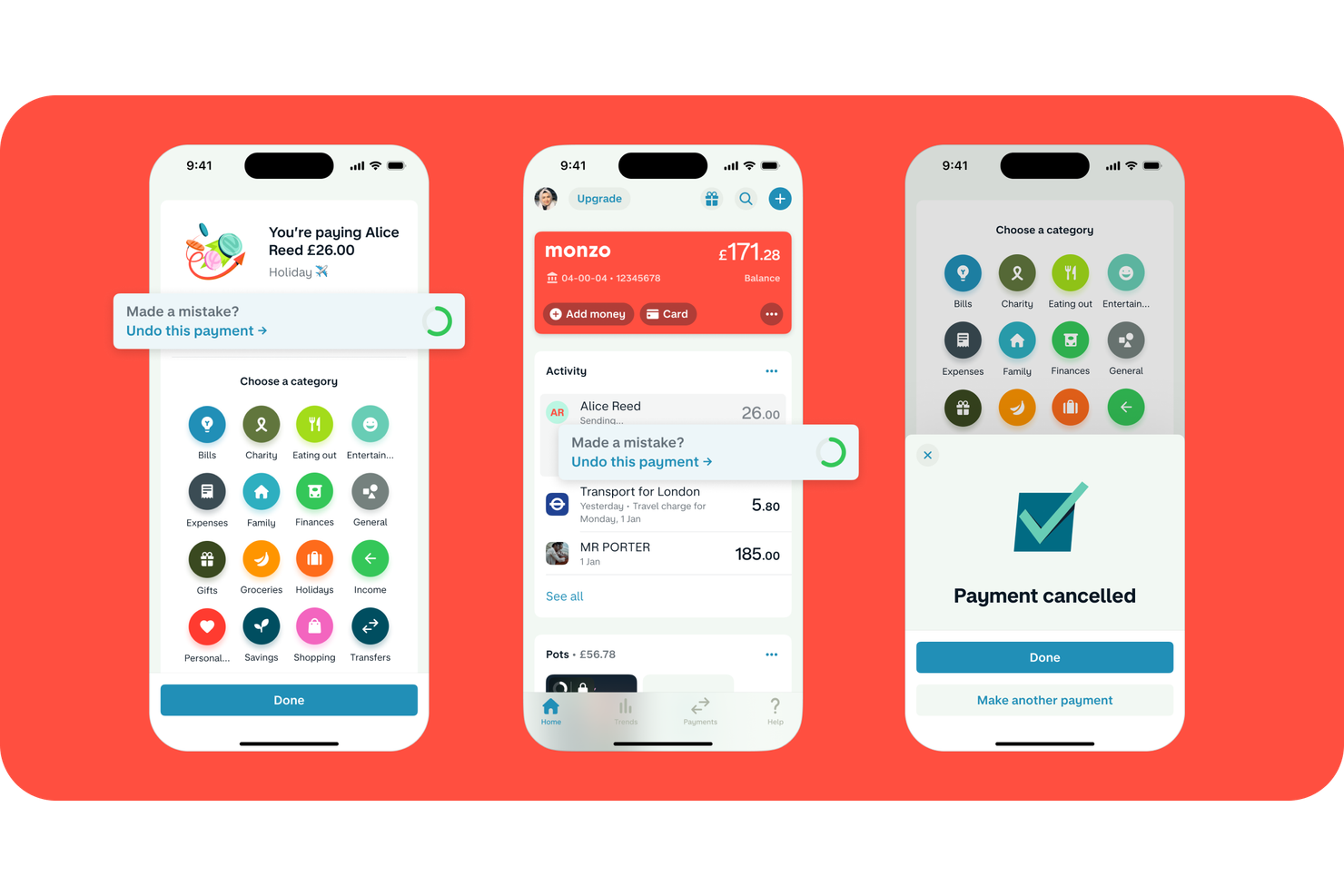
Monzo gives users instant visibility into every transaction with real-time spending notifications. This mobile banking app is especially useful for finance teams, freelancers, and small business owners who need to track expenses as they happen. With Monzo, you can monitor payments, set spending limits, and get immediate alerts to help manage cash flow and prevent surprises.
Why I Picked Monzo
What drew me to Monzo is its focus on real-time spending notifications, which is a key need for anyone managing business expenses on the go. Monzo instantly alerts you to every transaction, so you always know when money leaves your account. I appreciate how the app categorizes spending and lets you set custom alerts for specific types of payments. For finance professionals and business owners who want immediate insight into cash flow, Monzo’s real-time notifications make it much easier to stay on top of every payment.
Monzo Key Features
Some other features that make Monzo appealing for mobile payments include:
- Bill Splitting: Divide payments with colleagues or friends directly within the app.
- Virtual Cards: Create and manage multiple virtual cards for different spending needs.
- International Payments: Send and receive money internationally with transparent fees.
- Direct Debit Management: Set up, view, and manage direct debits from your Monzo account.
Monzo Integrations
Integrations include Wise, IFTTT, QuickBooks, Xero, Sage, Google Sheets, and more.
Pros and Cons
Pros:
- In-app controls for freezing and unfreezing cards
- Offers cashbacks and monthly offers
- Integrates with major accounting tools
Cons:
- Limited cash deposit locations
- Only available to UK-based users
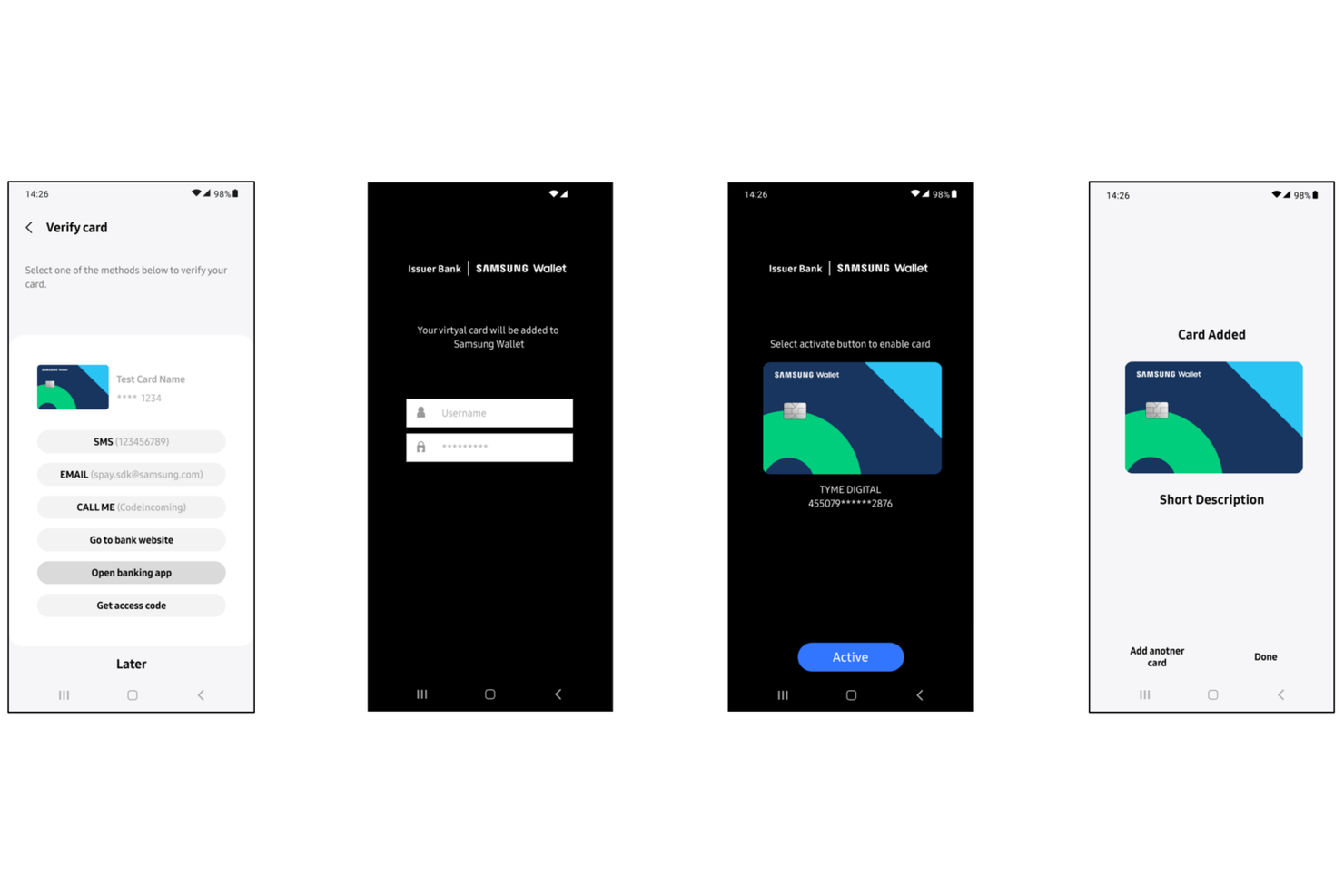
Businesses that need a mobile payment app compatible with older point-of-sale systems may want to consider Samsung Pay. Its magnetic secure transmission (MST) technology lets users pay at terminals that only accept magnetic stripe cards, not just NFC. This makes it a practical choice for retailers and service providers who work with legacy payment hardware.
Why I Picked Samsung Pay
Unlike most mobile payment apps, Samsung Pay stands out for its ability to work with magnetic stripe terminals, not just NFC-enabled ones. This is possible because of its magnetic secure transmission (MST) technology, which lets users pay at older card readers that haven’t been upgraded for contactless payments. I picked Samsung Pay for this list because it helps businesses and professionals accept mobile payments in environments where other mobile wallets might not work. For anyone who needs broad compatibility with both new and legacy payment hardware, this feature can be a real advantage.
Samsung Pay Key Features
In addition to its compatibility with magnetic stripe terminals, I also found these features worth noting:
- Loyalty Card Storage: Store and access digital versions of loyalty and membership cards within the app.
- Samsung Rewards Program: Earn points for every purchase made with Samsung Pay, which can be redeemed for various rewards.
- In-App Online Payments: Make purchases directly within supported apps and websites using Samsung Pay.
- Biometric Authentication: Use fingerprint or iris scanning to authorize payments securely.
Samsung Pay Integrations
Integrations include TD Bank, RBC, CIBC, Scotiabank, American Express, Mastercard, Visa, Interac, Tangerine, and Simplii Financial.
Pros and Cons
Pros:
- Provides Samsung Rewards for purchases
- Supports major Canadian and global banks
- Works with both NFC and MST terminals
Cons:
- Not accepted by all international merchants
- Only available on Samsung devices

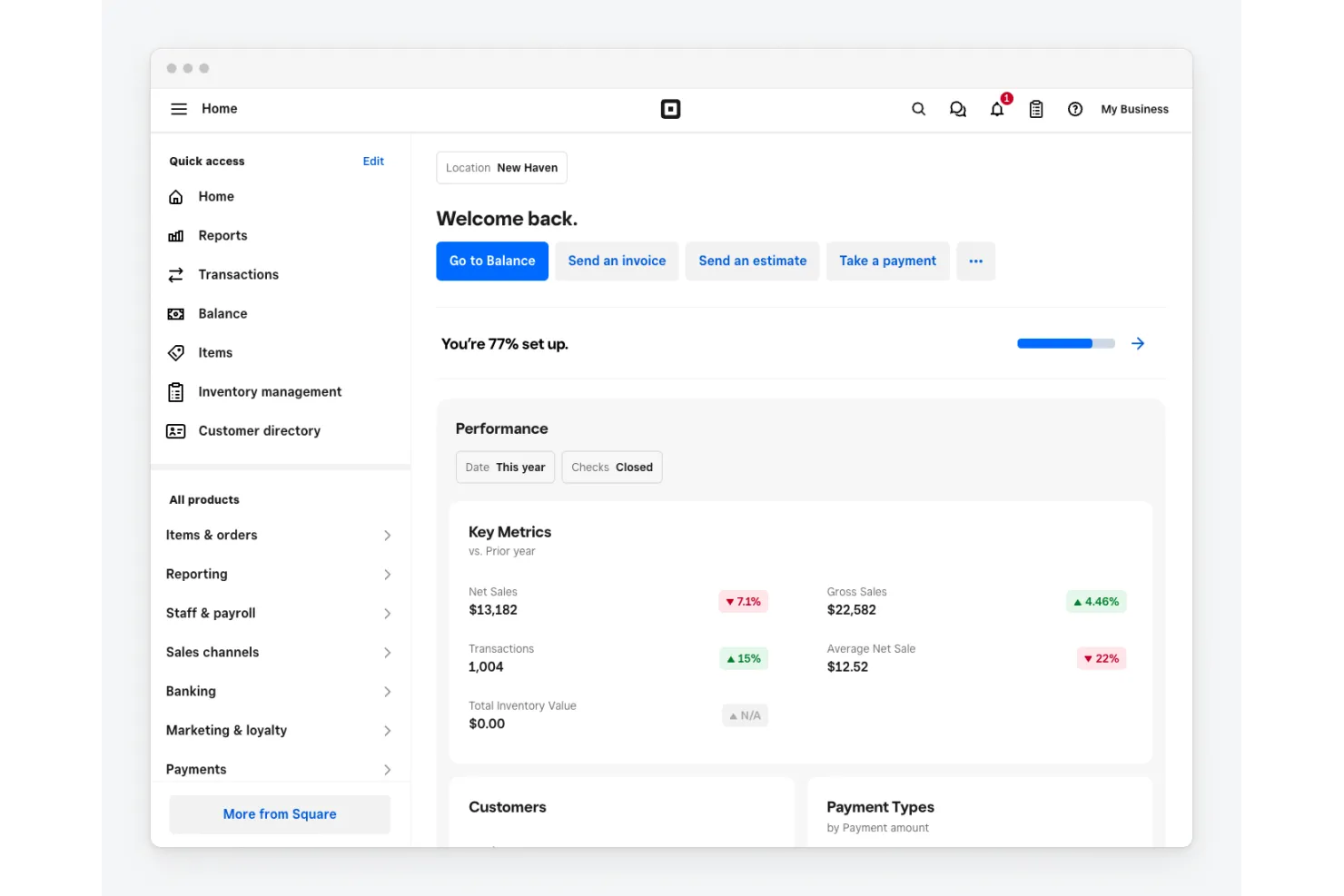
If your business needs a mobile payment app that also handles in-person sales, Square brings together payment processing and point-of-sale tools in one platform. Retailers, restaurants, and service providers can use Square to accept payments, manage inventory, and track sales from a single dashboard. Its integrated hardware and software make it easy to unify online and offline transactions for better financial visibility.
Why I Picked Square
What sets Square apart is how it combines mobile payments with a full suite of point-of-sale features. I picked Square because it lets you process card payments, manage inventory, and generate sales reports all from the same system. Its hardware options, like card readers and terminals, work with the mobile app for in-person transactions. For businesses that want to unify their payment processing and sales operations, Square’s integrated approach is hard to match.
Square Key Features
Some other features that make Square a strong option for mobile payments include:
- Digital Invoicing: Create and send professional invoices directly from the app.
- Customer Directory: Store and manage customer contact and transaction details in one place.
- Gift Card Support: Sell and redeem digital or physical gift cards through the platform.
- Mobile Staff Management: Assign permissions and track sales by employee within the app.
Square Payments Key Features
Some other features that make Square Payments useful for mobile payment processing include:
- Virtual terminal: Accept payments from any computer using a web browser without additional hardware.
- Digital invoicing: Send professional invoices and accept payments online directly through the platform.
- Mobile app for payments: Process payments, track sales, and manage inventory from a mobile device.
- Recurring payments: Set up and manage automatic billing for repeat customers.
Square Payments Integrations
Integrations include QuickBooks, Xero, Wix, WooCommerce, BigCommerce, Mailchimp, Zoho Books, Homebase, and more.
Pros and Cons
Pros:
- Includes built-in inventory management tools
- Offers a free POS app for mobile devices
- Accepts payments in-person, online, and via invoice
Cons:
- Restricted to Square hardware devices
- Higher card processing
Other Mobile Payment Apps
Here are some additional mobile payment app options that didn’t make it onto my shortlist, but are still worth checking out:
- Google Wallet
For integrating with Android business tools
- CommBank
For Australian business banking integration
- PhonePe
For business payments in India
- Currency Cloud
For multi-currency account management


Mobile Payment Apps Selection Criteria
When selecting the best mobile payment apps to include in this list, I considered common buyer needs and pain points like accepting contactless payments on the go and reconciling transactions with business accounts. I also used the following framework to keep my evaluation structured and fair:
Core Functionality (25% of total score)
To be considered for inclusion in this list, each solution had to fulfill these common use cases:
- Accept card and digital wallet payments
- Process refunds and void transactions
- Generate and send digital receipts
- View transaction history and reports
- Support contactless NFC payments
Additional Standout Features (25% of total score)
To help further narrow down the competition, I also looked for unique features, such as:
- Integration with business banking platforms
- Multi-currency payment acceptance
- In-app tipping or gratuity options
- Offline payment processing capability
- Advanced security and fraud prevention controls
Usability (10% of total score)
To get a sense of the usability of each system, I considered the following:
- Simple and intuitive mobile interface
- Fast transaction processing speed
- Clear navigation and menu structure
- Minimal steps to complete a payment
- Accessibility features for all users
Onboarding (10% of total score)
To evaluate the onboarding experience for each platform, I considered the following:
- Step-by-step setup guides or checklists
- Availability of training videos and tutorials
- Interactive product tours or demos
- Access to onboarding webinars or live sessions
- In-app chatbots or help widgets for new users
Customer Support (10% of total score)
To assess each software provider’s customer support services, I considered the following:
- Availability of live chat or phone support
- Response time to support inquiries
- Access to a searchable help center or knowledge base
- Quality of troubleshooting and escalation process
- Support for technical and account-related issues
Value For Money (10% of total score)
To evaluate the value for money of each platform, I considered the following:
- Transparent and competitive pricing structure
- No hidden fees or surprise charges
- Flexible plans for different business sizes
- Free trial or demo availability
- Features included at each pricing tier
Customer Reviews (10% of total score)
To get a sense of overall customer satisfaction, I considered the following when reading customer reviews:
- Consistency of positive feedback across platforms
- Reports of reliability and uptime
- User comments on transaction speed and accuracy
- Feedback on customer support experiences
- Mention of any recurring issues or dealbreakers
How to Choose Mobile Payment Apps
It’s easy to get bogged down in long feature lists and complex pricing structures. To help you stay focused as you work through your unique software selection process, here’s a checklist of factors to keep in mind:
| Factor | What to Consider |
|---|---|
| Scalability | Will the app support your transaction volume as your business grows? Check for user or transaction limits. |
| Integrations | Does the app connect natively to your accounting, POS, or ERP systems? Gaps here can create manual work. |
| Customizability | Can you tailor payment flows, branding, or reporting to your business needs, or is it a fixed experience? |
| Ease of use | Will your team and customers find the interface intuitive? Test with real users before committing. |
| Implementation and onboarding | How long will it take to get up and running? Look for clear setup guides, migration support, and training resources. |
| Cost | Are all fees transparent, including transaction, monthly, and incidental charges? Compare the total cost of ownership. |
| Security safeguards | Does the app meet PCI DSS standards and offer fraud prevention tools? Ask about encryption and compliance. |
| Support availability | Is help available when you need it—especially outside business hours or during peak times? |
What Are Mobile Payment Apps?
Mobile payment apps are software tools that let businesses accept payments using smartphones or tablets, typically through contactless card transactions or digital wallets. This type of payment platform turns mobile devices into payment terminals, allowing for quick, secure, and flexible payment acceptance. They’re widely used by retailers, service providers, and field teams who need to process transactions on the go without dedicated hardware.
Features
When selecting mobile payment apps, keep an eye out for the following key features:
- Contactless payment acceptance: Lets you process payments from tap-and-go cards or digital wallets using NFC-enabled devices, making transactions fast and convenient for both businesses and customers.
- Digital receipts: Send electronic receipts to customers via email or SMS, reducing paper use and making it easier to track and store transaction records.
- Transaction history: Provides searchable records of all payments, refunds, and voids, helping with reconciliation, reporting, and audit trails.
- Refund processing: Allows you to issue full or partial refunds directly from the app, streamlining customer service and returns management.
- Multi-user access: Supports multiple staff logins or user roles, so teams can process payments under one business account while maintaining oversight.
- Security controls: Includes features like PIN protection, biometric login, and encryption to safeguard sensitive payment data and prevent unauthorized access.
- Integration with accounting or POS systems: Connects directly to your existing business software, reducing manual data entry and improving financial accuracy.
- Customizable branding: Lets you add your business logo or name to receipts and payment screens, reinforcing your brand with every transaction.
- Offline payment capability: Enables you to accept payments even without an internet connection, syncing transactions once connectivity is restored.
Benefits
Implementing mobile payment apps provides several benefits for your team and your business. Here are a few you can look forward to:
- Faster payment processing: Accepting contactless and digital wallet payments speeds up transactions and reduces wait times for customers.
- Greater mobility: Teams can process payments anywhere using smartphones or tablets, supporting field sales, events, and on-the-go services.
- Improved transaction tracking: Built-in transaction history and digital receipts make it easier to reconcile payments and maintain accurate records.
- Enhanced security: Security controls like encryption, PIN protection, and compliance with payment standards help protect sensitive data.
- Simplified refunds and returns: In-app refund processing streamlines customer service and reduces manual work for staff.
- Easy integration with business systems: Direct connections to accounting or POS software reduce manual entry and improve financial accuracy.
- Customizable customer experience: Features like branded receipts and multi-user access let you tailor the payment process to your business needs.
Costs & Pricing
Selecting mobile payment apps requires an understanding of the various pricing models and plans available. Costs vary based on features, team size, add-ons, and more. The table below summarizes common plans, their average prices, and typical features included in mobile payment app solutions:
Plan Comparison Table for Mobile Payment Apps
| Plan Type | Average Price | Common Features |
|---|---|---|
| Free Plan | $0 | Accepts basic payments, provides digital receipts, offers limited transaction history, and basic security controls. |
| Personal Plan | $5-$15/user/month | Includes all free features, adds refund processing, supports limited integrations, and offers basic reporting. |
| Business Plan | $20-$40/user/month | Adds multi-user access, advanced transaction history, integration with accounting or POS systems, and customizable branding. |
| Enterprise Plan | $50-$100/user/month | Offers all business features, provides advanced security, priority support, custom onboarding, and compliance management. |
Mobile Payment Apps FAQs
Here are some answers to common questions about mobile payment apps:
Are mobile payment apps secure for business transactions?
Yes, most mobile payment apps use encryption and tokenization. Most apps also comply with PCI DSS standards to protect sensitive payment data. Always check that the app offers multi-factor authentication and regular security updates to reduce the risk of fraud or data breaches.
Can mobile payment apps work without an internet connection?
Yes, some mobile payment apps offer offline payment capabilities, allowing you to accept payments when connectivity is unavailable. Transactions are stored locally and processed once the device reconnects to the internet, but not all apps support this feature, so confirm before choosing.
How do mobile payment apps integrate with accounting systems?
Many mobile payment apps provide direct integrations or export options for accounting software. This helps automate transaction syncing, reduces manual entry, and improves reconciliation accuracy. Check for compatibility with your existing accounting tools before making a selection.
What types of payments can I accept with mobile payment apps?
You can typically accept credit card payments, debit cards, contactless payments, and digital wallets like Apple Pay or Google Pay. Some apps also support QR code payments or bank transfers, so review the supported payment methods to match your customer preferences.
Do mobile payment apps charge transaction fees?
Yes, most mobile payment apps charge a per-transaction fee, which can vary by payment type and plan. Some may also have monthly fees or additional charges for premium features. Review the full fee schedule to understand your total cost of ownership.
What’s Next:
If you're in the process of researching mobile payment apps, connect with a SoftwareSelect advisor for free recommendations.
You fill out a form and have a quick chat where they get into the specifics of your needs. Then you'll get a shortlist of software to review. They'll even support you through the entire buying process, including price negotiations.