

10 Best SaaS Invoicing Software Reviewed in 2026

Best SaaS Invoicing Software Shortlist


Managing invoices can be a headache for any finance team. The constant juggle of billing, compliance, and keeping up with financial records is time-consuming. SaaS invoicing software can ease this burden, helping you keep track of everything without the hassle.
I test and review software independently and know what works in the finance world. In this article, I’ll share my well-researched picks for the best SaaS invoicing tools on the market. This list includes SaaS subscription billing platforms as well as invoicing tools that work well for SaaS teams that invoice for services, retainers, or milestones
You'll find unbiased reviews focusing on features that matter to your team. Whether it's handling subscriptions and renewals, automating tasks, or simply making invoicing less of a pain, there's something here for you. Let's dive in and find the right solution for your needs.
Why Trust Our Software Recommendations
Our team has been testing and reviewing software since 2012. As finance leaders ourselves, we know how difficult—and important—it is to choose the right software.
For this guide, we evaluated tools using hands-on testing and independent research, scoring tools using our selection criteria.
Our reviews reflect our human editorial judgment, not a sales pitch.
Best SaaS Invoicing Software Summary
This comparison chart summarizes pricing details for my top SaaS invoicing software selections to help you find the best one for your budget and business needs.
| Tool | Best For | Trial Info | Price | ||
|---|---|---|---|---|---|
| 1 | Best for developer-first payments and billing APIs | Not available | From $620/month | Website | |
| 2 | Best for SaaS with global tax compliance | Not available | Pricing upon request | Website | |
| 3 | Best for accounting with built-in invoicing | Free plan + free demo available | From $15/month (billed annually) | Website | |
| 4 | Best for free invoicing for small businesses | Free plan available | From $19/month | Website | |
| 5 | Best for high-volume subscription billing | 90-day free trial | From $249/month | Website | |
| 6 | Best for freelancers and cloud invoicing | Free demo available | Free forever plan | Website | |
| 7 | Best for B2B invoicing tied to ERP systems | Free demo available | Pricing upon request | Website | |
| 8 | Best for enterprise pricing and revenue control | Free demo available | Pricing upon request | Website | |
| 9 | Best for CRM-connected invoicing workflows | 15-day free trial | Pricing upon request | Website | |
| 10 | Best for AI-driven invoice capture and approvals | Free demo available | Pricing upon request | Website |
Best SaaS Invoicing Software Review
Below are my detailed summaries of the best SaaS invoicing software that made it onto my shortlist. My reviews offer a detailed look at the key features, pros and cons, integrations, and ideal use cases of each tool to help you find the best one for you.

Stripe
Best for developer-first payments and billing APIs
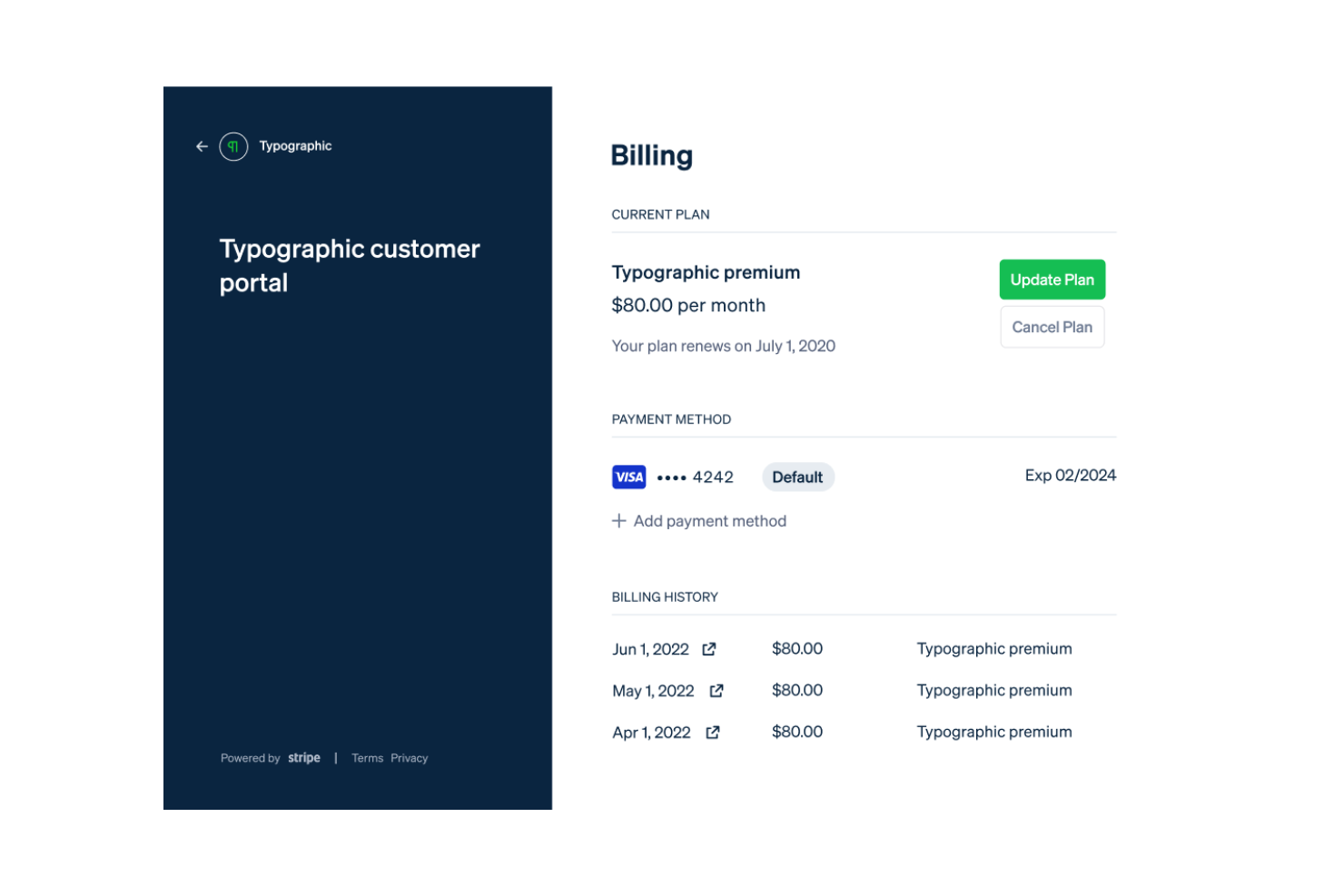
Stripe is a payment processing platform tailored for businesses needing to manage unified payments and recurring billing, particularly within the SaaS industry. It's used by companies of all sizes to handle payments, subscriptions, and financial management tasks efficiently.
Why I picked Stripe: Stripe excels in providing a unified solution for payments and recurring billing, making it ideal for SaaS businesses. It offers advanced subscription management and allows you to create flexible billing models and custom pricing, including usage-based billing. The platform supports multiple currencies, enabling global transactions without hassle. Additionally, Stripe's fraud prevention tools help protect your revenue and ensure secure and reliable payment processing.
Standout features and integrations:
Features include an easy-to-use dashboard for monitoring transactions, detailed analytics for tracking financial performance, and customizable invoicing to fit different business needs.
Integrations include Shopify, WooCommerce, QuickBooks, Xero, HubSpot, Salesforce, NetSuite, and more.
Pros and Cons
Pros:
- Developer-first APIs and customizable invoicing
- Scales from startups to enterprise volumes
- Advanced subscription management
Cons:
- Complexity can overwhelm non-technical teams
- Accounting integrations often require third-party tools

Paddle
Best for SaaS with global tax compliance
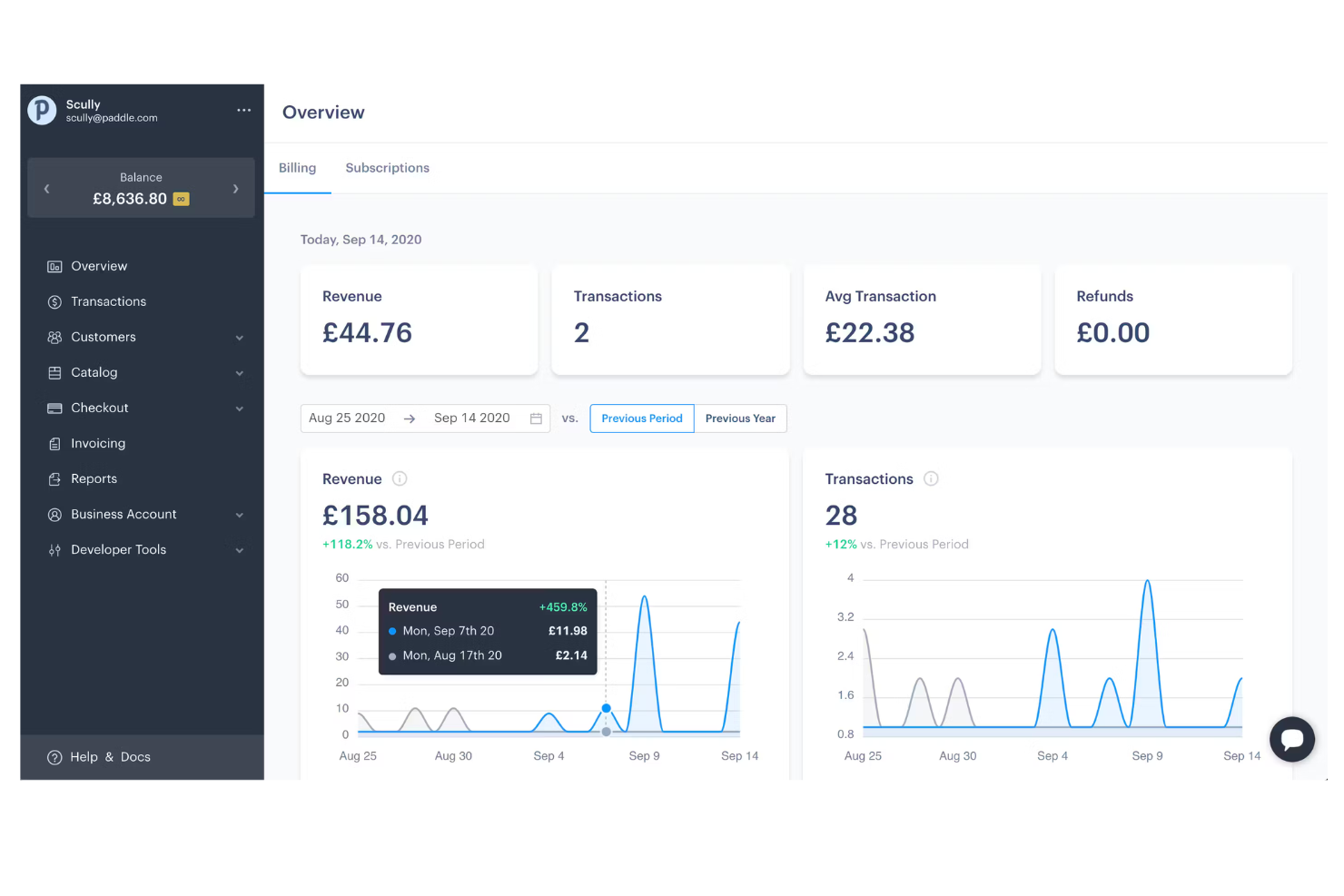
Paddle is a subscription billing solution designed for SaaS businesses, focusing on managing payments, tax compliance, and fraud protection. It's ideal for companies that operate globally and need to handle complex tax regulations efficiently.
Why I picked Paddle: Paddle offers a unique merchant of record model that simplifies tax compliance by handling VAT, sales tax, and other regional taxes for you. It includes fraud protection to ensure your transactions are secure. The platform also provides detailed analytics through its ProfitWell Metrics, helping you track and optimize revenue. With its Retain feature, Paddle reduces churn by recovering failed payments, making it a complete solution for international SaaS companies.
Standout features and integrations:
Features include a merchant of record model that takes care of tax compliance for you, fraud protection to secure your transactions, and Retain for recovering failed payments and helping reduce churn.
Integrations include Salesforce, HubSpot, Slack, Stripe, and more.
Pros and Cons
Pros:
- Reduces churn with payment recovery
- Reduces payment operations with its all-in-one billing system
- Handles global tax compliance automatically
Cons:
- Limited native accounting integrations
- Not suitable for physical goods / complex fulfillment ecommerce platforms

Best for accounting with built-in invoicing
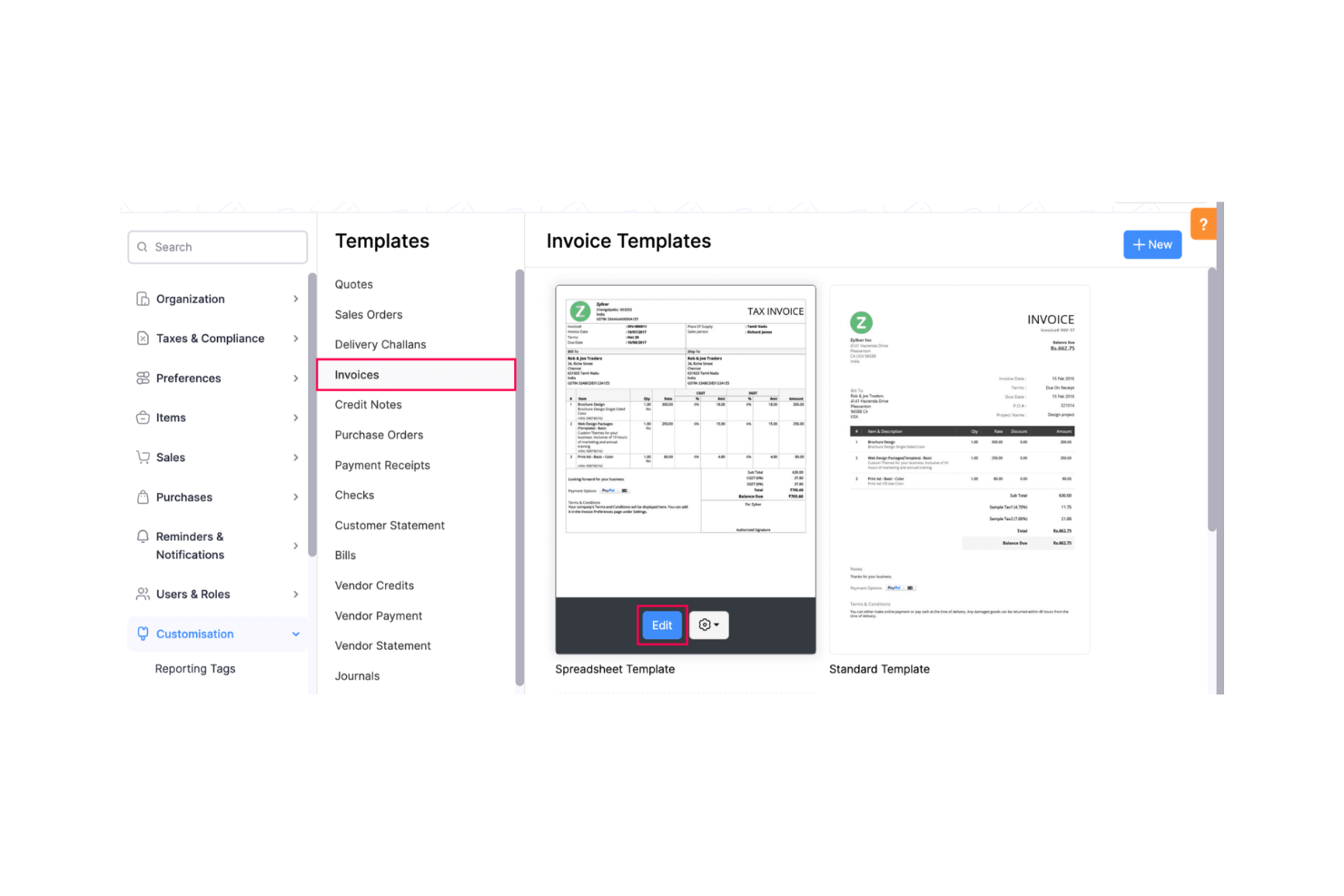
Zoho Books is an accounting software solution tailored for small businesses, focusing on invoice management and financial operations. It helps users streamline their billing processes and maintain accurate financial records.
Why I picked Zoho Books: Zoho Books offers broad invoice management features that are perfect for small businesses. It allows you to create and send professional invoices with ease. The software supports multi-currency transactions, which is ideal for businesses dealing with international clients. Additionally, its bank reconciliation feature ensures your financial records are always accurate and up-to-date.
Standout features and integrations:
Features include automated recurring billing to simplify ongoing payments, customizable invoice templates to fit your brand, and expense tracking to monitor business spending.
Integrations include Zoho CRM, Zoho Projects, PayPal, Stripe, Square, Google Drive, Dropbox, Office 365, Slack, Zapier, and more.
Pros and Cons
Pros:
- Integrates with Zoho ecosystem for workflow continuity
- Offers full accounting capabilities, e.g., bank reconciliation and expense tracking
- Supports multi-currency transactions and multiple payment gateways
Cons:
- Can be complex for non-accounting users
- Limited customization and reporting

Wave
Best for free invoicing for small businesses
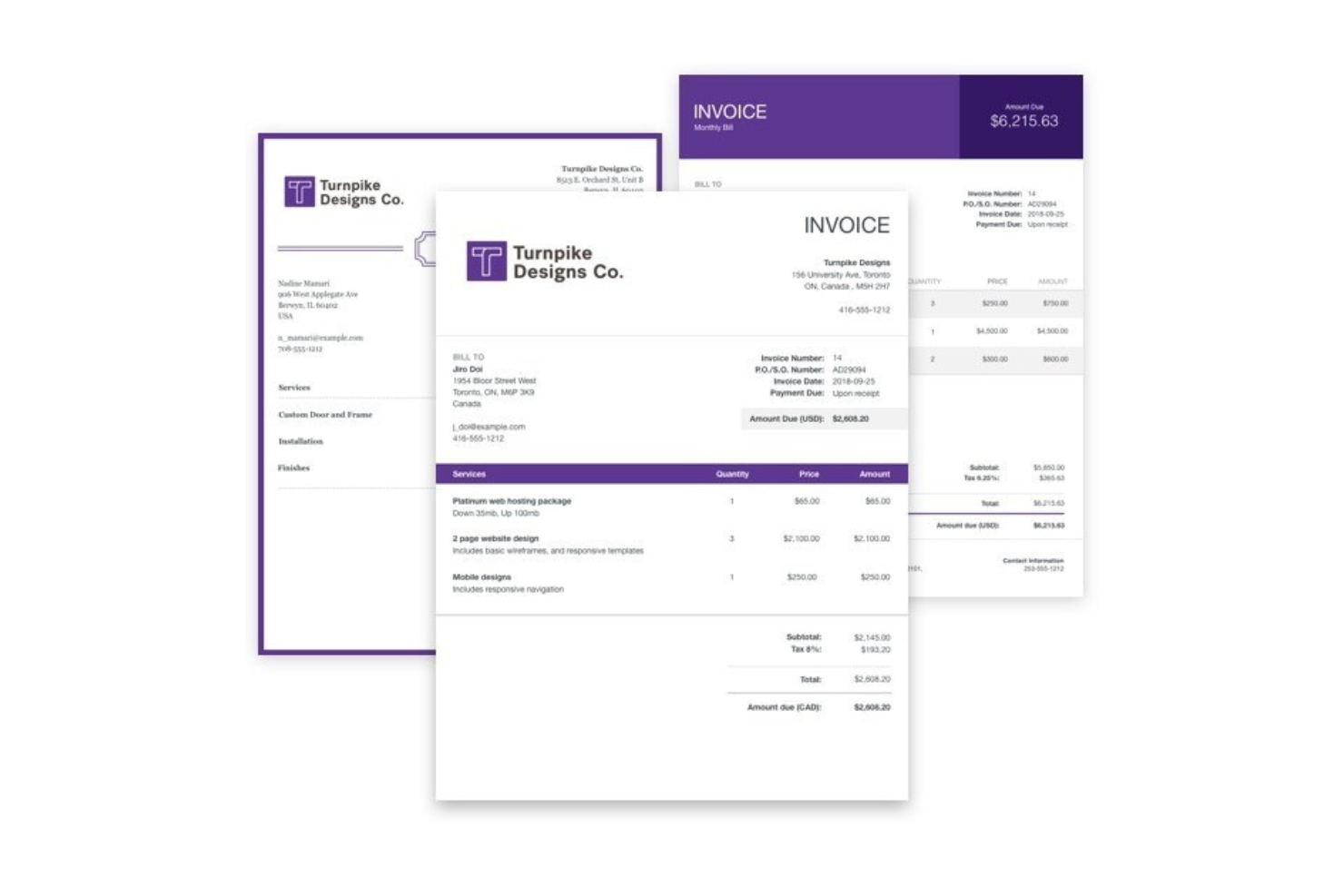
Wave is a free invoicing platform tailored for small businesses and freelancers. It assists users in creating, managing, and sending professional invoices, making the billing process straightforward and cost-effective.
Why I picked Wave: Wave offers a completely free invoicing solution, which is ideal for small businesses and freelancers with tight budgets. It provides customizable invoice templates, allowing you to create professional-looking invoices that reflect your brand. The platform supports recurring billing, making it easy to manage ongoing client relationships. Additionally, Wave's financial dashboards give you a clear overview of your business's financial health.
Standout features and integrations:
Features include automated payment reminders to ensure clients pay on time, expense tracking to manage business spending, and receipt scanning to keep your financial records organized.
Integrations include PayPal, Stripe, Shoeboxed, Google Sheets, Etsy, Zapier, Mailchimp, HubSpot, Slack, and more.
Pros and Cons
Pros:
- Provides easy-to-use financial dashboards
- Free core invoicing and accounting for small businesses
- Offers customizable invoice templates
Cons:
- Limited advanced features and basic reporting
- Not suitable for the invoicing requirements of larger enterprises

Recurly
Best for high-volume subscription billing
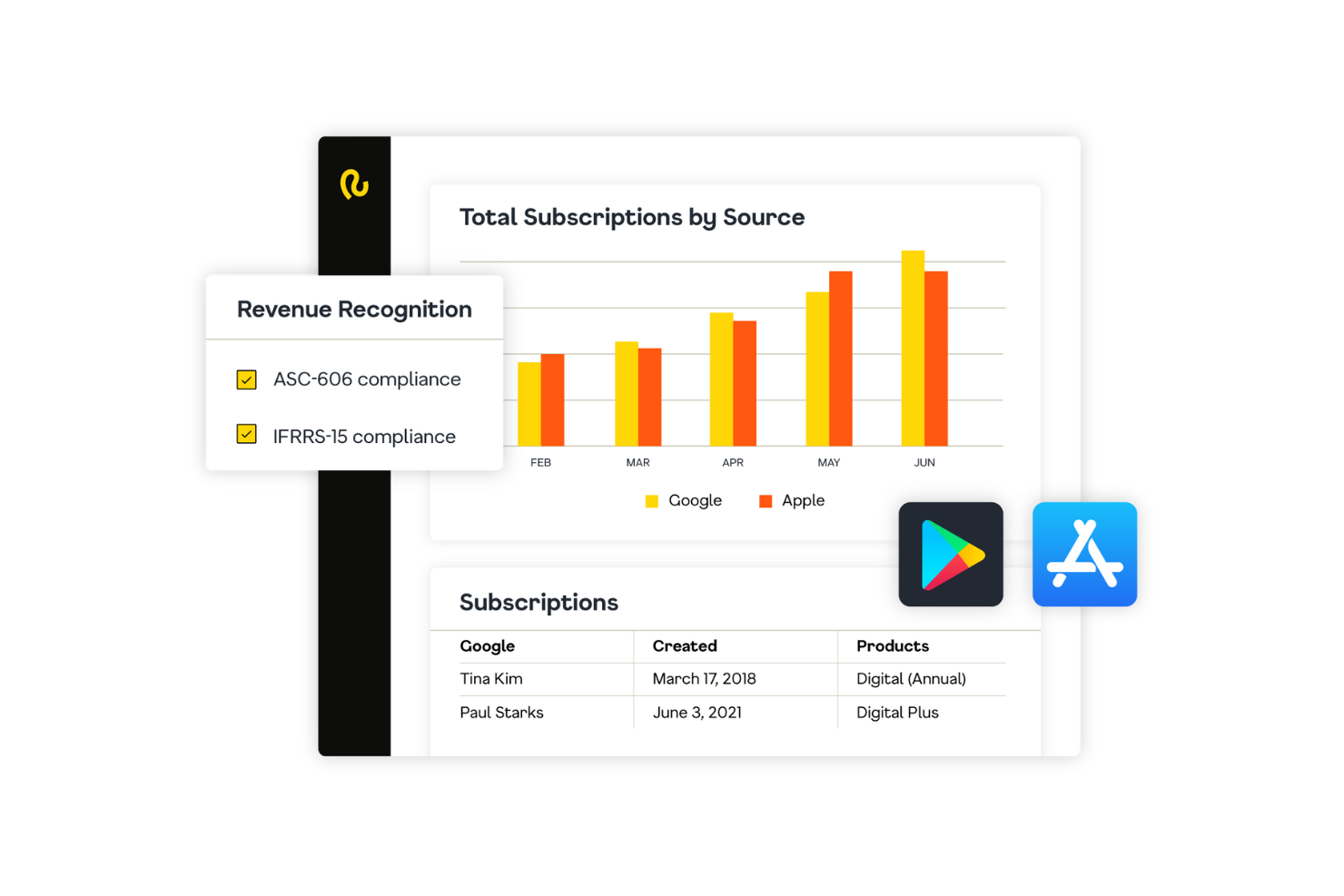
Recurly is a subscription billing platform designed for SaaS businesses that require automated billing processes. It helps companies manage recurring revenue and optimize their subscription billing cycles efficiently.
Why I picked Recurly: Recurly automates the entire billing process, reducing manual work and increasing accuracy. It offers flexible subscription management features that allow you to tailor plans to fit your business model. The platform provides real-time analytics and provides insights into customer behavior and revenue trends. Additionally, Recurly's dunning management tools, including intelligent retries, help recover failed payments, reduce cancellations, improve customer retention, and ensure steady cash flow.
Standout features and integrations:
Features include automated invoicing to minimize manual errors, revenue recognition to ensure compliance with accounting standards, and advanced reporting tools for better financial insights.
Integrations include Salesforce, QuickBooks, Xero, NetSuite, Stripe, PayPal, Mailchimp, and more.
Pros and Cons
Pros:
- Handles revenue recognition
- Offers automated dunning and churn-reduction features
- Supports flexible subscription management
Cons:
- Limited customization for invoice templates
- Lacking advanced analytics and customization for reports

Best for freelancers and cloud invoicing
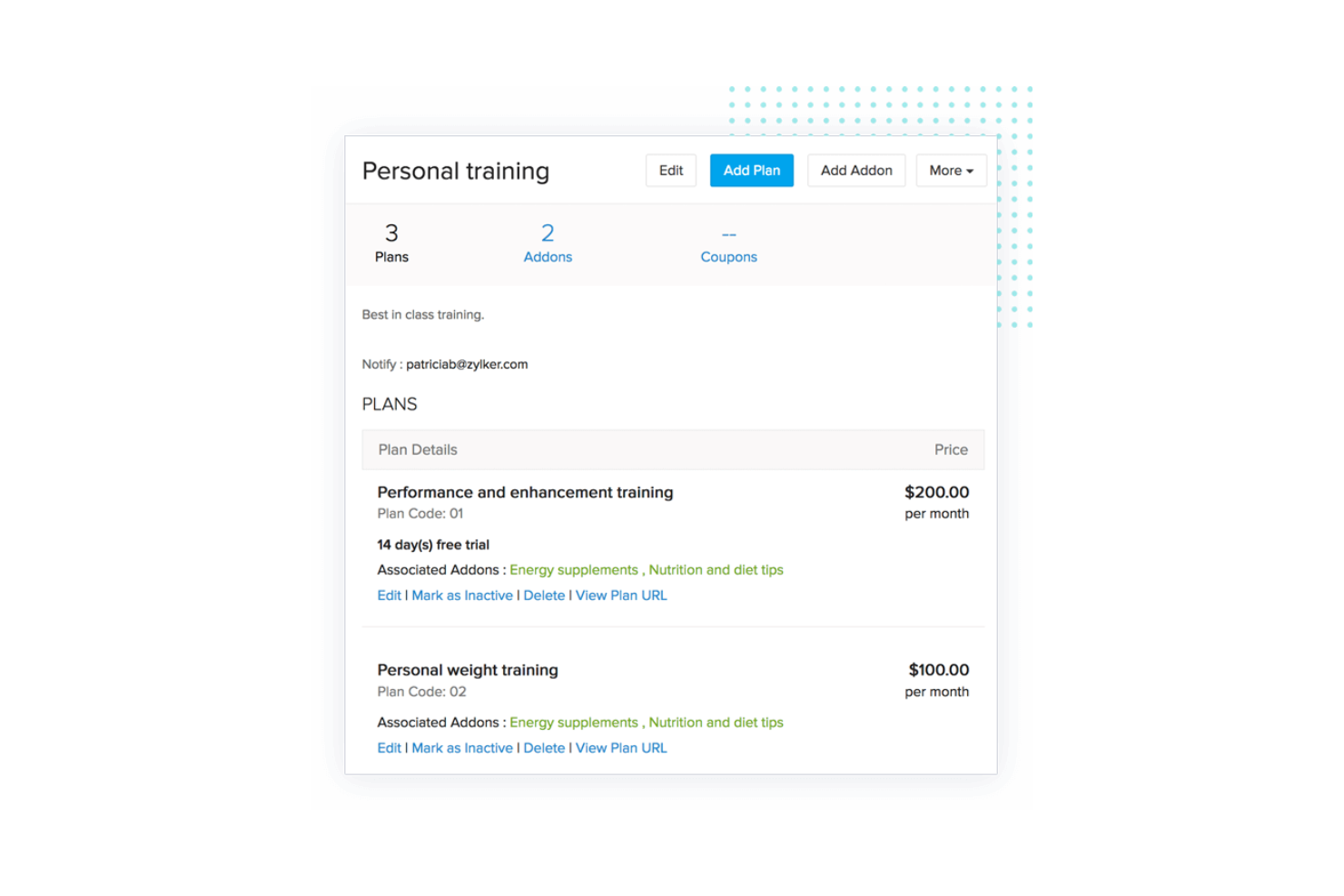
Zoho Invoice is a cloud-based invoicing solution tailored for freelancers and small businesses. It helps users create, manage, and send professional invoices, simplifying the billing process for small-scale operations.
Why I picked Zoho Invoice: Zoho Invoice is designed for freelancers and small businesses needing an easy-to-use billing solution. It offers customizable invoice templates that let you personalize your billing documents. The platform supports multiple currencies, making it suitable for international transactions. Additionally, Zoho Invoice provides time-tracking tools to help you bill clients accurately based on hours worked.
Standout features and integrations:
Features include automated payment reminders to ensure timely collections, expense tracking to keep an eye on business spending, and detailed reporting tools to analyze financial performance.
Integrations include Zoho CRM, Zoho Books, PayPal, Stripe, Google Drive, Dropbox, OneDrive, Slack, Zapier, Office 365, and more.
Pros and Cons
Pros:
- Free tier for small businesses
- Provides time-tracking tools and automated payment reminders
- User-friendly setup for invoices with customizable templates
Cons:
- Limited reporting and advanced features
- Not ideal for large enterprises
Best for B2B invoicing tied to ERP systems
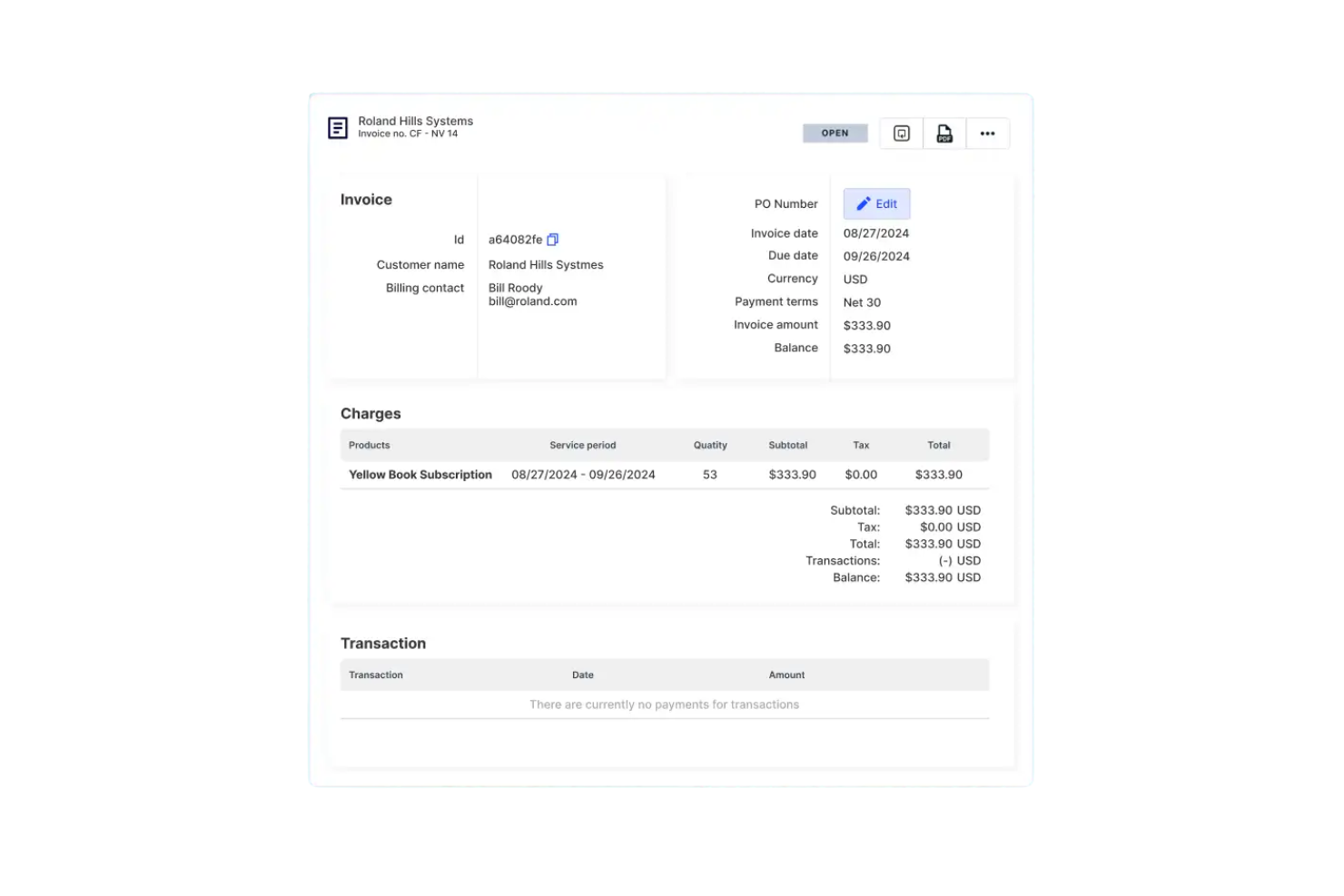
Cacheflow is a billing automation platform focused on automating invoicing processes and integrating with ERP systems. It serves SaaS businesses looking to optimize their billing cycles and enhance financial operations.
Why I picked Cacheflow: Cacheflow excels in automating invoicing tasks, reducing the need for manual intervention and minimizing errors. It integrates well with ERP systems, ensuring that your financial data is consistent across platforms. The platform offers customizable billing options, allowing you to tailor invoices according to your business needs. Additionally, Cacheflow's real-time analytics provide insights into your billing operations and lifecycle, helping you make informed decisions.
Standout features and integrations:
Features include customizable invoicing templates to match your brand, automated payment reminders to ensure timely collections, and detailed reporting tools to track billing performance.
Integrations include Salesforce, QuickBooks Online, Stripe, and more.
Pros and Cons
Pros:
- Automates payment reminders
- Offers real-time analytics
- Automates B2B invoicing tied to ERP systems
Cons:
- Limited direct integrations with major ERPs
- Limited customization for reports

Zuora
Best for enterprise pricing and revenue control
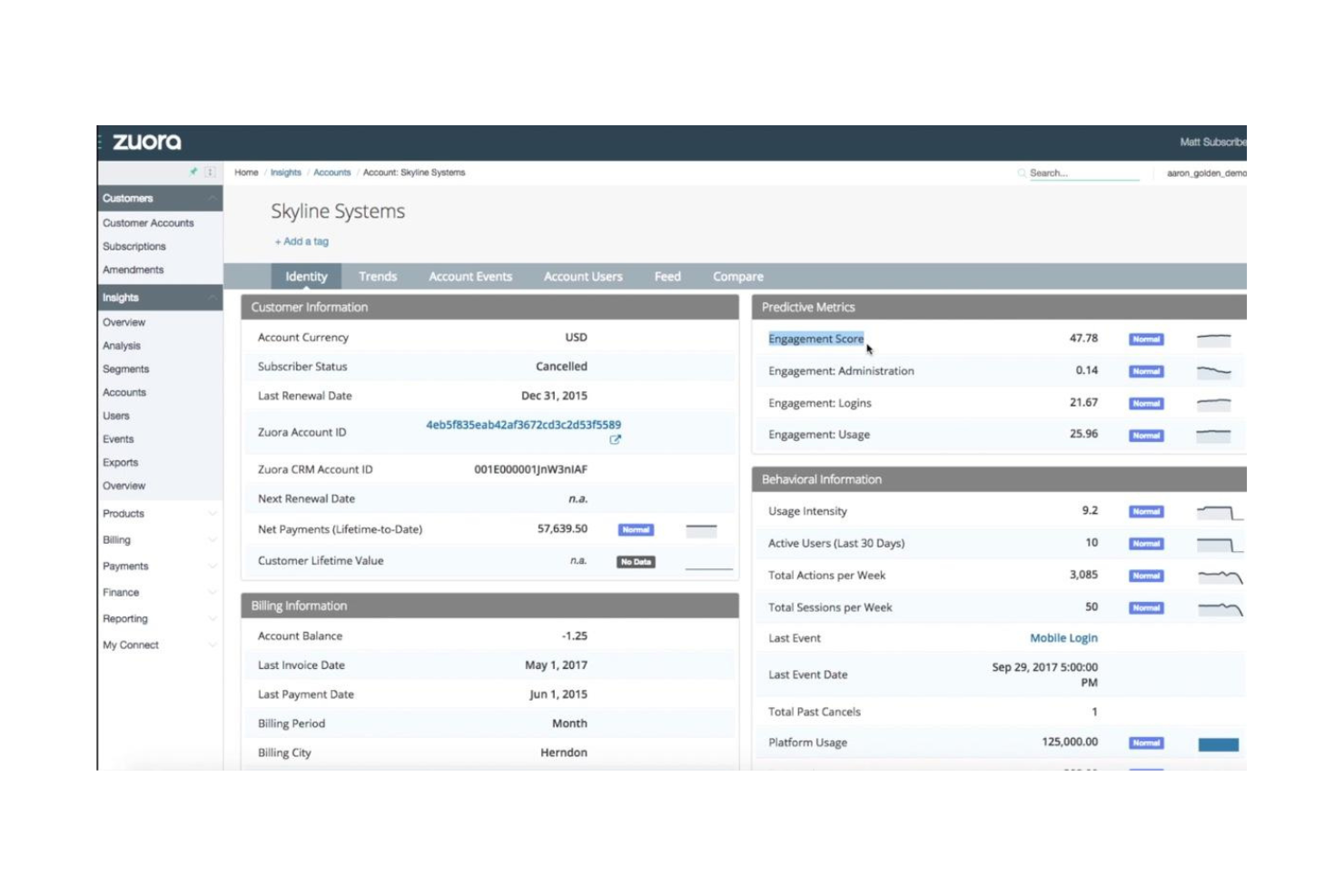
Zuora is a subscription management platform designed for businesses that need flexibility in pricing and managing recurring revenue. It's ideal for companies looking to optimize their subscription billing processes and offer tailored pricing models to their customers.
Why I picked Zuora: Zuora offers flexible pricing structures that let you create customized pricing plans to suit different customer needs. Its subscription management capabilities allow you to handle complex billing scenarios with ease. The platform's advanced reporting features provide insights into your recurring revenue streams. Additionally, Zuora's ability to scale with your business makes it a reliable choice for growing companies.
Standout features and integrations:
Features include automated billing to reduce manual tasks, revenue recognition to ensure compliance with accounting standards, and extensive analytics for better financial decision-making.
Integrations include Salesforce, NetSuite, Avalara, Workday, Marketo, and more.
Pros and Cons
Pros:
- Automates revenue recognition
- Offers flexible pricing structures
- Supports complex subscription and billing scenarios
Cons:
- Can be difficult to configure
- Requires significant technical expertise
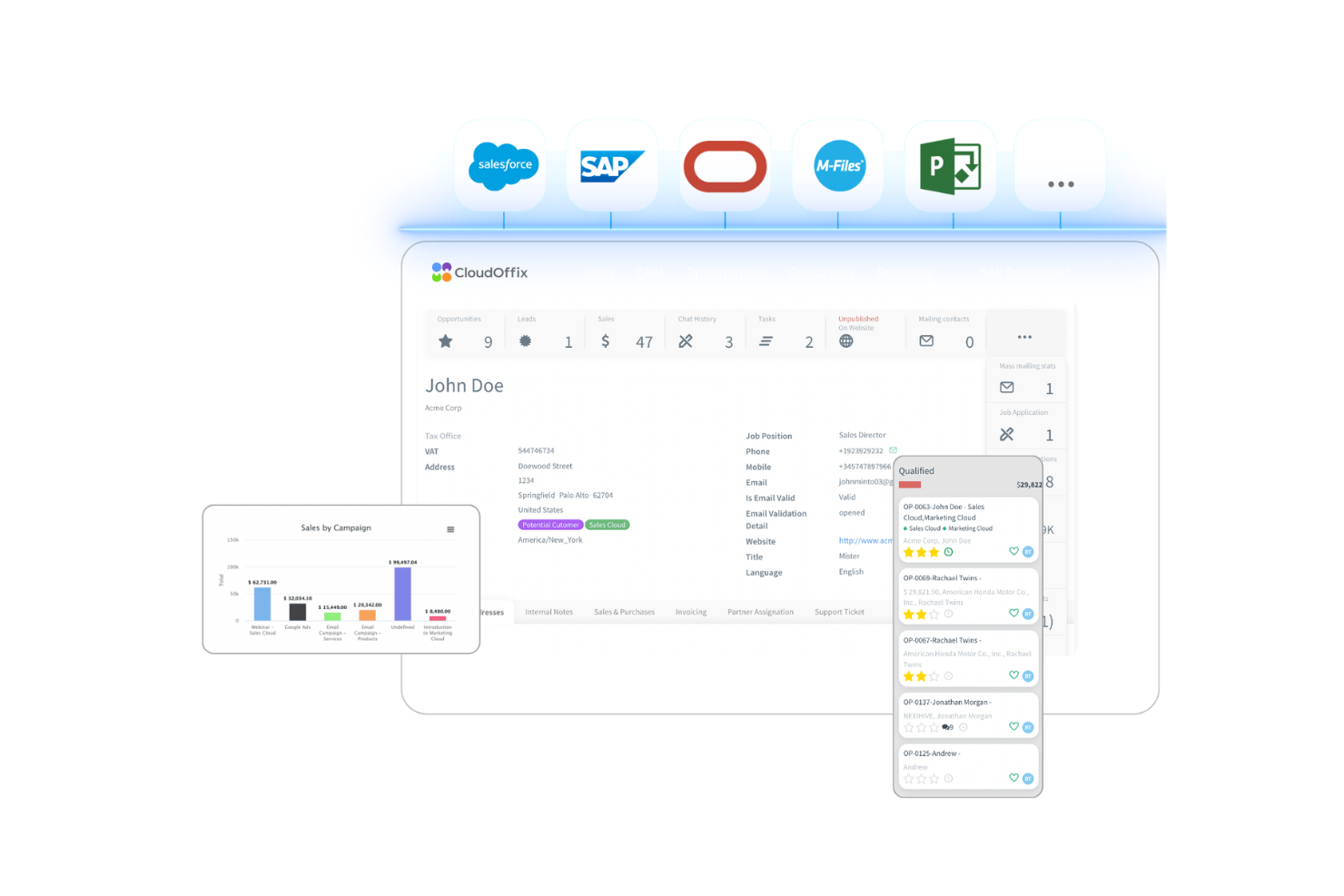
CloudOffix is an invoicing and billing automation platform designed for businesses looking to streamline their billing processes. It mainly serves companies that want to optimize invoicing tasks and improve their overall billing efficiency.
Why I picked CloudOffix: CloudOffix automates invoicing and reduces manual input and errors, which saves you time and resources. It offers efficient billing processes to enhance your team's productivity. The platform's customizable invoice templates let you tailor the look and feel to match your brand. Additionally, CloudOffix provides real-time analytics to give you insights into your billing operations.
Standout features and integrations:
Features include automated billing cycles to reduce manual work, customizable templates to fit your brand identity, and real-time analytics for tracking financial performance.
Integrations include Salesforce, QuickBooks, Xero, Stripe, PayPal, HubSpot, Mailchimp, Slack, and more.
Pros and Cons
Pros:
- Reduces manual billing and invoicing tasks
- Provides low-code customization for tailored invoice workflows
- Automates billing cycles effectively
Cons:
- Functionality can be too complex for simple invoicing needs
- Limited depth compared with some specialized tools

Stampli
Best for AI-driven invoice capture and approvals

Other SaaS Invoicing Software
Here are some additional SaaS invoicing software options that didn’t make it onto my shortlist, but are still worth checking out:
- AvidXchange
For cloud-based accounts payable automation
- BILL
For end-to-end AP and AR automation


How I Evaluate SaaS Invoicing Software
I look at two layers: the core capabilities a SaaS billing tool must have—recurring invoicing, dunning, and payment collection—and the differentiators that set one platform apart.
Core Functionality (Table Stakes For This List)
When I'm selecting tools for my list, I rank each one on a scale from 0 (does not offer the functionality) to 5 (excels in this area) for each core functionality listed below. Then, I calculate the tool's total score into a percentage. Each tool needs to achieve a minimum total score of 65% to be considered for inclusion.
- Recurring Billing Automation: I check whether a platform can handle common SaaS scenarios like mid-cycle upgrades, prorated charges, trial-to-paid conversions, and co-termed renewals.
- Flexible Pricing Model Support: Whether you bill per seat, by API call volume, or through hybrid contracts, I evaluate how well each tool models the pricing structures SaaS companies actually use.
- Automated Payment Collection: I look at gateway coverage, stored payment method handling, auto-charge workflows, and multi-currency support for collecting payments globally.
- Dunning & Revenue Recovery: Failed payments quietly erode MRR. I evaluate retry logic, customer notification sequences, and whether the tool offers smart recovery features beyond basic email reminders.
- Tax & Compliance Handling: Multi-jurisdiction tax calculation matters when you're selling across regions. I look at automated sales tax, VAT, and GST support alongside ASC 606/IFRS 15 revenue recognition.
- Accounting & CRM Integrations: I check for native connections to platforms like QuickBooks, Xero, NetSuite, and Salesforce, plus whether the sync is bi-directional and keeps invoice data consistent.
Once I have a list of tools that meet this criteria, I consider what sets each platform apart.
Differentiating Factors (What Sets Vendors Apart)
Here's how I compare and contrast different vendors:
Standout Features
Revenue analytics built into the billing platform matter a lot. I look for real-time MRR, churn, and LTV dashboards that save finance teams from exporting data into spreadsheets. Quote-to-cash workflows are another differentiator—tools that connect proposals, e-signatures, and invoicing into one flow cut days off the sales-to-revenue cycle. I also evaluate whether a platform offers a customer self-service portal where subscribers can update payment details and download invoices on their own, which reduces AR workload.
Beyond Features
Pricing transparency is a big one. Some platforms charge per transaction or per invoice, which can quietly erode margins as your subscriber base grows. I evaluate whether the cost structure stays predictable at scale. Security certifications like SOC 2 Type II and PCI DSS Level 1 also carry weight—these tools handle sensitive payment data, so I check for audit-ready access controls and role-based permissions. Implementation speed matters too, especially for teams migrating off spreadsheets or switching from a legacy billing system mid-growth.
How To Choose SaaS Invoicing Software
It’s easy to get bogged down in long feature lists and complex pricing structures. To help you stay focused as you work through your unique software selection process, here’s a checklist of factors to keep in mind:
| Factor | What to Consider |
|---|---|
| Scalability | Can the software grow with your business? Consider if it supports additional users, transactions, and features as your company expands. |
| Integrations | Does it connect with your current systems? Look for compatibility with your CRM, accounting software, and payment gateways to avoid data silos. |
| Customizability | Can you tailor it to your needs? Evaluate if you can adjust templates, workflows, and settings to match your business processes. |
| Ease of Use | Is it intuitive for your team? Ensure the interface is straightforward to minimize training time and user frustration. |
| Cost | Does it fit your budget? Compare pricing tiers, hidden fees, and long-term costs to ensure it aligns with your financial plans. |
| Security Safeguards | Are your data protected? Look for encryption standards, access controls, and compliance with regulations such as GDPR to keep information secure. |
| Support Availability | Will you get help when needed? Check for 24/7 support, response times, and the availability of a knowledge base for troubleshooting. |
What Is SaaS Invoicing Software?
SaaS invoicing software is a cloud-based tool that helps businesses create, send, and manage invoices online. These tools are generally used by accountants, small business owners, and finance professionals to simplify billing and track payments.
Automated billing, multi-currency support, and customizable templates help with efficient invoicing and reduce manual work. Overall, these tools save time and improve financial management.
Features
When selecting SaaS invoicing software, keep an eye out for the following key features:
- Automated billing: Automatically generate and send invoices on a set schedule, reducing manual tasks and ensuring timely billing.
- Customizable templates: Tailor invoice templates to reflect your brand identity, creating a professional appearance in communications.
- Multi-currency support: Handle international transactions by accommodating different currencies, expanding your global reach.
- Payment reminders: Send automated reminders to clients for pending payments, improving cash flow and reducing late payments.
- Expense tracking: Monitor and categorize expenses to maintain accurate financial records and streamline accounting.
- Real-time analytics: Access insights into billing operations and financial performance, helping you make informed business decisions.
- Recurring billing: Manage ongoing client relationships by setting up automatic, repeat billing cycles for subscriptions or services.
- Bank reconciliation: Ensure accuracy in financial records by matching bank transactions with invoices and payments.
- Mobile app accessibility: Access invoicing features on-the-go through a mobile app, increasing flexibility and efficiency.
- Security safeguards: Protect sensitive financial data with encryption and compliance with regulations, such as GDPR.
Benefits
Implementing SaaS invoicing software provides several benefits for your team and your business. Here are a few you can look forward to:
- Time savings: Automate billing and reminders to reduce manual work and free up time for other tasks.
- Improved cash flow: Use payment reminders and recurring billing to ensure timely payments and enhance cash management.
- Global reach: Multi-currency support allowing you to handle international transactions and expand your business's global presence.
- Enhanced accuracy: Features such as bank reconciliation and automated invoicing minimize errors in financial records.
- Professional appearance: Customizable templates enhance your professionalism by letting you create invoices that reflect your brand.
- Data-driven decisions: Access real-time analytics for insights into financial performance, helping you make informed business decisions.
- Flexibility and accessibility: Mobile app access lets you manage invoices from anywhere for greater flexibility and efficiency.
Costs and Pricing
Selecting SaaS invoicing software requires an understanding of the various pricing models and plans available. Costs vary based on features, team size, add-ons, and more. The table below summarizes common plans, their average prices, and typical features included in SaaS invoicing software solutions:
Plan Comparison Table for SaaS Invoicing Software
| Plan Type | Average Price | Common Features |
|---|---|---|
| Free Plan | $0 | Basic invoicing, limited templates, and community support. |
| Personal Plan | $5-$25/user/month | Customizable templates, automated billing, and email support. |
| Business Plan | $30-$60/user/month | Multi-currency support, recurring billing, and advanced analytics. |
| Enterprise Plan | $70-$150/user/month | API access, dedicated account manager, and priority customer support. |
SaaS Invoicing Software FAQs
Here are some answers to common questions about SaaS invoicing software:
How secure is SaaS invoicing software?
Yes, SaaS invoicing software is generally secure. Providers often use encryption to protect your data and comply with regulations, such as GDPR. It’s important to check if the software offers features such as two-factor authentication and regular security updates. Make sure your team follows best practices to enhance security, including using strong passwords and restricting access to sensitive information.
Can I use SaaS invoicing software offline?
No, SaaS invoicing software typically requires an internet connection to function. Since it’s cloud-based, you need to be online to access your data and features. However, some tools offer mobile apps that might allow offline access to certain features, syncing any changes once you reconnect to the internet. If offline access is essential, consider this when evaluating options.
Is it easy to switch from my current invoicing system?
Yes, many SaaS invoicing tools offer migration support to help you switch from your current system. Look for software that provides data import features, tutorials, and dedicated support to make the transition smoother. Plan the migration during a slow period to minimize disruptions, and involve your team to ensure everyone is comfortable with the new system.
Do I need technical expertise to set up SaaS invoicing software?
No, most SaaS invoicing software is designed to be user-friendly and doesn’t require extensive technical knowledge. Providers often offer setup guides, tutorials, and customer support to assist you. However, having someone on your team with basic technical skills can help troubleshoot any initial setup issues and ensure a smoother implementation process.
What’s Next:
If you're in the process of researching SaaS invoicing software, connect with a SoftwareSelect advisor for free recommendations.
You fill out a form and have a quick chat where they get into the specifics of your needs. Then you'll get a shortlist of software to review. They'll even support you through the entire buying process, including price negotiations.