
17 TaxDome Alternatives Picked for 2026 for Accounting Firms

TaxDome Alternatives Shortlist
Here’s my shortlist of TaxDome alternatives:


A strong TaxDome alternative offers reliable practice management features like workflow automation, client communication, and document handling—without sacrificing usability or compliance.
If you’re searching for TaxDome alternatives, you’re likely looking for tools that better fit your firm’s processes, integrate with your tech stack, or address specific pain points around collaboration, reporting, or client experience.
This list will help you compare leading options for 2026, so you can confidently choose the right practice management software for your accounting team’s needs.
What Is TaxDome?
TaxDome is a cloud-based accounting practice management system designed for CPA firms, tax professionals, and bookkeeping teams that want to organize their work, client communication, and documents in one platform. It combines project management, team collaboration, and client-facing tools to help firms keep track of tasks, deadlines, and engagement letters without relying on multiple disconnected systems.
As an accounting practice management solution, TaxDome allows firms to manage client relationships, automate routine processes, and maintain secure document exchanges through a centralized workspace. Its focus on ease of use and automation makes it popular among firms looking to simplify internal operations while improving the client experience.
Why Trust Our Software Reviews
Best TaxDome Alternatives Summary
This comparison chart summarizes pricing details for my top TaxDome alternative selections to help you find the best one for your budget and business needs.
| Tool | Best For | Trial Info | Price | ||
|---|---|---|---|---|---|
| 1 | Best for collaborative workflow management | Free demo available | From $59/user/month (billed annually) | Website | |
| 2 | Best for all-in-one firm operations | Expert consultation available | Pricing upon request | Website | |
| 3 | Best for integrated client communication | 15-day free trial | From $22/user/month | Website | |
| 4 | Best for tracking team productivity | 14-day free trial | From $9/user/month (billed annually) | Website | |
| 5 | Best for UK-based businesses and compliance support | 30-day free trial | From $44/user/month + VAT (billed annually) | Website | |
| 6 | Best for small firm automation | 30-day free trial | From $129/month (unlimited users) | Website | |
| 7 | Best for time and billing features | Free trial + free demo available | From $35/user/month (billed annually) | Website | |
| 8 | Best for integration with Zoho suite | Free trial available | From $49/org/month (billed annually) | Website | |
| 9 | Best for customizable workflow templates | Free trial available | From $16/user/month (billed annually) | Website | |
| 10 | Best for client document requests | Free trial + free demo available | From $49/month (billed annually) | Website |
-

LiveFlow
Visit WebsiteThis is an aggregated rating for this tool including ratings from Crozdesk users and ratings from other sites.4.9 -
Float Financial
Visit WebsiteThis is an aggregated rating for this tool including ratings from Crozdesk users and ratings from other sites.4.1 -
Rippling Spend
Visit WebsiteThis is an aggregated rating for this tool including ratings from Crozdesk users and ratings from other sites.4.8


TaxDome Alternatives Reviews
Below are my detailed summaries of the best TaxDome alternatives that made it onto my shortlist. My reviews offer a detailed look at the features, best use cases, and integrations of each platform to help you find the best one for your firm.

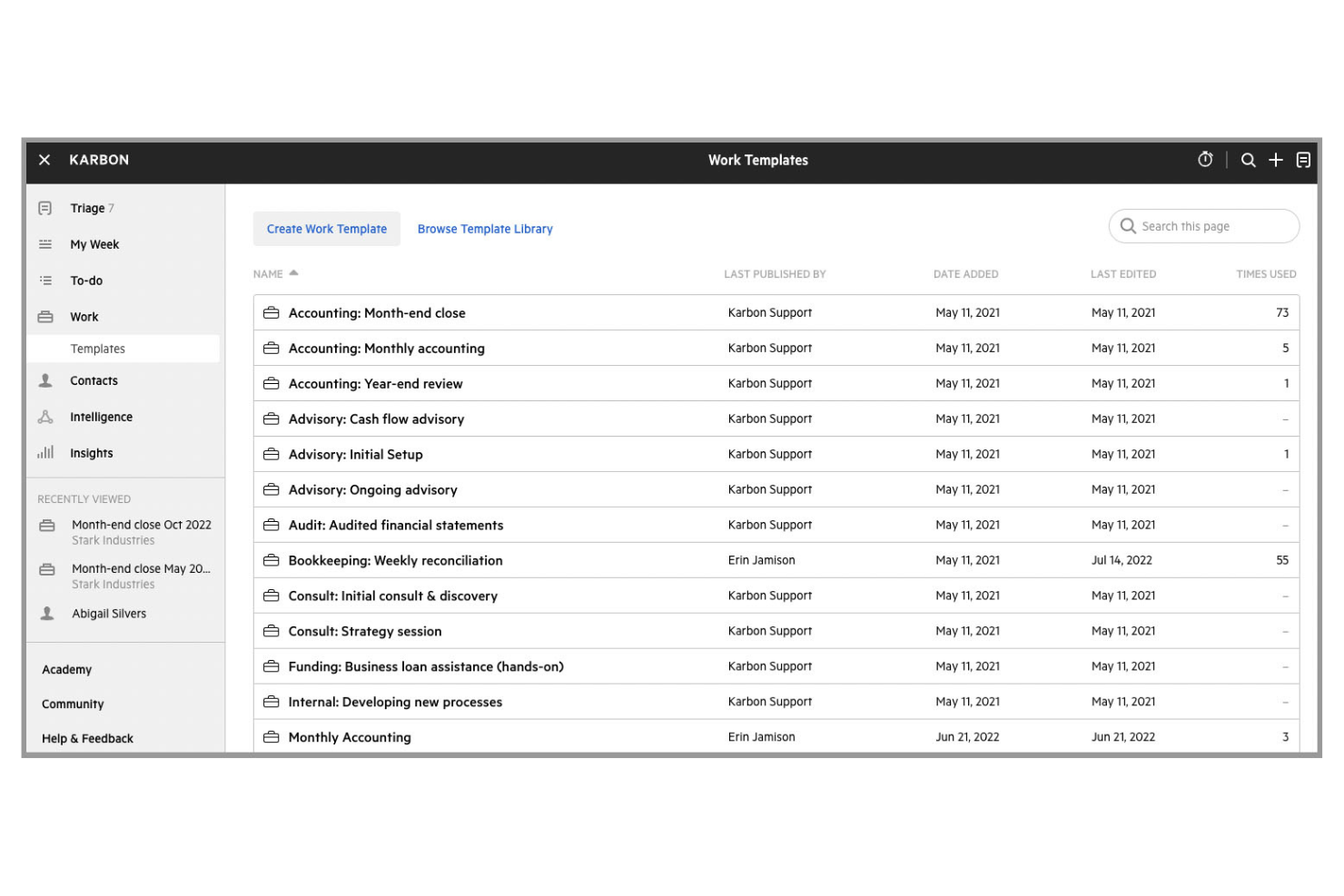
Karbon is a practice management platform designed for accounting teams that need strong collaboration and workflow visibility. It’s especially useful for firms managing complex projects across distributed teams, thanks to its shared inbox and real-time task tracking. If your firm struggles with siloed communication or missed deadlines, Karbon’s collaborative features help keep everyone aligned.
Why Karbon Is a Good TaxDome Alternative
Karbon stands out for firms that need advanced collaborative workflow management. I picked it because its shared inbox and task assignment features let teams coordinate work and client communication in one place. The platform’s workflow automation tools help standardize processes and keep projects moving, even when multiple team members are involved. If your accounting practice relies on teamwork and clear accountability, Karbon’s collaboration-focused design offers a strong alternative to TaxDome.
Karbon Key Features
Some other features in Karbon can help your team manage practice operations more efficiently:
- Time Tracking: Track billable and non-billable hours directly within the platform for accurate client invoicing and internal reporting.
- Client Portal: Give clients a secure space to upload documents, review requests, and communicate with your team.
- Document Management: Organize, store, and retrieve client files with built-in document storage and version control.
- Recurring Tasks: Set up recurring work items for ongoing client engagements, so nothing falls through the cracks.
Karbon Integrations
Integrations include Gmail, Outlook Calendar, QuickBooks Online Accountant, Xero, HubSpot, Microsoft OneDrive, Google Drive, Slack, Dropbox, and BambooHR.
Pros and Cons
Pros:
- Real-time task updates improve team coordination
- Workflow templates support consistent processes
- Shared inbox centralizes client communication
Cons:
- Limited document editing controls
- No built-in eSignature tools

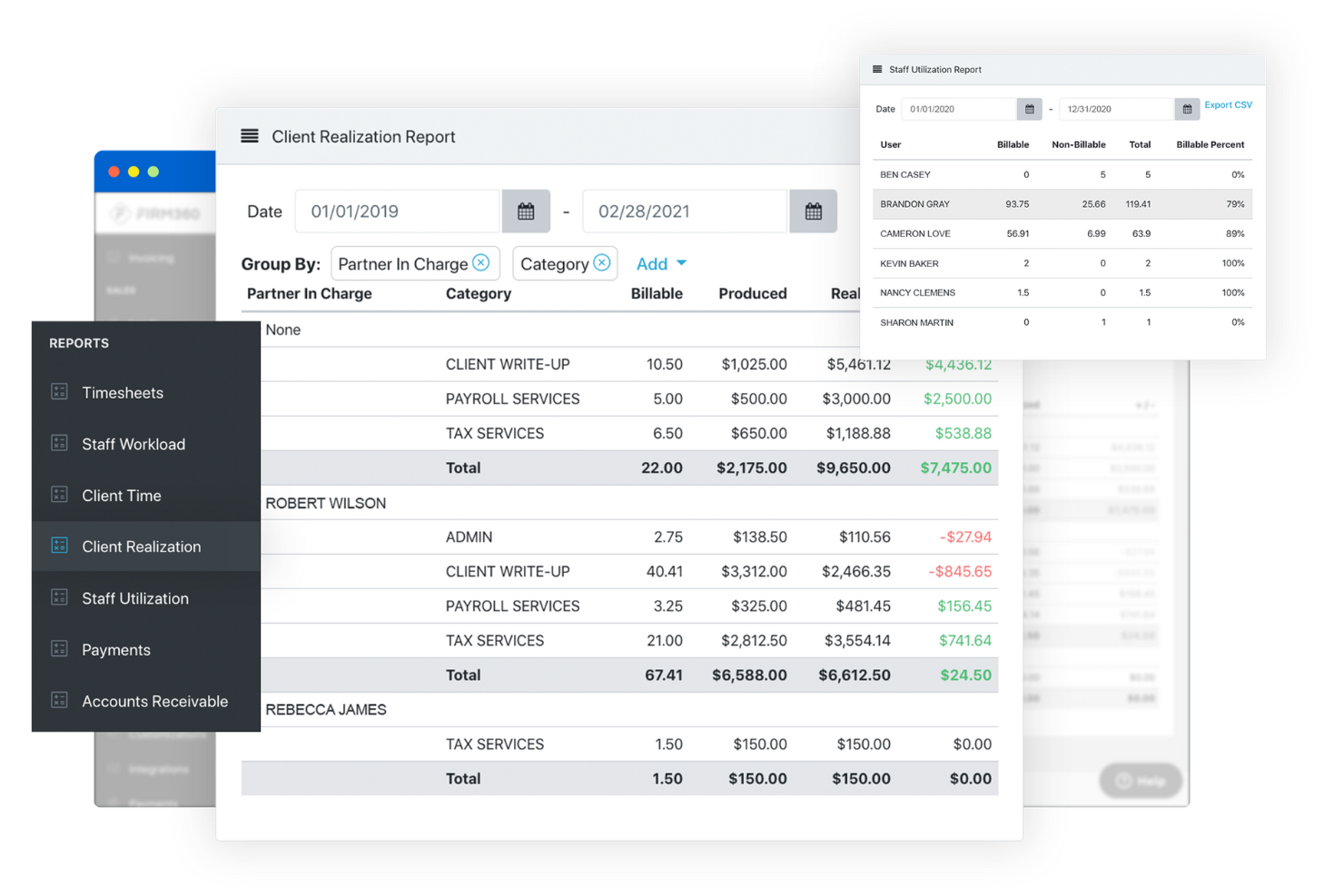
When your accounting firm needs a single platform to manage every aspect of operations, Firm360 is designed to deliver. This solution is built for firms that want to unify workflow, document management, time tracking, and client communication in one place. If you’re looking to reduce tool sprawl and centralize your firm’s daily processes, Firm360 offers a more integrated approach than many other practice management options.
Why Firm360 Is a Good TaxDome Alternative
For firms that want to manage everything in one place, Firm360 brings together core practice management functions under a single roof. I picked Firm360 because it combines workflow automation, document management, and time tracking without needing separate tools. The platform also includes built-in client communication features, so your team can handle tasks, files, and conversations in one system. If you’re looking for a true all-in-one solution that reduces the need for multiple software products, Firm360 is a strong alternative to TaxDome.
Firm360 Key Features
Some other features that make Firm360 worth considering include:
- Client Portal: Clients can securely upload documents, view invoices, and communicate with your team.
- Task Templates: Create and reuse standardized task lists for recurring projects or services.
- Billing and Invoicing: Generate, send, and track invoices directly within the platform.
- Role-Based Permissions: Control access to sensitive information by assigning user roles and permissions.
Firm360 Integrations
Integrations include Microsoft Excel, Microsoft Word, Adobe PDF, Zapier, Microsoft Office 365, Gmail, Stripe, Lacert, QuickBooks, and more.
Pros and Cons
Pros:
- Task templates help standardize recurring work
- Built-in time tracking and billing reduce tool switching
- All-in-one dashboard supports day-to-day operations
Cons:
- Workflow automation is less advanced than some peers
- No built-in eSignature tools

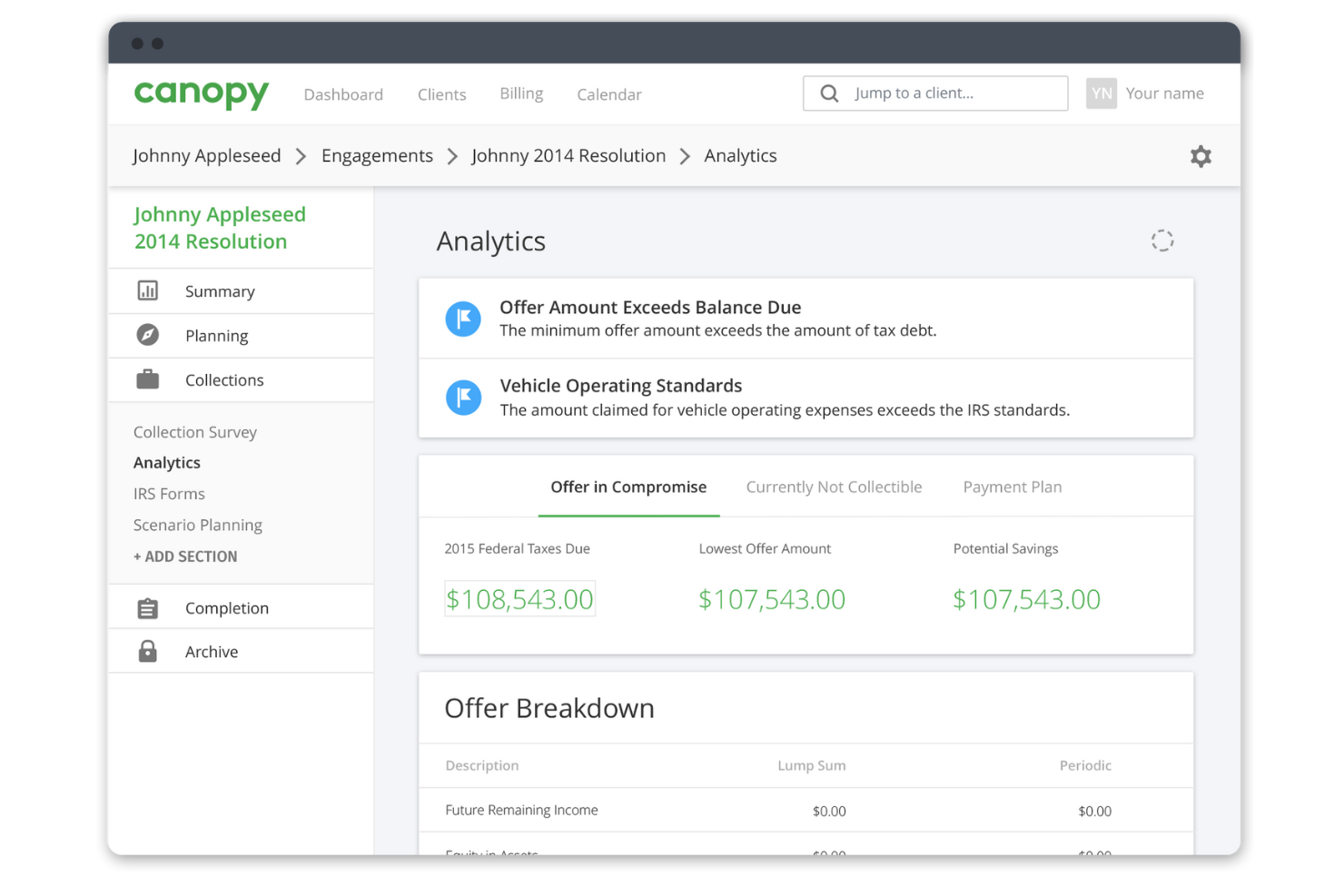
If your accounting or tax firm needs a practice management platform with integrated client communication, Canopy is worth a close look. It’s designed for professionals who want to manage emails, texts, and client requests in one place without switching tools. Canopy helps reduce scattered conversations and missed messages by centralizing all client interactions alongside your workflow.
Why Canopy Is a Good TaxDome Alternative
For firms that prioritize integrated client communication, Canopy offers a focused solution that’s hard to match. I picked it because its unified inbox brings together emails, texts, and client portal messages, so you never have to chase down scattered conversations. The platform also lets you assign and track client requests directly within your workflow, making it easier to keep everyone on the same page. If you want to reduce communication gaps and manage client interactions alongside your projects, Canopy is a strong alternative to TaxDome.
Canopy Key Features
Some other features in Canopy can help your firm manage daily operations more smoothly:
- Document Management: Store, organize, and share files securely with clients and team members.
- Time and Billing: Track time spent on projects and generate invoices directly from the platform.
- Task Automation: Automate repetitive tasks and set up recurring workflows for ongoing client work.
- eSignatures: Collect legally binding electronic signatures on documents without leaving the platform.
Canopy Integrations
Integrations include Slack, Microsoft Teams, Google Calendar, and Outlook.
Pros and Cons
Pros:
- Client portal makes secure file sharing easier
- Built-in eSignature supports faster approvals
- Unified inbox keeps client messages in one place
Cons:
- Limited client-facing branding options
- Workflow automation is less flexible

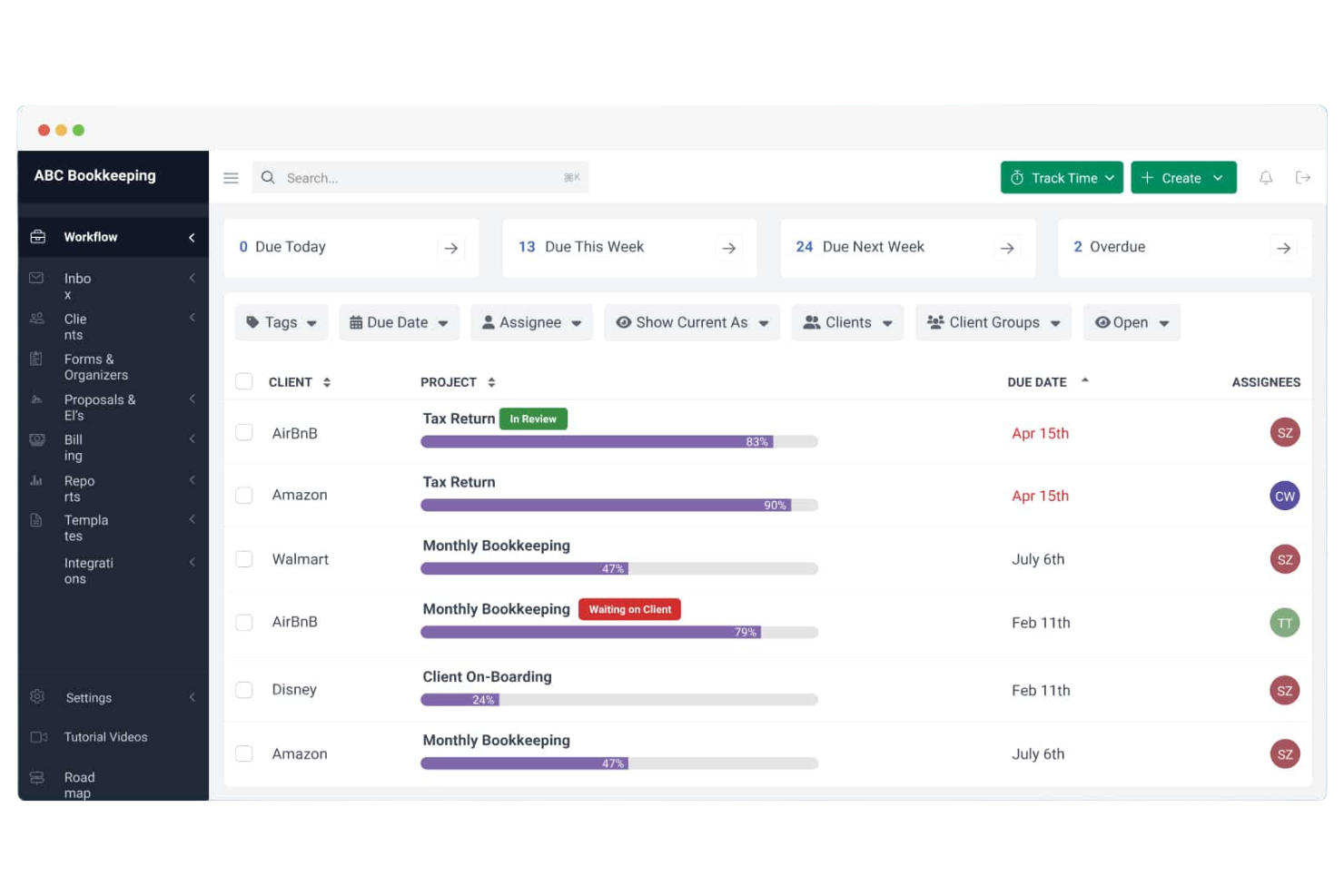
For accounting firms that want to monitor and improve team productivity, Financial Cents offers a focused solution. It’s built for practices that need real-time visibility into staff workloads, project progress, and deadlines. If you’re looking to spot bottlenecks and balance assignments across your team, Financial Cents gives you the tools to track and manage productivity in detail.
Why Financial Cents Is a Good TaxDome Alternative
If your firm needs to keep a close eye on team productivity, Financial Cents is built for that purpose. I picked it because its workload dashboard shows exactly who’s working on what and highlights overdue tasks in real time. The platform also lets you track time spent on each project and generate productivity reports to help you spot bottlenecks. For practices that want to balance assignments and improve accountability, Financial Cents offers targeted features that go beyond what TaxDome provides.
Financial Cents Key Features
In addition to its productivity tracking tools, Financial Cents includes several other features worth noting:
- Client Portal: Clients can securely upload documents and communicate with your team in one place.
- Recurring Projects: Set up and manage repeating workflows for ongoing client work.
- Document Management: Organize, store, and retrieve files directly within the platform.
- Automated Reminders: Send automatic notifications to clients and team members about upcoming deadlines or missing information.
Financial Cents Integrations
Integrations include QuickBooks Online, Ignition, Outlook, Gmail, OneDrive, Anchor, Zapier, and more.
Pros and Cons
Pros:
- Automated reminders reduce manual follow-up
- Built-in project time tracking supports accountability
- Real-time workload dashboard improves team visibility
Cons:
- Reporting is narrow beyond productivity data
- No built-in eSignature tools

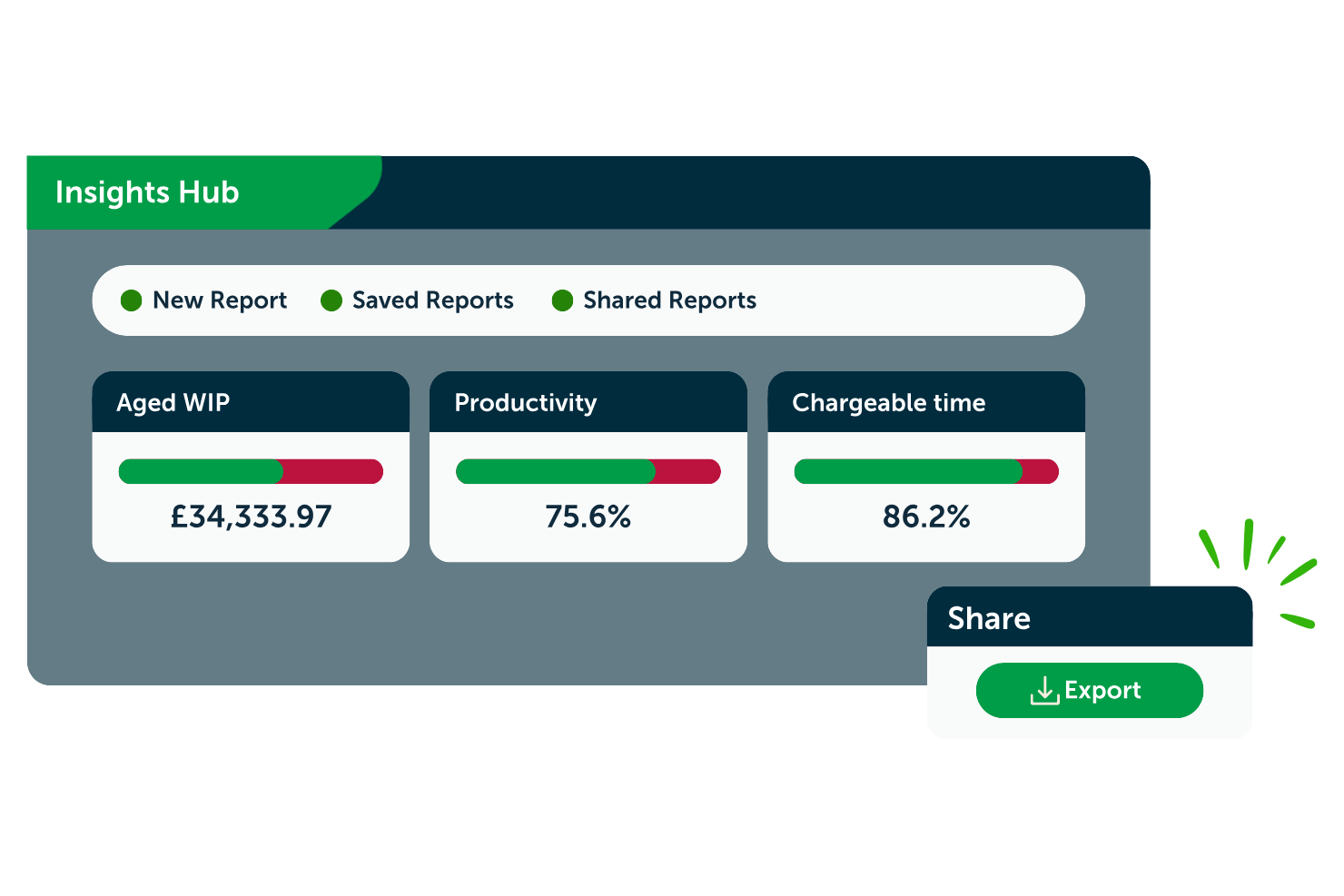
If your accounting practice needs to stay ahead of UK compliance requirements, BrightManager is built with you in mind. This platform is tailored for UK accountants and payroll professionals who want integrated tools for tax, payroll, and compliance management. Unlike broader practice management solutions, BrightManager focuses on keeping your firm aligned with evolving UK regulations and reporting standards.
Why BrightManager Is a Good TaxDome Alternative
For firms that need to prioritize UK compliance, BrightManagerManager offers a focused set of tools that go beyond what TaxDome provides in this area. I picked BrightManagerManager because it includes dedicated modules for UK payroll, tax filing, and compliance management, all designed to keep your practice aligned with HMRC requirements. The platform also supports automated updates for changing UK legislation, so your team can stay current without manual research. If your firm’s top concern is meeting UK regulatory standards, BrightManager is a strong alternative to TaxDome.
BrightManager Key Features
Some other features that make BrightManager appealing include:
- Document Management: Store, organize, and share client files securely within the platform.
- Client Portal: Give clients access to their documents, forms, and communications in one place.
- Task Tracking: Assign, monitor, and manage tasks across your team for better workflow visibility.
- Automated Reminders: Set up automatic notifications for deadlines, document requests, and compliance dates.
BrightManager Integrations
Integrations include Xero, QuickBooks, FreeAgent, Dext Prepare, Companies House, HMRC, MyWorkpapers, Inform Direct, TimeKeeper, and BrightBooks.
Pros and Cons
Pros:
- Dedicated tax and accounts modules fit UK firms well
- Automated reminders help manage key deadlines
- UK payroll compliance tools support regional requirements
Cons:
- Some modules require separate subscriptions
- No mobile app for on-the-go access

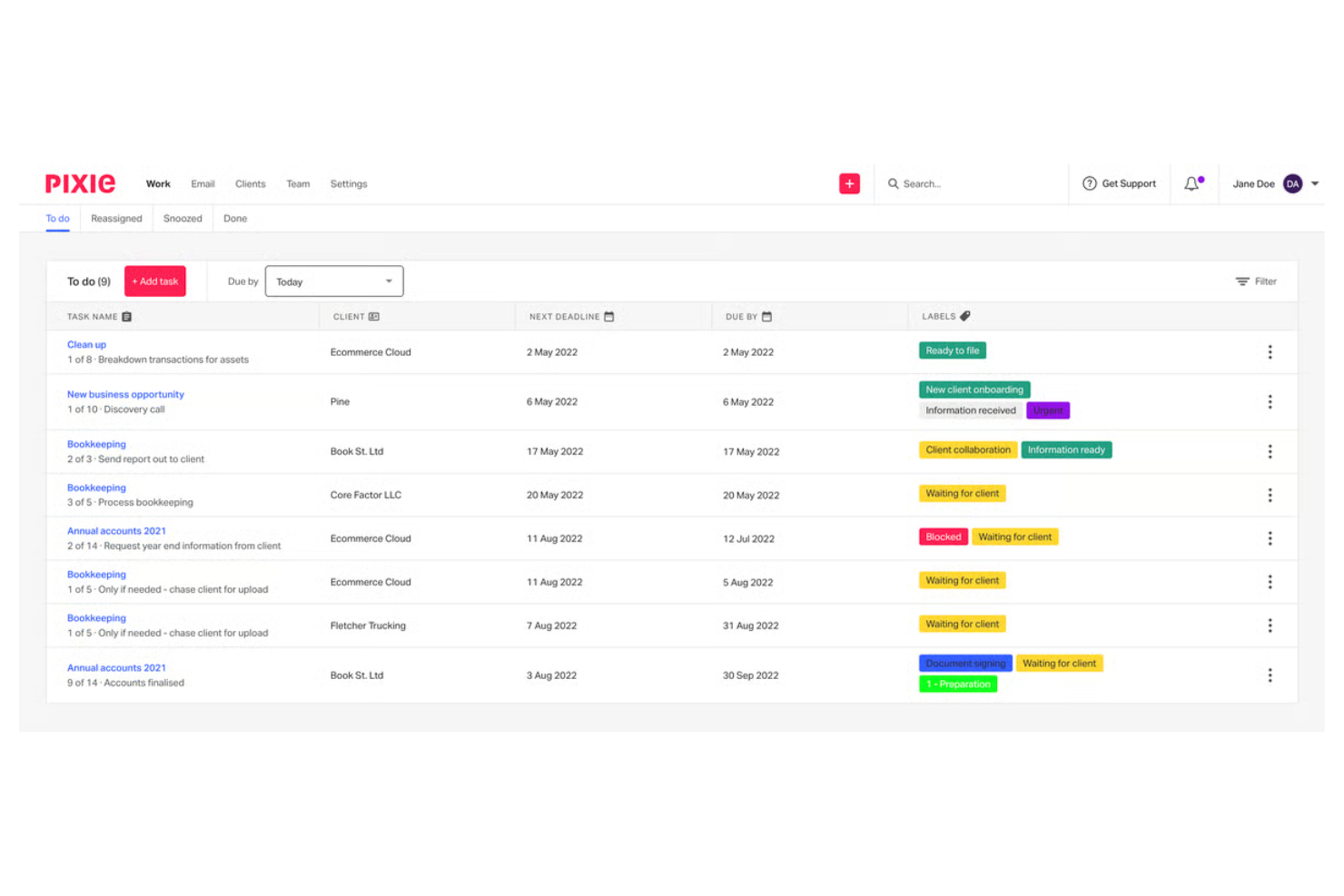
Small accounting firms looking to automate repetitive tasks may find Pixie especially useful. The platform is designed for practices that want to simplify client onboarding, document collection, and workflow management without a steep learning curve. If your team needs automation that’s easy to set up and manage, Pixie offers a focused approach for smaller firms that want to save time on routine work.
Why Pixie Is a Good TaxDome Alternative
For small firms that want to automate their day-to-day processes, Pixie offers a focused solution. I picked Pixie because its workflow automation lets you set up task templates and auto-reminders for recurring client work. The platform also includes automated document requests and deadline tracking, which help reduce manual follow-up. If your practice needs automation that’s simple to configure and maintain, Pixie is a strong alternative to TaxDome.
Pixie Key Features
Some other features that make Pixie appealing for small firms include:
- Client Portal: Clients can securely upload documents and view requests in one place.
- Email Integration: Connect your email to manage client communications directly from Pixie.
- Customizable Checklists: Build and reuse checklists for different service types or client needs.
- Role-Based Permissions: Control access to sensitive information by assigning user roles within your team.
Pixie Integrations
Integrations include QuickBooks Online, Xero, Google Workspace, Microsoft 365, Slack, Dropbox, Mailchimp, Zapier, HubSpot, and Trello.
Pros and Cons
Pros:
- Customizable checklists support repeatable workflows
- Client portal keeps document requests organized
- Automated task reminders reduce routine follow-up
Cons:
- No built-in billing tools
- No built-in eSignature tools

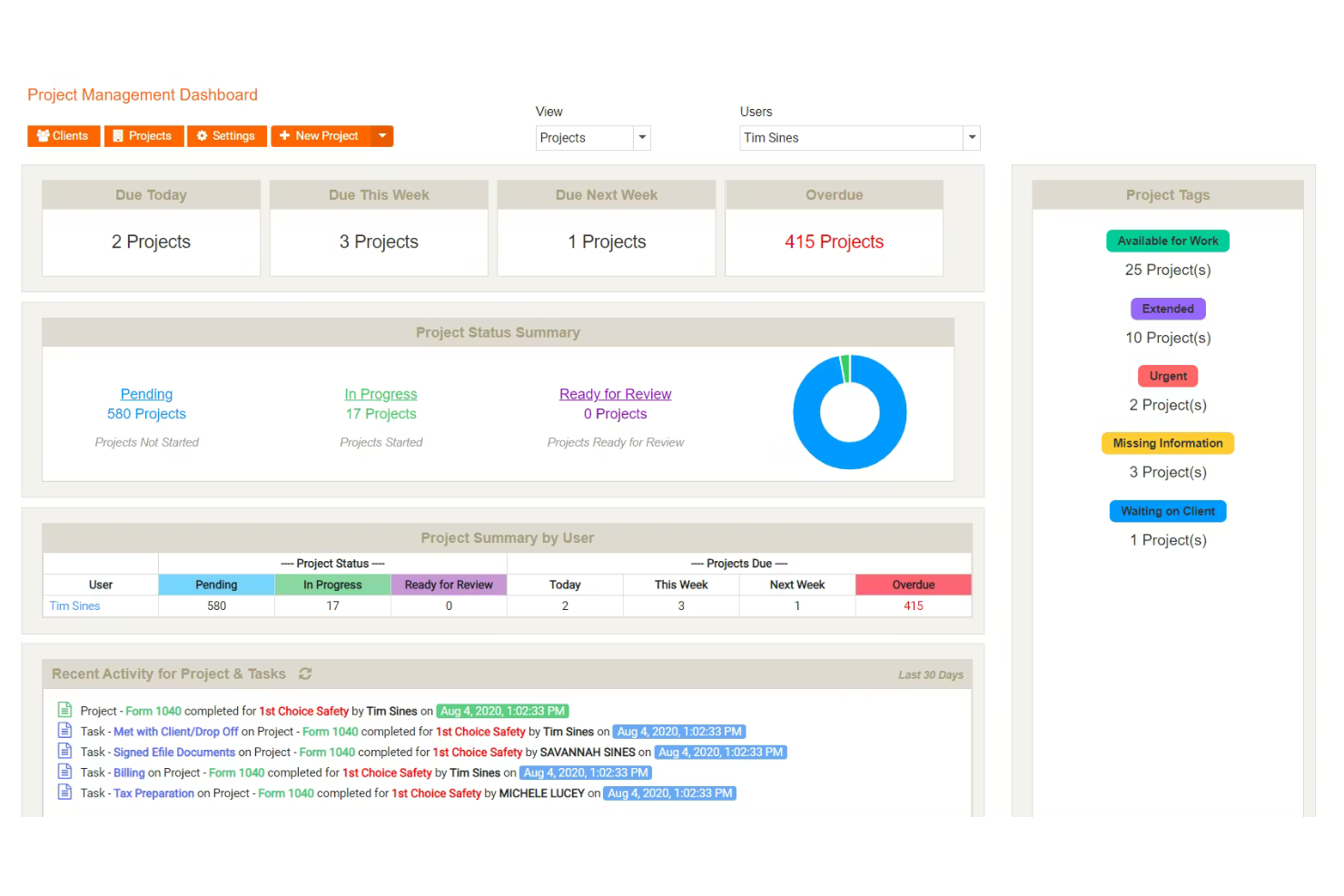
For firms that need advanced time tracking and billing tools, Mango Practice is worth a close look. This platform is built for accounting and professional services teams that want to manage billable hours, invoicing, and payments in one place. If your practice struggles with tracking time or handling complex billing arrangements, Mango Practice addresses those needs more directly than many other practice management solutions.
Why Mango Practice Is a Good TaxDome Alternative
If your firm’s billing and time tracking needs are complex, Mango Practice offers specialized tools that go beyond what TaxDome provides. I picked Mango because it includes detailed time entry, automated invoice generation, and flexible billing rate management.
The platform also supports batch billing and payment processing, which is helpful for firms handling high client volume or multiple billing arrangements. For practices where accurate time capture and streamlined billing are top priorities, Mango Practice is a strong alternative to TaxDome.
Mango Practice Key Features
Some other features that make Mango Practice appealing include:
- Document Management: Store, organize, and share files securely within the platform.
- Client Portal: Give clients access to invoices, documents, and communications in one place.
- Calendar and Scheduling: Manage appointments and deadlines with built-in calendar tools.
- Customizable Reporting: Generate detailed reports on firm performance, billing, and productivity.
Mango Practice Integrations
Integrations include QuickBooks, Outlook, Google, Drake Software, ATX, UltraTax, ProConnect, Malartu, Lacerte, and Gmail.
Pros and Cons
Pros:
- Client portal supports invoice and document access
- Custom reports improve operational visibility
- Batch billing speeds up high-volume invoicing
Cons:
- Limited client communication features
- Limited client communication tools
- No built-in workflow automation

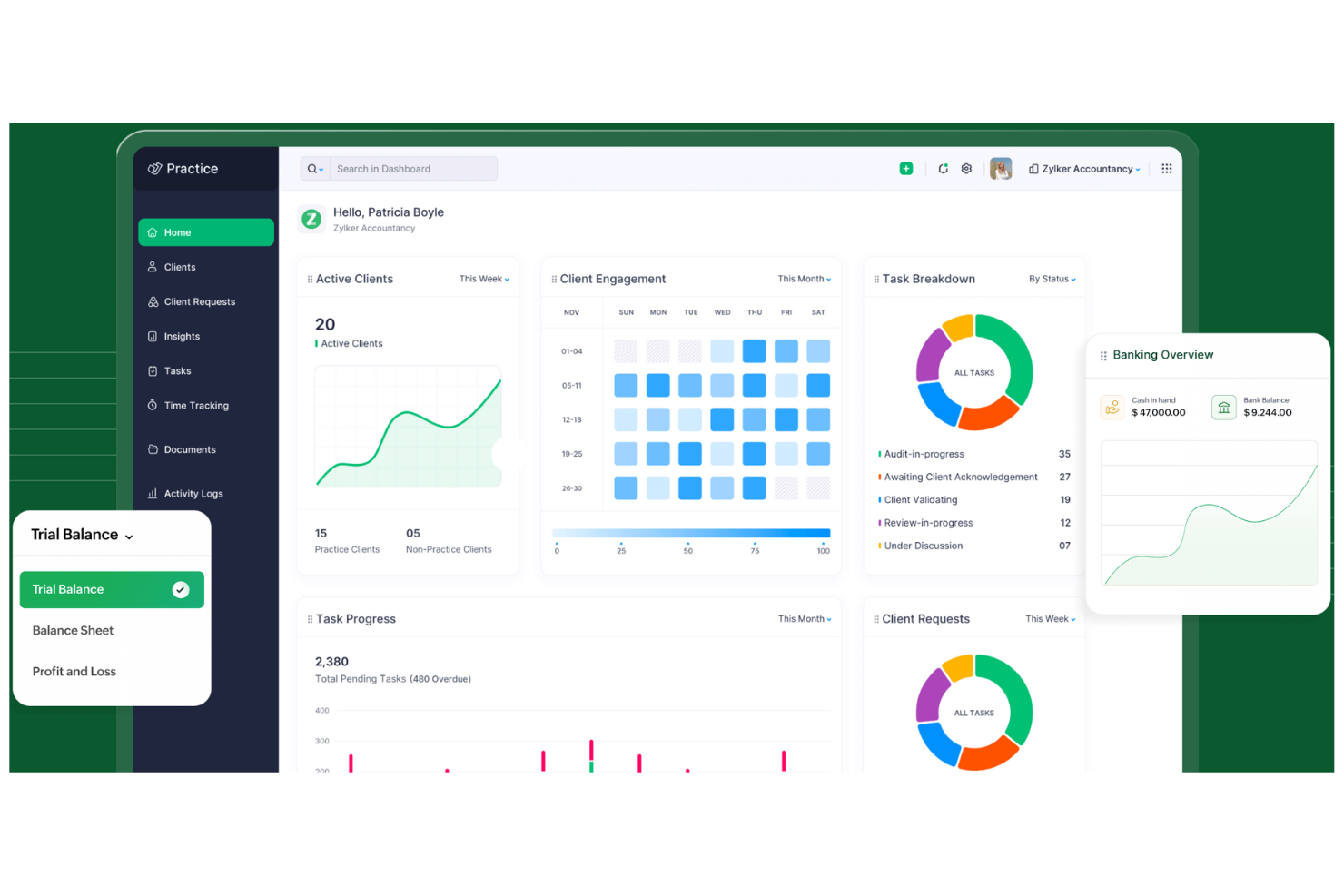
If your firm already relies on Zoho apps, Zoho Practice brings practice management into the same ecosystem. This platform is a strong fit for accounting and advisory teams that want seamless integration with Zoho Books, Zoho CRM, and other Zoho tools. You can manage clients, tasks, and communications without leaving the Zoho environment, which sets it apart from TaxDome and other standalone solutions.
Why Zoho Practice Is a Good TaxDome Alternative
For firms already using Zoho’s suite, Zoho Practice offers a unified experience that TaxDome can’t match. I like that you can link client records, tasks, and communications directly with Zoho Books and Zoho CRM, keeping all your client and project data in one place. The platform also lets you automate workflows across Zoho apps, so you can move information between accounting, CRM, and practice management without manual entry. If your team values working within a single, connected ecosystem, Zoho Practice is a strong alternative to TaxDome.
Zoho Practice Features
- Compliance calendar, helps your team track deadlines without separate trackers.
- Task templates, support repeatable work and keep processes consistent.
- In-app notifications, keep your team aware of new messages, requests, and tickets.
- Ticket alerts, help users stay updated on new tickets and follow-ups.
Zoho Practice Integrations
Integrations include Zoho Books, Zoho Invoice, Zoho Billing, Zoho Expense, Zoho Inventory, Zoho Payroll, Zoho Commerce, Zoho CRM, Zoho Sign, and WhatsApp.
Pros and Cons
Pros:
- Workflow triggers help automate routine work
- Client portal supports secure document sharing
- Strong connection across the Zoho ecosystem
Cons:
- Client portal branding options are limited
- No direct tax software connection

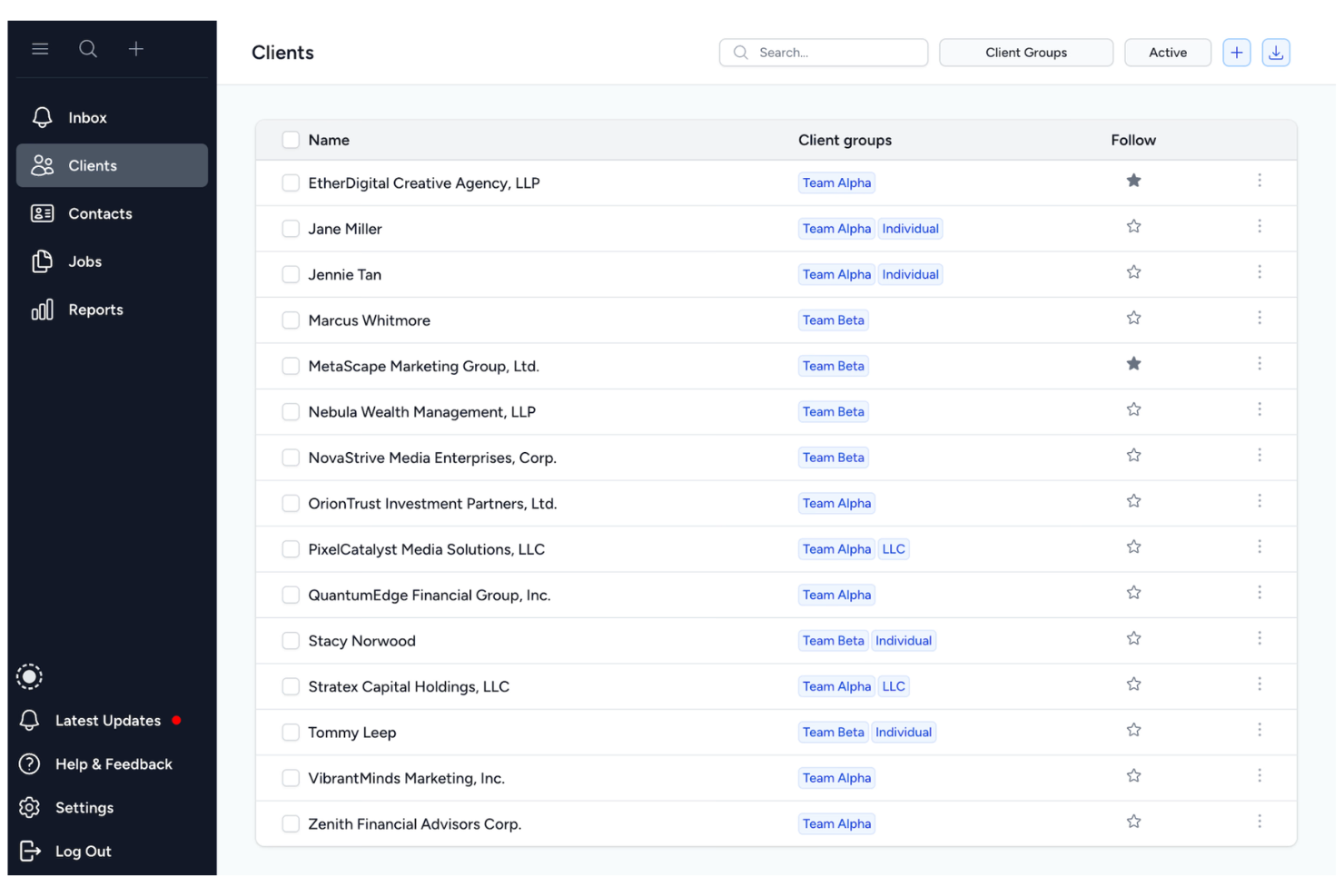
Tidyflow stands out for firms that want to build and adapt their own workflow templates. This platform is a strong fit for accounting and advisory teams with unique processes or compliance needs that can’t be met by rigid, pre-built solutions. You can design, automate, and refine every step of your client work, making it easier to match your exact practice requirements compared to TaxDome and other less flexible tools.
Why Tidyflow Is a Good TaxDome Alternative
If your team needs more control over how workflows are structured, Tidyflow offers a level of customization that TaxDome doesn’t match. I appreciate that you can build workflow templates from scratch or modify existing ones to fit your firm’s exact processes. The platform also lets you automate task assignments and set up conditional logic, so your workflows adapt to different client scenarios. For practices with specialized requirements or frequent process changes, Tidyflow gives you the flexibility to keep everything aligned with your way of working.
Tidyflow Key Features
Some other features that make Tidyflow appealing include:
- Client Portal: Clients can securely upload documents and track progress on their requests.
- Role-Based Permissions: Control access to sensitive information by assigning user roles and permissions.
- Automated Reminders: Set up automatic notifications for upcoming deadlines and outstanding tasks.
- Document Storage: Store, organize, and retrieve client files directly within the platform.
Tidyflow Integrations
Integrations include Xero, QuickBooks Online, Google Workspace, Microsoft 365, Dropbox, Slack, Asana, Trello, HubSpot, and Salesforce.
Pros and Cons
Pros:
- Automated reminders help keep work on track
- Conditional logic supports more complex workflows
- Fully customizable workflow templates fit unique processes
Cons:
- Client communication features are basic
- No built-in eSignature tools

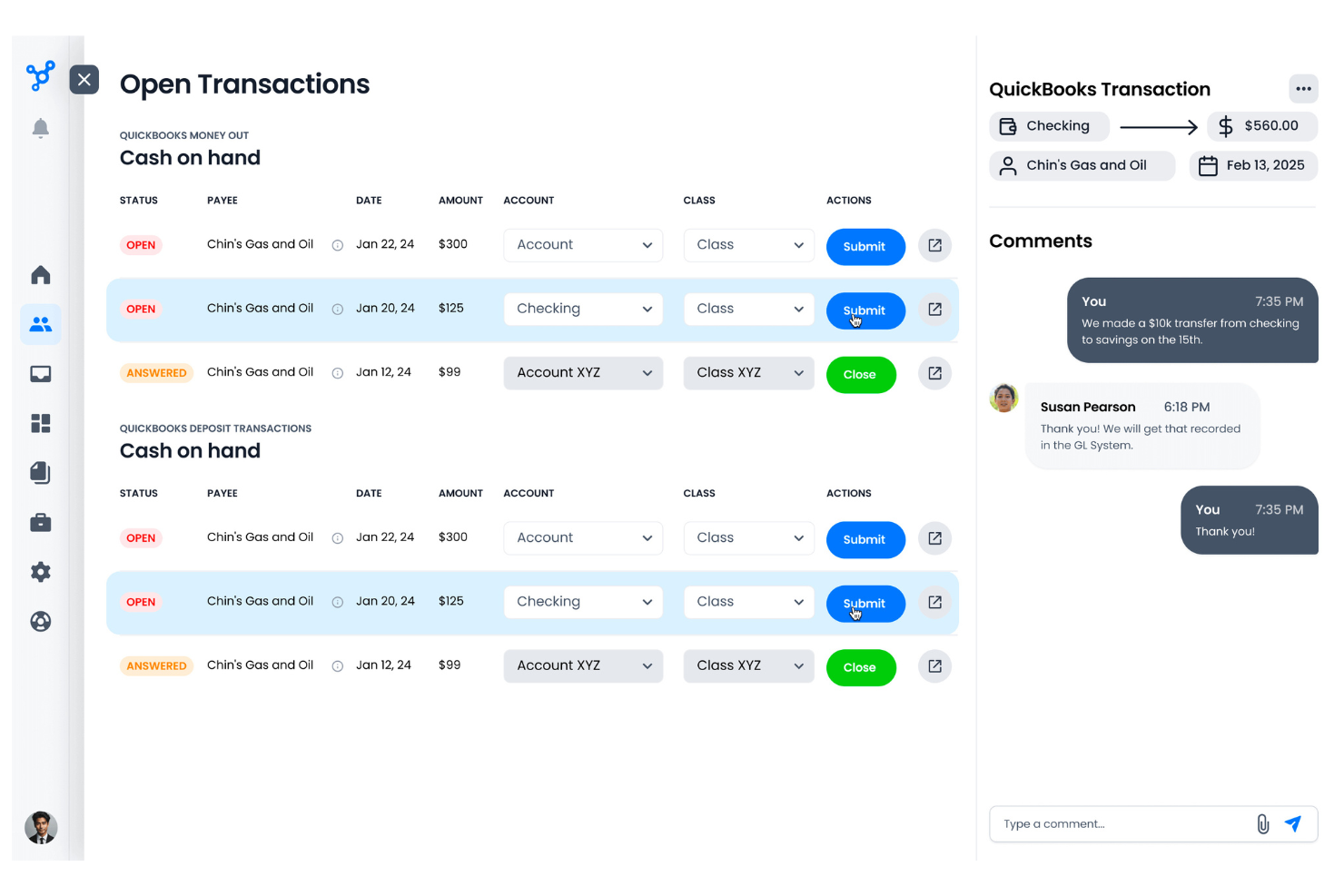
If your firm spends too much time chasing clients for documents, Client Hub is designed to help. This platform is built for accounting and bookkeeping teams that want to centralize client communication and automate document requests. With features focused on reducing back-and-forth and keeping client tasks visible, Client Hub addresses a common bottleneck that many practice management tools overlook.
Why Client Hub Is a Good TaxDome Alternative
When document collection is your biggest workflow challenge, Client Hub offers a focused solution. I picked Client Hub because it lets you automate document requests and track client responses in real time. The platform also provides a dedicated client workspace where clients can upload files and complete assigned tasks. If your team needs to reduce time spent following up on missing documents, Client Hub is a strong alternative to TaxDome.
Client Hub Key Features
Some other features that make Client Hub useful for accounting teams include:
- Workflow Templates: Set up repeatable processes for common client engagements.
- Internal Team Chat: Communicate with your team directly within the platform.
- QuickBooks Online Integration: Sync client data and tasks with QuickBooks Online.
- Task Assignment: Assign tasks to specific team members for better accountability.
Client Hub Integrations
Integrations include QuickBooks Online, Xero, and more third-party applications through Zapier.
Pros and Cons
Pros:
- Built-in team chat for internal collaboration
- Direct integration with QuickBooks Online and Xero
- Automated document request reminders for clients
Cons:
- No built-in eSignature tools
- Limited workflow automation compared to TaxDome
Other TaxDome Alternatives
Here are some additional taxdome alternatives options that didn’t make it onto my shortlist, but are still worth checking out:
- TaxFlow
For tax workflow organization
- PracticePro365
For analytics and reporting tools
- Uku
For recurring task scheduling
- IRIS
For multinational firm management
- PitBullTax
For IRS representation support
- SeQwens
For workflow automation with AI
- Double (Formerly Keeper)
For real-time client bookkeeping


TaxDome Alternatives Selection Criteria
When selecting the best TaxDome alternatives to include in this list, I considered common buyer needs and pain points related to practice management software products, like managing complex workflows and ensuring secure client communication. I also used the following framework to keep my evaluation structured and fair:
Core Functionality (25% of total score)
To be considered for inclusion in this list, each solution had to fulfill these common use cases:
- Manage client information and contacts
- Track tasks and deadlines
- Store and organize documents
- Assign work to team members
- Facilitate client communication
Additional Standout Features (25% of total score)
To help further narrow down the competition, I also looked for unique features, such as:
- Customizable workflow automation
- Built-in eSignature collection
- Integrated time tracking
- Conditional logic in task management
- Secure client portals
Usability (10% of total score)
To get a sense of the usability of each system, I considered the following:
- Simple and intuitive navigation
- Clean and modern interface design
- Minimal clicks to complete core tasks
- Clear labeling and helpful tooltips
- Responsive performance across devices
Onboarding (10% of total score)
To evaluate the onboarding experience for each platform, I considered the following:
- Availability of training videos and tutorials
- Access to pre-built workflow templates
- Interactive product tours for new users
- Step-by-step migration guides
- Live webinars or onboarding sessions
Customer Support (10% of total score)
To assess each software provider’s customer support services, I considered the following:
- Multiple support channels available
- Fast response times to inquiries
- Access to a searchable help center
- Availability of live chat or phone support
- Proactive outreach and follow-up
Value For Money (10% of total score)
To evaluate the value for money of each platform, I considered the following:
- Transparent and predictable pricing
- Flexible plans for different team sizes
- Features included at each pricing tier
- No hidden fees or surprise charges
- Discounts for annual billing or nonprofits
Customer Reviews (10% of total score)
To get a sense of overall customer satisfaction, I considered the following when reading customer reviews:
- Positive feedback on core functionality
- Reports of reliable uptime and stability
- Praise for customer support experiences
- Comments on ease of adoption
- Suggestions for future improvements
Why Look For a TaxDome Alternative?
While TaxDome is a good choice of practice management software, there are a number of reasons why some users seek out alternative solutions. You might be looking for a TaxDome alternative because…
- You need more advanced workflow customization
- Your team requires deeper integration with non-accounting tools
- You want built-in time tracking or billing features
- Your firm operates outside TaxDome’s supported regions
- You prefer a different approach to client communication
- You need more granular user permissions and access controls
If any of these sound like you, you’ve come to the right place. My list contains several practice management software options that are better suited for teams facing these challenges with TaxDome and looking for alternative solutions.
TaxDome Key Features
Here are some of the key features of TaxDome, to help you contrast and compare what alternative solutions offer:
- Customizable workflow automation
- Secure client portal for document sharing
- Built-in eSignature collection
- Integrated billing and invoicing
- Task assignment and tracking
- Automated reminders and notifications
- Document management and storage
- Time tracking for billable work
- Role-based user permissions
- Email integration for client communication
What’s Next:
If you're in the process of researching taxdome alternatives, connect with a SoftwareSelect advisor for free recommendations.
You fill out a form and have a quick chat where they get into the specifics of your needs. Then you'll get a shortlist of software to review. They'll even support you through the entire buying process, including price negotiations.