
17 Treasury Management Software Solutions for 2026

Treasury Management Software Shortlist
Here’s my shortlist of treasury management software:


Treasury management software helps your team manage cash, liquidity, payments, and financial risk across your organization. If you’re searching for the best treasury management software, you’re likely balancing complex cash flows, multi-entity reporting, and the need for real-time visibility—all while ensuring compliance and supporting strategic decisions. This list will help you compare leading solutions, understand their unique strengths, and choose the right platform to improve control, accuracy, and efficiency in your treasury operations.
Why Trust Our Software Reviews
We’ve been testing and reviewing financial software since 2023. As finance specialists ourselves, we know how critical and difficult it is to make the right decision when selecting software.
We invest in deep research to help our audience make better software purchasing decisions. We’ve tested more than 2,000 tools for different finance use cases and written over 1,000 comprehensive software reviews. Learn how we stay transparent & our software review methodology.
Best Treasury Management Software Summary
This comparison chart summarizes pricing details for my top treasury management software selections to help you find the best one for your budget and business needs.
| Tool | Best For | Trial Info | Price | ||
|---|---|---|---|---|---|
| 1 | Best for cash flow planning for SMEs | Free demo + free trial available | Pricing upon request | Website | |
| 2 | Best for large enterprise scalability | Not available | Pricing upon request | Website | |
| 3 | Best for direct API bank integrations | Free demo available | Pricing upon request | Website | |
| 4 | Best for AI-powered cash forecasting | Free demo available | Pricing upon request | Website | |
| 5 | Best for payment workflow automation | Free demo available | Pricing upon request | Website | |
| 6 | Best for global cash visibility across entities | Free demo available | Pricing upon request | Website | |
| 7 | Best for multi-bank connectivity | Free demo available | Pricing upon request | Website | |
| 8 | Best for financial institution integration | Not available | Pricing upon request | Website | |
| 9 | Best for real-time cash management | Free demo available | Pricing upon request | Website | |
| 10 | Best for spend management integration | Free demo available | Pricing upon request | Website | |
| 11 | Best for debt and lease tracking | Free demo available | Pricing upon request | Website | |
| 12 | Best for Nordic market compliance | Free demo available | Pricing upon request | Website |
-

Rippling Spend
Visit WebsiteThis is an aggregated rating for this tool including ratings from Crozdesk users and ratings from other sites.4.8 -
LiveFlow
Visit WebsiteThis is an aggregated rating for this tool including ratings from Crozdesk users and ratings from other sites.4.9 -
Float Financial
Visit WebsiteThis is an aggregated rating for this tool including ratings from Crozdesk users and ratings from other sites.4.1


Treasury Management Software Reviews
Below are my detailed summaries of the treasury management software that made it onto my shortlist. My reviews offer a detailed look at the features, best use cases, and integrations of each platform to help you find the best one for you.

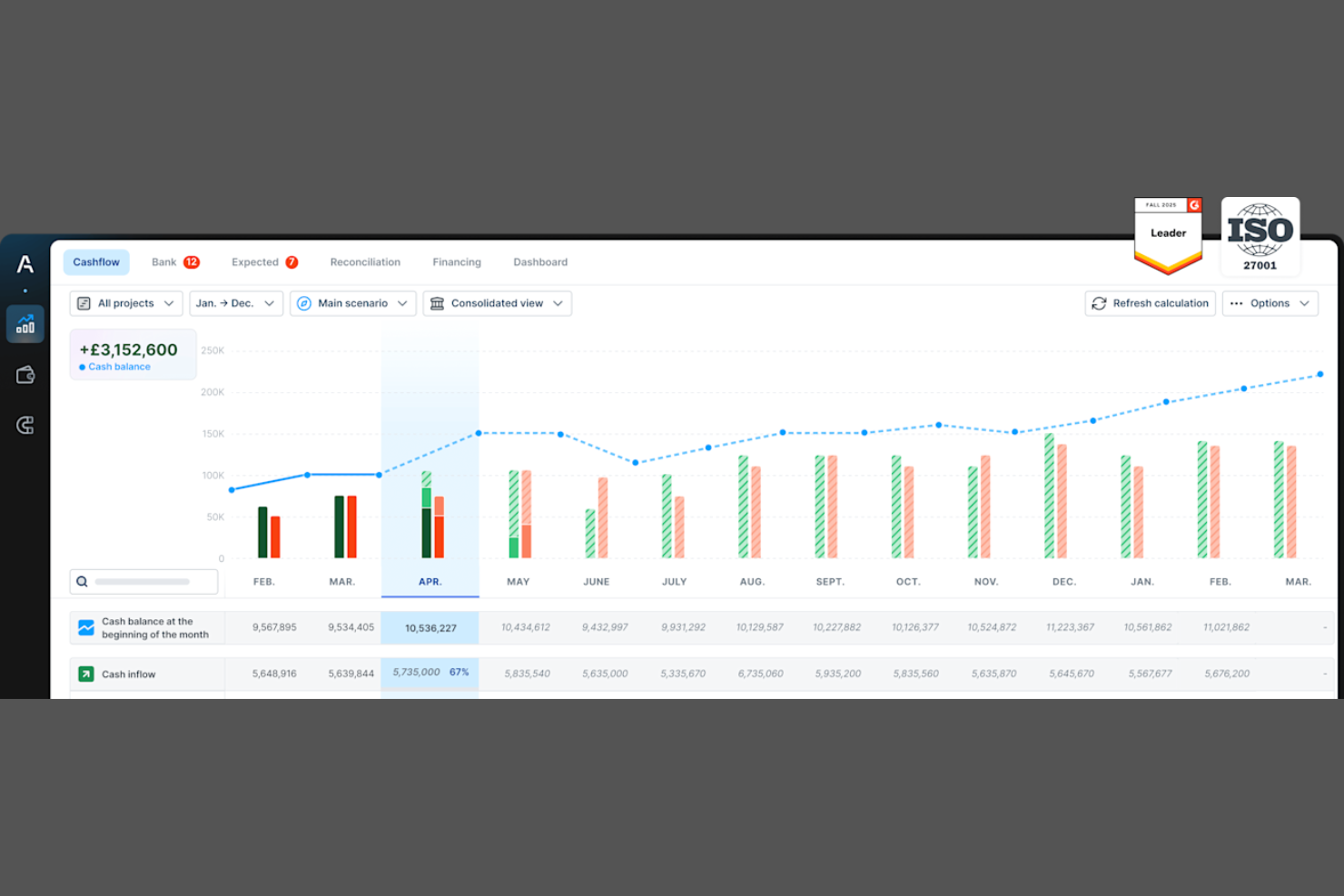
Agicap gives small and midsize businesses a way to forecast, monitor, and manage cash flow in real time. It’s built for finance teams and business owners who need to track liquidity across multiple bank accounts and scenarios without relying on spreadsheets. The platform helps users anticipate cash gaps, model different outcomes, and make informed decisions about spending and investment.
Why I Picked Agicap
Agicap stands out for its focus on cash flow planning tailored to the needs of SMEs. The platform lets users consolidate data from multiple bank accounts and business units, giving a clear, up-to-date view of liquidity. I appreciate how Agicap allows you to build custom cash flow forecasts and run scenario analyses, so you can quickly see the impact of different business decisions. For treasury teams that need to anticipate cash gaps and plan for growth, Agicap offers targeted tools that go beyond basic tracking.
Agicap Key Features
Some other features that make Agicap useful for treasury teams include:
- Bank Feed Synchronization: Connect and sync transactions from multiple bank accounts automatically.
- User Access Management: Set permissions and roles for different team members within the platform.
- Invoice Tracking: Monitor incoming and outgoing invoices to keep tabs on receivables and payables.
- Data Import and Export: Import financial data from spreadsheets or export reports for further analysis.
Agicap Integrations
Integrations include Business Central, Xero, HSBC UK, Barclays, Oracle NetSuite, NatWest, Sage Intacct, Workday, Stripe, Google Drive, and more.
Pros and Cons
Pros:
- Multi-user access with custom permissions
- Scenario modeling for cash projections
- Real-time cash visibility across accounts
Cons:
- Not suited for complex enterprise treasury
- Limited advanced liquidity management features

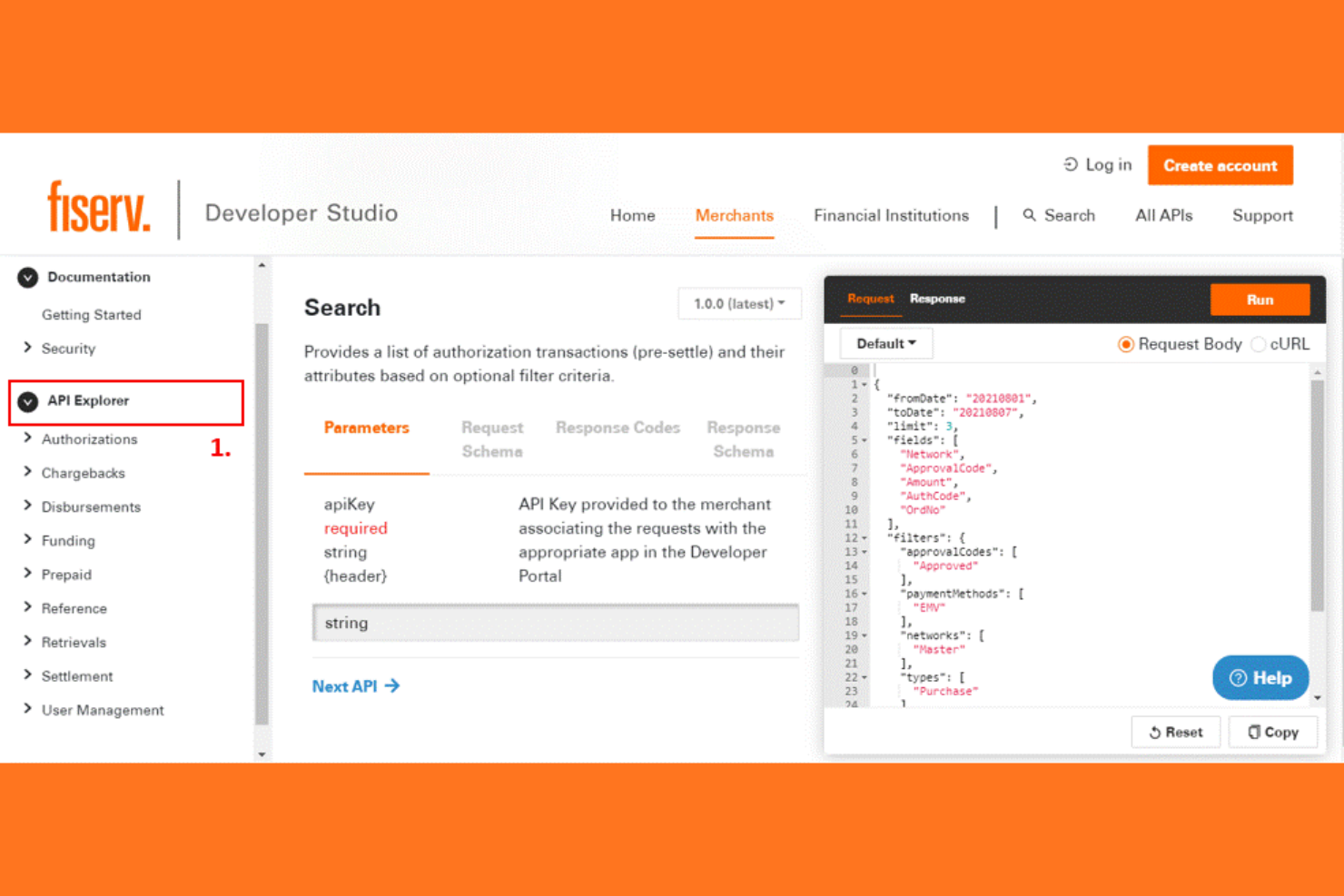
Built for organizations with complex treasury needs, Fiserv offers a suite of solutions tailored to large enterprises and financial institutions. Its platform is designed to handle high transaction volumes, multi-entity structures, and global cash management requirements. Fiserv helps teams centralize control, automate workflows, and maintain compliance across diverse banking relationships.
Why I Picked Fiserv
For treasury teams managing operations at scale, Fiserv stands out for its ability to support large enterprise environments. The platform is built to handle high transaction volumes and complex account structures, which is essential for organizations with multiple subsidiaries or global operations. I appreciate how Fiserv offers advanced cash concentration and liquidity management tools that help centralize control across diverse banking relationships. If your business needs a solution that can adapt to enterprise-level demands and regulatory requirements, Fiserv is a strong choice.
Fiserv Key Features
In addition to its scalability for large enterprises, I also found several other features that support treasury management:
- Automated Payment Processing: Manage and execute high-volume payments with built-in controls and approval workflows.
- Fraud Detection and Risk Monitoring: Monitor transactions in real time with advanced fraud prevention and risk analytics.
- Bank Account Reconciliation: Match transactions and balances across multiple banks and accounts automatically.
- Regulatory Compliance Tools: Access built-in modules to help meet evolving regulatory and reporting requirements.
Fiserv Integrations
Native integrations are not currently listed.
Pros and Cons
Pros:
- Automated payments with approval workflows
- Advanced fraud detection and risk monitoring
- Scales for high transaction volumes
Cons:
- Batch processing can limit real-time data consistency
- Overlapping product suite can cause workflow confusion

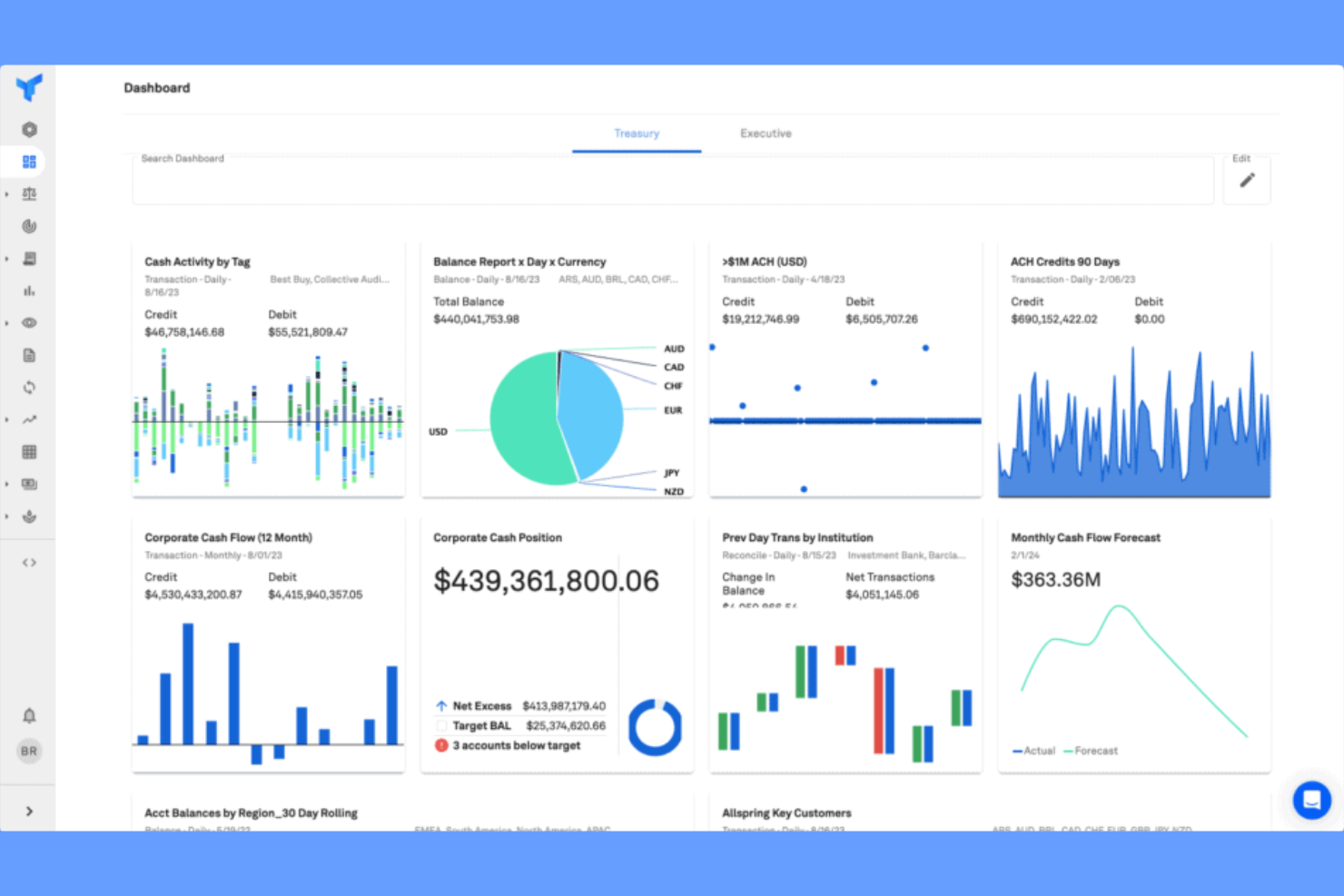
Trovata is designed for finance teams that want direct, real-time API connections to their banks without relying on legacy file-based integrations. It’s a strong fit for organizations that need up-to-the-minute cash visibility and automated reporting across multiple accounts. The platform helps you unify bank data, simplify cash positioning, and automate workflows for more responsive treasury management.
Why I Picked Trovata
Direct API bank integrations set Trovata apart for treasury teams that need real-time access to cash positions and transactions. Instead of relying on outdated file transfers, Trovata connects directly to banks through APIs, so you always have up-to-date data at your fingertips. I appreciate how this approach enables automated cash reporting and instant bank reconciliation, which can help reduce manual work and errors. For organizations that prioritize speed and accuracy in their treasury operations, Trovata’s API-driven model is a strong fit.
Trovata Key Features
In addition to its direct API bank integrations, I also found several other features that support treasury management:
- Automated Cash Forecasting: Build and update cash forecasts using real-time bank data and customizable models.
- Multi-Bank Reporting: Consolidate account balances and transactions from multiple banks into unified reports.
- Custom Tagging and Search: Organize and filter transactions with custom tags and advanced search capabilities.
- Audit Trail and Activity Logs: Track user actions and changes within the platform for compliance and transparency.
Trovata Integrations
Integrations include Oracle NetSuite, SAP S/4 Hana, Blackline, and more.
Pros and Cons
Pros:
- Multi-bank reporting consolidates accounts
- Automated forecasting uses live transaction data
- API bank connections enable real-time cash visibility
Cons:
- Lacks support for emerging assets like crypto
- Bank connection management can be complex

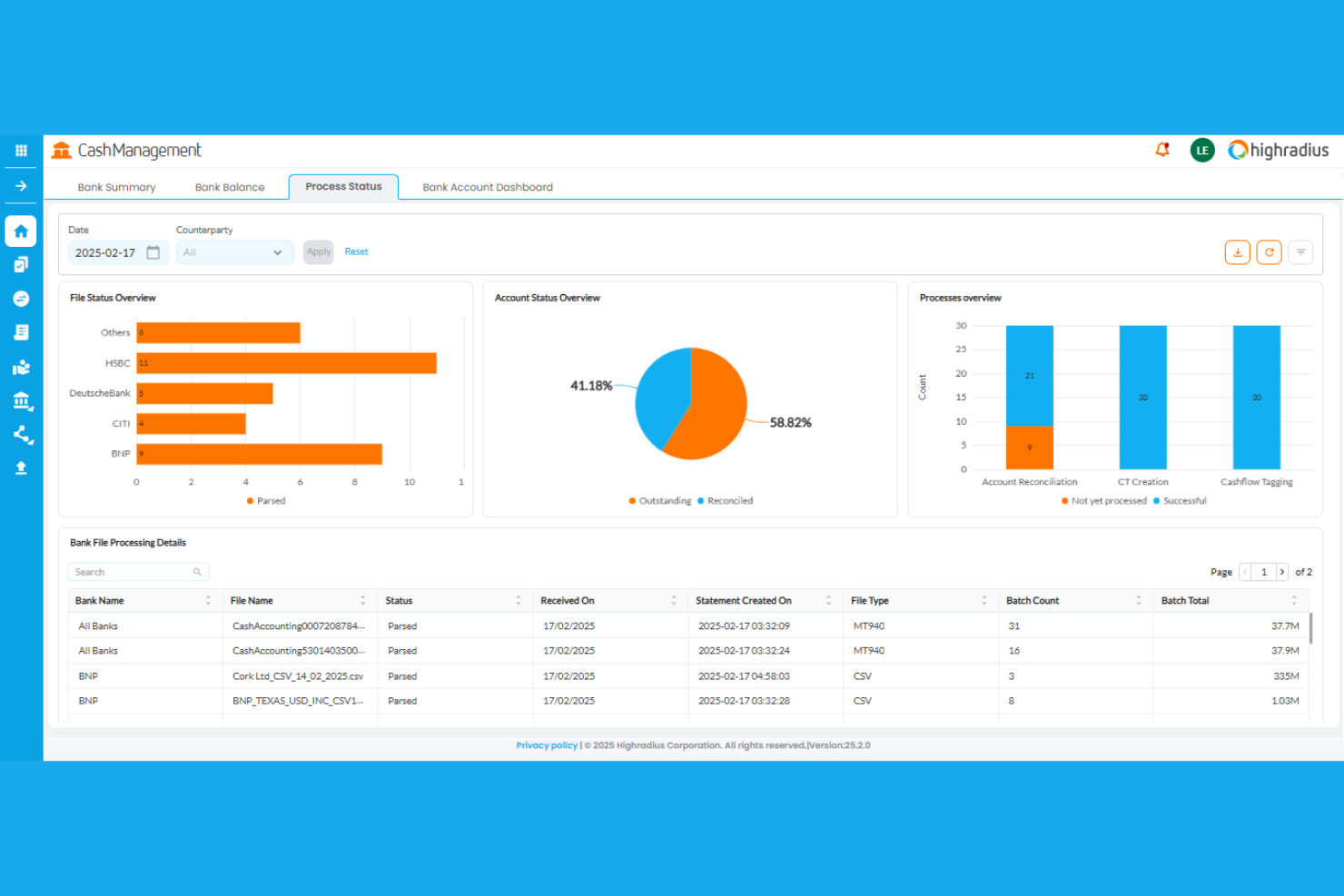
HighRadius brings AI-driven automation to treasury teams that need accurate, dynamic cash forecasting. It’s especially useful for large enterprises and finance professionals managing complex receivables and payables across multiple business units. The platform helps you predict cash positions with greater precision by analyzing real-time data and historical trends.
Why I Picked HighRadius
What sets HighRadius apart is its focus on AI-powered cash forecasting, which is a top priority for treasury teams looking to improve accuracy and agility. The platform uses machine learning algorithms to analyze historical payment patterns and real-time transaction data, helping you predict future cash flows with more confidence. I like that it also offers scenario modeling, so you can test the impact of different business events on your cash position. These features make HighRadius a strong fit for organizations that need to manage liquidity proactively and reduce forecasting errors.
HighRadius Key Features
Some other features in HighRadius that treasury teams may find valuable include:
- Automated Cash Application: Match incoming payments to open invoices using AI to reduce manual processing.
- Bank Connectivity Suite: Connect directly to global banks for real-time transaction data and reconciliation.
- Collections Management: Track, prioritize, and automate follow-ups on outstanding receivables within a single dashboard.
- Dispute Management: Log, track, and resolve payment disputes with built-in workflow tools.
HighRadius Integrations
Native integrations are not currently listed.
Pros and Cons
Pros:
- Real-time bank connectivity updates cash positions
- Automated cash application reduces manual work
- AI-driven forecasting improves cash accuracy
Cons:
- Payment posting can be delayed or error-prone
- Batch-based integrations delay real-time data syncing

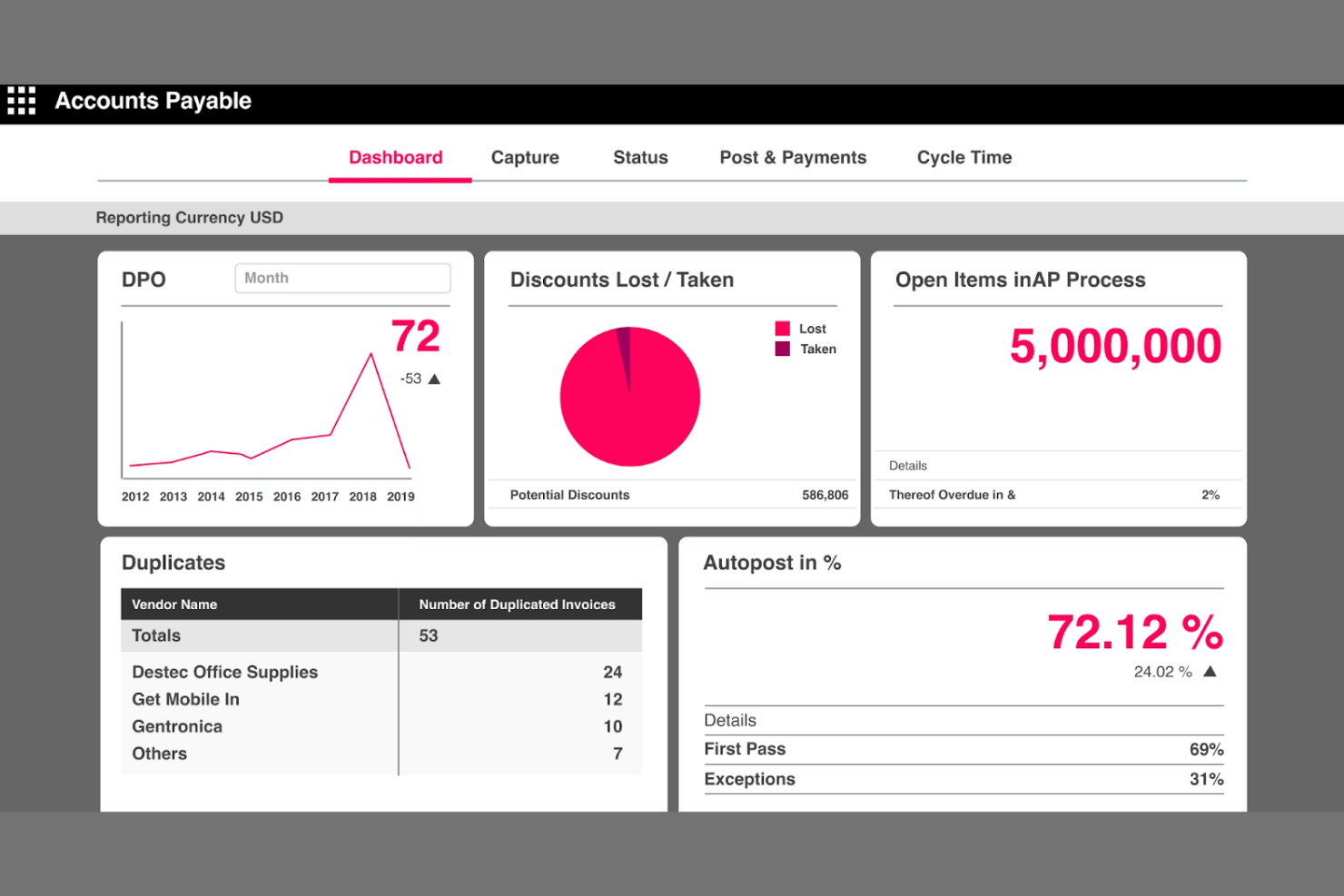
Serrala is designed for finance teams that need to automate and control complex payment workflows across global operations. It’s especially relevant for organizations handling high transaction volumes or requiring strict compliance and audit trails. The platform helps you centralize, standardize, and secure payment processes while reducing manual intervention and risk.
Why I Picked Serrala
For treasury teams that need to automate and control payment workflows, Serrala offers specialized tools that address these needs directly. The platform provides configurable approval chains and automated payment scheduling, which help reduce errors and ensure compliance with internal controls. I appreciate that Serrala also includes audit-ready reporting features, making it easier to track every step of the payment process. These capabilities make Serrala a strong choice for organizations that prioritize security, transparency, and efficiency in their payment operations.
Serrala Key Features
Some other features in Serrala that treasury professionals may find useful include:
- Multi-Bank Connectivity: Connect to multiple banks for centralized payment processing and reconciliation.
- Fraud Detection Tools: Monitor transactions in real time to flag suspicious payment activity.
- Cash Visibility Dashboard: View consolidated cash positions across accounts and entities in one interface.
- ERP Integration: Sync payment data directly with leading ERP systems for end-to-end process automation.
Serrala Integrations
Integrations include SAP, Microsoft Teams, and more.
Pros and Cons
Pros:
- Real-time fraud detection mitigates risks
- Multi-bank connectivity centralizes cash management
- Automated workflows reduce manual payment errors
Cons:
- Accuracy depends on payer data quality
- Rule creation and updates require technical expertise

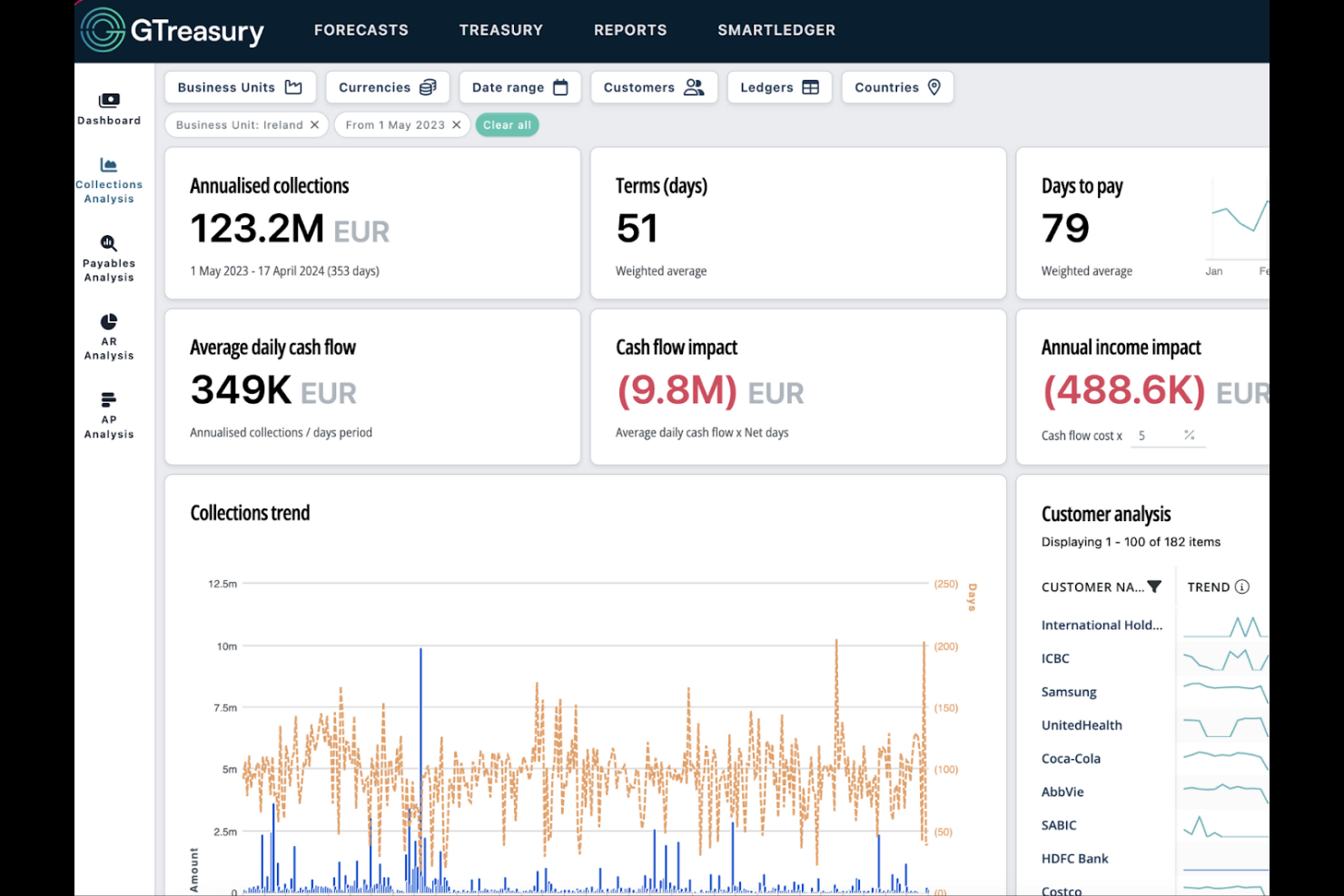
GTreasury is designed for finance teams that need real-time visibility and control over global cash positions. It’s a strong fit for multinational organizations managing complex, multi-entity structures and diverse banking relationships. The platform helps you centralize cash, payments, and liquidity data so you can make informed decisions across all your entities. With best-in-class capabilities like cash pooling and support for managing transactions such as credit card payments, GTreasury helps simplify treasury operations at scale.
Why I Picked GTreasury
I chose GTreasury because it gives treasury teams a clear, consolidated view of global cash positions across multiple entities and currencies. The platform’s real-time cash visibility dashboard lets you track balances and transactions from all your banks in one place, which is essential for organizations with complex, international structures. I also appreciate its liquidity management tools, which help you forecast and optimize cash usage across regions. These features make GTreasury a strong choice for businesses that need to manage cash and liquidity on a global scale.
GTreasury Key Features
Some other features in GTreasury that stand out for treasury teams include:
- Automated Bank Reconciliation: Match transactions from multiple banks automatically to reduce manual effort and errors.
- Payment Factory: Centralize and standardize payment processing for all subsidiaries within a single workflow.
- Risk Management Module: Monitor and manage exposures to interest rate, FX, and commodity risks within the platform.
- Regulatory Compliance Tools: Track and document compliance with global financial regulations directly in your treasury workflows.
GTreasury Integrations
Native integrations are not currently listed.
Pros and Cons
Pros:
- Built-in risk management for FX and rates
- Advanced liquidity forecasting and modeling
- Real-time global cash visibility across entities
Cons:
- Interface may feel dated
- Implementation can be lengthy for large teams

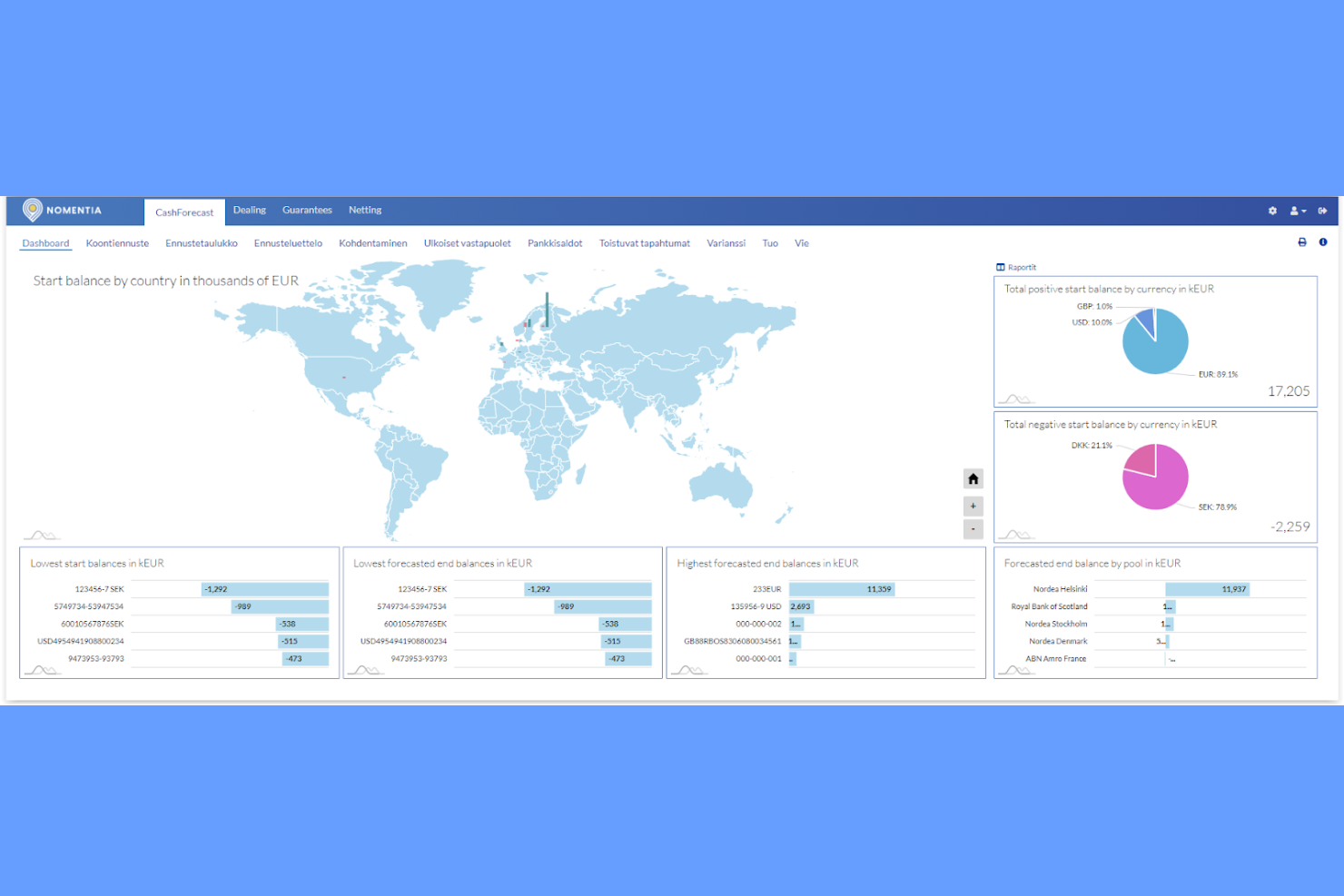
Nomentia stands out for treasury teams that need to manage payments and cash flows across multiple banks and geographies. It’s especially useful for multinational organizations or businesses with complex banking relationships. The platform helps you centralize bank connectivity, automate cash management, and gain real-time visibility into global liquidity.
Why I Picked Nomentia
When you need to connect with dozens or even hundreds of banks, Nomentia offers a level of multi-bank connectivity that’s hard to match. The platform supports direct connections to a wide range of global banks, allowing treasury teams to manage payments, statements, and balances from a single interface. I like that Nomentia also provides automated bank statement collection and standardized payment formats, which help reduce manual work and errors. These features make it a strong fit for organizations that need to centralize and control complex banking relationships within their treasury operations.
Nomentia Key Features
In addition to its multi-bank connectivity, I also found several other features that support treasury operations:
- Cash Forecasting Module: Generate short- and long-term cash flow forecasts using real-time bank data.
- Payment Factory Functionality: Centralize and standardize payment processing across multiple subsidiaries and business units.
- Fraud Detection and Compliance Tools: Monitor transactions for suspicious activity and ensure regulatory compliance.
- User Access Controls: Set granular permissions and approval workflows for different user roles within your organization.
Nomentia Integrations
Native integrations are not currently listed.
Pros and Cons
Pros:
- Automated cash forecasting with bank data
- Centralized payments across entities
- Direct connections to global banks
Cons:
- Transaction timeouts occur in high-volume processes
- Some workflows rely on predefined templates


Teciem is designed for organizations that need deep integration with financial institutions and capital markets. Its platform is especially useful for treasury teams in banks, large corporates, and financial services firms that manage complex portfolios and require real-time connectivity. Teciem helps users automate deal capture, streamline risk management, and connect directly to global banking networks.
Why I Picked Teciem
What sets Teciem apart is its strong focus on financial institution integration, which is essential for treasury teams that need direct connectivity to banks and capital markets. The platform offers real-time transaction processing and automated deal capture, making it easier to manage complex financial instruments and exposures. I appreciate how Teciem supports straight-through processing and provides risk analytics, which are both critical for organizations operating in fast-moving financial environments. If your treasury operations depend on smooth interaction with global banking networks, Teciem is built to meet those needs.
Teciem Key Features
In addition to its integration capabilities with financial institutions, I also found several other features that support treasury management:
- Cash Flow Forecasting: Generate detailed cash flow projections using real-time and historical data.
- Hedge Accounting Support: Track and manage hedge relationships with built-in compliance tools.
- Multi-Currency Management: Handle transactions and reporting across multiple currencies and jurisdictions.
- Audit Trail and Reporting: Maintain a complete audit trail and access customizable financial reports.
Teciem Integrations
Native integrations are not currently listed.
Pros and Cons
Pros:
- Real-time cash visibility across accounts
- Advanced risk analytics and compliance tools
- Direct SWIFT integration with global banks
Cons:
- Product suite complexity creates fragmented workflows
- Strong reliance on SAP environments

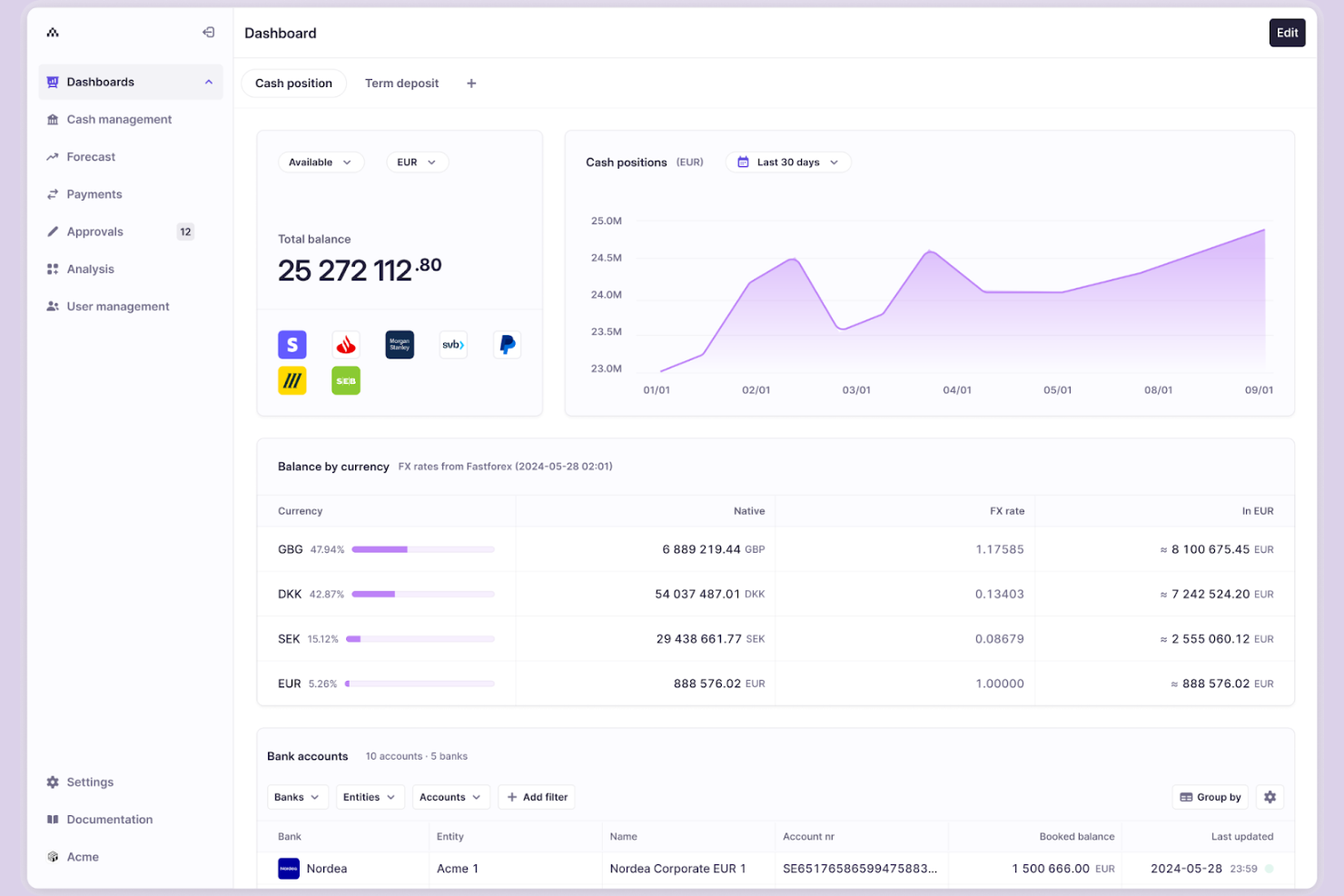
Atlar gives finance teams real-time visibility and control over their cash positions across multiple banks and accounts. It’s especially useful for fast-growing companies and finance professionals who need to automate cash management, reconciliation, and payments without relying on manual processes. Atlar stands out for its API-first approach, letting users connect directly to their banks and automate workflows for up-to-the-minute cash insights.
Why I Picked Atlar
For treasury teams that need up-to-the-minute cash visibility, Atlar’s real-time cash management capabilities are hard to match. The platform connects directly to your banks and retrieves live balances and transactions, so you always know your true cash position. I like that Atlar also automates reconciliation and payment workflows, reducing manual work and the risk of errors. If your business relies on accurate, real-time cash data to make decisions, Atlar is built to deliver exactly that.
Atlar Key Features
Some other features that make Atlar useful for treasury teams include:
- Automated Bank Connectivity: Connect to multiple banks and accounts through a single API.
- Custom Alerts and Notifications: Set up real-time alerts for specific cash movements or balances.
- User Access Controls: Manage permissions and roles for different team members.
- Audit Logging: Track all user actions and changes for compliance and review.
Atlar Integrations
Integrations include SAP, Workday, Business Central, Light, Campfire, Oracle NetSuite, and more.
Pros and Cons
Pros:
- API-first design enables bank connectivity
- Automated reconciliation reduces manual work
- Real-time cash visibility across banks
Cons:
- Data quality depends on bank/ERP data consistency
- Extra fees for additional bank connections beyond limits

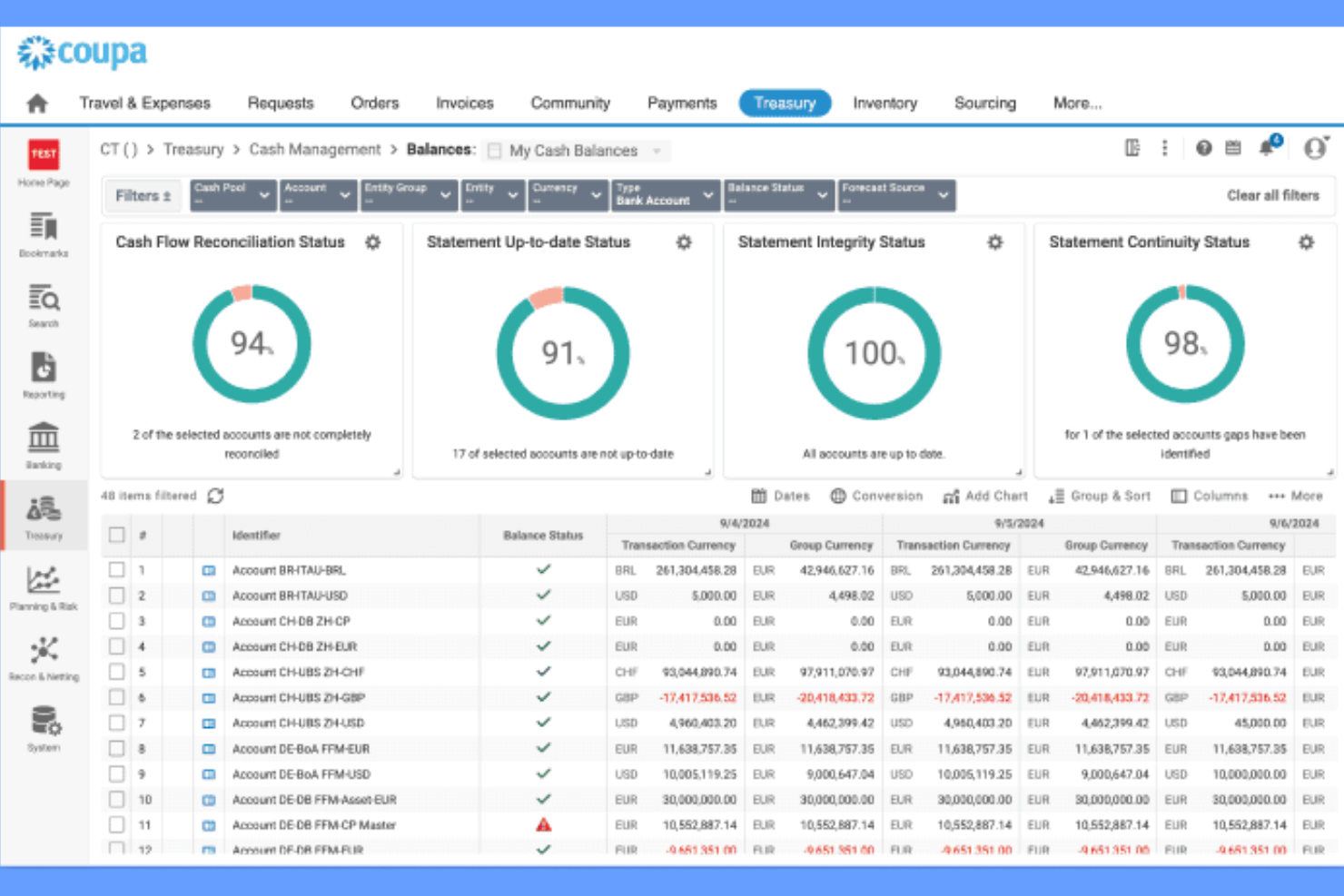
Coupa Treasury & Cash Management brings treasury operations and spend management together in one platform. It’s a strong fit for finance leaders and treasury teams who want to connect cash, payments, and liquidity planning with broader procurement and expense processes. The tool stands out for its ability to unify treasury workflows with company-wide spend data, helping businesses manage risk and optimize working capital.
Why I Picked Coupa Treasury & Cash Management
What sets Coupa Treasury & Cash Management apart is how it connects treasury operations with spend management in a single ecosystem. This integration lets treasury teams see real-time cash positions alongside procurement and payment activity, which is especially valuable for organizations focused on optimizing working capital. I appreciate that Coupa offers tools for cash forecasting and liquidity planning that draw directly from company-wide spend data. If you want treasury management that’s tightly linked to your broader financial operations, Coupa is built for that purpose.
Coupa Treasury & Cash Management Key Features
Some other features that make Coupa Treasury & Cash Management useful for treasury teams include:
- Bank Account Management: Centralize and control all company bank accounts from one dashboard.
- Intercompany Netting: Automate and manage intercompany payments and settlements.
- Risk Management Tools: Monitor exposures and manage financial risks with built-in analytics.
- Payment Factory: Standardize and automate payment processing across multiple entities and geographies.
Coupa Treasury & Cash Management Integrations
Native integrations are not currently listed.
Pros and Cons
Pros:
- Centralized bank account management
- Built-in risk and exposure analytics
- Real-time global cash visibility
Cons:
- Onboarding and invoice workflows can be unintuitive
- Custom reporting often requires manual setup

DebtBook is designed for finance teams that need to manage complex debt and lease portfolios with accuracy and transparency. It’s especially useful for public sector organizations, higher education, and entities with strict compliance and reporting needs. The platform centralizes debt and lease data, helping users track obligations, automate reporting, and stay audit-ready.
Why I Picked DebtBook
What drew me to DebtBook is its specialized focus on debt and lease tracking, which is a critical need for many treasury teams. The platform offers centralized dashboards for managing all debt and lease obligations, making it easier to monitor key dates, payment schedules, and compliance requirements. I like that DebtBook automates complex reporting tasks, including GASB and FASB compliance, so users can stay audit-ready without manual effort. If your organization needs to keep a close eye on debt covenants and lease agreements, DebtBook is purpose-built for that challenge.
DebtBook Key Features
In addition to its debt and lease tracking strengths, I also found these features valuable:
- Document Management: Store, organize, and access all related documents in a secure, centralized repository.
- Automated Notifications: Set up alerts for upcoming payments, renewals, and compliance deadlines.
- Role-Based Access Controls: Assign permissions and manage user access based on roles within your organization.
- Custom Reporting Tools: Build and export tailored reports to meet unique internal or external requirements.
DebtBook Integrations
Native integrations are not currently listed.
Pros and Cons
Pros:
- Custom reporting for stakeholders
- Automates GASB and FASB compliance
- Centralizes debt and lease data
Cons:
- Feature depth tied to public-sector standards
- Reporting lacks custom fields
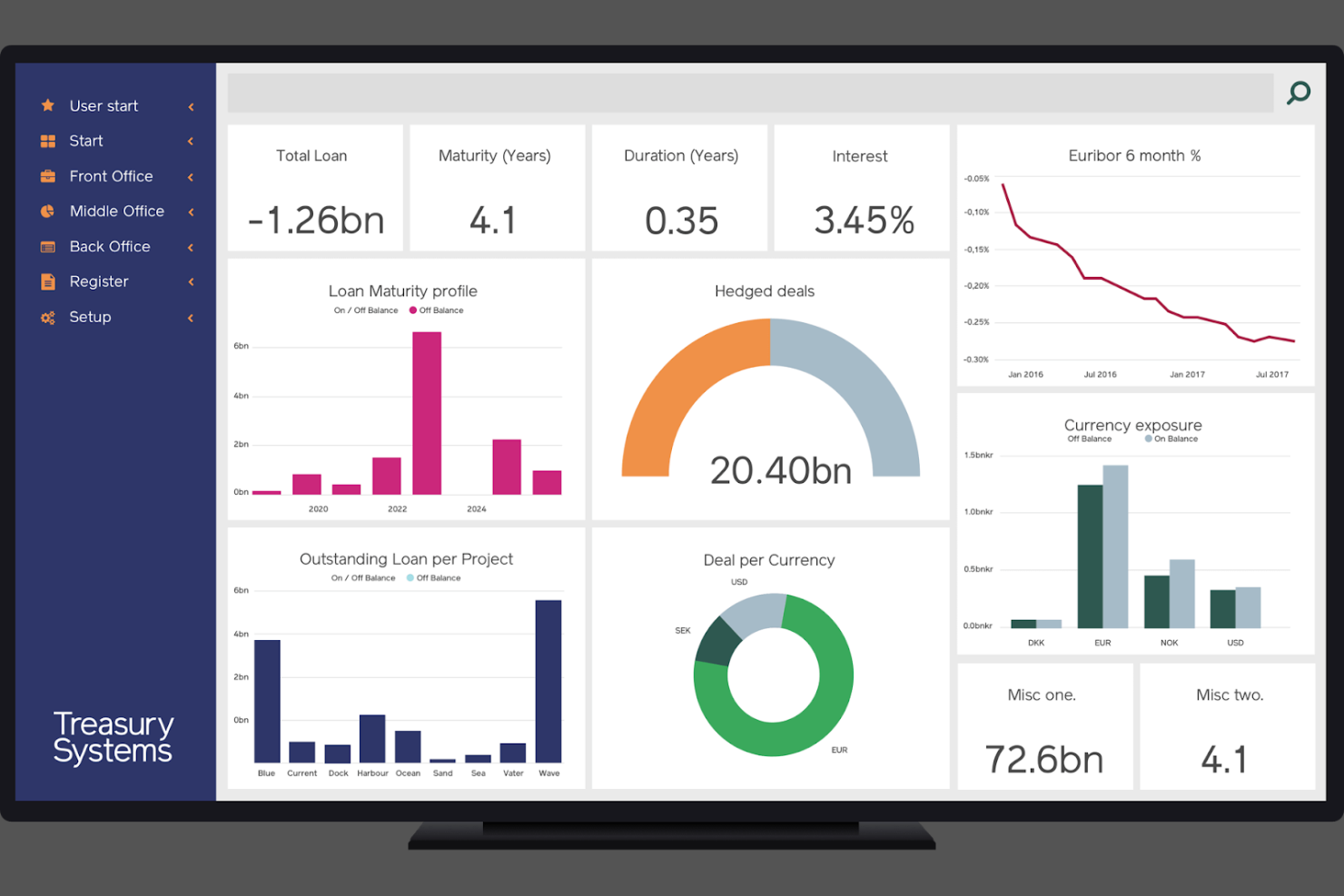
Treasury Systems is designed for finance teams and treasury professionals who need to meet strict regulatory and reporting requirements in the Nordic region. The platform specializes in supporting local compliance, currency management, and banking integrations specific to Nordic markets. It helps organizations manage risk, automate treasury workflows, and stay aligned with regional standards.
Why I Picked Treasury Systems
What sets Treasury Systems apart is its deep alignment with Nordic market compliance requirements. The platform offers built-in support for local regulatory frameworks, including region-specific reporting and tax standards. I appreciate how it handles multi-currency management and automates compliance tasks that are unique to the Nordic banking environment. For treasury teams operating in this region, Treasury Systems provides targeted tools that help reduce compliance risk and keep processes audit-ready.
Treasury Systems Key Features
Some other features that make Treasury Systems valuable for treasury teams include:
- Automated Payment Workflows: Set up and manage payment processes with built-in approval controls.
- Cash Position Reporting: Generate real-time reports on cash balances across multiple accounts.
- Debt and Investment Management: Track loans, credit facilities, and investment portfolios within the platform.
- Audit Trail Functionality: Maintain a detailed log of all user actions and system changes for compliance purposes.
Treasury Systems Integrations
Integrations include FXall, 360T, Bloomberg FXGO, Finastra Fusion, CLSSettlement, and more.
Pros and Cons
Pros:
- Detailed audit trails for treasury activity
- Handles multi-currency and regional formats
- Supports Nordic regulatory compliance
Cons:
- Limited support outside Nordic markets
- API and developer docs are limited
Other Treasury Management Software
Here are some additional treasury management software options that didn’t make it onto my shortlist, but are still worth checking out:
- Kyriba
For risk management analytics
- Centime
For integrated AR and AP management
- SAP
For enterprise resource planning integration
- Modern Treasury
For automated payment reconciliation
- Round Treasury
For fintech and wealth platform support


Treasury Management Software Selection Criteria
When selecting the best treasury management software to include in this list, I considered common buyer needs and pain points like managing multi-currency cash positions and ensuring regulatory compliance. I also used the following framework to keep my evaluation structured and fair:
Core Functionality (25% of total score)
To be considered for inclusion in this list, each solution had to fulfill these common use cases:
- Manage cash positions and liquidity
- Automate payment processing
- Track debt and investment portfolios
- Generate audit trails and compliance reports
- Reconcile bank accounts and transactions
Additional Standout Features (25% of total score)
To help further narrow down the competition, I also looked for unique features, such as:
- Real-time bank connectivity
- Advanced risk analytics and scenario modeling
- In-depth regulatory reporting for specific regions
- Automated FX hedging and exposure management
- Customizable dashboard and reporting tools
Usability (10% of total score)
To get a sense of the usability of each system, I considered the following:
- Intuitive navigation and menu structure
- Clean and modern interface design
- Logical workflow setup for treasury tasks
- Minimal clicks to complete core actions
- Responsive design for different devices
Onboarding (10% of total score)
To evaluate the onboarding experience for each platform, I considered the following:
- Availability of step-by-step product tours
- Access to training videos and documentation
- Pre-built templates for common treasury workflows
- Live chat or chatbot support during setup
- Scheduled onboarding webinars or sessions
Customer Support (10% of total score)
To assess each software provider’s customer support services, I considered the following:
- 24/7 support availability
- Access to a dedicated account manager
- Fast response times to support tickets
- Comprehensive online help center
- Community forums or user groups
Value For Money (10% of total score)
To evaluate the value for money of each platform, I considered the following:
- Transparent and predictable pricing structure
- Flexible contract terms and payment options
- Features included at each pricing tier
- No hidden fees for integrations or add-ons
- Free trial or demo availability
Customer Reviews (10% of total score)
To get a sense of overall customer satisfaction, I considered the following when reading customer reviews:
- Positive feedback on reliability and uptime
- Reports of helpful and knowledgeable support
- User comments on feature completeness
- Experiences with onboarding and training
- Value perception compared to similar tools
How to Choose Treasury Management Software
It’s easy to get bogged down in long feature lists and complex pricing structures. To help you stay focused as you work through your unique software selection process, here’s a checklist of factors to keep in mind:
| Factor | What to Consider |
|---|---|
| Scalability | Will the software support your growth in transaction volume, entities, and currencies over time? |
| Integrations | Does it connect natively to your banks, ERPs, and accounting systems, or will you need custom work? |
| Customizability | Can you tailor workflows, reports, and dashboards to your team’s processes and compliance needs? |
| Ease of use | Will your team adopt the tool quickly, or will the interface slow down daily treasury operations? |
| Implementation and onboarding | How long will it take to get up and running, and what resources or training will you need? |
| Cost | Are all costs—licenses, support, integrations, upgrades—clear and within your budget constraints? |
| Security safeguards | Does the software offer strong controls, audit trails, and data protection to meet your risk profile? |
| Compliance requirements | Can the tool handle your specific regulatory and reporting obligations, especially in your regions? |
What Is Treasury Management Software?
Treasury management software is a treasury management system and treasury platform that helps organizations manage cash, liquidity, banking relationships, and financial risk. It centralizes key treasury functions like cash forecasting, payment processing, bank account reconciliation, and compliance reporting within a single platform. Finance teams, including the CFO and in-house treasury staff, use these tools to improve visibility into the balance sheet, automate routine tasks across accounts payable and accounts receivable, and manage financial transactions more efficiently. With features like scenario planning and risk mitigation, these systems help ensure regulatory requirements are met across multiple accounts, currencies, and entities.
Features of Treasury Management Software
When selecting treasury management software, keep an eye out for the following key features:
- Cash position tracking: Monitors real-time balances across all bank accounts to give you a clear view of available liquidity at any moment.
- Payment processing automation: Schedules, initiates, and approves payments with built-in controls to reduce manual intervention and errors.
- Bank account reconciliation: Matches transactions between your bank statements and internal records, helping you quickly identify discrepancies.
- Debt and investment management: Tracks loans, credit lines, and investment portfolios, including interest calculations and maturity schedules.
- Multi-currency support: Manages transactions, balances, and reporting in multiple currencies, handling conversions and exchange rate fluctuations.
- Regulatory compliance reporting: Generates reports required for audits and regulatory filings, supporting local and international standards.
- Audit trail and user permissions: Logs all user actions and changes, and allows you to set granular access controls for security and compliance.
- Cash forecasting: Projects future cash flows based on historical data, open invoices, and planned payments to support liquidity planning.
- Bank connectivity: Integrates directly with banking partners for secure data exchange, statement retrieval, and payment initiation.
- Customizable dashboards and reports: Lets you tailor visualizations and reports to your team’s needs, making it easier to monitor key metrics and trends.
Common Treasury Management Software AI Features
Beyond the standard treasury management software features listed above, many of these solutions are incorporating AI with features like:
- Anomaly detection: Uses AI to automatically flag unusual transactions or patterns in cash flows, helping teams identify potential fraud or errors before they escalate.
- Predictive cash forecasting: Leverages machine learning to analyze historical data and external variables, producing more accurate and dynamic cash flow projections.
- Automated reconciliation suggestions: Applies AI to match transactions and suggest likely reconciliations, reducing manual review time and improving accuracy.
- Intelligent payment routing: Optimizes payment paths by analyzing costs, timing, and risk factors, recommending the most efficient route for each transaction.
- Natural language query: Allows users to ask questions about treasury data in plain language, with AI interpreting and returning relevant insights or reports.
Benefits of Treasury Management Software
Implementing treasury management software provides several benefits for your team and your business. Here are a few you can look forward to:
- Improved cash visibility: Real-time cash position tracking and forecasting help you make informed liquidity decisions across all accounts and entities.
- Reduced manual workload: Automated payment processing, reconciliation, and reporting minimize repetitive tasks and free up your team’s time.
- Enhanced compliance and audit readiness: Built-in regulatory reporting, audit trails, and user permissions support your compliance obligations and simplify audits.
- Better risk management: Multi-currency support, debt tracking, and AI-powered anomaly detection help you identify and address financial risks early.
- Faster decision-making: Customizable dashboards and AI-driven insights provide timely, actionable information for treasury and finance leaders.
- Stronger security controls: Granular user permissions, secure bank connectivity, and detailed activity logs protect sensitive financial data.
- Scalable operations: Flexible integrations and scalable architecture allow your treasury processes to grow with your business needs.
Costs and Pricing of Treasury Management Software
Selecting treasury management software requires an understanding of the various pricing models and plans available. Costs vary based on features, team size, add-ons, and more. The table below summarizes common plans, their average prices, and typical features included in treasury management software solutions:
Plan Comparison Table for Treasury Management Software
| Plan Type | Average Price | Common Features |
|---|---|---|
| Free Plan | $0 | Basic cash tracking, limited payment processing, simple reporting, and restricted user access. |
| Personal Plan | $20–$50/user/month | Single-user access, core cash management, payment automation, and basic reconciliation tools. |
| Business Plan | $100–$400/month | Multi-user support, advanced reconciliation, multi-currency handling, compliance reporting, and integrations. |
| Enterprise Plan | $1,000–$5,000/month | Custom workflows, dedicated support, advanced security, API access, and full audit trails. |
Treasury Management Software FAQs
Here are some answers to common questions about treasury management software:
How does treasury management software help with cash forecasting?
Treasury management software uses historical data, open invoices, and planned payments to project future cash flows. This helps you anticipate liquidity needs, plan investments, and avoid shortfalls by providing a clearer picture of your financial position.
Can treasury management software integrate with my existing ERP or accounting system?
Yes, most treasury management software offers integrations with popular ERP and accounting platforms. This allows for automatic data syncing, reduces manual entry, and ensures your financial records stay accurate and up to date.
What security measures should I expect from treasury management software?
You should expect features like user access controls, data encryption, audit trails, and secure bank connectivity. These safeguards help protect sensitive financial data and support compliance with internal and external security standards.
How long does it take to implement treasury management software?
Implementation timelines vary, but most solutions can be set up in a few weeks to a few months. Factors include the complexity of your workflows, the number of integrations, and the level of support and training provided by the vendor.
Is treasury management software suitable for multinational organizations?
Yes, many treasury management solutions support multi-currency transactions, global bank connectivity, and region-specific compliance reporting. This makes them well-suited for organizations with international operations and complex treasury needs.