

Cube Review: Pros, Cons, Features, and Pricing
Cube simplifies budgeting with intuitive features, making it ideal for teams seeking effective financial planning solutions.

We review tools independently, and commissions help fund our testing. See our transparency policy, our methodology, or suggest a tool.
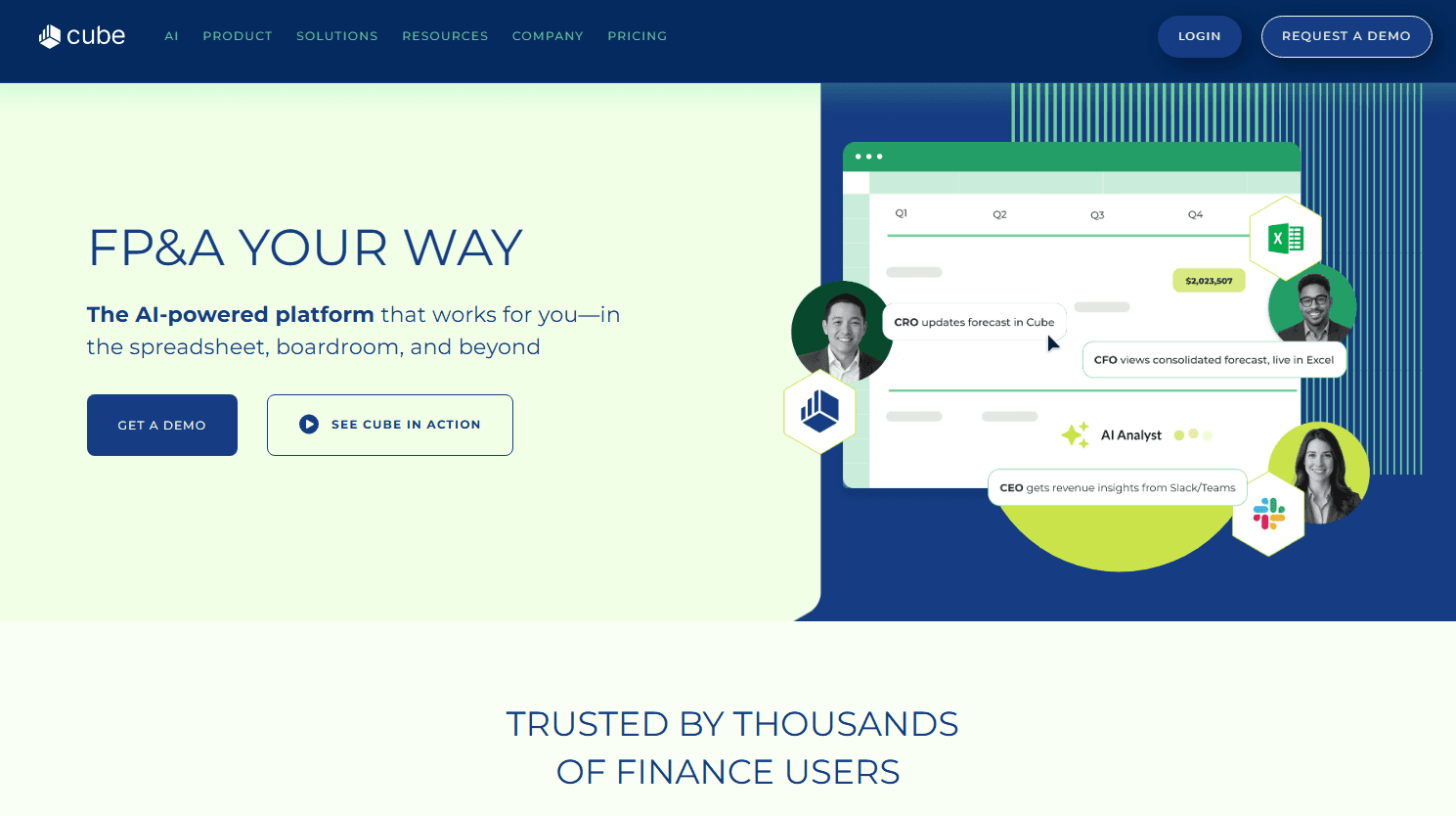
Cube is a budgeting and planning software built for finance teams that want to centralize planning, forecasting, and reporting without abandoning spreadsheets. It connects directly with Excel and Google Sheets, so your team works in familiar tools while still pulling from a single source of truth. I'd consider it a strong alternative to Anaplan if you need faster implementation and a lower barrier to adoption; Cube is designed for mid-market finance teams, not IT-heavy enterprise rollouts.
Cube Evaluation Summary
4.5/5
- Pricing upon request
- Free demo available
Why Trust Our Software Recommendations
6,700+
Reviews
20
Industry experts
16+
Evaluation factors
14
Years
Our team has been testing and reviewing software since 2012. As finance leaders ourselves, we know how difficult—and important—it is to choose the right software.
For this guide, we evaluated tools using hands-on testing and independent research, scoring tools using our selection criteria.
Our reviews reflect our human editorial judgment, not a sales pitch.
Cube Overview
In my opinion, Cube is a solid FP&A tool for budgeting, forecasting, and scenario analysis. Its customizable dashboards, data visualization, and data integration capabilities make it a go-to choice for various financial models and datasets. Compared to other providers like Datarails, Cube offers a user-friendly interface, even if it requires a steep learning curve initially. Its pricing is competitive for mid-sized companies and startups, though not the cheapest among FP&A tools. It provides strong scalability and value considering its depth of automation, workflows, and real-time data functionality. The software is particularly well-suited to finance teams needing robust planning tools allied with a responsive support team. However, if immediate ease of use from day one is your priority, you might find other FP&A platforms more intuitive.
Pros
- Offers intuitive budgeting features that simplify financial planning.
- Provides real-time collaboration tools that enhance decision-making.
- Customization options allow you to fit your specific financial processes.
Cons
- Interface may feel outdated compared to newer software.
- Some users find the reporting capabilities less flexible than other tools.
- Advanced features might present a sharp learning curve.
Is Cube Right For Your Needs?
Who Would be a Good Fit for Cube?
Cube is ideal for mid-sized companies, small businesses, and finance teams that need a user-friendly FP&A platform for budgeting, forecasting, and data analysis. Its intuitive functionality and real-time collaboration tools make it perfect for teams looking to streamline financial workflows efficiently. If you value customization, scalability, and real-time data integration to match specific financial planning and analysis workflows, Cube's adaptability will serve you well. It's especially beneficial for departments that need to make quick, data-driven decisions using accurate actuals, forecasting models, and KPIs.
- Mid-Sized CompaniesCube is great for mid-sized companies due to its strong scalability and the fact that it can handle growing financial management, budgeting, and forecasting needs easily.
- Finance TeamsFinance teams benefit from its real-time collaboration tools, automation, and real-time data access that improve stakeholder alignment, forecasting accuracy, and cross-functional decision-making.
- Small BusinessesSmall businesses find value in Cube’s user-friendly interface and pricing flexibility, making budgeting and scenario planning more accessible without heavy ERP overhead.
- Consulting FirmsConsulting firms appreciate its customization options, extensive API access, and data integration features, allowing them to tailor financial models and workflows for different clients.
- Non-Profit OrganizationsNPOs leverage its intuitive financial reporting, powerful data visualization, and varied templates to manage budgets, grants, and funding forecasts more effectively.
- Educational InstitutionsSchools, colleges, and universities use its budgeting process tools and scenario analysis capabilities to allocate resources efficiently across departments.
Who Would be a Bad Fit for Cube?
Cube might not suit large enterprises needing advanced analytics, massive datasets, and deep ERP integrations beyond platforms like NetSuite, Intacct, and Salesforce. Its reporting capabilities can feel limited for those requiring highly granular data visualization and advanced data analysis. If your work involves handling complex global financial structures or requires an ultra-modern interface, Cube's FP&A platform may fall short. It's less ideal for teams that rely on deeply customizable reporting dashboards with heavy automation across dozens of data sources.
- Large EnterprisesLarge enterprises may find Cube Software lacking in deep ERP-level analytics, advanced data consolidation, and multi-entity complexity.
- Tech StartupsAgile new firms seeking rapid innovation with constant new features and bleeding-edge FP&A automation may find the interface outdated.
- Data-Driven TeamsData-driven teams requiring heavy data analysis, drill-down, and data visualization across massive datasets may find Cube Software’s reporting capabilities limited.
- Global CorporationsLarge multinationals needing extensive system integration across dozens of ERP, CRM, and accounting software providers may be limited by Cube Software's shortfalls.
- Advanced Analytics DepartmentsDepartments focused on advanced analytics, statistical modeling, and predictive data analysis may find the FP&A tool lacking in depth.
- Complex Financial StructuresTeams dealing with complex financial structures, multi-currency cash flow modeling, and highly customized forecasting frameworks may need more flexibility than Cube Software offers.
How We Test & Score Tools
We’ve spent years building, refining, and improving our software testing and scoring system. The rubric is designed to capture the nuances of software selection and what makes a tool effective, focusing on critical aspects of the decision-making process.
Below, you can see exactly how our testing and scoring works across seven criteria. It allows us to provide an unbiased evaluation of the software based on core functionality, standout features, ease of use, onboarding, customer support, integrations, customer reviews, and value for money.
Core Functionality (25% of final scoring)
The starting point of our evaluation is always the core functionality of the tool. Does it have the basic features and functions that a user would expect to see? Are any of those core features locked to higher-tiered pricing plans? At its core, we expect a tool to stand up against the baseline capabilities of its competitors.
Standout Features (25% of final scoring)
Next, we evaluate uncommon standout features that go above and beyond the core functionality typically found in tools of its kind. A high score reflects specialized or unique features that make the product faster, more efficient, or offer additional value to the user.
We also evaluate how easy it is to integrate with other tools typically found in the tech stack to expand the functionality and utility of the software. Tools offering plentiful native integrations, 3rd party connections, and API access to build custom integrations score best.
Ease of Use (10% of final scoring)
We consider how quick and easy it is to execute the tasks defined in the core functionality using the tool. High scoring software is well designed, intuitive to use, offers mobile apps, provides templates, and makes relatively complex tasks seem simple.
Onboarding (10% of final scoring)
We know how important rapid team adoption is for a new platform, so we evaluate how easy it is to learn and use a tool with minimal training. We evaluate how quickly a team member can get set up and start using the tool with no experience. High scoring solutions indicate little or no support is required.
Customer Support (10% of final scoring)
We review how quick and easy it is to get unstuck and find help by phone, live chat, or knowledge base. Tools and companies that provide real-time support score best, while chatbots score worst.
Customer Reviews (10% of final scoring)
Beyond our own testing and evaluation, we consider the net promoter score from current and past customers. We review their likelihood, given the option, to choose the tool again for the core functionality. A high scoring software reflects a high net promoter score from current or past customers.
Value for Money (10% of final scoring)
Lastly, in consideration of all the other criteria, we review the average price of entry level plans against the core features and consider the value of the other evaluation criteria. Software that delivers more, for less, will score higher.
Core Features
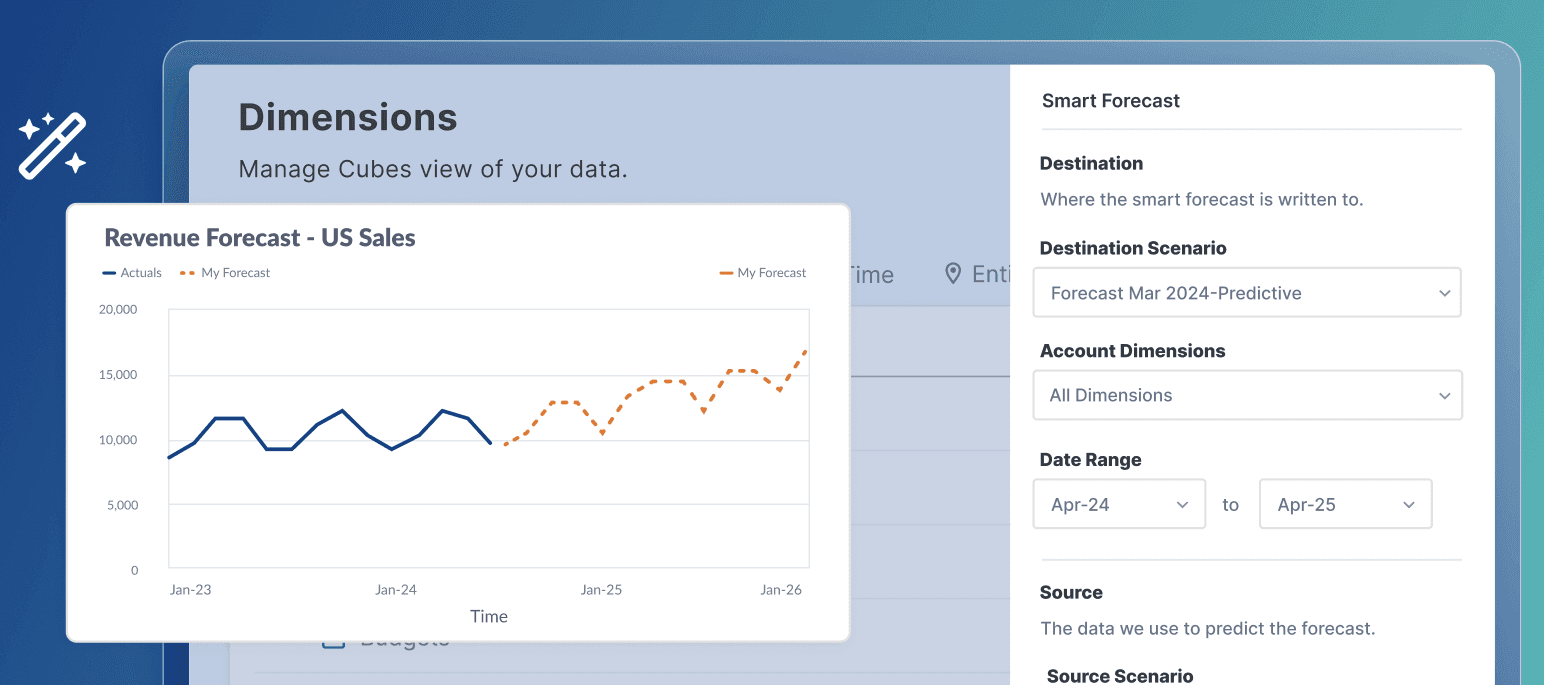
Budget Forecasting: Cube helps you predict future financial scenarios with intuitive forecasting, scenario planning, and variance analysis tools. It allows your team to make informed decision-making by modeling outcomes using real-time data.
Financial Reporting: The software offers customizable financial reporting, dashboards, and automated variance analysis powered by consolidated financial data.
Collaboration Tools: Cube provides real-time collaboration and shared workflows, enabling seamless teamwork across FP&A teams and finance teams.
Data Visualization: It includes data visualization and custom dashboards that turn complex financial data into actionable insights.
Scenario Planning: You can explore different scenario analysis models and assess potential impacts on cash flow, KPIs, and profitability.
Integrations
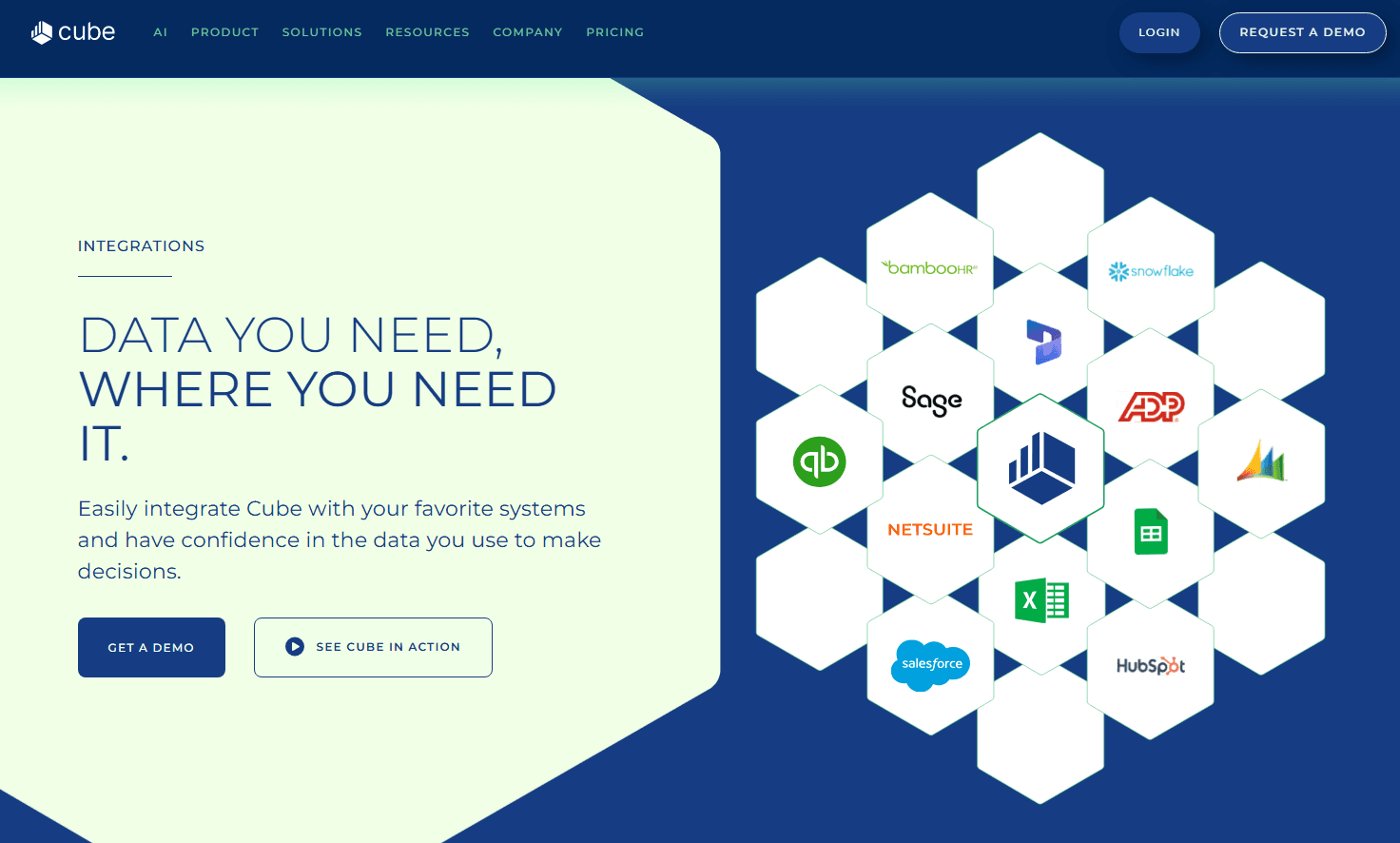
Cube integrates with Accumatica, NetSuite, QuickBooks, Xero, Bamboo HR, Workday, Zenefits, Hubspot, Salesforce, Pipedrive, Microsoft Azure SQL, Power BI, and more.
Cube also offers an API and supports third-party integration tools for enhanced connectivity.
Cube Specs
- 2-Factor Authentication: No
- Accounts Payable: No
- Accounts Receivable: No
- API: No
- Audit Trail: No
- Balance Sheet: No
- Billing/Invoicing: No
- Budgeting: Yes
- Calendar Management: No
- Comparative Reporting: No
- Compliance Tracking: No
- CRM Integration: No
- Custom Reports: No
- Dashboard: Yes
- Dashboards: No
- Data Export: Yes
- Data Import: Yes
- Data Mining: No
- Data Visualization: Yes
- Document Comparison: No
- Expense Tracking: No
- External Integrations: No
- Financial Analysis: No
- Forecasting: Yes
- General Account Ledger: No
- Multi-Currency: No
- Multi-User: No
- Notifications: No
- P&L: Yes
- Payroll: No
- Process Reporting: No
- Risk Assessment: No
- SAP Integration: No
- Scenario Planning: No
- Scheduling: No
- Tax Management: No
- Visualization: No
- Workflow Management: No


