


QuickBooks Workforce vs. ADP: Comprehensive Comparison and Reviews for 2026

We review tools independently, and commissions help fund our testing. See our transparency policy, our methodology, or suggest a tool.
Payroll has a way of becoming more complicated than it should be. Between calculating taxes, keeping up with compliance rules, paying employees on time, and fixing payroll errors, it’s easy for the process to eat up hours of your week.
If you’re comparing QuickBooks Workforce (formerly QuickBooks Payroll) and ADP, you’re probably trying to simplify things. You want a payroll system that works reliably, saves time, and doesn’t make tax season or payday more stressful than it already is. This guide breaks down the real-world pros, cons, and expert insights to help you make a confident, informed choice.
QuickBooks Workforce
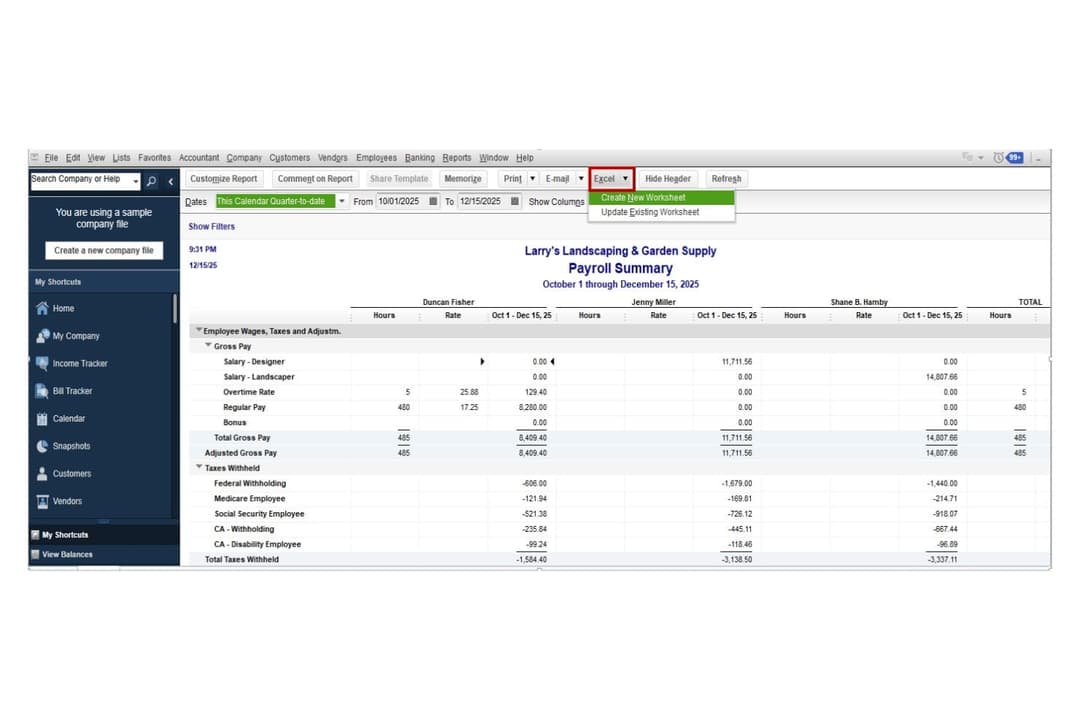
4.4/5
- 30-day free trial
- From $88/month
ADP
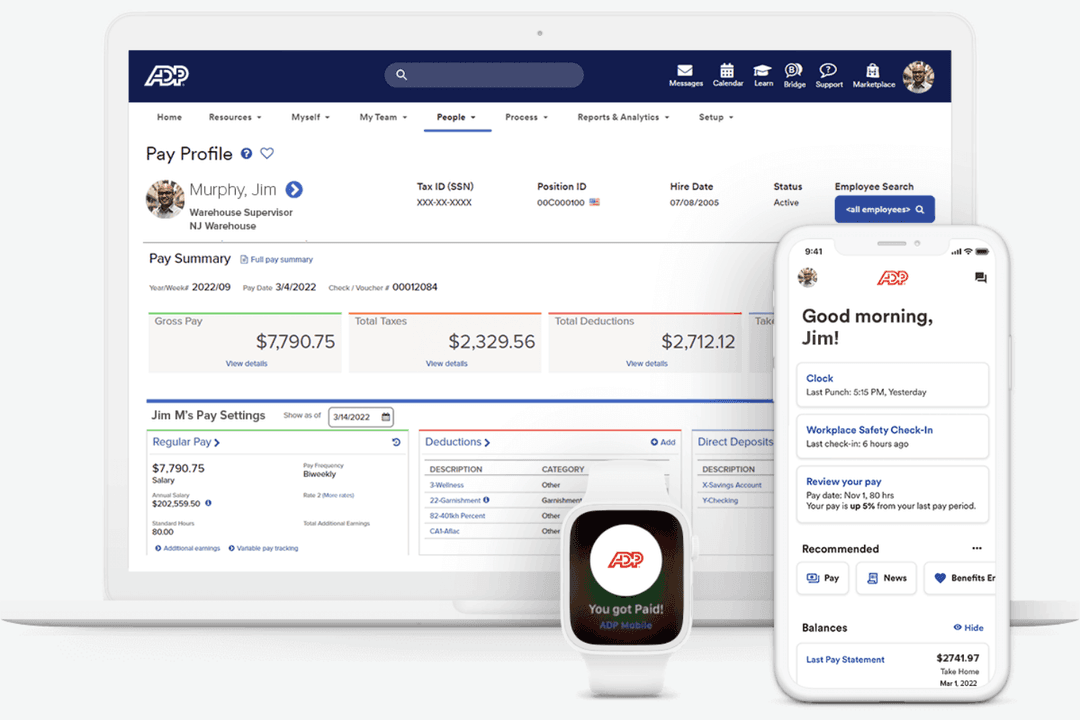
4.1/5
- Free demo available
- Pricing upon request
Why Trust Our Software Recommendations
6,700+
Reviews
20
Industry experts
16+
Evaluation factors
14
Years
Our team has been testing and reviewing software since 2012. As finance leaders ourselves, we know how difficult—and important—it is to choose the right software.
For this guide, we evaluated tools using hands-on testing and independent research, scoring tools using our selection criteria.
Our reviews reflect our human editorial judgment, not a sales pitch.
| QuickBooks Workforce | ADP | |
|---|---|---|
| Free Trial | 30-day free trial | Free demo available |
| Pricing | From $88/month | Pricing upon request |
QuickBooks Workforce vs. ADP Pricing & Hidden Costs
QuickBooks Workforce uses a transparent, tiered subscription model. Each plan typically includes a base monthly fee plus a per-employee monthly charge, with higher tiers adding features like same-day direct deposit, HR support, and tax penalty protection. This tiered structure makes it easier to estimate costs upfront as your team grows.
ADP, by contrast, generally relies on custom quotes based on factors like company size, payroll frequency, and the specific features your business needs. While this approach allows for more tailored solutions, it can make pricing less predictable. Additional services—such as advanced HR tools, benefits administration, or recruiting features—are often sold as add-ons that increase the total cost.
When choosing between QuickBooks Workforce and ADP, consider your business size, budget predictability, required HR and payroll features, and how each can scale with more complex workforce needs.
QuickBooks Payroll and ADP overlap in many core payroll features. Both platforms automate payroll processing, calculate wages and deductions, file and pay payroll taxes, and support payments via direct deposit or check. They also offer employee self-service portals, payroll reporting, and tools for handling forms like W-2s and 1099s, giving businesses a centralized way to manage routine payroll tasks. Where they differ is in how they extend those capabilities. QuickBooks Payroll stands out with features like unlimited payroll runs, faster direct deposit options, and tight integration with QuickBooks Online for automatic accounting updates. ADP, meanwhile, offers more extensive HR and workforce management tools—including recruiting, onboarding, and compliance support—making it a stronger option for businesses that need broader HR functionality at scale.
| QuickBooks Workforce | ADP | |
|---|---|---|
| API | Yes | Yes |
| Application Tracking | Yes | No |
| Approval Workflows | Yes | No |
| Attendance Tracking | Yes | No |
| Compliance Tracking | Yes | No |
| Dashboard | Yes | No |
| Data Export | Yes | Yes |
| Data Import | Yes | Yes |
| Data Visualization | Yes | Yes |
| Employee Database | Yes | No |
| Employee Incentive Management | Yes | No |
| Employee Onboarding | Yes | No |
| Expense Tracking | Yes | No |
| External Integrations | Yes | Yes |
| Feedback Management | Yes | No |
| Multi-User | Yes | Yes |
| Notifications | Yes | Yes |
| Payroll | Yes | No |
| Scheduling | Yes | Yes |
| Integration | QuickBooks Workforce | ADP |
|---|---|---|
| IntegrationQuickBooks Online | QuickBooks Workforce✅ | ADP✅ |
| IntegrationXero | QuickBooks Workforce❌ | ADP✅ |
| IntegrationGusto | QuickBooks Workforce❌ | ADP✅ |
| IntegrationTSheets (QuickBooks Time) | QuickBooks Workforce✅ | ADP❌ |
| IntegrationSalesforce | QuickBooks Workforce❌ | ADP✅ |
| IntegrationBambooHR | QuickBooks Workforce❌ | ADP✅ |
| IntegrationDeputy | QuickBooks Workforce✅ | ADP✅ |
| IntegrationExpensify | QuickBooks Workforce✅ | ADP✅ |
| IntegrationAPI | QuickBooks Workforce✅ | ADP✅ |
| IntegrationZapier | QuickBooks Workforce✅ | ADP✅ |
QuickBooks Workforce and ADP both cover the basics with popular accounting and time-tracking integrations, but ADP offers a broader range of connections—especially with HR and workforce management tools. That said, QuickBooks is particularly notable for its easy integrations with other products in the Intuit ecosystem (like QuickBooks Online and QuickBooks Time). Both platforms support API and Zapier, so you can fill most integration gaps, but ADP’s wider native options may better suit complex or growing teams.
| Factor | QuickBooks Workforce | ADP |
|---|---|---|
| FactorData Encryption | QuickBooks WorkforceUses 256-bit SSL encryption to protect payroll and employee data in transit. | ADPEmploys advanced encryption protocols and multi-layered security for all data. |
| FactorRegulatory Compliance | QuickBooks WorkforceOperates within Intuit’s broader cloud security framework, which includes industry security standards and third-party audits used across Intuit products (SOC 2 Type II, ISO/IEC 27001 certification, PCI DSS compliance). | ADPMaintains formal compliance programs and third-party certifications including SOC 1 Type 2 and SOC 2 Type 2 reports and ISO certifications such as ISO 27001 and ISO 27701 for select services and locations. |
| FactorUptime & Reliability | QuickBooks WorkforceCloud-based infrastructure with redundancy and monitoring designed to maintain reliable payroll processing and system availability. | ADPDelivers enterprise-grade uptime, disaster recovery, and real-time system monitoring. |
| FactorAccess Controls | QuickBooks WorkforceOffers customizable user permissions and two-factor authentication. | ADPIncludes granular role-based access and multi-factor authentication for all users. |
| FactorAudit Trails | QuickBooks WorkforceMaintains detailed logs of payroll changes and user activity for audits. | ADPTracks all payroll actions and changes with comprehensive audit logs. |
Both QuickBooks Workforce and ADP provide strong security foundations, including encrypted data transmission, role-based access controls, multi-factor authentication, and detailed audit logs. They also maintain recognized security compliance standards—QuickBooks through Intuit’s program with certifications such as SOC 2 Type II and ISO/IEC 27001, and ADP through SOC 1 Type 2, SOC 2 Type 2, and ISO certifications.
Overall, QuickBooks Workforce is reliable and easy to manage for SMBs, but ADP’s robust controls and monitoring make it a safer bet for larger organizations or those with complex compliance needs.
| Factor | QuickBooks Workforce | ADP |
|---|---|---|
| FactorUser Interface | QuickBooks WorkforceFeatures a clean, intuitive dashboard with simple navigation and clear prompts. | ADPOffers a robust interface with more options, which can feel complex for new users. |
| FactorOnboarding | QuickBooks WorkforceProvides guided setup and step-by-step checklists for a fast start. | ADPIncludes personalized onboarding but may require more time to configure. |
| FactorDay-to-Day Tasks | QuickBooks WorkforceAutomates payroll runs and tax filings with minimal clicks. | ADPHandles complex payroll scenarios but often involves more steps per task. |
| FactorCustomer Support | QuickBooks WorkforceOffers live chat and phone support with helpful in-app resources. | ADPDelivers 24/7 support and a dedicated account manager for larger clients. |
| FactorMobile Access | QuickBooks WorkforceIncludes a user-friendly mobile app for payroll on the go. | ADPProvides a feature-rich mobile app with advanced employee self-service options. |
QuickBooks Workforce is easier to pick up and use for small and mid-sized teams, while ADP’s interface and setup can feel overwhelming, but pays off for those needing advanced options. QuickBooks Workforce is also great if your team is already familiar with QuickBooks Online, which makes for faster onboarding. On the other hand, ADP’s depth and support make it a strong choice for organizations with more complex payroll needs.
QuickBooks Workforce
- User-friendly interface designed for easy setup and management, even without extensive accounting experience.
- Automated payroll calculations and tax filings help reduce manual work.
- Clear payroll workflows and task tracking make pay runs easier to manage.
- Customer support experiences can vary, particularly during complex payroll issues.
- Best suited for those already using QuickBooks Online; otherwise, it may feel restrictive.
- May not suit complex payroll scenarios that require high customization.
ADP
- Payroll processing is quick and reliable for your team.
- User-friendly interface simplifies your daily HR tasks.
- Recruiting tools help you efficiently find the right candidates.
- Customization options may not be sufficient for your specific needs.
- Customer support response times can be slow for your team.
- The onboarding process is cumbersome for new users.
QuickBooks Workforce
- Small Businesses Using QuickBooks OnlineIf you’re already running your books in QuickBooks Online, adding payroll keeps everything synced in one system. Payroll expenses, tax payments, and reports flow directly into your accounting without manual reconciliation.
- Businesses Without a Dedicated HR TeamQuickBooks Workforce’s guided setup, automated tax filings, and employee self-service tools make it manageable for small teams that don’t have in-house payroll or HR specialists.
- Employers Who Want Automated Tax HandlingCompanies that prefer payroll taxes calculated, filed, and paid automatically will benefit from full-service payroll options and tax penalty protection on higher tiers.
- Companies With Employees and ContractorsBusinesses with mixed workforces can pay W-2 employees and 1099 contractors in the same system, with built-in 1099 e-file support.
- Growing Businesses That Need Faster PayrollCompanies with tighter payroll timelines can take advantage of next-day or same-day direct deposit options to ensure employees are paid on time.
- QuickBooks Desktop Users Who Want Payroll Add-OnBusinesses using QuickBooks Desktop can add payroll services designed specifically for that environment.
ADP
- Healthcare TeamsADP simplifies payroll and HR management for your expanding healthcare staff, allowing you to focus on patient care and health insurance benefits.
- Retail ChainsFor retail, ADP handles complex payroll services, ensuring your team gets paid accurately and on time.
- Manufacturing CompaniesManufacturers benefit from ADP’s recruiting and onboarding tools, helping you find skilled workers efficiently.
- Finance DepartmentsYour finance team will appreciate ADP’s reliable payroll features, reducing errors in financial reporting.
- HR ManagersADP’s user-friendly interface helps HR managers streamline new hire management and onboarding tasks.
- Medium-Sized EnterprisesADP suits medium-sized businesses by offering scalable solutions that grow with your team.
Who Should Use QuickBooks Workforce, and Who Should Use ADP?
If you run a small or midsize business and want payroll that’s easy to set up and manage yourself, QuickBooks Workforce may be a better fit. It works especially well if you already use QuickBooks Online, since your payroll and accounting data sync automatically. You’ll likely appreciate the transparent pricing, straightforward interface, and automation that helps you run payroll quickly without needing a dedicated HR or payroll team.
ADP may be a better choice if your business is growing quickly, managing a larger workforce, or dealing with more complex HR and compliance needs. If you want access to broader HR tools—like recruiting, onboarding, benefits administration, and compliance support—ADP offers a more comprehensive workforce management platform. While it can be more complex, it may give you the scalability and support you need as your organization expands.
| QuickBooks Workforce | ADP | |
|---|---|---|
| Accounting Integration | QuickBooks Workforce Seamless with QuickBooks Online and other Intuit products. | ADP Integrates with a wider range of accounting and HR platforms. |
| Automation | QuickBooks Workforce Automates payroll but provides more configuration options for complex payroll setups. | ADP Automates payroll but provides more configuration options for complex payroll setups. |
| HR & Compliance | QuickBooks Workforce Basic HR tools and compliance support for small teams. | ADP Advanced HR features, compliance monitoring, and dedicated support. |
| Pricing Model | QuickBooks Workforce Transparent base monthly fee plus per-employee pricing across fixed tiers. | ADP Custom quotes based on company size, features, and payroll complexity. |
| User Interface | QuickBooks Workforce Simple, intuitive dashboard designed for quick navigation. | ADP Feature-rich interface with more options, which can feel complex. |
| Audit Trails | Both maintain logs of payroll actions and system changes to help track activity and support audits. |
|---|---|
| Cloud-Based Access | Both are fully cloud-based, letting you run payroll and access data securely from anywhere. |
| Compliance Updates | Both keep up with federal and state payroll law changes, automatically updating tax tables and forms. |
| Employee Self-Service | Both provide employee portals where workers can view pay stubs, download tax forms, and update personal information. |
| Payroll Tax Filing | Both can calculate, file, and pay payroll taxes on your behalf, depending on plan level. |