


Younium vs. Maxio: Comparison and Expert Reviews for 2026


The right subscription management platform is all about whether your billing, revenue, and reporting processes can actually keep up with how your business operates. If you’re dealing with evolving complex contracts, recurring payments, usage-based pricing, or the pressure to stay audit-ready while scaling, you’ve likely realized that not all tools are built for that level of complexity. That’s where a modern subscription management and billing platform like Younium or Maxio comes into the conversation.
Both aim to bring structure and automation to recurring revenue, helping you optimize operations and reduce inefficiencies, but they approach the problem in different ways—making it critical to understand which one truly fits how your business runs today and where it’s headed. In this article, you’ll get a side-by-side comparison of Younium and Maxio, expert reviews, and practical insights to help you pick the best fit for your business.
Younium vs. Maxio: An Overview
Younium
Maxio
Why Trust Our Software Reviews
We’ve been testing and reviewing financial software since 2023. As finance specialists ourselves, we know how critical and difficult it is to make the right decision when selecting software.
We invest in deep research to help our audience make better software purchasing decisions. We’ve tested more than 2,000 tools for different finance use cases and written over 1,000 comprehensive software reviews. Learn how we stay transparent & our software review methodology.
Younium vs. Maxio Pricing Comparison
| Younium | Maxio | |
|---|---|---|
| Free Trial | Free demo available | 30-day free trial + free demo available |
| Pricing | Pricing upon request | From $599/month |
Younium vs. Maxio Pricing & Hidden Costs
Younium uses a custom pricing model based on your business’s size and billing complexity, requiring you to contact their team for a tailored quote. Costs can increase if you exceed usage limits, add new features, or upgrade your package, and additional fees may apply for consulting services like implementation, training, or integrations.
Maxio, on the other hand, offers tiered plans with different feature sets and usage limits based on scale. While this gives you more initial visibility than Younium, many advanced capabilities—such as multi-entity support, advanced revenue management, and certain reporting or automation features—are only available in higher tiers or as add-ons.
To select the right vendor, map your must-have features and growth plans against each platform’s pricing structure. Ask for a detailed breakdown of what’s included, what counts as an add-on, and how costs might change as your billing models become more complex.
Younium vs. Maxio Feature Comparison
Younium stands out for its strong positioning as a finance-led subscription system-of-record, with built-in revenue recognition aligned to ASC 606/IFRS 15 and tightly integrated financial workflows like segmented journals and audit-ready reporting. It also differentiates with newer capabilities like its AI Contract Import Agent and Model Context Protocol (MCP), which enable AI tools to securely query subscription and financial data—something not commonly emphasized in competing platforms.‘r’n’r’nMaxio, by contrast, leans into a more accessible, packaged approach to billing and financial operations, with a clearly defined entry-tier plan and modular upgrades as your needs grow. It places particular emphasis on integrated financial reporting, SaaS metrics like MRR and ARR, and revenue workflows within a single platform, along with broad payment gateway support and flexible billing configurations.‘r’n’r’nWhere the two overlap is in their ability to handle core subscription and billing needs for B2B SaaS companies. Both platforms support recurring and usage-based billing, subscription lifecycle management, revenue recognition, and integrations with CRM and accounting systems—making them viable options for companies looking to automate and scale their recurring revenue operations and improve cash flow visibility.
| Younium | Maxio | |
|---|---|---|
| 2-Factor Authentication | ||
| A/B Testing | ||
| API | ||
| Batch Permissions & Access | ||
| BitCoin | ||
| Budgeting | ||
| Calendar Management | ||
| Conversion Tracking | ||
| Customer Management | ||
| Dashboard | ||
| Data Export | ||
| Data Import | ||
| Data Visualization | ||
| External Integrations | ||
| Forecasting | ||
| Lead Management | ||
| Lead Scoring | ||
| Marketing Automation | ||
| Multi-Currency | ||
| Multi-User | ||
| Notifications | ||
| Password & Access Management | ||
| PayPal | ||
| Scheduling | ||
| Stripe | ||
| Third-Party Plugins/Add-Ons |
Younium vs. Maxio Integrations
| Integration | Younium | Maxio |
| Salesforce | ✅ | ✅ |
| HubSpot | ✅ | ✅ |
| NetSuite | ✅ | ✅ |
| QuickBooks Online | ✅ | ✅ |
| Xero | ✅ | ✅ |
| Microsoft Dynamics | ✅ | ❌ |
| Stripe | ✅ | ✅ |
| Avalara | ✅ | ✅ |
| API | ✅ | ✅ |
| Zapier | ✅ | ✅ |
Both Younium and Maxio support core integrations like Salesforce, HubSpot, NetSuite, payment processing providers like Stripe, and offer APIs and Zapier for extensibility. The key difference is that Younium provides broader ERP coverage—including Microsoft Dynamics and more regional accounting systems—while Maxio focuses on a more streamlined set of widely used integrations.
Younium vs. Maxio Security, Compliance '& Reliability
| Factor | Younium | Maxio |
| Data Encryption | Uses end-to-end encryption for data at rest and in transit. | Secures all sensitive data with industry-standard encryption protocols. |
| Regulatory Compliance | Supports GDPR and SOC 2 compliance with detailed audit trails. | Offers SOC 2 compliance and automated audit logs for transparency. |
| Uptime & Reliability | Aims for high availability but does not guarantee a formal uptime SLA; status page available. | Delivers high availability with proactive monitoring and status alerts. |
| Access Controls | Supports MFA and SSO (may be contract-dependent); role-based access. | Enables role-based access and SSO for secure user management. |
| Data Backups | Uses standard security and data protection measures (details provided via Trust Center/on request). | Runs regular backups and supports rapid data restoration. |
Both Younium and Maxio provide strong baseline security with SOC 2 compliance, encryption, and access controls. Younium places more emphasis on audit readiness and financial data integrity—aligned with its finance-led positioning—while Maxio focuses on reliable operations and secure financial workflows. In both cases, deeper details (like SLAs, backup frequency, or encryption specifics) typically require direct confirmation from the vendor.
Younium vs. Maxio Ease of Use
| Factor | Younium | Maxio |
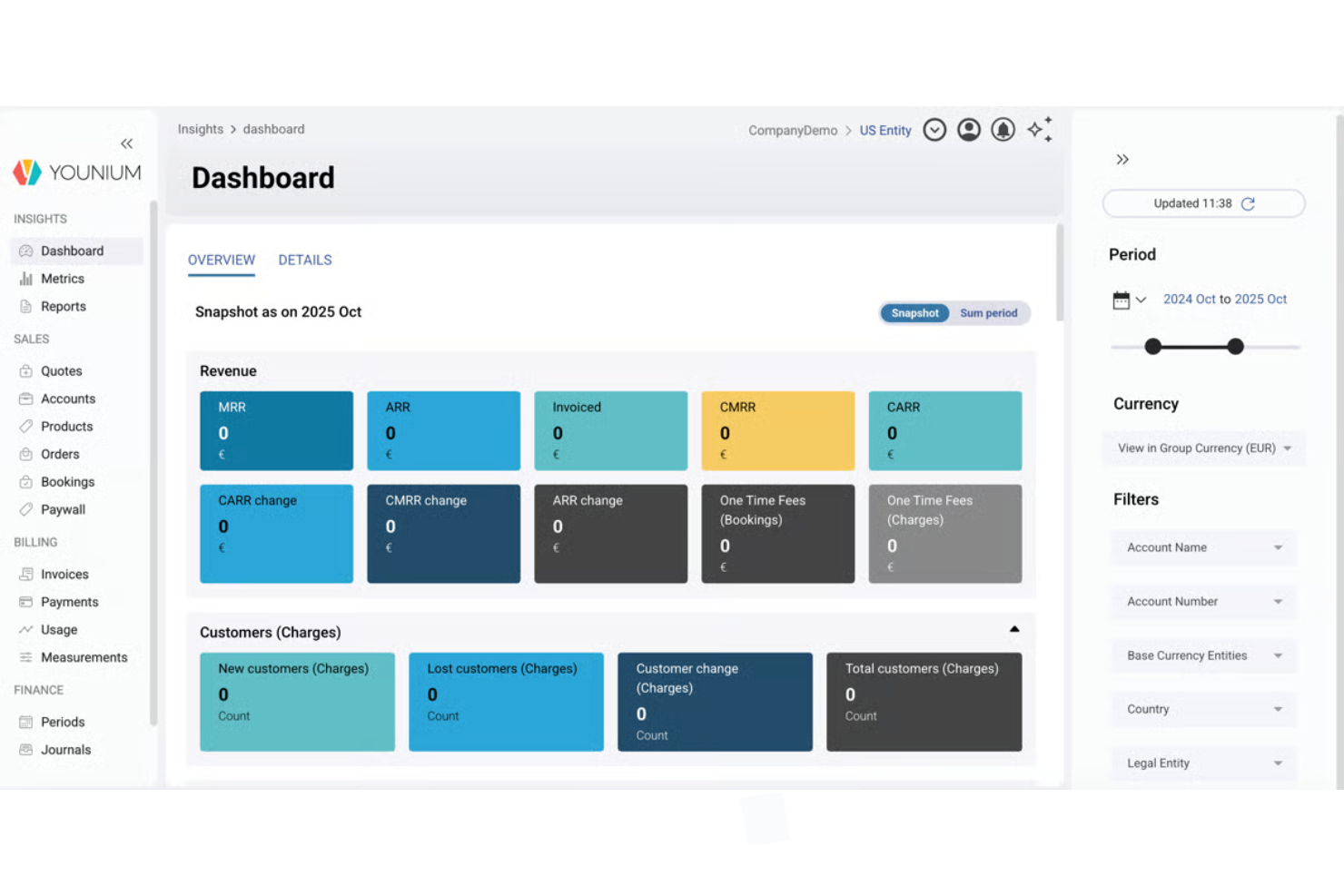
| User Interface | Offers a clean dashboard with customizable views for subscription management. | Features an intuitive layout with quick access to billing and reporting tools. |
| Onboarding | Guided, implementation-led onboarding with a dedicated CSM and “hypercare” period. | Structured onboarding with support and documentation (details vary by plan). |
| Navigation | Uses logical menus and search to help you find features quickly. | Streamlines navigation with clear tabs and minimal clicks to key actions. |
| Support Resources | Includes a detailed knowledge base and email support. | Supplies extensive documentation, video guides, and a dedicated help center. |
| Workflow Automation | Strong automation functionality across billing, revenue recognition, and financial processes. | Automation for billing, payments, and financial workflows. |
Younium is built for structured, finance-led workflows, which can make it feel more complex initially but powerful once fully implemented. Maxio is generally easier to pick up for new users, with a more approachable interface and faster time to value. If your team prioritizes control and financial accuracy, Younium stands out—while Maxio is better suited for teams that want a smoother, quicker onboarding and self-service experience.
Younium vs Maxio: Pros & Cons
Younium
- End-to-end automation across billing, invoicing, payments, and dunning processes.
- Built-in revenue recognition aligned with ASC 606 and IFRS 15, with audit-ready financial workflows.
- Strong support for complex B2B subscription models, including usage-based, tiered, and milestone billing.
- Pricing is not publicly available and requires a quote, which hinders upfront evaluation.
- May feel overly complex for companies with basic or low-volume billing needs.
- Implementation is structured and guided, which can make onboarding longer than simpler, self-serve tools.
Maxio
- Offers multi-entity support for global or multi-brand businesses.
- Automates revenue recognition for GAAP and IFRS compliance.
- Handles complex subscription and usage-based billing scenarios.
- Pricing may be high for small or early-stage companies.
- API documentation can be difficult for developers to navigate.
- Reporting customization is limited compared to some competitors.
Best Use Cases for Younium and Maxio
Younium
- B2B SaaS Companies Supports complex customer subscriptions, including upgrades, downgrades, usage-based pricing, and renewals.
- Finance-Led Organizations Designed for CFOs and finance teams that need accurate reporting, audit trails, and ASC 606/IFRS 15–compliant revenue recognition.
- Companies With Evolving Subscription Contracts Handles contract changes, proration, add-ons, and multi-component pricing within a single subscription structure.
- Mid-Market and Enterprise Businesses Best suited for organizations with dedicated finance resources and more complex operational requirements.
- Product-Led Growth (PLG) Companies Supports self-service signup, checkout (via paywall), and subscription changes without heavy sales involvement.
- Multi-Entity or Multi-Currency Operations Supports global operations with multiple legal entities, currencies, and localized tax configurations.
Maxio
- SaaS Startups Maxio automates subscription billing and revenue recognition for SaaS models.
- Growing Mid-Market Businesses Companies scaling revenue operations benefit from automation without requiring a highly complex implementation.
- Finance Departments Finance teams benefit from audit-ready revenue recognition and compliance tools.
- Multi-Entity Businesses (with higher tiers) Supports multi-entity billing and reporting, though typically in more advanced plans.
- Global SaaS Operations Supports multi-currency billing and international payment workflows.
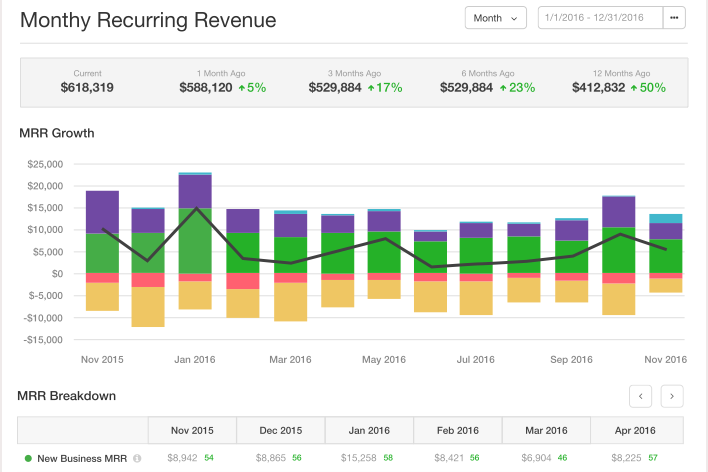
- Companies Focused on SaaS Metrics Strong reporting for metrics like MRR, ARR, cohorts, and revenue trends.
Who Should Use Younium, And Who Should Use Maxio?
Younium is the best fit for finance teams managing complex subscription models, especially in mid-market to enterprise SaaS or global B2B companies that need advanced controls, deep integrations, and strong compliance. If you’re dealing with evolving contracts, usage-based pricing, and strict revenue recognition requirements (like ASC 606 or IFRS 15), Younium gives your finance team the structure, control, and audit readiness needed to scale while supporting end-to-end quote-to-cash workflows. It’s a strong fit when finance leads the buying decision, and you need a dedicated subscription system-of-record alongside your CRM and ERP.
Maxio is a better fit for growing SaaS businesses and providers that want a balance of power and accessibility without the same level of implementation complexity. If your team values faster onboarding, a more intuitive interface, and packaged subscription billing and financial workflows, Maxio offers a smoother path to getting up and running. It works well for companies that still need robust subscription management and revenue capabilities, including forecasting and renewals, but prefer a more streamlined, less finance-heavy approach.
Differences Between Younium and Maxio
| Younium | Maxio | |
|---|---|---|
| AI Capabilities | Includes AI Contract Import Agent and MCP for AI data access. | No comparable native AI positioning highlighted. |
| Core Positioning | Subscription system-of-record for finance teams for better visibility and churn reduction. | Billing + financial operations platform for SaaS companies. |
| Pricing Model | Uses custom, quote-based pricing tailored to your business needs. | Offers tiered pricing with clear feature sets. |
| Subscription Management | Designed for highly complex, evolving B2B subscription contracts with strong lifecycle control. | Supports complex billing but with a more packaged and structured approach to monetization. |
| User Experience | Structured and powerful, but can require a learning curve. | Emphasizes ease of use and fast onboarding for new users. |
| Visit YouniumOpens new window | Read Maxio ReviewOpens new window |
Similarities Between Younium and Maxio
| Automated Billing | Both automate recurring billing cycles, reducing manual work and minimizing errors for finance teams. |
|---|---|
| Compliance Support | Each platform supports SOC 2 compliance and provides audit trails to help you meet regulatory requirements. |
| Payment Integrations | Each integrates with major payment processors like Stripe and supports seamless transaction management. Both support multi-currency environments. |
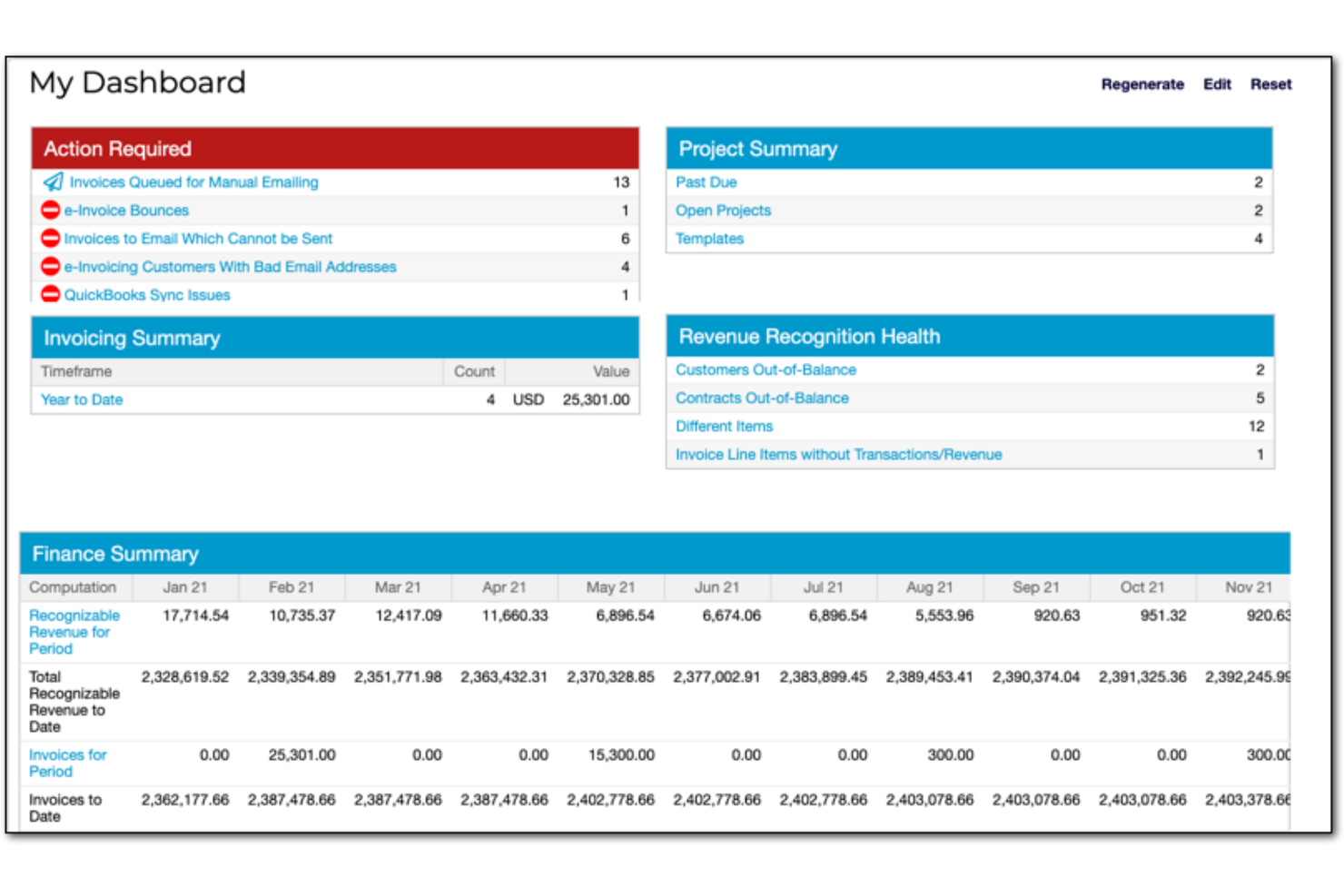
| Real-Time Reporting | Both offer real-time dashboards and customizable reports for tracking revenue, billing, and customer data. |
| Role-Based Access | Both provide granular user permissions and SSO options to ensure secure, controlled access for your team. |
| Visit YouniumOpens new window Read Maxio ReviewOpens new window | |