
26 Best Accelo Alternatives Reviewed in 2026

Best Accelo Alternatives Shortlist
Here’s my shortlist of the best Accelo alternatives:


As a product manager, you likely have to juggle multiple tasks and projects, and your current tools might not be cutting it. If Accelo isn't meeting your needs, you're not alone. Many teams seek alternatives to tackle unique challenges, such as project visibility, budget management, or team collaboration.
In my experience testing software, I've found that the right tool can make a world of difference. I aim to provide you with unbiased, well-researched reviews of the best Accelo alternatives. You'll discover options that may be better suited to your team's specific needs and preferences.
In this guide, I cover top picks, highlighting their unique project management features and how they can simplify your workload.
What Is Accelo?
Accelo is a professional services automation software that helps businesses manage projects, clients, and billing in one platform. It's commonly used by consultants, agencies, and service providers who need to centralize their operations and improve efficiency. Project management, client tracking, and automated billing capabilities help with organizing tasks and ensuring timely deliveries. Overall, Accelo offers a centralized solution to keep your projects and client interactions on track.
Best Accelo Alternatives Summary
This comparison chart summarizes pricing details for my top Accelo alternative selections to help you find the best one for your budget and business needs.
| Tool | Best For | Trial Info | Price | ||
|---|---|---|---|---|---|
| 1 | Best for all-in-one business tools | Free plan + free demo + 7-day free trial available | From $9/user/month (billed annually) | Website | |
| 2 | Best for unlimited team access | Free trial available | From $19/month | Website | |
| 3 | Best for small-service-business bookings | Free demo + 14-day free trial available | From $29/month (billed annually) | Website | |
| 4 | Best for end-to-end client operations | Free demo + 7-day free trial available | From $29/month (billed annually) | Website | |
| 5 | Best for simple visual task boards | Free plan available | From $5/month (billed annually) | Website | |
| 6 | Best for PSA with financial insights | Free demo available | From $20/user/month (billed annually) | Website | |
| 7 | Best for team collaboration tools | Free plan available | From $11.95/month | Website | |
| 8 | Best for task automation features | Free plan available | From $10.99/user/month (billed annually) | Website | |
| 9 | Best for MSP service teams | Free demo available | Pricing upon request | Website | |
| 10 | Best for customizable workflows | Free plan + free demo + free trial available | From $37/month (billed annually) | Website |
Why Trust Our Software Reviews
-

LiveFlow
Visit WebsiteThis is an aggregated rating for this tool including ratings from Crozdesk users and ratings from other sites.4.9 -
Float Financial
Visit WebsiteThis is an aggregated rating for this tool including ratings from Crozdesk users and ratings from other sites.4.1 -
Rippling Spend
Visit WebsiteThis is an aggregated rating for this tool including ratings from Crozdesk users and ratings from other sites.4.8


Best Accelo Alternatives Reviews
Below are my detailed summaries of the best Accelo alternatives that made it onto my shortlist. My reviews offer a detailed look at the key features, pros and cons, integrations, and ideal use cases of each tool to help you find the best one for you.

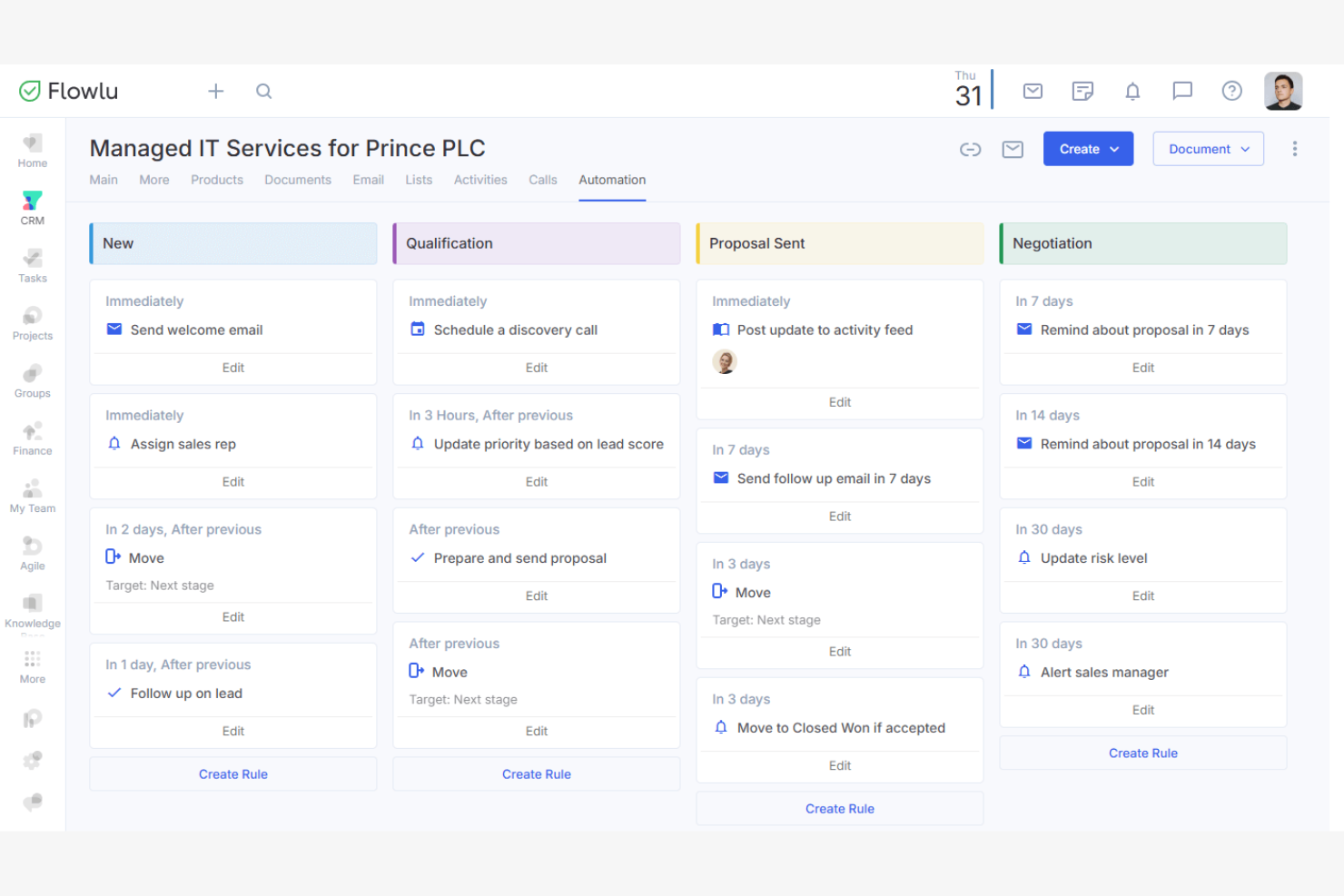
Flowlu is an all-in-one business management software that helps companies manage projects, finances, and CRM activities. It's designed for small to medium-sized businesses looking to centralize their operations.
Why it's a good Accelo alternative: Flowlu offers an integrated suite of tools that combine project management, finance tracking, and customer relationship management in one platform. The built-in CRM helps you manage client interactions and track sales. The financial management features provide insights into your business's financial health. This all-in-one approach eliminates the need for multiple separate tools, making it a cost-effective solution for managing various business functions.
Standout features and integrations:
Features include a task planner that helps you organize and prioritize your team's work with custom statuses and fields. The invoicing feature allows you to create and send invoices directly from the platform. You can also use the knowledge base to store and share important information for your team and clients.
Integrations include Slack, Google Drive, Dropbox, Microsoft Outlook, Mailchimp, Trello, and more.
Pros and Cons
Pros:
- Built-in hub for knowledge management
- Strong budgeting and invoicing features
- All-in-one business management
Cons:
- Limited support for data-heavy teams
- Smaller native integration library

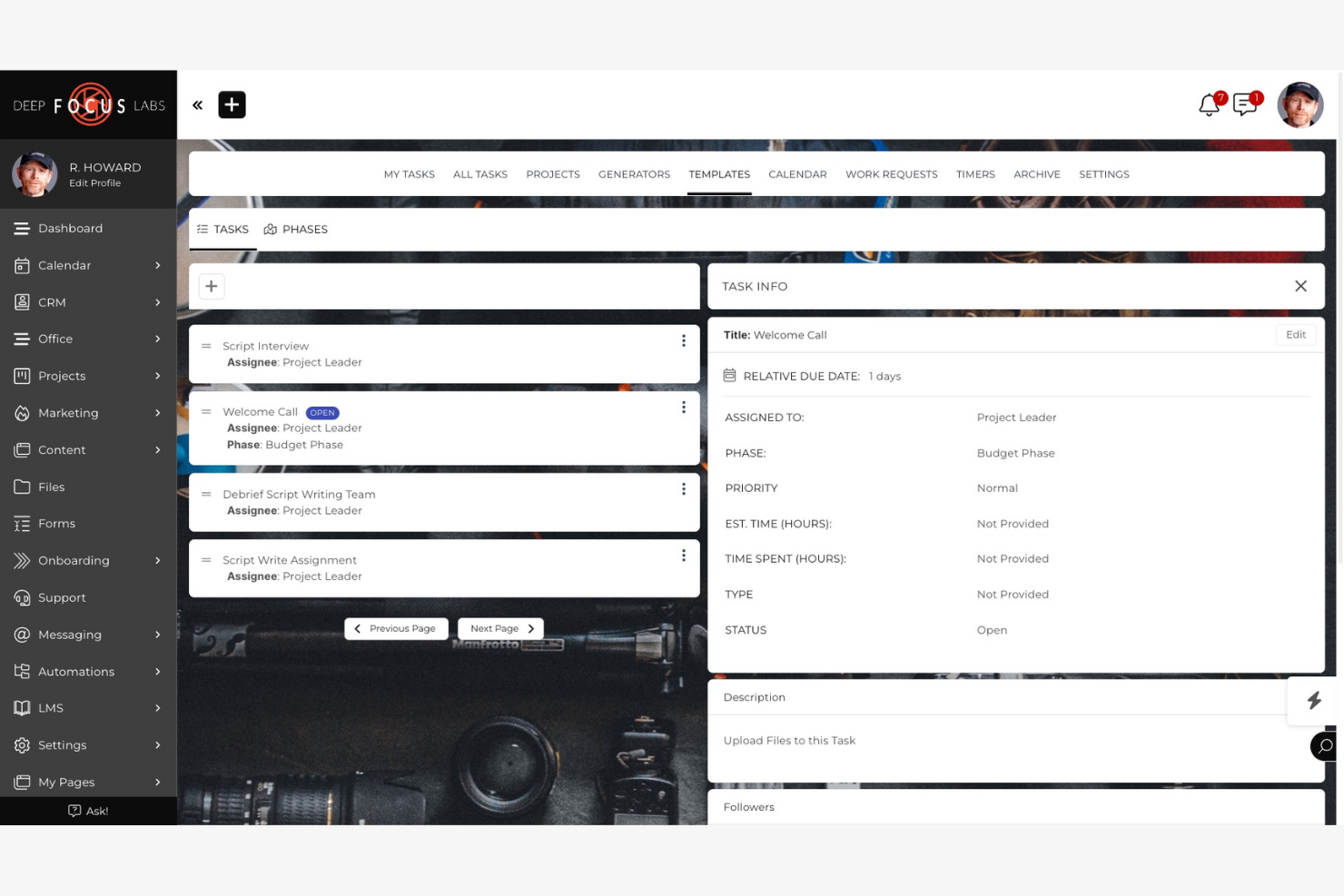
SuiteDash is an all-in-one business software that helps small to midsize businesses manage client interactions and operations. It serves as a platform for CRM, project management, billing, and more.
Why it's a good Accelo alternative: SuiteDash offers unlimited project, team, and client access under a single subscription, which is suitable for growing businesses. Its client portal, automated onboarding, and billing features provide a cost-effective solution for managing large teams. It is a flexible choice for businesses looking to expand.
Standout features and integrations:
Features include an automated CRM that helps manage client relationships and communication. The project dashboard enables you to assign tasks, track progress, and share updates. You can also use eSignature capabilities to save time during document-signing processes.
Integrations include QuickBooks Online, Stripe, PayPal, Zoom, Google Calendar, Zapier, and more.
Pros and Cons
Pros:
- Scalable for business growth
- Automated client onboarding
- Unlimited team and client access
Cons:
- Mobile app functionality gaps
- Email Deliverability Issues

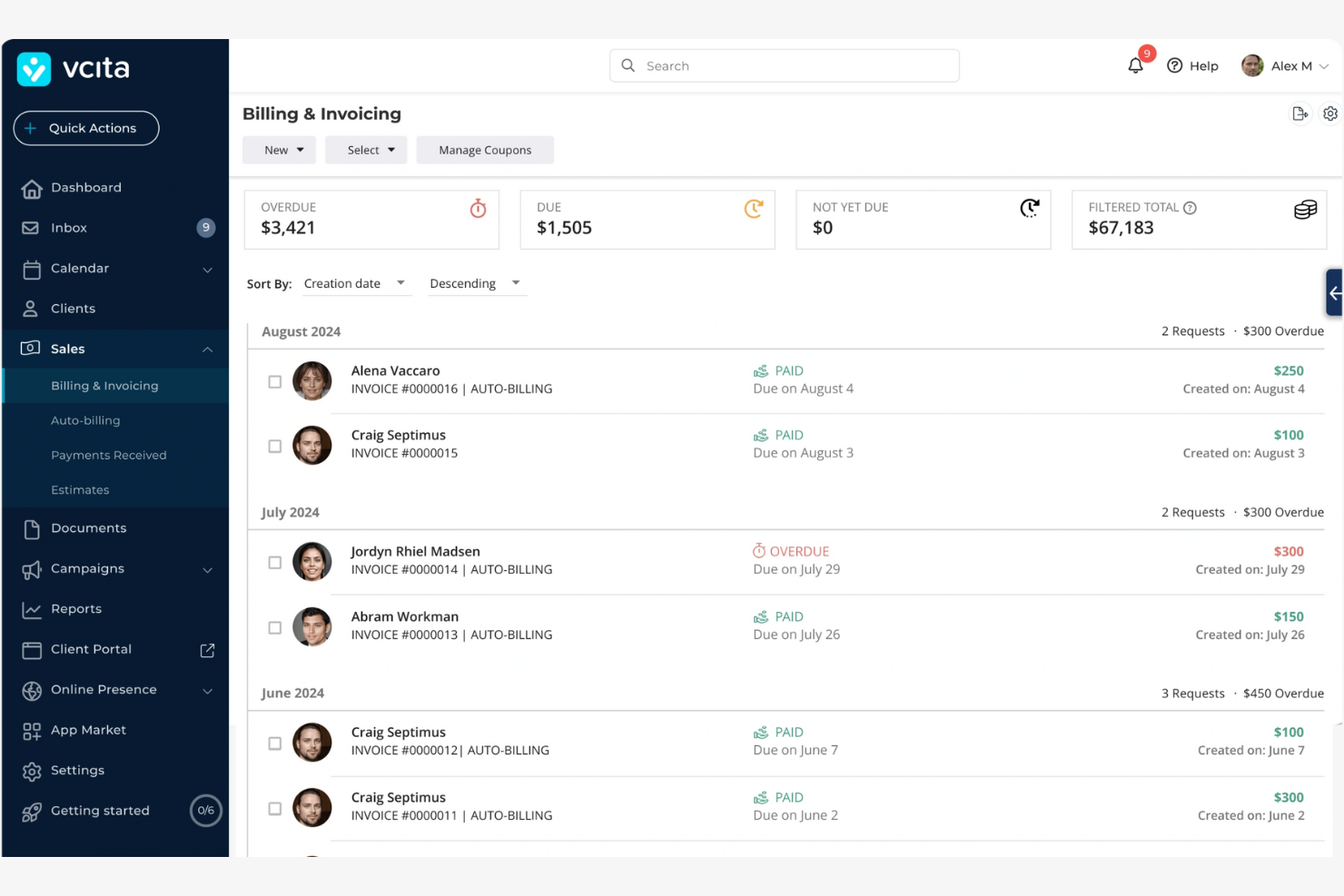
vcita is an all-in-one business management software designed for small service businesses. It's mainly used by consultants, coaches, and service professionals to manage client work and relationships, scheduling, and payments.
Why it's a good Accelo alternative: vcita allows service professionals to manage appointments, billing, and client communications in one place. The software's intuitive design helps simplify scheduling and payment processes, supporting your team in maintaining client satisfaction.
Standout features and integrations:
Features include a client portal that lets your clients book appointments and pay invoices online. Automated reminders ensure your clients won't miss an appointment. The software also offers marketing tools, such as intake forms and email campaigns, to help you engage your clients and grow your business.
Integrations include QuickBooks, Zoom, PayPal, Stripe, Square, Zapier, and more.
Pros and Cons
Pros:
- Marketing tools included
- Client portal with scheduling
- Client-focused management tools
Cons:
- Fewer advanced workflow rules
- Self-serve booking and intake forms

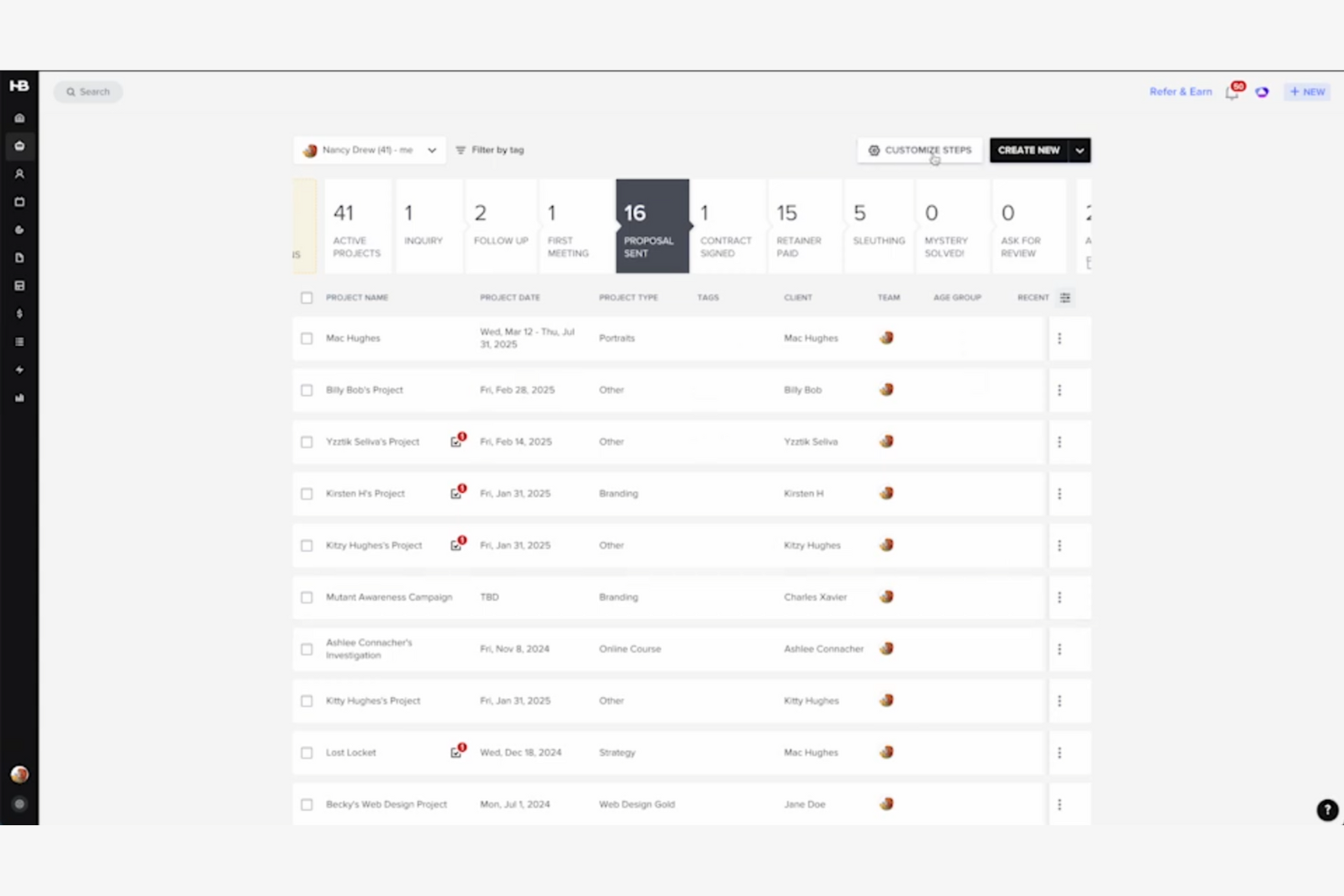
HoneyBook is a client management platform designed for creative entrepreneurs and freelancers. It helps users manage projects, book clients, and send invoices all in one place.
Why it's a good Accelo alternative: HoneyBook focuses on managing client relationships through its intuitive client portal, allowing you to communicate and collaborate with clients in a centralized location. Its scheduling and automation tools help you keep track of tasks and deadlines. The invoicing feature helps simplify billing, allowing you to create and manage invoices online.
Standout features and integrations:
Features include contract templates, which allow you to create and send contracts quickly. The time tracker helps you monitor billable hours. You can also use the calendar feature to organize appointments and manage meeting notes.
Integrations include Asana, Slack, QuickBooks, Zoom, Calendly, Canva, Prismm, Acuity, and more.
Pros and Cons
Pros:
- Tailored for creative professionals
- Automated proposals and contracts
- Contract-to-invoice workflow automation
Cons:
- Limited forecasting features
- Limited multi-team support
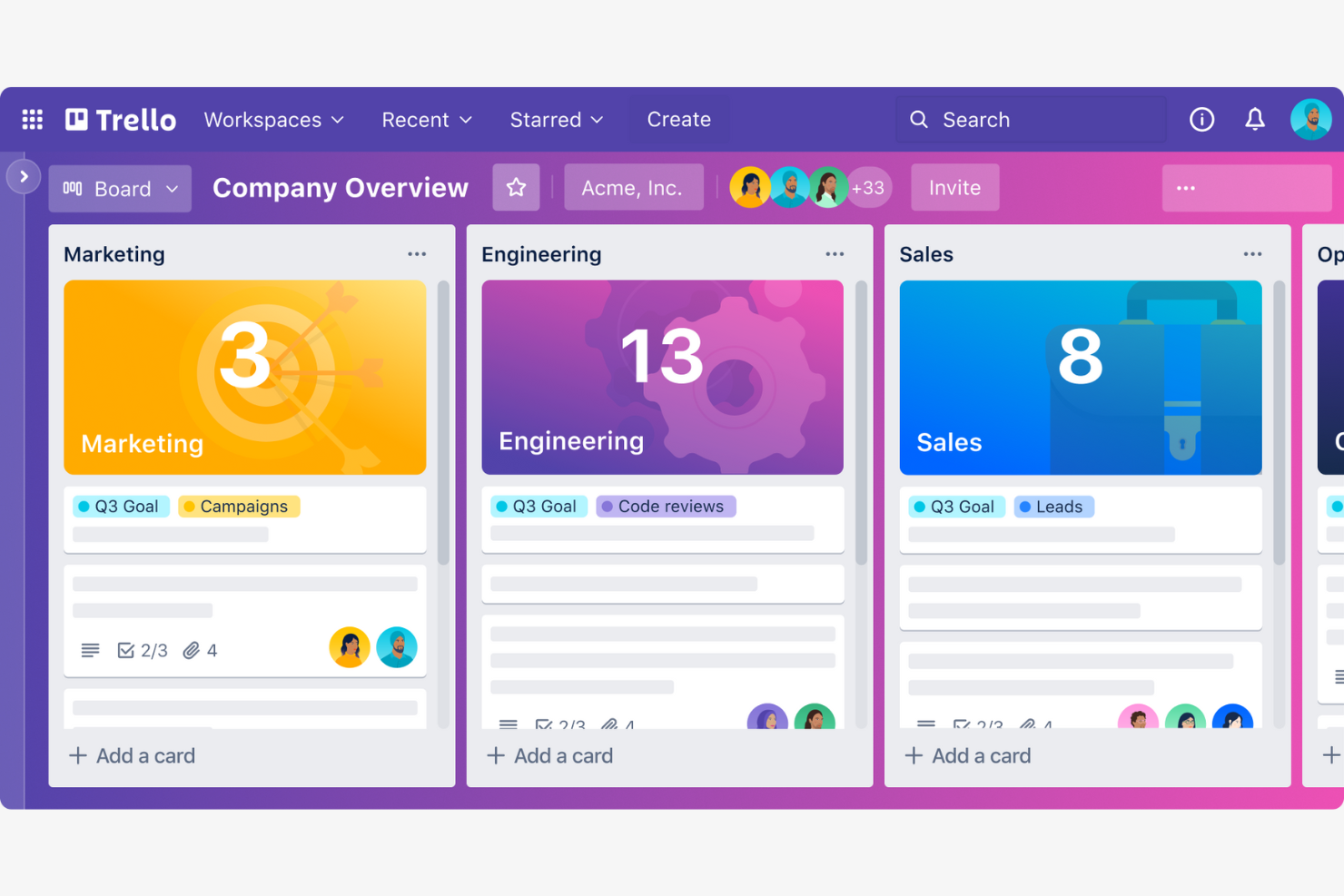
Trello is a visual collaboration tool that helps teams organize projects using boards, lists, and cards. It's designed for teams looking for a simple way to manage tasks and workflows.
Why it's a good Accelo alternative: Trello's visual task management system allows you to see your projects at a glance. Its drag-and-drop functionality allows for simple task organization and prioritization. You can customize boards to fit your team's workflow, providing a flexible solution for project management. Trello's straightforward interface makes it accessible for teams of all sizes.
Standout features and integrations:
Features include card attachments, which let you add files directly to tasks. The checklist feature helps break down tasks into smaller, manageable steps. You can also use the due dates feature to track time and help ensure tasks are completed by their deadlines.
Integrations include Slack, Google Drive, Microsoft Teams, Dropbox, Evernote, Salesforce, GitHub, Confluence, Zapier, and more.
Pros and Cons
Pros:
- Quick board setup
- Power-Ups marketplace flexibility
- Butler automation for boards
Cons:
- Limited task dependency controls
- Reporting needs add-ons

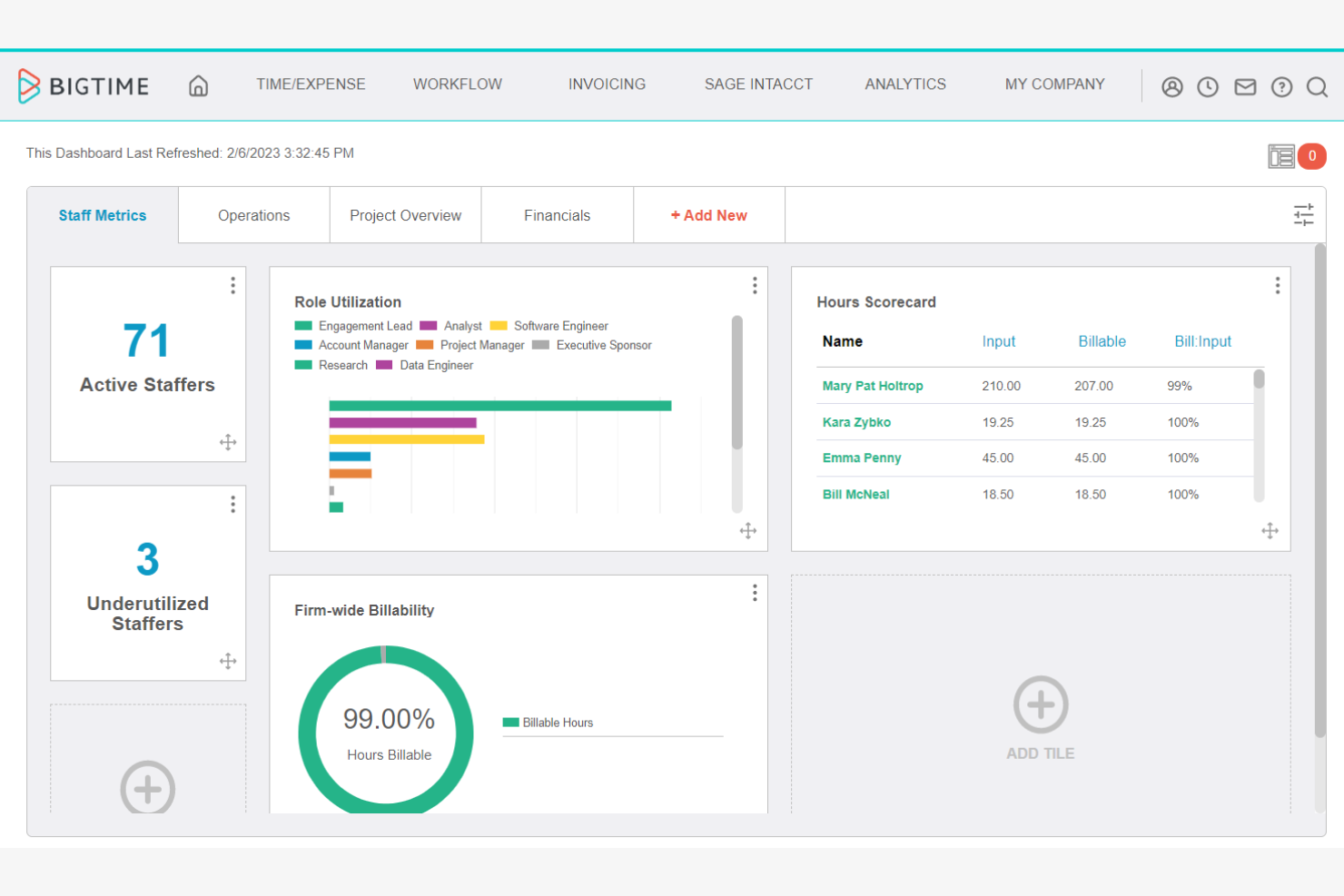
BigTime is a professional services automation software designed to help businesses manage time tracking, billing, and project management. It's mainly used by accounting, consulting, and professional services firms looking to optimize their operations.
Why it's a good Accelo alternative: BigTime offers detailed financial insights, allowing you to track project budgets and forecast financial performance. Its time-tracking and expense management features provide your team with precise billing capabilities. The platform's reporting tools can help you gain better visibility into your financial data.
Standout features and integrations:
Features include customizable dashboards that let you tailor your view for quick access to important data. The Task Editor can be used to assign tasks and track progress in one place. Budget-tracking tools help ensure that your team accurately records all costs and stays updated on project financial health.
Integrations include QuickBooks, Salesforce, Sage, HubSpot, BambooHR, Teamwork.com, and more.
Pros and Cons
Pros:
- Flexible time-entry support
- Precise billing capabilities
- Detailed financial insights
Cons:
- Limited advanced resource management
- Restricted custom fields/templates

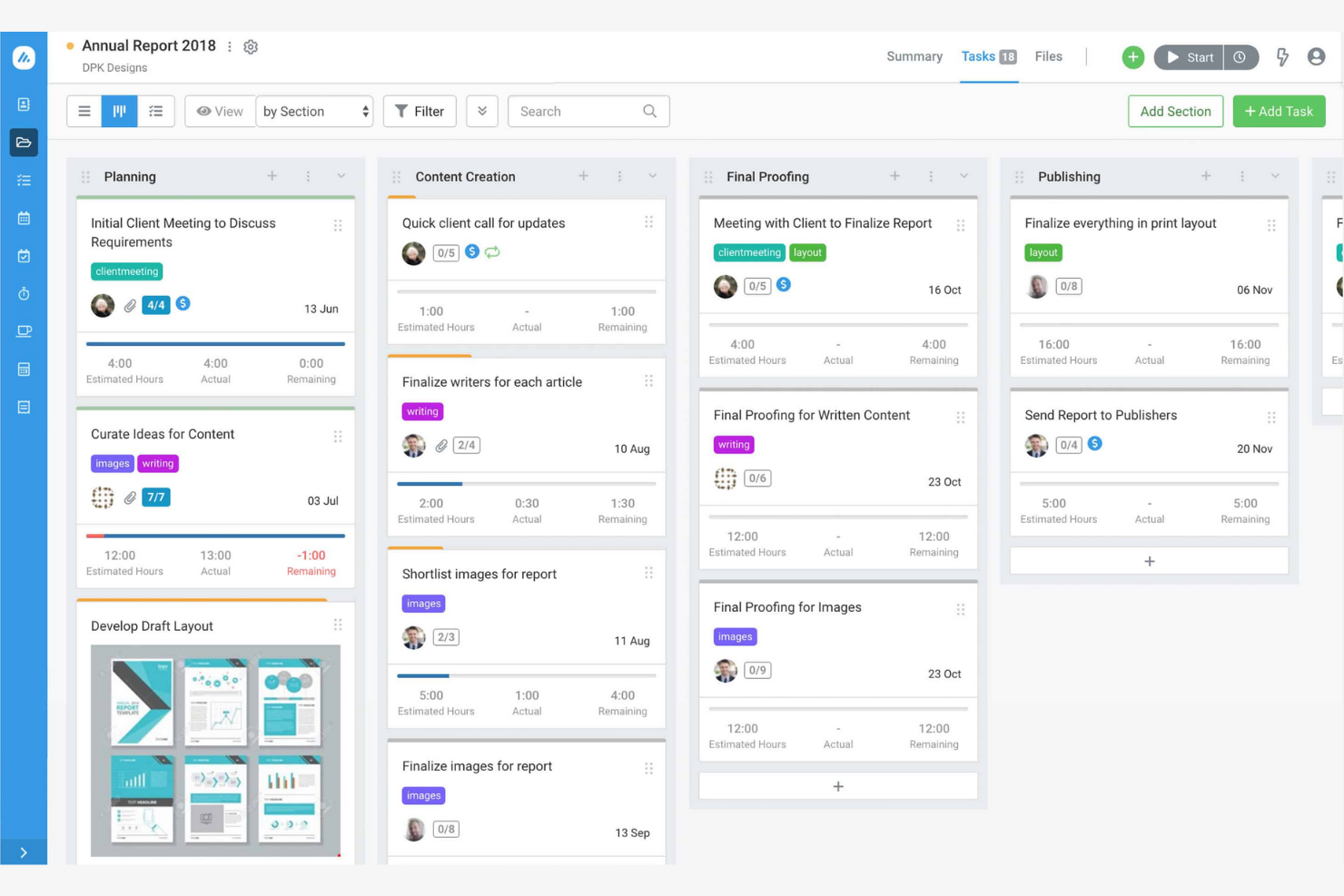
Avaza is a cloud-based software that offers project management, time-tracking, and expense management solutions for businesses. It's designed for teams looking to improve collaboration and workflow management.
Why it's a good Accelo alternative: Avaza provides various team collaboration tools that help your team communicate and share updates. Its task management features allow you to assign and track tasks and switch between kanban boards, Gantt charts, and task lists. The platform's time-tracking and expense management capabilities support accurate billing and budgeting.
Standout features and integrations:
Features include customizable invoices, which allow you to manage billing directly from the platform. The resource scheduling feature helps you allocate team members to projects based on availability. You can also use the visual reporting tools to gain insights into project performance, financial operations, and team productivity.
Integrations include Xero, GitHub, Google Workspace, Dropbox, Zapier, Stripe, and more.
Pros and Cons
Pros:
- Affordable pricing for small teams
- Flexible and configurable task views
- Built-in invoicing with time logs
Cons:
- Limited task dependencies for complex timelines
- Less advanced expense management tools
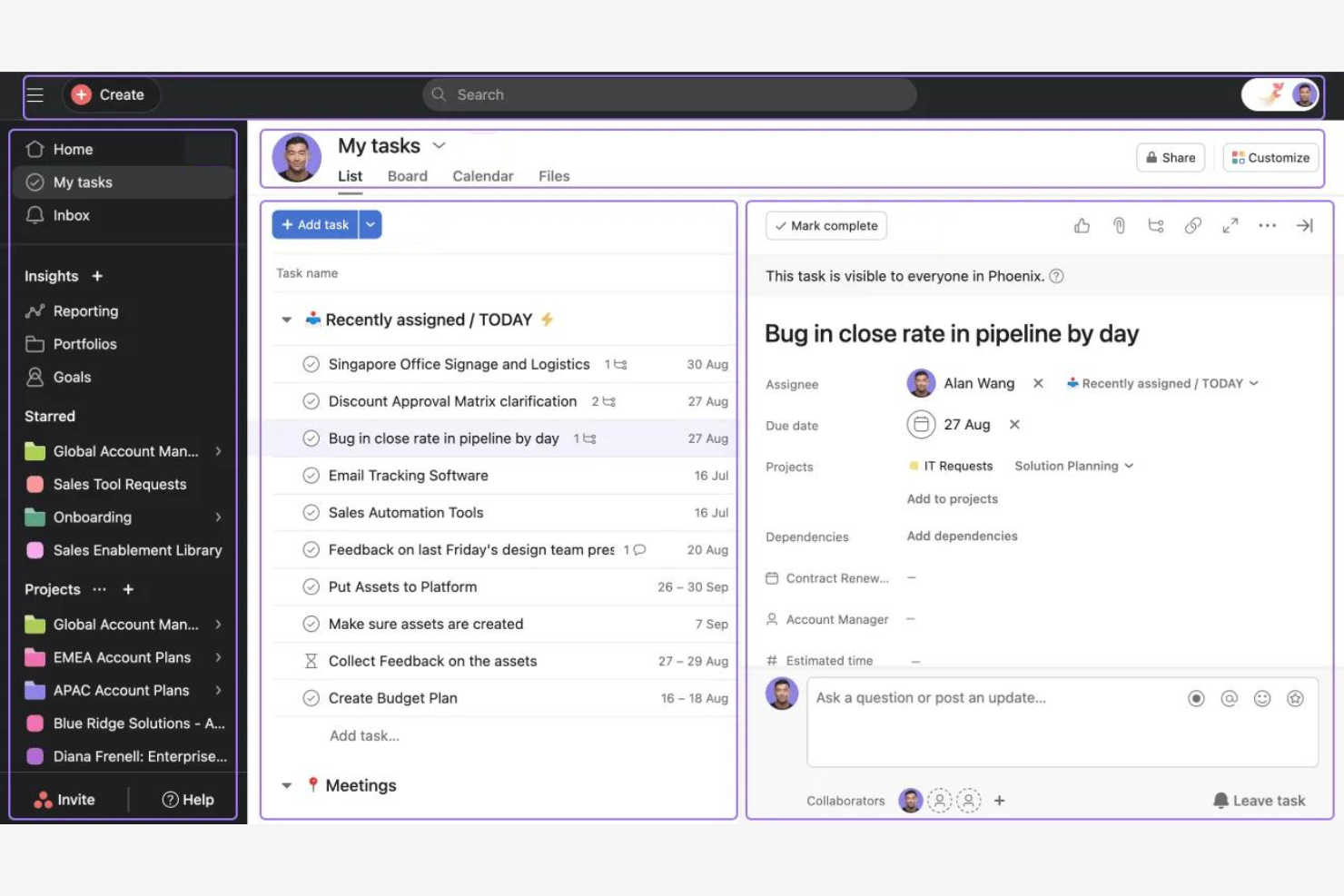
Asana is a project management tool that helps teams organize, track, and manage their work. It's widely used by teams across various industries to improve collaboration and project execution.
Why it's a good Accelo alternative: Asana's task automation features let you automate routine tasks, freeing up your team to focus on more important work. Its customizable workflows allow you to tailor project management processes to fit your team's specific needs. The platform offers time tracking via integrations that can help you coordinate tasks and deadlines.
Standout features and integrations:
Features include digital kanban boards and a timeline view, which give your team a live visual representation of project progress. The task dependencies feature can help you make sure that tasks are completed in the correct order. You can also use templates to set up new projects with predefined workflows.
Integrations include Slack, Microsoft Teams, Google Drive, Dropbox, Salesforce, Zoom, Jira Cloud, Outlook, Zendesk, Tableau, Figma, Zapier, and more.
Pros and Cons
Pros:
- Predefined project templates
- Visual project timelines
- Task automation capabilities
Cons:
- Advanced permissions need higher tiers
- Native time tracking missing

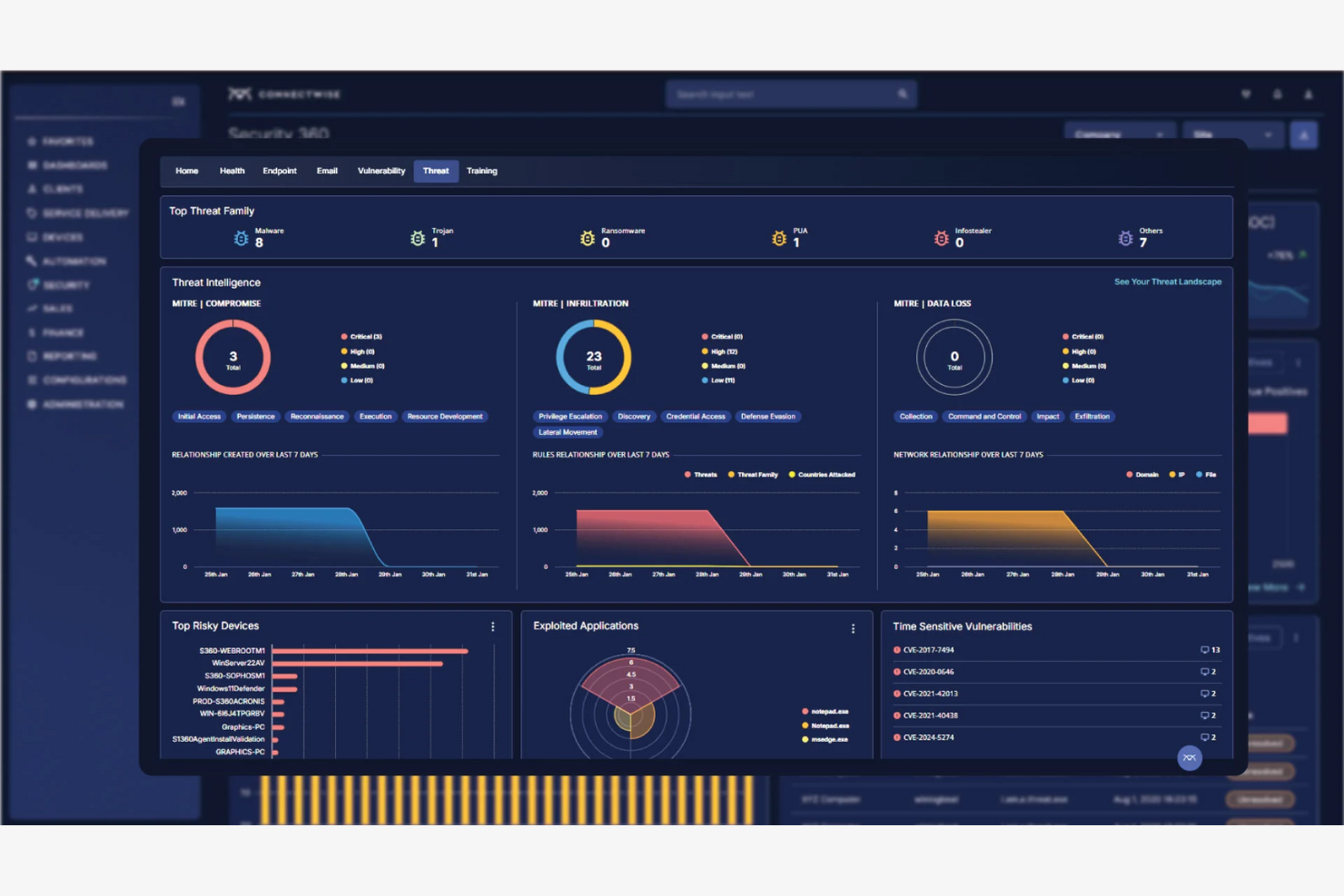
ConnectWise is a business management platform designed for IT service providers and managed service providers (MSPs). It helps teams with ticketing, project management, and client billing.
Why it's a good Accelo alternative: ConnectWise offers specialized tools for IT service management, allowing you to oversee help-desk operations and client relationships. Its automation features help reduce manual tasks, improving team productivity.
Standout features and integrations:
Features include service ticketing, which helps you track and resolve client issues. Project management tools, such as pre-built project templates and automatic notifications, enable you to plan and execute projects for fast delivery. You can also use the automated client billing feature to manage invoicing and payments.
Integrations include Microsoft Dynamics 365, QuickBooks, Slack, HubSpot, Xero, and more.
Pros and Cons
Pros:
- Strong support for high-volume service teams
- Advanced help-desk operations
- IT service management focus
Cons:
- IT-centric workflows only
- Features can be complex to configure

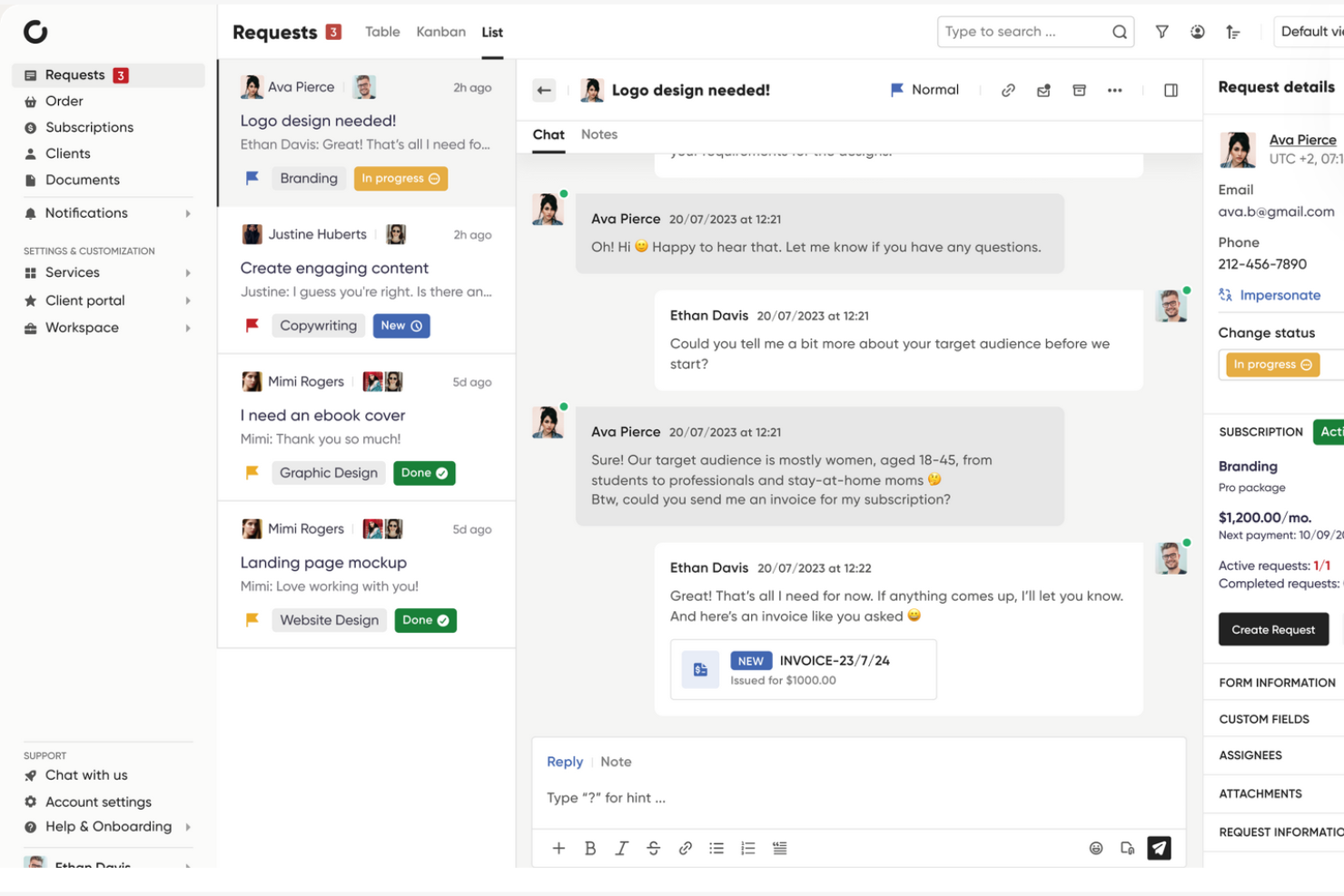
Zendo is an all-in-one platform designed for selling and delivering services, aimed at businesses looking to manage client interactions, orders, and payments. It's used by various industries such as web design, marketing, and development.
Why it's a good Accelo alternative: Zendo offers customizable workflows that allow you to tailor the platform to your service delivery process. Its client portal helps facilitate efficient communication and collaboration with your clients. The platform supports various payment methods, including credit card payments with Stripe and bank transfers, allowing you to offer clients flexible payment options. Zendo's white-label tools enable you to brand the platform according to your business needs.
Standout features and integrations:
Features include customizable order forms, which let you create unique forms for different services and data collection operations. Automated status triggers can help you keep your service delivery information up to date. The platform also offers real-time chat for direct communication with team members and clients.
Integrations include Stripe, Zapier, Slack, and more.
Pros and Cons
Pros:
- White-label branding options
- Stripe and bank transfers are supported
- Custom service order forms
Cons:
- Basic analytics visibility
- No built-in time tracking
Other Accelo Alternatives
Here are some additional Accelo alternatives that didn’t make it onto my shortlist but are still worth checking out:
- Kantata
For AI-driven project insights
- OneDesk
For integrating help-desk support
- Scoro
For profitability tracking
- Assembly
For employee recognition
- Quickbase
For building custom apps
- Projectworks
For managing billable hours
- Bloom
For client booking
- Kintone
For database-driven processes
- ClickUp
For customizable task views
- Basecamp
For unified communication system
- Tempo Portfolio Manager
For predictive scheduling
- Monograph
For architecture and engineering firms
- Oracle NetSuite
For ERP solutions
- Workamajig
For creative ad agencies
- Ravetree
For utilization-driven planning
- ManyRequests
For product- and subscription-based services


Accelo Alternatives Selection Criteria
When selecting the best Accelo alternatives to include in this list, I considered common buyer needs and pain points related to professional services automation software products, such as project management efficiency and team collaboration. I also used the following framework to keep my evaluation structured and fair:
Core Functionality (25% of total score)
To be considered for inclusion in this list, each solution had to fulfill these common use cases:
- Manage project timelines
- Track billable hours
- Automate invoicing
- Handle client communications
- Provide reporting and analytics
Additional Standout Features (25% of total score)
To help further narrow down the competition, I also looked for unique features, such as:
- AI-driven insights
- Customizable workflows
- Real-time collaboration tools
- Advanced resource scheduling
- Industry-specific templates
Usability (10% of total score)
To get a sense of the usability of each system, I considered the following:
- Intuitive interface
- Ease of use and navigation
- Customization options
- Mobile accessibility
- Speed and performance
Onboarding (10% of total score)
To evaluate the onboarding experience for each platform, I considered the following:
- Availability of training videos
- Pre-built templates
- Interactive product tours
- Access to chatbots
- Live webinars
Customer Support (10% of total score)
To assess each software provider's customer support services, I considered the following:
- 24/7 support availability
- Response time
- Support channels offered
- Availability of a knowledge base
- Quality of help documentation
Value for Money (10% of total score)
To evaluate the value for money of each platform, I considered the following:
- Pricing transparency
- Features included in each plan
- Cost compared to competitors
- Discounts for annual billing
- Free trial or demo availability
Customer Reviews (10% of total score)
To get a sense of overall customer satisfaction, I considered the following when reading customer reviews:
- Overall satisfaction rating
- Feedback on customer service
- Reported issues or bugs
- Ease of implementation
- User recommendations
Why Look for an Accelo Alternative?
While Accelo is a good choice of professional services automation software, there are a number of reasons why some users may seek out alternative solutions. You might be looking for an Accelo alternative because…
- You need more customization options
- Your team requires better scalability
- You want advanced reporting features
- Your business operates outside of Accelo's supported regions
- You need a simpler user interface
- Your team prefers a different pricing model
If any of these sound like you, you've come to the right place. My list contains several professional services automation software options that are better suited for teams facing these challenges with Accelo and looking for alternative solutions.
Accelo Key Features
Here are some of the key features of Accelo to help you contrast and compare them with what alternative solutions offer:
- Project tracking and management: Organize and track your team's projects efficiently.
- Time tracking: Monitor billable hours to ensure accurate invoicing.
- Invoicing: Automate the billing process to save time and reduce errors.
- Client relationship management: Keep all client interactions and data in one place.
- Retainer management: Manage ongoing client retainers with ease.
- Workflow automation: Reduce repetitive tasks to boost productivity.
- Business intelligence analytics: Gain insights into your operations with detailed reports.
- Financial management: Track revenue and expenses to maintain financial health.
- Task tracking and management: Assign and monitor tasks to keep projects on track.
- Client portal: Provide clients with access to their project information and invoices.
What's Next:
If you're in the process of researching professional services automation software, connect with a SoftwareSelect advisor for free recommendations.
You fill out a form and have a quick chat where they get into the specifics of your needs. Then you'll get a shortlist of software to review. They'll even support you through the entire buying process, including price negotiations.