
14 Best AI Forecasting Tools Reviewed in 2026

Best AI Forecasting Tools Shortlist
Here’s my shortlist of the best AI forecasting tools:


Managing finances is no easy task, especially with the constant pressure to make accurate predictions. You need tools that can handle vast amounts of data and provide insights quickly. AI forecasting tools can help your team anticipate future trends and make informed decisions.
In my experience, AI capabilities such as predictive analytics and machine learning can transform how you approach forecasting. These tools can save time and reduce errors, allowing you to focus on strategy.
I'll guide you through the top AI forecasting tools on the market, highlighting their features and benefits. My goal is to give you an unbiased, well-researched review so you can choose the best solution for your needs.
Why Trust Our Software Reviews
Best AI Forecasting Tools Summary
This comparison chart summarizes pricing details for my top AI forecasting tool selections to help you find the best one for your budget and business needs.
| Tool | Best For | Trial Info | Price | ||
|---|---|---|---|---|---|
| 1 | Best for go-to-market strategies | Free demo available | Pricing upon request | Website | |
| 2 | Best for enterprise predictive planning using AI modeling | Free demo available | Pricing upon request | Website | |
| 3 | Best for AI-powered SMB financial forecasting and what-if analysis | Free demo available | Pricing upon request | Website | |
| 4 | Best for real-time financial forecasting powered by predictive AI insights | Free demo available | Pricing upon request | Website | |
| 5 | Best for machine learning–enhanced workforce forecasting | 30-day free trial + free demo available | Pricing upon request | Website | |
| 6 | Best for AI-driven continuous budgeting and forecasting | Free demo available | Pricing upon request | Website | |
| 7 | Best for AI-assisted financial forecasting and data automation | Free demo available | Pricing upon request | Website | |
| 8 | Best for AI-backed enterprise forecasting and scenario intelligence | Free demo available | Pricing upon request | Website | |
| 9 | Best for predictive financial planning with integrated AI analytics | Free demo available | Pricing upon request | Website | |
| 10 | Best for no-code AI forecasting models | Free demo available | Pricing upon request | Website |
-

LiveFlow
Visit WebsiteThis is an aggregated rating for this tool including ratings from Crozdesk users and ratings from other sites.4.9 -
Float Financial
Visit WebsiteThis is an aggregated rating for this tool including ratings from Crozdesk users and ratings from other sites.4.1 -
Rippling Spend
Visit WebsiteThis is an aggregated rating for this tool including ratings from Crozdesk users and ratings from other sites.4.8


Best AI Forecasting Tool Reviews
Below are my detailed summaries of the best AI forecasting tools that made it onto my shortlist. My reviews offer a detailed look at the key features, pros and cons, integrations, and ideal use cases of each tool to help you find the best one for you.

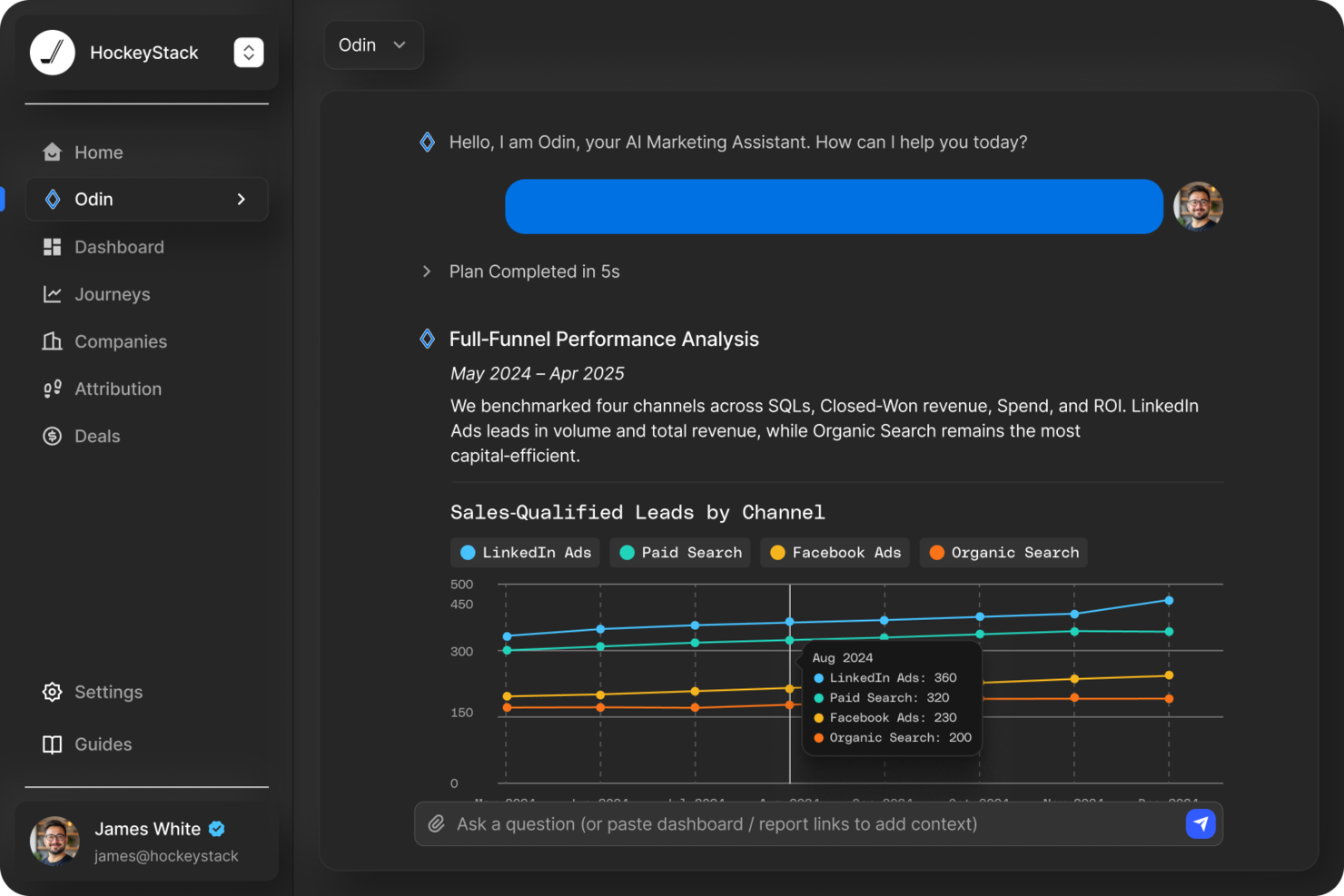
HockeyStack is designed to empower marketing and sales teams with AI-driven insights and data analytics, offering a solution for those seeking to enhance their go-to-market strategies. If you're a business professional in need of precise forecasting tools, HockeyStack might just be the key to unlocking actionable insights and improving your decision-making processes. By addressing the complex needs of revenue generation and strategic planning, it aims to bridge the gap between data and strategy.
Why I Picked HockeyStack
I picked HockeyStack for its unique ability to provide AI-driven forecasting solutions tailored specifically for go-to-market strategies. The platform's specialized AI model stands out by offering tools like the AE Forecast Challenger Agent, which is designed to improve sales forecasting accuracy. This, coupled with its deal resurrection and marketing budget optimization features, makes it an appealing choice for those looking to refine their sales processes and drive revenue growth.
HockeyStack Key Features
In addition to its AI-driven forecasting capabilities, HockeyStack offers:
- Account Pre-call Briefs: This feature ensures your sales team is well-prepared for calls by providing detailed insights into client accounts.
- Open Deal Next Best Step Generator: It identifies actionable steps to advance deals, helping you prioritize effectively.
- Expansion Opportunity Finder: This tool helps prioritize growth opportunities by analyzing market data and customer segments.
- Win/Loss Intelligence: It provides insights from previous deals to inform future sales strategies and improve win rates.
HockeyStack Integrations
Integrations include 6sense, Bombora, Demandbase, Salesforce Pardot, Marketo, HubSpot, Calendly, HeyFlow, BigQuery, Snowflake, Drift, Intercom, Google Ads, Facebook Ads, Salesforce, and ActiveCampaign.
Pros and Cons
Pros:
- Unifies marketing, product, and sales data
- Customizable attribution reporting across buyer journeys
- AI-driven insights support go-to-market decision-making
Cons:
- Advanced features may require onboarding time
- Pricing not publicly available

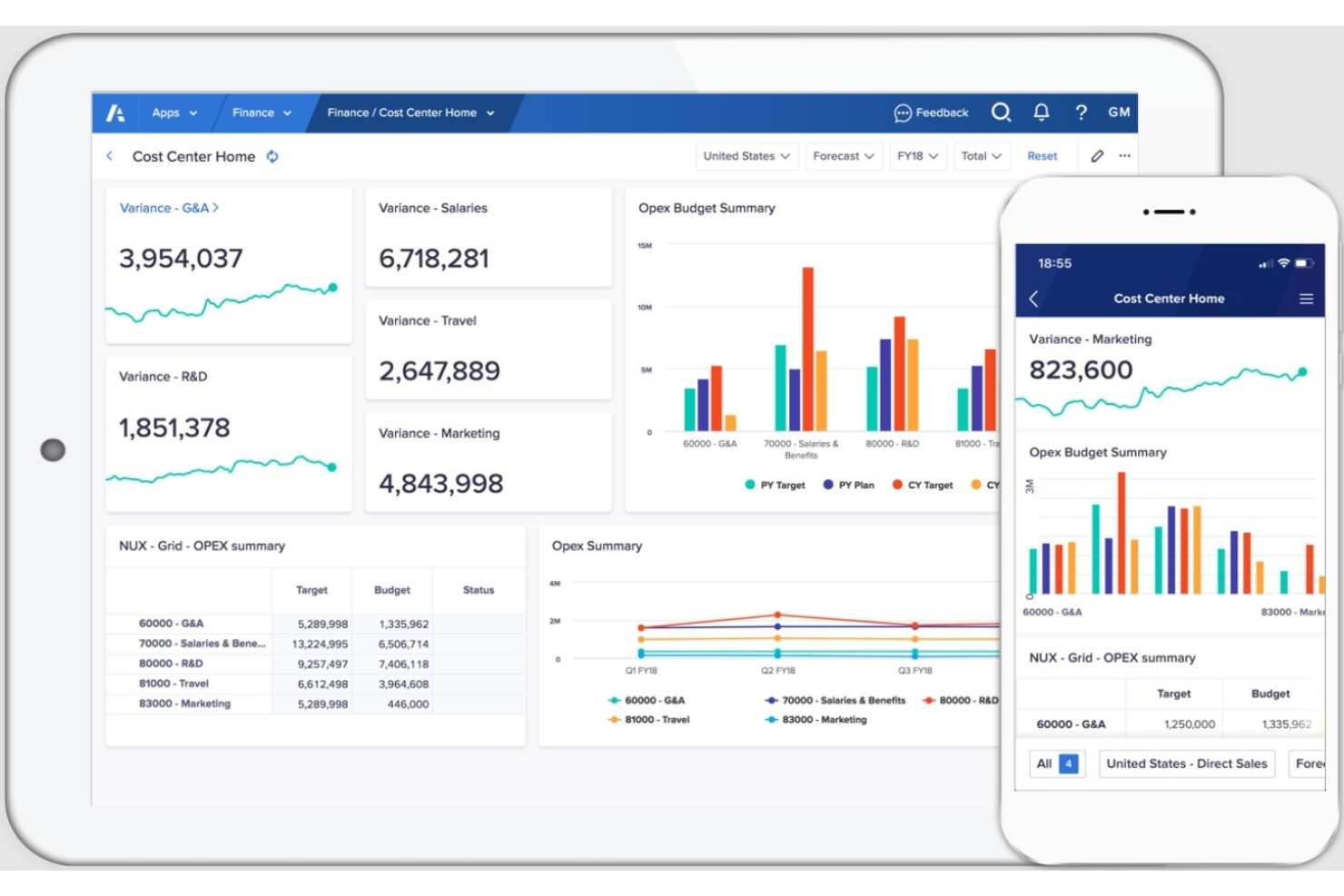
Anaplan is a cloud-based planning platform designed for large enterprises. It supports complex business functions like financial planning, supply chain management, and sales forecasting, leveraging AI to enhance decision-making processes.
Why I picked Anaplan: The platform excels in enterprise scalability, making it ideal for large organizations. Its AI-driven predictive analytics and scenario planning provide deep insights into future trends. These features allow your team to manage large datasets and complex business models efficiently. Anaplan's ability to scale and adapt to your company's needs ensures you stay ahead in a dynamic market.
Standout features and integrations:
Features include advanced forecasting models, collaborative planning, and real-time data updates. These features help your team make informed decisions quickly. You can customize models to fit your unique business requirements.
Integrations include Salesforce, Workday, Microsoft Azure, SAP, Oracle, Google Cloud, Tableau, DocuSign, Slack, and ServiceNow.
Pros and Cons
Pros:
- Flexible modeling options
- Real-time calculations incorporating finance and sales data
- Scalable for large enterprises
Cons:
- Complicated cost models are tied to data volume and complexity
- Steep learning curve and significant implementation requirements

Best for AI-powered SMB financial forecasting and what-if analysis
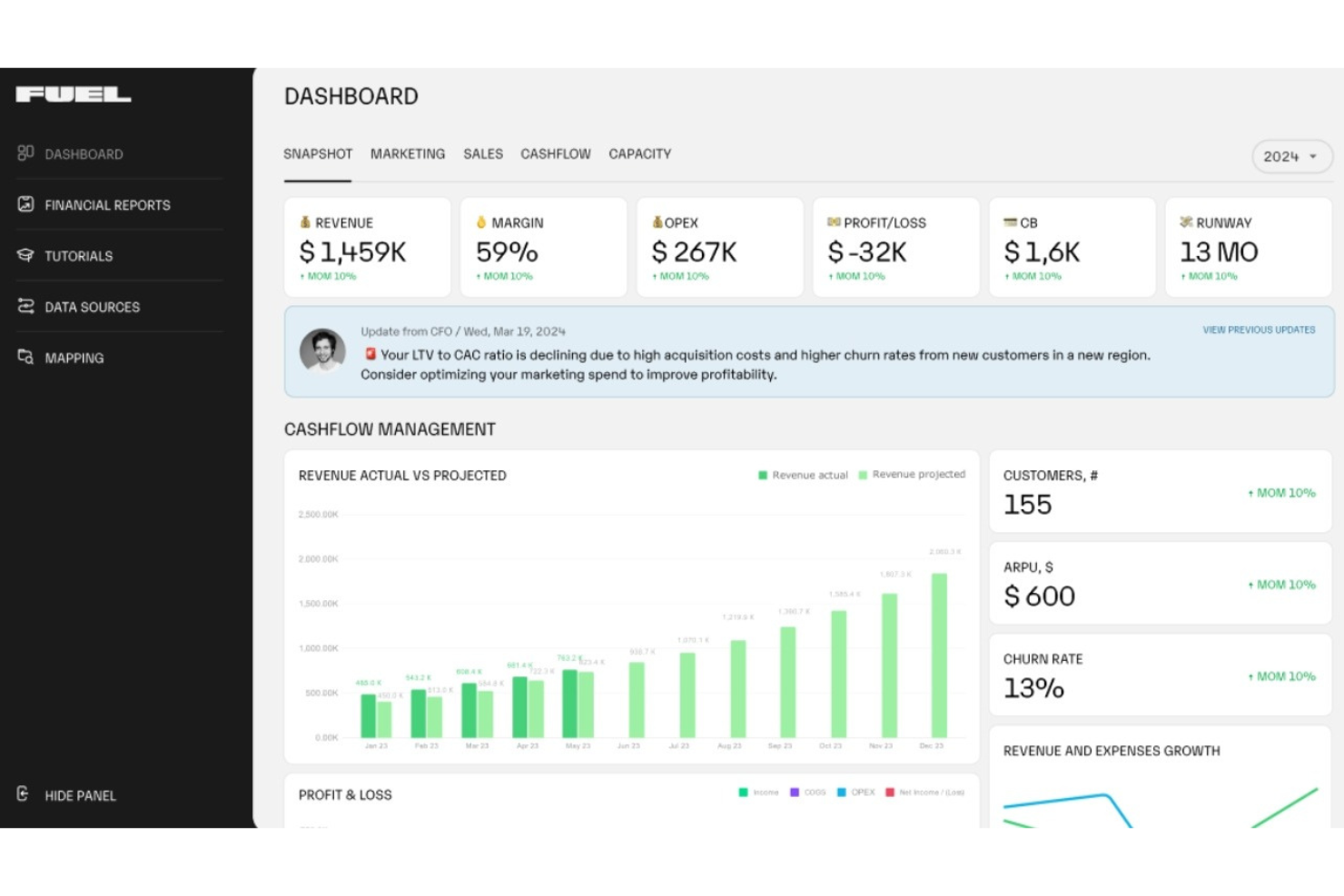
Fuelfinance, or Fuel, is a financial planning and analysis platform tailored for startups and small businesses. It offers AI capabilities such as real-time financial insights and automated reporting to help users manage their finances effectively.
Why I picked Fuelfinance: Fuel stands out for its focus on small to medium-sized businesses (SMBs), providing them with tools that are often reserved for larger enterprises. Its AI features include automated financial reporting and instant what-if analyses. These capabilities align well with its USP of being best for SMB financial planning. The AI CFO functionality offers personalized financial insights and guidance, making it a valuable tool for growing businesses.
Standout features and integrations:
Features include real-time dashboards, customizable reporting, and anomaly detection. These help you keep track of financial data and identify any irregularities. By giving you the ability to create custom dashboards through a simple chat interface, Fuelfinance ensures you have the insights you need.
Integrations include QuickBooks, Stripe, HubSpot, Salesforce, Xero, Zoho, Pipedrive, Shopify, Slack, Google Sheets, and more.
Pros and Cons
Pros:
- Real-time anomaly detection
- Extensive integration ecosystem
- AI-powered forecasting
Cons:
- Limited to SMBs
- Overwhelming feature density for new users
Best for real-time financial forecasting powered by predictive AI insights
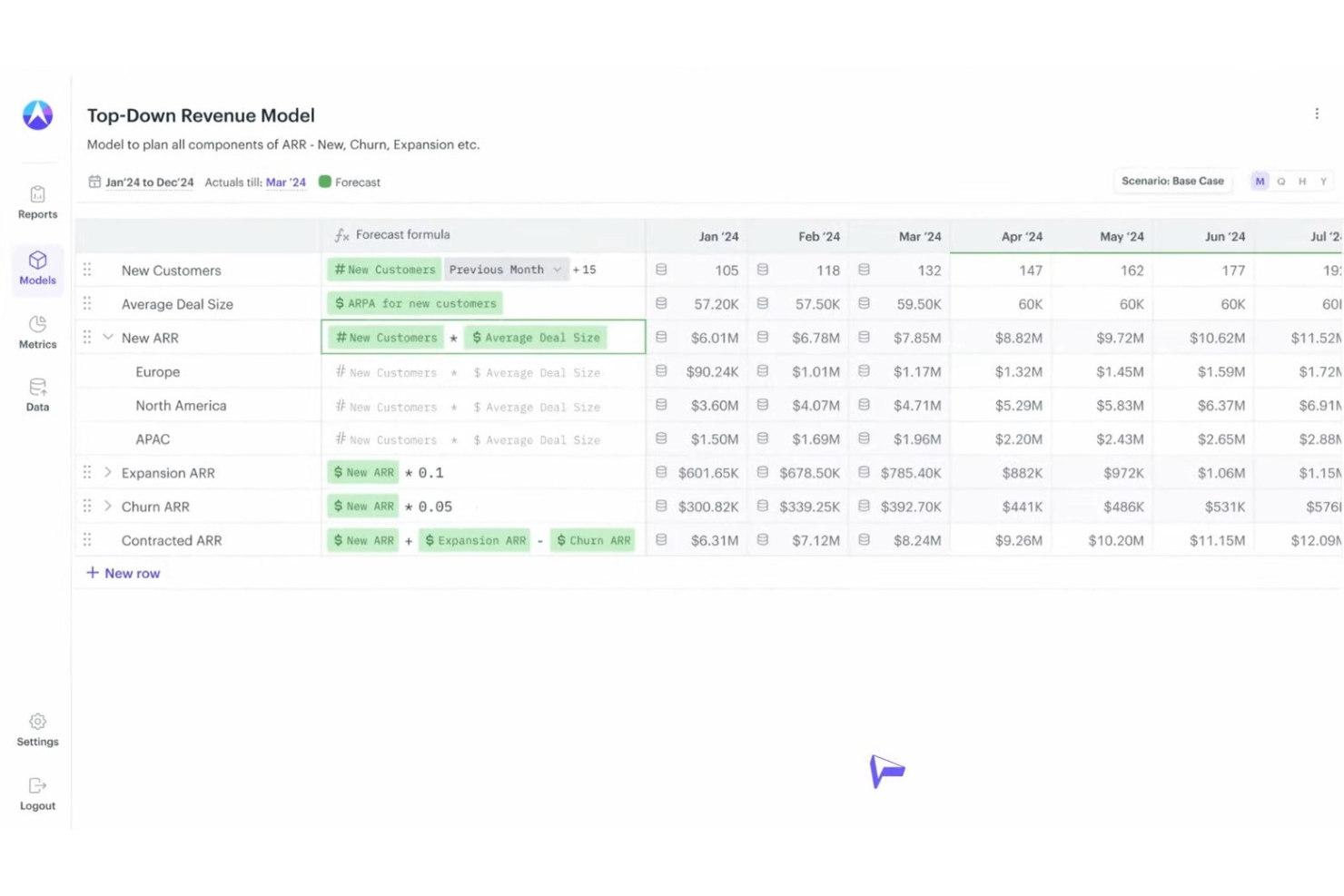
Drivetrain is a financial planning and analysis tool designed for businesses seeking agility in their financial processes. It caters to finance teams by offering real-time forecasting and scenario planning, leveraging AI for accurate insights.
Why I picked Drivetrain: Drivetrain's real-time forecasting capabilities make it a standout choice for dynamic financial environments. Its AI features include predictive analytics and automated scenario modeling, helping your team anticipate changes and adapt strategies. The tool allows you to visualize financial outcomes instantly, providing the flexibility needed in fast-paced markets. This ensures you can make swift, informed decisions that align with your business objectives.
Standout features and integrations:
Features include customizable dashboards, collaborative planning tools, and real-time data syncing, allowing your team to tailor insights to your business needs and work together efficiently.
Integrations include Salesforce, QuickBooks, Xero, Microsoft Dynamics, Google Sheets, Slack, HubSpot, NetSuite, Workday, SAP, and more.
Pros and Cons
Pros:
- Automated data ingestion
- Flexible scenario modeling
- Centralized actual/forecast data
Cons:
- Higher cost for smaller teams
- Complex mapping and alignment of data sources

Best for machine learning–enhanced workforce forecasting
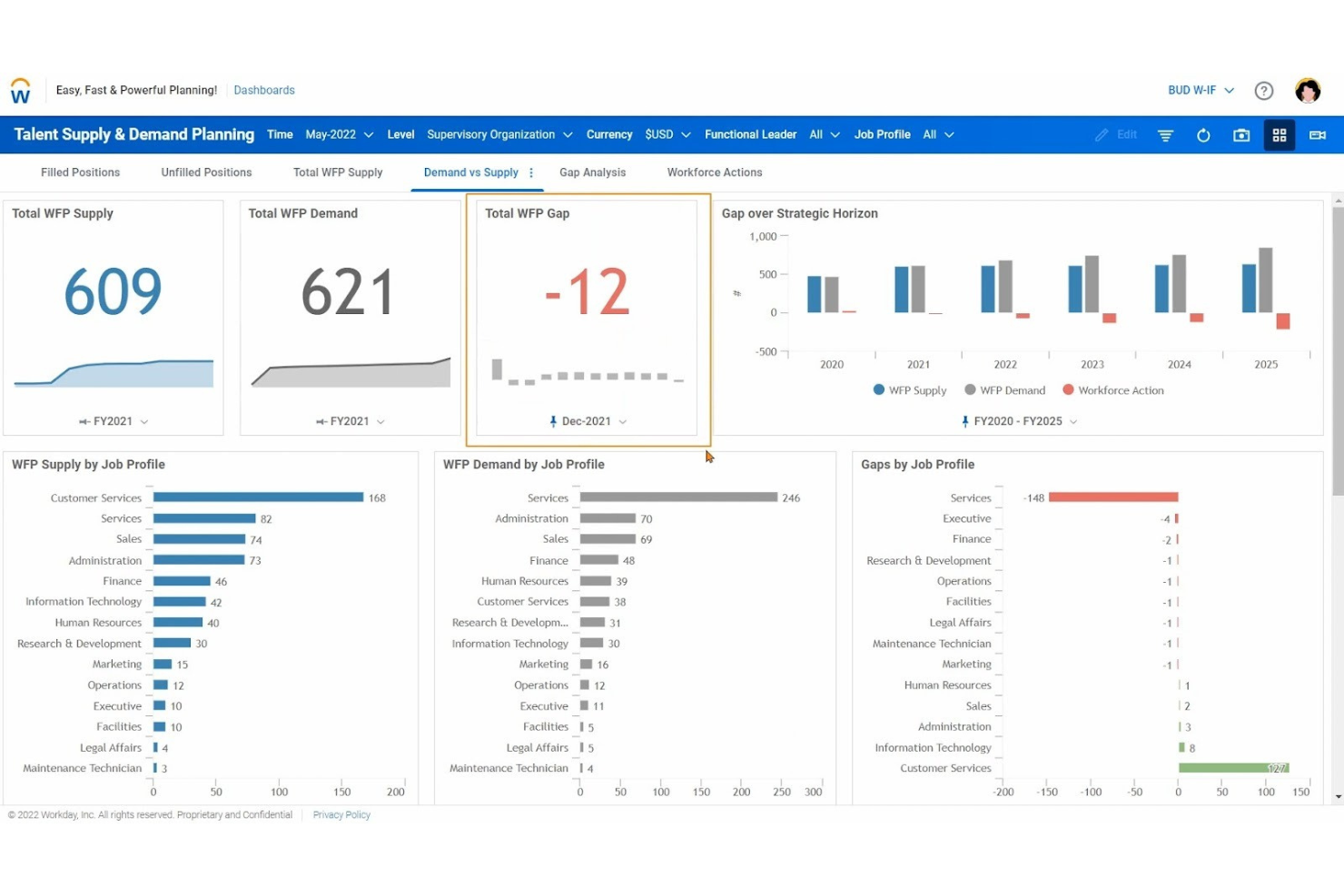
Workday Adaptive Planning is a business planning platform used primarily by mid-sized to large enterprises. It focuses on financial, workforce, and sales planning, utilizing AI to deliver data-driven insights and forecasting.
Why I picked Workday Adaptive Planning: The platform's emphasis on workforce planning sets it apart, offering tools that cater to HR and finance teams. Its AI-driven predictive analytics enhance your ability to forecast workforce needs effectively. You can leverage scenario modeling to explore different staffing strategies. These capabilities help your team make informed decisions about hiring and resource allocation.
Standout features and integrations:
Features include intuitive dashboards, drag-and-drop report building, and flexible budgeting tools. These features allow your team to visualize data clearly and create detailed financial reports. The predictive forecaster uses machine learning models to generate forecasts based on past performance, which can help you make data-driven decisions.
Integrations include Salesforce, Microsoft Excel, NetSuite, Oracle, SAP, Workday HCM, Google Workspace, ServiceNow, Slack, and more.
Pros and Cons
Pros:
- Flexible budgeting tools
- Real-time integrated forecasting
- Strong collaboration and data consolidation features
Cons:
- Interface is not as sleek as niche forecasting programs
- Can be complex for smaller teams

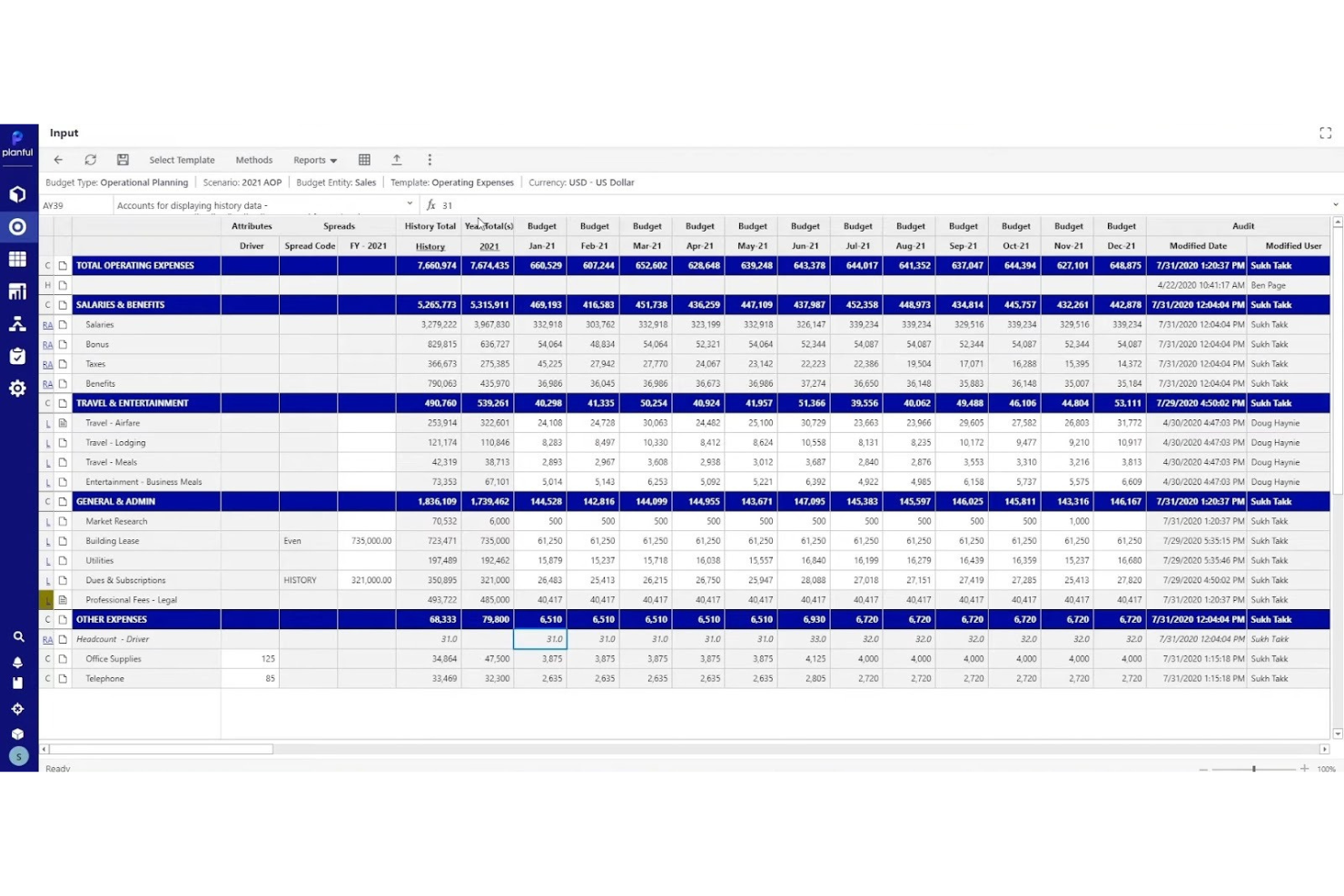
Planful is a cloud-based financial planning and analysis platform designed for finance teams across various industries. It focuses on budgeting, forecasting, and financial reporting, utilizing AI to enhance planning accuracy and efficiency.
Why I picked Planful: Planful excels in budgeting and forecasting, offering AI-driven insights to improve financial planning processes. Its AI features include automated modeling and predictive analytics that help your team create accurate forecasts. The platform's intuitive interface allows for easy scenario planning, which enables you to explore different financial outcomes. This ensures you can make informed decisions that align with your business goals.
Standout features and integrations:
Features include flexible reporting, conversational forecasting, and real-time data updates. These features allow your team to generate reports that meet specific needs and keep track of financial data. You can analyze various scenarios to understand the potential impacts of market conditions on your business.
Integrations include NetSuite, Salesforce, QuickBooks, Microsoft Dynamics, SAP, Oracle, Xero, Workday, and more.
Pros and Cons
Pros:
- Cloud-native automation
- Easy-to-use scenario planning
- Strong focus on budgeting and forecasting
Cons:
- Complex implementation and onboarding
- Limited native data integration

Best for AI-assisted financial forecasting and data automation
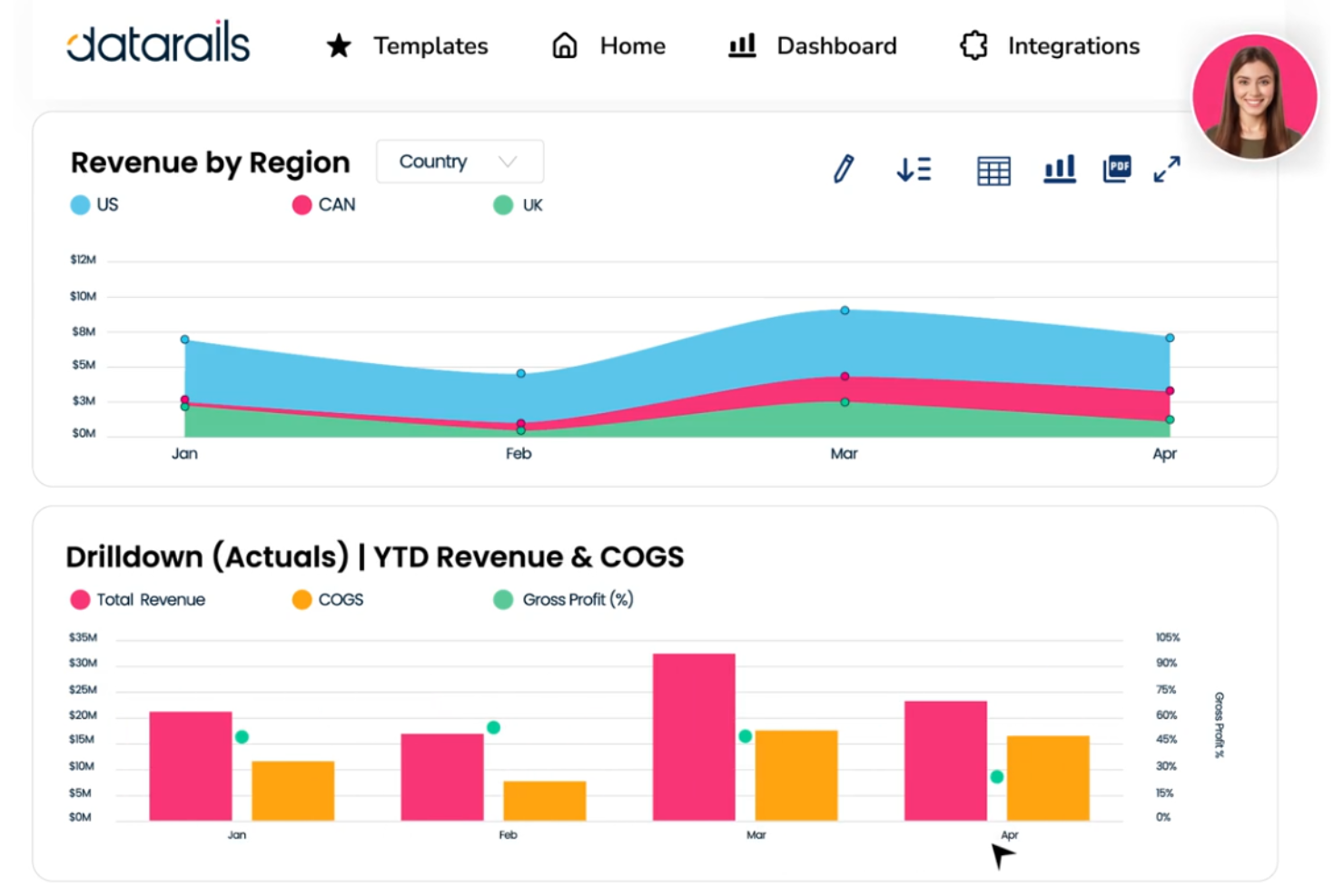
Datarails is a financial data management platform designed for finance teams looking to optimize their budgeting and reporting processes. It offers AI-driven solutions to enhance data accuracy and support financial workflows.
Why I picked Datarails: Datarails excels in financial data management, providing tools that are essential for maintaining data integrity. Its AI features include automated data consolidation and error detection, ensuring your financial reports are accurate. Predictive analytics can be used to help anticipate trends and make informed decisions. This focus on data management helps your team maintain control over financial processes and improve efficiency.
Standout features and integrations:
Features include customizable reporting and real-time data synchronization. These features help your team tailor reports to your needs and ensure data is always up to date. You can automate repetitive tasks, freeing up time for more strategic work.
Integrations include QuickBooks, NetSuite, SAP, Oracle, Microsoft Dynamics, Salesforce, Xero, Sage Intacct, Workday, and more.
Pros and Cons
Pros:
- Predictive analytics capabilities
- Automated error detection
- Strong focus on data management
Cons:
- Requires Excel proficiency, as advanced features are complex for non-spreadsheet users
- Limited dashboarding and visualization capabilities

Best for AI-backed enterprise forecasting and scenario intelligence
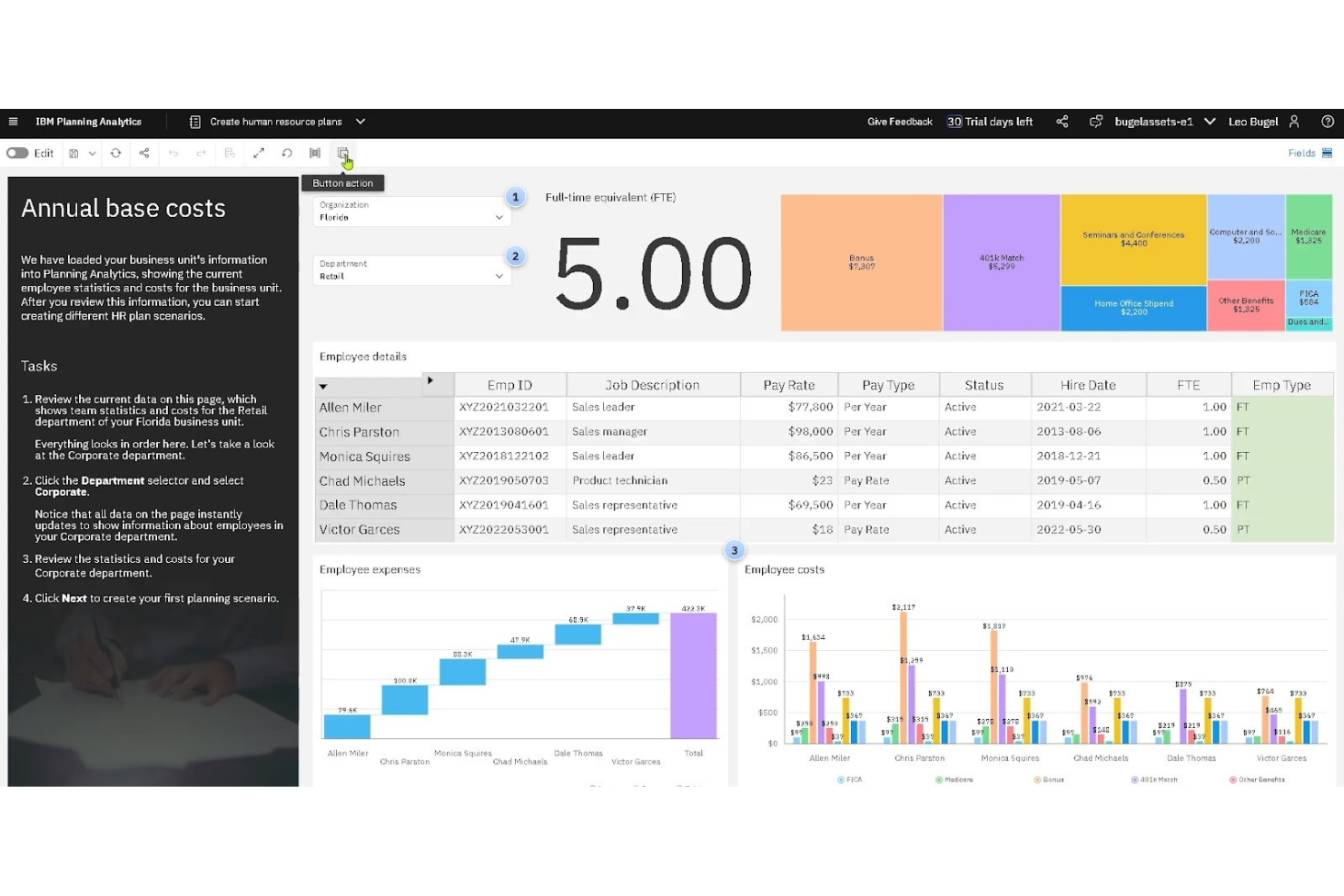
IBM Planning Analytics is a comprehensive business planning solution tailored for large enterprises. It excels in financial planning, budgeting, and forecasting, leveraging AI to enhance data integration and analytics.
Why I picked IBM Planning Analytics: The tool's strength lies in its data integration capabilities, making it ideal for complex enterprise environments. Its AI-driven analytics provide deep insights into financial data, allowing your team to make informed decisions. You can automate data consolidation and gain a unified view of your business metrics. These features ensure you have the information you need to optimize your planning processes.
Standout features and integrations:
Features include customizable dashboards, real-time data analysis, and demand planning. These features help your team visualize new data and assess different business scenarios effectively. The ability to create custom reports ensures you can tailor insights to your specific needs.
Integrations include SAP, Oracle, Salesforce, Microsoft Dynamics, Workday, NetSuite, Google Analytics, Tableau, IBM Watson, JD Edwards, and more.
Pros and Cons
Pros:
- Ability to handle complex planning models
- Automation of traditional forecasting methods
- Excel-native integration capabilities
Cons:
- Can be expensive for small businesses
- May require technical expertise for setup
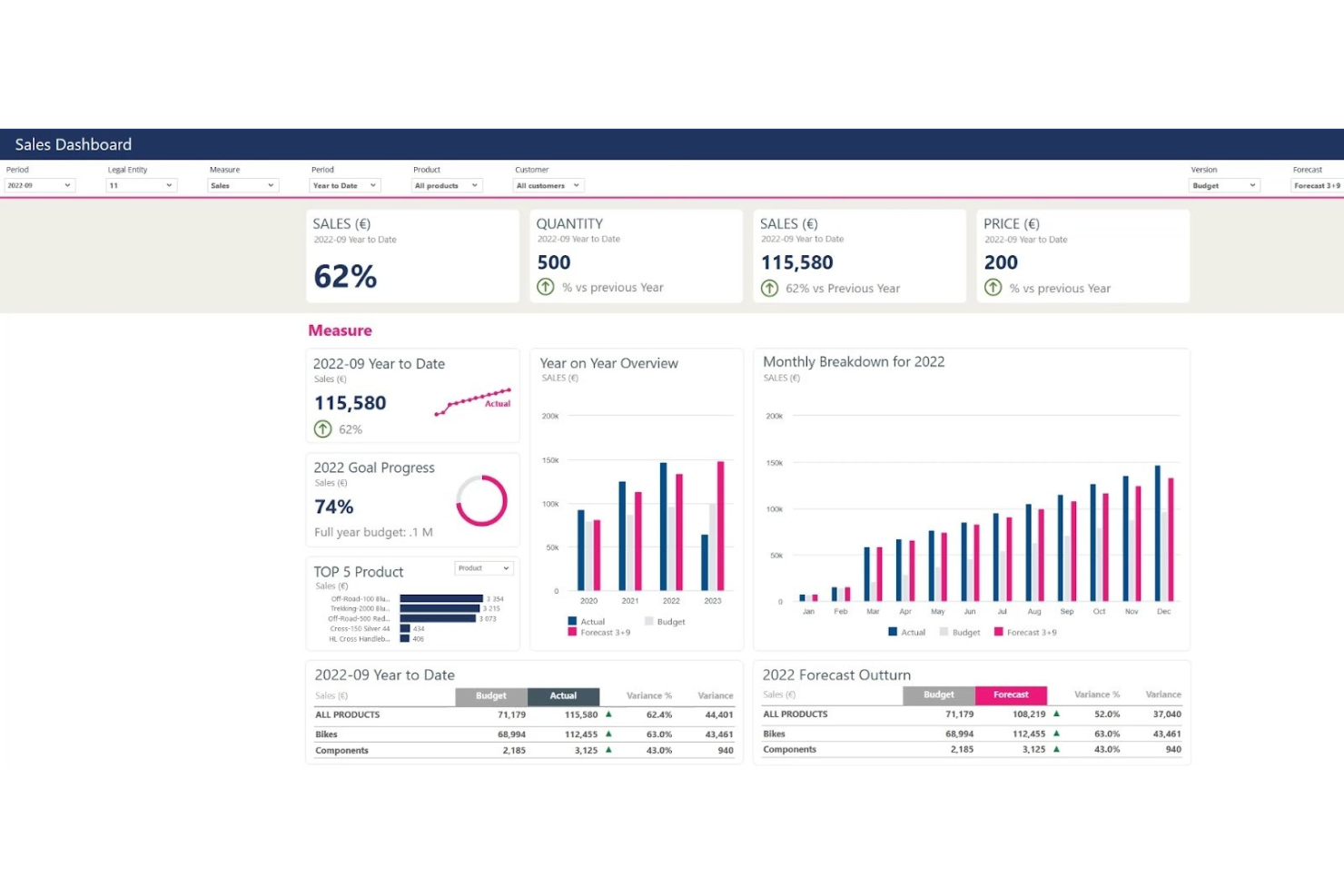
Jedox is a business planning and performance management software used by finance professionals and enterprises. It focuses on budgeting, forecasting, and reporting, leveraging AI to enhance data analysis and decision-making.
Why I picked Jedox: Jedox is ideal for Excel users, offering a familiar interface that enhances productivity. Its AI features include predictive analytics and automated data consolidation, helping your team streamline financial processes. You can easily integrate AI into existing Excel models, minimizing the need for retraining. This ensures your team can leverage advanced analytics while staying within a comfortable environment.
Standout features and integrations:
Features include real-time data updates, a familiar Excel-like interface, and a unified platform that combines forecasting, budgeting, reporting, and analysis. These features enable your team to access the latest data and create tailored reports. You can customize dashboards to highlight key metrics that matter most to your business.
Integrations include Microsoft Excel, SAP, Salesforce, Oracle, Qlik, Power BI, Google Sheets, Microsoft Dynamics, NetSuite, IBM Cognos, and more.
Pros and Cons
Pros:
- Customizable reporting and dashboards
- Strong predictive analytics capabilities
- Familiar Excel interface for ease of use
Cons:
- Limited advanced predictive analytics
- Requires more manual configuration for complex forecasts

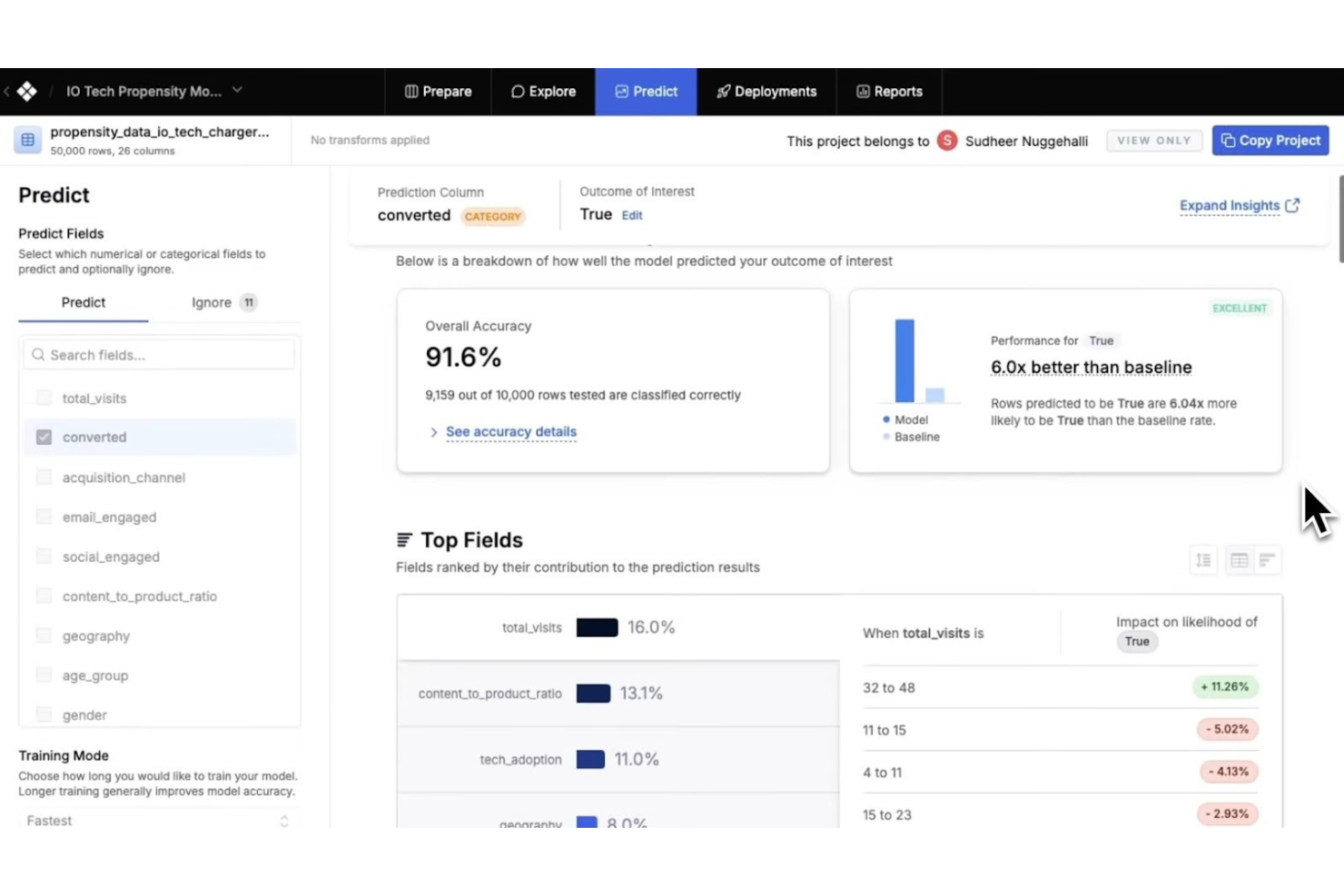
Akkio enables teams to build predictive models without coding or data science expertise.
Akkio is a no-code AI platform designed for business teams that want to generate forecasts and predictive insights from their existing data. It’s commonly used by marketing, sales, and operations teams to forecast outcomes like revenue, churn, lead conversion, and campaign performance without relying on technical specialists.
Why I picked Akkio: Akkio stands out for making AI forecasting accessible to non-technical users. Instead of building financial models from scratch or relying on spreadsheets, your team can upload datasets and quickly generate predictive models using automated machine learning. This makes it especially useful for forecasting sales performance, customer behavior, or demand trends. If you’re looking for AI-driven predictions outside of traditional FP&A systems, Akkio offers a flexible, approachable way to integrate forecasting into everyday decision-making.
Standout features and integrations:
Features include drag-and-drop model creation, automated machine learning, and real-time prediction dashboards. The “Chat with Data” interface lets you ask questions in plain English and instantly generate forecasts or visual insights. Automated data preparation helps clean and structure datasets before modeling, reducing manual prep work and accelerating time to insight.
Integrations include HubSpot, Salesforce, Google Sheets, Microsoft Excel, Snowflake, BigQuery, Redshift, MySQL, PostgreSQL, Slack, and more.
Pros and Cons
Pros:
- Real-time data processing
- Quick setup and deployment
- No-code interface for ease of use
Cons:
- Basic features compared to advanced AI tools
- Limited customization options
Other AI Forecasting Tools
Here are some additional AI forecasting tool options that didn’t make it onto my shortlist, but are still worth checking out:


AI Forecasting Tool Selection Criteria
When selecting the best AI forecasting tools to include in this list, I considered common buyer needs and pain points like the accuracy of predictions and ease of integration with existing systems. I also used the following framework to keep my evaluation structured and fair:
Core Functionality (25% of total score)
To be considered for inclusion in this list, each solution had to fulfill these common use cases:
- Forecasting financial metrics
- Analyzing historical data
- Scenario planning
- Budgeting and resource allocation
- Generating predictive insights
Additional Standout Features (25% of total score)
To help further narrow down the competition, I also looked for unique features, such as:
- AI-driven anomaly detection
- Natural language processing
- Customizable dashboards
- Integration with IoT devices
- Automated data cleansing
Usability (10% of total score)
To get a sense of the usability of each system, I considered the following:
- Intuitive interface design
- Easy navigation
- Minimal learning curve
- Customizable user settings
- Accessibility features
Onboarding (10% of total score)
To evaluate the onboarding experience for each platform, I considered the following:
- Availability of training videos
- Interactive product tours
- Access to webinars
- Comprehensive templates
- Responsive chatbots
Customer Support (10% of total score)
To assess each software provider’s customer support services, I considered the following:
- Availability of 24/7 support
- Access to a dedicated account manager
- Query response time
- Availability of live chat
- Comprehensive online resources
Value For Money (10% of total score)
To evaluate the value for money of each platform, I considered the following:
- Competitive pricing
- Availability of tiered pricing plans
- Inclusion of essential features in base plans
- Discounts for annual subscriptions
- Transparent pricing structure
Customer Reviews (10% of total score)
To get a sense of overall customer satisfaction, I considered the following when reading customer reviews:
- Positive feedback on tool reliability
- High ratings on ease of use
- Consistency in customer support quality
- Satisfaction with feature set
- Recommendations by industry peers
How to Choose AI Forecasting Tools
It’s easy to get bogged down in long feature lists and complex pricing structures. To help you stay focused as you work through your unique software selection process, here’s a checklist of factors to keep in mind:
| Factor | What to Consider |
|---|---|
| Scalability | Can the tool grow with your team? Consider if it supports increasing data volumes and more users without performance issues. |
| Integrations | Does it connect with your current systems? Check compatibility with existing software like CRM or ERP systems to ensure smooth data flow. |
| Customizability | Can you tailor the tool to your needs? Evaluate if you can modify dashboards or reports to fit your specific business requirements. |
| Ease of use | Is it user-friendly for non-tech teams? Look for intuitive interfaces and minimal training requirements to avoid steep learning curves. |
| Implementation and onboarding | How long will the setup take? Assess the time and resources needed for deployment and initial training. Fast onboarding can save time and costs. |
| Cost | Does it fit your budget? Compare pricing plans and hidden fees. Consider the total cost of ownership, including upgrades and maintenance. |
| Security safeguards | Are your data protected? Verify if the tool complies with industry standards and offers features like encryption and access controls. |
| Support availability | Will you get help when needed? Check the availability of support channels like live chat, phone, or email, and consider response times. |
What Are AI Forecasting Tools?
AI forecasting tools are software solutions that use artificial intelligence to predict future trends and outcomes based on historical data. These tools are typically used by finance professionals, analysts, and business managers who need accurate forecasts to make informed decisions. Predictive analytics, automated data processing, and scenario modeling capabilities help with analyzing trends, optimizing resource allocation, and planning for various business scenarios. Overall, these tools provide valuable insights that improve decision-making and strategic planning.
Features
When selecting AI forecasting tools, keep an eye out for the following key features:
- Predictive analytics: Use historical data to forecast future trends, aiding in strategic decision-making.
- Automated data processing: Streamlines data collection and analysis, saving time and reducing errors.
- Scenario modeling: Allows users to test various business scenarios, improving planning and risk management.
- Real-time forecasting: Provides up-to-date predictions, enabling timely responses to changing conditions.
- Customizable dashboards: Let users tailor data visualizations to highlight key metrics and insights.
- Anomaly detection: Identifies irregular patterns in data, helping to catch potential issues early.
- Natural language processing: Simplifies interaction with the tool by allowing users to query data using everyday language.
- Integration capabilities: Connect with existing systems to ensure a cohesive data flow and comprehensive analysis.
- AI-driven insights: Offer actionable recommendations based on data analysis, enhancing decision-making.
- Collaboration tools: Facilitate teamwork by enabling multiple users to work on forecasts and models simultaneously.
Benefits
Implementing AI forecasting tools provides several benefits for your team and your business. Here are a few you can look forward to:
- Improved accuracy: Predictive analytics enhances forecast precision, reducing guesswork in decision-making.
- Time savings: Automated data processing speeds up analysis, freeing up time for strategic tasks.
- Better planning: Scenario modeling helps you prepare for various outcomes, minimizing risks.
- Quick responses: Real-time forecasting allows you to react promptly to market changes.
- Enhanced insights: AI-driven insights provide actionable recommendations, guiding your business strategies.
- Increased collaboration: Collaboration tools let your team work together efficiently on forecasts and plans.
- Early issue detection: Anomaly detection alerts you to irregularities, enabling proactive problem-solving.
Costs and Pricing
Selecting AI forecasting tools requires an understanding of the various pricing models and plans available. Costs vary based on features, team size, add-ons, and more. The table below summarizes common plans, their average prices, and typical features included in AI forecasting tools solutions:
Plan Comparison Table for AI Forecasting Tools
| Plan Type | Average Price | Common Features |
|---|---|---|
| Free Plan | $0 | Basic forecasting capabilities, limited data processing, and basic reporting. |
| Personal Plan | $10-$30/user/month | Predictive analytics, customizable dashboards, and limited integrations. |
| Business Plan | $50-$100/user/month | Advanced scenario modeling, real-time forecasting, and enhanced data processing. |
| Enterprise Plan | $150-$300/user/month | Comprehensive AI-driven insights, full integration capabilities, and dedicated customer support. |
AI Forecasting Tools FAQs
Here are some answers to common questions about AI forecasting tools:
How accurate are AI forecasting tools compared to traditional methods?
AI forecasting tools are often more accurate than traditional methods because they analyze large, complex datasets and identify patterns humans might miss. You’ll typically see better forecasting for sales, demand, or financial trends, but accuracy depends on your data quality and business context.
Can AI forecasting tools handle sudden market changes or anomalies?
Yes, most AI forecasting tools adjust to sudden market changes by using real-time data and adaptive algorithms. They’ll flag unusual patterns or events, so you can spot risks and opportunities faster than with static, rules-based models.
What data do I need to get the most from an AI forecasting tool?
You’ll get the best results with clean, historical data on sales, production, expenses, and any other key metrics. Including external data like economic indicators or market trends can help the tool make more reliable forecasts for your business.
How do AI forecasting tools help with regulatory compliance in financial planning?
AI forecasting tools make it easier to track and document the assumptions behind your forecasts. You can use audit trails and reporting features to meet regulatory standards and demonstrate transparency to auditors and stakeholders.
What’s Next:
If you're in the process of researching AI forecasting tools, connect with a SoftwareSelect advisor for free recommendations.
You fill out a form and have a quick chat where they get into the specifics of your needs. Then you'll get a shortlist of software to review. They'll even support you through the entire buying process, including price negotiations.