
13 Best Billing and Invoicing Software Reviewed in 2026

Best Billing and Invoicing Software Shortlist
Here’s my shortlist of the best billing and invoicing software:


Managing your company's finances can be quite challenging, especially when it comes to billing and invoicing. If you’re dealing with financials, especially billing and invoicing, you know the frustration of chasing late payments and dealing with complex billing cycles. That's where the right software can make a world of difference.
In my experience, the best billing and invoicing tools simplify these processes, giving you and your team more time to focus on strategic initiatives. These solutions can minimize errors and improve cash flow, making your job easier.
In this article, I'll share my top picks for billing and invoicing software. This list includes dedicated invoicing tools as well as broader billing, payments, and revenue platforms where invoicing is a core workflow. Some tools here are better suited to freelancers and small teams, while others support enterprise finance operations. I've backed each selection with thorough research and practical insights to ensure you find the best fit for your team's needs.
Why Trust Our Software Reviews
We’ve been testing and reviewing financial software since 2023. As finance specialists ourselves, we know how critical and difficult it is to make the right decision when selecting software.
We invest in deep research to help our audience make better software purchasing decisions. We’ve tested more than 2,000 tools for different finance use cases and written over 1,000 comprehensive software reviews. Learn how we stay transparent & our software review methodology.
Best Billing and Invoicing Software Summary
This comparison chart summarizes pricing details for my top billing and invoicing software selections to help you find the best one for your budget and business needs.
| Tool | Best For | Trial Info | Price | ||
|---|---|---|---|---|---|
| 1 | Best for accounting integration | 30-day free trial available | From $38/user/month | Website | |
| 2 | Best for ERP integration | Free demo available | Pricing upon request | Website | |
| 3 | Best for global invoicing | Free plan + free demo available | From $0/month | Website | |
| 4 | Best for freelancers and startups | Free plan available | From $19/month | Website | |
| 5 | Best for open-source options | Free plan available | From $14/month | Website | |
| 6 | Best for subscription management | 14-day free trial + free demo available | From $25/month | Website | |
| 7 | Best for online payment processing | Not available | From 2.29% + $0.09 per transaction | Website | |
| 8 | Best for legal professionals | Free 14-day trial | From $27/user/month (billed annually) | Website | |
| 9 | Best for automated expense management | 14-day free trial | From $7/company/month + $0.15/additional document | Website | |
| 10 | Best for simple invoicing solutions | Free plan available | From $9.99/month (billed annually) | Website |
-

LiveFlow
Visit WebsiteThis is an aggregated rating for this tool including ratings from Crozdesk users and ratings from other sites.4.9 -
Float Financial
Visit WebsiteThis is an aggregated rating for this tool including ratings from Crozdesk users and ratings from other sites.4.1 -
Creatio CRM
Visit WebsiteThis is an aggregated rating for this tool including ratings from Crozdesk users and ratings from other sites.4.7


Best Billing and Invoicing Software Review
Below are my detailed summaries of the best billing and invoicing software that made it onto my shortlist. My reviews offer a detailed look at the key features, pros and cons, integrations, and ideal use cases of each tool to help you find the best one for you.

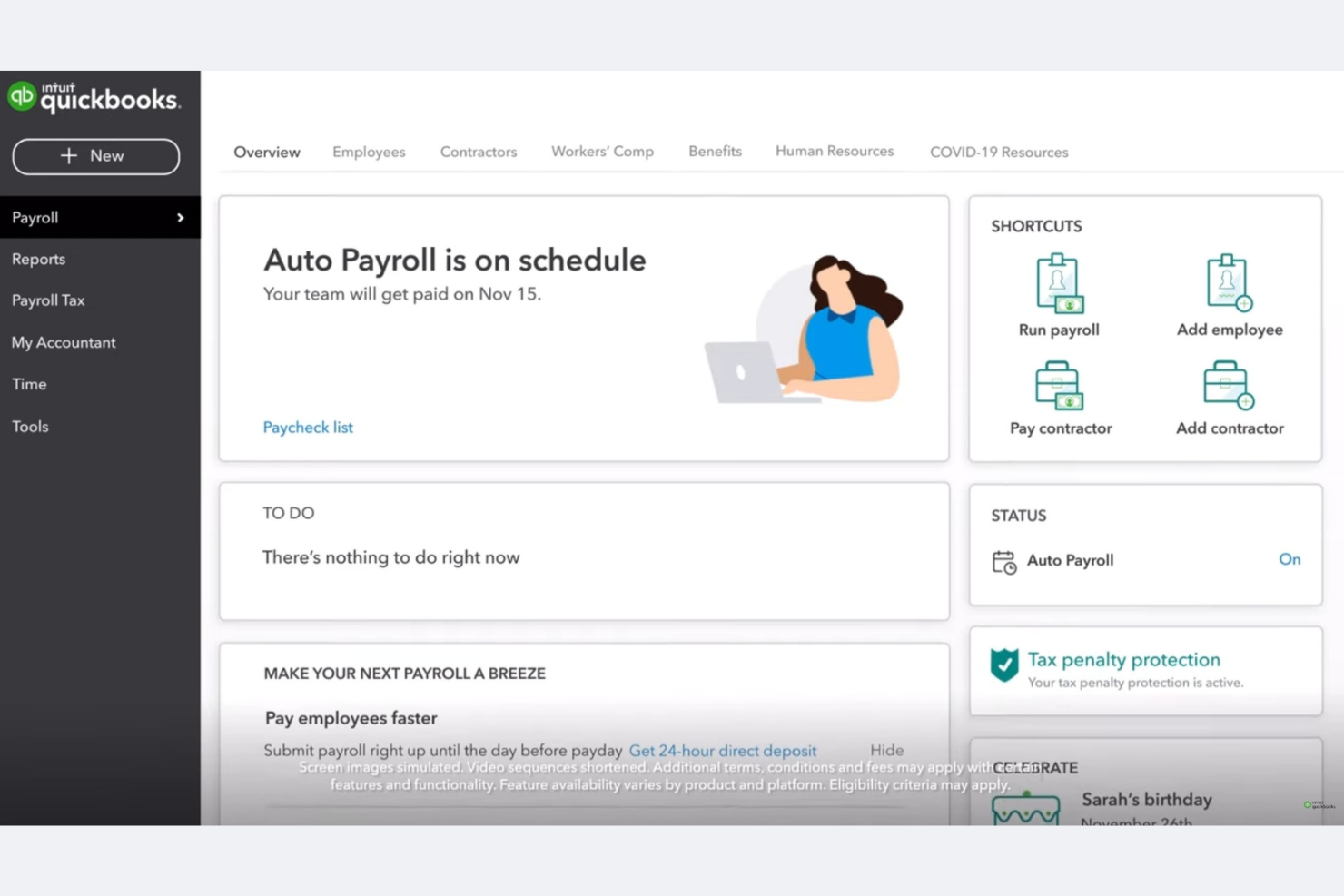
QuickBooks is a complete accounting software solution designed for small- to medium-sized businesses. It manages invoicing, payroll, and expense tracking, allowing you to concentrate on growing your business.
Why I picked QuickBooks: QuickBooks excels in accounting integration, making it a top choice for SMBs needing seamless financial management. Its invoicing feature is straightforward, allowing you to create and send invoices quickly, while an expense tracking tool monitors your spending, ensuring you stay within budget. The payroll management system simplifies employee payments and merges smoothly with your existing accounts.
Standout features and integrations:
Features include the ability to generate detailed financial reports, giving you insights into your business's performance, and also manage your cash flow effectively with its budgeting tools. The tax preparation feature helps you prepare for tax season with minimal stress.
Integrations include PayPal, Shopify, Amazon, Square, TSheets, BILL, Expensify, HubSpot, Salesforce, Mailchimp, and more.
Pros and Cons
Pros:
- Extensive reporting capabilities
- Tax preparation tools
- Strong financial management features
Cons:
- Steep learning curve
- Limited industry features

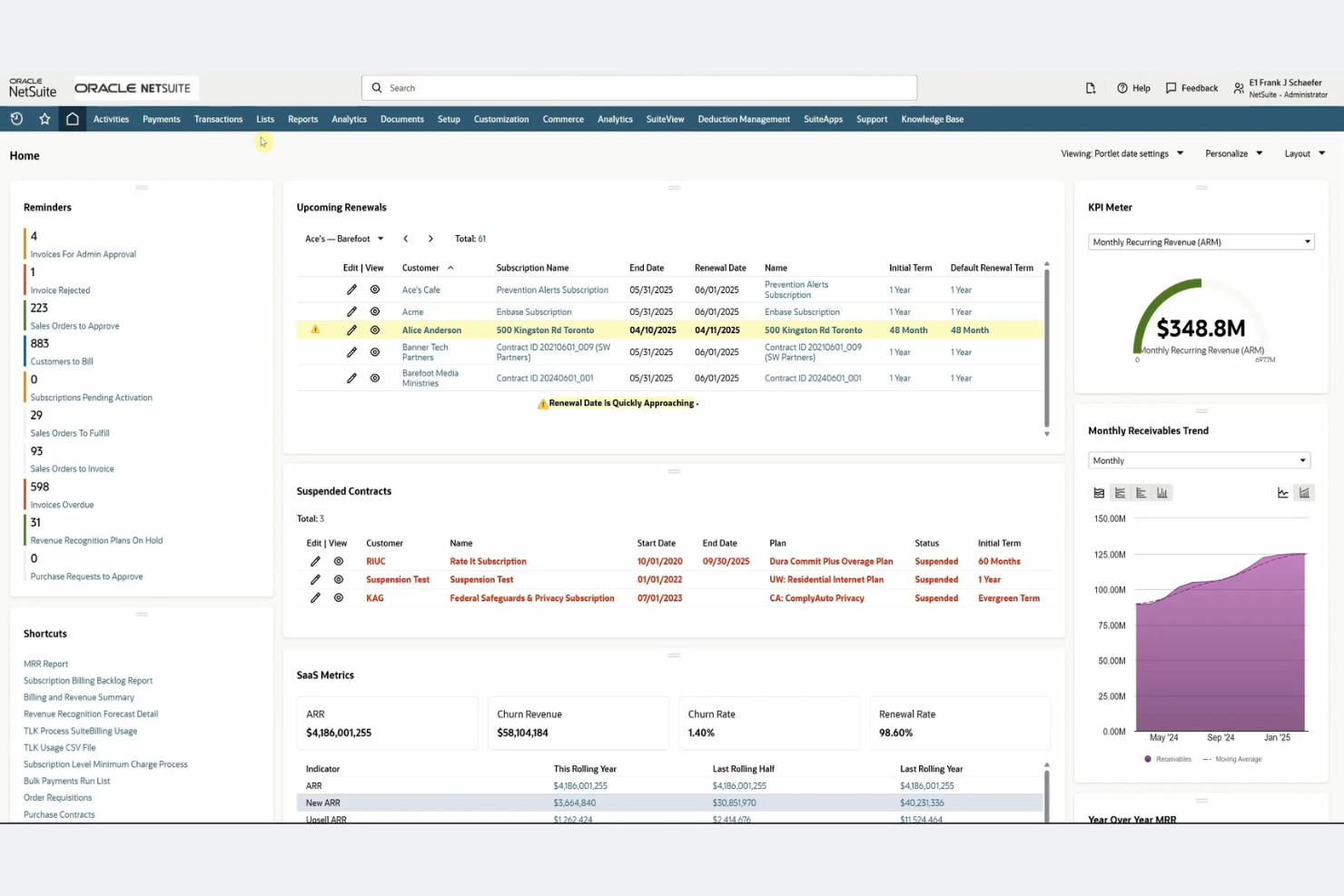
NetSuite is cloud-based enterprise resource planning (ERP) software that serves mid-sized to large businesses. It covers financial management, billing, and order management, providing an all-in-one platform for your business operations.
Why I picked NetSuite: NetSuite excels in ERP integration, offering extensive solutions for businesses needing unified operations management. Its billing feature automates invoicing and payment processing, reducing manual effort. Financial management tools give you a real-time overview of your financial status, helping you make the correct choices. Order management ensures efficient processing and fulfillment, enhancing your operational efficiency.
Standout features and integrations:
Features include advanced financial reporting that gives you insights into your financial performance. You can manage your entire order-to-cash process within the platform, simplifying operations. Customizable dashboards provide real-time data, helping you track key performance indicators effectively.
Integrations include Salesforce, Shopify, Adobe Commerce, HubSpot, Expensify, Avalara, Concur, Adaptive Insights, Docusign, PayPal, and more.
Pros and Cons
Pros:
- Efficient order management
- Real-time data dashboards
- Strong ERP integration
Cons:
- Costly for small businesses
- Complex implementation process

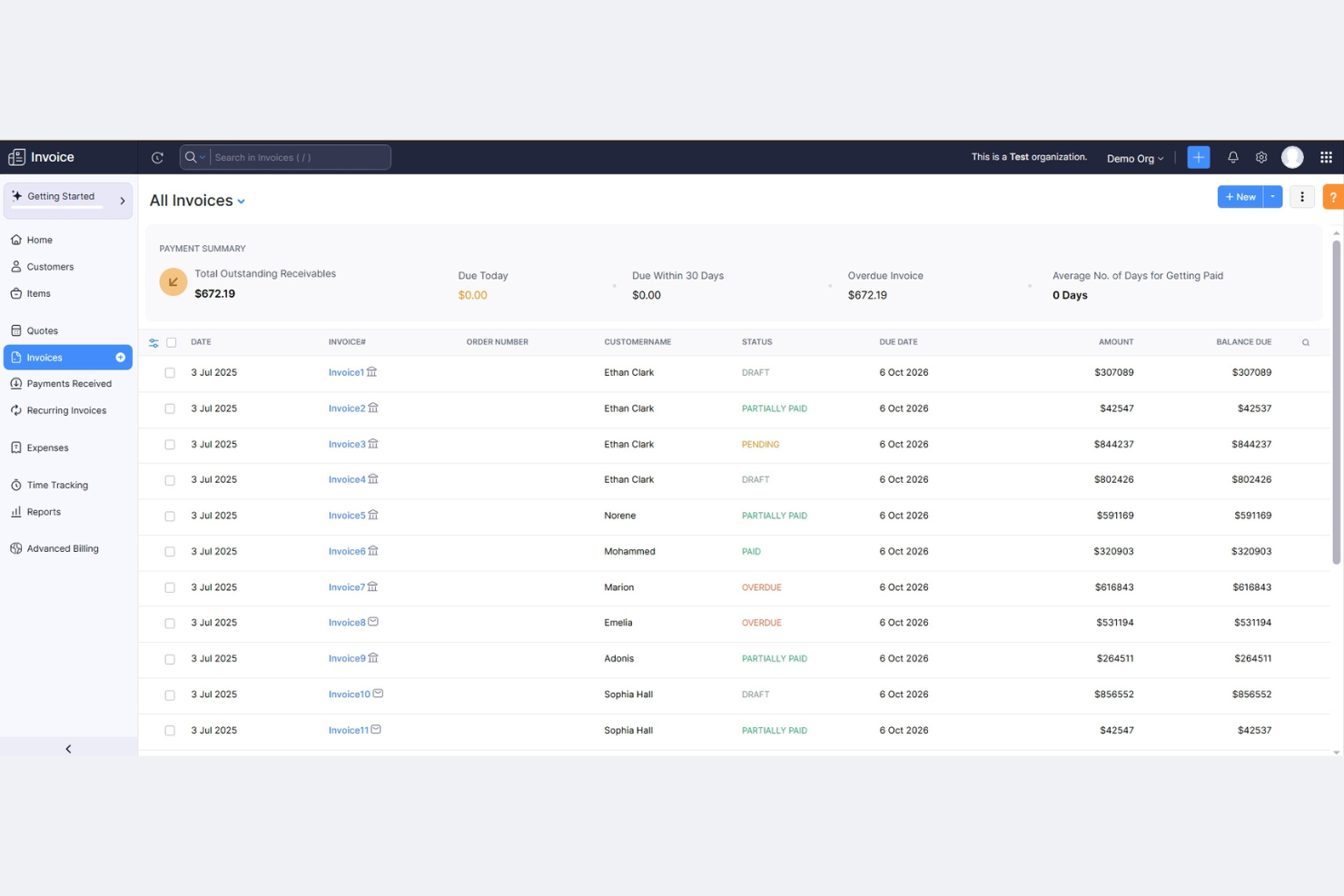
Zoho Invoice is a free cloud-based invoicing software solution perfect for freelancers and small businesses. Zoho Invoice is best for one-off and time-based billing. It simplifies billing, payment collection, and financial tracking, making it a valuable tool for managing your business finances.
Why I picked Zoho Invoice: Zoho Invoice's cost-effective global invoicing system supports multiple currencies and languages. Its recurring invoicing feature helps automate billing for repeat clients, saving you time, while payment reminders ensure you collect payments promptly. Additionally, the time tracking tool integrates billing with project management, providing a comprehensive solution for freelancers.
Standout features and integrations:
Features include customizable templates, allowing you to brand your invoices. You can track expenses easily, helping you manage your costs, and the reporting tools provide an understanding of your financial performance, helping you make strategic decisions.
Integrations include Zoho CRM, Zoho Books, PayPal, Stripe, Slack, Google Drive, Dropbox, OneDrive, Office 365, G Suite, and more.
Pros and Cons
Pros:
- All-in-one platform with integrated invoicing apps
- Strong focus on data security
- Competitive pricing and free options
Cons:
- Learning curve for complex tasks
- Advanced features require paid upgrades

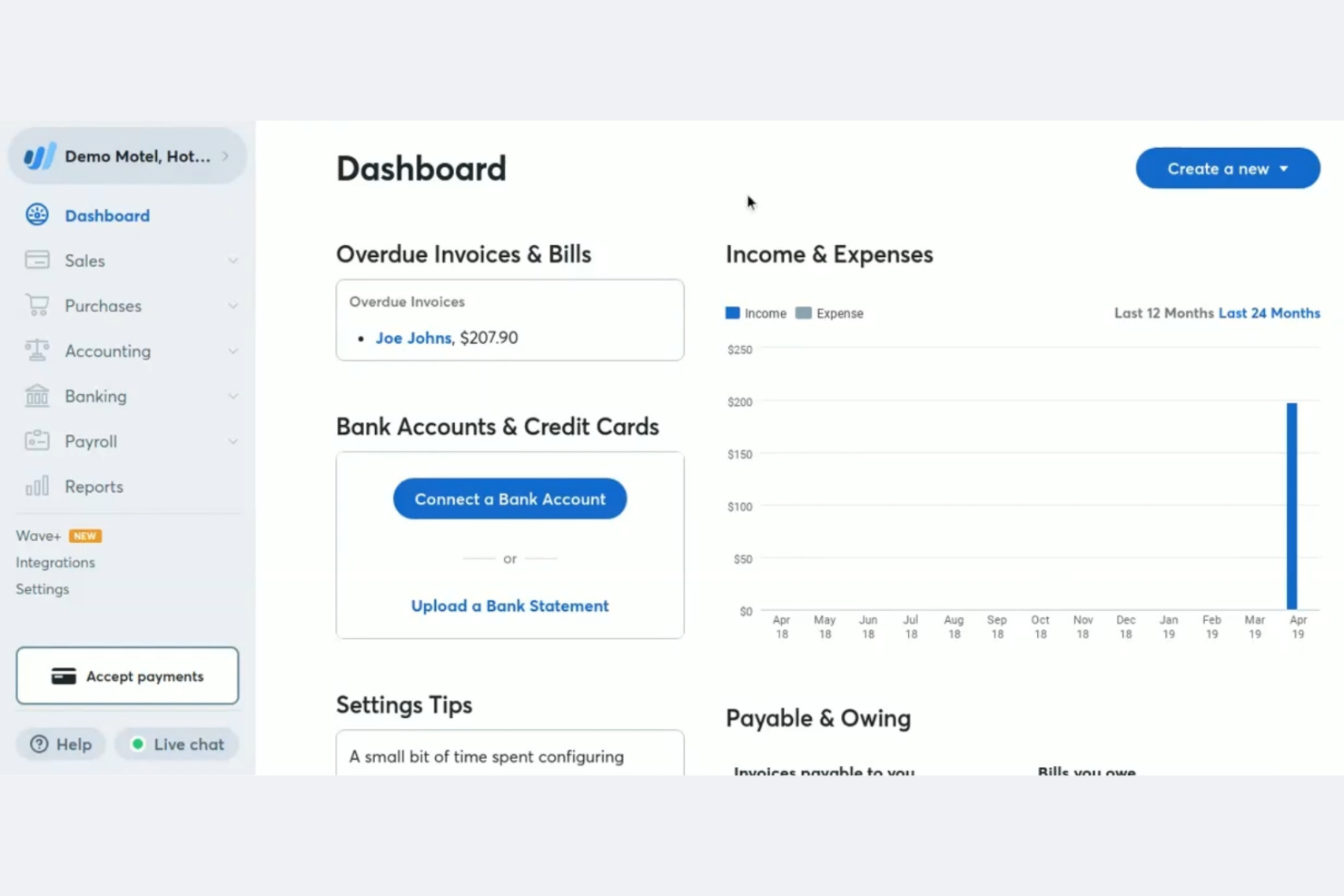
Wave is a financial software suite designed for freelancers, entrepreneurs, and small startups. It handles invoicing, accounting, and receipt scanning, making your financial management straightforward and efficient.
Why I picked Wave: Wave is tailored for freelancers and startups that need a simple yet effective financial management solution. The invoicing feature allows you to easily generate invoices, while receipt scanning helps you keep track of your expenses. The accounting component lends you a full view of your finances in one place.
Standout features and integrations:
Features include customizable invoice templates to elevate brand consciousness. Monitoring your payments and income helps you understand your cash flow better, while the reporting tools offer details about your financial health, which guides your business decisions.
Integrations include PayPal, Etsy, Zapier, Google Sheets, Slack, Mailchimp, Stripe, Shopify, HubSpot, and more.
Pros and Cons
Pros:
- Free invoicing software
- Easy invoice generator
- Tailored for small businesses
Cons:
- Occasional syncing issues
- Limited advanced features

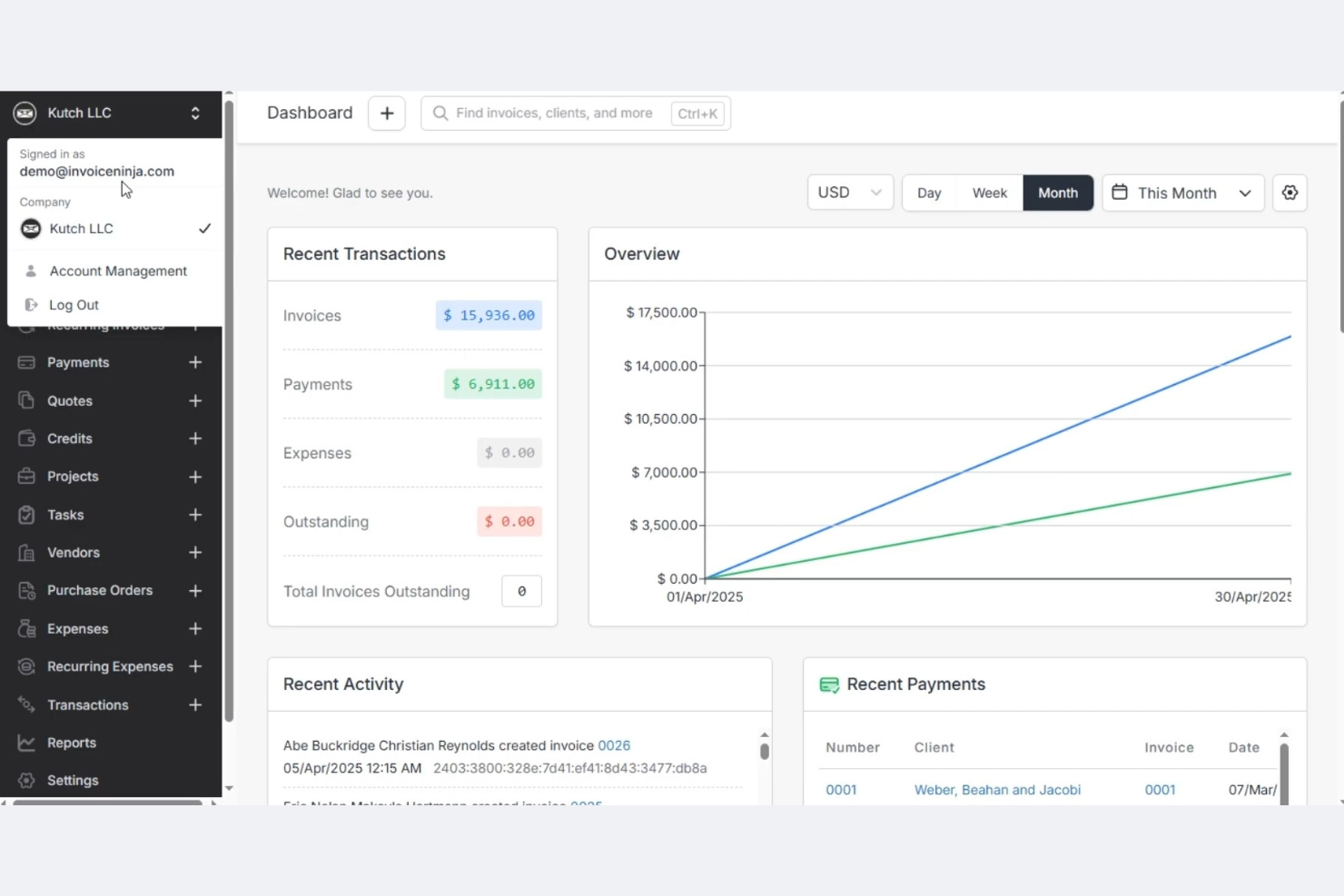
Invoice Ninja is a highly flexible billing and invoicing platform ideal for budget-conscious freelancers and small businesses. It provides customizable invoice tracking and expense management at a lower cost.
Why I picked Invoice Ninja: Invoice Ninja is unique for its open-source options, making it highly customizable for tech-savvy users. The invoicing feature supports multiple currencies and languages, which is great for international clients. Time tracking is integrated, allowing you to bill clients accurately, while expense management ensures your spending stays within budget.
Standout features and integrations:
Features include customizable invoice templates that let you align them with your brand identity. The client portal is a convenient way for your clients to view their invoices and make card payments (via credit card or debit card) or bank transfers. Automatic billing for recurring payments saves you time.
Integrations include Zapier, Slack, Stripe, PayPal, Authorize.net, WePay, Mailchimp, Google Analytics, QuickBooks Online, Xero, and more.
Pros and Cons
Pros:
- Supports multiple currencies
- Generous free plan
- Highly customizable open-source options
Cons:
- Limited customer support options
- Requires technical knowledge for customization

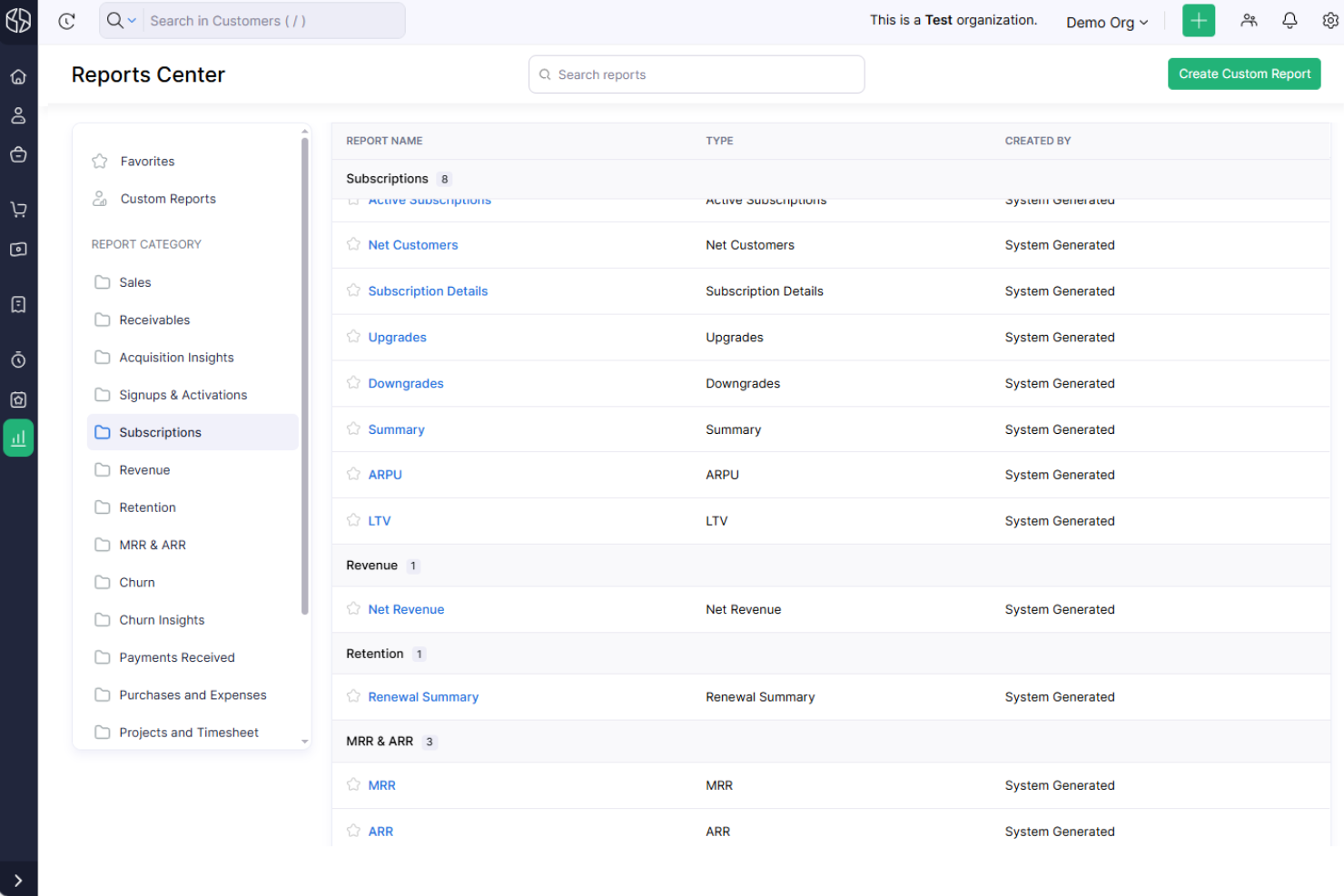
Zoho Billing is an online billing software designed for businesses that require efficient subscription management and is built for subscriptions and recurring revenue. It caters to small- to medium-sized enterprises, handling billing, invoicing, and subscription management.
Why I picked Zoho Billing: Zoho Billing excels in subscription management, making it ideal for businesses with recurring billing needs. The software offers automated billing cycles, which save you time and reduce manual errors. Its subscription management feature allows you to handle multiple subscription plans with ease. Additionally, Zoho Billing provides detailed financial reports, helping you track revenue and manage your business finances effectively.
Standout features and integrations:
Features include customizable invoice templates that help you maintain brand consistency. The software supports multiple payment gateways, offering flexibility to your clients. You can also set up automatic payment notifications to ensure timely payments from your customers.
Integrations include Zoho CRM, Zoho Books, Stripe, PayPal, Razorpay, Authorize.net, Worldpay, Braintree, GoCardless, Forte, and more.
Pros and Cons
Pros:
- Supports multiple payment methods
- Automated billing cycles
- Strong subscription management features
Cons:
- Custom invoice design options are more restricted than those of some competitors
- Limited advanced billing automations

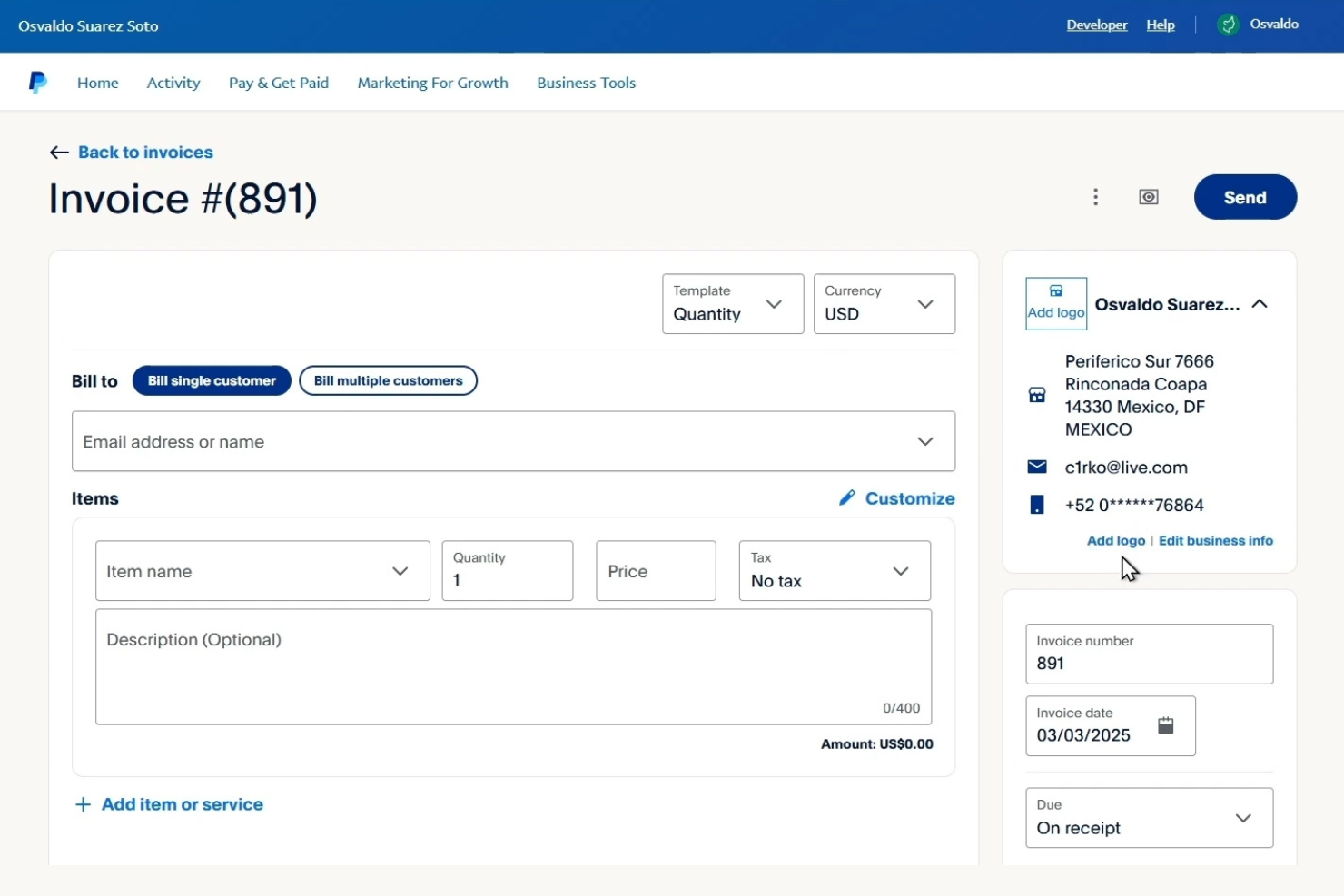
PayPal is a widely used online payment processing platform serving individuals and businesses of all sizes. It facilitates online transactions, invoicing, and payment collection, making it easy for you to manage financial transactions.
Why I picked PayPal: PayPal excels in online payment processing, offering a reliable and secure method for handling transactions. Its invoicing feature allows you to send professional invoices quickly and receive payments online, and it supports multiple currencies, which is ideal for businesses with international clients. PayPal's buyer and seller protection ensures that your transactions are safe and secure.
Standout features and integrations:
Features include the ability to set up recurring payments using custom-branded invoices, which is useful for subscription-based services. You can manage your transactions on the go using your mobile device, providing flexibility and convenience.
Integrations include Shopify, WooCommerce, BigCommerce, Xero, QuickBooks, Adobe Commerce, Squarespace, Wix, Salesforce, HubSpot, and more.
Pros and Cons
Pros:
- Mobile app for transactions
- Secure buyer and seller protection
- Global acceptance
Cons:
- Complex dispute resolution
- High transaction fees

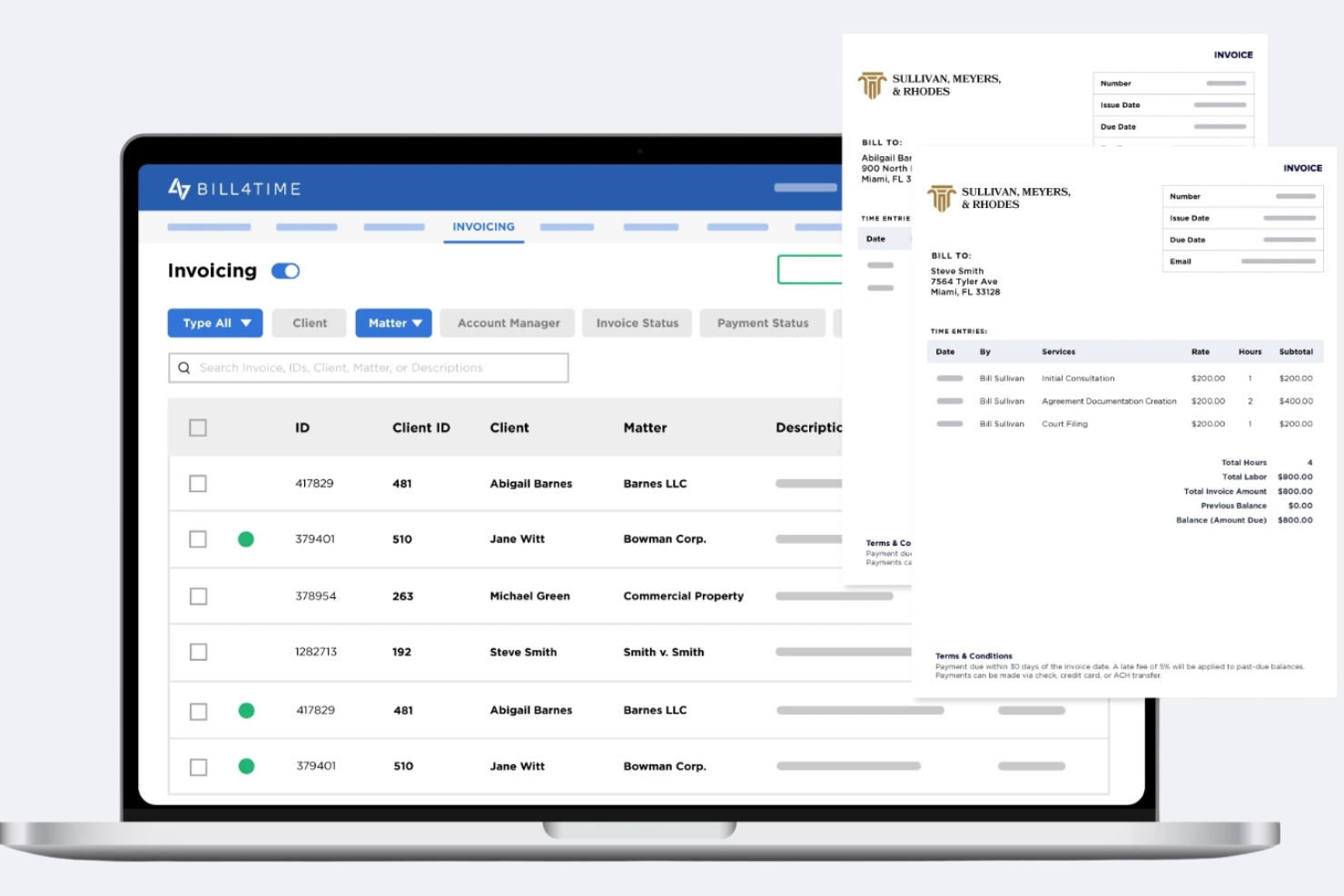
Bill4Time is cloud-based billing and invoicing software designed specifically for legal professionals and small law firms. It handles time tracking, project management, and invoicing, enabling you to manage your practice efficiently.
Why I picked Bill4Time: Bill4Time is tailored for legal professionals with features such as trust accounting and LEDES billing, which are crucial for law firms. It offers detailed time tracking, ensuring accurate client billing. Project management tools help you monitor case progress and deadlines. Additionally, the client portal gives your clients easy access to their invoices and payment options.
Standout features and integrations:
Features include customizable invoice templates that align with your firm's branding. Cloud-based accessibility allows you to manage your calendar and appointments remotely, ensuring you never miss important deadlines. The reporting tools provide insights into your firm's financial performance, helping you make informed decisions.
Integrations include QuickBooks Online, PayPal, Stripe, LawPay, Box, NetDocuments, Google Calendar, Microsoft Outlook, and more.
Pros and Cons
Pros:
- Cloud-based accessibility from anywhere
- Supports LEDES billing format
- Tailored for legal billing
Cons:
- Limited customization options
- Learning curve for new users

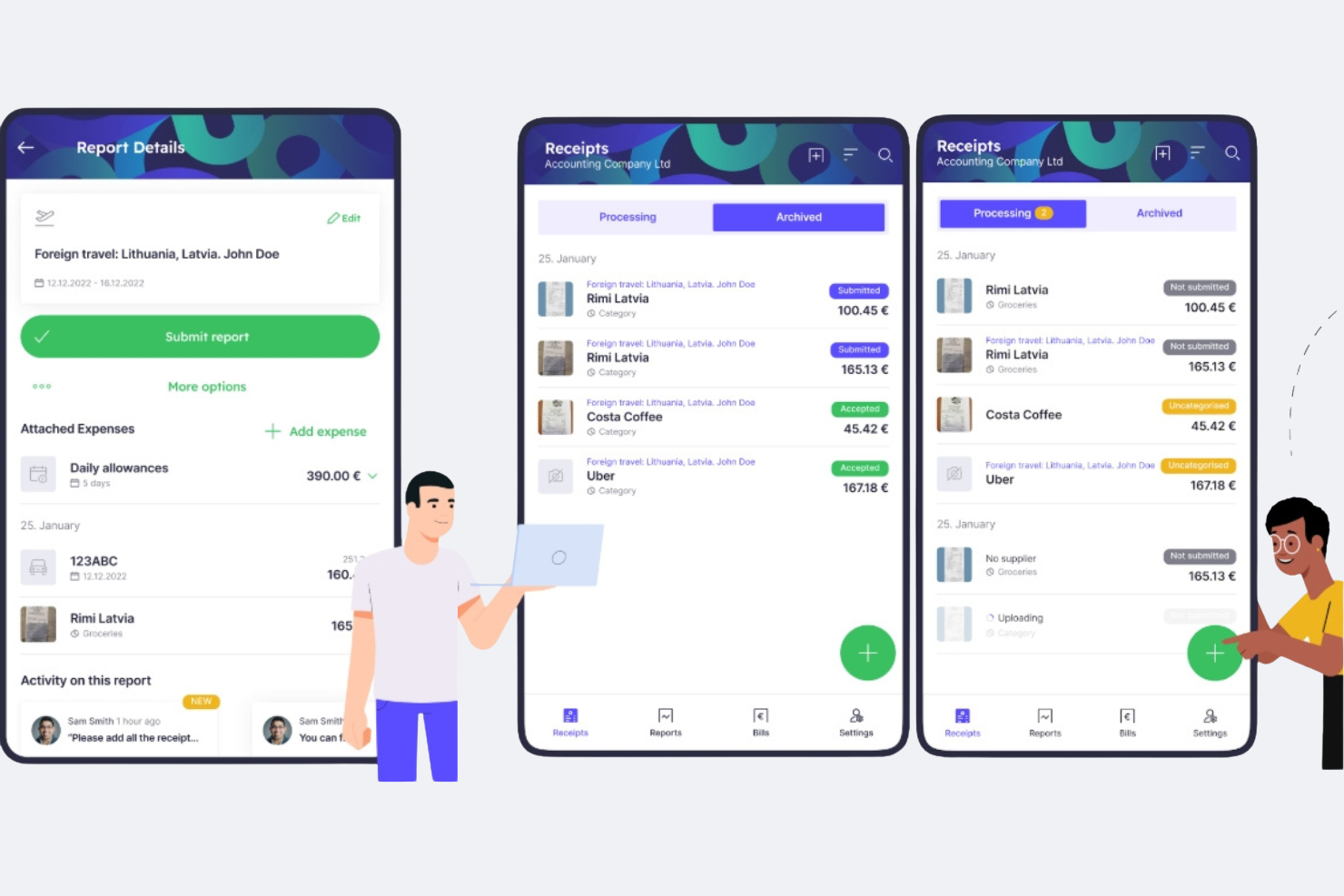
Envoice is a billing- and expense-focused financial automation tool designed for businesses that need to process incoming invoices, track expenses, and manage receipts with minimal manual effort. It’s best suited for teams that deal with high volumes of supplier invoices and want better visibility into payables.
Why I picked Envoice: Envoice is particularly strong in automating invoice intake and expense documentation. Its invoice processing tools extract data from uploaded or emailed invoices, reducing manual data entry and helping speed up approvals. Receipt capture allows teams to digitize and store expense records centrally, while consolidated expense reports make it easier to monitor spend across vendors and departments. For finance teams focused on controlling incoming costs rather than customer billing, Envoice helps keep payables organized and auditable.
Standout features and integrations:
Features include automated invoice data extraction to speed up accounts payable workflows, customizable expense categories for clearer cost tracking, and approval workflows to route invoices and expenses for review before payment. The dashboard provides a real-time view of pending invoices, approved expenses, and overall spend, helping teams avoid missed or delayed payments.
Integrations include Xero, QuickBooks, Sage, FreshBooks, Microsoft Dynamics, NetSuite, SAP, Oracle, Dropbox, Google Drive, OneDrive, and more.
Pros and Cons
Pros:
- Approval workflows for invoice and expense control
- Centralized receipt and expense management
- Automated invoice capture and data extraction
Cons:
- Not designed for complex billing scenarios (e.g., subscriptions or usage-based billing)
- Limited support for outgoing customer invoicing

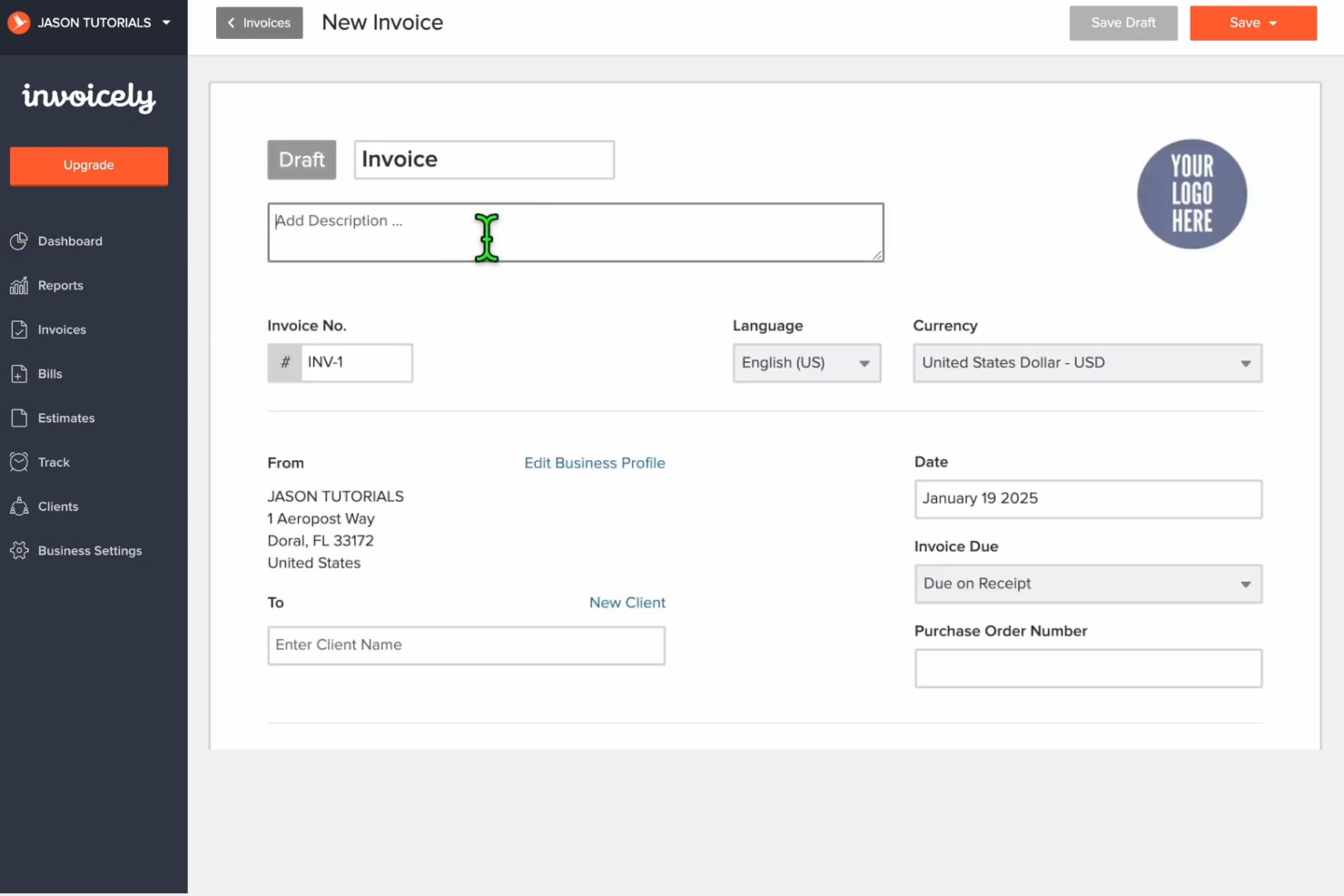
Invoicely is an online invoicing software program designed for small businesses and freelancers. It offers invoicing, expense tracking, and time tracking, making it easier for you to manage your billing needs.
Why I picked Invoicely: Invoicely provides simple invoicing solutions that are easy to use and efficient for small businesses. The invoicing feature lets you create and send invoices with just a few clicks, and expense tracking keeps a close eye on your spending, ensuring you stay within your budget. Time tracking integrates seamlessly, allowing you to bill clients accurately for your work hours.
Standout features and integrations:
Features include invoice generation and time tracking to track billable hours and ensure accurate client billing. Reporting tools provide insights into your company's financial health, helping you make informed decisions.
Integrations include PayPal, Stripe, Mollie, Authorize.net, WePay, Dropbox, and more.
Pros and Cons
Pros:
- User-friendly for small businesses
- Complete payment integration
- Simple setup process
Cons:
- No mobile app
- Limited advanced features
Other Billing and Invoicing Software
Here are some additional billing and invoicing software options that didn’t make it onto my shortlist but are still worth checking out:
- Square
For small retail businesses
- Tipalti
For built-in compliance
- MinuteDock
For flexible time tracking


Billing and Invoicing Software Selection Criteria
When selecting the best billing and invoicing software to include in this list, I considered common buyer needs and pain points such as managing late payments and ensuring accurate invoicing. I also used the following framework to keep my evaluation structured and fair:
Core Functionality (25% of total score)
To be considered for inclusion in this list, each solution had to fulfill these common use cases:
- Create and send invoices
- Track payments and due dates
- Generate financial reports
- Manage customer information
- Automate billing processes
Additional Standout Features (25% of total score)
To help further narrow down the competition, I also looked for unique features, such as:
- Customizable invoice templates
- Multi-currency support
- Integration with third-party apps
- Advanced analytics and reporting
- Mobile app access
Usability (10% of total score)
To get a sense of the usability of each system, I considered the following:
- Intuitive user interface
- Easy navigation and layout
- Minimal learning curve
- Speed and responsiveness
- Aesthetic design appeal
Onboarding (10% of total score)
To evaluate the onboarding experience for each platform, I considered the following:
- Availability of training videos
- Interactive product tours
- Access to webinars and tutorials
- Use of templates for setup
- Availability of chatbots for guidance
Customer Support (10% of total score)
To assess each software provider’s customer support services, I considered the following:
- Availability of 24/7 support
- Multiple support channels
- Response time to queries
- Quality of support documentation
- Access to live chat or phone support
Value for Money (10% of total score)
To evaluate the value for money of each platform, I considered the following:
- Competitive pricing plans
- Features offered for the price
- Scalability of pricing options
- Transparency of pricing structure
- Availability of discounts or offers
Customer Reviews (10% of total score)
To get a sense of overall customer satisfaction, I considered the following when reading customer reviews:
- Frequency of positive feedback
- Commonly reported issues
- Overall satisfaction ratings
- Feedback on customer support
- User recommendations and endorsements
How to Choose Billing and Invoicing Software
It’s easy to get bogged down in long feature lists and complex pricing structures. To help you stay focused as you work through your unique software selection process, here’s a checklist of factors to keep in mind:
| Factor | What to Consider |
|---|---|
| Scalability | Will the software grow with your business? Consider if it can handle more clients, transactions, and users as you expand. Look for flexible plans. |
| Integrations | Check compatibility with your existing tools. Ensure it connects with accounting, CRM, and payment systems to avoid data silos. |
| Customizability | Can you tailor the software to fit your workflows? Look for options to modify templates and automate tasks to match your needs. |
| Ease of use | Is the interface intuitive? Your team should navigate it without extensive training. Test it yourself to check user-friendliness. |
| Implementation and onboarding | How long does setup take? Look for tools with guided tutorials or support during onboarding to minimize disruption. |
| Cost | Does the pricing fit your budget? Compare plans and check for hidden fees. Ensure you get value for what you pay. |
| Security safeguards | Are data protection measures in place? Check for encryption and compliance with data regulations to safeguard sensitive information. |
| Support availability | What support options are there? Ensure you have access to timely help through chat, email, or phone, especially during critical times. |
What Is Billing and Invoicing Software?
Billing and invoicing software is a tool that automates the process of creating and sending invoices, tracking payments, and managing billing cycles. Accountants, finance professionals, and small business owners commonly use these tools to ensure accurate billing and efficient payment collection.
Automated invoicing, payment tracking, and customizable templates help reduce errors, save time, and maintain a professional appearance. Overall, these tools simplify financial management and improve cash flow.
Features
When selecting billing and invoicing software, keep an eye out for the following key features:
- Automated invoicing: Automatically generates and sends invoices, saving time and reducing manual errors.
- Payment tracking: Monitors payments and outstanding balances to ensure timely collections and maintain cash flow.
- Customizable templates: Create invoices to align with your brand, enhancing professionalism and client recognition.
- Recurring billing: Sets up automated billing cycles for subscription services, ensuring consistent revenue streams.
- Expense tracking: Records business expenses to manage budgets and improve financial planning.
- Multi-currency support: Handles transactions in different currencies, making it beneficial for businesses with international clients.
- Client portal: Provides clients with a platform to view invoices, make payments, and manage their bank accounts.
- Financial reporting: Generates reports to gain an understanding of financial performance, aiding in decision-making.
- Time tracking: Accurately tracks billable hours to ensure precise client billing and optimize resource allocation.
- Security measures: Protects sensitive financial data through encryption and adherence to data protection regulations.
Benefits
Implementing billing and invoicing software provides several benefits for your team and your business. Here are a few you can look forward to:
- Time savings: Automatic invoicing and payment tracking free up valuable time, enabling your team to focus on other tasks.
- Accuracy: Reduces manual errors in billing and financial reporting, ensuring precise financial records.
- Cash flow management: Monitors outstanding payments and tracks expenses to maintain a healthy cash flow.
- Professional appearance: Customized invoice templates reflect your brand, elevating your business image.
- Client convenience: Client portals allow customers to view and pay invoices, improving their experience and satisfaction.
- Scalability: Increased transactions and clients are easily accommodated due to automated processes.
- Data security: Secure safeguards and compliance with regulations ensure that sensitive financial information is well-protected.
Costs and Pricing
Selecting billing and invoicing software requires an understanding of the various pricing models and plans available. Costs vary based on features, team size, add-ons, and more. The table below summarizes common plans, their average prices, and typical features included in billing and invoicing software solutions:
Plan Comparison Table for Billing and Invoicing Software
| Plan Type | Average Price | Common Features |
|---|---|---|
| Free Plan | $0 | Basic invoicing, payment tracking, and limited client management. |
| Personal Plan | $5-$25/user/month | Customizable invoices, expense tracking, and basic reporting. |
| Business Plan | $30-$60/user/month | Automated billing, multi-currency support, and advanced reporting. |
| Enterprise Plan | $70-$150/user/month | Comprehensive analytics, custom integrations, and dedicated support. |
Billing and Invoicing Software FAQs
Here are some answers to common questions about billing and invoicing software:
How can billing and invoicing software help reduce manual errors in financial processes?
Billing and invoicing software minimizes manual errors by automating routine tasks such as data entry and calculations. This results in fewer mistakes in invoices and a more streamlined reconciliation process. Automation also enforces standardization, helping you maintain consistency across all financial documents.
Can billing and invoicing software handle multi-currency or international transactions?
Yes, many billing platforms process multi-currency invoices and support international taxation. You can set exchange rates, manage tax rules by region, and ensure your global business stays organized and accurate across borders.
How often should financial data be reconciled when using billing and invoicing platforms?
You should reconcile financial data at least monthly, however, many CFOs choose weekly or daily reconciliation when dealing with higher transaction volumes. Frequent reconciliation allows for quicker identification of discrepancies, ensuring your records are up-to-date for audits and reporting.
What’s Next:
If you're in the process of researching billing and invoicing software, connect with a SoftwareSelect advisor for free recommendations.
You fill out a form and have a quick chat where they get into the specifics of your needs. Then you'll get a shortlist of software to review. They'll even support you through the entire buying process, including price negotiations.