
15 Best Billing Software for Accountants Reviewed in 2026

Best Billing Software for Accountants: Shortlist
Here’s my shortlist of the best billing software for accountants:


Running an accounting firm means more than sending invoices. You’re managing billable utilization, tracking work-in-progress (WIP), reducing write-offs, and keeping realization rates healthy. Delayed collections or inaccurate engagement billing can quietly erode profitability.
The right billing software helps you monitor billable hours in real time, track WIP before it turns into write-offs, automate client collections, and standardize engagement billing. In this guide, I’ve reviewed the top billing tools that help accounting firms protect margins and improve cash flow.
I’ve spent years in the finance and accounting industry, independently testing and reviewing software. For this guide, I included tools that either specialize in billing or support billing as part of a broader practice management or accounting workflow. That means some platforms go beyond invoicing to include time tracking, compliance, or client management.
Whether you’re looking for better invoicing solutions or more effective payment tracking, there’s something here for your team.
Why Trust Our Software Reviews
Best Billing Software for Accountants Summary
This comparison chart summarizes pricing details for my top selections of billing software for accountants to help you find the best one for your budget and business needs.
| Tool | Best For | Trial Info | Price | ||
|---|---|---|---|---|---|
| 1 | Best for team collaboration | Free demo available | From $59/user/month (billed annually) | Website | |
| 2 | Best for task management | 14-day free trial | From $19/user/month (billed annually) | Website | |
| 3 | Best for project tracking | Free demo available | From $20/user/month (billed annually) | Website | |
| 4 | Best for AI-powered practice management | 15-day free trial | From $22/user/month | Website | |
| 5 | Best for freelancers and small firms | Free 30-day trial | From $38/user/month (billed annually) | Website | |
| 6 | Best for time tracking | Free 30-day trial + free plan available | From $9/seat/month (billed annually) | Website | |
| 7 | Best for U.K.-based businesses | Free demo available | Pricing upon request | Website | |
| 8 | Best for precise billing | Free 14-day trial | From $27/user/month (billed annually) | Website | |
| 9 | Best for small accounting practices | Free trial + free demo available | From $35/user/month (billed annually) | Website | |
| 10 | Best for secure online payments | Free demo available | From $10/month | Website |
-

LiveFlow
Visit WebsiteThis is an aggregated rating for this tool including ratings from Crozdesk users and ratings from other sites.4.9 -
Float Financial
Visit WebsiteThis is an aggregated rating for this tool including ratings from Crozdesk users and ratings from other sites.4.1 -
Creatio CRM
Visit WebsiteThis is an aggregated rating for this tool including ratings from Crozdesk users and ratings from other sites.4.7


Best Billing Software for Accountants Review
Below are my detailed summaries of the best billing software for accountants that made it onto my shortlist. My reviews offer a detailed look at the key features, pros and cons, integrations, and ideal use cases of each tool to help you find the best one for you.

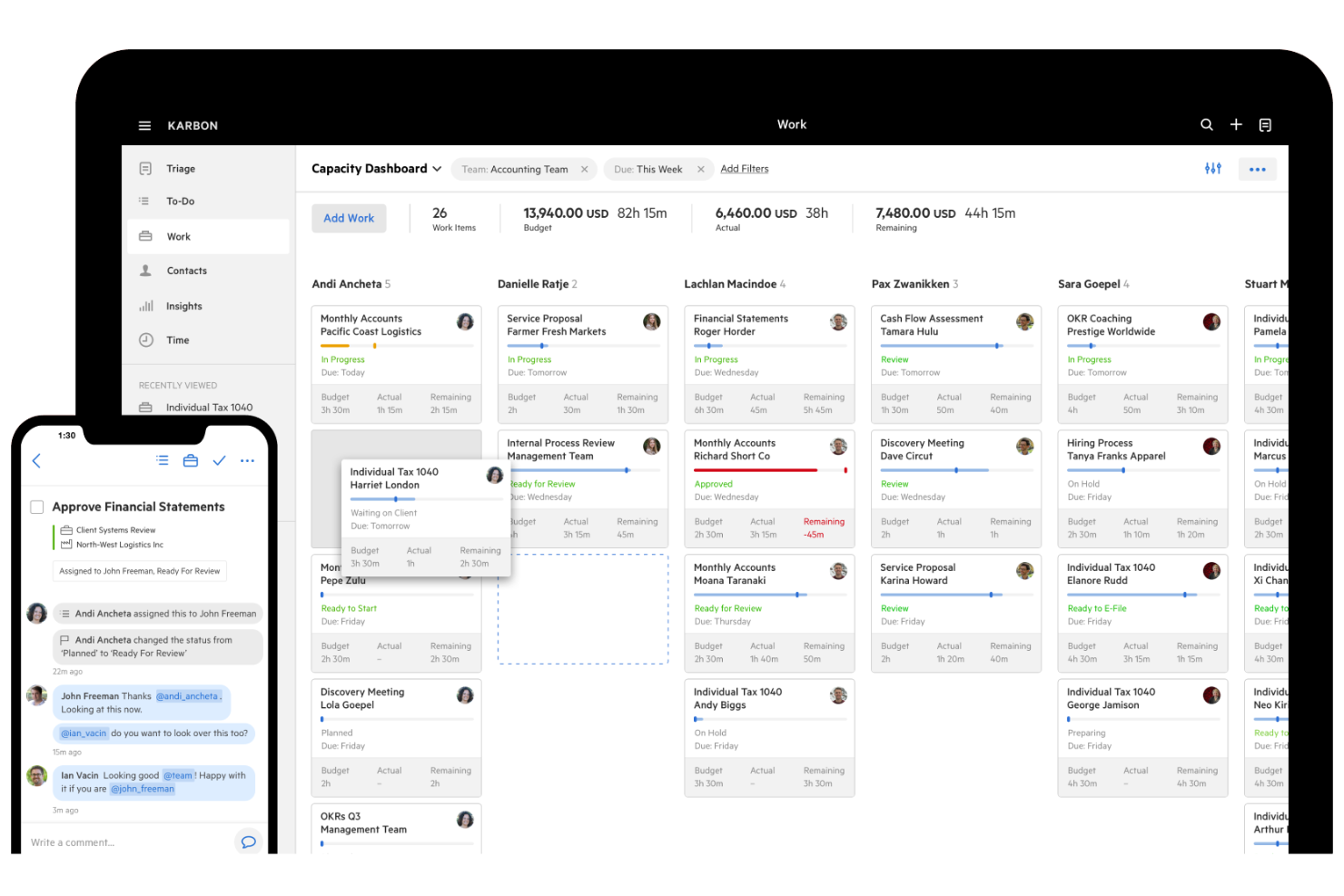
Karbon is an all-in-one practice management software designed for accounting firms of all sizes, including private equity and tax firms. Its primary users are accounting professionals looking to improve productivity, client experiences, and business relationships.
Why I picked Karbon: Karbon improves visibility into billable utilization and WIP across your firm. You can monitor engagement progress in real time, identify stalled work before it turns into write-offs, and ensure time entries align with client billing structures. For firms that struggle with realization rates due to disconnected communication or untracked work, Karbon provides tighter control over engagement billing and collections.
Standout Features and Integrations:
Features include workflow automation for efficient task management. It also offers project management tools that help organize your team’s work. Email and document management features ensure all communication stays in one place.
Integrations include Xero, QuickBooks Online Accountant, Microsoft 365, Google Drive, Slack, Zapier, Mailchimp, HubSpot, and more.
Pros and Cons
Pros:
- Flexible document handling
- Centralized email management
- Detailed project management
Cons:
- Requires consistent updates
- May need third-party integrations

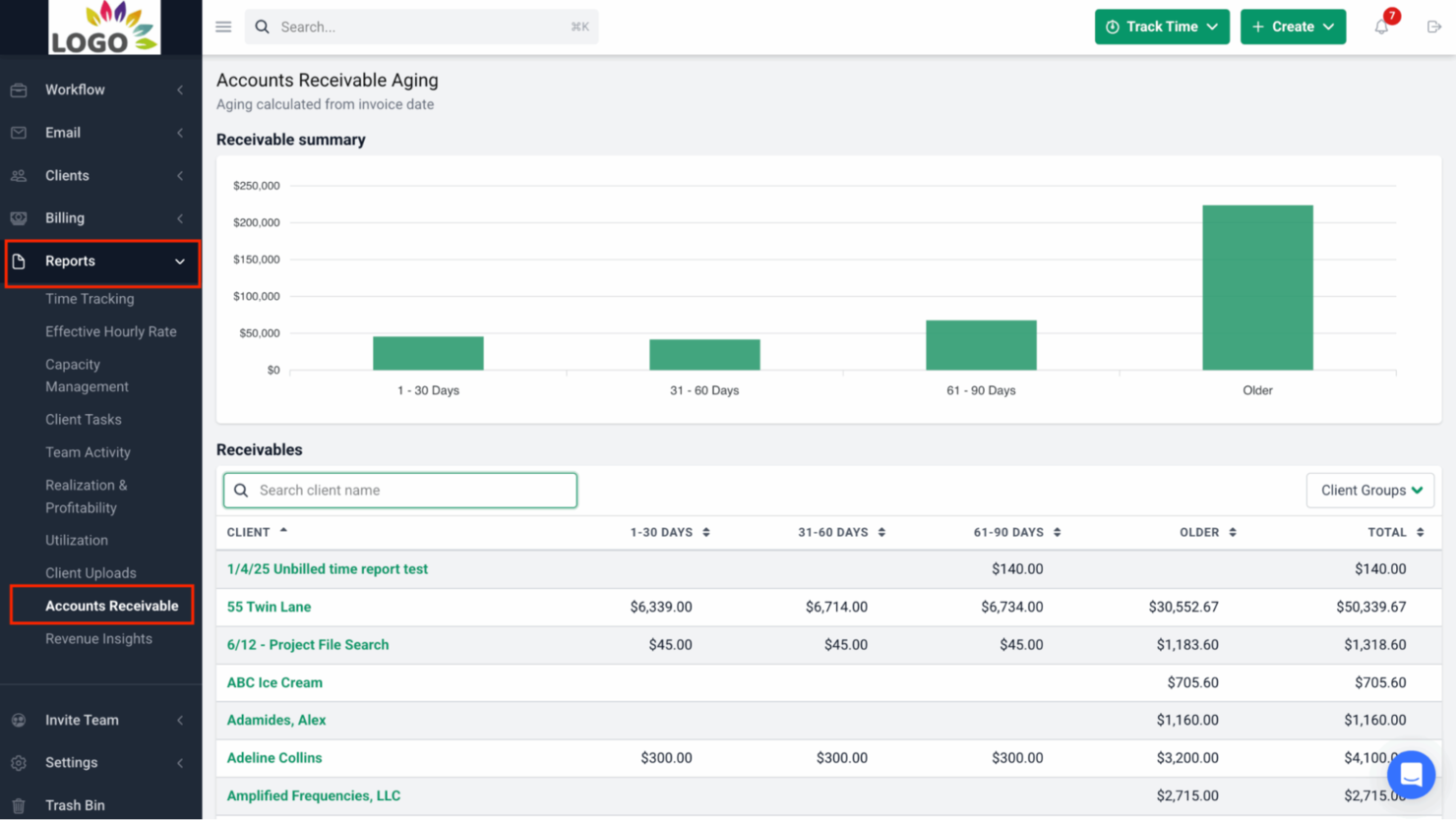
Financial Cents is a cloud-based accounting practice management software aimed at helping accountants and bookkeepers manage their workflow and client interactions. It focuses on task management, providing tools to update operations, improve efficiency, and profitability.
Why I picked Financial Cents: Financial Cents excels in task management, with features such as automated reminders and task tracking to keep your team on schedule. Its workflow management tools help you assign and monitor tasks with ease.
Standout Features and Integrations:
Features include customizable workflow templates that let you tailor processes to your needs. Time-tracking tools help you accurately monitor billable hours. The client portal supports secure document sharing and communication.
Integrations include QuickBooks Online, Gmail, Outlook, Google Drive, OneDrive, Zapier, and more.
Pros and Cons
Pros:
- Secure client portal
- Customizable workflow templates
- Automated task reminders
Cons:
- Scalability for larger firms
- Limited reporting features

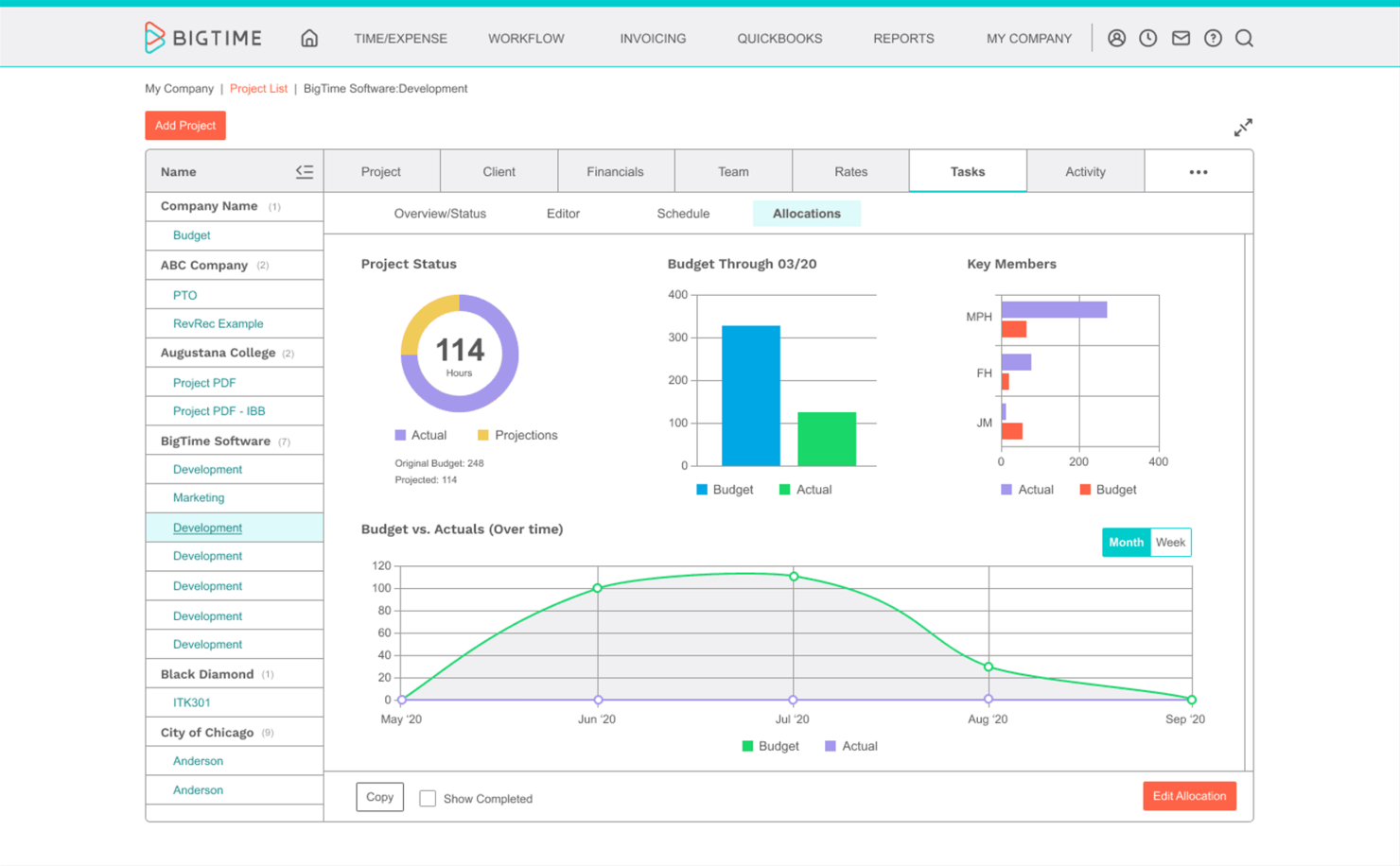
BigTime is a time and billing software designed for professional service firms, focusing on project management and expense tracking. Its main users are accountants and consultants who need to efficiently manage projects and billable hours.
Why I picked BigTime: BigTime is strong for firms that bill by project or engagement rather than simple hourly invoices. It gives you real-time visibility into project budgets versus actual billable time, helping you manage WIP and reduce write-offs before invoices go out. If realization rate and margin control are priorities, BigTime’s budget tracking tools make those metrics easier to monitor and improve.
Standout Features and Integrations:
Features include a detailed reporting system that provides insights into project performance. The mobile app allows your team to track time and expenses on the go. Customizable invoicing options help you tailor billing to client needs.
Integrations include QuickBooks, Lacerte, Salesforce, HubSpot, Atlassian Jira, and more.
Pros and Cons
Pros:
- Reliable QuickBooks integration
- Customizable invoicing options
- Advanced time tracking tools
Cons:
- Lacks advanced features like automatic daily/weekly rate adjustments
- Other integrations with popular tools can be inconsistent

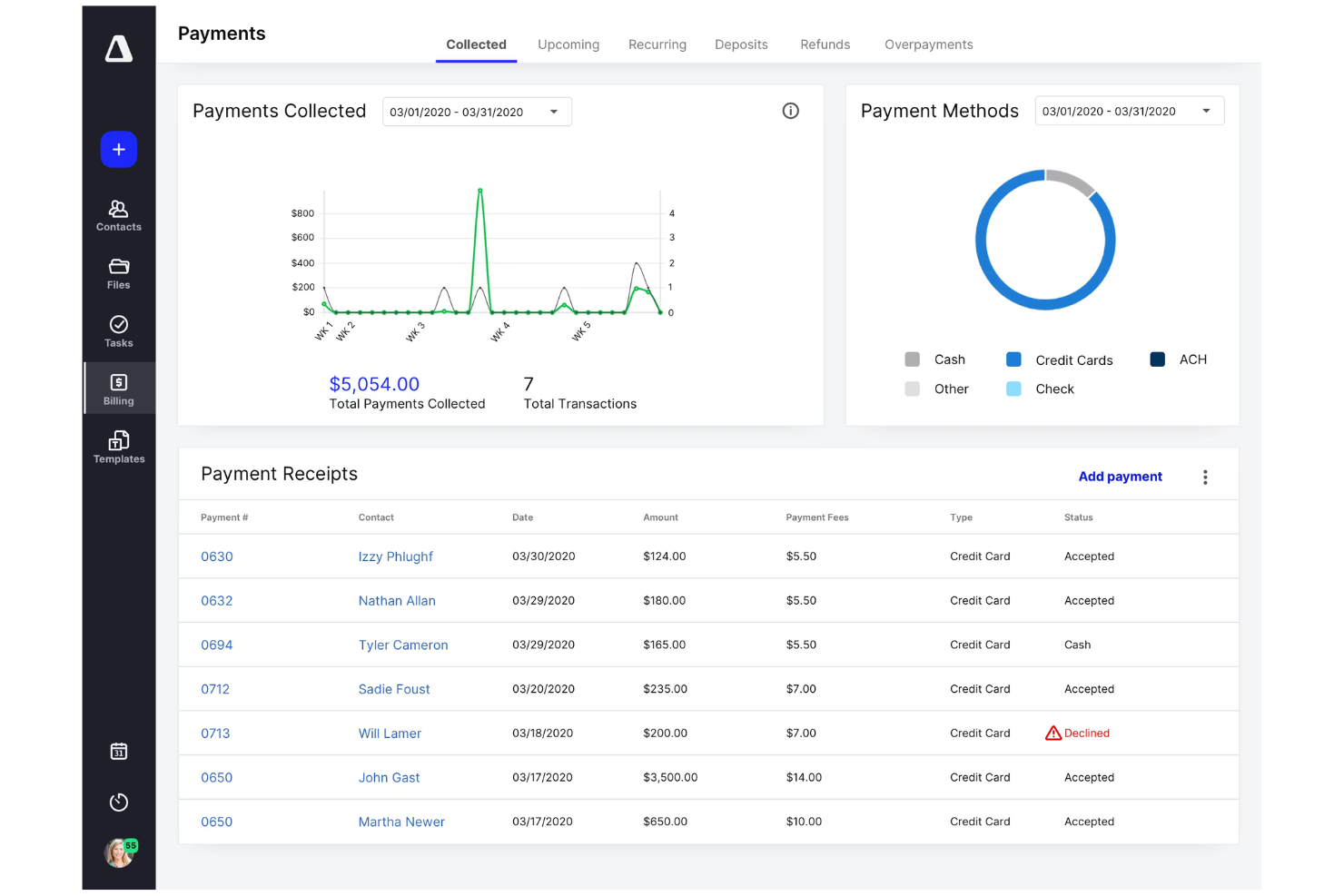
Canopy is a practice management solution designed primarily for accounting service firms focusing on tax resolution,client management and payments collection. Its user base includes tax professionals who need efficient tools to manage their clients and modernize their workflow.
Why I picked Canopy: This platform offers AI-powered features that support tax resolution and client management. Canopy’s focus on tax-specific features makes it an asset for tax advisors and accountants.
Standout Features and Integrations:
Features include a client portal that simplifies client communications and payments. Document management ensures all your files are readily accessible and organized. The task management system helps your team stay on top of their duties efficiently.
Integrations include QuickBooks Online, Xero, Lacerte, Intuit ProConnect, Google Sheets, Microsoft Outlook, Zapier, Calendly, and more.
Pros and Cons
Pros:
- Tax-specific features
- Extensive client portal
- Efficient document management
Cons:
- Reporting functionality is complex, lacking easy-to-run reports
- Modular pricing can be expensive as features are sold separately rather than in one flat, affordable package

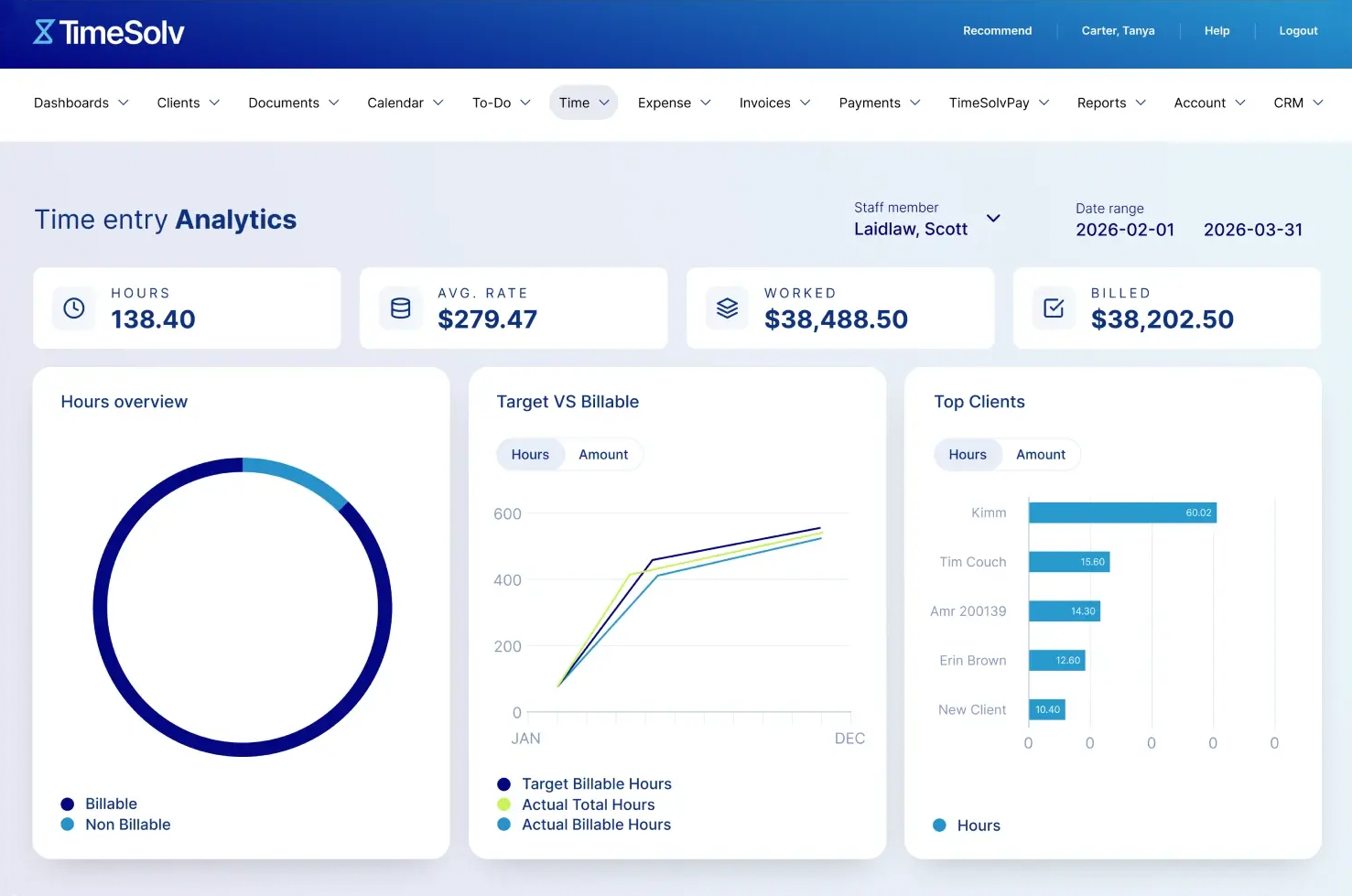
TimeSolv is a billing and time-tracking software tailored for law firms and legal professionals. It helps manage billable time, generate invoices, and automate legal billing processes.
Why I picked TimeSolv: It helps you manage expenses and track billable and non-billable hours. TimeSolv’s focus on legal-specific billing and time management makes it an ideal choice for accountants at law firms.
Standout Features and Integrations:
Features include trust accounting that ensures compliance with legal standards. The software offers detailed time tracking, capturing every billable minute. Customizable invoice templates let you tailor billing to your firm’s needs.
Integrations include QuickBooks, NetDocuments, LawPay, Dropbox, Xero, Microsoft 365, OneDrive, and more.
Pros and Cons
Pros:
- Customizable invoice templates
- In-depth trust accounting
- Legal-specific billing features
Cons:
- Rigid report customization
- Limited invoice formatting

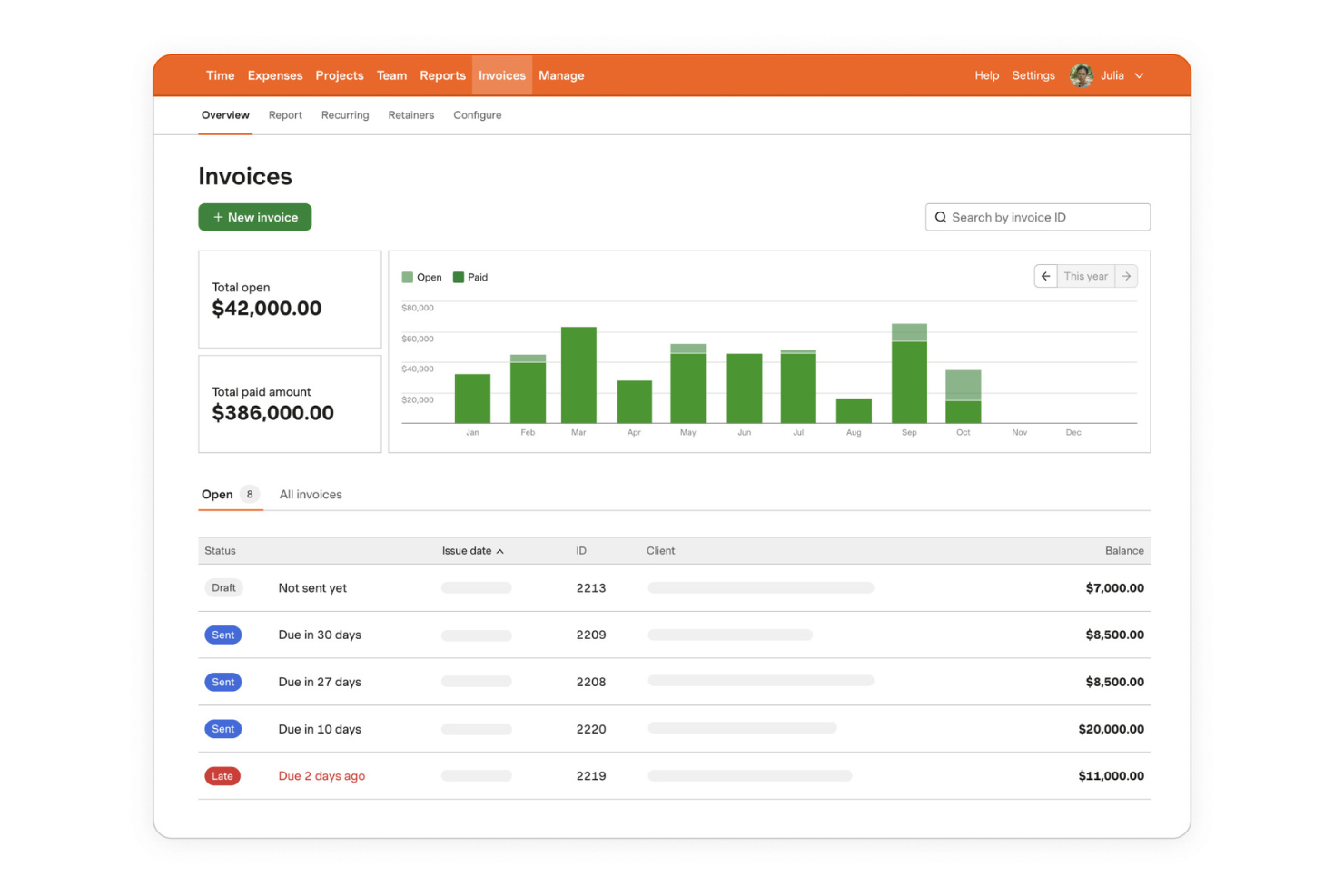
Harvest is a time tracking and invoicing software designed for freelancers and small businesses. It helps users track time, manage projects, and create professional invoices, making it ideal for those who need efficient billing solutions.
Why I picked Harvest: Harvest is ideal for firms that need clean time capture to protect billable utilization. It makes it easy for staff to log billable hours consistently, which reduces underbilling and improves realization rates. While it’s lighter than full practice management systems, it helps smaller firms tighten billing accuracy and speed up client invoicing and collections.
Standout Features and Integrations:
Features include an intuitive time entry that simplifies tracking hours worked. Project management tools help you monitor deadlines and budgets. The software also offers expense tracking, allowing you to manage costs effectively.
Integrations include Asana, Trello, QuickBooks Online, Xero, Basecamp, Slack, Stripe, PayPal, Google Calendar, Zapier, and more.
Pros and Cons
Pros:
- Effective expense tracking
- Straightforward invoicing
- Easy timesheet entry
Cons:
- No offline mode
- The per-user pricing model can become expensive for growing businesses

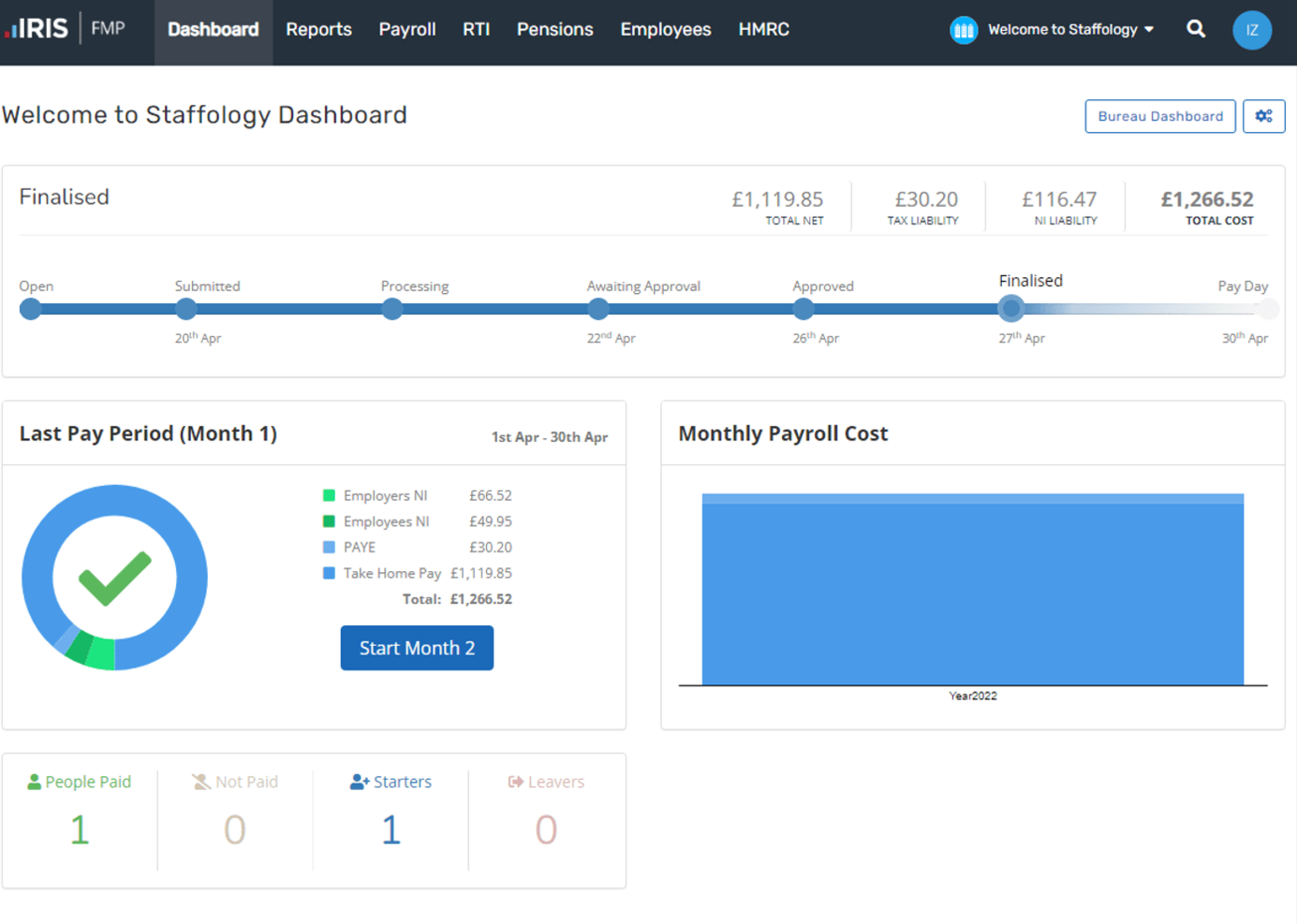
Iris is an accounting and payroll solution based in the U.K. It supports compliance, payroll processing, and tax management, helping businesses and accountants adhere to local regulations.
Why I picked Iris: Iris offers compliance management and payroll processing that align with regulatory standards. It provides tax management tools that ensure accurate reporting and filing.
The platform also includes client management features to help you maintain strong relationships.
Standout Features and Integrations:
Features include payroll processing that simplifies salary management. The software offers compliance management tools to ensure you meet local regulations. Tax management features provide accurate reporting and filing capabilities.
Integrations are not publicly listed.
Pros and Cons
Pros:
- Client management capabilities
- Effective tax management tools
- Detailed payroll processing
Cons:
- Requires technical expertise
- Limited customization options

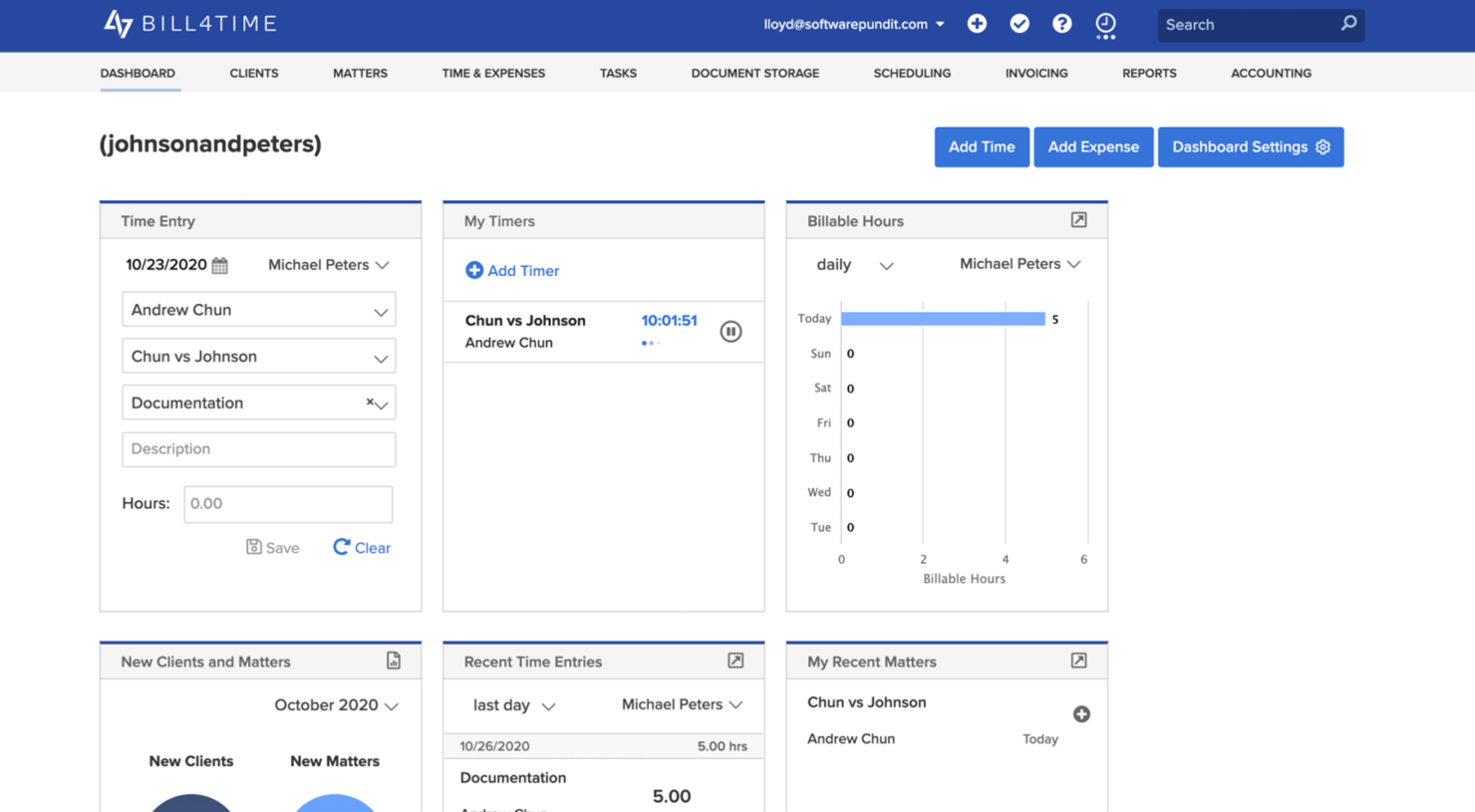
Bill4Time is a time-tracking and billing software tailored for accountants, legal professionals, and law firms. It helps modernize billing processes and manage client billing effectively.
Why I picked Bill4Time: It’s a billing tool that offers customizable billing templates, ensuring your invoices meet the specific needs of your legal clients.
Standout Features and Integrations:
Features include advanced time tracking that captures every billable hour. Expense management tools help you keep track of costs associated with cases. Trust accounting ensures compliance with legal industry standards.
Integrations include QuickBooks, Box, Google Calendar, and more.
Pros and Cons
Pros:
- Detailed expense management
- Advanced time tracking
- Cloud accessibility and reporting
Cons:
- Lengthy setup time
- Occasional glitches or performance issues

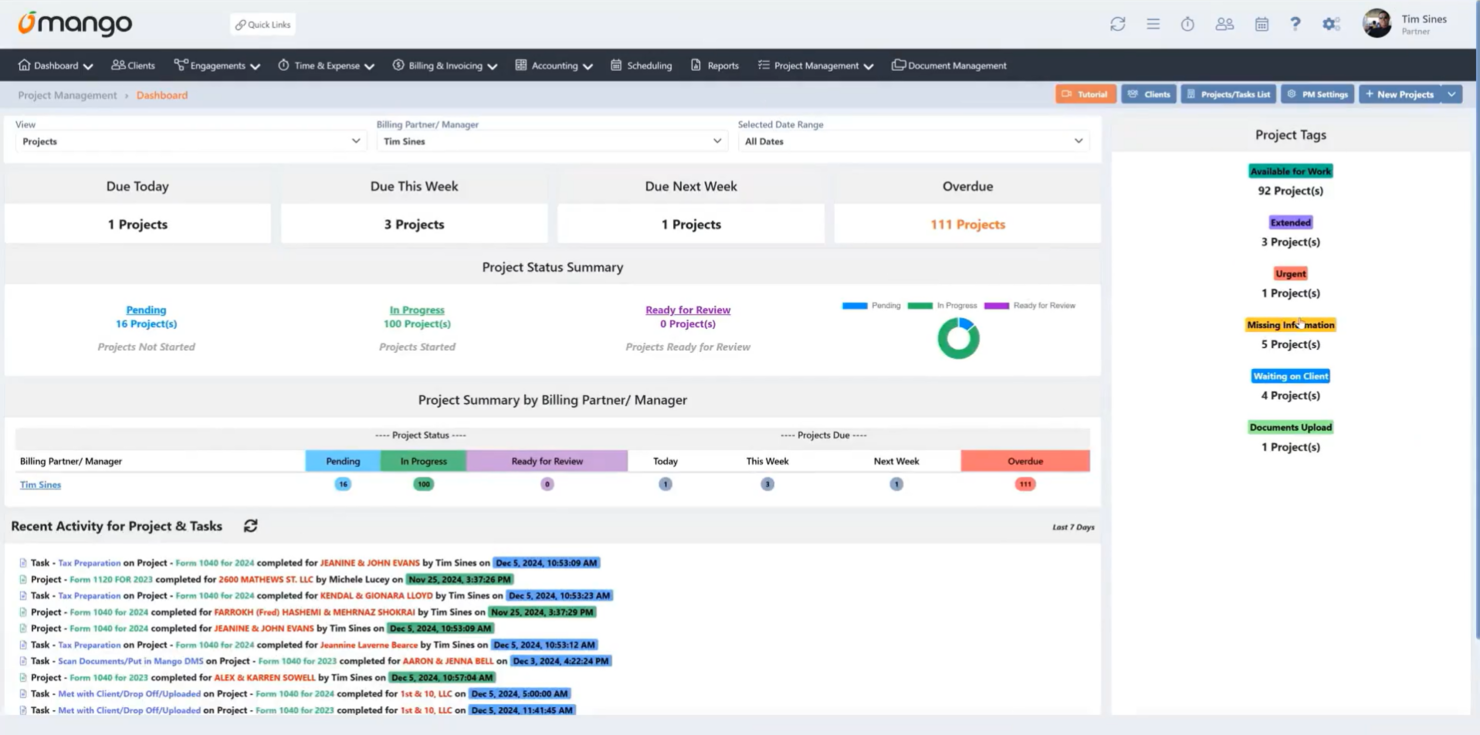
Mango Practice Management is a practice and workflow management solution tailored for accounting professionals and firms. Its main user base consists of accountants looking to improve operational efficiency.
Why I picked Mango Practice Management: Mango is built for small firms that need tighter control over engagement billing and WIP without enterprise complexity. You can track billable hours, monitor open invoices, and manage client collections in one place. Its structured workflow management helps prevent unbilled work from slipping through the cracks, protecting realization rates for smaller teams.
Standout Features and Integrations:
Features include a secure, client-friendly portal, engagement letters, scheduling, and document management. The intuitive user interface is easy for your team to learn and operate.
Integrations include QuickBooks Online, Xero, Lacerte, Intuit ProConnect, UltraTax CS, ATX, Microsoft Outlook, Gmail, and more.
Pros and Cons
Pros:
- Efficient eSignature capabilities
- Intuitive user interface
- Secure client interactions
Cons:
- Limited scalability for large firms
- Basic reporting features

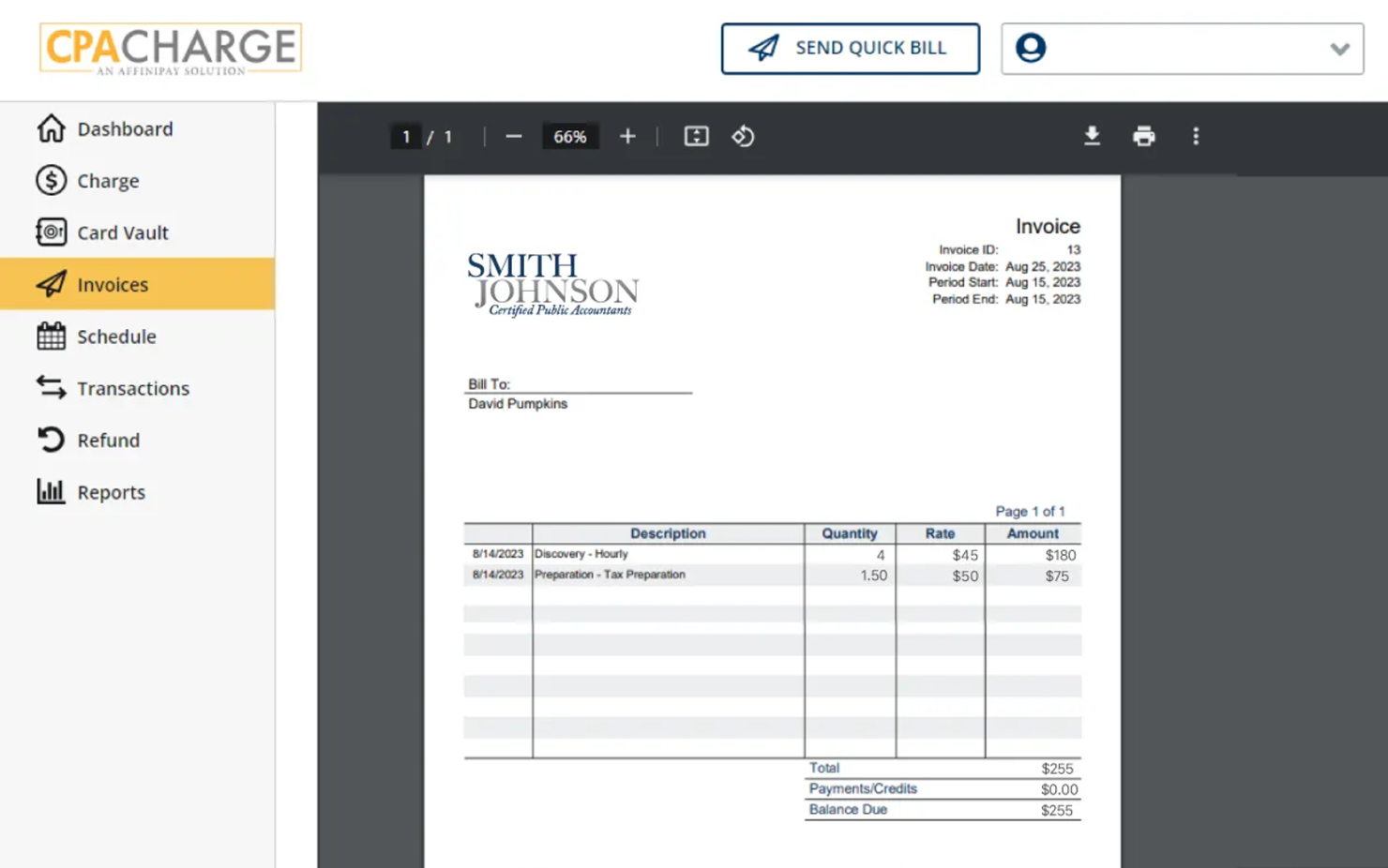
CPACharge is a payment processing solution designed for accounting and CPA firms. It primarily serves accountants who need reliable and secure ways to handle client payments and billing.
Why I picked CPACharge: CPACharge focuses on secure online payment processing, protecting your clients’ transactions. The tool’s ability to accept credit card payments and ACH transfers adds to its versatility. It also provides detailed reporting tools to help you efficiently track all your transactions.
Standout Features and Integrations:
Features include PCI compliance, ensuring all transactions are secure. Fraud protection is built in to safeguard your clients’ data. The platform also offers detailed reporting, making it easy to monitor transactions.
Integrations include QuickBooks, Bill4Time, Rightworks, TaxDome, and more.
Pros and Cons
Pros:
- Accepts credit card and online payments
- PCI-compliance features
- Fraud protection included
Cons:
- Basic reporting capabilities
- Payment processing fees can be high, especially for premium credit cards
Other Billing Software for Accountants
Here are some additional billing software for accountants options that didn’t make it onto my shortlist but are still worth checking out:
- Getcone
For startup teams
- Tallyprime
For multi-currency invoicing
- Sage Intacct
For AI-driven financial insights
- Hubstaff
For remote team management
- Ignition App
For client engagement


Billing Software for Accountants: Selection Criteria
When selecting the best billing software for accountants to include in this list, I considered common buyer needs and pain points like managing invoicing accuracy and ensuring compliance with financial regulations. I also used the following framework to keep my evaluation structured and fair:
Core Functionality (25% of total score)
To be considered for inclusion in this list, each solution had to fulfill these common use cases:
- Billable hour tracking
- WIP monitoring and reporting
- Engagement-based billing
- Automated invoice generation
- Client collections tracking
- Write-off and realization analysis
Additional Standout Features (25% of total score)
To help further narrow down the competition, I also looked for unique features, such as:
- Multi-currency support
- Customizable templates
- Automated reminders
- Data analytics
- Integration with accounting software
Usability (10% of total score)
To get a sense of the usability of each system, I considered the following:
- Intuitive interface
- Easy navigation
- Minimal learning curve
- Clear instructions
- Responsive design
Onboarding (10% of total score)
To evaluate the onboarding experience for each platform, I considered the following:
- Availability of training videos
- Interactive product tours
- Access to webinars
- Use of templates
- Support from chatbots
Customer Support (10% of total score)
To assess each software provider’s customer support services, I considered the following:
- 24/7 availability
- Multiple contact options
- Response time
- Knowledgeable staff
- Availability of a help center
Value for Money (10% of total score)
To evaluate the value for money of each platform, I considered the following:
- Competitive pricing
- Features included in plans
- Scalability of pricing
- Discounts for annual billing
- Return on investment
Customer Reviews (10% of total score)
To get a sense of overall customer satisfaction, I considered the following when reading customer reviews:
- Overall satisfaction rating
- Feedback on features
- Comments on ease of use
- Opinions on customer support
- Recommendations from users
How To Choose Billing Software for Accountants
It’s easy to get bogged down in long feature lists and complex pricing structures. To help you stay focused as you work through your unique software selection process, here’s a checklist of factors to keep in mind:
| Factor | What To Consider |
|---|---|
| Scalability | Will the software grow with your business? Consider if it can handle increased transactions and users without a hitch. Look for solutions that offer flexible pricing tiers or modules. |
| Integrations | Does it work with the tools you already use? Ensure it integrates smoothly with your existing accounting systems, CRM, and project management tools to avoid siloed data. |
| Customizability | Can you tailor the software to fit your workflow? Look for options that allow you to customize templates, reports, and dashboards to match your firm’s specific needs. |
| Ease of use | Is the interface intuitive for your team? Choose software that requires minimal training and has a layout that makes sense, so your team can hit the ground running. |
| Implementation and onboarding | How quickly can you get started? Evaluate the time and resources needed for setup. Check if the vendor offers onboarding support, tutorials, and a dedicated account manager. |
| Cost | Does the price fit your budget? Compare the total cost of ownership, including subscription fees, setup fees, and any hidden charges. Look for value, not just the lowest price. |
| Security safeguards | Are your data and client information protected? Ensure the software has vigorous security measures, like encryption and regular updates, to safeguard sensitive financial data. |
| Compliance requirements | Does it meet regulatory needs? Verify if the software supports compliance with local and international accounting standards, especially if you operate in multiple jurisdictions. |
What Is Billing Software for Accountants?
Billing software for accountants helps firms manage engagement billing, track billable utilization, monitor WIP, and protect realization rates. Beyond invoice generation, these tools help you reduce write-offs, standardize retainers and fixed-fee billing, and streamline client collections.
For accounting firms, the goal isn’t just sending invoices — it’s maintaining healthy margins, accelerating cash flow, and ensuring that recorded work translates into revenue.
Features
When selecting billing software for accountants, keep an eye out for the following key features:
- Invoice generation: Automates the creation of invoices, saving time and reducing the risk of errors in billing.
- Payment processing: Facilitates easy and secure transactions, ensuring timely payments from clients.
- Expense tracking: Monitors and categorizes expenses to maintain accurate financial records and budgeting.
- Time tracking: Captures billable hours efficiently, ensuring accurate billing for services rendered.
- Compliance management: Ensures adherence to financial regulations, helping prevent costly compliance issues.
- Customizable templates: Allow you to tailor invoices and reports to fit your firm’s branding and specific needs.
- Multi-currency support: Enables transactions in different currencies, essential for businesses operating internationally.
- Data analytics: Provides insights into financial performance, aiding in strategic decision-making.
- Client management: Helps maintain strong client relationships with organized contact and billing information.
- Security safeguards: Protects sensitive financial data with encryption and regular updates, ensuring data integrity.
Benefits
Implementing billing software for accountants provides several benefits for your team and your business. Here are a few you can look forward to:
- Increased accuracy: Automated recurring invoice processing and payments reduce errors, ensuring accurate financial records.
- Time savings: Features like time tracking and invoice generation free up time for your team to focus on more strategic tasks.
- Improved compliance: Compliance management tools help your business adhere to financial regulations, minimizing risks.
- Improved client relationships: Client management features keep billing and contact information organized, supporting better communication.
- Better financial insights: Data analytics provide valuable insights into your financial performance, aiding in decision-making.
- Scalability: Multi-currency support and customizable templates allow your business to grow and adapt to changing needs.
- Data security: Security safeguards protect sensitive financial data, maintaining your clients’ trust and data integrity.
Costs and Pricing
Selecting billing software for accountants requires an understanding of the various pricing models and plans available. Costs vary based on features, team size, add-ons, and more. The table below summarizes common plans, their average prices, and typical features included in billing software for accountants:
Plan Comparison Table for Billing Software for Accountants
| Plan Type | Average Price | Common Features |
|---|---|---|
| Free Plan | $0 | Basic invoicing, limited support, and simple reporting. |
| Personal Plan | $5-$59/user/month | Invoice generation, payment processing, and basic client management. |
| Business Plan | $9-$89/user/month | Advanced reporting, time tracking, and multi-currency support. |
| Enterprise Plan | $17-$180/user/month | Customizable templates, compliance management, and dedicated account support. |
Billing Software for Accountants FAQs
Here are some answers to common questions about billing software for accountants:
What is the difference between cloud-based and on-premises billing software?
Cloud-based billing software is hosted on the vendor’s servers and accessed through the internet, offering flexibility and ease of access from anywhere. On-premises software is installed locally on your company’s computers and servers, providing more control over data but requiring more IT resources. Consider your team’s mobility needs and IT capacity when choosing between the two.
Can billing software integrate with my existing accounting systems?
Yes, most billing software can integrate with popular accounting systems like QuickBooks, Xero, and Sage. These integrations help ensure data consistency and simplify your financial processes. Before purchasing, check if the software supports a smooth integration with your current systems to avoid manual data entry.
How secure is billing software for accountants?
Billing software for accountants is generally secure, with many vendors implementing encryption, multi-factor authentication, and regular security updates. However, it’s essential to evaluate each vendor’s security measures and compliance with data protection regulations. Ask about their security certifications and how they handle data breaches to ensure your clients’ information stays safe.
Do I need technical expertise to set up billing software?
No, you don’t need extensive technical expertise to set up most billing software. Many vendors offer user-friendly interfaces and provide support through tutorials, onboarding sessions, and customer service. If you’re not tech-savvy, choose software known for its ease of use and accessibility to make the transition smoother for your team.
What’s Next:
If you’re in the process of researching billing software for accountants, connect with a SoftwareSelect advisor for free recommendations.
You fill out a form and have a quick chat where they get into the specifics of your needs. Then you’ll get a shortlist of software to review. They’ll even support you through the entire buying process, including price negotiations.