
13 Budgeting Apps for 2026

10 Budgeting Apps Shortlist
Here's my pick of the 10 best software from the 13 tools reviewed.


Budgeting apps are digital tools that help you track spending, manage accounts, and plan your finances in one place. If you’re searching for the best budgeting apps, you’re likely looking for ways to gain control over how much money you spend, simplify expense tracking, save money, and make smarter financial decisions—without adding more work to your day.
With so many options available, it’s tough to know which app fits your needs, whether you want envelope-style budgeting, multi-currency support, or automated subscription tracking. This list will help you quickly compare the top budgeting apps for 2026, so you can find the right fit for your personal finance goals and workflow.
Why Trust Our Software Reviews
Budgeting Apps Summary
This comparison chart summarizes pricing details for my top budgeting apps selections to help you find the best one for your budget and business needs.
| Tool | Best For | Trial Info | Price | ||
|---|---|---|---|---|---|
| 1 | Best for automated subscription monitoring | Free plan available | From $3/month | Website | |
| 2 | Best for collaborative household budgeting | 7-day free trial | From $8.33/month (billed annually) | Website | |
| 3 | Best for integrated financial advice tools | Free demo available | Pricing upon request | Website | |
| 4 | Best for real-time cash flow insights | Free demo available | From $5.99/month (billed annually) | Website | |
| 5 | Best for customizable workflow automation | Free plan available | From $5/month | Website | |
| 6 | Best for tracking finances across multiple countries | 30-day free trial | From $10/month | Website | |
| 7 | Best for multi-currency account management | Free plan available | Pricing upon request | Website | |
| 8 | Best for envelope-style expense tracking | 14-day free trial | From $17.99/month (billed annually) | Website | |
| 9 | Best for digital envelope allocation | Free plan available | From $10/month | Website | |
| 10 | Best for visualizing spending with custom categories | 7-day free trial + free plan available | From $1.99/month | Website |
-

LiveFlow
Visit WebsiteThis is an aggregated rating for this tool including ratings from Crozdesk users and ratings from other sites.4.9 -
Float Financial
Visit WebsiteThis is an aggregated rating for this tool including ratings from Crozdesk users and ratings from other sites.4.1 -
Rippling Spend
Visit WebsiteThis is an aggregated rating for this tool including ratings from Crozdesk users and ratings from other sites.4.8


Budgeting Apps Reviews
Below are my detailed summaries of the budgeting apps that made it onto my shortlist. My reviews offer a detailed look at the features, best use cases, and pricing of each tool to help you find the best one for you.

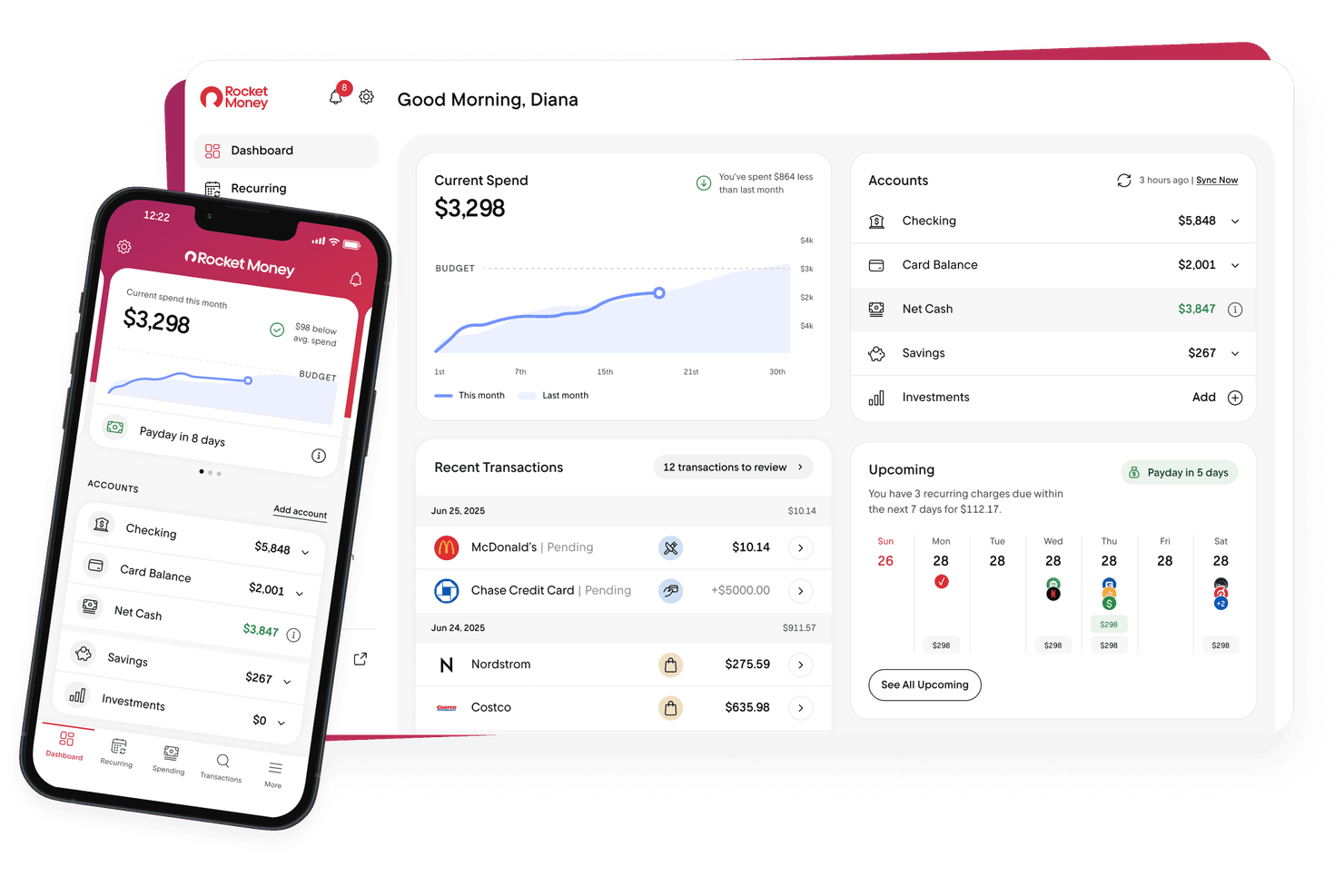
If you’re struggling to keep track of recurring subscriptions and hidden charges, Rocket Money offers a focused solution. This app is designed for individuals and households who want to automatically monitor, manage, and cancel subscriptions from one dashboard. For anyone who needs tighter control over recurring expenses and wants to avoid unwanted charges, Rocket Money brings automation to the process.
Why I Picked Rocket Money
What stands out about Rocket Money is its automated approach to subscription management, which is a common pain point for anyone budgeting in today’s digital world. The app automatically scans your linked accounts to identify recurring subscriptions and provides a clear list of all active services. I appreciate that you can cancel unwanted subscriptions directly from the app, saving time and reducing the risk of forgotten charges. For users who want to keep recurring expenses under control, Rocket Money’s automation and cancellation features make it a strong fit.
Rocket Money Key Features
In addition to its subscription monitoring tools, Rocket Money offers several other features for managing your finances:
- Automatic Bill Negotiation: Attempts to lower your bills by negotiating with service providers on your behalf.
- Spending Insights Dashboard: Visualizes your spending patterns and trends across categories.
- Credit Score Monitoring: Provides regular updates and insights into your credit score.
- Savings Goals: Lets you set and track progress toward specific savings targets within the app.
Rocket Money Integrations
Integrations include Plaid, Experian, Stripe, and PayPal.
Pros and Cons
Pros:
- Pay what is fair pricing model
- Fast subscription cancellation tools
- Negotiates lower rates on your behalf
Cons:
- Negotiation fees are a percentage
- Bank sync can disconnect frequently

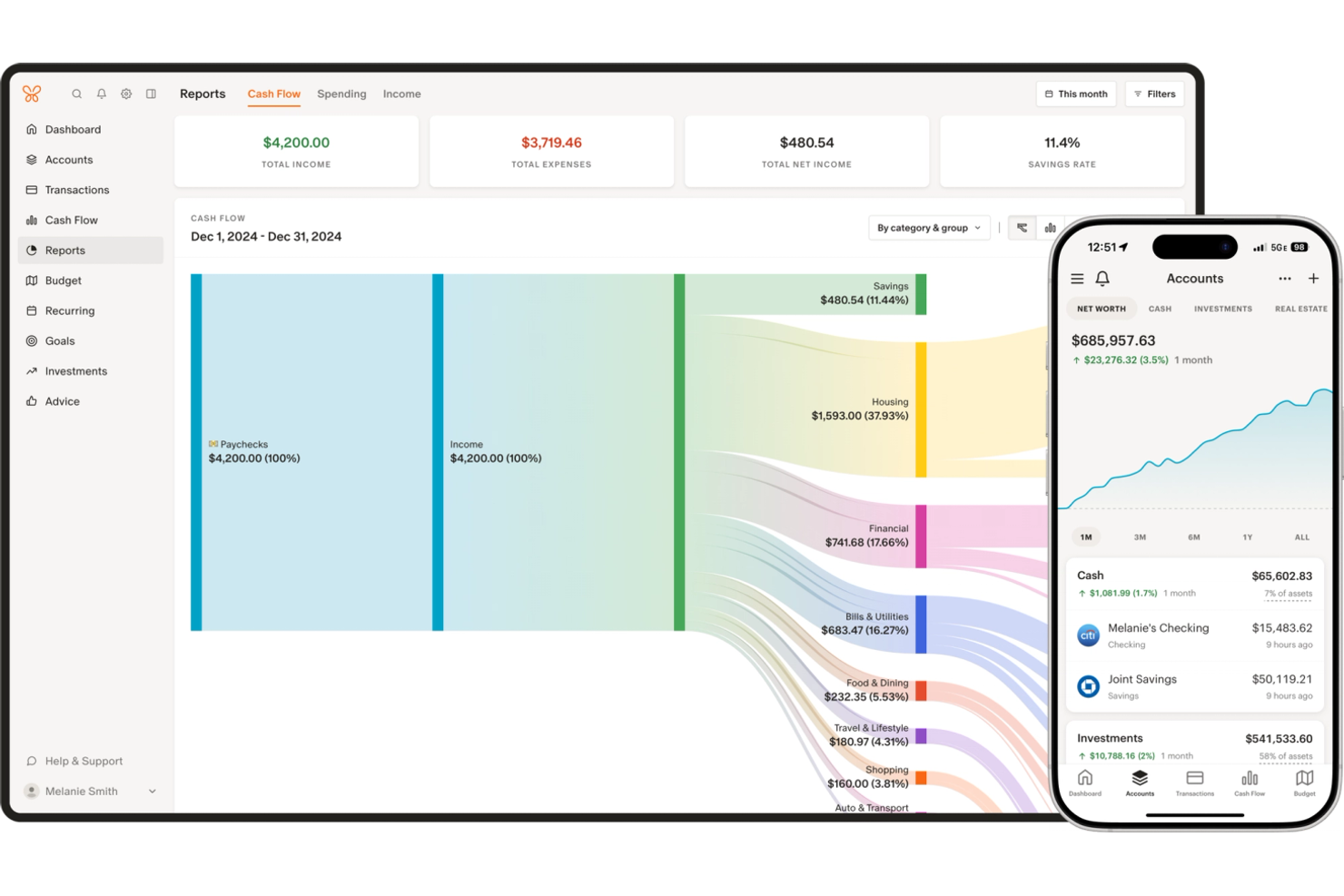
Monarch is built for households and partners who want to manage their finances together in real time. The platform lets multiple users collaborate on shared budgets, track joint goals, and see all accounts in one place. If you’re looking for a budgeting app that supports true financial teamwork, Monarch is designed to keep everyone on the same page.
Why I Picked Monarch
Monarch stands out for its focus on collaborative household budgeting, which is something many budgeting apps overlook. The platform allows multiple users to access and update shared budgets, making it easy for partners or families to coordinate spending and savings goals. I like that you can set joint financial targets and track progress together, which helps everyone stay accountable. For anyone who wants a budgeting app available on Google Play and the App Store that truly supports teamwork and transparency, Monarch offers features designed for shared financial management.
Monarch Key Features
Some other features that make Monarch a strong choice for budgeting include:
- Automatic Account Syncing: Connects to thousands of banks and financial institutions to keep your balances and transactions up to date.
- Customizable Categories: Lets you create, edit, and organize budget categories to match your household’s unique spending patterns.
- Cash Flow Forecasting: Projects your future balances based on upcoming income and expenses.
- Investment Tracking: Aggregates and displays your investment accounts alongside your regular finances.
Monarch Integrations
Integrations include Plaid, Finicity, MX, Zillow, Coinbase, and Apple Card.
Pros and Cons
Pros:
- Ad-free private user experience
- Customizable dashboard and categories
- Seamless collaboration for households
Cons:
- No free version available after trial
- OCR can struggle with long receipts

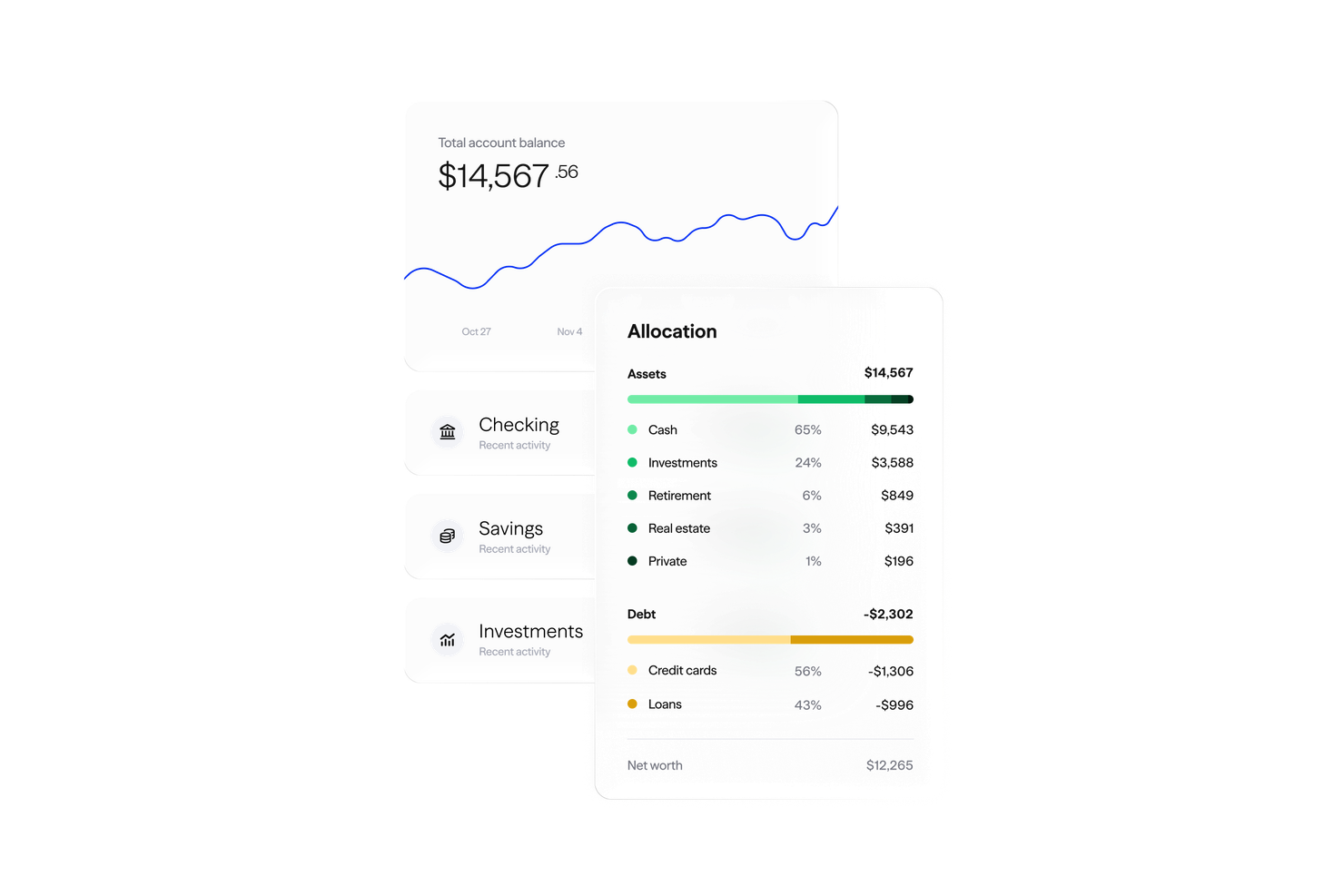
Albert brings together budgeting, saving, and personalized financial advice in one app for individuals who want more than just basic money management. The platform appeals to users looking for hands-on guidance, offering access to real human advisors alongside automated tools. If you want a budgeting app that combines smart tracking with integrated financial coaching, Albert is designed to help you make informed decisions every step of the way.
Why I Picked Albert
What sets Albert apart from other budgeting apps is its built-in access to financial advice tools. The app connects users with real human advisors, so you can get personalized answers to your money questions right from your phone. I appreciate how Albert combines automated budgeting and savings features with on-demand financial guidance, making it easier to navigate complex decisions. For anyone who wants an Android and iOS app that does more than just tracking and wants expert input as part of their budgeting process, Albert offers a unique blend of technology and human support.
Albert Key Features
Some other features that make Albert a strong budgeting app include:
- Automated Savings: Moves small amounts of money into savings based on your spending habits and goals.
- Smart Budgeting: Categorizes transactions and tracks spending across multiple accounts.
- Bill Tracking: Monitors upcoming bills and sends reminders to help avoid late payments.
- Cash Advance: Offers short-term cash advances to help cover unexpected expenses.
Albert Integrations
Native integrations are not currently listed by Albert.
Pros and Cons
Pros:
- Integrated cash advance capabilities
- Simple automated savings features
- AI Genius provides financial advice
Cons:
- Budgeting tools feel too simplified
- Customer support is mainly via chat

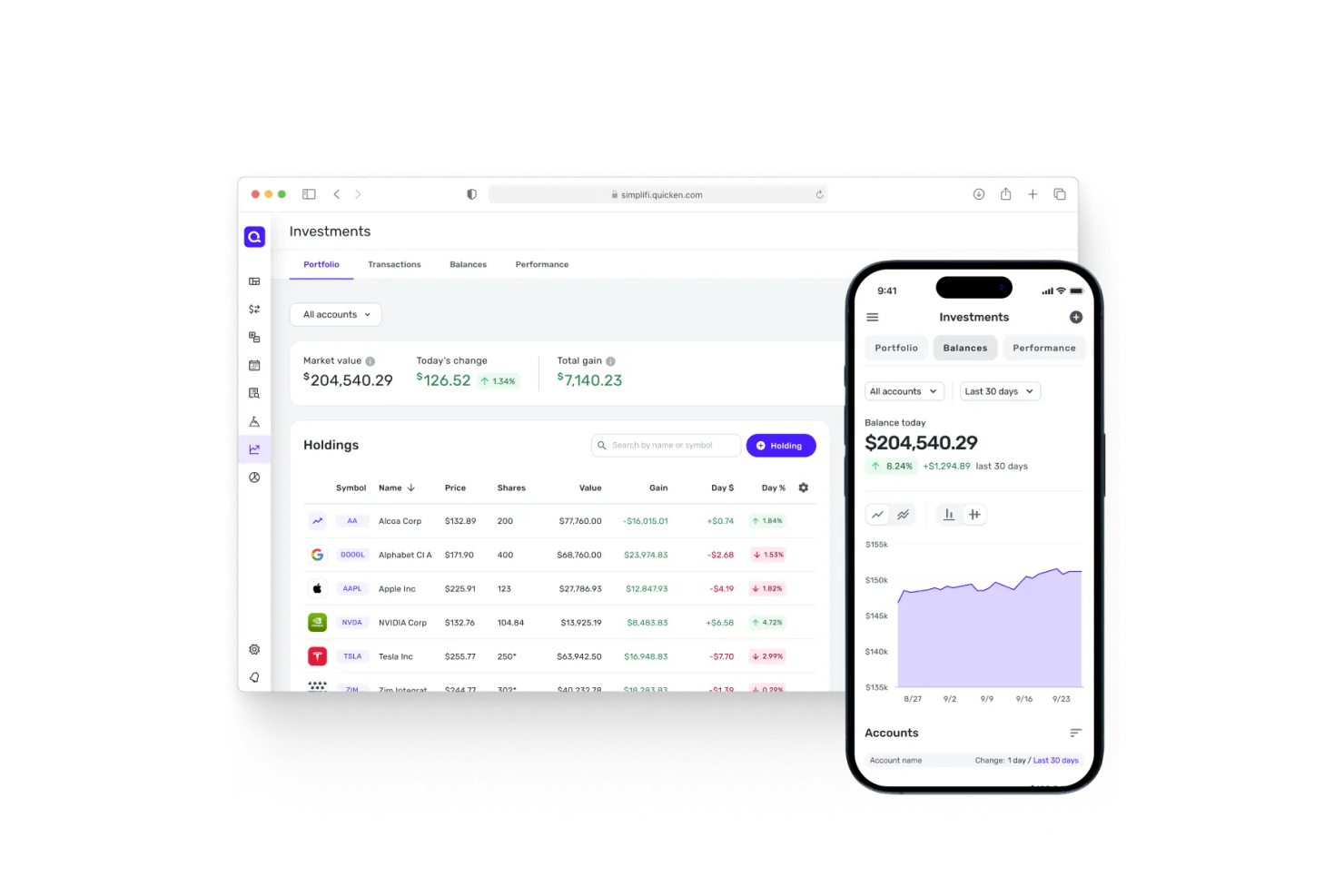
If you want a budgeting app that keeps you updated on your cash flow in real time, Quicken Simplifi is worth a look. This tool is designed for individuals and households who need to see exactly where their money stands at any moment. With its live cash flow tracking and personalized spending plans, Quicken Simplifi helps you make informed decisions as your finances change.
Why I Picked Quicken Simplifi
What sets Quicken Simplifi apart for me is its focus on real-time cash flow insights, which is essential for anyone who wants to stay on top of their finances day-to-day. The app automatically tracks your income, bills, and spending as they happen, so you always know your current financial position. I appreciate how it projects your cash flow forward, factoring in upcoming expenses and recurring payments. For users who need to make quick, informed decisions based on up-to-date financial data, Quicken Simplifi’s live tracking features are a strong fit.
Quicken Simplifi Key Features
Some other features that stood out to me include:
- Customizable Spending Watchlists: Lets you set alerts for specific categories or merchants to monitor spending closely.
- Goal Tracking: Allows you to create and track progress toward savings goals within the app.
- Automatic Categorization: Uses intelligent algorithms to sort transactions into relevant categories for easier analysis.
- Report Generation: Provides detailed reports on spending, income, and trends over time.
Quicken Simplifi Integrations
Integrations include Intuit Connect and Zillow.
Pros and Cons
Pros:
- Competitive pricing for high features
- Automated transaction categorization
- Reliable bank connections
Cons:
- Requires a recurring subscription fee
- Limited customization for categories
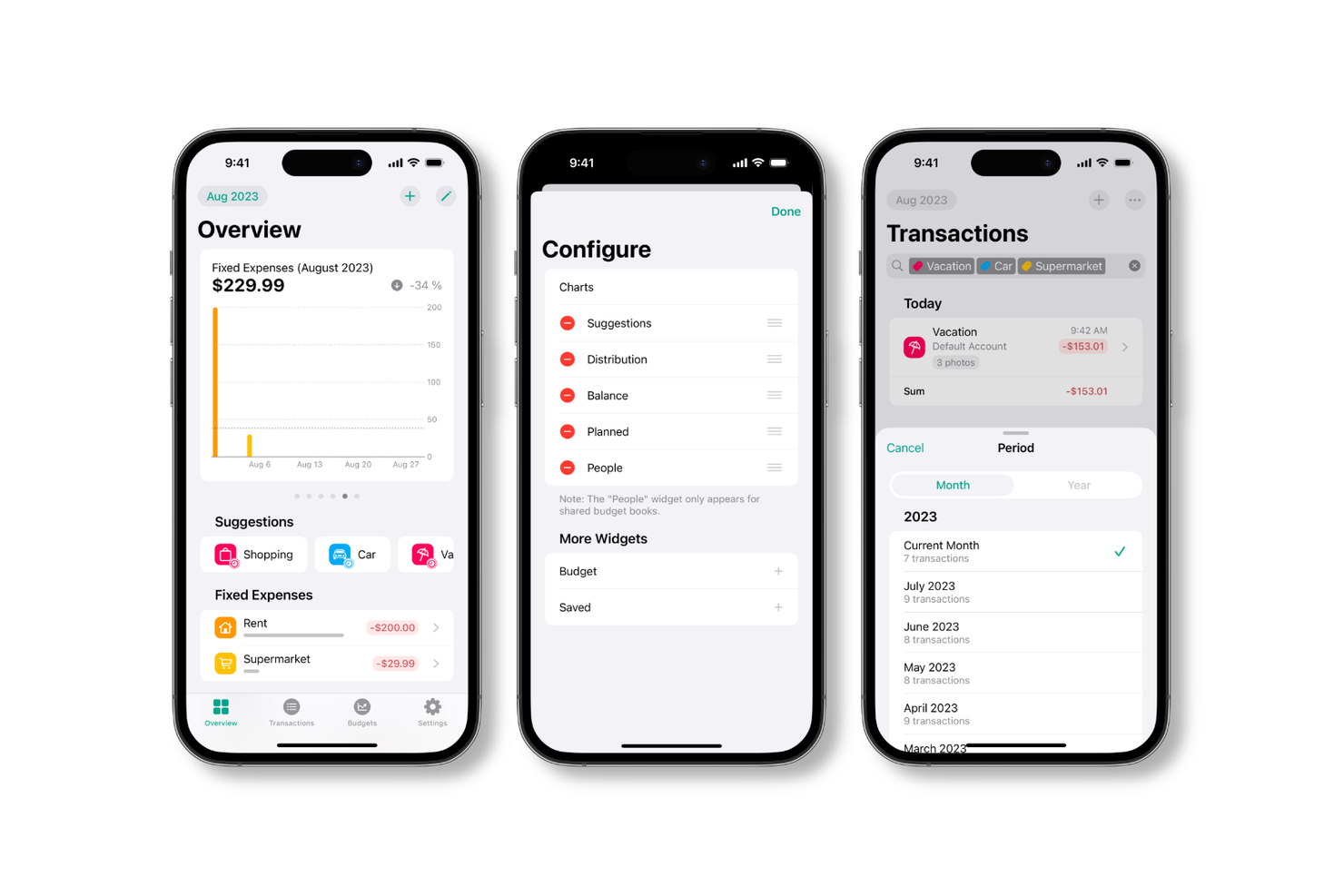
Budget Flow offers a flexible platform for teams that want to automate and customize their budgeting workflows. It’s especially useful for finance professionals and organizations with complex approval chains or unique process requirements. With its workflow automation features, Budget Flow helps you tailor budgeting processes to fit your business rules and collaboration needs.
Why I Picked Budget Flow
What sets Budget Flow apart is its focus on customizable workflow automation for budgeting processes. The platform lets you design approval chains, set up automated notifications, and build custom rules that match your organization’s unique budgeting structure. I appreciate how you can adapt workflows to fit different departments or project needs, which is especially valuable for businesses with non-standard processes. This level of flexibility makes Budget Flow a strong choice for teams that want more control over how budgets move through their organization.
Budget Flow Key Features
Some other features that caught my attention include:
- Role-Based Permissions: Lets you assign different access levels to users based on their responsibilities.
- Real-Time Collaboration: Allows multiple team members to work on budgets simultaneously.
- Version History: Tracks changes and lets you revert to previous budget versions if needed.
- Custom Reporting: Enables you to generate tailored reports based on your organization’s specific metrics.
Budget Flow Integrations
Integrations includeiCloud and Apple Health.
Pros and Cons
Pros:
- One-time purchase option available
- Privacy-focused with iCloud syncing
- Native Apple ecosystem integration
Cons:
- Smaller community and support base
- Lacks complex investment tracking

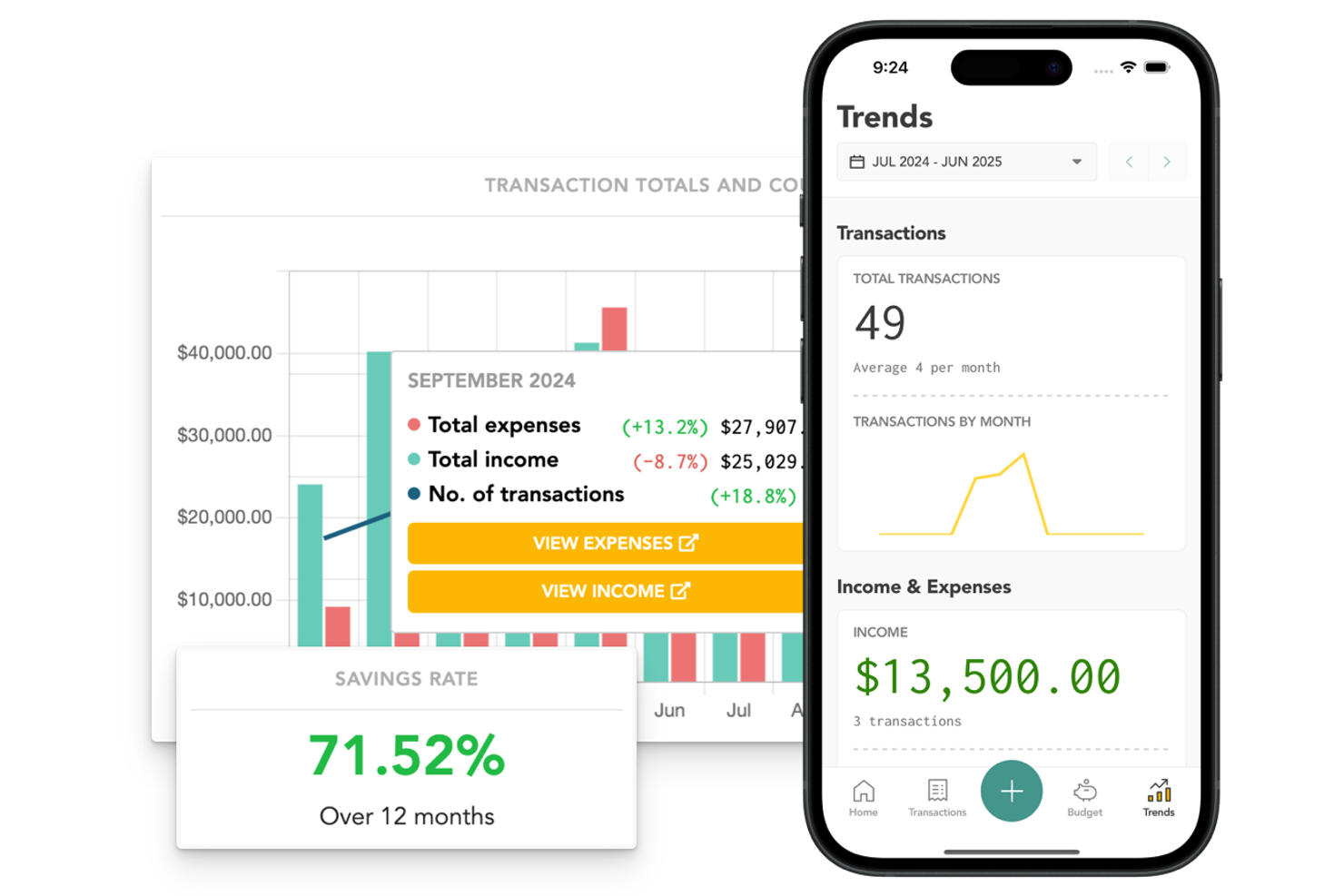
Lunch Money is built for individuals and teams who need to track finances across multiple countries and currencies. This tool is especially useful for digital nomads, remote workers, or businesses with international operations. If you need a budget management app that handles global financial accounts and travel expenses with precision, Lunch Money is designed to meet those needs.
Why I Picked Lunch Money
What drew me to Lunch Money is its focus on users who manage finances across borders. The app supports multi-currency accounts and lets you track spending in different countries without manual conversion. I appreciate that it automatically updates exchange rates and applies them to your transactions, so your financial overview stays accurate. For anyone who travels frequently or manages international accounts, Lunch Money offers features that directly address those challenges.
Lunch Money Key Features
Some other features in Lunch Money help round out its budgeting capabilities:
- Recurring Expense Tracking: Lets you set up and monitor repeating expenses like subscriptions or rent.
- Collaboration Tools: Allows multiple users to manage and review shared budgets together.
- Custom Categories and Tags: Enables you to organize transactions with personalized categories and tags.
- Net Worth Tracking: Aggregates your assets and liabilities to give you a real-time net worth snapshot.
Lunch Money Integrations
Integrations include Plaid, GoCardless, Salt Edge, SimpleFin, Wealthica, and Zillow.
Pros and Cons
Pros:
- Supports crypto and external accounts
- Flexible transaction tagging system
- Clean ad-free web and mobile layout
Cons:
- Mobile app is a web-based wrapper
- Lacks automated OCR data extraction
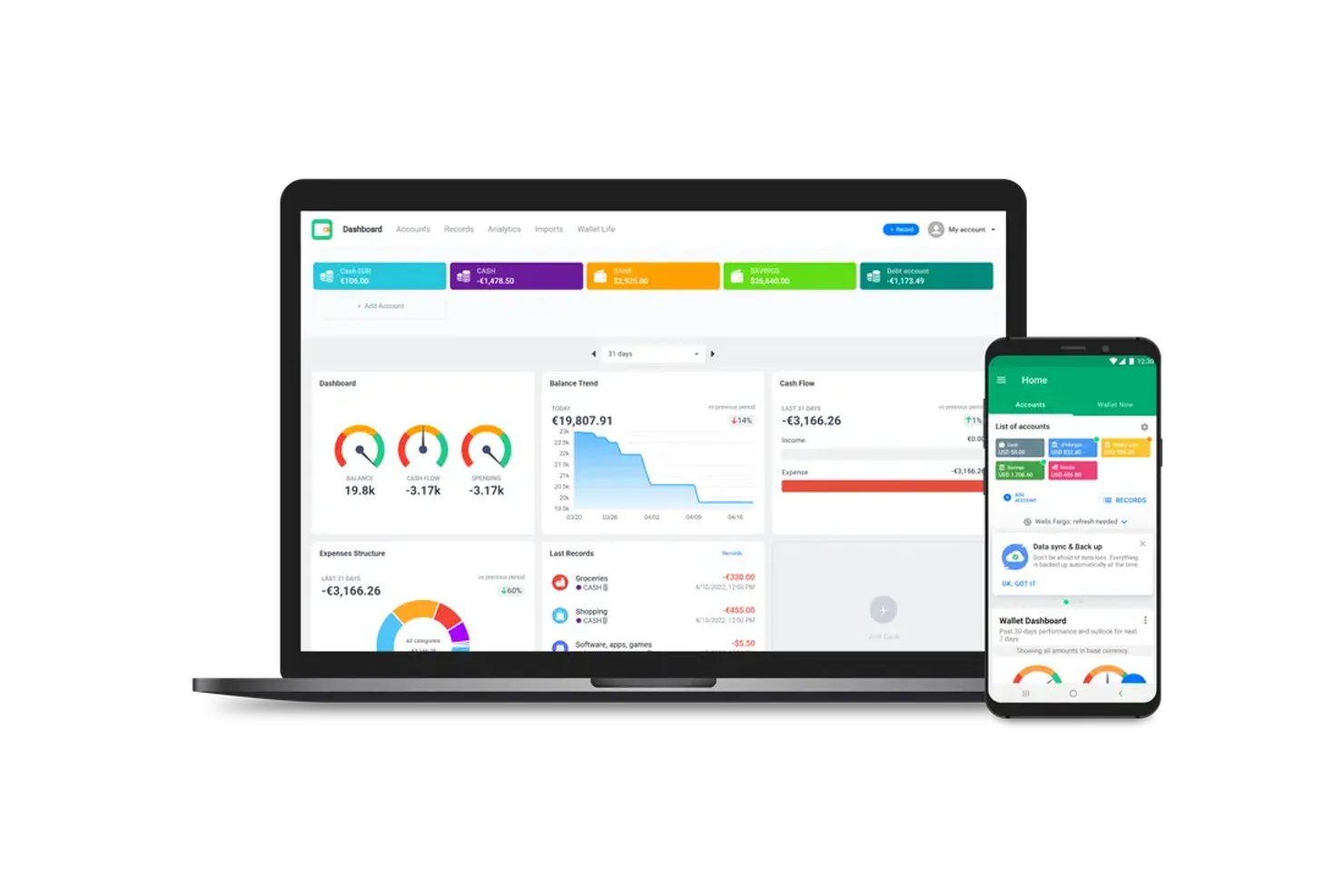
Wallet by BudgetBakers is designed for anyone who needs to manage finances across multiple currencies and accounts. This app is especially useful for frequent travelers, expats, or businesses dealing with international transactions. If you’re looking for a budgeting software that handles currency conversion and account syncing with ease, Wallet offers a focused solution.
Why I Picked Wallet by BudgetBakers
What sets Wallet by BudgetBakers apart is its strong support for managing accounts in multiple currencies, which is a rare find among budgeting apps. I picked this tool because it lets you track balances, transactions, and budgets across different currencies without manual conversion. The app automatically updates exchange rates and applies them to your accounts, so you always see accurate values. This makes Wallet especially useful for anyone juggling international finances or working with global teams.
Wallet by BudgetBakers Key Features
Some other features in Wallet by BudgetBakers help make it a flexible budgeting tool:
- Bank Account Sync: Connects to thousands of banks worldwide to automatically import transactions.
- Shared Accounts: Lets you collaborate on budgets and expenses with family or team members.
- Receipt Scanning: Allows you to upload and attach receipts directly to transactions for better record-keeping.
- Customizable Categories: Enables you to create and manage your own spending and income categories.
Wallet by BudgetBakers Integrations
Integrations include Plaid and Google Calendar.
Pros and Cons
Pros:
- Cloud sync across mobile and desktop
- Detailed spending and cash flow reports
- Automated bank feed integrations
Cons:
- Free version has limited accounts
- Learning curve for advanced features

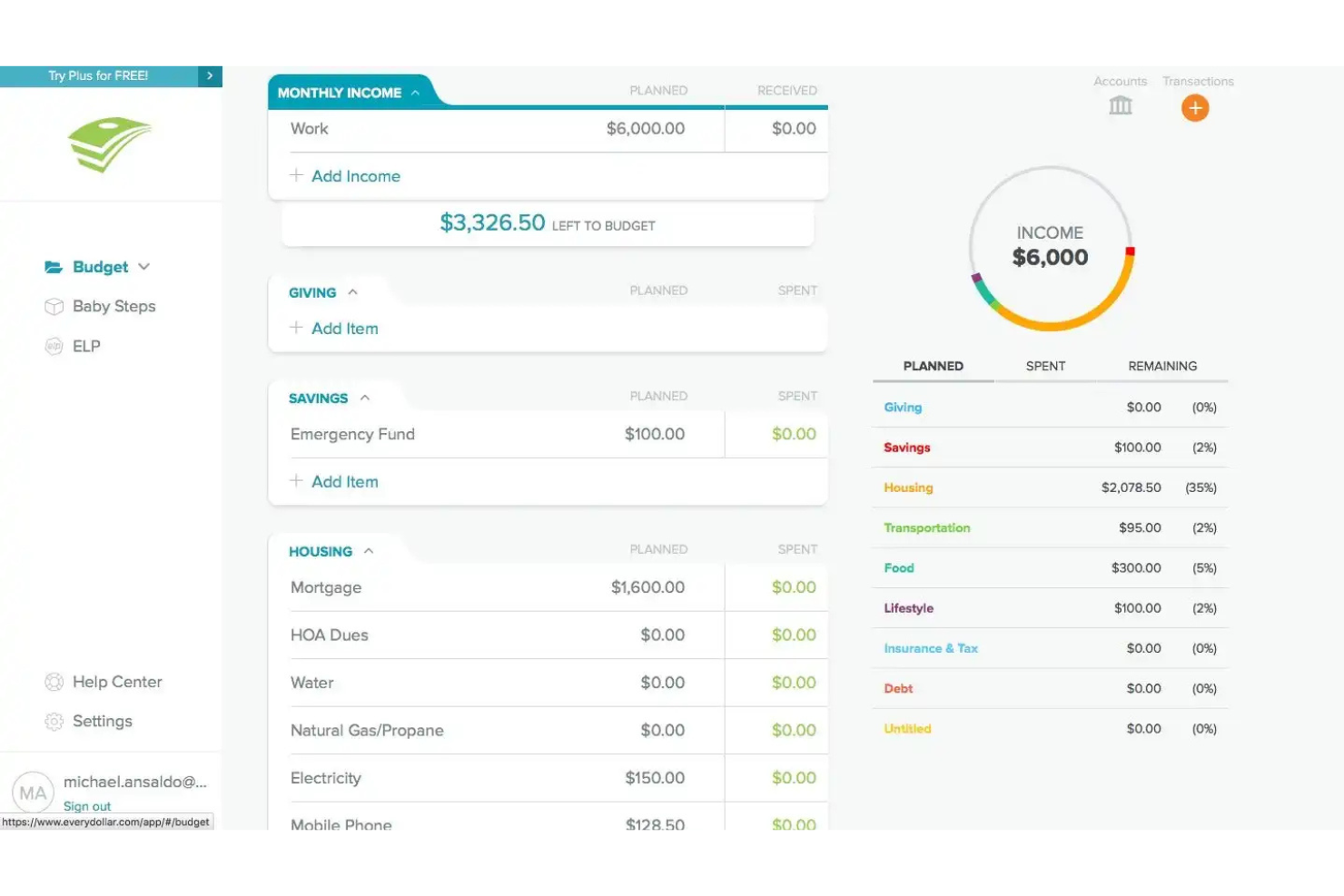
EveryDollar offers a straightforward approach to budgeting for anyone who prefers the envelope method but wants a digital experience. This tool is a good fit for individuals and families who want to assign every dollar a job and track spending by category. If you’re looking for a budgeting app that keeps things simple and focused on intentional spending, EveryDollar stands out.
Why I Picked EveryDollar
I chose EveryDollar because it brings the envelope-style budgeting method into a digital format, making it accessible for anyone who wants to manage spending with clear categories. The app lets you assign every dollar to a specific purpose, mirroring the discipline of physical envelopes without the hassle. I like that you can create and adjust budget categories each month, which helps you stay flexible as your financial situation changes. The visual breakdown of spending by category also makes it easy to see where your money is going at a glance.
EveryDollar Key Features
Some other features in EveryDollar help round out its budgeting capabilities:
- Bank Account Sync: Connect your bank accounts to automatically import transactions for easier tracking.
- Debt Payoff Tracking: Monitor your progress on debt payments and visualize how close you are to your goals.
- Customizable Budget Templates: Use or modify pre-built templates to quickly set up your monthly budget.
- Expense History Reports: Access detailed reports that show your spending patterns over time.
EveryDollar Integrations
Integrations include Plaid.
Pros and Cons
Pros:
- Free budget app version offers core tools
- Simple and clean mobile user interface
- Accurate manual transaction entry
Cons:
- Limited investment tracking features
- Higher annual cost than competitors

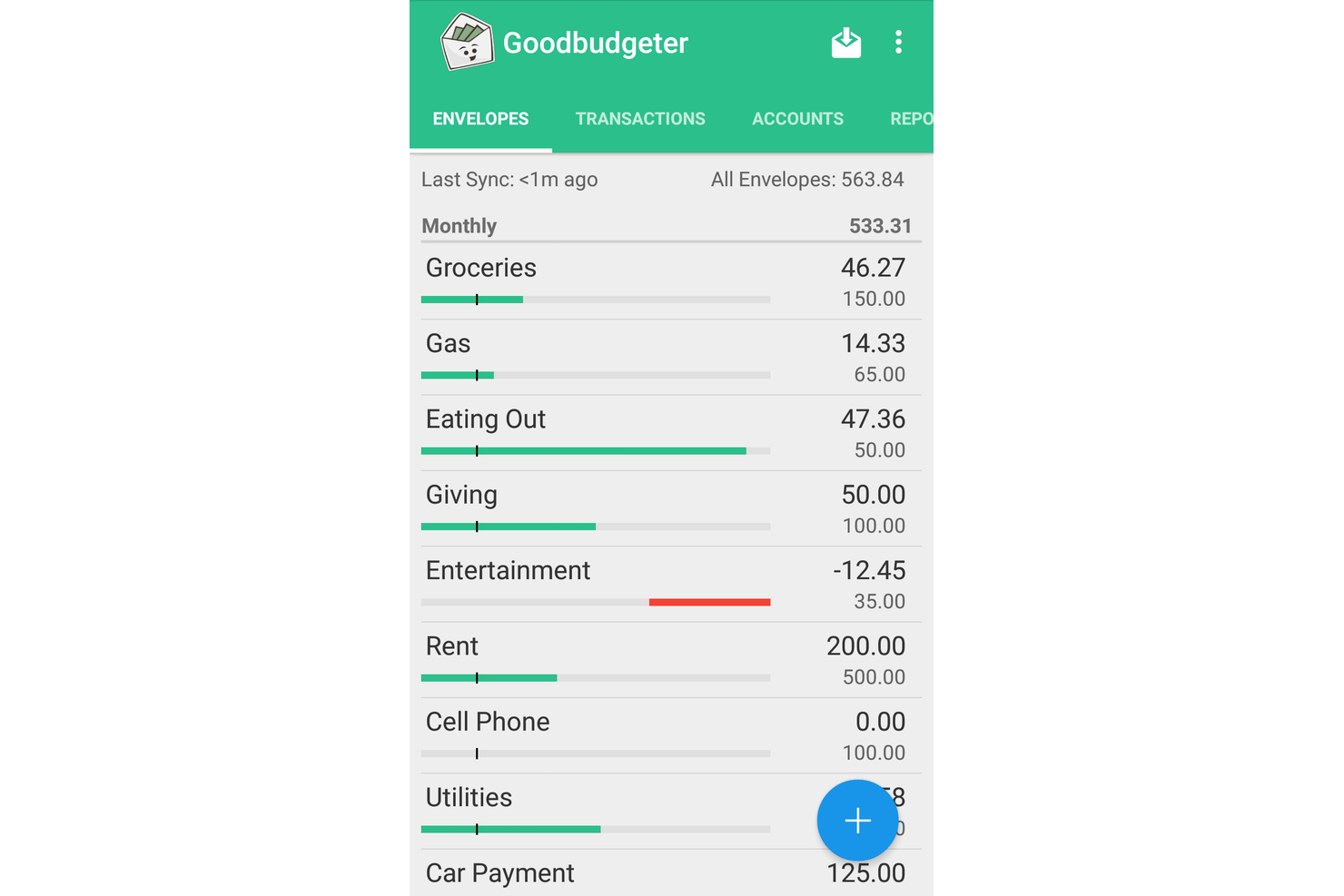
Goodbudget takes a digital approach to the classic envelope budgeting method, making it easy to assign funds to specific spending categories. It’s a strong fit for individuals, couples, or families who want to plan every dollar and avoid overspending. With its envelope system, Goodbudget helps you visualize and control your budget before you spend.
Why I Picked Goodbudget
For anyone who wants a hands-on approach to managing spending, Goodbudget’s digital envelope allocation stands out. The app lets you divide your income into virtual envelopes for each spending category, mirroring the envelope method many people trust for controlling expenses. I like that you can manually assign funds to each envelope and track your progress throughout the month. This approach gives you a clear, visual way to plan and stick to your budget, which is especially helpful for users who want to be intentional with every dollar.
Goodbudget Key Features
In addition to envelope allocation, I also found these features useful:
- Scheduled Transactions: Lets you set up recurring expenses or income to plan ahead.
- Debt Tracking: Allows you to monitor balances and payments for multiple debts.
- Multi-Device Sync: Keeps your budget updated across web and mobile devices for shared access.
- Export to CSV: Enables you to download your transaction history for further analysis or record-keeping.
Goodbudget Integrations
Integrations include Plaid and MX.
Pros and Cons
Pros:
- Very affordable premium price point
- Shared budgeting across 5 devices
- Digital version of envelope method
Cons:
- Interface feels dated and utilitarian
- Free version limits total envelopes
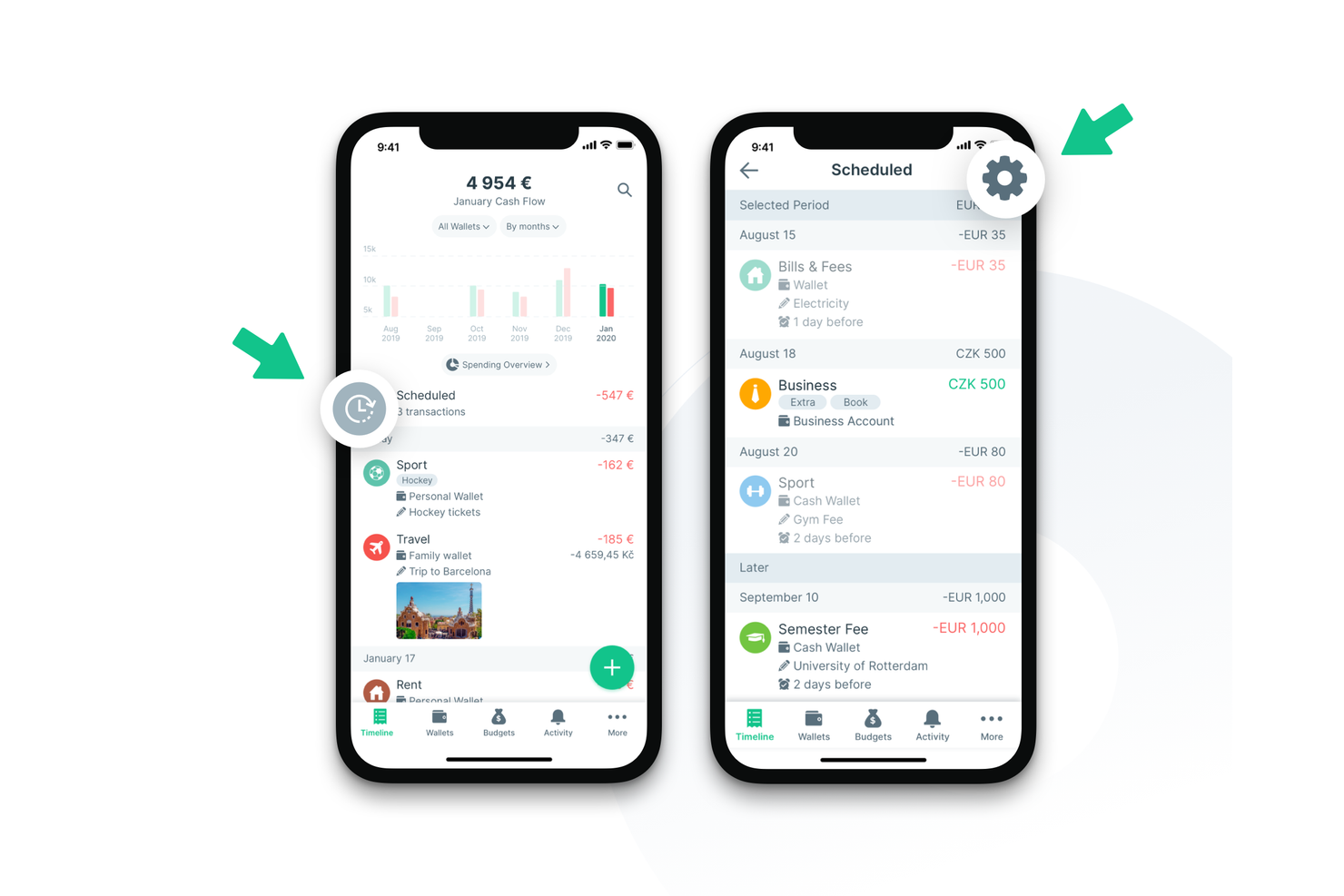
Spendee stands out for anyone who wants to see exactly where their money goes, using custom categories and vibrant visuals. The app is especially useful for individuals and families who want to track spending patterns and spot trends at a glance. If you’re looking for a budgeting app that makes it easy to personalize and visualize your finances, Spendee offers a flexible approach to categorizing and understanding your expenses.
Why I Picked Spendee
What drew me to Spendee is how it turns spending data into clear, customizable visuals. The app lets you create your own categories, so you can track expenses in a way that matches your unique lifestyle or business needs. I like that Spendee’s dashboards and charts make it easy to spot trends and patterns at a glance. For anyone who wants to go beyond basic lists and really see their financial habits, Spendee’s visual approach is a strong fit.
Spendee Key Features
In addition to its visual spending tools, Spendee offers several other features worth noting:
- Bank Account Syncing: Connects to your bank accounts to automatically import and categorize transactions.
- Shared Wallets: Allows multiple users to manage and track shared budgets or household expenses together.
- Multi-Currency Support: Lets you track expenses in different currencies, which is helpful for international users or frequent travelers.
- Budget Planning: Enables you to set monthly budgets for different categories and monitor your progress throughout the month.
Spendee Integrations
Integrations include Salt Edge and Plaid.
Pros and Cons
Pros:
- Customizable budget categories icons
- Easy-to-use manual entry interface
- Support for multiple currencies crypto
Cons:
- Reporting depth is lower than peers
- Occasional sync delays with banks
Other Budgeting Apps
Here are some additional budgeting apps options that didn’t make it onto my shortlist, but are still worth checking out:
- YNAB
For proactive goal-based planning
- SoFi Relay
For integrated credit score tracking
- PocketGuard
For identifying recurring charges


Budgeting Apps Selection Criteria
When selecting the best budgeting apps to include in this list, I considered common buyer needs and pain points like tracking spending in real time and managing recurring expenses. I also used the following framework to keep my evaluation structured and fair:
Core Functionality (25% of total score)
To be considered for inclusion in this list, each solution had to fulfill these common use cases:
- Track income and expenses
- Categorize transactions
- Set and monitor budgets
- Generate basic financial reports
- Export data for analysis
Additional Standout Features (25% of total score)
To help further narrow down the competition, I also looked for unique features, such as:
- Automatic bank account syncing
- Real-time spending alerts
- Goal-based savings tools
- Multi-device data sync
- Customizable budget categories
Usability (10% of total score)
To get a sense of the usability of each system, I considered the following:
- Simple and intuitive navigation
- Clean and modern interface design
- Quick access to key features
- Minimal manual data entry required
- Responsive mobile and web apps
Onboarding (10% of total score)
To evaluate the onboarding experience for each platform, I considered the following:
- Step-by-step setup guides
- Availability of training videos and tutorials
- Pre-built budget templates
- Interactive product tours or walkthroughs
- Access to live chat or chatbot support
Customer Support (10% of total score)
To assess each software provider’s customer support services, I considered the following:
- Availability of live chat or phone support
- Response time to support inquiries
- Quality of help center documentation
- Access to user communities or forums
- Availability of onboarding webinars
Value For Money (10% of total score)
To evaluate the value for money of each platform, I considered the following:
- Transparent and competitive pricing
- Free plan or trial availability
- Features included in base pricing
- Flexibility of subscription options
- No hidden fees or surprise charges
Customer Reviews (10% of total score)
To get a sense of overall customer satisfaction, I considered the following when reading customer reviews:
- Consistency of positive feedback
- Reports of bugs or technical issues
- Quality of customer support experiences
- Ease of achieving budgeting goals
- Frequency of product updates and improvements
How to Choose Budgeting Apps
It’s easy to get bogged down in long budgeting feature lists and complex pricing structures. To help you stay focused as you work through your unique software selection process, here’s a checklist of factors to keep in mind:
| Factor | What to Consider |
| Scalability | Will the app handle increased transaction volume or more users as your needs grow? |
| Integrations | Does the app connect natively to your bank accounts, payroll, or accounting software? |
| Customizability | Can you tailor categories, reports, or workflows to match your organization’s budgeting approach? |
| Ease of use | How quickly can team members learn the app and start using it with minimal training? |
| Implementation and onboarding | What resources, guides, or support does the vendor provide to help you get up and running? |
| Cost | Are there hidden fees, tiered pricing, or limits that could affect your total cost of ownership? |
| Security safeguards | Does the app offer encryption, two-factor authentication, and data privacy controls? |
| Support availability | Can you reach support during your business hours, and what channels (chat, phone, email) are offered? |
What Are Budgeting Apps?
Budgeting apps are digital tools that help individuals or organizations track income, expenses, and financial goals in one place. These apps typically allow users to categorize transactions, set spending limits, and monitor progress against budgets. By centralizing financial data and providing real-time insights, budgeting apps support better decision-making and help users maintain control over their finances.
Features of Budgeting Apps
When selecting budgeting apps, keep an eye out for the following key features:
- Transaction tracking: Record and organize income and expenses to maintain an accurate overview of your financial activity.
- Budget creation: Set spending limits for different categories, such as groceries or utilities, to guide your financial decisions.
- Category management: Assign transactions to customizable categories, making it easier to analyze spending patterns and identify areas for adjustment.
- Recurring transactions: Automate the entry of regular expenses or income, such as rent or salary, to save time and reduce manual work.
- Financial reporting: Generate visual reports and summaries that show budget performance, cash flow, and trends over time.
- Data export: Download your financial data in formats like CSV or PDF for further analysis or sharing with stakeholders.
- Multi-device sync: Access your budget and financial data across multiple devices, ensuring you always have up-to-date information.
- Security controls: Protect sensitive financial information with features like passcodes, encryption, and two-factor authentication.
- Goal setting: Define and track progress toward specific financial goals, such as saving for a purchase, or student loan or debt payoff plans.
Benefits of Budgeting Apps
Implementing budgeting apps provides several benefits for your team and your business. Here are a few you can look forward to:
- Improved financial visibility: Centralized transaction tracking and reporting give you a clear, real-time view of your finances.
- Faster decision-making: Categorized data and visual reports help you quickly identify trends and make informed choices.
- Better expense control: Budget creation and spending limits help prevent overspending and keep your team accountable.
- Simplified recurring management: Automated recurring transactions reduce manual entry and ensure regular expenses are never missed.
- Enhanced data security: Security controls like encryption and passcodes protect sensitive financial information from unauthorized access.
- Easier collaboration: Multi-device sync and data export features make it simple to share financial information with stakeholders.
- Progress toward goals: Goal-setting tools help your team define, track, and achieve specific financial objectives.
Costs and Pricing of Budgeting Apps
Selecting budgeting apps requires an understanding of the various pricing models and plans available. Costs vary based on features, team size, add-ons, and more. The table below summarizes common plans, their average prices, and typical features included in budgeting apps solutions:
Plan Comparison Table for Budgeting Apps
| Plan Type | Average Price | Common Features |
| Free Plan | $0 | Basic transaction tracking, simple budget creation, limited categories, and manual data entry. |
| Personal Plan | $2-$10/month | Unlimited categories, recurring transactions, basic reporting, multi-device sync, and data export. |
| Business Plan | $12-$40/month | Team collaboration, advanced reporting, custom categories, integrations, and priority support. |
| Enterprise Plan | $40+/user/month | Custom onboarding, dedicated account manager, enhanced security, API access, and compliance features. |
Budgeting Apps FAQs
Here are some answers to common questions about budgeting apps:
Can budgeting apps be used for both personal and business finances?
Yes, many budgeting apps offer features that work for both personal and business use. Look for options that allow you to create separate budgets, manage multiple accounts, and customize categories to fit your needs.
How secure is my financial data in budgeting apps?
Most budgeting apps use encryption, secure authentication, and privacy controls to protect your data. Always review the app’s security policies and check for features like two-factor authentication before entering sensitive information.
Do budgeting apps require linking to my bank accounts?
No, not all budgeting apps require bank account linking. Some allow you to enter transactions manually, which can be useful if you prefer to keep your financial data offline or want more control over your records.
What should I do if my budgeting app doesn’t support my bank?
If your budgeting app doesn’t support your bank, you can usually import transactions using CSV files or enter them manually. Check the app’s import options and consider reaching out to support to request new bank integrations.
How often should I update my budget in the app?
You should update your budget as often as your financial situation changes—at least monthly, or whenever you have new income, expenses, or financial goals. Regular updates help you stay on track and make informed decisions.