
13 Mileage Tracking Software for 2026

10 Mileage Tracking Software Shortlist
Here's my pick of the 10 best software from the 13 tools reviewed.


Mileage tracking software automatically records and categorizes your business and personal trips, helping you maintain accurate logs for tax, reimbursement, and compliance needs. If you’re searching for the best mileage tracker app or software, you’re likely aiming to reduce manual recordkeeping, avoid IRS headaches, and ensure every mile is accounted for—whether you’re managing a fleet, tracking employee travel, or handling your own self-employed expenses.
This list of best mileage tracking apps and softwares will help you compare leading options, understand which features matter most for finance and compliance, and choose a solution that fits your reporting and operational requirements.
Why Trust Our Software Reviews
Mileage Tracking Software Summary
Pressed for time? Skip the deep dive. Here’s a quick comparison of my top mileage tracking software picks. It includes pricing, standout features, and links.
| Tool | Best For | Trial Info | Price | ||
|---|---|---|---|---|---|
| 1 | Best with integrated expense reporting | 14-day free trial + free plan + free demo available | From C$4/user/month (billed annually) | Website | |
| 2 | Best for configurable vehicle allowance programs | Free demo available | Pricing upon request | Website | |
| 3 | Best for self-employed tax tracking | Free demo available | Pricing upon request | Website | |
| 4 | Best for automatic drive detection accuracy | Free plan available | From $7.50/month (billed annually) | Website | |
| 5 | Best with IRS-compliant reimbursement tools | Free demo available | Pricing upon request | Website | |
| 6 | Best with multi-vehicle management features | Free plan available | From $4.99/user/month (billed annually) | Website | |
| 7 | Best for detailed trip documentation exports | Free plan available | From $11/user/month | Website | |
| 8 | Best for real-time expense categorization | Free plan available and 7-day free trial | From $8.99/month | Website | |
| 9 | Best for IRS-proof mileage log creation | Free trial available | From $222/year | Website | |
| 10 | Best with collaborative trip sharing options | Free plan available | From $7/month (billed annually) | Website |
-

LiveFlow
Visit WebsiteThis is an aggregated rating for this tool including ratings from Crozdesk users and ratings from other sites.4.9 -
Float Financial
Visit WebsiteThis is an aggregated rating for this tool including ratings from Crozdesk users and ratings from other sites.4.1 -
Rippling Spend
Visit WebsiteThis is an aggregated rating for this tool including ratings from Crozdesk users and ratings from other sites.4.8


Mileage Tracking Software Reviews
Below are my detailed summaries of the mileage tracking software that made it onto my shortlist. My reviews offer a detailed look at the features, best use cases, and integrations of each software to help you find the best one for you.

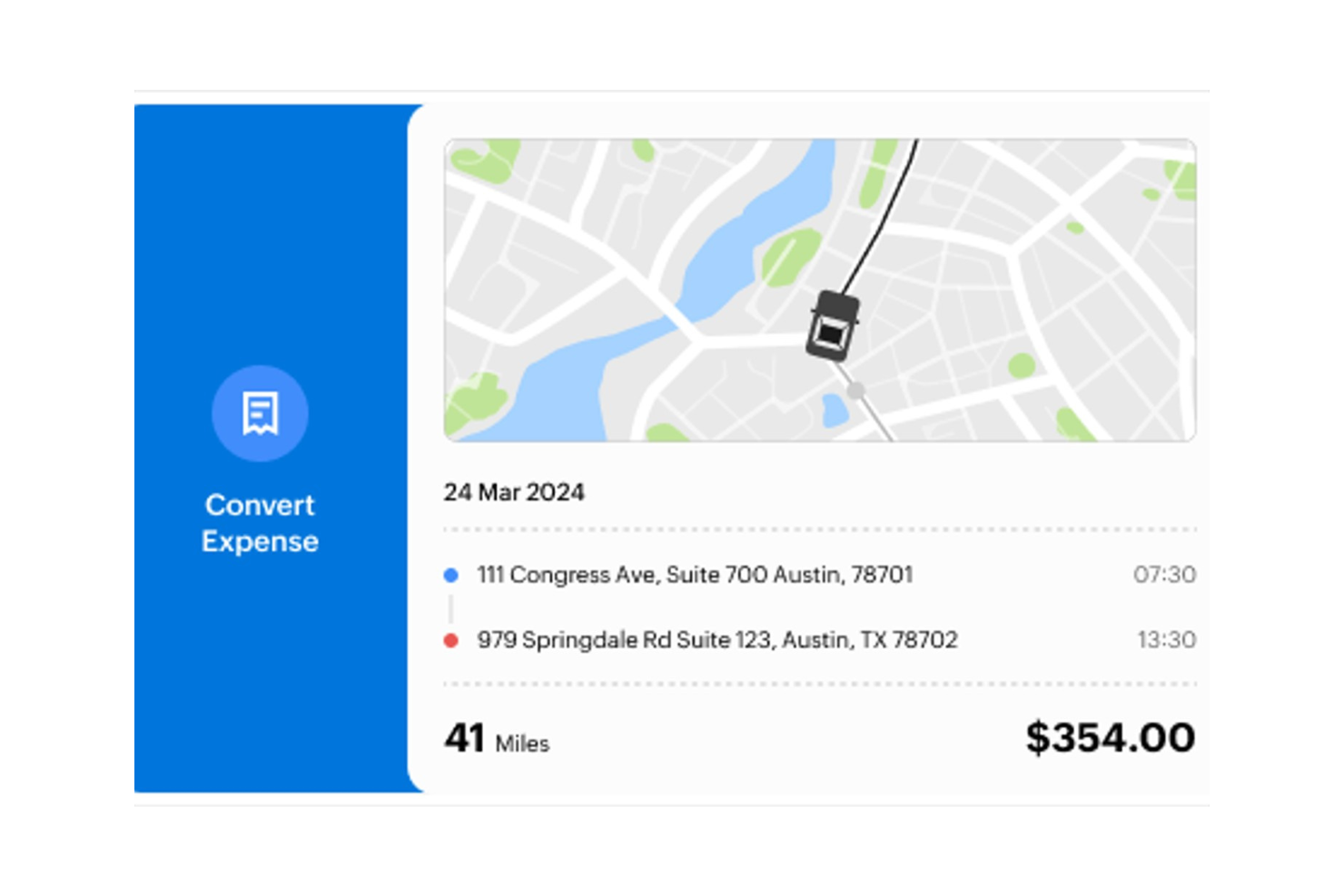
Zoho Expense is a cloud-based platform designed for businesses that want to manage both mileage and expense tracking in one place. It appeals to finance teams and business travelers who need to capture trip data alongside receipts and spending. The tool helps simplify compliance and reporting for organizations with employees on the move.
Who Is Zoho Expense Best For?
Zoho Expense is well suited for finance teams at small to mid-sized businesses that need to manage both mileage and expense reporting in a unified platform.
Why I Picked Zoho Expense
I picked Zoho Expense because it brings mileage tracking and expense management together in a single workflow. The platform lets you log trips, attach receipts, and categorize expenses all within the same report, which is especially useful for finance teams handling reimbursements. I also like that you can set up custom approval flows and policy rules, so mileage claims are reviewed alongside other business expenses. This integrated , all-in-one approach helps ensure that all travel-related costs are captured and compliant in one place.
Zoho Expense Key Features
Some other features in Zoho Expense that may interest mileage tracking software buyers include:
- Automatic distance calculation: The app uses GPS or map-based routing to calculate mileage for each trip.
- Multi-currency support: Users can log mileage and expenses in different currencies for international travel.
- Mobile receipt capture: The mobile app allows users to snap photos of receipts and attach them to mileage claims.
- Custom mileage rates: Admins can set and update mileage reimbursement rates based on company policy or region.
Zoho Expense Integrations
Integrations include QuickBooks Online, QuickBooks Desktop, Xero, Sage Accounting, Zoho Books, and Zoho Analytics.
Pros and Cons
Pros:
- Automatic trip classification rules
- Custom mileage rates for compliance
- Siri voice commands for hands-free
Cons:
- OCR can miss details on fuel receipts
- Free plan has limited monthly scans

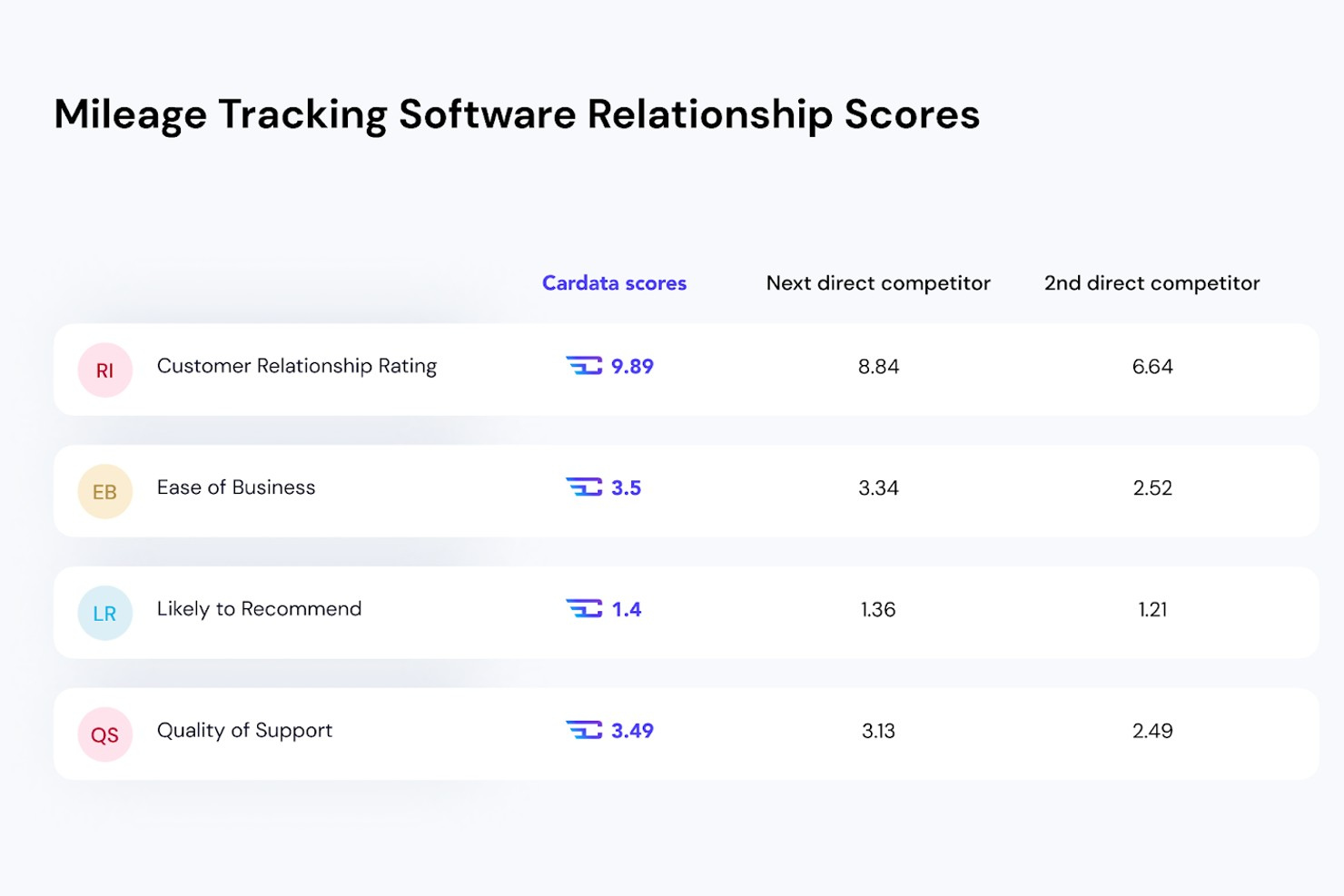
Cardata offers a vehicle reimbursement platform designed for organizations that need to manage and optimize employee vehicle allowances. It’s a strong fit for finance and HR teams at midsize and large companies looking to ensure compliance and control costs. Cardata helps businesses replace flat car allowances or company cars with IRS-compliant, data-driven reimbursement programs.
Who Is Cardata Best For?
Cardata is well suited for midsize to large organizations that need to manage configurable, IRS-compliant vehicle reimbursement programs for mobile employees.
Why I Picked Cardata
I chose Cardata because it gives businesses the flexibility to design vehicle allowance programs that fit their unique policies and compliance needs. The platform lets you configure reimbursement rates, eligibility rules, and reporting structures, which is especially useful for organizations with diverse teams or multiple locations. I also like that Cardata supports IRS-compliant mileage logs and integrates tax considerations directly into its workflows. These features make it a strong option for companies that want more control and transparency over their vehicle reimbursement processes.
Cardata Key Features
In addition to its configurable vehicle allowance programs, Cardata offers several other features worth noting:
- Mobile mileage capture: Employees can log business mileage directly from their smartphones using the Cardata app.
- Automated compliance checks: The platform monitors mileage logs and reimbursements to help ensure compliance with tax and labor regulations.
- Custom reporting tools: Generate tailored reports on mileage, expenses, and program usage for finance and HR teams.
- Integration with payroll systems: Sync mileage reimbursements directly with your existing payroll software for streamlined processing.
Cardata Integrations
Integrations include SAP Concur.
Pros and Cons
Pros:
- Centralized driver document management
- Mobile app for on-the-go mileage capture
- Customizable vehicle allowance program settings
Cons:
- No built-in fuel purchase tracking
- Limited self-service onboarding resources

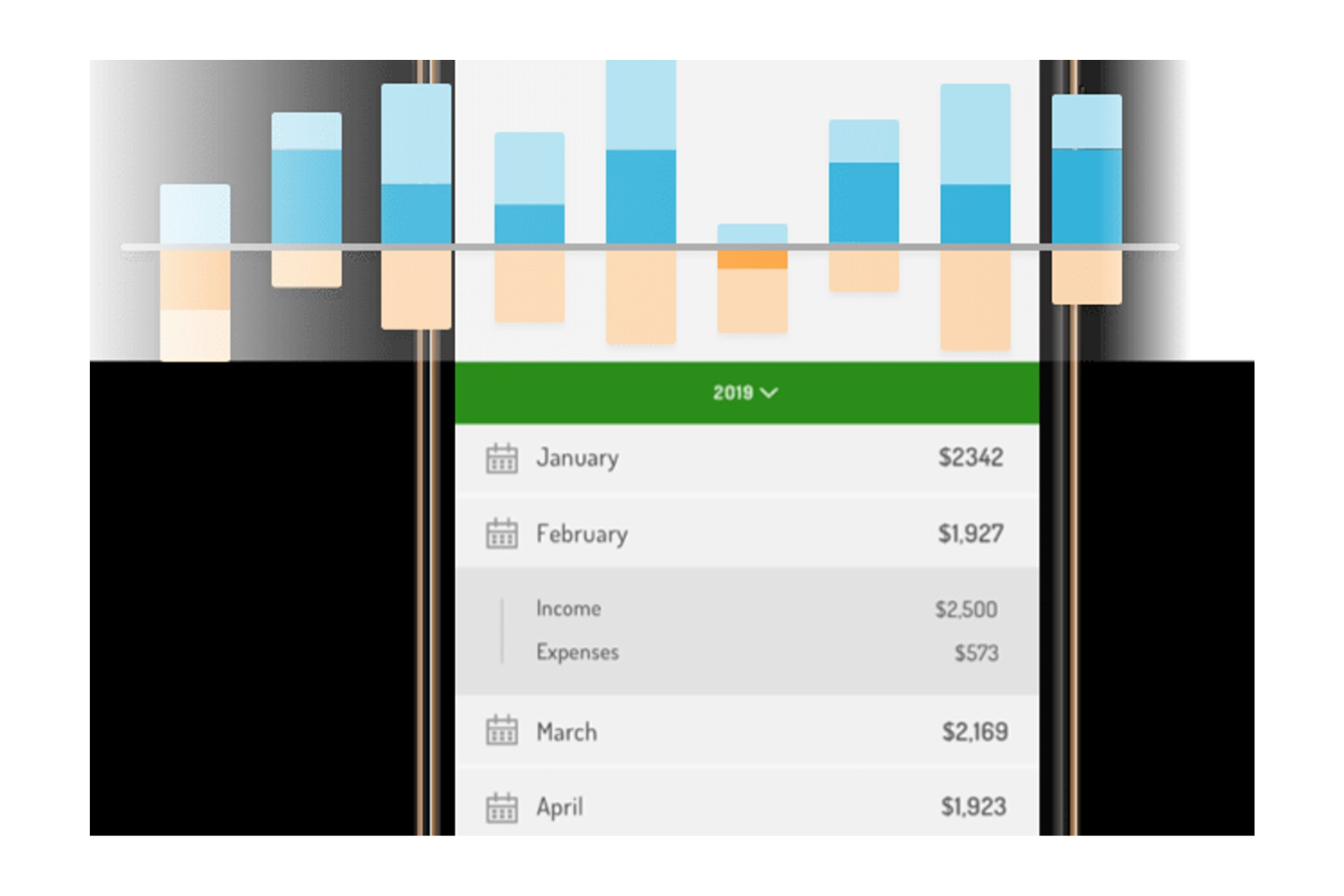
Hurdlr offers a mileage tracking solution designed for freelancers, independent contractors, and self-employed professionals. The platform combines real-time mileage logging with expense and income tracking to help users stay organized for tax season. Its focus on automatic tracking and integrated financial tools makes it appealing for those managing both business travel and tax deductions.
Who Is Hurdlr Best For?
Hurdlr is a strong fit for freelancers, independent contractors, and self-employed professionals who need to track mileage and manage tax-related finances.
Why I Picked Hurdlr
I picked Hurdlr because it’s built specifically for self-employed professionals who need to track mileage and stay on top of tax obligations. The platform automatically logs trips and categorizes them for business or personal use, which helps ensure accurate records for tax deductions. I also appreciate that Hurdlr tracks income and expenses alongside mileage, so users can see their real-time tax estimates as they drive. This combination of mileage tracking and tax management tools makes Hurdlr especially useful for freelancers and independent contractors who want to simplify their financial recordkeeping.
Hurdlr Key Features
Some other features in Hurdlr that may interest mileage tracking software buyers include:
- Bank and credit card syncing: Connects directly to financial accounts to automatically import transactions for expense tracking.
- Customizable mileage rates: Allows users to set and update mileage reimbursement rates to match IRS or custom requirements.
- Real-time financial dashboard: Displays up-to-date summaries of income, expenses, and mileage in one place.
- Exportable tax reports: Generates detailed tax reports that can be downloaded and shared with accountants or tax software.
Hurdlr Integrations
Integrations include Uber, Lyft, Square, Stripe, PayPal, FreshBooks, and Wells Fargo.
Pros and Cons
Pros:
- Automated expense & income categories
- Unlimited mileage tracking on free tier
- Real-time self-employed tax estimates
Cons:
- Reports can feel tedious to generate
- Auto-tracking can miss start of trips

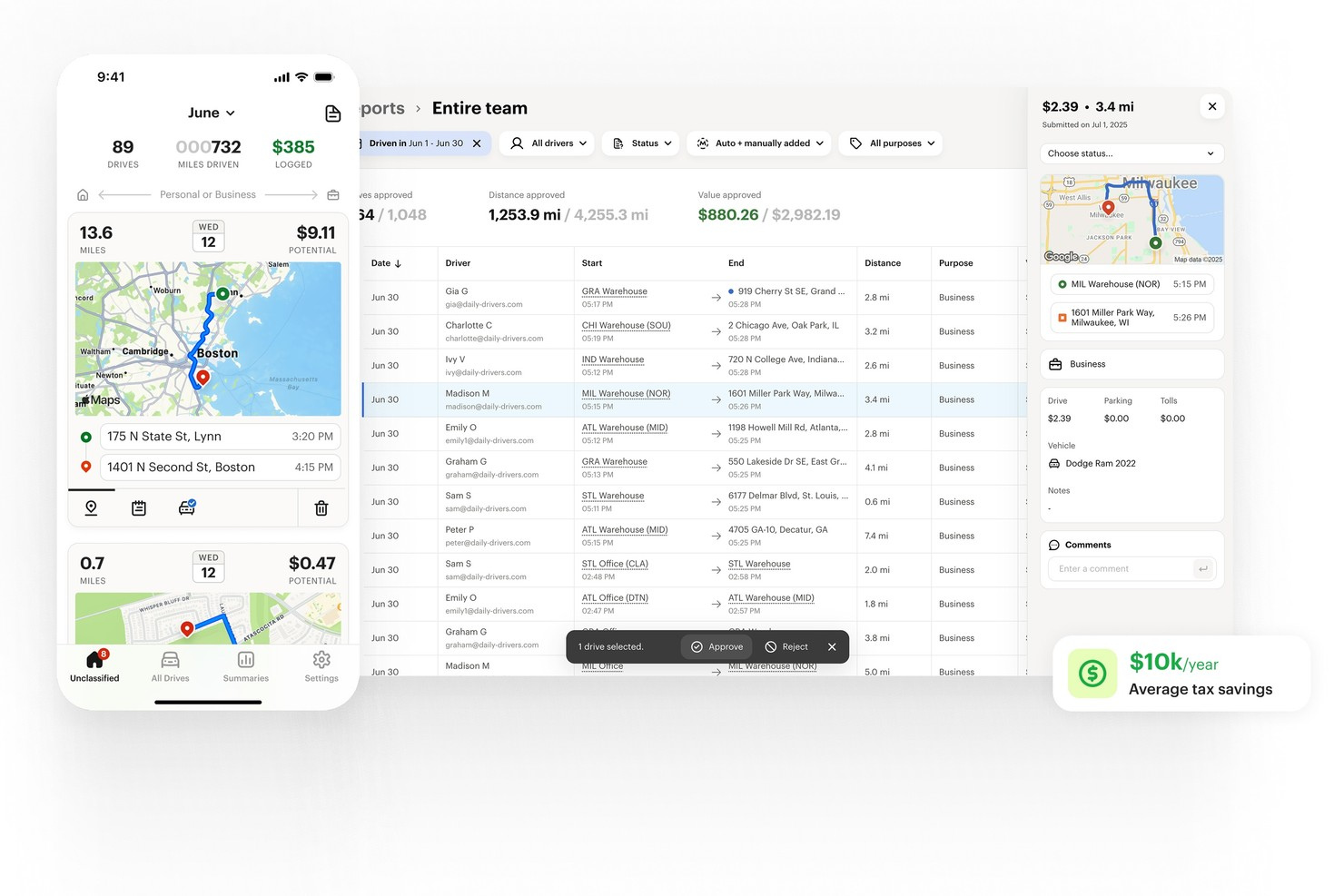
MileIQ is a dedicated mileage tracking software designed for professionals and businesses that need precise, automated trip logging. It’s especially useful for sales teams, consultants, and anyone who drives frequently for work and wants to auto-track mileage entry. The app helps users stay audit-ready and compliant by capturing every drive in the background and organizing trips for easy reporting.
Who Is MileIQ Best For?
MileIQ is a good fit for small businesses, self-employed professionals, and mobile employees who need a reliable, automatic mileage tracker for tax or reimbursement purposes.
Why I Picked MileIQ
I chose MileIQ because its automatic drive detection accuracy stands out for users who need reliable, hands-off mileage tracking. The app uses smart drive detection to log trips in the background, so you don’t have to remember to start or stop tracking manually. I appreciate how MileIQ distinguishes between business and personal drives with a simple swipe, making it easy to organize trips for tax or reimbursement. Its background tracking and classification features help ensure every mile is captured without extra effort.
MileIQ Key Features
Some other features in MileIQ that may interest finance professionals include:
- Customizable mileage rates: Set and update mileage reimbursement rates to match IRS guidelines or your company’s policies.
- Detailed monthly reports: Generate downloadable reports that break down business and personal mileage for easy recordkeeping and audits.
- Multi-vehicle support: Track mileage separately for multiple vehicles within a single account.
- Cloud-based data backup: Automatically sync and store trip data securely in the cloud for access across devices.
MileIQ Integrations
Integrations include Xero, Microsoft 365, QuickBooks Online, SAP Concur, Route4Me, Bookkeeper360, AutoReimbursement.com, and Sage 50.
Pros and Cons
Pros:
- Simple swipe classification for business or personal
- IRS-compliant mileage logs for tax reporting
- Automatic trip detection runs in the background
Cons:
- Lacks team management features for admins
- No manual trip entry on mobile app

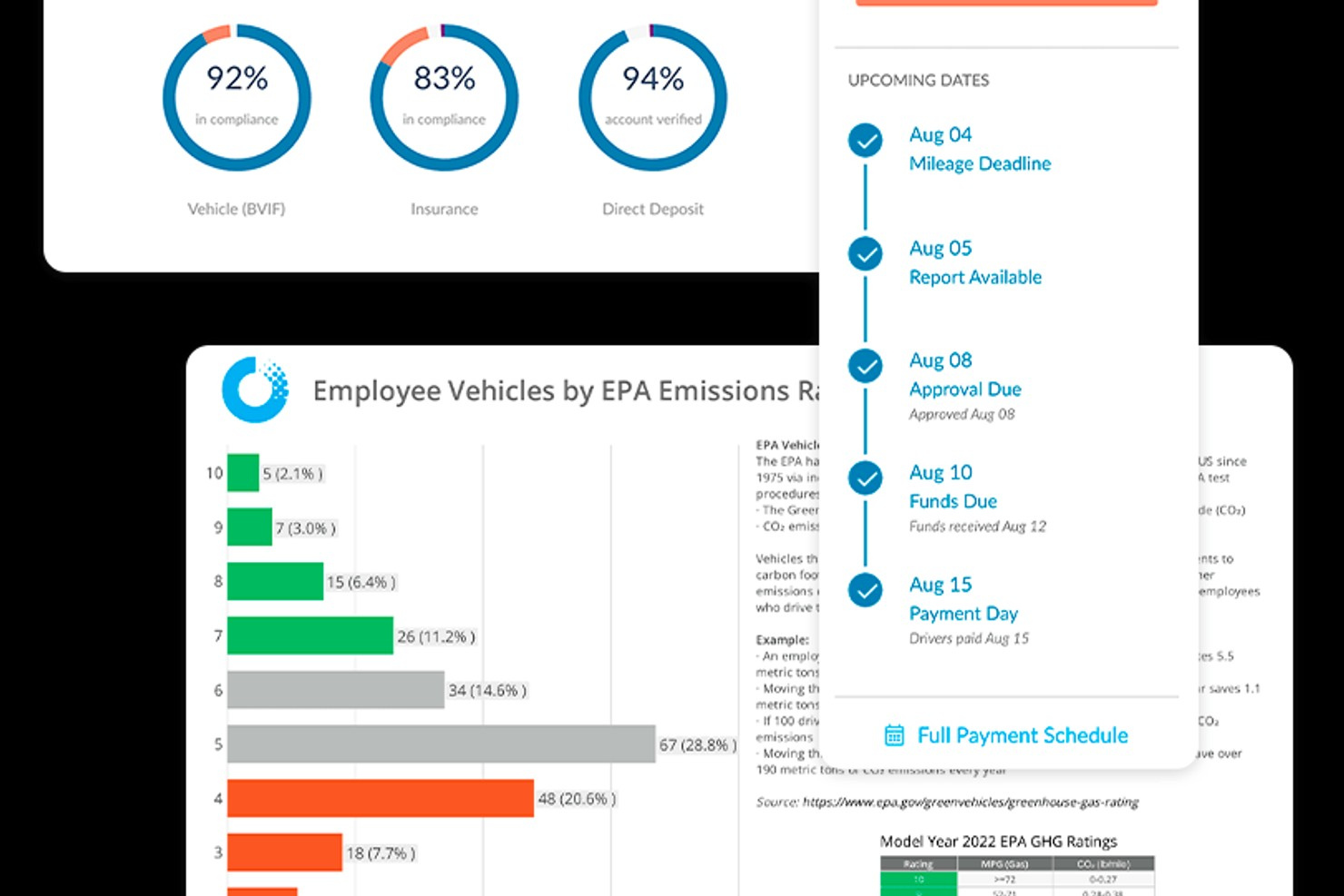
Motus offers a specialized mileage tracking and expense reimbursement platform designed for organizations with mobile workforces. It appeals to finance teams, HR departments, and operations leaders who need to manage mileage compliance and reimbursement at scale. The platform helps businesses address the challenges of accurate mileage capture, policy enforcement, and audit-ready reporting.
Who Is Motus Best For?
Motus is a strong fit for mid-sized to large organizations with distributed or mobile employees who need to manage IRS-compliant mileage reimbursement.
Why I Picked Motus
I picked Motus because its IRS-compliant reimbursement tools are purpose-built for organizations that need to ensure mileage payments meet regulatory standards. The platform calculates individualized reimbursement rates based on real-time data, which helps businesses stay compliant and avoid over- or underpaying employees. I also appreciate that Motus provides audit-ready mileage logs and detailed reporting, making it easier for finance teams to support compliance and defend reimbursement practices. These features make Motus a strong choice for companies with strict mileage policy requirements.
Motus Key Features
Some other features in Motus that may interest finance and operations teams include:
- Mobile app trip capture: Employees can record mileage automatically using the Motus mobile app, which detects trips in real time.
- Route optimization tools: The platform suggests the most efficient routes for business travel to help reduce unnecessary mileage.
- Policy configuration options: Administrators can set custom mileage and reimbursement policies to match company guidelines.
- Integration with payroll systems: Motus connects with leading payroll platforms to automate reimbursement processing.
Motus Integrations
Integrations include SAP Concur.
Pros and Cons
Pros:
- Audit-ready mileage logs
- Mobile app automatically logs trips
- Calculates IRS-compliant reimbursement rates
Cons:
- No manual trip entry for missed drives
- Pricing is not transparent on the website

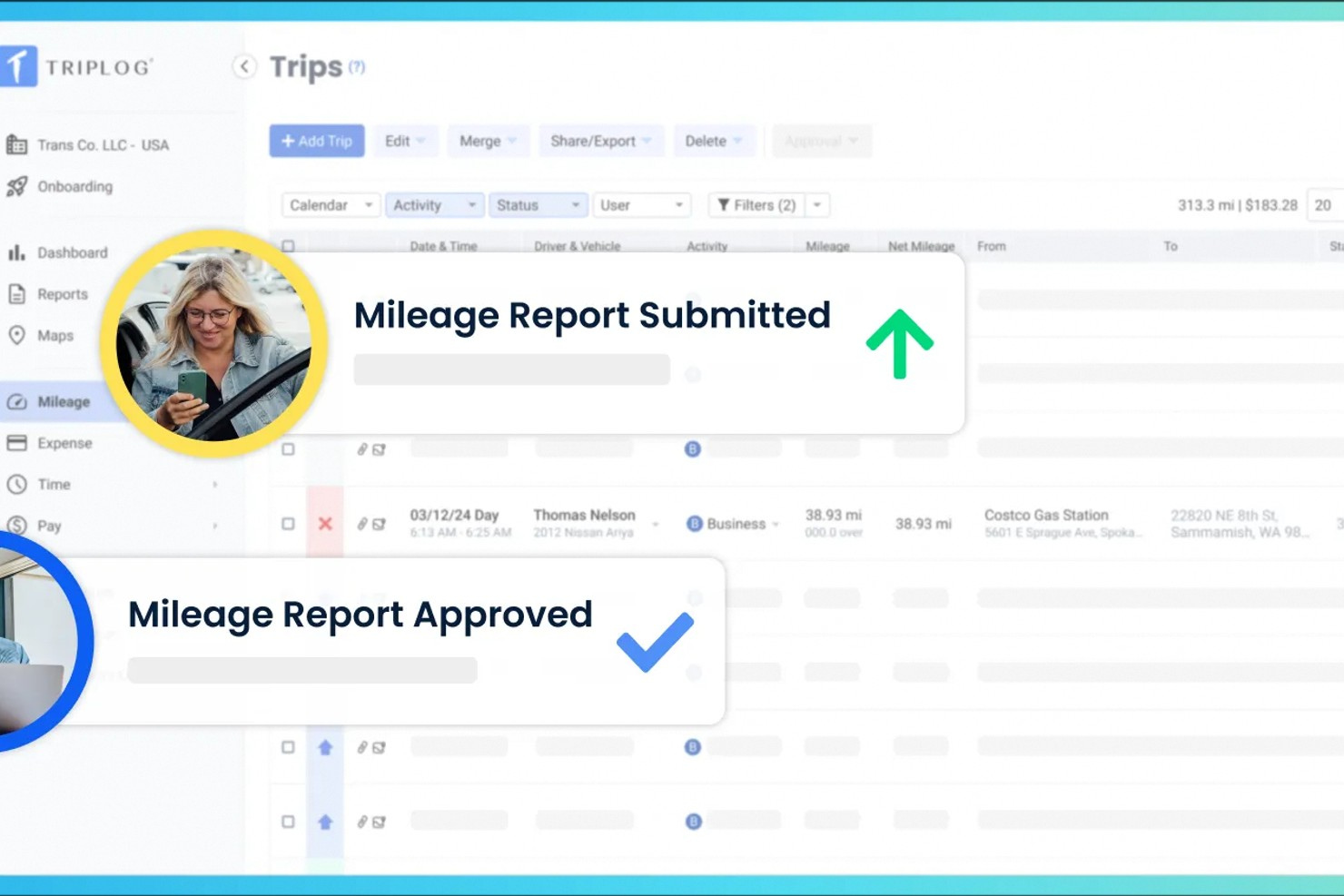
TripLog is a mileage tracking platform designed for businesses and teams that need to manage vehicle expenses and compliance. It’s a strong fit for organizations with mobile workforces, delivery operations, or field service teams. TripLog helps users automate mileage capture, simplify reimbursement processes, and maintain accurate records for tax and audit purposes.
Who Is TripLog Best For?
TripLog is a good fit for businesses and teams that need to track miles and expenses across multiple vehicles or drivers.
Why I Picked TripLog
I picked TripLog because it offers dedicated features for managing multiple vehicles and drivers within a single account. The platform lets you assign vehicles to specific users, track mileage and expenses by vehicle, and generate reports that separate business and personal use. I also like that TripLog supports fleet management tools, such as vehicle maintenance reminders and odometer tracking. These capabilities make it a strong choice for organizations that need to oversee several vehicles and ensure accurate, compliant mileage records for each one.
TripLog Key Features
Some other features in TripLog that may interest teams looking for mileage tracking software include:
- Automatic mileage tracking modes: Users can choose from GPS, Bluetooth, or plug-and-go hardware options to automatically record trips.
- Customizable reimbursement rates: Admins can set IRS, CRA, or custom mileage rates for different teams or regions.
- Expense and receipt capture: Employees can upload fuel and expense receipts directly through the mobile app.
- Comprehensive tax and compliance reports: Generate detailed mileage and expense reports that support tax filings and audits.
TripLog Integrations
Integrations include SAP Concur, ADP, UKG, Sage Intacct, Emburse, Paychex, and Outlook Calendar.
Pros and Cons
Pros:
- Strong sync with QuickBooks and Xero
- Free version offers unlimited trips
- Six different automatic tracking modes
Cons:
- Web dashboard feels a bit outdated
- Can drain phone battery quickly

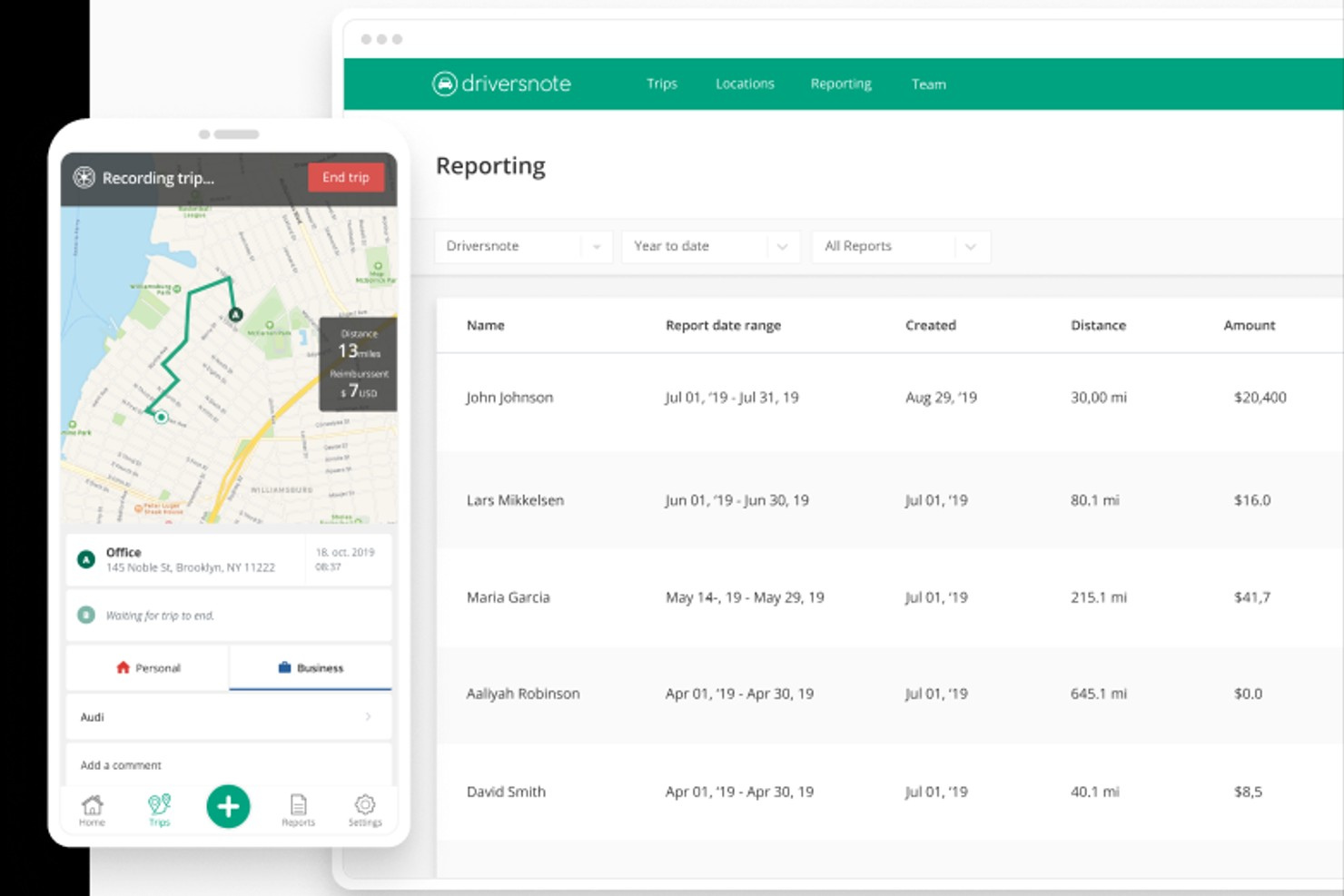
Driversnote is a mileage tracking platform designed for professionals and businesses that need accurate, compliant records for reimbursement or tax purposes. It appeals to users who want automated trip logging and easy access to detailed trip data. The tool helps simplify mileage documentation, making it easier to meet reporting requirements and manage vehicle-related expenses.
Who Is Driversnote Best For?
Driversnote is a good fit for small businesses, consultants, and self-employed professionals who need precise, exportable business miles records for tax or reimbursement purposes.
Why I Picked Driversnote
I chose Driversnote because it offers some of the most detailed trip documentation exports available in mileage tracking software. The platform automatically records trip data, including start and end locations, timestamps, and distance, and lets you add notes or categorize trips for even more granular records. I appreciate that you can generate and export comprehensive mileage logs in formats that meet tax authority requirements, making audits and reimbursements much easier. For anyone who needs to provide thorough, well-organized trip documentation, Driversnote stands out as a reliable option.
Driversnote Key Features
Some other features in Driversnote that may interest mileage tracking software buyers include:
- Automatic trip detection: The app uses GPS and motion sensors to automatically detect and log trips without manual input.
- Team management dashboard: Admins can invite team members, review logs, and approve mileage reports from a centralized dashboard.
- Odometer log entry: Users can manually enter odometer readings to ensure records match vehicle usage.
- Multiple vehicle and workplace support: The platform allows tracking for several vehicles and workplaces under a single account.
Driversnote Integrations
Integrations include Wave and Visma Dinero.
Pros and Cons
Pros:
- Very easy to use mobile interface
- Small iBeacon for better reliability
- Accurate automatic trip recording
Cons:
- Occasional GPS tracking glitches
- Subscription is pricey for some

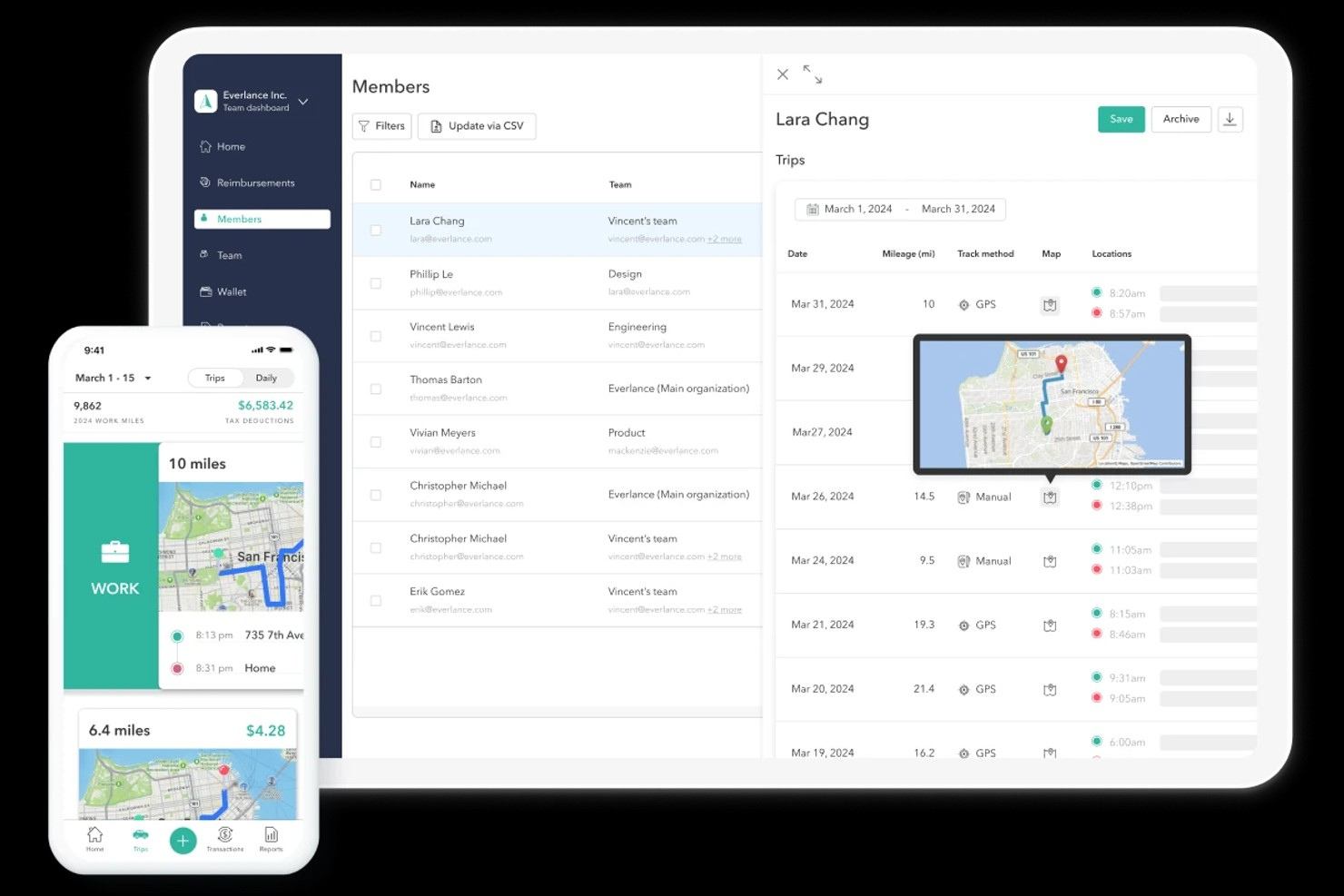
Everlance offers a mileage and expense tracking platform designed for professionals and businesses that need to capture trips and categorize expenses on the go. It’s especially useful for teams with mobile employees, freelancers, or anyone managing business reimbursements and tax deductions. The platform helps users automate trip detection and organize expenses for accurate reporting and compliance.
Who Is Everlance Best For?
Everlance is a good fit for small businesses, independent contractors, and mobile teams that need to track mileage expenses for reimbursement or tax purposes.
Why I Picked Everlance
What stands out about Everlance is its real-time expense categorization, which is especially valuable for finance teams and mobile professionals who need accurate, up-to-date records. The platform automatically detects trips and lets users assign expenses to specific categories as they happen, reducing manual entry and the risk of errors. I appreciate that Everlance syncs receipts and mileage data, making it easier to keep business and personal expenses separate. These features make Everlance a strong choice for anyone who needs to manage both mileage and expenses with minimal hassle.
Everlance Key Features
Some other features in Everlance that may interest your team include:
- Automatic trip detection: The app uses GPS to automatically detect and log trips without manual input.
- Customizable mileage rates: Set and manage different mileage reimbursement rates for various vehicle types or teams.
- IRS-compliant reporting: Generate detailed mileage and expense reports that meet IRS documentation requirements.
- Bank and card integration: Connect business accounts to automatically import and categorize expenses alongside mileage data.
Everlance Integrations
Integrations include QuickBooks, FreshBooks, Xero, ADP, UKG, Workday, Gusto, BambooHR, Paychex, and Rippling.
Pros and Cons
Pros:
- Mobile receipt capture for expense records
- Customizable reimbursement rates for teams
- IRS-compliant reports and mileage logs
Cons:
- No built-in fuel purchase tracking
- Occasional missed trips with automatic tracking

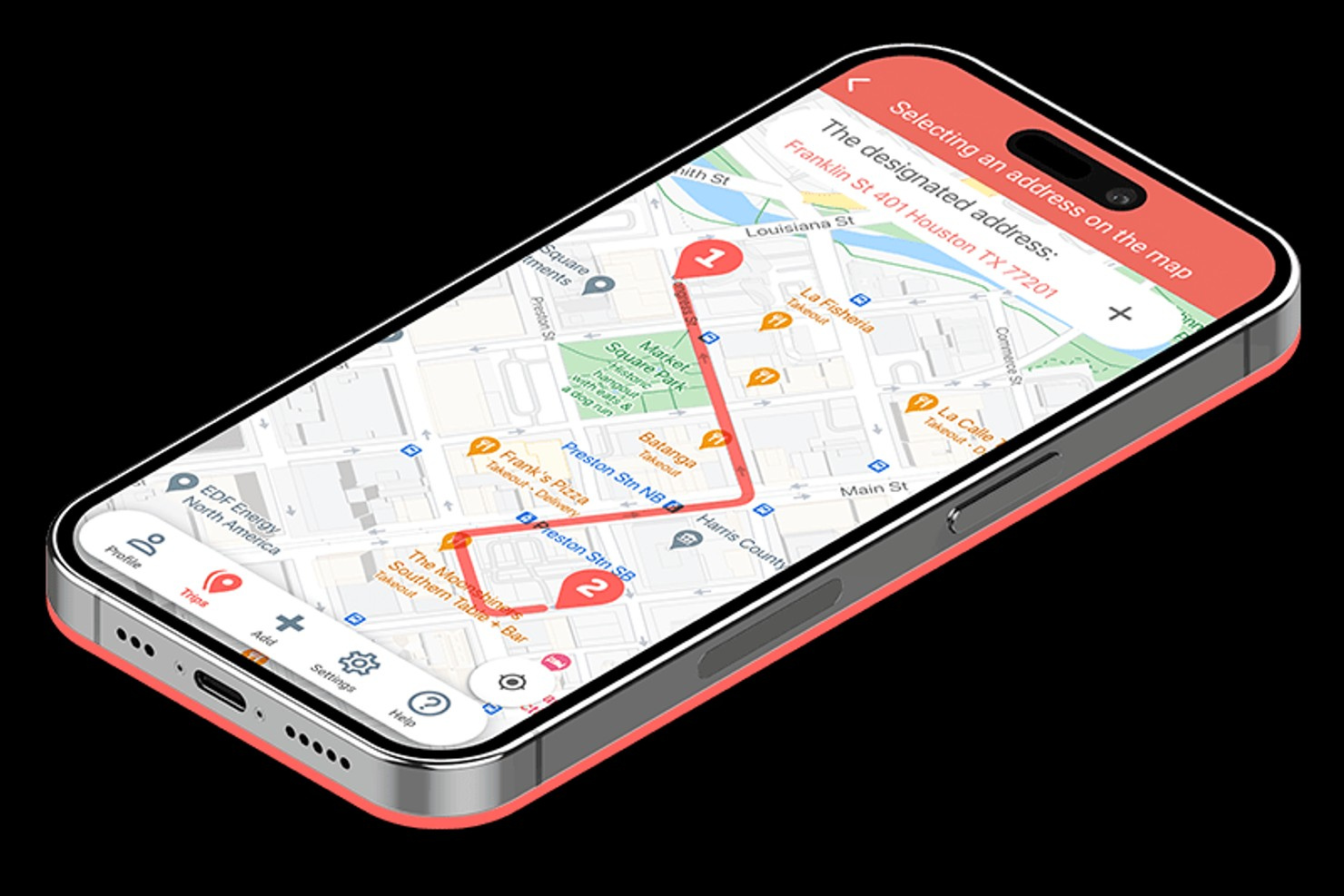
Mileage Wise offers a specialized mileage tracking solution for professionals and businesses that need detailed, compliant mileage logs. The platform appeals to accountants, tax preparers, and business owners who want to ensure their records meet strict documentation standards. Its focus on accuracy and audit-readiness helps users avoid common pitfalls in mileage reporting.
Who Is Mileage Wise Best For?
Mileage Wise is a strong fit for accountants, tax professionals, and small business owners who need to generate audit-ready, IRS-compliant mileage logs.
Why I Picked Mileage Wise
What sets Mileage Wise apart is its focus on creating mileage logs that meet IRS documentation requirements. I picked this tool because it offers features like retrospective trip reconstruction and built-in IRS compliance checks, which help ensure every log stands up to audit scrutiny. The platform also provides a mileage log tax preparation tool that flags missing information and suggests corrections before reports are finalized. This level of detail is especially valuable for professionals who need to guarantee their records are audit-ready.
Mileage Wise Key Features
Some other features in Mileage Wise that may interest mileage tracking software buyers include:
- Automatic trip tracking: The app uses GPS to automatically record trips without manual input.
- Multi-vehicle management: Users can track mileage for multiple vehicles within a single account.
- Odometer reading import: The platform allows importing odometer readings to ensure accurate mileage calculations.
- Customizable report formats: Users can generate mileage logs in various formats to meet different documentation needs.
Mileage Wise Integrations
Integrations include Google Maps Timeline.
Pros and Cons
Pros:
- AI Wizard fills gaps in driving history
- Built-in IRS auditor checks for errors
- Reconstructs lost past mileage logs
Cons:
- Setup can be complex for new users
- Lacks deep accounting integrations

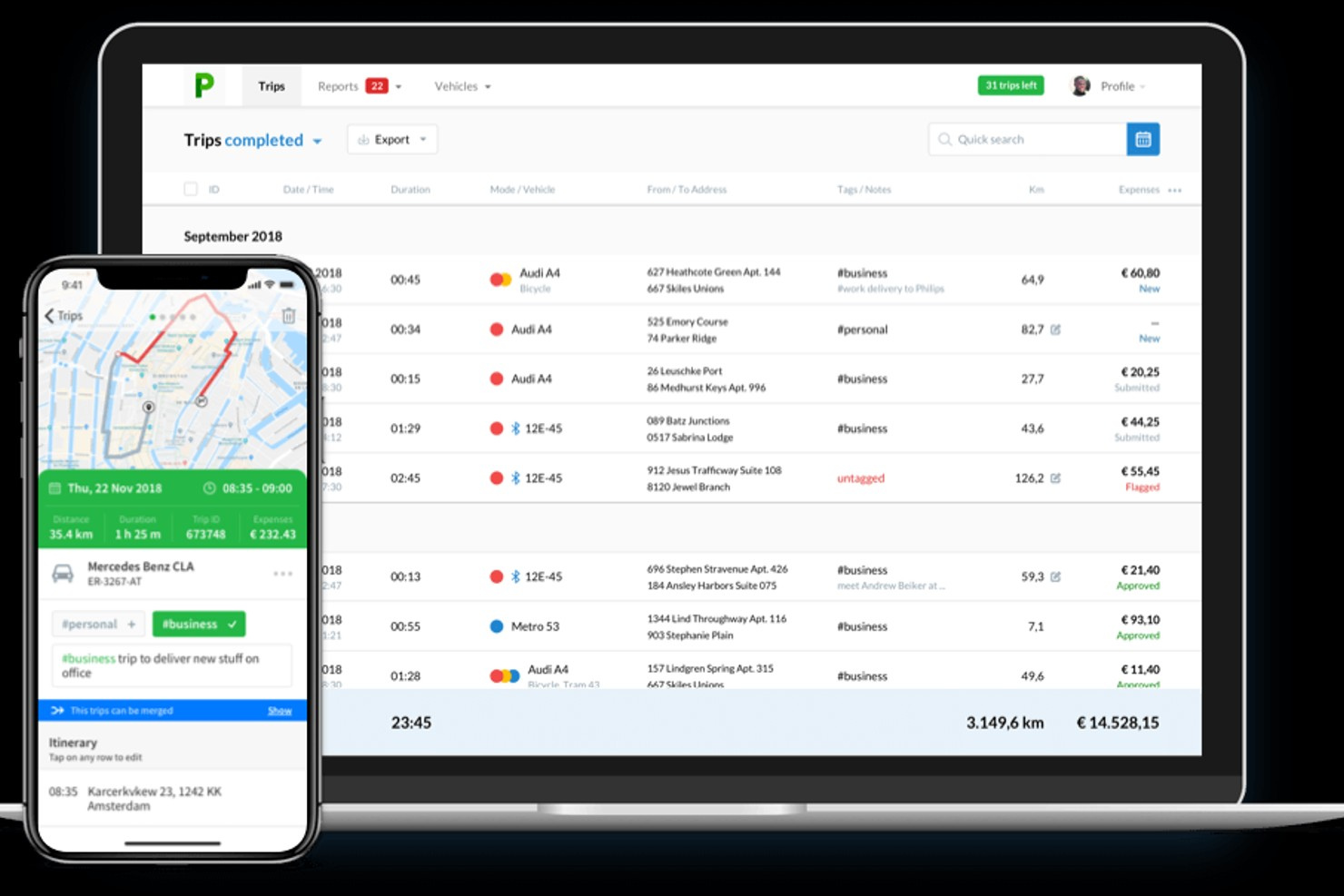
Psngr offers a mileage tracking platform designed for teams and professionals who need to coordinate and document shared travel. The tool appeals to businesses and organizations that require collaborative trip management and accurate mileage logs. Its features help users simplify group rideshare tracking and ensure compliance for expense reporting.
Who Is Psngr Best For?
Psngr is a good fit for teams and organizations that need to coordinate and track shared business travel.
Why I Picked Psngr
I chose Psngr because it’s one of the few mileage tracking tools that supports collaborative trip sharing and group travel management. The platform lets multiple users contribute to and edit shared trip logs, which is especially useful for teams that travel together or need to coordinate transportation. I also like that Psngr provides real-time trip updates and notifications, so everyone involved stays informed and records stay accurate. These collaborative features make Psngr stand out for organizations that need more than just individual mileage tracking.
Psngr Key Features
Some other features in Psngr that may interest mileage tracking software buyers include:
- Automated mileage logging: The app automatically detects and records trips using GPS tracking.
- Multi-vehicle support: Users can manage and assign trips to different vehicles within the same account.
- Customizable mileage rates: The platform allows you to set and update reimbursement rates for different trip types or regions.
- Exportable trip reports: Generate and download detailed mileage and trip logs in various formats for accounting or compliance needs.
Psngr Integrations
Native integrations are not currently listed by Psngr.
Pros and Cons
Pros:
- iBeacon hardware for higher accuracy
- Tracks drives walking and public transit
- Smooth automatic "AutoPilot" tracking
Cons:
- Web dashboard has fewer mobile features
- Premium plans are relatively pricey
Other Mileage Tracking Software
Here are some additional mileage tracking software options that didn’t make it onto my shortlist, but are still worth checking out:
- FreshBooks
For invoicing and mileage sync
- SherpaShare
For driver community insights
- Stride
With integrated tax deduction tracking


Mileage Tracking Software Selection Criteria
When selecting the best mileage tracking software to include in this list, I considered common buyer needs and pain points like ensuring accurate mileage logs for tax or reimbursement purposes and simplifying the process of tracking trips across multiple vehicles or users. I also used the following framework to keep my evaluation structured and fair:
Core Functionality (25% of total score)
To be considered for inclusion in this list, each solution had to fulfill these common use cases:
- Track mileage automatically using GPS
- Manually add or edit trip details
- Categorize trips as business or personal
- Generate mileage reports for tax or reimbursement
- Export data in standard file formats
Additional Standout Features (25% of total score)
To help further narrow down the competition, I also looked for unique features, such as:
- Collaborative trip sharing for teams
- Multi-vehicle management in one account
- Customizable mileage reimbursement rates
- Real-time trip notifications and alerts
- Integration with accounting or expense platforms
Usability (10% of total score)
To get a sense of the usability of each system, I considered the following:
- Simple and intuitive mobile app interface
- Clear navigation and labeling of features
- Minimal steps to log or edit trips
- Responsive performance on mobile devices
- Accessibility for users with different needs
Onboarding (10% of total score)
To evaluate the onboarding experience for each platform, I considered the following:
- Availability of step-by-step setup guides
- Access to training videos or tutorials
- Interactive product tours for new users
- Pre-built templates for common workflows
- In-app chatbots or live onboarding support
Customer Support (10% of total score)
To assess each software provider’s customer support services, I considered the following:
- Multiple support channels like chat, email, and phone
- Fast response times to user inquiries
- Helpful and knowledgeable support staff
- Access to a searchable help center or FAQ
- Availability of community forums or user groups
Value For Money (10% of total score)
To evaluate the value for money of each platform, I considered the following:
- Transparent and competitive pricing tiers
- Free trial or demo availability
- No hidden fees or surprise charges
- Flexible plans for different business sizes
- Features included at each pricing level
Customer Reviews (10% of total score)
To get a sense of overall customer satisfaction, I considered the following when reading customer reviews:
- Consistent positive feedback on reliability
- Reports of accurate mileage tracking
- User satisfaction with customer support
- Comments on ease of use and onboarding
- Feedback on feature updates and improvements
How to Choose Mileage Tracking Software
It’s easy to get bogged down in long feature lists and complex pricing structures. To help you stay focused as you work through your unique software selection process, here’s a checklist of factors to keep in mind:
| Factor | What to Consider |
| Scalability | Will the software handle your current and future number of users, vehicles, and trips as you grow? |
| Integrations | Does the tool connect natively to your accounting, payroll, or expense management systems? |
| Customizability | Can you adjust mileage rates, trip categories, and reporting formats to match your policies? |
| Ease of use | Will your team adopt the tool quickly, or will the interface slow down daily workflows? |
| Implementation and onboarding | How long will it take to get up and running, and what resources or training will your team need? |
| Cost | Are pricing tiers clear, and do they align with your usage patterns and budget constraints? |
| Security safeguards | Does the vendor offer data encryption, user access controls, and compliance with privacy standards? |
| Support availability | Can you reach support during your business hours, and are multiple channels (chat, phone, email) offered? |
What Is Mileage Tracking Software?
Mileage tracking software is a digital tool that automatically or manually records the distance traveled for business, personal, or tax purposes. These platforms help users log trips, categorize travel, and generate reports for reimbursement or compliance. Finance teams, self-employed professionals, and organizations use mileage tracking software to ensure accurate records and simplify expense management.
Features of Mileage Tracking Software
When selecting mileage tracking software, keep an eye out for the following key features:
- Automatic trip detection: Uses GPS or motion sensors to identify and log trips without manual input, reducing the risk of missed or inaccurate entries.
- Manual trip entry: Allows users to add or edit trips directly, ensuring flexibility for situations where automatic tracking isn’t possible.
- Trip categorization: Lets users label trips as business, personal, or custom categories, making it easier to separate reimbursable and non-reimbursable mileage.
- Multi-vehicle support: Enables tracking and managing mileage across several vehicles within a single account, which is useful for teams or individuals with multiple cars.
- Custom mileage rates: Supports setting different reimbursement rates based on trip type, region, or policy, helping organizations stay compliant with internal or regulatory guidelines.
- Report generation: Creates detailed mileage and expense reports for tax filing, reimbursement, or audit purposes, often exportable in various formats.
- Route mapping: Visualizes the path taken for each trip, providing a clear record for verification and dispute resolution.
- Odometer tracking: Records starting and ending odometer readings to validate mileage and ensure accurate reporting.
- Data export options: Offers the ability to export trip data in formats like CSV or PDF for sharing with finance, HR, or tax professionals.
- Mobile app availability: Provides a dedicated mobile application so users can track mileage and manage trips on the go, increasing convenience and accuracy.
Mileage tracking software solutions do not typically include AI as part of their feature offering.
Benefits of Mileage Tracking Software
Implementing mileage tracking software provides several benefits for your team and your business. Here are a few you can look forward to:
- Accurate mileage records: Automated trip detection and odometer tracking help ensure every mile is logged correctly for tax or reimbursement purposes.
- Simplified compliance: Built-in reporting and customizable mileage rates make it easier to meet internal policies and regulatory requirements.
- Time savings: Automatic logging and easy data export reduce the manual effort required to track, categorize, and report mileage.
- Improved reimbursement processes: Clear trip categorization and multi-vehicle support streamline the approval and payment of mileage claims.
- Enhanced visibility: Real-time dashboards and detailed reports give finance teams a clear view of travel activity across the organization.
- Reduced risk of errors: Standardized workflows and digital records minimize the chance of lost logs or inaccurate entries.
- Convenient mobile access: Dedicated mobile apps allow users to track and manage trips on the go, increasing adoption and data accuracy.
Costs and Pricing of Mileage Tracking Software
Selecting mileage tracking software requires an understanding of the various pricing models and plans available. Costs vary based on features, team size, add-ons, and more. The table below summarizes common plans, their average prices, and typical features included in mileage tracking software solutions:
Plan Comparison Table for Mileage Tracking Software
| Plan Type | Average Price | Common Features |
| Free Plan | $0 | Basic mileage tracking, manual trip entry, limited report generation, and single user access. |
| Personal Plan | $4-$11/user/month | Automatic trip detection, trip categorization, report exports, and support for one vehicle. |
| Business Plan | $11-$25/user/month | Multi-vehicle support, team management, customizable mileage rates, integration options, and advanced reporting. |
| Enterprise Plan | $25-$50/user/month | Dedicated account management, custom integrations, enhanced security controls, priority support, and compliance features. |
Mileage Tracking Software FAQs
Here are some answers to common questions about mileage tracking software:
Can mileage tracking software be used for both personal and business trips?
Yes, most mileage tracking software lets you categorize trips as personal or business. This helps you separate reimbursable mileage from personal travel and simplifies reporting for tax or company policy compliance.
How accurate is GPS-based mileage tracking?
GPS-based mileage tracking is generally very accurate, often within a few meters. However, accuracy can be affected by signal loss in tunnels, urban canyons, or remote areas. Most tools allow manual adjustments to correct any discrepancies.
Is it possible to track mileage for multiple vehicles or users?
Yes, many solutions support multiple vehicles and users under one account. This is especially useful for businesses with fleets or teams, as it centralizes data and reporting for all drivers.
What types of reports can I generate with mileage tracking software?
You can typically generate reports for tax filing, reimbursement, and audit purposes. Reports often include trip details, mileage totals, categorized travel, and export options like CSV or PDF for sharing with finance or HR.
How secure is the data stored in mileage tracking software?
Most reputable vendors use encryption, secure cloud storage, and user access controls to protect your data. Always review a vendor’s security documentation to ensure it meets your organization’s privacy and compliance requirements.
What’s Next:
If you're in the process of researching automated invoicing software, connect with a SoftwareSelect advisor for free recommendations.
You fill out a form and have a quick chat where they get into the specifics of your needs. Then you'll get a shortlist of software to review. They'll even support you through the entire buying process, including price negotiations.