
14 Best Payment Gateway APIs Reviewed in 2026

Best Payment Gateway API Shortlist
Here's my pick of the 11 best software from the 14 tools reviewed.


Managing financial transactions can be a headache, especially when you're trying to ensure security and efficiency. As a CFO, you face the constant challenge of balancing cost with the need for reliable payment solutions. That's where payment gateway APIs come in.
In my experience, these tools can help you simplify the payment process, reduce errors, and improve the customer experience. I've independently tested and reviewed various options to bring you an unbiased look at the best solutions out there.
In this article, you'll find a well-researched review of the top payment gateway APIs, tailored to meet your team's needs. Let's dive into the details and find the right fit for your financial operations.
Why Trust Our Software Reviews
Best Payment Gateway API Summary
This comparison chart summarizes pricing details for my top payment gateway API selections to help you find the best one for your budget and business needs.
| Tool | Best For | Trial Info | Price | ||
|---|---|---|---|---|---|
| 1 | Best for AI-powered, developer-friendly APIs | 30-day free trial available | From 2.9% + 30¢ per transaction | Website | |
| 2 | Best for scalable payments | Free demo available | From 2.9% + $0.30/transaction | Website | |
| 3 | Best for recurring payments | Free demo available | From 0.5% + $0.05/transaction | Website | |
| 4 | Best for Amazon shoppers | Free demo available | From 2.9% domestic processing fee + $0.30 authorization fee | Website | |
| 5 | Best for international expansion | Not available | Pricing upon request | Website | |
| 6 | Best for high-growth performance | Free test account available | Pricing upon request | Website | |
| 7 | Best for fraud detection tools | Free demo available | From $25/month | Website | |
| 8 | Best for high-volume domestic SaaS | Free demo available | From $99/month | Website | |
| 9 | Best for multi-currency processing | Not available | Pricing upon request | Website | |
| 10 | Best for global online payments | Free plan available | From 3.49% + $0.49/transaction (online checkout) | Website | |
| 11 | Best for small retail businesses | Free plan available (only pay when you take a payment) + 30-day free trial | From $49/month + transaction fees | Website |
-

LiveFlow
Visit WebsiteThis is an aggregated rating for this tool including ratings from Crozdesk users and ratings from other sites.4.9 -
Float Financial
Visit WebsiteThis is an aggregated rating for this tool including ratings from Crozdesk users and ratings from other sites.4.1 -
Rippling Spend
Visit WebsiteThis is an aggregated rating for this tool including ratings from Crozdesk users and ratings from other sites.4.8


Best Payment Gateway API Review
Below are my detailed summaries of the best payment gateway APIs that made it onto my shortlist. My reviews offer a detailed look at the key features, pros and cons, integrations, and ideal use cases for each tool, helping you find the best one for you.

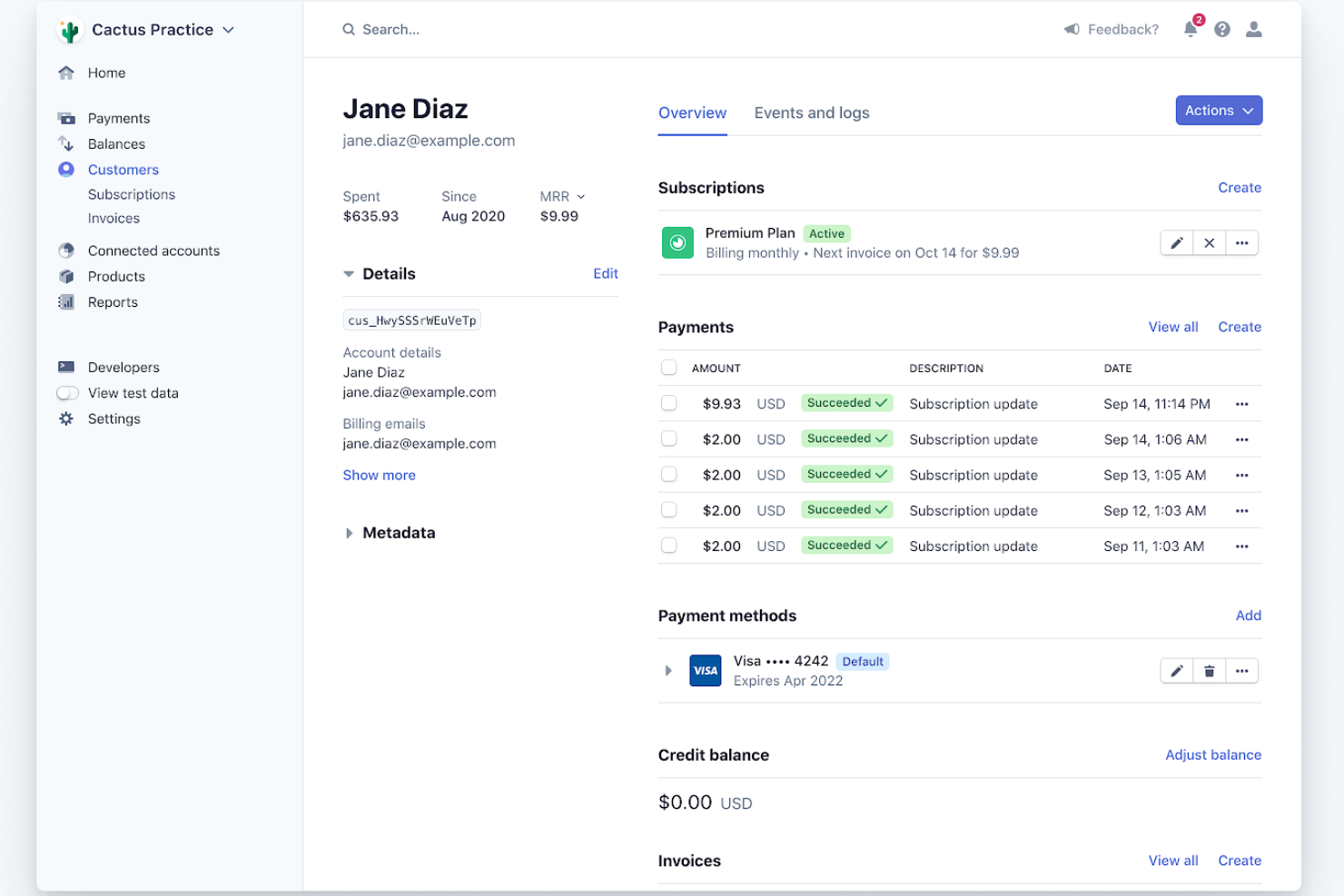
Stripe is a financial infrastructure platform that caters to businesses of all sizes, offering solutions for payment processing, subscription management, and fraud prevention. It's widely used by startups and enterprises across industries such as e-commerce and hospitality to manage financial operations.
Why I picked Stripe: Stripe's APIs allow your team to customize payment solutions to fit specific business needs. Its extensive documentation, sandbox environment, and tools for redirect flows make integration easy, so it’s ideal for developers looking to build custom payment experiences. Stripe's platform supports over 135 currencies, offering global scalability for businesses looking to expand internationally. Additionally, its fraud prevention tools help protect your transactions and reduce chargebacks.
Standout features and integrations:
Features include payment processing for both online and in-person transactions, subscription and billing management, and advanced fraud prevention tools. You can also benefit from its tax automation and custom reporting features, which simplify financial management. Stripe's low- to no-code options make it accessible for teams without extensive technical resources.
Integrations include WooCommerce, QuickBooks, Xero, NetSuite, Salesforce, Adobe Commerce, BigCommerce, and more.
Pros and Cons
Pros:
- Optimized revenue recovery tools
- Extensive documentation
- Global currency support
Cons:
- Requires technical knowledge
- Limited customer support
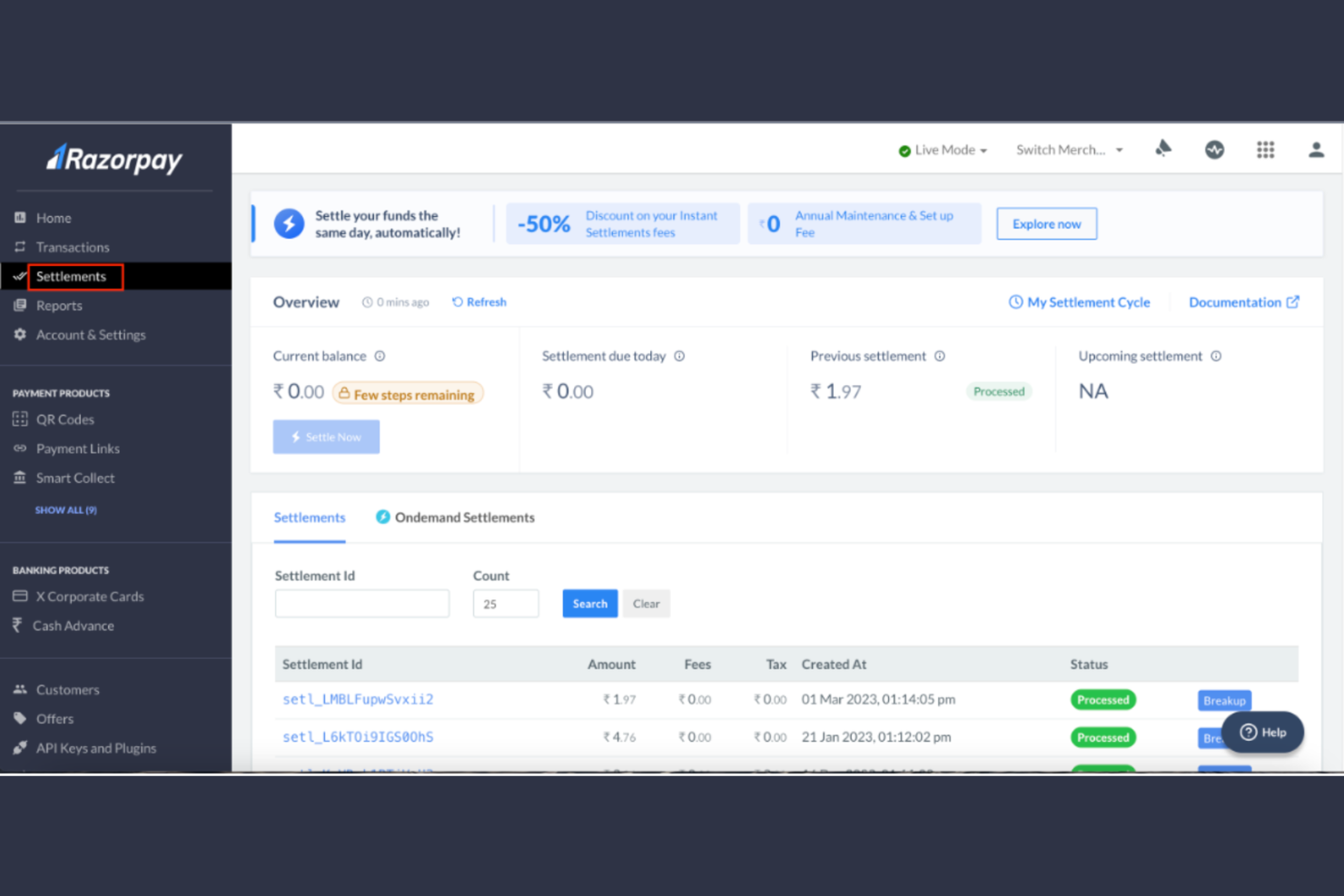
Razorpay is a payment gateway that offers a suite of financial solutions, including payment processing, invoicing, and subscription management. It serves a diverse range of users, from small startups to large enterprises, enabling them to handle transaction volumes efficiently.
Why I picked Razorpay: Razorpay was built for the Indian market, expanding to the US now. It offers localized payment options that cater to your customers' preferences. It supports a wide variety of payment methods, including UPI, wallets, and net banking, which are popular in India. The platform's dashboard provides a clear overview of your transactions, making it easy to manage your finances. Additionally, Razorpay's recurring payment feature simplifies subscription-based business processes, making it a versatile payment service provider.
Standout features and integrations:
Features include an instant activation process that lets you start accepting payments quickly. The platform offers a smart routing feature that optimizes transaction success rates, ensuring smooth payment processing. Razorpay also offers refunds, helping you maintain customer satisfaction by efficiently processing returns.
Integrations include Shopify, Zoho Books, and more.
Pros and Cons
Pros:
- Provides payroll add-ons
- Built-in subscription tools
- Handles region-specific compliance
Cons:
- Features tied to processing thresholds
- Geographic limitations

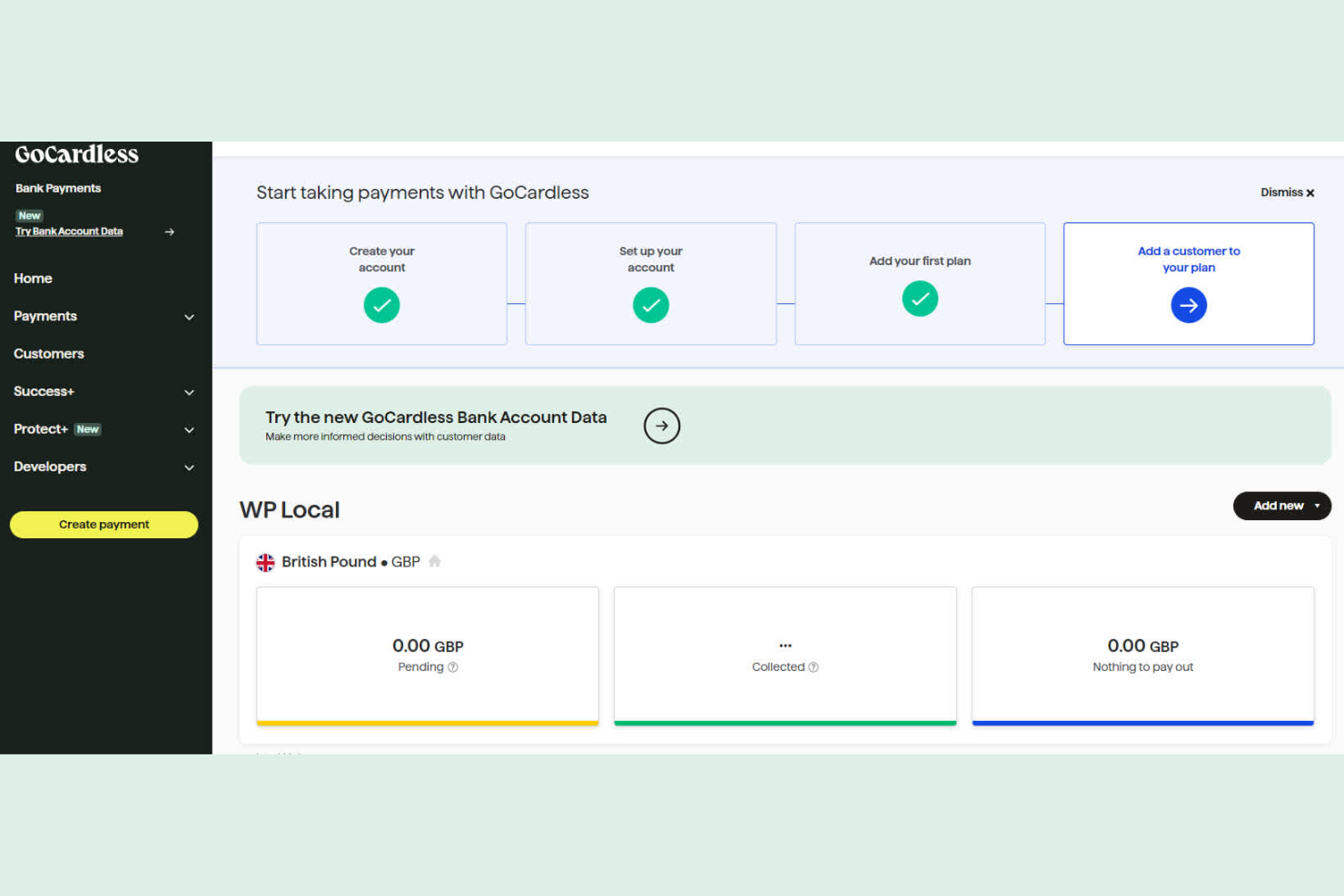
GoCardless is a payment gateway that specializes in recurring payments, making it ideal for subscription-based businesses and companies with recurring billing needs. It is widely used by small to medium-sized businesses looking to simplify the collection of direct debit payments.
Why I picked GoCardless: GoCardless makes managing recurring payments easy with its direct debit processing. Its transparent pricing structure helps you avoid unexpected fees, which is beneficial for budgeting. The platform offers a user-friendly dashboard that lets you track payments and manage customer data efficiently. Additionally, its global reach supports businesses with international customers, making it a versatile choice for your team.
Standout features and integrations:
Features include automated payment collection, which reduces the time your team spends on manual billing tasks. The platform provides real-time notifications on payment statuses, keeping you informed about your cash flow. GoCardless also offers a customizable payment page, helping you maintain brand consistency throughout the payment process.
Integrations include Xero, Sage, Salesforce, Zuora, Recurly, and more.
Pros and Cons
Pros:
- Real-time payment notifications
- Global payment support
- User-friendly dashboard
Cons:
- Longer settlement time for transactions
- Limited to direct debit payments

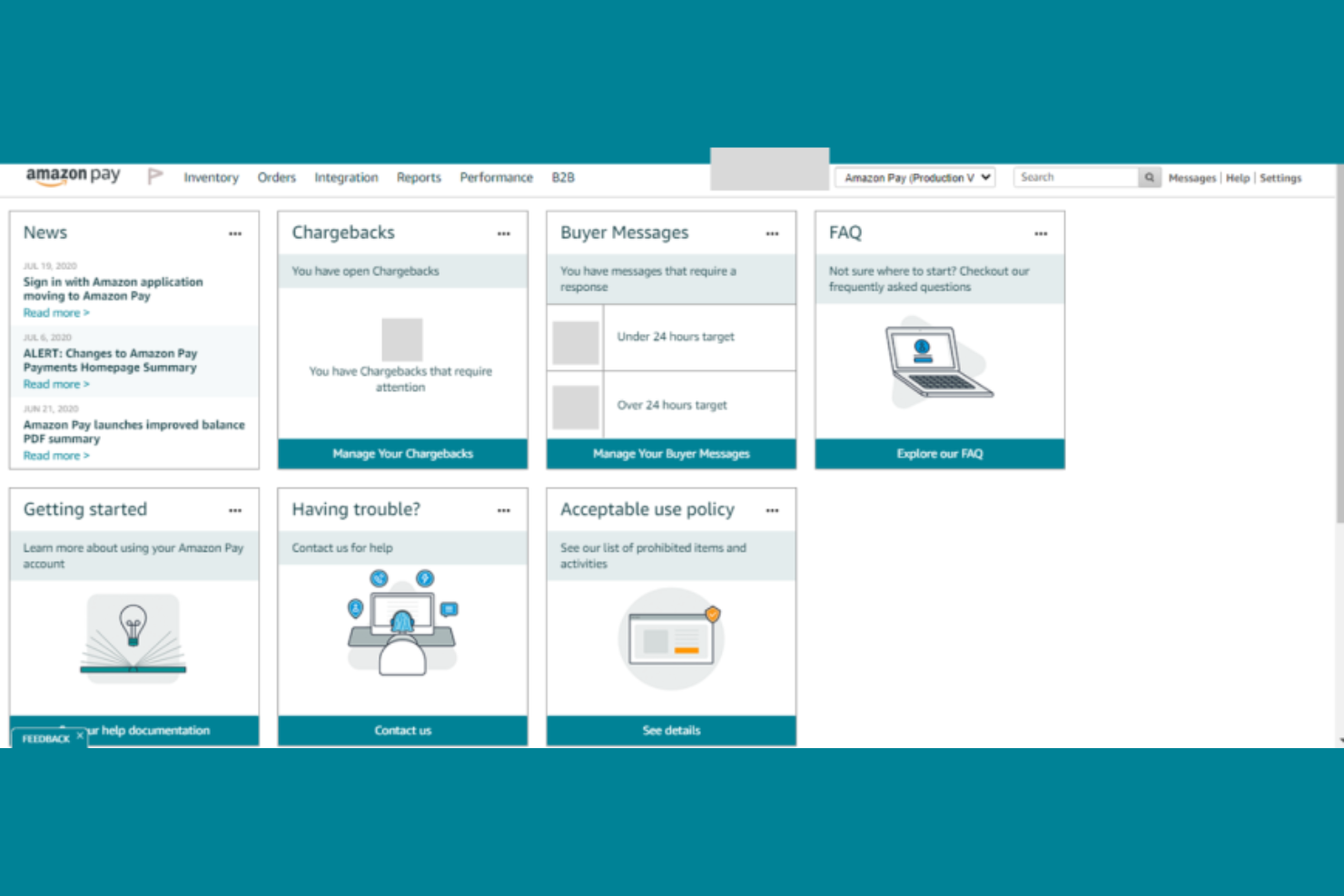
Amazon Pay is an online payment processing service that lets customers use their Amazon accounts to make purchases on external websites. It primarily serves businesses looking to simplify the checkout process for customers who are already familiar with Amazon.
Why I picked Amazon Pay: Amazon Pay leverages the trust and familiarity of the Amazon brand, making it a convenient choice for your customers who shop on Amazon. Its integration with Alexa allows voice-activated payments, adding a modern touch to the shopping experience. The checkout process reduces cart abandonment, which benefits your business. Additionally, the service offers fraud protection, safeguarding your transactions and sensitive data.
Standout features and integrations:
Features include the ability to handle recurring payments, which is great for subscription services. The easy checkout process uses the payment information already stored in your Amazon account, saving your customers time. Amazon Pay also offers multi-currency support, allowing you to cater to a global audience.
Integrations include Shopify, BigCommerce, Adobe Commerce, WooCommerce, PrestaShop, and more.
Pros and Cons
Pros:
- Supports recurring payments
- Reduces cart abandonment
- Voice payments with Alexa
Cons:
- Not available in all countries
- Limited to Amazon account holders
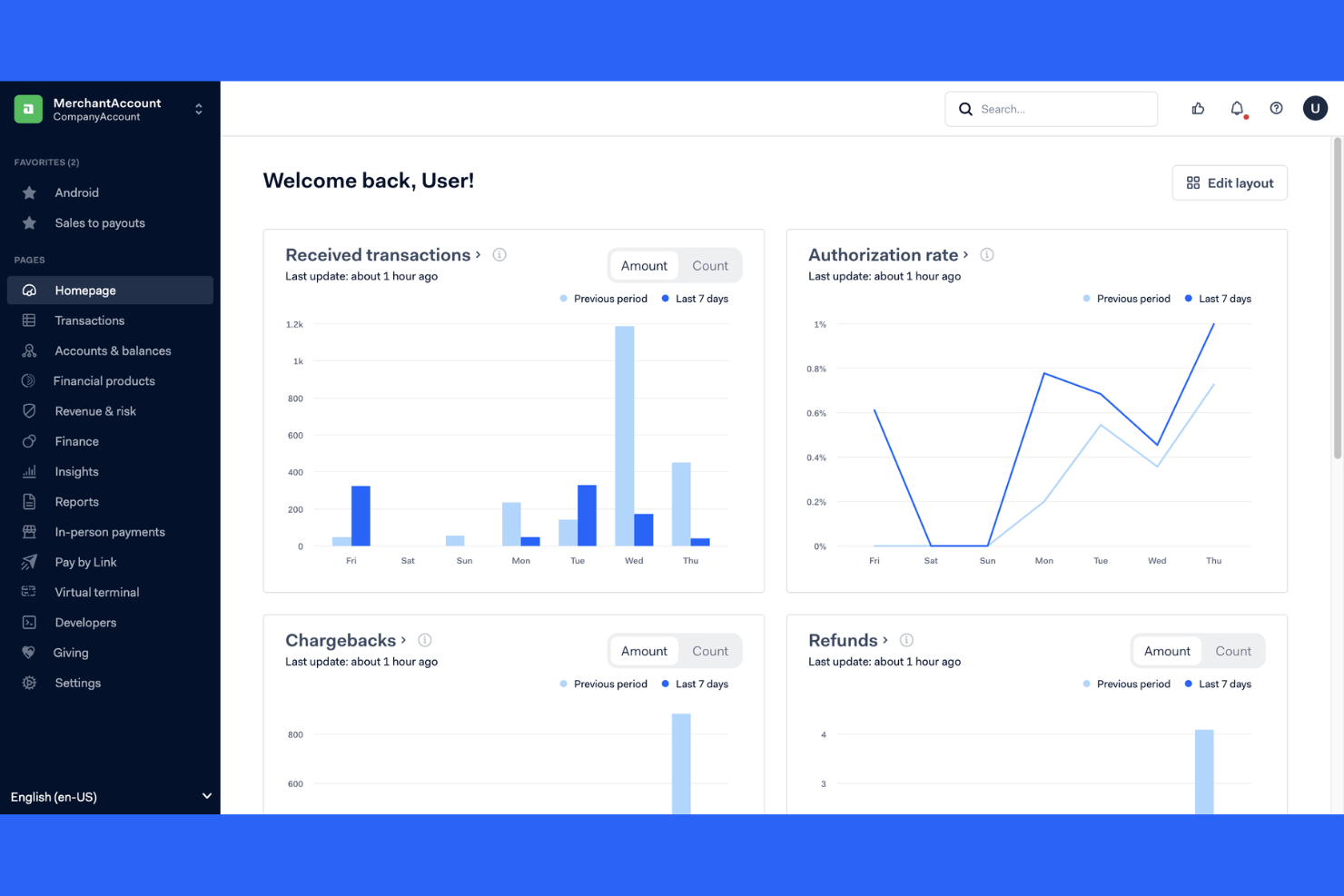
Adyen is a payment gateway solution designed for businesses aiming to expand their global reach. It offers a unified platform for processing payments across online, in-store, and mobile channels.
Why I picked Adyen: Adyen's global payment capabilities make it an excellent choice for businesses looking to expand internationally. It supports a wide range of payment methods, catering to diverse customer preferences. The platform's risk management tools help protect against fraud, ensuring secure transactions for your business. Additionally, Adyen's extensive reporting features provide insights into your payment data, aiding in strategic decision-making.
Standout features and integrations:
Features include the ability to accept payments in multiple currencies, which is beneficial for global operations. The platform provides real-time data insights, enabling you to track transactions and customer behavior. Adyen's scalable infrastructure supports businesses of all sizes, making it adaptable to your growth needs.
Integrations include Salesforce Commerce Cloud, SAP, Oracle, and more.
Pros and Cons
Pros:
- Multi-currency acceptance
- Strong fraud prevention tools
- Unified online and offline data
Cons:
- Implementation is time-intensive
- Requires minimum processing volumes

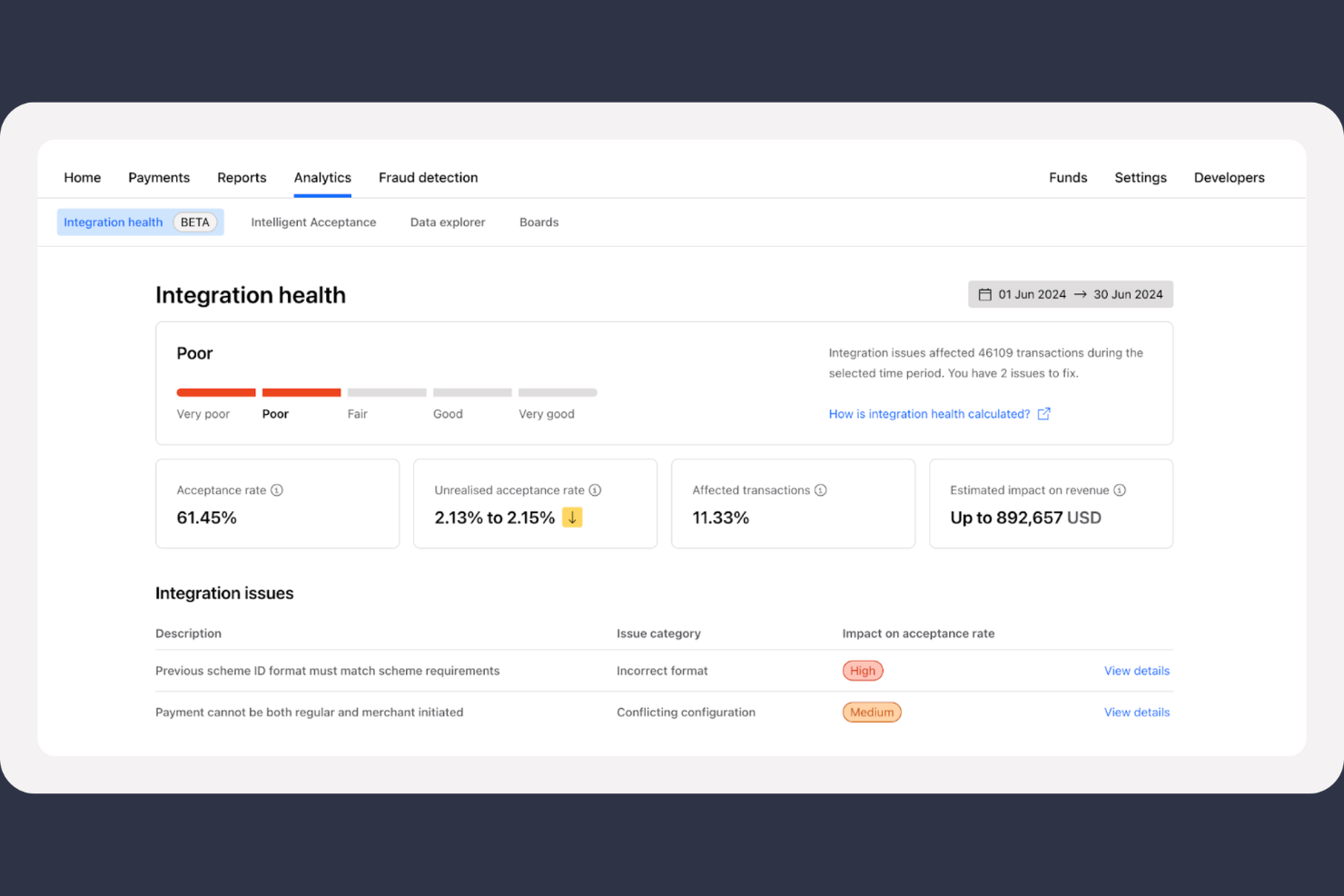
Checkout.com is a global, full-stack payment processor that provides a unified API for businesses to manage the entire transaction lifecycle. It’s designed for scaling companies that need high-performance infrastructure to handle complex, high-volume international revenue.
Why I picked Checkout.com: Checkout.com has an "Intelligent Acceptance" AI engine that is specifically engineered to optimize performance by capturing revenue that would otherwise be lost to false declines. This directly impacts the bottom line with data quality improvements alone potentially recovering millions in revenue for enterprise-level volumes. The platform’s Integration Health tool proactively identifies and fixes API bugs that harm acceptance rates, ensuring the tech stack supports rather than hinders growth.
Standout features and integrations:
Features include AI-powered "Intelligent Acceptance" to minimize false declines, deep-dive reporting with raw decline codes for granular financial analysis, and Transaction Risk Analysis (TRA) for European payment authentication.
Integrations include Salesforce Commerce Cloud, SAP Commerce Cloud, Shopify, NetSuite, Chargebee, Zuora, Plaid, BigCommerce, and more.
Pros and Cons
Pros:
- Modular API for custom growth needs
- Full visibility into raw decline data
- Market-leading global acceptance rates
Cons:
- Limited features for smaller entities
- Requires developer resources for setup

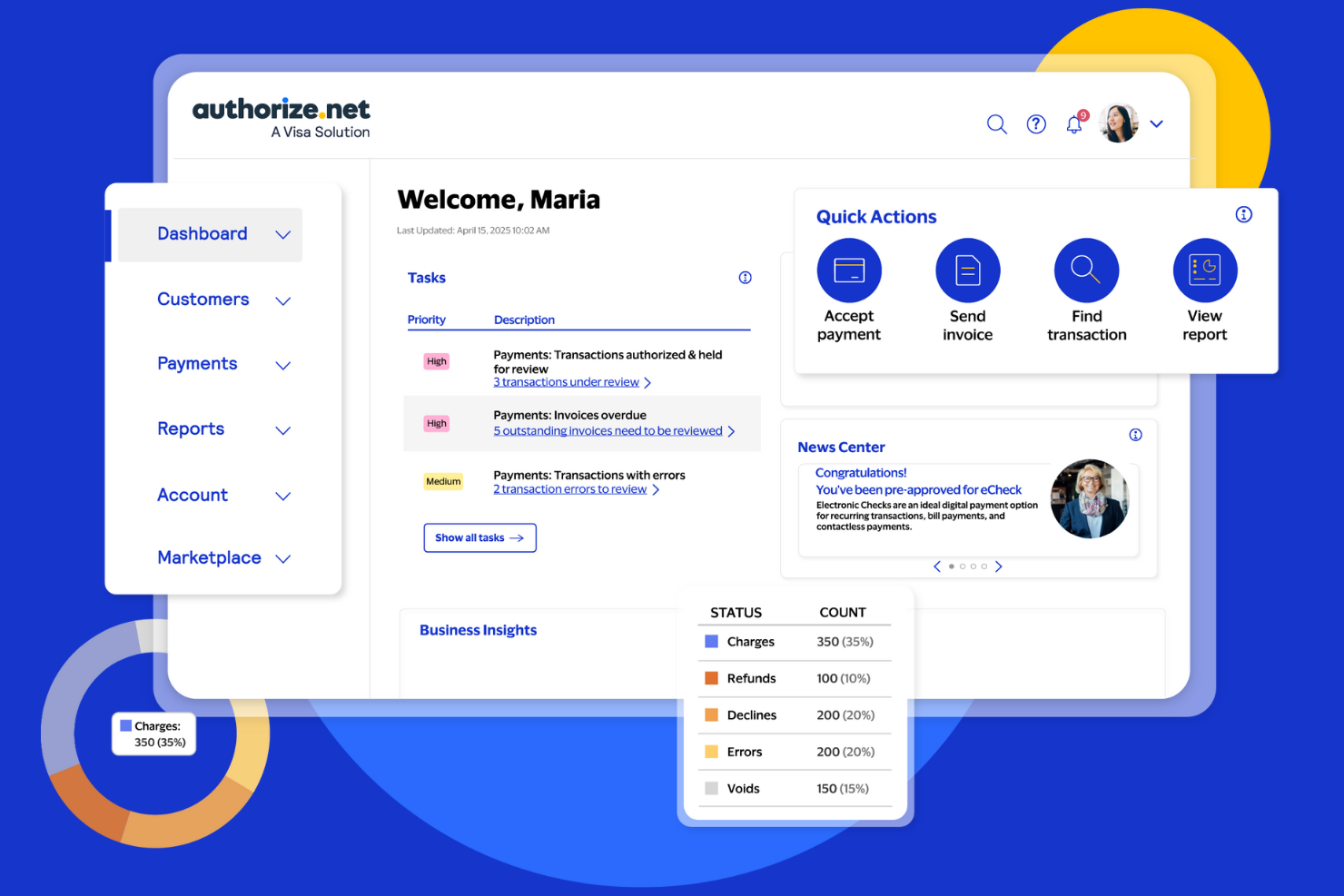
Authorize.net is a reliable payment gateway solution catering to businesses of all sizes, offering secure transaction processing and fraud prevention. It enables businesses to accept payments online, in-person, and through mobile devices, safeguarding customer data.
Why I picked Authorize.net: Authorize.net provides advanced fraud detection tools that help protect your business from fraudulent transactions. Its customizable authentication feature lets you tailor security settings to your specific business needs. The payment gateway supports various payment methods, including credit cards and e-checks, supporting your customers' flexibility. Additionally, the recurring billing feature is ideal for subscription-based businesses, as it simplifies payment collection.
Standout features and integrations:
Features include a virtual point-of-sale system that lets you process payments without additional hardware. The customer information manager stores payment details securely, making future transactions quicker. The detailed online reporting feature gives you insights into sales trends and transaction history, aiding in financial analysis.
Integrations include Docusign, Shopify, Adobe Commerce, and more.
Pros and Cons
Pros:
- Recurring billing options
- Supports multiple payment methods
- Advanced fraud detection tools
Cons:
- Requires a separate merchant account
- Less modern user experience
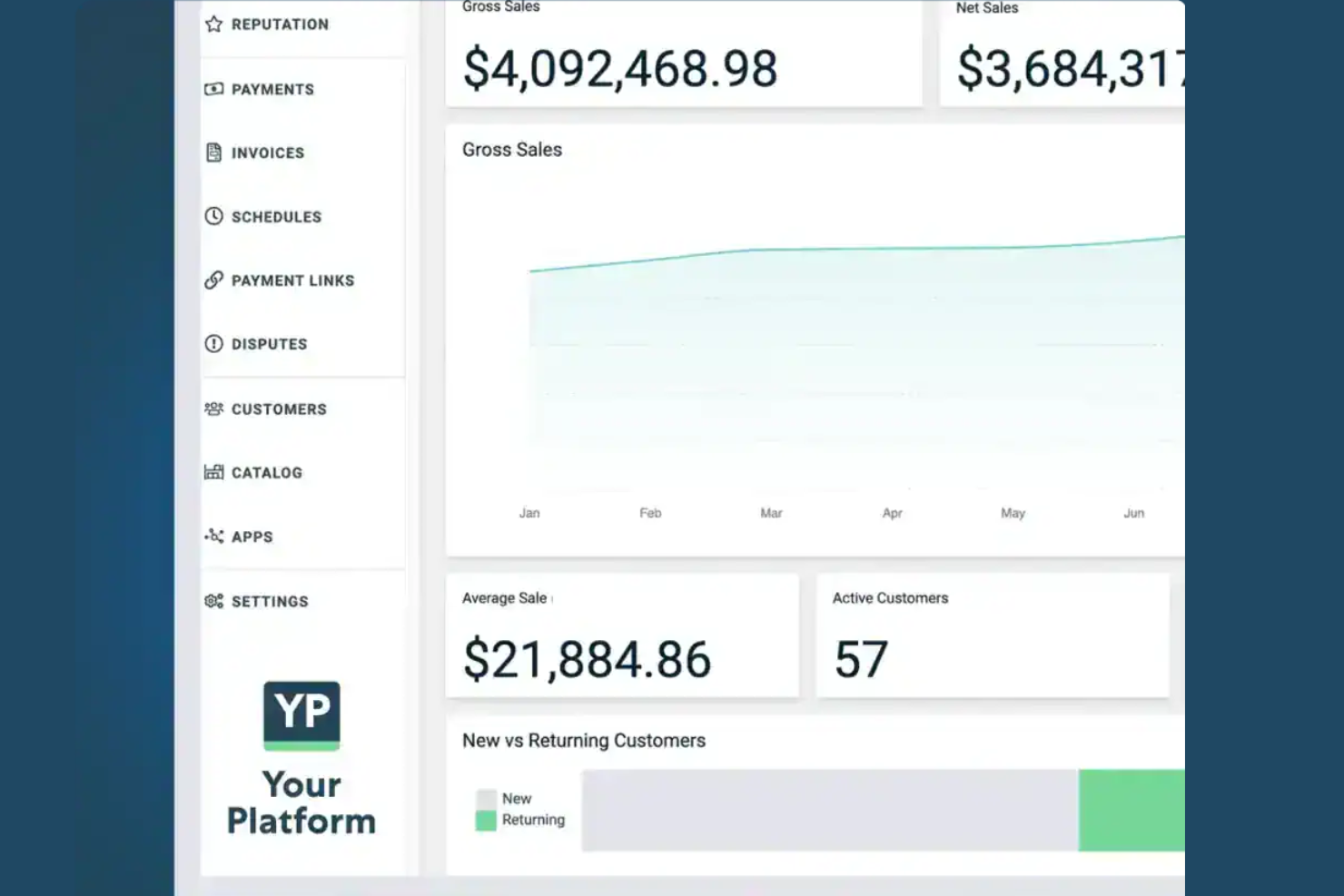
Stax offers a subscription-based payment processing model that eliminates the traditional percentage-based markups found in most merchant services. This makes it a highly predictable financial tool.
Why I picked Stax: Stax is my top pick if you’re focused on cost stability, as its 0% markup on direct-cost interchange can save high-volume businesses a lot on processing fees. The platform’s REST-based API allows finance leaders to automate complex recurring billing and custom granular reporting, reducing the manual labor and human error often associated with high-growth scaling. Its ability to integrate payments directly into a SaaS platform helps reduce churn by creating a better user experience while keeping processing costs flat.
Standout features and integrations:
Features include flat-fee subscription pricing that stays constant regardless of volume, built-in surcharging tools to offset credit card processing costs, and a mobile SDK for unified online and in-person payments.
Integrations include QuickBooks Online, Xero, HubSpot, Salesforce, NetSuite, Zapier, Shopify, BigCommerce, and more.
Pros and Cons
Pros:
- Native quote-to-cash automation features
- Predictable monthly processing costs
- 0% markups on interchange
Cons:
- Less effective for low-volume
- Limited high-risk industry support
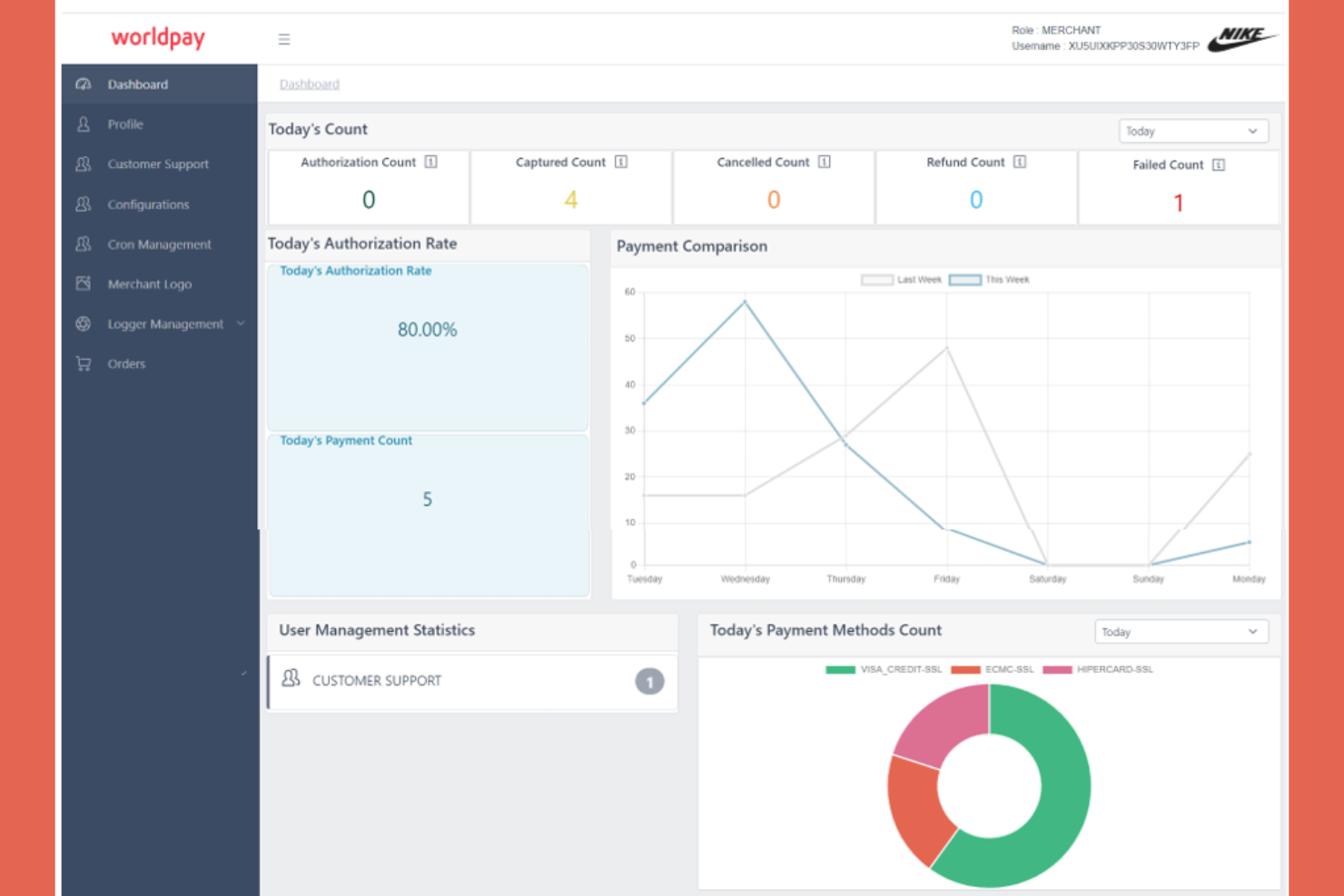
Worldpay is a payment processing solution that caters to businesses of all sizes, offering services for online and in-store transactions. It is particularly beneficial for companies that operate internationally and need to process payments in multiple currencies.
Why I picked Worldpay: Worldpay supports a wide range of currencies, making it ideal for businesses with a global customer base. It offers dynamic currency conversion, allowing your customers to pay in their preferred currency while you receive payments in yours. The platform's fraud protection tools help safeguard transactions, giving your team peace of mind. Additionally, its detailed reporting features provide insights into your sales data.
Standout features and integrations:
Features include real-time transaction monitoring, which helps you keep track of your sales as they happen. The platform also offers customizable payment pages, allowing you to maintain your brand's look and feel. With its extensive reporting tools, you can analyze your business's performance and identify trends.
Integrations include Bigcommerce, NetSuite, Shopify, Zuora, and more.
Pros and Cons
Pros:
- Automated chargeback defense tools
- Specialized high-risk industry support
- Localized payout methods worldwide
Cons:
- Limited transparency in cost breakdowns
- Early termination fees

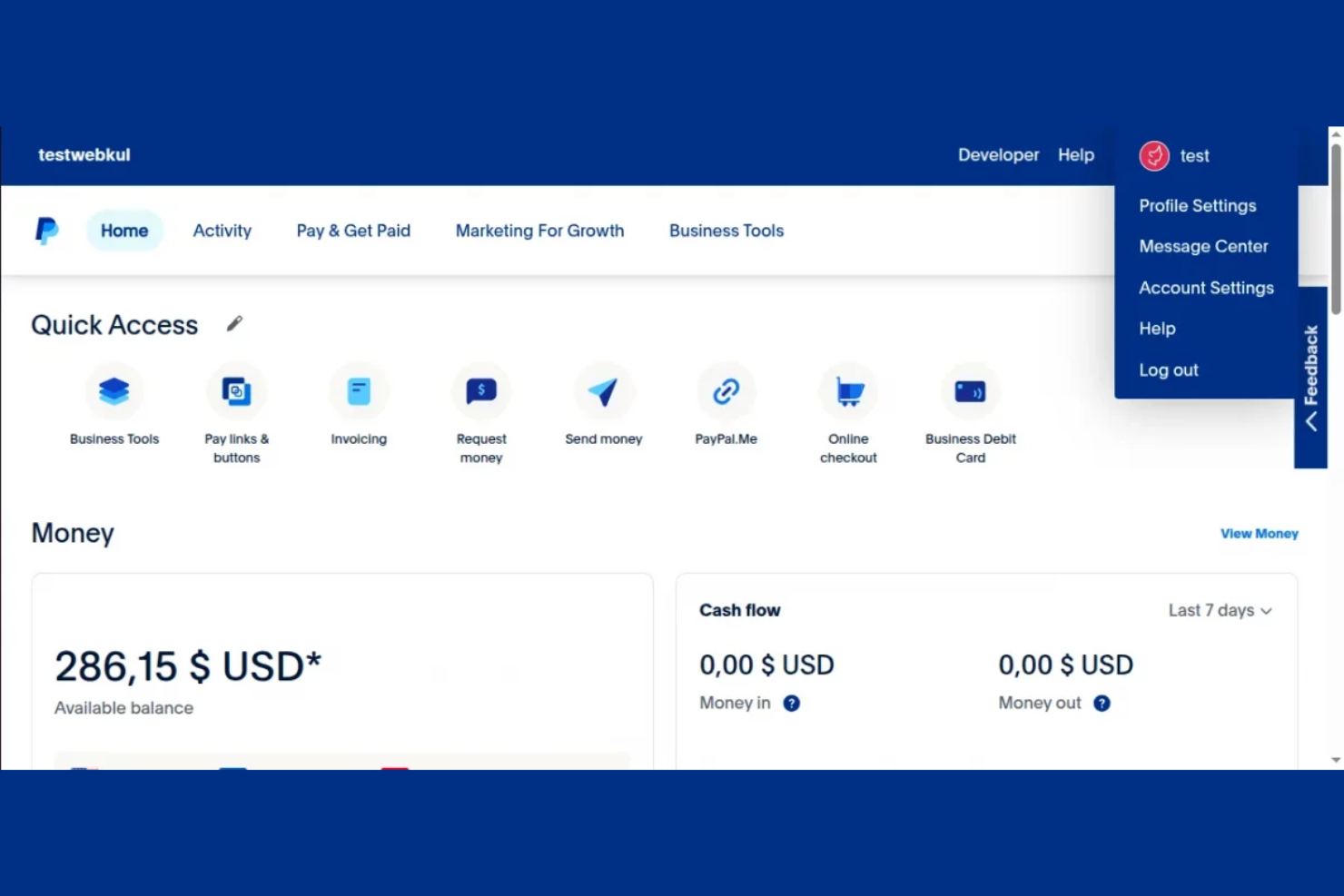
PayPal Open is a widely used online payment system that serves both individuals and businesses, providing a secure and convenient platform for transactions. It supports a variety of business functions, including online payments, invoicing, and financial management.
Why I picked PayPal Open: Its global reach lets you accept payments from more than 200 countries, making it ideal for businesses with international customers. It offers buyer protection and fraud prevention tools, ensuring secure transactions for you and your clients. PayPal Open's invoicing feature simplifies billing and payment collection, which is useful for freelancers and small business owners. Additionally, its mobile app provides the flexibility to manage a customer's payment on the go.
Standout features and integrations:
Features include the ability to set up recurring payments, which is beneficial for subscription-based businesses. You can also access detailed bank account reports, helping you track sales and expenses. PayPal Open's multi-currency support lets you accept payments in multiple currencies, expanding your business's reach.
Integrations include Shopify, WooCommerce, BigCommerce, Xero, QuickBooks, Salesforce, Squarespace, Wix, and more.
Pros and Cons
Pros:
- Handles cross-currency transactions
- Familiar checkout for consumers
- Global payment acceptance
Cons:
- Transaction reviews can cause delays
- High currency conversion fees

Square is a payment processing solution designed primarily for small to medium-sized retail businesses. It facilitates in-person and online transactions, making it easier for businesses to manage sales and inventory.
Why I picked Square: Square offers a straightforward point-of-sale system that fits the needs of small retail businesses. Its mobile card reader lets you accept payments anywhere, making it perfect for on-the-go sales. The inventory management feature helps track stock levels in real-time, reducing the risk of overselling. Additionally, its easy-to-use interface ensures your team can quickly learn and operate the system without extensive training.
Standout features and integrations:
Features include a virtual terminal that lets you process payments without a card reader, making it convenient for phone orders. The customer directory helps you manage customer information and track purchase history. The analytics dashboard provides insights into sales trends and business performance, helping you make informed decisions.
Integrations include QuickBooks, Xero, WooCommerce, BigCommerce, Wix, Adobe Commerce, Zoho Books, Mailchimp, and more.
Pros and Cons
Pros:
- Useful analytics dashboard
- Real-time inventory management
- Easy mobile card reader
Cons:
- Basic reporting tools
- Not suitable for large businesses
Other Payment Gateway APIs
Here are some additional payment gateway API options that didn’t make it onto my shortlist, but are still worth checking out:
- PayU
For emerging markets
- CCAvenue
For real-time conversion
- NMI Payments
For customizable payment solutions


Payment Gateway API Selection Criteria
When selecting the best payment gateway APIs to include in this list, I considered common buyer needs and pain points such as transaction security and ease of integration. I also used the following framework to keep my evaluation structured and fair:
Core Functionality (25% of total score)
To be considered for inclusion in this list, each solution had to fulfill these common use cases:
- Process online payments
- Handle multiple currencies
- Provide secure transactions
- Offer fraud detection
- Support recurring billing
Additional Standout Features (25% of total score)
To help further narrow down the competition, I also looked for unique features, such as:
- Customizable payment pages
- Advanced reporting tools
- Mobile payment support
- Integration with digital wallets
- Support for international payments
Usability (10% of total score)
To get a sense of the usability of each system, I considered the following:
- Intuitive user interface
- Easy navigation
- Minimal learning curve
- Responsive design
- Clear documentation
Onboarding (10% of total score)
To evaluate the onboarding experience for each platform, I considered the following:
- Availability of training videos
- Interactive product tours
- Access to templates
- Live webinars
- Chatbot support
Customer Support (10% of total score)
To assess each software provider's customer support services, I considered the following:
- 24/7 availability
- Multiple support channels
- Fast response times
- Knowledgeable staff
- Extensive help center
Value for Money (10% of total score)
To evaluate the value for money of each platform, I considered the following:
- Competitive pricing
- Transparent fee structure
- Flexible pricing plans
- Discounts for high volume
- No hidden fees
Customer Reviews (10% of total score)
To get a sense of overall customer satisfaction, I considered the following when reading customer reviews:
- Overall satisfaction rating
- Frequency of updates
- Commonly reported issues
- Praise for specific features
- Feedback on customer support
How To Choose a Payment Gateway API
It's easy to get bogged down in long feature lists and complex pricing structures. To help you stay focused as you work through your unique software selection process, here's a checklist of factors to keep in mind:
| Factor | What To Consider |
|---|---|
| Scalability | Can the tool grow with your business? Consider transaction limits and how easy it is to upgrade plans as your needs expand. |
| Integrations | Does it work with your existing software? Check compatibility with your current systems, such as e-commerce platforms and accounting tools. |
| Customizability | Can you tailor it to fit your workflows? Look for options to customize payment pages and processes to match your brand and operational needs. |
| Ease of use | Is it user-friendly? Evaluate the interface and user feedback to ensure your team can adopt it with minimal training. |
| Implementation and onboarding | How quickly can you get started? Assess the resources needed for setup and the availability of onboarding support, such as tutorials and customer service. |
| Cost | Does the pricing align with your budget? Consider transaction fees, monthly charges, and any additional costs that might arise. |
| Security safeguards | Is your data protected? Ensure the solution complies with industry standards such as PCI DSS and offers fraud detection tools. |
| Support availability | Can you get help when needed? Look for 24/7 support options and evaluate response times to ensure assistance is available when you need it. |
What Is a Payment Gateway API?
A payment gateway API is a tool that enables online payment processing by connecting a merchant's website to a payment processing network. These tools are commonly used by e-commerce managers, financial officers, and developers to handle transactions securely and efficiently. Features such as fraud detection, multi-currency support, and integration capabilities help with secure transactions, global reach, and system compatibility. Overall, these tools provide businesses with the infrastructure needed to accept payments online reliably.
Features
When selecting a payment gateway API, keep an eye out for the following key features:
- Fraud detection: Helps identify and prevent fraudulent transactions, protecting both the business and its customers.
- Multi-currency support: Allows businesses to accept payments in various currencies, making it easier to cater to international customers.
- Recurring billing: Enables automatic billing for subscription services, simplifying payment collection for businesses with recurring revenue models.
- Customizable payment pages: Let businesses tailor the checkout experience to align with their brand, personalizing the user experience.
- Integration capabilities: Ensure compatibility with existing systems such as e-commerce platforms and accounting software, facilitating operations.
- Real-time transaction monitoring: Provides immediate updates on payment statuses, aiding in financial tracking and decision-making.
- Mobile payment support: Allows customers to make payments via mobile devices, offering convenience and flexibility.
- Security compliance: Adheres to industry standards such as PCI DSS, ensuring sensitive payment data is handled securely.
- Analytics and reporting: Offers insights into sales and customer behavior, helping businesses make informed decisions.
- Quick onboarding: Provides resources, such as tutorials and support, to help businesses start accepting payments quickly.
Benefits
Implementing a payment gateway API provides several benefits for your team and your business. Here are a few you can look forward to:
- Increased security: Fraud detection and compliance with industry standards such as PCI DSS help protect sensitive payment data and reduce the risk of fraudulent transactions.
- Global reach: Multi-currency support and mobile payment capabilities enable you to serve international customers and expand your market.
- Efficient billing: Recurring billing features automate subscription payments, saving time and reducing manual effort.
- Personalized user experience: Customizable payment pages let you create a branded checkout process, improving customer satisfaction.
- Improved operations: Integration capabilities ensure your payment system works smoothly with existing tools, simplifying business processes.
- Real-time insights: Analytics and reporting provide valuable data on sales and customer behavior, aiding in strategic decision-making.
- Quick setup: Resources for quick onboarding ensure your team can start processing payments with minimal delay, boosting efficiency.
Costs & Pricing
The primary cost for most payment gateway APIs is the transaction fee, not the fixed monthly subscription. The two main models used by the tools are:
- Transaction-only fee: This is the most common model, especially for standard online payments. You pay a percentage of the transaction amount plus a small fixed fee per successful transaction. There is typically no monthly fee.
- Monthly fee + transaction fee: Some providers, often those that offer a dedicated merchant account or in-person/POS hardware, charge a low monthly fee in addition to a transaction fee. This model is useful for businesses that require more specialized features or dedicated gateway services.
When evaluating options, you should always focus on the transaction fee rate as it will determine the bulk of your cost as your volume grows, and also consider any potential monthly fees for access to required features (like advanced fraud tools or recurring billing).
Payment Gateway API FAQs
Here are some answers to common questions about a payment gateway API:
Should I select a payment gateway API that supports physical retail?
The importance of in-person transaction support depends entirely on the nature of the business selecting the payment gateway. If your business involves physical retail, mobile sales, or a blend of online and offline commerce, then in-person capability is a highly important, if not critical, selection factor.
However, if your business is exclusively online, for example, a pure e-commerce site with no physical location, then in-person processing would be a non-essential feature, and you would focus on factors like global currency support, developer-friendliness (like Stripe), or recurring billing (like GoCardless)
What is the difference between a payment gateway and a payment processor?
A payment gateway is a tool that authorizes and facilitates online payments by connecting your website to the payment processing network. A payment processor, on the other hand, is the service that actually handles the transaction, moving funds from the customer’s account to yours. While the gateway secures data transmission, the processor completes the transaction. When choosing a solution, consider whether you need both services integrated or if you already have one in-house.
How long does it take to set up a payment gateway API?
The setup time for a payment gateway API varies depending on the provider and your existing infrastructure. Generally, it can take anywhere from a few hours to a few days. To expedite the process, ensure that your team has the necessary technical skills and resources. Some providers offer guided onboarding and support to help you get started quickly, so take advantage of these resources if available.
Can I use a payment gateway API with my existing e-commerce platform?
Yes, most payment gateway APIs are designed to integrate with popular e-commerce platforms such as Shopify, WooCommerce, and Adobe Commerce. Before selecting a gateway, check its compatibility with your platform to avoid API integration issues. If you’re unsure, consult with your provider or review their integration documentation to ensure smooth operation with your current setup.
What should I do if I experience technical issues with my payment gateway API?
If you encounter technical issues, consult the provider’s support documentation or knowledge base for troubleshooting tips first. If the problem persists, contact customer support for assistance. Many providers offer support via email, chat, and phone. In my experience, having a dedicated contact or account manager can expedite resolution, so consider this when evaluating providers.
What's Next:
If you're in the process of researching payment gateway APIs, connect with a SoftwareSelect advisor for free recommendations.
You fill out a form and have a quick chat where they get into the specifics of your needs. Then you'll get a shortlist of software to review. They'll even support you through the entire buying process, including price negotiations.