
14 Rippling Alternatives for 2026

10 Best Rippling Alternatives Shortlist
Here's my pick of the 10 best software from the 14 tools reviewed.


A strong Rippling alternative combines reliable human resources (HR), payroll functionality, and workforce management features with flexibility to match your business’s unique needs. If you’re searching for Rippling alternatives, you’re likely weighing options that can handle complex compliance, automate routine processes, and provide clear workforce insights—without sacrificing ease of use or integration with your existing systems. This list will help you compare leading workforce management platforms, so you can confidently choose a solution that fits your operational requirements, supports your team, and keeps your startups or large enterprises moving forward.
What Is Rippling?
Rippling is a workforce management software that unifies HR, payroll, benefits administration, and IT management in a single platform. It helps businesses automate employee onboarding, manage compliance, and centralize workforce data. Rippling is designed for organizations that want to streamline core HR processes, connect with third-party tools, and maintain visibility across their workforce. Its flexibility and integration options make it a popular choice for companies with evolving operational needs.
Best Rippling Alternatives Summary
This comparison chart summarizes pricing details for my top Rippling alternative selections to help you find the best one for your budget and business needs.
| Tool | Best For | Trial Info | Price | ||
|---|---|---|---|---|---|
| 1 | Best for continuous pay calculation | Free demo available | Pricing upon request | Website | |
| 2 | Best for unified HR and finance analytics | Free demo available | Pricing upon request | Website | |
| 3 | Best for AI-driven scheduling optimization | Free demo available | Pricing upon request | Website | |
| 4 | Best for payroll and tax automation | Free demo available | Pricing upon request | Website | |
| 5 | Best for integrating employee support tickets | Free trial + free demo available | From $19/user/month (billed annually) | Website | |
| 6 | Best for enterprise-scale workforce planning | Free demo available | Pricing upon request | Website | |
| 7 | Best for global compliance management | Free demo available | Pricing upon request | Website | |
| 8 | Best for international contractor management | Free demo available | Pricing upon request | Website | |
| 9 | Best for workforce productivity insights | 14-day free trial + free plan + free demo available | From $10/user/month (billed annually) | Website | |
| 10 | Best for organizational visualization | Free demo + free plan available | From $8/user/month | Website |

Why Trust Our Software Reviews
-

LiveFlow
Visit WebsiteThis is an aggregated rating for this tool including ratings from Crozdesk users and ratings from other sites.4.9 -
Float Financial
Visit WebsiteThis is an aggregated rating for this tool including ratings from Crozdesk users and ratings from other sites.4.1 -
Rippling Spend
Visit WebsiteThis is an aggregated rating for this tool including ratings from Crozdesk users and ratings from other sites.4.8


Best Rippling Alternatives Reviews
Below are my detailed summaries of the Rippling alternatives that made it onto my shortlist. My reviews offer a detailed look at the features, best use cases, and integrations of each platform to help you find the best one for you.

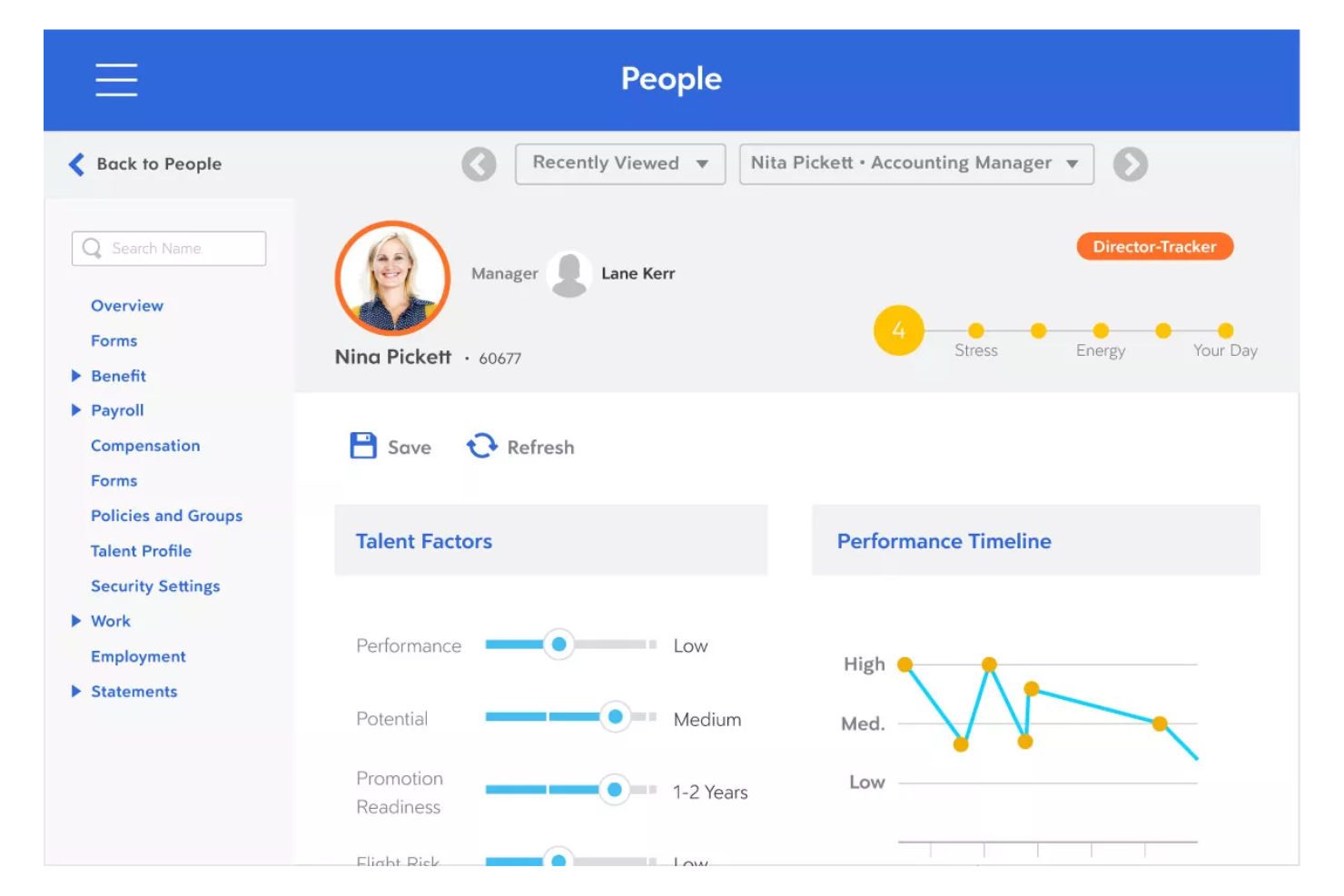
Dayforce stands out for organizations that need real-time payroll accuracy and up-to-date labor cost insights. It’s especially useful for finance and HR teams in industries with complex scheduling or variable pay, like retail, manufacturing, and healthcare. Unlike Rippling, Dayforce calculates pay continuously, so you can spot errors and manage compliance before payroll deadlines.
Why Dayforce Is a Good Rippling Alternative
What sets Dayforce apart is its continuous pay calculation engine, which updates payroll data in real time as hours are worked and changes occur. I picked Dayforce for teams that need to catch payroll errors early and manage compliance risks before payroll is finalized.
The HR platform’s single data record system means time, attendance, and pay are always in sync, reducing manual reconciliation. If you want more control and visibility over payroll throughout the pay cycle, Dayforce is a strong alternative to Rippling.
Dayforce Key Features
In addition to its real-time payroll capabilities, I also found these features valuable:
- Workforce Scheduling: Build, manage, and adjust employee schedules based on business needs and labor rules.
- Mobile App Access: Employees and managers can review schedules, request time off, and approve changes from their mobile devices.
- Document Management: Store, organize, and access employee documents securely within the platform.
- Analytics and Reporting: Generate detailed workforce and payroll reports to support compliance and decision-making.
Dayforce Integrations
Native integrations are not currently listed by Dayforce.
Pros and Cons
Pros:
- Advanced scheduling features
- Mobile app to manage schedules and requests
- Single data record keeps HR and pay in sync
Cons:
- Slow loading and laggy performance
- Clunky, non user-friendly interface

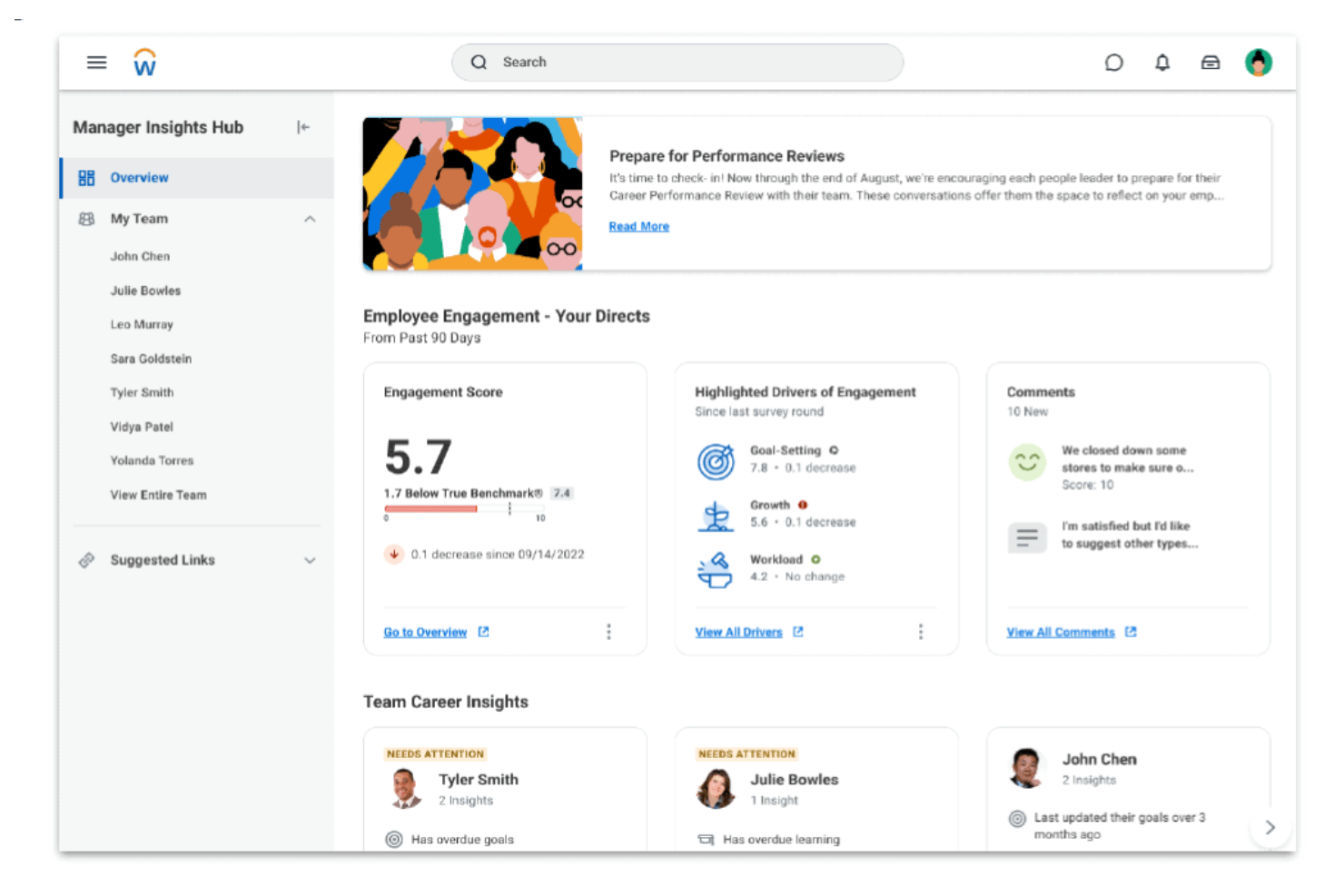
Workday brings HR and finance data together in a single cloud platform, making it a strong fit for organizations that want unified analytics and reporting. This solution is especially useful for finance and HR leaders who need to connect workforce planning with budgeting, forecasting, and operational insights. If your business is looking to improve cross-functional decision-making, Workday offers a level of integration that goes beyond what most workforce management tools provide.
Why Workday Is a Good Rippling Alternative
For organizations that want to unify HR and finance analytics, Workday offers a level of integration that’s hard to match. I picked Workday because it connects workforce management, payroll, and financial planning in one platform, allowing you to analyze headcount, costs, and performance side by side.
Its real-time analytics and customizable dashboards help finance and HR teams collaborate on forecasting and resource allocation. If you need a workforce management solution that breaks down data silos between HR and finance, Workday is a strong alternative to Rippling.
Workday Key Features
Some other features that make Workday appealing for workforce management include:
- Talent Management Suite: Manage recruiting, onboarding, performance, and learning in one place.
- Time Tracking: Capture employee hours, attendance, and absences with built-in tools.
- Mobile App: Give employees and managers access to HR and finance tasks on the go.
- Compliance Monitoring: Track regulatory changes and automate compliance tasks across regions.
Workday Integrations
Integrations include Salesforce, Microsoft Teams, Slack, ServiceNow, ADP, and Google Workspace.
Pros and Cons
Pros:
- Talent management suite
- Mobile app allows remote access
- Built-in compliance tools for global requirements
Cons:
- Lacks transparent pricing
- Custom reporting setup can require technical expertise
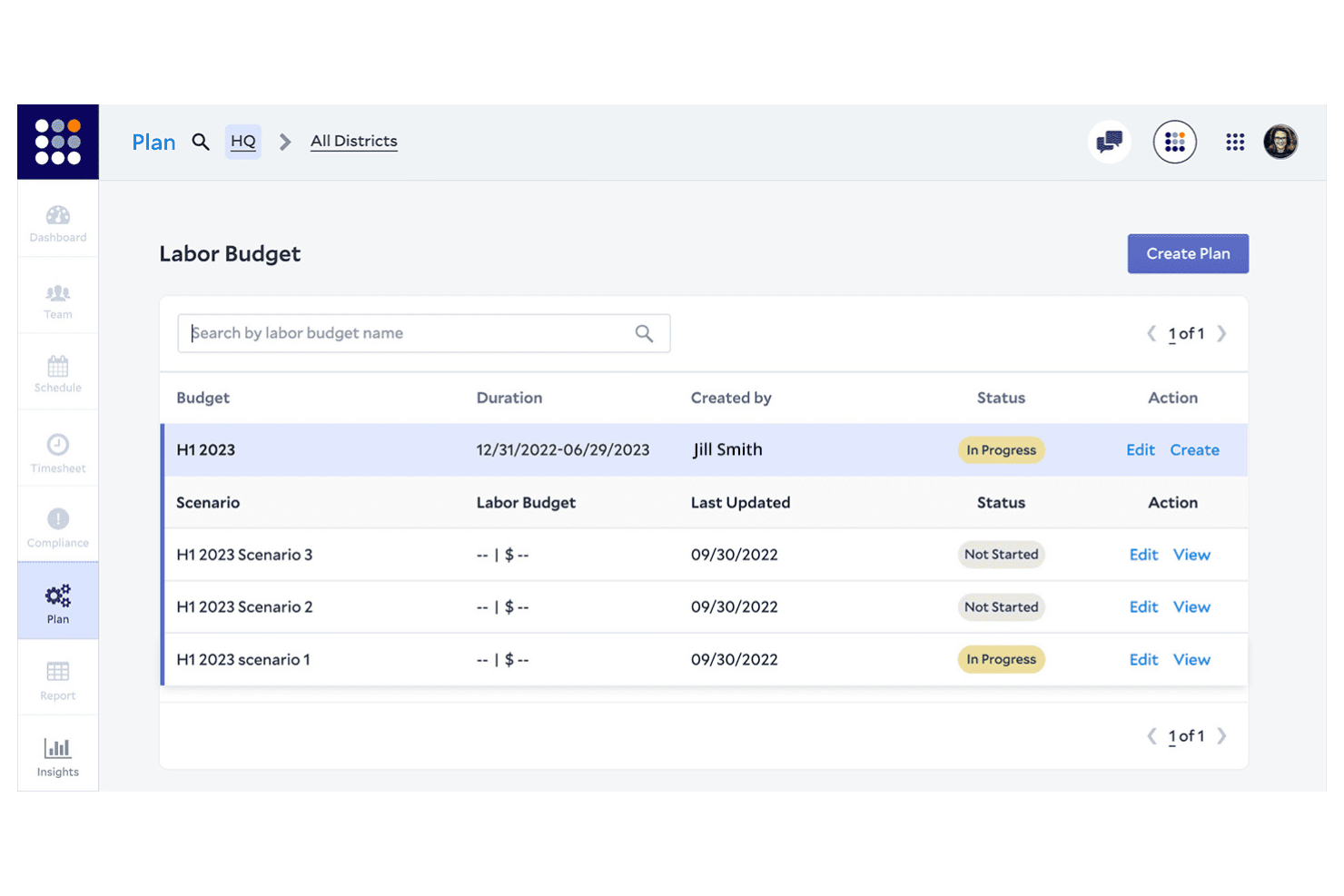
If you’re looking for workforce management software that uses AI to optimize scheduling, Legion is worth a close look. Retailers, restaurants, and other businesses with hourly staff can use Legion to match labor to demand and reduce over- or understaffing. Unlike Rippling, Legion’s AI-driven engine automatically generates schedules that balance business needs, compliance, and employee preferences.
Why Legion Is a Good Rippling Alternative
Legion stands out for its AI-driven scheduling optimization, which is especially valuable for businesses with fluctuating staffing needs. I picked Legion because its machine learning models forecast demand and automatically generate shift schedules that align labor with real-time business requirements.
The platform also factors in employee preferences and compliance rules, reducing manual scheduling work and potential conflicts. If you want to move beyond manual or rules-based scheduling, Legion offers a level of automation and intelligence that Rippling doesn’t match.
Legion Key Features
Some other features I found useful in Legion include:
- Employee Self-Service Portal: Staff can view schedules, swap shifts, and request time off directly from the portal.
- Automated Time and Attendance Tracking: The system records employee hours and attendance, reducing manual entry.
- Labor Cost Management: Track and manage labor costs in real time to stay within budget.
- Compliance Monitoring: Built-in tools help ensure schedules comply with labor laws and company policies.
Legion Integrations
Integrations include Workday, SAP SuccessFactors, ADP, UKG, and Zipline.
Pros and Cons
Pros:
- Reduces labor cost and waste
- Intuitive mobile app for staff
- AI-driven precision scheduling
Cons:
- Complex integration process
- Occasional AI forecast errors

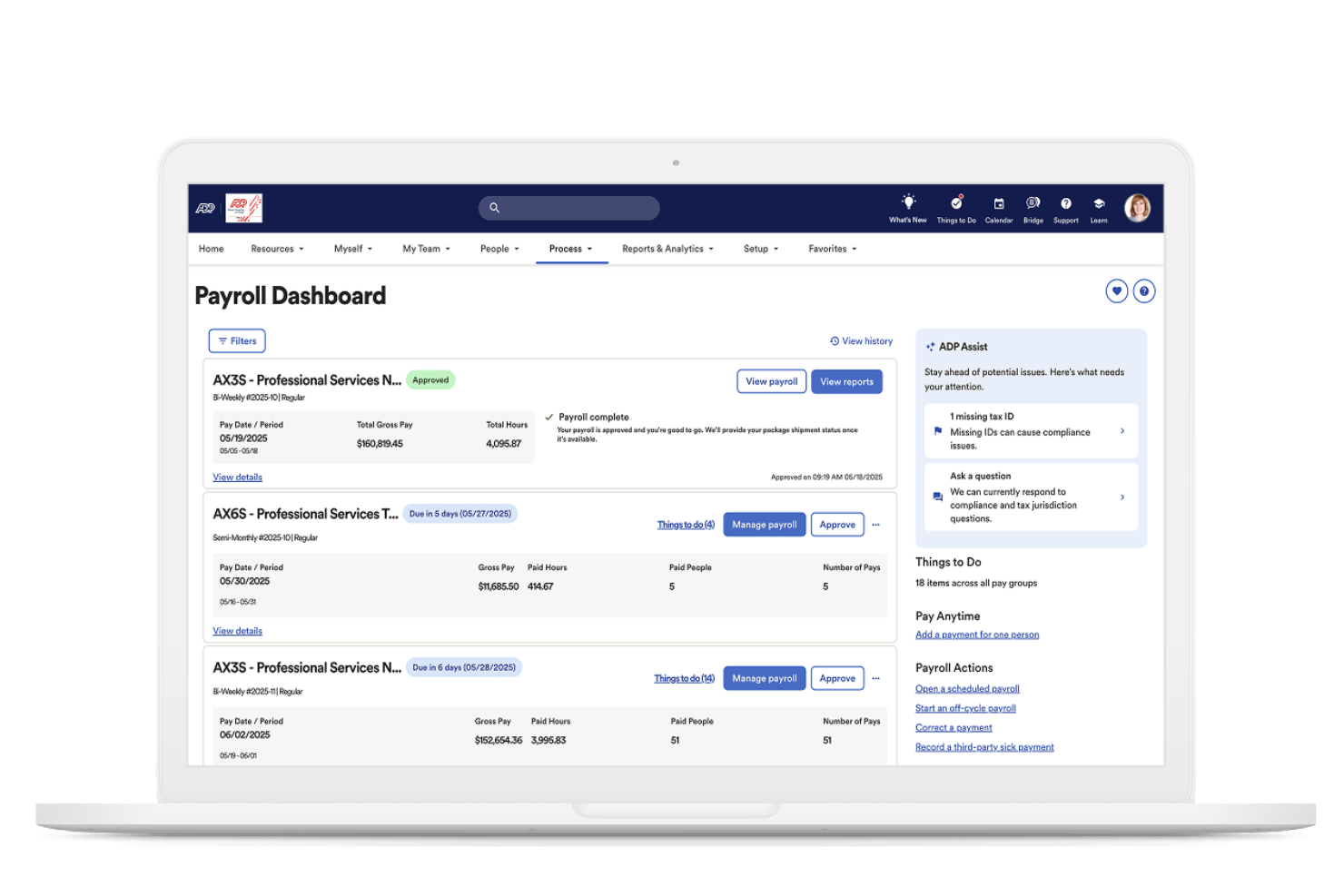
When payroll accuracy and tax compliance are top priorities, ADP offers automation tools designed to reduce manual work and risk. It’s a strong fit for finance teams and HR professionals in businesses of all sizes that need to manage complex payroll, deductions, and government remittances. Unlike Rippling, ADP specializes in automating payroll calculations and tax filings across multiple jurisdictions, helping you stay compliant as your workforce grows.
Why ADP Is a Good Rippling Alternative
For businesses that need a reliable payroll solution and tax automation, ADP delivers specialized tools that go beyond what Rippling offers. I picked ADP because it automatically calculates payroll, manages deductions, and files taxes in compliance with local, state, and federal regulations.
Its platform also handles year-end tax forms and supports multi-jurisdiction payroll, which is essential for companies with employees in different regions. If you want to reduce manual payroll work and minimize compliance risks, ADP is a strong alternative to consider.
ADP Key Features
Some other features that make ADP useful for workforce management include:
- Employee Self-Service Portal: Employees can access pay statements, update personal details, and manage direct deposit information.
- Time and Attendance Tracking: Track employee hours, manage schedules, and monitor attendance in real time.
- Benefits Administration: Manage health, dental, retirement, and other employee benefits from a centralized dashboard.
- Recruitment and Onboarding Tools: Post jobs, track applicants, and automate onboarding workflows for new hires.
ADP Integrations
Integrations include QuickBooks, Xero, Sage, Microsoft Dynamics 365, Oracle, SAP SuccessFactors, and Salesforce.
Pros and Cons
Pros:
- Integrates with major accounting and HR software platforms
- Supports multi-country payroll
- Automated payroll tax filing
Cons:
- Reporting tools may require additional training
- Inconsistent customer support response times
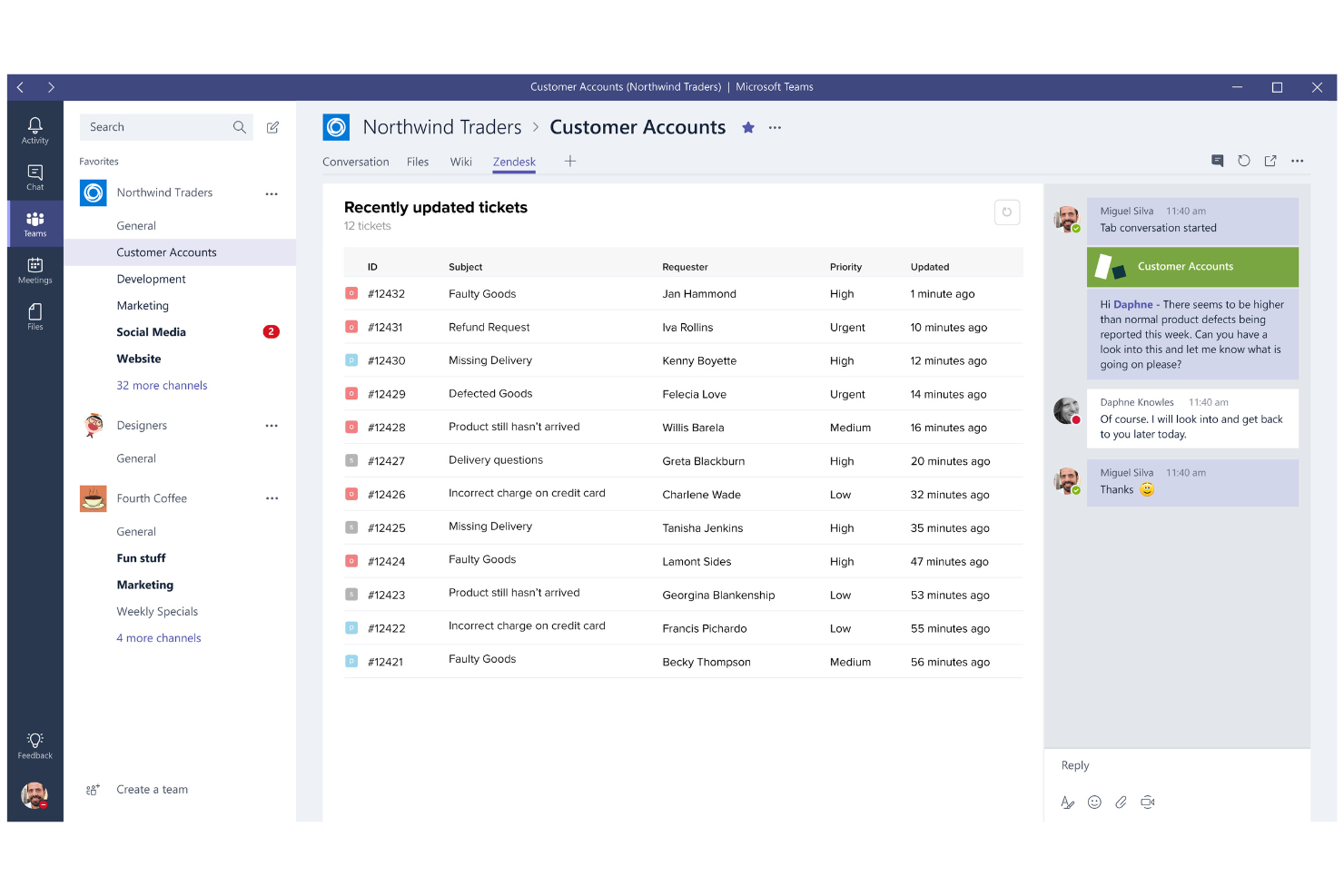
If your team needs a dedicated platform for managing employee support tickets, Zendesk offers specialized HR tools and key features for internal help desks. It’s a strong choice for HR, IT, and operations teams that want to centralize requests, streamline workflows, automate ticket routing, and track resolution times. Unlike most workforce management platforms, Zendesk focuses on improving the employee experience by optimizing support functions and integrating with your existing communication channels via its wide range of integrations.
Why Zendesk Is a Good Rippling Alternative
When it comes to managing employee support tickets, Zendesk brings a level of ticketing automation and workflow customization that’s hard to find in traditional HRIS or payroll software. I picked Zendesk as one of the top Rippling alternatives because it lets you centralize all employee requests, set up automated ticket routing, and track resolution metrics in real-time.
Its internal help desk modules are designed for HR, IT, and operations teams that need to handle high volumes of support inquiries efficiently. If your business wants to improve employee support processes beyond what Rippling offers, Zendesk is a strong, scalable HR solution and a standout among Rippling competitors.
Zendesk Key Features
Some other features that make Zendesk useful for workforce management include:
- Knowledge Base Management: Build and maintain a searchable library of internal articles and FAQs.
- Customizable Ticket Forms: Create tailored forms to capture the right information for different request types.
- SLA Management: Set and monitor service level agreements to ensure timely responses.
- Multi-Channel Support: Handle employee requests from email, chat, phone, and web forms in one place.
Zendesk Integrations
Integrations include Slack, Salesforce, Microsoft Teams, Jira, Shopify, and Zoom.
Pros and Cons
Pros:
- Multi-channel support via chat, email, or web
- Knowledge base reduces repetitive questions
- Centralized ticketing system
Cons:
- Initial setup for internal help desk can be time-consuming
- Advanced reporting features require higher-tier plans

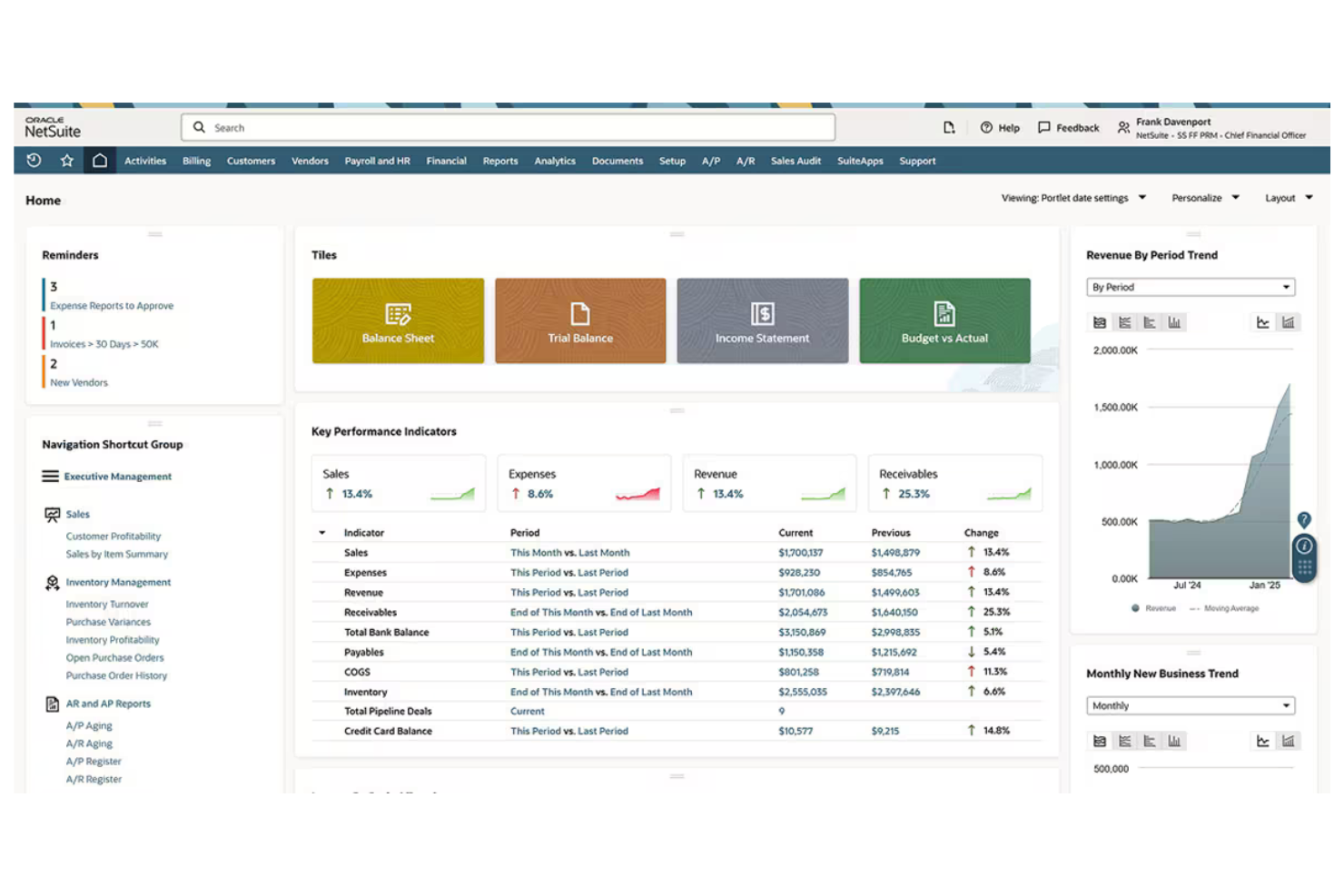
For organizations managing large, complex workforces, Oracle offers a suite of tools designed for enterprise-scale workforce planning and analytics. It’s especially well-suited for global businesses and HR leaders who need to align talent, budgets, and business strategy across multiple locations. Unlike Rippling, Oracle provides advanced modeling, scenario planning, and deep integration with financial systems to support long-term workforce decisions.
Why Oracle Is a Good Rippling Alternative
If your business needs to manage workforce planning at an enterprise scale, Oracle stands out for its advanced modeling and analytics capabilities. I picked Oracle because it lets you forecast headcount, model different workforce scenarios, and align staffing plans with business goals.
Its platform supports complex organizational structures and provides deep visibility into labor costs and resource allocation. For companies that need more than basic HR features and payroll management, Oracle offers the strategic planning and employee management tools that Rippling doesn’t cover.
Oracle Key Features
Some other features that make Oracle valuable for workforce management include:
- Time and Labor Management: Track employee hours, attendance, and scheduling across multiple locations.
- Global Payroll Processing: Handle payroll compliance and payments in different countries from a single platform.
- Talent Acquisition Suite: Manage recruiting, applicant tracking, and onboarding workflows.
- Employee Self-Service Portal: Let employees update personal information, view pay slips, and request time off.
Oracle Integrations
Integrations include Salesforce, SAP, Workday, Microsoft Office 365, ServiceNow, and Adobe Sign.
Pros and Cons
Pros:
- Built-in compliance for global regulatory requirements
- Deep integration with financial planning modules
- Advanced workforce modeling
Cons:
- Limited HR and payroll features for small businesses
- Requires significant IT resources
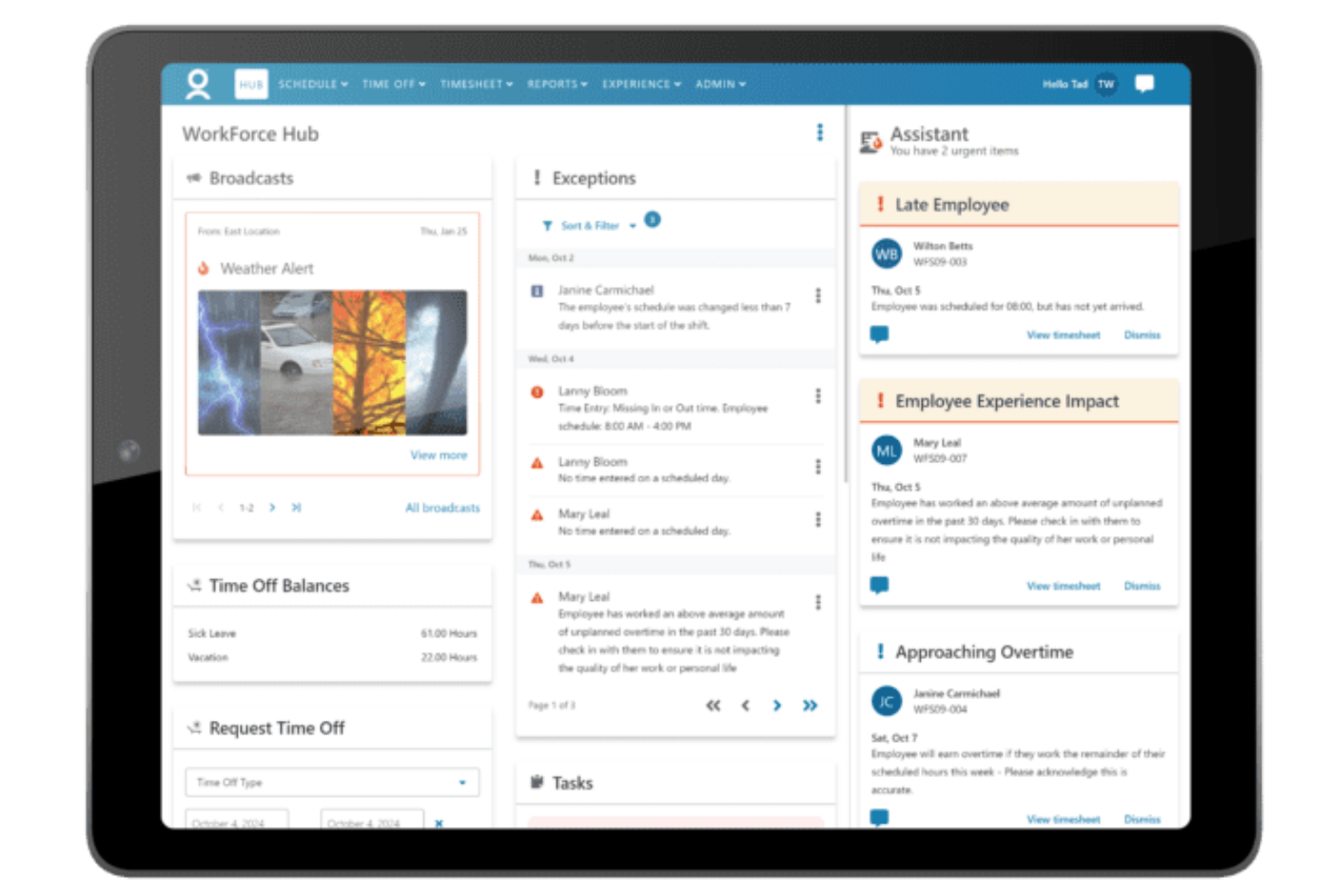
For organizations managing teams across multiple countries, WorkForce Software offers a workforce management platform built for global hiring and compliance. This solution is designed for HR, payroll, and operations leaders who need to navigate complex labor laws and local regulations. It’s especially valuable for multinational businesses that want to reduce compliance risk and standardize processes across diverse regions.
Why WorkForce Software Is a Good Rippling Alternative
If you need a workforce management solution that prioritizes global expansion and compliance, WorkForce Software is worth considering. I picked this tool because it offers built-in support for country-specific labor laws, time-off rules, and pay policies, which helps multinational organizations stay compliant across regions.
Its automated compliance monitoring and audit-ready reporting make it easier to manage risk and respond to regulatory changes. For businesses operating in multiple countries, these features set WorkForce Software apart from more U.S.-centric platforms like Rippling.
WorkForce Software Key Features
Some other features that stand out for workforce management include:
- Automated Scheduling: Create and manage complex shift patterns and rotations for large teams.
- Mobile Self-Service Portal: Employees can view schedules, request time off, and swap shifts from their mobile devices.
- Absence Management: Track and manage all types of employee absences, including sick leave and vacation, in one system.
- Analytics Dashboard: Access real-time data visualizations on workforce trends, attendance, and productivity.
WorkForce Software Integrations
Integrations include SAP, Oracle, Workday, ADP, UKG, Microsoft, ServiceNow, Salesforce, Infor, and Ceridian.
Pros and Cons
Pros:
- Real-time analytics dashboard
- Deep integration with SAP
- Automated scheduling handles large workforces
Cons:
- Implementation process lengthy for large organizations
- No built-in payroll processing

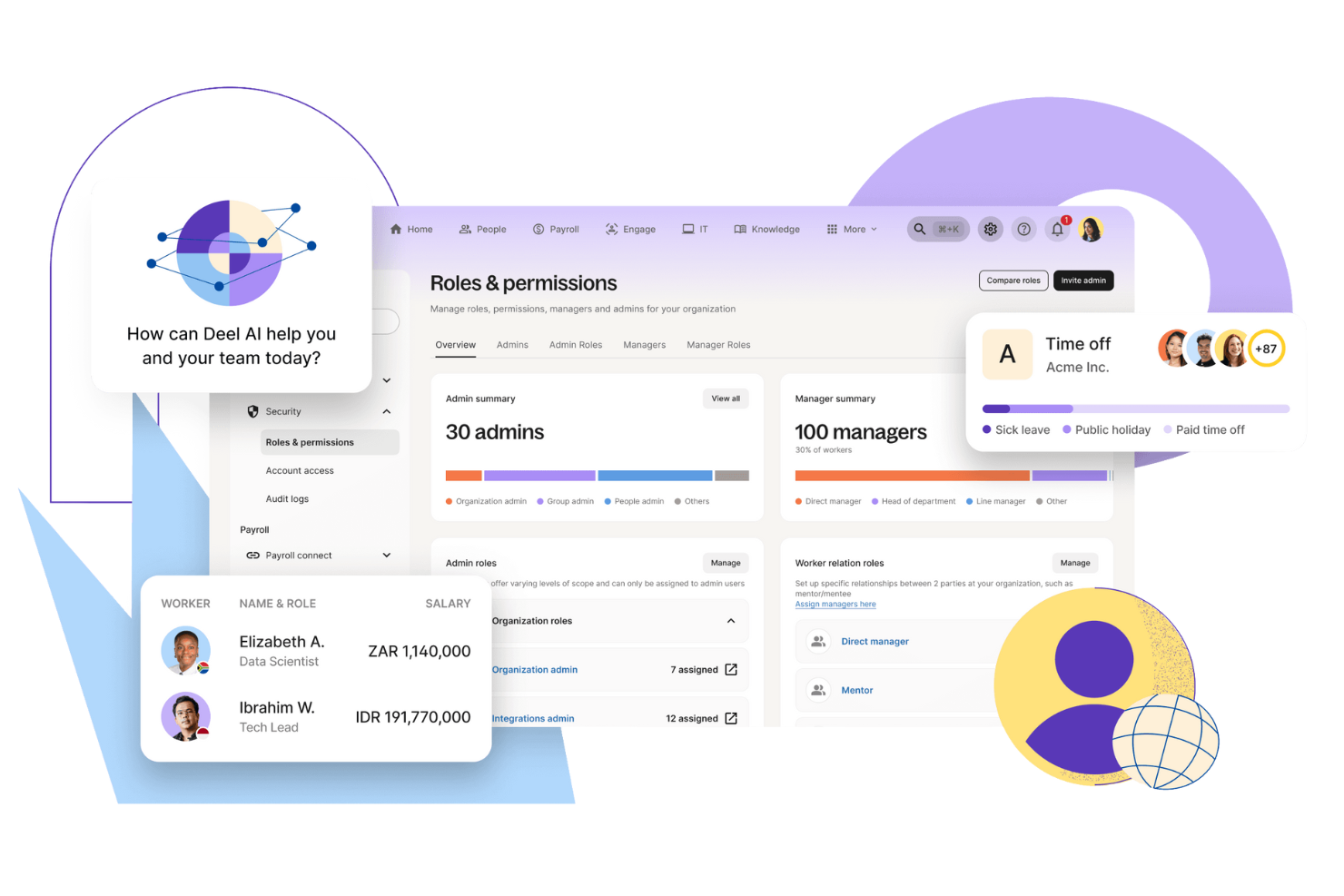
If you need a management system for international employees and contractors, Deel offers a global-first approach that goes beyond what Rippling covers. It’s designed for finance, HR, and operations teams at companies hiring across borders or dealing with complex local compliance. Deel handles localized contracts, payments in multiple currencies, EOR services, and country-specific onboarding, making it easier to expand your workforce worldwide without legal headaches.
Why Deel Is a Good Rippling Alternative
For businesses that need to manage a global contractor workforce, Deel stands out as a strong Rippling alternative. I picked Deel because it specializes in handling international employment compliance, localized contracts, and cross-border payments. The platform automates contractor onboarding and ensures you meet local labor laws in over 150 countries. If your team is expanding internationally, Deel’s focus on global contractor management helps you avoid compliance risks and administrative headaches.
Deel Key Features
Some other Deel features that caught my attention include:
- Automated Invoice Generation: Create and send invoices automatically for contractors and employees.
- Global Payroll Processing: International payroll for employees in multiple countries from a single dashboard.
- Expense Management Tools: Track, approve, and reimburse expenses submitted by your global workforce.
- Document Storage and E-Signature: Store contracts and HR documents securely and collect signatures digitally.
Deel Integrations
Native integrations are not currently listed for Deel.
Pros and Cons
Pros:
- Excellent 24/7 customer support
- Quick contract generation
- Pay team in 150+ currencies
Cons:
- Limited perks for contractors
- Exchange rates include markups
New Product Updates from Deel HR

Deel Expands Workplace Integrations With Microsoft Teams and Slack Alerts
Deel introduces Microsoft Teams HR approvals and consolidated Slack alerts for payouts, security, and compliance notifications. These updates help teams act faster and stay informed without leaving their communication tools. For more information, visit Deel’s official site.
 .
.
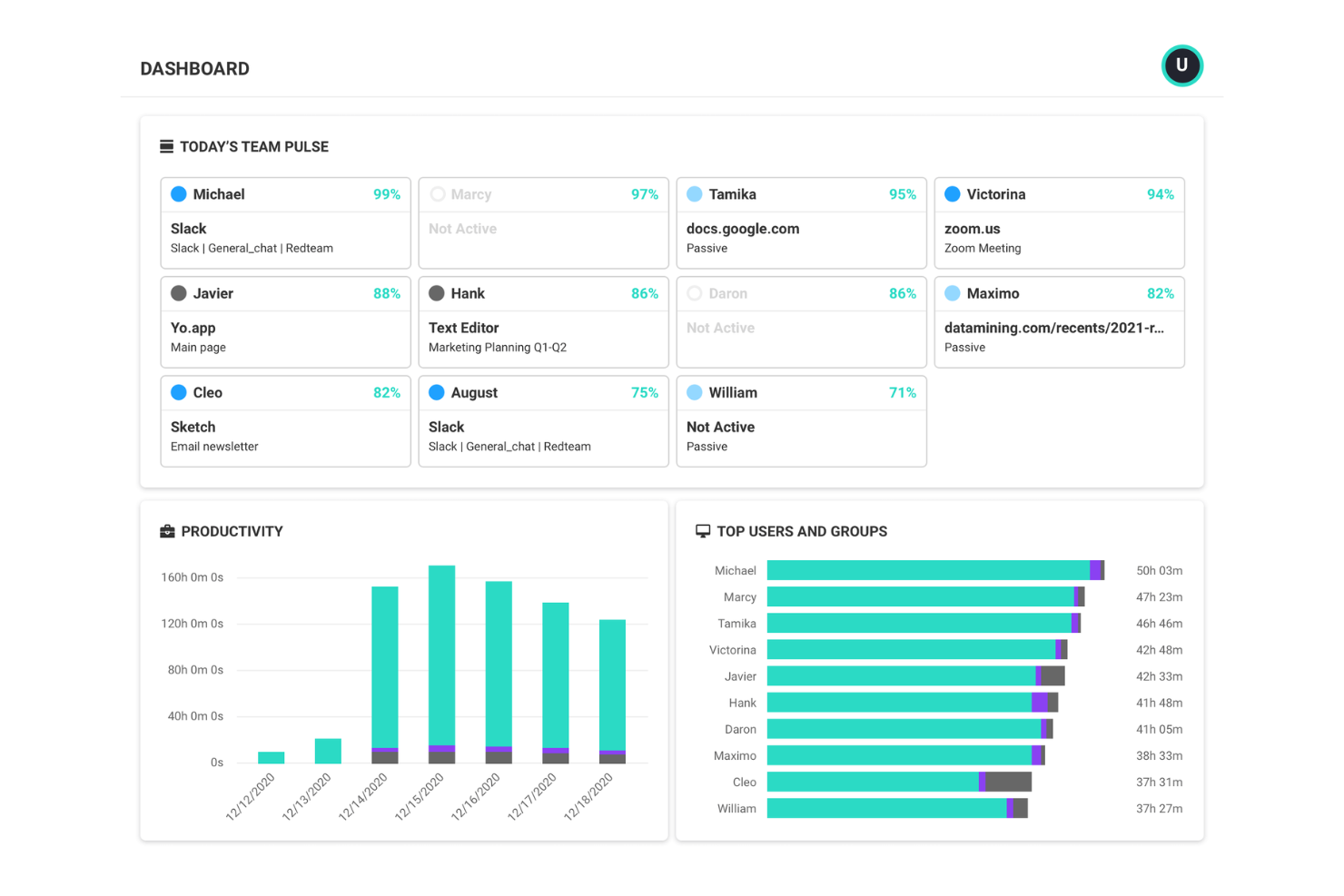
If you’re looking to understand how your teams actually work, ActivTrak gives you deep visibility into workforce productivity patterns. It’s especially useful for finance leaders, operations managers, and IT teams who need to analyze activity data and undertake performance management across remote or hybrid teams. Unlike Rippling, ActivTrak focuses on actionable analytics and real-time monitoring to help you identify bottlenecks, workload imbalances, and opportunities for process improvement.
Why ActivTrak Is a Good Rippling Alternative
When you need detailed insights into how your workforce spends their time, ActivTrak offers a level of productivity analytics that Rippling doesn’t match. I picked ActivTrak because it tracks application usage, website activity, and work patterns to help you pinpoint productivity trends and inefficiencies.
The software solution’s dashboards and reports let you visualize team performance and identify areas for coaching or process changes. For organizations focused on optimizing output and understanding work habits, ActivTrak’s analytics-driven approach sets it apart.
ActivTrak Key Features
Some other ActivTrak features worth noting include:
- Real-Time User Activity Monitoring: View live activity data for individuals or teams as work happens.
- Automated Alerts and Notifications: Set up custom alerts for unusual behavior or policy violations.
- Role-Based Access Controls: Assign permissions and restrict data access based on user roles.
- USB Device Detection: Monitor and log the use of external USB devices on company machines.
ActivTrak Integrations
Integrations include Microsoft Entra ID, SCIM, Google Calendar, and Outlook Calendar.
Pros and Cons
Pros:
- Easy to install and deploy
- Provides deep workflow insights
- Identifies employee burnout early
Cons:
- Potential privacy concerns
- Can feel like micromanagement
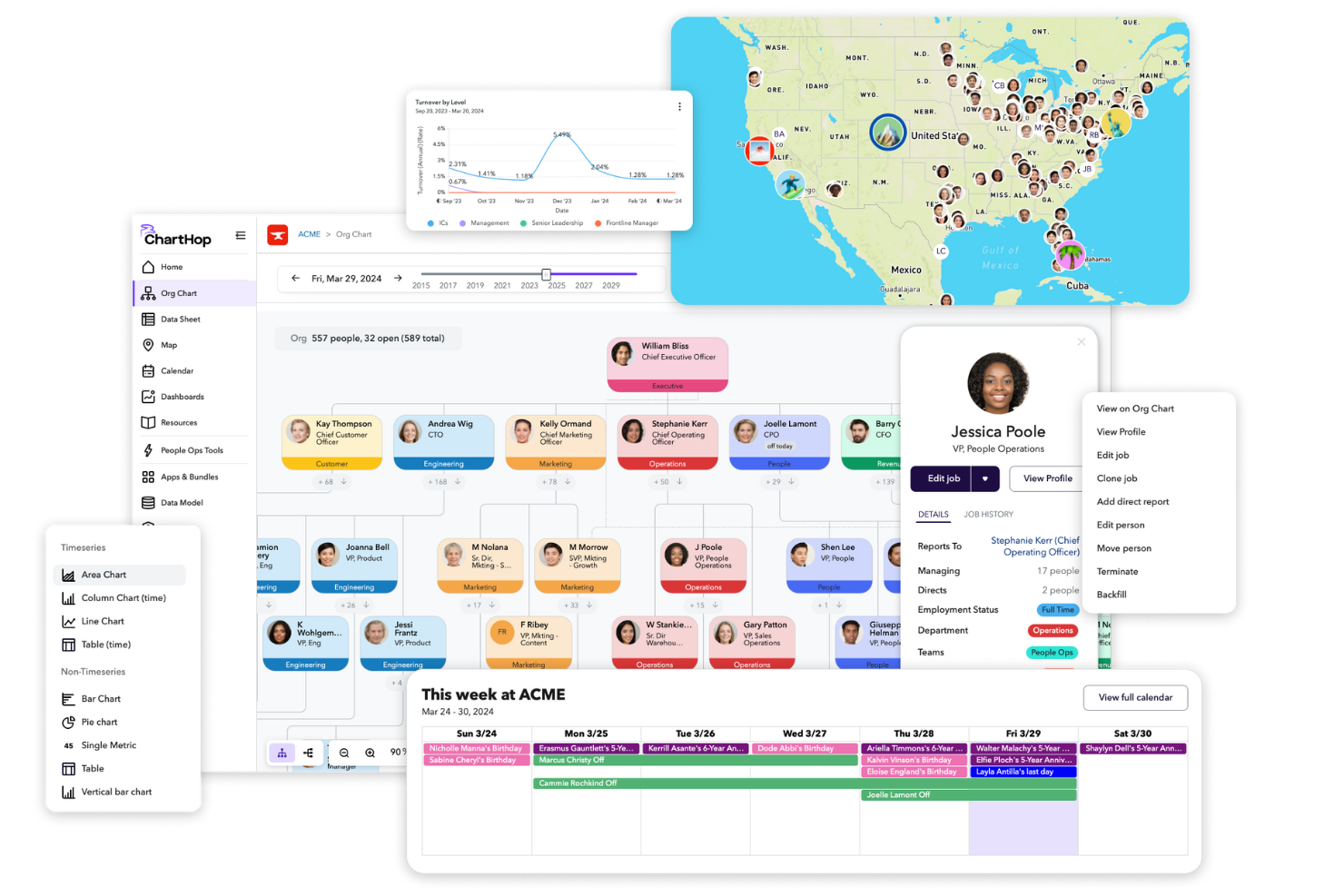
For finance and in-house HR teams that need a clear view of their organization’s structure, ChartHop offers advanced org chart and visualization tools. It’s especially useful for companies managing rapid growth, complex reporting lines, or remote teams. Unlike Rippling, ChartHop lets you layer in headcount planning, DEI data, and compensation insights directly onto dynamic org charts.
Why ChartHop Is a Good Rippling Alternative
If you need more advanced organizational visualization than what Rippling provides, ChartHop is a strong choice. I picked ChartHop because it lets you build interactive org charts that update automatically as your workforce changes. You can also overlay headcount planning, compensation data, and DEI metrics directly onto your org structure for deeper analysis. This level of visualization and data layering helps finance and HR teams make more informed decisions about workforce planning and organizational design.
ChartHop Key Features
Some other features that stood out to me in ChartHop include:
- Custom Reporting Builder: Create tailored reports using workforce, compensation, and demographic data.
- Manager-Driven Update Workflows: Managers can submit and track changes to employee records directly in the platform.
- Role-Based Access Controls: Set granular permissions for different users and teams to protect sensitive data.
- Employee Profile Pages: Store and display detailed employee information, including job history and performance notes.
ChartHop Integrations
Integrations include ADP, BambooHR, Greenhouse, Gusto, Justworks, and Workday.
Pros and Cons
Pros:
- Transparent company-wide directory
- Real-time headcount planning tools
- Stunning org chart visualization
Cons:
- Initial data cleanup is tedious
- High price point for small teams
Other Rippling Alternatives
Here are some additional rippling alternatives that didn’t make it onto my shortlist, but are still worth checking out:
- Homebase
For hourly team scheduling
- Workforce.com
For real-time labor cost tracking
- Deputy
For shift swapping by frontline staff
- Connecteam
For mobile-first employee communication


Rippling Alternatives Selection Criteria
When selecting the best Rippling alternatives to include in this list, I considered common buyer needs and pain points related to workforce management software products, like managing complex hourly schedules and ensuring accurate time tracking. I also used the following framework to keep my evaluation structured and fair:
Core Functionality (25% of total score) To be considered for inclusion in this list, each solution had to fulfill these common use cases:
- Schedule employee shifts
- Track employee time and attendance
- Manage time off and leave requests
- Facilitate team communication
- Export data for payroll processing
Additional Standout Features (25% of total score)To help further narrow down the competition, I also looked for unique features, such as:
- Automated labor law compliance alerts
- Built-in applicant tracking system
- Mobile-first scheduling and notifications
- Real-time labor cost forecasting
- Integrated team messaging
Usability (10% of total score)To get a sense of the usability of each system, I considered the following:
- Simple and intuitive navigation
- Clean and modern interface design
- Minimal steps to complete core tasks
- Customizable dashboards or views
- Accessibility on mobile and desktop devices
Onboarding (10% of total score)To evaluate the onboarding experience for each platform, I considered the following:
- Availability of step-by-step product tours
- Access to training videos and documentation
- Pre-built templates for quick setup
- Live chat or chatbot support during onboarding
- Webinars or live training sessions
Customer Support (10% of total score)To assess each software provider’s customer support services, I considered the following:
- Multiple support channels like chat, email, and phone
- Fast response times to inquiries
- Access to a searchable help center or knowledge base
- Availability of onboarding or implementation specialists
- Community forums or user groups
Value For Money (10% of total score)To evaluate the value for money of each platform, I considered the following:
- Transparent and predictable pricing structure
- Features included in base pricing
- Availability of a free plan or trial
- Flexibility to scale with business growth
- No hidden fees or surprise charges
Customer Reviews (10% of total score)To get a sense of overall customer satisfaction, I considered the following when reading customer reviews:
- Consistency of positive feedback across platforms
- Reports of reliable customer support
- User comments on feature usefulness
- Feedback on system stability and uptime
- Insights into real-world implementation experiences
Why Look For a Rippling Alternative?
While Rippling is a good choice of workforce management software, there are a number of reasons why some users seek out alternative solutions. You might be looking for a Rippling alternative because…
- You need more advanced hourly scheduling tools
- Your business operates outside Rippling’s supported countries
- You want a cost-effective solution focused on shift-based or frontline teams
- You require deeper payroll integration with local providers
- Your team needs built-in communication or messaging features
- You require payroll services and benefits management for international hiring
If any of these sound like you, you’ve come to the right place. My list contains several workforce and HR management software options that are better suited for teams facing these challenges with Rippling and looking for alternative solutions.
Rippling Key Features
Here are some of the key features of Rippling, to help you contrast and compare what alternative solutions offer:
- Automated payroll processing for salaried and hourly employees
- Employee onboarding workflows with document management
- Time and attendance tracking with geolocation support
- Benefits administration and open enrollment tools
- Integrated HRIS for employee data and compliance
- Customizable workflow automation for HR and IT tasks
- Global workforce management with multi-country support
- Built-in app marketplace for connecting third-party tools
- Role-based access controls and permissions management
- Reporting capabilities and analytics dashboards for workforce data
What’s Next:
If you're in the process of researching Rippling alternatives, connect with a SoftwareSelect advisor for free recommendations.
You fill out a form and have a quick chat where they get into the specifics of your needs. Then you'll get a shortlist of software to review. They'll even support you through the entire buying process, including price negotiations.