
12 Best Sales Tax Compliance Software Reviewed in 2026

Best Sales Tax Compliance Software Shortlist
Here’s my shortlist of the best sales tax compliance software:


Navigating the complexities of sales tax can be a headache for any CFO. The ever-changing regulations and the risk of costly errors make it a daunting task. That's where sales tax compliance software comes in: it simplifies your workload and reduces stress.
In my experience, these tools are invaluable for ensuring accuracy and compliance. I've independently tested and reviewed various solutions to bring you the best options on the market.
In this article, I'll share my top picks, focusing on what each tool offers to meet your needs. Whether you're looking to save time or improve accuracy, there's a solution here for you. Let's dive in and find the right fit for your team.
Why Trust Our Software Reviews
Best Sales Tax Compliance Software Summary
This comparison chart summarizes pricing details for my top sales tax compliance software selections to help you find the best one for your budget and business needs.
| Tool | Best For | Trial Info | Price | ||
|---|---|---|---|---|---|
| 1 | Best for automated categorization for e-commerce | 30-day free trial | From $19/month | Website | |
| 2 | Best for international tax compliance | 7-day free trial available | From $29/month | Website | |
| 3 | Best for AI-driven tax calculations | Free demo available | Pricing upon request | Website | |
| 4 | Best for AI-supported regulatory compliance | Free demo available | Pricing upon request | Website | |
| 5 | Best for real-time tax data | Free demo available | Pricing upon request | Website | |
| 6 | Best for built-in AI-led tax review and assessment | Free demo available | From $100/region/month | Website | |
| 7 | Best for AI-backed global tax management | Free demo available | Pricing upon request | Website | |
| 8 | Best for managing product-led growth tax complexity | Free demo available | Pricing upon request | Website | |
| 9 | Best for customizable reporting | 30-day free trial + free demo available | From $75/filing | Website | |
| 10 | Best for digital services compliance | Free demo available | Pricing upon request | Website |
-

LiveFlow
Visit WebsiteThis is an aggregated rating for this tool including ratings from Crozdesk users and ratings from other sites.4.9 -
Float Financial
Visit WebsiteThis is an aggregated rating for this tool including ratings from Crozdesk users and ratings from other sites.4.1 -
Creatio CRM
Visit WebsiteThis is an aggregated rating for this tool including ratings from Crozdesk users and ratings from other sites.4.7


Best Sales Tax Compliance Software Reviews
Below are my detailed summaries of the best sales tax compliance software that made it onto my shortlist. My reviews offer a detailed look at the key features, pros and cons, integrations, and ideal use cases of each tool to help you find the best one for you.

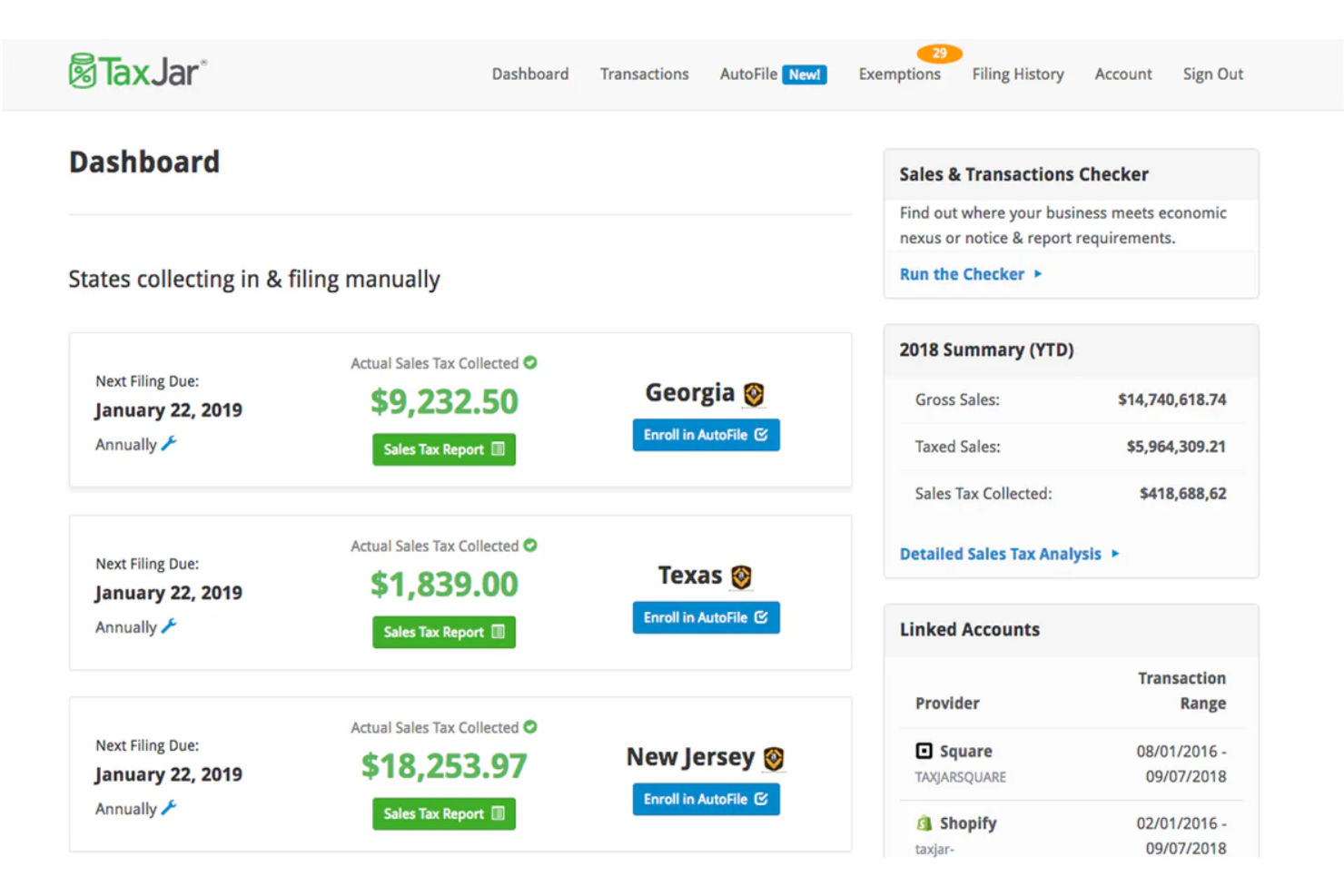
TaxJar is a sales tax compliance platform tailored for e-commerce businesses, automating the entire sales tax lifecycle. It serves small to mid-sized businesses, providing real-time tax calculations and filing services.
Why I picked TaxJar: TaxJar is uniquely suited for e-commerce businesses due to its automated tax calculations and filing capabilities. It tracks nexus thresholds, supporting compliance across states. The platform generates detailed sales tax reports, making it easy for your team to manage obligations. With its focus on e-commerce, TaxJar integrates with various online platforms, augmenting its value.
Standout Features and Integrations:
Features include automated filing and remittance, nexus insights to help you track economic thresholds, and detailed sales tax reports. The platform also offers real-time tax calculations, which are important for accurate e-commerce transactions.
Integrations include Amazon, Shopify, WooCommerce, BigCommerce, Adobe Commerce, Squarespace, Stripe, PayPal, Etsy, eBay, and more.
Pros and Cons
Pros:
- Clear liability reports
- Simple nexus tracking
- Strong e-commerce focus
Cons:
- Manual review still needed
- Limited enterprise controls

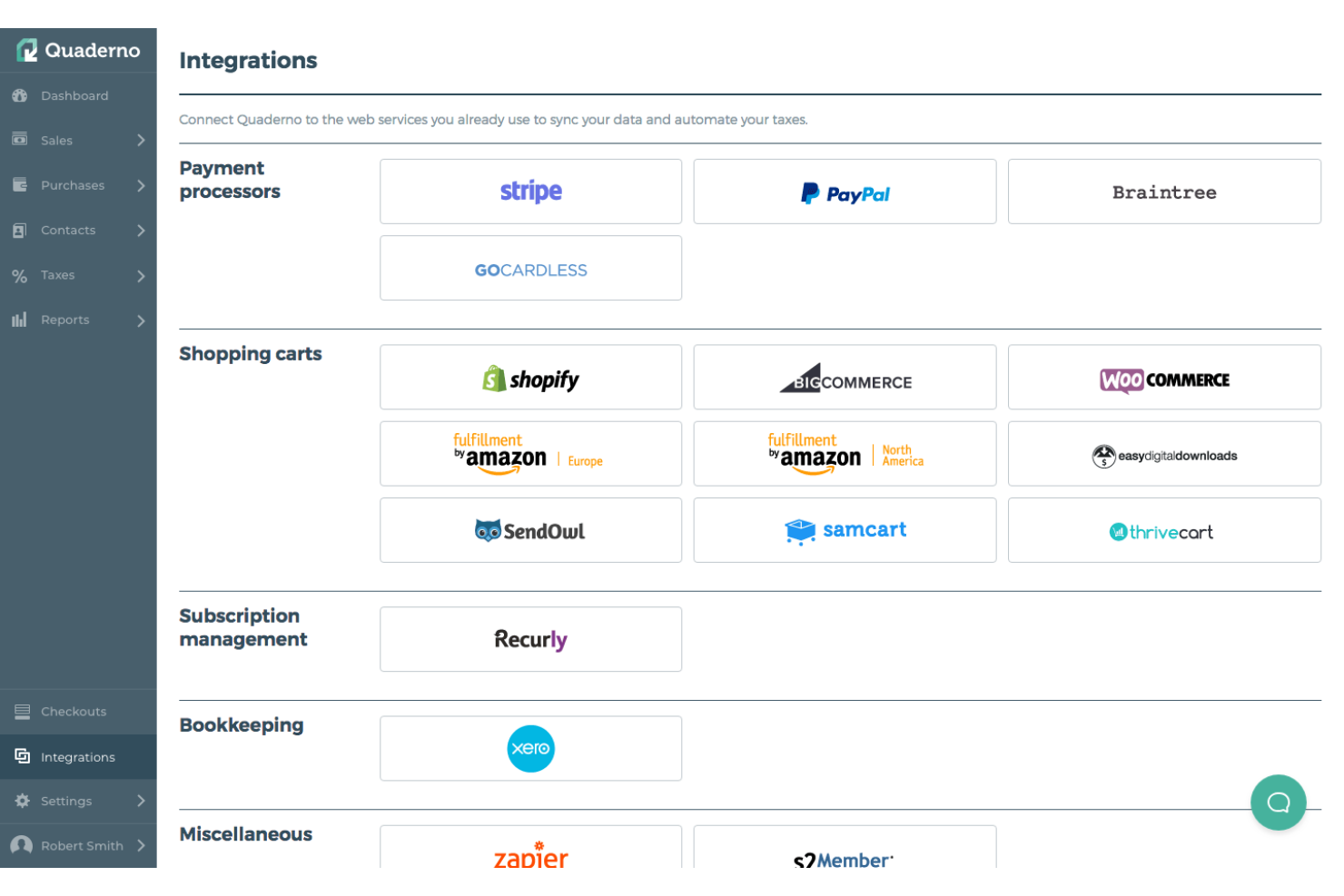
Quaderno is a sales tax software designed for businesses that operate internationally, automating tax calculations and compliance across borders. It serves small to medium-sized businesses, helping your team manage multi-country tax requirements efficiently.
Why I picked Quaderno: Quaderno excels in international tax compliance, providing automated tax calculations for multiple regions. It supports VAT, GST, and sales tax, which assist you in meeting global tax obligations. The software generates tax-compliant invoices, which is important for international transactions. It also offers real-time tax reports, helping you stay on top of your tax responsibilities.
Standout Features and Integrations:
Features include automatic tax calculation for multiple countries, tax-compliant invoicing, and real-time tax reporting. Quaderno also offers currency conversion, which is essential for businesses dealing with international clients.
Integrations include PayPal, Stripe, WooCommerce, Shopify, and more.
Pros and Cons
Pros:
- Currency conversion included
- Built-in compliant invoicing
- Multi-country tax support
Cons:
- Smaller reporting toolkit
- Limited rule customization

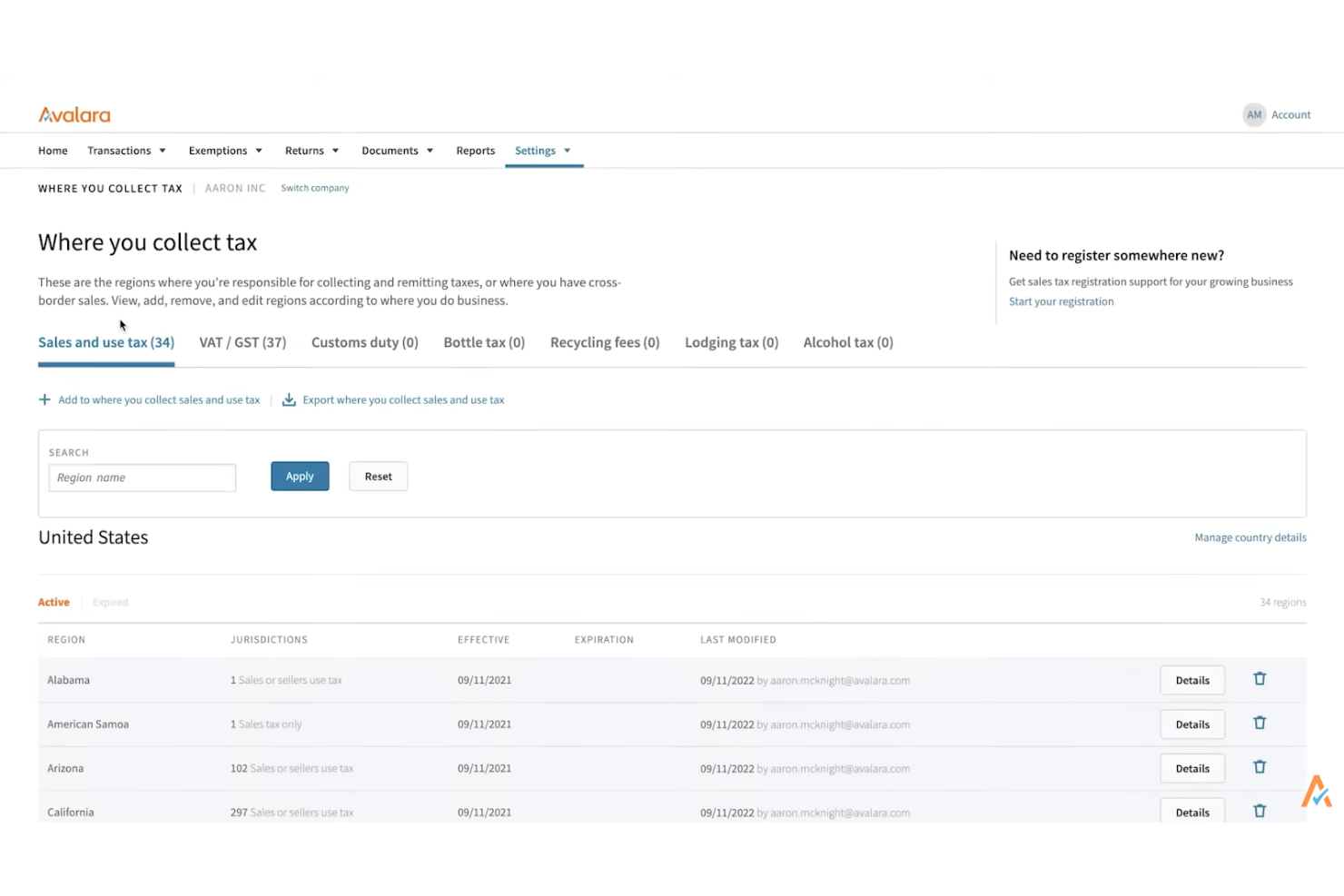
Avalara is a tax compliance software designed for businesses of all sizes, automating complex tax calculations and compliance tasks. It focuses on sales and use tax, helping your team manage tax obligations efficiently.
Why I picked Avalara: Avalara specializes in automated tax calculations, reducing manual errors and saving time. Its features include real-time tax rate calculations, filing and remittance automation, and compliance document management. The software's ability to handle complex tax scenarios sets it apart. It also offers geographic-specific tax solutions, making it suitable for businesses operating in multiple regions.
Standout Features and Integrations:
Features include automated compliance tasks for efficiency, e-invoicing, live reporting capabilities, and exemption certificate management. Avalara also provides cross-border compliance solutions, which are important for international businesses.
Integrations include Shopify, NetSuite, SAP, Adobe Commerce, Microsoft Dynamics, WooCommerce, Stripe, and more.
Pros and Cons
Pros:
- Strong exemption tracking
- Handles multi-region rules
- Real-time rate updates
Cons:
- Rate/returns complexity requires admin ownership
- High entry cost

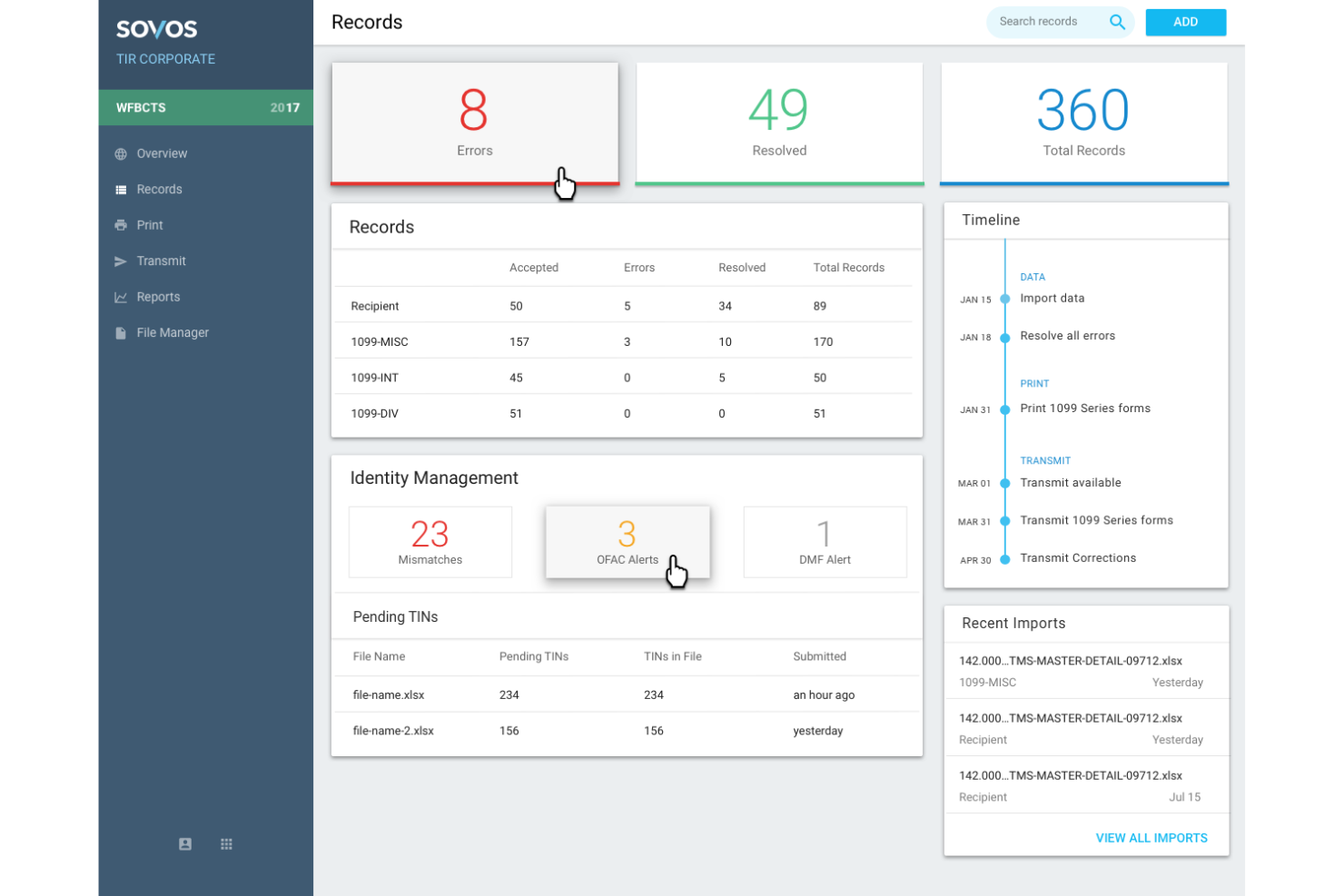
Sovos is a sales tax compliance software designed for businesses that require rigorous regulatory compliance. It caters to medium-to-large enterprises, helping your team manage complex tax requirements across multiple jurisdictions.
Why I picked Sovos: Sovos is ideal for regulatory compliance, helping your team to meet all tax obligations. It provides tax determination and reporting features, which are important for businesses operating under stringent regulations. The platform's ability to adapt to changing tax laws makes it a reliable cloud-based solution for compliance. It also offers audit defense services, providing peace of mind for your local tax operations.
Standout Features and Integrations:
Features include automated filing and remittance, compliance management, and audit defense services. Sovos also offers real-time reporting, which keeps your team informed and updated on taxability matters.
Integrations include SAP, NetSuite, Adobe Commerce, and more.
Pros and Cons
Pros:
- Global compliance coverage
- Built-in audit defense
- Strong regulatory focus
Cons:
- Rigid workflow options
- Heavy onboarding workload

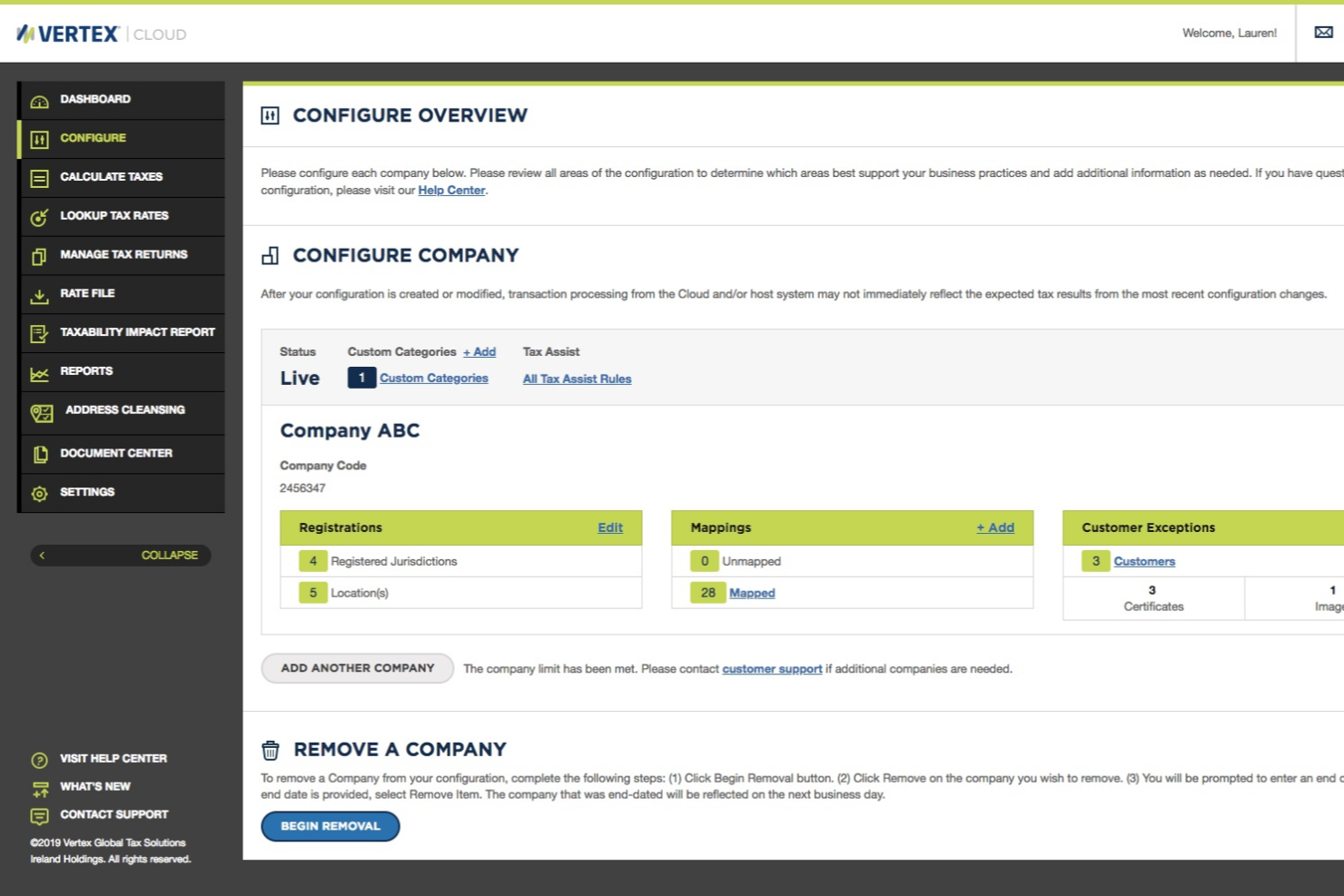
Vertex is a sales tax compliance solution aimed at medium-to-large businesses, providing real-time tax data and updates. It helps your team manage tax calculations and compliance efficiently across various jurisdictions.
Why I picked Vertex: Vertex excels in providing real-time tax data, important for businesses needing up-to-date tax information. Its features include real-time tax calculation and updates, which inform your team of the latest tax rates. The software's ability to handle complex tax scenarios makes it valuable for businesses operating in multiple regions. It also offers detailed reporting, supporting informed decision-making.
Standout Features and Integrations:
Features include advanced tax rate calculation, extensive reporting capabilities, and compliance management. Vertex offers scenario planning, which helps your team anticipate tax liabilities and adjust strategies accordingly.
Integrations include SAP, Oracle, Microsoft Dynamics, Salesforce, NetSuite, Workday, Shopify, and more.
Pros and Cons
Pros:
- Strong ERP alignment
- Complex jurisdiction support
- Scenario modeling tools
Cons:
- Difficult navigation
- Heavy system requirements

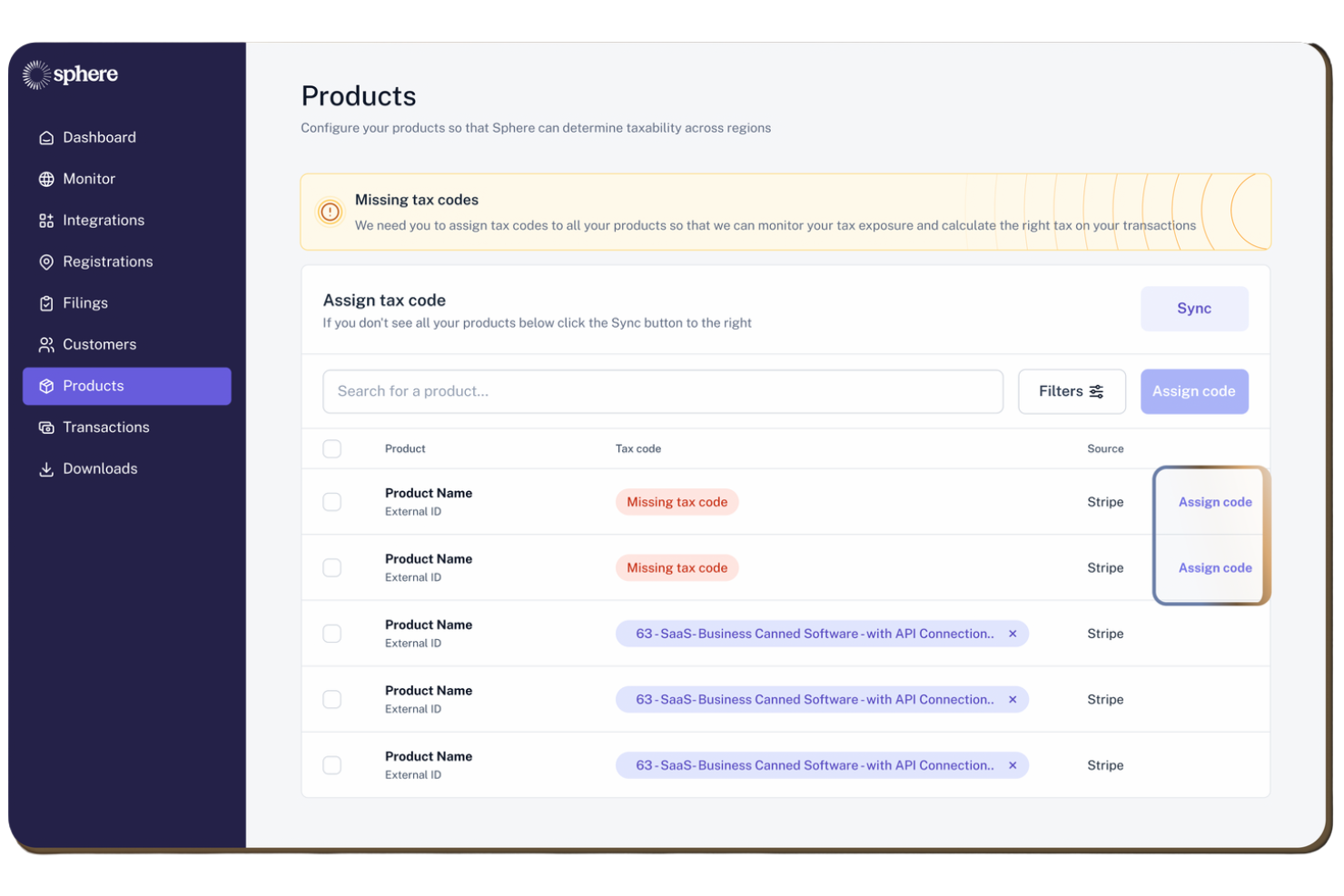
Sphere is a global tax compliance software designed for small businesses, automating sales tax, VAT, and GST compliance. It serves fast-growing companies by providing efficient tax compliance solutions with an AI-driven tax engine.
Why I picked Sphere: Sphere is tailored for small businesses needing efficient tax compliance. It features an AI-native tax engine that automates global tax law research and monitoring. The platform offers end-to-end automation for tax processes, including registration, calculation, filing, and remittance. Sphere's ability to integrate with major billing systems and provide 24/7 expert support makes it a valuable tool for small businesses.
Standout Features and Integrations:
Features include an AI-driven tax engine, end-to-end automation for tax processes, and 24/7 support from tax experts. Sphere also offers a quick setup time and integrates with more than 100 tax authorities worldwide.
Integrations include Stripe, QuickBooks, Campfire, Maple, NetSuite, Xero, and more.
Pros and Cons
Pros:
- Global authority network
- End-to-end process coverage
- AI-driven tax monitoring
Cons:
- Fewer customization tools
- Limited enterprise scaling

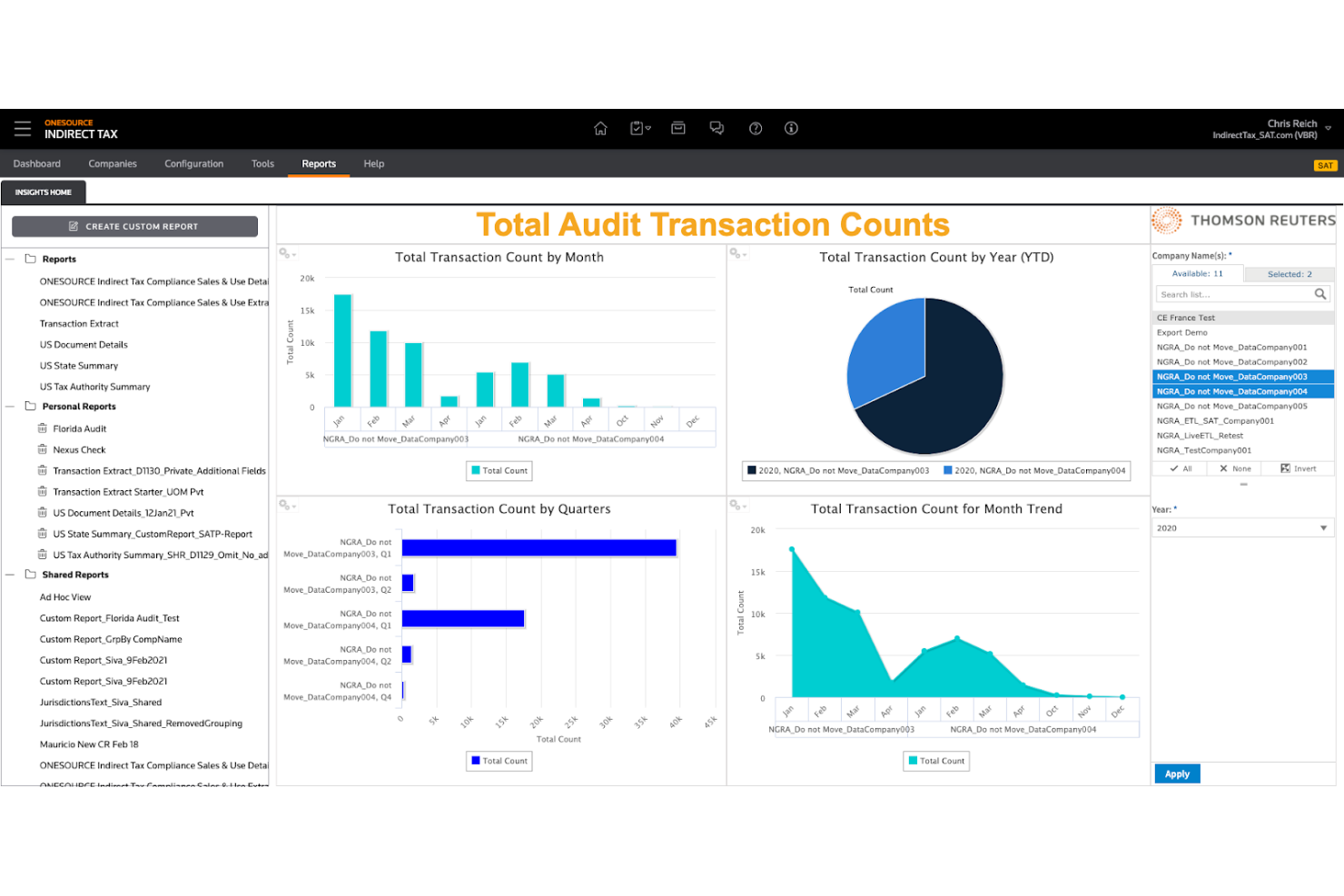
Thomson Reuters ONESOURCE is a tax compliance software tailored for multinational corporations, handling complex global tax requirements. It supports tax determination, reporting, and compliance for businesses operating across multiple countries.
Why I picked Thomson Reuters ONESOURCE: ONESOURCE is perfect for managing global tax complexities with its tax determination and reporting features. It offers real-time global tax updates, helping your team stay compliant with changing regulations. The platform's ability to integrate with ERP systems makes it valuable for large enterprises. Its focus on providing in-depth compliance solutions across jurisdictions helps improve its appeal for multinational corporations.
Standout Features and Integrations:
Features include real-time global tax updates, broad tax determination and reporting, and in-depth compliance solutions. ONESOURCE also offers scenario planning, allowing your team to anticipate tax liabilities across jurisdictions.
Integrations include SAP, Oracle, BigCommerce, DFI, Salesforce Commerce Cloud, and more.
Pros and Cons
Pros:
- Multi-jurisdiction automation
- ERP-level tax control
- Global enterprise compliance
Cons:
- Requires tax engineers
- Complex setup poses training challenges

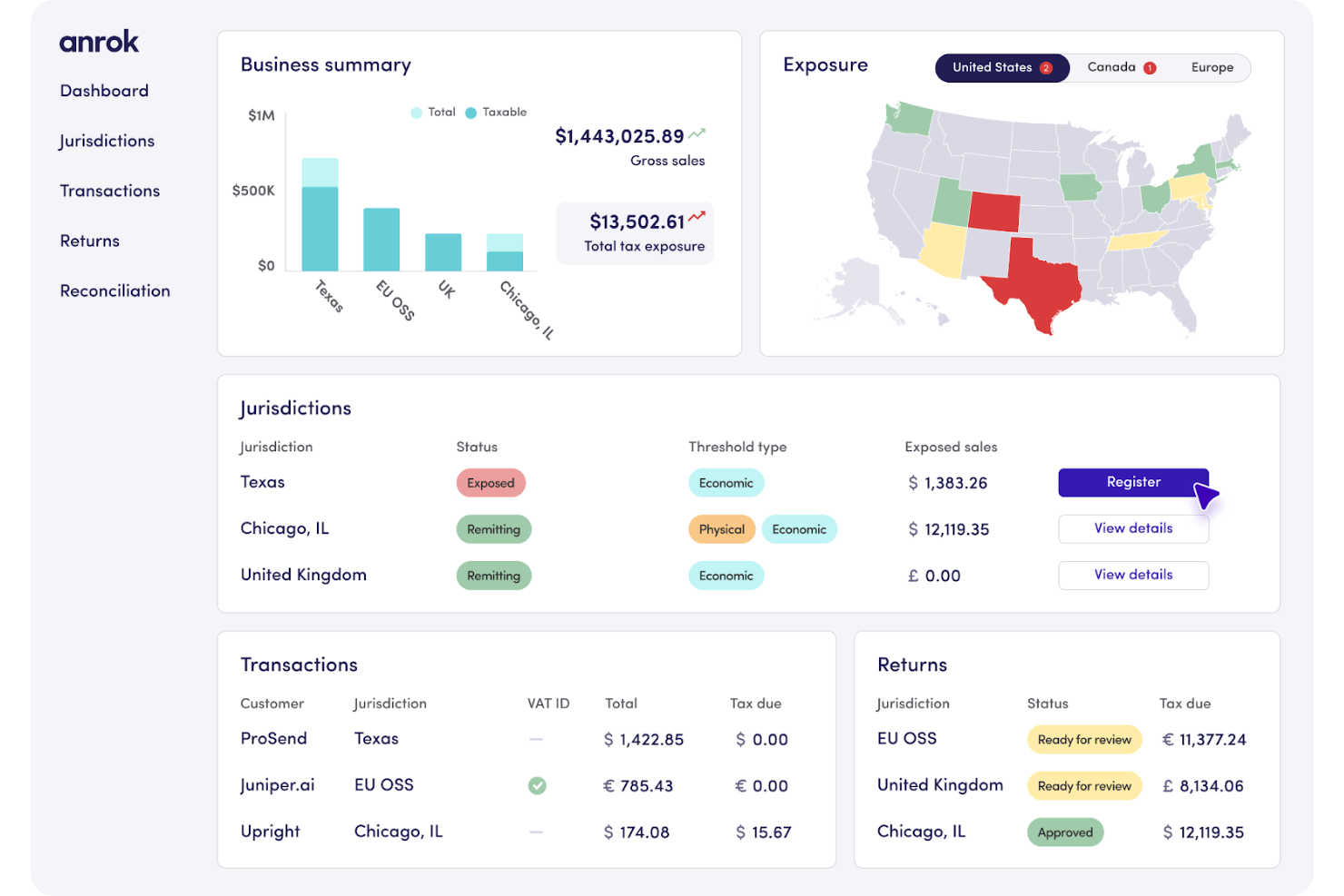
Anrok is a global sales tax solution tailored for SaaS companies, automating compliance for sales tax and VAT across borders. It serves fast-growing businesses, helping your team manage tax liabilities efficiently with real-time calculations and automated filings.
Why I picked Anrok: Anrok excels in serving SaaS companies with its automated tax compliance and real-time calculations. It handles U.S. sales tax, VAT, and GST, helping your business meet global tax obligations. The platform's exemption certificate management and nexus monitoring improve its utility for tech-driven companies. Its smooth integration with billing and payment systems makes it a valuable tool for managing tax return preparation effectively.
Standout Features and Integrations:
Features include real-time tax calculation, automated filing and remittance, and exemption certificate management. Anrok also offers nexus monitoring, which is important for tracking tax obligations across different jurisdictions.
Integrations include QuickBooks, Stripe, Shopify, Xero, Sage, and more.
Pros and Cons
Pros:
- Automated nexus tracking
- Global digital tax handling
- SaaS billing functionality
Cons:
- Smaller compliance feature set
- Invoice tracking complexity

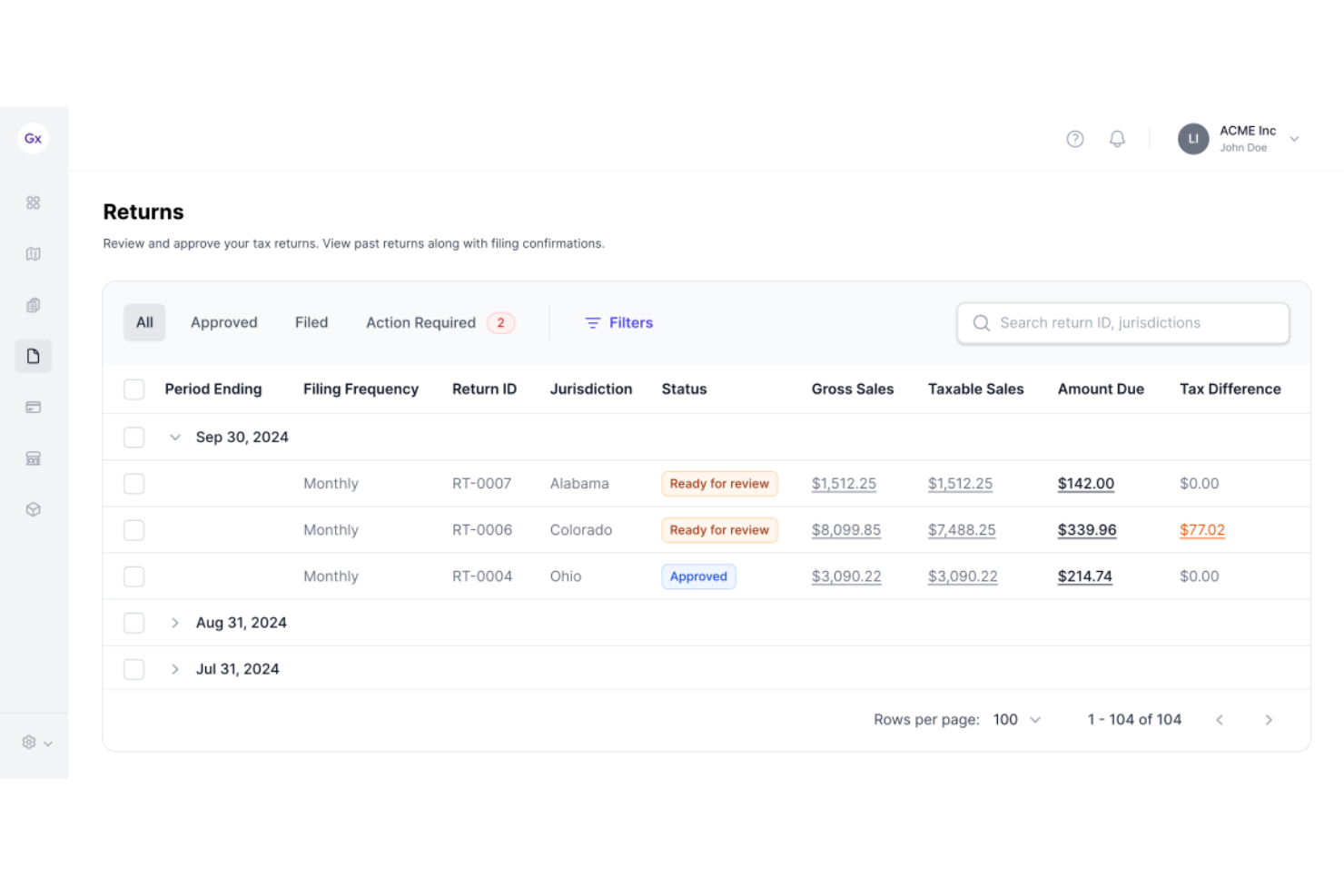
Galvix is a sales tax filing service aimed at busy accountants and business owners, focusing on accuracy and compliance. It simplifies the sales tax process by allowing easy import of sales data and providing expert support for accurate filings.
Why I picked Galvix: Galvix offers customizable reporting, which is important for businesses needing tailored tax insights. It includes features such as tax liability reconciliation and real-time nexus tracking. You can flag discrepancies in sales invoices and claim tax deductions. The platform's focus on providing hands-on support makes it stand out for those needing personalized assistance.
Standout Features and Integrations:
Features include tax liability reconciliation, real-time nexus tracking, and the ability to flag discrepancies in sales invoices. Galvix also provides hands-on support from tax experts to help with compliance.
Integrations include QuickBooks, Stripe, Shopify, BigCommerce, WooCommerce, and more.
Pros and Cons
Pros:
- Personalized filing support
- Strong reconciliation tools
- Manual review support
Cons:
- Manual setup required
- Limited automation depth
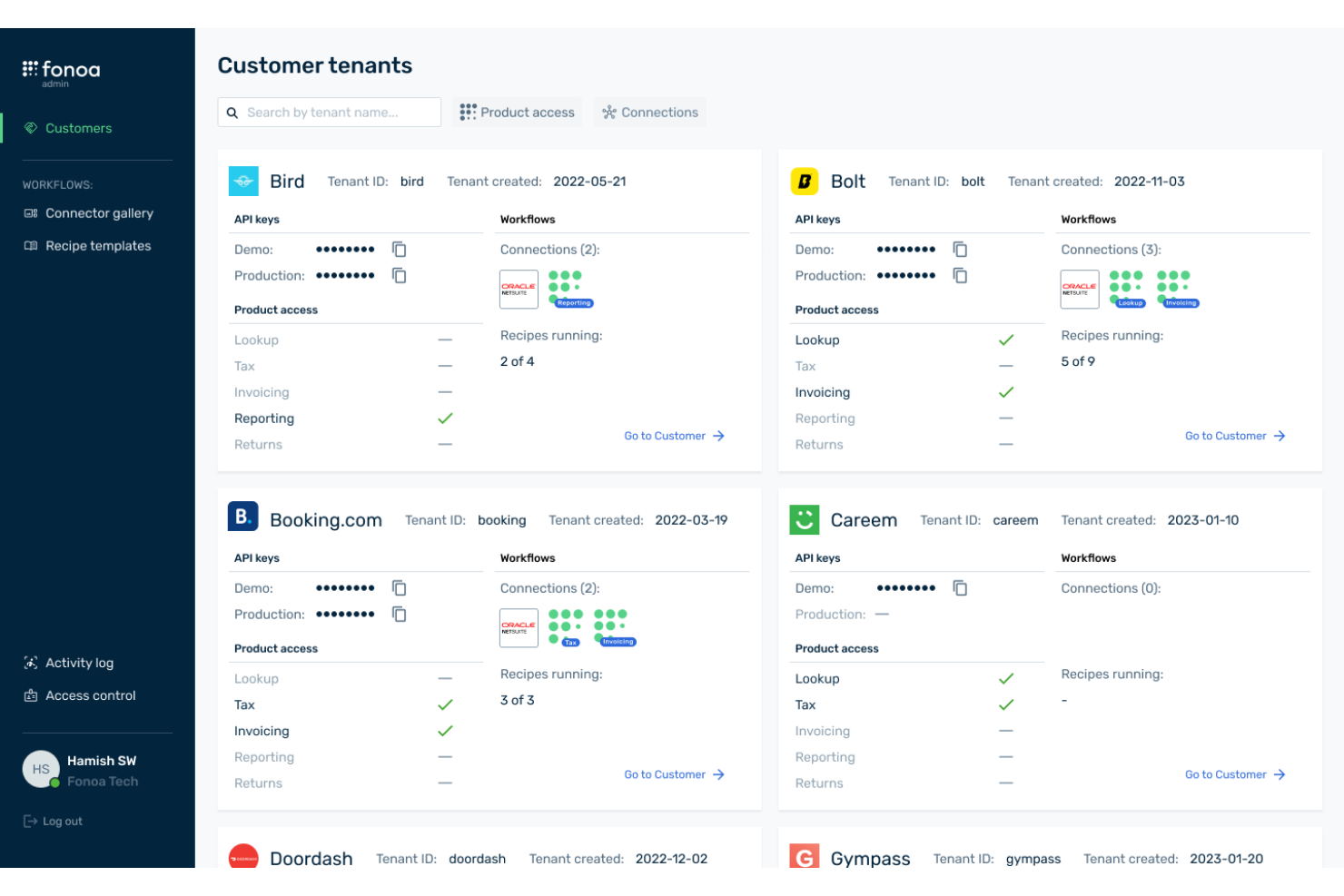
Fonoa is a tax automation platform designed for digital service providers, supporting compliance with international tax regulations. It serves businesses operating in the digital economy, automating tax calculations and reporting for various jurisdictions.
Why I picked Fonoa: Fonoa excels in digital services compliance, helping your team navigate international tax regulations. It automates tax calculations for digital transactions, which helps with accuracy and compliance. The platform provides real-time tax rate updates, which are essential for businesses operating globally. Fonoa's ability to handle complex tax scenarios for digital services sets it apart from other solutions.
Standout Features and Integrations:
Features include automated tax calculation for digital transactions, real-time tax rate updates, and reporting capabilities. Fonoa also offers a user-friendly interface, making it easy for your team to manage tax compliance.
Integrations include SAP, Sage, and more.
Pros and Cons
Pros:
- Developer-focused design
- Automated digital VAT
- Real-time global tax rules
Cons:
- Smaller integration ecosystem
- Narrow industry fit
Other Sales Tax Compliance Software
Here are some additional sales tax compliance software options that didn’t make it onto my shortlist, but are still worth checking out:
- TaxCloud
For small retailers
- RKL eSolutions
For ERP system integration


Sales Tax Compliance Software Selection Criteria
When selecting the best sales tax compliance software to include in this list, I considered common buyer needs and pain points like managing complex tax rates and ensuring compliance with changing regulations. I also used the following framework to keep my evaluation structured and fair:
Core Functionality (25% of total score)
To be considered for inclusion in this list, each solution had to fulfill these common use cases:
- Calculate accurate sales tax rates
- Automate tax filing and reporting
- Manage exemption certificates
- Provide compliance with multi-state tax laws
- Generate detailed sales tax reports
Additional Standout Features (25% of total score)
To help further narrow down the competition, I also looked for unique features, such as:
- Real-time tax rate updates
- Customizable reporting options
- Support for international taxes
- Advanced audit trail capabilities
- Integration with e-commerce platforms
Usability (10% of total score)
To get a sense of the usability of each system, I considered the following:
- Clarity of tax workflows (calculation, filing, remittance, exemption handling)
- Dashboard visibility of liabilities and nexus status
- Error surfacing and validation prompts before filing
- Bulk transaction handling and reconciliation flow
- Role-based access controls for finance and accounting teams
Onboarding (10% of total score)
To evaluate the onboarding experience for each platform, I considered the following:
- Availability of training videos and tutorials
- Interactive product tours for new users
- Access to chatbots for immediate assistance
- Webinars for in-depth learning
- Pre-built templates for quick setup
Customer Support (10% of total score)
To assess each software provider's customer support services, I considered the following:
- Availability of 24/7 support
- Multiple support channels (phone, email, chat)
- Response time to customer inquiries
- Quality of support documentation
- Access to dedicated account managers
Value for Money (10% of total score)
To evaluate the value for money of each platform, I considered the following:
- Competitive pricing compared to features offered
- Availability of tiered pricing plans
- Cost of additional features or add-ons
- Transparency of pricing structure
- Discount options for long-term commitments
Customer Reviews (10% of total score)
To get a sense of overall customer satisfaction, I considered the following when reading customer reviews:
- Consistency of positive feedback
- Commonly reported issues or complaints
- Feedback on customer support experience
- Satisfaction with product updates and improvements
- Overall recommendation rate by users
How To Choose Sales Tax Compliance Software
It's easy to get bogged down in long feature lists and complex pricing structures. To help you stay focused as you work through your unique software selection process, here's a checklist of factors to keep in mind:
| Factor | What To Consider |
|---|---|
| Scalability | Will the software grow with your business? Consider if the tool can handle increased transaction volumes and new locations without significant upgrades or costs. |
| Integrations | Does the software work with your existing systems? Check for compatibility with your current accounting, ERP, or e-commerce platforms to avoid data silos and extra manual work. |
| Customizability | Can you tailor the software to your specific needs? Look for options that let you adjust settings or workflows to match your business processes without relying heavily on vendor support. |
| Ease of use | Is the software intuitive for your team? Evaluate the user interface and see if it's straightforward to navigate, reducing the need for extensive training or support calls. |
| Implementation and onboarding | How quickly can you start using the software? Assess the setup time and availability of resources like tutorials or dedicated support to help with a smooth transition. |
| Cost | Does the pricing fit your budget? Compare the total cost of ownership, including licensing fees, potential add-ons, and any hidden charges, to check if it aligns with your financial plans. |
| Security safeguards | Are your data and transactions secure? Verify that the software complies with industry standards for data protection, such as encryption and regular security audits, to protect sensitive information. |
| Compliance requirements | Does the software meet your regulatory needs? Ensure it supports the specific tax jurisdictions and reporting requirements you face, especially if you operate in multiple states or countries. |
What Is Sales Tax Compliance Software?
Sales tax compliance software is a tool that automates the calculation, collection, and reporting of sales tax for businesses. Accountants, finance professionals, and business owners generally use these tools to support accurate tax compliance and reduce the risk of errors. Automated tax calculations, exemption certificate management, and real-time tax updates help with maintaining compliance and efficient tax management. These tools save time and offer peace of mind by helping businesses meet their sales tax return obligations accurately.
Features
When selecting sales tax compliance software, keep an eye out for the following key features:
- Automated tax calculations: Automatically determine the correct sales tax rates based on the customer's location, reducing the risk of manual errors.
- Exemption certificate management: Manages and verifies exemption certificates to assist in compliance and reduce the risk of audits.
- Real-time tax updates: Provide up-to-date tax rate changes to help your business stay compliant with the latest regulations.
- Multi-jurisdictional compliance: Supports tax compliance across multiple states or countries, catering to businesses operating in diverse locations.
- Detailed reporting: Generates tax reports, offering insights into sales tax liabilities and helping with audit preparation.
- Integration capabilities: Connect with existing accounting, ERP, or e-commerce platforms for smooth data flow and reduced manual entry.
- User-friendly interface: Offers an intuitive design that simplifies navigation and reduces the learning curve for new users.
- Audit trail features: Keep a detailed record of transactions and changes, providing transparency and support during audits.
- Nexus tracking: Monitors economic nexus thresholds, helping businesses determine where they have tax obligations.
- Customizable settings: Allow businesses to tailor the software to their specific needs, accommodating unique tax scenarios and preferences.
Benefits
Implementing sales tax compliance software provides several benefits for your team and your business. Here are a few you can look forward to:
- Time saving: Automates tax calculations and reporting, freeing up your team's time for other important tasks.
- Accuracy improvement: Reduces manual errors in tax calculations and filings, helping to boost compliance with tax obligations.
- Audit readiness: Provides detailed reporting and audit trails, making it easier to prepare for and respond to audits.
- Cost efficiency: Minimizes the risk of penalties and fines by assisting with accurate tax compliance, which can save money in the long run.
- Scalability: Supports growing businesses by handling increased transaction volumes and expanding tax jurisdictions without needing significant upgrades.
- Supported compliance: Keeps your business updated with real-time tax rate changes and nexus tracking, helping you meet all regulatory requirements.
- User accessibility: Offers an intuitive interface that makes it easy for team members to use, reducing the need for extensive training.
Costs and Pricing
Selecting sales tax compliance software requires an understanding of the various pricing models and plans available. Costs vary based on features, team size, add-ons, and more. The table below summarizes common plans, their average prices, and typical features included in sales tax compliance software solutions:
Plan Comparison Table for Sales Tax Compliance Software
| Plan Type | Average Price | Common Features |
|---|---|---|
| Entry / SMB Tier | $19 – $99 per month | For small businesses and e-commerce sellers with relatively simple sales tax needs. Basic automated tax calculations, email or portal filing workflows, and limited filing jurisdictions. Focus on core compliance essentials (automatic rate lookup, nexus tracking, and tax reporting) without enterprise complexity. |
| Mid-Market Tier | $100 – $499 per month | Designed for growing merchants operating across multiple states or countries. Automated filing and remittance in more jurisdictions, deeper reporting, exemption certificate management, and integration with popular accounting or e-commerce systems. Deeper automation and support for moderate transaction volumes at this level. |
| Enterprise / Custom Tier | $500+ per month (custom quoted) | Priced based on complexity, transaction volume, and number of tax jurisdictions. Advanced features such as full return preparation and filing, audit defense, real-time global rate feeds, AI-assisted compliance workflows, ERP integration, and dedicated support. |
Sales Tax Compliance Software FAQs
Here are some answers to common questions about sales tax compliance software:
What types of businesses benefit most from sales tax compliance software?
Any business that sells taxable goods or services can benefit, especially those operating in multiple states or countries. These tools help reduce manual work and lower the risk of filing errors as transaction volume grows.
Can sales tax compliance software connect with my accounting or e-commerce tools?
Yes, most platforms connect directly with popular accounting, ERP, and e-commerce systems. This allows transaction data to sync automatically and reduces manual data entry.
How frequently are tax rates updated in these systems?
Most platforms update tax rates in real time or very frequently throughout the month. This helps keep calculations aligned with changing laws and jurisdiction rules.
Do teams usually need training to use these tools effectively?
Some onboarding is usually required, especially for platforms with advanced features. Many providers offer tutorials, demos, and guided setups to optimize the learning process.
What's Next:
If you're in the process of researching sales tax compliance software, connect with a SoftwareSelect advisor for free recommendations.
You fill out a form and have a quick chat where they get into the specifics of your needs. Then you'll get a shortlist of software to review. They'll even support you through the entire buying process, including price negotiations.