
15 Wrike Alternatives for 2026

Wrike Alternatives Shortlist
Here’s my shortlist of Wrike alternatives:


A strong Wrike alternative offers flexible project management features, intuitive collaboration tools, and customization options that fit your team’s workflow. If you’re searching for Wrike alternatives, you’re likely looking for software that can handle complex projects, support cross-functional teams, and adapt to your organization’s unique processes. This list will help you compare leading project management platforms, highlighting what sets each apart so you can confidently choose the right solution for your business needs in 2026.
What Is Wrike?
Wrike is a project management software platform designed to help teams plan, track, and manage work in one place. It offers tools for task assignment, workflow automation, document sharing, and real-time collaboration. Wrike is used by project managers, team leads, and organizations that need visibility into project progress and resource allocation. Its flexibility supports a range of project types, from marketing campaigns to IT initiatives.
Best Wrike Alternatives Summary
This comparison chart summarizes pricing details for my top Wrike alternative selections to help you find the best one for your budget and business needs.
| Tool | Best For | Trial Info | Price | ||
|---|---|---|---|---|---|
| 1 | Best for real-time project reporting | 30-day free trial + free demo available | From $14/user/month (billed annually) | Website | |
| 2 | Best with Microsoft 365 integration | Free trial available | From $10/user/month (billed annually) | Website | |
| 3 | Best for cross-team workflow automation | Free plan available | From $10.99/user/month (billed annually) | Website | |
| 4 | Best for built-in approval workflows | 14-day free trial + free demo available | From $45/month (billed annually) | Website | |
| 5 | Best for advanced issue tracking | 14-day free trial + free plan available | From $7.91/user/month | Website | |
| 6 | Best for simple team communication tools | 30-day free trial + + free plan + free demo available | From $15/user/month | Website | |
| 7 | Best for visual task organization | Free plan available | From $5/user/month (billed annually) | Website | |
| 8 | Best for all-in-one workspace consolidation | Free plan available | From $7/user/month (billed annually) | Website | |
| 9 | Best for combining notes and project tasks | Free plan + free demo available | From $10/member/month (billed annually) | Website | |
| 10 | Best for spreadsheet-style project tracking | Free trial + free demo available | From $9/member/month (billed annually) | Website |
Why Trust Our Software Reviews
-

LiveFlow
Visit WebsiteThis is an aggregated rating for this tool including ratings from Crozdesk users and ratings from other sites.4.9 -
Float Financial
Visit WebsiteThis is an aggregated rating for this tool including ratings from Crozdesk users and ratings from other sites.4.1 -
Creatio CRM
Visit WebsiteThis is an aggregated rating for this tool including ratings from Crozdesk users and ratings from other sites.4.7


Wrike Alternatives Reviews
Below are my detailed summaries of the best Wrike alternatives that made it onto my shortlist. My reviews offer a detailed look at the key features, pros & cons, integrations, and ideal use cases of each tool to help you find the best one for you.

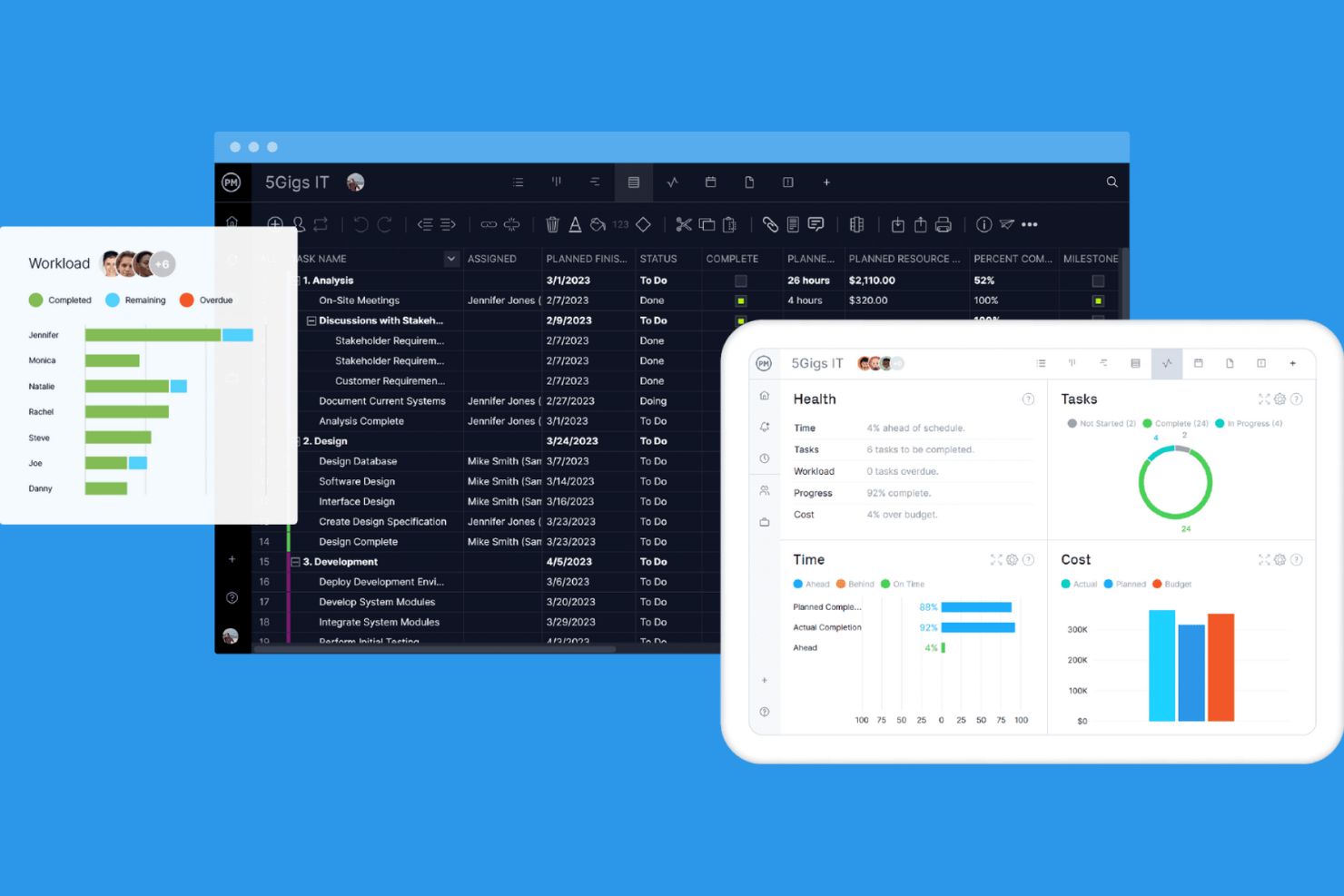
ProjectManager is built for teams that need up-to-the-minute visibility into project progress and resource allocation. It’s especially useful for project managers and operations leads who want to track performance metrics and make data-driven decisions as work unfolds. With its real-time dashboards and reporting tools, ProjectManager helps you spot issues and adjust plans quickly—something not all Wrike alternatives offer.
Why ProjectManager Is a Good Wrike Alternative
For teams that need instant insight into project health, ProjectManager delivers real-time reporting that goes beyond what many competitors offer. I picked ProjectManager because its live dashboards update automatically as tasks progress, giving you a clear view of project status at any moment. The platform also includes customizable reports that let you drill into resource allocation, timelines, and workload distribution without waiting for manual updates. If you want to make fast, informed decisions based on current data, ProjectManager is a strong Wrike alternative.
ProjectManager Key Features
Some other features in ProjectManager can help your team manage projects more efficiently:
- Gantt Chart Planning: Build and adjust project timelines with interactive Gantt charts.
- Kanban Boards: Organize tasks visually and move them through custom workflow stages.
- Timesheet Management: Track team hours and approve timesheets directly within the platform.
- Document Sharing: Store, share, and collaborate on project files in a centralized location.
ProjectManager Integrations
Integrations include Microsoft Teams, Slack, Jira, MS Project, Power BI, Acumatica, Excel, Azure DevOps, Google, and OneDrive.
Pros and Cons
Pros:
- Resource management for workload balancing
- Multiple views: Gantt, Kanban, and list available
- Built-in timesheet management for tracking hours
Cons:
- Reporting exports only available in certain formats
- No built-in budgeting or cost tracking

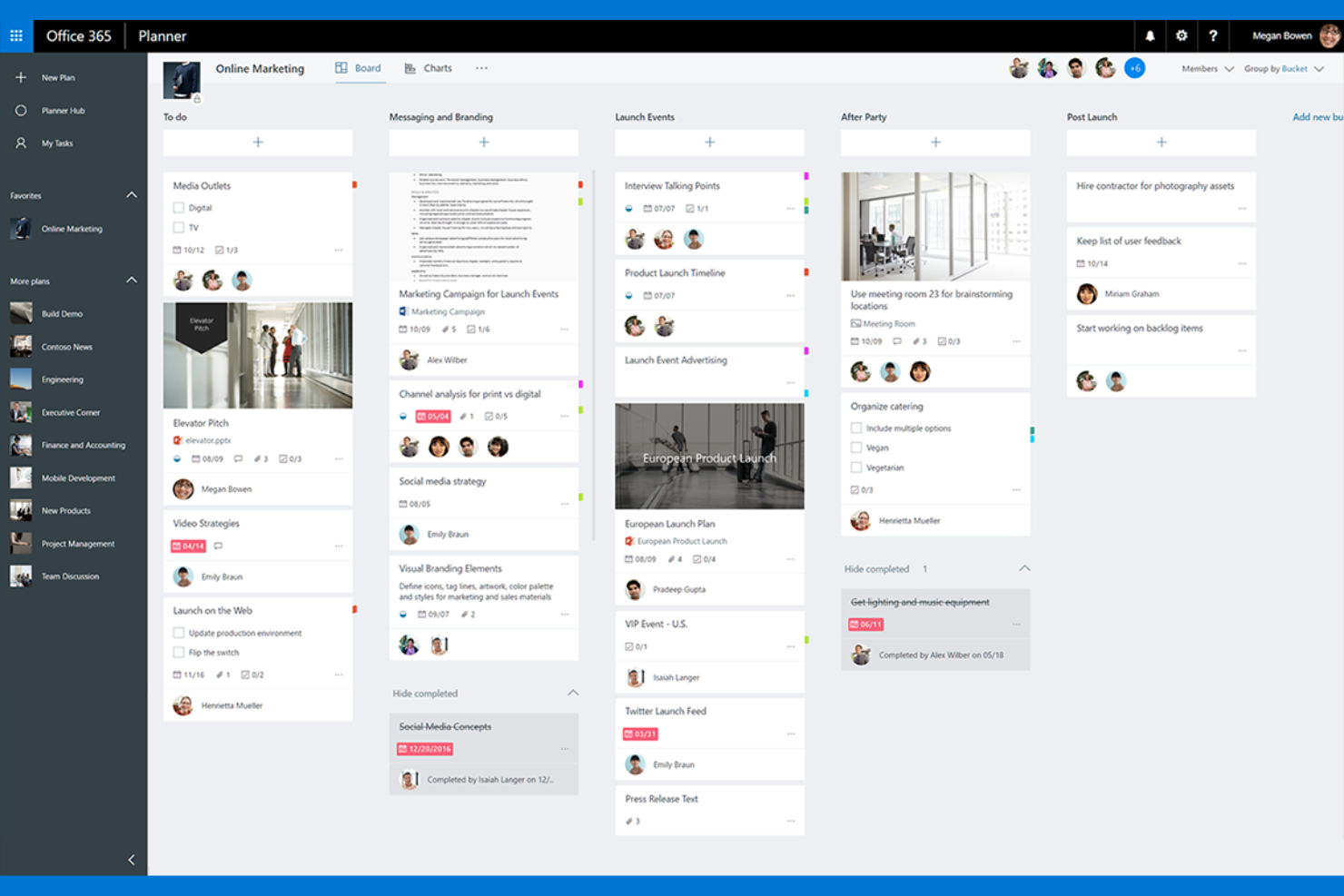
Teams already using Microsoft 365 will find Microsoft Planner fits naturally into their workflow. It’s designed for organizations that want to manage tasks, share files, and collaborate directly within familiar Microsoft apps like Teams and Outlook. Microsoft Planner stands out for its deep integration with the Microsoft ecosystem, making it easy to coordinate projects without switching platforms.
Why Microsoft Planner Is a Good Wrike Alternative
If your organization relies on Microsoft 365, Microsoft Planner offers a project management experience that’s tightly woven into the apps you already use. I picked Microsoft Planner because it lets you create and manage tasks directly from Teams, Outlook, and SharePoint, so project updates and assignments are always visible where your team works. The ability to attach files from OneDrive and collaborate on documents in real time helps keep everything connected and accessible. For teams looking to manage projects without leaving the Microsoft environment, Microsoft Planner is a practical Wrike alternative.
Microsoft Planner Key Features
Some other features in Microsoft Planner can help your team organize and track work more efficiently:
- Kanban Boards: Visualize tasks and progress using drag-and-drop boards for each project.
- Task Labels: Categorize and filter tasks with customizable color-coded labels.
- Due Date Reminders: Receive automated notifications for upcoming task deadlines.
- Checklist Items: Break down tasks into smaller, actionable steps within each card.
Microsoft Planner Integrations
Integrations include Microsoft Teams, Outlook, SharePoint, OneDrive, Microsoft To Do, Microsoft Loop, Power Automate, Power BI, Viva Goals, and Microsoft Project.
Pros and Cons
Pros:
- Built-in checklist items for subtask tracking
- Task labels support color-coded organization
- Automatic syncing with Outlook calendar events
Cons:
- Limited automation compared to other platforms
- Cannot assign multiple users to one task
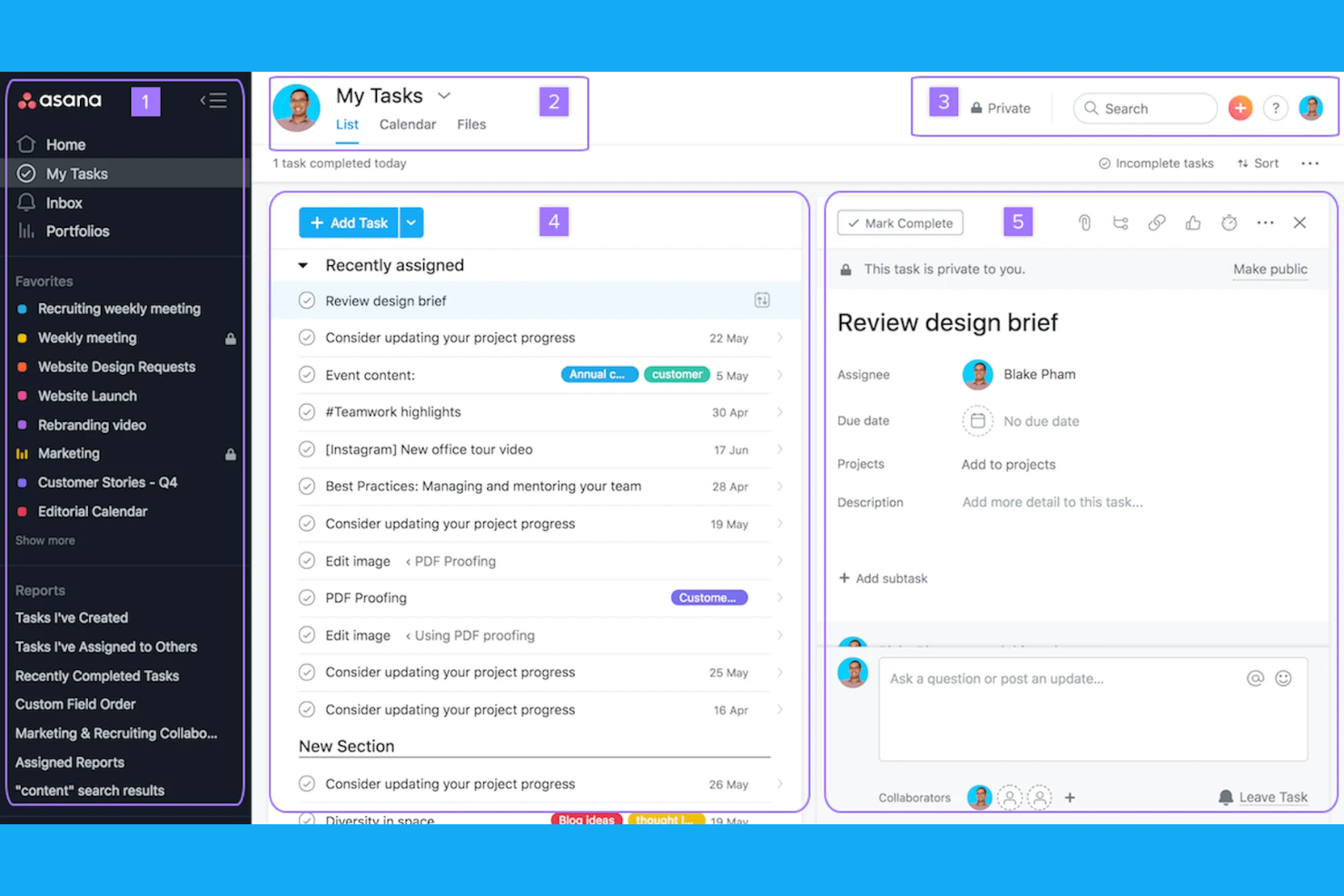
If your team needs to automate workflows across departments, Asana offers a flexible approach to project management. It’s a strong fit for organizations juggling complex, multi-team projects that require clear task dependencies and real-time updates. Asana is special because of its automation features and customizable workflows, which help you coordinate work without manual follow-up.
Why Asana Is a Good Wrike Alternative
Asana stands out for teams that need to automate and coordinate workflows across multiple departments. I picked Asana because its workflow builder lets you create custom automations for recurring tasks and approvals, reducing manual work. The platform’s rules engine helps route tasks, trigger updates, and keep projects moving without constant oversight. These features make Asana a strong choice if your projects depend on cross-team collaboration and automated processes.
Asana Key Features
Some other features in Asana can help your team manage projects more efficiently:
- Timeline View: Visualize project schedules and task dependencies using a Gantt-style timeline.
- Portfolios: Monitor multiple projects at once and track progress from a single dashboard.
- Goals: Set, track, and align team or company objectives directly within the platform.
- Forms: Collect and standardize work requests with customizable intake forms.
Asana Integrations
Integrations include Slack, Microsoft Teams, Google Drive, Dropbox, Salesforce, Jira Cloud, Zoom, Outlook, GitHub, and Box.
Pros and Cons
Pros:
- Portfolio view tracks multiple projects at once
- Easy-to-set task dependencies and milestones
- Workflow automation builder for complex processes
Cons:
- Advanced automation requires higher-tier plans
- Guest access permissions can be restrictive

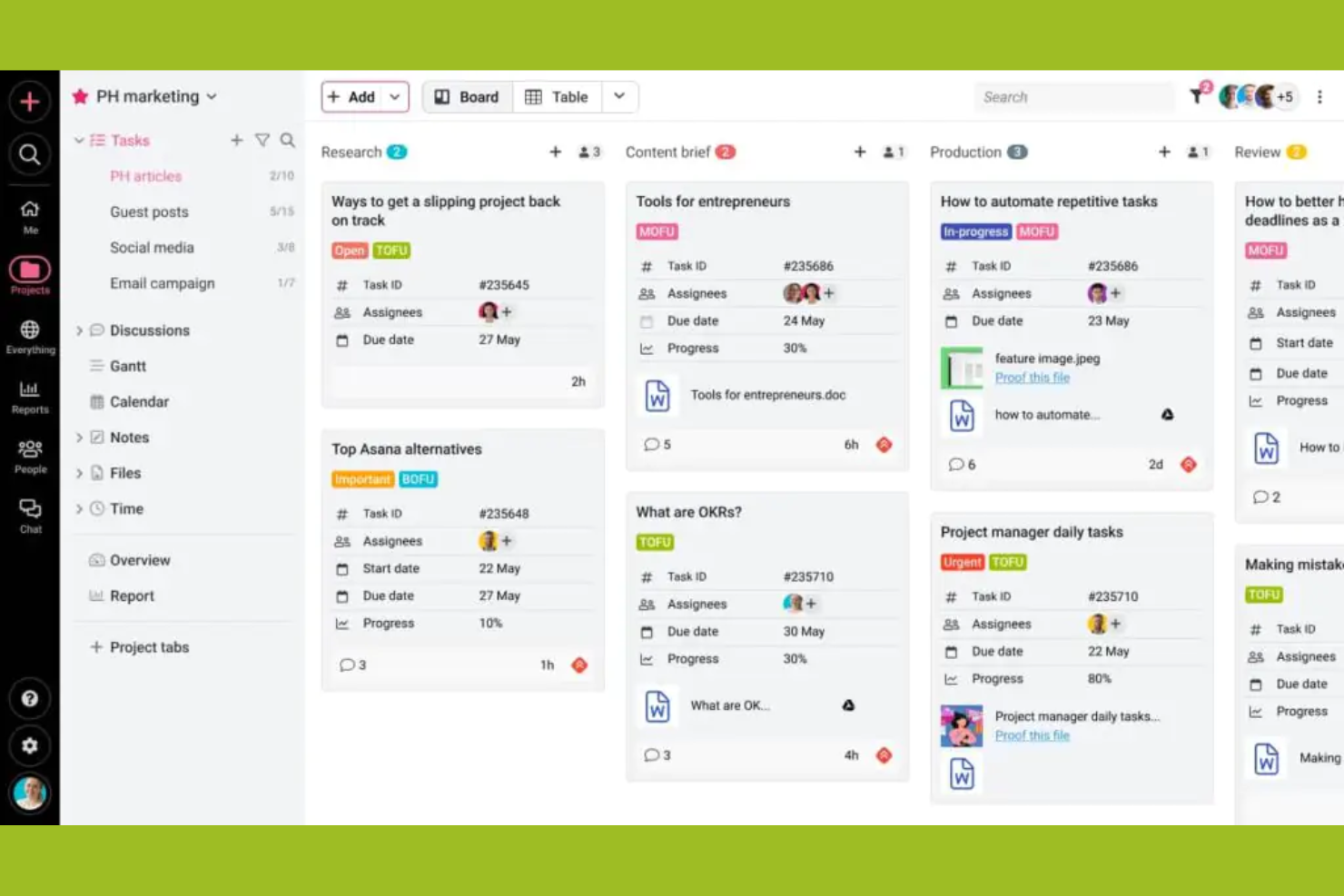
Creative teams and agencies looking for a project management platform with built-in approval workflows often turn to ProofHub. The tool is designed to simplify feedback, proofing, and sign-off processes for teams handling design, content, or client deliverables. Unlike Wrike, ProofHub puts markup, review, and approval tools front and center, so you can keep creative projects moving without switching between apps.
Why ProofHub Is a Good Wrike Alternative
When you need a project management tool that streamlines creative approvals, ProofHub stands out for its built-in workflow features. I picked ProofHub because it lets you annotate files, request feedback, and manage approvals directly within the platform—no need for extra proofing tools or email chains. The markup and version control features help teams keep feedback organized and ensure everyone is working from the latest file. If your projects involve frequent reviews and sign-offs, ProofHub offers a more integrated approach than Wrike.
ProofHub Key Features
Some other features in ProofHub can help your team manage projects from start to finish:
- Task Management: Assign tasks, set deadlines, and track progress using lists or boards.
- Project Templates: Create and reuse templates for recurring project types to save setup time.
- Time Tracking: Log billable and non-billable hours directly within each project.
- Discussions: Start topic-based discussion threads to keep project communication organized.
ProofHub Integrations
Integrations include Slack, Box, Dropbox, Google Calendar, iCal, OneDrive, FreshBooks, and QuickBooks.
Pros and Cons
Pros:
- In-app chat and discussion threads
- Flat-rate pricing for unlimited users
- Built-in proofing and markup for files
Cons:
- Gantt chart features are basic
- No advanced automation for task workflows

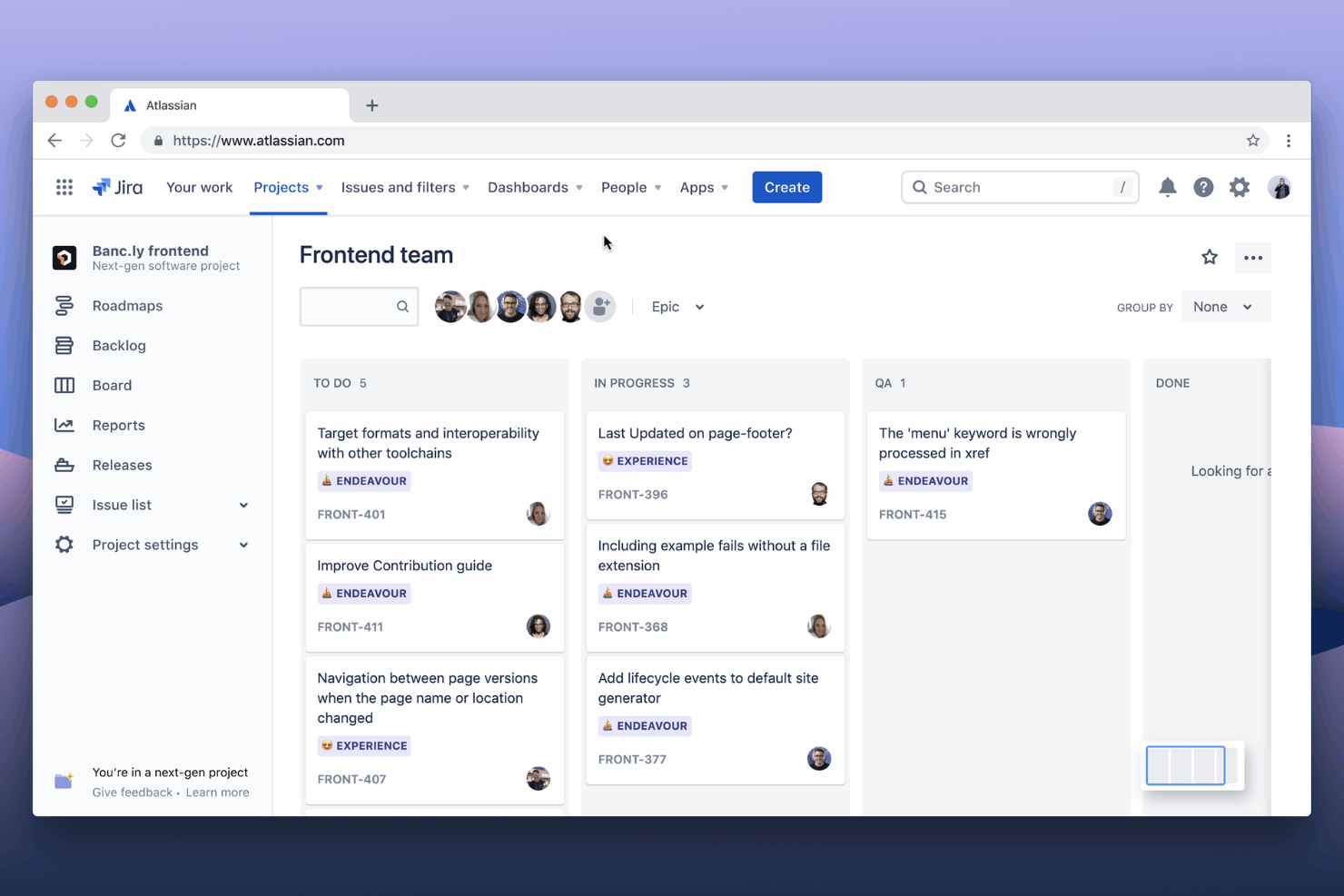
Jira is a go-to choice for teams that need advanced issue tracking and workflow customization. It’s especially well-suited for software development groups, IT departments, and any business managing complex projects with detailed requirements. Jira stands out for its granular control over issues, custom fields, and automation rules that help teams track, prioritize, and resolve work at scale.
Why Jira Is a Good Wrike Alternative
For teams that need to manage complex issues and workflows, Jira offers a level of detail that’s hard to match. I picked Jira because it lets you create custom issue types, set up advanced workflows, and automate repetitive actions with granular triggers. The platform’s issue tracking system supports detailed status updates, priorities, and dependencies, making it ideal for technical teams. If your projects require precise tracking and control over every task, Jira is a strong alternative to Wrike.
Jira Key Features
Some other features in Jira can help your team manage projects and collaborate more effectively:
- Agile Boards: Use Scrum and Kanban boards to visualize and manage work in sprints or continuous flows.
- Advanced Reporting: Access built-in and custom reports for burndown charts, velocity, and project progress.
- Permissions Management: Set granular permissions for users, groups, and roles across projects.
- Marketplace Apps: Extend Jira’s functionality with thousands of add-ons from the Atlassian Marketplace.
Jira Integrations
Integrations include Slack, Microsoft Teams, Google Drive, Figma, Zoom, Salesforce, GitHub, Miro, QMetry, and Google Docs.
Pros and Cons
Pros:
- Advanced permissions for project-level access control
- Marketplace apps to expand core features
- Bulk editing for multiple updates at once
Cons:
- Time tracking requires third-party add-ons
- Email notifications can overwhelm large teams

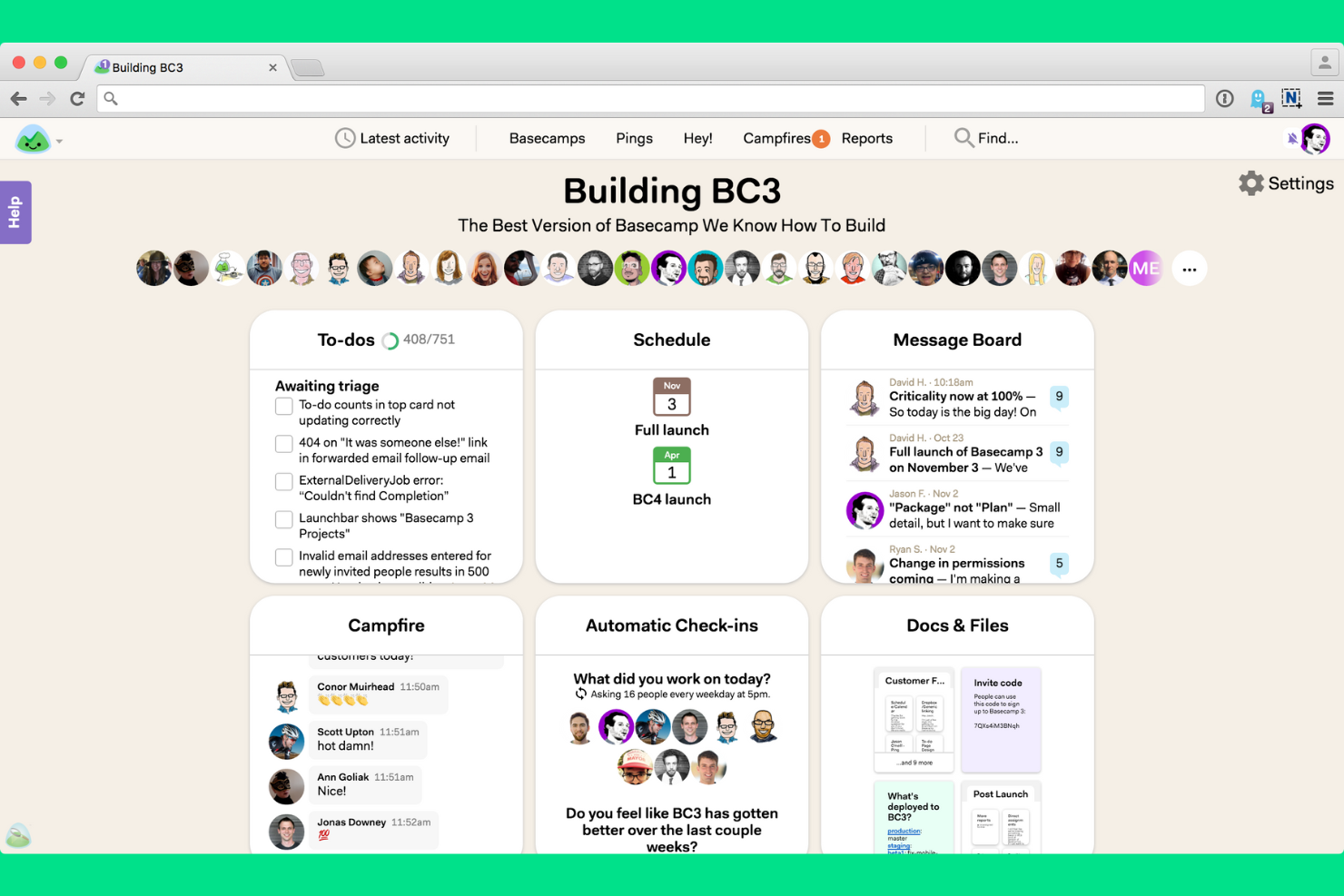
If your team needs a straightforward way to manage projects and communicate, Basecamp is worth a look. It’s a strong fit for small businesses, agencies, and teams that want built-in chat, message boards, and task lists without extra complexity. Basecamp stands out for its focus on keeping conversations, files, and project updates together in one simple interface.
Why Basecamp Is a Good Wrike Alternative
For teams that want simple, built-in communication tools, Basecamp offers a different approach than Wrike. I picked Basecamp because it combines group chat, message boards, and direct messaging right inside each project, so conversations stay organized and easy to find. The tool’s Campfire chat and project message boards help teams keep discussions and decisions visible to everyone involved. If you’re looking for project management software that puts communication front and center, Basecamp is a strong option.
Basecamp Key Features
Some other features in Basecamp can help your team stay organized and on track:
- To-do Lists: Assign tasks, set due dates, and track progress for each project.
- Docs & Files Storage: Upload, share, and organize project documents and files in one place.
- Automatic Check-ins: Schedule recurring questions to gather team updates without meetings.
- Schedule Tool: View project milestones, deadlines, and events on a shared calendar.
Basecamp Integrations
Integrations include Slack, Google Hangouts Chat, GitHub, Jira, Asana, Trello, Clockify, Harvest, Evernote, and Zendesk.
Pros and Cons
Pros:
- To-do lists support basic task assignment
- Flat pricing model suits growing teams
- Recurring questions replace status meetings
Cons:
- Permissions are set only at the project level
- No Gantt chart or timeline view
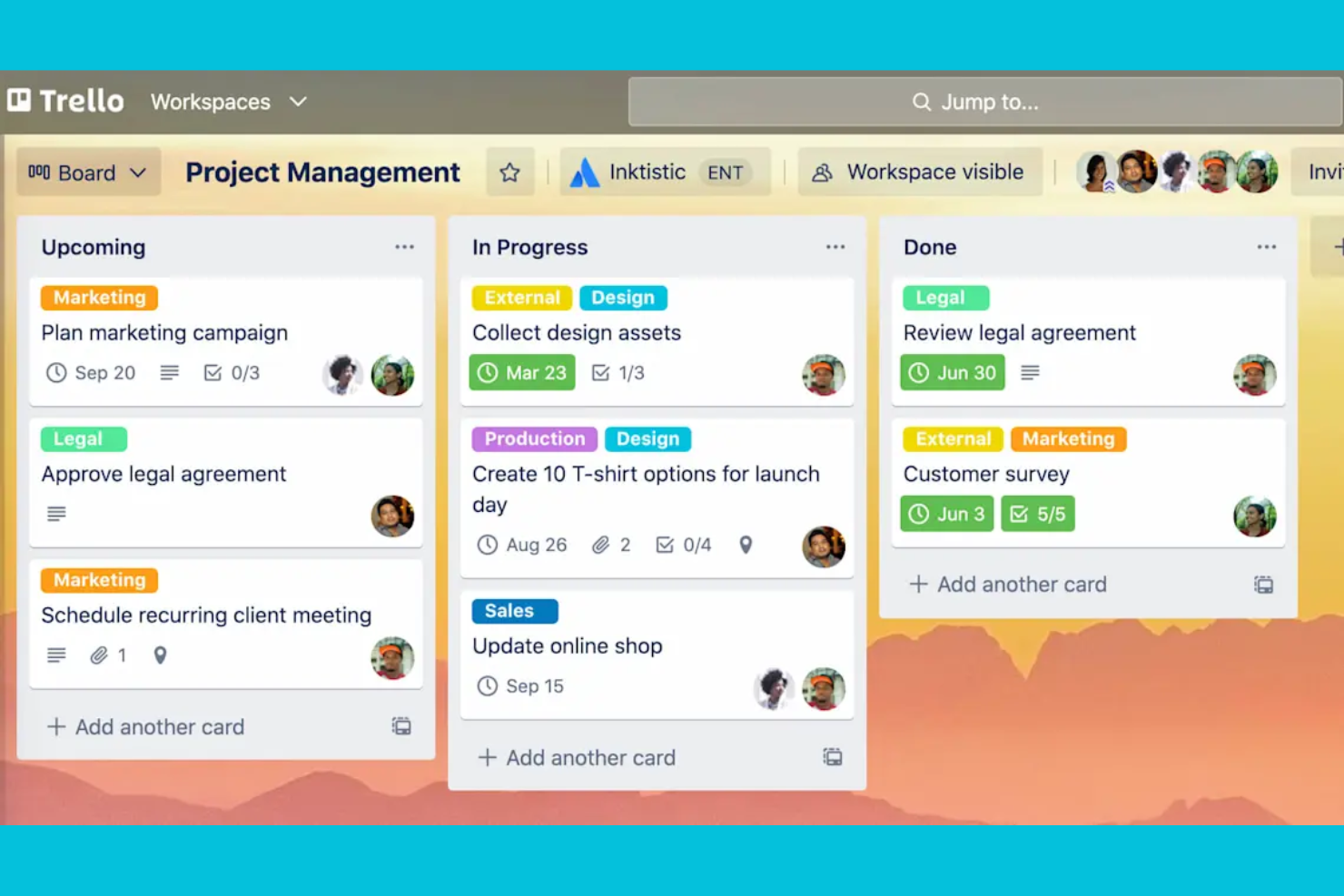
If you’re looking for a highly visual way to organize tasks, Trello offers a flexible board-and-card system that’s easy to adapt. It’s a strong fit for small teams, marketing teams, creative agencies, and growing businesses that want a lightweight project management solution to map out projects at a glance. Trello stands out for its drag-and-drop interface and customizable boards that make tracking progress and priorities simple for any workflow, with a free version for basic use and paid plans that unlock advanced features and team collaboration tools.
Why Trello Is a Good Wrike Alternative
Trello’s visual task organization makes it a strong choice for teams that want to see project progress at a glance. I like how its board-and-card layout lets you map out workflows, assign tasks, and move items through stages with simple drag-and-drop actions. You can add checklists, labels, and attachments directly to cards, which helps teams keep all project details in one place. For anyone who values a clear, visual overview of tasks and priorities, Trello is a practical alternative to Wrike.
Trello Key Features
Some other features in Trello can help your team manage projects more efficiently:
- Power-Ups: Add extra functionality to boards, such as calendar views, voting, or integrations with other tools.
- Butler Automation: Automate repetitive actions with rule-based triggers, buttons, and scheduled commands.
- Team Workspaces: Organize multiple boards under a shared workspace for better team collaboration.
- Card Templates: Create reusable templates for common tasks or processes to save setup time.
Trello Integrations
Integrations include Slack, Jira, Miro, Google Calendar, Hootsuite, IBM Connect, CloudApp, Confluence Cloud, Aha!, and Droplr.
Pros and Cons
Pros:
- Card checklists track subtasks within projects
- Power-Ups add features like calendar views
- Butler automation handles recurring task actions
Cons:
- Limited reporting tools for project analytics
- No native Gantt chart for timeline planning

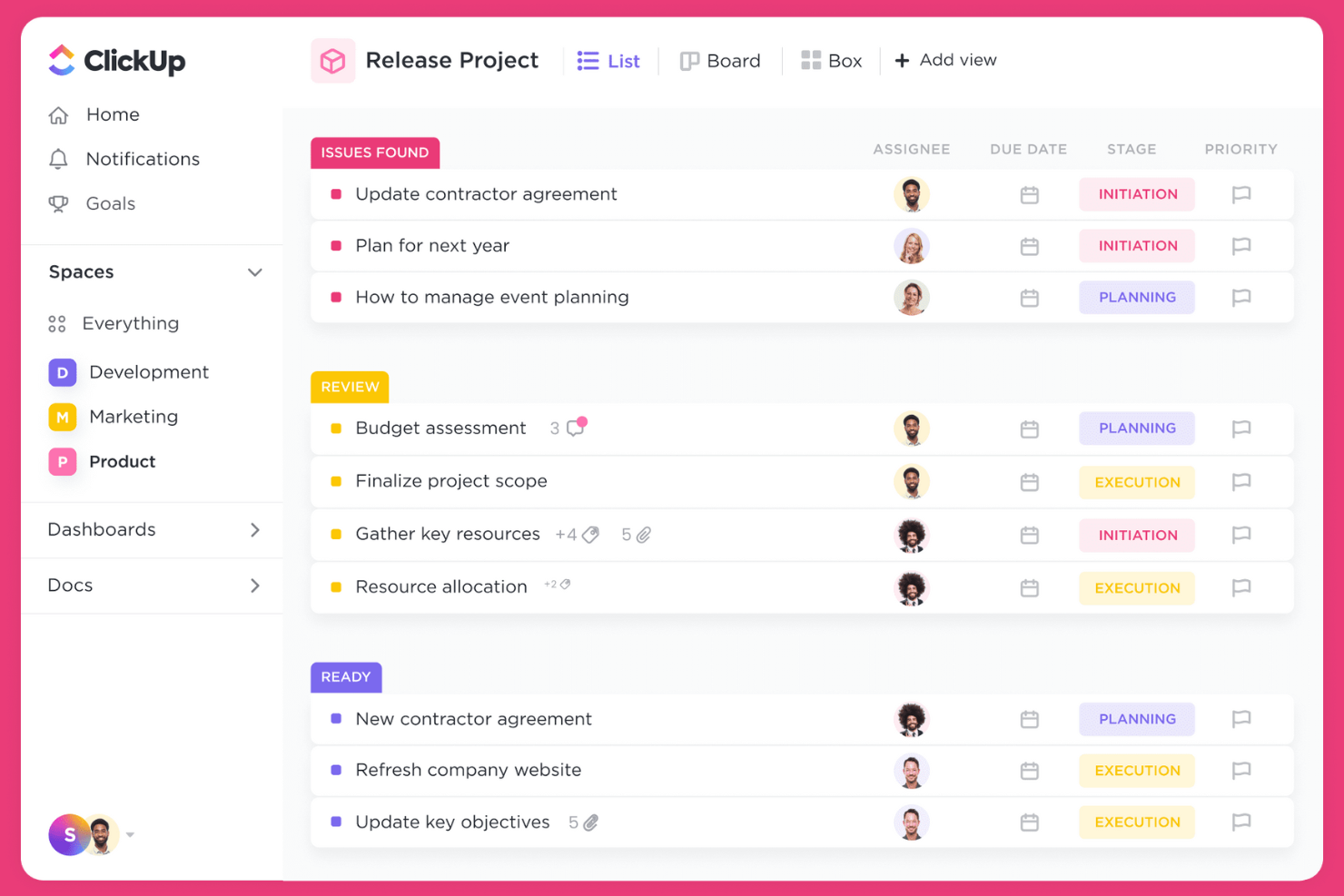
If your team wants to bring tasks, docs, goals, and chat into one place, ClickUp offers a unified workspace for project management. It’s a strong fit for fast-growing businesses, agencies, and cross-functional teams juggling multiple workflows and tools. As a flexible task management tool, ClickUp stands out for its deep customization, intuitive interface, and overall ease of use, allowing teams to centralize everything from project tracking to document collaboration in a user-friendly platform without switching systems.
Why ClickUp Is a Good Wrike Alternative
For teams that want to consolidate all their work into a single platform, ClickUp brings together project management, document editing, and team communication in one workspace. I picked ClickUp because it lets you manage tasks, create and share docs, and set goals without jumping between different tools. Its customizable dashboards and built-in chat make it easy to centralize project updates and discussions. If you’re looking to reduce tool sprawl and keep everything in one place, ClickUp is a strong Wrike alternative.
ClickUp Key Features
Some other features in ClickUp can help your team manage projects more efficiently:
- Time Tracking: Track time spent on tasks directly within the platform.
- Whiteboards: Collaborate visually with digital whiteboards for brainstorming and planning.
- Custom Task Statuses: Create and manage unique task statuses tailored to your workflows.
- Automation Builder: Set up automated actions and triggers to reduce repetitive manual work.
ClickUp Integrations
Integrations include Slack, GitHub, GitLab, HubSpot, Everhour, Toggl, Google Drive, Outlook, Figma, and Zoom.
Pros and Cons
Pros:
- Automation builder reduces repetitive manual work
- Whiteboards support visual project planning
- Built-in docs allow in-app knowledge sharing
Cons:
- Importing large projects may cause slowdowns
- Mobile app lacks some desktop features

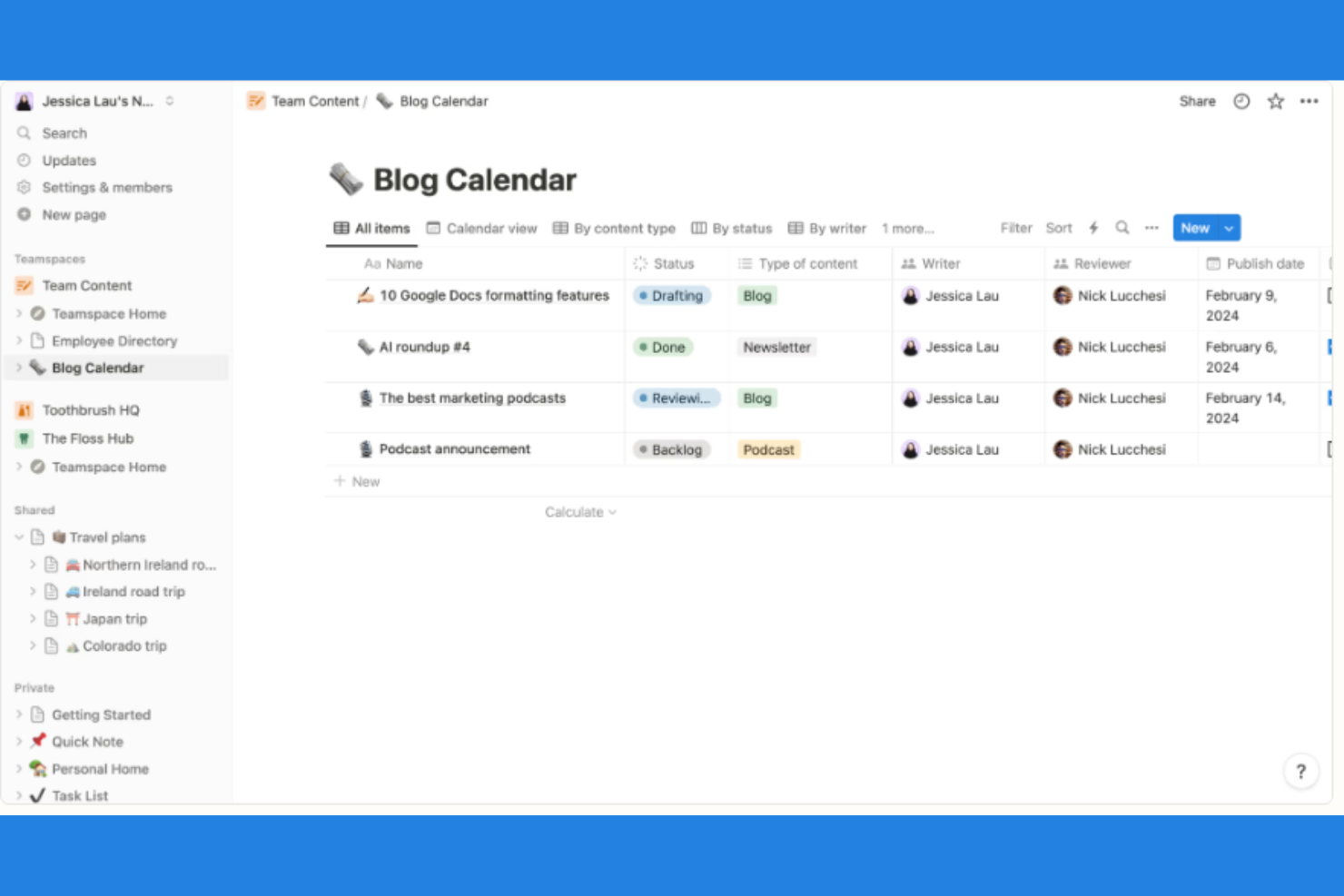
Teams looking to blend project management with flexible note-taking often turn to Notion. It’s especially useful for startups, creative agencies, and knowledge-driven organizations that want to connect tasks, docs, and wikis in one place. Notion stands out for its ability to link project tasks directly to meeting notes, documentation, and databases, making it easier to keep context and content together.
Why Notion Is a Good Wrike Alternative
Unlike many project management tools, Notion lets you combine project tasks and detailed notes in a single workspace. I picked Notion because it allows you to link tasks directly to meeting notes, project documentation, and knowledge bases, so your team always has the right context. Its flexible database structure means you can organize projects, docs, and wikis however you want. If you need a tool that connects actionable tasks with rich, collaborative content, Notion is a strong Wrike alternative.
Notion Key Features
Some other features in Notion can help your team manage projects and information more effectively:
- Kanban Boards: Visualize and move tasks through customizable workflow columns.
- Calendar View: Schedule and track tasks or events on a shared calendar.
- Template Gallery: Access pre-built templates for project plans, meeting notes, and more.
- Permission Controls: Set granular access levels for pages, databases, and workspaces.
Notion Integrations
Integrations include Slack, Jira, GitHub, Asana, Google Drive, Figma, Trello, GitLab, Webex, and Typeform.
Pros and Cons
Pros:
- Markdown support enables fast note formatting
- Template gallery speeds up workspace setup
- Database feature links tasks, docs, and wikis
Cons:
- Offline access is limited and inconsistent
- No native time tracking for tasks

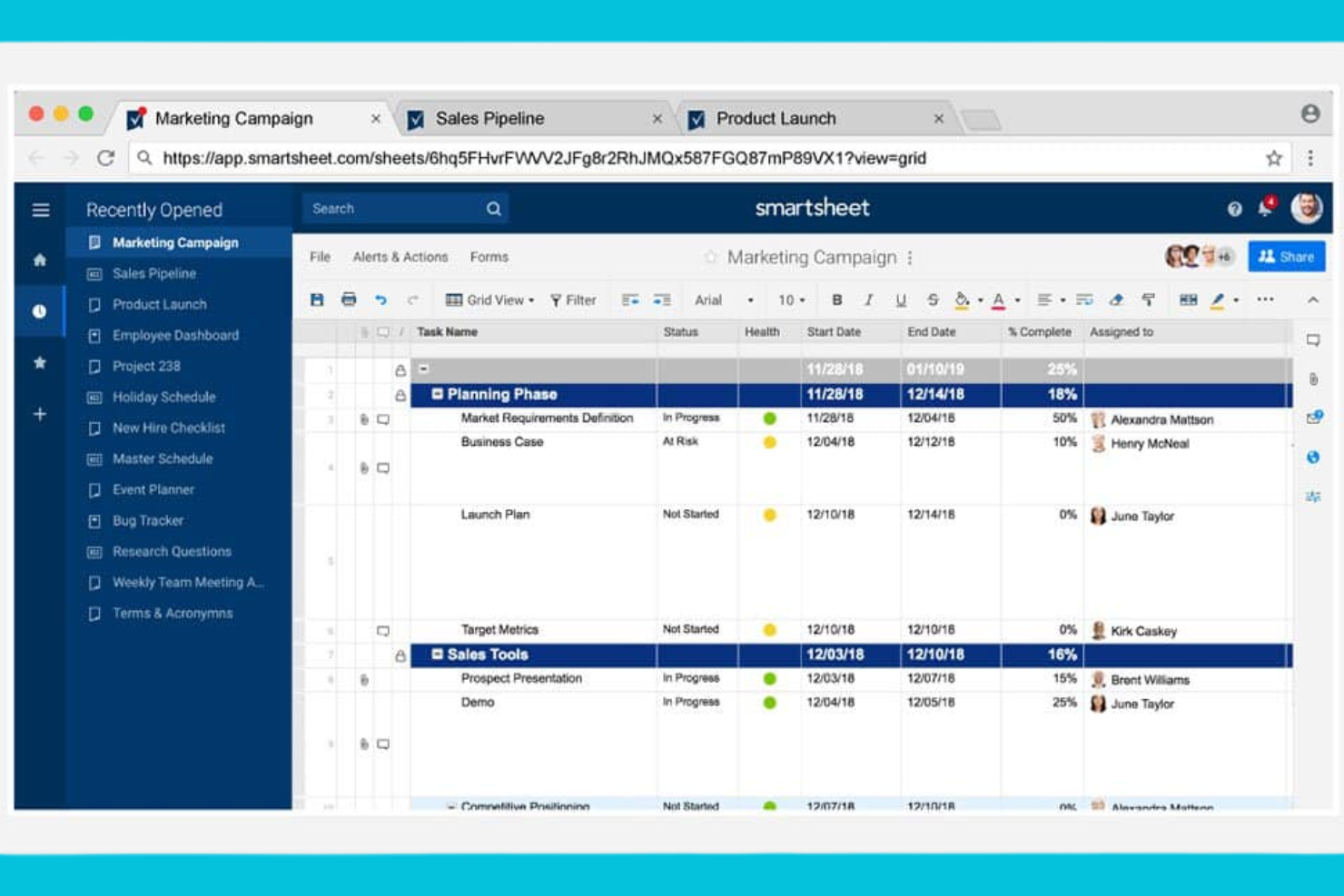
For teams that prefer working in a familiar spreadsheet format, Smartsheet brings project management into a grid-based environment. It’s especially useful for operations, finance, and project leads who need to manage complex schedules, dependencies, and resource allocations. Smartsheet stands out for its ability to combine spreadsheet flexibility with project tracking, automation, and reporting tools.
Why Smartsheet Is a Good Wrike Alternative
If you’re looking for project management software that feels like working in a spreadsheet, Smartsheet is a strong option. I picked it because its grid-based interface lets you manage tasks, dependencies, and timelines in a format that’s familiar to anyone who uses spreadsheets. You can set up automated workflows and conditional formatting to keep projects on track and highlight key changes. For teams that want the flexibility of spreadsheets with the structure of project management, Smartsheet offers a practical alternative to Wrike.
Smartsheet Key Features
Some other features in Smartsheet can help your team manage projects more effectively:
- Resource Management: Allocate team members to tasks and monitor workload across projects.
- Gantt Chart View: Visualize project timelines and dependencies with interactive Gantt charts.
- Form Builder: Collect project requests or updates through customizable forms linked directly to sheets.
- Document Attachment: Attach files and documents directly to rows for easy reference and collaboration.
Smartsheet Integrations
Integrations include Microsoft Teams, Slack, Jira Software, Salesforce, Power BI, Tableau, Google Drive, Adobe Creative Cloud, ServiceNow, and DocuSign.
Pros and Cons
Pros:
- Automated workflows to reduce manual project updates
- Spreadsheet interface for complex data manipulation
- Gantt charts for visual project timelines
Cons:
- Mobile app lacks full desktop functionality
- Conditional logic in forms is limited
New Product Updates from Smartsheet

Smartsheet Adds Direct Data Import to Existing Sheets
Smartsheet introduces direct data import to existing sheets in table view. This update lets you import CSV, XLS, and XLSX files directly into sheets, reducing manual work and speeding up data setup. For more information, visit Smartsheet's official site.
 .
.Other Wrike Alternatives
Here are some additional Wrike alternatives that didn’t make it onto my shortlist, but are still worth checking out:
- Adobe Workfront
For enterprise-grade resource management
- monday.com
With customizable dashboard views
- Teamwork.com
For client-facing project billing
- Aha!
For product roadmap planning
- Acorn
With automated project time tracking


Wrike Alternatives Selection Criteria
When selecting the best Wrike alternatives to include in this list, I considered common buyer needs and pain points related to Project Management Software products, like managing complex project timelines and coordinating cross-functional teams. I also used the following framework to keep my evaluation structured and fair:
Core Functionality (25% of total score)
To be considered for inclusion in this list, each solution had to fulfill these common use cases:
- Create and assign tasks
- Track project progress
- Set deadlines and milestones
- Collaborate with team members
- Generate project reports
Additional Standout Features (25% of total score)
To help further narrow down the competition, I also looked for unique features, such as:
- Scenario planning for resource allocation
- Automated approval workflows
- Portfolio management capabilities
- Customizable project intake forms
- Built-in document management
Usability (10% of total score)
To get a sense of the usability of each system, I considered the following:
- Intuitive navigation and layout
- Minimal clicks to complete common actions
- Clear visual hierarchy and labeling
- Responsive design across devices
- Customizable dashboards and views
Onboarding (10% of total score)
To evaluate the onboarding experience for each platform, I considered the following:
- Availability of training videos and tutorials
- Access to pre-built templates
- Interactive product tours for new users
- In-app chatbots or guided help
- Live or recorded onboarding webinars
Customer Support (10% of total score)
To assess each software provider’s customer support services, I considered the following:
- Multiple support channels available
- Fast response times to inquiries
- Access to a searchable help center
- Availability of dedicated account managers
- Community forums or user groups
Value For Money (10% of total score)
To evaluate the value for money of each platform, I considered the following:
- Transparent and flexible pricing plans
- Features included at each pricing tier
- Discounts for annual billing or volume
- No hidden fees or surprise charges
- Free trial or demo availability
Customer Reviews (10% of total score)
To get a sense of overall customer satisfaction, I considered the following when reading customer reviews:
- Consistency of positive feedback
- Frequency of complaints about bugs or outages
- Praise for specific features or support
- Reports of successful onboarding experiences
- Evidence of long-term customer retention
Why Look For a Wrike Alternative?
While Wrike is a good choice of Project Management Software, there are a number of reasons why some users seek out alternative solutions. You might be looking for a Wrike alternative because…
- You need more advanced resource management tools
- Your team requires deeper portfolio management features
- You want more transparent or flexible pricing
- You need stronger native integrations with other business tools
- Your organization has strict data residency requirements
- You prefer a simpler interface for non-technical users
If any of these sound like you, you’ve come to the right place. My list contains several Project Management Software options that are better suited for teams facing these challenges with Wrike and looking for alternative solutions.
Wrike Key Features
Here are some of the key features of Wrike, to help you contrast and compare what alternative solutions offer:
- Task and subtask management
- Customizable dashboards and reports
- Gantt chart and timeline views
- Automated workflow and approval processes
- Time tracking and workload management
- Document sharing and version control
- Real-time collaboration and
- Request forms for project intake
- Resource allocation and capacity planning
- Integration with popular business tools
What’s Next:
If you're in the process of researching Wrike alternatives, connect with a SoftwareSelect advisor for free recommendations.
You fill out a form and have a quick chat where they get into the specifics of your needs. Then you'll get a shortlist of software to review. They'll even support you through the entire buying process, including price negotiations.