
20 Zoho CRM Alternatives for 2026

Zoho CRM Alternatives Shortlist
Here’s my shortlist of Zoho CRM alternatives:


A strong Zoho CRM alternative offers flexible sales pipeline management, customizable automation, and integrations that fit your team’s workflow. If you’re searching for a replacement for Zoho CRM, you likely need a platform that matches its versatility but better aligns with your business processes, reporting needs, or user experience. Many alternatives are designed for small businesses and startups, prioritizing a user-friendly interface while still supporting automated workflows and advanced customization. This list will help you compare leading CRM options, highlighting what each does best so you can confidently choose a solution that supports your sales, marketing, and customer management goals without adding a steep learning curve.
What Is Zoho CRM?
Zoho CRM is a cloud-based CRM software platform designed to help businesses manage sales, marketing, and customer support activities in one place. It offers tools for tracking leads, automating workflows, and analyzing sales performance while providing core CRM functionality to organize and manage customer data. Zoho CRM also supports third-party integrations, allowing teams to connect the platform with other business tools to optimize workflows. With its advanced features and focus on scalability, Zoho CRM is used by sales teams, marketers, and support staff to improve communication and drive revenue growth through better relationship management.
Best Zoho CRM Alternatives Summary
This comparison chart summarizes pricing details for my top Zoho CRM alternative selections to help you find the best one for your budget and business needs.
| Tool | Best For | Trial Info | Price | ||
|---|---|---|---|---|---|
| 1 | Best for AI-powered lead scoring | Free demo + 21-day free trial available | From $9/user/month (billed annually) | Website | |
| 2 | Best for marketing and sales alignment | Free plan available | From $20/seat/month (billed annually) | Website | |
| 3 | Best for built-in telephony features | Free demo + 15-day free trial available | From $12/user/month (billed annually) | Website | |
| 4 | Best for customer support ticketing | Free demo available | From $19/agent/month (billed annually) | Website | |
| 5 | Best for project management integration | Free demo + 14-day free trial available | From $29/user/month (billed annually) | Website | |
| 6 | Best for enterprise resource planning integration | Free demo + 30-day free trial available | From $22/user/month | Website | |
| 7 | Best for visual sales pipeline management | 14-day free trial available | From $14/user/month (billed annually) | Website | |
| 8 | Best with Microsoft 365 integration | Free demo + 30-day free trial available | From $65/user/month (billed annually) | Website | |
| 9 | Best for multi-industry customization | Free demo + 14-day basic trial available | From $15/user/month (billed annually) | Website | |
| 10 | Best with modular business app ecosystem | Free-forever plan available | Free to use | Website |
Why Trust Our Software Reviews
-

LiveFlow
Visit WebsiteThis is an aggregated rating for this tool including ratings from Crozdesk users and ratings from other sites.4.9 -
Float Financial
Visit WebsiteThis is an aggregated rating for this tool including ratings from Crozdesk users and ratings from other sites.4.1 -
Creatio CRM
Visit WebsiteThis is an aggregated rating for this tool including ratings from Crozdesk users and ratings from other sites.4.7


Zoho CRM Alternatives Reviews
Below are my detailed summaries of the best Zoho CRM alternatives that made it onto my shortlist. My reviews offer a detailed look at the features, integrations, and best use cases of each platform to help you find the best one for you.

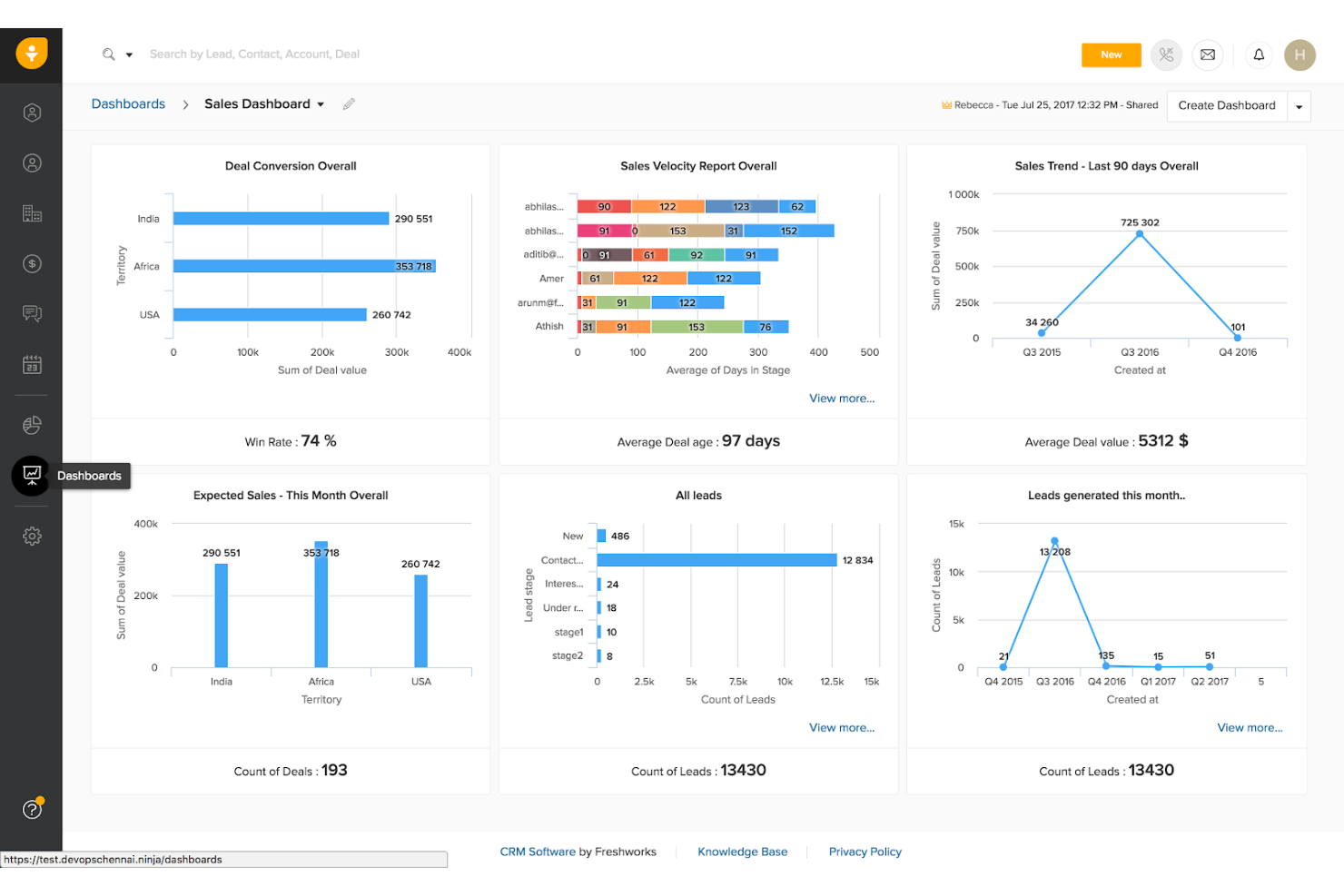
If you’re searching for a CRM that uses AI to help prioritize leads, Freshsales is worth a closer look. This platform appeals to sales teams and revenue operations professionals who want to focus their efforts on the most promising opportunities. Unlike Zoho CRM, Freshsales offers built-in AI lead scoring that helps you identify and act on high-value prospects faster.
Why Freshsales Is a Good Zoho CRM Alternative
What sets Freshsales apart as a Zoho CRM alternative is its focus on AI-powered lead scoring. The platform uses built-in AI to automatically score leads based on engagement, behavior, and demographic data, so your team can prioritize outreach more strategically. I appreciate how you can customize scoring models to fit your sales process and get real-time insights into which leads are most likely to convert. For sales teams that want to work smarter and close deals faster, Freshsales offers a clear advantage in lead management.
Freshsales Key Features
Some other features that stood out to me include:
- Built-In Phone and Email: Make calls and send emails directly from the CRM without switching tools.
- Workflow Automation: Set up automated actions for repetitive sales tasks and follow-ups.
- Contact and Account Management: Organize, track, and update all your customer and company records in one place.
- Sales Sequences: Create and manage multi-step outreach campaigns to nurture leads over time.
Freshsales Integrations
Integrations include Freshdesk, QuickBooks, PandaDoc, Xero, DocuSign, and more.
Pros and Cons
Pros:
- Workflow automation reduces repetitive tasks
- Built-in phone and email track communications
- AI lead scoring prioritizes high-potential deals
Cons:
- Data migration may require manual adjustments
- Customer support response times can be slow

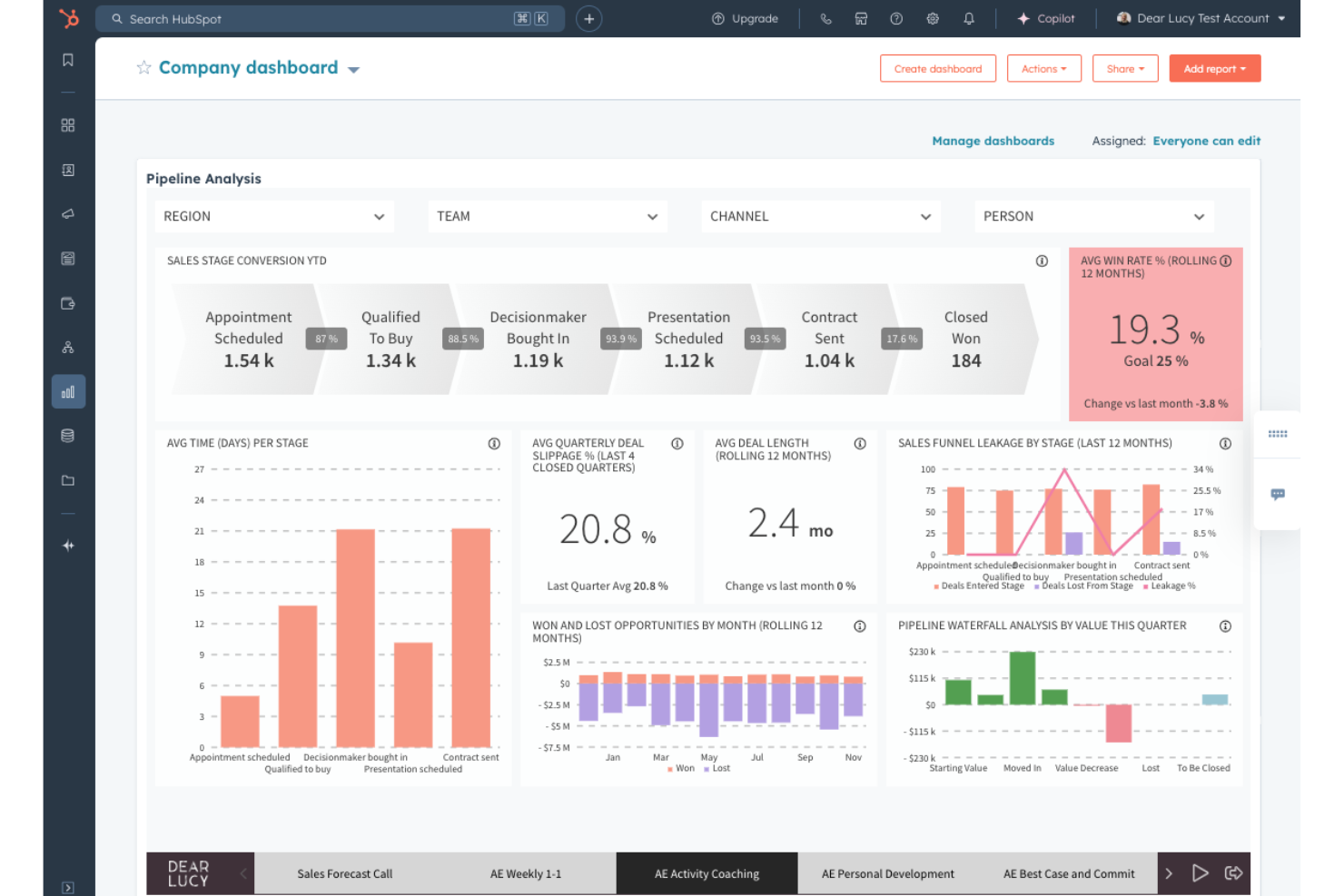
If you’re looking for a customer relationship management platform that brings marketing and sales teams together, HubSpot is worth considering. It’s designed for businesses that want unified tools for lead management, campaign tracking, and customer engagement in one place. HubSpot stands out from Zoho CRM by offering built-in marketing automation and content management features alongside its sales pipeline tools.
Why HubSpot Is a Good Zoho CRM Alternative
HubSpot is a strong Zoho CRM alternative if your team needs tight marketing and sales alignment. The platform combines marketing automation, email campaign management, and sales pipeline tracking in a single interface. I like that you can nurture leads with targeted content and then smoothly hand them off to sales, all within the same system. For organizations that want to break down silos between marketing and sales, HubSpot’s unified approach is a clear advantage.
HubSpot Key Features
Some other HubSpot features that may be useful for your team include:
- Contact Management: Store, organize, and segment all your contacts with detailed activity histories.
- Live Chat: Engage website visitors in real time with customizable chat widgets.
- Task and Activity Tracking: Assign, schedule, and monitor tasks and follow-ups for your sales team.
- Customizable Dashboards: Build visual dashboards to track metrics and KPIs that matter to your business.
HubSpot Integrations
Integrations include Slack, Gmail, Google Calendar, Outlook, Claude, WordPress, Salesforce, Microsoft Teams, LinkedIn, and more.
Pros and Cons
Pros:
- Visual pipeline simplifies deal management
- Email tracking and templates are built in
- Marketing automation supports complex campaigns
Cons:
- Custom field limits restrict complex data structures
- Contact limits can increase costs as you scale

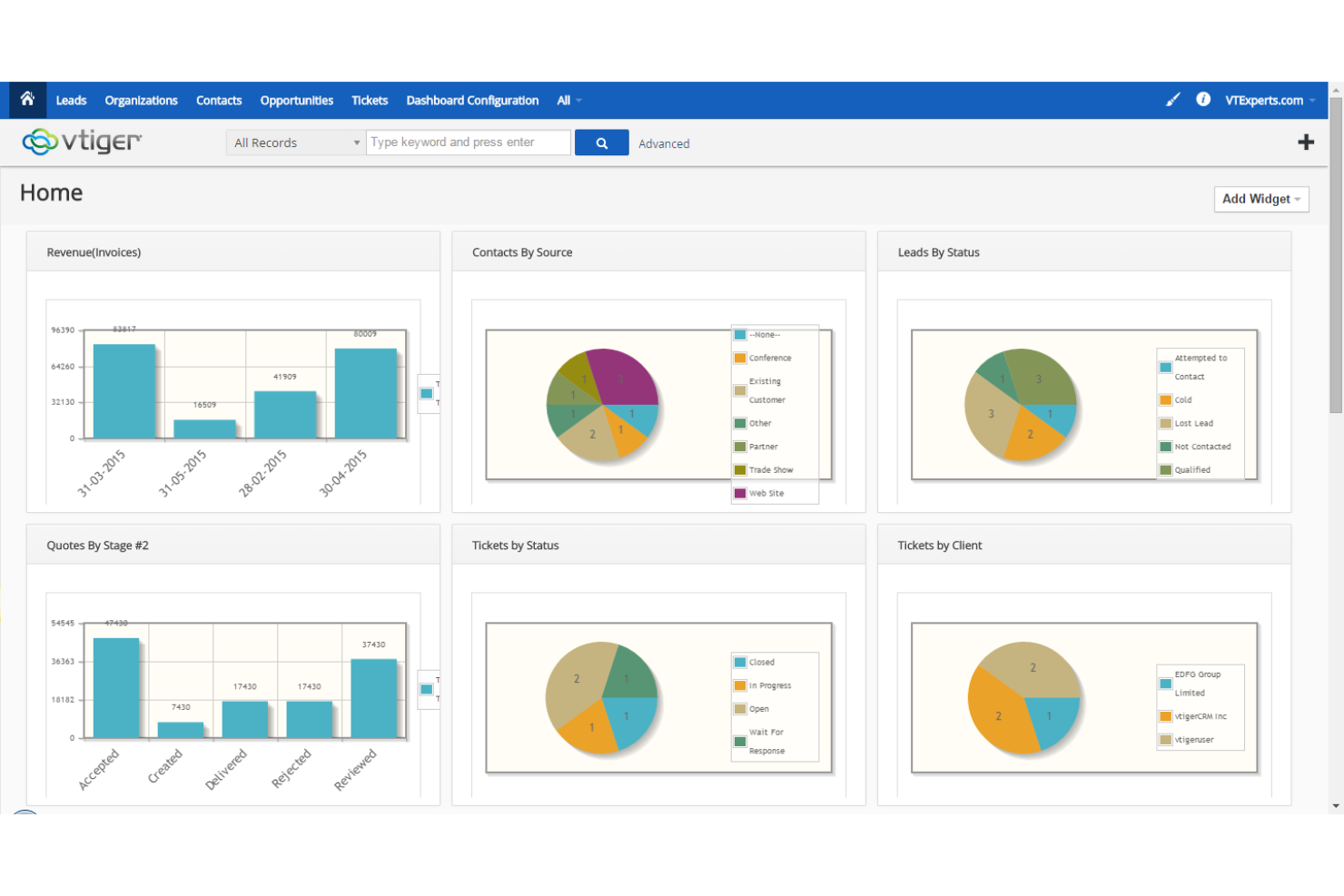
Sales and support teams looking for a CRM with built-in calling tools may find Vtiger a strong fit. This platform stands out for its integrated telephony features, letting you make, receive, and log calls directly within the CRM. If you need to manage customer conversations and track call activity without relying on third-party apps, Vtiger offers a focused alternative to Zoho CRM.
Why Vtiger Is a Good Zoho CRM Alternative
If you want a CRM that puts telephony at the center of customer management, Vtiger is worth considering. I picked Vtiger because it offers built-in calling, call logging, and call recording features right inside the platform. You can dial out, receive calls, and automatically track call activity without leaving the CRM. For teams that rely on phone conversations to drive sales or support, Vtiger’s telephony tools offer a more integrated experience than Zoho CRM.
Vtiger Key Features
Some other features that caught my attention include:
- Sales Pipeline Management: Track deals, stages, and sales activities in a visual pipeline.
- Contact and Lead Management: Organize, segment, and update customer and prospect records in one place.
- Workflow Automation: Set up automated actions for tasks, follow-ups, and notifications.
- Document Management: Store, share, and manage files related to deals and contacts within the CRM.
Vtiger Integrations
Integrations include Google Workspace, Microsoft Teams, WhatsApp, Gmail, Zapier, Outlook, DocuSign, Mailchimp, Xero, and more.
Pros and Cons
Pros:
- Document management stores and shares files
- Workflow automation supports multi-step processes
- Pipeline view simplifies deal tracking
Cons:
- Interface feels dated compared to newer CRMs
- Mobile app features are more limited than desktop
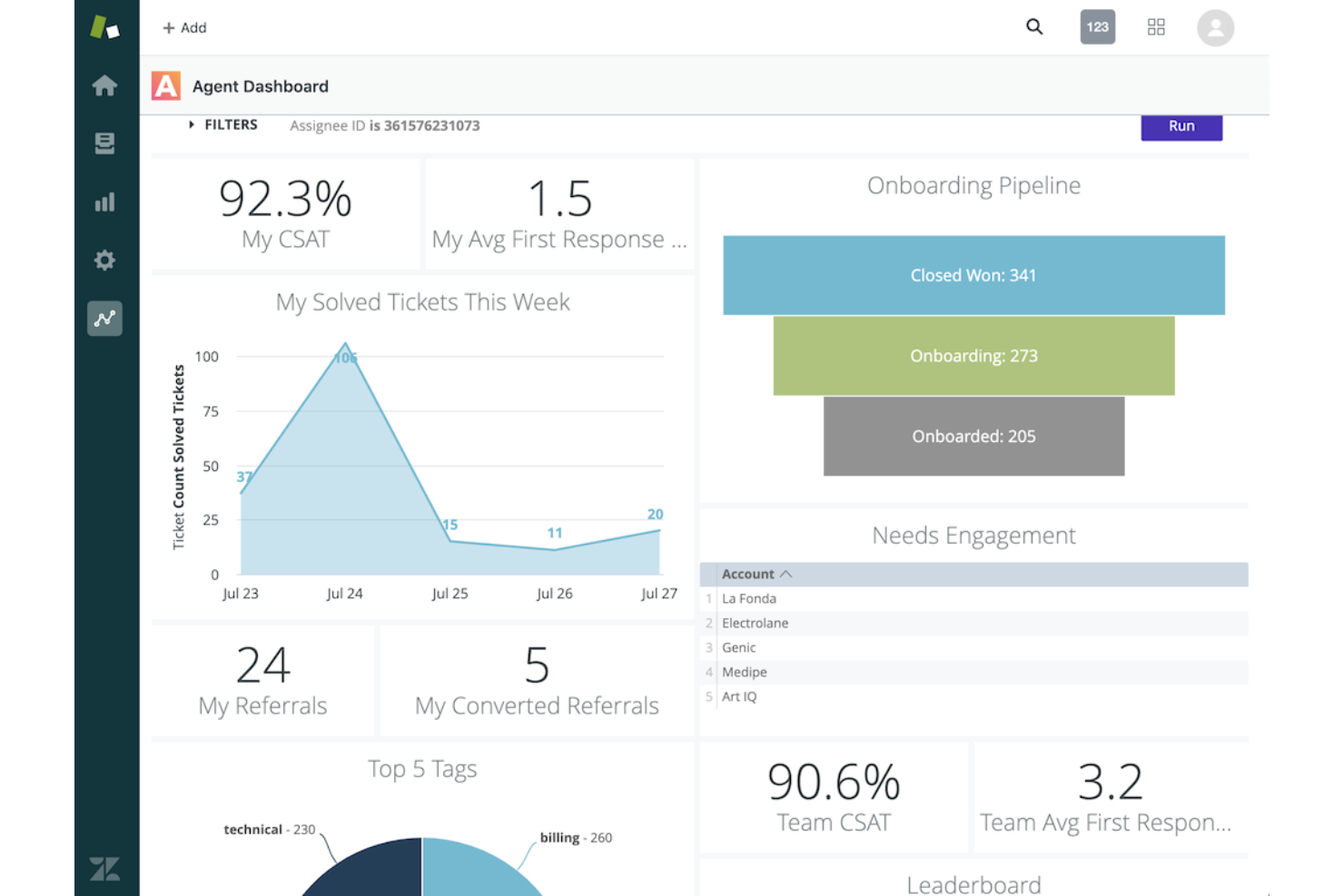
When your team needs a CRM platform that specializes in managing customer support tickets, Zendesk Sell is a strong contender. It’s designed for businesses that want to centralize, track, and resolve customer inquiries across multiple channels. Zendesk Sell stands out from Zoho CRM and similar platforms by offering advanced ticketing workflows and deep support automation features built specifically for service teams.
Why Zendesk Sell Is a Good Zoho CRM Alternative
If your top priority is managing customer support tickets, Zendesk Sell offers a focused solution that goes beyond what most CRM platforms provide. I picked Zendesk Sell because its ticketing system lets you organize, assign, and track customer issues from multiple channels in one place. Features like automated ticket routing and customizable SLAs help support teams respond quickly and consistently. For businesses where customer service is central, Zendesk Sell’s specialized ticketing tools make it a strong alternative to Zoho CRM.
Zendesk Sell Key Features
Some other features that caught my attention include:
- Multi-Channel Messaging: Manage conversations from email, chat, social media, and SMS in a unified inbox.
- Customer Self-Service Portal: Let customers find answers and submit tickets through a branded help center.
- Customizable Dashboards: Build real-time dashboards to monitor support metrics and team performance.
- Knowledge Base Management: Create and organize articles to help agents and customers resolve issues faster.
Zendesk Sell Integrations
Native integrations are not currently listed.
Pros and Cons
Pros:
- Dashboards provide real-time support analytics
- Built-in knowledge base supports self-service
- Automation handles ticket routing and escalation
Cons:
- UI updates can disrupt workflows
- Ticket customization can require advanced setup

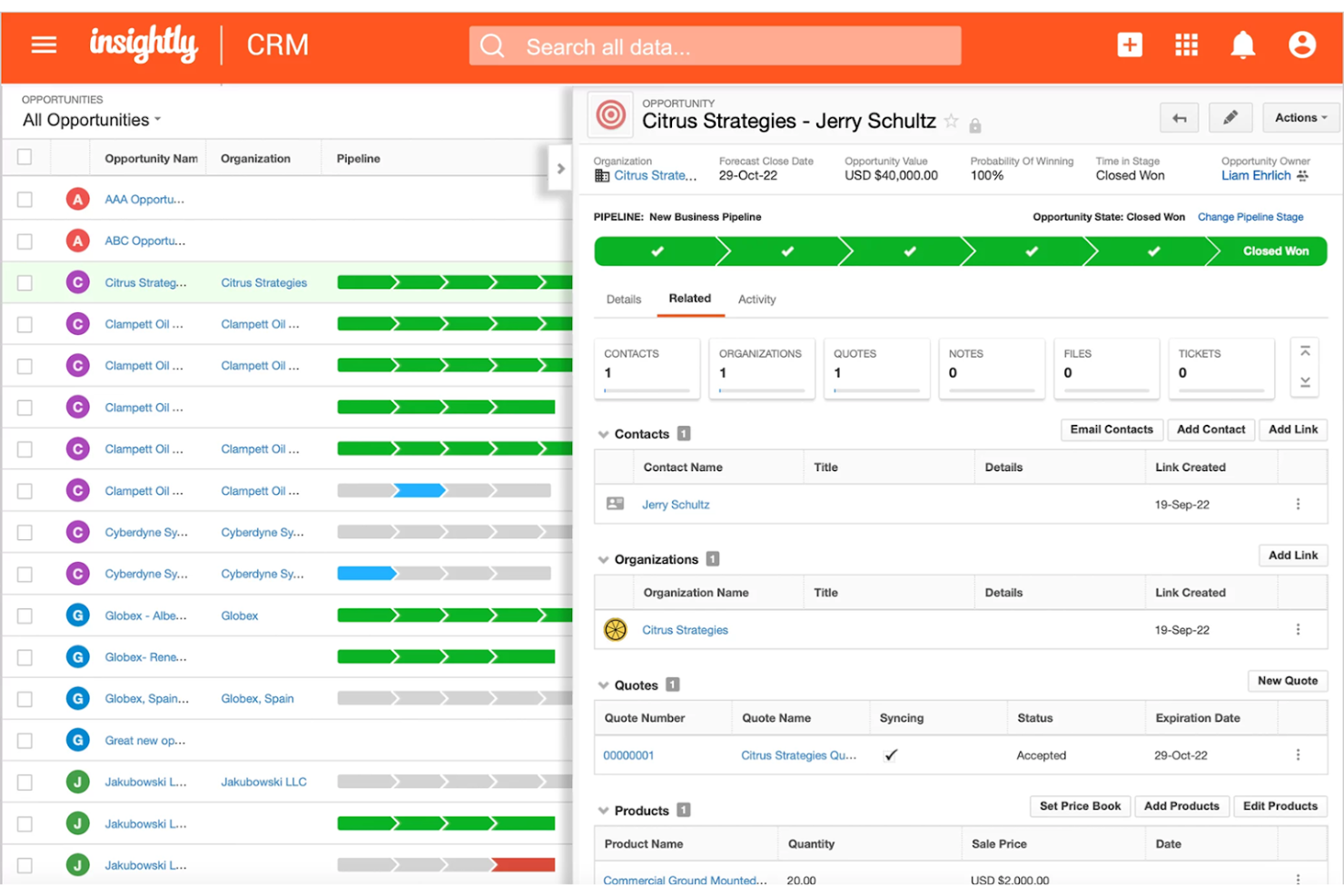
For teams that need CRM and project management in one place, Insightly offers a unique approach. This platform is a good fit for businesses that want to manage customer relationships and project delivery without switching tools. Unlike Zoho CRM, Insightly connects sales, project tracking, and task management in a single workflow.
Why Insightly Is a Good Zoho CRM Alternative
If you’re looking for a CRM that also handles project management, Insightly is worth considering. The platform lets you convert won opportunities directly into projects, so you can track delivery and execution without leaving your CRM. I like how you can assign tasks, set milestones, and monitor project progress alongside your sales pipeline. For businesses that want to keep customer data and project workflows tightly connected, Insightly offers a practical alternative to Zoho CRM.
Insightly Key Features
Some other features that stood out to me include:
- Custom Fields and Page Layouts: Tailor records and views to match your business processes and data needs.
- Email Tracking: Monitor when emails are opened and track engagement directly from the CRM.
- Relationship Linking: Connect contacts, organizations, and opportunities to visualize complex business relationships.
- Workflow Automation: Set up rules to automate repetitive tasks and standardize processes across your team.
Insightly Integrations
Integrations include Slack, QuickBooks Online, Workday, ZoomInfo, Unbounce, Jira, Shopify, Xero, Okta, Gong, Claude, and more.
Pros and Cons
Pros:
- Relationship linking maps complex contact connections
- One-click conversion turns opportunities into projects
- Built-in project management extends CRM capabilities
Cons:
- Email marketing features are limited
- Data imports may require manual cleanup

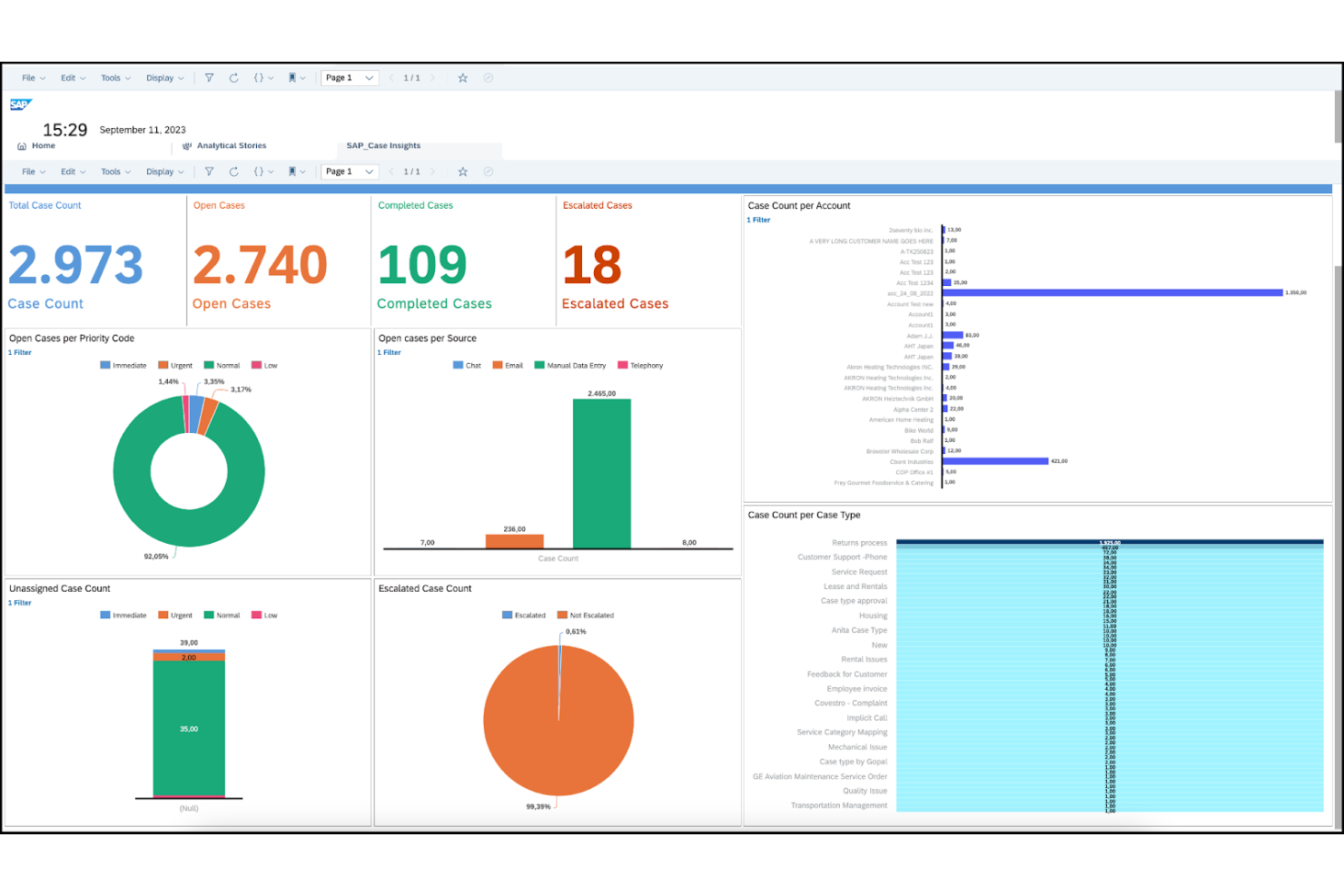
Large organizations that need deep integration between CRM and ERP systems often turn to SAP Sales Cloud. This platform is designed for enterprises that want to connect sales processes with inventory, finance, and supply chain data. If your business relies on SAP for resource planning, SAP Sales Cloud offers a unified approach that goes beyond what Zoho CRM and similar platforms provide.
Why SAP Sales Cloud Is a Good Zoho CRM Alternative
For businesses that need their CRM to work hand-in-hand with enterprise resource planning, SAP Sales Cloud is a strong choice. I picked SAP Sales Cloud because it connects sales activities directly with inventory, order management, and financial data from SAP ERP systems. This integration lets you automate quote-to-cash processes and gives sales teams real-time visibility into product availability and pricing. If your organization already uses SAP for core operations, this CRM offers a level of process alignment that Zoho CRM can’t match.
SAP Sales Cloud Key Features
Some other features that stand out to me include:
- AI-Powered Sales Forecasting: Generate predictive sales forecasts using machine learning models built into the platform.
- Mobile Sales App: Access customer data, manage tasks, and update opportunities from any mobile device.
- Territory and Quota Management: Define, assign, and monitor sales territories and quotas for your team.
- CPQ (Configure, Price, Quote) Tools: Build and send complex quotes with automated pricing and product configuration options.
SAP Sales Cloud Integrations
Native integrations are not currently listed.
Pros and Cons
Pros:
- Built-in CPQ streamlines complex quoting
- AI forecasting improves sales planning accuracy
- Territory and quota tools support complex sales teams
Cons:
- Integration with non-SAP systems is limited
- Customization often needs SAP consultants

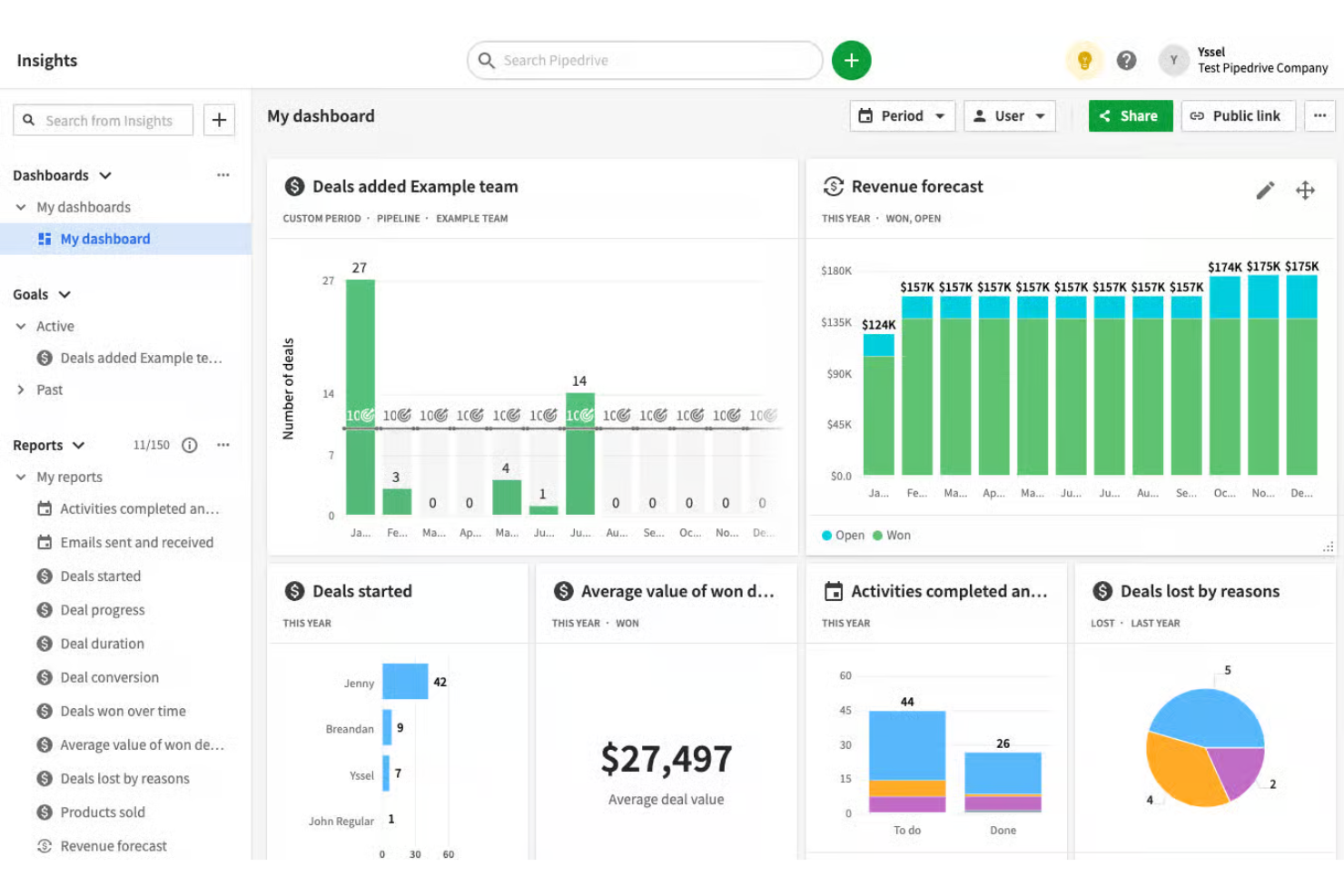
Sales teams looking for a highly visual way to manage deals often turn to Pipedrive. This CRM platform is designed for professionals who want to track opportunities through customizable pipeline stages and spot bottlenecks at a glance. Unlike Zoho CRM, Pipedrive’s drag-and-drop interface and pipeline-centric design make it easy to focus on moving deals forward, with strong ease of use and an intuitive interface that helps teams manage sales activities more efficiently.
Why Pipedrive Is a Good Zoho CRM Alternative
For teams that want a clear, visual approach to managing sales, Pipedrive offers a pipeline-focused experience that stands out from Zoho CRM. The drag-and-drop deal board lets you move opportunities through custom stages, making it easy to see where every deal stands. I like how you can color-code stages and set up automatic actions, so your team can quickly spot stalled deals and keep momentum going. If your priority is visualizing and managing your sales process at a glance, Pipedrive is a strong alternative to consider.
Pipedrive Key Features
In addition to its visual pipeline management, I also found these features worth noting:
- Email Integration: Connect your email account to send, receive, and track messages directly within Pipedrive.
- Activity Reminders: Set up reminders for calls, meetings, and follow-ups to keep deals moving.
- Sales Reporting: Access customizable reports to analyze sales performance and pipeline health.
- Marketplace Apps: Extend functionality with a wide range of native integrations available through the Pipedrive Marketplace.
Pipedrive Integrations
Integrations include Slack, Zoom, Zapier, Microsoft Teams, Asana, Trello, HubSpot, Google Drive, Intercom, PandaDoc, and more.
Pros and Cons
Pros:
- App marketplace offers many integrations
- Custom reports provide pipeline insights
- Activity reminders support timely follow-ups
Cons:
- Data imports may require manual cleanup
- No built-in customer support ticketing

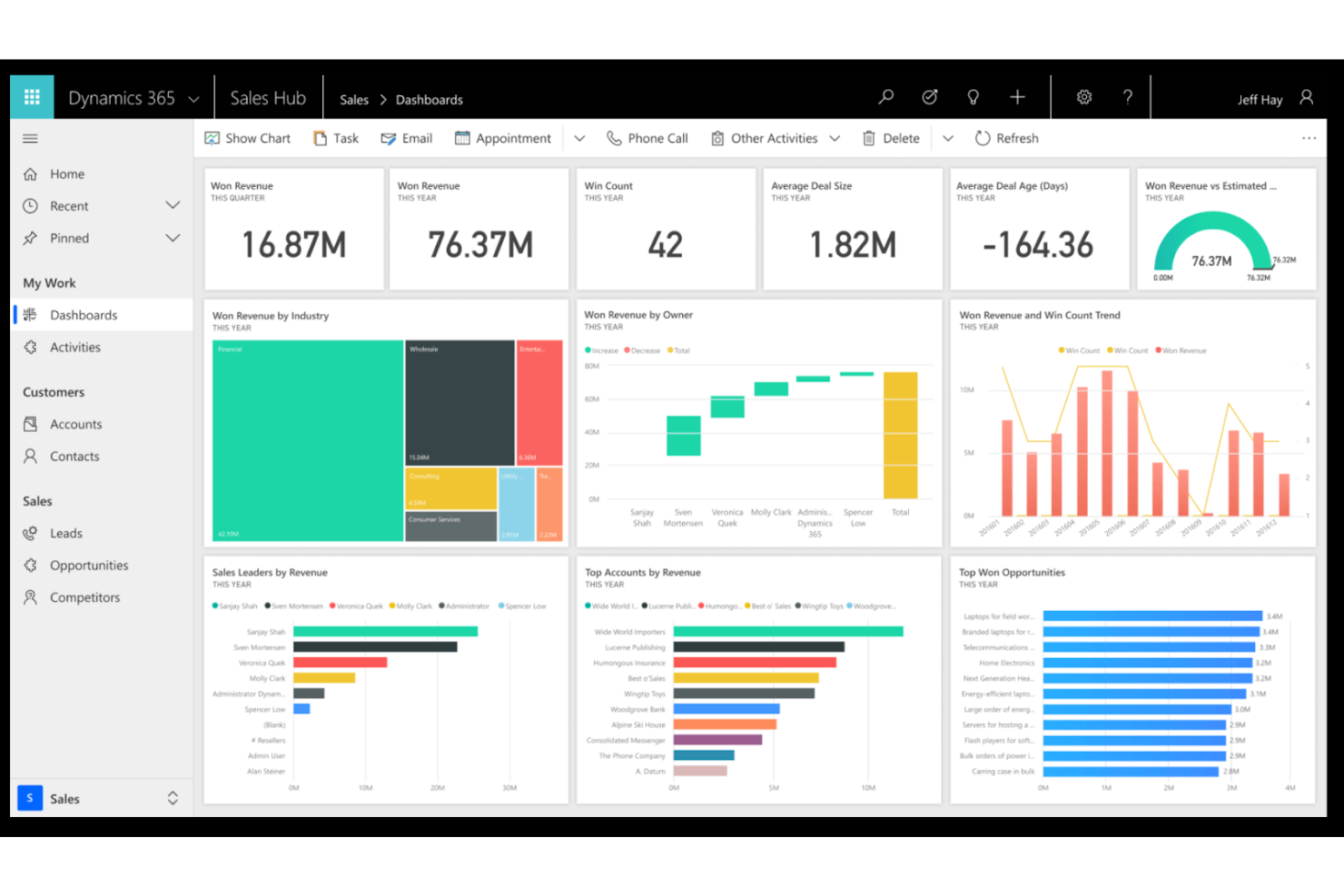
For organizations that rely on Microsoft 365 tools, Microsoft Dynamics 365 Sales offers a CRM system that fits naturally into your existing workflows. It’s especially useful for sales teams that want to connect emails, calendars, and documents directly to their customer data. Unlike Zoho CRM, Dynamics 365 Sales provides deep integration with Microsoft Teams, Outlook, and Excel, making collaboration and data sharing smoother for businesses of all sizes. As an all-in-one CRM platform, it helps teams manage relationships and improve the overall customer experience while keeping sales activities aligned with the Microsoft ecosystem.
Why Microsoft Dynamics 365 Sales Is a Good Zoho CRM Alternative
If your business already uses Microsoft 365, Dynamics 365 Sales is a natural fit for your CRM needs. The platform lets you link customer records directly with Outlook emails, Teams conversations, and Excel data, so your sales process stays connected to the tools you use every day. I appreciate how you can collaborate on deals in real time within Teams and update CRM data without switching apps. For organizations that want a CRM deeply embedded in their Microsoft ecosystem, Dynamics 365 Sales offers a level of integration that Zoho CRM can’t match.
Microsoft Dynamics 365 Sales Key Features
Some other features in Microsoft Dynamics 365 Sales that may interest you include:
- Lead Scoring: Prioritize leads using customizable scoring models based on engagement and demographic data.
- Sales Forecasting: Generate sales forecasts with built-in analytics and visual pipeline views.
- Mobile App: Access customer data, update records, and manage tasks from your mobile device.
- AI-Powered Insights: Get recommendations and next-step suggestions using built-in artificial intelligence.
Microsoft Dynamics 365 Sales Integrations
Native integrations are not currently listed.
Pros and Cons
Pros:
- Workflow automation supports complex sales processes
- Mobile app enables CRM access for field teams
- Custom dashboards support role-based reporting
Cons:
- Ongoing costs can increase with integrations and storage
- Data migration from non-Microsoft systems can be difficult
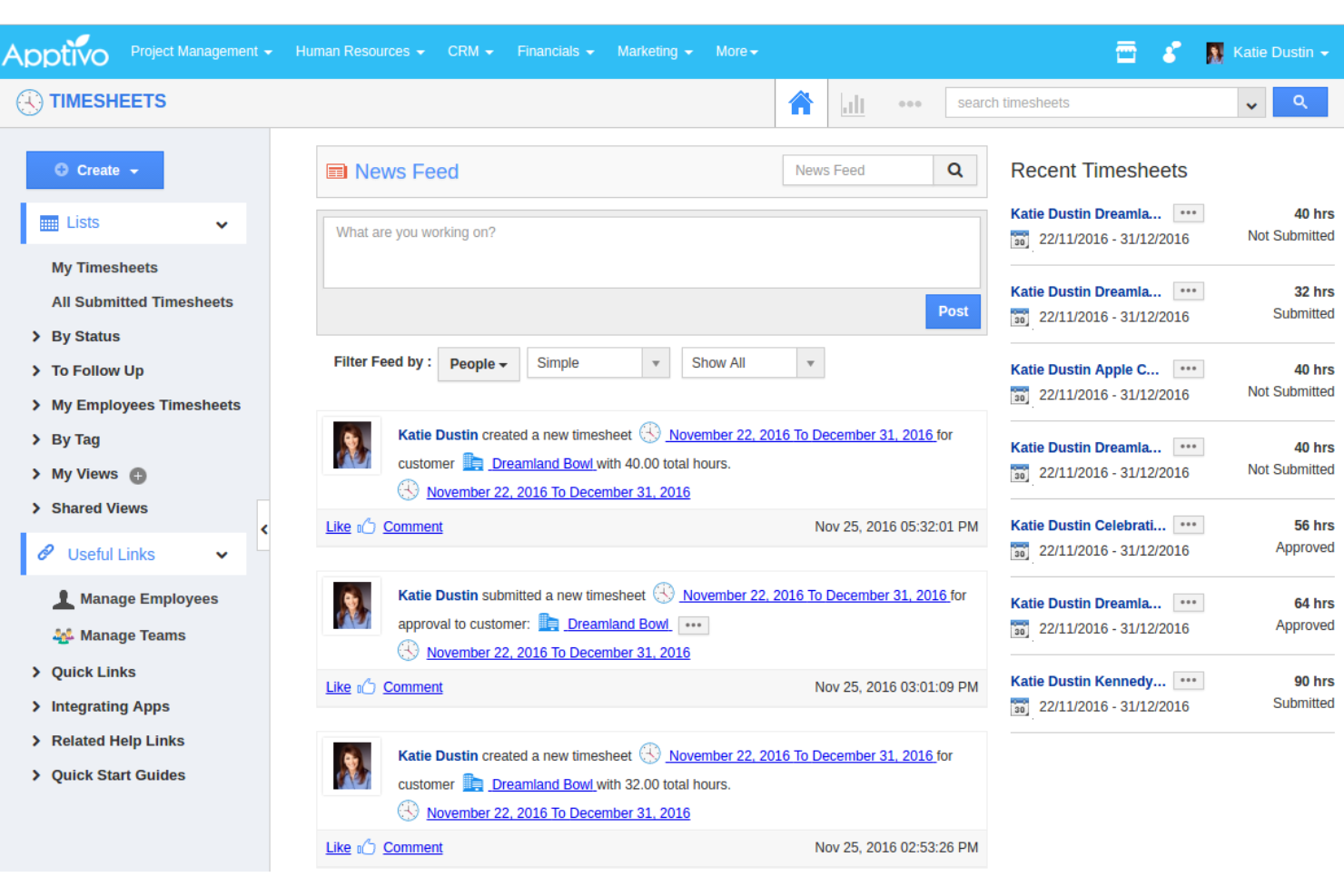
If you’re searching for a CRM platform that adapts to a wide range of industries, Apptivo is worth a closer look. It’s built for organizations that need deep customization across sales, service, project management, and more. Unlike Zoho CRM, Apptivo lets you tailor modules and workflows to fit unique business processes in fields like retail, manufacturing, consulting, and construction.
Why Apptivo Is a Good Zoho CRM Alternative
For businesses that need a CRM platform to fit industry-specific needs, Apptivo offers a level of customization that’s hard to match. I picked Apptivo because you can modify modules, fields, and workflows to reflect the exact processes of your business, whether you’re in retail, construction, or consulting. The platform also includes built-in apps for project management, invoicing, and a help desk, so you can manage more than just customer relationships in one place. If you want a CRM that adapts to your industry’s requirements, Apptivo is a flexible alternative to Zoho CRM.
Apptivo Key Features
Some other features that stand out to me include:
- Email Integration: Sync emails directly with CRM records for a complete communication history.
- Territory Management: Assign leads and customers to specific sales territories for better organization.
- Custom Reports: Build and schedule detailed reports using a drag-and-drop interface.
- Mobile App: Access CRM data and manage tasks from iOS and Android devices.
Apptivo Integrations
Integrations include QuickBooks, Xero, Authorize.Net, Google Forms, Stripe, Slack, WordPress, Dropbox, RingCentral, and more.
Pros and Cons
Pros:
- Mobile app enables CRM access on the go
- Territory management supports complex sales teams
- Built-in projects and invoicing extend CRM use
Cons:
- Custom app creation requires manual configuration
- Email campaign builder lacks advanced segmentation
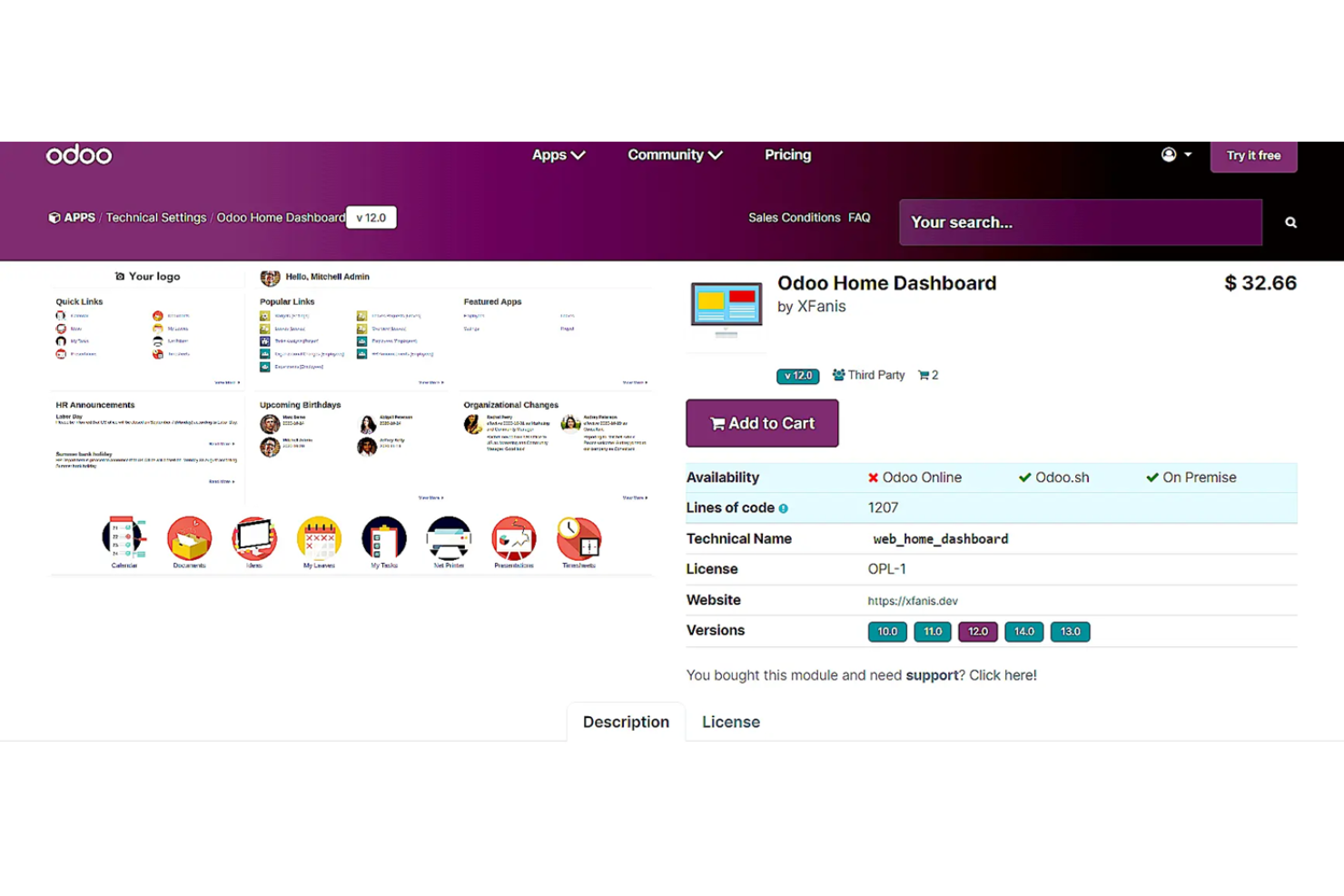
If you’re looking for a CRM that can grow alongside your business and connect with a wide range of operational tools, Odoo is worth a closer look. Odoo appeals to organizations that want to build a custom suite of business apps around their CRM, from sales and marketing to inventory and accounting. Its modular ecosystem lets you add or remove features as your needs change, offering flexibility that goes beyond what Zoho CRM and most other platforms provide.
Why Odoo Is a Good Zoho CRM Alternative
What sets Odoo apart as a Zoho CRM alternative is its modular business app ecosystem. I picked Odoo because you can start with CRM and then add other apps—like invoicing, project management, or inventory—whenever your business needs them. This approach lets you build a tailored platform that evolves with your processes, rather than being locked into a fixed set of features. For organizations that want flexibility and the ability to expand beyond CRM, Odoo’s modular design is a major advantage.
Odoo Key Features
Some other features that stand out to me include:
- Lead Scoring: Assign scores to leads based on customizable criteria to help prioritize follow-up.
- Pipeline Management: Visualize and manage sales opportunities through drag-and-drop kanban boards.
- Email Integration: Sync emails directly with CRM records for a complete communication history.
- Automated Activities: Set up automatic reminders and actions for sales tasks and follow-ups.
Odoo Integrations
Native integrations are not currently listed.
Pros and Cons
Pros:
- Visual pipeline enables drag-and-drop deals
- Built-in invoicing connects with CRM data
- Open-source option supports deep customization
Cons:
- Performance may slow with large datasets
- Paid plans needed for dedicated support
Other Zoho CRM Alternatives
Here are some additional Zoho CRM alternatives that didn’t make it onto my shortlist, but are still worth checking out:
- Salesforce
For advanced analytics and reporting
- monday CRM
For customizable workflow automation
- OnePageCRM
For action-focused sales workflows
- CrmOne
For WhatsApp business integration
- Lark
For built-in collaboration tools
- Drip
For e-commerce customer journeys
- Keap
For automating client follow-ups
- Copper
For Google Workspace integration
- EngageBay
For all-in-one marketing and sales
- Stackby
For spreadsheet-style CRM customization


Zoho CRM Alternatives Selection Criteria
When selecting the best Zoho CRM alternatives to include in this list, I considered common buyer needs and pain points related to customer relationship management platform products, like adapting workflows to unique business processes and supporting multi-channel communication. I also used the following framework to keep my evaluation structured and fair:
Core Functionality (25% of total score)
To be considered for inclusion in this list, each solution had to fulfill these common use cases:
- Manage contacts and accounts
- Track sales opportunities and pipelines
- Automate follow-ups and reminders
- Store and search customer communication history
- Generate and export sales and activity reports
Additional Standout Features (25% of total score)
To help further narrow down the competition, I also looked for unique features, such as:
- Industry-specific workflow customization
- Built-in project management tools
- Integrated invoicing and billing modules
- Territory and quota management
- Advanced automation and workflow builders
Usability (10% of total score)
To get a sense of the usability of each system, I considered the following:
- Simple and intuitive navigation
- Customizable dashboards and views
- Minimal clicks to complete common tasks
- Responsive design for mobile and desktop
- Clear labeling and logical menu structure
Onboarding (10% of total score)
To evaluate the onboarding experience for each platform, I considered the following:
- Step-by-step setup wizards or product tours
- Availability of training videos and documentation
- Pre-built templates for common CRM processes
- Access to onboarding webinars or live sessions
- In-app chatbots or help widgets for quick answers
Customer Support (10% of total score)
To assess each software provider’s customer support services, I considered the following:
- Multiple support channels like chat, email, and phone
- Availability of a searchable knowledge base
- Fast response times for support requests
- Access to community forums or user groups
- Proactive support with onboarding or migration help
Value For Money (10% of total score)
To evaluate the value for money of each platform, I considered the following:
- Transparent and predictable pricing tiers
- Features included at each pricing level
- Flexibility to scale up or down as needed
- No hidden fees or surprise charges
- Free trial or demo options available
Customer Reviews (10% of total score)
To get a sense of overall customer satisfaction, I considered the following when reading customer reviews:
- Consistency of positive feedback across platforms
- Reports of reliable system uptime and performance
- Feedback on customer support experiences
- User comments on feature usefulness and gaps
- Trends in recent updates or improvements
Why Look For a Zoho CRM Alternative?
While Zoho CRM is a good choice of customer relationship management platform, there are a number of reasons why some users seek out alternative solutions. You might be looking for a Zoho CRM alternative because…
- You need deeper industry-specific customization options
- Your team requires more advanced automation or workflow tools
- You want more native integrations with your existing software stack
- You find Zoho CRM’s interface cluttered or unintuitive for your workflow
- You need better support for multi-currency or global operations
If any of these sound like you, you’ve come to the right place. My list contains several customer relationship management platform options that are better suited for teams facing these challenges with Zoho CRM and looking for alternative solutions.
Zoho CRM Key Features
Here are some of the key features of Zoho CRM, to help you contrast and compare what alternative solutions offer:
- Lead and contact management
- Sales pipeline and deal tracking
- Workflow automation and process management
- Email integration and tracking
- Customizable dashboards and reporting
- AI-powered sales assistant (Zia)
- Multi-channel communication (phone, chat, social, web forms)
- Role-based access controls and permissions
- Mobile CRM app for iOS and Android
- Integration with Zoho suite and third-party apps