

MarginEdge Review: Pros, Cons, Features, and Pricing
MarginEdge empowers your restaurant with real-time data, simplifying expense management and providing rich insights to your hospitality operation.

We review tools independently, and commissions help fund our testing. See our transparency policy, our methodology, or suggest a tool.
MarginEdge is an expense management software built for restaurant operators who need to track food costs, process vendor invoices, and monitor spending against daily sales. I'd choose it over Plate IQ if your priority is connecting invoice data directly to recipe-level cost analysis, MarginEdge ties purchasing and vendor bills to menu costing in a way that gives your finance team a much clearer picture of where margin is actually going.
MarginEdge Evaluation Summary
4.6/5
- From $330/location/month
- Free demo available
Why Trust Our Software Recommendations
6,700+
Reviews
20
Industry experts
16+
Evaluation factors
14
Years
Our team has been testing and reviewing software since 2012. As finance leaders ourselves, we know how difficult—and important—it is to choose the right software.
For this guide, we evaluated tools using hands-on testing and independent research, scoring tools using our selection criteria.
Our reviews reflect our human editorial judgment, not a sales pitch.
MarginEdge Overview
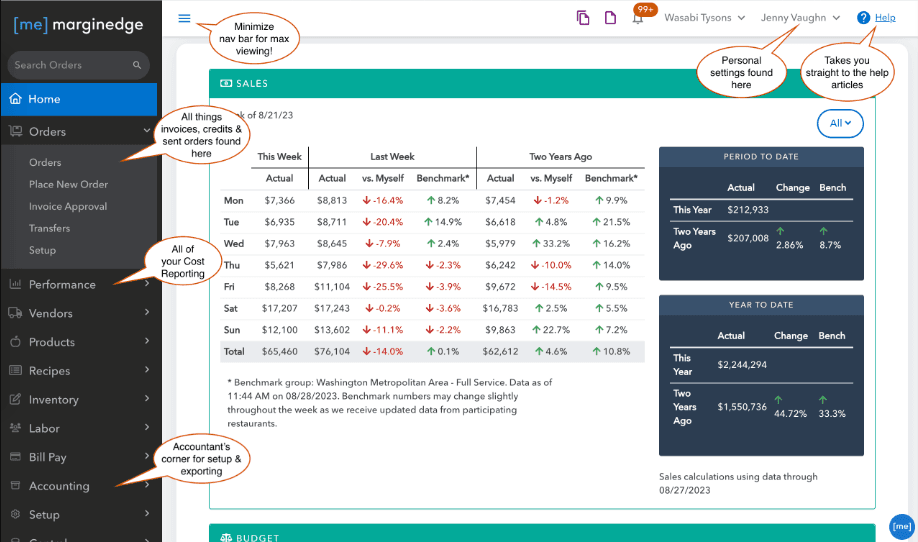
In my opinion, MarginEdge excels at providing restaurateurs with valuable real-time cost insights, which many user reviews describe as a game-changer for their operations. Its seamless integration with POS systems and accounting systems is a standout feature, making it ideal for restaurant management. In my opinion, its ease of use, strong automation, and effective customer support make it a solid choice for businesses looking to improve operational efficiency and forecasting. However, onboarding might require some patience, although it's manageable.
For restaurant teams, it's a great fit, offering a strong overall rating. It has excellent value for money and powerful tools for monitoring labor costs, line item expenses, and generating usage reports. Compared to other expense management software, MarginEdge's focus on the restaurant industry makes it uniquely advantageous for those specific needs.
Pros
- Provides real-time cost insights that improve recipe management.
- The user-friendly interface makes it easy to navigate and use daily.
- Its restaurant focus makes it well-suited to your specific industry needs.
Cons
- The onboarding process can be a bit lengthy.
- It may not cover all the features needed in non-restaurant industries.
- Some users report occasional system lags during peak times.
Is MarginEdge Right For Your Needs?
Who Would be a Good Fit for MarginEdge?
MarginEdge is perfect for restaurant operators who need real-time cost tracking, inventory management, and better expense visibility. If your team struggles with manual data entry and wants to integrate point-of-sale systems seamlessly with back-office accounting systems, MarginEdge offers a tailored solution. Its user-friendly interface, built-in automation, and focus on the restaurant industry make it a smart choice for those looking to enhance operational efficiency and gain actionable insights through detailed metrics and price alerts.
- Restaurant ChainsMarginEdge excels at helping you manage costs across multiple locations with real-time data, usage reports, and centralized cost management that positively impact your bottom line.
- Independent RestaurantsFor single-location restaurants, it simplifies your cost tracking and integrates with your existing accounting systems.
- Cafés and BistrosIts focus on small-scale operations means you can benefit from precise inventory, line item tracking, and cost management insights to optimize food usage.
- Food TrucksMarginEdge’s mobile-friendly features help your food truck track inventory, manage costs, and respond quickly to real-time price changes.
- Catering ServicesYour catering business can use MarginEdge to manage ingredient costs, automate invoice processing, and streamline operations efficiently.
- Hospitality GroupsFor hospitality groups managing diverse food services, it provides centralized control, forecasting tools, and insights into each operation.
Who Would be a Bad Fit for MarginEdge?
MarginEdge isn't ideal for industries outside the food service realm. If your business operates in manufacturing or retail, you might find its functionality lacking. Its focus on restaurant-specific needs means it doesn't cater to broader expense management requirements found in other industries. Your team may struggle with its limited capabilities if you require complex financial analytics beyond inventory, cost tracking, and labor costs.
- Manufacturing CompaniesYour manufacturing operations won't benefit from MarginEdge's restaurant-focused features, which lack production cost management.
- Retail StoresRetailers need inventory management tailored to product SKUs, which MarginEdge doesn't provide.
- Corporate OfficesFor corporate expense tracking, MarginEdge lacks features such as travel and expense reporting.
- Healthcare ProvidersYour healthcare facility needs specific medical inventory management that MarginEdge can't offer.
- Construction FirmsConstruction firms require project-based expense tracking, which MarginEdge doesn't support.
- Educational InstitutionsSchools need budget management across departments, a feature not available in MarginEdge’s offerings.
How We Test & Score Tools
We’ve spent years building, refining, and improving our software testing and scoring system. The rubric is designed to capture the nuances of software selection and what makes a tool effective, focusing on critical aspects of the decision-making process.
Below, you can see exactly how our testing and scoring works across seven criteria. It allows us to provide an unbiased evaluation of the software based on core functionality, standout features, ease of use, onboarding, customer support, integrations, customer reviews, and value for money.
Core Functionality (25% of final scoring)
The starting point of our evaluation is always the core functionality of the tool. Does it have the basic features and functions that a user would expect to see? Are any of those core features locked to higher-tiered pricing plans? At its core, we expect a tool to stand up against the baseline capabilities of its competitors.
Standout Features (25% of final scoring)
Next, we evaluate uncommon standout features that go above and beyond the core functionality typically found in tools of its kind. A high score reflects specialized or unique features that make the product faster, more efficient, or offer additional value to the user.
We also evaluate how easy it is to integrate with other tools typically found in the tech stack to expand the functionality and utility of the software. Tools offering plentiful native integrations, 3rd party connections, and API access to build custom integrations score best.
Ease of Use (10% of final scoring)
We consider how quick and easy it is to execute the tasks defined in the core functionality using the tool. High scoring software is well designed, intuitive to use, offers mobile apps, provides templates, and makes relatively complex tasks seem simple.
Onboarding (10% of final scoring)
We know how important rapid team adoption is for a new platform, so we evaluate how easy it is to learn and use a tool with minimal training. We evaluate how quickly a team member can get set up and start using the tool with no experience. High scoring solutions indicate little or no support is required.
Customer Support (10% of final scoring)
We review how quick and easy it is to get unstuck and find help by phone, live chat, or knowledge base. Tools and companies that provide real-time support score best, while chatbots score worst.
Customer Reviews (10% of final scoring)
Beyond our own testing and evaluation, we consider the net promoter score from current and past customers. We review their likelihood, given the option, to choose the tool again for the core functionality. A high scoring software reflects a high net promoter score from current or past customers.
Value for Money (10% of final scoring)
Lastly, in consideration of all the other criteria, we review the average price of entry level plans against the core features and consider the value of the other evaluation criteria. Software that delivers more, for less, will score higher.
Core Features
Real-Time Cost Tracking: This feature lets your team monitor expenses as they happen with real-time data, giving you up-to-date insights into profitability. You can make informed decisions quickly to manage your costs effectively.
Inventory Management: MarginEdge helps you track your inventory levels in real time, reducing waste and saving money. Your team can easily adjust orders based on current stock, online ordering trends, and sales patterns.
Recipe Costing: You can calculate the cost of each menu item accurately at the line item level, ensuring pricing aligns with your profit goals. This transparency helps you maintain your desired profit margins.
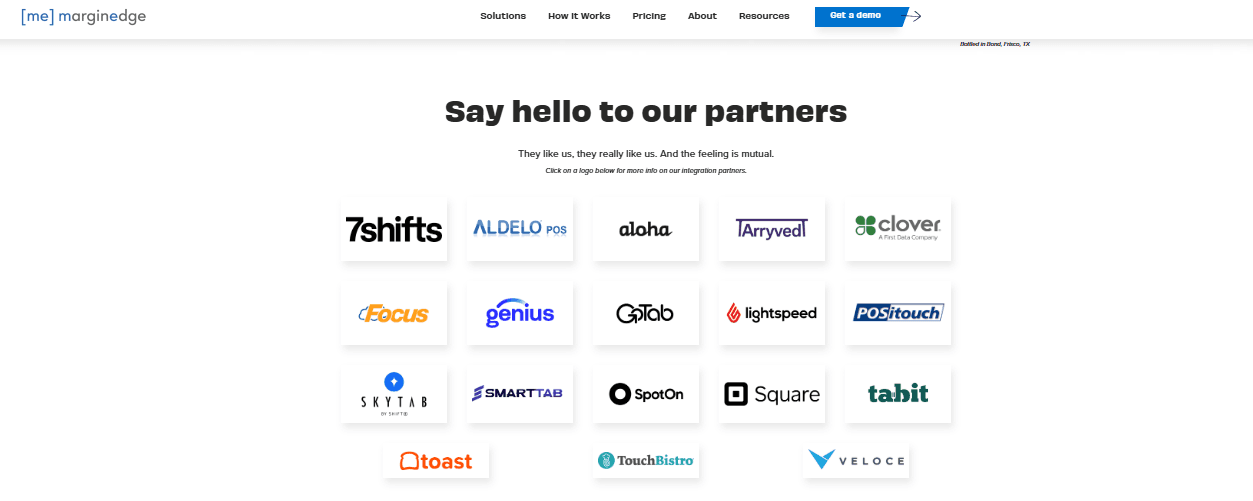
Invoice Processing: Your invoices can be processed quickly and accurately with automation, reducing manual data entry errors. This speeds up your accounting workflow and keeps your records up-to-date.
Sales Data Integration: MarginEdge integrates sales data from your POS system into your accounting systems, giving you a clear picture of your restaurant's performance. You can identify trends and make data-driven decisions.
Reporting and Analytics: It provides detailed reports, usage reports, and analytics, helping your team understand financial performance and areas for improvement. This insight supports better strategic planning and forecasting.
Ease of Use
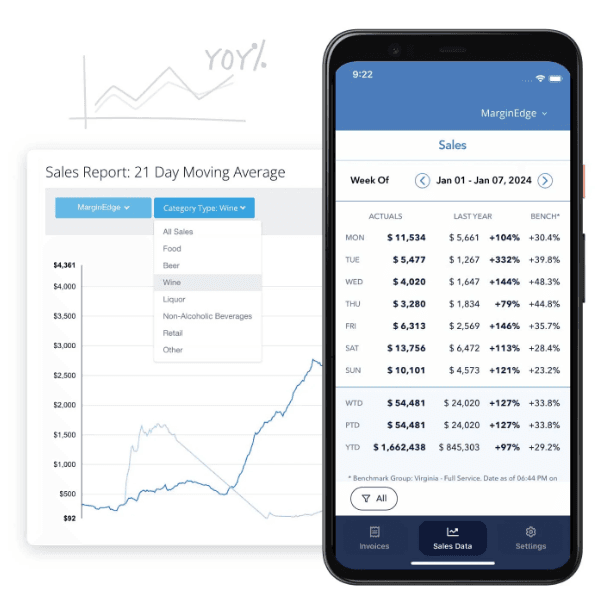
MarginEdge stands out for its intuitive, user-friendly interface, making it easy for your team to navigate and use on a daily basis. The integration with POS systems simplifies data entry, reducing the workload for your staff. Its clear dashboard provides real-time insights into key metrics, helping you make informed decisions quickly. While user reviews mention that the onboarding process takes time, the overall user experience is positive, with most users citing strong ease of use and a high overall rating once fully set up.
Integrations
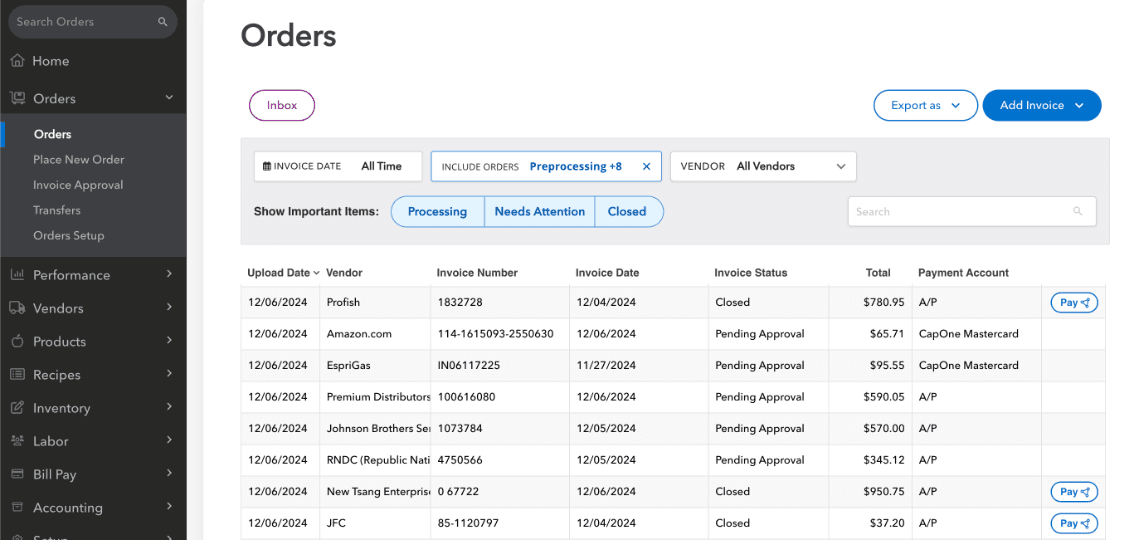
MarginEdge integrates with 7shifts, Clover, Square, Tabit, Toast, TouchBistro, Rezku, rPower, Salido, and Shopify. MarginEdge also offers an API and connects with third-party integration tools.
MarginEdge Specs
- 2-Factor Authentication: Yes
- Accounts Payable: Yes
- Accounts Receivable: Yes
- API: Yes
- Balance Sheet: Yes
- Billing/Invoicing: Yes
- BitCoin: No
- Budgeting: Yes
- Calendar Management: No
- Contact Management: Yes
- CRM Integration: Yes
- Customer Management: No
- Dashboard: No
- Data Export: Yes
- Data Import: Yes
- Data Visualization: Yes
- Expense Tracking: Yes
- External Integrations: Yes
- Forecasting: Yes
- General Account Ledger: No
- Inventory Tracking: No
- Multi-Currency: No
- Multi-User: No
- Notifications: No
- P&L: No
- PayPal: No
- Payroll: No
- SAP Integration: No
- Stripe: No
- Supplier Management: No
- Tax Management: No


