

SAP Business One Review 2026: Pros, Cons, Features, and Pricing
SAP Business One helps businesses manage finance, inventory, sales, purchasing, and operations with ERP tools built for growing small and midsized companies.

We review tools independently, and commissions help fund our testing. See our transparency policy, our methodology, or suggest a tool.
SAP Business One is an ERP software designed for small and midsize businesses that need integrated financials, supply chain, and operations in one platform. If you’re a CFO tackling disjointed data, manual processes, or a lack of visibility, this software could bring all those elements together. The platform promises scalability, real-time reporting, and controls without the steep complexity you get from larger enterprise systems.
In this SAP Business One review, I break down its core features, strengths and weaknesses, pricing, and what types of businesses are likely to get the most value from it.
SAP Business One Evaluation Summary
4.4/5
- Pricing upon request
- Free demo available
Why Trust Our Software Recommendations
6,700+
Reviews
20
Industry experts
16+
Evaluation factors
14
Years
Our team has been testing and reviewing software since 2012. As finance leaders ourselves, we know how difficult—and important—it is to choose the right software.
For this guide, we evaluated tools using hands-on testing and independent research, scoring tools using our selection criteria.
Our reviews reflect our human editorial judgment, not a sales pitch.
SAP Business One Overview
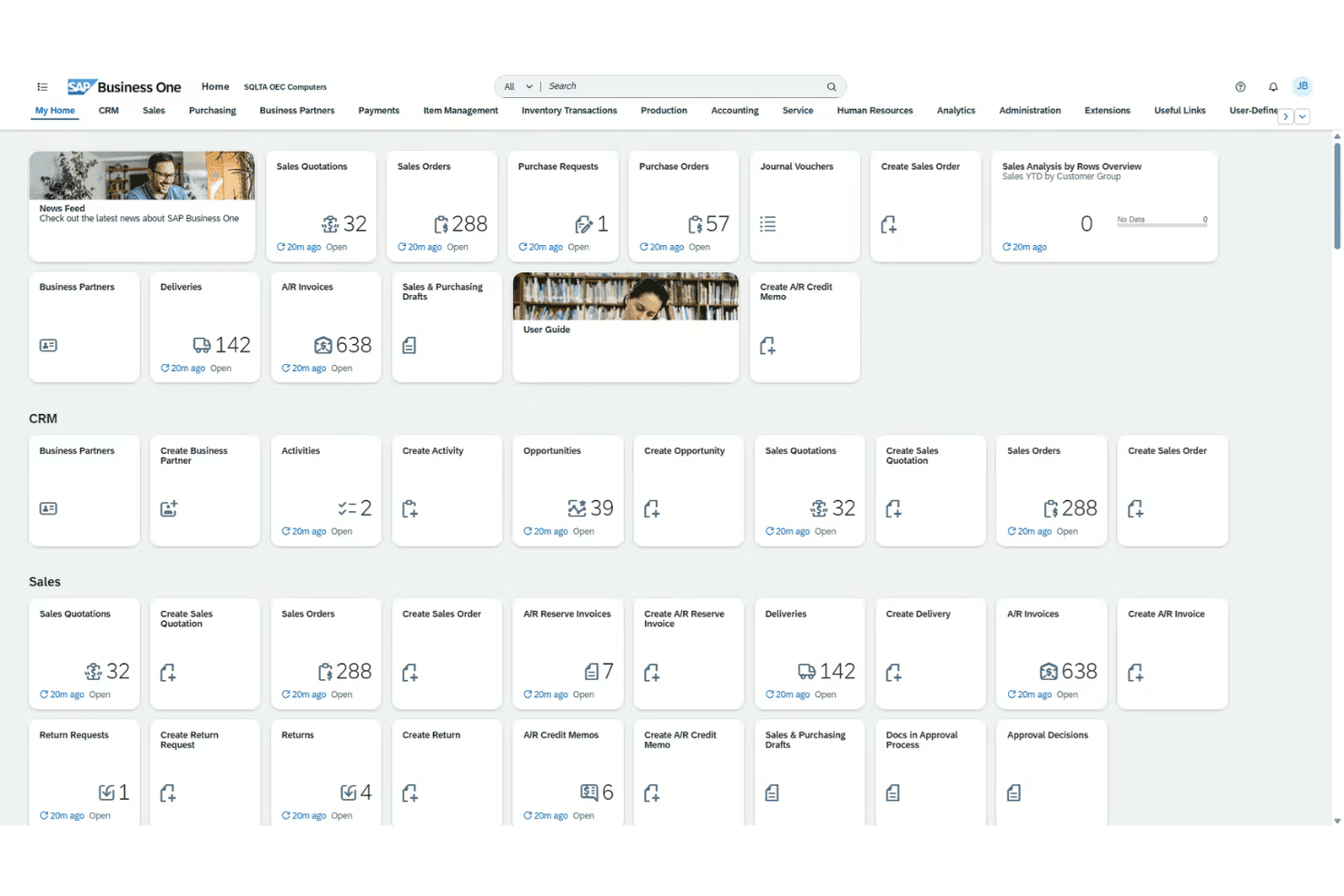
When judging SAP Business One, I think its all-in-one approach provides greater visibility and automation than most entry-level ERP systems, especially in finance and inventory. Its customization, bank integrations, and localized support stand out for global teams, though onboarding can be slower and costs steeper than some peers.
In my view, if you’re determining the right fit for growing manufacturers, distributors, or services that need granular controls but not full-blown, heavyweight ERP, SAP Business One is worth selecting—especially if you want mature features without overwhelming complexity
Pros
- Real-time inventory tracking and batch management are built in
- Localized tax and language support for global operations
- Advanced financial consolidation for multi-entity reporting
Cons
- Mobile app lacks some key desktop features
- Reporting tools feel dated compared to newer platforms
- Complex upgrades require expert consulting to execute
Is SAP Business One Right For Your Needs?
Who Would be a Good Fit for SAP Business One?
SAP Business One works best for companies with multi-entity operations, global compliance needs, and a demand for in-depth financial controls. Manufacturing, wholesale, and distribution teams that need strong inventory, production, and order visibility get real value from its unified workflows.
Mid-sized businesses expanding into new markets also benefit from localization tools and deployment flexibility.
- Global SubsidiariesCentralized controls, built-in multi-currency, and tax support make SAP Business One ideal for enterprises managing subsidiaries or international branches.
- Wholesale DistributorsReal-time inventory, advanced batch tracking, and warehouse management help distributors meet demanding logistics and replenishment needs.
- Manufacturing OperationsProduction planning, bill of materials, and material requirements planning features fit manufacturers who need end-to-end oversight.
- Financial ControllersIn-depth reporting, customizable user permissions, and audit trails make this platform a good match for finance teams running rigorous internal controls.
- Growing SMBsSMBs scaling up to international or multi-location businesses get enterprise features without switching to an unwieldy solution.
- Regulated IndustriesStrong compliance management, integrated document control, and regional localization are suited to industries with heavy regulatory oversight.
Who Would be a Bad Fit for SAP Business One?
SAP Business One won’t be a good fit for teams with simple needs, very small budgets, or those seeking ultra-modern, highly intuitive user interfaces out of the box. Early-stage startups, retail chains with a real-time ecommerce focus, or organizations needing industry-specific functionality not provided may struggle to see real value given the required investment and setup.
- Early-Stage StartupsThe software’s upfront costs and complexity are too high if you need a basic accounting or inventory tool.
- Solo EntrepreneursSingle-user businesses won’t benefit from the system’s advanced modules and multi-user workflows.
- Small NonprofitsResource-limited nonprofits likely find SAP Business One’s depth overwhelming and its licensing out of reach.
- High-Volume RetailBrick-and-mortar or ecommerce retailers needing highly specialized POS or omnichannel experiences may find core retail features lacking.
- Highly Niche VerticalsIndustries with unique, custom regulatory or workflow needs outside SAP’s standard templates will spend too much on customization.
- UX-First TeamsOrganizations that prioritize the newest, most modern UI or low training requirements may find SAP Business One cumbersome.
How We Test & Score Tools
We’ve spent years building, refining, and improving our software testing and scoring system. The rubric is designed to capture the nuances of software selection and what makes a tool effective, focusing on critical aspects of the decision-making process.
Below, you can see exactly how our testing and scoring works across seven criteria. It allows us to provide an unbiased evaluation of the software based on core functionality, standout features, ease of use, onboarding, customer support, integrations, customer reviews, and value for money.
Core Functionality (25% of final scoring)
The starting point of our evaluation is always the core functionality of the tool. Does it have the basic features and functions that a user would expect to see? Are any of those core features locked to higher-tiered pricing plans? At its core, we expect a tool to stand up against the baseline capabilities of its competitors.
Standout Features (25% of final scoring)
Next, we evaluate uncommon standout features that go above and beyond the core functionality typically found in tools of its kind. A high score reflects specialized or unique features that make the product faster, more efficient, or offer additional value to the user.
We also evaluate how easy it is to integrate with other tools typically found in the tech stack to expand the functionality and utility of the software. Tools offering plentiful native integrations, 3rd party connections, and API access to build custom integrations score best.
Ease of Use (10% of final scoring)
We consider how quick and easy it is to execute the tasks defined in the core functionality using the tool. High scoring software is well designed, intuitive to use, offers mobile apps, provides templates, and makes relatively complex tasks seem simple.
Onboarding (10% of final scoring)
We know how important rapid team adoption is for a new platform, so we evaluate how easy it is to learn and use a tool with minimal training. We evaluate how quickly a team member can get set up and start using the tool with no experience. High scoring solutions indicate little or no support is required.
Customer Support (10% of final scoring)
We review how quick and easy it is to get unstuck and find help by phone, live chat, or knowledge base. Tools and companies that provide real-time support score best, while chatbots score worst.
Customer Reviews (10% of final scoring)
Beyond our own testing and evaluation, we consider the net promoter score from current and past customers. We review their likelihood, given the option, to choose the tool again for the core functionality. A high scoring software reflects a high net promoter score from current or past customers.
Value for Money (10% of final scoring)
Lastly, in consideration of all the other criteria, we review the average price of entry level plans against the core features and consider the value of the other evaluation criteria. Software that delivers more, for less, will score higher.
Core Features
Financial Management
Track accounts, budgets, and journal entries in real time. Streamline audits and financial closes with automated workflows.
Sales and Customer Management
Manage leads, quotes, and customer activity from first contact through post-sale service. Get a unified view of sales and customer data across your business.
Inventory and Distribution
Monitor stock levels, serial numbers, and order fulfillment across multiple warehouses. Automate replenishment and spot shortages or surplus before they become costly.
Purchasing and Supplier Control
Handle purchase orders, vendor performance, and payment processing on one platform. Reduce manual errors and keep supplier relationships transparent.
Production and MRP
Plan, track, and control production with bill of materials and resource planning tools. Optimize workflows for manufacturing and reduce bottlenecks.
Analytics and Reporting
Build custom dashboards and run real-time reports across all modules. Spot trends, analyze margins, and create board-ready summaries in a few clicks.
Ease of Use
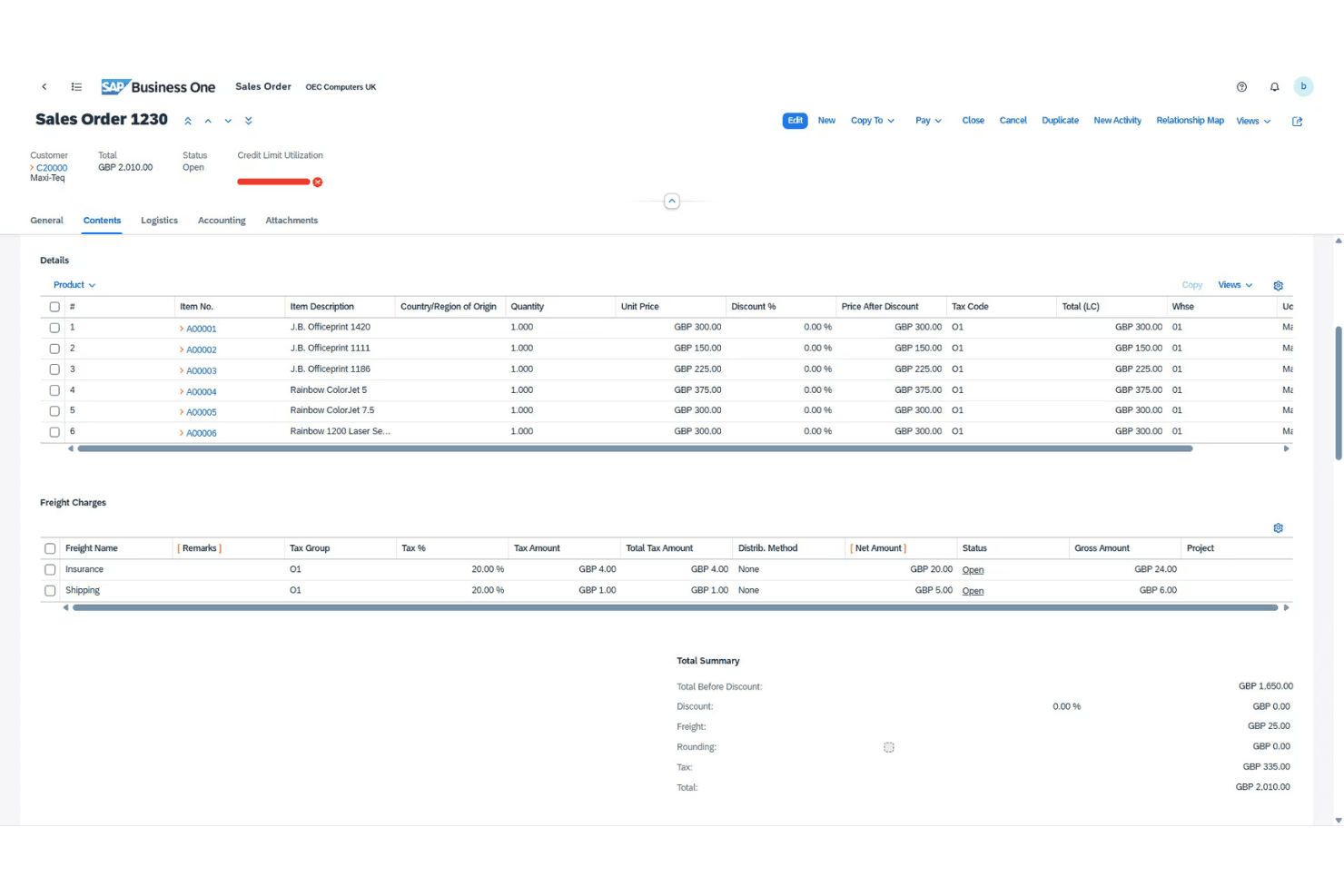
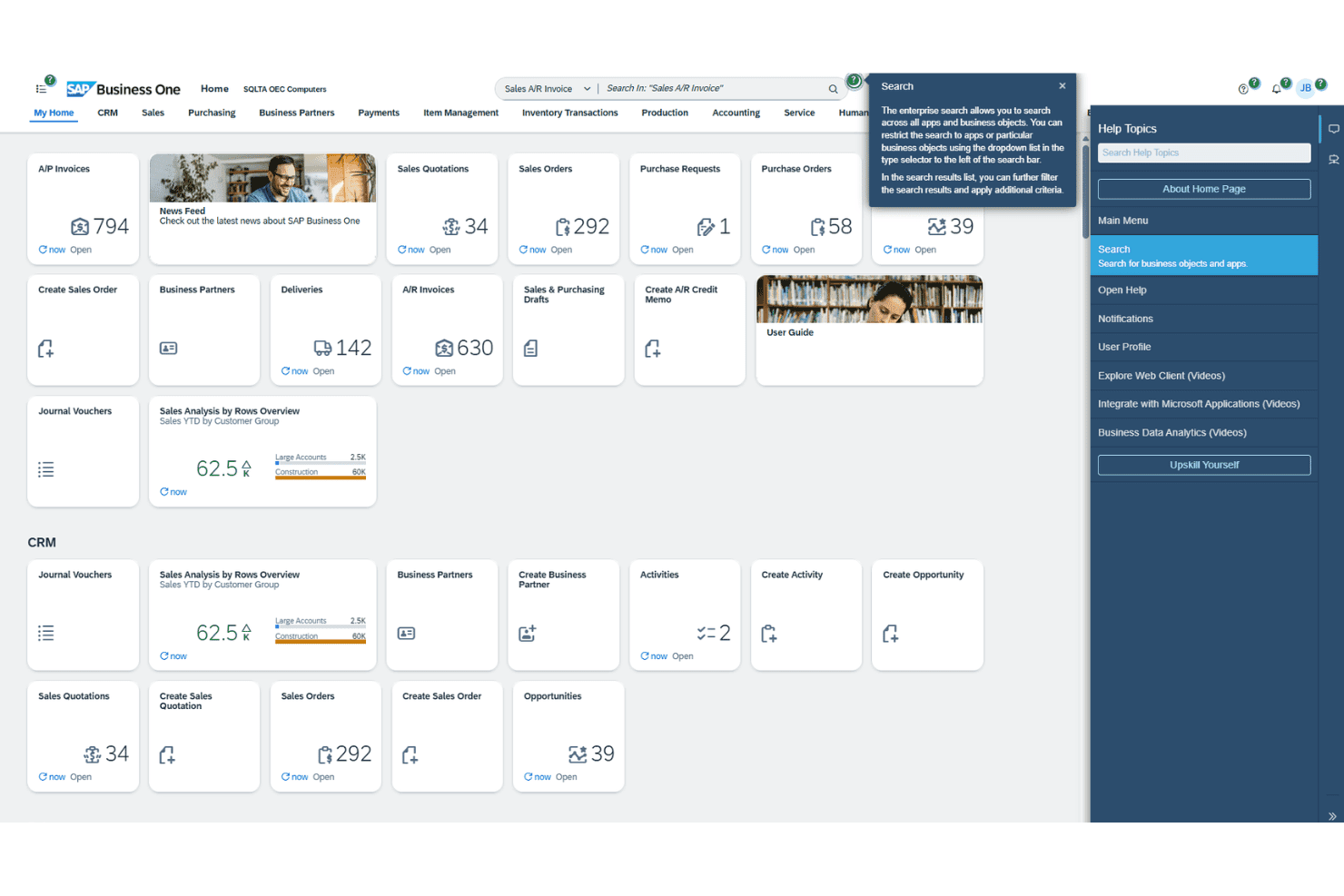
SAP Business One isn’t the most intuitive ERP for newcomers, but its navigation and menus are predictable once you learn the ropes. I’ve noticed users appreciate how task flows—like approvals and procurement—stay customizable, but some screens still feel crowded. Built-in help and regional support ease the learning curve, especially for teams handling complex financials.
Integrations
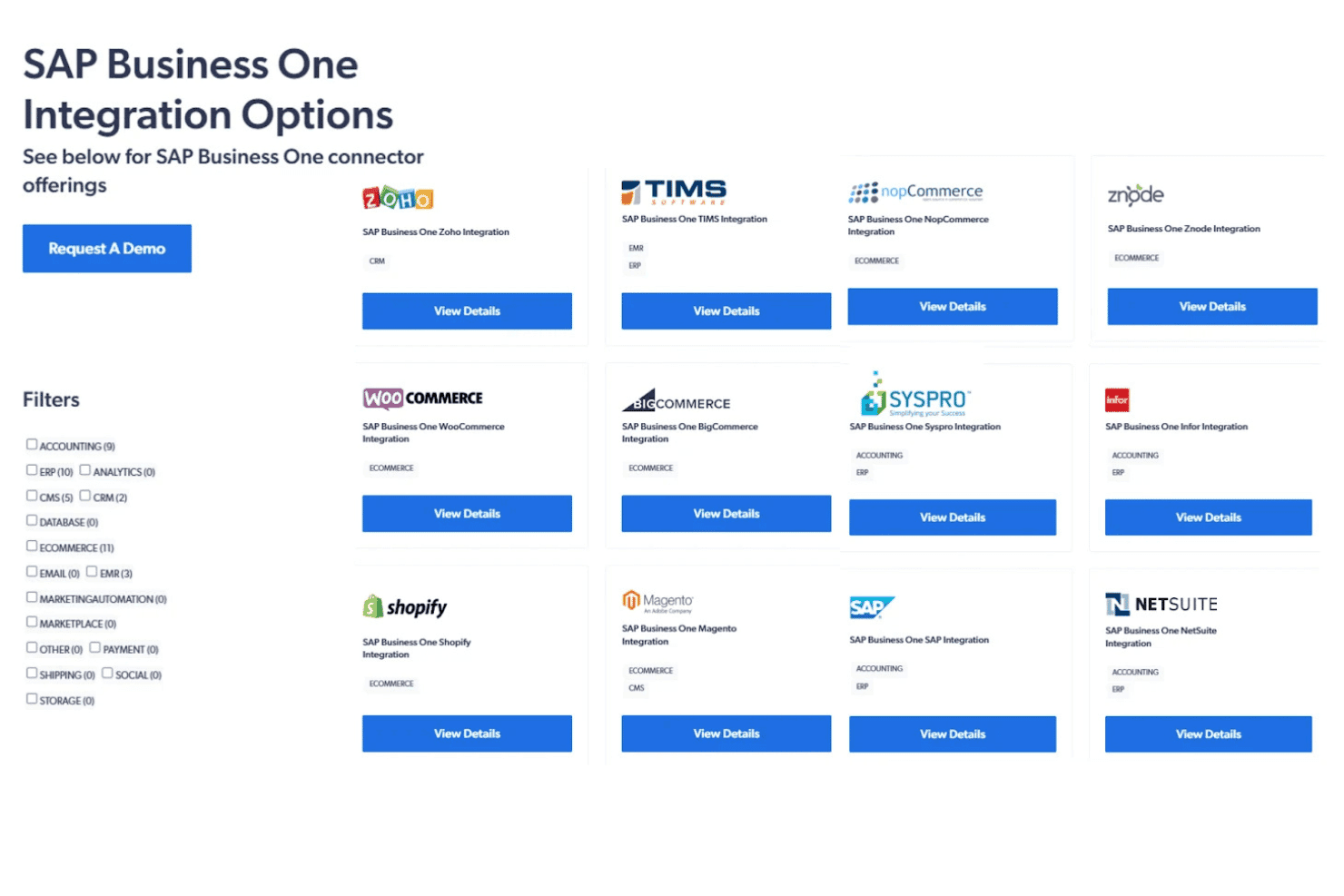
SAP Business One integrates with Microsoft Outlook, Magento, Shopify, WooCommerce, SAP Analytics Cloud, Boyum IT, Mailchimp, DHL, FedEx, and Avalara, among others.
SAP Business One also offers a comprehensive API and can connect with popular third-party integration platforms.
SAP Business One Specs
- 2-Factor Authentication: No
- Analytics: Yes
- Anti-Virus: No
- API: Yes
- Batch Permissions & Access: No
- Bug Tracking: No
- Call Integration: No
- Chat: No
- Contact Management: Yes
- CRM Integration: Yes
- Customer Management: Yes
- Data Export: Yes
- Data Import: Yes
- Email Integration: Yes
- Escalation Management: No
- External Integrations: Yes
- Incident Management: No
- Instant Chat Integration: No
- Knowledge Base: No
- Malware Protection: No
- Multi-User: Yes
- Notifications: Yes
- Organization Management: Yes
- Password & Access Management: No
- Project Management: Yes
- Real-time Alerts: Yes
- SAP Integration: Yes
- Self-service Portal: No
- Social Media Integration: No
- Support Forum: No
- Ticket Management: No
- Workflow Management: Yes


